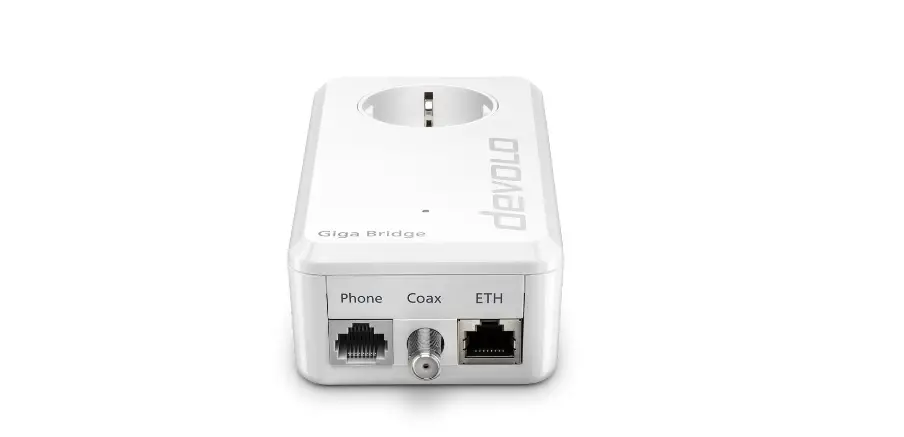

devolo Giga Bridge Telefon Set Installation
Installation
The devolo Giga Bridge is only suitable to be used with telephone and coaxial lines inside buildings.
The use of telephone and coaxial lines outside of buildings may negatively aff ect conformity and cause the warranty claims to become void
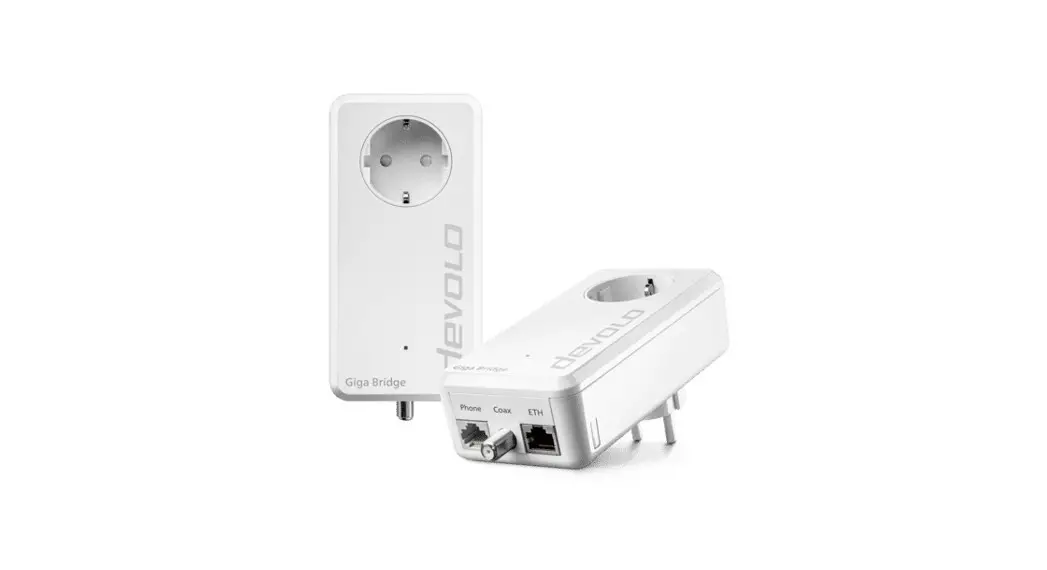
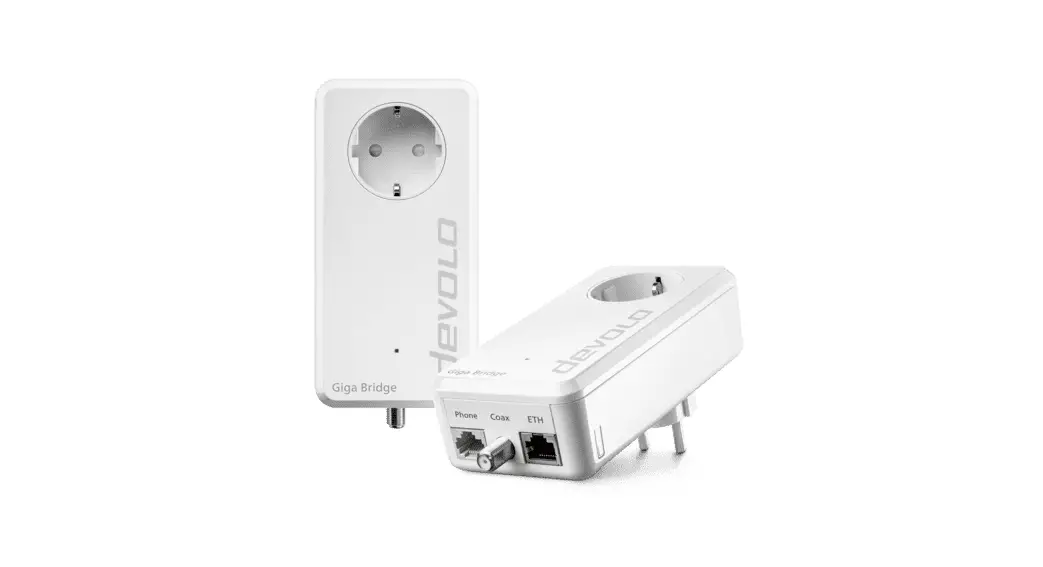
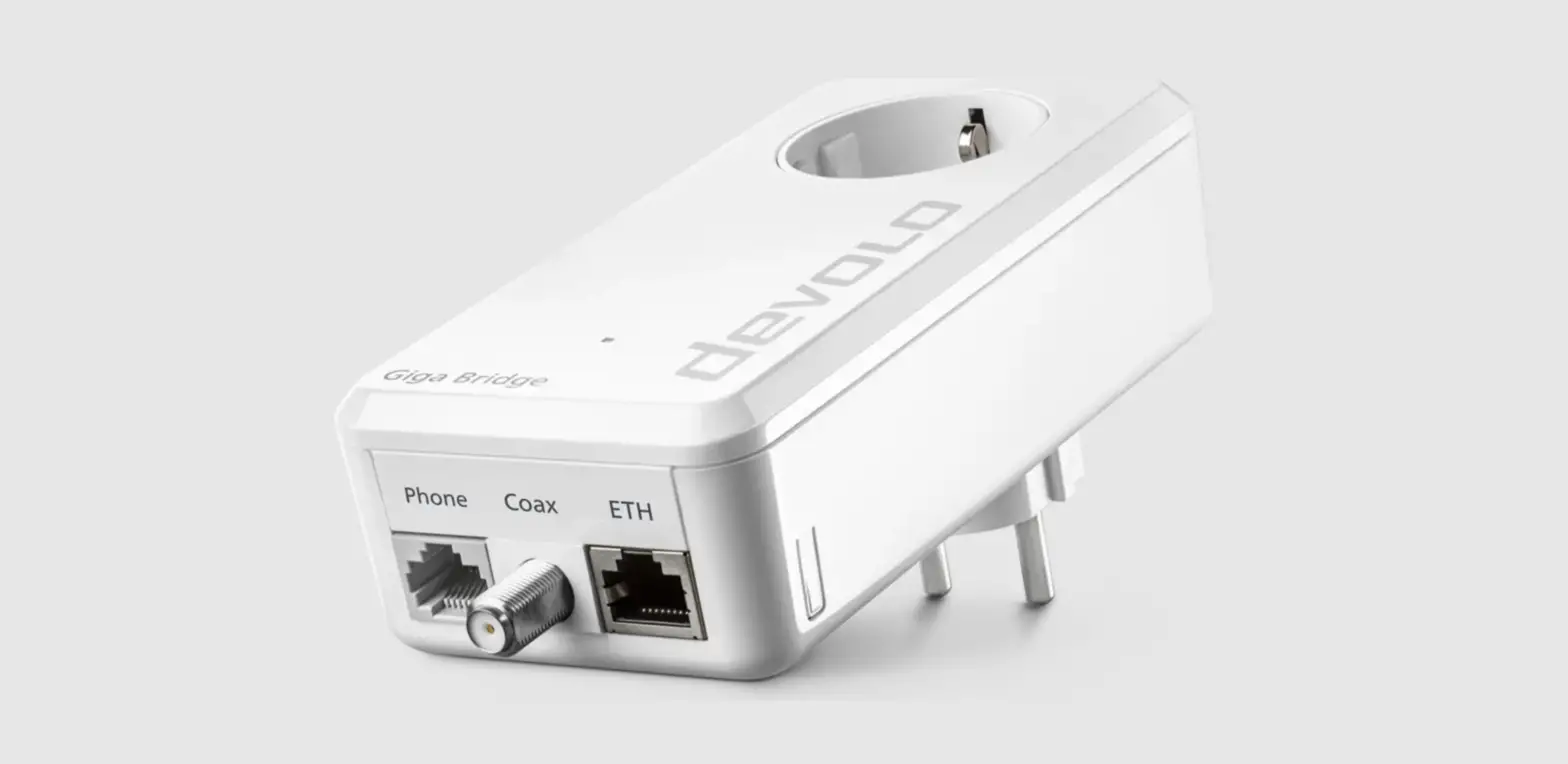
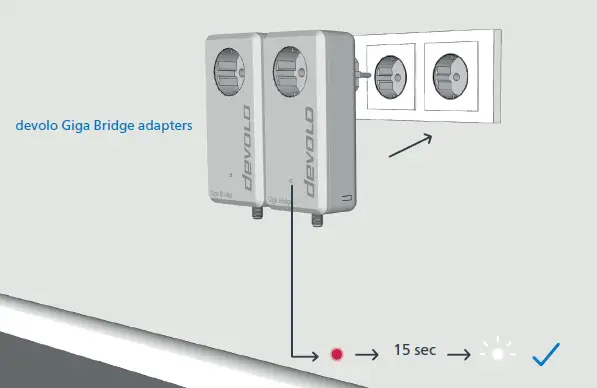
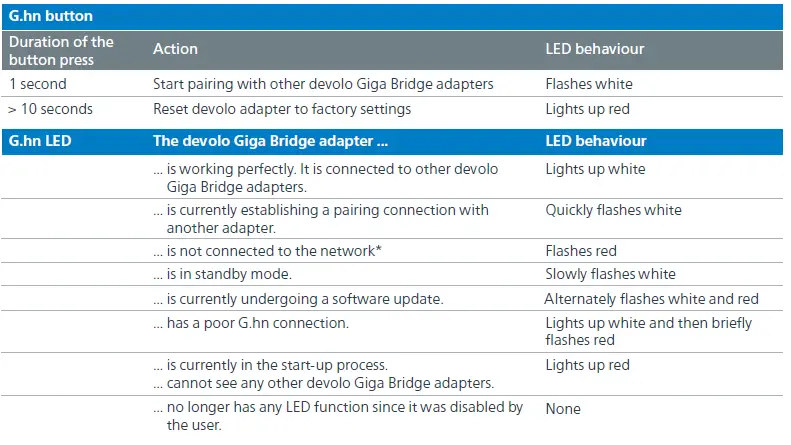
- Connect both devolo Giga Bridge adapters to an available power socket. The LEDs of both adapters fl ash white. A new devolo Giga Bridge network is automatically set up (pairing).

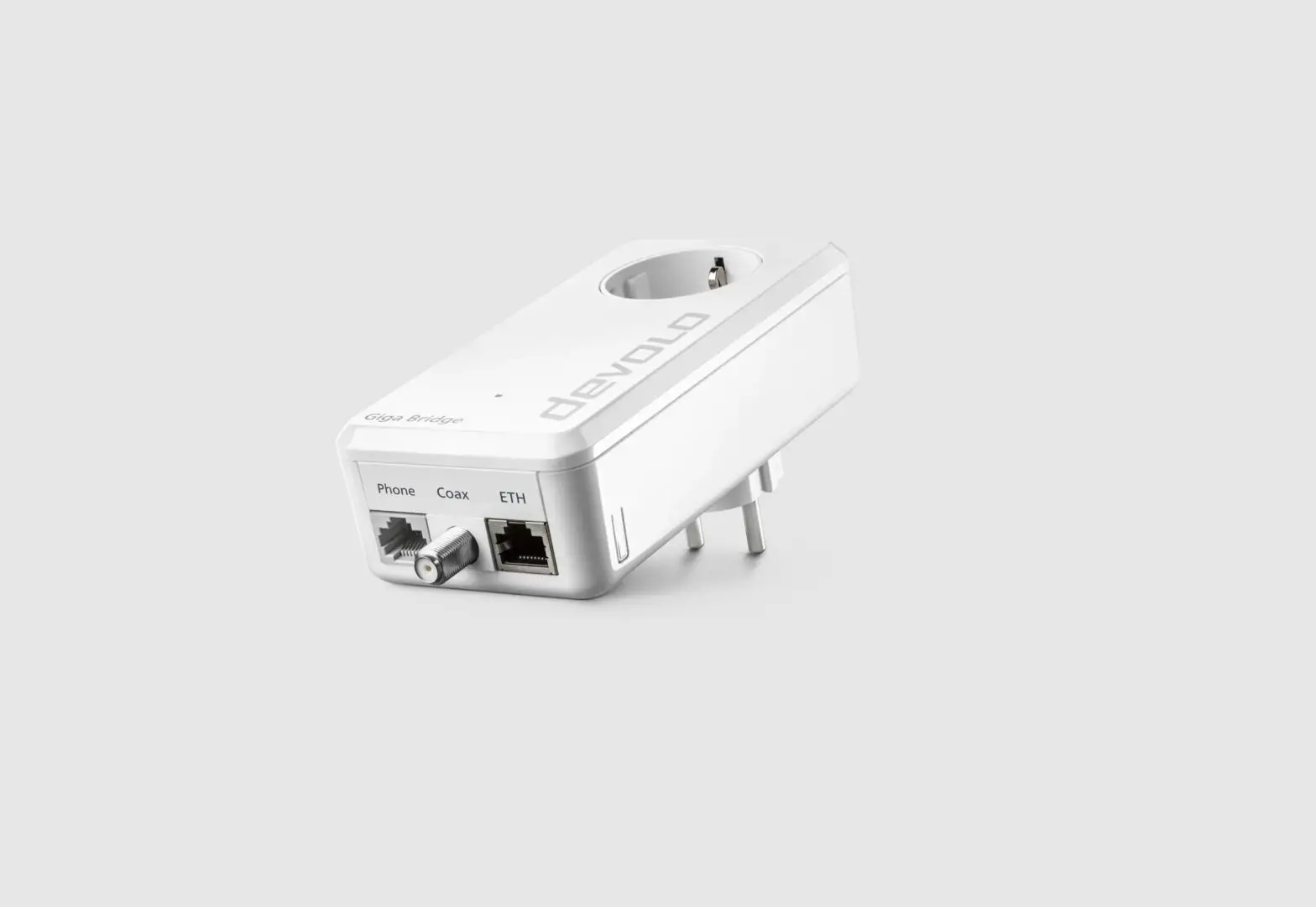
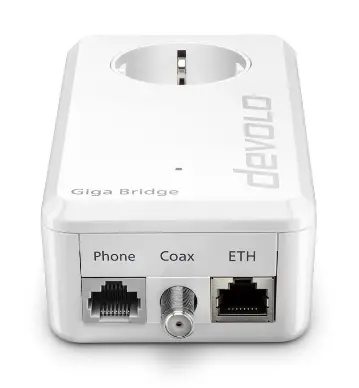
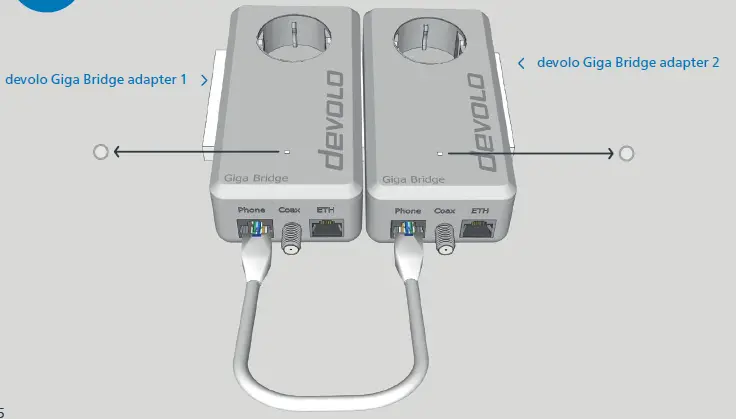
- onnect one end of the provided network cable to the G.hn phone line socket (phone) on one of the devolo Giga Bridge adapters. Connect the other end of the provided network cable to the G.hn phone line socket (phone) of the other devolo Giga Bridge adapter.

The devolo Giga Bridge uses G.hn technology for the transmission of the Internet signal over coaxial (TV/SAT) or telephone line. In scenario “a”, the G.hn signal is transmitted over two or four telephone wires or in scenario “b” via standard coaxial cable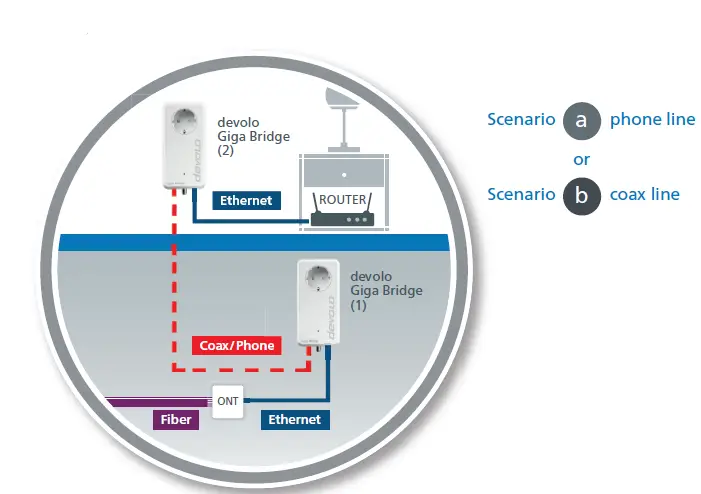
The telephone cable is removed from the demarcation point and then split and contacted by mans of connection technology involving wire stripping and soldering or screwing down. A standard network interface is created as a result. Note the correct pin assignment: Pin 4/5 for SISO; Pin 4/5 and 3/6 for 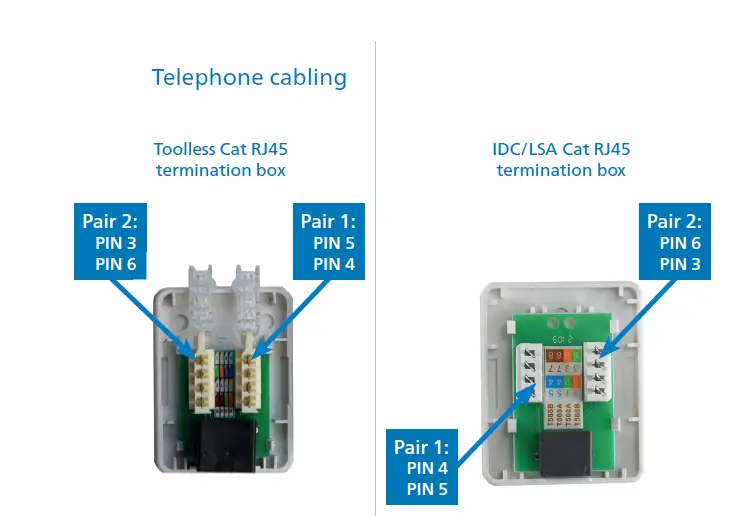
Connect the adapter of the devolo Giga Bridge using the telephone line (G.hn phone line socket, phone) to a connection already in the wall. Connect the adapter of the devolo Giga Bridge using the provided network cable with the NT/ONT.MIMO.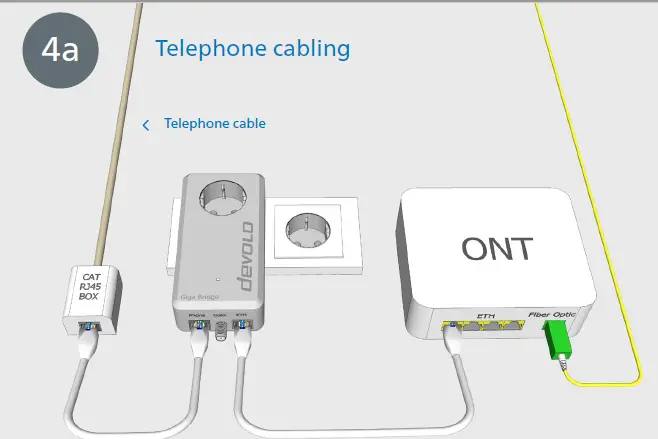
Connect the devolo Giga Bridge adapter using the provided network cable to the WAN (Wide Area Network) port of the router. Connect the adapter of the devolo Giga Bridge over the telephone line (G.hn phone line socket, phone) to a connection already available in the wall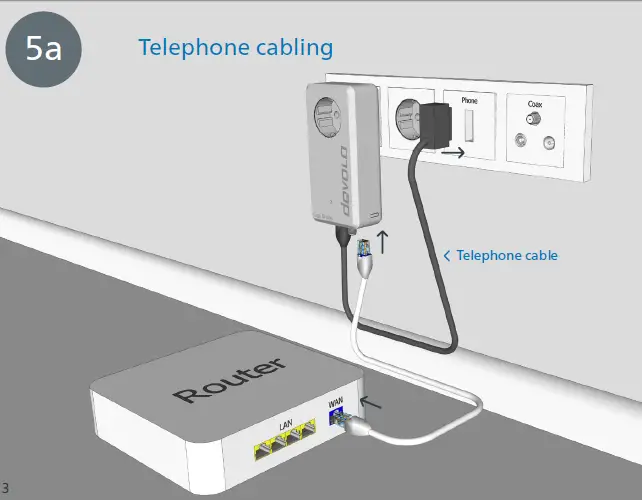
Connect the end of the coaxial cable to the coaxial socket (coax) on one of the devolo Giga Bridge adapters. Connect the adapter of the devolo Giga Bridge using the provided network cable with the NT/ONT Connect the devolo Giga Bridge adapter using the provided network cable to the WAN (Wide Area Network) port of the router. Connect the devolo Giga Bridge adapter using the F-type connection (coaxial cable) to an existing connection.
 Support
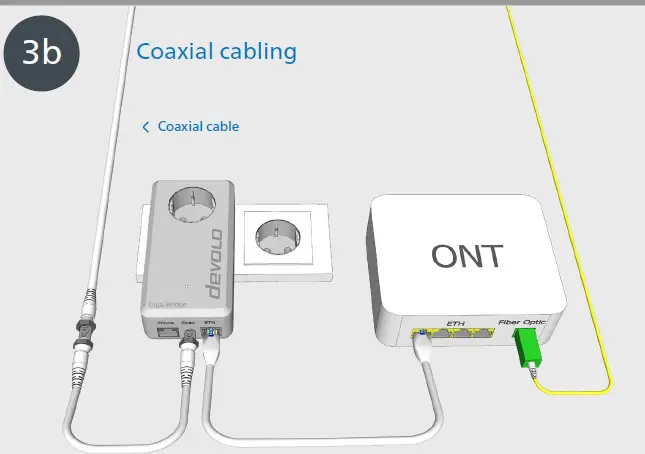 Connect the devolo Giga Bridge adapter using the provided network cable to the WAN (Wide Area Network) port of the router. Connect the devolo Giga Bridge adapter using the F-type connection (coaxial cable) to an existing connection.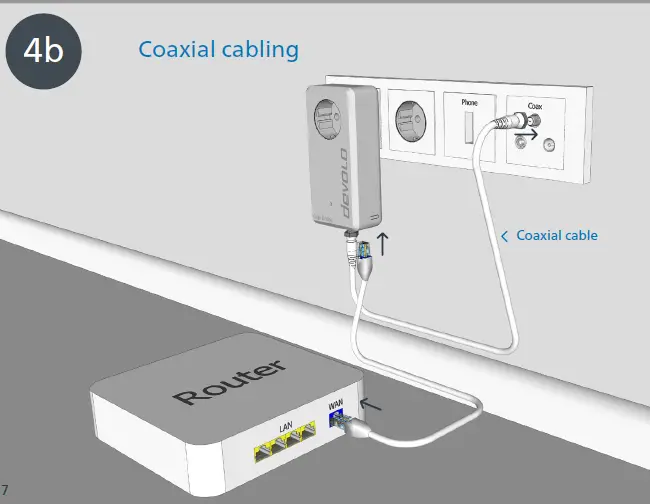
 Support
| Deutschland | www.devolo.de/service | |
| Österreich | www.devolo.at/service | |
| Schweiz/Suisse/Svizzera | www.devolo.ch/service | www.devolo.ch/fr/service |
| Great Britain | www.devolo.co.uk/service | |
| France | www.devolo.fr/support | |
| Italia | www.devolo.it/supporto | |
| Espana | www.devolo.es/servicios | |
| Portugal | www.devolo.pt/suporte | |
| Nederlands | www.devolo.nl/service | |
| Belgien/Belgique/Belgie | www.devolo.be/service | www.devolo.be/fr/service |
| Sweden | www.devolo.se/support | |
| Other countries | www.devolo.global/support |
Warranty: 3 years
If your devolo device is found to be defective during initial installation or within the warranty period, please contact the vendor who sold you the product. The vendor will take care of the repair or warranty claim for you. The complete warranty conditions can be found at www.devolo.global/warranty.
References
 Support - devolo AG
-
Support - devolo AG
-
Support - devolo AG
-
Support - devolo AG
-
Support - devolo AG
-
Support: if you need help or have questions | devolo AG
-
Support zu Fragen rund um devolo Produkte | devolo AG
-
Support | devolo AG
-
Assistance téléphonique et support | devolo AG
-
Support - devolo AG
-
Support - devolo AG
-
Suporte - devolo AG
-
Support - devolo AG
 Support - devolo AG
 Support - devolo AG
 Support - devolo AG
 Support: if you need help or have questions | devolo AG
 Support zu Fragen rund um devolo Produkte | devolo AG
 Support | devolo AG
 Assistance téléphonique et support | devolo AG
 Support - devolo AG
 Support - devolo AG
 Suporte - devolo AG
 Support - devolo AG