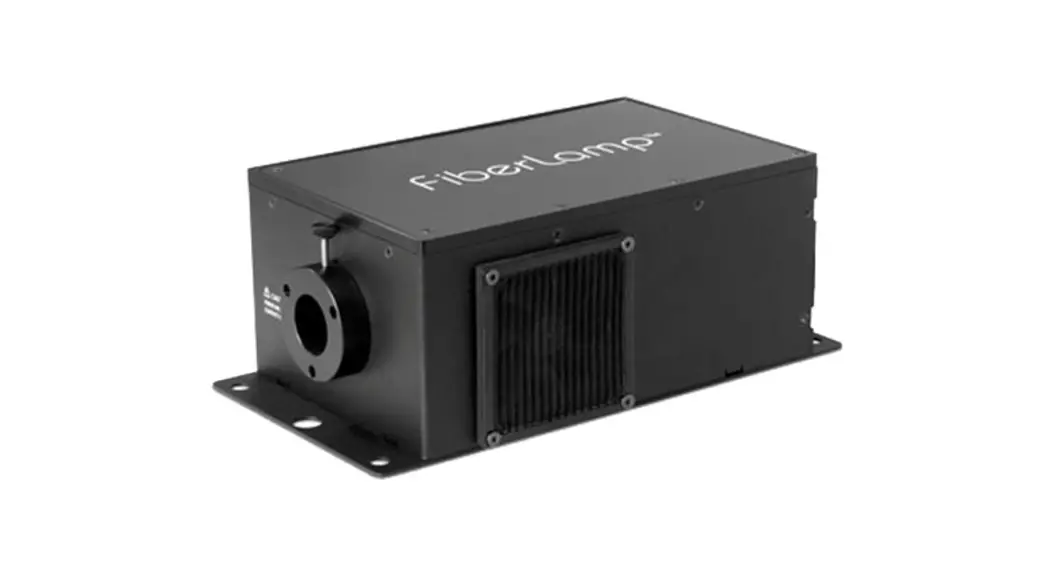
 FL5600
Quick Start Guide
Contents
- FL5600
- IP67 rated 24VDC power supply
- IEC 60320 C13 to NEMA 5-15 AC Power Cable
Fiber Installation Precautions
When using stranded fiber, make certain that no fibers come into contact with the twinkle effect wheel. Contact over time can cause accelerated failure of the twinkle effect wheel motor.
Connector and Switch Diagram
| Connectors | Function |
Portable Cabinet Light | IP67 rated DC connector |
ON/OFF | Power Button |
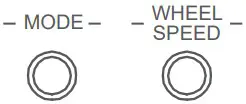 | Pushbuttons for Manual Control (2) |
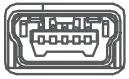 | Mini-USB Service Port (Manufacturer use) |
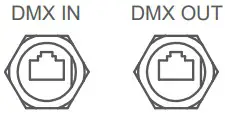 | RJ45 Connectors for DMX (2) |
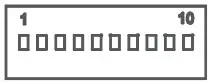 | DIP-Switch for DMX Addressing, See Section C |
 | Intensity Bar |
Accessing the DIP-Switch and Intensity Bar
The DIP-Switch and Intensity Bar are located within the FL5600 IP65 rated housing. To access the DIP-switch and Intensity bar, use a T10 Torx screw driver to remove the top cover of the FL5600.
Important: Access the DIP-switch and Intensity Bar only when the present conditions are dry and dust / debris free. Make sure to einstall the top cover properly before placing the FL5600 back into wet conditions.
Color
| Mode | Color | Dimmable |
| 0 | Blank | N/A |
| 1 | 5000K ( 1 CH ) | Yes |
| 2 | Red | Yes |
| 3 | Green | Yes |
| 4 | Blue | Yes |
| 5 | Yellow | Yes |
| 6 | Cyan | Yes |
| 7 | Magenta | Yes |
| 8 | Rainbow | No |
| 9 | 3000K ( Mixed ) | No |
| 10 | 4200K ( Mixed ) | No |
| 11 | 5000K ( Mixed ) | No |
Twinkle Wheel
| Mode | 1 | 2 | 3 | 4 | 5 |
| Setting | Slow | Slow-Med | Medium | Med-Fast | Fast |
Set DMX Address
The DMX address is set by binary dip switches.
DMX ADDRESS
| Dip-Switches | 1 | 2 | 3 | 4 | 5 | 6 | 7 | 8 | 9 | 10 |
| Value when switched up | 1 | 2 | 4 | 8 | 16 | 32 | 64 | 128 | 256 | D |
∎ U= UP
∎ D= Down
| Dip-Switches | 1 | 2 | 3 | 4 | 5 | 6 | 7 | 8 | 9 | 10 | DMX Add |
| Example 1 | U | U | D | D | U | D | U | U | D | D | 211 |
| Example 2 | D | D | U | U | U | D | U | D | D | D | 92 |
DMX Channels
| DMX Control Channels | Color |
| 1 | 5000K |
| 2 | Red |
| 3 | Green |
| 4 | Blue |
| 5 | Magenta |
| 6 | Master Light Intensity |
| 7 | Twinkle Wheel |
| 8 | Strobe Control |
Notes
Twinkle Wheel: 0-1 Wheel stopped, 2-125 clockwise rotation slow to fast, 126-131 Wheel stopped, 132-255 Counter clockwise rotation fast to slow.
Strobe Control: 0-1 No blinking, 2-255 Blink rate slow to fast.
DMX Pin-outs for RJ45 connector
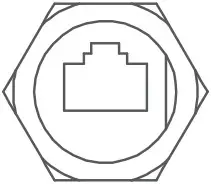
| RJ45 | Typical Cat-5e Wire Color | Function |
| 1 | Orange/White | Data (+) |
| 2 | Orange | Data (-) |
| 3 | Green/White | Not Used |
| 4 | Blue | |
| 5 | Blue/White | |
| 6 | Green | |
| 7 | Brown/White | DMX Ground |
| 8 | Brown | DMX Ground |
0-10V Dimming Pin-outs for RJ45 connector
| RJ45 | Typical Cat-5e Wire Color | Function |
| 1 | Orange/White | Not Used |
| 2 | Orange | |
| 3 | Green/White | 10V Source |
| 4 | Blue | 0-10V Sink |
| 5 | Blue/White | Not Used |
| 6 | Green | |
| 7 | Brown/White | Reference |
| 8 | Brown | Reference |
To set the FL5600 in 0-10V dimming mode, set the DIP-switch pin #10 to the up position.
- Current sink – Connect the variable feed of the controller to both pins 3 and 4. Connect the reference feed of the controller to pins 7 and 8.
- Current source – Connect the variable feed of the controller to pin 4 only.
Connect the reference feed of the controller to pins 7 and 8.
FiberLamp.com
t 510.620.5155
[email protected]
230117 A1
 FiberLamp. Colors for Life.