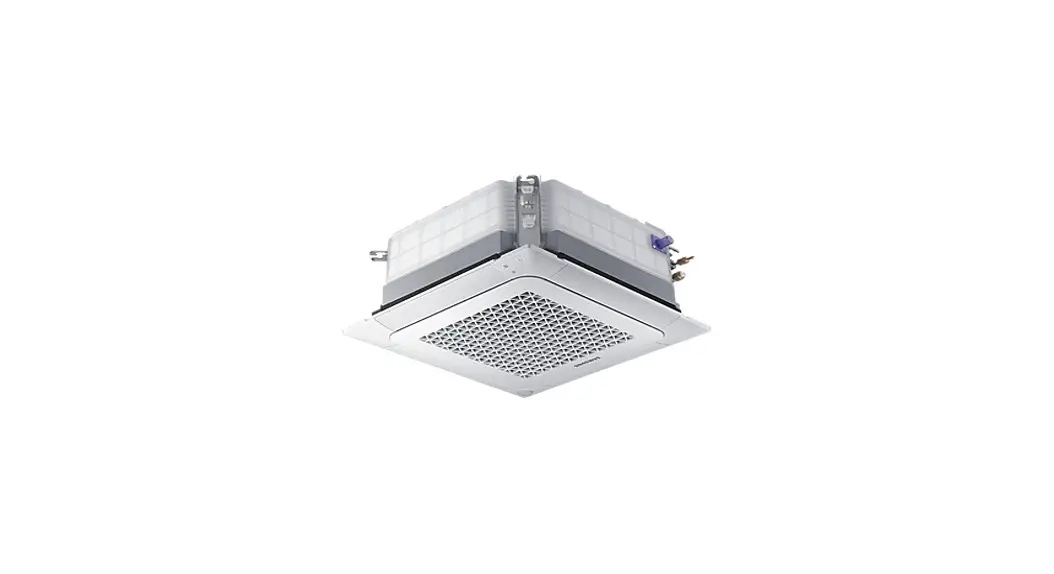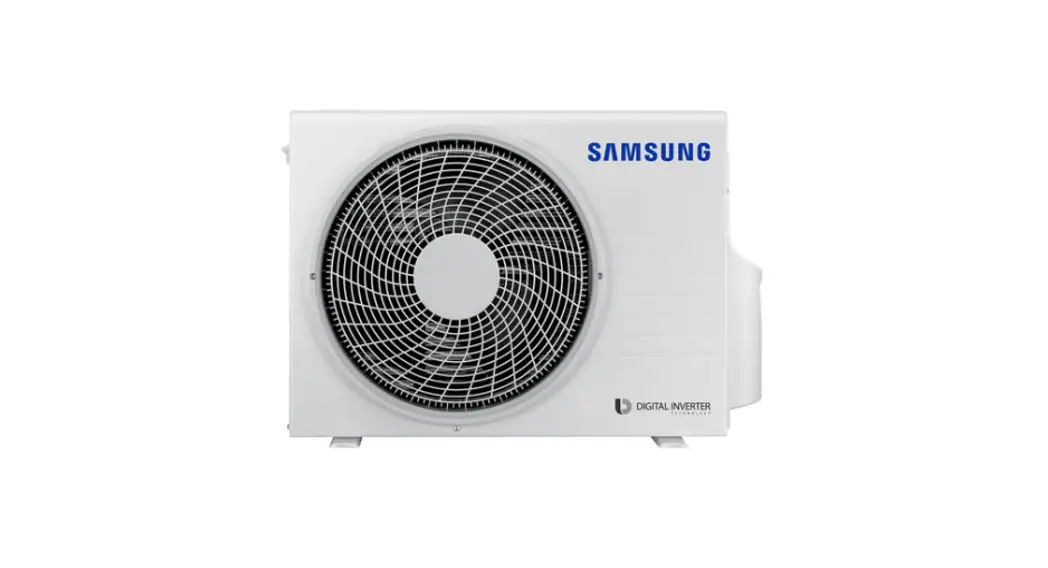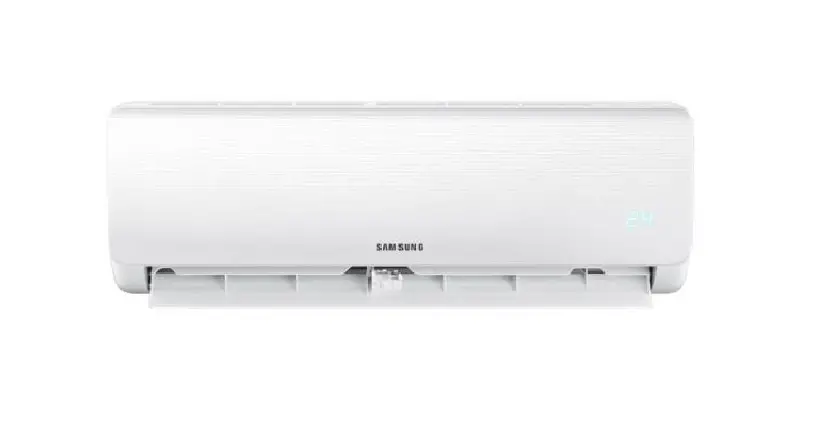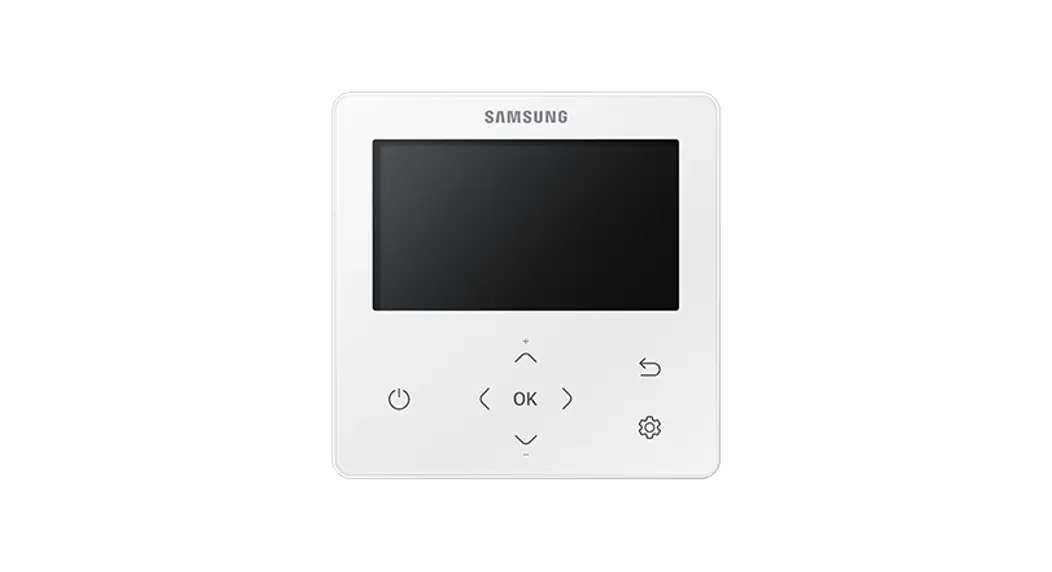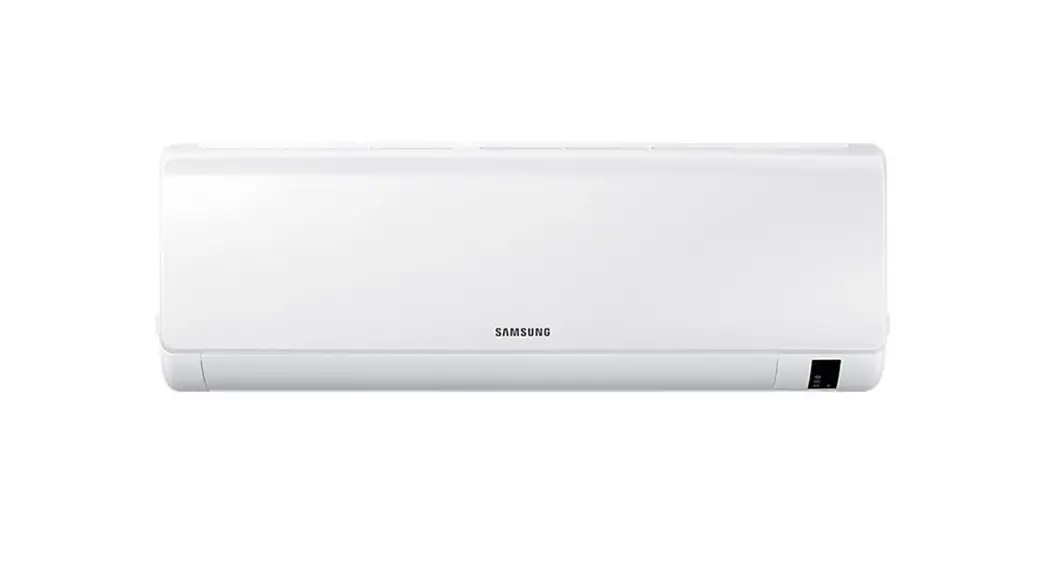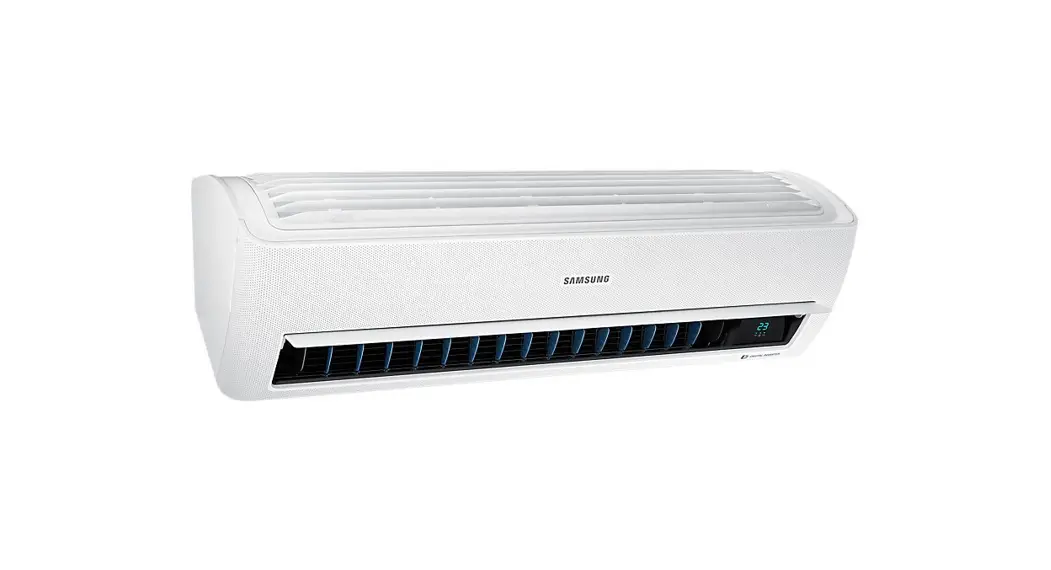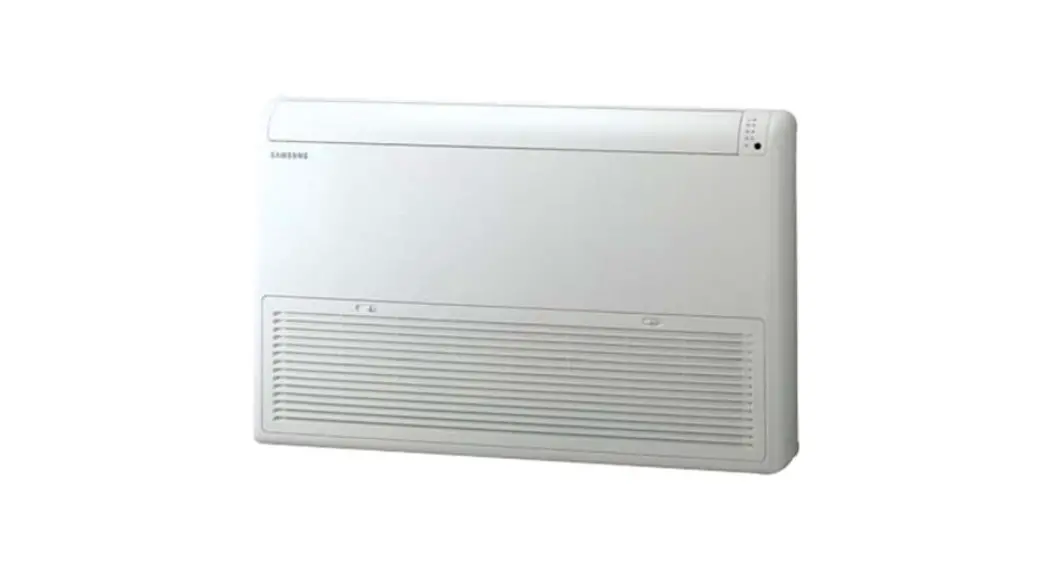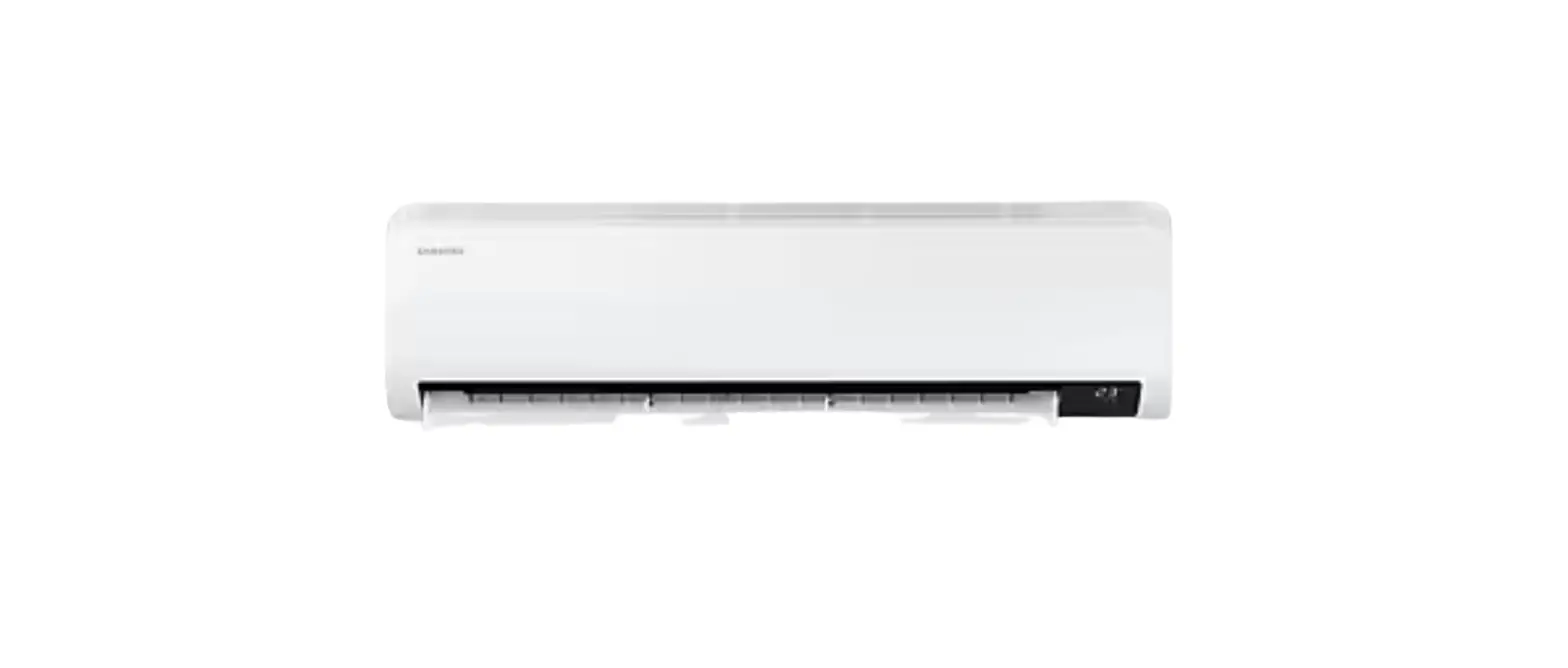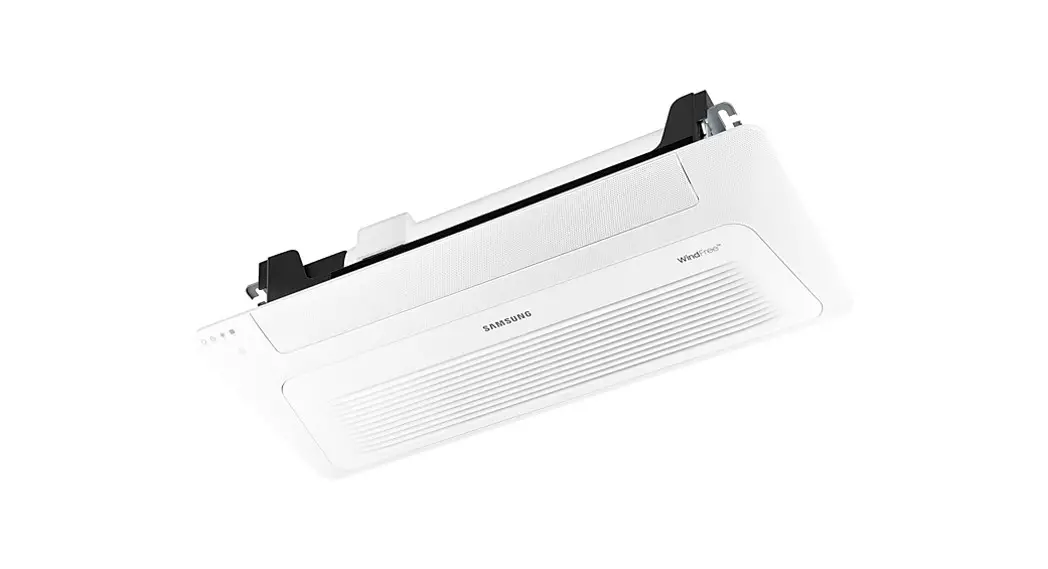
 Air conditioner
User manual
AJ***TN1DKG
AJ035TN1DKG Air Conditioner
- Thank you for purchasing this Samsung air conditioner.
- Before operating this unit, please read this user manual carefully and retain it for future reference.
 Correct Disposal of This Product (Waste Electrical & Electronic Equipment)
(Applicable in countries with separate collection systems)
This marking on the product, accessories or literature indicates that the product and its electronic accessories (e.g. charger, headset, USB cable) should not be disposed of with other household waste at the end of their working life. To prevent possible harm to the environment or human health from uncontrolled waste disposal, please separate these items from other types of waste and recycle them responsibly to promote the sustainable reuse of material resources.
Household users should contact either the retailer where they purchased this product, or their local government office, for details of where and how they can take these items for environmentally safe recycling.
Business users should contact their supplier and check the terms and conditions of the purchase contract. This product and its electronic accessories should not be mixed with other commercial wastes for disposal.
For information on Samsung’s environmental commitments and product-specific regulatory obligations, e.g. REACH, WEEE, Batteries, visit: www.samsung.com/uk/aboutsamsung/sustainability/environment/our-commitment/data/
Safety Information
Before using your new air conditioner, please read this manual thoroughly to ensure that you know how to safely and efficiently operate the extensive features and functions of your new appliance.
Because the following operating instructions cover various models, the characteristics of your air conditioner may differ slightly from those described in this manual. If you have any questions, call your nearest contact centre or find help and information online at www.samsung.com.
 WARNING
Hazards or unsafe practices that may result in severe personal injury or death. CAUTION
Hazards or unsafe practices that may result in minor personal injury or property damage.
 | Follow directions. |
 | Do NOT attempt. |
 | Make sure the machine is grounded to prevent electric shock. |
 | Cut-off the power supply. |
 | Do NOT disassemble. |
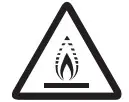 | WARNING: Low burning velocity material (This appliance is filled with R-32.) |
 | The user and installer guides should be read carefully. |
 | The user and installer guides should be read carefully. |
 | The service guide should be read carefully. |
FOR INSTALLATION WARNING Use the power line with the power specifications of the product or higher and use the power line for this appliance only. In addition, do not use an extension line.
- Extending the power line may result in electric shock or fire.
- Do not use an electric transformer. This may result in electric shock or fire.
- If the voltage/frequency/rated current condition is different, it may cause fire.
The installation of this appliance must be performed by a qualified technician or service company. - Failing to do so may result in electric shock, fire, explosion, problems with the product, or injury and may also void warranty on the installed product.
Install a switch and circuit breaker dedicated to the air conditioner. - Failing to do so may result in electric shock or fire.
Fix the outdoor unit firmly so that the electric part of the outdoor unit is not exposed. - Failing to do so may result in electric shock or fire.
 Do not install this appliance near a heater, inflammable material. Do not install this appliance in a humid, oily or dusty location, in a location exposed to direct sunlight and water (rain drops). Do not install this appliance in a location where gas may leak.
 - This may result in electric shock fire, explosion, or problems with the product.
Never install the outdoor unit in a location such as on a high external wall where it could fall. - If the outdoor unit falls, it may result in injury, death or property damage.
 This appliance must be properly grounded. Do not ground the appliance to a gas pipe, plastic water pipe, or telephone line.
 - Failure to do so may result in electric shock, fire, an explosion, or other problems with the product.
- Never plug the power cord into a socket that is not grounded correctly and make sure that it is in accordance with local and national codes.
CAUTION Install your appliance on a level and hard floor that can support its weight.
- Failing to do so may result in abnormal vibrations, noise, or problems with the product.
Install the drain hose properly so that water is drained correctly. - Failing to do so may result in water overflowing and property damage. Avoid adding drain to waste pipes as odours may arise in the future.
The product shall be stored in a room with no ignition sources (e.g. open flames, gas appliance, electric heater, etc.). - Note that the refrigerant has no odour.
When installing the outdoor unit, make sure to connect the drain hose so that draining is performed correctly. - The water generated during the heating operation in the outdoor unit may overflow and result in property damage.
In particular, in winter, if a block of ice falls, it may result in injury, death or property damage.
Do not install the product in a place where thermo-hygrostat is needed (such as server room, machinery room, computer room, etc.) - Those places do not provide guaranteed operation condition of the product therefore performance can be poor in these places.
FOR POWER SUPPLY WARNING When the circuit breaker is damaged, contact your nearest service centre. Do not pull or excessively bend the power line. Do not twist or tie the power line. Do not hook the power line over a metal object, place a heavy object on the power line, insert the power line between objects, or push the power line into the space behind the appliance.
- This may result in electric shock or fire.
CAUTION When not using the air conditioner for a long period of time or during a thunder/lightning storm, cut the power at the circuit breaker.
- Failing to do so may result in electric shock or fire.
FOR USING WARNING If the appliance is flooded, please contact your nearest service centre.
- Failing to do so may result in electric shock or fire.
If the appliance generates a strange noise, a burning smell or smoke, unplug the power plug immediately and contact your nearest service centre. - Failing to do so may result in electric shock or fire.
In case of a malfunction, immediately stop operation of the air conditioner and disconnect the entire power system. Then consult the authorized service personnel.
In the event of a gas leak (such as propane gas, LP gas, etc.), ventilate immediately without touching the power line. Do not touch the appliance or power line. - Do not use a ventilating fan.
- A spark may result in an explosion or fire.
To reinstall the air conditioner, please contact your nearest service centre. - Failing to do so may result in problems with the product, water leakage, electric shock, or fire.
- A delivery service for the product is not provided. If you reinstall the product in another location, additional construction expenses and an installation fee will be charged.
- Especially, when you wish to install the product in an unusual location such as in an industrial area or near the seaside where it is exposed to salt in the air, please contact your nearest service centre. Do not touch the circuit breaker with wet hands.
- This may result in electric shock.
Do not turn the air conditioner off with the circuit breaker while it is operating. - Turning the air conditioner off and then on again with the circuit breaker may cause a spark and result in electric shock or fire. After unpacking the air conditioner, keep all packaging materials well out of the reach of children, as packaging materials can be dangerous to children.
- If a child places a bag over its head, it may result in suffocation.
Do not touch the front panel with your hands or fingers during the heating operation. - This may result in electric shock or burns.
Do not insert your fingers or foreign substances into the outlet when the air conditioner is operating or the front panel is closing. - Take special care that children do not injure themselves by inserting their fingers into the product.
Do not insert your fingers or foreign substances into the air inlet/outlet of the air conditioner. - Take special care that children do not injure themselves by inserting their fingers into the product.
Do not strike or pull the air conditioner with excessive force. - This may result in fire, injury, or problems with the product.
Do not place an object near the outdoor unit that allows children to climb onto the machine. - This may result in children seriously injuring themselves.
Do not use this air conditioner for long periods of time in badly ventilated locations or near infirm people. - Since this may be dangerous due to a lack of oxygen, open a window at least once an hour.
Do not use means to accelerate the defrost operation or to clean, other than those recommended by Samsung.
Do not pierce or burn.
Be aware that refrigerants may not contain an odour. If any foreign substance such as water has entered the appliance, cut the power by unplugging the power plug and turning the circuit breaker off and then contact your nearest service centre.
 - Failing to do so may result in electric shock or fire.
 Do not attempt to repair, disassemble, or modify the appliance yourself.
 - Do not use any fuse (such as copper, steel wire, etc.)other than the standard fuse.
- Failing to do so may result in electric shock, fire, problems with the product, or injury.
CAUTION Do not place objects or devices under the indoor unit.
- Water dripping from the indoor unit may result in fire or property damage.
Check that the installation frame of the outdoor unit is not broken at least once a year. - Failing to do so may result in injury, death or property damage.
Max current is measured according to IEC standard for safety and current is measured according to ISO standard for energy efficiency.
When the air conditioner does not operate properly for cooling or heating, there is a possibility of refrigerant leakage. If any leakage, stop operation, ventilate the room, and consult your dealer immediately for recharging refrigerant.
The refrigerant is not harmful. However, if it comes in contact with fire, it may generate harmful gases and there is risk of fire.
During transportation of the indoor unit, the pipe lines shall be covered with brackets for protection. Do not move the product with holding the pipe lines. - It may cause gas leakage.
Do not install the product in a ship or a vehicle (such as a campervan). - Salt, vibration or other environmental factor may cause the product malfunction, electric shock or fire. Do not stand on top of the appliance or place objects (such as laundry, lighted candles, lighted cigarettes, dishes, chemicals, metal objects, etc.) on the appliance.
- This may result in electric shock, fire, problems with the product, or injury.
Do not operate the appliance with wet hands. - This may result in electric shock.
Do not spray volatile material such as insecticide onto the surface of the appliance. - As well as being harmful to humans, it may also result in electric shock, fire or problems with the product. Do not drink the water from the air conditioner.
- The water may be harmful to humans.
Do not apply a strong impact to the remote controller and do not disassemble the remote controller.
Do not touch the pipes connected with the product. - This may result in burns or injury.
Do not cut or burn the refrigerant container or pipings.
Do not point the air direction to the fireplace or heater.
Do not use this air conditioner to preserve precision equipment, food, animals, plants or cosmetics, or for any other unusual purposes. - This may result in property damage.
Avoid directly exposing humans, animals or plants to the air flow from the air conditioner for long periods of time. - This may result in harm to humans, animals or plants.
This appliance is not intended for use by persons (including children) with reduced physical, sensory or mental capabilities, or lack of experience and knowledge, unless they have been given supervision or instruction concerning use of the appliance by a person responsible for their safety. Children should be supervised to ensure that they do not play with the appliance.
For use in Europe : This appliance can be used by children aged from 8 years and above and persons with reduced physical, sensory or mental capabilities or lack of experience and knowledge if they have been given supervision or instruction concerning use of the appliance in a safe way and understand the hazards involved. Children shall not play with the appliance. Cleaning and user maintenance shall not be made by children without supervision.
FOR CLEANING WARNING Do not clean the appliance by spraying water directly onto it. Do not use benzene, thinner, alcohol or acetone to clean the appliance.
- This may result in discoloration, deformation, damage, electric shock or fire.
Before cleaning or performing maintenance, unplug the air conditioner from the wall socket and wait until the fan stops. - Failing to do so may result in electric shock or fire.
CAUTION Take care when cleaning the surface of the heat exchanger of the outdoor unit since it has sharp edges.
- To avoid cutting your fingers, wear thick cotton gloves when cleaning it.
- This should be done by a qualified technician please contact your installer or service centre. Do not clean the inside of the air conditioner by yourself.
- For cleaning inside the appliance, contact your nearest service centre.
- When cleaning the internal filter, refer to the descriptions in the ‘Cleaning and Maintaining’ section.
- Failure to do may result in damage, electric shock or fire.
- Make sure to prevent any injury from sharp edges of the surface when handling the heat exchanger.
Indoor Unit Overview
Main parts
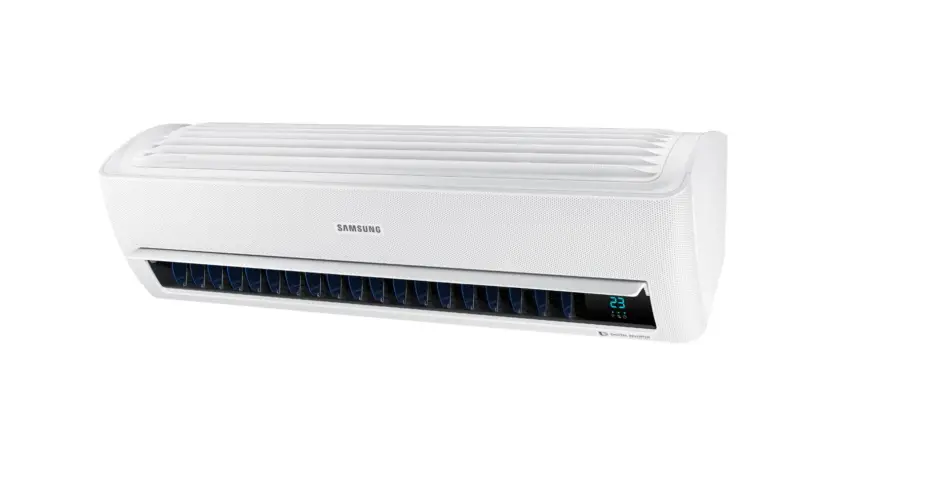
The indoor unit and its display may look slightly different from the illustration shown below, depending on the model and the panel type.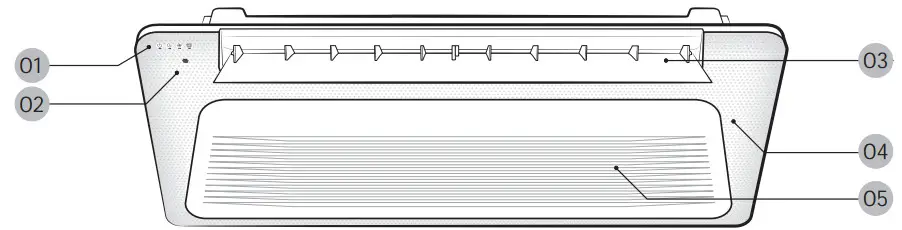
- Display

- Remote control sensor
- Airflow blade
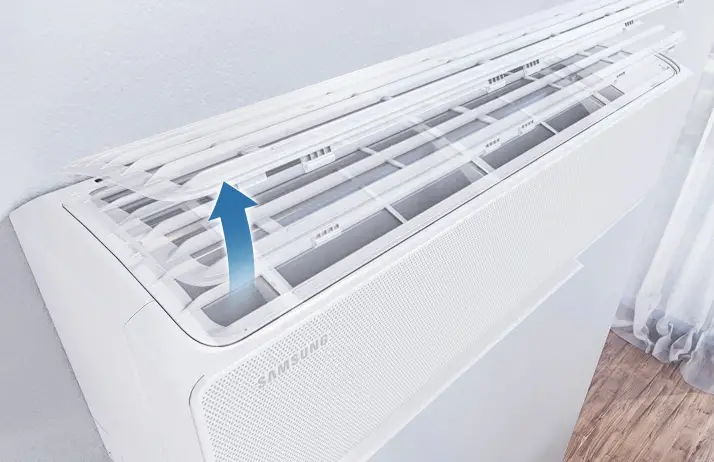
- Wind-Free panel
(You can use the Wind-Free Cooling function when the Cool, Dry, or Fan mode is running.)
(Refer to the remote control manual for product operation.) - Air intake
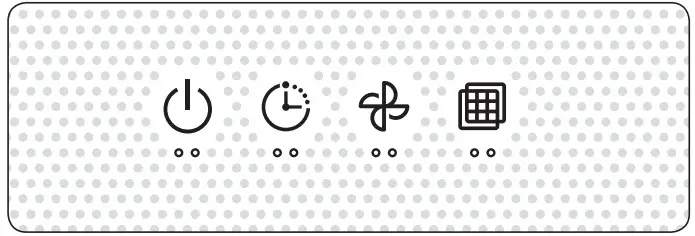
| Indication | Function |
 | Operation indicator
|
 | Timer indicator |
 | Fan indicator |
 | Filter reset indicator |
Power Smart Features
Operating temperature and humidity
When using the air conditioner follow the operating temperature and humidity ranges.
| Mode | Outdoor temperature | Indoor temperature | Indoor humidity |
| Cool mode | Depending on the outdoor unit specifications | 21°C to 32°C | 80% or less |
| Heat mode | 27°C or less | – | |
| Dry mode | 18°C to 32°C | – |
CAUTION
- If you use the air conditioner at a relative humidity above 80%, it may cause a formation of condensation and a leakage of water on the floor.
- The rated heating capacity is based on an outdoor temperature of 7°C. If the outdoor temperature goes down below 0°C, heating efficiencies may decrease depending on the temperature conditions.
- If the indoor unit is out of the operating temperature and humidity range, the safery device may operate and the air conditioner may stops.
Cleaning and Maintaining
Before cleaning the indoor unit, be sure to turn off the auxiliary power switch.
Cleaning the indoor unit exterior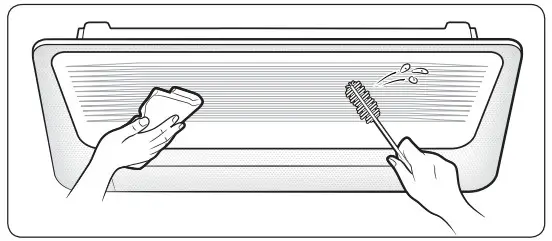
Wipe the surface of the indoor unit with a tepid damp cloth.
Remove the dust accumulated in the narrow gaps of the product with a soft brush.
CAUTION
- Do not use alkaline detergent, sulphuric acid, hydrochloric acid, or organic solvents (such as thinner, kerosene, and acetone) to clean the surfaces.
- Do not attach any stickers on the surfaces because this may cause damage.
- When you clean the heat exchanger on the indoor unit, you need to disassemble the indoor unit. Therefore, you must contact the local service center for help.
Cleaning the outdoor unit heat exchanger
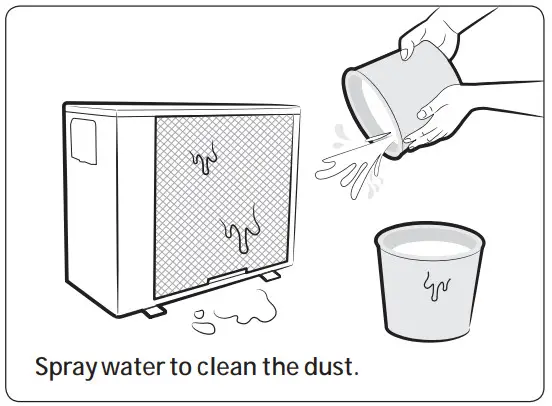
CAUTION
- The heat exchanger of the outdoor unit has sharp edges. Take care when cleaning its surface.
 NOTE
NOTE
- If it is difficult to clean the heat exchanger of the outdoor unit, contact the local service center.
Cleaning the air filter CAUTION
- Before cleaning the indoor unit, be sure to turn off the auxiliary power switch.
- Be sure to hold the grille with a hand to prevent dropping from the opening of the front grille.
NOTE
- When removing the grill completely, unhook the safety hooks on both sides of the grill.
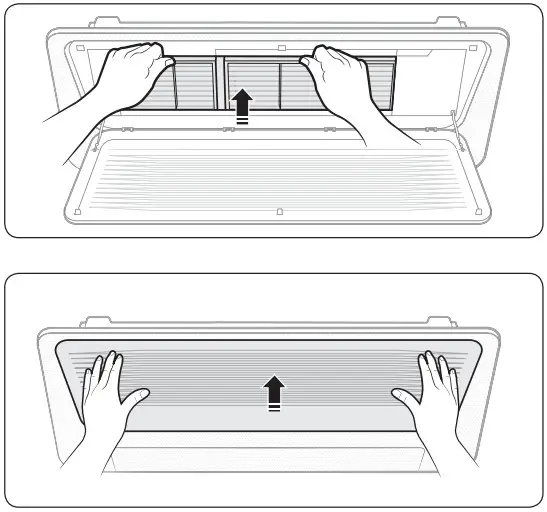
- Detaching the air filter
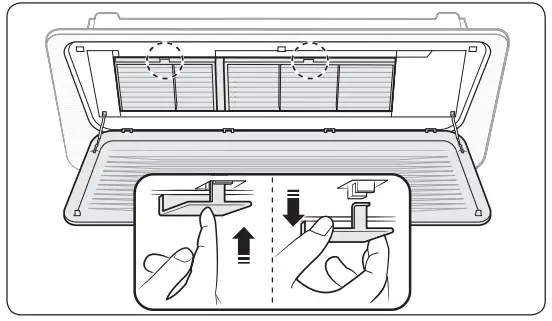
Press the Push signs on the front panel, then open the grille. Grab the handle of the air filter and pull it out from the indoor unit with your hand.
 Pull the air filter out of the indoor unit.
- Cleaning the air filter
Clean the air filter with a vacuum cleaner or soft brush. If dust is too heavy, then rinse it with running water and dry it in a ventilated area. CAUTION
Do not scrub the air filter with a brush or other cleaning utensil. This may damage the filter. NOTE
NOTE
If the air filter dries in a humid area, it may produce offensive odours. Clean it again and dry it in a well-ventilated area.
The cleaning period may differ depending on the usage and environmental conditions, so clean the air filter every week if the air conditioner is in the dusty area.
You can request a filter cleaning service.
Note that it is a charged service.
- Reassembling the air filter
To assemble the air filter, proceed in reverse order of detaching. CAUTION
If the indoor unit is used without the air filter, it may be damaged due to dust. - Resetting the air filter (Wired remote control is an optional item.)
 After cleaning and reassembling the air filter, be sure to reset the filter-cleaning reminder as follows:
 - Indoor unit with the wired remote control:
Press the Filter Reset button. - Indoor unit with the wireless remote control:
Press the Options button → < or > → ( Filter Reset) Blinking → press the SET button. NOTE
Be sure to reset the filter-cleaning reminder every time you clean the air filter although the filter reset indicator ( ) does not blink.
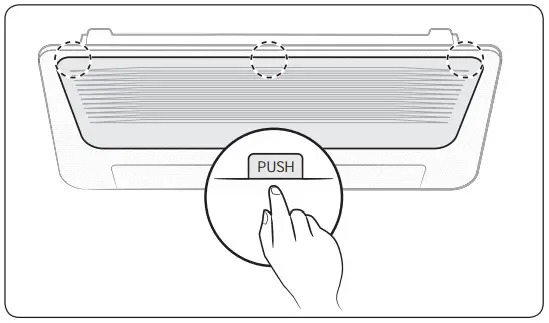 Grab the handle of the air filter and pull it out from the indoor unit with your hand.
 Pull the air filter out of the indoor unit.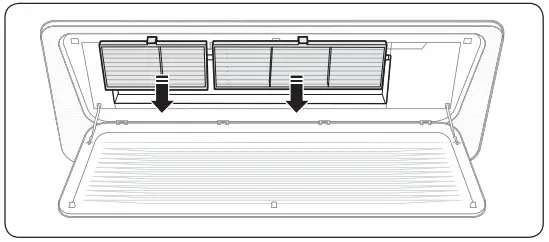
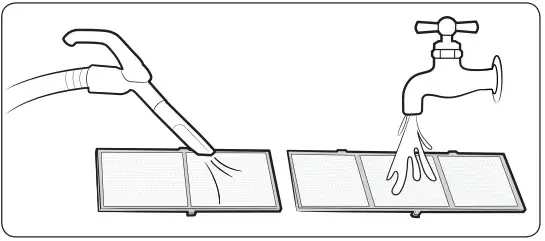
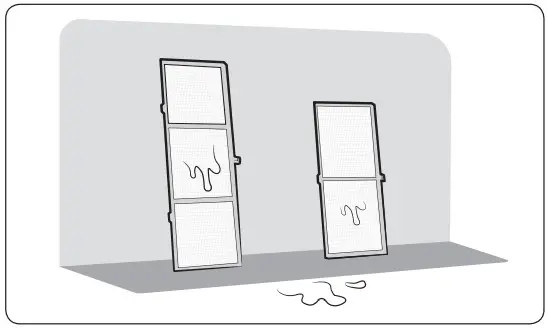
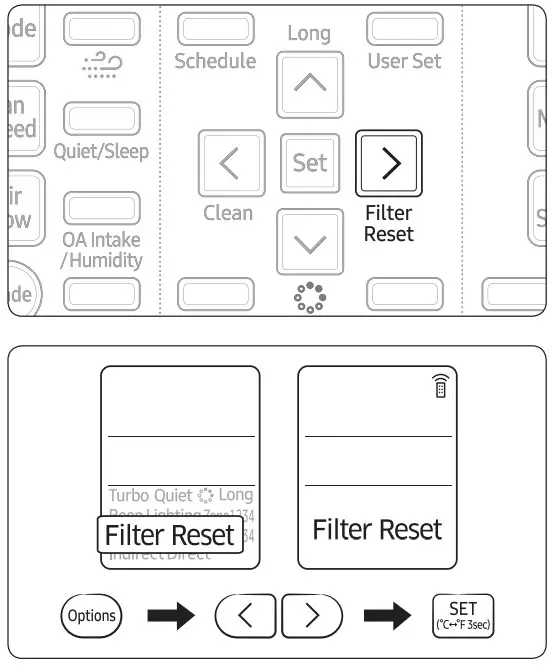 After cleaning and reassembling the air filter, be sure to reset the filter-cleaning reminder as follows:
 ) does not blink.
Periodical maintenance
| Unit | Maintenance item | Interval | Requires qualifiedtechnicians |
| Indoor unit | Clean the air filter. | At least once a month | |
| Clean the condensate drain pan. | Once a year | Required | |
| Clean up the heat exchange. | Once a year | Required | |
| Clean the condensate drain pipe. | Once every 4 months | Required | |
| Replace the remote control batteries. | At least once a year | ||
| Outdoor unit | Clean the heat exchanger on the outside of the unit. | Once every 4 months | Required |
| Clean the heat exchanger on the inside of the unit. | Once a year | Required | |
| Clean the electric components with jets of air. | Once a year | Required | |
| Verify that all the electric components are firmly tightened. | Once a year | Required | |
| Clean the fan. | Once a year | Required | |
| Verify that the fan assemblies are firmly tightened. | Once a year | Required | |
| Clean the condensate drain pan. | Once a year | Required |
Troubleshooting
Refer to the following chart if the air conditioner operates abnormally. This may save time and unnecessary expense.
| Problem | Solution |
| The air conditioner does not operate at all. | • Check if the power plug is properly connected. • Check whether the auxiliary power switch (MCCB, ELB) is turned on. • If the auxiliary power switch (MCCB, ELB) is turned off, the air conditioner does not work although you press the  (Power) button. (Power) button.• When you clean the air conditioner or do not use it for an extended period of time, turn off the auxiliary power switch (MCCB, ELB). • After the air conditioner is not used for an extended period of time, be sure to turn on the auxiliary power switch (MCCB, ELB) 6 hours before starting operation. NOTE• The auxiliary power switch (MCCB, ELB) is sold separately. • Make sure that auxiliary power switch (MCCB, ELB) is installed in the distribution box inside the building. • If the air conditioner is turned off by the Timed off function, turn on the air conditioner again by pressing the (Power) button. |
| The temperature does not change. | • Check whether the Fan mode is running. In the Fan mode, the air conditioner controls the set temperature automatically, and you cannot change the set temperature. |
| Warm air does not come out of the air conditioner. | • Check whether the outdoor unit is designed for cooling only. In this case, warm air does not come out although you select the Heat mode. • Check whether the remote control is designed only for cooling only. Use a remote control that supports both cooling and heating. |
| The fan speed does not change. | • Check whether the Auto or Dry mode is running. In these modes, the air conditioner controls the fan speed automatically, and you cannot change the fan speed. |
| The wireless remote control does not operate. | • Check whether the batteries are discharged. Replace the batteries with new ones. • Make sure that nothing is blocking the remote control sensor. • Check whether any strong lighting sources are near the air conditioner. Strong light which comes from fluorescent bulbs or neon signs may interfere with the remote control. |
| The wired remote control does not operate. | • Check whether the  indicator is displayed at the bottom right of the remote control display. In this case, turn off both the air conditioner and the auxiliary power switch, and then contact a service centre. indicator is displayed at the bottom right of the remote control display. In this case, turn off both the air conditioner and the auxiliary power switch, and then contact a service centre. |
| The air conditioner is not turned on or off immediately with the wired remote control. | • Check whether the wired remote control is set for group control. In this case, the air conditioners connected to the wired remote control are turned on or off sequentially. This operation takes up to 32 seconds. |
| The Timed on/off function does not operate. | • Check whether you pressed the  (SET) button on the remote control after setting the on/off time. Set the on/off time. (SET) button on the remote control after setting the on/off time. Set the on/off time. |
| The indoor unit display blinks continuously. | • Turn on the air conditioner again by pressing the (Power) button. • Turn off and then turn on the auxiliary power switch, and then turn on the conditioner. • If the indoor unit display is still blinking, contact a service centre. |
| I want to get cooler air. | • Operate the air conditioner with a electric fan to save energy and enhance the cooling efficiency. |
| The air is not cool or warm enough. | • In the Cool mode, cool air does not come out if the set temperature is higher than the current temperature. – Remote control: Press the Temperature button repeatedly until the set temperature (minimum: 18°C) is set to lower than the current temperature. • In the Heat mode, warm air does not come out if the set temperature is lower than the current temperature. – Remote control: Press the Temperature button repeatedly until the set temperature ( maxium: 30ºC) is set to higher than than the current temperature. • Both cooling and heating do not operate in the Fan mode. Select the Cool, Heat, Auto, or Dry mode. • Check whether the air filter is blocked with dirt. A dusty filter may decrease the cooling and heating efficiencies. Clean the air filter frequently. • If a cover is on the outdoor unit or any obstacle is present near the outdoor unit, remove them. • Install the outdoor unit in a well-ventilated place. Avoiding places exposed to direct sunlight or close to a heating appliance. • Place a sunscreen over the outdoor unit to protect it from direct sunlight. • If the indoor unit is installed in a place exposed to direct sunlight, pull the curtains on the windows. |
| The air is not cool or warm enough. | • Close the windows and doors to maximize the cooling and heating efficiencies. • If the Cool mode is stopped and then started immediately, cool air comes out after about 3 minutes to protect the compressor of the outdoor unit. • When the Heat mode is started, warm air does not come out immediately to prevent cool air from coming out at the beginning. • If the refrigerant pipe is too long, the cooling and heating efficiencies may be decreased. Avoid exceeding the maximum pipe length. |
| The air conditioner makes strange noises. | • In certain conditions (especially, when the outdoor temperature is lower than 20°C), a hissing, rumbling, or splashing sound may be heard while the refrigerant is circulating through the air conditioner. This is a normal operation. • When you press the (Power) button on the remote control, noise may be heard from the drain pump inside the air conditioner. This noise is a normal sound. |
| Unpleasant odours permeate the room. | • If the air conditioner is running in a smoky area or if there is a smell entering from outside, ventilate the room properly. • If both indoor temperature and indoor humidity are high, operate the air conditioner in the Clean or Fan mode for 1 to 2 hours. • If the air conditioner has not been operated for an extended period of time, clean the indoor unit and then operate the air conditioner in the Fan mode for 3 to 4 hours to dry the inside of the indoor unit for removal of unpleasant odours. • If the air filter blocked with dirt, clean the air filter. |
| Steam is produced on the indoor unit. | • In winter, if the indoor humidity is high, steam may be produced around the air outlet while the defrost function is running. This is a normal operation. |
| The outdoor unit fan continues to operate when the air conditioner is turned off. | • When the air conditioner is turned off, the outdoor unit fan may continue to operate to reduce noise of the refrigerant gas. This is a normal operation. |
| Water drops from the piping connections of the outdoor unit. | • Condensation may develop due to the difference in temperature. This is a normal condition. |
| Steam is produced on the outdoor unit. | • In winter, when the air conditioner runs in the Heat mode, the frost on the heat exchanger melts and steam may be produced. This is a normal operation, neither product malfunction nor a fire. |
Information about refrigerant
Important information: regulation regarding the refrigerant used
This product contains fluorinated greenhouse gases. Do not vent gases into the atmosphere.
CAUTION
If the system contains 5 tCO2e or more of fluorinated greenhouse gases, it must be checked for leakage at least once every 12 months, according to regulation No. 517/2014. This activity must be covered by qualified personnel only. In the case of the situation above, the installer (or authorized person with responsibility for final check) must provide a maintenance book, with all the information recorded, according to REGULATION (EU) No. 517/2014 OF THE EUROPEAN PARLIAMENT AND OF THE COUNCIL of 16 April 2014 on fluorinated greenhouse gases.
| Refrigenat type | GWP value |
| R- 32 | 675 |
- GWP: Global Warming Potential
- Calculating tCO2e: kg x GWP/1000
QUESTIONS OR COMMENTS?
| COUNTRY | CALL | OR VISIT US ONLINE AT |
| UK | 0333000333 | www.samsung.com/uk/support |
| IRELAND (EIRE) | 0818 717100 | www.samsung.com/ie/support |
| GERMANY | 06196 77 555 77 | www.samsung.com/de/support |
| FRANCE | 0148630000 | www.samsung.com/fr/support |
| SPAIN | 91 175 00 15 | www.samsung.com/es/support |
| PORTUGAL | 808 207 267 | www.samsung.com/pt/support |
| LUXEMBURG | 26103710 | www.samsung.com/be_fr/support |
| NETHERLANDS | 088 90 90 100 | www.samsung.com/nl/support |
| BELGIUM | 02-201-24-18 | www.samsung.com/be/support (Dutch) www.samsung.com/be_fr/support (French) |
| NORWAY | 21629099 | www.samsung.com/no/support |
| DENMARK | 70701970 | www.samsung.com/dk/support |
| FINLAND | 030-6227515 | www.samsung.com/fi/support |
| SWEDEN | 0771 726 786 | www.samsung.com/se/support |
| AUSTRIA | 0800 72 67 864 (0800-SAMSUNG) | www.samsung.com/at/support |
| SWITZERLAND | 0800 726 786 | www.samsung.com/ch/support (German) www.samsung.com/ch_fr/support (French) |
| HUNGARY | 0680SAMSUNG (0680-726-7864) | www.samsung.com/hu/support |
| CZECH | 800 – SAMSUNG (800-726786) | www.samsung.com/cz/support |
| SLOVAKIA | 0800 – SAMSUNG (0800-726 786) | www.samsung.com/sk/support |
| CROATIA | 072 726 786 | www.samsung.com/hr/support |
| BOSNIA | 055233999 | www.samsung.com/ba/support |
| North Macedonia | 023207777 | www.samsung.com/mk/support |
| MONTENEGRO | 020 405 888 | www.samsung.com/support |
| SLOVENIA | 080697267 | www.samsung.com/si/support |
| SERBIA | 0113216899 | www.samsung.com/rs/support |
| KOSOVO | 0800 10 10 1 | www.samsung.com/support |
| ALBANIA | 045 620 202 | www.samsung.com/al/support |
| BULGARIA | 080011131 | www.samsung.com/bg/support |
| ROMANIA | *8000 (apel in retea) 08008-726-78-64 (08008-SAMSUNG) Apel GRATUIT | www.samsung.com/ro/support |
| ITALIA | 800-SAMSUNG (800.7267864) | www.samsung.com/it/support |
| CYPRUS | 8009 4000 only from landline, toll free | www.samsung.com/gr/support |
| GREECE | 80111-SAMSUNG (80111 726 7864) only from land line (+30) 2106897691 from mobile and land line | |
| LITHUANIA | 8-800-77777 | www.samsung.com/lt/support |
| LATVIA | 8000-7267 | www.samsung.com/lv/support |
| ESTONIA | 800-7267 | www.samsung.com/ee/support |
Samsung, PO Box 12987, Blackrock, Co. Dublin. Ireland
or Blackbushe Business Park, Yateley, GU46 6GG. UK
References
 Samsung US | Mobile | TV | Home Electronics | Home Appliances | Samsung US
-
Ndihma dhe mbështetja për produktet | Samsung Albania
-
Hilfe & Support für Produkte | Samsung Österreich
-
Pomoć i podrška za proizvode | Samsung BA
-
Aide et assistance produit | Samsung Belgique
-
Hulp en ondersteuning voor producten | Samsung België
-
Помощ и поддръжка за продукти | Samsung България
-
Aide et support pour le produit | Samsung Suisse
-
Produkthilfe & Support | Samsung CH
-
Podpora a nápověda k produktům | Samsung Česká republika
-
Hilfe und Support für Samsung Produkte | Samsung DE
-
Produkt Hjælp & Support | Samsung DK
-
Toodete abi ja tugi | Samsung EE
-
Ayuda y soporte del producto | Samsung ES
-
Tuoteohjeet ja tuki | Samsung Suomi
-
Aide et assistance produit | Samsung France
-
Βοήθεια και υποστήριξη προϊόντων | Samsung Greece
-
Pomoć i podrška za proizvode | Samsung Hrvatska
-
Terméktámogatás | Samsung Magyarország
-
Product Help & Support | Samsung Ireland
-
Aiuto e servizio di assistenza per i prodotti | Samsung Italia
-
Produktų pagalba ir palaikymas | Samsung Lietuva
-
Ar produktiem saistīta palīdzība un atbalsts | Samsung Latvija
-
Помош и поддршка за производи | Samsung Северна Македонија
-
Hulp en ondersteuning voor producten | Samsung Nederland
-
Produkt Hjelp og støtte | Samsung Norge
-
Pomoc dotycząca produktu | Samsung PL
-
Ajuda e assistência técnica do produto | Samsung Portugal
-
Ajutor și asistență pentru produs | Samsung Romania
-
Pomoć i podrška za proizvode | Samsung Srbija
-
Produktdesign och Support | Samsung Sverige
-
Pomoč in podpora za izdelek | Samsung Slovenija
-
Pomoc a podpora k produktu | Samsung Slovenská republika
-
Support Home | Official Samsung Support US
-
Product Help & Support | Samsung UK
 Samsung US | Mobile | TV | Home Electronics | Home Appliances | Samsung US