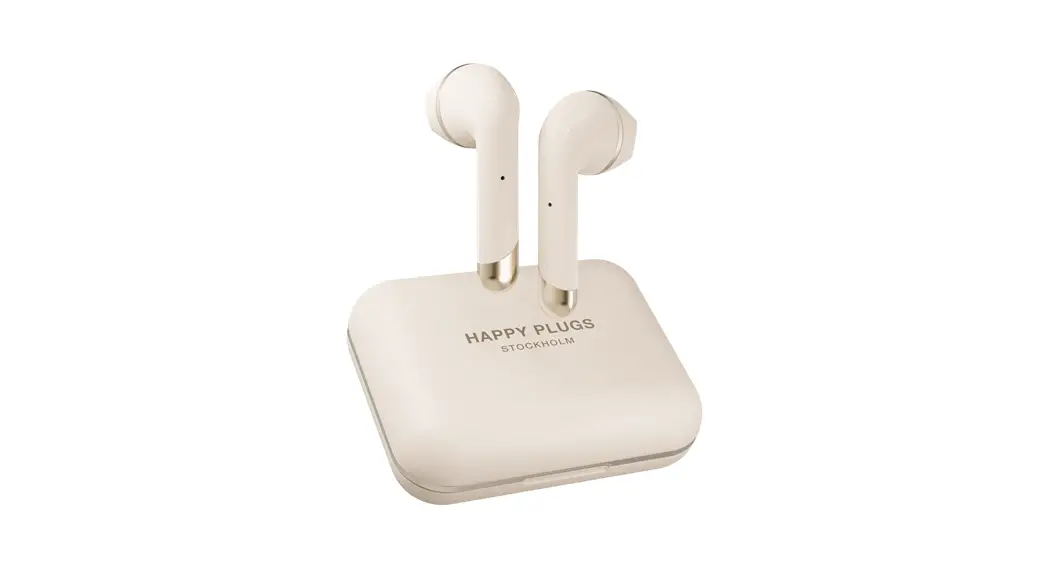

HAPPY PLUGS AIR 1 USER MANUAL
DEAR CUSTOMER
Even before we started working on this product we thought of it as a companion piece to our previous wireless products, a sequel of sorts – The next chapter.
We knew it had to be special so we worked hard. And then we worked even harder. Sharing this journey with you all has been the gift of a lifetime and I hope you can see and experience our gratitude within this product. Thank you! est Regards,
Andreas Vural, founder of Happy Plugs
CONNECT AND USE
1. Activate Bluetooth on your phone or device.
2. Remove the Air 1 earbuds from the charging case, and select “Air 1 by Happy Plugs” on your phone/device to pair. Keep the earbuds within 20 cm / 7 inches apart from each other.
3. Insert the Air 1 earbuds into your ears. Adjust the angle to find your perfect fit. When inserting the Air 1 into your ears – make sure not to touch the touch control surface. A four-second touch turns the earbud off.
CHARGING THE CASE
Charge your Air 1 case by connecting the included Micro-USB cable to a USB power source. When the Air 1 case LED is turned on, the case is charging. When the light turns off your Air 1 case is fully charged.
CHARGING THE EARBUDS
To charge the Air 1 earbuds place them in the charging case. When the Air 1 earbud LED is turned on, the earbud is charging. Once the lights turn off your Air 1 earbud is fully charged.
LED GUIDE
The Air 1 earbuds & case LEDs are lit up while charging. When fully charged the light turns off. When removing the Air 1 from the case, the earbuds’ LED will blink slowly while pairing to your Bluetooth source and blink fast while connecting to each other.
CALLS
Using the Air 1 for phone calls, both earbuds are active, but only the right (R) earbud has dual microphones. This means that you need to use the right (R) earbud when using just one earbud for phone calls. To get the most out of your new Air 1 when used together with an Apple Device; while your Air 1 is paired go into Settings > General > Accessibility, scroll down to Call Audio Routing and select Bluetooth Headset.
TOUCH CONTROLS
Both earbuds have a touch sensor (see illustration). Tap it with your finger to control your calls and music according to the guide.
SIRI OR GOOGLE ASSISTANT
Control your calls and music with Siri or Google Assistant by pressing 2 sec on the right (R) earbud.To use Siri on your iPhone while it is locked, go into Settings > Touch ID & Passcode, scroll down to Allow Access when locked and enable Siri.
RESET TO FACTORY SETTINGS
If you need to reset your earbuds and terminate any previous Bluetooth pairing:
1. Delete Air 1 by Happy Plugs from your Bluetooth devices list.
2. Make sure the charging case is charged. Put the Earphones in the charging case.
3. Touch and hold the touch sensors on both left and right earphones for 10 seconds until the earphone LEDs blink 3 times.
4. Take the earphones out from the charging case and hold them close together (within 10 cm) until the LED on the left earphone stops blinking.
5. Connect to your Device.
FULL INSTRUCTIONS & FAQ ARE AVAILABLE AT: HELP.HAPPYPLUGS.COM
TOUCH CONTROLS
| Left (L) & Right (R) Earbud | ||
| Power On | Hold 2 Seconds |  |
| Power Off | Hold 4 Seconds | |
| Reset (In the case) | Hold 10 Seconds | |
| Left (L) Earbud | ||
| Volume Up | Single Touch |  |
| Volume Down | Double Touch | |
| Right (R) Earbud (Music Controls) | ||
| Play / Pause | Single Touch |  |
| Next Track | Double Touch | |
| Previous Track | Triple Touch | |
| Right (R) Earbud (Phone Call Controls) | ||
| Call Answer / Call End | Single Touch |  |
| Reject Call | Double Touch | |
| Switch Call | Hold 2 Seconds | |
| Right (R) Earbud | ||
| Siri / Google Assistant | Hold 2 Seconds | |
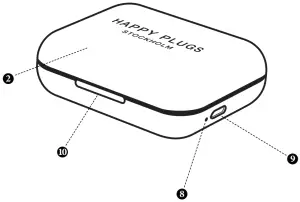
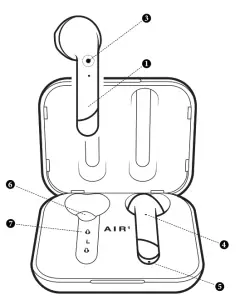
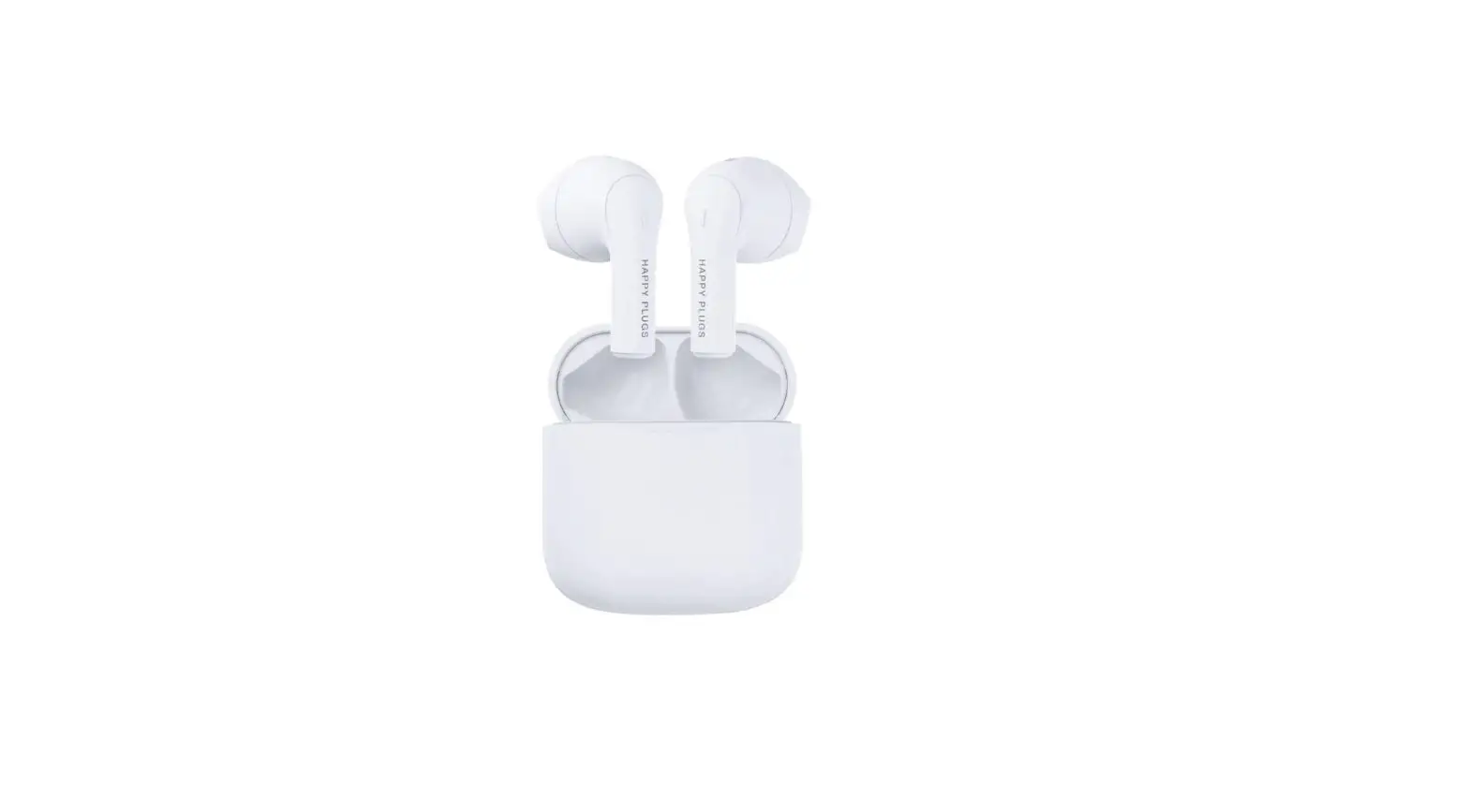
YOUR HAPPY PLUGS AIR 1
1. Air 1 Earbud
2. Air 1 Charge & Storage Case
3. Earbud Touch Control Sensor
4. Earbud LED
5. Microphone
6. Earbud Charge Cradle
7. Charging Pin
8. Charge Case LED
9. Charge Case Micro-USB Connection
10. Easy Opening Cut-Out