GR-09-01 Remote Control
Product Information
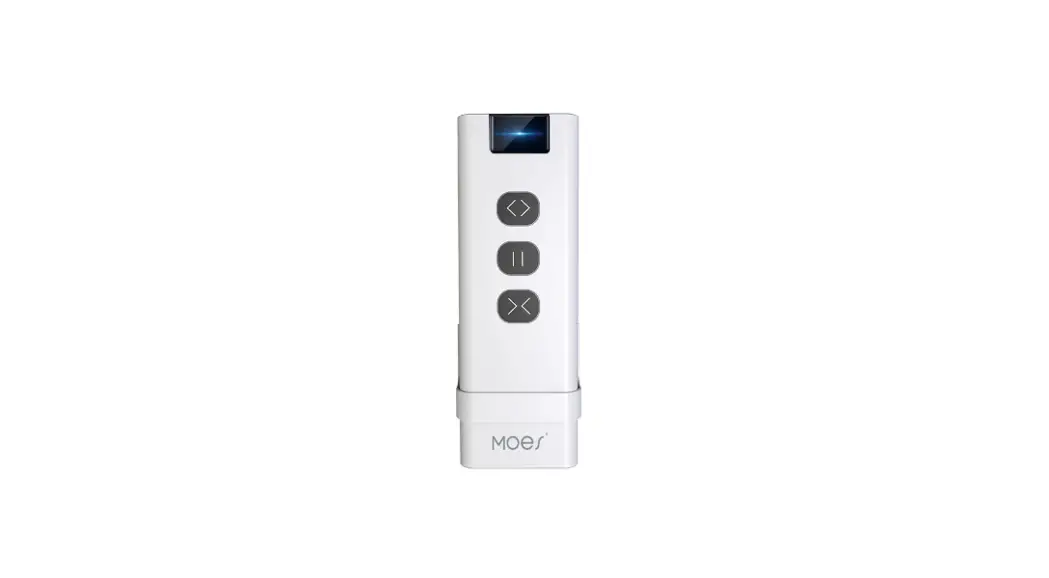
The product is a remote control for controlling blinds. It
allows you to control up to 9 blinds simultaneously. The remote
control has a knob that can be used to adjust the opening
percentage of the blinds. It also has buttons for setting favorite
positions, opening, closing, and stopping the blinds. The remote
control operates on a Lithium Cell CR2450 3V battery.
Product Usage Instructions
- To control the blinds:
- Each channel on the remote control corresponds to one
blind. - To open multiple blinds together, press the corresponding
channel numbers in sequence and then press the “Open” button.
- Open the remote control and insert a Lithium Cell CR2450 3V
battery. - Make sure to remove any protective covers before use.
- Hold the “P1” button for 5 seconds.
- A green light flashing indicates that the remote control is in
setting mode. - Choose the channel you want to set from 1-9.
- The remote control will exit setting mode if you hold the “P1”
button for 5 seconds again or if there is no operation for 3
minutes.
- Press the channel number for the blind you want to set as the
favorite position. - Hold the “P2” button for 3 seconds.
- The motor will respond to indicate that the favorite position
has been set.
- Hold the “P2” button for 3 seconds.
- The motor will respond to indicate that the favorite position
has been deleted.
- Hold the channel number button for the blind you want to change
the direction of. - Press the “P2” button once.
- The motor will respond to indicate that the direction has been
changed.
- Hold the channel number button for the blind you want to adjust
the speed of. - Press and hold the “P2” button for 3 seconds to add speed or
reduce speed. - The motor will respond to indicate that the speed has been
adjusted.
- Hold the channel number button for the blind you want to delete
the top limit position of. - Press the “P2” button once.
- The motor will respond to indicate that the top limit position
has been deleted.
- Hold the channel number button for the blind you want to delete
the bottom limit position of. - Press the “P2” button once.
- The motor will respond to indicate that the bottom limit
position has been deleted.
- Hold the “P2” button for 3 seconds.
- The motor will respond to indicate that both the top and bottom
limit positions have been deleted.
- Move the shade to the desired top limit position.
- Hold the channel number button for the blind you want to set
the top limit position of. - Press the “P2” button once.
- The motor will respond to indicate that the top limit position
has been set.
- Move the shade to the desired bottom limit position.
- Hold the channel number button for the blind you want to set
the bottom limit position of. - Press the “P2” button once.
- The motor will respond to indicate that the bottom limit
position has been set.
MANUAL OF REMOTE CONTROL
CONTENTS
REMOTE CONTROL
1. Parameters
1
2. Install The Battery
2
REMOTE CONTROL PROGRAMMING
1. Enter Setting Mode 2-14. Motor Programming
3 4-12
CERTIFIED STATEMENT
1. FCC Statement
13
REMOTE CONTROL
Remote Holder
s x2
1. PARAMETERS
Control All Blinds (max 9 blinds)
Slight Open
Knob Adjust the
opening percentage
Favorite Position
Close
Open Slight Open
Stop
1-9 Channel : One channel corresponds to one blind.
Example Operation:
If there are 9 blinds, and you want to open blinds 1, 3, and 5 together, the operation method is:
Press 1, 3, and 5 in sequence, and then press “Open”.
Back
P1 Button
P1
Lithium Cell CR2450 3V
P2
P2 Button
1
2. INSTALL THE BATTERY
Your blind has been programmed before shipment. Please use it directly after installation.
P1
Lithuim Cell CR2450 3V
P2
P1
Lithium Cell CR2450 3V
P2
P1
Lithium Cell CR2450 3V
P2
PULL
REMOVE BEFORE USE
P1
Lithuim Cell CR2450 3V
P2
INSTALL THE REMOTE HOLDER ON WALL
Method 1
Back Method 2
s
2
REMOTE CONTROL PROGRAMMING
1. ENTER SETTING MODE
01.
P1
Lithium Cell CR2450 3V
P2
Hold ” P1 ” for 5s
Green light flashing indicates setting mode. 02.
Choose the channel you want to set from “1-9”.
It will exit setting mode if hold “P1″ for 5s again or no operation for 3 mins.
3
2. SET FAVORITE POSITION
1. The favorite position is not set at factory. 2. Before setting the favorite running position,
please ensure that the top and bottom limit positions have been set. 3. Please ensure that the remote is in setting mode before following the steps below:
01.
Press ” Channel 1 ”
(Take channel 1 for example)
02.
Hold ” ” for 3s
The motor responds.
3. DELETE FAVORITE POSITION
Hold ” ” for 3s
The motor responds.
4
4. HOW TO CHANGE UP/DOWN DIRECTION
Please ensure that the remote is in setting mode before following the steps below:
Hold ” Channel 1 ” then
Press ” ” for x1
(Take channel 1 for example)
The motor responds.
5
5. HOW TO ADJUST SHADES RUNNING SPEED
1. Please ensure that the remote is in setting mode before following the steps below:
2. If the motor does not jog, it may have reached the maximum or minimum speed. There are three speed settings available.
Add speed
Hold ” ” for 3s
The motor responds.
Reduce speed
Hold ” ” for 3s
The motor responds.
6
6. DELETE TOP LIMIT POSITION
Please ensure that the remote is in setting mode before following the steps below:
The motor responds.
Hold ” Channel 1 ” then
Press ” ” for x1
(Take channel 1 for example)
7. DELETE BOTTOM LIMIT POSITION
Please ensure that the remote is in setting mode before following the steps below:
The motor responds.
Hold ” Channel 1 ” then
Press ” ” for x1
(Take channel 1 for example)
8. DELETE TOP & BOTTOM LIMIT POSITION
1. The favorite position will also be deleted. 2. Please ensure that the remote is in setting
mode before following the steps below:
The motor responds.
Hold ” ” for 3s
7
9. SET TOP LIMIT POSITIONS
Please ensure that the remote is in setting mode before following the steps below:
01.
Move the shade to the desired top limit position.
02.
Hold ” Channel 1 ” then
Press ” ” for x1
(Take channel 1 for example)
The motor responds.
10. SET BOTTOM LIMIT POSITIONS
Please ensure that the remote is in setting mode before following the steps below:
01.
Move the shade to the desired bottom limit position.
02.
Hold ” Channel 1 ” then
Press ” ” for x1
(Take channel 1 for example)
The motor responds.
8
11. UNPAIR THE MOTOR
1. All paired remotes on the current channel won’t be able to control the motor after the step.
2. Please ensure that the remote is in setting mode before following the steps below:
Hold ” ” for 3s then
Press ” ” for x1
(Take channel 1 for example)
The motor responds.
9
12. RE-PAIR THE MOTOR
Please ensure that the remote is in setting mode before following the steps below:
01.
Hold the motor button for 2s
02. 03.
The motor responds.
P1
Lithium Cell CR2450 3V
P2
Press ” P2 ” x1
P1
Lithium Cell CR2450 3V
P2
Press ” P1 ” x1
10
13. ADD NEW REMOTE “B”
Please ensure that the remote is in setting mode before following the steps below:
01. Paired remote “A”
A
The motor responds.
Hold ” Channel 1 ” then
Press ” ” for x1
(Take channel 1 for example)
02. Ensure that the unpaired remote “B” has entered setting mode. Choose the channel you want to set from 1-9. Please refer to Page 3 for this step.
B
03.
B
P1
Lithium Cell CR2450 3V
P2
The motor responds.
Press ” P2 ” x1
04.
B
P1
Lithium Cell CR2450 3V
P2
Press ” P1 ” x1
11
14. KNOB FUNCTION
Please ensure that the remote is not in setting mode before following the steps below: If it’s in setting mode, please refer to page 3 to exit setting mode.
ADJUST THE OPENING PERCENTAGE 01.
Press ” Channel 1 ”
(Take channel 1 for example)
02.
The shade moves down.
Rotate clockwise
The shade moves up.
Rotate counterclockwise
1. At each rotation, the current black mark is the initial position.
2. Rotate it for one cycle, and the shade will open by 40%.
DOT MOVE
The shade moves up or down 1-2 grids.
Rotate 1-2 grids
For Shangri-la Shades, please move the shade to bottom limit position and rotate the knob 1-2 grids to achieve dimming function.
12
CERTIFIED STATEMENT
1. FCC STATEMENT
FCC ID: 2A9IA-GR-09-01
Please take attention that changes or modification not expressly qpproved by the party responsible for compliance could void the user’s quthority to operate the equiipment. This device complies with Part 15 of the FCC Rules. Operation is subject to the following two conditions: (1) This device may not cause harmfu linterference,
and. (2) This device must accept any interference
received, including interference that may cause undesired operation.
13