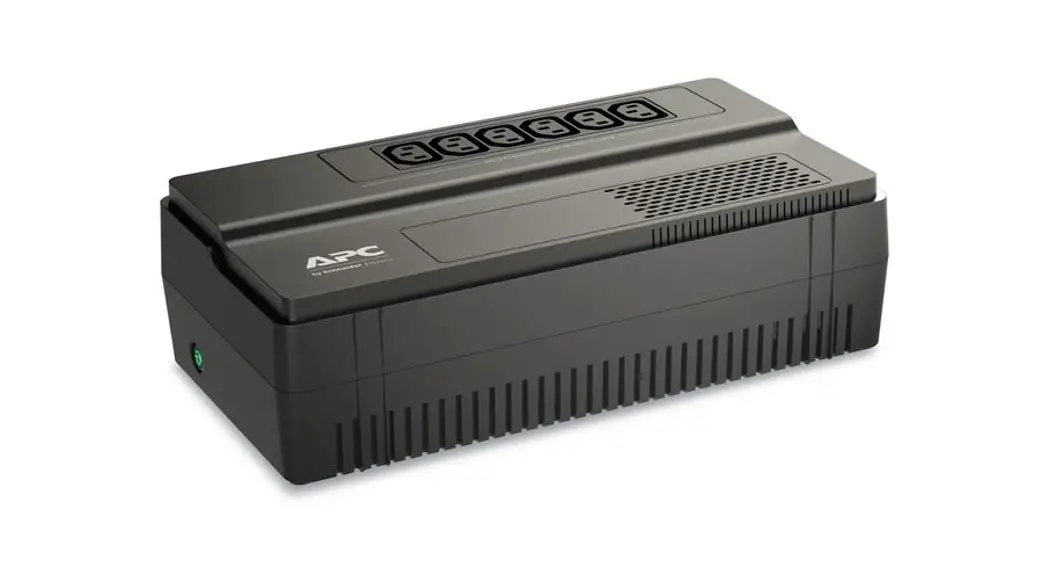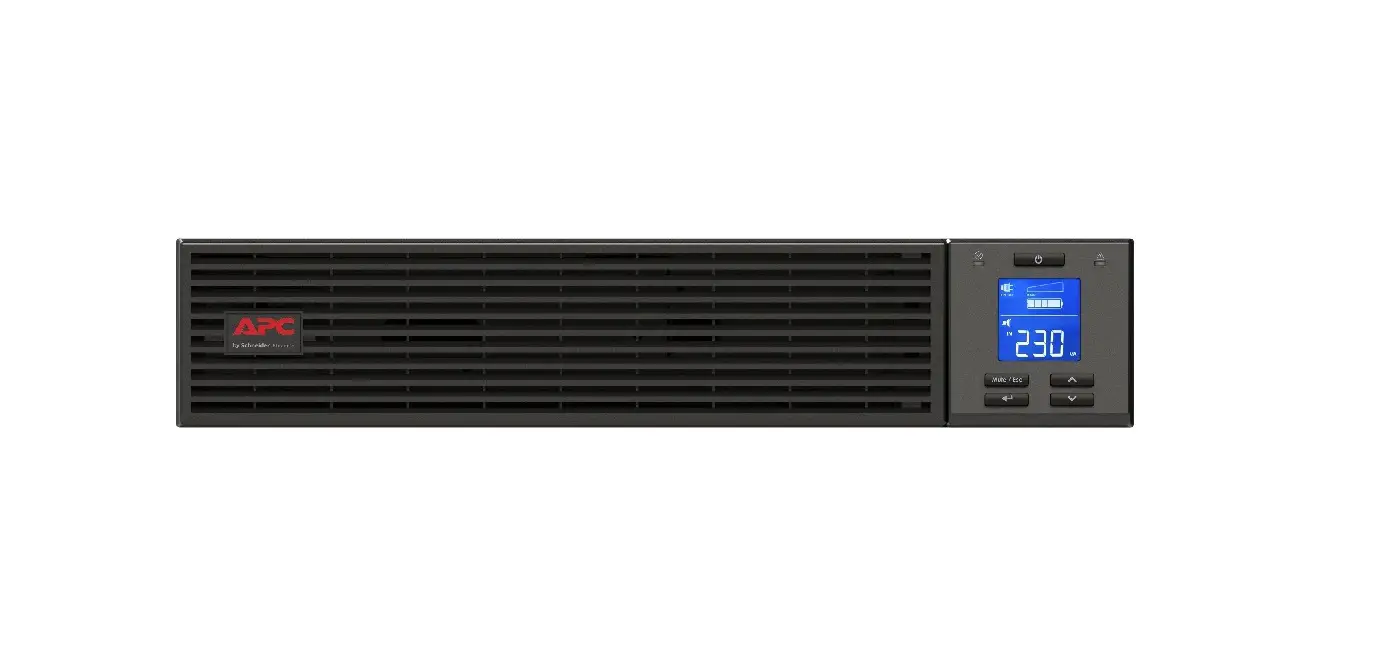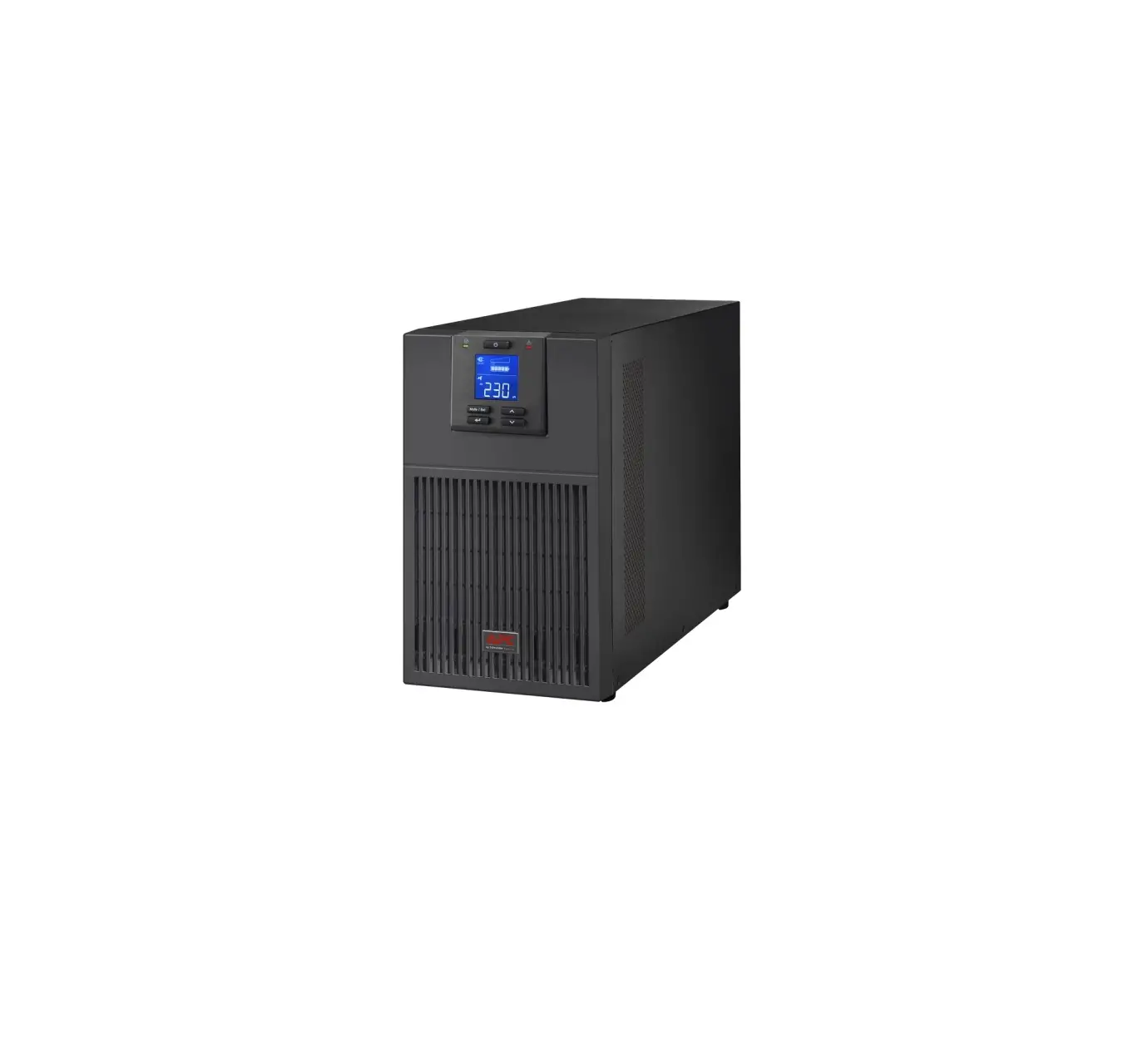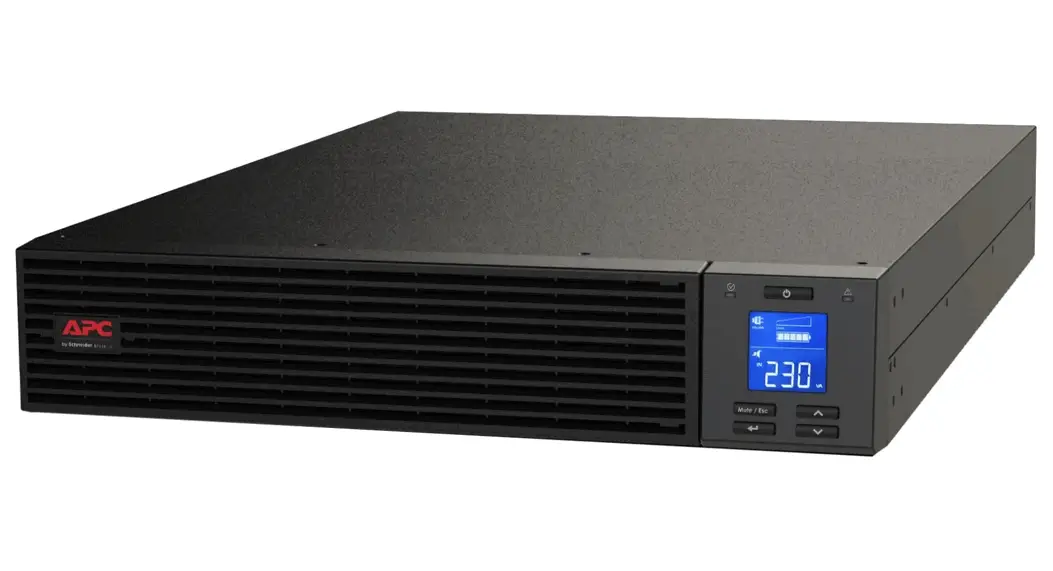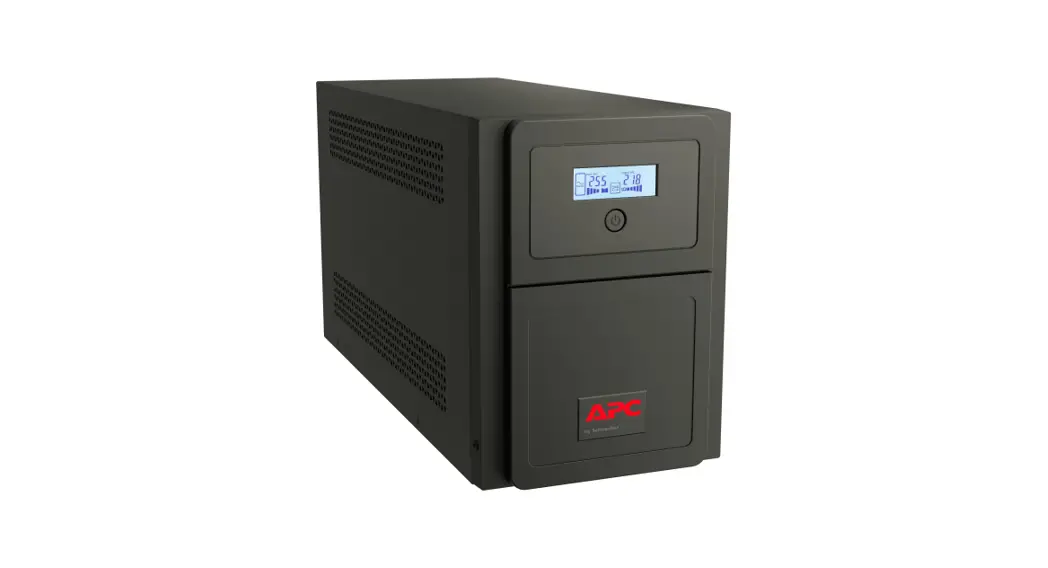

User Manual Easy UPS
SMV Series 750, 1000, 1500, 2000, 3000 VA
Important Safety Messages
SAVE THESE INSTRUCTIONS – This section contains important instructions that should be followed during installation and maintenance of the UPS and batteries.
Read these instructions carefully and look at the equipment to become familiar with the device before trying to install, operate, service or maintain it. The following special messages may appear throughout this bulletin or on the equipment to warn of potential hazards or to call attention to information that clarifies or simplifies a procedure. The addition of this symbol to either a “Danger” or “Warning” safety label indicates that an electrical hazard exists which will result in personal injury if the instructions are not followed.
 This is the safety alert symbol. It is used to alert you to potential personal injury hazards. Obey all safety messages that follow this symbol to avoid possible injury or death.
 DANGER
DANGER indicates a hazardous situation which, if not avoided, will result in death or serious injury.
 WARNING
WARNING indicates a hazardous situation which, if not avoided, could result in death or serious injury.
 CAUTION
CAUTION indicates a hazardous situation which, if not avoided, could result in minor or moderate injury.
NOTICE
NOTICE is used to address practices not related to physical injury.
Product Handling Guidelines

- Adhere to all national and local electrical codes.
- This UPS is intended for indoor use only. To prevent the risk of fire or electric shock, install in a temperature and humidity controlled indoor area, free of conductive contaminants.
- Mains socket outlet that supplies the UPS shall be installed near the UPS and shall be easily accessible.
- UPS must be connected to an earthed mains socket outlet.
CAUTION
HYDROGEN SULPHIDE GAS AND EXCESSIVE SMOKE
- Replace the battery at least every 5 years.
- Replace the battery immediately when the UPS indicates battery replacement is necessary.
- Replace battery at the end of its service life.
- Replace batteries with the same number and type of batteries as originally installed in the equipment.
- Replace the battery immediately when the UPS indicates a battery over-temperature condition, or UPS internal over-temperature, or when there is evidence of electrolyte leakage. Power off the UPS, unplug it from the AC input, and disconnect the batteries. Do not operate the UPS until the batteries have been replaced.
Failure to follow these instructions can result in injury
- Servicing of user replaceable batteries should be performed or supervised by personnel knowledgeable about batteries and required precautions. In this case batteries are not user replaceable.
- When replacing battery the UPS must be OFF, and its AC inlet unplugged.
- CAUTION Do not dispose of batteries in a fire. The batteries may explode.
- CAUTION Risk of explosion if battery is replaced by an incorrect type. Dispose of used batteries according to the instructions.
- Do not open or mutilate batteries. They contain an electrolyte that is toxic and harmful to the skin and eyes.
- CAUTION A battery can present a risk of electrical shock and high short circuit current. The following precautions should be observed when working on batteries.
a. Remove watches, rings or other metal objects.
b. Use tools with insulated handles.
c. Wear rubber gloves and boots.
d. Do not lay tools or metal parts on top of batteries.
e. Disconnect the charging source prior to connecting or disconnecting battery terminals.
f. Determine if battery is inadvertently grounded. If inadvertently grounded, remove source from ground. Contact with any part of a grounded battery can result in electrical shock. The likelihood of such shock can be reduced if such grounds are removed during installation and maintenance. - CAUTION Risk of electric shock, do not remove the chassis cover. Servicing should be performed by Qualified Engineer.
- CAUTION The UPS contains internal batteries and may present a shock hazard even when disconnected from AC power.
- CAUTION Risk of electric shock, Battery Circuit is not isolated from AC input, hazardous voltage may exist between battery terminals and ground. Test before touching.
- CAUTION This UPS is designed to satisfy all of requirement of PCs only.
Radio Frequency Warning
This is a category C2 UPS product. In a residential environment, this product may cause radio interference, in which case the user may be required to take additional measures.
Inventory
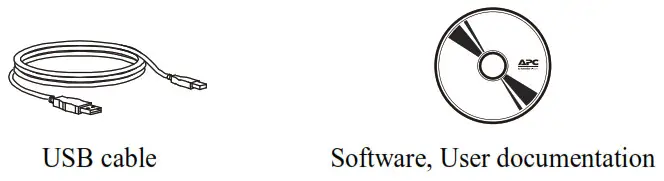
Optional
| Model | Cable | 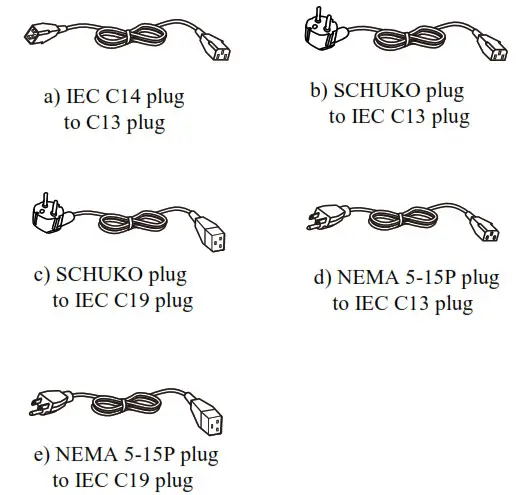 |
| SMV750I SMV1000I SMV1500AI SMV2000AI | a x1 b x1 | |
| SMV3000AI | a x1 c x1 | |
| SMV750I-GR SMV1000I-GR SMV1500AI-GR SMV2000AI-GR | b x2 | |
| SMV3000AI-GR | b x1 c x1 | |
| SMV750I-MS SMV1000I-MS SMV1500AI-MS SMV2000AI-MS | b x1 d x1 | |
| SMV3000AI-MS | b x1 e x1 |
Features
| A ON/OFF button B RS-232 C USB port D Fan /ventilation hole E Battery connector | F AC Inlet G Fuse H Battery backup outlets with surge protection I Output breaker (only for SMV3000AI) |
| Model | Output Type and Quantity | 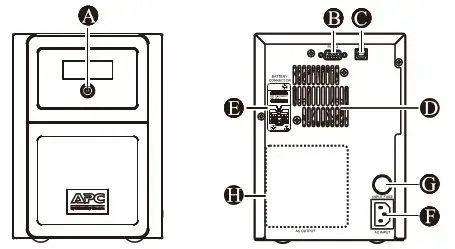 |
| SMV750I SMV1000I SMV1500AI | 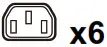 | |
| SMV750I-GR SMV1000I-GR SMV1500AI-GR |  | |
| SMV750I-MS SMV1000I-MS SMV1500AI-MS | 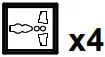 |
| Model | Output Type and Quantity | 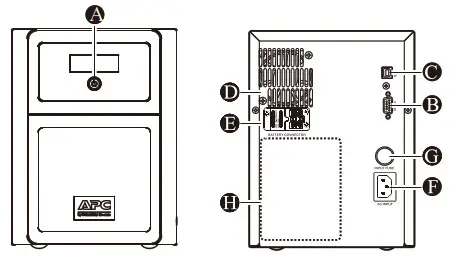 |
| SMV2000AI | | |
| SMV2000AI-GR | | |
| SMV2000AI-MS | |
| Model | Output Type and Quantity | 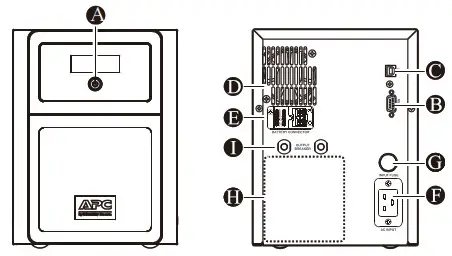 |
| SMV3000AI | | |
| SMV3000AI-GR | | |
| SMV3000AI-MS | |
Front Panel Display
| LCD | Status |
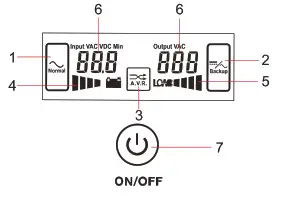 | 1. On Line mode 2. Battery mode 3. Automatic Voltage Regulation 4. Battery capacity 5. Load capacity 6. UPS status 7. Power ON/OFF button |
Place and Power On
NOTICE
Before installing the UPS, ensure the input breaker on the UPS upstream is Type C rated at 16A.
- Installation:
• UPS MUST be installed indoor with controlled environment free of excessive dust, corrosive air or conductive dust.
• Do NOT install in outdoor.
• Keep out of direct sun light, water and heat sources
• Place the unit on the stable floor.
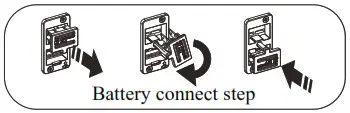
- Connect the battery by pulling the battery handle up, and then pushing it into the unit.
• The battery connector is located on the rear panel.
-Connect prior to operation.
-Disconnect prior to transportation. Turn OFF the UPS and remove input power cable before disconnecting the battery connector.
- Connect equipment to the UPS. Avoid using extension cords.
• Do NOT connect printers, heaters, or copiers to the UPS.
• During a power outage or other AC problems, the Battery Backup outlets receive power for a limited time from the Easy UPS. - Plug the Easy UPS power cord directly into a wall outlet, not into a surge protector or power strip.
- Press the ON/OFF button to turn on the unit. The Easy UPS should charge the battery for at least 8 hours to ensure sufficient runtime. Press On / OFF button in 1~3 seconds. The buzzer sound confirms that the Easy UPS is on and provide power to outlets.
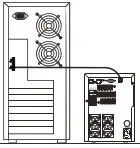
- Cold start the UPS Use cold start feature to supply power to connected equipment from the UPS batteries when the UPS is off and there is no power utility.

- Connect and install management software Easy UPS is provided with management software for unattended operating system shutdown, UPS monitoring, and UPS settings. Refer to www.apc.com for more information.

Specifications
| Model | SMV750I | 1 SMV1000I | 1 SMV1500AI | I SMV2000AI | I SMV3000AI | |
| Input | Voltage | 220/230/240VAC | ||||
| Voltage range | 165-290Vac+5Vac | 165-295 ac+8Vac | ||||
| Fuse | 8A | I 8A | I 12A | 20A | I 25A | |
| Frequency Range | 45-65 Hz (auto sensin ) ±1Hz | |||||
| Output | UPS Capacity (total) | 750VA 525W | 1000VA 700W | 1500VA 1050W | 2000VA 1400W | 3000VA 2100W |
| Rated Voltage | 230VAC | |||||
| Transfer time | Typical 2-6 ms, 12ms max. | |||||
| Waveform | Pure Sine Wave | |||||
| Batten | Type (maintenance-free) | 12V/7Ah x2 lead acid | I2V/7Ah x2 lead acid | 12V/10Ah x2 lead acid | 12V/7Ah x4 lead acid | 12V/9Ah x4 lead acid |
| Charging time | 4-6 hours recover to 90% capacity | |||||
| Physical | Dimension (DxWxH,mm) | 410 x 160 x 220 | 455 x 180 x 240 | |||
| Net Weight (kg) | 14. | I 17.8 | 24. | I 25.2 | ||
| Packaging Dimension (D x W x H, mm) | 508 x 272 x 339 | 604 x 319 x 414 | ||||
| Gross Weight (kg) | 17. | 21. | 27. | I 28.9 | ||
| Environment | Operating temperature & Humidity | 0-90 % RH @ 0-40°C (non-condensing) | 0-95 % RH @ 040°C (non-condensing) | |||
| Noise level | Less than 45dB | |||||
| Enclosure type | IP Rating | 1P20 | ||||
Audible Indicators and Status Icons
| If the Easy UPS… | Possible cause… |
| Beeps every 2 seconds. | Easy UPS is running on battery. You should consider saving any work in progress. |
| Continuous Beeping. | Low battery condition and battery run-time is very low. Promptly save any work in progress, exit all open applications, and shut down the operating system. |
Continuous tone with  illuminated. illuminated. | Battery Backup outputs are overloaded. |
Continuous tone with  illuminated. illuminated.a.Press ON/OFF button for 1-3 seconds to mute the alarm. b.Continuous tone will persist until battery LOW. (<11Vdc each BATT) | 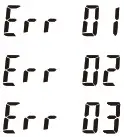 : Fan fault detected : Fan fault detected:Inverter short : Inverter over voltage |
Beeps every 4 seconds with  illuminated. illuminated. | The battery is near the end of useful life or damaged. |
Troubleshooting
| Problem and Possible Cause | Solution |
| The Easy UPS will not turn on | |
| The Easy UPS has not been turned on. | Press the ON/OFF button. |
| The Easy UPS is not connected to AC power, there is no AC power available at the wall outlet. or the AC power is experiencing a brownout or over voltage condition. | Make sure the power cord is securely connected to the wall outlet, and that there is AC power available at the wall outlet. Where applicable. check that the wall outlet is switched on or input fuse works properly. |
| The battery is disconnected. | Refer to the Place and Pon er On page 5. |
| Connected equipment loses power | |
| An Easy UPS overload condition has occurred. | Remove all nonessential equipment connected to the outlets. One at a time reconnect equipment to the Easy UPS. |
| The Easy UPS battery is completely discharged. | Connect the Easy UPS to AC power and recharge for 10 hours. |
| The Easy UPS may require service. | Contact Schneider Electric Technical Support. |
| The Easy UPS Is operating on battery power, while connected to AC power | |
| The plug has partially pulled out of the wall outlet. the wall outlet is no longer receiving AC power. or the fuse has been blown. | Ensure that the plug is fully inserted into the wall outlet. Ensure that the wall outlet is receiving AC power by checking it with another device. Or replace the fuse. |
The  message Illuminates on the display Interface message Illuminates on the display Interface | |
 : Fan fault detected : Fan fault detected | Turn the Easy UPS off. Clean dust or foreign materials clogging cooling fan and turn the Easy UPS on. If the error message persists. contact Schneider Electric Technical Support. |
 : Inverter short detected : Inverter short detected | Turn the Easy UPS off Disconnect non-essential equipment from the outlets and turn the Easy UPS on. If the error message persists, contact Schneider Electric Technical Support. |
 : Inverter over voltage detected : Inverter over voltage detected | Contact Schneider Electric Technical Support. |
| The Easy UPS beeping every 4 seconds | |
| The battery is disconnected. | Make sure the battery connector in rear panel is connected. |
| The battery is near the end of useful life or damaged. | Contact Schneider Electric Technical Support if the Easy UPS remain beeping with battery connector securely connected. |
| The Easy UPS has an Inadequate battery runtime | |
| The battery is not fully charged. The battery is near the end of useful life and should be replaced. | Leave the Easy UPS connected to AC power for 10 hours while the battery charges to full capacity. As a battery ages, the runtime capability decreases. |
Service
If the unit requires service, do not return it to the dealer. Follow these steps:
- Review the Troubleshooting section of the manual to eliminate common problems.
- If the problem persists, contact Schneider Electric IT (SEIT) Customer Support through the APC by Schneider Electric website, www.apc.com.
a. Note the model number and serial number and the date of purchase. The model and serial numbers are located on the rear panel of the unit.
b. Call SEIT Customer Support and a technician will attempt to solve the problem over the phone. If this is not possible, the technician will issue a Returned Material Authorization Number (RMA#).
c. If the unit is under warranty, the repairs are free.
d. Service procedures and returns may vary internationally. Refer to the APC by Schneider Electric website for country specific instructions. - Pack the unit in the original packaging whenever possible to avoid damage in transit. Never use foam beads for packaging. Damage sustained in transit is not covered under warranty.
- Always DISCONNECT THE UPS BATTERIES before shipping. The United States Department of Transportation (DOT), and the International Air Transport Association (IATA) regulations require that UPS batteries be disconnected before shipping. The internal batteries may remain in the UPS.
- Write the RMA# provided by Customer Support on the outside of the package.
- Return the unit by insured, pre-paid carrier to the address provided by Customer Support
Warranty
Register your product on-line. http://warranty.apc.com
The standard warranty is two (2) years from the date of purchase. SEIT standard procedure is to replace the original unit with a factory reconditioned unit. Customers who must have the original unit back due to the assignment of asset tags and set depreciation schedules must declare such a need at first contact with an SEIT Technical Support representative. SEIT will ship the replacement unit once the defective unit has been received by the repair department, or cross-ship upon the receipt of a valid credit card number. The customer pays for shipping the unit to SEIT. SEIT pays ground freight transportation costs to ship the replacement unit to the customer.
APC by Schneider Electric IT Customer Support Worldwide
For country specific customer support, go to the APC by Schneider Electric website, www.apc.com.
© 2019 APC by Schneider Electric. APC, the APC logo are owned by Schneider Electric Industries S.A.S., or their affiliated companies. All other trademarks are property of their respective owners.
EN 990-91224A
04/2019