 PAD-AUTICC
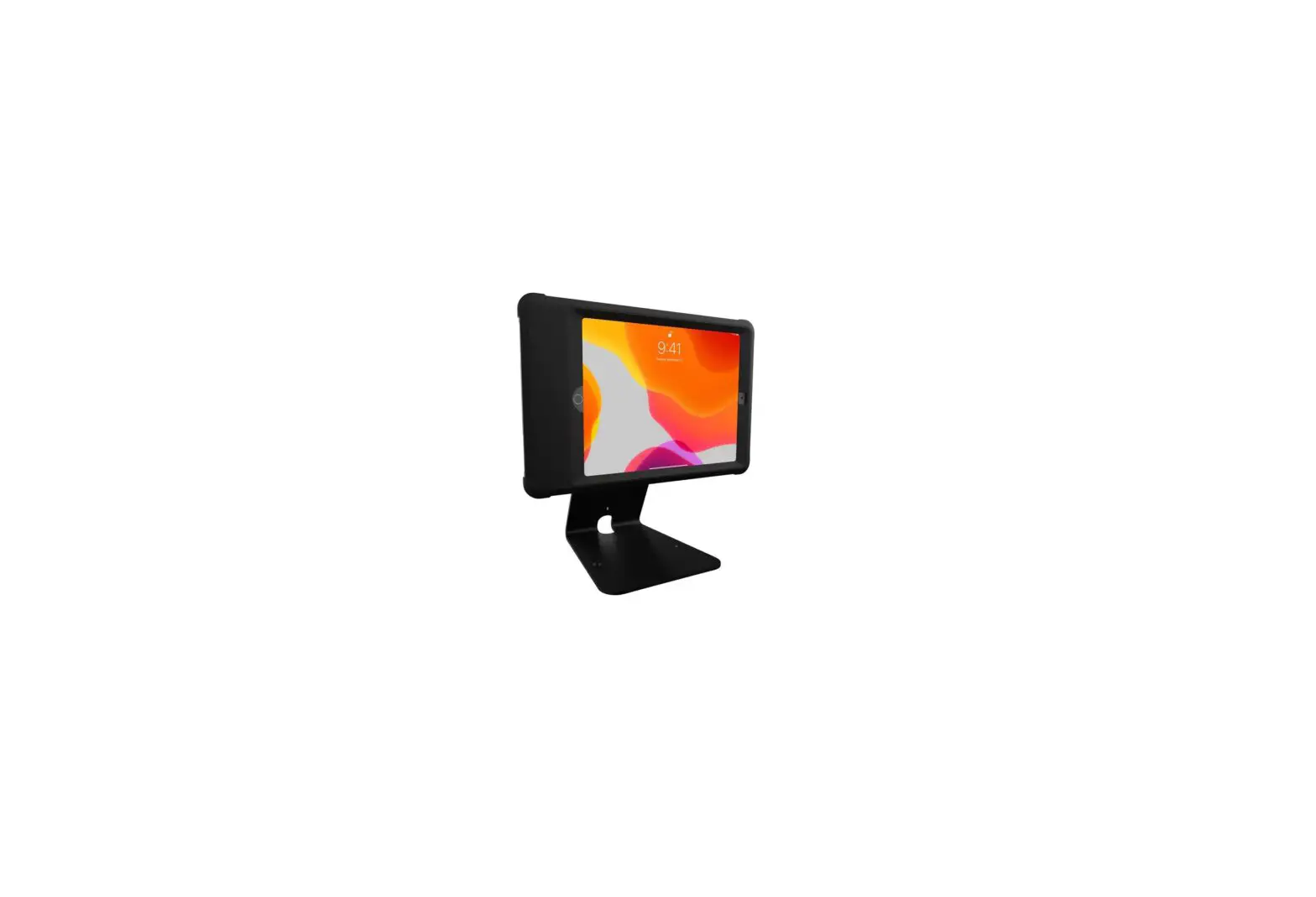
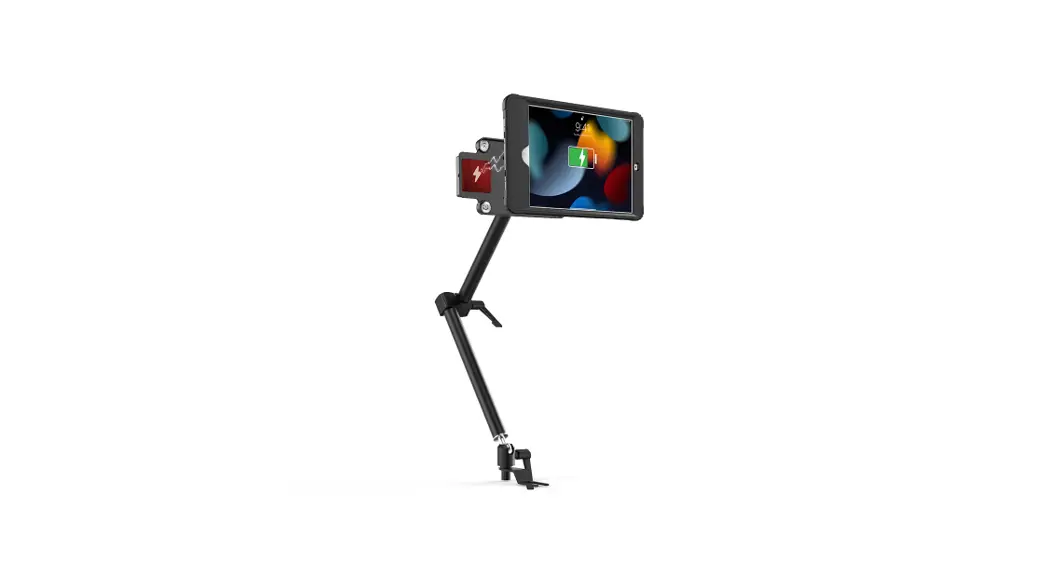
Vehicle Mount with Inductive Charging Case Kit for iPad 8th Gen 10.2, iPad Pro 10.5, and iPad Air3
INSTRUCTION MANUAL
Thank you for choosing CTA Digital’s product. We hope that you will enjoy using it. Please follow the guidelines and instructions as laid out in this instruction manual.
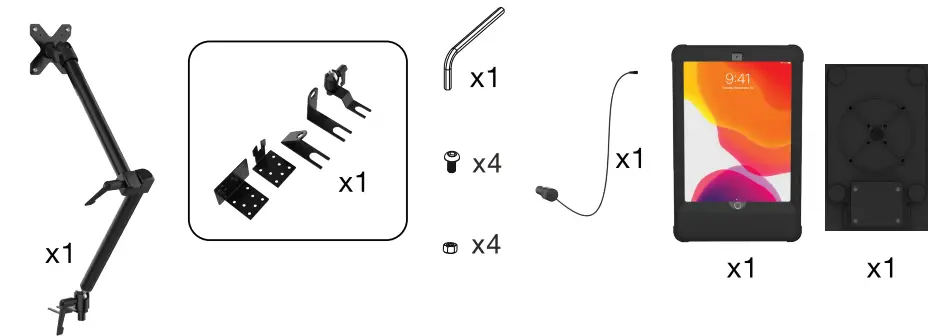
Package Contents:
Instructions:
Located Tablet Case and Insert Device
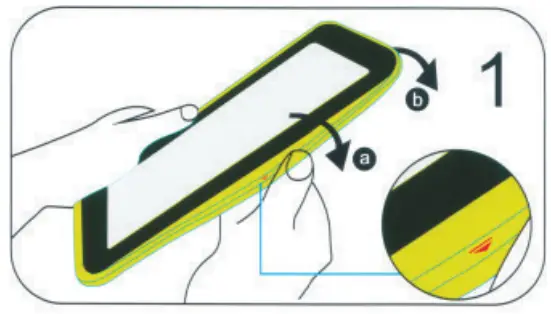
- Peel the external silicone sleeve from the internal hard case.

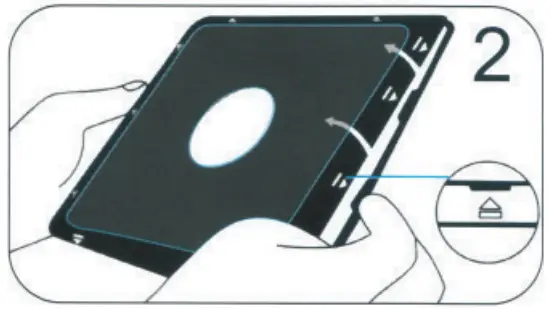
- To open the internal hard case, apply gentle pressure to the small clips (as shown to the left). The case will open with all (4) sides unclipped.

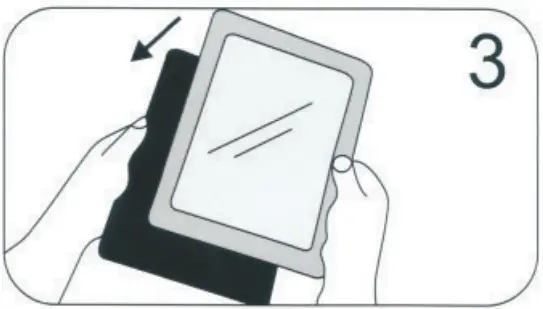
- Insert the tablet into the back of a portion of the hardcover.

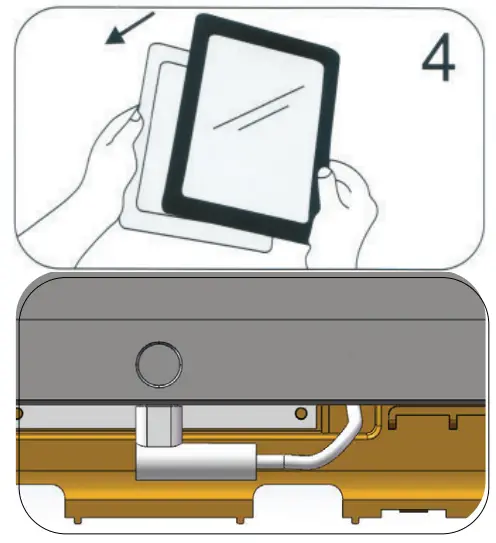
- Once the tablet is in the back portion of the case, look to the bottom and plug the charging cable into the power socket of the tablet. After, place the internal hard case front cover on the top of the case and clip all (4) sides shut around the case.

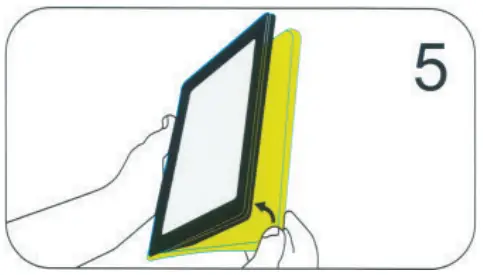
- Place the external silicone rubber sleeve over the hard case again.

Attach VESA Plate to Dock
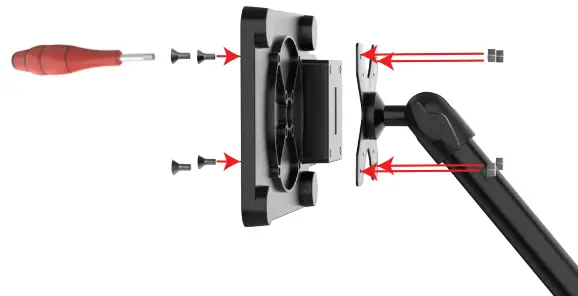
Combine nuts and bolts through the VESA plate from the front & back as shown with provided tools
Place Tablet Into Dock
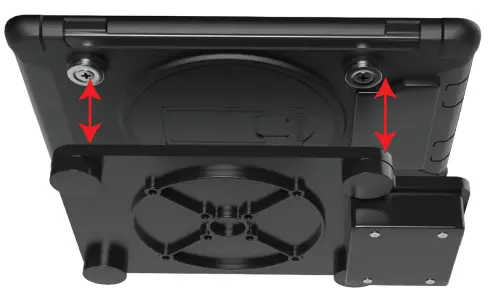
Align the magnets. Please align the battery pack to the battery pad on the right side so the tablet will charge properly.
Installing Vehicle Seat Rail Clamp to the Vehicle Rail
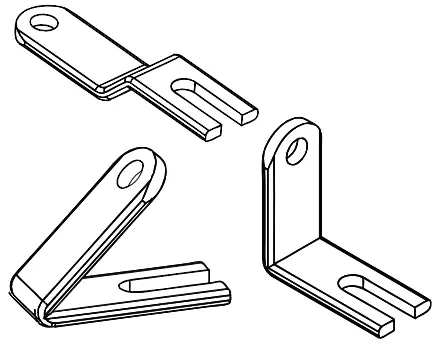
Because each vehicle is different, you will need to determine which included seat rail clamp is best for you.
- Choose the base with the angle that matches your needs.

- Align Vehicle Seat Rail Clamp and the Vehicle Mount and Screw as shown in the diagram above. Use Allen Key to screw together.

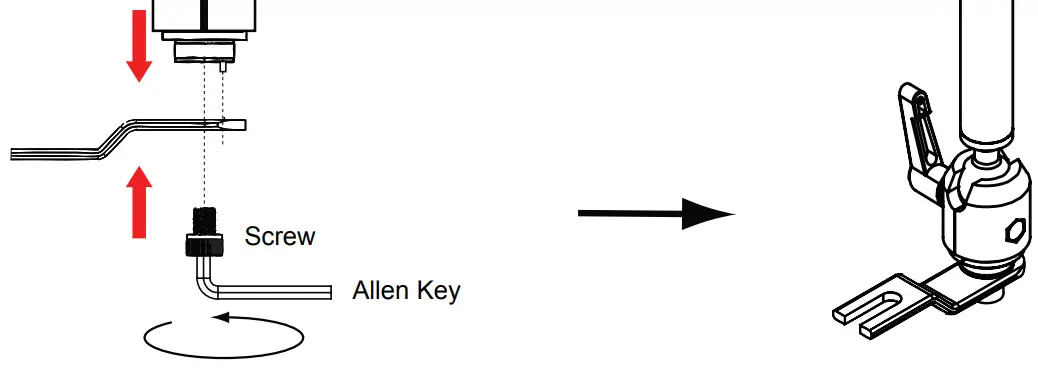
Installing Vehicle Mount to your Vehicle Seat Rail
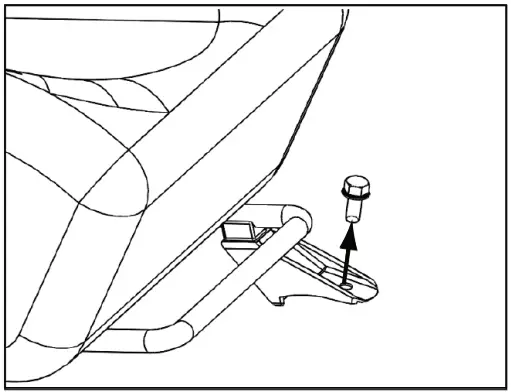
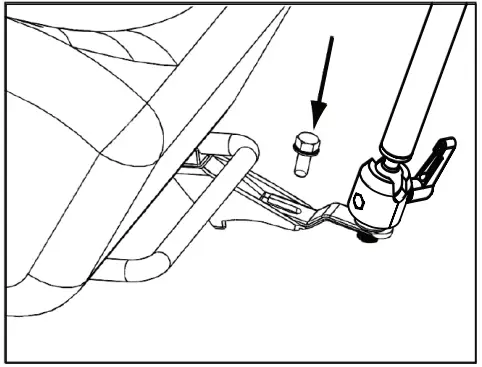
| Loose the bolt of the seat rail. | Install the assembled Vehicle Seat Rail Clamp and Base set on the seat rail and screw back the bolt. |
 |  |
Adjusting the Flex Arm Joint for Preferred Positions
| Twist the SCREW KNOB (Both or Either) counter-clockwise to release the connection. | Adjust the arm to your preferred position and then tighten the SCREW KNOB clockwise. |
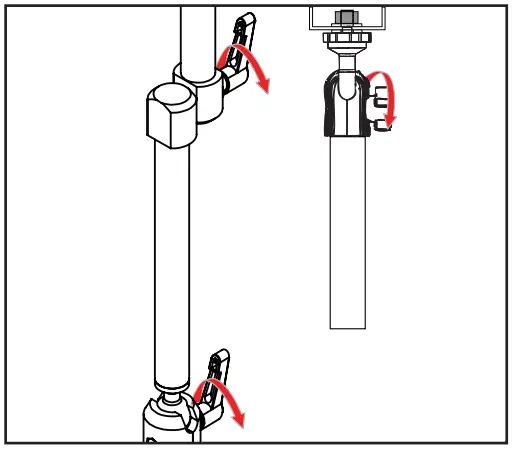 | 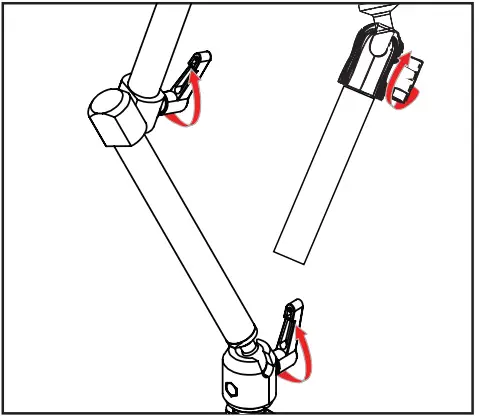 |
Plug-in Power Cord from Dock Port into Vehicle
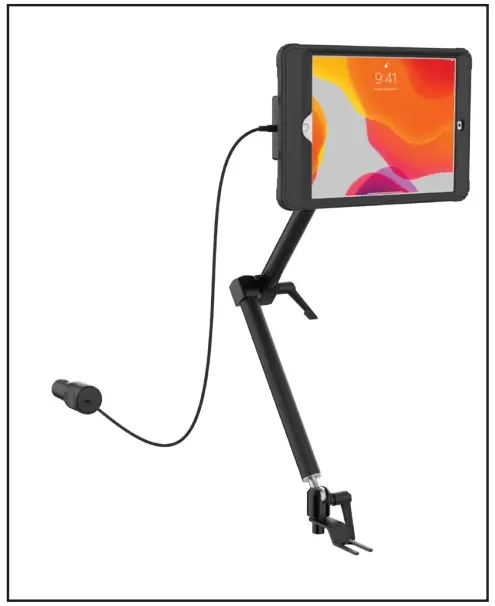
Adjusting Ball Joints
CAUTION! PLEASE READ BEFORE USE!
*Disclaimer – Ball Joint Warning
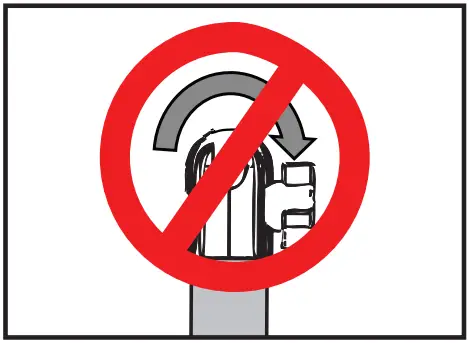
DO NOT attempt to adjust, tilt, or rotate any ball socket joints while it is fully tightened. Any such action will result in possible damage and loss of integrity of the product functioning at full capacity.
The manufacturer will not be responsible for any such actions by any person.