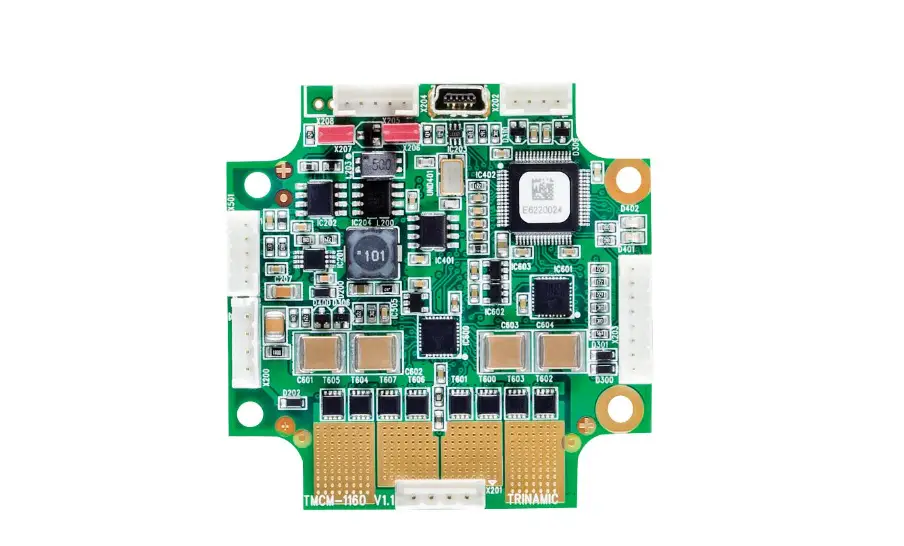
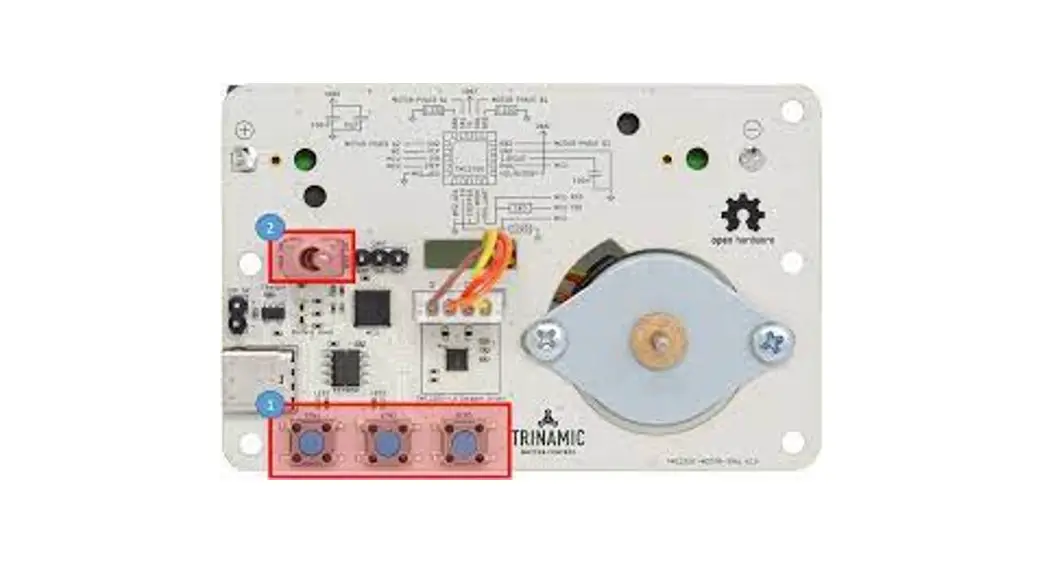
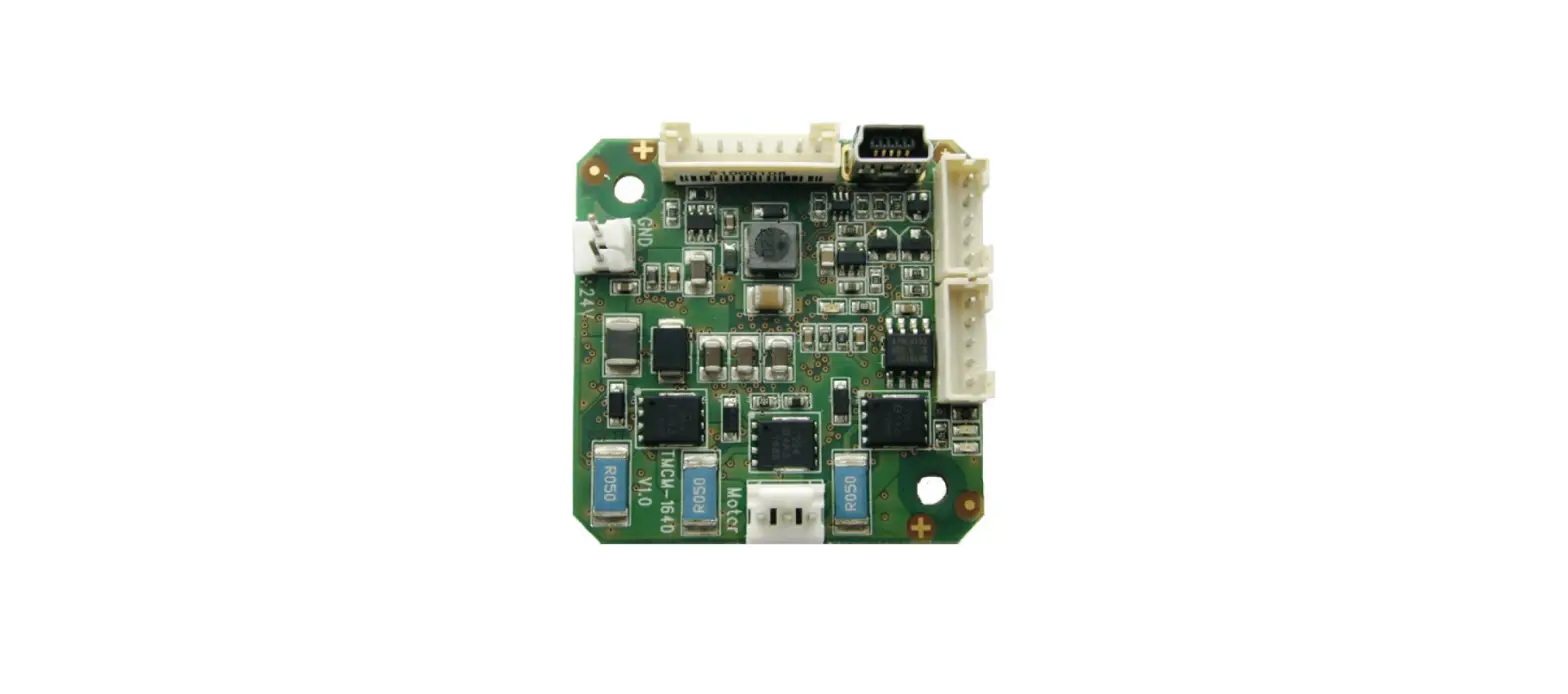
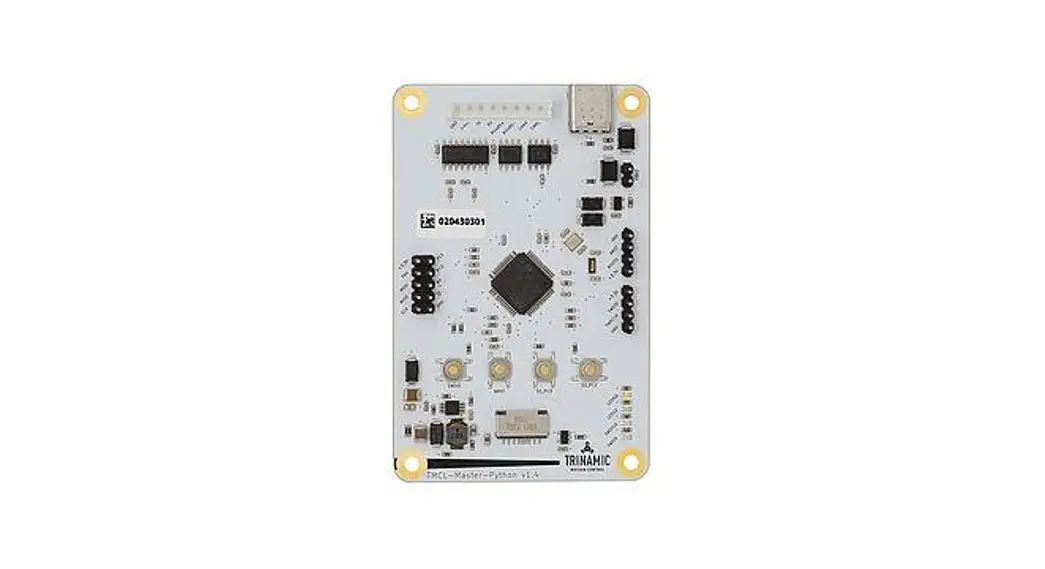
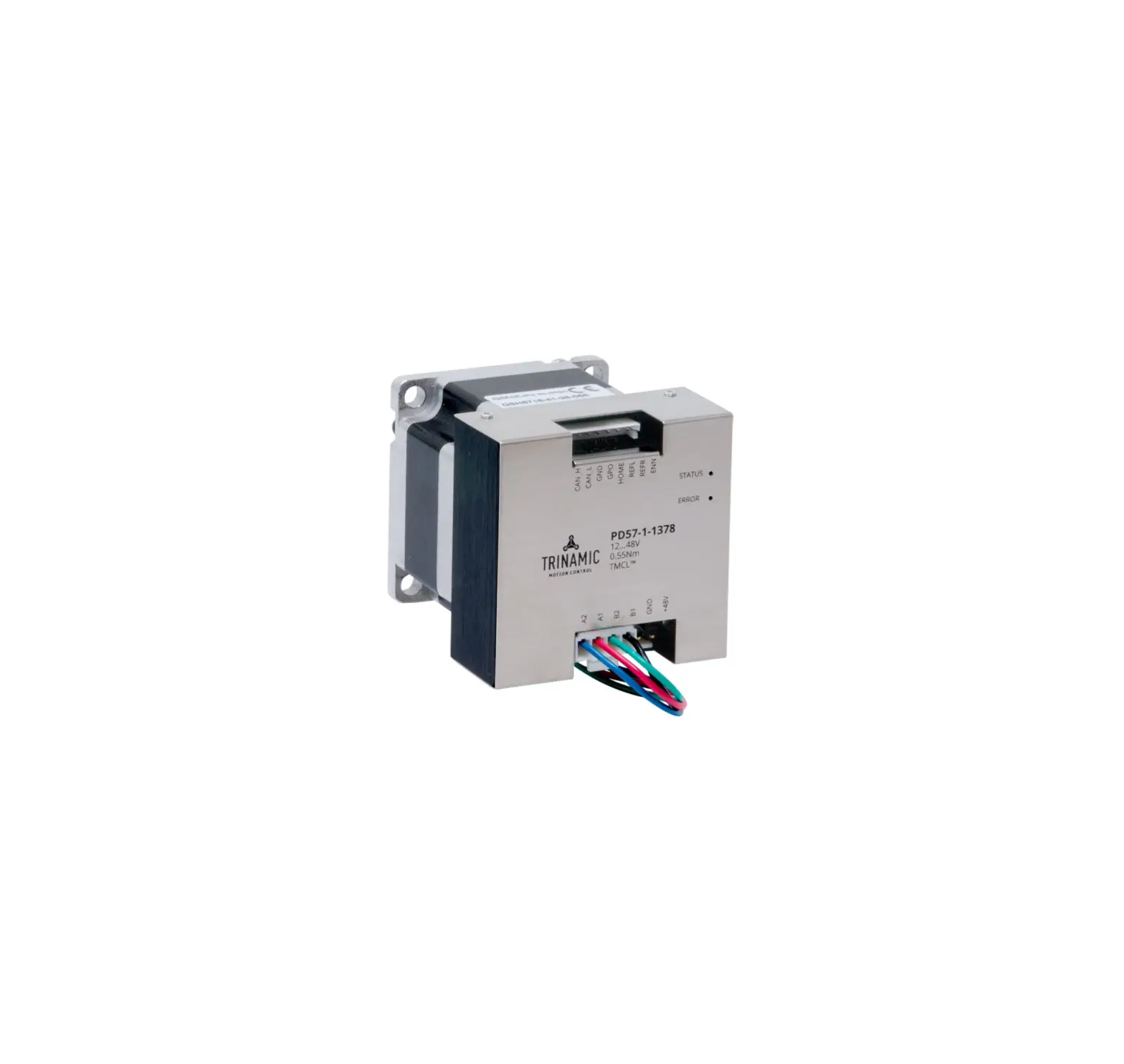
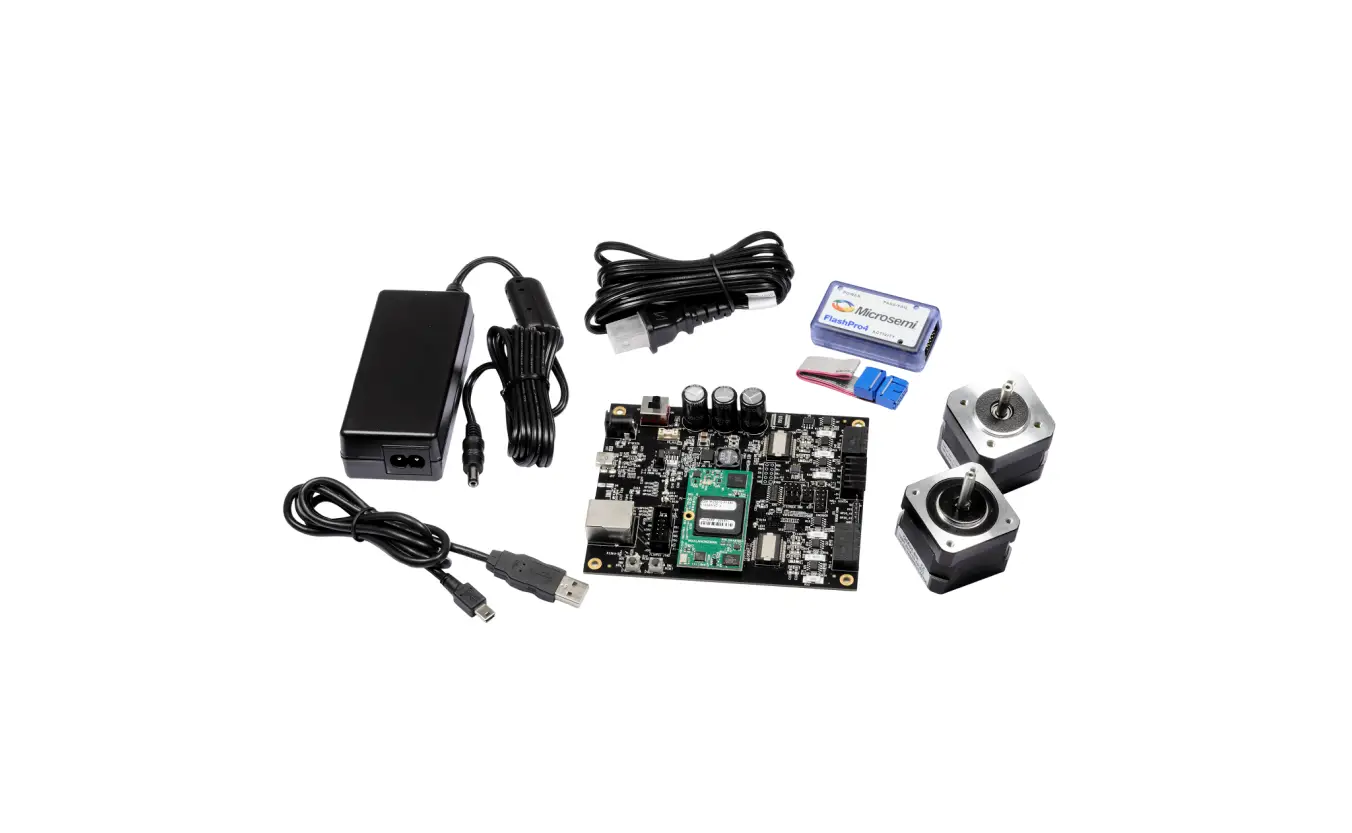
TMCM-1140 Single Axis Stepper Motor Controller/Driver Module
Product Information:
| Product Name | Module for Stepper Motors – TMCM-1140 |
|---|---|
| Hardware Version | V1.3 |
| Manufacturer | TRINAMIC Motion Control GmbH & Co. KG |
| Features | Main Characteristics: |
| – Motion controller with real-time motion profile calculation | |
| – On-the-fly alteration of motor parameters (position, velocity, acceleration) | |
| – High-performance microcontroller for system control and serial communication protocol handling | |
| – Bipolar stepper motor driver with up to 256 microsteps per full step | |
| – High-efficient operation with low power dissipation | |
| – Dynamic current control and integrated protection | |
| – stallGuard2 feature for stall detection | |
| – coolStep feature for reduced power consumption and heat dissipation | |
| – Encoder: sensOstep magnetic encoder (1024 increments per rotation) | |
| – RS485, CAN, and USB interfaces for communication | |
| – Multiple inputs and outputs for various functions | |
| – TMCL software for standalone or remote controlled operation | |
| – Electrical and mechanical data: Supply voltage of +24 V DC nominal (9…28 V DC), motor current up to 2 A RMS / 2.8 A peak (programmable) |
Product Usage Instructions:
- Ensure that the supply voltage is within the range of +9 V to
+28 V DC. - Connect the stepper motor to the module using appropriate
connectors. - If required, mount the module using the specified dimensions
and mounting holes. - Consider the board mounting considerations for proper
installation. - Connect the module to the desired communication interface
(RS485, CAN, or USB) based on your requirements. - Utilize the various inputs and outputs for specific functions
as needed. - Refer to the TMCL Firmware Manual for additional information on
software operation and programming.
MODULE FOR STEPPER MOTORS
MODULE
Hardware Version V1.3
HARDWARE MANUAL
+
+ TMCM-1140
1-Axis Stepper Controller / Driver 2 A / 24 V sensOstepTM Encoder USB, RS485, and CAN
+
+
UNIQUE FEATURES:
TRINAMIC Motion Control GmbH & Co. KG Hamburg, Germany www.trinamic.com
Downloaded from Arrow.com.
TMCM-1140 V1.3 Hardware Manual (Rev. 1.04 / 2015-JAN-05)
2
Table of Contents
1 Features ………………………………………………………………………………………………………………………………………..3 2 Order Codes …………………………………………………………………………………………………………………………………..5 3 Mechanical and Electrical Interfacing ………………………………………………………………………………………………..6
3.1 Dimensions and Mounting Holes ……………………………………………………………………………………………….6 3.2 Board mounting considerations…………………………………………………………………………………………………6 3.3 Connectors of TMCM-1140……………………………………………………………………………………………………….7
3.3.1 Power and Communication Connector ………………………………………………………………………………….8 3.3.1.1 Power Supply………………………………………………………………………………………………………………..8 3.3.1.2 RS485…………………………………………………………………………………………………………………………..9 3.3.1.3 CAN……………………………………………………………………………………………………………………………10
3.3.2 Multipurpose I/O Connector ………………………………………………………………………………………………11 3.3.2.1 Digital Inputs IN_1, IN_2, IN_3 ………………………………………………………………………………………12 3.3.2.2 Analog Input IN_0………………………………………………………………………………………………………..13 3.3.2.3 Outputs OUT_0, OUT_1………………………………………………………………………………………………..13
3.3.3 Motor Connector ………………………………………………………………………………………………………………14 3.3.4 Mini-USB Connector ………………………………………………………………………………………………………….15 4 Motor driver current……………………………………………………………………………………………………………………..16 5 Reset to Factory Defaults ……………………………………………………………………………………………………………….17 6 On-Board LEDs ……………………………………………………………………………………………………………………………..18 7 Operational Ratings……………………………………………………………………………………………………………………….19 8 Functional Description …………………………………………………………………………………………………………………..21 9 TMCM-1140 Operational Description………………………………………………………………………………………………22 9.1 Calculation: Velocity and Acceleration vs. Microstep and Fullstep Frequency………………………………..22 10 Life Support Policy…………………………………………………………………………………………………………………………24 11 Revision History…………………………………………………………………………………………………………………………….25 11.1 Document Revision ………………………………………………………………………………………………………………..25 11.2 Hardware Revision …………………………………………………………………………………………………………………25 12 References …………………………………………………………………………………………………………………………………..26
www.trinamic.com
Downloaded from Arrow.com.
TMCM-1140 V1.3 Hardware Manual (Rev. 1.04 / 2015-JAN-05)
3
1 Features
The TMCM-1140 is a single axis controller/driver module for 2-phase bipolar stepper motors with state of the art feature set. It is highly integrated, offers a convenient handling and can be used in many decentralized applications. The module can be mounted on the back of NEMA 17 (42mm flange size) stepper motors and has been designed for coil currents up to 2 A RMS and 24 V DC supply voltage. With its high energy efficiency from TRINAMIC’s coolStepTM technology cost for power consumption is kept down. The TMCLTM firmware allows for both, standalone operation and direct mode.
MAIN CHARACTERISTICS
Motion controller – Motion profile calculation in real-time – On the fly alteration of motor parameters (e.g. position, velocity, acceleration) – High performance microcontroller for overall system control and serial communication protocol handling
Bipolar stepper motor driver – Up to 256 microsteps per full step – High-efficient operation, low power dissipation – Dynamic current control – Integrated protection – stallGuard2 feature for stall detection – coolStep feature for reduced power consumption and heat dissipation
Encoder – sensOstep magnetic encoder (1024 increments per rotation) e.g. for step-loss detection under all operating
conditions and positioning supervision
Interfaces – RS485 2-wire communication interface – CAN 2.0B communication interface – USB full speed (12Mbit/s) device interface – 4 multipurpose inputs:
– 3x general-purpose digital inputs (Alternate functions: STOP_L / STOP_R / HOME switch inputs or A/B/N encoder input)
– 1x dedicated analog input – 2 general purpose outputs
– 1x open-drain 1A max. – 1x +5V supply output (can be switched on/off in software)
Software – TMCL:
standalone operation or remote controlled operation, program memory (non volatile) for up to 2048 TMCL commands, and PC-based application development software TMCL-IDE available for free.
Electrical and mechanical data – Supply voltage: +24 V DC nominal (9… 28 V DC) – Motor current: up to 2 A RMS / 2.8 A peak (programmable)
Refer to separate TMCL Firmware Manual, too.
www.trinamic.com
Downloaded from Arrow.com.
TMCM-1140 V1.3 Hardware Manual (Rev. 1.04 / 2015-JAN-05)
4
TRINAMICS UNIQUE FEATURES EASY TO USE WITH TMCL
stallGuard2TM
stallGuard2 is a high-precision sensorless load measurement using the back EMF on the coils. It can be used for stall detection as well as other uses at loads below those which stall the motor. The stallGuard2 measurement value changes linearly over a wide range of load, velocity, and current settings. At maximum motor load, the value goes to zero or near to zero. This is the most energyefficient point of operation for the motor.
Load [Nm]
stallGuard2
Initial stallGuard2 (SG) value: 100%
Max. load
coolStepTM
stallGuard2 (SG) value: 0 Maximum load reached. Motor close to stall.
Figure 1.1 stallGuard2 load measurement SG as a function of load
Motor stalls
coolStep is a load-adaptive automatic current scaling based on the load measurement via stallGuard2 adapting the required current to the load. Energy consumption can be reduced by as much as 75%. coolStep allows substantial energy savings, especially for motors which see varying loads or operate at a high duty cycle. Because a stepper motor application needs to work with a torque reserve of 30% to 50%, even a constant-load application allows significant energy savings because coolStep automatically enables torque reserve when required. Reducing power consumption keeps the system cooler, increases motor life, and allows reducing cost.
0,9
0,8
0,7
0,6
0,5
Efficiency 0,4
0,3
0,2
0,1
0
0
50 100 150 200 250 300 350
Velocity [RPM]
Figure 1.2 Energy efficiency example with coolStep
Efficiency with coolStep Efficiency with 50% torque reserve
www.trinamic.com
Downloaded from Arrow.com.
TMCM-1140 V1.3 Hardware Manual (Rev. 1.04 / 2015-JAN-05)
5
2 Order Codes
Order code TMCM-1140-option
Description
Size (mm3)
Single axis bipolar stepper motor controller / driver 37 x 37 x 11.5
electronics with integrated sensOstep encoder and coolStep
feature
Table 2.1 Order codes
The following options are available:
Firmware option -TMCL -CANopen
Description Module pre-programmed with TMCL firmware Module pre-prgrammed with CANopen firmware
Table 2.2 Firmware options
Order code example: TMCM-1140-TMCL TMCM-1140-CANopen
A cable loom set is available for this module:
Order code TMCM-1140-CABLE
Description
Cable loom for TMCM-1140: – 1x cable for power and communication connector (length 200mm) – 1x cable for multipurpose In/Out connector (length 200mm) – 1x cable for motor connector (length 200mm) – 1x USB type A connector to mini-USB type B connector cable (length 1.5m)
Table 2.3 Cable loom order codes
Please note that the TMCM-1140 is available with NEMA17 stepper motors, too. Refer to the PD-1140 documents for more information about these products.
www.trinamic.com
Downloaded from Arrow.com.
TMCM-1140 V1.3 Hardware Manual (Rev. 1.04 / 2015-JAN-05)
6
3 Mechanical and Electrical Interfacing
3.1 Dimensions and Mounting Holes
The dimensions of the controller/driver board are approx. 37 mm x 37 mm x 11.5 mm in order to fit on the back of a 42 mm stepper motor. Maximum component height (height above PCB level) without mating connectors is around 8mm above PCB level and 2 mm below PCB level. There are two mounting holes for M3 screws for mounting to a NEMA17 stepper motor.
37 34 3 2xM3
37
3 34
Figure 3.1 Dimensions of TMCM-1140 and position of mounting holes
3.2 Board mounting considerations
The TMCM-1140 offers two metal plated mounting holes. Both mounting holes are connected to system and signal ground (same as power supply ground). In order to minimize distortion of signals and radiation of HF signals (improve EMC compatibility) especially in sensitive / noisy environments it is important to ensure a solid ground connection within the system. In order to support this, it is recommended to connect both mounting holes of the board in addition to the supply ground connection to system power supply ground. Nevertheless, this might not always be an option e.g. in case the metal system chassis / TMCM-1140 mounting plate is already connected to earth and a direct connection between supply ground (secondary side) and mains supply earth (primary side) is not desired / not an option. In this case plastic (e.g. made of nylon) spacers / distance bolts and screws should be used.
www.trinamic.com
Downloaded from Arrow.com.
TMCM-1140 V1.3 Hardware Manual (Rev. 1.04 / 2015-JAN-05)
7
3.3 Connectors of TMCM-1140
The controller/driver board of the TMCM-1140 offers four connectors including the motor connector which is used for attaching the motor coils to the electronics. The power and communication connector is used for power supply, CAN interface, and RS485 interface. The 8pin multipurpose I/O connector offers four multipurpose inputs and two general purpose outputs. Further, there is a connector for the USB interface.
Multi-purpose I/O
8
1
6
Power and
Communication
USB
1
41 Motor Figure 3.2 Overview connectors
Label
Connector type
Power and Communication Connector
CI0106P1VK0-LF CVIlux CI01 series, 6 pins, 2mm pitch
Multipurpose I/O Connector
CI0108P1VK0-LF CVIlux CI01 series, 8 pins, 2mm pitch
Motor Connector
CI0104P1VK0-LF CVIlux CI01 series, 4 pins, 2mm pitch
Mini-USB Connector
Molex 500075-1517 Mini USB Type B vertical receptacle
Mating connector type Connector housing CVIlux: CI01065000-A Contacts CVIlux: CI01T011PE0-A or Connector housing JST: PHR-6 Contacts JST: SPH-002T-P0.5S
Wire: 0.22mm2 Connector housing CVIlux: CI01085000-A Contacts CVIlux: CI01T011PE0-A or Connector housing JST: PHR-8 Contacts JST: SPH-002T-P0.5S
Wire: 0.22mm2 Connector housing CVIlux: CI01045000-A Contacts CVIlux: CI01T011PE0-A or Connector housing JST: PHR-4 Contacts JST: SPH-002T-P0.5S Wire: 0.22mm2
Any standard mini-USB plug
Table 3.1 Connectors and mating connectors, contacts and applicable wire
www.trinamic.com
Downloaded from Arrow.com.
TMCM-1140 V1.3 Hardware Manual (Rev. 1.04 / 2015-JAN-05)
8
3.3.1 Power and Communication Connector
A 6pin CVIlux CI0106P1VK0-LF 2mm pitch single row connector is used for power supply, RS485 and CAN serial communication. Please note the additional power supply information in chapter 3.3.1.1.
Note: CAN interface will be de-activated in case USB is connected due to internal sharing of hardware resources.
Pin Label
Direction
1 GND
Power (GND)
1
6
2 VDD
Power (Supply)
3 RS485+ Bidirectional
4 RS485- Bidirectional
5 CAN_H Bidirectional
6 CAN_L Bidirectional
Table 3.2 Connector for power supply and interfaces
Description
System and signal ground VDD (+9V…+28V) RS485 interface, diff. signal (non-inverting) RS485 interface, diff. signal (inverting) CAN interface, diff. signal (non-inverting) CAN interface, diff. signal (inverting)
3.3.1.1 Power Supply
For proper operation care has to be taken with regard to power supply concept and design. Due to space restrictions the TMCM-1140 includes about 40µF/35V of supply filter capacitors. These are ceramic capacitors which have been selected for high reliability and long life time. The module includes a 28V suppressor diode for over-voltage protection.
CAUTION!
Add external power supply capacitors! It is recommended to connect an electrolytic capacitor of significant size (e.g. at least 470µF/35V) to the power supply lines next to the TMCM-1140!
Rule of thumb for size of electrolytic capacitor:
c
=
1000
F A
×
ISUPPLY
In addition to power stabilization (buffer) and filtering this added capacitor will also reduce any
voltage spikes which might otherwise occur from a combination of high inductance power supply
wires and the ceramic capacitors. In addition it will limit slew-rate of power supply voltage at the
module. The low ESR of ceramic-only filter capacitors may cause stability problems with some
switching power supplies.
Do not connect or disconnect motor during operation!
Motor cable and motor inductivity might lead to voltage spikes when the motor is disconnected / connected while energized. These voltage spikes might exceed voltage limits of the driver MOSFETs and might permanently damage them. Therefore, always disconnect power supply before connecting / disconnecting the motor.
Keep the power supply voltage below the upper limit of 28V! Otherwise the driver electronics will seriously be damaged! Especially, when the selected operating voltage is near the upper limit a regulated power supply is highly recommended. Please see also chapter 7, operating values.
There is no reverse polarity protection! The module will short any reversed supply voltage due to internal diodes of the driver transistors.
www.trinamic.com
Downloaded from Arrow.com.
TMCM-1140 V1.3 Hardware Manual (Rev. 1.04 / 2015-JAN-05)
9
3.3.1.2 RS485
For remote control and communication with a host system the TMCM-1140 provides a two wire RS485 bus interface. For proper operation the following items should be taken into account when setting up an RS485 network:
1. BUS STRUCTURE: The network topology should follow a bus structure as closely as possible. That is, the connection between each node and the bus itself should be as short as possible. Basically, it should be short compared to the length of the bus.
termination resistor
(120 Ohm)
Host
c:>
Slave
node 1
}
RS485
Figure 3.3: Bus structure
Slave
node n – 1
Slave
node n
keep distance as short as possible
termination resistor
(120 Ohm)
2. BUS TERMINATION: Especially for longer busses and/or multiple nodes connected to the bus and/or high communication speeds, the bus should be properly terminated at both ends. The TMCM-1140 does not integrate any termination resistor. Therefore, 120 Ohm termination resistors at both ends of the bus have to be added externally.
3. NUMBER OF NODES: The RS485 electrical interface standard (EIA-485) allows up to 32 nodes to be connected to a single bus. The bus transceivers used on the TMCM-1140 units (hardware V1.2: SN65HVD3082ED, since hardware V1.3: SN65HVD1781D) have a significantly reduced bus load and allow a maximum of 255 units to be connected to a single RS485 bus using TMCL firmware. Please note: usually it cannot be expected to get reliable communication with the maximum number of nodes connected to one bus and maximum supported communication speed at the same time. Instead, a compromise has to be found between bus cable length, communication speed and number of nodes.
4. COMMUNICATION SPEED: The maximum RS485 communication speed supported by the TMCM-1140 hardware V1.2 is 115200 bit/s and 1Mbit/s since hardware V1.3. Factory default is 9600 bit/s. Please see separate TMCM-1140 TMCL firmware manual for information regarding other possible communication speeds below the upper limit in hardware.
5. NO FLOATING BUS LINES: Avoid floating bus lines while neither the host/master nor one of the slaves along the bus line is transmitting data (all bus nodes switched to receive mode). Floating bus lines may lead to communication errors. In order to ensure valid signals on the bus it is recommended to use a resistor network connecting both bus lines to well defined logic levels.
There are actually two options which can be recommended: Add resistor (Bias) network on one side of the bus, only (120R termination resistor still at both ends):
www.trinamic.com
Downloaded from Arrow.com.
TMCM-1140 V1.3 Hardware Manual (Rev. 1.04 / 2015-JAN-05)
10
termination resistor (220R)
RS485+ / RS485A RS485- / RS485B
Slave
node n- 1
Slave
node n
Figure 3.4: Bus lines with resistor (Bias) network on one side, only
+5V
pull-up (680R)
termination resistor (120R)
pull-down (680R)
GND
Or add resistor (Bias) network at both ends of the bus (like ProfibusTM termination):
+5V pull-up (390R)
Slave
node n- 1
Slave
node n
+5V pull-up (390R)
termination resistor (220R)
RS485+ / RS485A RS485- / RS485B
termination resistor (220R)
pull-down (390R)
pull-down (390R)
GND
GND
Figure 3.5: Bus lines with resistor (Bias) network at both ends
Certain RS485 interface converters available for PCs already include these additional resistors (e.g. USB-2485 with bias network at one end of the bus).
3.3.1.3 CAN
For remote control and communication with a host system the TMCM-1140 provides a CAN bus interface. Please note that the CAN interface is not available in case USB is connected. For proper operation the following items should be taken into account when setting up a CAN network:
1. BUS STRUCTURE: The network topology should follow a bus structure as closely as possible. That is, the connection between each node and the bus itself should be as short as possible. Basically, it should be short compared to the length of the bus.
termination resistor
(120 Ohm)
Host
c:>
Slave
node 1
}
CAN
Figure 3.6 CAN bus structure
Slave
node n – 1
Slave
node n
keep distance as short as possible
termination resistor
(120 Ohm)
www.trinamic.com
Downloaded from Arrow.com.
TMCM-1140 V1.3 Hardware Manual (Rev. 1.04 / 2015-JAN-05)
11
2. BUS TERMINATION: Especially for longer busses and/or multiple nodes connected to the bus and/or high communication speeds, the bus should be properly terminated at both ends. The TMCM-1140 does not integrate any termination resistor. Therefore, 120 Ohm termination resistors at both ends of the bus have to be added externally.
3. NUMBER OF NODES: The bus transceiver used on the TMCM-1140 units (TJA1050T) supports at least 110 nodes under optimum conditions. Practically achievable number of nodes per CAN bus highly depend on bus length (longer bus > less nodes) and communication speed (higher speed -> less nodes).
3.3.2 Multipurpose I/O Connector
An 8pin CVIlux CI0108P1VK0-LF 2mm pitch single row connector is available for all multipurpose inputs and outputs.
Pin Label 1 GND
2 VDD
Direction Power (GND)
Power (Supply)
3 OUT_0 Output
4 OUT_1 Output
5 IN_0
Input
1
8
IN_1, 6 STOP_L, Input
ENC_A
IN_2, 7 STOP_R, Input
ENC_B
IN_3, 8 HOME,
ENC_N
Input
Table 3.3 Multipurpose I/O connector
Description
System and signal ground VDD, connected to VDD pin of the power and communication connector Open-drain output (max. 1A) Integrated freewheeling diode to VDD +5V supply output (max. 100mA) Can be switched on/off in software Dedicated analog input, Input voltage range: 0..+10V Resolution: 12bit (0..4095) General purpose digital input (+24V compatible) Alternate function 1: left stop switch input Alternate function 2: external incremental encoder channel A input General purpose digital input (+24V compatible) Alternate function 1: right stop switch input Alternate function 2: external incremental encoder channel B input General purpose digital input (+24V compatible) Alternate function 1: home switch input Alternate function 2: external incremental encoder index / zero channel input
Note:
– All inputs have resistor based voltage input dividers with protection diodes. These resistors also ensure
a valid GND level when left unconnected.
– For all digital inputs (IN_1, IN_2, IN_3) a 2k2 pull-up resistor to +5V can be activated (default setting
with all more recent TMCL firmware versions). Then these inputs have a default (unconnected) logic level of 1 and an external switch to GND can be connected. This might be especially interesting in case these inputs are used as STOP_L / STOP_R and HOME switch inputs (alternate function 1) or as encoder input for an external incremental A/B/N encoder with open-collector outputs (pull-ups are not necessary for encoder with push-pull outputs).
www.trinamic.com
Downloaded from Arrow.com.
TMCM-1140 V1.3 Hardware Manual (Rev. 1.04 / 2015-JAN-05)
12
3.3.2.1 Digital Inputs IN_1, IN_2, IN_3
The eight pin connector of the TMCM-1140 provides three multipurpose digital inputs IN_1, IN_2 and IN_3. All three inputs accept up to +24V (nom.) input signals and offer the same input circuit with voltage resistor dividers, limiting diodes against over- and under-voltage and programmable 2k2 pull-up resistors. The pull-ups can be switched on or off for all three inputs at once in software.
With TMCL firmware command SIO 0, 0, 0 will switch-off the pull-ups and command SIO 0, 0, 1 will switch them on (see separate TMCL firmware manual, command SIO for more detailed information).
common switch for all
three digital inputs
(programmable in software)
+5V
2k2
I N_1, I N_2, I N_3
15k
22k
+3.3V 33pF
microcontroller (all) and TMC429 (STOP_L,
STOP_R)
GND GND GND Figure 3.7 General purpose inputs (simplified input circuit)
The three digital inputs have alternate functionality depending on configuration in software. The following functions are available:
Label (pin) IN_1 (6)
IN_2 (7)
IN_3 (8)
Default function
Alternate function 1
Alternate function 2
General purpose digital input TMCL: GIO 1, 0 // get digital value of input IN_1
General purpose digital input TMCL: GIO 2, 0 // get digital value of input IN_2
General purpose digital input TMCL: GIO 3, 0 // get digital value of input IN_3
STOP_L – left stop switch input, connected to processor and TMC429 REF input (supporting left stop functionality in hardware)
TMCL: GAP 11, 0 // get digital value of STOP_L input STOP_R – right stop switch input, connected to processor and TMC429 REF input (supporting right stop switch functionality in hardware)
TMCL: GAP 10, 0 // get digital value of STOP_R input HOME – home switch input, connected to processor
TMCL: GAP 9, 0 // get digital value of HOME input
ENC_A – external incremental encoder input channel A, connected to processor encoder counter input
ENC_B – external incremental encoder input channel B, connected to processor encoder counter input
ENC_N – external incremental encoder input index / zero channel, connected to processor interrupt input
Table 3.4 Multipurpose inputs / alternate functions
www.trinamic.com
Downloaded from Arrow.com.
TMCM-1140 V1.3 Hardware Manual (Rev. 1.04 / 2015-JAN-05)
13
– All three digital inputs are connected to the on-board processor and can be used as general purpose digital inputs (default).
– In order to use IN_1 and IN_2 as STOP_L and STOP_R inputs, this function has to be enabled explicitly in software (factory default: switched off). With TMCL firmware the stop switch functionality can be enabled using SAP 12, 0, 0 (STOP_R / right limit switch) and SAP 13, 0, 0 (STOP_L / left limit switch). As the names already indicate: the status of the left limit switch (STOP_L) will be significant during motor left turns and the status of the right limit switch during motor right turns (positive direction), only. Reading out input values using the GAP commands as listed in the table above is possible at any time. Please see separate TMCL firmware manual for additional information.
– External encoder: an external incremental A/B/N encoder can be connected to the TMCM-1140 and used in addition or as an alternative to the internal sensOstepTM encoder. Using TMCL the encoder counter value for this second encoder can be read out via TMCL command GAP 216, 0 (see separate TMCL firmware manual for more details). Factory default scaling of the encoder counter is 1:1 – that is, after one encoder rotation the encoder counter will be incremented / decremented by the number of encoder ticks (encoder lines x 4). When using an external encoder connect encoder channel A to IN_1, channel B to IN_2, the N or zero channel to IN_3 (optional), encoder ground to module supply ground (e.g. Pin 1 of the Multipurpose I/O connector) and the +5V supply input of the encoder to OUT_1 (all on the Multipurpose I/O connector). Please note that in order to supply the encoder with +5V the output OUT_1 has to be activated first using SIO 1, 2, 1 (see also chapter 3.3.2.3).
3.3.2.2 Analog Input IN_0
The eight pin connector of the TMCM-1140 provides one dedicated analog input IN_0. This dedicated analog input offers a full scale input range of approx. 0… +10 V (0..+10.56V nom.) with a resolution of the internal analog-todigital converter of the microcontroller of 12bit (0… 4095).
The input is protected against higher voltages up to +24 V using voltage resistor dividers together with limiting diodes against voltages below 0 V (GND) and above +3.3 V DC (see figure below).
I N_0
+3.3V
22k
10k 100nF
ADC input (microcontroller)
GND GND GND
Figure 3.8 General purpose inputs (simplified input circuit)
With TMCL firmware the analog value of this input may be read using command GIO 0, 1. The command will return the raw value of the 12bit analog-to-digital converter between 0 .. 4095. It is also possible to read the digital value of this input using TMCL command GIO 0, 0. The trip point (between 0 and 1) will be at approx. +5V input voltage (half the analog input range).
3.3.2.3 Outputs OUT_0, OUT_1
The eight pin connector of the TMCM-1140 offers two general purpose outputs OUT_0 and OUT_1. OUT_0 is an open-drain output capable of switching (sinking) up to 1A. The output of the N-channel MOSFET transistors is connected to a freewheeling diode for protection against voltage spikes especially from inductive loads (relais etc.) above supply voltage (see figure below).
OUT_0 should not be connected to any voltage above supply voltage of the module due to the internal freewheeling diode.
www.trinamic.com
Downloaded from Arrow.com.
TMCM-1140 V1.3 Hardware Manual (Rev. 1.04 / 2015-JAN-05)
14
VDD
microcontroller
GND
Figure 3.9 General purpose output OUT_0 (simplified circuit) With TMCL firmware OUT_0 can be switched on (OUT_0 pulled low) using command SIO 0, 2, 1 and off again (OUT_0 floating) using command SIO 0, 2, 0 (this is also the factory default setting of this output). In case a floating output is not desired in the application an external resistor to e.g. supply voltage may be added.
In contrast OUT_1 is able to supply +5V (sourcing 100mA max.) to an external load. An integrated P-channel MOSFET allows switching on / off this +5V supply in software (see figure below). This output might be used in order to supply +5V to an external encoder circuit. Please note that the +5V supply has to be activated explicitly in software.
+5V
OUT_0
100pF
10k
microcontroller
GND
GND
Figure 3.10 General purpose output OUT_1 (simplified circuit)
With TMCL firmware OUT_1 can be switched on (supply +5V to external circuit) using command SIO 1, 2, 1 and off (output pulled low via 10k pull-down resistor) using command SIO 1, 2, 0 (this is also the factory default setting of this output).
3.3.3 Motor Connector
As motor connector a 4pin CVIlux CI0104P1VK0-LF 2mm pitch single row connector is available. The motor connector is used for connecting the four motor wires of the two motor coils of the bipolar stepper motor to the electronics.
1 4
Pin
Label
1 OB2 2 OB1
3 OA2
4 OA1
Table 3.5 Motor connector
Direction
Output Output Output Output
Description
Pin 2 of motor coil B Pin 1 of motor coil B Pin 2 of motor coil A Pin 1 of motor coil A
Example for connecting the QSH4218 NEMA 17 / 42mm stepper motors:
TMCM-1140
Motor connector pin 1
Cable color Red
QS4218 Motor
Coil
Description
B
Motor coil B pin 1
www.trinamic.com
Downloaded from Arrow.com.
TMCM-1140 V1.3 Hardware Manual (Rev. 1.04 / 2015-JAN-05)
2
Blue
B-
Motor coil B pin 2
3
Green
A-
Motor coil A pin 2
4
Black
A
Motor coil A pin 1
green A
black
15
M
blue B
red
3.3.4 Mini-USB Connector
A 5pin mini-USB connector is available on-board for serial communication (as alternative to the CAN and RS485 interface). This module supports USB 2.0 Full-Speed (12Mbit/s) connections.
CAN interface will be de-activated as soon as USB is connected due to internal sharing of hardware resources.
5 1
Pin
Label
1 VBUS
2 D3 D+ 4 ID 5 GND
Direction
Power (supply input) Bidirectional Bidirectional Power (GND) Power (GND)
Description +5V supply from host
USB Data USB Data + Connected to signal and system ground Connected to signal and system ground
Table 3.6 Connector for USB
For remote control and communication with a host system the TMCM-1140 provides a USB 2.0 full-speed (12Mbit/s) interface (mini-USB connector). As soon as a USB-Host is connected the module will accept commands via USB.
USB BUS POWERED OPERATION MODE The TMCM-1140 supports both, USB self powered operation (when an external power is supplied via the power supply connector) and USB bus powered operation, (no external power supply via power supply connector).
On-board digital core logic will be powered via USB in case no other supply is connected (USB bus powered operation). The digital core logic includes the microcontroller itself and also the EEPROM. The USB bus powered operation mode has been implemented to enable configuration, parameter settings, read-outs, firmware updates, etc. by just connecting an USB cable between module and host PC. No additional cabling or external devices (e.g. power supply) are required.
Please note that the module might draw current from the USB +5V bus supply even in USB self powered operation depending on the voltage level of this supply.
Motor movements are not possible in this mode. Therefore, always connect a power supply to the Power and Communication Connector for motor movements.
www.trinamic.com
Downloaded from Arrow.com.
TMCM-1140 V1.3 Hardware Manual (Rev. 1.04 / 2015-JAN-05)
16
4 Motor driver current
The on-board stepper motor driver operates current controlled. The driver current may be programmed in software for motor coil currents up-to 2A RMS with 32 effective scaling steps in hardware (CS in table below).
Explanation of different columns in table below:
Motor current These are the values for TMCL axis parameter 6 (motor run current) and 7 (motor standby
setting in
current). They are used to set the run / standby current using the following TMCL
software (TMCL) commands:
SAP 6, 0, <value> // set run current
SAP 7, 0, <value> // set standby current
(read-out value with GAP instead of SAP. Please see separate TMCM-1140 firmware manual for further information)
Motor current IRMS [A]
Resulting motor current based on motor current setting
Motor current setting in
software (TMCL) 0..7
8..15 16..23 24..31 32..39 40..47 48..55 56..63 64..71 72..79 80..87 88..95 96..103 104..111 112..119 120..127 128..135 136..143 144..151 152..159 160..167 168..175 176..183 184..191 192..199 200..207 208..215 216..223 224..231 232..239 240..247 248..255
Current scaling step
(CS) 0 1 2 3 4 5 6 7 8 9 10 11 12 13 14 15 16 17 18 19 20 21 22 23 24 25 26 27 28 29 30 31
Motor current ICOIL_PEAK [A] 0.092 0.184 0.276 0.368 0.460 0.552 0.645 0.737 0.829 0.921 1.013 1.105 1.197 1.289 1.381 1.473 1.565 1.657 1.749 1.842 1.934 2.026 2.118 2.210 2.302 2.394 2.486 2.578 2.670 2.762 2.854 2.946
Motor current ICOIL_RMS [A] 0.065 0.130 0.195 0.260 0.326 0.391 0.456 0.521 0.586 0.651 0.716 0.781 0.846 0.912 0.977 1.042 1.107 1.172 1.237 1.302 1.367 1.432 1.497 1.563 1.628 1.693 1.758 1.823 1.888 1.953 2.018 2.083
www.trinamic.com
Downloaded from Arrow.com.
TMCM-1140 V1.3 Hardware Manual (Rev. 1.04 / 2015-JAN-05)
17
In addition to the settings in the table the motor current may be switched off completely (free-wheeling) using axis parameter 204 (see TMCM-1140 firmware manual).
5 Reset to Factory Defaults
It is possible to reset the TMCM-1140 to factory default settings without establishing a communication link. This might be helpful in case communication parameters of the preferred interface have been set to unknown values or got accidentally lost.
For this procedure two pads on the bottom side of the board have to be shortened.
Please perform the following steps:
1. Power supply off and USB cable disconnected 2. Short two pads as marked in Figure 5.1 3. Power up board (power via USB is sufficient for this purpose) 4. Wait until the on-board red and green LEDs start flashing fast (this might take a while) 5. Power-off board (disconnect USB cable) 6. Remove short between pads 7. After switching on power-supply / connecting USB cable all permanent settings have been restored to
factory defaults
Short these two pads
Figure 5.1 Reset to factory default settings
www.trinamic.com
Downloaded from Arrow.com.
TMCM-1140 V1.3 Hardware Manual (Rev. 1.04 / 2015-JAN-05)
18
6 On-Board LEDs
The board offers two LEDs in order to indicate board status. The function of both LEDs is dependent on the firmware version. With standard TMCL firmware the green LED should be flashing slowly during operation and the red LED should be off.
When there is no valid firmware programmed into the board or during firmware update the red and green LEDs are permanently on.
BEHAVIOR OF LEDS WITH STANDARD TMCL FIRMWARE
Status
Label
Description
Heartbeat
Run
This green LED flashes slowly during operation.
Error
Error
This red LED lights up if an error occurs.
Green LED
Red LED
Figure 6.1 On-board LEDs
www.trinamic.com
Downloaded from Arrow.com.
TMCM-1140 V1.3 Hardware Manual (Rev. 1.04 / 2015-JAN-05)
19
7 Operational Ratings
The operational ratings show the intended or the characteristic ranges and should be used as design values.
In no case shall the maximum values be exceeded!
Symbol VDD ICOIL_peak
ICOIL_RMS IDD TENV
TENV_1A
Parameter
Min
Power supply voltage for operation
9
Motor coil current for sine wave peak (chopper 0 regulated, adjustable via software)
Continuous motor current (RMS)
0
Power supply current
Environment temperature at rated current (no -30 forced cooling required)
Environment temperature at 1A RMS motor
-30
current / half max. current (no forced cooling
required)
Table 7.1 General operational ratings of module
Typ
Max
Unit
12… 24 28
V
2.8
A
<< ICOIL
2.0
A
1.4 * ICOIL A
+50
°C
+70
°C
OPERATIONAL RATINGS OF MULTIPURPOSE I/OS
Symbol
Parameter
Min
Typ
VOUT_0
Voltage at open drain output OUT_0
0
IOUT_0
Output sink current of open drain output OUT_0
VOUT_1
Voltage at output OUT_1 (when switched on)
+5
IOUT_1
Output source current for OUT_1
VIN_1/2/3
Input voltage for IN_1, IN_2, IN_3 (digital inputs) 0
VIN_L 1/2/3
Low level voltage for IN_1, IN_2 and IN_3
0
VIN_H 1/2/3
High level voltage for IN_1, IN_2 and IN_3
3.4
VIN_0
Measurement range for analog input IN_0
0
Table 7.2 Operational ratings of multipurpose I/Os
Max
Unit
+VDD V
1
A
V
100
mA
+VDD V
1.1
V
+VDD V
+10*) V
*) approx. 0…+10.56V at the analog input IN_0 is translated to 0..4095 (12bit ADC, raw values). Above approx. +10.56V the analog input will saturate but, not being damaged (up-to VDD).
OPERATIONAL RATINGS OF RS485 INTERFACE
Symbol NRS485
fRS485
Parameter
Min
Number of nodes connected to single RS485 network
Maximum bit rate supported on RS485 connection
Table 7.3: Operational ratings of RS485 interface
Typ 9600
*) hardware revision V1.2: max. 115200 bit/s, hardware revision V1.3: max. 1Mbit/s
Max
Unit
256
115200 bit/s 1000000*)
www.trinamic.com
Downloaded from Arrow.com.
TMCM-1140 V1.3 Hardware Manual (Rev. 1.04 / 2015-JAN-05)
OPERATIONAL RATINGS OF CAN INTERFACE
Symbol
Parameter
Min
NCAN
Number of nodes connected to single RS485 network
fCAN
Maximum bit rate supported on CAN connection
Table 7.4 Operational ratings of the CAN interface
Typ 1000
20
Max > 110
1000
Unit kbit/s
www.trinamic.com
Downloaded from Arrow.com.
TMCM-1140 V1.3 Hardware Manual (Rev. 1.04 / 2015-JAN-05)
21
8 Functional Description
The TMCM-1140 is a highly integrated controller/driver module which can be controlled via several serial interfaces. Communication traffic is kept low since all time critical operations (e.g. ramp calculations) are performed on board. The nominal supply voltage of the unit is 24V DC. The module is designed for both, standalone operation and direct mode. Full remote control of device with feedback is possible. The firmware of the module can be updated via any of the serial interfaces.
In Figure 8.1 the main parts of the TMCM-1140 are shown:
– the microprocessor, which runs the TMCL operating system (connected to TMCL memory), – the motion controller, which calculates ramps and speed profiles internally by hardware, – the power driver with stallGuard2 and its energy efficient coolStep feature, – the MOSFET driver stage, and – the sensOstep encoder with resolutions of 10bit (1024 steps) per revolution.
USB RS485
CAN I /Os 5 OUT_0
9…28V DC
TMCLTM Memory
SPI
µC
+5V DC/ DC
TMCM-1140
SPI
Pow er
EnerDgyriEvfeficrient
SPI
S/D
DTMriCv2e62r
TMC429 Motion
TMwCi2th62 coolStepTM
Controller
S/D
+5V SPI
MOSFET Driver Stage
Step Motor
Stop sw itches
sensOstepTM
Encoder
Figure 8.1 Main parts of the TMCM-1140
The TMCM-1140 comes with the PC based software development environment TMCL-IDE for the Trinamic Motion Control Language (TMCM). Using predefined TMCL high level commands like move to position a rapid and fast development of motion control applications is guaranteed.
Please refer to the TMCM-1140 Firmware Manual for more information about TMCL commands.
www.trinamic.com
Downloaded from Arrow.com.
TMCM-1140 V1.3 Hardware Manual (Rev. 1.04 / 2015-JAN-05)
22
9 TMCM-1140 Operational Description
9.1 Calculation: Velocity and Acceleration vs. Microstep and Fullstep Frequency
The values of the parameters sent to the TMC429 do not have typical motor values like rotations per second as velocity. But these values can be calculated from the TMC429 parameters as shown in this section.
PARAMETERS OF TMC429
Signal fCLK velocity a_max
pulse_div
ramp_div
Usrs
Description
Range
clock-frequency
16 MHz
–
0… 2047
maximum acceleration
0… 2047
divider for the velocity. The higher the value is, the less is the
maximum velocity
0… 13
default value = 0
divider for the acceleration. The higher the value is, the less is
the maximum acceleration
0… 13
default value = 0
microstep-resolution (microsteps per fullstep = 2usrs)
0… 8
Table 9.1 TMC429 velocity parameters
MICROSTEP FREQUENCY The microstep frequency of the stepper motor is calculated with
usf [Hz] = fCLK [Hz] velocity 2 pulse_ div 2048 32
with usf: microstep-frequency
FULLSTEP FREQUENCY To calculate the fullstep frequency from the microstep frequency, the microstep frequency must be divided by the number of microsteps per fullstep.
fsf
[Hz]=
usf [Hz] 2usrs
with fsf: fullstep-frequency
The change in the pulse rate per time unit (pulse frequency change per second the acceleration a) is given by
a
=
2
f CLK 2 amax
pulse _ div+ramp_ div+29
This results in acceleration in fullsteps of:
af = a 2 usrs
with af: acceleration in fullsteps
www.trinamic.com
Downloaded from Arrow.com.
TMCM-1140 V1.3 Hardware Manual (Rev. 1.04 / 2015-JAN-05)
23
EXAMPLE
Signal f_CLK velocity a_max pulse_div ramp_div usrs
value 16 MHz 1000 1000 1 1 6
msf = 16 MHz 1000 =122070 .31 Hz 21 2048 32
fsf [Hz] = 122070.31 =1907.34Hz 26
a
=
(16Mhz)2 1000 21+1+29
=119.21
MHz s
af
119.21 MHz
=
s
= 1.863 MHz
26
s
CALCULATION OF THE NUMBER OF ROTATIONS A stepper motor has e.g. 72 fullsteps per rotation.
RPS =
fsf
= 1907.34 = 26.49
fullsteps per rotation 72
RPM =
fsf 60
= 1907.34 60 =1589.46
fullsteps per rotation
72
www.trinamic.com
Downloaded from Arrow.com.
TMCM-1140 V1.3 Hardware Manual (Rev. 1.04 / 2015-JAN-05)
24
10 Life Support Policy
TRINAMIC Motion Control GmbH & Co. KG does not authorize or warrant any of its products for use in life support systems, without the specific written consent of TRINAMIC Motion Control GmbH & Co. KG.
Life support systems are equipment intended to support or sustain life, and whose failure to perform, when properly used in accordance with instructions provided, can be reasonably expected to result in personal injury or death.
© TRINAMIC Motion Control GmbH & Co. KG 2013 2015 Information given in this data sheet is believed to be accurate and reliable. However neither responsibility is assumed for the consequences of its use nor for any infringement of patents or other rights of third parties, which may result from its use. Specifications are subject to change without notice. All trademarks used are property of their respective owners.
www.trinamic.com
Downloaded from Arrow.com.
TMCM-1140 V1.3 Hardware Manual (Rev. 1.04 / 2015-JAN-05)
25
11 Revision History
11.1 Document Revision
Version 0.90 0.91
1.00
1.01
Date
Author
2011-DEC-22 GE 2012-MAY-02 GE
2012-JUN-12 SD
2012-JUL-30 SD
1.02
2013-MAR-26 SD
1.03
2013-JUL-23 SD
1.04
2015-JAN-05 GE
Table 11.1 Document revision
11.2 Hardware Revision
Version TMCM-1040_V10*) TMCM-1140_V11*)
Date 2011-MAR-08 2011-JUL-19
TMCM-1140_V12**) TMCM-1140_V13**)
2012-APR-12 2013-AUG-22
Description Initial version Updated for TMCM-1140_V11 pcb version First complete version including new chapters about:
– reset to factory defaults, and – LEDs Internal circuit of inputs corrected. Names of inputs changed: AIN_0 IN_0 IN_0 IN_1 IN_1 IN_2 IN_2 IN_3 Names of outputs changed: OUT_1 = OUT_0 OUT_0 = OUT_1 – Connector types updated. – Chapter 3.3.1.1 updated. – New hardware version V13 added – Motor driver current settings added (chapter 4) – Several additions
Description Initial version – Optimization of multipurpose I/O circuits – Clock generation and distribution changed (16MHz
oscillator) – Further cost optimization incl. different sensor IC with
10bit max. resolution – Stepper motor driver MOSFETs: The MOSFETs of the
driver stage have been replaced. The new MOSFETs offer less heat dissipation than the previous / currently used ones. Apart from that the performance and settings including driver output current and output waveform are essentially the same. – General purpose outputs OUT_0 / OUT_1: The MOSFETs used for switching these outputs on / off have been replaced. The new MOSFETs offer less heat dissipation than the previous / currently used ones. Apart from that the functionality and ratings are essentially the same. – RS485 transceiver: the RS485 transceiver has been replaced with the SN65HVD1781 transceiver offering better fault protection (up-to 70V fault protection) and supporting higher communication speeds (up-to 1Mbit/s). – In progress (coming soon): Conformal coating of both sides of the PCB. Provides improved protection against humidity and dust / swarf (e.g. in case of the motor mounted versions PD42-x-1140: tiny metal parts on the
www.trinamic.com
Downloaded from Arrow.com.
TMCM-1140 V1.3 Hardware Manual (Rev. 1.04 / 2015-JAN-05)
26
Version
Date
Table 11.2 Hardware revision
Description PCB attracted by the encoder magnet might lead to malfunction of the unprotected device).
*): V10, V11: prototypes only.
**) V12: series product version. Is replaced with V13 series product version due to EOL (end-of-life) of MOSFETs. Please see “PCN_1014_08_29_TMCM-1140.pdf” on our Web-site, also
12 References
[TMCM-1140 TMCL] [TMC262] [TMC429] [TMCL-IDE]
TMCM-1140 TMCL Firmware Manual TMC262 Datasheet TMC429 Datasheet TMCL-IDE User Manual
Please refer to www.trinamic.com.
www.trinamic.com
Downloaded from Arrow.com.
 Trinamic Motion Control - Trinamic