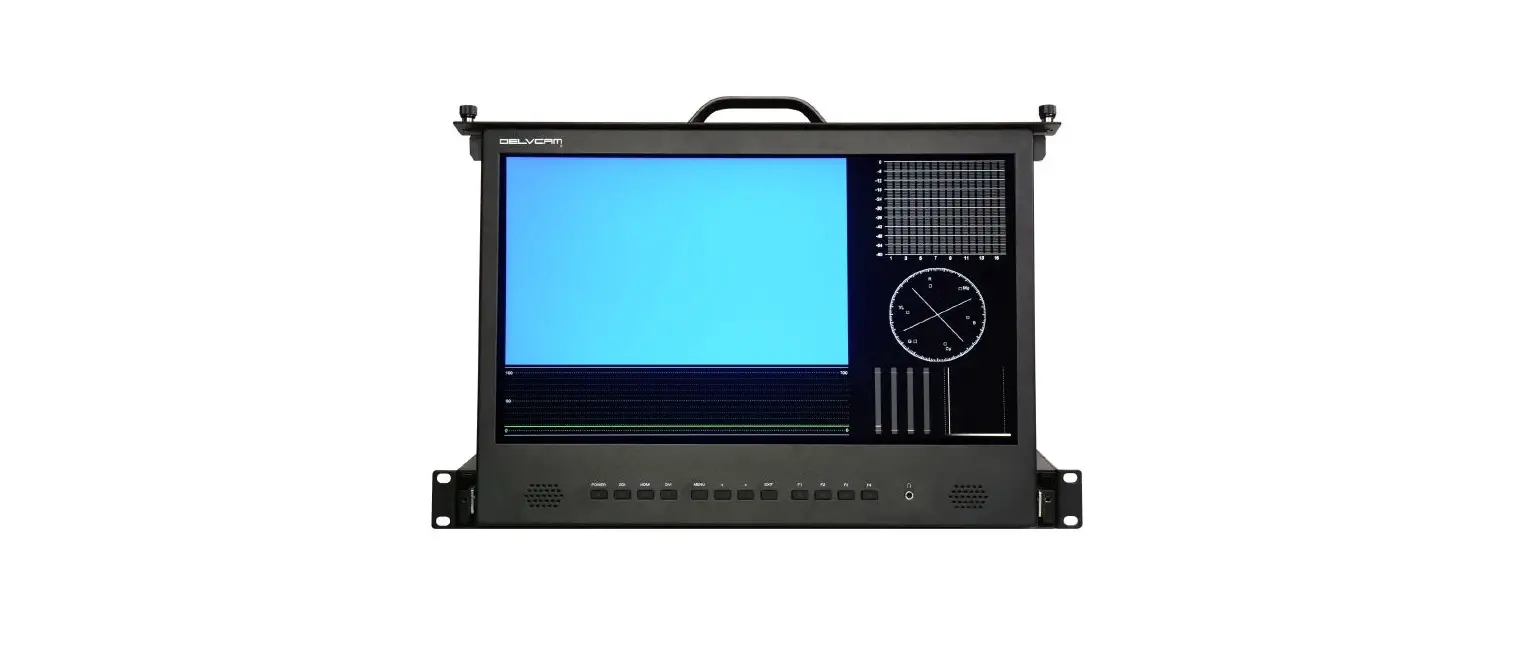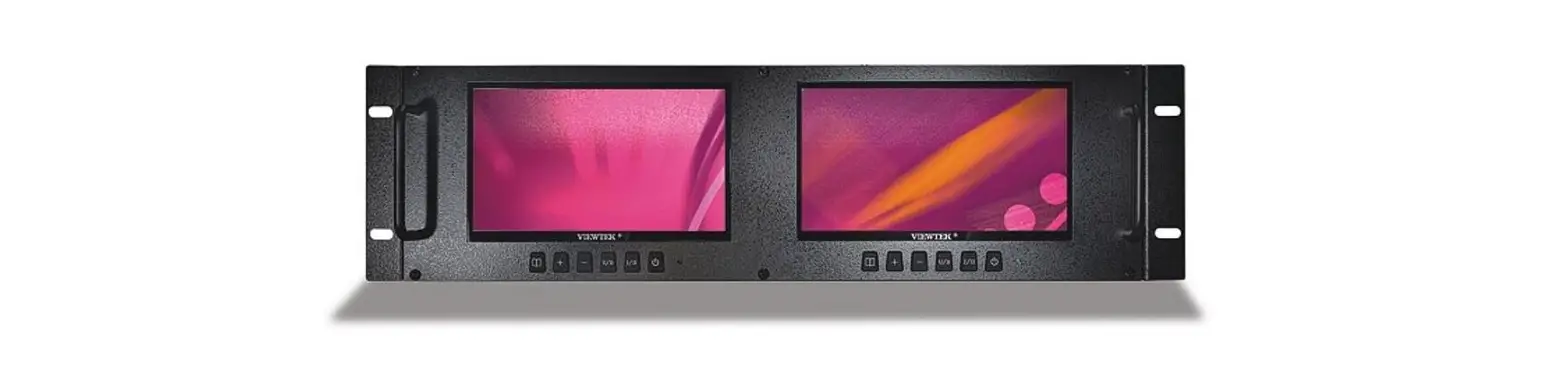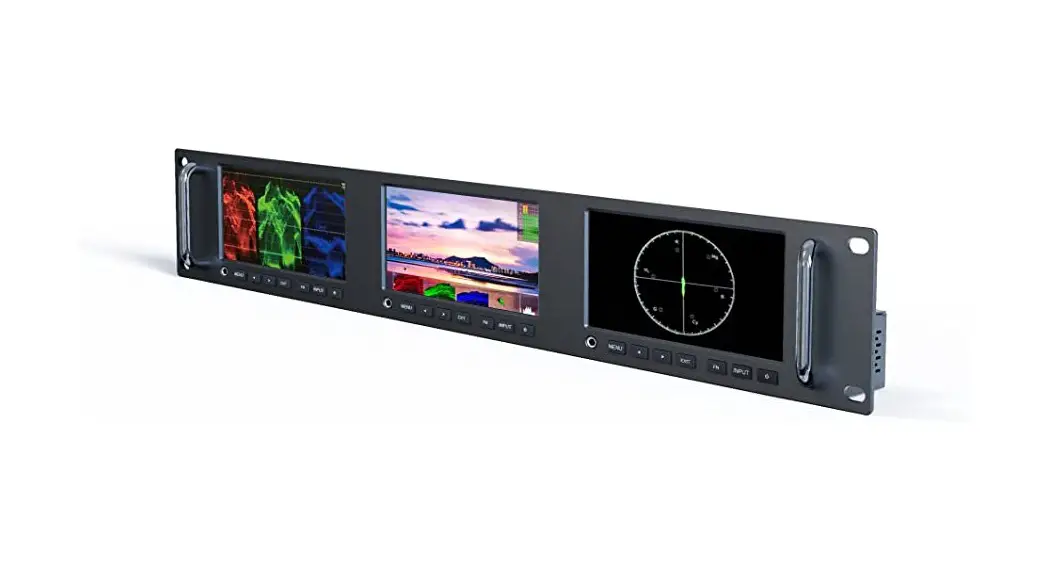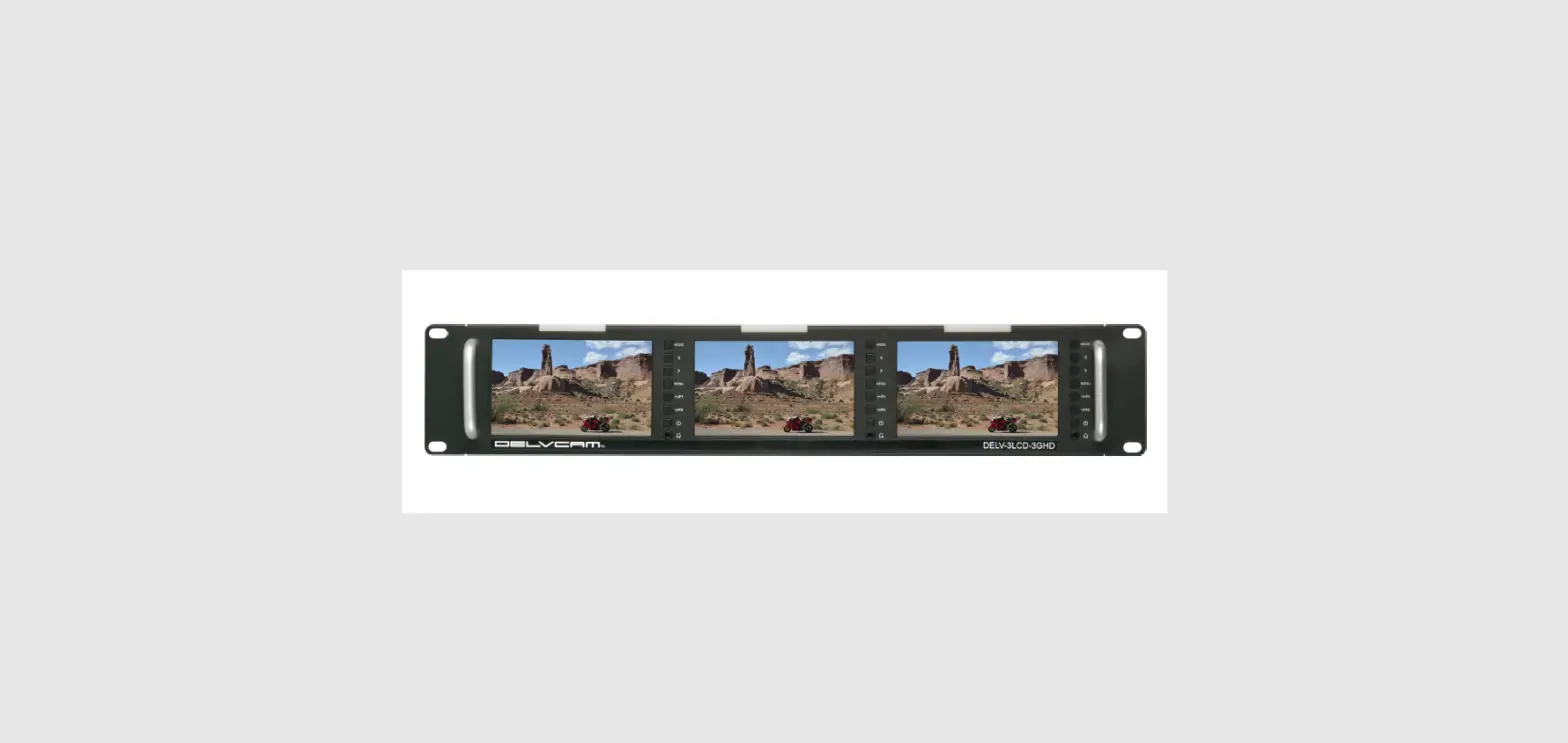

Delvcam DELV-3LCD-3GHD Triple 3G-SDI/HDMI Rackmount LCD Video Monitor
TROUBLESHOOTING
- Only black-and-white display
- Check the Saturation, Brightness and Contrast for proper setting.
- Verify that the monitor color is not in Mono or a single color setting.
- Power on but no image
- Ensure that the cables are properly connected.
- Press MODE to ensure that the proper input signal is selected.
- Use the included power adapter. Incorrect power input may cause damage to equipment.
- No Sound
- Ensure that the cables are properly connected.
- Check the AUDIO input to ensure there is an audio signal present.
IMPORTANT SAFETY INSTRUCTIONS
- Read manual before using this product.
- Keep manual for future reference.
- Do not place the display screen on the ground .
- Avoid heavy impact or dropping.
- Do NOT use chemical solutions to clean this product.
- Wipe with a clean soft cloth to maintain the brightness of the surface.
- Do not block any vent holes.
- Follow the instructions when making adjustments.
- Improper adjustments may result in damage.
- Unplug the power and remove the battery if you do not plan to use the monitor for an extended period of time or during a thunderstorm.
FEATURES
- Three 5-inch Screens
LCD vibrant color - Ultra-slim design with grip handles
Durable black powder-coated steel 2RU cabinet - Three-color Tally Indicator
Controlled via DB-15 port - Multiple Inputs/Outputs
HDMI, 3G-SDI, CVBS, audio inputs, and HDMI, 3G-SDI, CVBS outputs - INCLUDED ACCESSORIES
- Tally Interface Board
- 12VDC/3A Power Adapter
- OPTIONAL ACCESSORIES
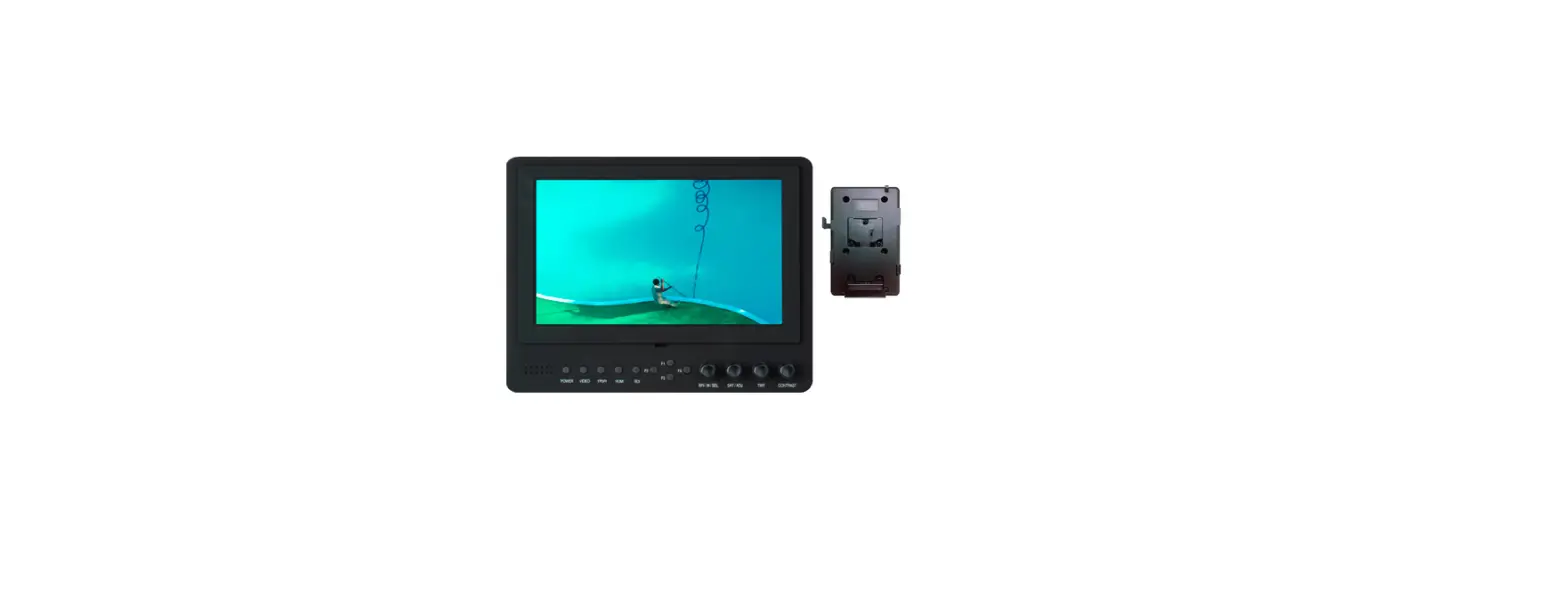
- Battery Plate Bracket
- V-mount/Anton Bauer Mount Power Cable
SETTINGS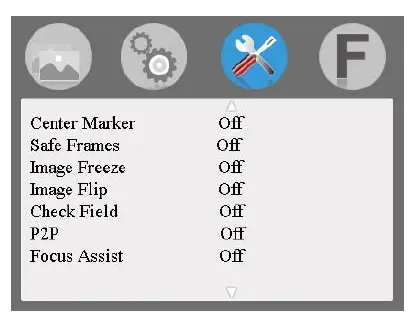
- Center Marker: Set cross marks
- Safe Frames: Adjust screen markers
- Image Freeze: Capture function
- Image Flip: Turn the image, HV Flip, H Flip, V Flip
- Check Field: Color, Mono, Red, Green, Blue
- P2P: Image resolution
- Focus Assist: Use as auxiliary focus function when used as camera viewfinder
SET SHORTCUT BUTTONS F1 & F2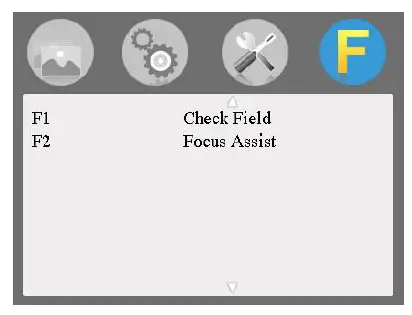
- Use ∧/F1 or V/F2 to select button.
- Press < or > to enter Function Menu.
- Use ∧/F1 or V/F2 to scroll through options (Center Marker, Safe Frames, Check Field, Focus Assist, Image Freeze, Aspect Ratio, Image Flip).
- When desired option appears, press MENU to confirm selection.
OPERATION
- Turn power ON.
- Press MENU button.

- Press < or > to scroll through menu selections.
- Press ∧/F1 or V/F2 to scroll through secondary menu.
- Use < or > to make adjustments.
- Press Menu button to exit.

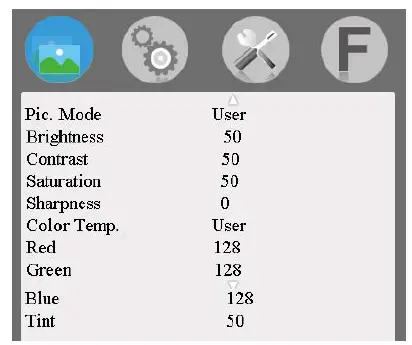
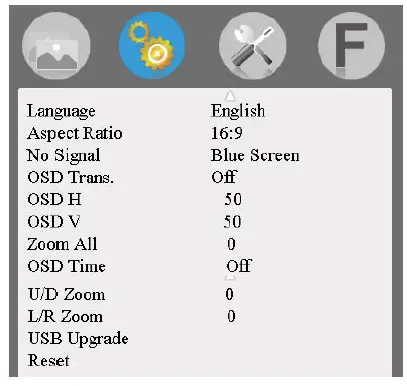
- Pic. Mode: Select “User” to adjust Brightness, Contrast, Saturation and Sharpness
- Color Temp.: Select “User” to adjust Red/Green/Blue
- Tint: For use in NTSC video mode
- No Signal: Background screen color

- Zoom All: Use < or > to adjust the image
- OSD Time: Menu display time
- U/D Zoom: < or > to adjust the image
- L/R Zoom: < or > to adjust the image
SPECIFICATIONS
| Display Screen: | 3, 5-inch LCD |
| Resolution: | 800 x 480 x 3 (RGB Contrast: 500:1) |
| Brightness: | 500cd/m² |
| Aspect Ratio: | 16:9 |
| Viewing Angle: | 70°/70°(L/R) 50°/70°(U/D) |
| Input Signal: | HDMI/3G-SDI/Video/Audio(L/R) |
| Output Signal: | HDMI/3G-SDI/Video/Stereo Headphone |
| Color Format: | PAL-4.43 /NTSC-3.58 |
| HDMI Support Format: | 480i /480p /576i /576p 720p (60/59.94/50/30/29/25/24/23.98) 1080i (60/59.94/50) 1080p(60/59.94/50/30/29.97/25/24/24fps/ 23.98/23.98fps) |
| SDI Support Format: | 480i/576i 720p(60/59.94/50/30/29/25/24/23.98) 1080i(60/59.94/50) 1080p(60/59.94/50/30/29.97/25/24/24fps/ 23.98/23.98fps) |
| Headphone Output: | Stereo/3.5mm interface |
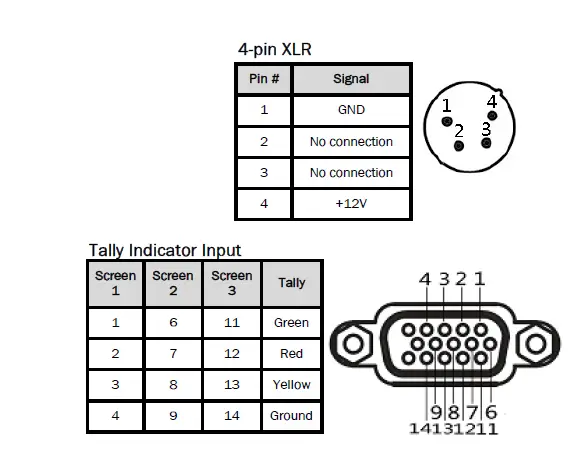
| Power Input: | 12VDC 4-pin XLR |
| Input Voltage: | 9-24VDC |
| Power Consumption: | 25W |
| Backlight; | LED |
| Dimensions (LxHxD): | 19 x 3.5 x 1.34 in /482.6 x 88 x 34mm |
| Weight: | 3.5 lb/1570g |
MONITOR FRONT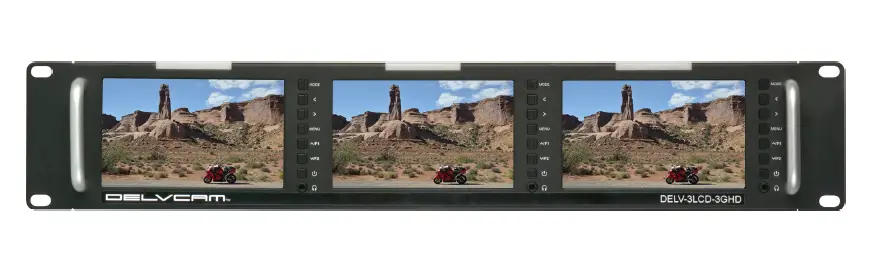
Individual Screen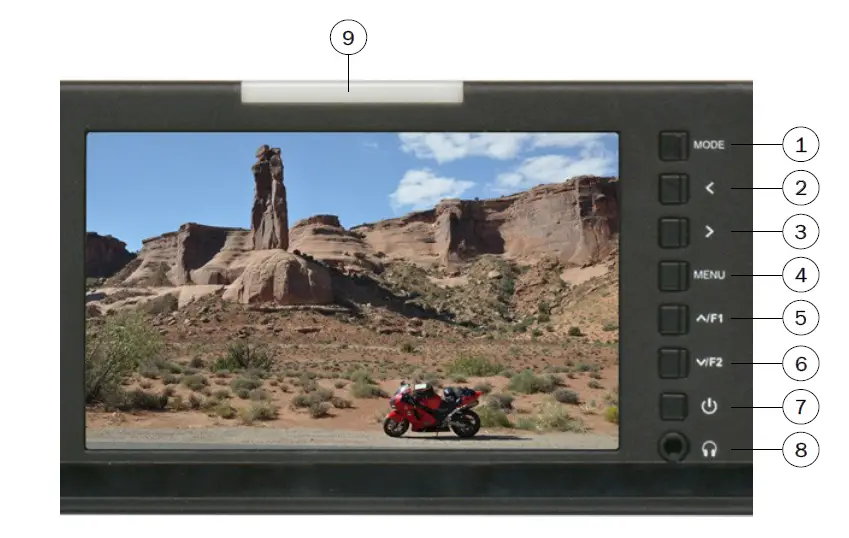
- Signal input selection
- Volume down/Menu selection
- Volume up/Menu selection
- Menu selection button
- F1 Customizable function button/Menu up
- F2 Customizable function button/Menu down
- On/Standby button
- Earphone jack
- TALLY indicator
MONITOR REAR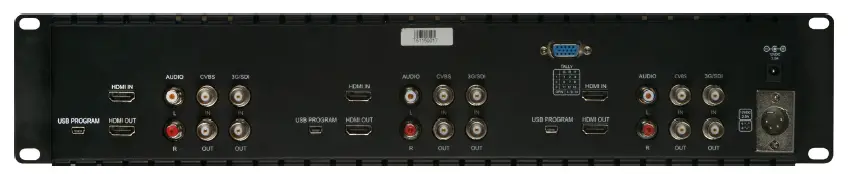
Individual Screen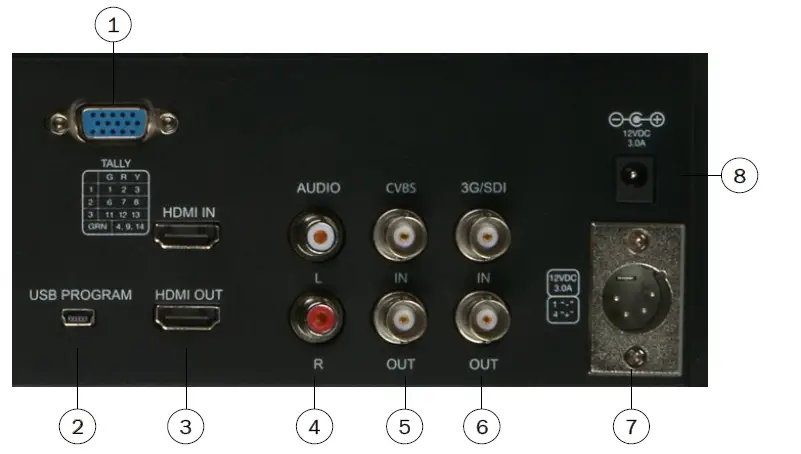
- Tally indicator input
- USB program upgrade port
- HDMI input and output
- Audio output L/R
- CVBS input and output
- 3G-SDI input and output
- 4-pin XLR 12VDC power input
- DC power input port