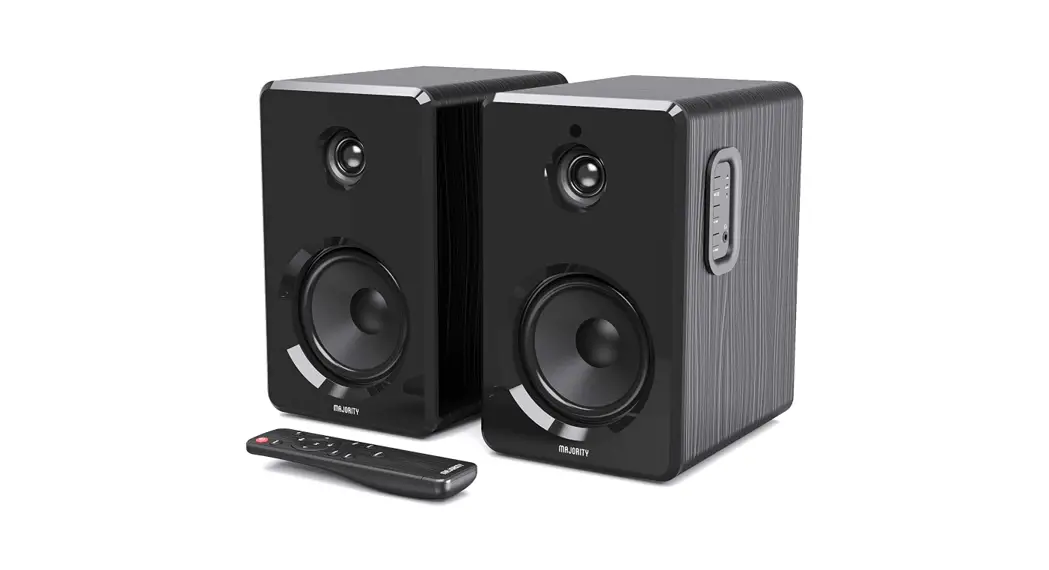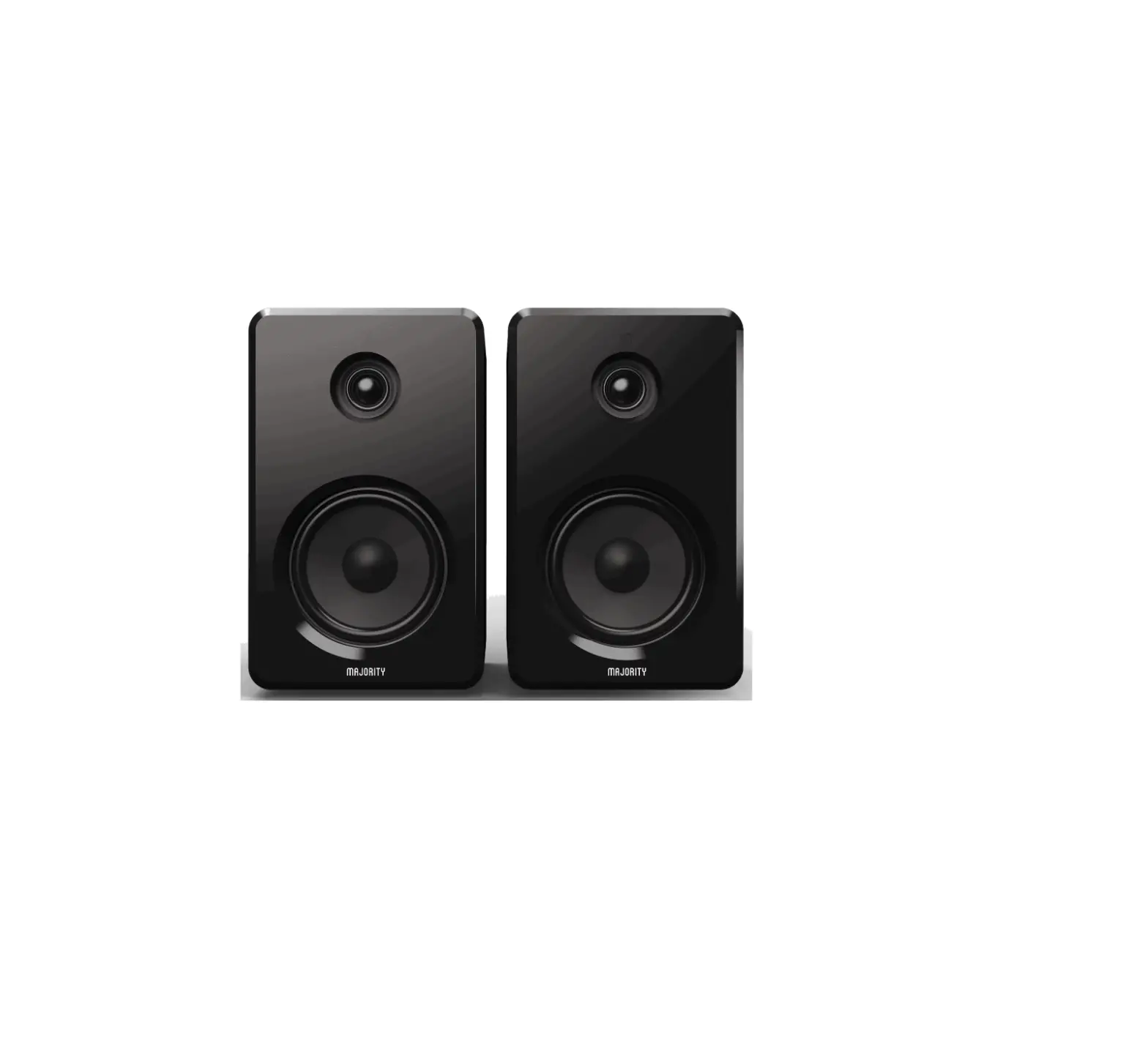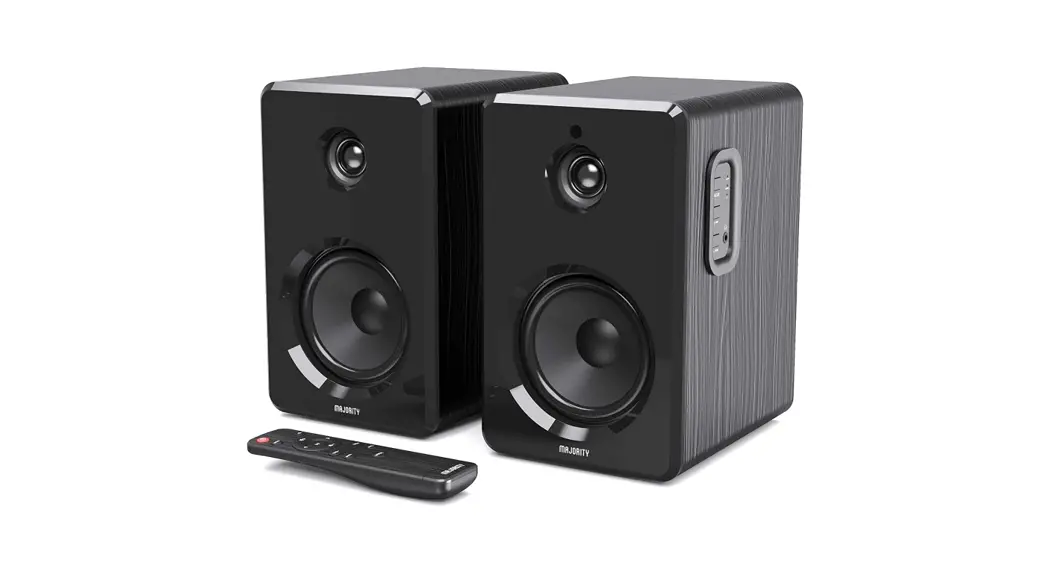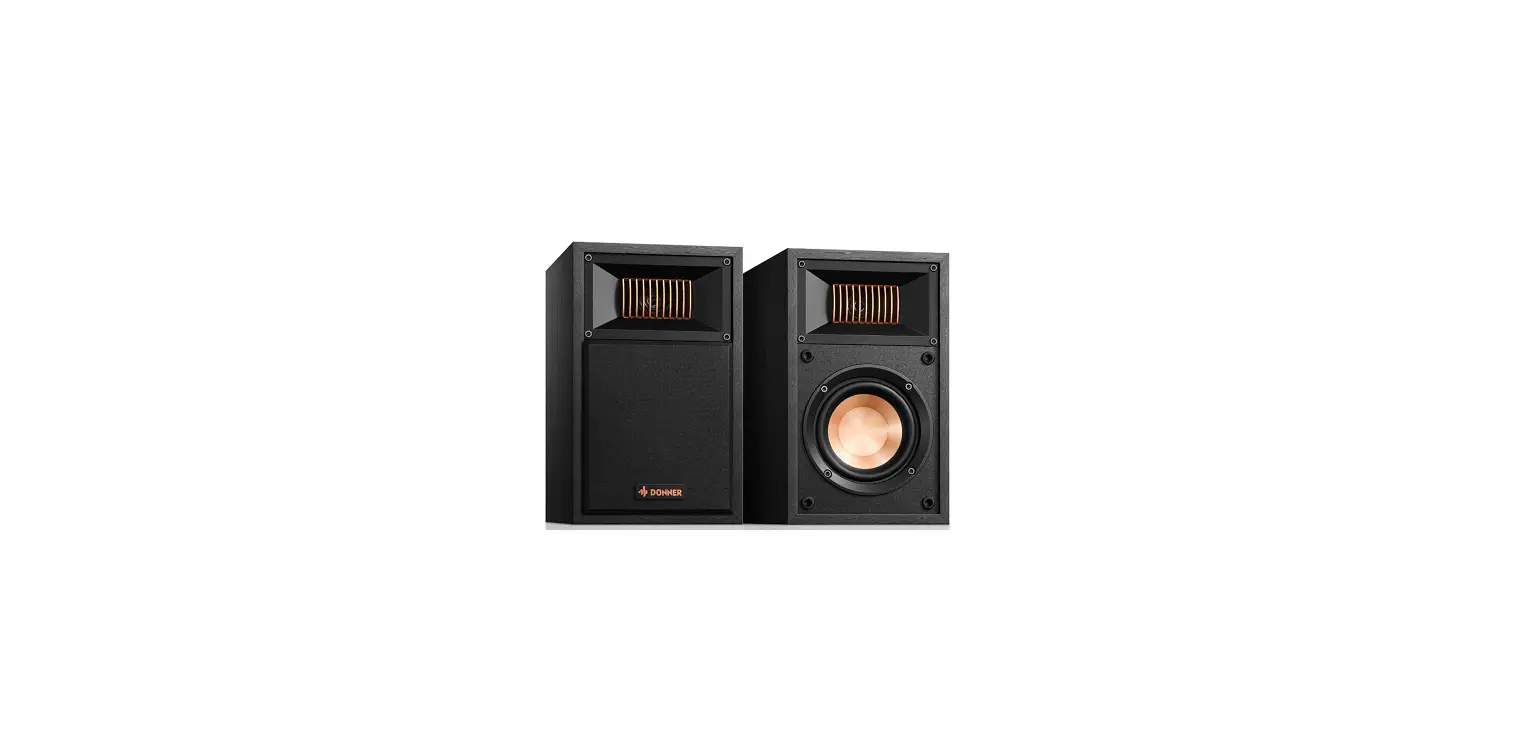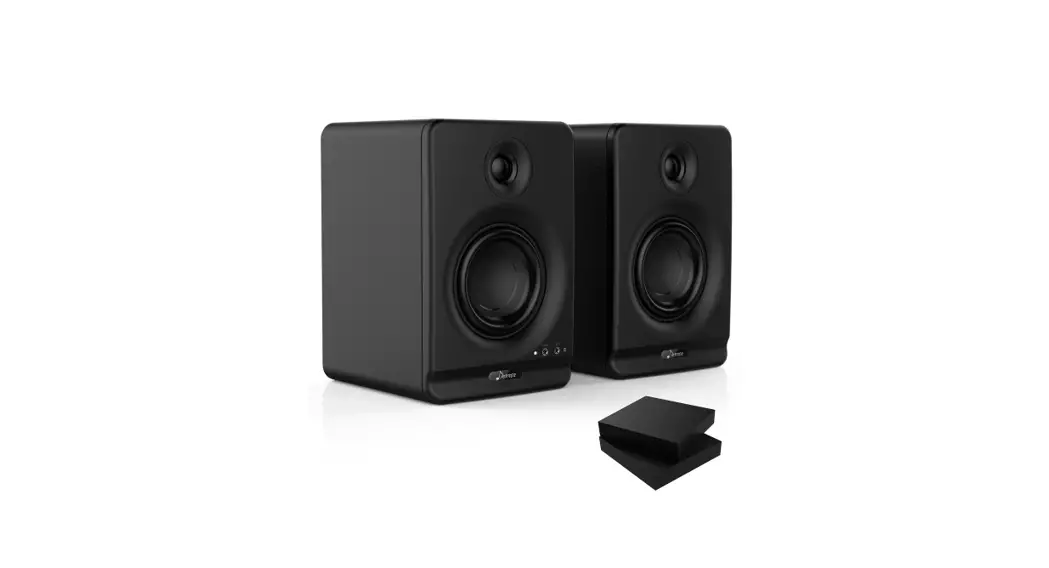
DONNER A40,A40D Bookshelf Speakers
Welcome to Donner
Thank you for choosing Donner Bookshelf Speakers!
Please read this instruction manual carefully before using this product.
Be sure to save these instructions for future reference.
| Warning: TO REDUCE THE RISK OF FIRE OR ELECTRIC SHOCK, DO NOT EXPOSE THIS EQUIPMENT TO RAIN OR MOISTURE. TO REDUCE THE RISK OF FIRE, ELECTRIC SHOCK AND ANNOYING INTERFERENCE, PLEASE USE ONLY THE RECOMMENDED ACCESSORIES FOR UNINTERRUPTED SERVICE OF THIS DEVICE!
|
IMPORTANT SAFETY INSTRUCTIONS
Do Not Tear Down
- This product does not contain user-serviceable parts. Do not attempt to disassemble or modify the internal parts in any way.
Placement - Do not place the product in an unstable position or a location with excessive vibration, where it might accidentally fall over and cause injury.
- Do not use the product in a confined and poorly ventilated location.
- Do not place this product around corrosive gas or salty air, otherwise, it may cause malfunction.
Installation
- Do not cover this product with any cloth.
- Do not install this product on a carpet or rug.
- Make sure the top surface faces up rather than installed on its sides or upside down.
- Before moving the product, please remove all connected cables.
Fire Warning
- Do not place any burning items or open flames near this product, since they may cause a fire.
- Unplug this product during lightning storms and long-time disuse.
Abnormality
If any of the following problems occur, immediately turn off the power of your speaker and disconnect the electric plug from the outlet.
- Unusual smells or smoke is emitted.
- There is a sudden loss of sound during the use of the product.
- Cracks or other visible damage appear on the product.
Handling and Maintenance
- Do not touch the speaker driver unit, since it might cause malfunction.
- Do not place vinyl, plastic, or rubber objects on the product, since this might cause alteration or discoloration of the panel.
- When cleaning the product, use a dry and soft cloth. Do not use paint thinners, solvents, cleaning fluids, or chemically impregnated wiping cloths since this might cause alteration or discoloration.
- Air blowing out of the bass reflex ports is normal, and often occurs when the speaker is handling program material with heavy bass content
Notes: Donner cannot be held responsible for damage caused by improper use or modifications to the device.
WHAT’S INCLUDED
- Active speaker x1
- Passive speaker x1
- Speaker connecting cable x1
- 3.5 mm to RCA audio cable x1
- RCA jack to two RCA plugs audio adapter cable x1
- Power cable x1
- Remote control x1
- User manual x1
PANEL LAYOUT
Main Unit A40
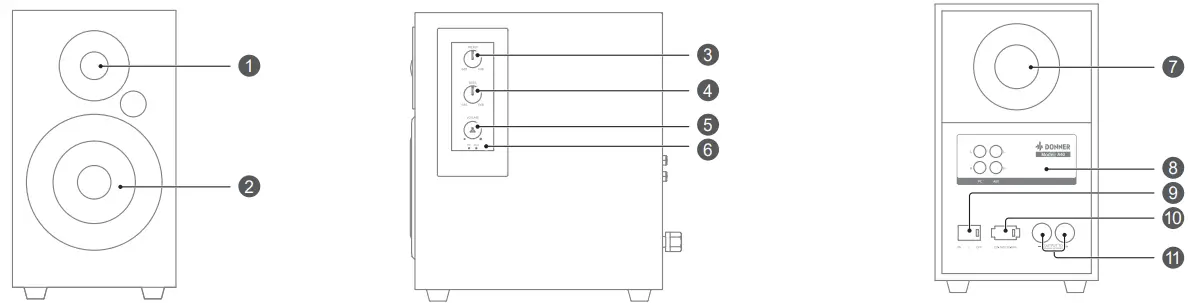
- Tweeter
● Aluminum dome tweeter for crystal clear sound reproduction. - Woofer
● High-impedance fiber woofer for bass. - TREBLE Knob
● Adjust treble level. Adjustment range is from -6dB to 6dB. - BASS Knob
● Adjust bass level. Adjustment range is from -6dB to 6dB. - VOLUME Knob/ Input Selection Switch
● Adjust the volume level. Rotate to increase/decrease the volume level.
● Press for selection of the PC, AUX Input. - Status Indicator
● PC Mode: Light up white
● AUX Mode: Light up white - Inverted Tube
● Design for bass effect. - RCA Input
● PC Input
● AUX Input - Power Switch
● Used to turn on/off the main power to the speaker. - Power Adapter
● Universal Input: 100 – 240V/50-60Hz. - OUTPUT TO Passive Speaker
Main Unit A40D
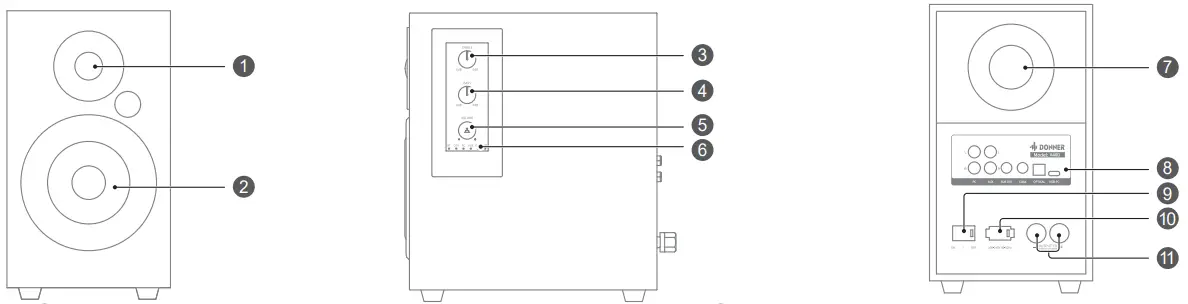
- Tweeter
● Aluminum dome tweeter for crystal clear sound reproduction - Woofer
● High-impedance fiber woofer for bass. - TREBLE Knob
● Adjust treble level. Adjustment range is from -6dB to 6dB. - BASS Knob
● Adjust bass level. Adjustment range is from -6dB to 6dB. - VOLUME Knob/ Input Selection Switch
● Adjust the volume level. Rotate to increase/decrease the volume level.
● Press for selection of the BT, COA, PC, AUX, OPT, and USB Input. - Status Indicator
● BT Mode:
Bluetooth connecting=Blinking blue
Bluetooth connected =Steady blue
● COA Mode: Light up white
● PC Mode: Light up white
● AUX IN Mode: Light up white
● OPT Mode: Light up white
● USB Mode: Light up white - Inverted Tube
● Design for bass effect. - Input/Output
● PC Input
● AUX Input
● SUB OUT Output
● COAX Input
● OPTICAL Input
● USB-PC Interface - Power Switch
●Used to turn on/off primary power to the speaker. - Power Adapter
●Universal Input: 100 – 240V/50-60Hz - OUTPUT TO Passive Speaker
| Note: In case of no operation within 30 minutes, the unit will automatically switch to Standby mode for power saving. Please press the volume knob or the power button of the remote control to activate. |
REMOTE CONTROL
For A40
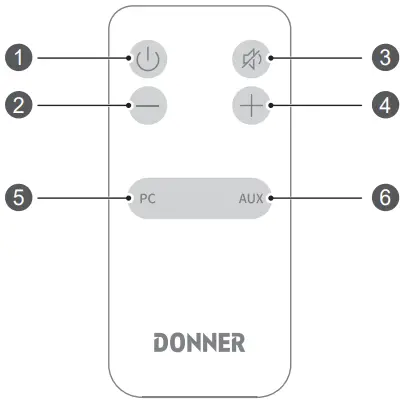
 Button
– Power on/off- Button
– Press to decrease the volume level. - Button
– Mute the unit or de-mute the sound. - Button
– Press to increase the volume level. - Button
– PC to RCA input mode. - Button
– Press to switch the AUX mode. - Button
– Power On/Off.
 Button
 Button
 Button
 Button
 Button
 Button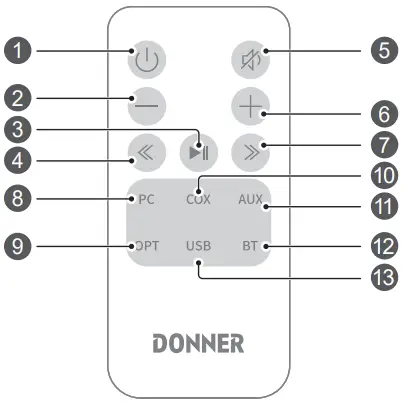
- Button
– Press to decrease the volume level.  Button
– Play/Pause in BT mode.- Button
– Skip to the previous track in BT mode. - Button
– Mute the unit or de-mute the sound. - Button
– Press to increase the volume level. - Button
– Skip to the next track in BT mode. - Button
– PC to RCA input mode. - Button
– Press to switch OPT mode. - Button
– Press to switch COX mode. - Button
– Press to switch AUX IN mode. - Button
– Press to switch BT mode. - Button
– Press to switch USB mode.
 Button
 Button
 Button
 Button
 Button
 Button
 Button
 Button
 Button
 Button
 Button
 Button
PREPARATION
Battery Replacement for the Remote Control
Please refer to the illustration to open the battery compartment, insert the CR2025 batteryand close the compartment.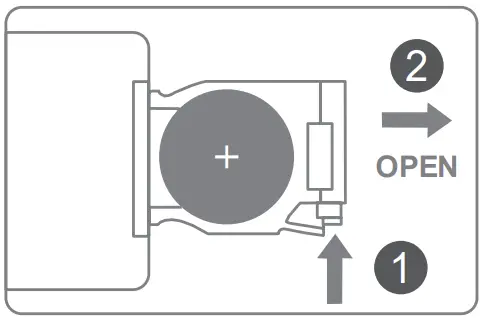
 Battery
- Improper or incorrect use of batteries may cause corrosion or battery leakage, which could cause fire, personal injury, or damage to property.
- Danger of explosion if the battery is incorrectly replaced. Replace only with the battery type indicated in this manual.
- Do not install new batteries with used ones and do not mix different types of batteries.
- Do not dispose of used batteries as domestic waste. Dispose of them in accordance with local regulations.
Remote Control
- Do not place the remote control in places that are hot and humid.
- Remove the batteries when unused for a long period of time.
Using the Remote Control
The remote control can be used within a range of 6m from the remote sensor and within angles of up to about 30 degrees.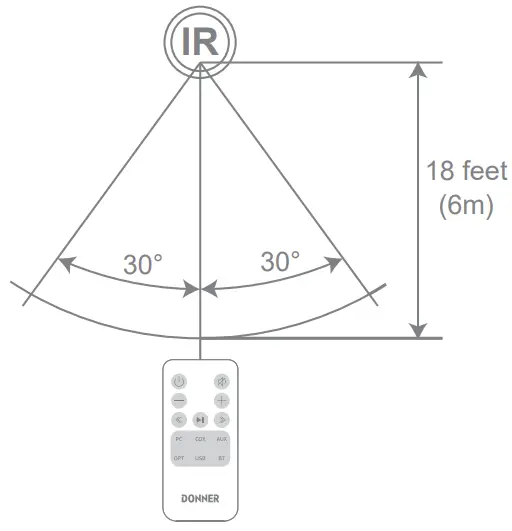
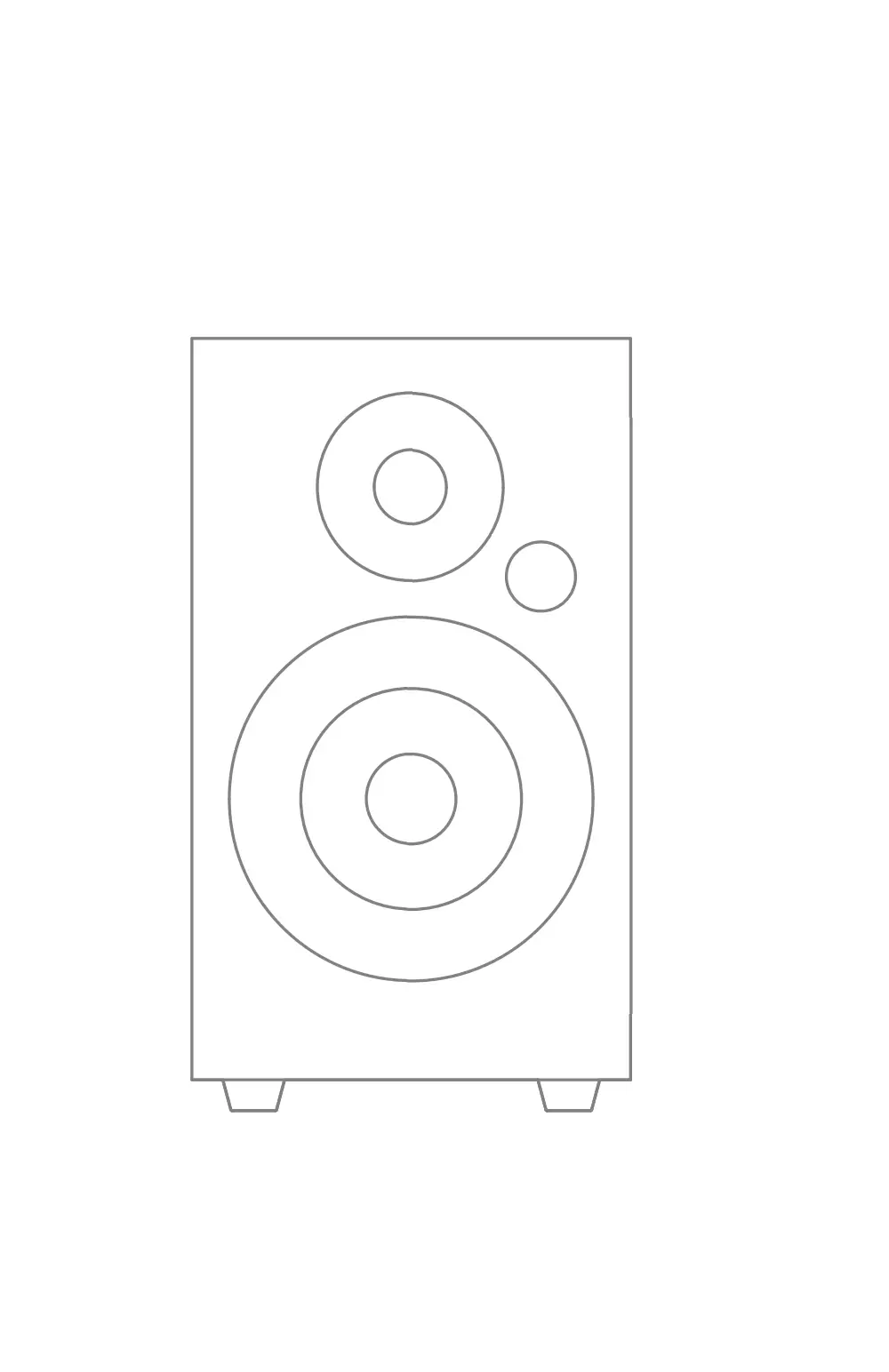
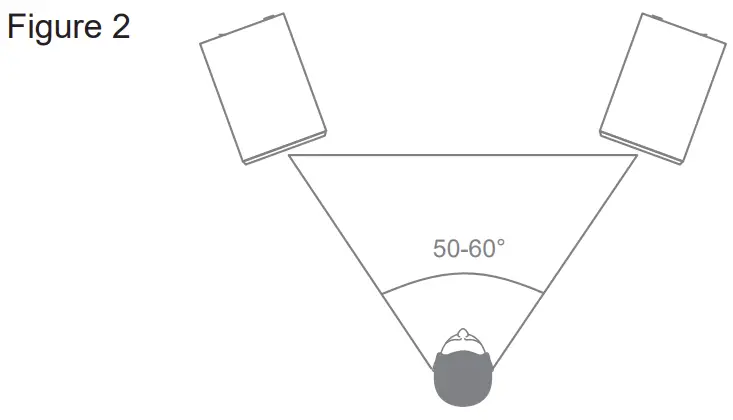
Product Setup Suggestion
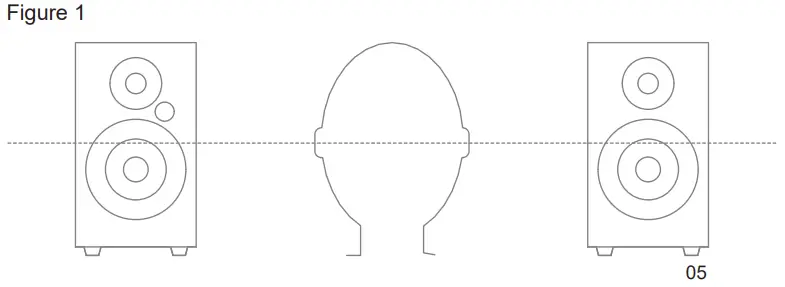
CONNECTION
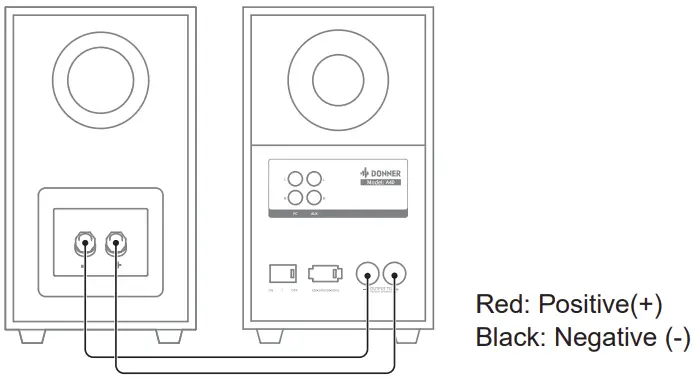
Speaker Connection
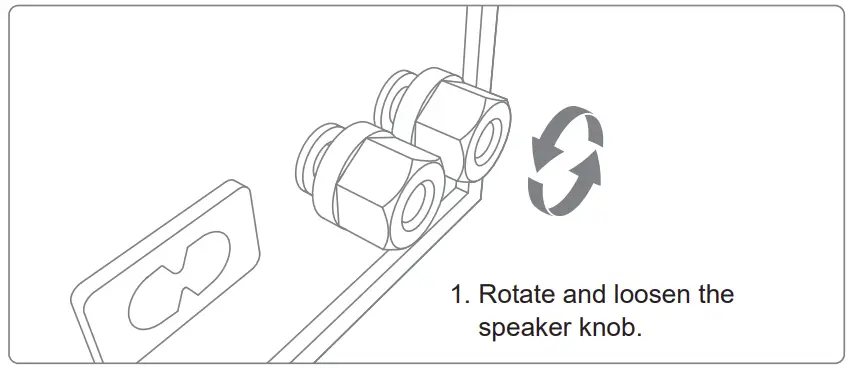
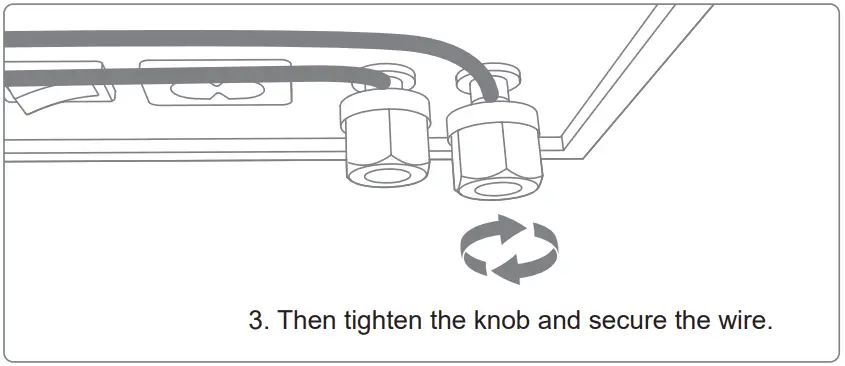
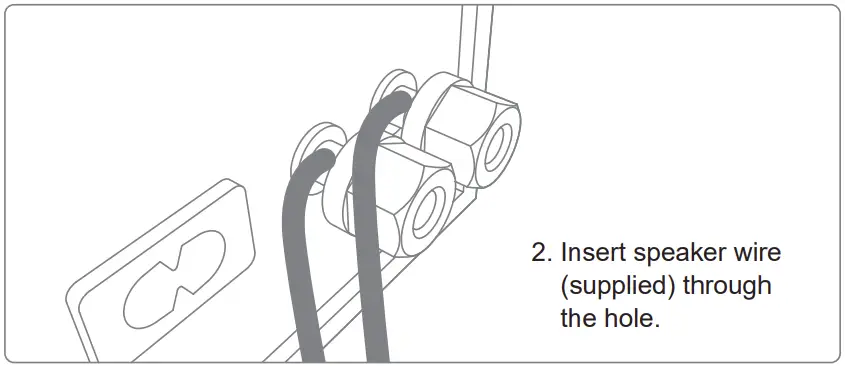
Connect one end of the speaker wire to the binding posts on the back of the Active Speaker and connect the other end of the speaker wire to the binding posts on the back of the Passive Speaker
Caution!
|
A40 Connection Layout
Use a 3.5 mm to RCA stereo audio cable (supplied) / RCA to RCA audio adapter cable (supplied) to connect the AUX IN socket to the AUDIO OUT sockets of the external device.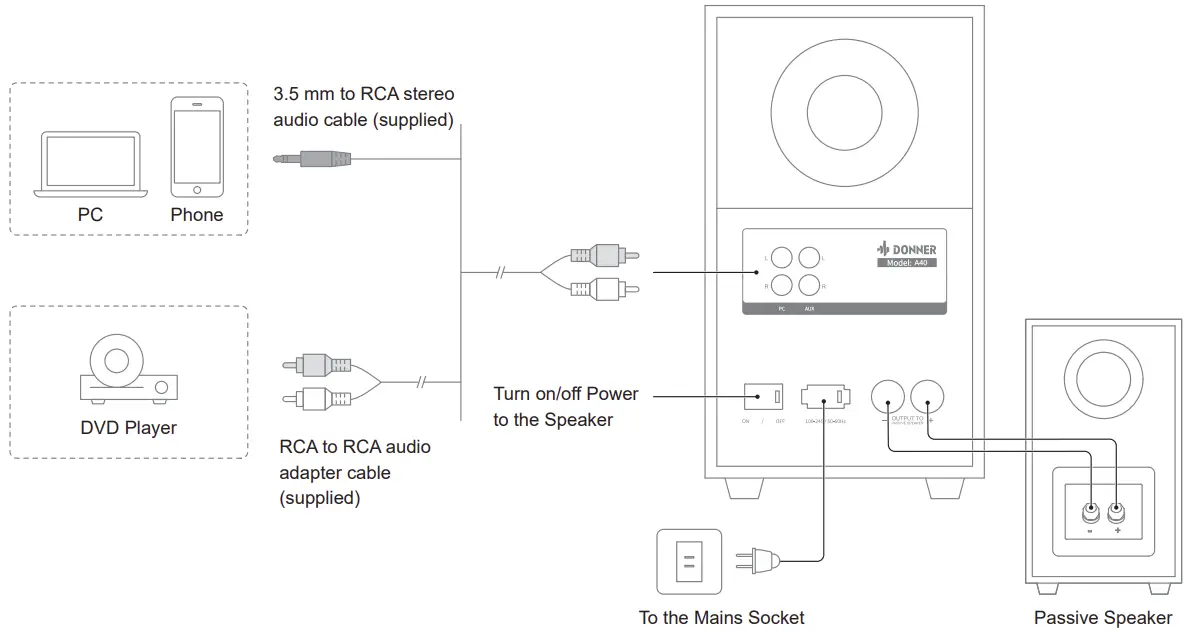
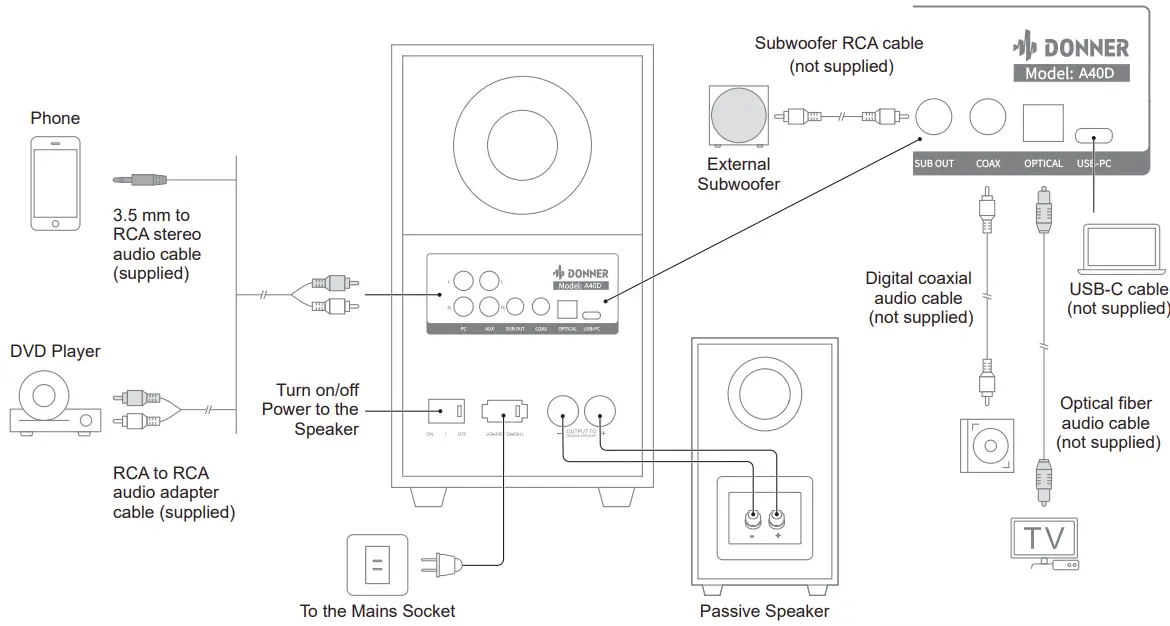
A40D Connection Layout
- Use a 3.5 mm to RCA stereo audio cable (supplied) / RCA to RCA audio adapter cable (supplied) to connect the AUX IN socket to the AUDIO OUT sockets of the external device.
- Use a subwoofer RCA cable, digital coaxial audio cable, optical fiber audio cable, or USB cable (not supplied) to connect to the appropriate device according to your needs

Wired Digital or Analog Connection
- Using an audio cable to connect the audio source to the speaker.
- Press the master volume control on the active speaker or press the “AUX” button on the remote control to select LINE IN input. The indicator lights up.
- Play your device and adjust the volume properly.


Bluetooth Connection
- Turn on the speaker and switch to Bluetooth Mode by pressing the Bluetooth button of the remote control or pressing the master volume control on the active speaker. The color of the indicator will be blue.
- Set your Bluetooth device to search and connect “Donner A40D”.
- The BT indicator blinks blue indicating that the device has entered into pairing mode. The BT indicator is steady blue indicating that the device has connected successfully.
- Press and hold the volume knob can reset Bluetooth pairing.
Note:
- Bluetooth connectivity and compatibility may be different among different source devices, depending on the software versions of source devices.
- To enjoy the Bluetooth function of this product better, please ensure your mobile device supports A2DP and AVRCP profile.

TROUBLESHOOTING
- Sometimes something wrong may be caused by other devices, please check other devices or the use of power supply equipment.
PROBLEM INSPECTION SOLUTION No power Whether the device is connected Please connect the power cord plug to the AC power outlet. No sound or low sound Is the setting of the connecting device correct Please set the sound source and volume of the device correctly Whether the connection line is corrected Please connect the cable properly Is the volume setting in the correct position Please adjust the volume knob clockwise to the appropriate position Whether the power is on
Turn the power on Only one speaker system produces sound Whether the signal input line is connected properly Connect the audio cable again The remote control does not work Is the remote control battery inserted properly Re-insert the battery properly Is the remote control battery can be used properly Replace with the new battery The unit switches back to Standby mode automatically In case of no operation within 30 minutes, it will automatically switch to Standby mode for power saving. Please press the volume knob or the power button of the remote control
SPECIFICATIONS
| Speaker modela | A40 | A40D |
| Rated output power L/R | 30W+30W | 30W+30W |
| Signal-to-noise ratio | PC:85dB AUX:85dB | Bluetooth: 92dB COX: 90dB AUX: 85dB OPT: 90dB PC: 85dB USB: 94dB |
| Frequency response | 60-25KHz±3dB | 60-25KHz±3dB |
| Woofer | 4 inch | 4 inch |
| Tweeter | 1 inch | 1 inch |
| Dimensions | 240*230*142MM | 240*230*142MM |
| Weight | 5.38KG | 5.38KG |
FCC STATEMENT
Changes or modifications not expressly approved by the party responsible for compliance could void the user’s authority to operate the equipment. This equipment has been tested and found to comply with the limits for a Class B digital device, pursuant to Part 15 of the FCC Rules. These limits are designed to provide reasonable protection against harmful interference in a residential installation. This equipment generates uses and can radiate radio frequency energy and, if not installed and used in accordance with the instructions, may cause harmful interference to radio communications. However, there is no guarantee that interference will not occur in a particular installation. If this equipment does cause harmful interference to radio or television reception, which can be determined by turning the equipment off and on, the user is encouraged to try to correct the interference by one or more of the following measures:
- Reorient or relocate the receiving antenna.
- Increase the separation between the equipment and receiver.
- Connect the equipment into an outlet on a circuit different from that to which the receiver is connected.
- Consult the dealer or an experienced radio/TV technician for help.
This device complies with part 15 of the FCC rules. Operation is subject to the following two conditions(1) this device may not cause harmful interference, and (2) this device must accept any interference received, including interference that may cause undesired operation.
This equipment complies with FCC radiation exposure limits setforth for an uncontrolled environment. This equipment should be installed and operated with minimum distance 20cm between the radiator & your body.
Email: [email protected]
Copyright © 2022 Donner Technology. All rights reserved.
Made in China