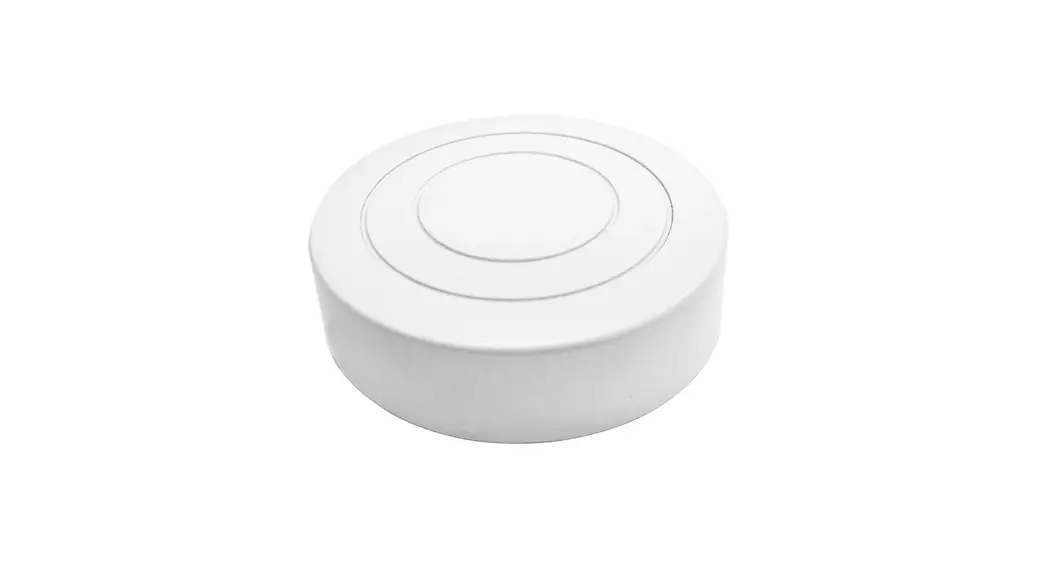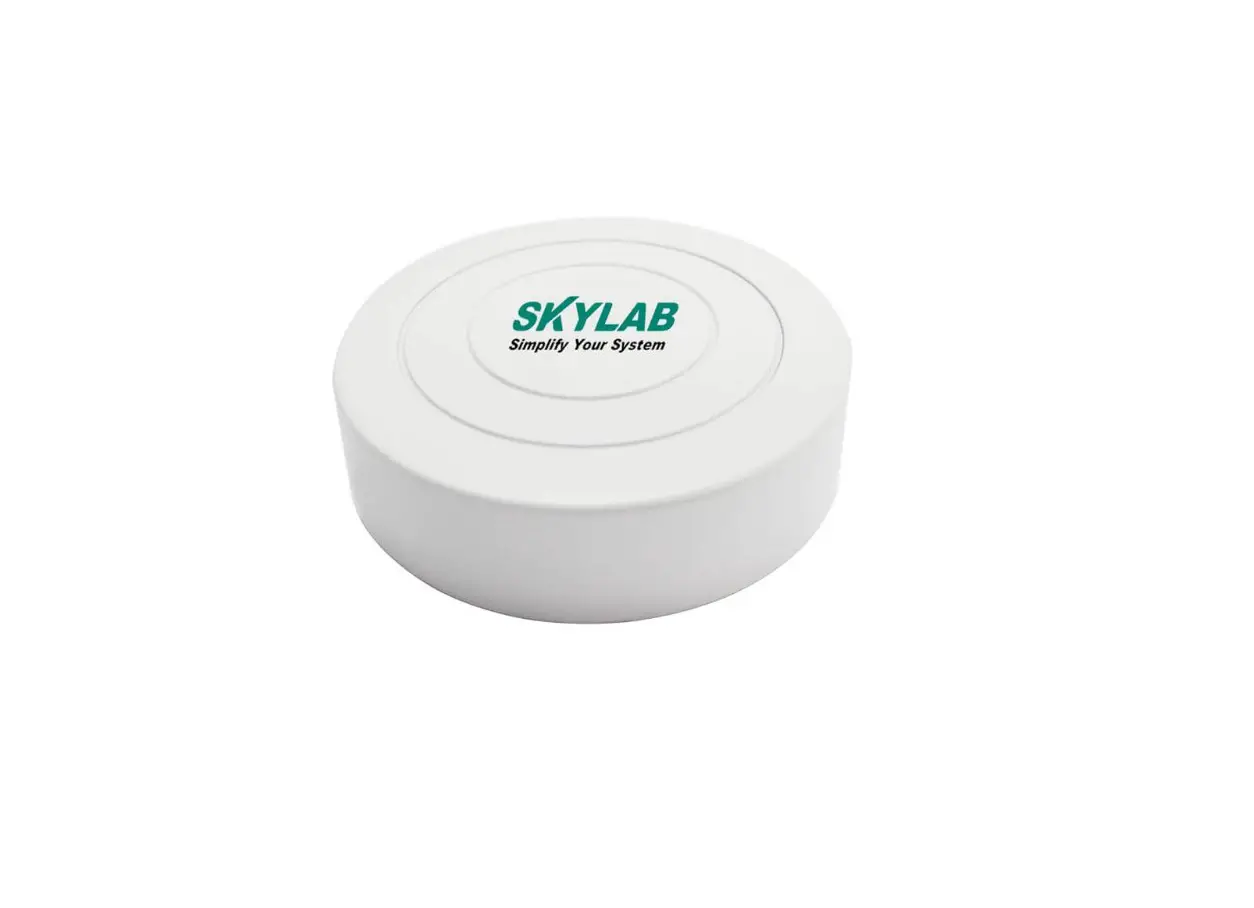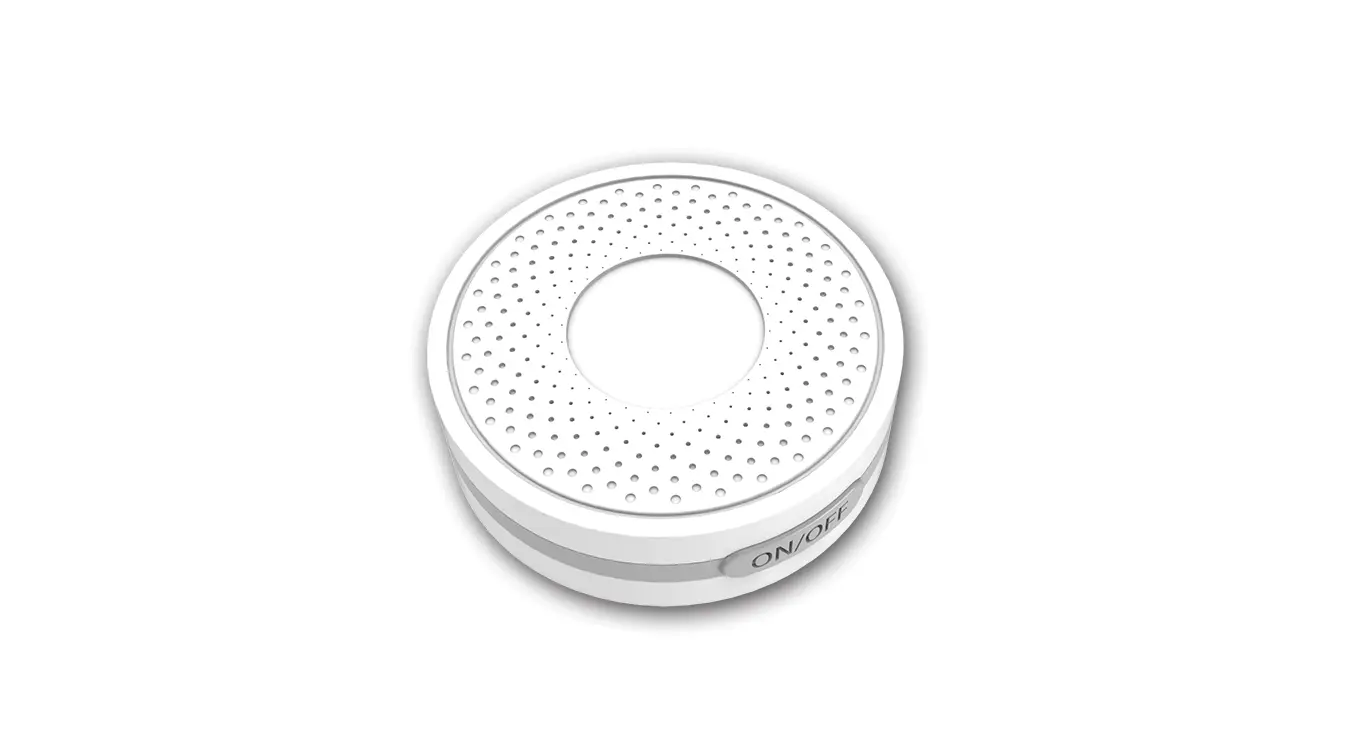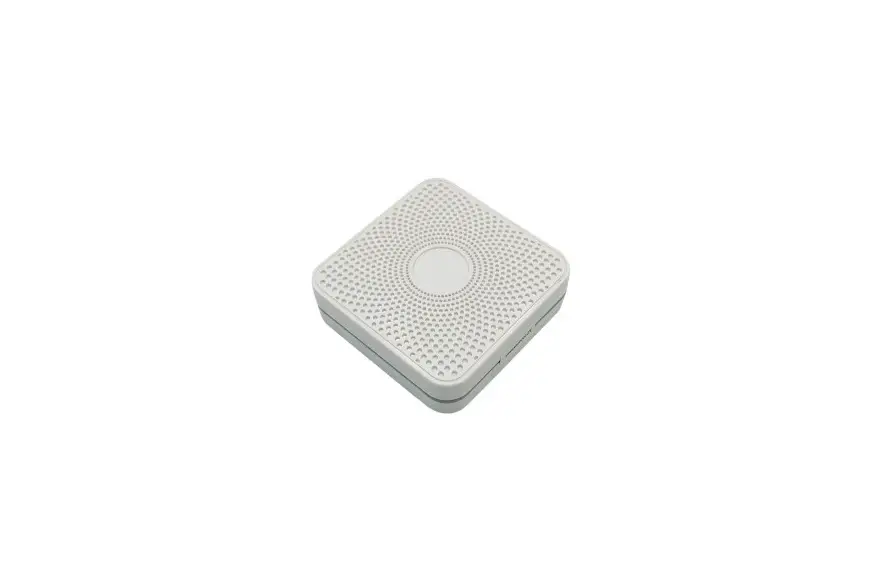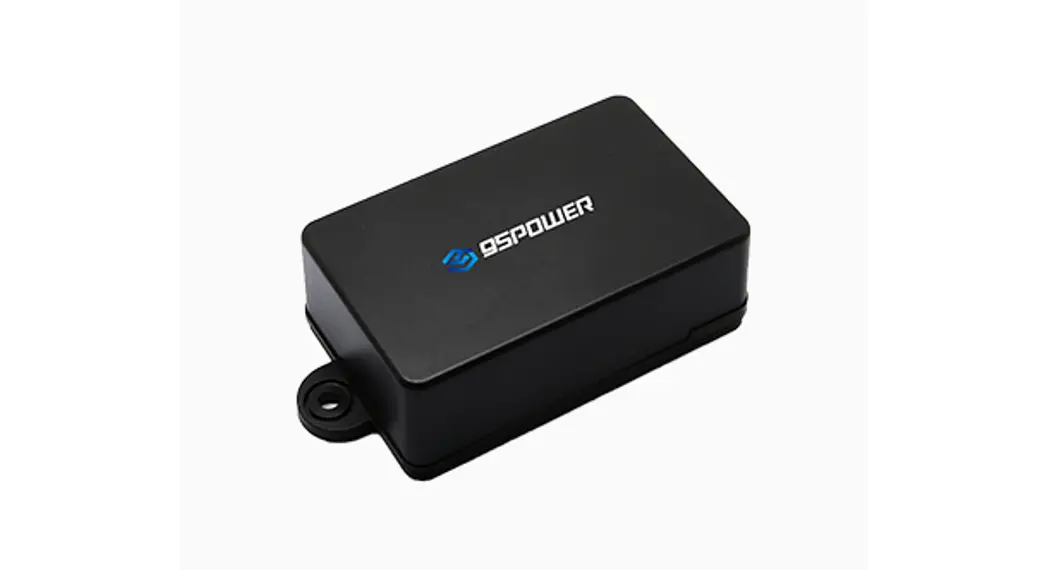
 VDB1620 Bluetooth Beacon
User Manual VDB1620 User Manual
Bluetooth Beacon
VDB1620 Bluetooth Beacon
| document information | VDB1620 |
| Title | VDB1620 User Manual Bluetooth Beacon |
| Document type | User Manual |
| Document number | WN-21120062 |
| Revision and date | V1.01 30-Dec -2021 |
| Disclosure restriction | Public |
Revision History
| Revision | Description | Modifier | Date |
| V1.01 | Initial release | Sherman | 20211230 |
Product List
| Device Name | Device No. | Number | Remark |
| Bluetooth Beacon | VDB1620 | 1 PCS | with detachable button |
| Battery | SIZE AA | 2 PCS | Excel 2600mAh |
95POWER reserves all rights to this document and the information contained herein. Products, names, logos and designs described herein may in whole or in part be subject to intellectual property rights. Reproduction, use, modification or disclosure to third parties of this document or any part thereof without the express permission of 95POWER is strictly prohibited.
The information contained herein is provided “as is” and95power assumes no liability for the use of the information. No warranty, either express or implied, is given, including but not limited, with respect to the accuracy, correctness, reliability and fitness for a particular purpose of the information. This document may be revised by95power at any time. For most recent documents, visit www.95power.com.cn
Copyright © 2021, 95Power Information Technology Co., Ltd.
95POWER® is a registered trademark of 95Power Information Technology Co., Ltd in China.
Product introduction
The VDB1620 is an anti-disassembly Bluetooth beacon that can be used as an asset tag. Its broadcast protocol conforms to Bluetooth BLE, including iBeacon (Apple) and Eddystone (Google) . The beacon is usually installed in a suitable location, periodically broadcast to its surroundings, so that other Bluetooth devices such as Bluetooth gateways can scan its broadcast content and calculate the location information. Normally, it is not connected by other BLE host devices, but can be connected through mobile APP, and modify its broadcast parameters and other contents.
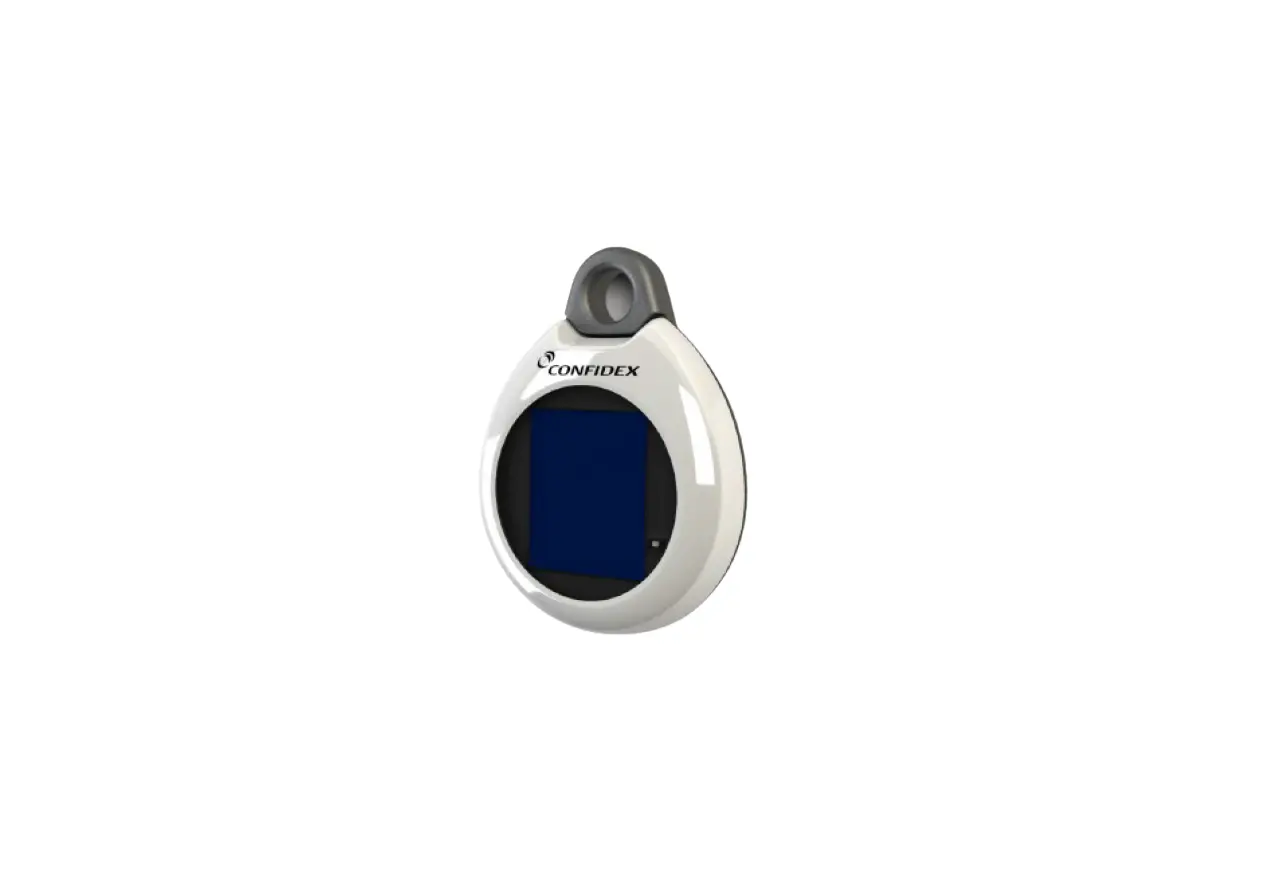
Skylab_xBeacon is an APP developed by SKYLAB R&D team for configuring VDB1620 parameters. If you connect VDB1620 with this APP, you can modify its broadcast frequency, power, UUID, Major, Minor, device name and other parameters. These parameters will be broadcast when VDB1620 is in broadcast state.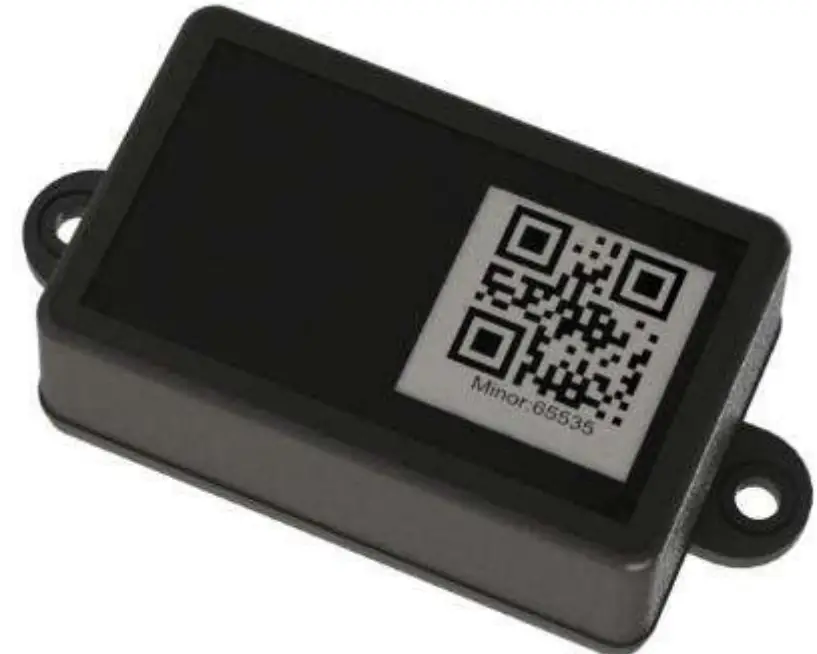 Figure 1: product picture
1.1 VDB1620 Internal Modules
VDB1620 is based on Nordic nRF52832 chip, Its internal support anti-disassembly button, and can upload alarm information when it is disassembled. (During installation, ensure that the installation surface is flat. Press the anti-disassembly button during conventional installation, and anti-disassembly alarm information will be added to the broadcast package when the button is pulled up).
The VDB1620 reserves acceleration and temperature and humidity sensors to collect and broadcast information (not displayed by default).
VDB1620 is powered by two no. 5 batteries (Nanfu Excell Industrial) in series for easy Easy to replace.
1.2 VDB1620 Feature
- Low Energy
- IP67
- Support two-dimensional code, NFC customized content
- Flexible application
- Easy to Install
- Broadcasting distance can reach 70 meters
- Compliance with RoHS, FCC, CE standards
1.3 VDB1620 Application
- Asset tag
- Indoor positioning
- Information push
- Identity recognition
- Wechat shake
Hardware Features
| Product parameter | |
| Dimensions | 72*45*26mm ( L*W*H ) |
| Battery model | Size AA |
| Operating temperature | -40*C-85t |
| Sensor parameters (reserved, not attached by default) | |
| Acceleration sensor | ±29/4g/842/16g |
| Humidity sensor | 0%RH ( ±%2RH) |
| Temperature sensor | -20r-70r (±0.2’C ) |
| Bluetooth parameters | |
| Wireless Standards | Bluetooth ® 4.2/5.0,ANT |
| Frequency Range | 2400MHz-2483.5MHz |
| Data Rates | 1Mbps(Bluetooth ® 4.2); 2Mbps(Bluetooth ® 5.0) |
| Moduiation technique | GFSK |
| Wireless Security | AES HW Encryption |
| Transmit Power | Tx Power-40dBm, -20dBm, -16dBm, -12dBm, -8dBm, -4dBm, OdBm, +3dBm and +4dBm. |
| Sensitivity | -94dBm at 1Mbps BLE |
| Work Mode | Central/ Peripheral |
Battery life
| Broadcasting power | coverage area | Broadcas | Battery life (month) |
| +4dBm | 70m | 100ms | 10. |
| 200ms | 20. | ||
| 500ms | 45. | ||
| 1000ms | 79. | ||
| +OdBm | 50m | 100ms | 14. |
| 200ms | 27. | ||
| 500ms | 59. | ||
| 1000ms | 99. |
Note:
The power consumption data is for reference only, and the battery self-discharge factor is not taken into account. If the calculated life is longer than the battery life (5 years), the battery life shall be the criterion.
Battery installation guide
By default, the VDB1620 is delivered with two no.5 dry batteries. If you need to change its batteries, please follow the instruction below:
Remove 4 screws with a Phillips screwdriver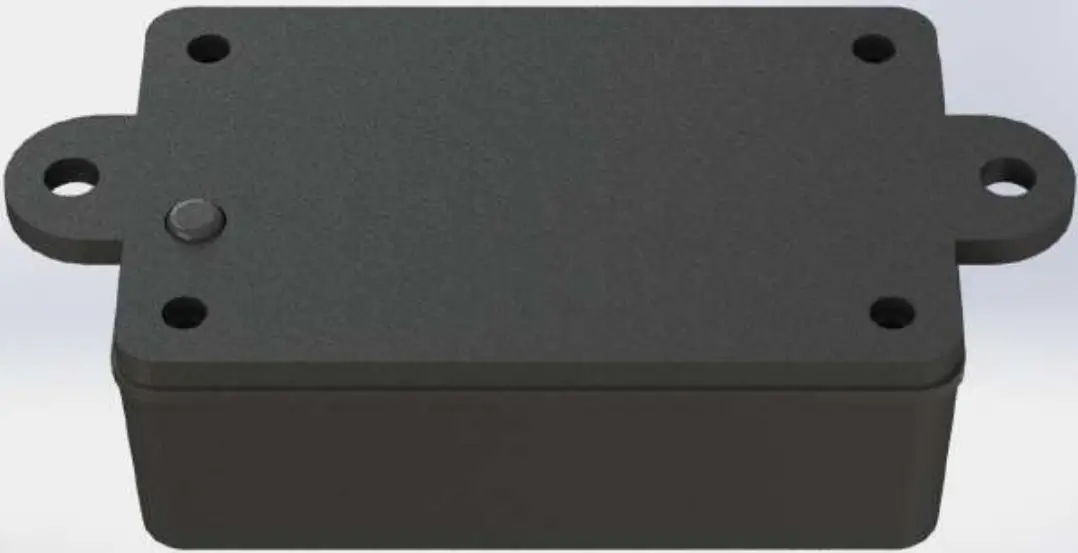 Open the bottom shell and rubber pad of theVDB1620, follow the Battery polarity on the bottom of the battery cell, and replace its 2 batteries.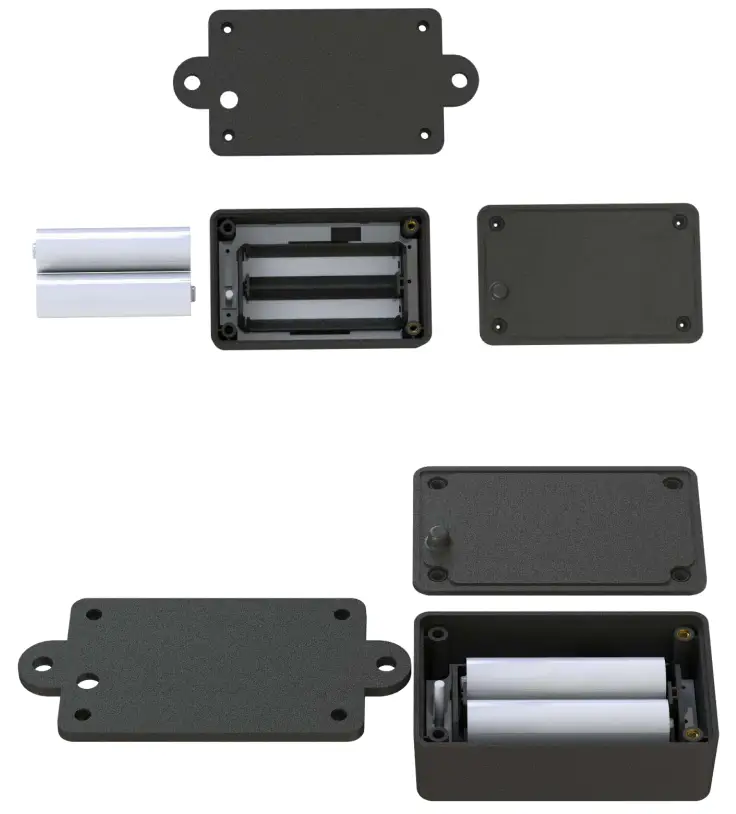
Software Instructions
4.1 VDB1620 Power on
Open the bottom shell of the VDB1620 and install two Size AA batteries, and then switch to “ON”. At this point, VDB1620 starts broadcasting, and then install the VDB1620 bottom shell. If there is no special requirement, the delivery prototype has been dialed to “ON” in advance by default, and the battery and screws has been installed.
4.2 Scan Bluetooth beacons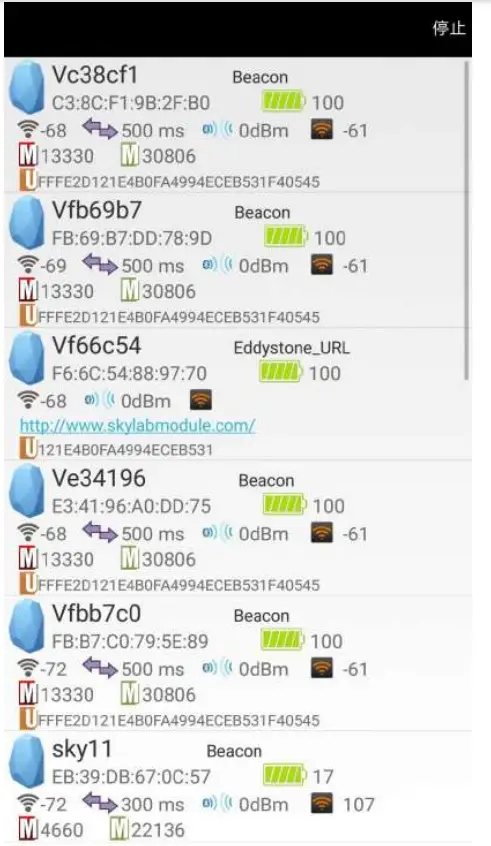
4.3 Connect Bluetooth beacon
Click the Bluetooth beacon you want to connect to, enter your password within 30 seconds, and you will get the operation permission. (Factory password :1234)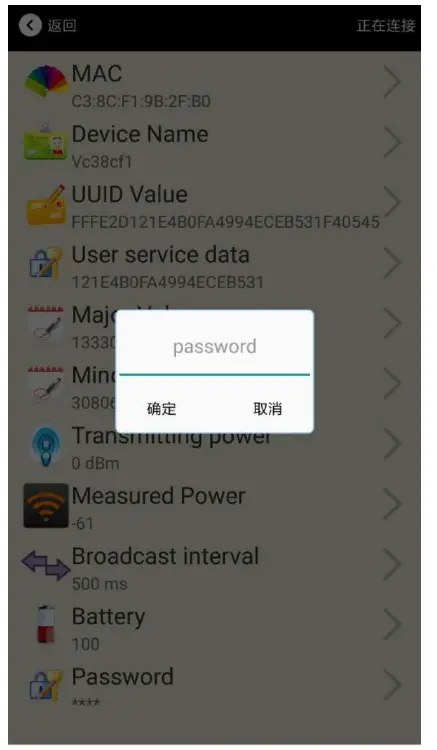 4.4 Configuration Introduction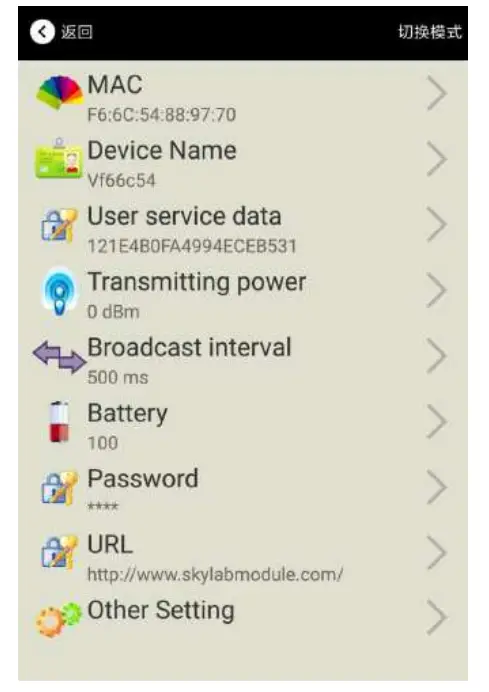
Introductions:
MAC: Chip MAC address
Name: The name of the Bluetooth
4.2 Beacon which is selected.
UUID: SO/IEC11578:1996 128-bit identifier according to ISO/IEC11578:1996 standard (32 hexadecimal digits)
User service data:User data, 24 hexadecimal digits
Major: set 16-bit identifier (0-65535)
Minor: set 16-bit identifier (0-65535)
Measured Power: Signal strength at 1 meter (VDB1620 transmission power is 0dBm )
Transmit Power: VDB1620 transmit power
Advertise Interval: VDB1620 advertise interval
Battery Level: VDB1620 battery Capacity
Password: / VDB1620 connection password
After the information is configured ,the configuration will take effect after the bluetooth connection is disconnected.
4.5 Modify Bluetooth
4.2 Beacon Name
Click the “Device Name ”, the following UI will be opened. Then enter a length of less than 12-bit English characters as VDB1620 device name in the following “Enter a Name” box. Then click “confirm to modify”.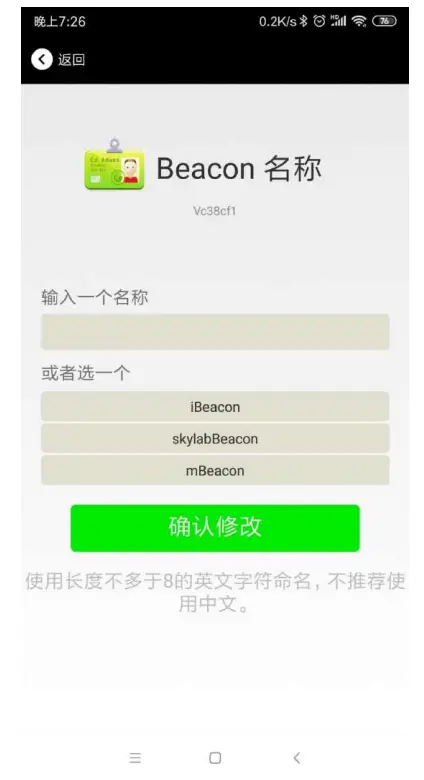
4.6 Modify UUID
Click the “UUID”, ,the following UI will be opened. Then and then enter a 32-byte string of sixteen as the UUID of VDB1620 in the following “Enter an UUID” box. Then click “confirm to modify”.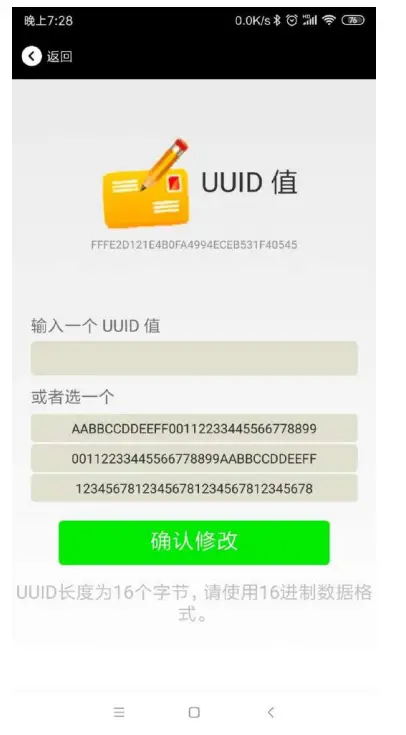
4.7 User service data
Click the ” User service data “, the following interface will be opened. Then enter a Hexadecimal string of 24 word . Then click “confirm to modify”.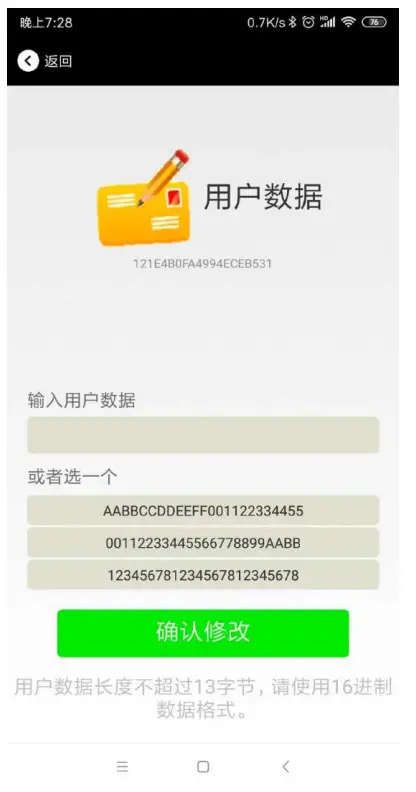
4.8 Minor/ Modify Major 、Minor
Click the “Major”/”Minor” ,the following UI will be opened. Then set a value between 0~65535 as the Major/Minor value of the device.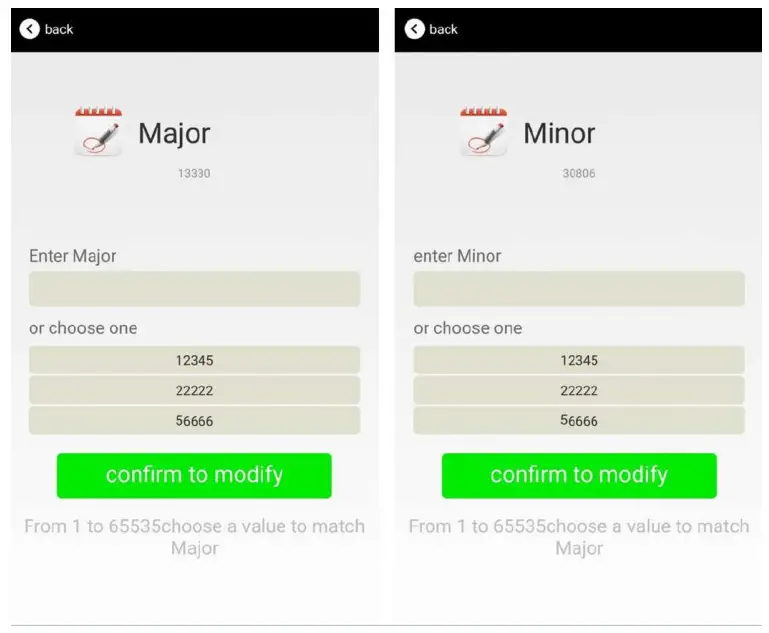 4.9 Measured Power/ Modify Measured Power
Click the “Measured Power”, ,the following UI will be opened. Then select a measured power range from -100dBm to -30dBm. The default is -61dBm. Then click “confirm to modify”.
Measured Power means, when a phone’s RSSI is -61dBm, it is about 1 meter from VDB1620.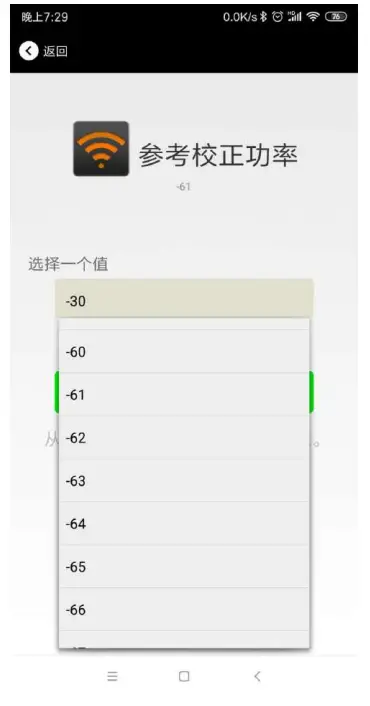 4.10 Modify Transmitting Power
Click the “Transmitting Power” ,the following UI will be opened. Then set a transmitting power, which can be set to: -30dBm, -20dBm, -16dBm, -12dBm, -8dBm, -4dBm, 0dBm, 4dBm and 8dBm. Default Power is 0dBm. Then click “confirm to modify”.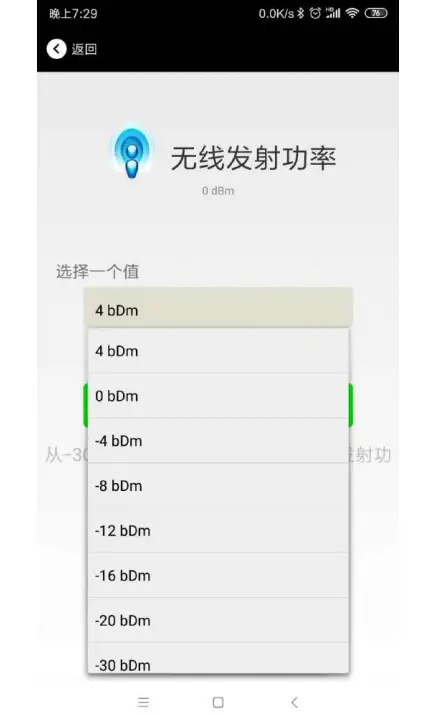 4.11 Modify Advertise Interval
Click the “Advertise Interval” ,the following UI will be opened. Then set a advertise interval. Broadcasting interval can be set to 100ms, 200ms, 300ms, 400ms, 500ms, 600ms ,700ms, 800ms, 900ms and 1000ms. The default is 500ms. Then click “confirm to modify”.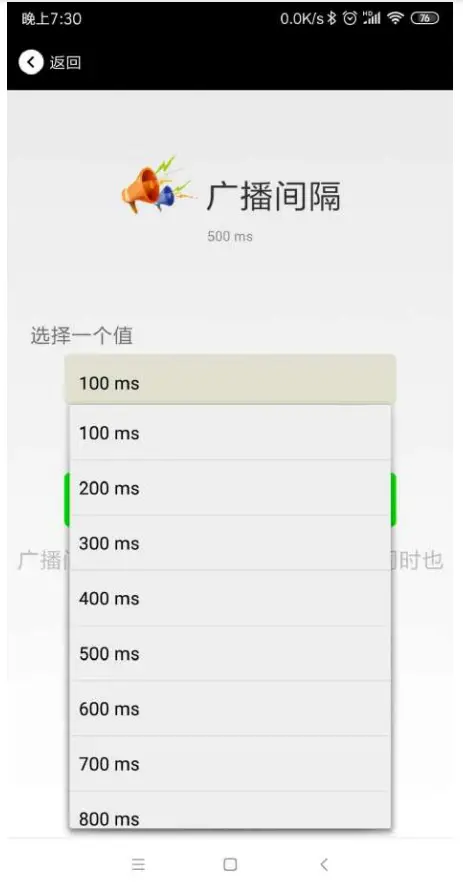 4.12 Modify Password
Click the “Password”, ,the following UI will be opened. Then and then enter the 4 characters as a connection password in the “Password” box, the default is 1234. Then click “confirm to modify”.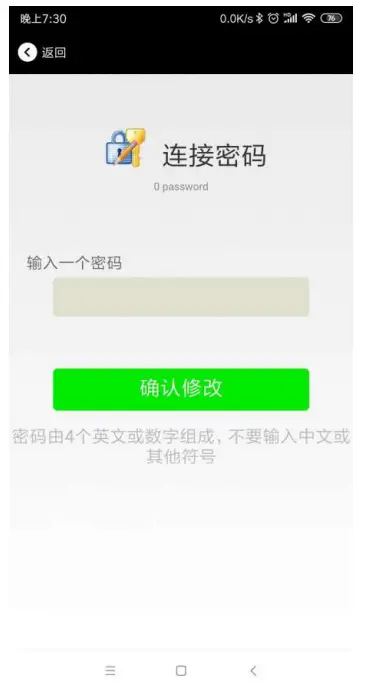
Note:
Please save your password in advance, once you change the new password, the original password will be invalid, you must use the new password to log in.
4.13 Switch mode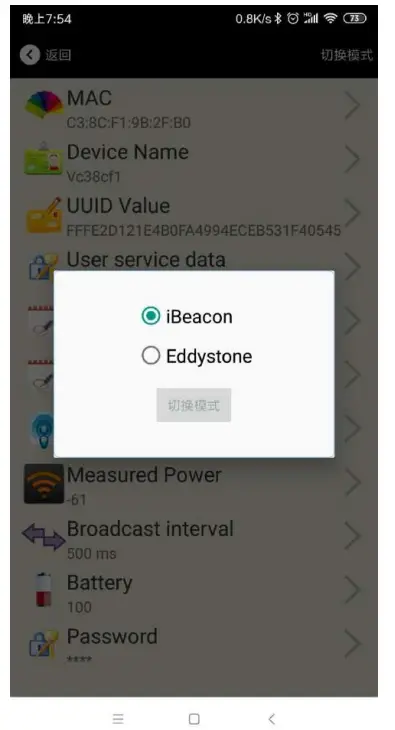
4.14 Eddystone configuration page Introduction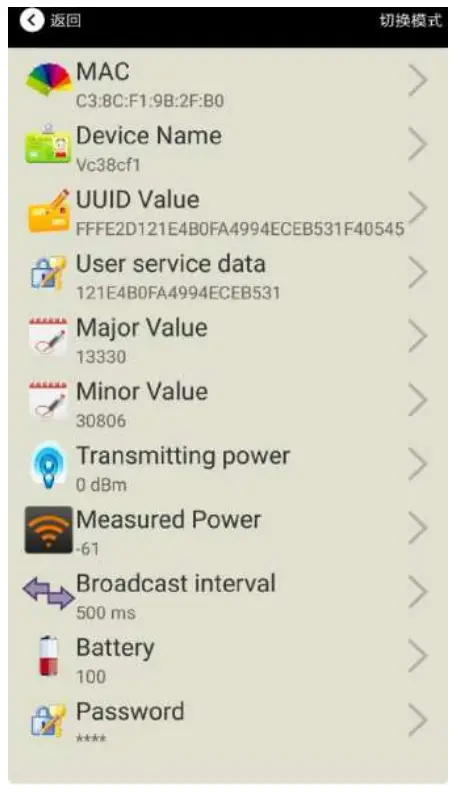
Introductions:
MAC: Eddystone configuration page Introduction
Name: The name of the Bluetooth 4.2 Beacon which is selected.
User service data: User-defined data in broadcasting
Transmit Power: VDB1620 transmit power
Advertise Interval: VDB1620 advertise interva
Battery Level: VDB1620 battery Capacity
Password: VDB1620 connection password
URL: modify the Frame field information in Eddystone. The default format is URL.Other Formats can be selected by other setting
Other Setting: Fornat selection of Frame field information in
Eddystone.
After the information is configured ,the configuration will take effect after the bluetooth connection is disconnected.
4.15 Modify URL
Click “URL”, the following UI appears, and then enter a string of up to 16 bytes on the “URL” underscore, you can broadcast the URL.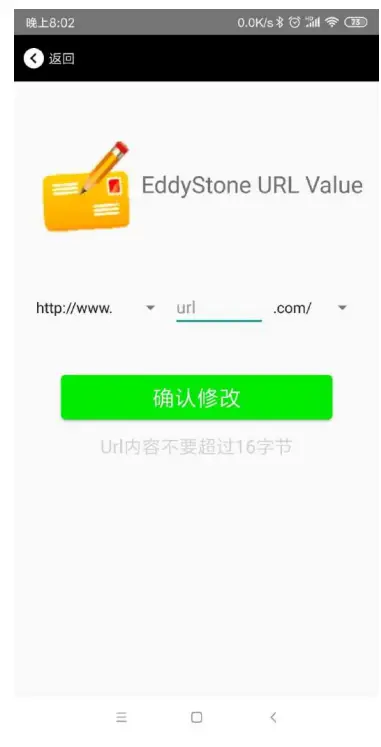 4.16 Modify Other Setting
Select and set the UID information:
Set NameSpace(10 bytes) and Instance(6 bytes) respectively.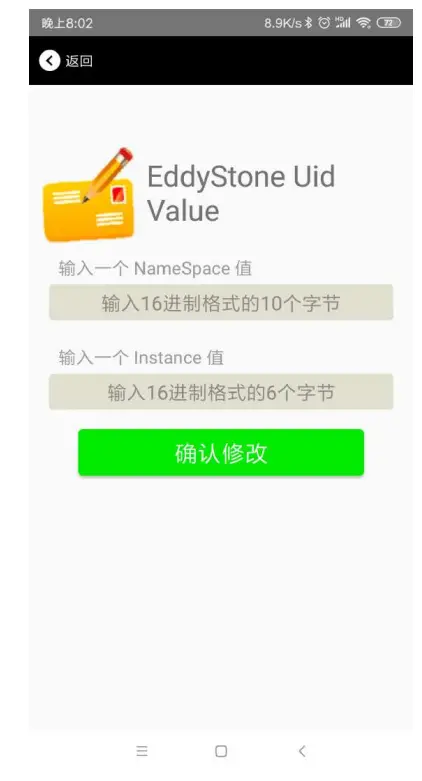 b. Select and set the EID information:
Set the EID information to a maximum of 8 bytes.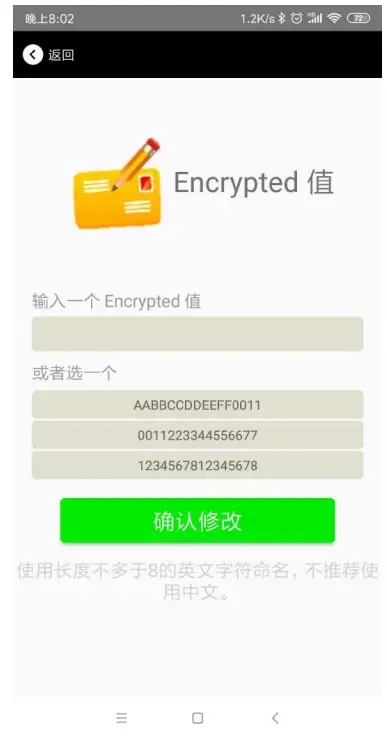
c. Select and set TLM information:
It is recommended to select the Encrypted TLM Specification, then enter up to 12 bytes of Encrypted TLM Data, 2 bytes of 16-bit Salt, and 2 bytes of 16-bit Message Integrity Check.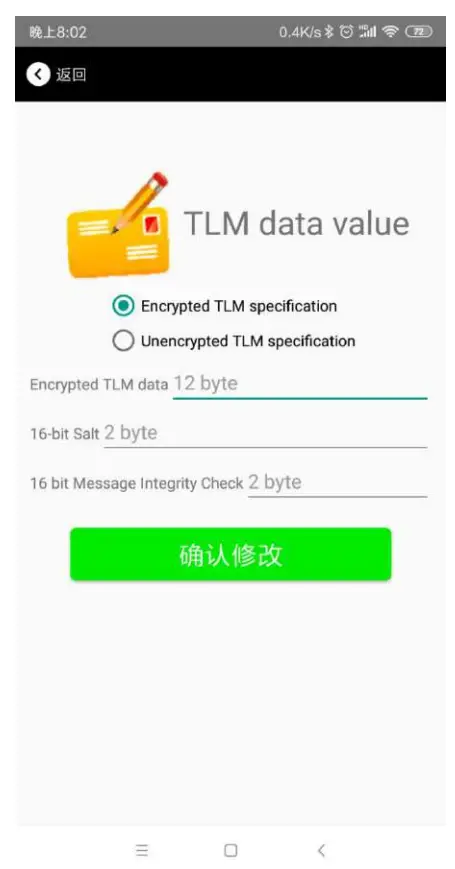 4.17 Download the APP
At present, the latest APP has not been put on the shelves, please contact sales. APP name is Skylab_xbeacon.
Content
95Power Information Technology Co., Ltd
Address: 6 Floor, Building 9, Lijincheng Scientific & Technical Park, Gongye East Road, Longhua
District, Shenzhen
Tel: 86-755 23779409
Fax: 86-755 23779409
E-mail: [email protected]
Website: www.95power.com.cn
 UWB定位-蓝牙定位-室内定位-深圳市微能信息科技有限公司