
SIMPLIFYING COMPLEXITY
Quick Start Guide
Thank you for purchasing this Netvio product. The quick-start guide is designed to provide all required information to install your product successfully, ensuring correct installation standards, therefore guaranteeing performance in accordance with published features and specifications. Neto therefore greatly appreciates your time in reviewing the provided information and following our recommended guidelines.
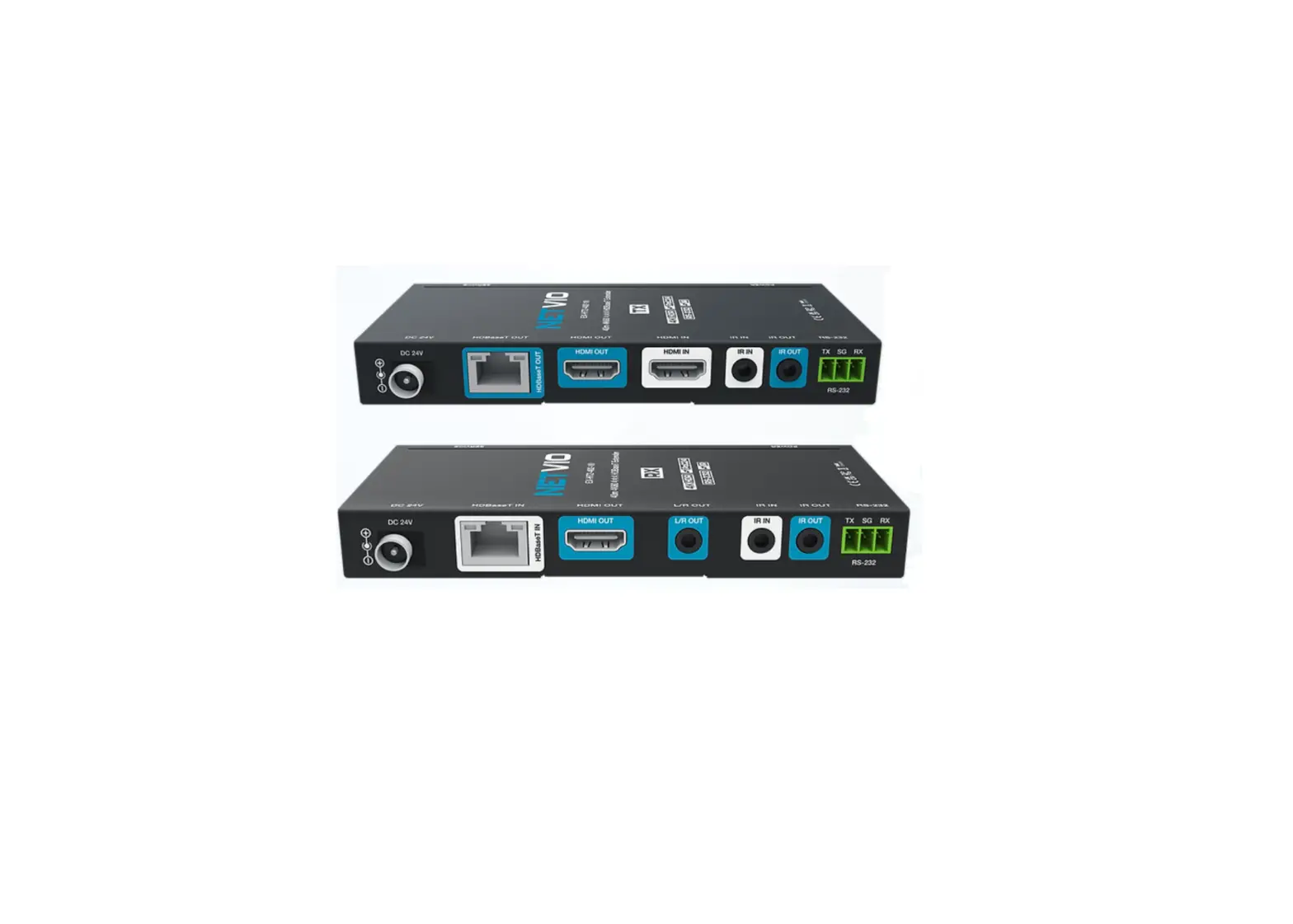
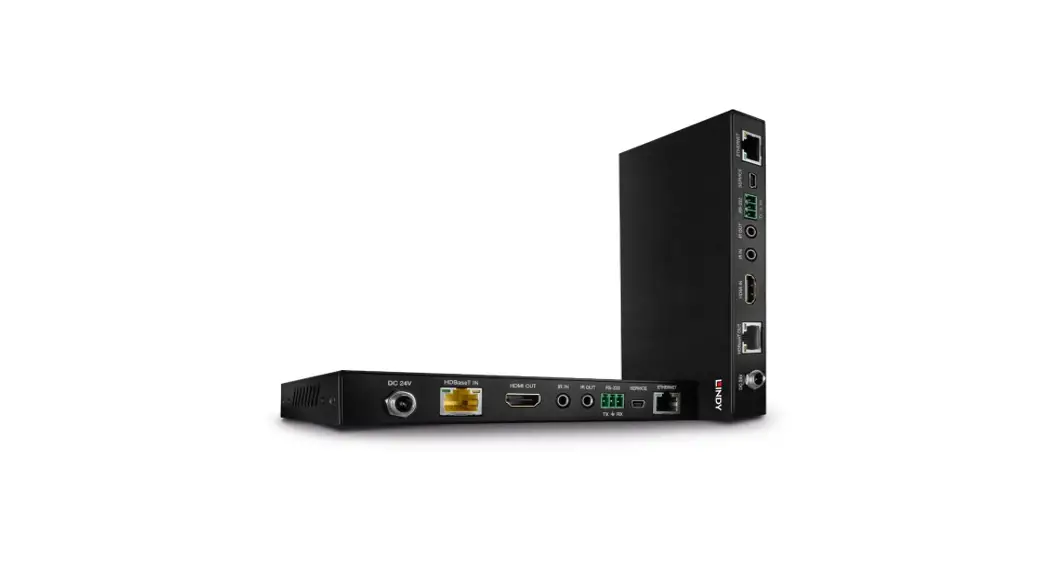
PX-HT2-70-10
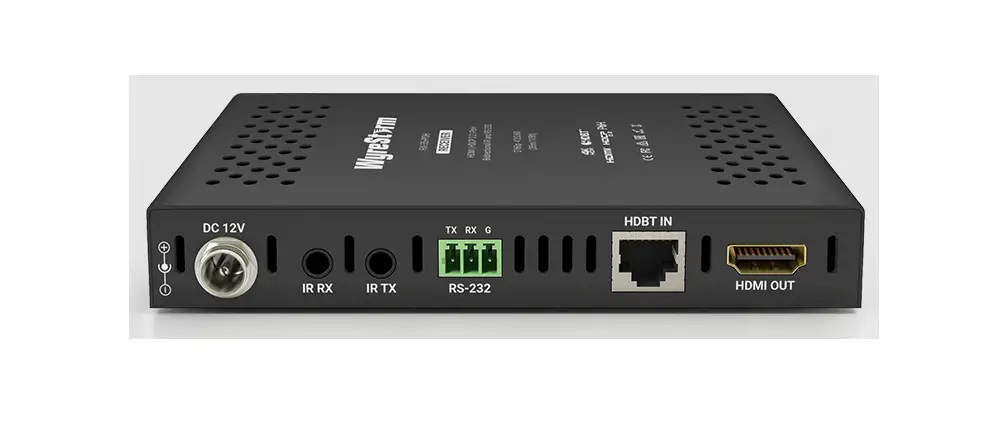
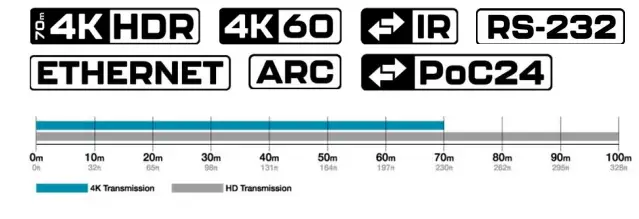
4K/60 HDR HDBaseT receiver over single category cable. Capable of sending the latest bandwidth-heavy sources over 40m when connected to a compatible matrix device (see specifications for compatibility).
BOX CONTENTS
- Neto HDBaseT TX & RX Device.
- 2x Wall mount brackets
- 1x Infrared receiver (capture) cables
- 1x Infrared emitter (sender) cables
- 1x 3-way screw termination connectors
WARRANTY INFORMATION
- 2-Year standard parts & labor warranty
- FREE 3-Year warranty subject to product registration.
- 5-Year & 10-Year extended warranty options available.
- Full warranty details including coverage, registration & warranty extensions available at www.netvio.co.uk
PRODUCT SUPPORT
Please contact your authorized Netvio reseller.
- UK/EMEA Support | +44 (0) 870 488 7001
- US Support | +833 720 0637
- Email | [email protected]
- Live Chat | www.netvio.co.uk
RJ45 Pinout
T- 568B
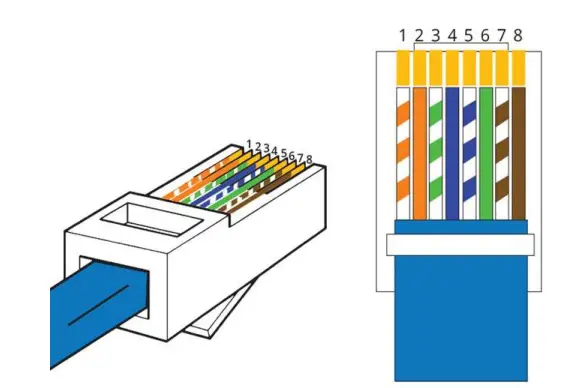
- White Orange
- Orange
- White Green
- Blue
- White Blue
- Green
- White Brown
- Brown
Cable Et Connector Guidelines
- Advertised cable distances are there for guidance. Many factors can affect transmission distances including cable construction, quality, installation standards, patch panels, faceplates, and external factors such as electrical magnetic interference (EMI).
- This product is designed to run over unshielded twisted pair Cat5e/6/7 Some consideration is required when installing shielded (STP) category cable ensuring all drain wires and shielding materials are correctly grounded.
- All R145 terminations should follow EIA/TIA-568-B terminations and not simply wired Pin 1-1, Pin 2-2. The 568-B standard involves the splitting of the green pair into pins 3 &6.
- Maintain twists within the Cat5e/Cat6/Cat7 cores up to the point of termination.
- Maintain gradual bends when installing category cable, ensuring a minimum radius of 25mm where possible. Avoid sharp bends or twists in the cable avoiding taught or stretched cable at all
- When dressing the cable use moderate to low pressure, avoiding pinching the cable jacket.
- Do not splice, join or bridge the cable at any time, as this will undoubtedly cause transmission issues.
- Use moderate to low pressure when pulling category cable avoiding pressures in excess of 25 lbs (of force).
- Keep category cable away from sources of EMI (electrical cables, transformers, light fixtures) ensuring a minimum parallel distance of 300mm, crossing at right angles if absolutely necessary.
- Ensure the cable is correctly tested, understanding that a basic continuity check may not be sufficient to identify issues or to certify cable performance.
- Always check local regulations relating to building and fire codes.
Installation Guidelines
- Please ensure you secure the devices, especially at the display location using the brackets provided. Transmission stability will be affected if the product is not probably secured especially if connections are strained.
- The device should be installed against a clean, dry and flat surface. The receiver should be installed vertically with all product logos and descriptions facing you to ensure the best airflow and cooling.
- Please ensure the device has adequate ventilation, avoiding any type of enclosure or material that will prevent airflow through the product.
- The receiver draws its power from the connected matrix, therefore local power is not required. Although some functionality will work, it is not advised to use with other manufacturer products as power-over-cable rating may differ and harm the product.
Attempts to remove product casings could result in electrical shock. Please do not attempt to repair the device. In the event of product service requirements, please contact Netvio Ltd or an authorized reseller for service procedures. Any unauthorized attempt to repair the product or attempts to replace components with non-approved parts will invalidate the product warranty. For full warranty conditions, please visit www.netvio.co.uk

| 1 | Power Status LED |
| 2 | ARC Status LED (Active when on) |
| 3 | S/PDIF Status LED (Active when on) |
| 4 | Firmware update port |
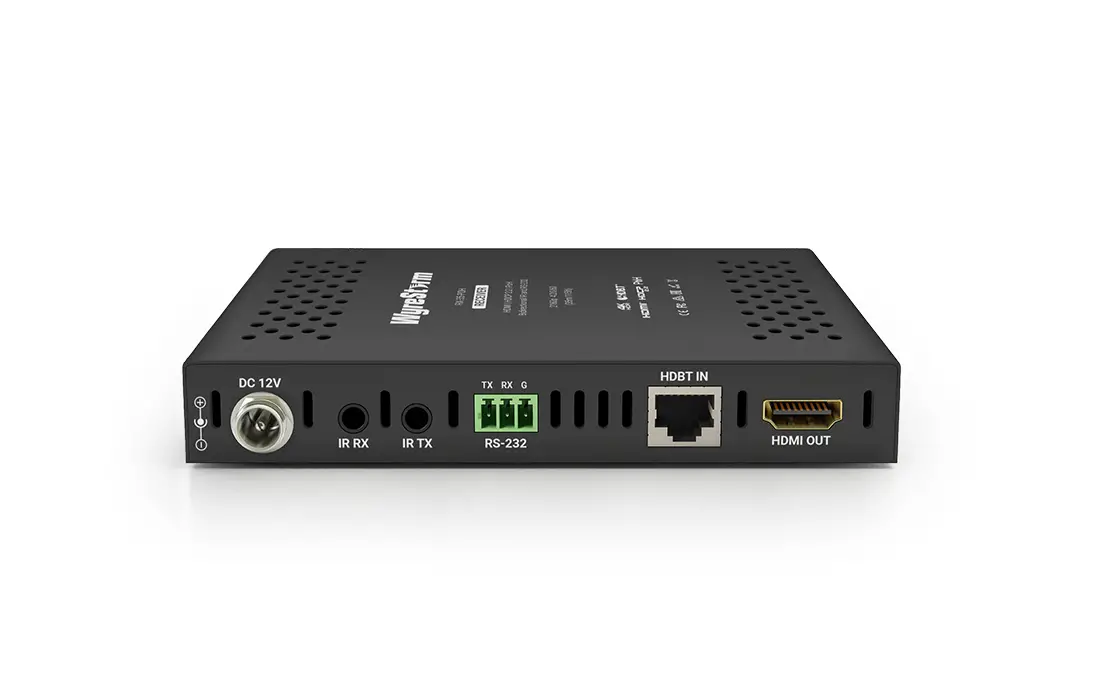
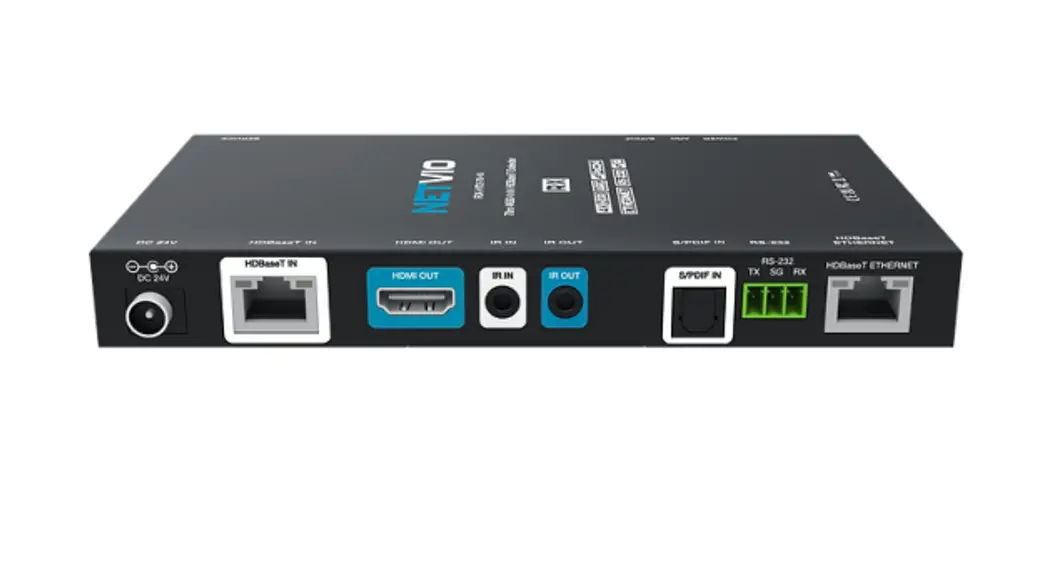
| A | DC 24V Power Input | PSU not required |
| B | HDBaseT Input (to display) |
| C | HDMI (Display) Output – ARC Compatible Port |
| D | IR Capture Port |
| E | IR Sender Port |
| F | S/PDIF Input (from Display) |
| G | RS-232 Pass-Through |
| H | HDBaseT Ethernet Connection |
IR Pin Outs
Each Netvio receiver comes complete with all required accessories to fully maximize product features and functionality. We recommend the use of Netvio approved IR accessories to ensure guaranteed performance and compatibility. In perfect conditions, IR performance is rated at 8m from display to remote control, but understanding this will vary in differing light conditions. It may be necessary to adjust both the capture, sender device positions to achieve the best performance, ensuring that remote batteries are in good condition. Should IR ports require connections to a 3rd party device, the following wiring diagrams are provided to ensure successful signal transfer.
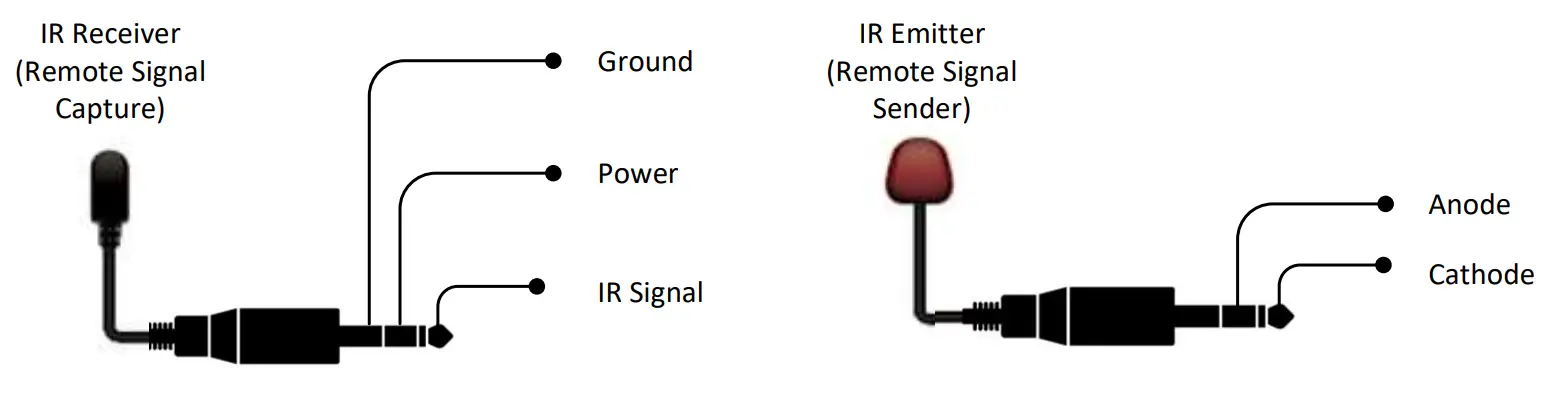
Wiring Schematic
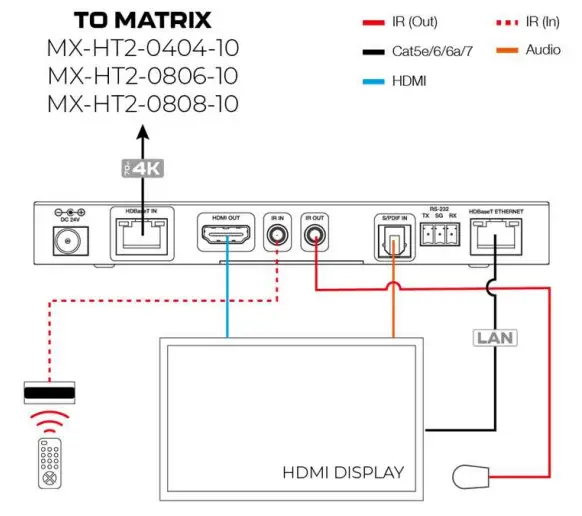
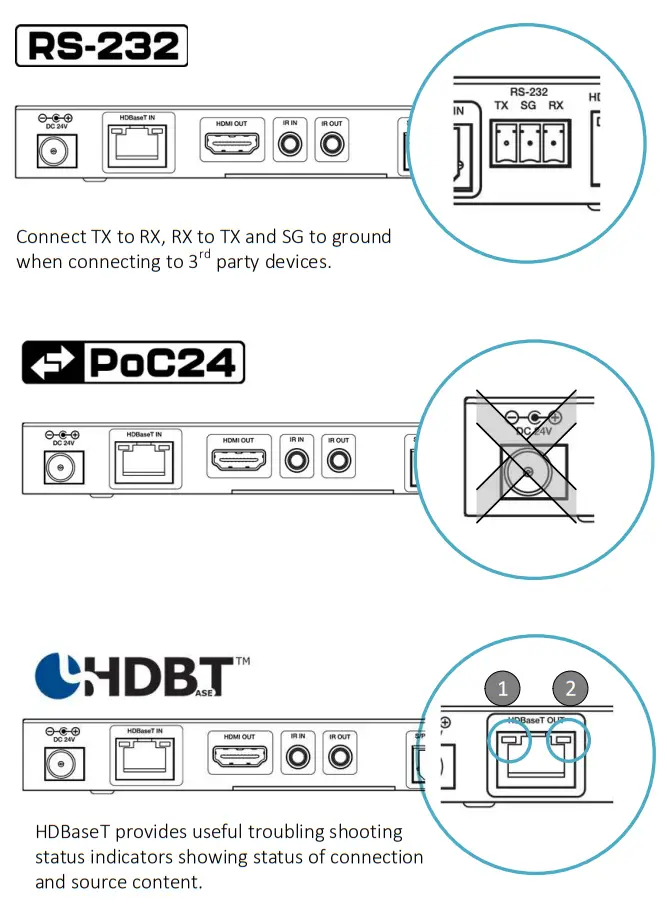
ETHERNET
The receiver supports 100BaseT Ethernet when connected to a compatible Netvio matrix & output port. Please refer to the matrix quick start guide for further information.
ARC.
The receiver supports ARC from an embedded HDMI signal or S/PDIF connection. Connection choice is determined by display capability. Use the HDIVI-ARC designated display input if available.
Secure hardwired bi-directional serial control between source and display. The receiver comes complete with 3-Pin screw-type connectors for ease of installation.
The receiver is powered by the Netvio matrix device over the category cable. A local power supply is not required.
| 1 | 2 |
| Solid | Good Connection | Solid | HDMI with HDCP |
| Flashing | Poor Connection | Flashing | HDMI no HDCP |
| Dark | No Connection | Dark | No Connection |
Basic Specifications
| Transmission Distances | K/60 HDR @ 70m | 1080p @ 100m |
| Encoding Data Rates | HDMI 17.82 Gbps | HDBaseT 10.2Gbs | Visually lossless compression > 10.GBS |
| Video Resolutions (Max) | 3840×2160 60fps HDR over 40m Cat5e/6/7 cable (1080P @ 70M) |
| Max Pixel Clock | 600MHz |
| HDR | HDR10, HDR10+, Hybrid Log-Gamma, Dolby Vision |
| HDCP | Inclusive up to 2.2 |
| Audio Formats | LPCM 2ch, LPCM 5.1, LPCM 7.1, Dolby Digital, Dolby Digital Plus, Dolby TrueHD, DTS, |
| DTS Master, Dolby Atmos, DTS: X. | |
| CEC | Pass-thru subject to source and display compatibility |
| Storage | -20°C / +60°C | 20% – 90% RH |
| Operating | 0°C / 40°C | 20% – 90% RH |
| Power | 24v PoC power over HDBaseT. |
| Weight | Dimensions | 170g| H: 20mm | W: 165mm | D: 89mm |
| Regulations | CE | UKCA | FCC | RoHS |
| Warranty | 2-Yr Standard, 3-Yr with registration, 5-Yr & 10-Yr extended warranty available. |
| Matrix Compatibility | MX-HT2-0404-10 | MX-HT2-0806-10 (no ARC or Ethernet) | MX-HT2-0808-10 |
| Alternative Receiver Models | RX-HT2-40-10 | Basic 4K/60 HDR |
| RX-HT2-40-20 | 4K/60 HDR with ARC |

Cost-effective 5-yr (for 5%) and 10-yr (for 10%) extended
warranties available at www.netvio.co.uk/safeguard
 Please dispose and recycle responsibly in accordance with local laws and regulations
 Attempts to remove product casings could result in electrical shock. Please do not attempt to repair the device. In the event of product service requirements, please contact Netvio Ltd or an authorized reseller for service procedures. Any unauthorized attempt to repair the product or attempts to replace components with non-approved parts will invalidate the product warranty. For full warranty conditions, please visit www.netvio.co.uk
Neto Ltd — INFOLAB21, Lancaster University, Bailrigg Road, Lancaster, LA1 4WA, UK
[email protected]
UK: +44 La 870 4413 7001
U9: +1-999-720-0697
www.netvio.co.uk
Live Chat
Copyright @2021
Netvio LTD
RX-HT2-70-10 QSG V1 290821
 Netvio | AVoIP, HDBaseT, HDMI Distribution - Audio, Video & Software Solutions