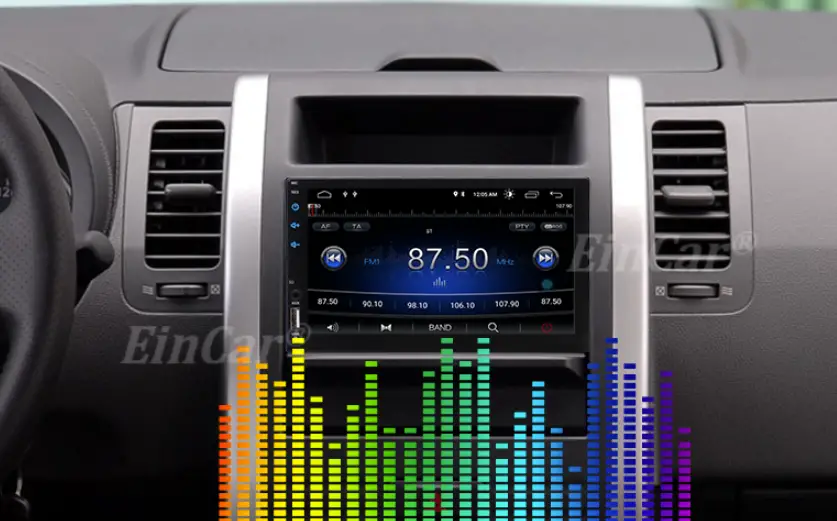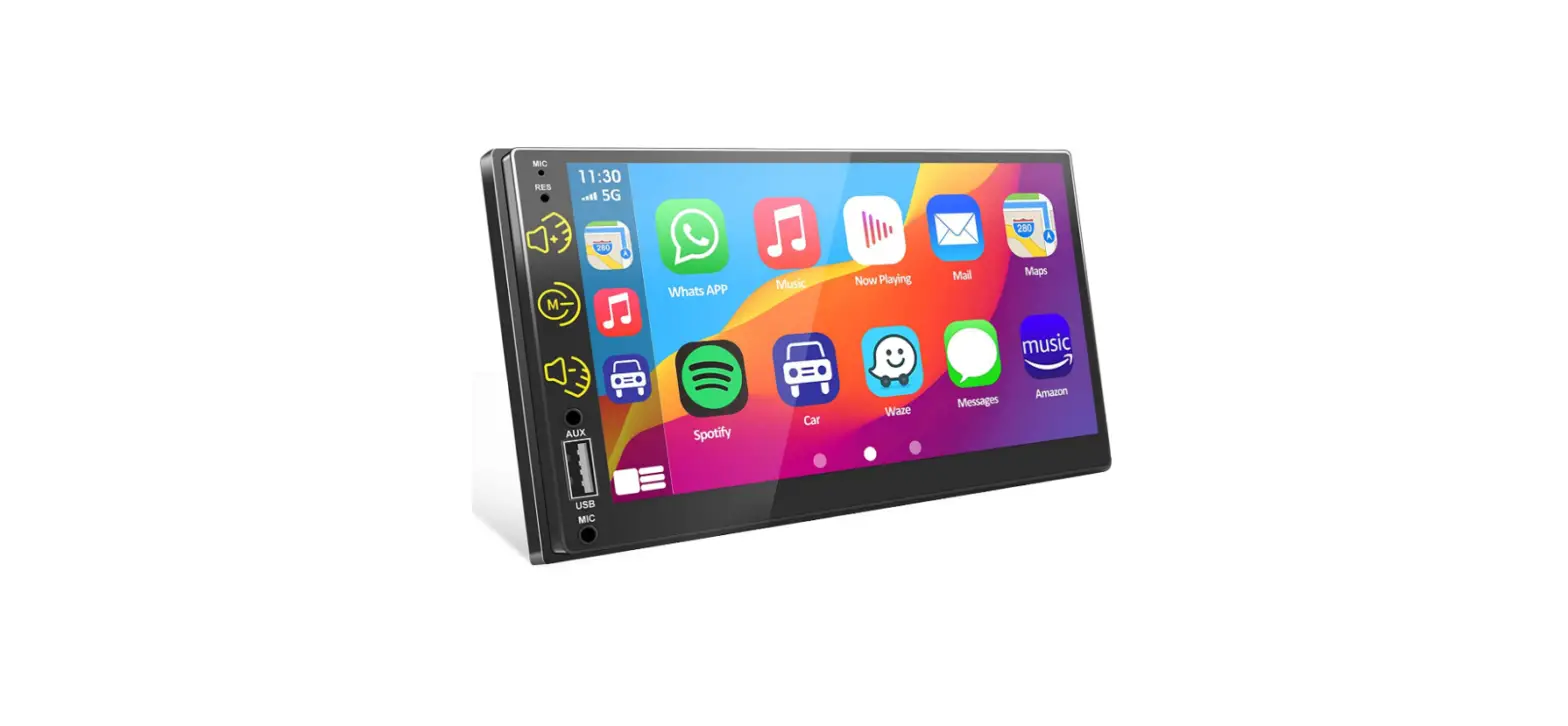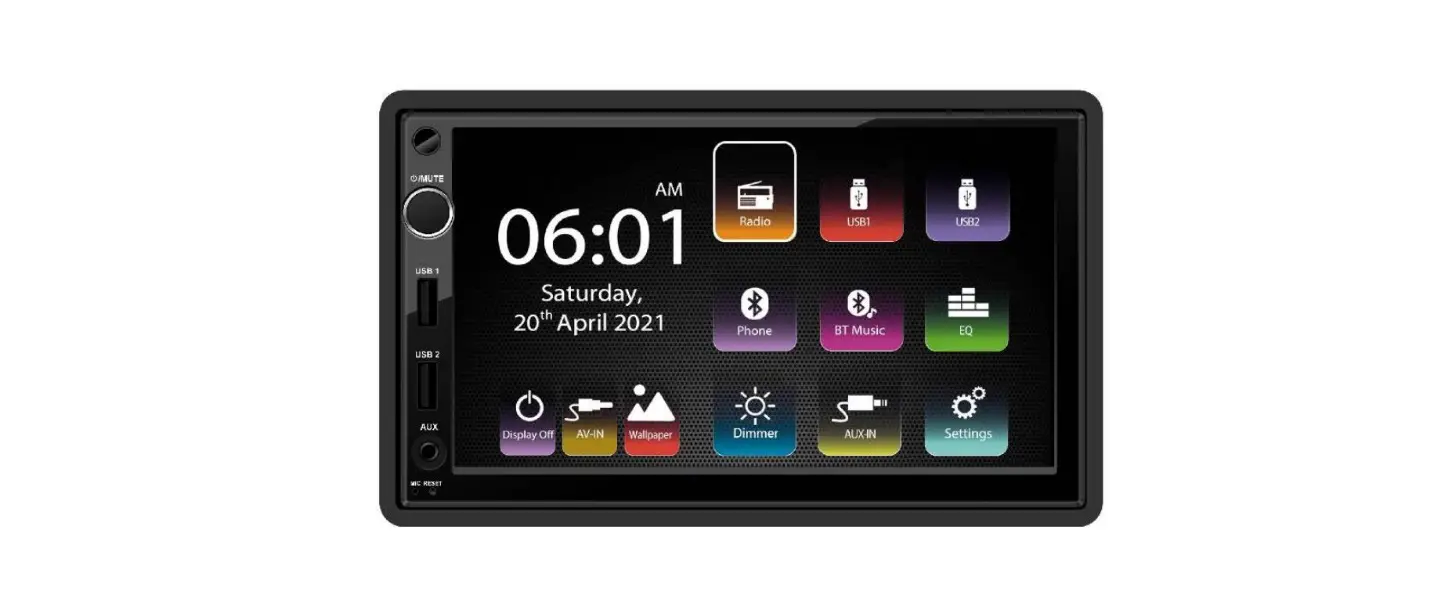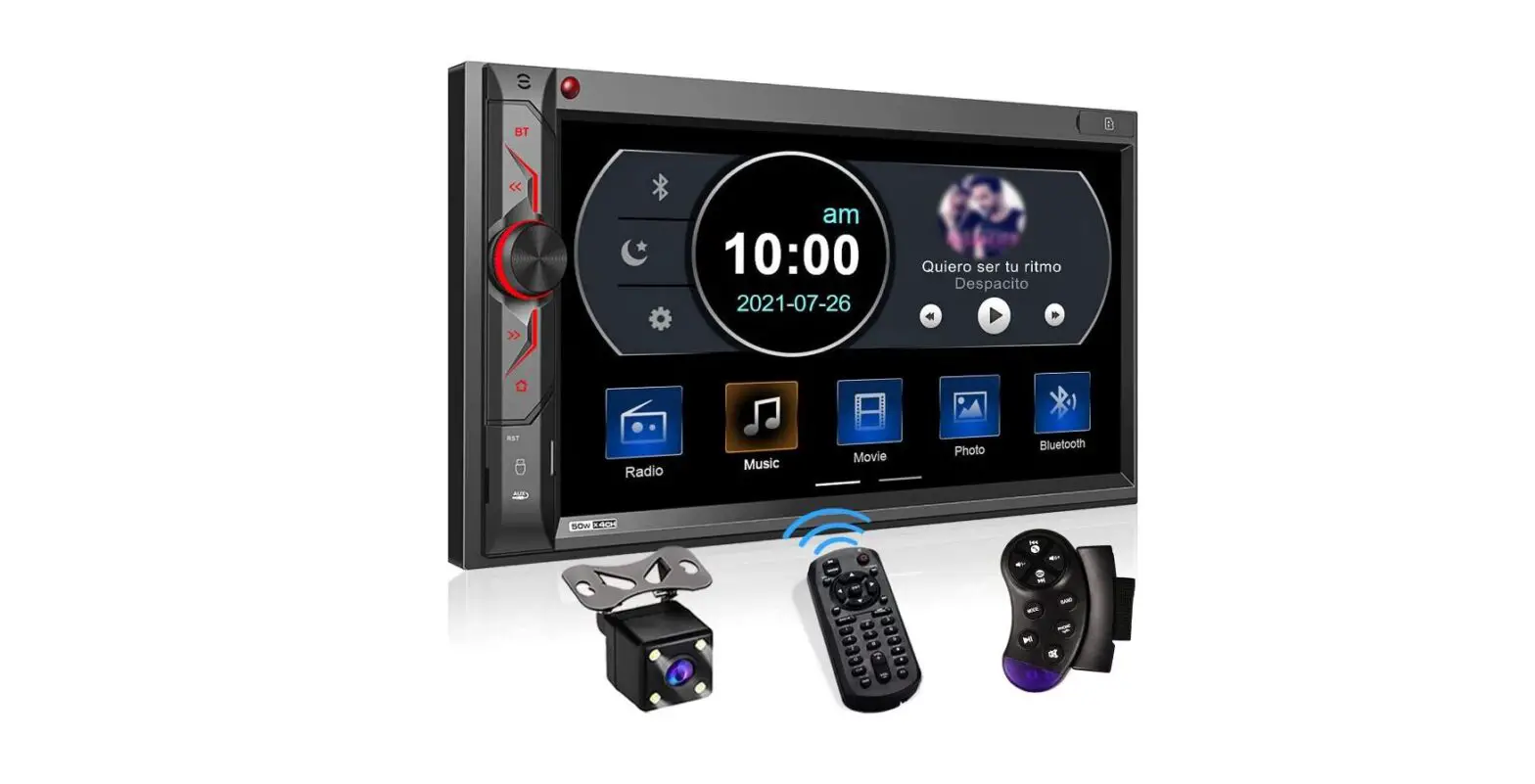
Operation Manual for Android
Attention
- The abnormal situation occurring during operation, please press reset key on the panel to restore factory settings.
- When the in-car temperature is much higher or lower, please adjust the temperature inside the car first before using this machine.
- Avoiding strong shocks because they can damage the mechanical parts and structural components.
- This machine is composed of high-precision parts, please do not dismantle machine cover or adjust any parts, if you need maintenance please go to the professional after-sales service center to accept the service.
- Please follow the instruction manual, the damage caused by the illegal operation is not in the warranty scope.

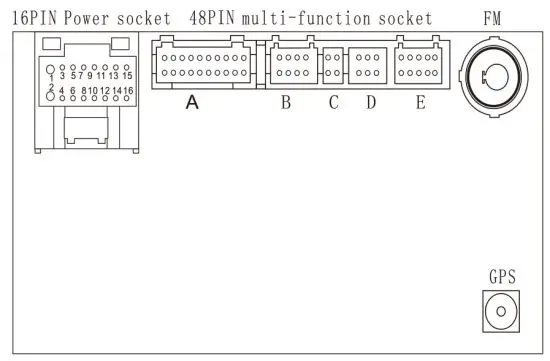
| 1 | Ground Wire(Black) | 5 | Parking Sensor Control wires (Pink) | 9 | Front Right (-) Speaker (GRAY/BLACK) | 13 | Front Left (-) Speaker (WHITE/BLACK) |
| 2 | -124Constan Power Supply (Yellow) | 6 | brake line ( brown) OR NC | 10 | Rear Left (-) Speaker(GREENIBLACK) | 14 | Rear Right (+) Speaker (VIOLET) |
| 3 | +12V Accessory/Switch (Red) | 7 | Steering wheel key control line orange/Black ORNC | 11 | Front Right (+) Speaker (GRAY) | 15 | Front Left (+) Speaker (WHITE) |
| 4 | high beamline (orange) OR NC | 8 | PowerAntenna /Amplifier Tum On | 12 | Rear Left (+) Speaker (GREEN) | 16 | Rear Right (-) Speaker (VLOET/BALECKE) |
Main Inteface
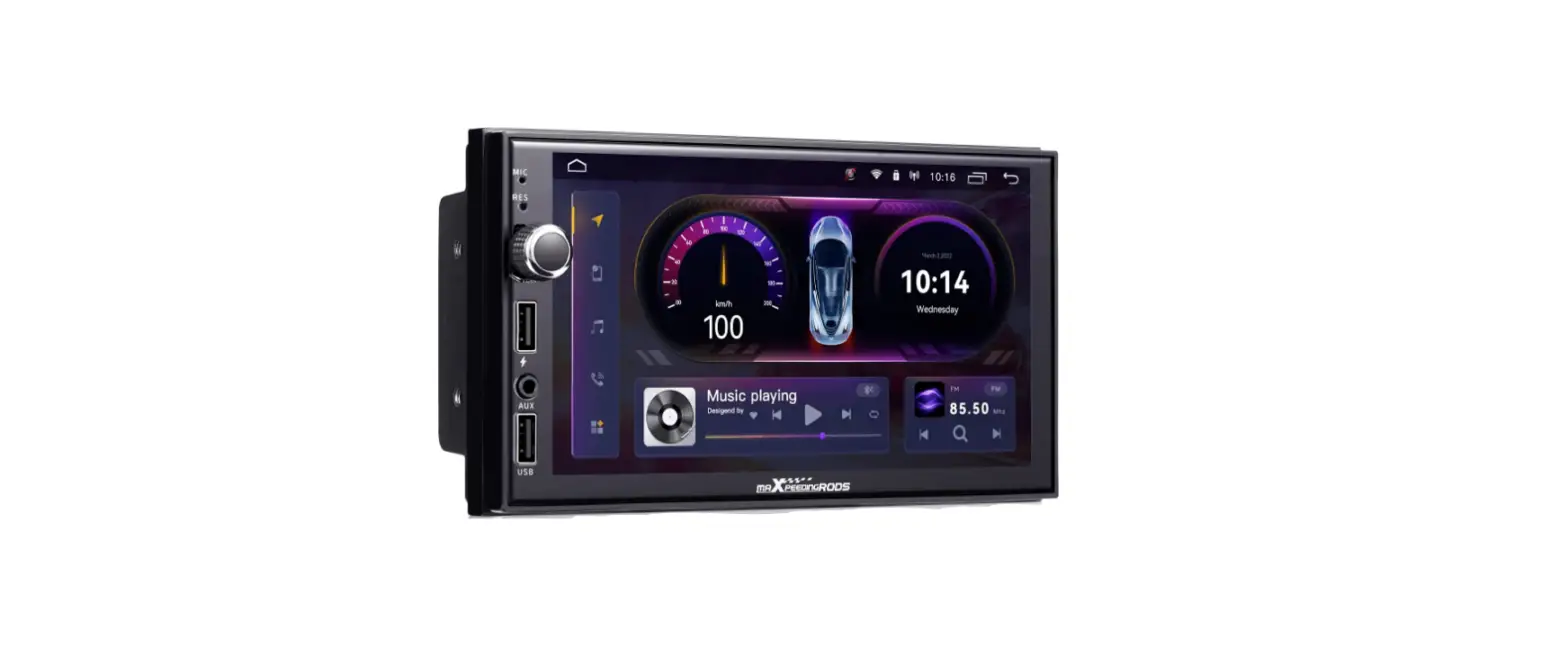
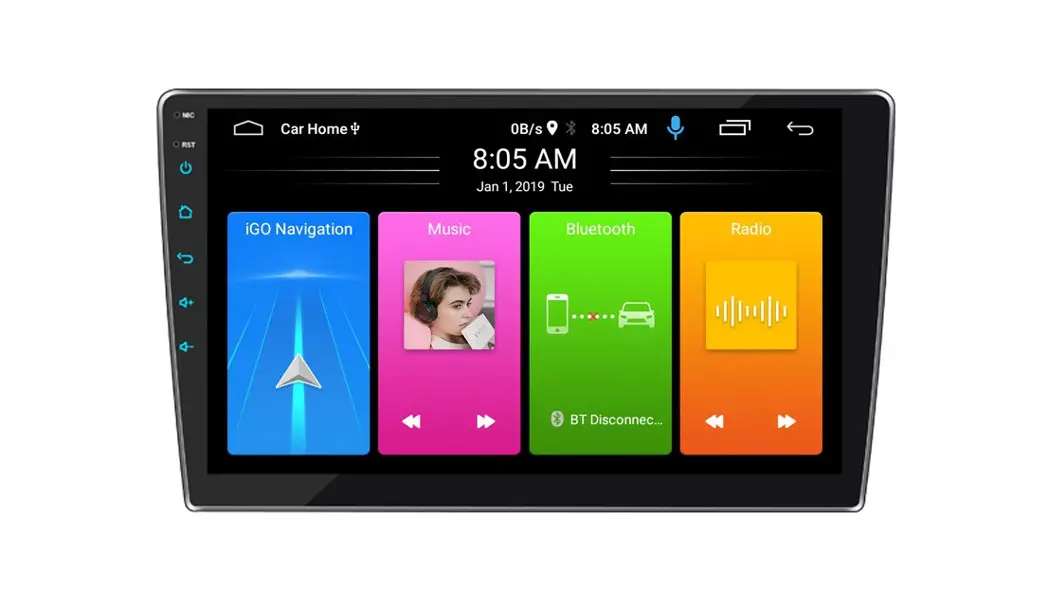
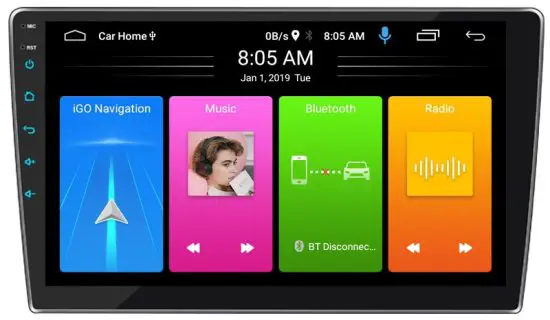
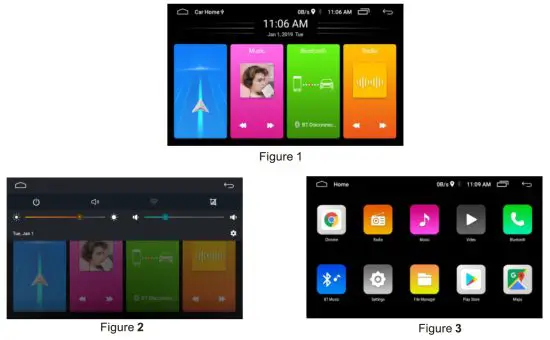 Figure 1: Top status bar , Back desktop button, interface name, network speed, GPS, Bluetooth, time, history task button, return button Intermediate Time Date Display, Click to adjust the time date, Four quick features below: navigation, music, Bluetooth, radio, click on the app
Figure 2: Task bar drop-down menu power key, mute key, WIFI switch, screenshot function, brightness and volume adjustment.
Figure 3: The main interface slides right into the main menu interface.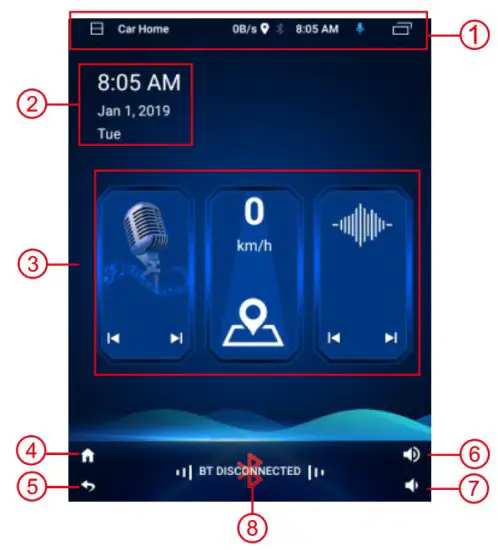
- Status bar, the drop-down display task interface
- Time and date display
- Shortcut button: FM, GPS, previous program
- Desktop button
- Back button
- Volume+
- Volume-
- Bluetooth voice button
Radio mode
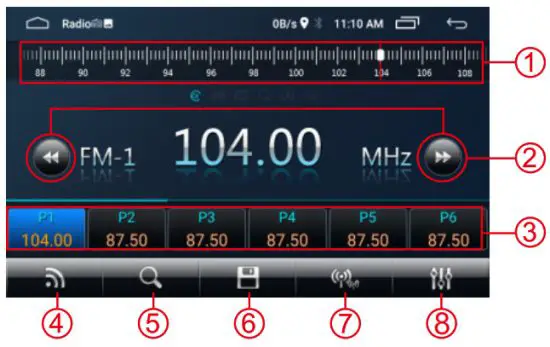
- Sliding slider to adjust radio frequency quickly
- Short press fine-tuning, long press up/down search
- Radio button, short press switch to preset station, long press save current station
- Band switching: FM1/2/3/AM1 /2
- Search
- Automatic search and save
- Far and near switching
- EQ adjustments
- Six buttons from left to right: Play all, folders, U disks, memory cards, favorite. EQ settings
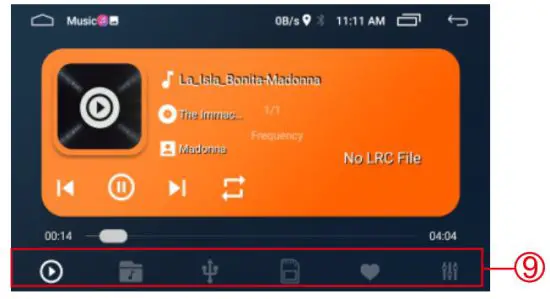
Music mode
Video Mode
Radio mode
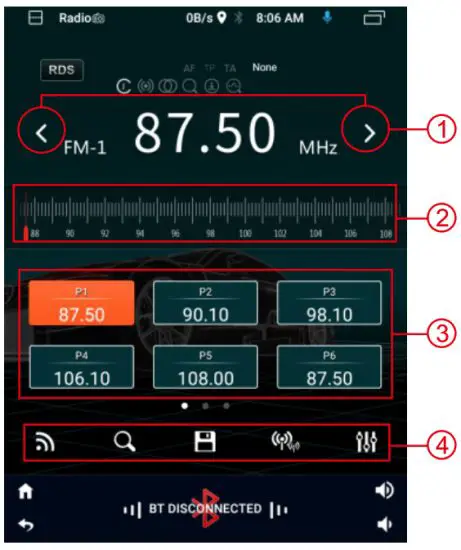
- Short press to fine tune, long press to search up / down
- Slide the slider to change the frequency quickly
- Radio button: Click to switch the station, Long press to save current channel
- 5 buttons from left to right: Band switching: Fl / 2 / 3 /AM1 / 2
Search Taiwan
Auto search and save
Long and short range switching
EQ adjustment
Music Mode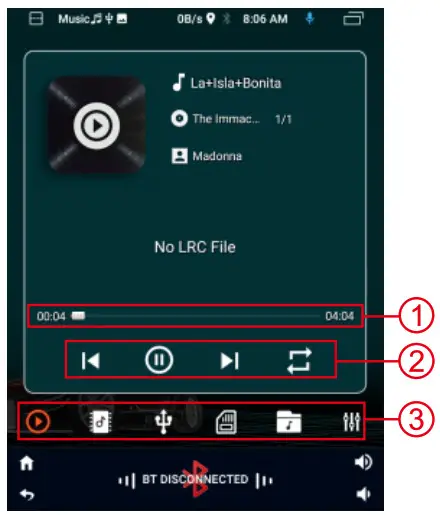
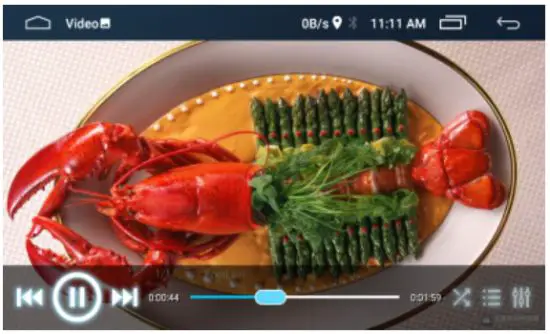
Video Mode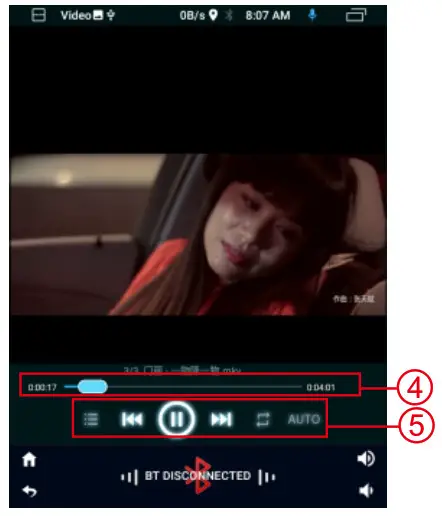
- Play the progress bar and drag to change the progress quickly
- Four buttons from left to right: previous song, play/pause, next song, loop play
- Six buttons from left to right: Play all, folders, LI disks, memory cards, favorite, EQ settings
- Play the progress bar and drag to adjust the progress quickly
- Five buttons from left to right: play list, previous song, play/pause, next song, loop play
BT Mode
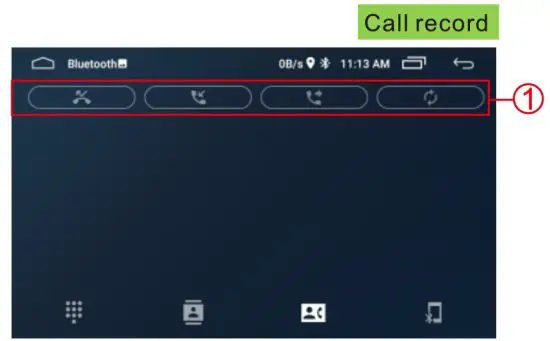
Remark If you have already downloaded the call record, you can enter the call record list directly.
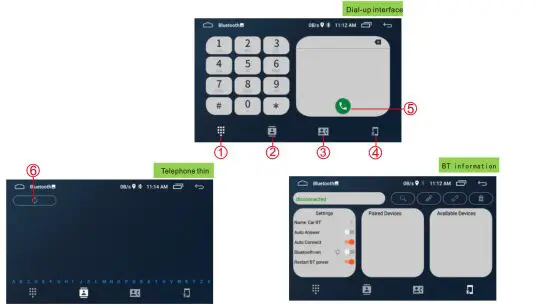
- dial
- Phone book
- Call record
- BT information
- Dial button
- Synchronize phone book
Setup interface
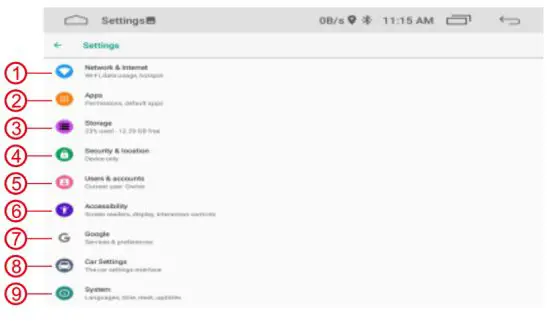
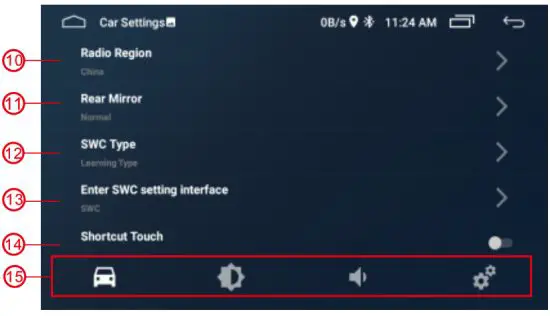
Vehicle Setup Interface
| 1. WiFi switch: can turn on WiFi, turn on the flow display, turn on the hotspot | 9. System: language setting, time and date setting, version view |
| 2. Application: View recent applications and view all applications | 10. Radio area |
| 3. Storage: check the memory status of the machine | 11. Reversing lens setting |
| 4. Position information: open and close positioning | 12. Selection of square control type |
| 5. Users and accounts: add and delete users | 13. Local control setting |
| 6. Barrier free setting: text size, display brightness, voice broadcast Color adjustment | 14. Suspension ball selection |
| 7. Browser: set common properties of browser | 15. Four buttons from left to right: car settings, display settings, sound settings, initialization settings |
| 8. On board setting |
BT Mode
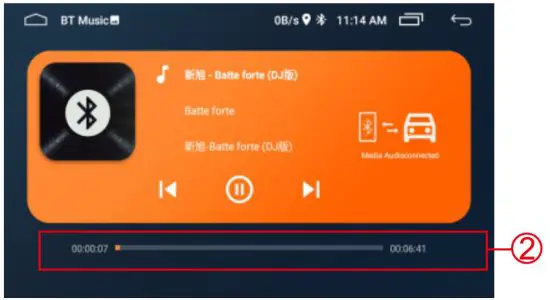
BT Music
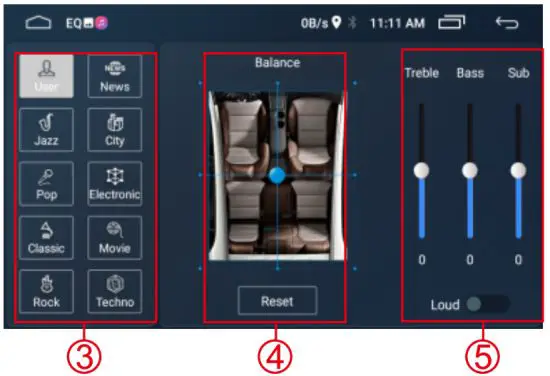
EQ Mode
- 4 buttons from left to right: no calls, answering calls, dialing calls, synchronizing calls records
- Play progress bar, manually drag to change play progress
- Preset sound effect scheme, click select.
- Drag the ball to change the direction of sound output, click the button below to reset.
- Manually adjust the sound effect, below can increase
Vehicle Setup Interface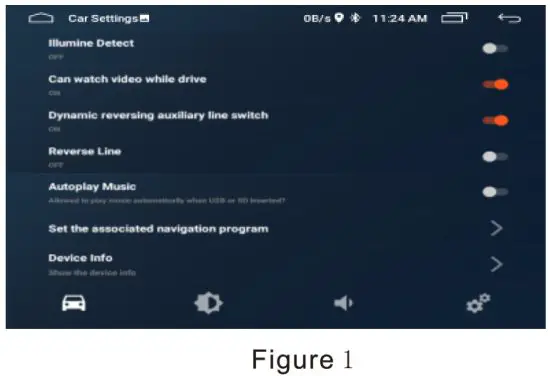 Figure 1:
Headlamp detection switch
Driving video switch
Dynamic auxiliary line switch
Reversing auxiliary line switch
Auto play music switch
Navigation software settings system information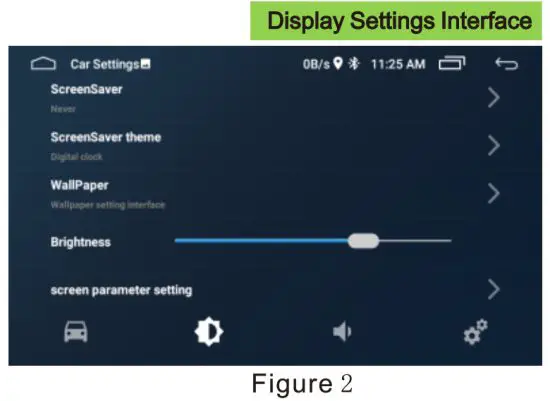
Figure 2:
Screen saver switch
Screen saver selection
Wallpaper settings
Brightness adjustment
Display effect adjustment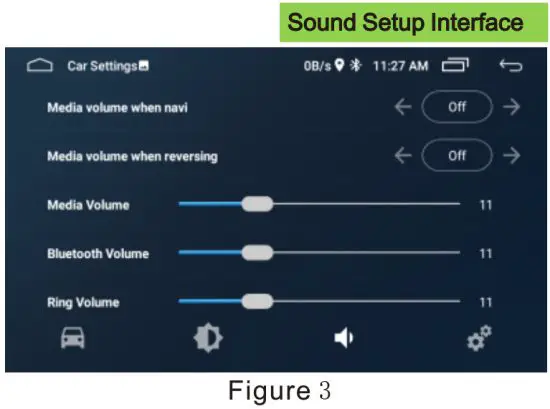 Figure 3:
Media sound switch during navigation
Media sound switch when reversing
Media volume adjustment
Bluetooth volume adjustment
Ring volume adjustment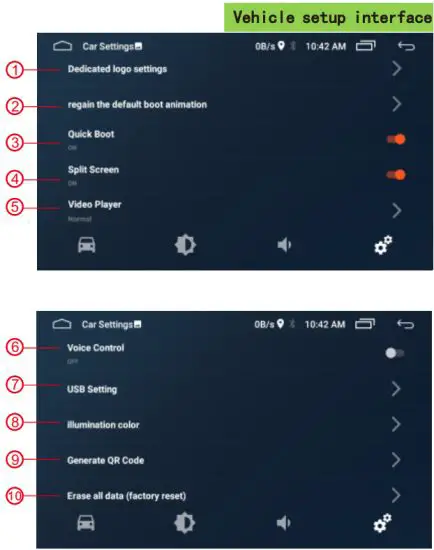
| 1. Model setting | 6. Microphone type |
| 2. Protocol related settings | 7. Radio antenna setting |
| 3. Can data acquisition | 8. AV output |
| 4. Touch the key to learn | 9. Screen parameter setting |
| 5. Physics key learning | 10. Boot logo settings |
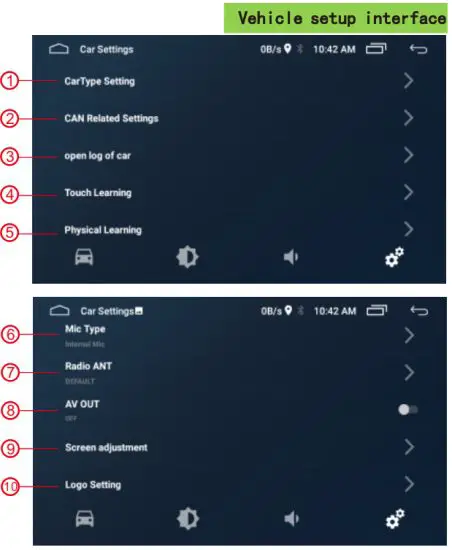
| 1. Special logo setting | 6. Voice control switch |
| 2. Restore the default animation | 7. USB settings |
| 3. Quick start switch | 8. Color lamp setting |
| 4. Split screen switch | 9. Generate QR code |
| 5. Player settings | 10. Restore factory settings |
Mirror link
Support for multiple mirror link : connect data lines, Open USB debug, Mobile phone pop window trust authorization click allow. (If click error, reconnect data line)
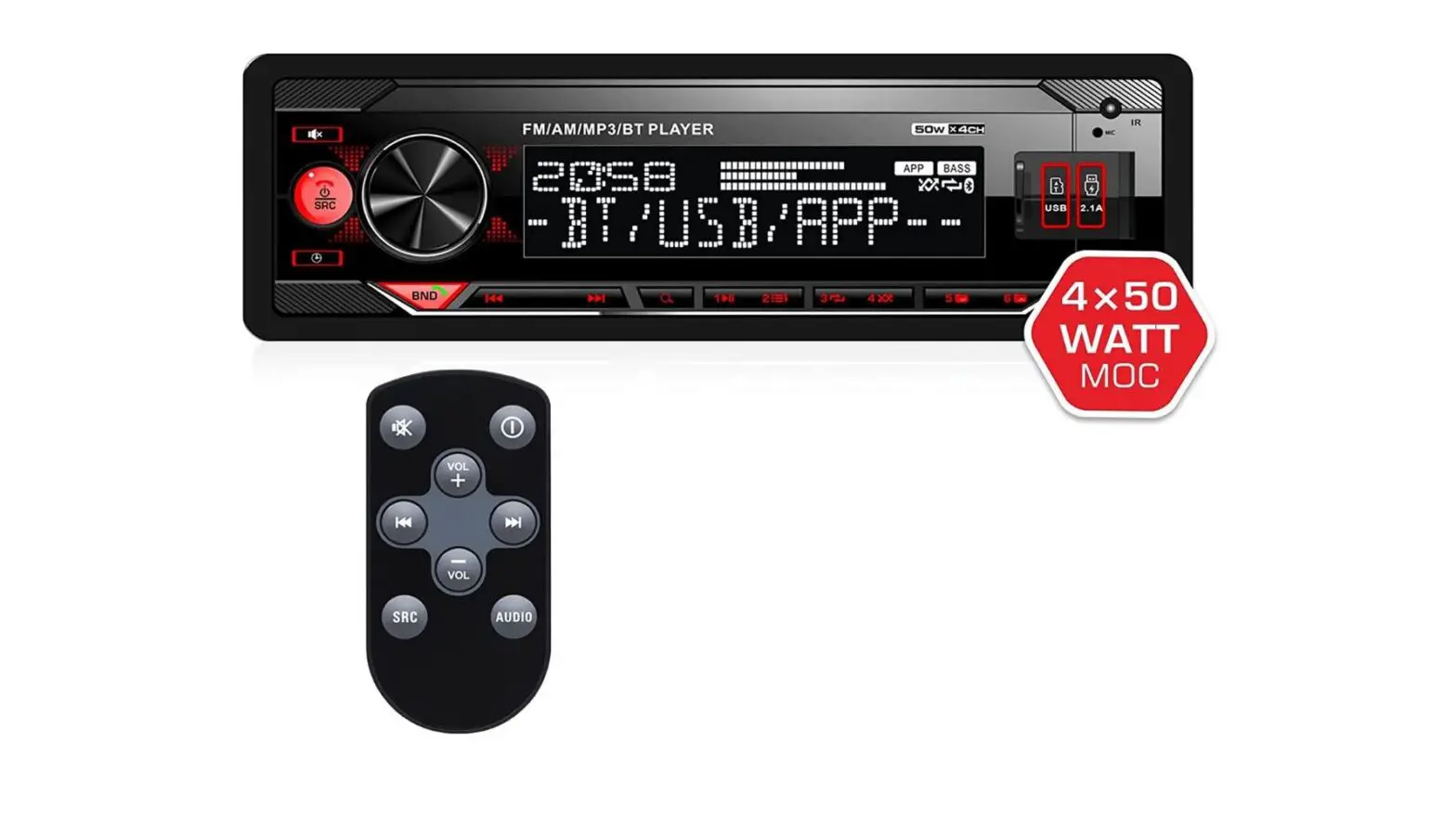
Function panel presentation.
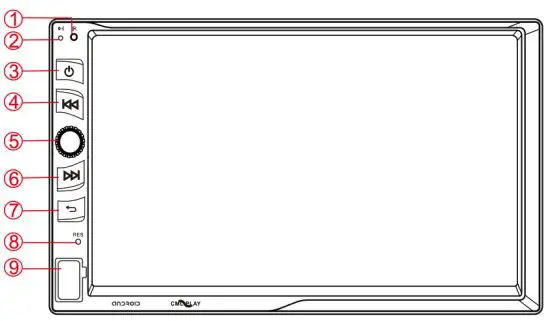
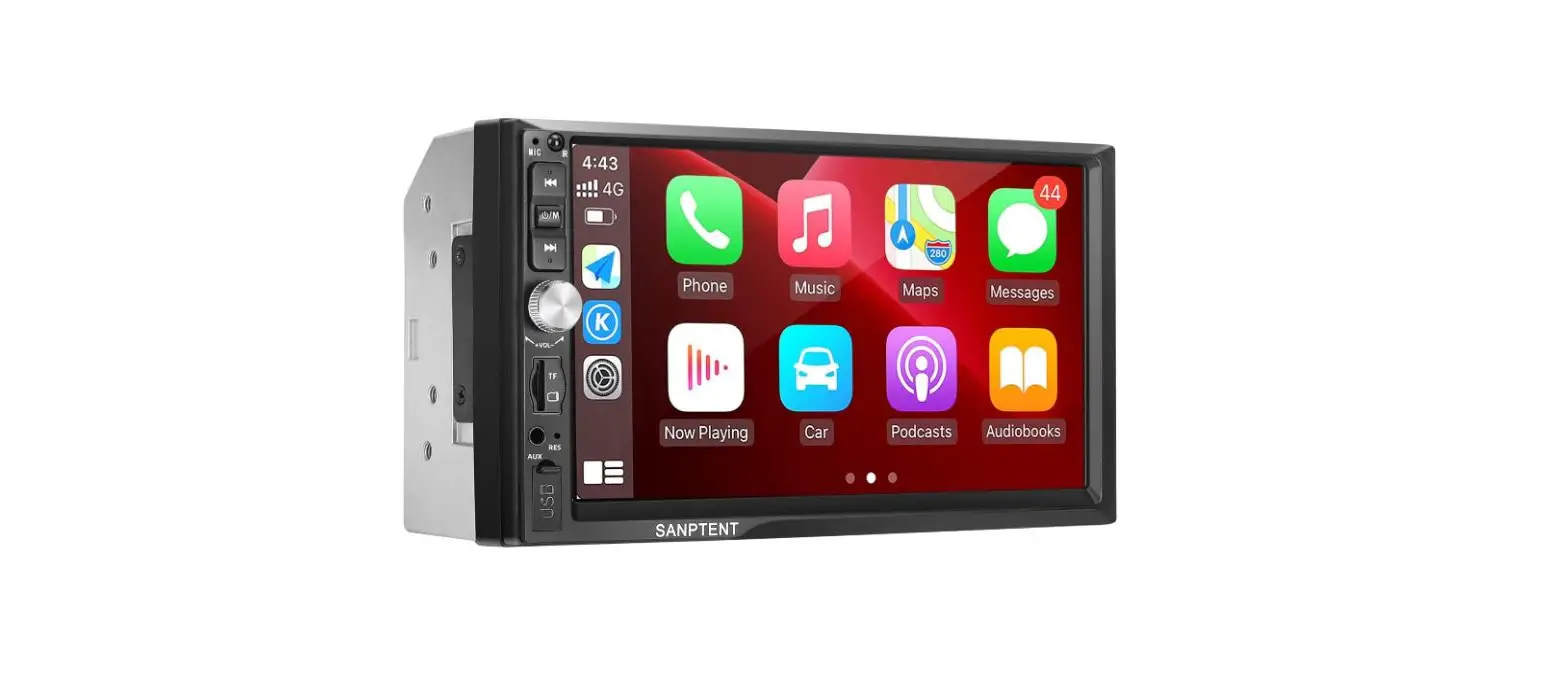
| 1. Remote window | 6. Next |
| 2. MIC | 7. Return key |
| 3. Power key | 8. Reset hole |
| 4. previous | 9. USB |
| 5. knob |
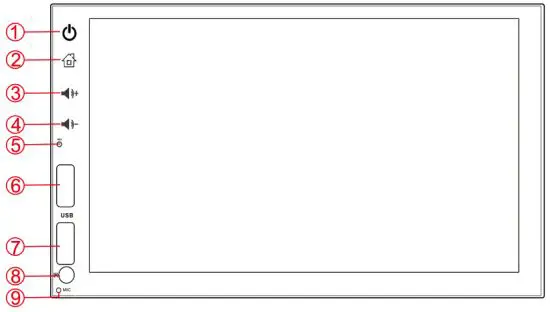
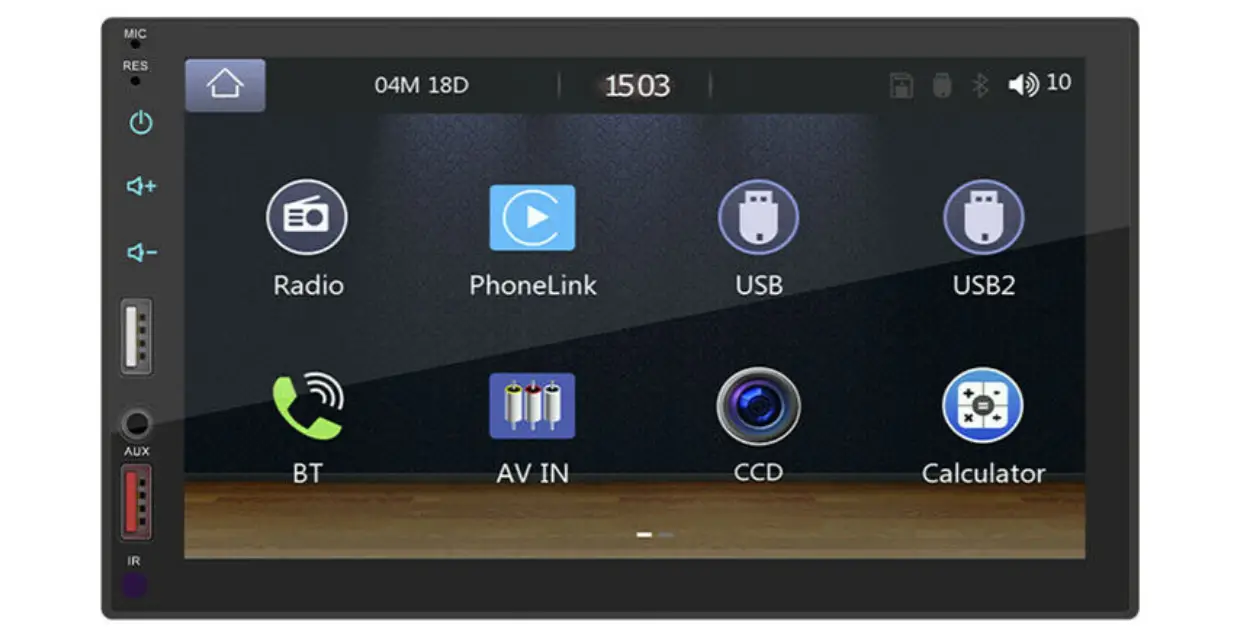
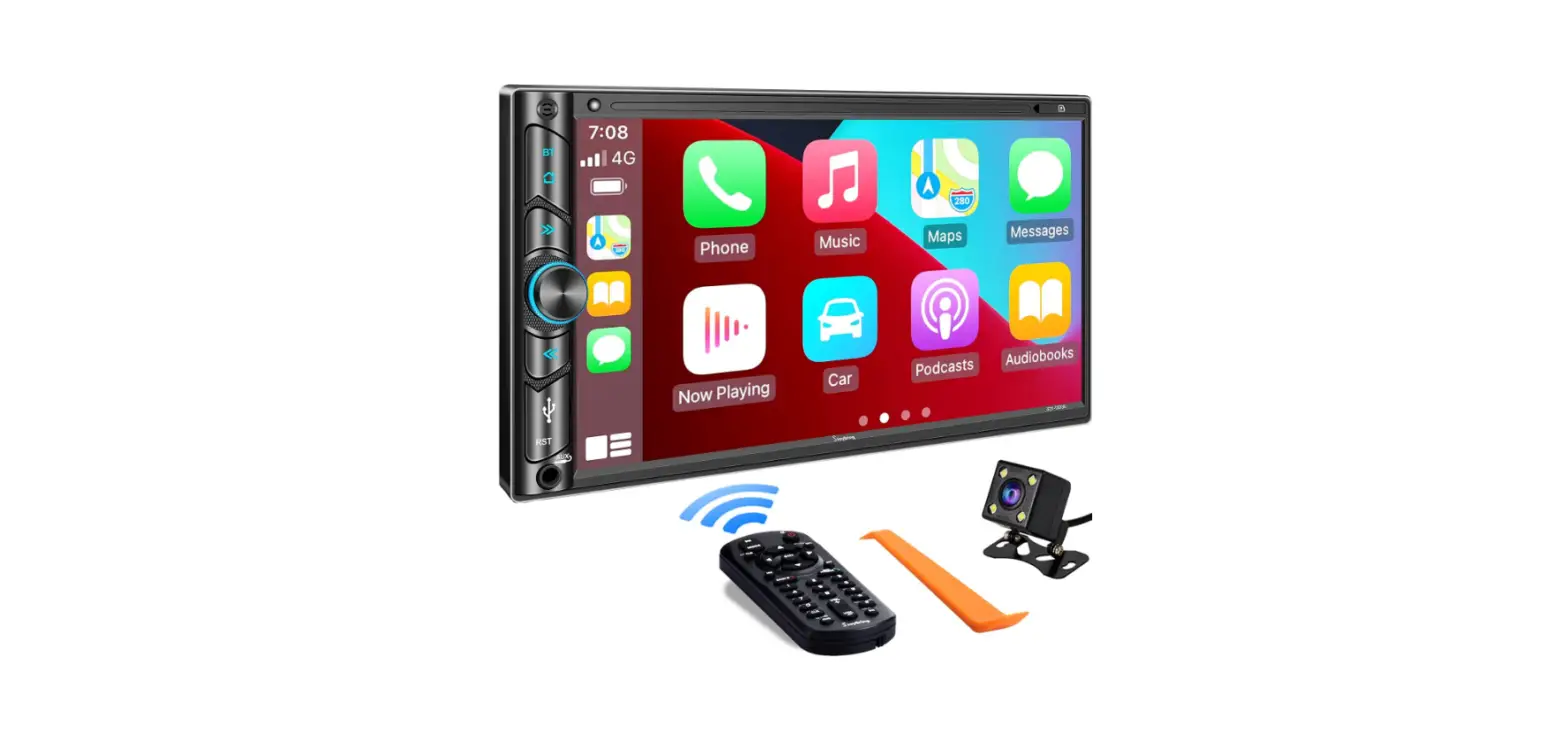
| 1. Power key | 6. USB playback |
| 2. Back to Desktop | 7. USB charging |
| 3. VOL+ | 8. Remote window |
| 4. VOL- | 9. MIC |
| 5. Reset hole |
Plug-in one din main function introduction
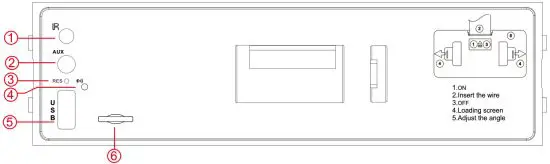
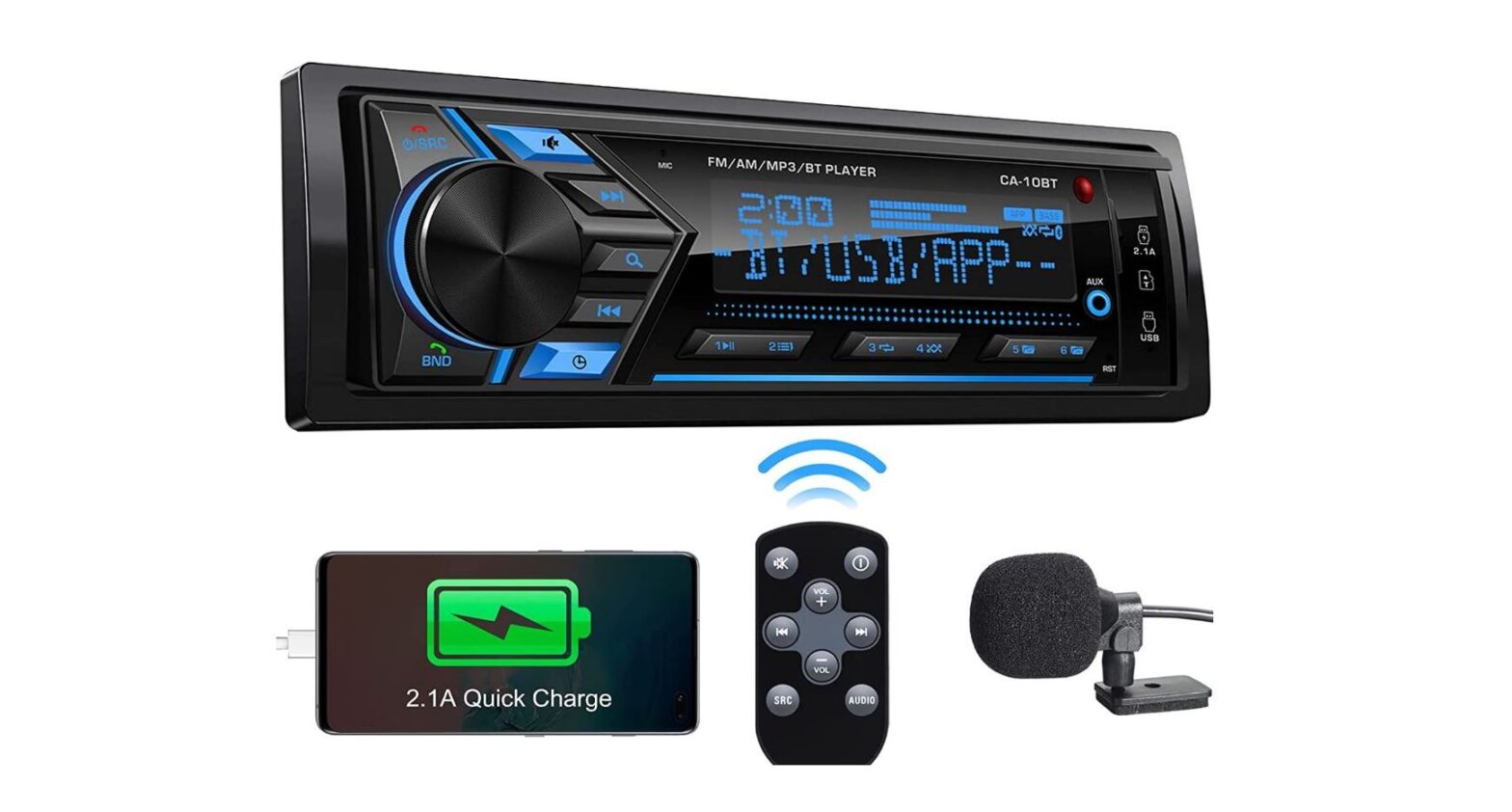
| 1. Remote window | 4. MIC |
| 2. Aux input | 5. USB |
| 3. Reset hole | 6. Card slot |
Introduction of single spindle external plug function
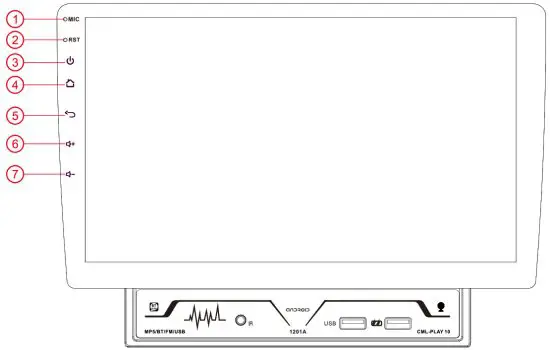
- MIC
- Reset hole
- Power key
- Back to Desktop
- Return key
- VOL+
- VOL-
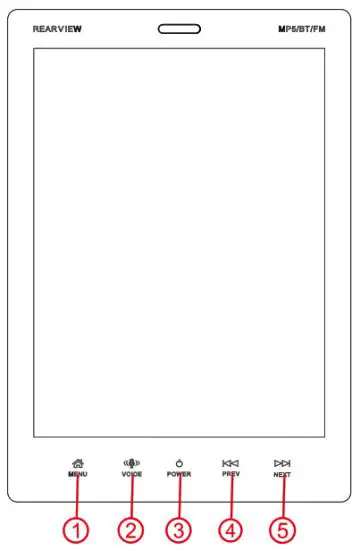
- MENU
- VOICE
- POWER
- PREV
- NEXT
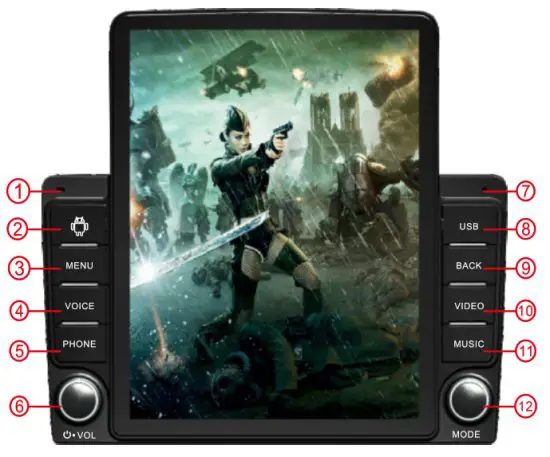
| 1. MIC | 7. POWER/VOL/+/- |
| 2. CARD | 8. VIDEO |
| 3. MENU | 9. RES |
| 4. VOLICE | 10. MUSIC |
| 5. PHONE | 11. USB |
| 6. BACK | 12. MODE |
Screen installation method
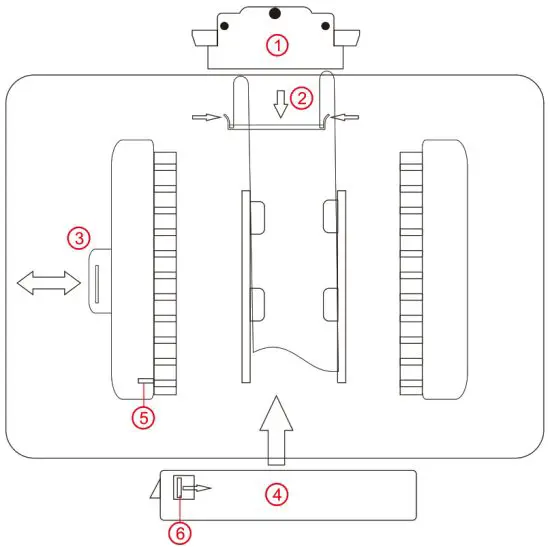
- Remove the cable cover The fingers are pulled straight out at the black spot above, Press the black spots on both sides during installation
- Insert the cable into the outlet Press down the flat wire by facing the winding mouth To take out the cable, you need to press the buckle on both sides and pull it outward
- Open the manual baffle
- Align the slots of the host and the screen, Then push the main engine up Push to the right position and then press the manual baffle
- Antiskid baffle
- Non slip buckle
You need to push the buckle to remove the screen completely
Offline Map operation Guide
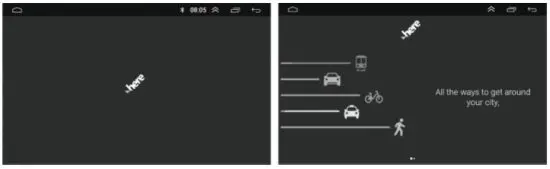
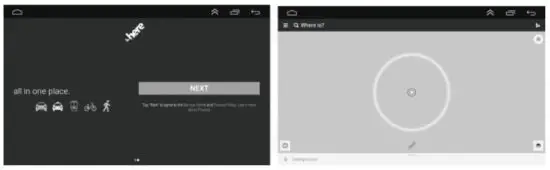
Thank you for purchasing our android car navigation. In order to use the offline function of the device, please follow below steps for setup.
- Power on the unit and connect the device to the internet by Wifi.
- Find the APP named Here in the main menu

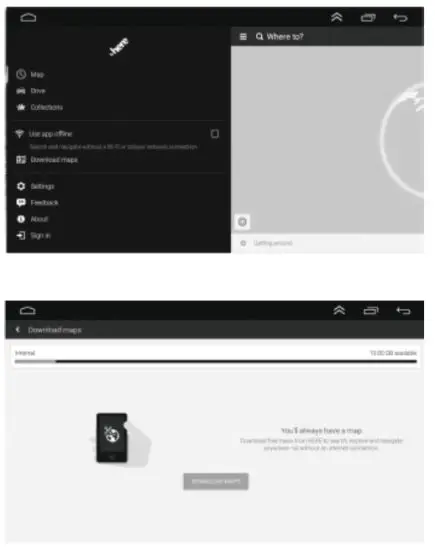
- Follo wthe tips of the app the main map page and find the option menu

- Click”Useappoffline”and download your preferred map data in the country list

Thank you for your use!