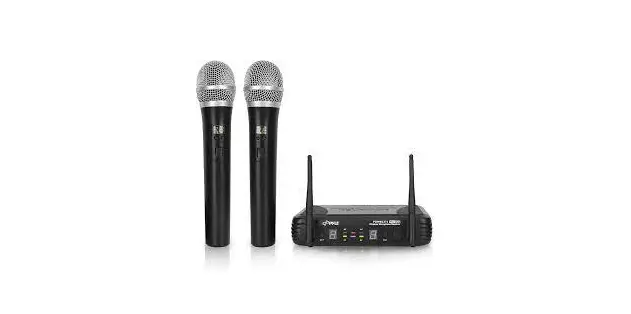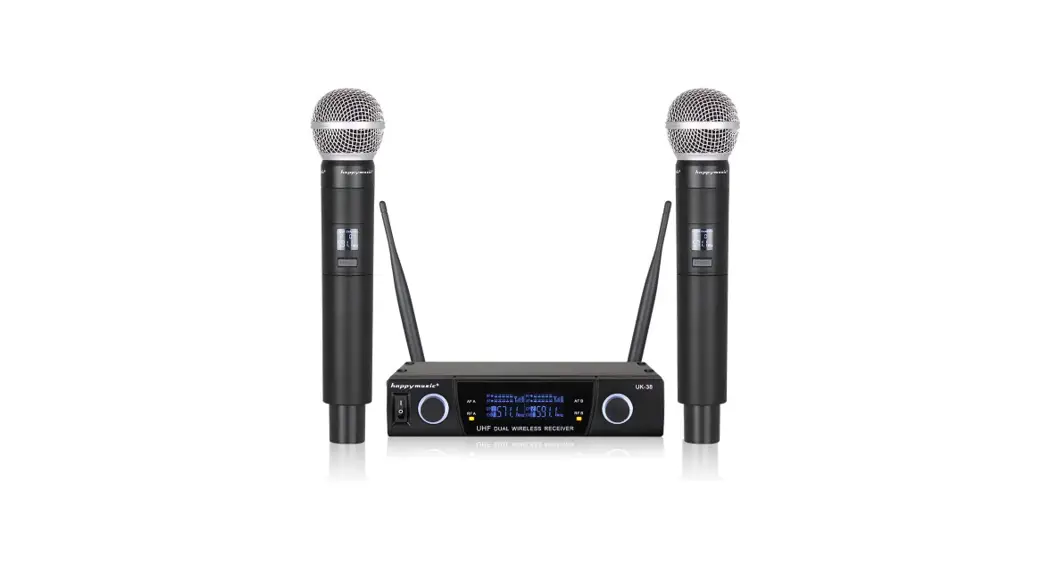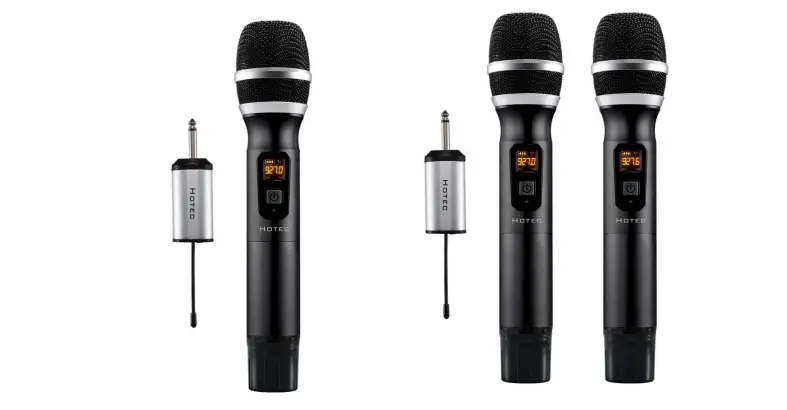

HOTEC H-U06B UHF Wireless Headset Microphones
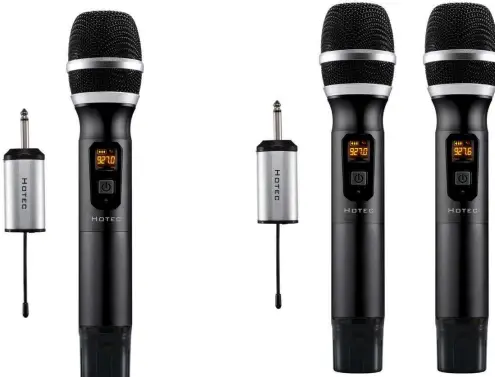
Thanks for purchasing Hotec UHF Wireless microphone, please read the following instructions carefully before use.
Email: [email protected]
Website: www.sz-hotec.com
Facebook page: https://www.facebook.com/Hotechome/
SYSTEM CONTENT
H-U06B
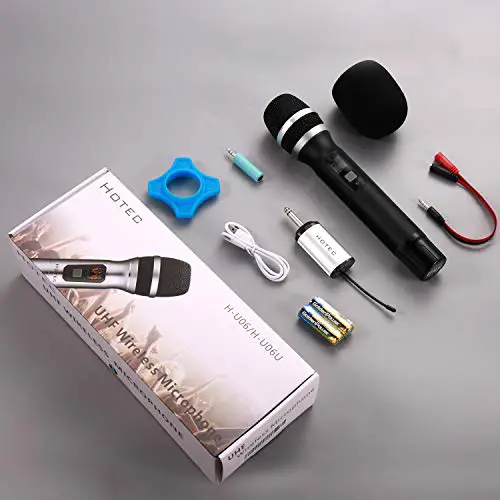
- H-U06B Hand held microphone x 1
- H-U06B Mini rechargeable Receiver x 1
- Charging cable x 1
- AA battery x 2 (for microphone) Microphone foam x 1
- Anti-rolling ring x 1
- TS to TRRS cable x 1
- TS to TRS cable x 1
H-U26
- H-U26 Hand held microphone x 2
- H-U26 Mini rechargeable Receiver x 1
- Charging cable x 1
- AA battery x 4 (for microphone) Microphone foam x 2
- Anti-rolling ring x 2
- TS to TRRS cable x 1
- TS to TRS cable x 1
PRODUCT INTRODUCTION
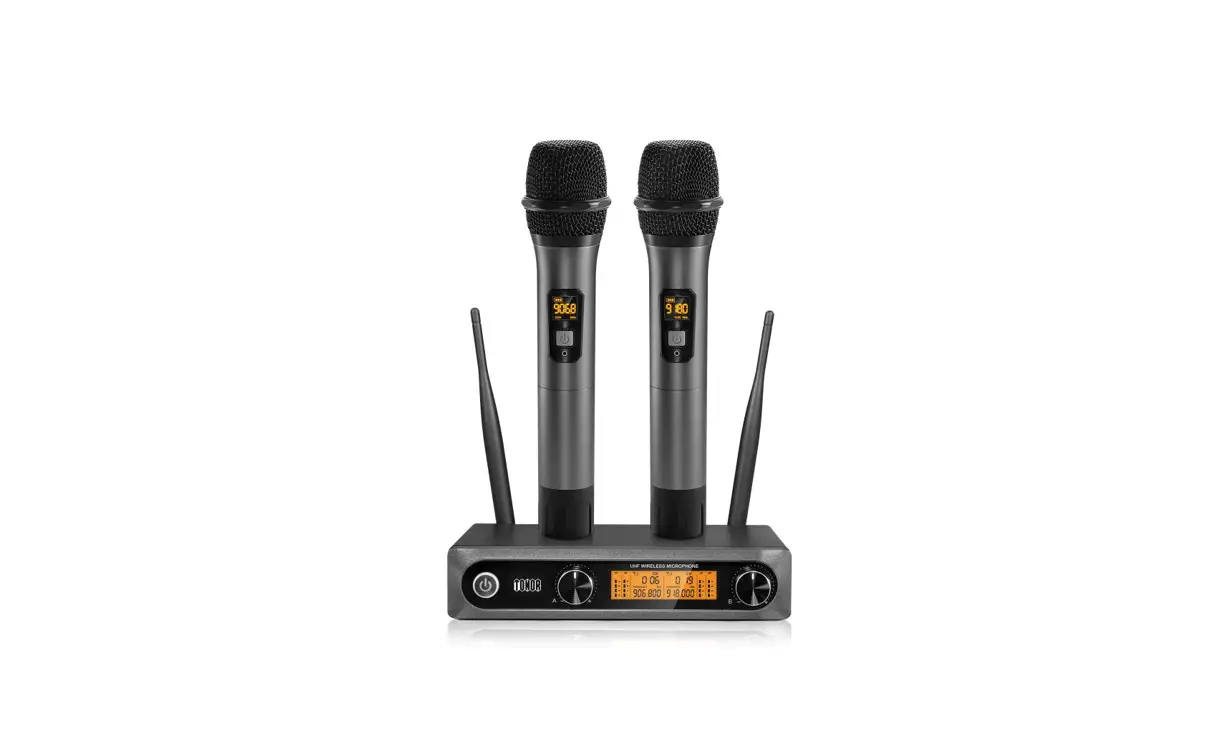
Hotec UHF wireless microphone works at 902-928MHz, total 64 frequencies for H-U26, 32 for each channel and 32 frequencies for HU06B. The handheld microphone system with mini rechargeable battery is perfect for vocal transmission over PA, mixer, active speaker and amplifier. The handheld microphone for H-U06B/H-U26 is powered by AA batteries and the Receiver is powered by rechargeable battery.
PREPARATION BEFORE USE
- Charge mini Receiver
Make sure the Receiver is fully charged before use. Use any standard micro USB cable to charge it. Charging time for the mini Receiver is about 4 hours. The average working time for the Receiver is about 4 hours after fully charged.
When the battery is low, the battery indicator becomes red. It keeps red color during charge and the light will become green after fully charged. - Install batteries for microphone
Open the battery compartment of the handheld microphone, install the AA batteries. - Check and make sure the microphone and Receiver are connected
Power on both mini Receiver and the hand held microphone. Make sure the mic and Receiver are paired. If you see the following indicator color, the mic and Receiver are paired and you are ready to use after you connect it to your audio device. When the Channel A (CHA) is connected to the Receiver, the AF/RF indicator in the mini Receiver is solid green; when Channel B (CHB) microphone is connected, the RF indicator is solid blue. When both mics are connected, it is orange. - Pairing the receiver and the handheld mics.
The mini receiver and the handheld mics were paired before leaving the factory but in case you find the receiver is not synced with the mics, please try the steps below to pair them again manually following the steps in the Trouble Shoot #1.
RECHARGEABLE MINI RECEIVER:
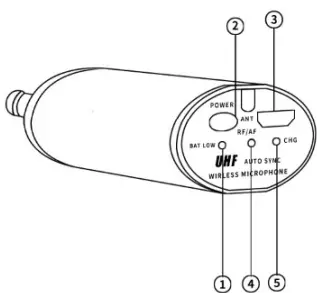
- Battery low indicator: battery is low if this indicator becomes Red, charge the Mini Receiver when the battery is low. When it is fully charged or has sufficient power, the battery low indicator is green.
- Power button: Short press this button to turn on/off the product.
- USB charging port: Charge the Mini Receiver using the micro USB cable, input is 5V1A or 5V2A.
- AF/RF indicator: When channel A is connected, it is solid Green; when Channel B is connected, it is solid Blue; when both channel A and channel B are connected, it is green-blue (orange).
- Charging Status indicator: This will be Red during charging. When the battery is fully charged, it turns green. Unplug the charger when the battery is fully charged.
Battery low indicator
Red Battery is low Blue Charged Charging status indicator
Red In charging Green Fully charged AF/RF
indicator
H-U06B Solid blue when the mic is connected with Receiver Blinking green when there is audio signal input H-U26
Green Only CHA is connected with Receiver Blue Only CHB is connected with Receiver Green/Blue Both CHA and CHB are connected with Receiver
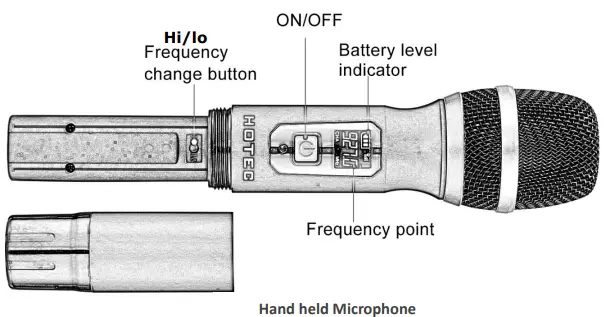
- ON/FF: short press this button to power on / off the hand held microphone
- Battery level indicator: This indicator tells you how much battery is left. Change the battery when the battery level is low.
- Frequency point: this shows what frequency the hand held mic works. Make sure each mic is working on different frequency.
- Frequency change button: You can find this button when open the battery compartment. Short press this button to change the frequency in case there is interference. Each press adds 0.4MHz.
CONNECTION DIAGRAM
- Use this wireless microphone to amplify your voice in live performances
Make sure your speaker, mixer or PA/amplifier has 1/4” microphone input and microphone volume control.- Step 1: Plug the mini Receiver into the 1/4” microphone input of your audio device like speaker, mixer and amplifier.
- Step 2: Turn the microphone volume to minimum before plug in the mini Receiver to avoid feedback or harsh loop back.
- Step 3: Power on the microphone and Receiver. When you see the RF/AF indicator at the right color, you are ready to use. If not, follow the trouble shoot steps to pair the Receiver and microphone manually.
- Step 4: Change the microphone volume from your audio device.
- Step 5: If there is any interference, short press the hi-lo button to change the frequency.
- Use this wireless microphone to record audio with your Phones
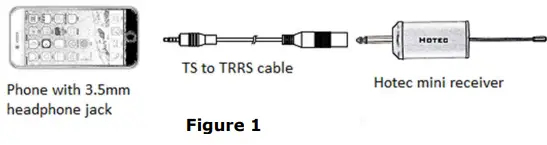
- Step 1: Connect the TS to TRRS cable to the mini Receiver;
- Step 2: Connect the TS to TRRS cable to the headphone jack of you phone.
- Step 3: Power on the hand held microphone and Receiver. When you see the RF indicator at the right color, you are ready to use.
See Figure 1.
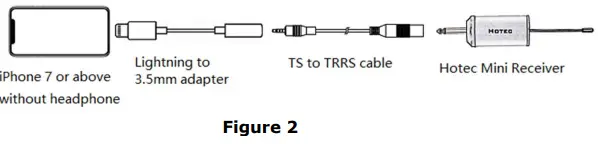
Note 1: if you are using iPhone 7 or newer version without 3.5mm headphone jack, you will need to use the original lightning to 3.5mm adapter (NOT included in the box). See Figure 2.
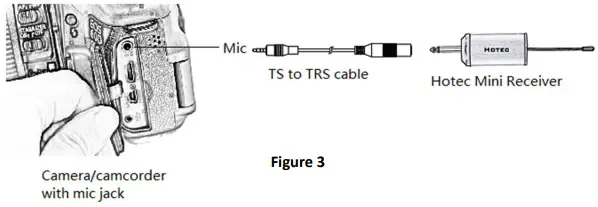
- Use this wireless microphone to record audio with camera (See Figure 3)
- Step 1: Please make sure your camera has mic input.
- Step 2: Connect the TS to TRS adapter to the mini Receiver.
- Step 3: Connect the TS to TRS adapter to the mic input of the camera.
- Step 4: Turn on the mini Receiver and hand held microphone. You are ready to use when you see the correct RF/AF indicator color.

PRODUCT SPECIFICATION
System spec.
| Modulation Mode | Digital Frequency Modulate |
| Frequency Range | UHF 500~980MHz |
| Preset Frequencies | 32 for CHA & CHB respectively |
| Frequency Response | 75Hz~18kHz ± 3dB |
| Max. Deviation Range | ±50kHz (with level limiting) |
| T.H.D. | < 1.0% @ 1kHz |
| S/N | >98dB |
| Working Range | Up to 100 feet |
| RF Carrier Stability | ±0.005% (-10℃-50℃) |
Receiver Spec.
| Dimension | 110*40*23 mm |
| Power Supply | 650 mA |
| Power Consumption | 120 mA |
| Battery Life | 4 hrs after fully charged |
| Recharging Time | About 2 hour (5V/1A) |
Hand held Microphone Spec.
| Carrier Frequency Power | 30mw |
| Battery Type | 2 x AA Size |
| Working Time | Up to 6-8 hrs (subject to the AA battery capacity) |
| Dimension | 250 x 55 mm |
| Weight | 0.7 lb |
TROUBSHOOTING
| Issue | Cause | Solution |
| Pair the mic and Receiver | ||
| manually following the steps | ||
| below | ||
| 1. Turn on the hand held | ||
| microphone that is not paired | ||
| to the Receiver, hold and press | ||
| the power button and the | ||
| frequency adjustment button | ||
| until the LCD display of the | ||
| microphone flashes; | ||
| 2. Turn on the Receiver when | ||
| The mic does not sync with the Receiver | The mic lost pairing with the Receiver | the LCD display of the hand held microphone flashes, you will see the RF indicator flashes briefly. |
| 3. Turn off the hand held | ||
| microphone and turn it back | ||
| on. The mic and Receiver are | ||
| connected. | ||
| 4. Short press the frequency | ||
| button in the hand held | ||
| microphone to select an | ||
| appropriate frequency. The | ||
| Receiver will auto sync with | ||
| this microphone at this | ||
| selected frequency. | ||
|
Mic volume is low | This wireless mic system does not support portable Bluetooth speaker | Please make sure the speaker has mic input and mic volume control. Recommend to use speakers over 15W or other audio device such as audio mixer, |
| amplifiers and speakers like ION Bluetooth speakers or singing machines or Hotec PA speaker. | ||
| Can this be used with Android/iOS smart phones or DSLR cameras for recording? | Yes, please make sure to use the correct TS to TRRS cable or TS to TRS cable. Contact Hotec seller support if you have difficult connecting it with your phone or camera. | |
| Can I sync the microphone for H- U26 with the Receiver of H-U06 since my Receiver for H-U26 is broken? |
No. Please contact the seller for replacement if the product is within warranty. | |
| Issue | Cause | Solution |
| Can I use two sets together? Is there any interference with each other? | Yes, you can use two sets working together. Make sure the mics working at different frequency to avoid interference. | |
|
My mic cuts in and out, what is wrong? | There might be other UHF devices around which caused interference. | If you have several sets of Hotec wireless microphones or other brand which utilizes UHF technology, please make sure the one you are using is working at different frequencies from other UHF devices. |
|
My product does not work with iPhone | This product works with iPhone perfectly. First, please make sure the product actually pairs with each other; then check the connections and make sure every part is connected tightly. Try to plug and unplug a few times if possible. If you are using it with a third party Apps, please check if there is any need to select the external microphone. Contact Hotec customer services if you need any assistance. |
CAUTION
- Please do not disassemble the item by yourself. If you need support, please turn to our customer support.
- In order to enjoy better transmission, please do not fold or cut the antenna on the Receiver
- Please do not hold the bottom of the mic where the antenna is positioned to avoid signal transmission.
- Please do not hold the mic head directly to the speakers, otherwise it will form a mic feedback and cause hassle.
- If the mic system is not to be used for a certain period of time, please take out the battery from the hand held mic.
Manufactured by Shenzhen Tecson Trade & Technology Co., Ltd. Customer service e-mail: [email protected]
 Hotec- microphone,wireless microphone