 PODIUM
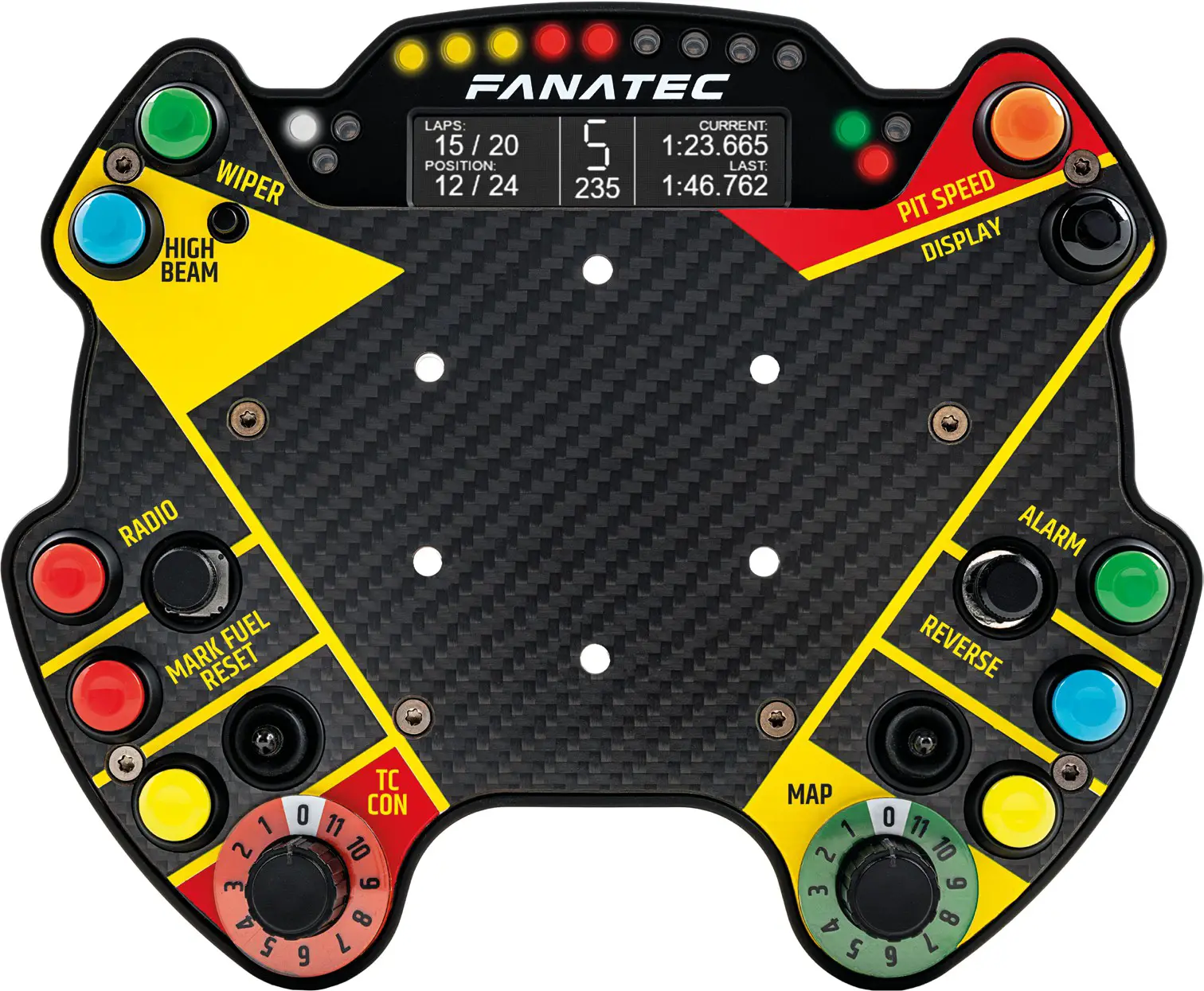
BUTTON MODULE ENDURANCE
Quick Guide
Fanatec® is a registered trademark of Endor AG
Designed and developed by Endor AG in Germany
Made in China

PACKAGE CONTENTS
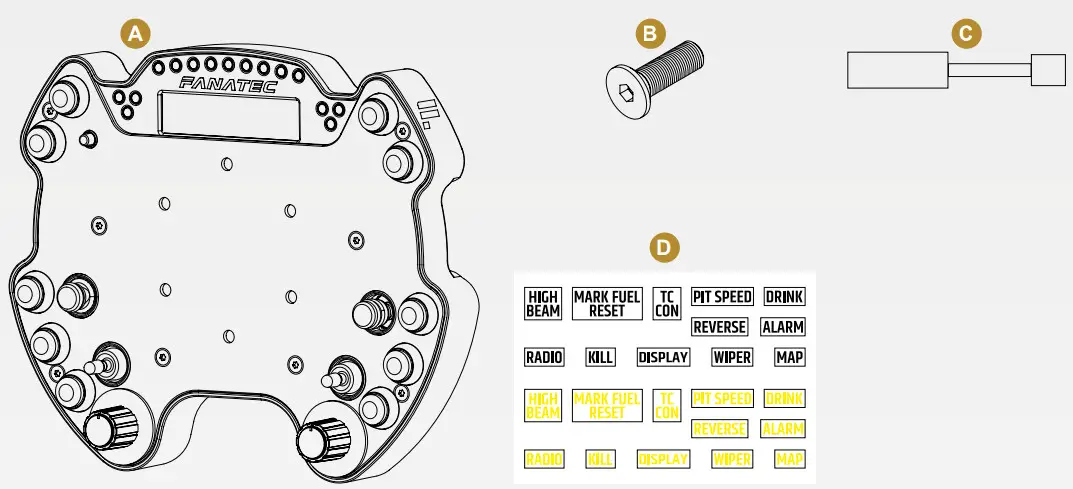
A 1x Podium Button Module Endurance
B 6x M5x25mm countersunk bolts
C 1x DataPort-C to RJ12 adapter
D 1x Endurance style sticker set
NOTE: Please download our latest Wheel Base firmware from www.fanatec.com.
INTELLIGENT TELEMETRY MODE (ITM)
A small “ITM” icon in the bottom right of the BME display shows if ITM is accessible. To scroll through the screens, press and hold the Tuning Button while rotating the FunkySwitch™ left or right.
To access ITM on the Podium Base display, press and hold the Tuning Button while pressing UP with the FunkySwitch™, which will show the legacy screen and a small “ITM” icon in the bottom right if ITM is accessible. Scroll through screens by keeping the Tuning Button held down while pressing left or right with the FunkySwitch™.
NOTE: ITM functions require the use of FanaLab on a Windows PC.
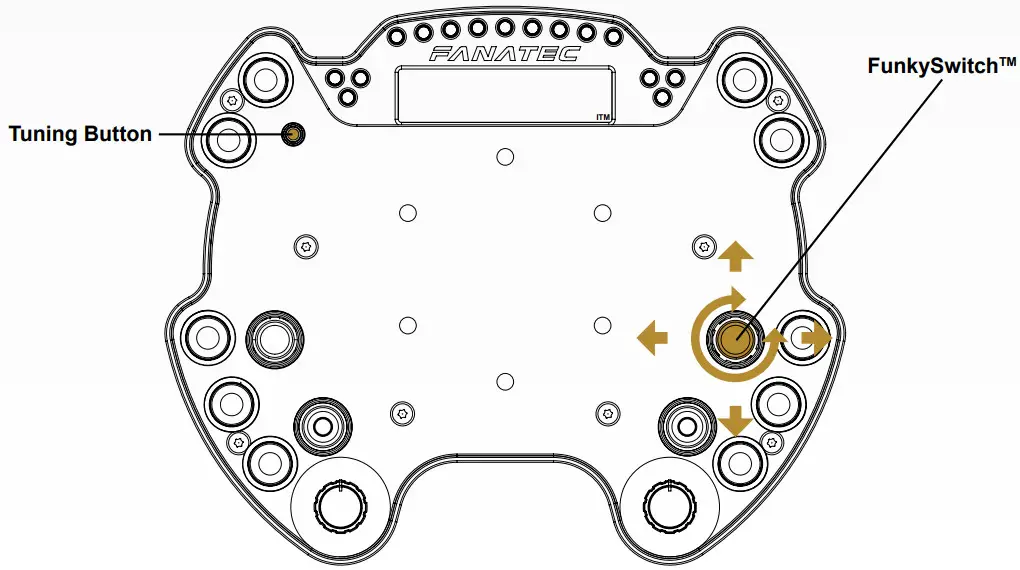
CENTRE CALIBRATION
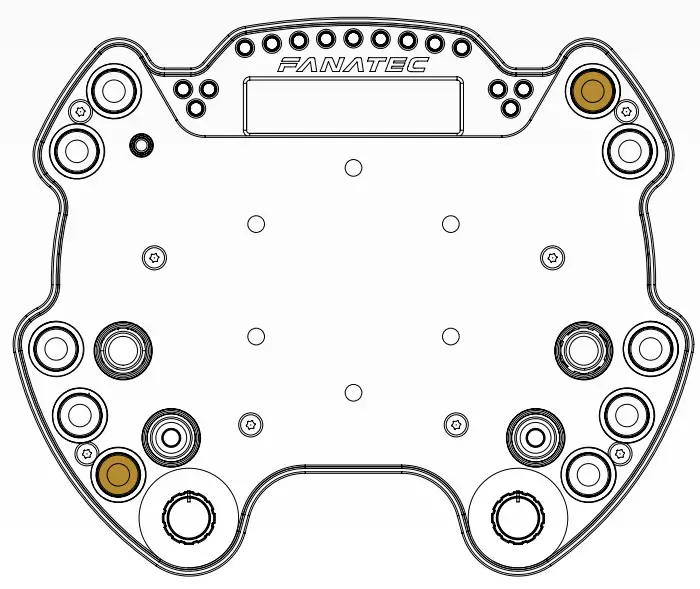
If a center calibration is needed (e.g. after a firmware update of the wheelbase) when using the button module you need to press the tuning button as highlighted in the picture below to enter the Tuning Menu.
When Tuning Menu is active press the analog stick and the FunkySwitch™ simultaneously to calibrate the wheel center.
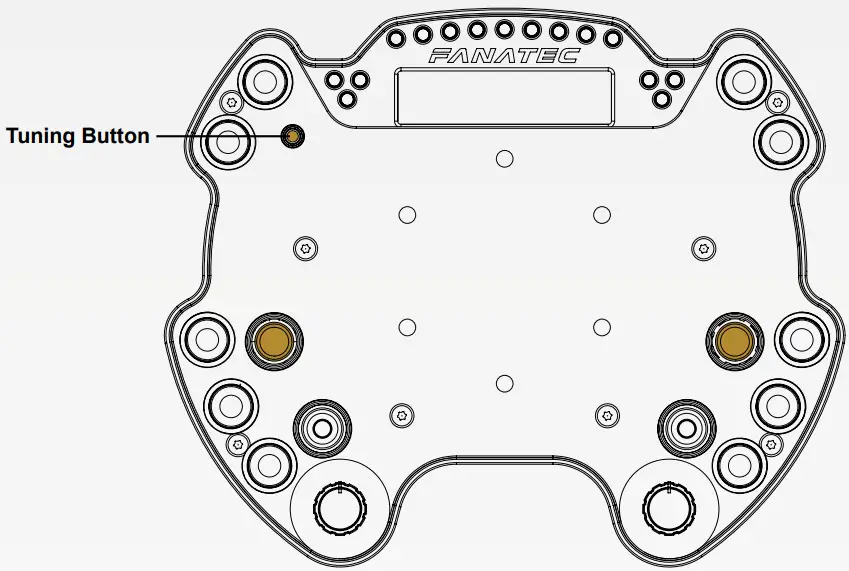
SHIFTER CALIBRATION
To enter shifter calibration mode, simultaneously press the Tuning Button and the button highlighted below.
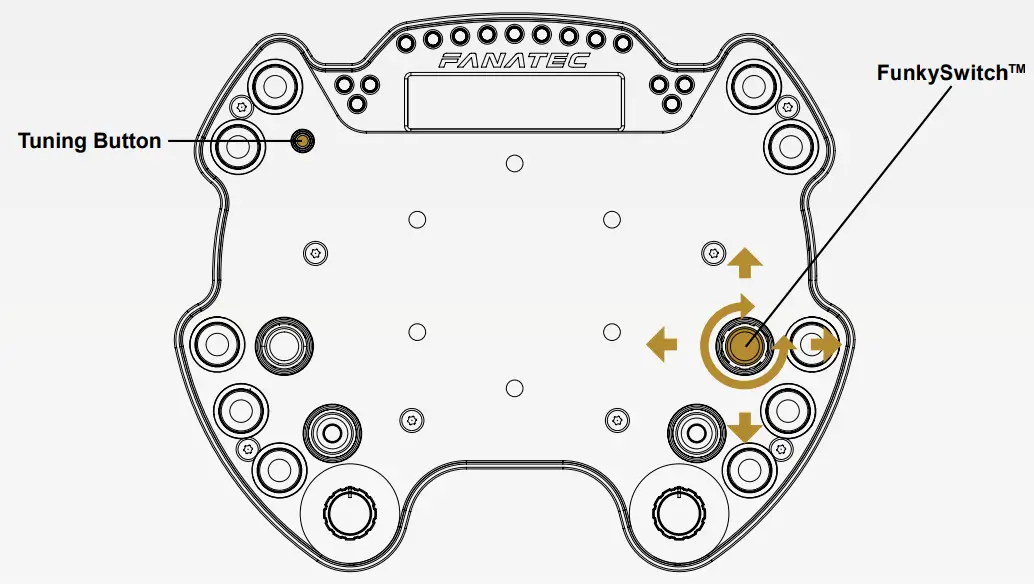
TUNING OPTIONS
To enter the Tuning Menu, press the Tuning Button. To navigate inside the menu, use the FunkySwitch™. Press it up or down to access the five setups. dress the FunkySwitch™ right or left to go through the options and rotate the FunkySwitch™ to change option values.
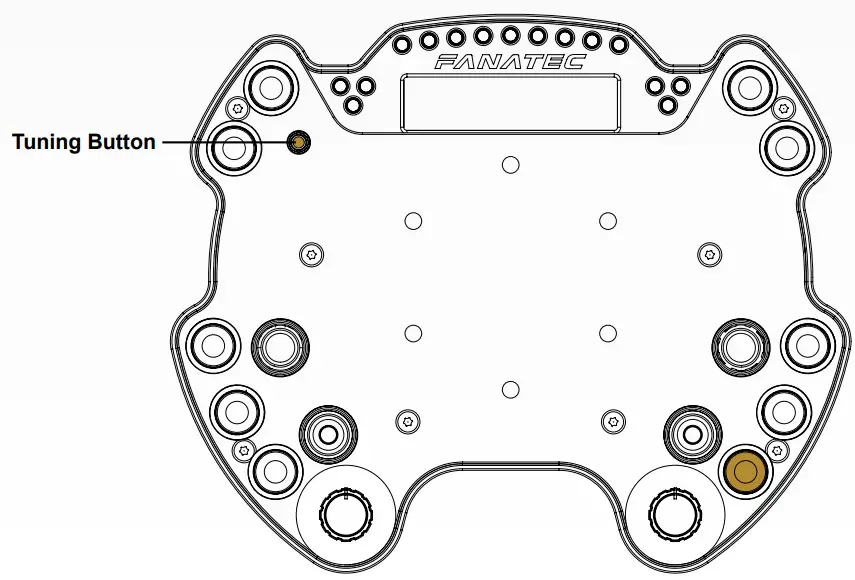
WHEELBASE MODES
To switch between wheelbase modes, simultaneously press and hold the two buttons highlighted below, for one second.
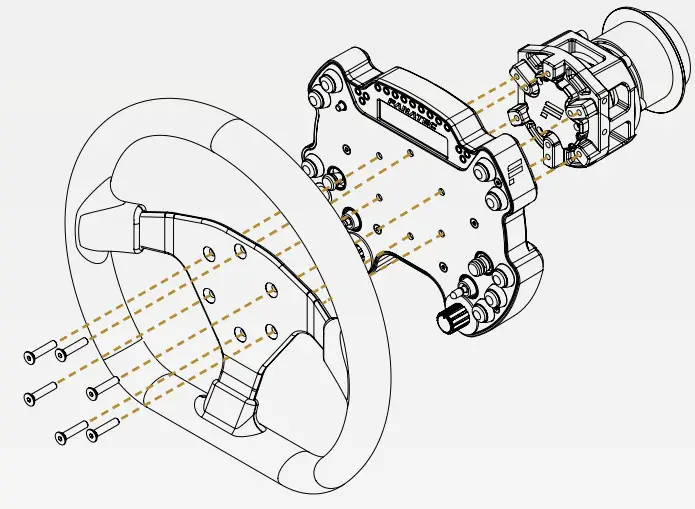
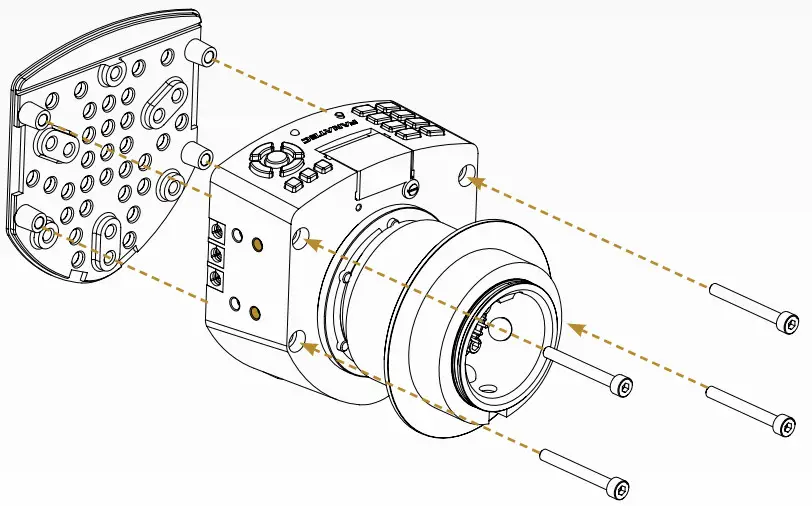
- Align the Podium Button Module Endurance with the mounting holes of the Podium Hub.
- Place a suitable wheel rim (e.g. UH R300, UH R911, UH R911S) on top of the Podium Button Module Endurance
- Use the longer mounting bolts (B) that are included in the Podium Button Module Endurance package and tighten down the Wheel Rim.
- Connect the DataPort-C cable of the Podium Button Module Endurance to the connector on the bottom of the Podium Hub.
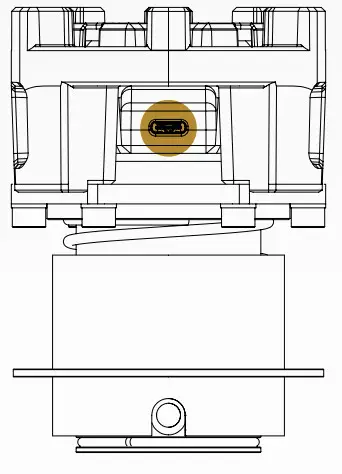
NOTE: The Podium Button Module Endurance is only suitable for steering wheels with a 6x70mm hole pattern.
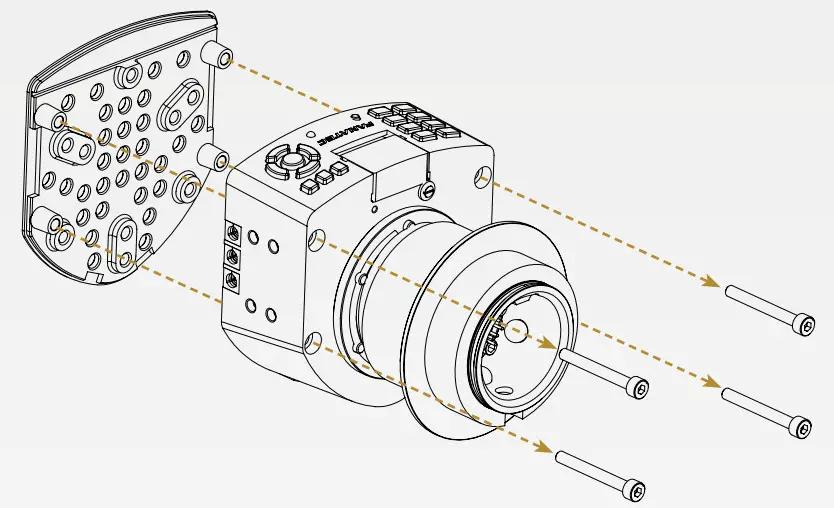
- All regular button clusters and Universal Hub FunkySwitch™ must be removed before installing the Podium Button Module Endurance
- Loosen the four bolts on the backside of the Universal Hub.
- Open the front cover and connect the RJ12 to the DataPort-C adapter to the RJ12 connector.

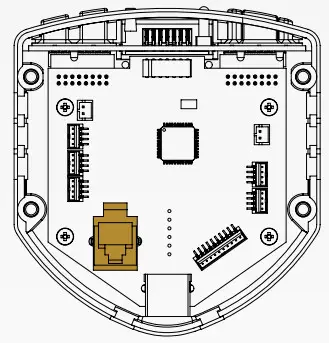
ATTENTION: Be careful to position the cable in one of the cable holes of the Universal Hub to avoid pinching the cable.
- Close the front cover and tighten the bolts from the backside.
NOTE: To use the Podium Button Module Endurance with shifter paddles, they must be attached to the rearward set of mounting holes.
- Align the Podium Button Module Endurance with the mounting holes of the Universal Hub for Xbox One.
- Place a suitable wheel rim (e.g. UH R300, UH R911, UH R911S) on top of the Podium Button Module Endurance.

- Use the longer mounting bolts (B) that are included in the Podium Button Module Endurance package and tighten down the Wheel Rim.
- Connect the DataPort-C cable of the Podium Button Module Endurance to the adapter that was mounted before.
NOTE: The Podium Button Module Endurance is only suitable for steering wheels with a 6x70mm hole pattern.
NOTE: Steering wheels of smaller diameters such as the UH R300 as well as third-party rims may present tight spacing for fingers between the Podium button Module Endurance and the rim’s inner perimeter.
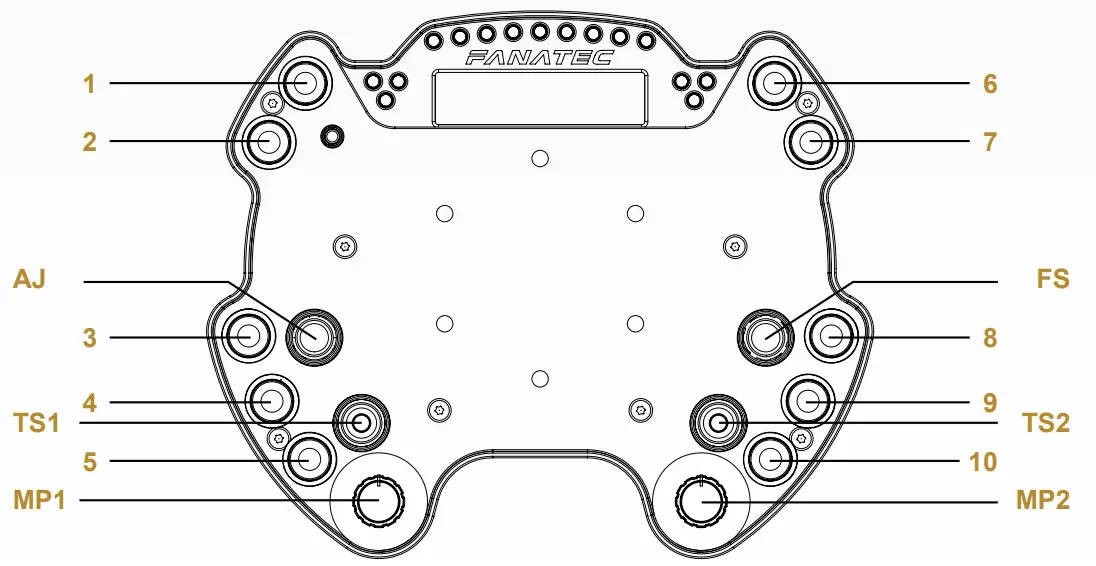
| # | Button no. PC | Function Xbox One | Function PS4na |
| FS | D-pad left | D-pad left | D-pad left |
| D-pad right | D-pad right | D-pad right | |
| D-pad up | D-pad up | D-pad up | |
| 0-pad down | 0-pad down | 0-pad down | |
| PUSH / 24 | A | Cross | |
| ROT CW 123 | — | — | |
| ROT CCW / 22 | — | ||
| AJ | rX | Right stick axis 0-center | Left stick axis X |
| rY | Left stick axis center-end | Left stick axis Y | |
| PUSH / 25 | HORN | Cross | |
| TS1 | UP / 33 | BRAKE | Game specific |
| DOWN / 31 | THROTTLE | Game specific | |
| TS2 | UP / 32 | BRAKE | Game specific |
| DOWN / 30 | THROTTLE | Game specific | |
| 7 | RB | L2 | |
| 2 | 11 | LB | L3 |
| 3 | 06 | LT | R2 |
| 4 | 10 | XBOX GUIDE | PS |
| 5 | 08 | VIEW | SHARE |
| 6 | 02 | Y | TRIANGLE |
| 7 | 03 | B | CIRCLE |
| 8 | 00 | A | CROSS |
| 9 | 01 | X | SQUARE |
| 10 | 09 | MENU | OPTIONS |
| MP1 | ENC: 48/49. MPS (pulse/const): 48-59 | Game specific | |
| MP2 | ENC: 36/37, MPS (pulse/const): 36-47 | Game specific | No output to the game |
| TUNING BUTTON | 27 | No output to the game | No output to the game |
 Fanatec USA | Fanatec