

Quick Guide

Fanatec®is a registered trademark of Endor AG
Designed and developed by Endor AG in Germany
Made in China
PACKAGE CONTENTS
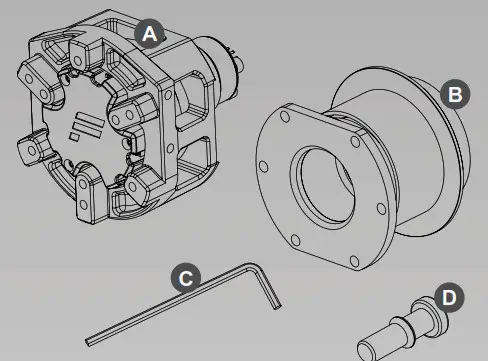
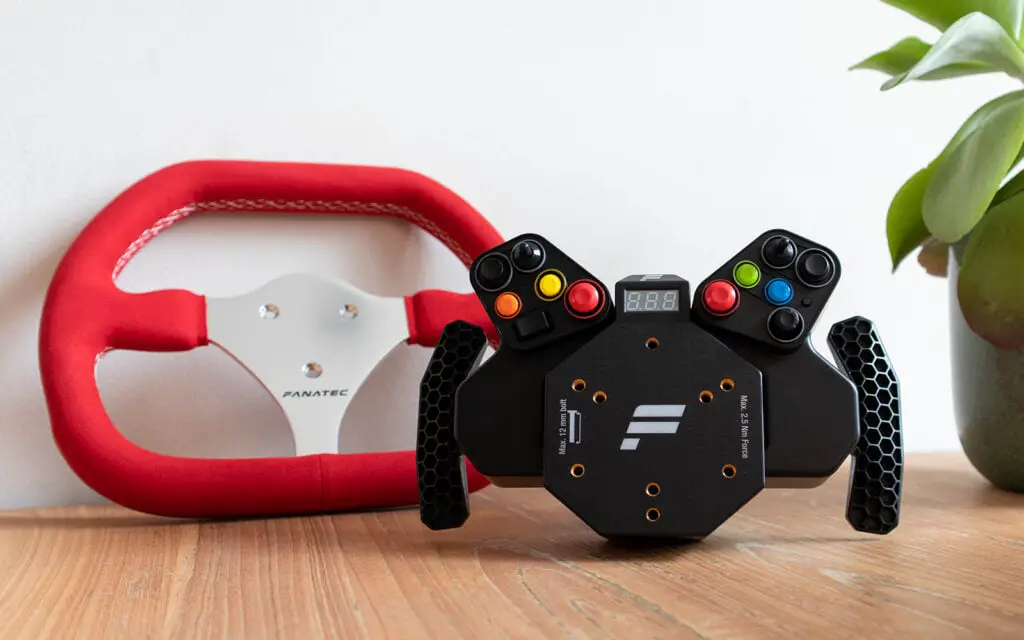
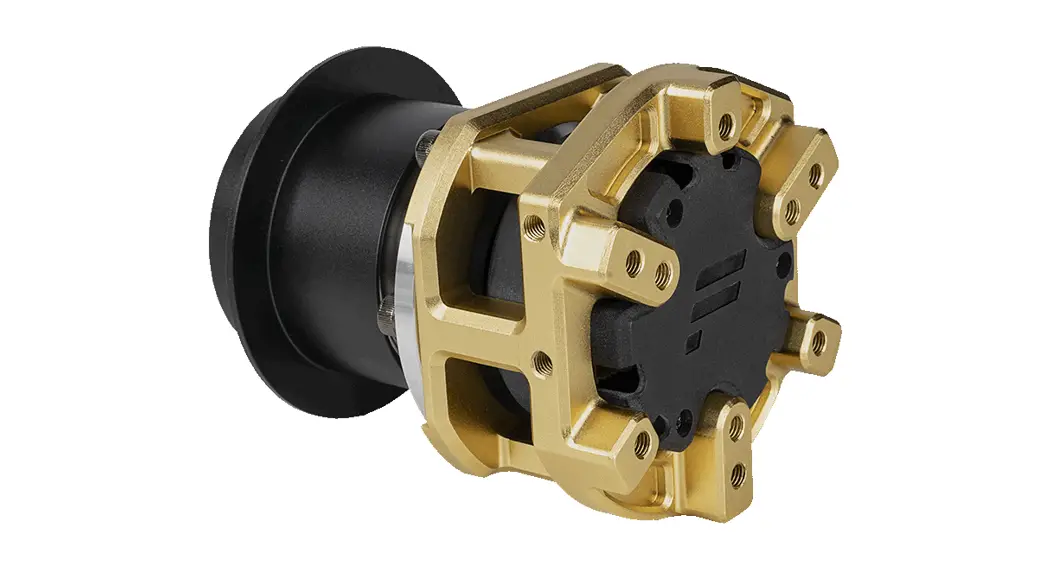
- Podium Hub A
- Quick Release Adapter B
- 2 mm Allen key C
- Safety bolt D
DATA PORT-C
The DataPort-C on the bottom of the Podium Hub is to connect compatible FANATEC ® peripherals with your wheelbase. ATTENTION: It is NOT a USB data port and cannot transfer any data between a PC and any attached device that is not from Fanatec®.
ANALOGUE PADDLE MODES
To switch the Mode of your Podium Advanced Paddle Module you need to enter the Tuning Menu. This can be accessed using the FanaLab software, driver or a button/display module (sold separately). For further information about the APM Modes, please read the Quick Guide or Manual for the Podium Advanced Paddle Module.
ATTENTION: Download driver V336 or higher.
WHEEL COMPATIBILITY
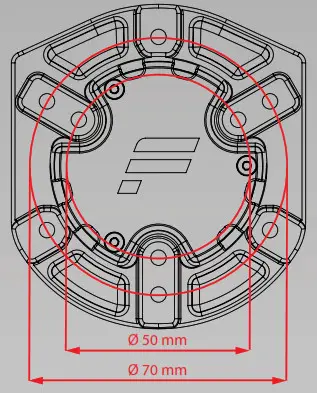
Use M5 bolts with a maximum internal reach of 16 mm in order to avoid internal damage of the Podium Hub. Fanatec Wheel Rims come with the correct bolts. If your wheel rim is not pre-drilled, you can use the drilling template for the Podium Hub.
NECESSARY FUNCTIONS
- To accept the High Torque warning message on a Podium Wheel Base, you need to turn the steering wheel 90° and wait until the bar on the wheelbase display disappears.
- Centre Calibrate by clicking on “Centre Calibration” in the driver.
- Shifter Calibrate by clicking on “Shifter Calibration” in the driver.
- To adjust the wheelbase Tuning Menu, you need to use the FanaLab software, driver or use a suitable button/display module (sold separately).
- Mode switching on wheelbases without a dedicated “Mode” button is only possible through the use of a suitable button/display module.
NOTE: The FunkySwitch™is not compatible with the Podium Hub. ATTENTION: Download driver V346 or higher.
ATTACHING THE PODIUM HUB
ATTENTION: Ensure that your Fanatec wheelbase and Podium Hub firmware is updated from the downloads section of www.fanatec.com.
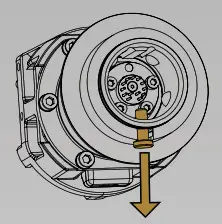
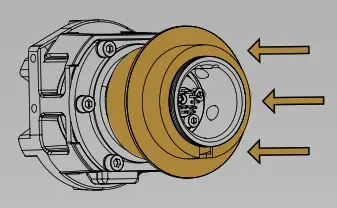
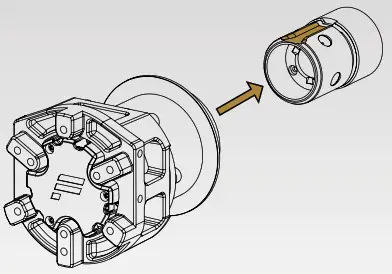
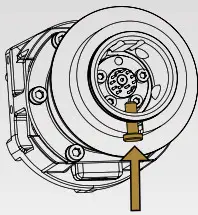
- Remove the storage pin.
NOTE: Keep the storage pin for future use.
- Align wheelbase axle to correct position.

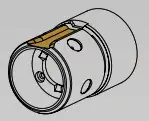
- Compress and hold the Quick Release mechanism.

- Slide the Podium Hub onto the wheelbase axle up to the mechanical limit.

- Release the Quick Release mechanism.
DETACHING THE PODIUM HUB
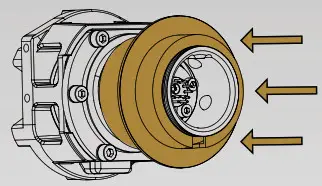
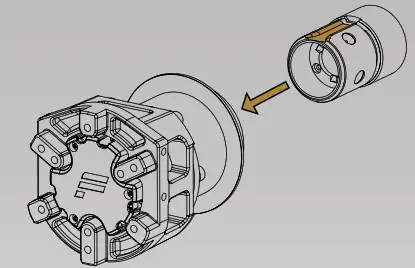
- Compress and hold the Quick Release mechanism.

- Pull off the Podium Hub from the wheelbase axle.

- Compress and hold the Quick Release mechanism.
- Insert the storage pin (recommended for long-term storage).

- Release the Quick Release mechanism.
MOUNTING SHIFTER PADDLES
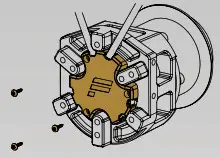
- Loosen the three highlighted bolts on the plastic cover. Use the included 2 mm Allen key.

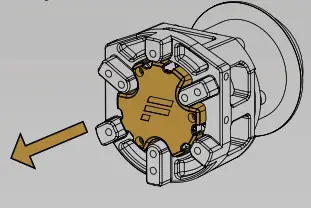
- Remove the front cover.

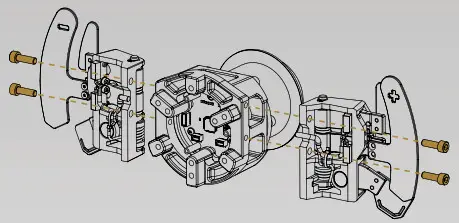
- Attach Podium Advanced Paddle Module (P APM; sold separately) using the M5x16 bolts from the package content and tighten them.

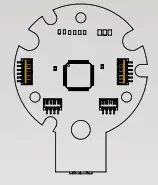
- Connect the P APM cables to the correct sockets.

- Attach the front cover again, insert and tighten the three bolts. Position the cables carefully to avoid damage.

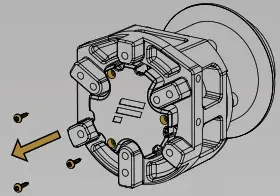
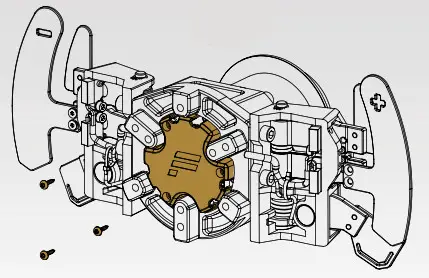
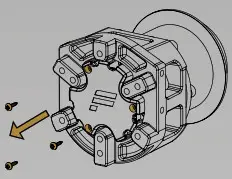
- Loosen the three highlighted bolts on the plastic cover. Use the included 2 mm Allen key.

- Remove the front cover.

- Connect the Button Cluster cables to the correct sockets.

- Attach the front cover again, insert and tighten the three bolts. Position the cables carefully to avoid damage.

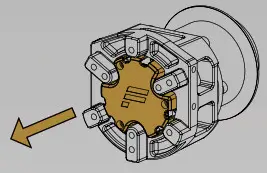
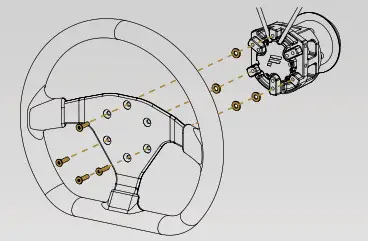
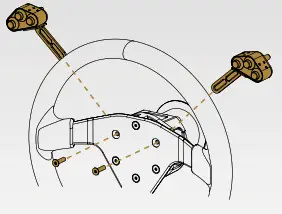
- Place the washers from the ClubSport Button Cluster Pack (BCP, sold separately) on the holes where no
Button Clusters will be mounted.
- Place the wheel rim on top of the washers, keeping it in place using all bolts except the two for the Button Clusters (one bolt for three-hole pattern, four bolts for six-hole pattern).

- Slide the Button Clusters in place, insert the remaining bolts, and fasten slightly in order to make final positioning adjustments, then tighten firmly.
# | Button no. PC | Function PS4 |
| 1 | 00 | SQUARE |
| 2 | 01 | CROSS |
| 3 | 02 | CIRCLE |
| 4 | 03 | TRIANGLE |
| 5 | 08 | SHARE |
| 6 | 09 | OPTIONS (PRESS & HOLD FOR 3 SECONDS FOR PS4™SIGN-IN) |
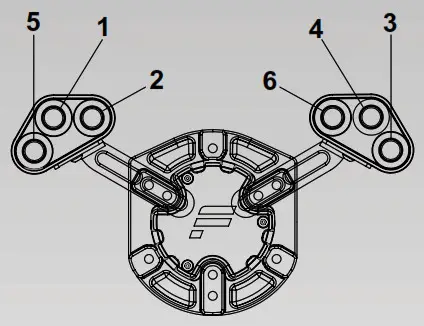
ATTENTION: A suitable button/display module such as the Podium Button Module Endurance or ClubSport Button Cluster Pack is mandatory for use on PS4. These products add a ‘PS-button’ to the Podium Hub, which must be pressed to initiate/sign-in the connected Fanatec hardware on a PS4 console. Ensure that the “PS4 Mode” is selected on the wheelbase by pressing TRIANGLE & SHARE simultaneously.
 Watch our video named “The Podium Hub – Sim Racing Wheel Adapter |
FANATEC” on the official Fanatec YouTube™ channel for further visual reference.
 Fanatec USA | Fanatec
 Endor AG – Endor AG – The brainfactory
 Fanatec USA | Fanatec