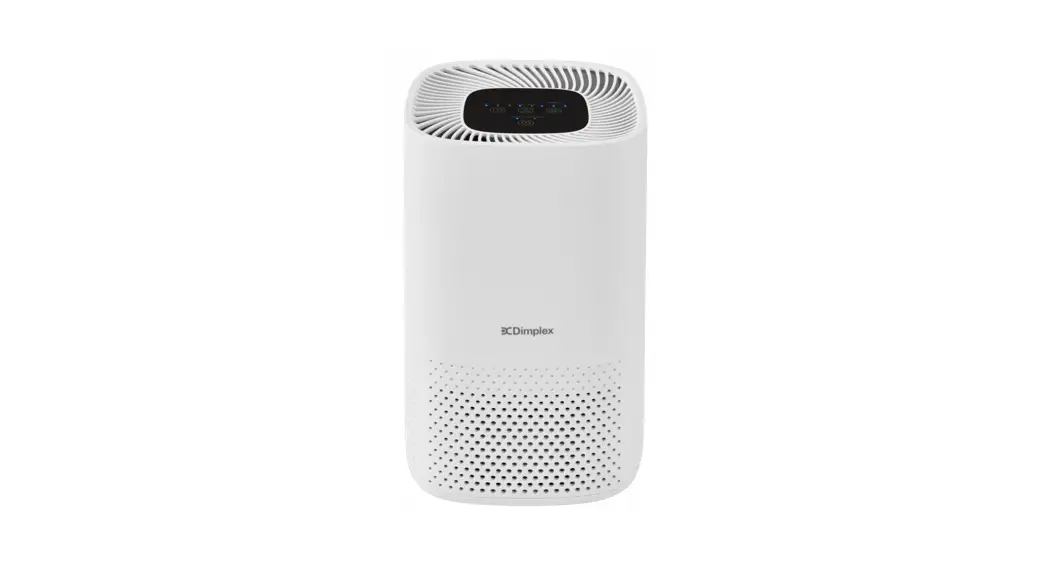

 Make your air good again
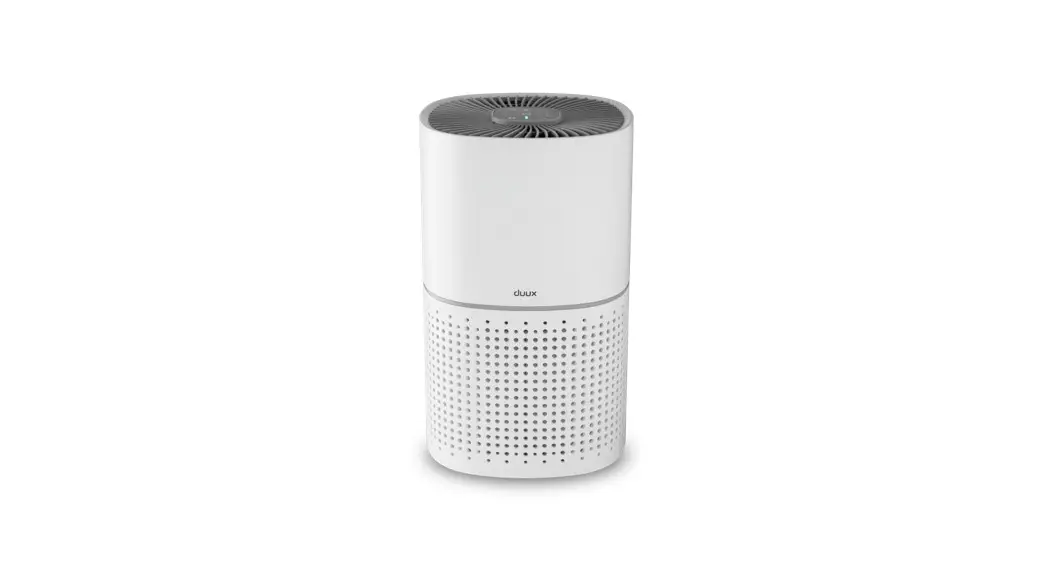
DXBRVAP4
4 Stage Desktop Air Purifier IMPORTANT – Please ensure the bag protecting the filter is removed before use 08/54725/0 Issue 2
This product complies with all the required European Product Safety, Electromagnetic Compatibility, and Environmental Standards. They are fully compliant with the LVD, EMC, RoHS, and Eco Design Directives
This product should be used only in accordance with the specifications outlined in this manual. Usage other than as specified in these instructions may result in serious injury, risk of fire or electric shock.
DO NOT attempt to repair or adjust any electrical or mechanical functions on this unit. Doing so will void your guarantee. The inside of the unit contains no user serviceable parts. All servicing should be performed by qualified personnel only.
IMPORTANT – To reduce the risk of electric shock, the plug is intended to fit in a standard polarized 13Amp socket outlet, only plug the appliance directly into a proper electrical outlet.
WARNING: To avoid the danger of suffocation please remove all packaging materials particularly plastic and EPS and keep these away from vulnerable people, children and babies.
Use this product on a horizontal and stable surface with the feet securely fitted or fixed to the wall as applicable.
WARNING – To avoid the risk of accidental strangulation from the supply cord all children and vulnerable people must be supervised when in the vicinity of the product whether it is working or not. This appliance can be used by children aged 8 years and above and persons with reduced physical, sensory or mental capabilities or lack of experience and knowledge if they have been given supervision or instruction concerning the use of the appliance in a safe way and understand the hazards involved. Children shall not play with the appliance. Cleaning and user maintenance shall not be made by children without supervision.
Children of less than 3 years should be kept away unless continuously supervised.
Children aged from 3 years and less than 8 years shall only switch on/off the appliance provided that it has been placed or installed in its intended normal operating position and they have been given supervision or instruction concerning the use of the appliance in a safe way and understand the hazards involved. Children aged from 3 years and less than 8 years shall not plug in, regulate and clean the appliance or perform user maintenance.
If the supply cord is damaged, it must be replaced by the manufacturer, its service agent, or similarly qualified persons in order to avoid a hazard.
DO NOT place the product directly below a fixed socket outlet.
DO NOT use this product if it has been dropped
DO NOT use this product in the immediate surroundings of a bath, a shower or a swimming pool.
DO NOT use if there are visible signs of damage to the product.
WARNING: Do not use this product in small rooms when they are occupied by persons not capable of leaving the room on their own unless constant supervision is provided.
WARNING: To reduce the risk of fire, keep textiles, curtains or any other flammable material a minimum distance of 1m from the air outlet.
DO NOT pull, carry or move the appliance using the power cable.
WARNING – To avoid fire hazard – keep the cord out of heavy traffic areas, DO NOT cover cord with carpeting, throw rugs, runners, or similar coverings, DO NOT route cord under furniture or appliances,
NEVER put the cord near heat registers, radiators, stoves or heaters. Take care to position the cord away from traffic areas where it will not be a tripping hazard. The socket-outlet must be accessible at all times to enable the mains plug to be disconnected as quickly as possible.
WARNING – Risk of fire – Do not use this appliance connected through an extension lead or any external switching device such as a plug-in timer or remote control plug in the adapter, any weakness in the design, connections or components in these devices can easily result in overheating of the connection points resulting in melting, distortion and
even the risk of fire.
DO NOT COVER or obstruct the air inlet and outlet openings in any way.
NEVER drop or insert any object into any openings.
This instruction leaflet belongs to the appliance and must be kept in a safe place. If changing owners, the leaflet must be surrendered to the new owner.
Product Overview Stage Air Purification System
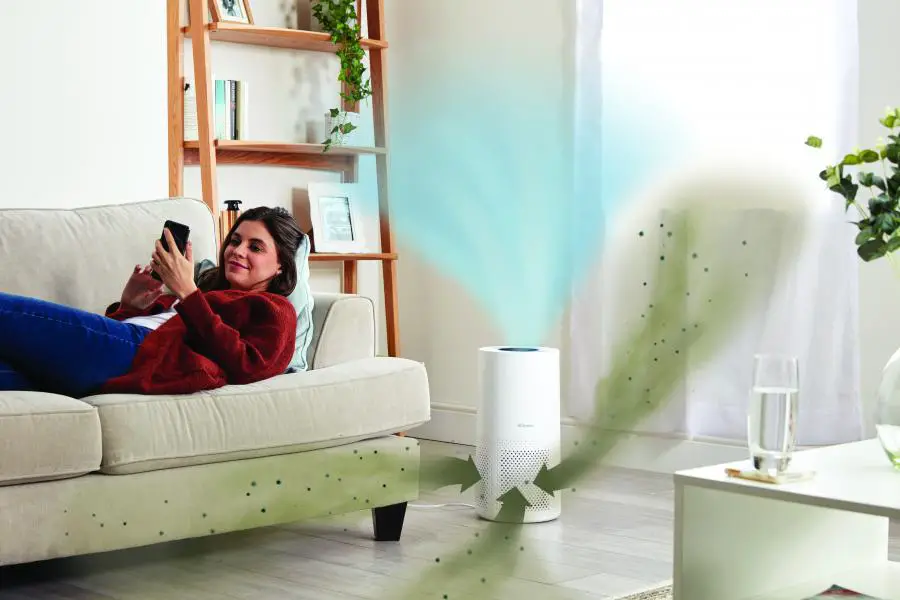
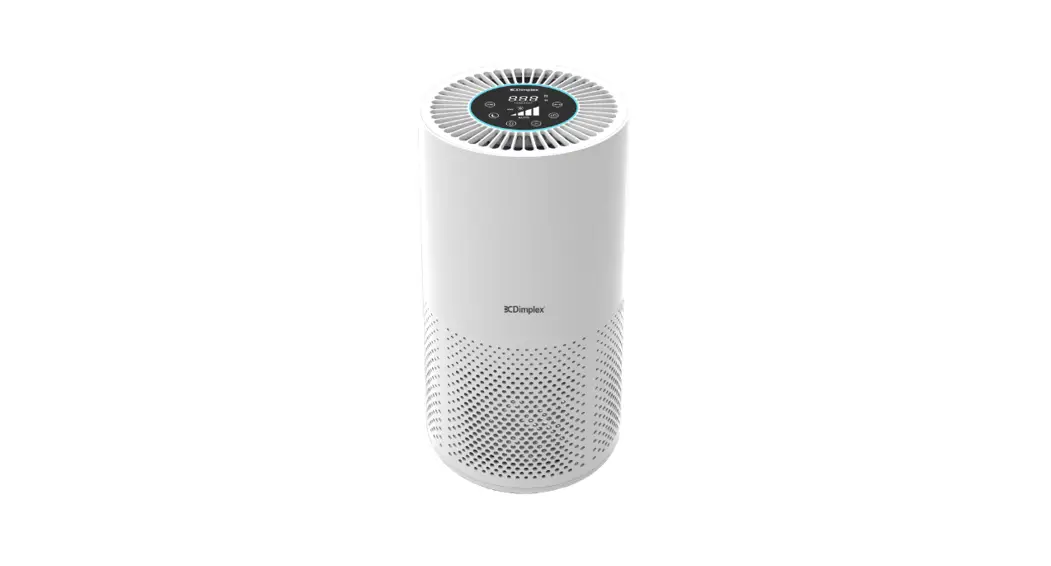
Improve your indoor air quality with your new Brava air purifier. It features a 3 in 1 pre-filter, true HEPA filter, active carbon filter and a UV-C Light.
3 IN 1 PRE-FILTER: Captures big particles, initial dust, and allergen particles.
TRUE HEPA FILTER: Captures micro particles, dust, smoke, pollen, and other allergens.
ACTIVE CARBON FILTER: Removes odors and bad smells
UV-C LIGHT: Destroys micro-organisms such as germs, viruses, bacteria and fungi (such as mold toxins).
Operating Instructions
BEFORE OPERATING THE AIR PURIFIER:
1. Carefully remove your air purifier from the box and plastic bag.
2. You must remove the PE bag from the filter before using it, please dispose of it safely away from vulnerable people, children, and babies.
IMPORTANT: When moving the air purifier, always lift the unit firmly with your hands.
3. Plug-in power cord to AC power supply.
4. Select a firm, level, and flat location for the air purifier.
*For proper airflow, locate the unit at least 1 foot from any wall or furniture.
Operating the Air Purifier
 1. “POWER” BUTTON:
Press this button to turn on or switch off the unit.
Note: Press and hold the Power Button for 5 seconds to reset the Filter ReplaceIndicator. 2. “SPEED” BUTTON:
The fan speed of the unit can be adjusted when the unit is in operation. Each time that you press on the (SPEED) button, the speed is adjusted from Low (I) to Medium(II) to High (III) to Turbo (I, II, and III). The Turbo function is very useful to remove odors from your kitchen after cooking. Low is ideal for night time use in the bedroom. 3. “UV-C/LIGHTS OUT SLEEP” BUTTON:
First press this button to turn on the UV-C lamp.
A second press of this button turns on Sleep mode (and keeps the UV-C lamp on).
The indicator flickers 10 times before all lights go out. Press any button to activate the lights again and deactivate sleep mode.
A third press of this button turns off the UV-C lamp. The sleep mode indicator will flicker 10 times before entering sleep mode.
A fourth press of this button will turn off Sleep mode.
Note: If you unplug the air purifier during sleep mode it will come out of the Sleep setting. 4. “TIMER” BUTTON:
1) By pressing this button, the purifier can be timed to operate for intervals of 2 hours, 4 hours, and 8 hours stopping automatically when the selected operating time has elapsed.
2) Press this button to select the required operating time. Indicator light indicates the timer period.
3) To select the continuous operating mode, press the timer button repeatedly until there is no timer indicator lit up.
Important note: When the unit is not in use, please switch it off and unplug it.
Filter and UV-C Lamp Removal / Replacement
FILTER REPLACEMENT INDICATOR
A continuous red FILTER RESET light indicates that it is time to replace the filter. Replace the filter
according to the directions below then press and hold the POWER button for 5 seconds to restart
the program system. The FILTER RESET light will turn off.
*The 3 in 1 filter will last approximately 6 months depending on how dirty the air is.
- Unplug the product.
- Turn the product Upside down.
- Remove the fixing knob below the base by turning anti-clockwise then remove the base.
- Take out the dirty filter and insert a new filter into the unit.
- Re-attach the base to the unit and fasten it with the fixing knob.
FILTERS
HEPA and activated carbon filters should be cleaned once every month by the vacuum cleaner.
Note: Filters should be replaced at least once every 6 months. More frequent cleaning and replacing may be required depending on environmental conditions.
UV-C LAMP REPLACEMENT
- Follow the steps outlined above to remove 3 in 1 filter to obtain access to the UV-C lamp.
- Remove the lamp cover screw with a small Phillips screwdriver.
- Carefully twist the lamp cover anti-clockwise and lift it off to remove.
- Unscrew the UV-C lamp and replace it.
- Re-attach lamp cover ensuring guide flaps are located correctly turning clockwise and reinsert lamp cover screw and tighten.
- Replace 3 in 1 filter, base, and refasten securely.
Note: Do not look into the UV-C lamp when it is ON.
Note: You can obtain replacement filters and
UV-C lamps at www.dimplex.co.uk
Cleaning and Maintenance
WARNING ALWAYS DISCONNECT FROM THE POWER SUPPLY BEFORE CLEANING THE APPLIANCE
The appliance should be cleaned at least once every month as dust may accumulate which would affect performance. Do not use detergents, abrasive cleaning products or polish of any kind on the appliance. Wipe with a clean, dry, soft cloth to remove dust and a damp cloth (not wet) to clean off stains. Be careful not to allow moisture into the appliance. Use a vaccum cleaner to remove any fluff which does accumulate.
NOTE:
- Do NOT stick any foreign objects or your fingers inside of the unit.
- Do NOT use gasoline, benzine, thinner, harsh cleaners, etc. on and/or in the unit while cleaning as they will damage the product.
- NEVER use alcohol or other solvents.
Mini Troubleshooting Guide
Before carrying out any of the following service checks, unplug the unit from the mains.
Insufficient airflow: Check that the filters are clean/filter bag has been removed.
The unit will not start: Check for any obstructions in the air inlet and outlet
Excessive noise: Check the power supply and electric fuses
Check that the Front Cover is latched firmly in place and the filter is firmly in place.
Check for any foreign objects in contact with the fan. The filter may be clogged and ready for replacement.
The foam sealing gaskets have been installed incorrectly.
Uneven positioning.
Technical Specification
| DXBRVAP4 | Symbol | Value | Unit |
| Clean Air Delivery Rate | CADR | 100 | m’/hr |
| Fan Power Input | P | 45 | W |
| Standby Power Consumption | PSB | 0.5 | W |
| UV Light Power | P | 3 | W |
| Fan Sound Power Level | LAW | 60 | dB(A) |
| Rated Voltage | V | 230 | V (AC) |
| Rated Frequency | Hz | 50 | Hz |
| Standards application | EN 60335-1; EN 60335-2-65 | ||
Recycling For electrical products sold within the European Community.
At the end of the electrical products useful life, it should not be disposed of within household waste.
Please recycle where facilities exist. Check with your Local Authority or retailer for recycling advice in your country.
Guarantee
What does a Dimplex Guarantee cover?
Dimplex products deliver reliable service for normal, household use in domestic settings. All Dimplex products are individually tested before leaving the factory.
If you are a consumer and you experience a problem with your Dimplex product, which is found to be defective due to faulty materials or workmanship within the Guarantee Period, this Dimplex Guarantee will cover repair or – at the discretion of Dimplex – replacement with a functionally equivalent Dimplex product.
Your product is under guarantee for 1 year from the date of purchase or the date of delivery of the product, if later. The 1-year guarantee is extended for an additional 2 years when you register the product with Dimplex, within 28 days of purchase. If you do not register the product with Dimplex within 28 days, your product will remain guaranteed for 1 year only. To validate your extended guarantee register with us online at: http://register.dimplex.co.uk. N.B. Each qualifying product needs to be registered with Dimplex individually. Please note that the extended guarantee is only available in the UK and Ireland.
The Dimplex Guarantee is conditional upon you providing the original purchase receipt as proof of purchase. Please, therefore, retain your receipt as proof of purchase.
If you do experience a problem with your Dimplex product please call the Helpline on +44 [0]344 879 3588 or visit https://www.dimplex.co.uk/support. For ROI please email [email protected] or call +353(0)1 842 4833. We will need details of your Dimplex product and a description of the fault which has occurred. Once we receive your information and proof of purchase we will contact you to make the necessary arrangements. If your Dimplex product is not covered by this Dimplex Guarantee there may be a charge to repair your product. However, we will contact you for agreement to any charges before any chargeable service is carried out.
What is not covered by a Dimplex Guarantee?
The Dimplex Guarantee does not cover any of the following:
Any fault or damage to your Dimplex product due to faulty materials or workmanship occurring outside the Guarantee Period.
Normal wear and tear including parts that might wear out over time or consumables, such as filters.
Any fault or damage occurring to any pre-owned Dimplex product or to any other equipment or property.
Accidental damage to your Dimplex product or damage to your Dimplex product from external sources (for example, transit, weather, electrical outages or power surges).
Fault or damage to your Dimplex product which is:
- Not due to faulty materials or workmanship or which is due to circumstances outside Dimplex’s control.
- Caused by use of your Dimplex product for anything other than normal domestic household purposes in the country where it was purchased.
- Caused by any misuse, abuse, or negligent use of the Dimplex product, including but not limited to any failure to use it in accordance with the Operating Instructions supplied with the product.
- Caused by any failure to assemble, install clean, and maintain your Dimplex product in accordance with the Operating Instructions supplied with the product unless this was carried out by Dimplex or its authorized dealers.
- caused by repairs or alterations to your Dimplex product not carried out by Dimplex service personnel or its authorized dealer(s).
- Caused by use of any consumables or spare parts for your Dimplex product that is not Dimplex – specified.
Terms and Conditions
The Dimplex Guarantee is valid for 1 calendar year, plus 2 if registered, from the date of purchase of your Dimplex product from a recognised retailer in the country of purchase and use, or the date of delivery of the product if later, always provided the original receipt has been retained and is produced as proof of purchase.
You must provide to Dimplex or its authorised agents on request the original receipt as proof of purchase and – if required by Dimplex – proof of delivery. If you are unable to provide this documentation, you will be required to pay for any repair work required.
Any repair work under the Dimplex Guarantee will be carried out by Dimplex or its authorised dealer(s) and any parts that are replaced will become the property of Dimplex. Any repairs performed under the Dimplex Guarantee will not extend theGuarantee Period.
Any replacement of your Dimplex product by Dimplex during the Guarantee Period will start the 3 year Guarantee Period afresh from the date of delivery of the replacement Dimplex product to you. (*Please keep the original online guarantee registration email and the sales receipt for your original purchase as proof of the additional 2 years, in case of the unlikely event you experience an issue).
The Dimplex Guarantee does not entitle you to recovery of any indirect or consequential loss or damage including but not limited to loss or damage to any other property.
The Dimplex Guarantee is in addition to your statutory rights as a consumer and your statutory rights are not affected by this Dimplex Guarantee.
Contact Dimplex A brand of the Glen Dimplex UK Limited, trading as Glen Dimplex Heating & Ventilation
If you have any questions about what the Dimplex Guarantee covers and does not cover or how to claim under the Dimplex Guarantee, please contact us:
Glen Dimplex Heating & Ventilation, Grange Drive, Hedge End, Southampton SO30 2DF
Telephone: 0344 879 3588
Visit: www.dimplex.co.uk
[c] Glen Dimplex.
All rights reserved. Material contained in this publication may not be reproduced in whole or in part, without prior permission in writing of Glen Dimplex.