 IR42
IR42
Infrared Forehead
Thermometer
Operation Instructions
311-1242100-010
Version 1.0 2020/02
 Distributed by
ForaCare Global Corp.
1F, No. 127, Wugong 2nd Rd., Wugu District,
New Taipei City 24888, Taiwan
Tel: +886-2-66253345
Fax: +886-2-66259878
www.foracare.com
 TaiDoc Technology Corporation
B1-7F, No. 127, Wugong 2nd Rd., Wugu Dist.,
24888 New Taipei City, Taiwan
www.taidoc.com
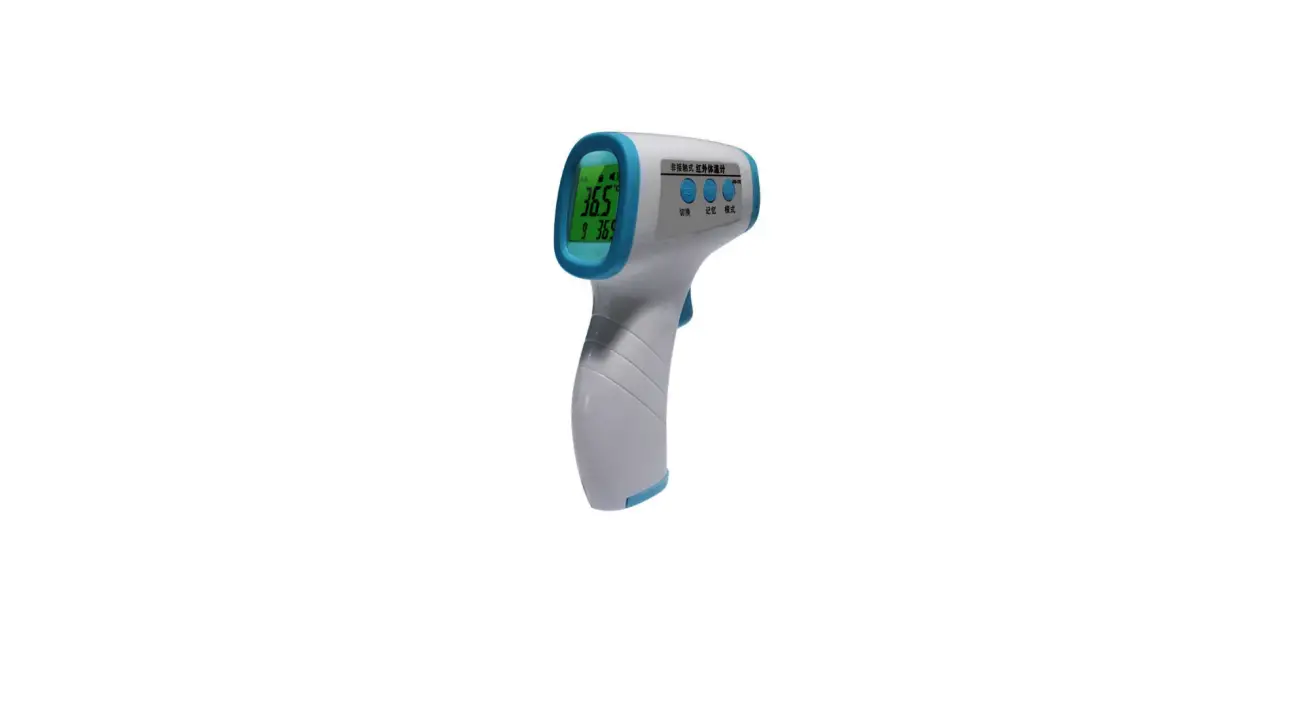
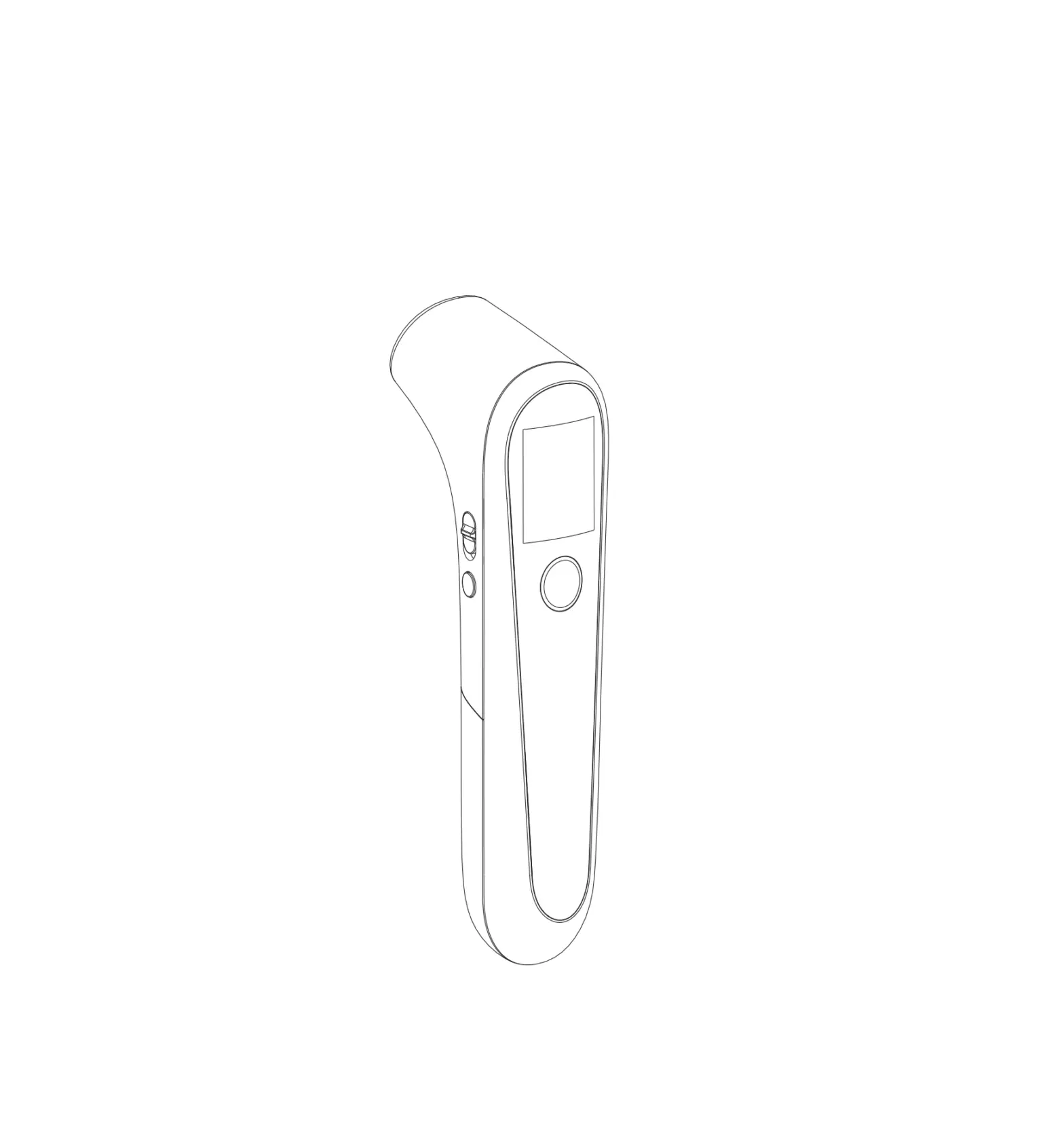
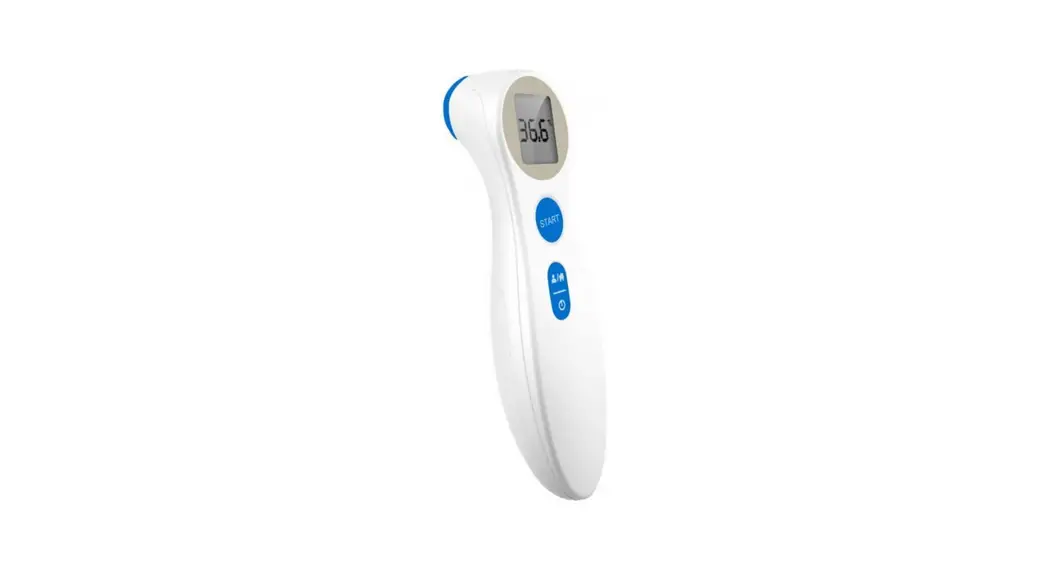
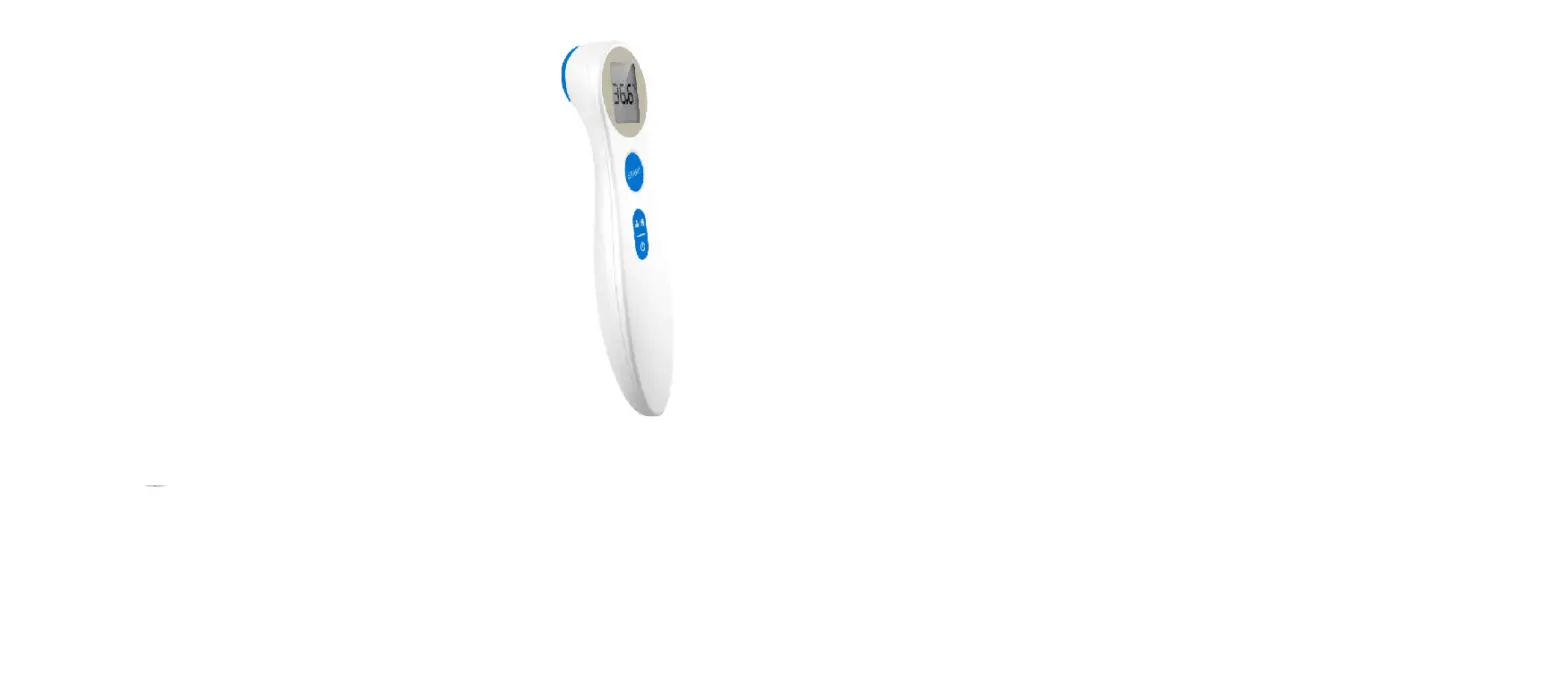
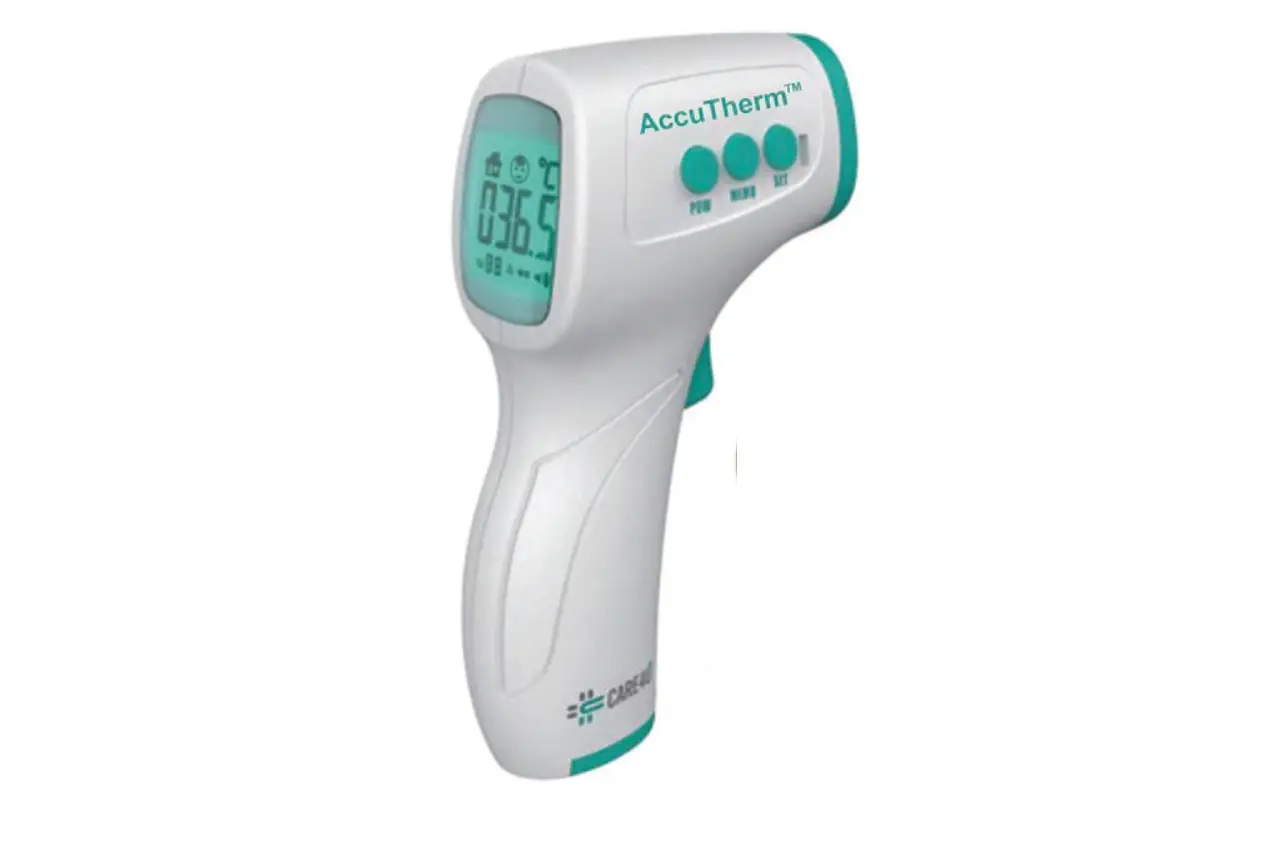
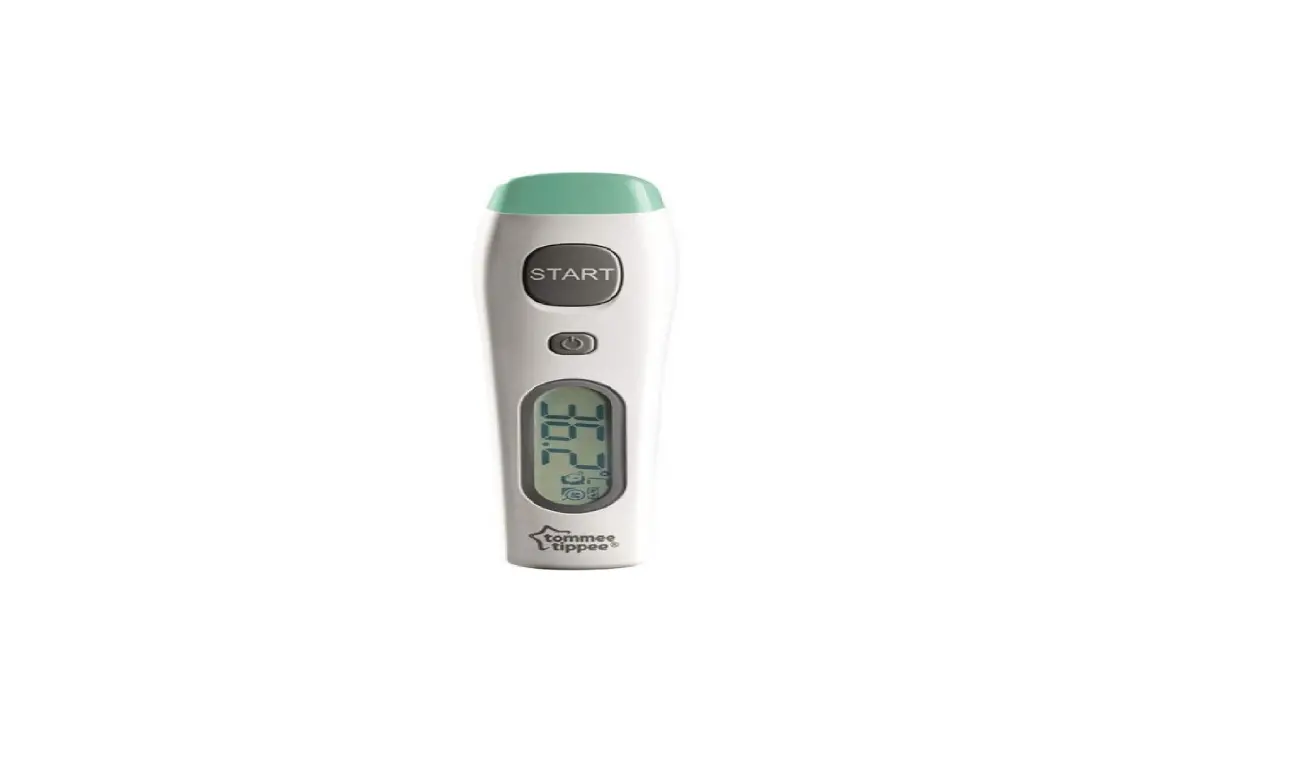
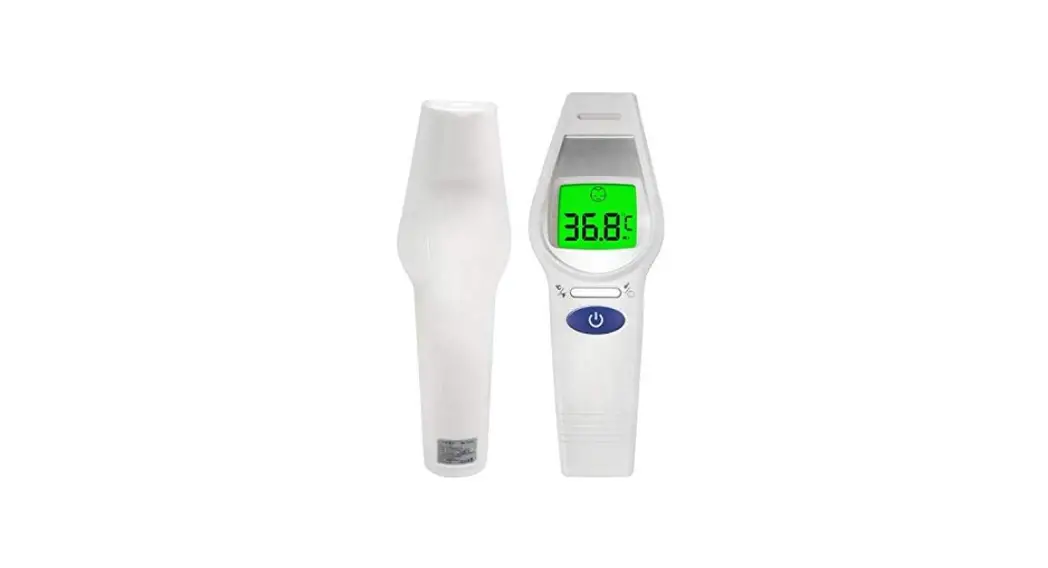
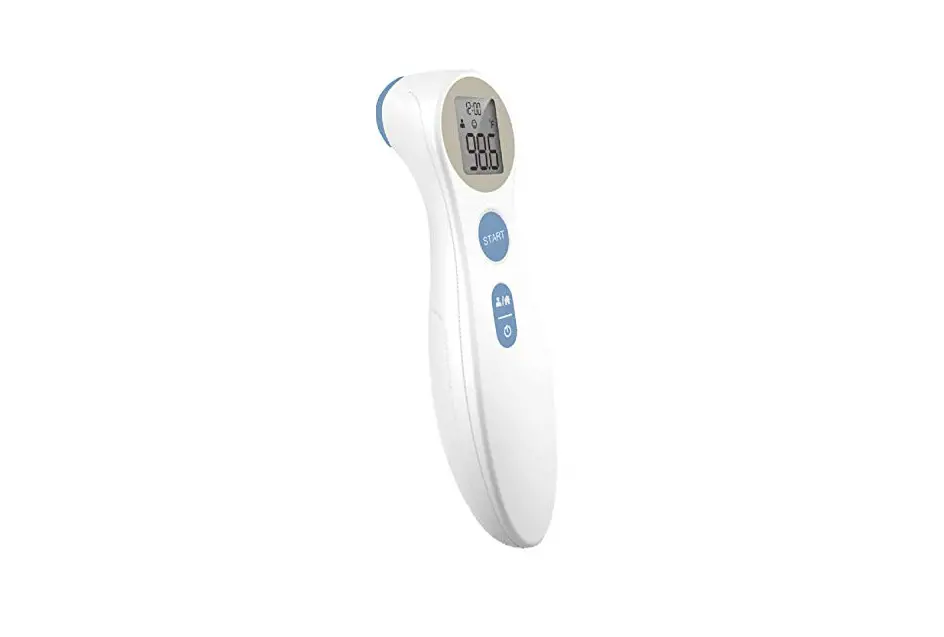
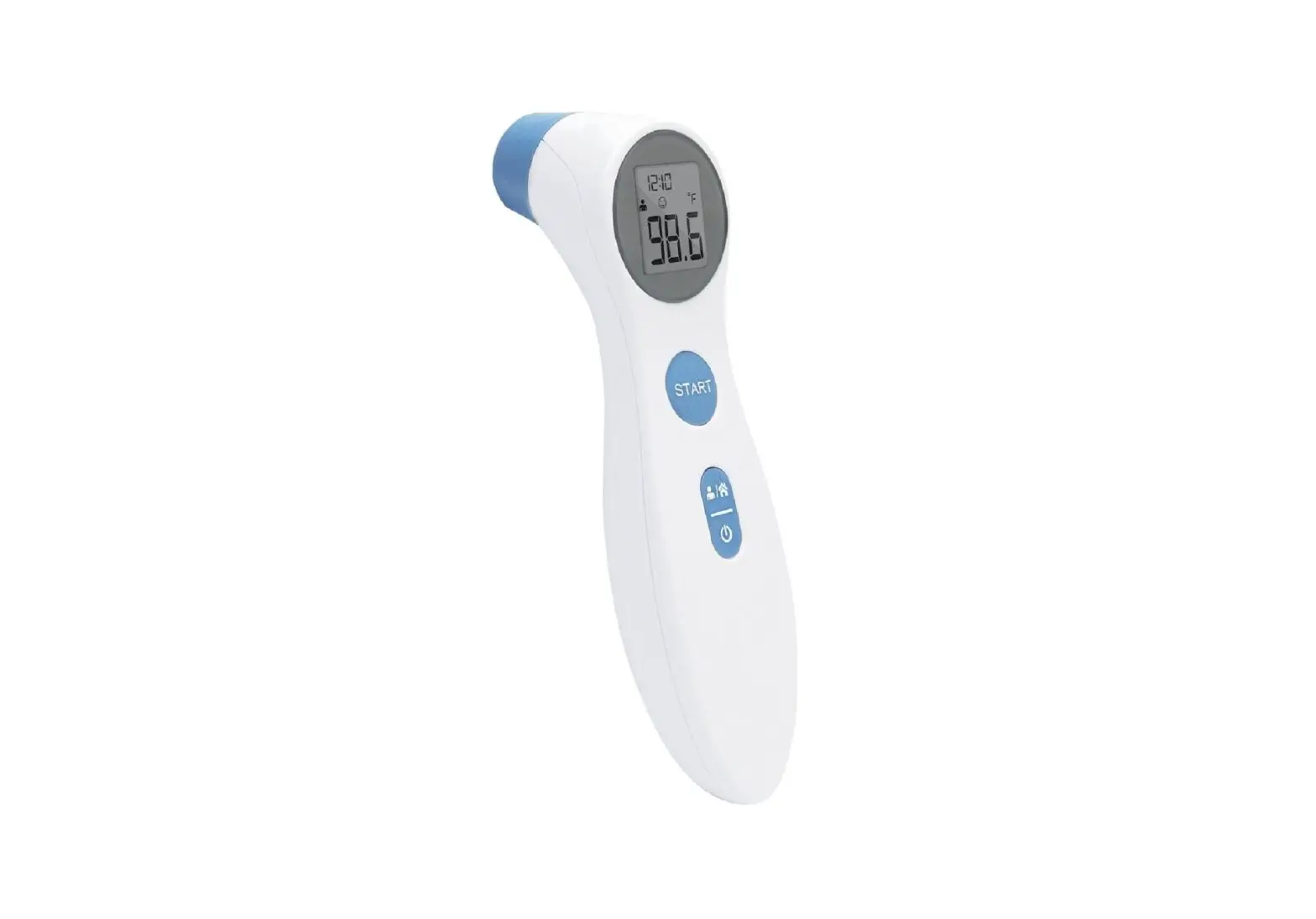
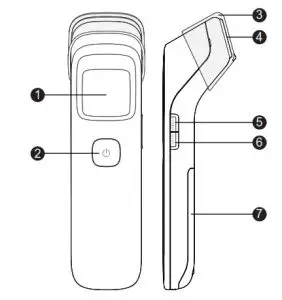
APPEARANCE AND KEY FUNCTIONS
- Display Screen
- Power / Scan Button
- Probe Cover
- Probe
- Mode / Set Button
- Memory Button
- Battery Cover

INTRODUCTION
Thank you for choosing IR42 Forehead Thermometer. Please read this instruction manual first so you can use this thermometer safely and correctly. Please keep this instruction manual for future reference. This innovative medical device uses advanced infrared (IR) technology to measure temperature instantly and accurately on the forehead/surface. The IR42 Forehead Thermometer delivers a body temperature reading from the thermal radiation emitted from the forehead without contact with the body. (The surface temperature measurement is not for medical purposes.) Before using this product, please read the following contents thoroughly and carefully.
INTENDED USE
The IR42 forehead thermometer is intended for the intermittent measurement and monitoring of human body temperature from the forehead. The device is intended for use of all ages for home and professional use by one with a good understanding of the operation instruction, where the patient may be an operator.
HOW DOES IT WORK
The thermometer measures the infrared heat generated by the surface of the skin over the vessel and its surrounding tissue.
The thermometer then converts it into a temperature value shown on LCD.
IMPORTANT SAFETY INSTRUCTIONS
READ THIS BEFORE USING AND KEEP THESE INSTRUCTIONS
- Close supervision is necessary when the thermometer is used by, on, or near children, handicapped persons or invalids.
- Use the thermometer only for the intended use described in this manual.
- Do not use the thermometer if it is not working properly, or if it has sustained any damage.
- Keep the sensor end clean and free of debris. See Maintenance section for instructions.
- Do not use ethylene oxide gas, heat, autoclave, or any other harsh methods to sterilize the device.
- Put in place the protective sensor cap on the sensor end when not in use.
- If coming from an environment of warmer or cooler temperature or after a period of exertion, allow the user and the thermometer to acclimate to room temperature for 20 minutes prior to taking a measurement.
- As the forehead temperature may be affected by sweat, oil, and the surrounding temperature, the reading shall be taken as a reference only
- Do not use in presence of flammable anesthetic mixtures.
- Do not use accessories that are not supplied or recommended by the manufacturer. Do not try to modify the device to prevent any dangers.
- Proper maintenance is essential to the longevity of your device. If you are concerned about the accuracy of measurement, please contact the local customer service or place of purchase for help.
- Always contact the manufacturer or the manufacturer’s representative to report unexpected operations or events. Do not try to fix it by yourself.
- When using the thermometer, stay away from electromagnetic radiation, such as the mobile in use.
- Do not expose the device to strong electrostatic fields or strong magnetic fields to avoid affecting the measurement accuracy.
- Used in close proximity to others, EMC must be tested and verified.
- Keep probe covers out of reach of children. The small parts detached from the device may result in children choking from inhaling or swallowing.
- Do not try to maintain the device while it is in use.
- This thermometer has been calibrated at the factory. If you follow the instructions, you don’t need to adjust it regularly. But if you are in doubt about the accuracy of the readings, please contact customer service.
CAUTIONS AND WARNINGS
- Always operate the thermometer in an operating temperature range 10°C to 40°C (50°F to 104°F), and relative humidity below 85%.
- Always store the thermometer in a cool and dry place: temperatures between -20°C to 60°C (-4°F to 140°F); relative humidity below 85%. Avoid direct sunlight.
- Avoid dropping the thermometer.
- This thermometer is not intended to be a substitution for a consultation with your physician.
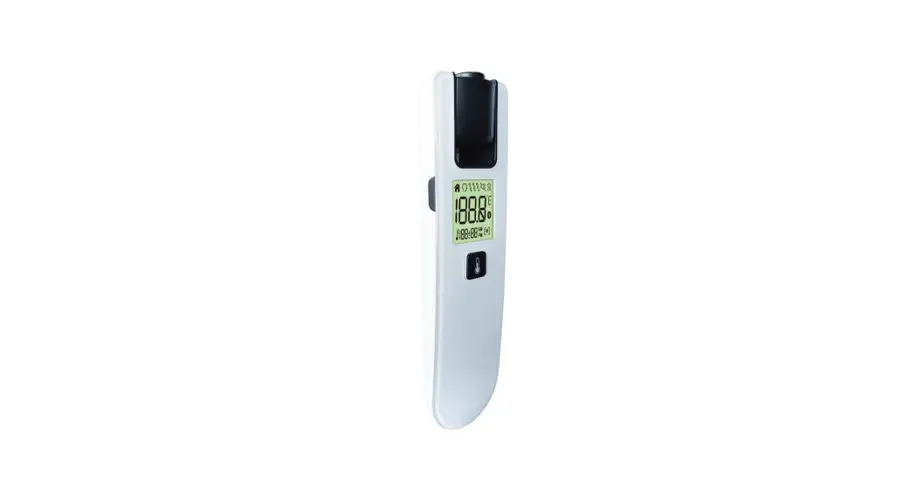
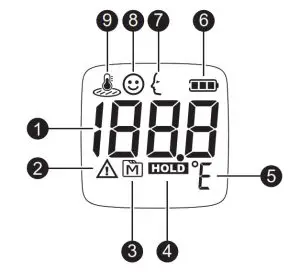
LCD SCREEN
- Temperature display
- Error message
- Memory mode
- Hold Symbol
- Temperature unit
- Battery indicator
- Adult body temperature indicator
- Child body temperature indicator
- Object surface temperature indicator
HOW TO USE INSTALL BATTERY
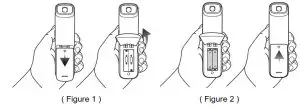
- Remove the battery cover by pressing down at the arrow mark and sliding in the direction of the arrow (Figure 1).
- Install (2) AAA alkaline batteries and close the battery cover (Figure 2).
- If thermometer will be stored without use, remove batteries.
Warning:
Make sure the battery cover is properly closed and secured.
MEASURING TEMPERATURES-ADULTS
(older than 36 months)
- Remove protective cap. The forehead should be clear of hair and perspiration.
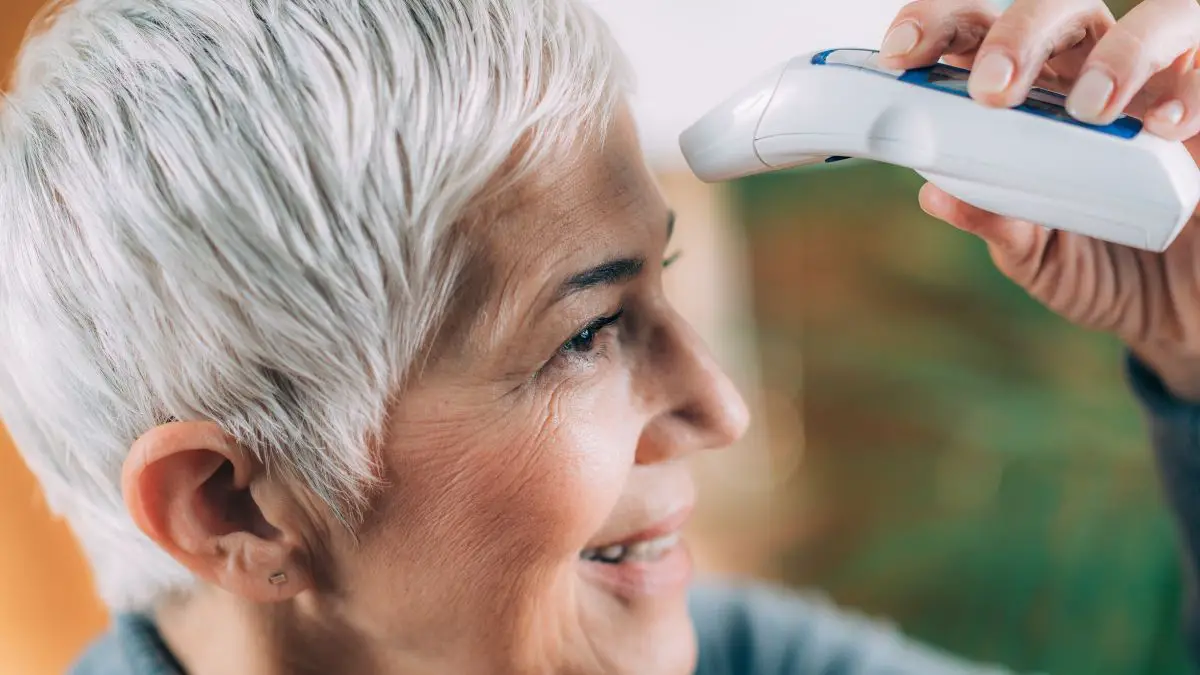
- Aim at the center forehead area 3 to 7cm (1” to 2.5”) away from the skin surface. Be sure the thermometer is perpendicular to the skin surface.

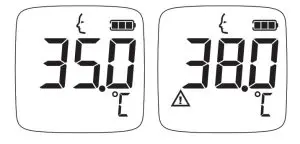
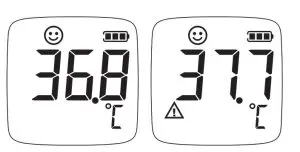
- Press and release the SCAN button to take a measurement. A double “beep” sound indicates a reading has been taken and displayed on the LCD screen. When a reading is greater than 38.0°C, a warning symbol will flash.

- To take another measurement, follow steps 2 and 3.
- The thermometer turns off automatically after 30 seconds. Replace the sensory cap when finished.

NOTE:
- If the reading is ≤ 31.9°C (89.5°F), the display will show “Lo”.
- If the reading is ≥ 43.1°C (109.5°F), the display will show “Hi”.
MEASURING TEMPERATURES-CHILDREN
(younger than 36 months)
- Press the SCAN button to turn on the thermometer.
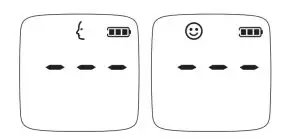
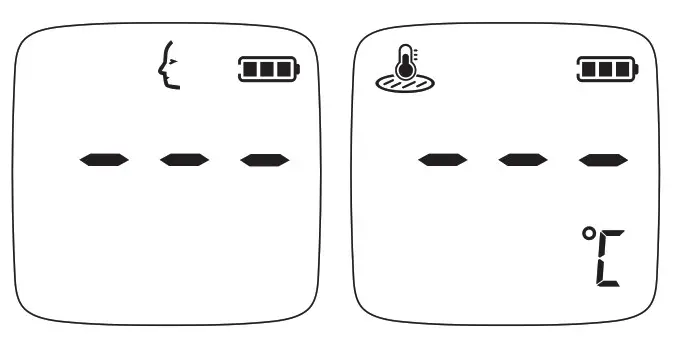
- Press and hold the MODE button for 1 second before releasing. An adult facial profile should be flashing, indicating that the preset mode is for adults.
- Press the MODE key to switch to Child mode, indicated by a smiley face icon.

- Aim the scanner at the center of the child’s forehead 3 to 7cm (1” to 2.5”) away from skin surface. Press and release the SCAN button to take a measurement. A warning symbol indicates a reading greater than 37.6 °C (99.7°F).

- The thermometer automatically switches off when left idle for 30 seconds.
- Replace the sensor cap when finished.
MEASURING TEMPERATURES-SURFACE
- Press the SCAN button to turn on the thermometer.
- Press and hold the MODE button for 1 second before releasing. An adult facial profile should be flashing, indicating that the preset mode is for adults.

- Press the MODE key to switch to Surface mode, indicated by a thermometer icon.
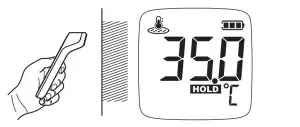
- Press the SCAN button. Make sure the probe is flat and close to the object’s surface, not at an angle. Perform an object measurement with a distance within 5 cm (1.9 inches). Press and hold the SCAN button as you move the meter along the surface. The HOLD symbol will be flashing.

- Release the button and read the result.
NOTE:
- If the reading is ≤ 0.0°C, the display will show “Lo”.
- If the reading is ≥ 100.1°C, the display will show “Hi”.
CHANGING UNIT OF MEASUREMENT
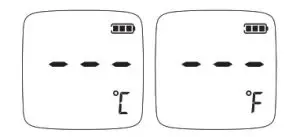
- With the thermometer off, press and hold the MODE button for 1 second. The current unit of measurement will be flashing. The default setting is in °C.
- Press the MODE button again to make a switch in the unit of measurement.

- When finished, press the SCAN button to turn off the thermometer. The thermometer switches off automatically when left idle for 30 seconds.
HINTS ON TAKING TEMPERATURES
- As with other thermometers, you may observe slight variations in consecutive measurements. It is recommended that you take 3 temperature readings and use the highest one for the following situations:
■ Infants are younger than 3 months old.
■ Children younger than 3 years old and who have a compromised immune system and the presence/absence of fever is critical.
■ When you are learning to use the thermometer. - Do not take a reading while the person is moving and/or talking. Wait 30 minutes after any of the following situations before taking a measurement:
■ When the forehead has been covered.
■ After the person has been exercising, swimming, or taking a bath.
■ When the person has been exposed to extreme temperature.
RECALLING PAST READINGS
The IR42 stores 30 most recent readings.
- Press and release the SCAN button to turn on the thermometer.
- Press and hold the MEMORY button for 1 second to enter the memory mode indicated by a flashing ” ” symbol. The most recent reading stored will be displayed.

- Press and release the MEMORY button to cycle through older readings.
- When left idle for 30 seconds, the thermometer automatically switches off.

NOTE:
When the memory is full, the oldest result is deleted as the new ones are added. While recalling previous readings, you may take a measurement by pressing the SCAN button.
NORMAL BODY TEMPERATURE & FEVER
Body temperature can vary from one individual/person to the next. It also varies by location on the body and time of day. Fever indicates that the body temperature is higher than normal. This symptom may be caused by infection, overdressing, or immunization. Some people may not experience fever even when they are ill. These include, but are not limited to, infants are younger than 3 months old, persons with compromised immune systems, persons taking antibiotics, steroids or antipyretics (aspirin, ibuprofen, acetaminophen), or persons with certain chronic illnesses.
| Body Site Normal Temperature Range | |
| Oral | 0.6°C (1°F) or more above or below 37°C (98.6°F) |
| Rectal / Ear | 0.3°C to 0.6°C (0.5°F to 1°F) higher than oral temperature |
| Axillary (armpit) | 0.3°C to 0.6°C (0.5°F to 1°F) lower than oral temperature |
Source: Body Temperature at WebMD; website: http://firstaid.webmd.com/body-temperature retrieved at 2010 Jan 7. Please consult your physician if you are concerned about your body temperature readings.
MAINTENANCE
- The IR42 has no user-serviceable internal parts except battery replacement.
- Always replace Sensor Cap (or place in the cradle) when not in use.
- Store in a dry location free of dust and away from direct sunlight.
- Use a soft dry cloth to clean the plastic housing or a cloth dampened with a solution of water and mild detergent. Occasionally, 70% isopropanol solution may be used. Never submerge in liquid.
- The sensor window is recessed to assist in keeping it clean and free of debris. Inspect the lens and remove any debris. Smudges may be cleaned by gently wiping the window with a small foam-tipped swab (non-lining) moistened with 70% alcohol. Wait 10 minutes prior to taking temperatures.
TROUBLESHOOTING
| MESSAGE | WHAT IT MEANS | WHAT TO DO |
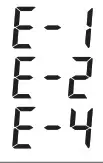 | Appear when the ambient temperature is outside of the operating temperature range. | Only operate the thermometer in the ambient temperature range of 10°C to 40°C (50°F to 104°F). |
 | Measured temperature below the measurement range (below 32.0 °C). | Review instructions and repeat measurement. Make sure the distance from the forehead is not greater than 7cm (2”), and that the forehead is clear. |
 | Measured temperature above the measurement range (above 43.0 °C). | Review instructions and repeat measurement. Consult with a physician if the problem persists. |
 | Low or no power. | Replace with new batteries. |
 | Surface temperature measured outside of the measurement range (0.0 to 100.0 °C). | Review the instructions and re-start the measurement procedure. |
SYMBOL INFORMATION
| Symbol | Referent | Symbol | Referent |
 | Consult instructions for use |  | Type BF applied part |
| Manufacturer |  | Temperature limit |
 | Serial number |  | Humidity limitation |
 | Caution |  | Resistant to liquid ingress |
 | CE mark |  | RoHS Compliance |
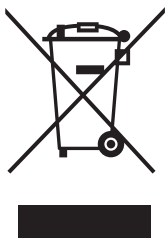 | This device does not belong to household waste and must be returned to a collection point for recycling electric and electronic devices according to local laws. If it contains batteries, the batteries should be removed and disposed of in accordance with local regulations for a separate collection of spent batteries. | ||
| Manufacturer’s declaration-electromagnetic emissions | ||
| The IR42 is intended for use in the electromagnetic environment (for home and professional healthcare) specified below. The customer or the user of the IR42 should assure that it is used in such an environment. | ||
| Emission test | Compliance | Electromagnetic environment-guidance (for home and professional healthcare environment) |
| RF emissions CISPR 11 | Group 1 | The IR42 uses RF energy only for its internal function. Therefore, its RF emissions are very low and are not likely to cause any interference in nearby electronic equipment. |
| RF emissions CISPR 11 | Class B | The IR42 is suitable for use in all establishments, including domestic establishments and those directly connected to the public low-voltage power supply network that supplies buildings used for domestic purposes. |
| Harmonic emissions IEC 61000-3-2 | Not applicable | |
| Voltage fluctuations / flicker emissions IEC 61000-3-3 | Not applicable | |
| Manufacturer’s declaration-electromagnetic immunity | |||
| The IR42 is intended for use in the electromagnetic environment (for home and professional healthcare) specified below. The customer or the user of the IR42 should assure that it is used in such an environment. | |||
| Immunity test | IEC 60601 test level | Compliance level | Electromagnetic environment-guidance (for home and professional healthcare environment) |
| Electrostatic discharge(ESD) IEC 61000-4-2 | Contact:±8 kV Air±2 kV,±4 kV, ±8 kV,±15 kV | Contact:±8 kV Air±2 kV,±4 kV, ±8 kV,±15 kV | Floors should be wood, concrete or ceramic tile. If floors are covered with synthetic material, the relative humidity should be at least 30% |
| Electrical fast transient/burst IEC 61000-4-4 | + 2kV for power supply lines + 1kV for input/output lines | Not applicable Not applicable | Mains power quality should be that of a typical home and professional healthcare environment. |
| Surge IEC 61000-4-5 | + 0.5kV, +1kV line(s) to line(s) + 0.5kV, +1kV,+ 2kV line(s) to earth | Not applicable Not applicable | The mains power quality should be that of a typical home and professional healthcare environment. |
| Voltage Dips, short interruptions and voltage variations on power supply input lines IEC 61000-4-11 | Voltage dips: 0 % UT; 0,5 cycle 0 % UT; 1 cycle 70 % UT; 25/30 cycles | Voltage dips: Not applicable, Not applicable Not applicable | The main power quality should be that of a typical home and professional healthcare environment. If the user of the IR42 requires continued operation during power mains interruptions, it is recommended that the IR42 be powered from an uninterruptible power supply or a battery. |
| Voltage interruptions: 0 % UT; 250/300 cycle | Voltage interruptions: Not applicable | ||
| Power frequency(50, 60 Hz) magnetic field IEC 61000-4-8 | 30 A/m 50 Hz or 60 Hz | 30 A/m 50 Hz and 60 Hz | The IR42 power frequency magnetic fields should be at levels characteristic of a typical location in a typical home healthcare environment. |
| NOTE UT is the a.c. mains voltage prior to application of the test level. | |||
| Manufacturer’s declaration-electromagnetic immunity | |||
| The IR42 is intended for use in the electromagnetic environment (for home and professional healthcare) specified below. The customer or the user of the IR42 should assure that it is used in such an environment. | |||
| Immunity test | IEC 60601 test level | Compliance level | Electromagnetic environment-guidance (for home and professional healthcare environment) |
| Conducted RF IEC 61000-4-6 | 3 Vrms: 0,15 MHz – 80 MHz 6 Vrms: in ISM and amateur radio bands between 0,15 MHz and 80 MHz | Not applicable Not applicable | Portable and mobile RF communications equipment should be used no closer to any part of the IR42 including cables, than the recommended separation distance calculated from the equation applicable to the frequency of the transmitter. |
| 80 % AM at 1 kHz | |||
| Radiated RF IEC 61000-4-3 | 10 V/m 80 MHz – 2,7 GHz 80 % AM at 1 kHz | 10 V/m 80 MHz – 2,7 GHz 80 % AM at 1 kHz | Recommended separation distance: d = 1,2 √P d = 1,2 √P 80MHz to 800 MHz d = 2,3 √P 800MHz to 2,7 GHz |
| Where P is the maximum output power rating of the transmitter in watts (W) according to the transmitter manufacturer and d is the recommended separation distance in meters (m). | |||
| Interference may occur in the vicinity of equipment marked with the following symbol: | |||
| NOTE1 At 80 MHz and 800 MHz, the higher frequency range applies. NOTE2 These guidelines may not apply in all situations. Electromagnetic propagation is affected by absorption and reflection from structures, objects and people. | |||
| The recommended separation distance between portable and mobile RF communications equipment and the IR42 | |||
| The IR42 is intended for use in an electromagnetic environment (for home and professional healthcare) in which radiated RF disturbances are controlled. The customer or the user of the IR42 can help prevent electromagnetic interference by maintaining a minimum distance between portable and mobile RF communications equipment (transmitters) and the IR42 as recommended below, according to the maximum output power of the communications equipment. | |||
| The rated maximum output power of the transmitter W | Separation distance according to the frequency of transmitter m | ||
| 150 kHz to 80 MHz d =1,2√P | 80 MHz to 800 MHz d =1,2√P | 800 MHz to 2,7 GHz d =2,3√P | |
| 0,01 | N/A | 0,12 | 0,23 |
| 0,1 | N/A | 0,38 | 0,73 |
| 1 | N/A | 1,2 | 2,3 |
| 10 | N/A | 3,8 | 7,3 |
| 100 | N/A | 12 | 23 |
| For transmitters rated at a maximum output power not listed above, the recommended separation distance d in meters (m) can be estimated using the equation applicable to the frequency of the transmitter, where p is the maximum output power rating of the transmitter in watts (W) according to the transmitter manufacturer. NOTE1 At 80 MHz and 800 MHz, the separation distance for the higher frequency range applies. NOTE2 These guidelines may not apply in all situations. Electromagnetic propagation is affected by absorption and reflection from structures, objects and people. | |||
| Manufacturer’s declaration-electromagnetic immunity Test specifications for ENCLOSURE PORT IMMUNITY to RF wireless communications equipment | |||||||
| The IR42 is intended for use in the electromagnetic environment (for home and professional healthcare) specified below. The customer or the user of the IR42 should assure that it is used in such an environment. | |||||||
| Test frequency (MHz) | Band a) (MHz) | Service a) | Modulation b) | Maximum power (W) | Distance (m) | IMMUNITY TEST LEVEL (V/m) | Compliance LEVEL (V/m) (for home and professional healthcare) |
| 385 | 380 –390 | TETRA 400 | Pulse modulation b) 18 Hz | 1,8 | 0,3 | 27 | 27 |
| 450 | 430 – 470 | GMRS 460, FRS 460 | FM c) ±5 kHz deviation 1 kHz sine | 2 | 0,3 | 28 | 28 |
| 710 | 704 – 787 | LTE Band 13, 17 | Pulse modulation b) 217 Hz | 0,2 | 0,3 | 9 | 9 |
| 745 | |||||||
| 780 | |||||||
| 810 |
800 – 960 | GSM 800/900, TETRA 800, iDEN 820, CDMA 850, LTE Band 5 | Pulse modulation b) 18 Hz |
2 |
0,3 |
28 |
28 |
| 870 | |||||||
| 930 | |||||||
| 1 720 |
1 700 – 1 990 | GSM 1800; CDMA 1900; GSM 1900; DECT; LTE Band 1, 3, 4, 25; UMTS | Pulse modulation b) 217 Hz |
2 |
0,3 |
28 |
28 |
| 1 845 | |||||||
| 1 970 | |||||||
|
2 450 | 2 400 – 2 570 | Bluetooth, WLAN, 802.11 b/g/n, RFID 2450, LTE Band 7 | Pulse modulation b) 217 Hz |
2 |
0,3 |
28 |
28 |
| 5 240 | 5 100 – 5 800 | WLAN 802.11 a/n | Pulse modulation b) 217 Hz | 0,2 | 0,3 | 9 | 9 |
| 5 500 | |||||||
| 5 785 | |||||||
| NOTE If necessary to achieve the IMMUNITY TEST LEVEL, the distance between the transmitting antenna and the ME EQUIPMENT or ME SYSTEM may be reduced to 1 m. The 1 m test distance is permitted by IEC 61000-4-3. | |||||||
| a) For some services, only the uplink frequencies are included. b) The carrier shall be modulated using a 50 % duty cycle square wave signal. c) As an alternative to FM modulation, 50 % pulse modulation at 18 Hz may be used because while it does not represent actual modulation, it would be worst case. | |||||||
SPECIFICATIONS
Model No.: IR42
Dimension & Weight: 155.46 (L) x 40.14 (W) x 39.45 (H) mm, 61.8g (without battery)
Power Source: 2 x 1.5V AAA alkaline batteries
Battery Life: With new batteries, approx. 3,000 measurements.
Displayed Temperature range
- Forehead: 32°C to 43°C (89.6°F to 109.4°F)
- Surface: 0°C to 100°C (32°F to 212°F) Display Resolution: 0.1°C / 0.1°F Accuracy: Meet the accuracy requirement specified in ASTM E1965-98 and ISO 80601-2-56
- Forehead: ±0.2°C (±0.4°F) for the range of 35.0°C to 42.0°C (95°F to 107.6°F) / ±0.3°C (±0.5°F) for the range of <35.0°C (95°F) or >42.0°C(107.6°F)
- Surface: ±1°C (±2°F) Temperature Unit: °C (Default) or °F Operating Temperature range: 10°C to 40°C (50°F to 104°F) Operating Humidity: below 85% relative humidity
(non-condensing) Operating Atmosphere Pressure: 700hPa to 1060hPa Storage / Transportation Temperature range: -20°C to 60°C (-4°F to 140°F) Storage / Transportation Humidity: below 85% relative humidity (non-condensing) Memory Capacity: 30 measurements Ingress Protection Rating: IP22 Expected Service Life: 3 years
The specifications may be changed without prior notice.
REFERENCE STANDARDS
Device Standard:
Device Corresponds to the requirements of the standard for infrared thermometers ASTM E1965-98, EN ISO 80601-2-56:2017, EN 60601-1-2:2015, EN 60601-1:2006+A12:2014, EN 60601-1-6:2010 Electromagnetic Compatibility: Device fulfills the stipulations of the standard EN 60601-1-2. The stipulations of EU-Directive 93/42/EEC for Medical Devices Class Ila have been fulfilled.