
DongleA-03 Quick Guide (4G)
Document Issue: 14
Part Number: 31509550
Release Date: 2022-02-24
Copyright © Huawei Technologies Co., Ltd. 2022. All rights reserved.
SDongleA-03 4G Smart Dongle
NOTICE
The information in this document is subject to change without notice. Every effort has been made in the preparation of this document to ensure accuracy of the contents, but all statements, information, and recommendations in this document do not constitute a warranty of any kind, express or implied.
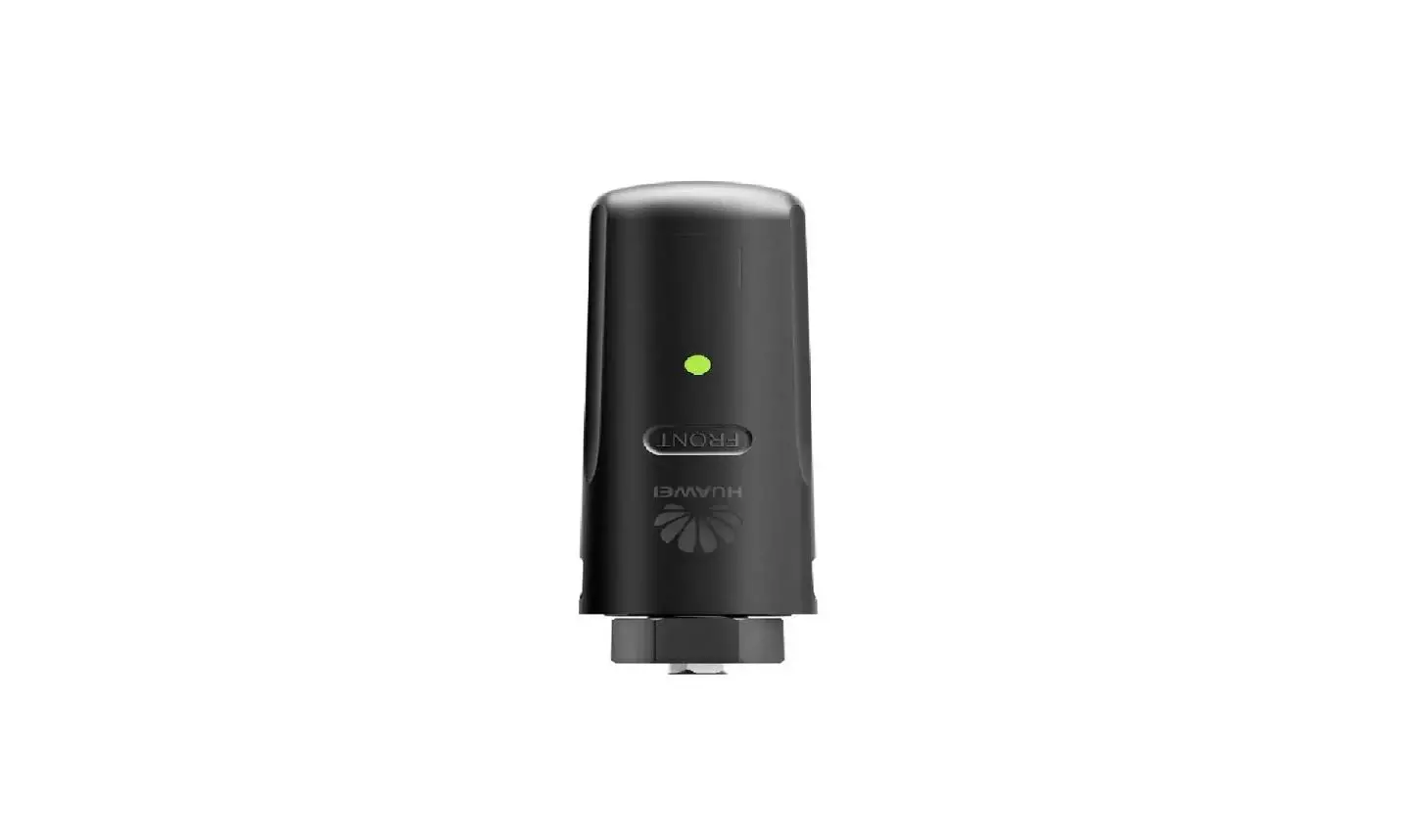
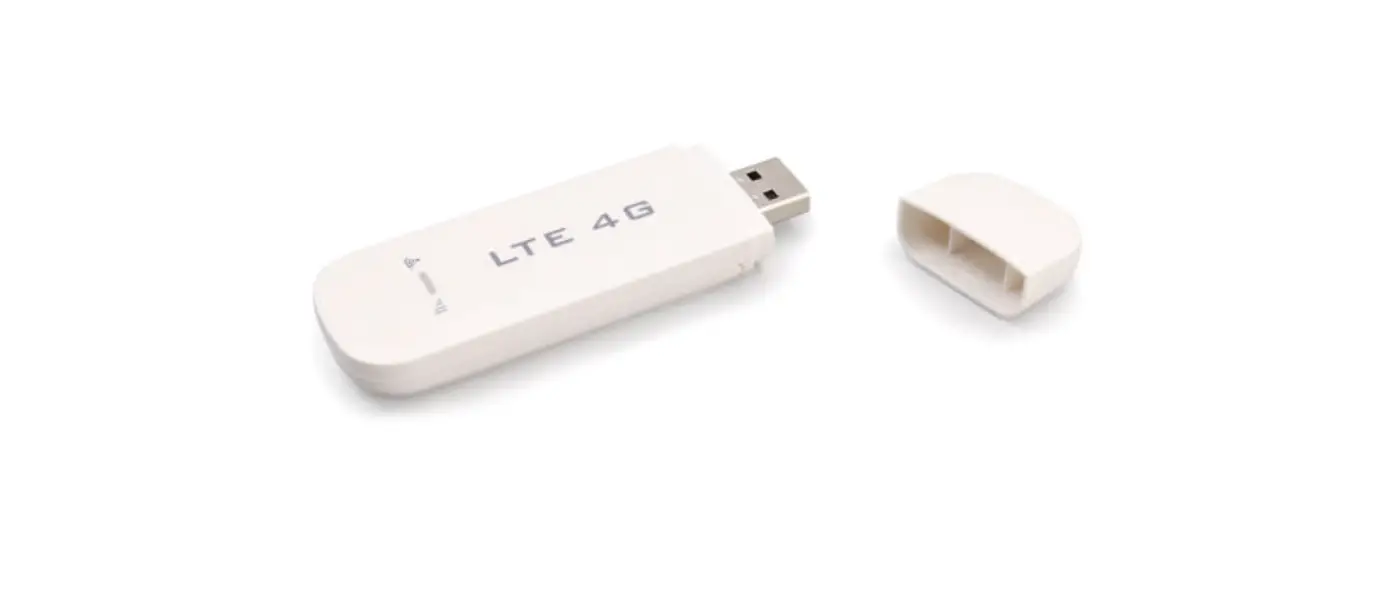
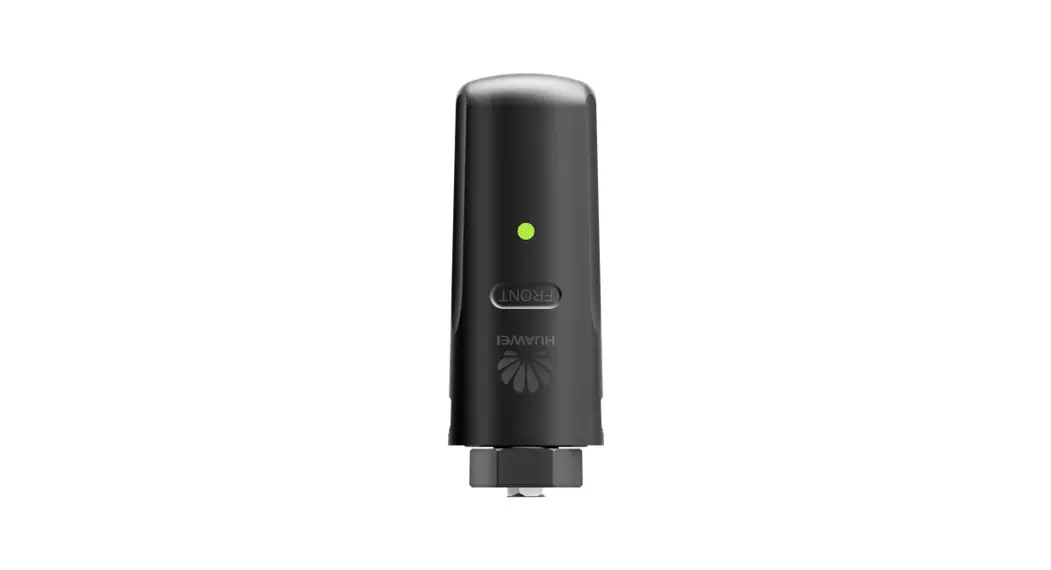
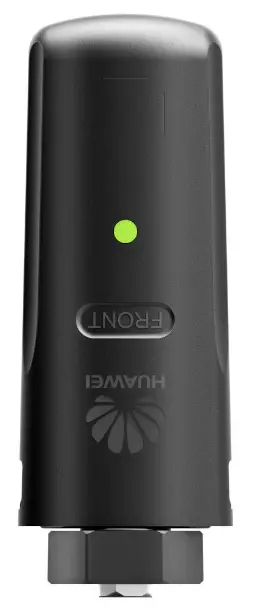
- SDongleA-03 Smart Dongle (the “Dongle” for short) is a smart communications expansion module that works with Huawei inverters to implement wireless communication between inverters and management systems through the 4G network.
- When multiple inverters are cascaded, only one Dongle or one SmartLogger is allowed.
Communication Scenario
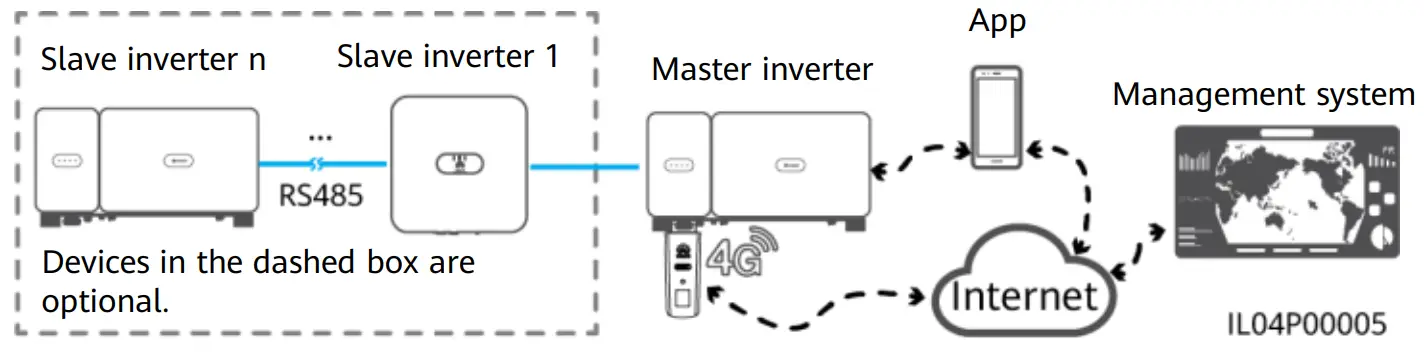
RS485 communication scenario
 NOTE
NOTE
- In the networking, the inverter where the Dongle is installed is the master inverter, and other inverters are slave inverters. Slave inverters can communicate with the Dongle through cascading.
- This document uses the RS485 communication scenario as an example. For details about the MBUS communication scenario, see the user manual.
- This document uses connection to Huawei FusionSolar Smart PV Management System as an example. For details about connection to a third-party management system, see the user manual.
- The inverter model is subject to change without notice. The model information and device appearance in this document are for reference only.For more details, see the user manual.
Inverter Model Requirements
| Master Inverter | Slave Inverter |
| SUN2000-(2KTL-6KTL)-L1 SUN2000-(3KTL-20KTL)-M0 SUN2000-(3KTL-12KTL)-M1 SUN2000-(8KTL-20KTL)-M2 SUN2000-(20KTL -40KTL)-M3 SUN2000-50KTL-JPM1 SUN2000-50KTL/63KTL-JPM0 SUN2000-50KTL/60KTL/65KTL-M0 SUN2000-70KTL/75KTL-C1 (optional) SUN2000-70KTL/100KTL-INM0 SUN2000-75KTL/100KTL-M1 SUN2000-100KTL/110KTL/125KTL-M0 SUN2000-111KTL-NHM0 SUN2000-175KTL/196KTL/215KTL-H0 SUN2000-185KTL-INH0 SUN2000-185KTL-H1 SUN2000-125KTL-JPH0 SUN2000-196KTL/200KTL/215KTL-H3 SUN2000-200KTL-H2 | SUN2000-(2KTL-6KTL)-L1 SUN2000-(3KTL-20KTL)-M0 SUN2000-(3KTL-12KTL)-M1 SUN2000-(8KTL-20KTL)-M2 SUN2000-(20KTL -40KTL)-M3 SUN2000-29.9KTL/36KTL/42KTL/50KTL SUN2000-33KTL-A SUN2000-33KTL/40KTL-JP SUN2000-43KTL-IN-C1 SUN2000-50KTL/70KTL/75KTL-C1 SUN2000-50KTL/63KTL-JPM0 SUN2000-50KTL-JPM1 SUN2000-50KTL/60KTL/65KTL-M0 SUN2000-70KTL/100KTL-INM0 SUN2000-75KTL/100KTL-M1 SUN2000-100KTL/110KTL/125KTL-M0 SUN2000-111KTL-NHM0 SUN2000-175KTL/196KTL/215KTL-H0 SUN2000-185KTL-INH0 SUN2000-185KTL-H1 SUN2000-125KTL-JPH0 SUN2000-196KTL/200KTL/215KTL-H3 SUN2000-200KTL-H2 |
Number of Devices Required for Networking
| Limited Number | Actual Number | |
| Maximum number of devices that can be connected to the Dongle | Number of slave inverters | Number of other devices (such as power meters and energy storage devices) |
| 10 | n ≤ 9 | ≤ 9 – n |
| 2 | n ≤ 1 | ≤ 1 – n |
NOTE
- The number of devices that can be cascaded varies with the Dongle model. You can view the maximum number of devices that can be connected to the Dongle from the label on the external package.
- If cascaded inverters include a single-phase inverter or are connected to batteries, a maximum of three inverters can be cascaded.
- If devices are connected to the RS485-2, RS485_2, or 485B2 and 485A2 ports of the main inverter, the devices are not included as cascaded devices.
Installation and Commissioning
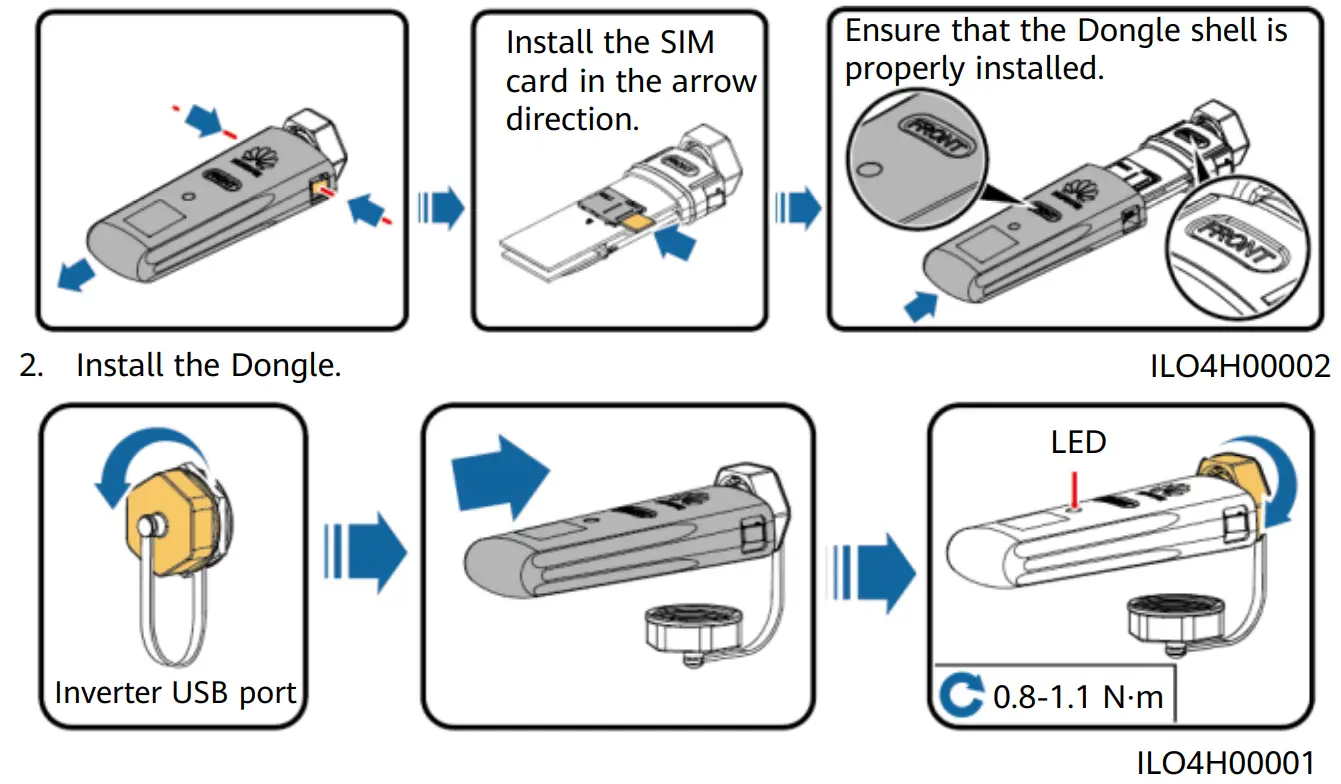
1. Install a SIM card.
NOTE
- You need to prepare a standard SIM card (size: 25 mm x 15 mm; capacity: ≥ 64 KB).
When connecting to Huawei FusionSolar Smart PV Management System, prepare a SIM card based on the traffic requirements in the following table. - Before installing a SIM card, you need to remove the Dongle from an inverter.
| Recommended Monthly Traffic for SIM Card Purchases | Traffic Support | ||
| Inverters | Without a power sensor or energy storage | 10 MB + 4 MB x Number of inverters | •Device performance data can be refreshed every 5 minutes. •The Dongle logs, inverter logs, and IV diagnosis data can be exported monthly. The Dongle and inverters can be upgraded monthly. |
| With a Power sensor | 10 MB + 7 MB x Number of inverters | ||
| With energy storage | 13 MB + 7 MB x Number of inverters + 5 MB x Number of DC-DC converters | ||
| With a power sensor and energy storage | 13 MB + 7 MB x Number of inverters + 5 MB x Number of DC-DC converters | ||
| With Smart PV Optimizers | Inverter data usage + 2 MB + 0.2 MB x Number of Smart PV Optimizers | ||
NOTE
Ensure that the AC or DC side of the inverter has been powered on.
3. Install the FusionSolar app. Perform the Setup wizard operations. If you have performed such operations, skip this step. If not, you can scan the QR code below to obtain the app quick guide which describes the Setup wizard operations.
https://intl.fusionsolar.huawei.com/pvmswebsite/nologin/assets/build/index.html#/jumppage
https://support.huawei.com/enterprise/en/doc/EDOC1100165052
NOTE
- You can obtain SIM card parameters from the SIM card carrier. For more details about how to use the app, scan the QR code to obtain related documents.
- To create multiple installer accounts for a company, log in to the app and then tap New User.
| LED | Remarks | Description | |
| Color | Status | ||
| N/A | Off | Normal | The Dongle is not secured or Is not powered on. |
| Yellow (blinking green and red simultaneously) | Steady on | The Dongle Is secured and powered on. | |
| Green | Blinking in a 2-second cycle (on for 0.1s and then off for 1.9s) | Normal | Dialing (duration < 1 min) |
| Abnormal | If the duration is longer than 1 min, the 4G parameter settings are incorrect. Reset the parameters. | ||
| Blinking at long Intervals (on for 1s and then off for 1s) | Normal | The dial-up connection is set up successfully (duration < 30s). | |
| Abnormal | If the duration is longer than 30s, the settings of the management system parameters are incorrect. Reset the parameters. | ||
| Steady on | Normal | Successfully connected to the management system. | |
| Blinking at short intervals (on for 0.2s and then off for 0.2s) | The inverter is communicating with the management system through the Dongle. | ||
| Red | Steady on | Abnormal | The Dongle Is faulty. Replace Dongle. |
| Blinking at short intervals (on for 0.2s and then off for 0.2s) | The Dongle has no SIM card or the SIM card is in poor contact. Check whether the SIM card has been installed or is in good contact. If not, install the SIM card or remove and insert the SIM card. | ||
| Blinking at long intervals (on for 1s and then off for 1s) | The Dongle fails to connect to the management system because it has no signals, weak signals, or no traffic. If the Dongle is reliably connected, check the SIM card signal through the app. If no signal is received or the signal strength is weak, contact the carrier. Check whether the tariff and traffic of the SIM card are normal. If not, recharge the SIM card or buy traffic. | ||
| Blinking red and green alternatively | Blinking at long intervals (red for 1s and green for 1s) | No communication with the inverter •Remove and insert the Dongle. •Check whether inverters match the Dongle. •Connect the Dongle to other inverters. Check whether the Dongle or the USB port of the Inverter is faulty. | |
| Blinking at short intervals (red for 0.2s and green for 0.2s) | Normal | The Dongle is being upgraded locally. | |
Performance Parameters
Basic Parameters
| Installation Mode | Plug-and-play (applicable to inverters only) | SIM Card Type | Standard SIM cards (25 mm x 15 mm) |
| Indicator | LED | Typical Power Consumption | 3.5 W |
| Dimensions (W x H x D) | 130 mm x 48 mm x 33 mm | Operating Temperature | -30°C to +65°C |
| Net Weight | 90 g | Relative Humidity | 5% RH to 95% RH |
| Ingress Protection Rating | IP65 | Storage Temperature | -40°C to +70°C |
Standard and Frequency Band
| SDongleA-03-CN | LTE FDD: B1, B3, 88 LTE TDD: B38, B39, MO, B41 DC-HSPA+/HSPA+/HSPA/UMTS: B1, B5, B8, B9 TD-SCDMA: B34, B39 GSM/GPRS/EDGE: 900 MHz, 1800 MHz |
| SDongleA-03-EU | LTE FDD: B1, B3, B7, B8, B20 LTE TDD: 638, 640 WCDMA/HSDPA/HSU PA/HSPA+: B1, B8 GSM/GPRS/EDGE: 900 MHz, 1800 MHz |
| SDongleA-03-AU | LTE FDD: B1, B2, B3, B4, B5, B7, B8, B28 LIE TDD: 840 WCDMA: B1, B2,135, B8 GSM: 850 MHz, 900 MHz, 1800 MHz, 1900 MHz |
| SDongleA-03-JP | LTE FDD: B1, B3, B8, B18, B19, B26 LTE TDD: B41 WCDMA: B1, B6, B8, B19 |
| SDongleA-03-KR | LTE FDD: B1, B3,135, B7 WCDMA: B1 |
Obtaining Documentation
NOTE
You can obtain the latest version of this document by scanning the following QR codes.