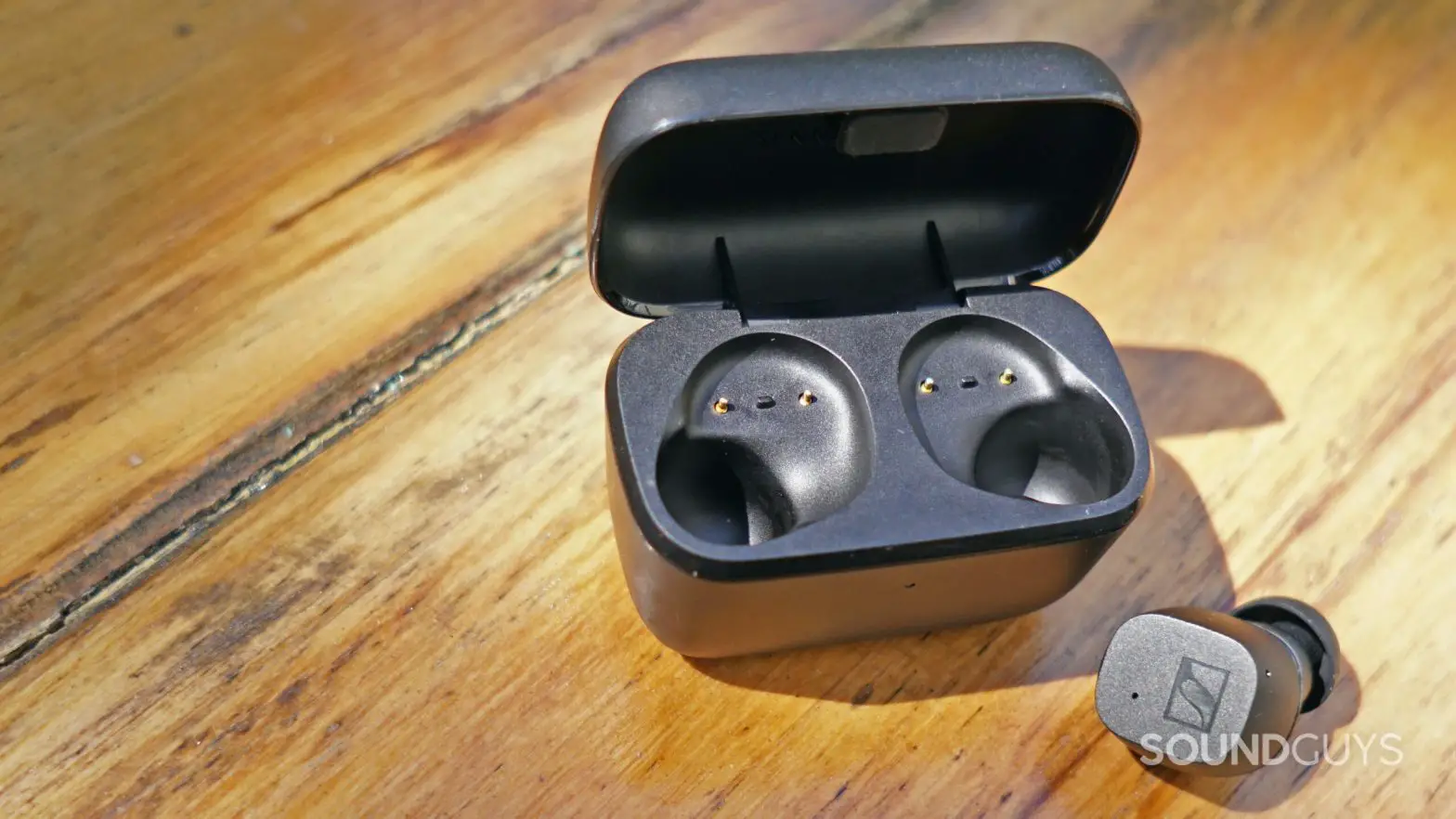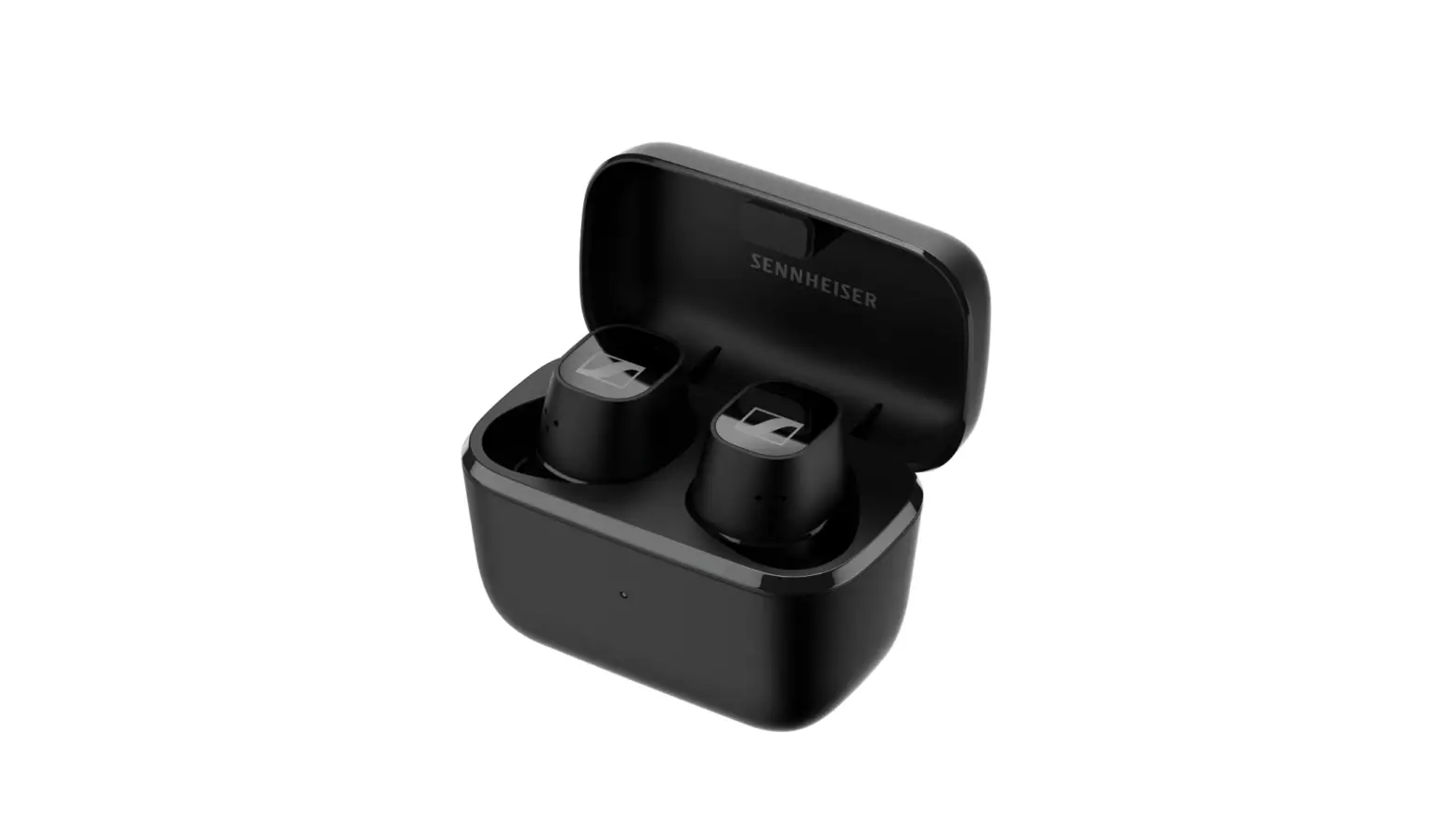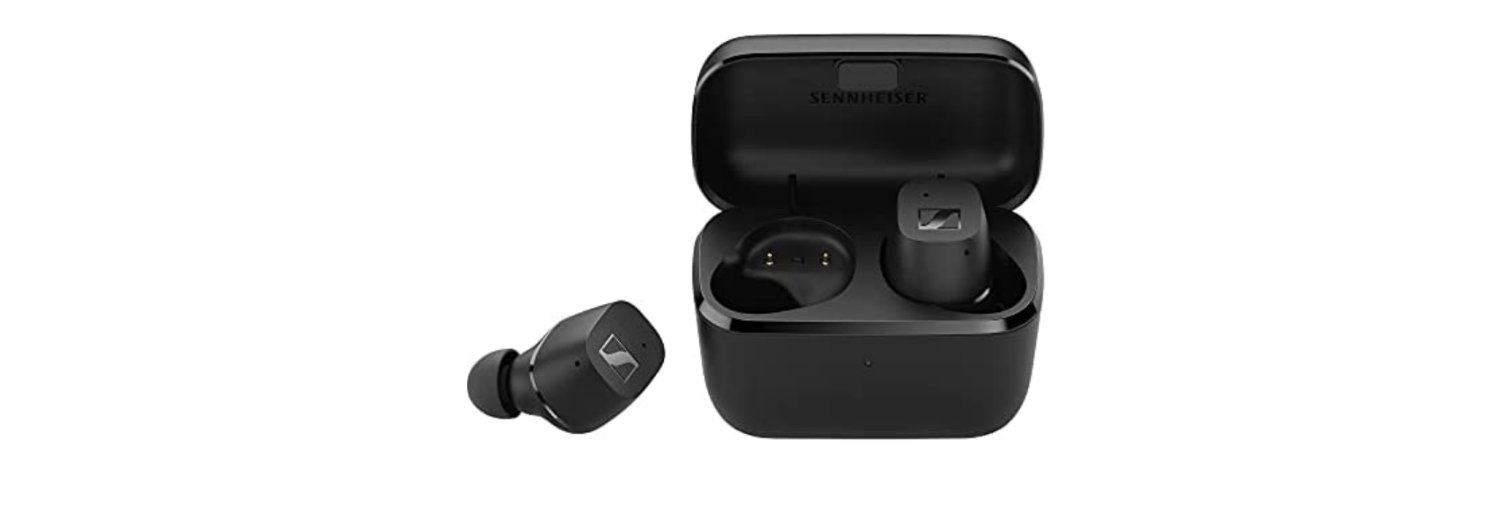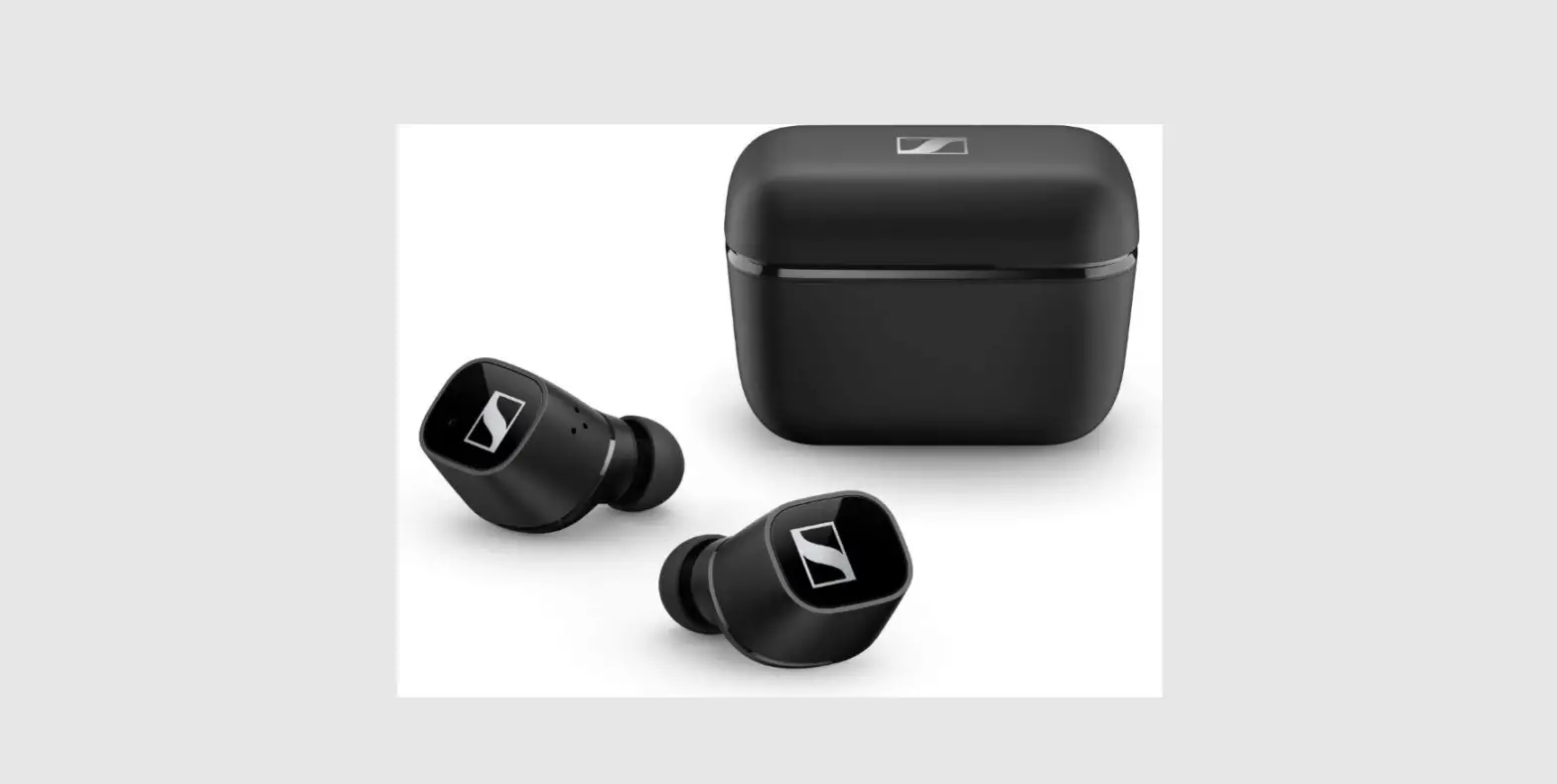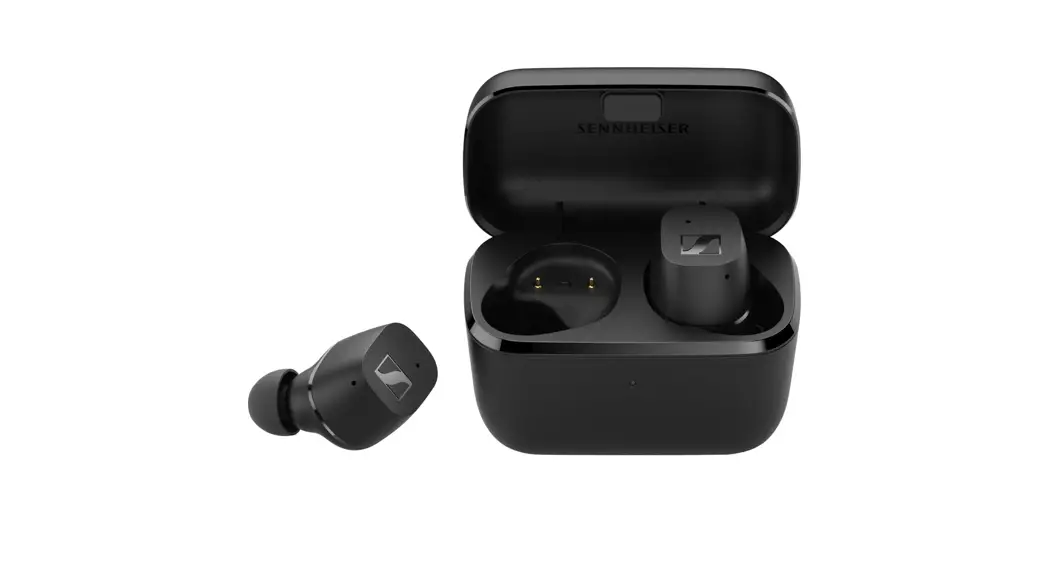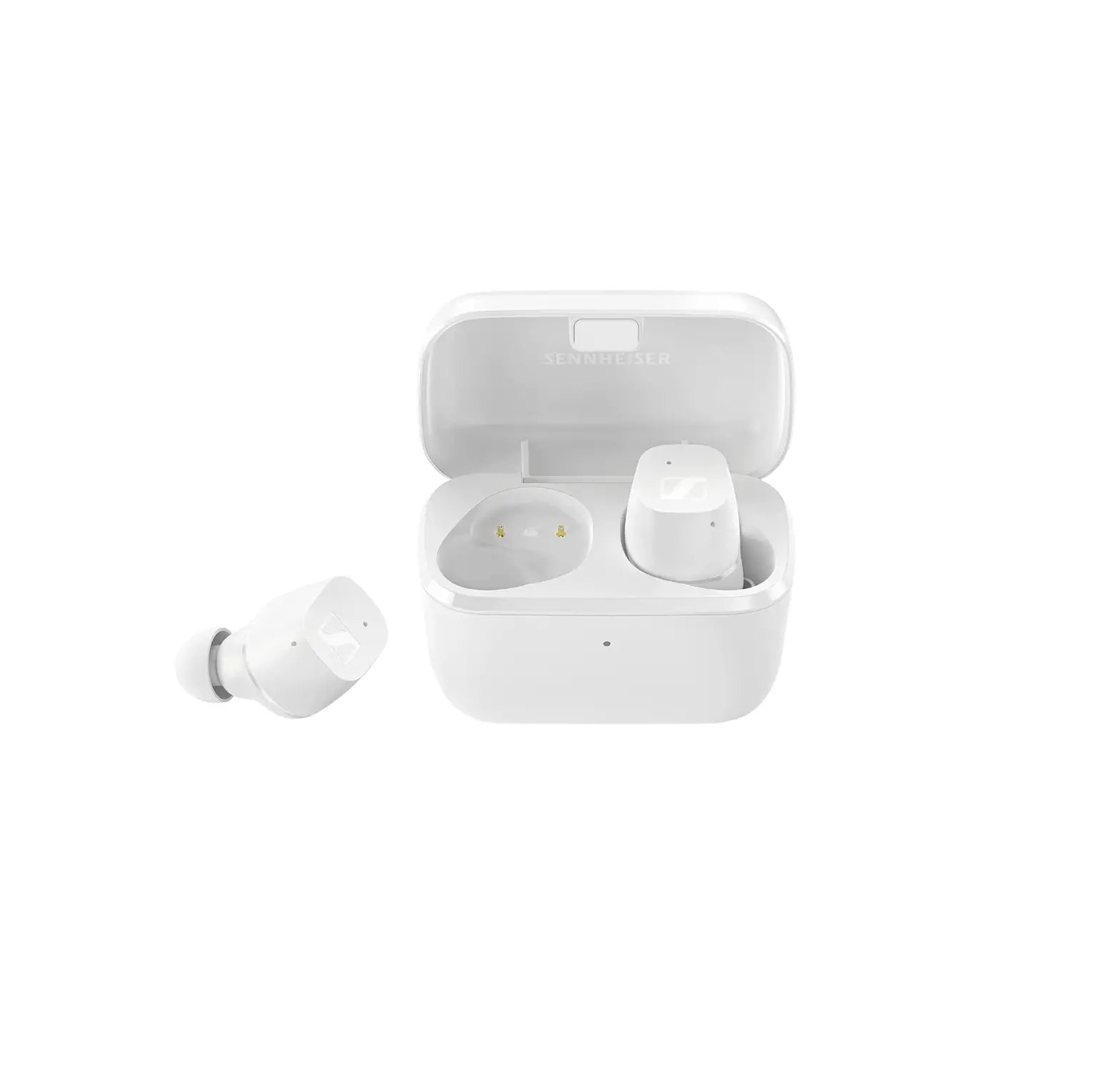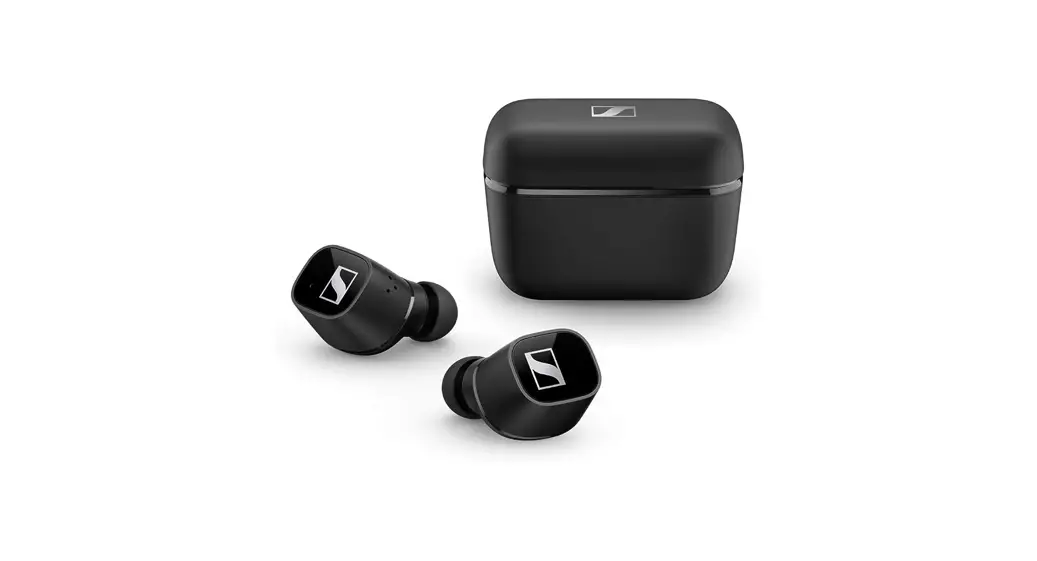
 CX 400BT True Wireless
True wireless stereo earphones
Model: CX400TW1, CX400TW1 R, CX400TW1 L, CX400TW1 C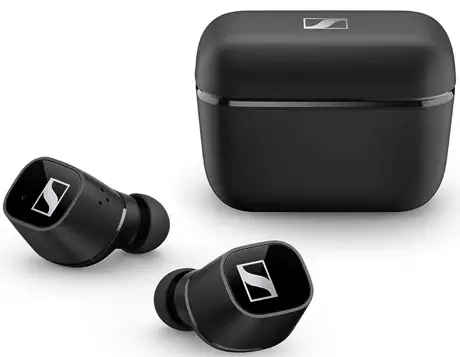 Instruction manual
 Important safety instructions
- Read this instruction manual carefully and completely before using the product.
- Always include this instruction manual when passing the product on to third parties.
- Do not use the product if it is obviously defective or makes loud, unusual (whistling or beeping) noise.
- Only use the product in environments where Bluetooth® wireless transmission is permitted.
Preventing damage to health and accidents  Protect your hearing from high volume levels. Permanent hearing damage may occur when headphones are used at high volume levels for long periods of time. Sennheiser headphones sound exceptionally good at low and medium volume levels.
- Do not insert the earphones too deep into your ears and never insert them without ear adapters. Always remove the earphones slowly and carefully from your ears.
 The product generates stronger permanent magnetic fields that could cause interference with cardiac pacemakers, implanted defibrillators (ICDs) and other implants.
Always maintain a distance of at least 3.94″/10 cm between the product component containing the magnet (earbuds and charging case) and the cardiac pacemaker, implanted defibrillator, or other implant.- Keep the product, accessories and packaging parts out of reach of children and pets to prevent accidents. Swallowing and choking hazard.
- Do not use the product in an environment that requires your special attention (e.g. in traffic).
 Protect your hearing from high volume levels. Permanent hearing damage may occur when headphones are used at high volume levels for long periods of time. Sennheiser headphones sound exceptionally good at low and medium volume levels.
 The product generates stronger permanent magnetic fields that could cause interference with cardiac pacemakers, implanted defibrillators (ICDs) and other implants.
Preventing damage to the product and malfunctions
- Always keep the product dry and do not expose it to extreme temperatures (hairdryer, heater, extended exposure to sunlight, etc.) to avoid corrosion or deformation. The normal operating temperature is from 0 °C to 40 °C/32 °F to 104 °F. ▷ Use only ttachments/accessories/spare parts supplied or recommended by Sennheiser.
- Clean the product only with a soft, dry cloth.
Safety instructions for Lithium rechargeable batteries
WARNING
If abused or misused, the rechargeable batteries may leak.
In extreme cases, they may even present a risk of:
- xplosion,
- fire development,
- heat generation,
- moke or gas development.
 | Only use rechargeable batteries and chargers recommended by Sennheiser. |
 | Only charge the product / rechargeable batteries at ambient temperatures between 10 °C to 40 °C/50 °F to 104 °F. |
 | Do not heat the product / rechargeable batteries above 70 °C/140 °F. Avoid exposure to sunlight and do not throw the product / rechargeable batteries into fire. |
 | When not using the product / rechargeable batteries for extended periods of time, charge them regularly (about every three months). |
 | Switch rechargeable battery-powered products off after use. |
 | Dispose of defective products with built-in rechargeable batteries at special collection points or return them to your specialist dealer. |
Notes on data collection and processing and on firmware updates
This product stores individual settings such as the volume, the sound profiles and the Bluetooth connection data of paired devices. This data is required for the operation of the product and is not transferred to Sennheiser or companies commissioned by Sennheiser and is not processed.
Using the “Sennheiser Smart Control” app, you can update the firmware of the product for free via an Internet connection. If the device on which the app is installed is connected to the Internet, the following data is automatically transferred to and processed by Sennheiser servers in order to provide and transfer suitable firmware updates: hardware identifier, hardware revision number, firmware version of the product, operating system type (Android, iOS) and version, version of the app. The data will only be used as specified and will not be stored permanently.
If you do not want this data to be transferred and processed, do not connect to the Internet.
Intended use/Liability
These headphones have been designed as an accessory for Bluetooth compliant devices. They are intended for wireless audio communication such as music playback and phone calls via Bluetooth wireless technology.
It is considered improper use when the product is used for any application not named in the corresponding product documentation.
Sennheiser does not accept liability for damage arising from misuse or improper use of this product and its attachments/accessories. Sennheiser is not liable for damages to USB devices that are not consistent with the USB specifications. Sennheiser is not liable for damages resulting from the loss of connection due to flat or overaged rechargeable batteries or exceeding the Bluetooth transmission range.
Before putting into operation, please observe the respective coun- try-specific regulations.
Package contents
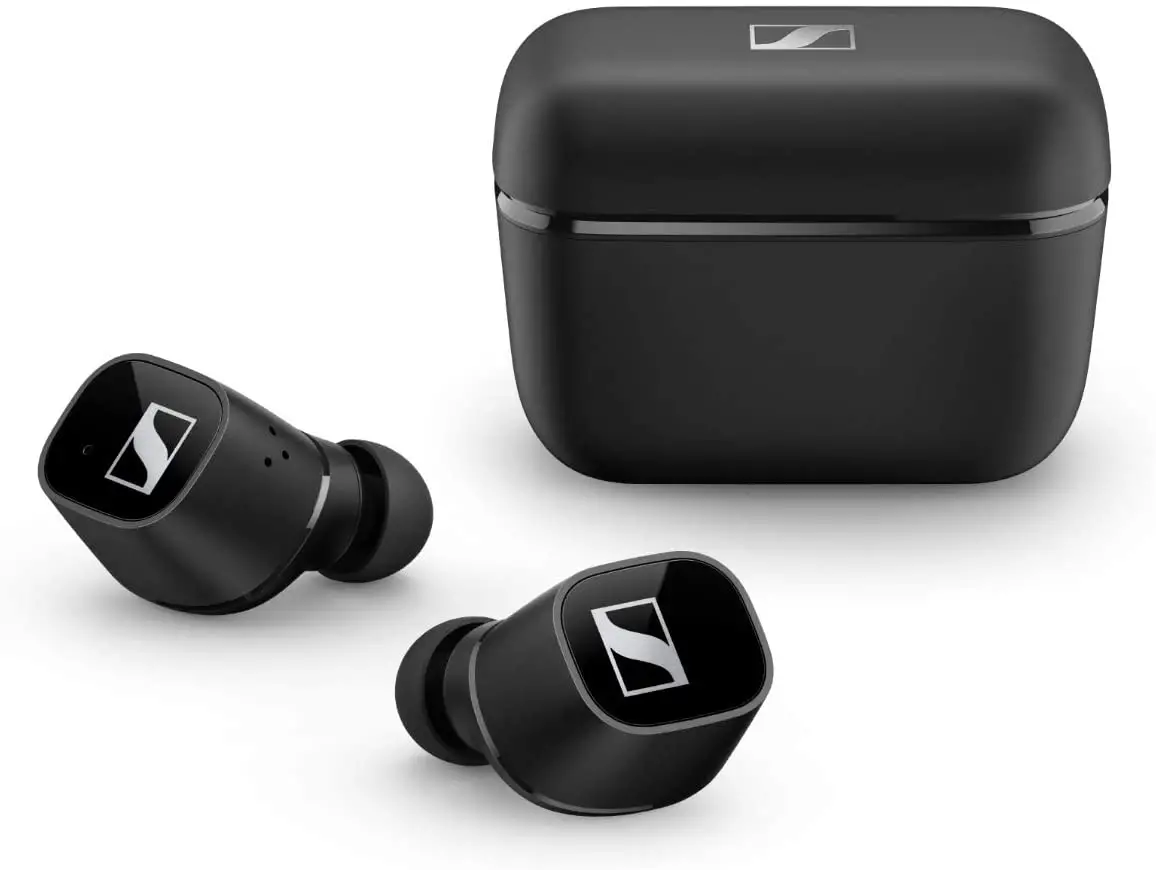
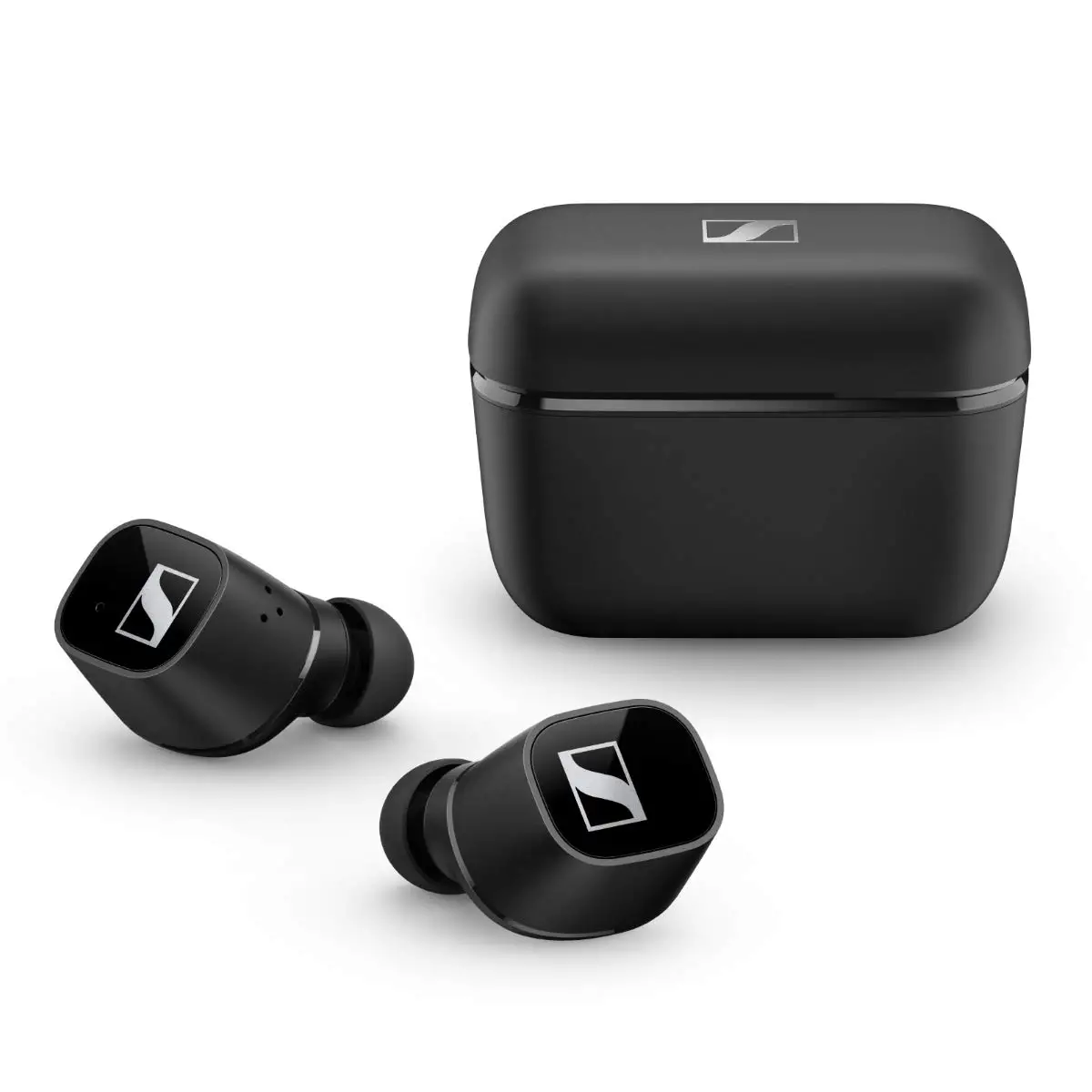
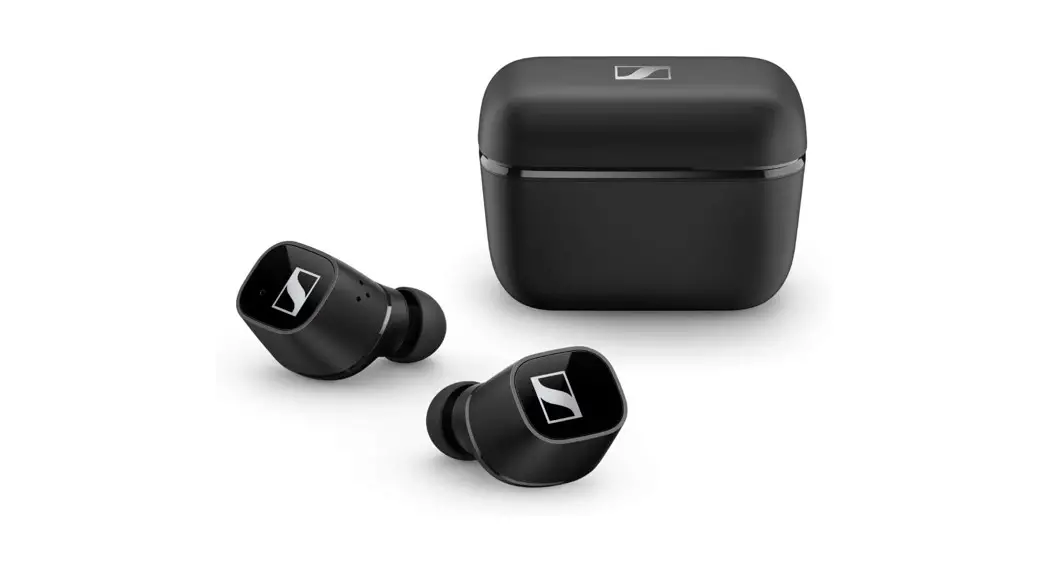
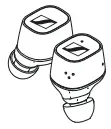 | Earbud R for right ear (CX400TW1 R) and earbud L for left ear (CX400TW1 L) |
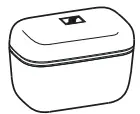 | Charging case with built-in rechargeable battery for the earbuds (CX400TW1 C) |
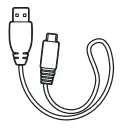 | USB charging cable with USB-C and USB-A connector, approx. 0.25 m |
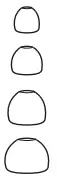 | Silicone ear adapters (size XS, S, M (pre-mounted to the earbuds) and L) |
 | Quick guide |
 | Safety guide |
Online you can find:
- this detailed instruction manual and additional information (www.sennheiser.com/download)
- the Sennheiser Smart Control app for configuring the headphones and for additional functions (www.sennheiser.com/smartcontrol)
 A list of accessories can be found on the CX 400BT True Wireless product page at www.sennheiser.com.
Contact your local Sennheiser partner: www.sennheiser.com > “Service & Support”.
Product overview
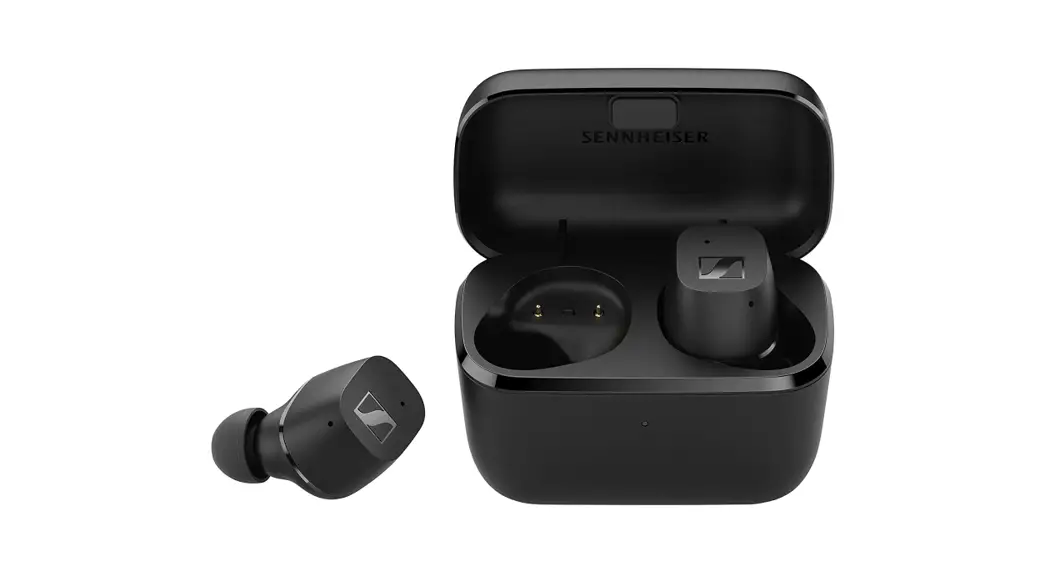
Charging case
CX400TW1 C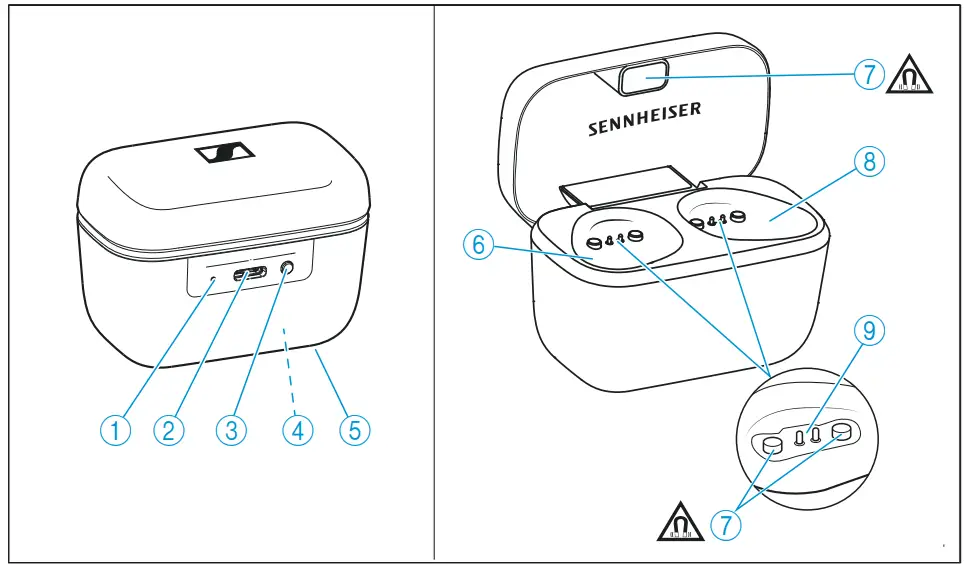
- LED displays the charging process/charge status of the rechargeable battery of the charging case or of the earbuds (when inserted into the charging case)
- Input for USB-C connector for charging the rechargeable batteries
- LED button activates the LED display for 5 seconds
- Built-in rechargeable battery for charging the earbuds on the go
- Type plate
- Charging compartment for the left earbud L
- Magnetic holders
- Charging compartment for the right earbud R
- Charging contacts
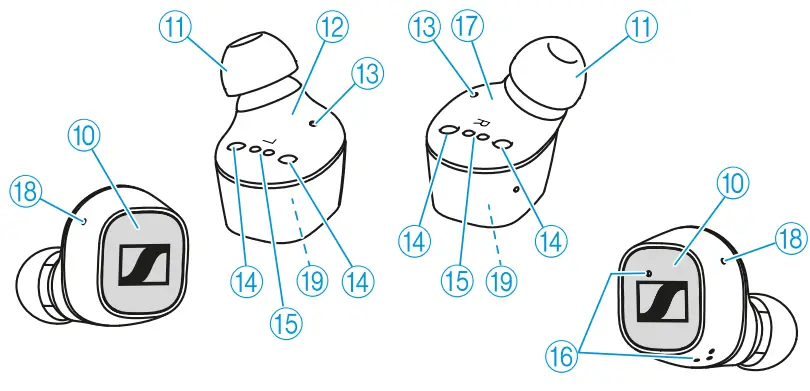
Earphones
CX400TW1 R and CX400TW1 L
- Touch control panel
- Changeable silicone ear adapters
- Left earbud L (secondary earbud, receives signals from the right earbud)
- Status LED
- Magnetic holders
- Charging contacts
- Microphones for phone calls
- Right earbud R (primary earbud, controls the Bluetooth connection to the smartphone and to the left earbud)
- Openings for acoustic optimization
- Built-in rechargeable battery
Overview of the LED indications of the charging case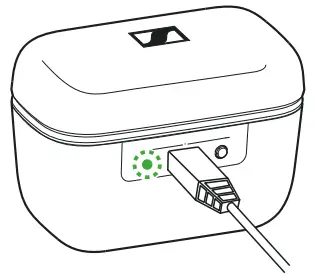 When a USB cable is connected, the LED of the charging case permanently displays the charging process:
| LED | Charging case WITHearbuds inserted | Charging case WITHOUT earbuds inserted | |
 | pulsesyellow | … earbuds and charging case are being charged | … charging case is being charged |
 | lights up green | … earbuds and charging case are fully charged | … charging case is fully charged |
 | flashes red | … a charging error/ battery error has been detected in at least one earbud (> 30) | … a charging error/ battery error has been detected in the charging case (> 30) |
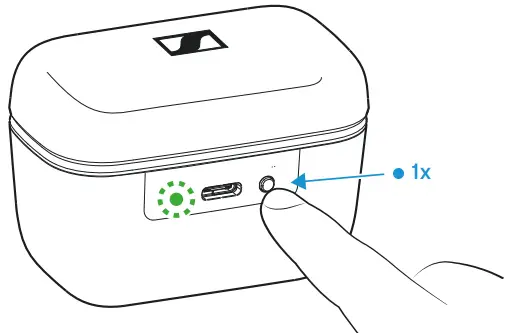 If you press the LED button and no USB cable is connected, the LED of the charging case displays the battery charge status or the charging process of the earbuds for 5 seconds:
| LED | Charging case WITH earbuds inserted | Charging case WITHOUT earbuds inserted | |
| lights up green | … earbuds are fully charged and the charging case can still charge at least one complete cycle | … charging case is fully charged |
 | pulses yellow | … earbuds are being charged via the rechargeable battery of the charging case | _ |
 | lights up yellow | … earbuds are fully charged, the charging case cannot charge another complete cycle | … charging case is charged less than 90 % |
 | lights up red | … rechargeable bat- teries of the earbuds and the charging case are empty | … rechargeable bat- tery of the charging case is empty |
| flashes red | … a charging error/battery error has been detected in at least one earbud (> 30) | … a charging error/battery error has been detected in the charging case (> 30) |
If the LED does not light up:
- Clean the contacts on the earbuds and in the charging case (> 29).
- Charge the rechargeable batteries of the earbuds and the charging case until the LED lights up again (> 14).
Overview of the LED indications of the earbuds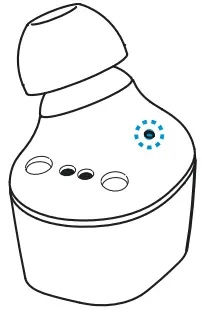
| LED | Meaning; the earbuds… | |
 | flashes red-blue for approx. 1 minute | … are in Bluetooth pairing mode |
 | flashes blue 3x | … Bluetooth pairing or earbud pairing successful |
 | flashes red 3x | … Bluetooth pairing or earbud pairing failed |
 | lights up blue | … are connected to a device via Bluetooth (primary earbud (R) is connected to the smartphone, secondary earbud (L) is connected to the primary earbud (R)) |
| lights up red | … are not connected to a device via Bluetooth or the connection has been lost (primary earbud (R) is not connected to a smartphone, secondary earbud (L) is not connected to the primary earbud (R)) |
| flashes red quickly | … rechargeable battery is almost empty |
 | flashes red slowly | … system error – the Smart Control app may display details. Perform a restart (> 31) |
 | flashes redgreen for approx. 1 minute | … are in earbud pairing mode (to pair the right and left earbud) |
Notes on voice prompts
The earphones output voice prompts for events (the table gives some examples). Using the Smart Control app, you can change the language of the voice prompts, choose between voice prompts and beep sounds, or deactivate the status messages with a few exceptions (e.g. rechargeable battery is empty).
| Voice prompt | Meaning/earbuds… |
| “Power on” | … are switched on |
| “Power off” | … switch off |
| “Connected” | … connected via Bluetooth |
| “No connection” | … not connected via Bluetooth |
| “Pairing” | … in Bluetooth pairing mode |
| “Pairing cancelled” | … Bluetooth pairing cancelled |
| “Pairing successful” | … Bluetooth pairing successful |
| “Pairing failed” | … Bluetooth pairing not successful |
| “Recharge headset” | … Rechargeable battery is almost empty. Recharge the rechargeable battery. |
| “Call rejected” | … incoming call rejected |
| “Call ended” | … call ended |
| “Volume min” | … volume set to minimum |
| “Volume max” | … volume set to maximum |
Getting started
- Waking up the earbuds and the charging case and charging the rechargeable batteries
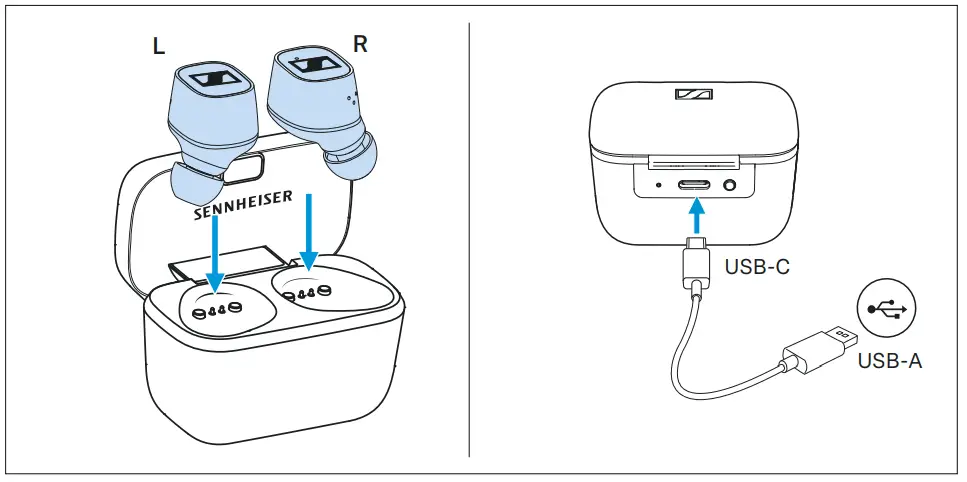
 Upon delivery, the rechargeable batteries of the earbuds and the charging case are in sleep mode and have to be woken up by con- necting them to a power source once.
▷ Insert the earbuds into the charging case.
▷ Connect the USB-C cable to the charging case and to a USB power source (> 14).
The earbuds and the charging case are woken up and the rechargeable batteries are being charged. The earbuds are now ready for use.
Alternatively:
▷ Press and hold the LED button on the charging case for 3 seconds.
The earbuds and the charging case are woken up and can now be used. - Selecting suitable ear adapters for optimum fit of the earbuds
 The perceived sound quality including bass performance and the best possible noise cancellation of the earphones depends to a large extent on the correct fit of the earbuds in the ear.
▷ Test which ear adapter size gives you the best sound quality and the best wearing comfort./
▷ You can choose between 4 different ear adapters in size XS, S, M and L (> 20). ▷ Assign the right earbud to your right ear and the left earbud to your left ear.
▷ Insert the earbuds at a slight angle into the ears and twist them slightly into the ear canal so that they sit comfortably and snugly in the ear canal. - Connecting the earphones to a Bluetooth device
 Connect the earphones to your smartphone via Bluetooth (> 16).
 - Installing the Smart Control app on your smartphone
 http://www.sennheiser.com/smartcontrol
The Sennheiser Smart Control app allows you to use all functions and settings of the earphones and to e.g. adjust the sound to your liking using the equalizer (> 19).
 Upon delivery, the rechargeable batteries of the earbuds and the charging case are in sleep mode and have to be woken up by con- necting them to a power source once.
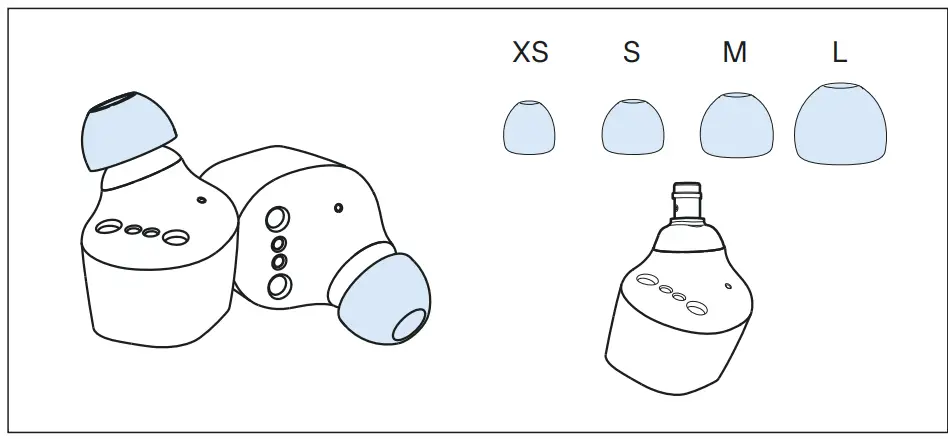 The perceived sound quality including bass performance and the best possible noise cancellation of the earphones depends to a large extent on the correct fit of the earbuds in the ear.
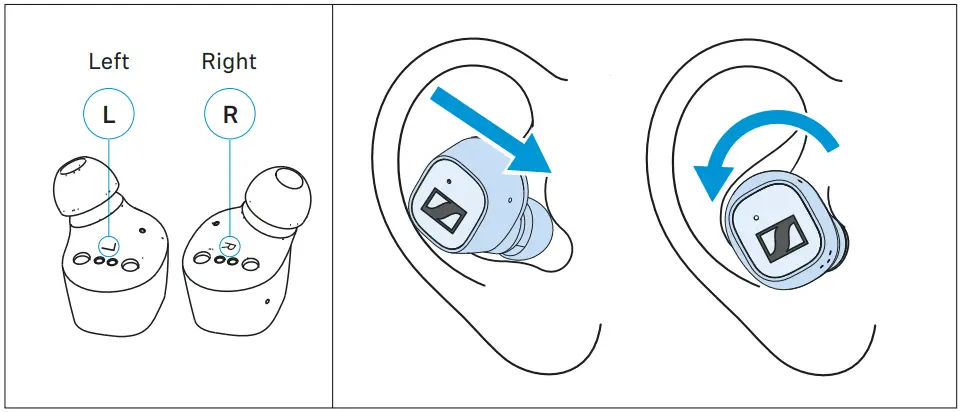 ▷ Assign the right earbud to your right ear and the left earbud to your left ear.
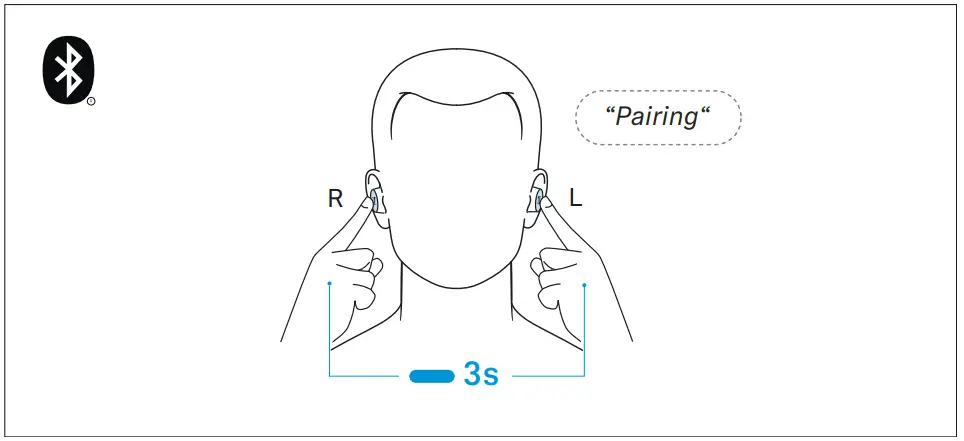 Connect the earphones to your smartphone via Bluetooth (> 16).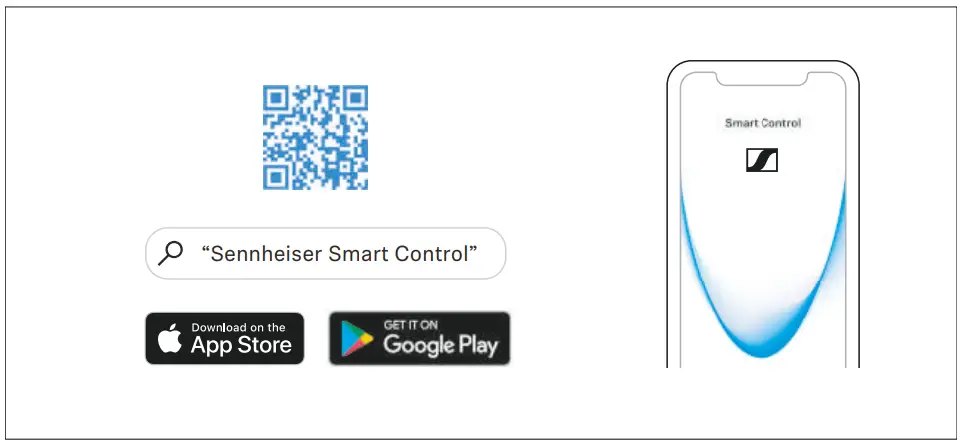
Using the earphones
Information on the rechargeable battery, the charging process and the first use The earbuds and the charging case each have a built-in rechargeable battery. The charging case allows you to store the earbuds safely at all times while they are being charged.
| Rechargeable battery | Operating time with fully charged rechargeable batteries |
| Earbuds | approx. 7 hrs (test conditions: iPhone within 1 m distance, Bluetooth AAC codec, volume level 50 %, no EQ settings) |
| Earbuds and charging case | approx. 20 hrs (approx. 2 additional charging cycles of the earbuds via the charging case) |
Upon delivery, the rechargeable batteries of the earbuds and the charging case are in sleep mode and have to be woken up by con- necting them to a power source once. Sennheiser recommends charging the earbuds and the charging case for a complete charging cycle without interruption before using for the first time.
A complete charging cycle of the charging case and the earbuds takes about 1.5 hours. The quick charge function gives you approx. 1 hour of playback time after 15 minutes of charging.
Sennheiser recommends using the supplied USB cable and a compatible standard USB power supply for charging the headphones.
When a USB cable connected to a power source is also connected to the charging case, the rechargeable battery of the charging case is being charged. When the earbuds are inserted into the charging box, their rechargeable batteries are being charged at the same time. The LED of the charging case displays the charge status (> 7).
When the battery charge of the earbuds drops to a critical level, a voice prompt asks you to recharge the earbuds (“Recharge headset”).
The charge status of the rechargeable battery of the charging case is displayed by the LED on the charging case (> 7).
Charging the rechargeable battery of the earbuds and the charging case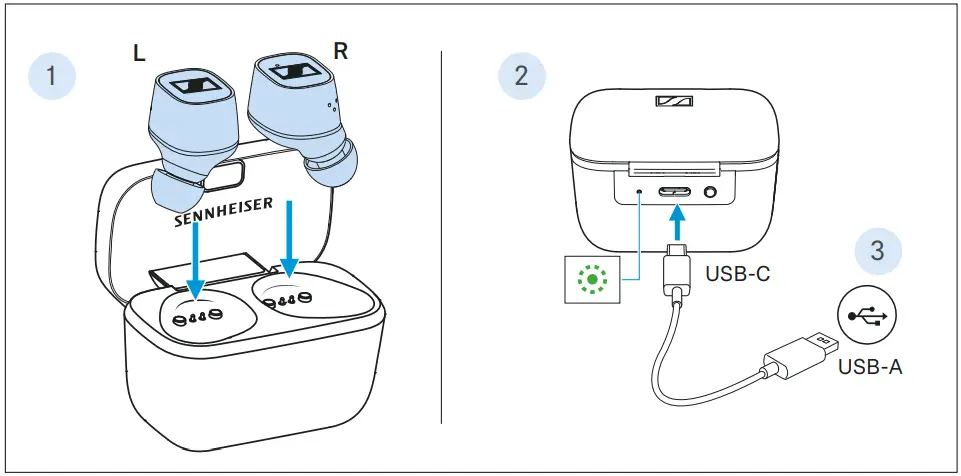
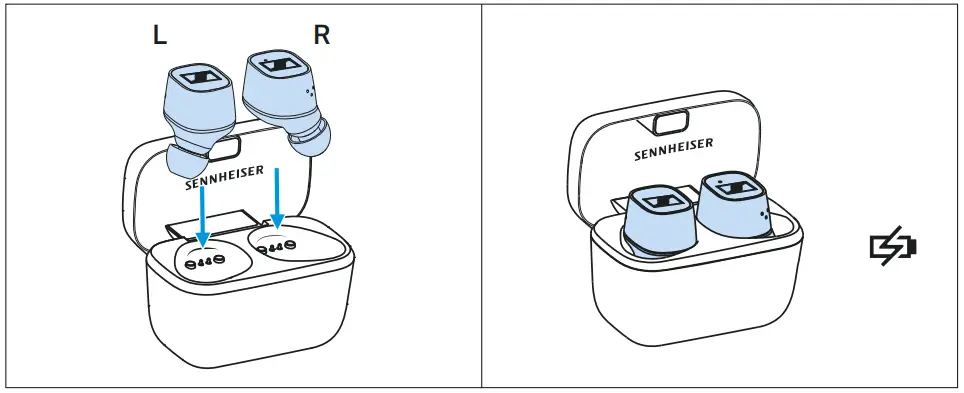
- Open the charging case by overcoming a slight magnetic resistance and insert the left earbud into the left charging compartment and the right earbud into the right charging compartment. The earbuds are magnetically pulled into the charging compart- ments.
- Connect the USB-C connector of the USB cable to the USB-C socket of the charging case.
- Connect the USB-A connector to a corresponding socket of a USB power source (to be ordered separately). Make sure that the USB power source is connected to the power supply system. The rechargeable batteries of the earbuds and the charging case are being charged. If no earbuds are inserted into the charging case, only the rechargeable battery of the charging case is being charged. The LED of the charging case displays the charge status:
| LED | Charging case WITH earbuds inserted | Charging case WITHOUT earbuds inserted | |
| pulsesyellow | … earbuds and charging case are being charged | … charging case is being charged |
| lights up green | … earbuds and charging case are fully charged | … charging case is fully charged |
| flashes red | … a charging error/ battery error has been detected in at least one earbud (> 30) | … a charging error/ battery error has been detected in the charging case (> 30) |
Connecting the earphones to a Bluetooth device
To be able to use the Bluetooth wireless connection, you must register both devices (earphones and e.g. smartphone) via the device settings of your smartphone. This process is called pairing.
If operation differs from the steps mentioned, also refer to the instruction manual of the Bluetooth device you are using. When you switch on the earphones for the first time after initial charging, they automatically switch to pairing mode.
Information on the Bluetooth wireless connection
The earphones are compatible with Bluetooth 5.1.
If your audio source supports one of the following high-resolution audio encoding methods, music is automatically played in high audio quality: aptX® or AAC. Otherwise the headphones will play your music in normal audio quality (SBC).
Paired devices establish the Bluetooth wireless connection immediately after switch-on and are ready for use.
When you switch the earphones on, they automatically try to connect to the last connected Bluetooth device. The earphones can save the connection profiles of up to eight Bluetooth devices with which they have been paired. Audio playback is only possible from one device at a time.
If you pair the earphones with the ninth Bluetooth device, the saved connection profile of the least used Bluetooth device will be overwritten. If you want to re-establish a connection with the overwritten Bluetooth device, you have to pair the earphones again. Using the Smart Control app, you can view the list of paired devices and selectively connect and disconnect devices (“Connections”; > 17).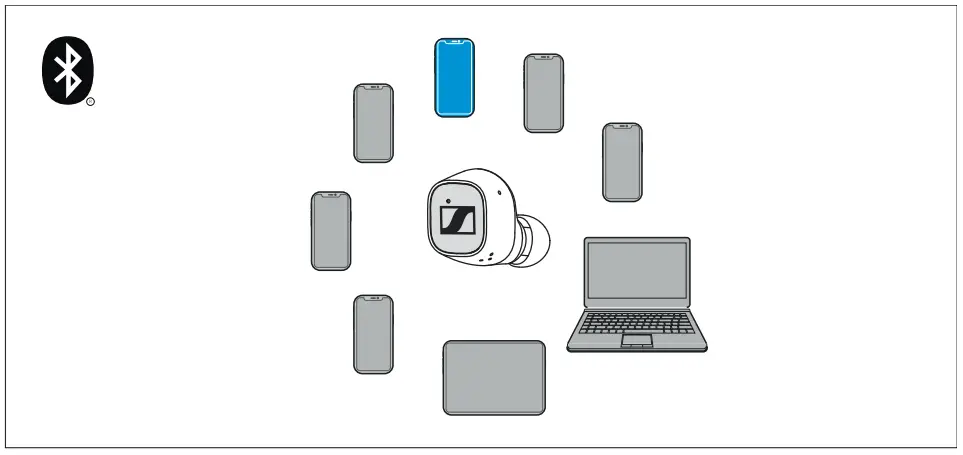
 Paired and connected Bluetooth device
 Paired Bluetooth device (currently not connected)
The right and the left earbud also use a Bluetooth wireless connection. Both earbuds are paired with each other upon delivery.
If you are using a different earbud (e.g. a spare earbud), the two earbuds must also be paired with each other (> 17).
Pairing the earphones with a Bluetooth device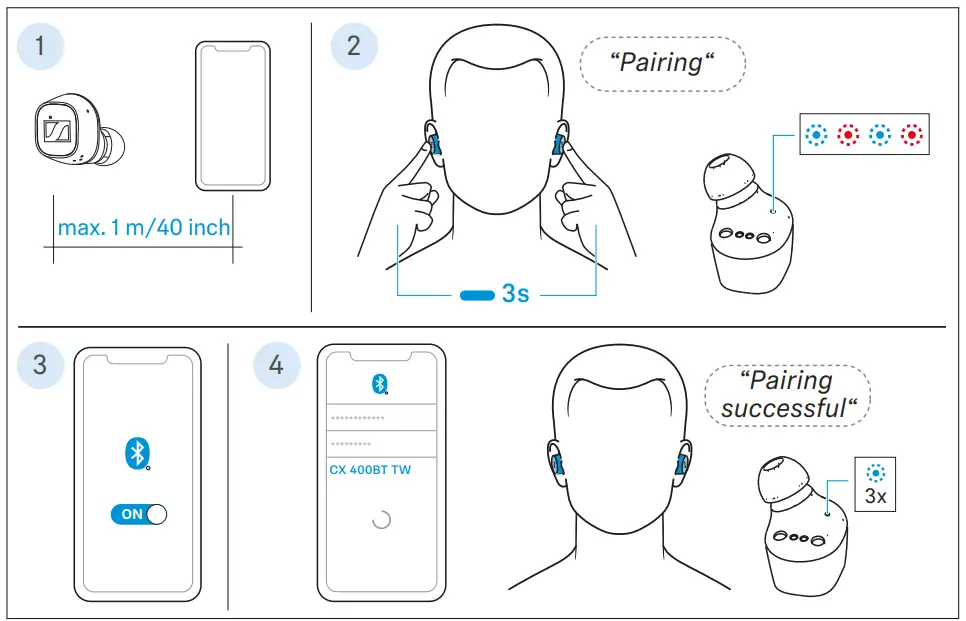
- Take both earbuds out of the charging case and insert them into your ears (> 20). The distance between the earbuds and the Bluetooth device should not exceed 40″/1 m.
- Simultaneously touch and hold the right and the left touch control panel for 3 seconds until you hear the voice prompt “Pairing” and a beep.
The LEDs of the earbuds flash blue and red. The earbuds are in pairing mode. - Activate Bluetooth on your Bluetooth device.
- Via the menu of your Bluetooth device, start the search for new Bluetooth devices.
All active Bluetooth devices in the proximity of your smartphone are displayed.
From the list of found Bluetooth devices, select “CX 400BT TW”.
If necessary, enter the default pin code “0000”.
If pairing was successful, you hear the voice prompt “Pairing successful” and the LEDs of the earbuds flash blue 3x.
If no connection is established within 1 minute, pairing mode is terminated and the earbuds switch to idle mode. If necessary, repeat the steps described above.
If the earphones are not paired with any Bluetooth device (the pairing list is empty), pairing mode is permanently active.
Switching the connection to paired Bluetooth devices/“Connections”
To selectively switch the audio connection to paired Bluetooth devices using the “Connections” function, you require the Smart Control app (> 19).
▷ In the Smart Control app, tap “Connections”.
The list of Bluetooth devices paired with the earphones appears.
▷ From the list, select the paired device to which you want to connect the earphones. Make sure that the desired device is switched on and Bluetooth is activated. The
Bluetooth audio connection between the desired Bluetooth device and the earphones is established.
The app connection between the device with the Smart Control app installed and the earphones remains active (only Bluetooth Low Energy for communication between app and earphones, the device name is highlighted in bold).
Disconnecting the earphones from a Bluetooth device
▷ Via the menu of your Bluetooth device, disconnect the connection to the earphones.
The earphones are disconnected from the Bluetooth device. The earphones then search for other paired devices. If no device is found, you hear the voice prompt “No connection”. The headphones switch to idle mode. Using the “Connections“ function in the Smart Control app, you can also selectively connect the earphones to paired devices without terminating an existing connection (> 17). If you want to clear the Bluetooth pairing list of the earphones, reset the earphones to the factory default settings (> 32).
Pairing the earbuds with each other (optional)
The right and the left earbud are paired with each other upon delivery.
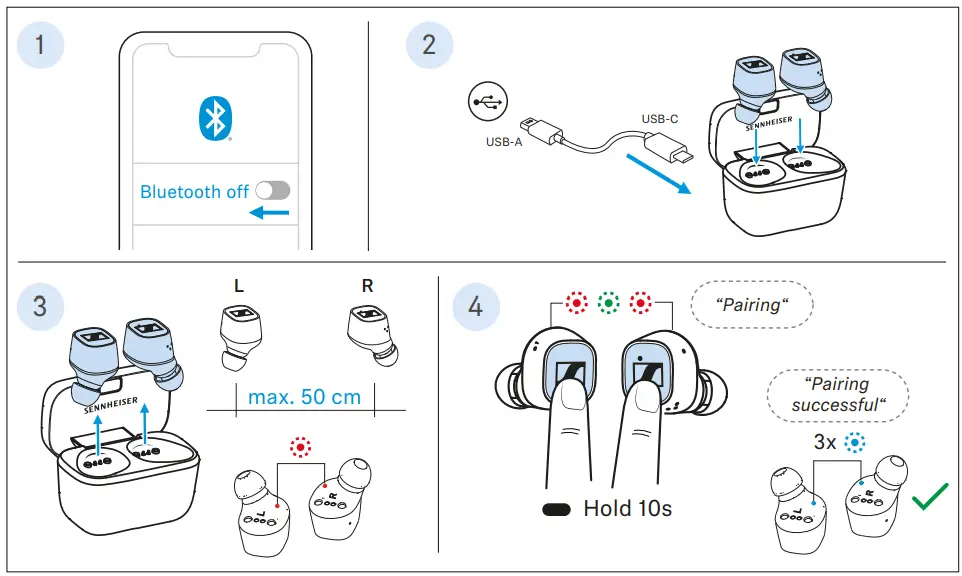
If, however, you are using a different earbud (e.g. a spare earbud), you have to pair the two earbuds with each other once:
- Make sure that the right earbud is not connected to any Bluetooth device.
Deactivate Bluetooth on your Bluetooth device or delete “CX 400BT TW” from the list of paired devices in the menu of your
Bluetooth device. - Charge the right and the left earbud (> 14).
- Take both earbuds out of the charging case and make sure that the right and the left earbud are close together (max. distance 50 cm).
The LEDs of the earbuds light up red. - Simultaneously touch and hold the right and the left touch control panel for 10 seconds until you hear the voice prompt “Pairing” and a beep.
The LEDs of the earbuds flash green and red. The earbuds are in earbud pairing mode.
If pairing was successful, you hear the voice prompt “Pairing successful” and the LEDs of the earbuds flash blue 3x.
▷ Now pair the earbuds with your Bluetooth device (> 16).
Installing the Smart Control app
To make full use of all the settings and functions of the headphones, you need to have the free Sennheiser Smart Control app installed on your smartphone.
Download the app from the App Store or Google Play and install it on your smartphone. Alternatively, you can use your smartphone to scan the following QR code or to call up the following Internet site: www.sennheiser.com/smartcontrol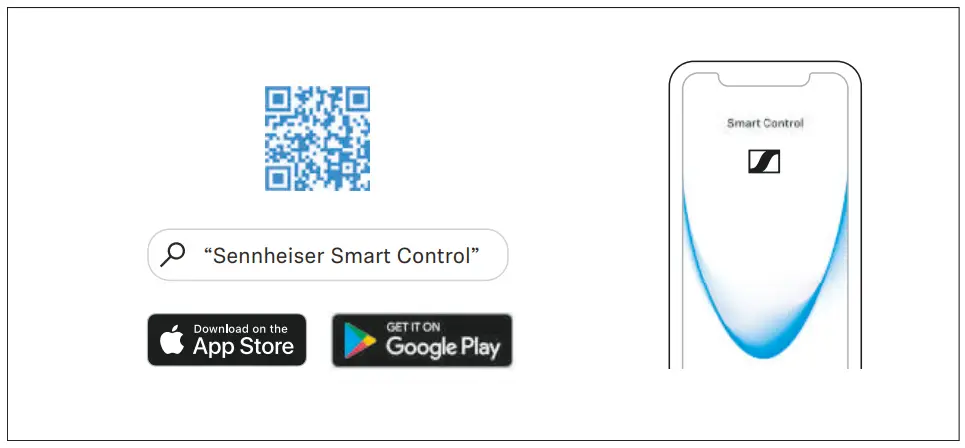
- Connect your smartphone to the earphones using Bluetooth (> 15).
- Start the Smart Control app.
- Follow the instructions in the app.
- Simultaneously touch and hold the right and the left touch control panel for 3 seconds to accept the Bluetooth Low Energy connection.
The Smart Control app recognizes the earphones and activates all available settings and functions.
If you connect the earphones via the Smart Control app, only a Bluetooth Low Energy connection may be established (Bluetooth name “LE-CX 400BT TW”). To use the earphones for music playback, etc., pair the earbuds via the Bluetooth menu of your smartphone (Bluetooth name “CX 400BT TW”) (> 16).
Selecting suitable ear adapters for optimum fit of the earbuds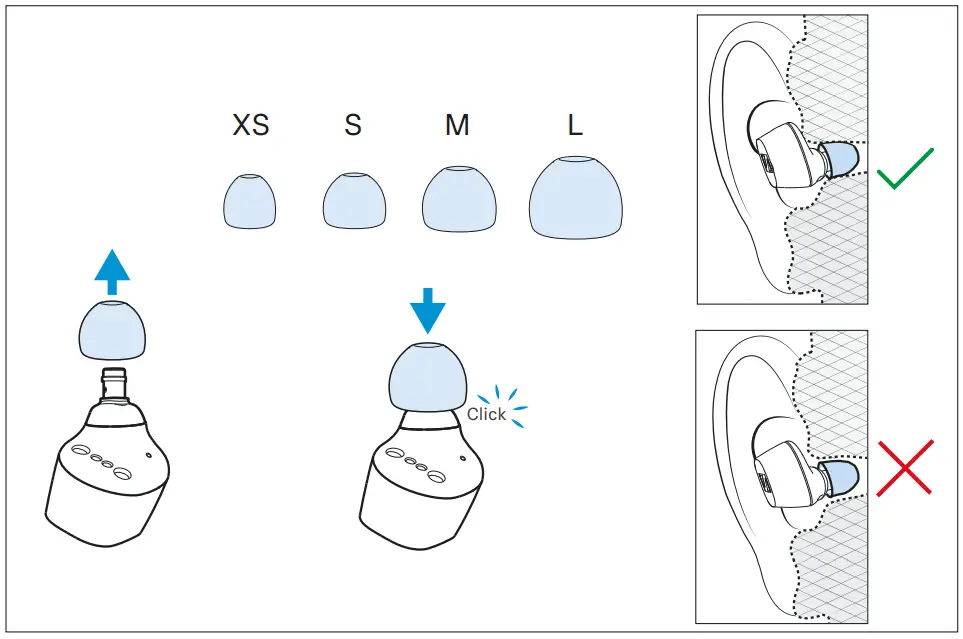 The perceived sound quality including bass performance and the best possible noise cancellation of the earphones depends to a large extent on the correct fit of the earbuds in the ear.
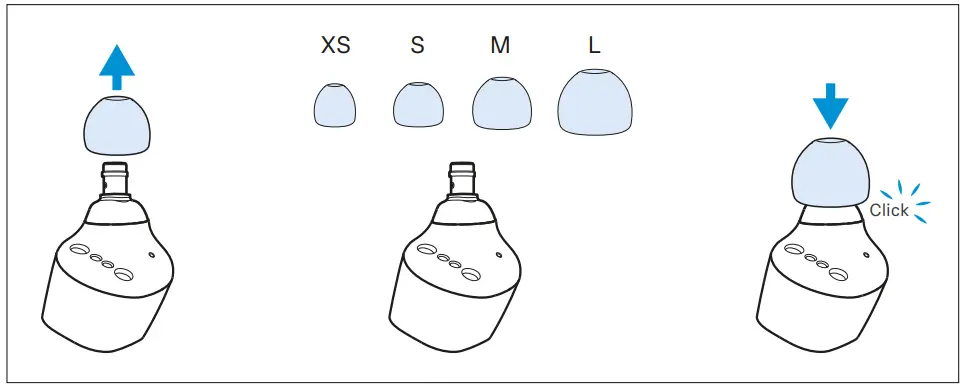
- Pull the ear adapter away from the in-ear sound tunnel.
- Mount the new ear adapter to the in-ear sound tunnel. Ensure that it locks into place.
- Test which ear adapter size gives you the best sound quality and the best wearing comfort.
You can choose between 4 different ear adapters in size XS, S, M and L. The ear adapters must fit snugly in the ear canal and completely seal your ears.
Inserting the earbuds into the ears
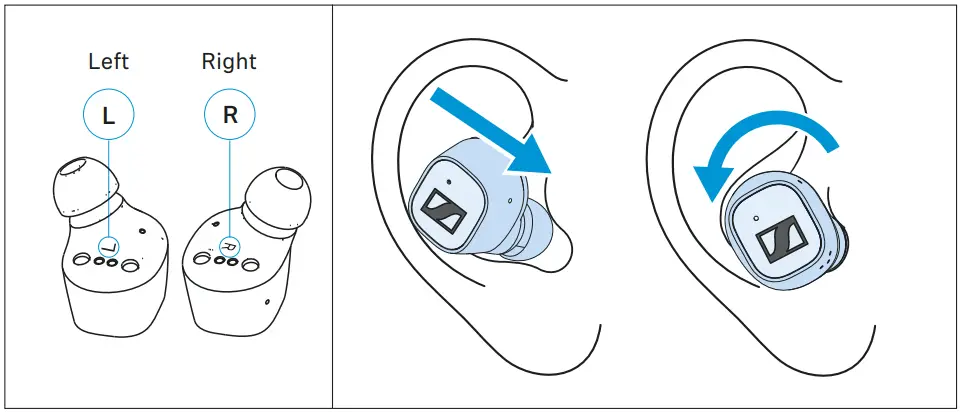
- Assign the right earphone to your right ear and the left earphone to your left ear.
- Insert the earbuds at a slight angle into the ears and twist them slightly into the ear canal so that they sit comfortably and snugly in the ear canal (> 20).
You can use the right earbud alone without using the left earbud. The left earbud, however, cannot be used alone.
Switching the earphones on WARNING
Danger of hearing damage due to high volume levels!
Listening at high volume levels can lead to permanent hearing defects.
- Before putting the headphones on, adjust the volume to a low level (> 22).
- Do not continuously expose yourself to high volume levels.
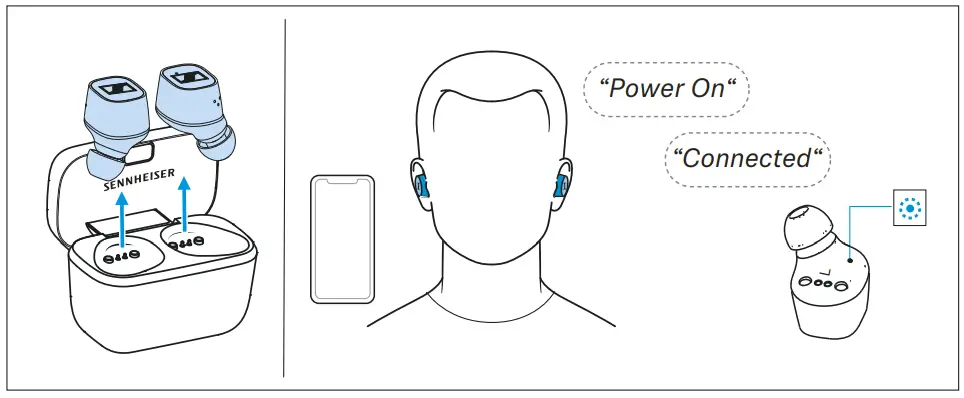
- Take both earbuds out of the charging case and insert them into your ears (> 20).
If a paired Bluetooth device is within the transmission range, you hear the voice prompts “Power On” and “Connected”. The LEDs of the earbuds light up blue.
If you take the earbuds out of the charging case during an incoming call, the call is automatically accepted and you can use the earbuds directly for making calls.
This Auto Call function can also be deactivated (> 25). The earbuds automatically switch to idle mode if no paired Bluetooth device can be found within 15 minutes. You can wake up the earbuds from idle mode by touching their touch control panels 1x or by briefly inserting them into the charging case.
Switching the earphones off
 The earbuds do not have to be switched off explicitly.
- Insert the earbuds into the charging case to switch them off. As soon as the earbuds are inserted into the charging case, they switch off and are being charged (> 14).
You can also switch off the earbuds manually (idle mode) via the Smart Control app.
The earbuds automatically switch to idle mode if no paired Bluetooth device can be found within 15 minutes. You can wake up the earbuds from idle mode by touching their touch control panels 1x or by briefly inserting them into the charging case.
Adjusting the volumeWARNING
Danger of hearing damage due to high volume levels!
Listening at high volume levels can lead to permanent hearing defects.
- Before putting the headphones on and before toggling between audio sources, adjust the volume to a low level.
- Do not continuously expose yourself to high volume levels.
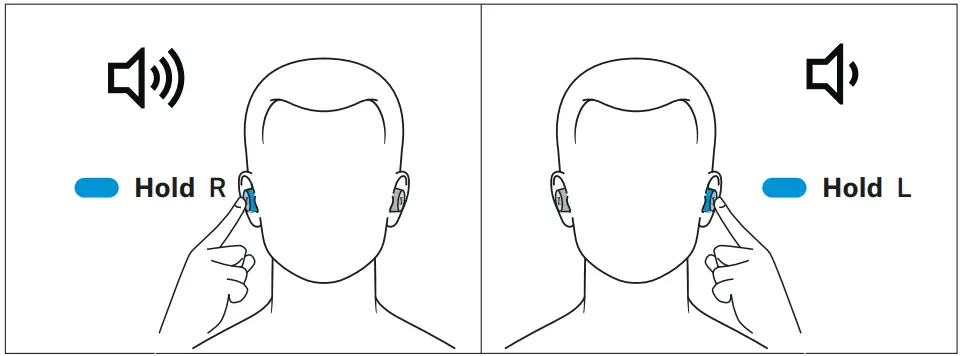
To increase the volume:
- Touch and hold the touch control panel of the right earbud until the volume is increased. To reduce the volume:
- Touch and hold the touch control panel of the left earbud until the volume is reduced.
When the minimum or maximum volume is reached, you hear the voice prompt “Volume max” or “Volume min”.
You can also adjust the volume using the connected Bluetooth device.
Using the voice assistant/voice dialing
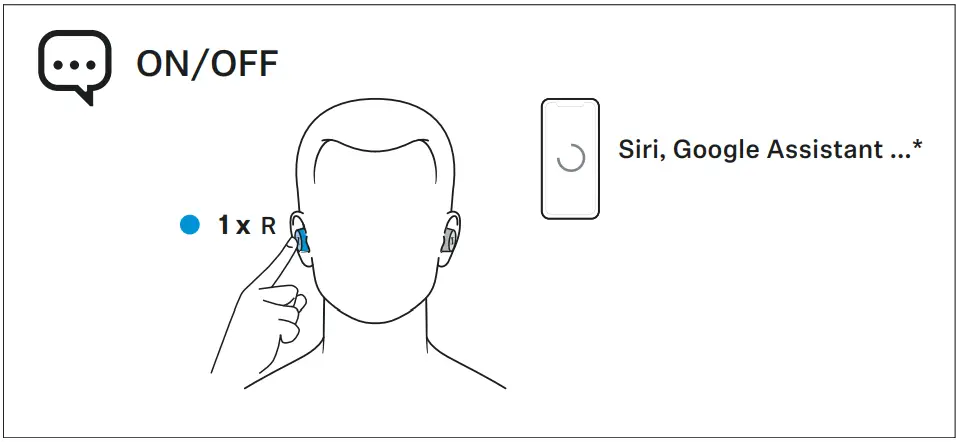
- Tap the touch control panel of the right earbud 1x.
The available voice assistant of your smartphone is activated (*depending on the system or app on your smartphone: Siri, Google Assistant, …). - Ask the voice assistant your question or make a request. To cancel the voice assistant/voice dialing:
- Tap the touch control panel of the right or left earbud 1x.
Controlling music playback
The music playback functions are only available when the earphones and the device are connected via Bluetooth. Some smartphones or music players may not support all functions. 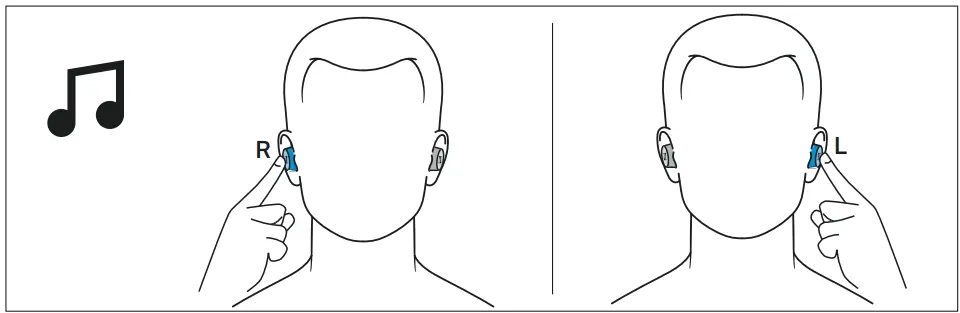
The Smart Control app allows you to customize the control functions for music playback (> 27).
Playing/pausing music
- Tap the touch control panel of the left earbud 1x.
| Left touch control panel | Function | |
 | Tap 1x | Plays or pauses music |
Playing the previous track
- Tap the touch control panel of the left earbud 2x.
| Left touch control panel | Function | |
 | Tap 2x | Plays the previous track in the playlist |
Playing the next track
- Tap the touch control panel of the right earbud 2x.
| Right touch control panel | Function | |
 | Tap 2x | Plays the next track in the playlist |
Making calls using the earphones
The call functions are only available when the earphones and the smartphone are connected via Bluetooth.
Some smartphones and telephony apps (e.g. WhatsApp, Skype, WeChat) may not support all call control functions.
During a call, you can use the right and/or left earbud to control the call functions. 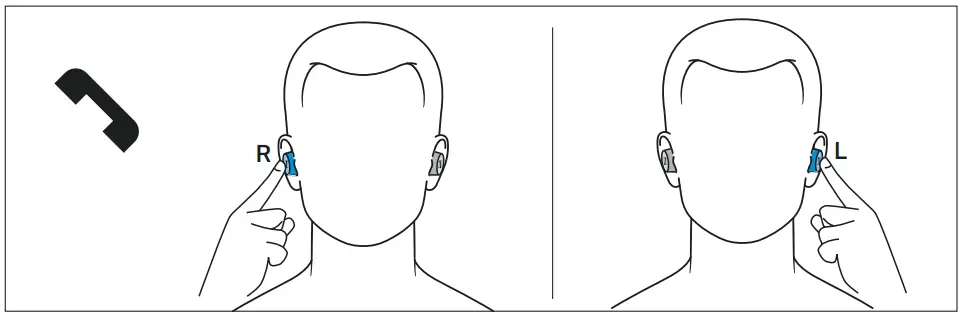 Making a call
- Dial the desired number on your smartphone.
If your smartphone does not automatically transfer the call to the headphones, select “CX 400BT TW” as the audio source on your smartphone (see the instruction manual of your smartphone if necessary).
Accepting/rejecting/ending a call
If your headphones are connected to a smartphone and you receive a call, you hear a ring tone in the headphones.
If you are playing music when you receive a call, the music pauses until you end the call.
Using the earphones
| Right or left touch control panel | Function | |
 | Tap 1x | Accepts a call |
 | Tap 1x | Ends a call Voice prompt “Call ended” |
 | Tap 2x | Rejects a call Voice prompt “Call rejected” |
 | Tap 1x | Accepts an incoming call and ends the active call |
 | Tap 2x | Rejects an incoming call and continues the active call |
Using the Auto Call function
If you take the paired earbuds out of the charging case during an incoming call, the call is automatically accepted and you can use the earbuds directly for making calls.
You can activate (default setting) or deactivate the function via the Smart Control app.
You can use the right earbud alone without using the left earbud. The left earbud, however, cannot be used alone.
Displaying the battery charge status
When the earphones are connected to your Bluetooth device, the battery charge status can be displayed on the screen of your smartphone or device (depending on the device and operating system used).
The Smart Control app also displays the charge status of the earbuds’ rechargeable batteries.
Displaying the battery charge status using the charging case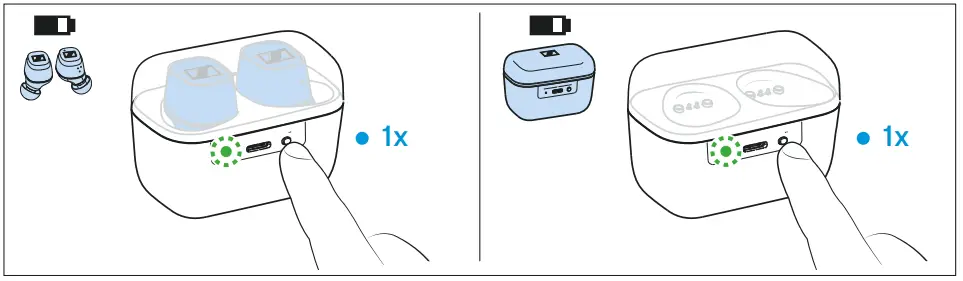 If no USB cable is connected to the charging case:
- Press the LED button of the charging case. The LED of the charging case displays the battery charge status for 5 seconds:
| LED | Charging case WITH earbuds inserted | Charging case WITHOUT earbuds inserted | |
| lights up green | … earbuds are fully charged and the charging case can still charge at least one complete cycle | .., charging case is fully charged |
| pulses yellow | … earbuds are being charged via the rechargeable bat- tery of the charging case | — |
| lights up yellow | … earbuds are fully charged, the charging case cannot charge another complete cycle | .., charging case is charged less than 90 % |
| lights up red | … rechargeable batteries of the earbuds and the charging case are empty | … rechargeable bat-tery of the charging case is empty |
| flashes red | … a charging error/ battery error has been detected in at least one earbud (> 30) | … a charging error/ battery error has been detected in the charging case (> 30) |
Adjusting sound effects/the equalizer
To be able to use the sound effects/equalizer, you require the Smart Control app (> 19).
- In the Smart Control app, select the desired sound effects via the equalizer. You can use predefined presets or define your own settings.
The sound effects are stored in the earphones. These sound settings are active even without using the Smart Control app, i.e. when you are using a different Bluetooth device.
Setting the voice prompts/beep sounds
To be able to set the voice prompts and beep sounds, you require the Smart Control app (> 19).
You can change the language of the voice prompts, choose between voice prompts and beep sounds, or deactivate the status messages with a few exceptions (e.g. rechargeable battery is empty).
Customizing the control functions
To be able to customize the control functions for music playback, you require the Smart Control app (> 19).
The app allows you to customize the control functions and other commands or to select preset control functions. Some basic functions cannot be changed (e.g. volume loud/quiet, call control).
Storing or transporting the earphones in the charging case
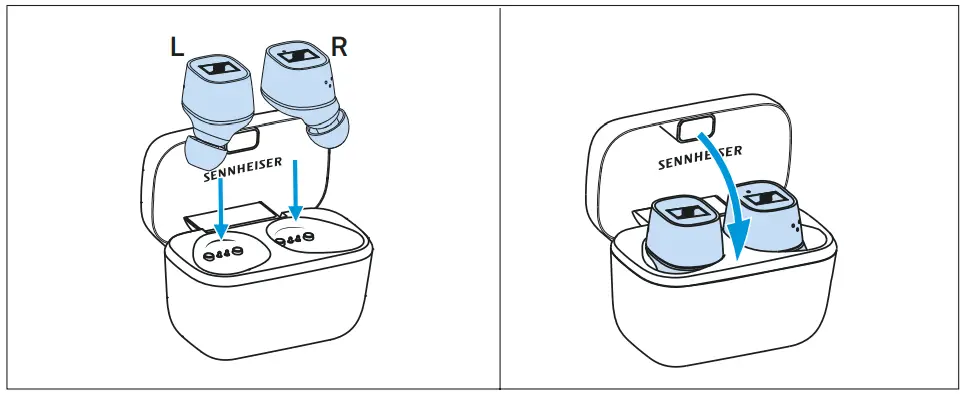
Store the earphones in the charging case to prevent damage to the earphones when you are not using or transporting them. The earphones are automatically charged in the charging case so you always have the full battery life to work with.
- Open the charging case by overcoming a slight magnetic resistance and insert the left earbud into the left charging compartment and the right earbud into the right charging compartment. The earbuds are magnetically pulled into the charging compartments.
- Close the charging case.
Care and maintenance of the earbuds/charging case
CAUTION
Liquids can damage the electronics of the product!
Liquids entering the housing of the product can cause a short-circuit and damage the electronics.
- Keep all liquids far away from the product.
- Do not use any solvents or cleansing agents.
- Clean the product only with a soft, dry cloth.
- You can clean the silicone ear adapters under lukewarm running water. Allow the ear adapters to dry at room temperature for at least 12 hours before putting them back on the earbuds.
- Clean the charging contacts on the earbuds and in the charging case from time to time using e.g. a cotton swab.
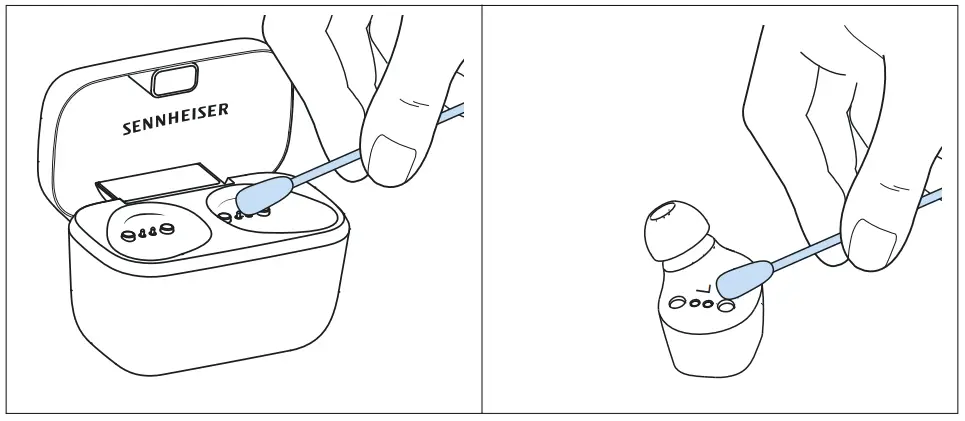 Replacing the ear adapters
For reasons of hygiene, you should replace your ear adapters from time to time. Spare ear adapters are available from your Sennheiser partner.
- Pull the ear adapter away from the in-ear sound tunnel.
- Mount the new ear adapter to the in-ear sound tunnel. Ensure that it locks into place.
 Information on the built-in rechargeable battery
Sennheiser ensures and guarantees that the rechargeable battery performs at its optimum upon purchase of the product. If, upon purchase or within the warranty period, you suspect that the rechargeable battery is obviously defective or if a charging error/battery error is displayed (> 7), stop using the product, disconnect it from the power supply system and contact your Sennheiser partner. Your Sennheiser partner will coordinate the repair/replacement with you.
Do not return a product with a defective battery to your dealer or Sennheiser partner unless requested to do so. To find a Sennheiser partner in your country, search at www.sennheiser.com/servicesupport.
Installing firmware updates
Firmware updates can be downloaded free of charge from the Internet using the Sennheiser Smart Control app.
- Connect your earphones to your smartphone and start the Smart Control app (> 19).
- The app provides information on available firmware updates and guides you through the installation process.
FAQ/If a problem occurs …
Current list of frequently asked questions (FAQ) Visit the CX 400BT True Wireless product page at www.sennheiser.com
There you will find a current list of frequently asked questions (FAQ) and suggested solutions.
If a problem occurs that is not listed in the FAQ section or if the problem cannot be solved with the proposed solutions, please contact your Sennheiser partner for assistance. To find a Sennheiser partner in your country, search at www.sennheiser.com > “Service & Support”.Your question has not been answered or the problem persists?
Leaving the Bluetooth transmission range
Wireless calling and streaming are only possible in the Bluetooth transmission range of your smartphone. The transmission range largely depends on environmental conditions such as wall thickness, wall composition etc. With a free line of sight, the transmission range of most smartphones and Bluetooth devices is up to 10 meters.
If you, and therefore the earphones, leave the Bluetooth transmission range of the smartphone, the sound quality deteriorates increasingly until you hear the voice prompt “No connection” and the connection breaks down completely. If you immediately re-enter the Bluetooth transmission range, the connection is automatically re-established and you hear the voice prompt “Connected”. If this is not the case, tap the touch control panel of the earbud 1x.
The right earbud (primary earbud) can be used alone. The left earbud (secondary earbud) cannot be used alone because it requires the right earbud for Bluetooth transmission.
Resetting the earphones
If the function of the earphones is disturbed, perform a reset. Individual settings such as the pairing settings are not deleted.
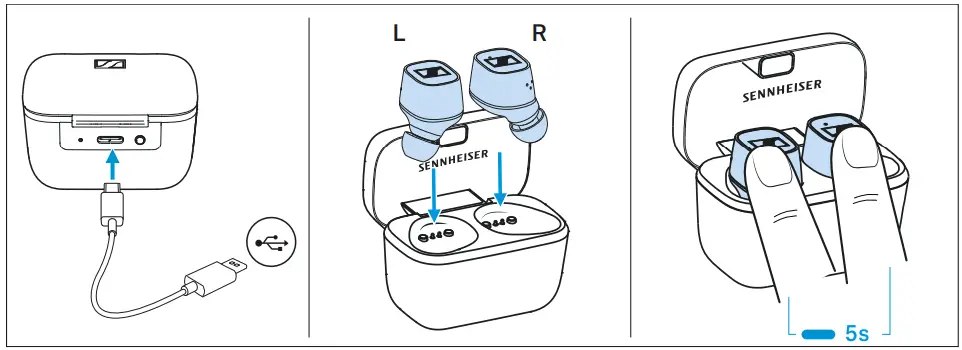
- Make sure that the contacts on the earbuds and in the charging case are clean and make contact (the LED of the charging case lights up when you insert the earbuds into the charging case). If necessary, clean the contacts (> 29).
- Use the USB cable to connect the charging case to a power source (> 14).
- Insert the earbuds into the charging case and touch and hold the right and the left touch control panel for 5 seconds.
The reset of the earphones is completed.
 Resetting the earphones to the factory default settings
If the function of the earphones is disturbed and a reset (> 31) does not improve, reset the earphones to the factory default settings. This deletes, among other things, all pairing settings.
The Smart Control App allows you to reset the earphones to the factory default settings via the settings menu.
Specifications
CX 400BT True Wireless
Model: CX400TW1, CX400TW1 C, CX400TW1 L, CX400TW1 R
| Wearing style | true wireless stereo earphones |
| Ear coupling | ear-canal, closed-back |
| Frequency response | 5 Hz to 21 kHz |
| Transducer principle | dynamic |
| Transducer size | 7 mm |
| Sound pressure level (SPL) | 114 dB (1 kHz/0 dBFS) |
| THD (1 kHz, 94 dB SPL) | < 0.08 % |
| Microphone principle | MEMS |
| Microphone frequency response | 100 Hz to 10 kHz |
| Microphone pick-up pattern (speech) | 2-mic beamforming array |
| Power supply | built-in Lithium rechargeable batteries, 3.7 V earbuds: 54-60 mAh charging case: 400-420 mAh USB charging via USB-C socket of the charging case: 5 V —, 600 mA |
| Operating time | 7 hrs with rechargeable battery of the earbud (test conditions: iPhone within 1 m distance, Bluetooth AAC codec, volume level 50 %, no EQ settings); 20 hrs with rechargeable battery of the charging case |
| Charging time of rechargeable batteries | approx. 1.5 hrs |
| Temperature range | operation: 0 to +40°C storage: -25 to +70°C |
| Relative humidity | operation: 10 to 80%, non condensing storage: 10 to 90% |
| Magnetic field strength | earbuds: 0.63 mT charging case: 101 mT |
| Weight | earbuds: approx. 6 g each charging case: approx. 37 g |
Bluetooth
| Version | Bluetooth 5.1 compatible, class 1, BLE |
| Transmission frequency | 2,402 MHz to 2,480 MHz |
| Modulation | GFSK, n/4 DQPSK, 8DPSK |
| Profiles | HSP, HFP, AVRCP, A2DP |
| Output power | 10 mW (max) |
| Codec | aptX®, AAC, SBC |
| Device name | CX 400BT TW LE-CX 400BT TW (Bluetooth Low Energy only) |
| Number of active connections | 1 |
Manufacturer Declarations
Warranty
Sennheiser electronic GmbH & Co. KG gives a warranty of 24 months on this product.
For the current warranty conditions, please visit our website at www.sennheiser.com or contact your Sennheiser partner.
In compliance with the following requirements
- General Product Safety Directive (2001/95/EC)
- Compliant to Sound Pressure Limits according to country specific requirements
EU declaration of conformity
- RoHS Directive (2011/65/EU)
 Hereby, Sennheiser electronic GmbH & Co. KG declares that the radio equipment type CX400TW1 (CX400TW1 R, CX400TW1 L, CX400TW1 C) is in compliance with the Radio Equipment Directive (2014/53/EU).
The full text of the EU declaration of conformity is available at the fol- lowing Internet address: www.sennheiser.com/download.
Notes on disposal
- Battery Directive (2006/66/EC & 2013/56/EU)
- WEEE Directive (2012/19/EU)
The symbol of the crossed-out wheeled bin on the product, the battery/rechargeable battery (if applicable) and/or the packaging indicates that these products must not be disposed of with normal household waste, but must be disposed of separately at the end of their operational lifetime. For packaging disposal, please observe the legal regulations on waste segregation applicable in your country.
Further information on the recycling of theses products can be obtained from your municipal administration, from the municipal collection points, or from your Sennheiser partner.
The separate collection of waste electrical and electronic equipment, batteries/rechargeable batteries (if applicable) and packagings is used to promote the reuse and recycling and to prevent negative effects caused by e.g. potentially hazardous substances contained in these products. Herewith you make an important contribution to the protection of the environment and public health.
Trademarks
Sennheiser is a registered trade mark of Sennheiser electronic GmbH & Co. KG.
Apple and the Apple logo are trademarks of Apple Inc., registered in the U.S. and other countries. App Store is a service mark of Apple Inc. Google Play and the Google Play logo are trademarks of Google LLC.
The Bluetooth® word mark and logos are registered trademarks owned by Bluetooth SIG, Inc. and any use of such marks by Sennheiser electronic GmbH & Co. KG is under license.
Qualcomm aptX is a product of Qualcomm Technologies International, Ltd. Qualcomm is a trademark of Qualcomm Incorporated, registered in the United States and other countries, used with permission.
aptX is a trademark of Qualcomm Technologies International, Ltd., registered in the United States and other countries, used with permission.
Other product and company names mentioned in the user documentation may be the trademarks or registered trademarks of their respective holders.
CX 400BT True Wireless
 Sennheiser — Headphones, Microphones, Wireless Systems