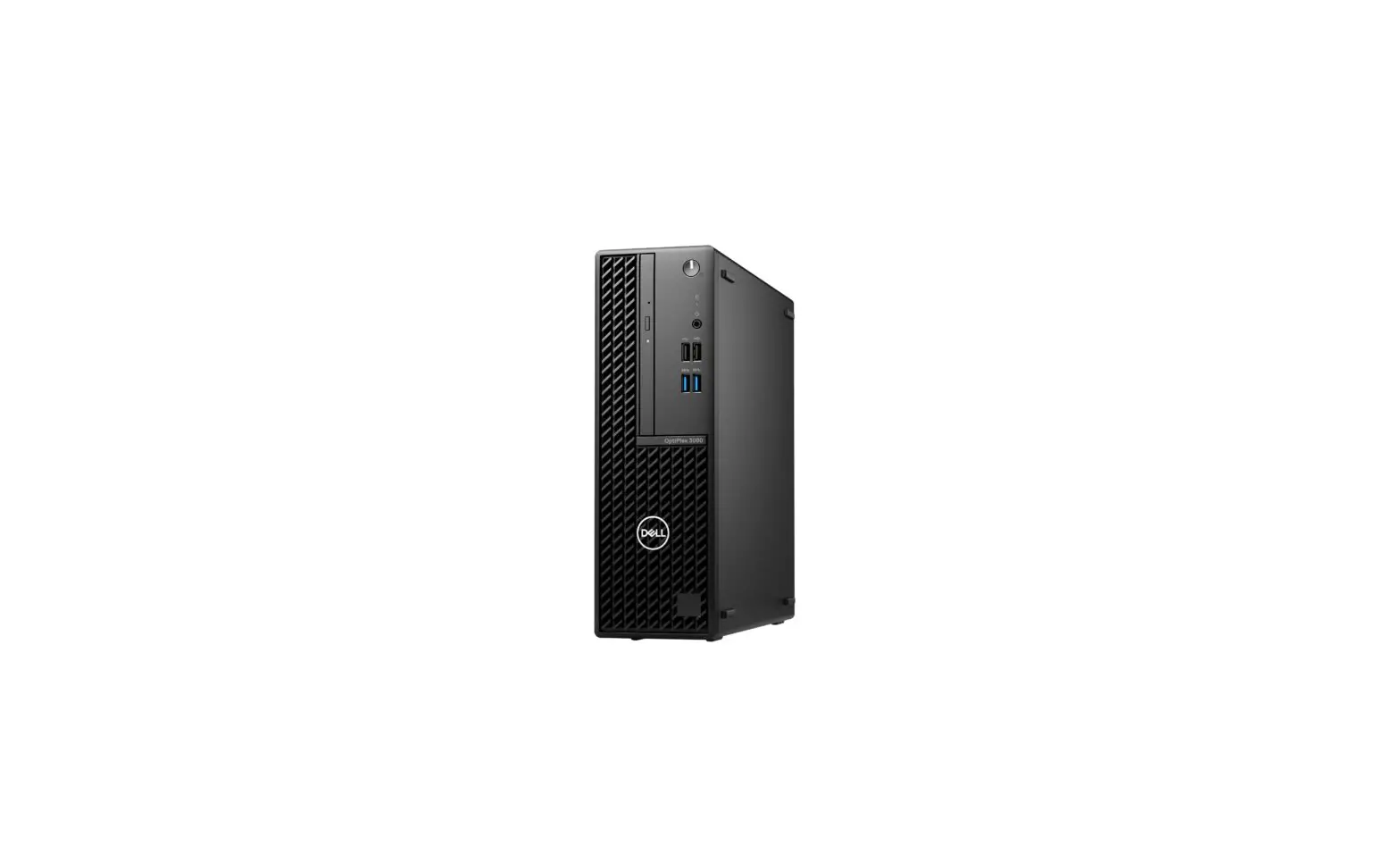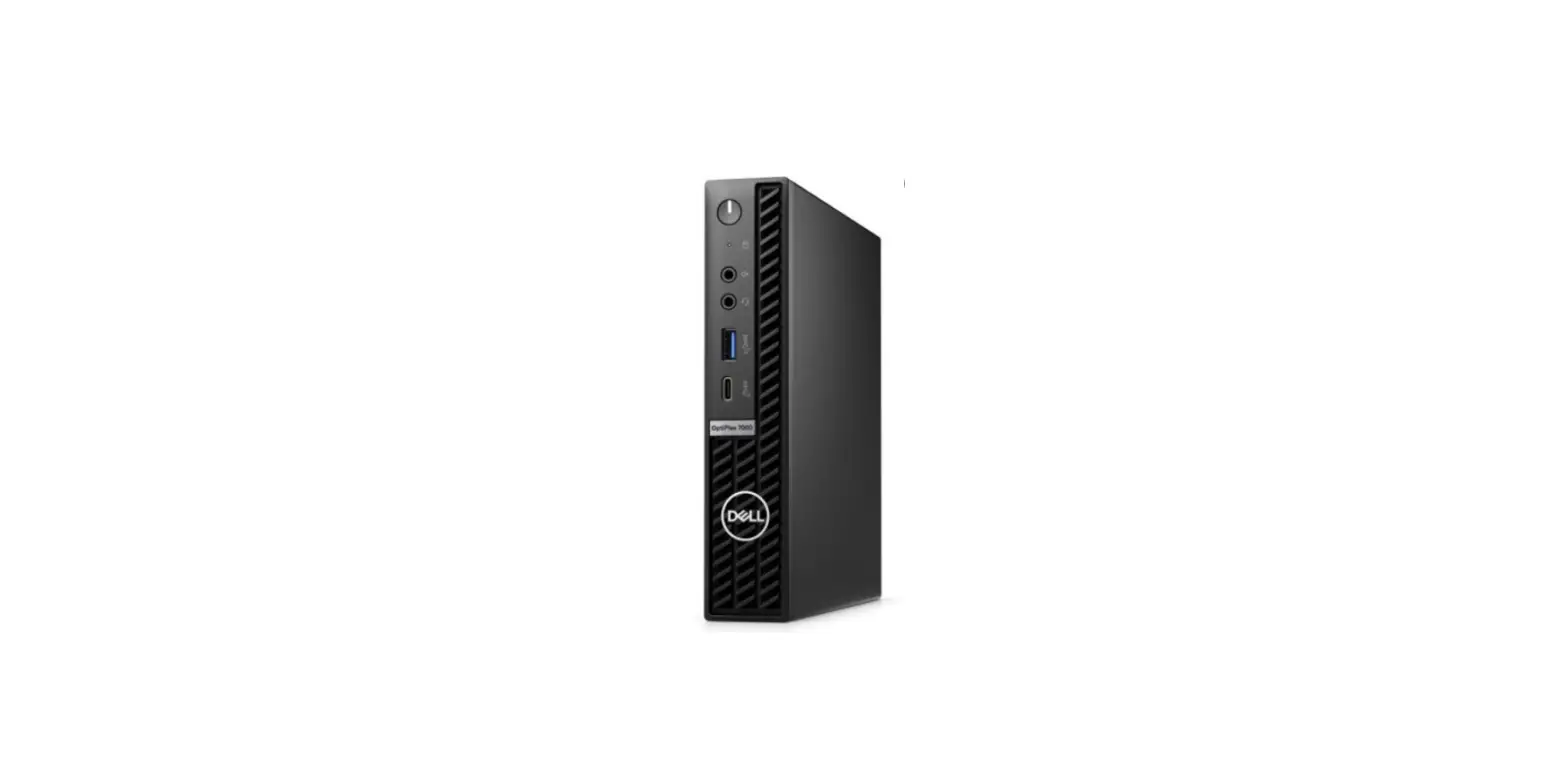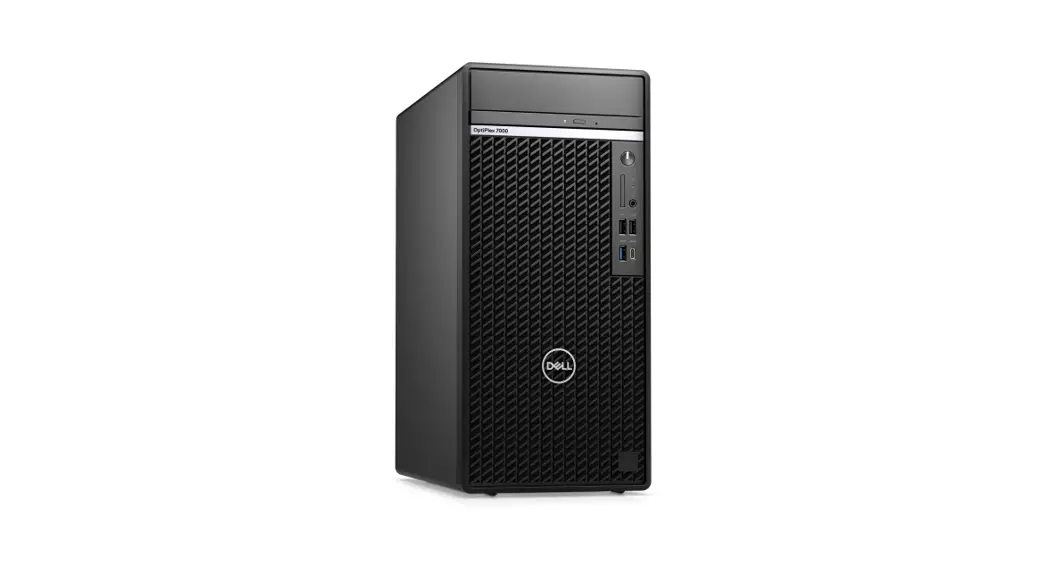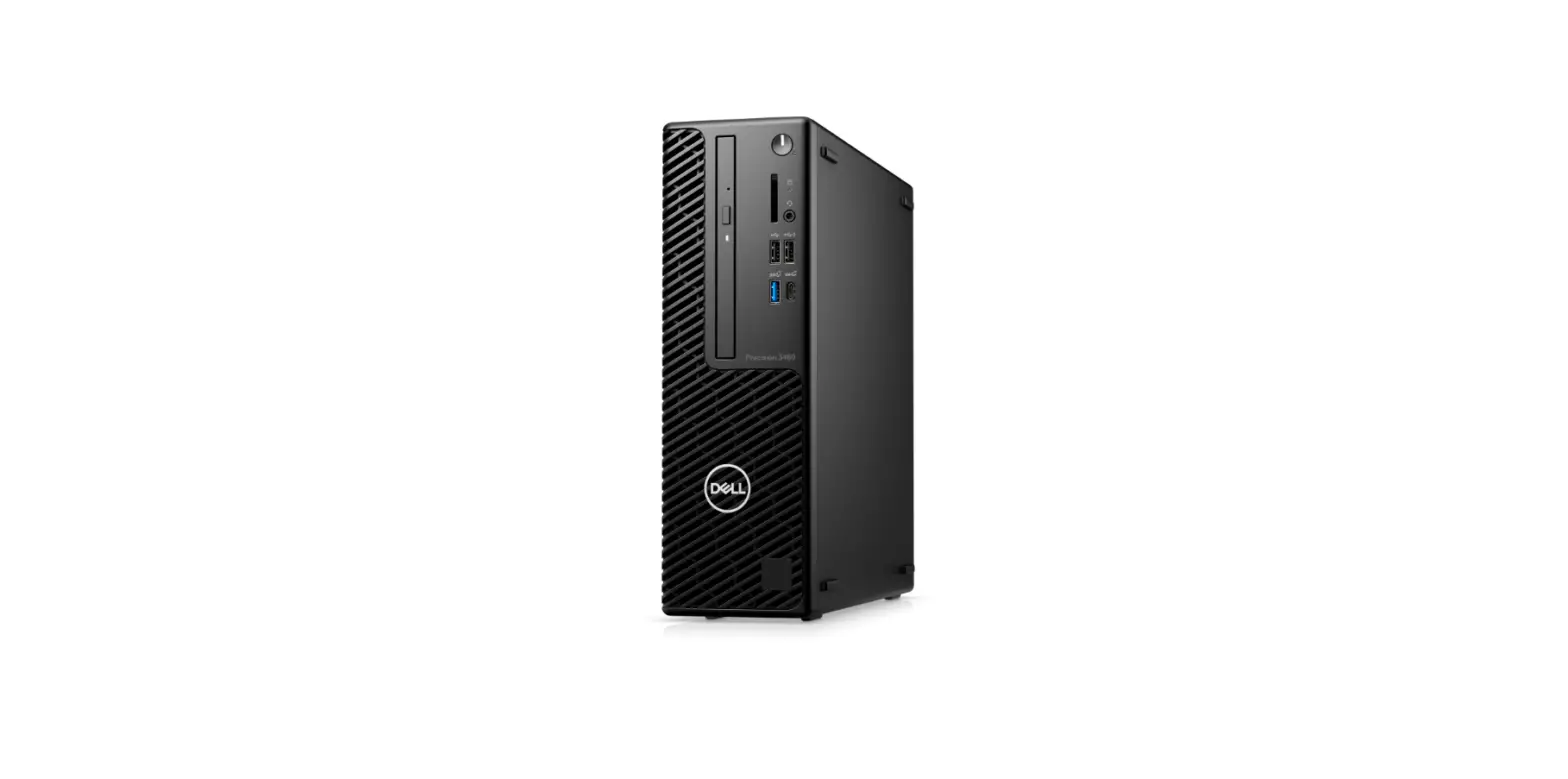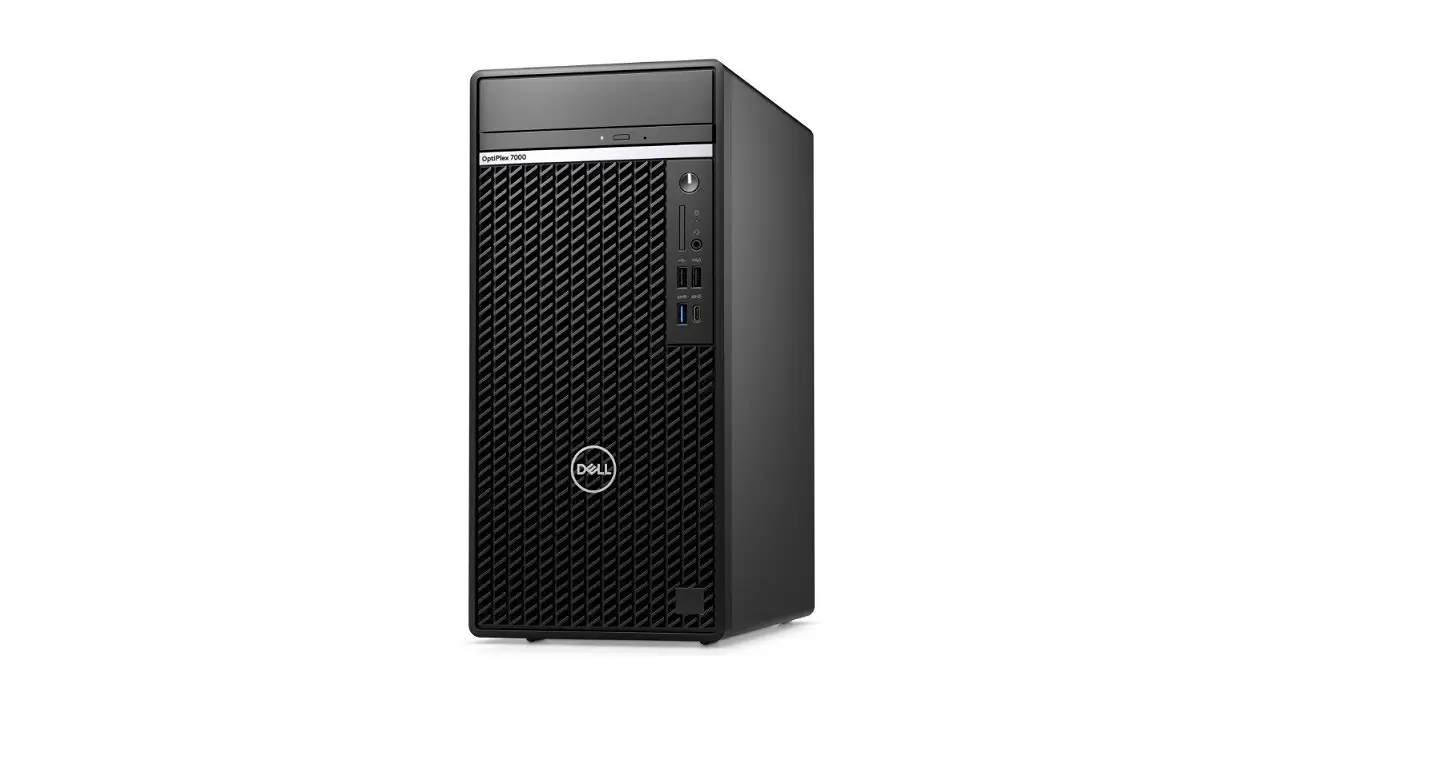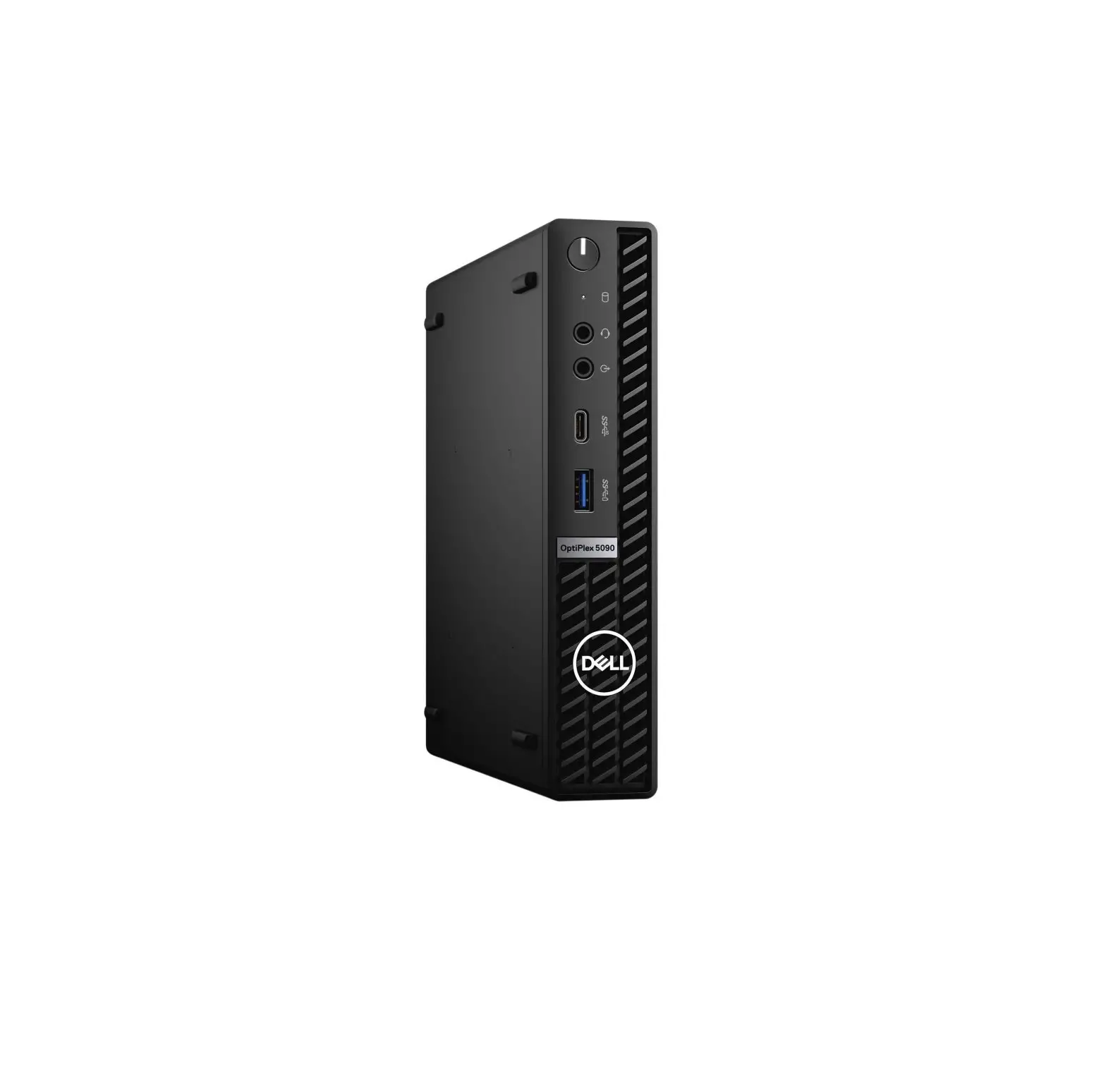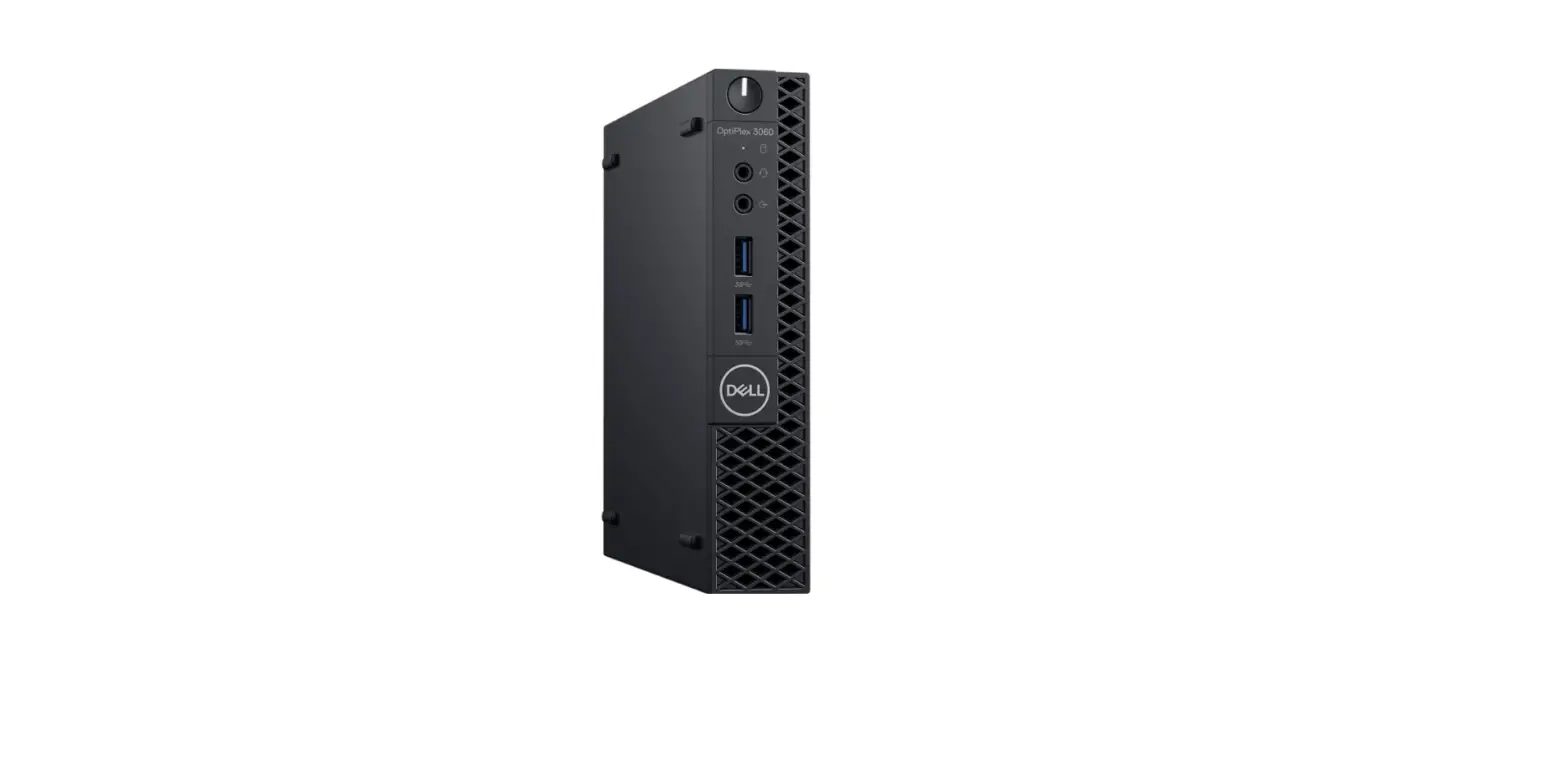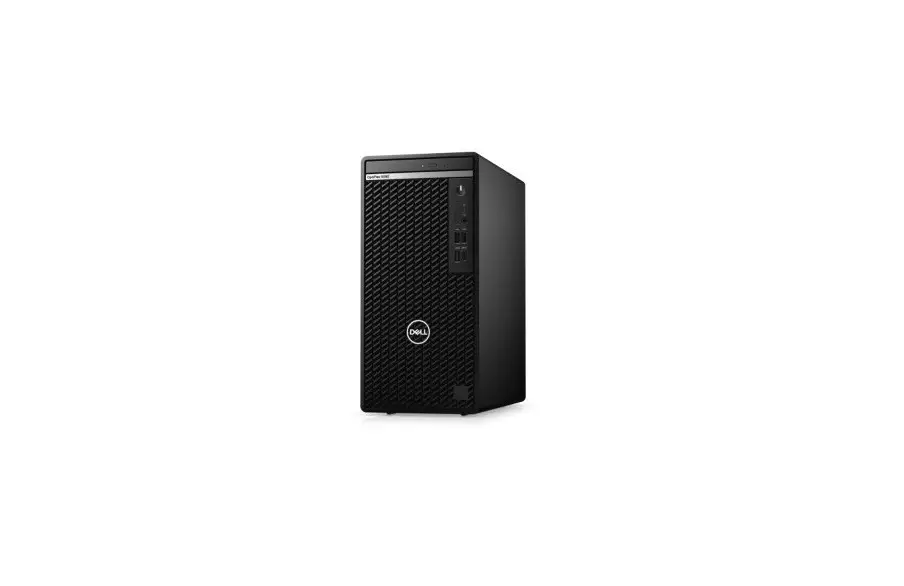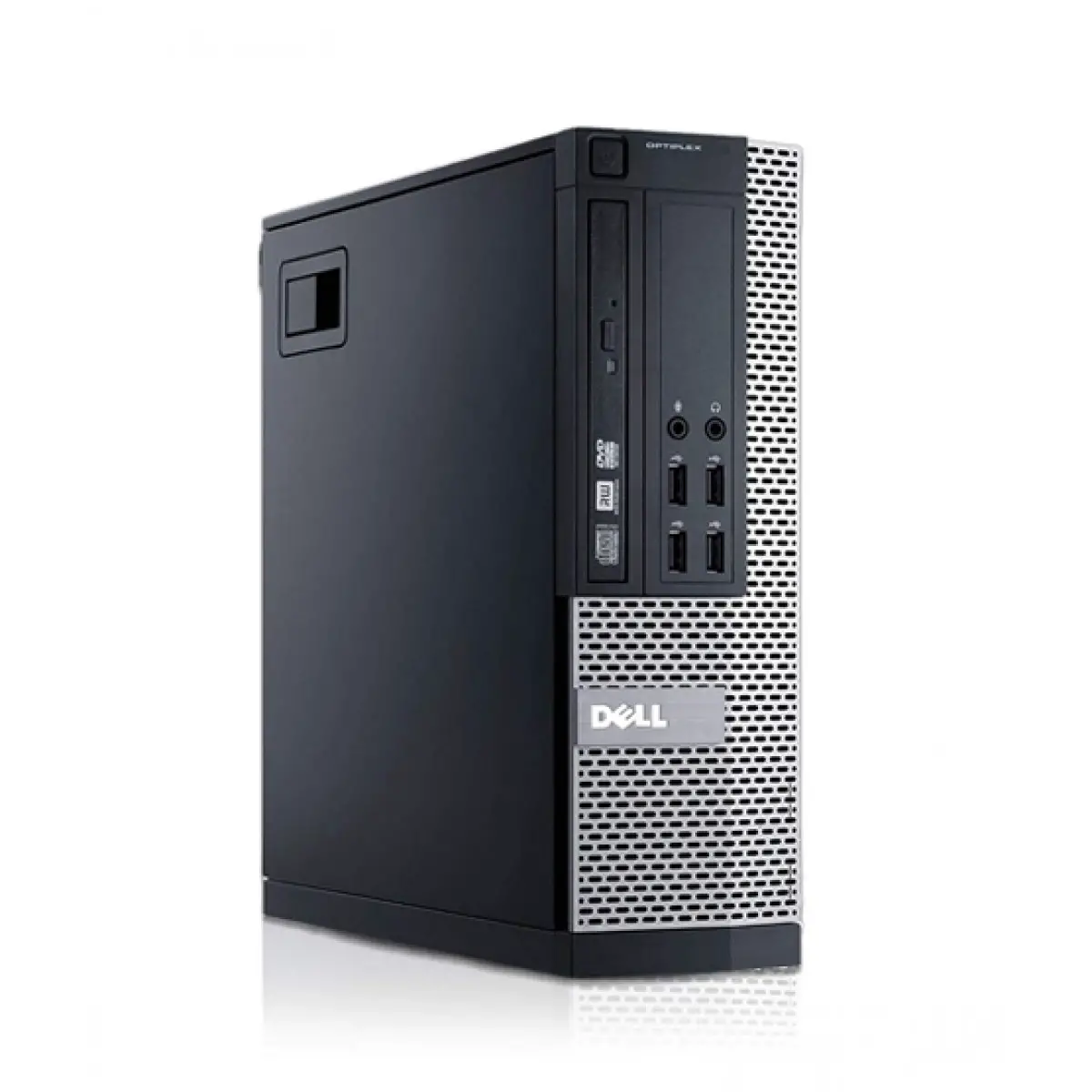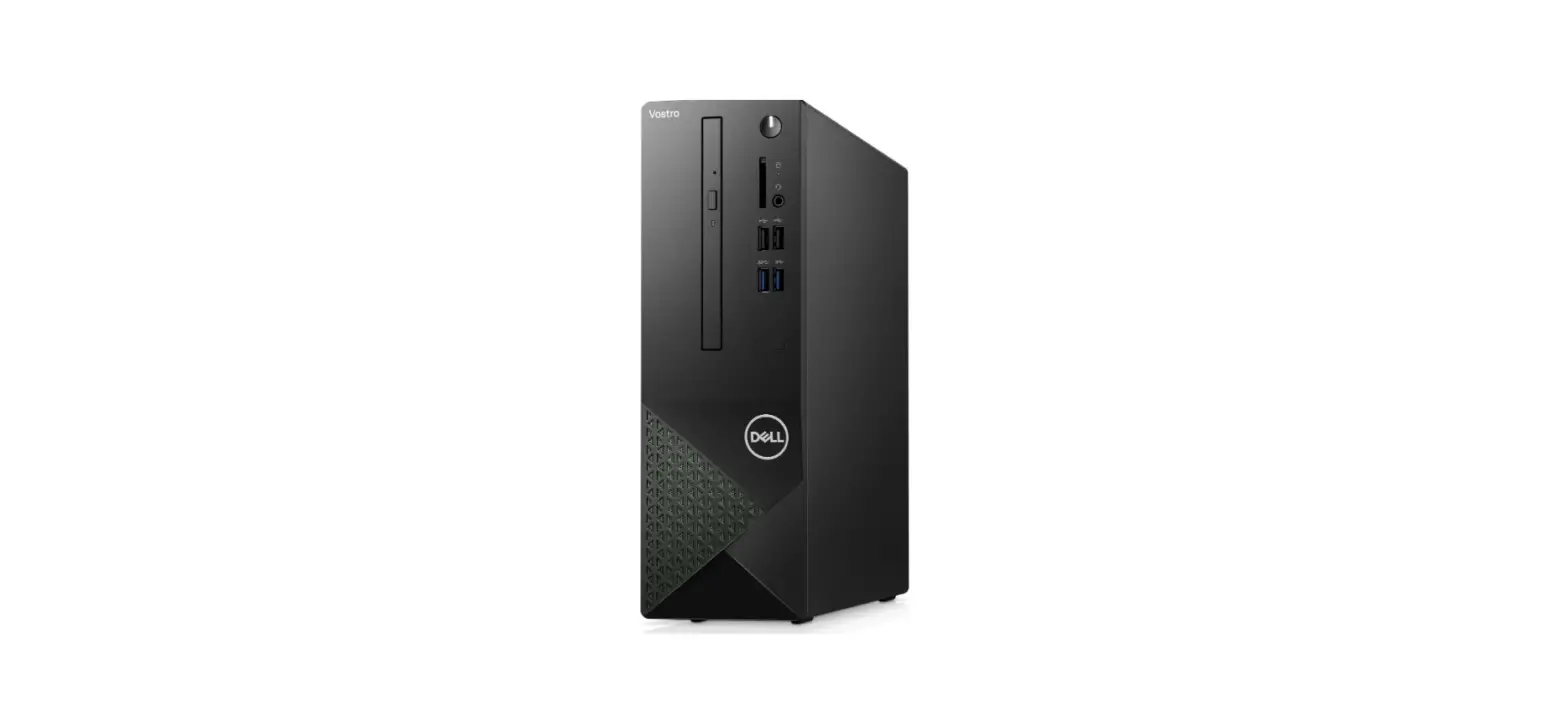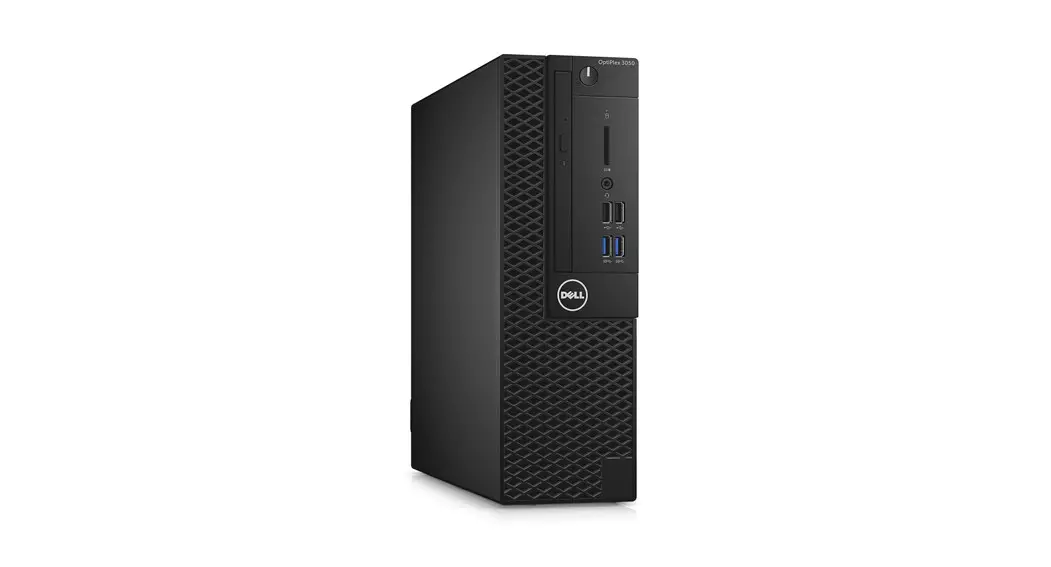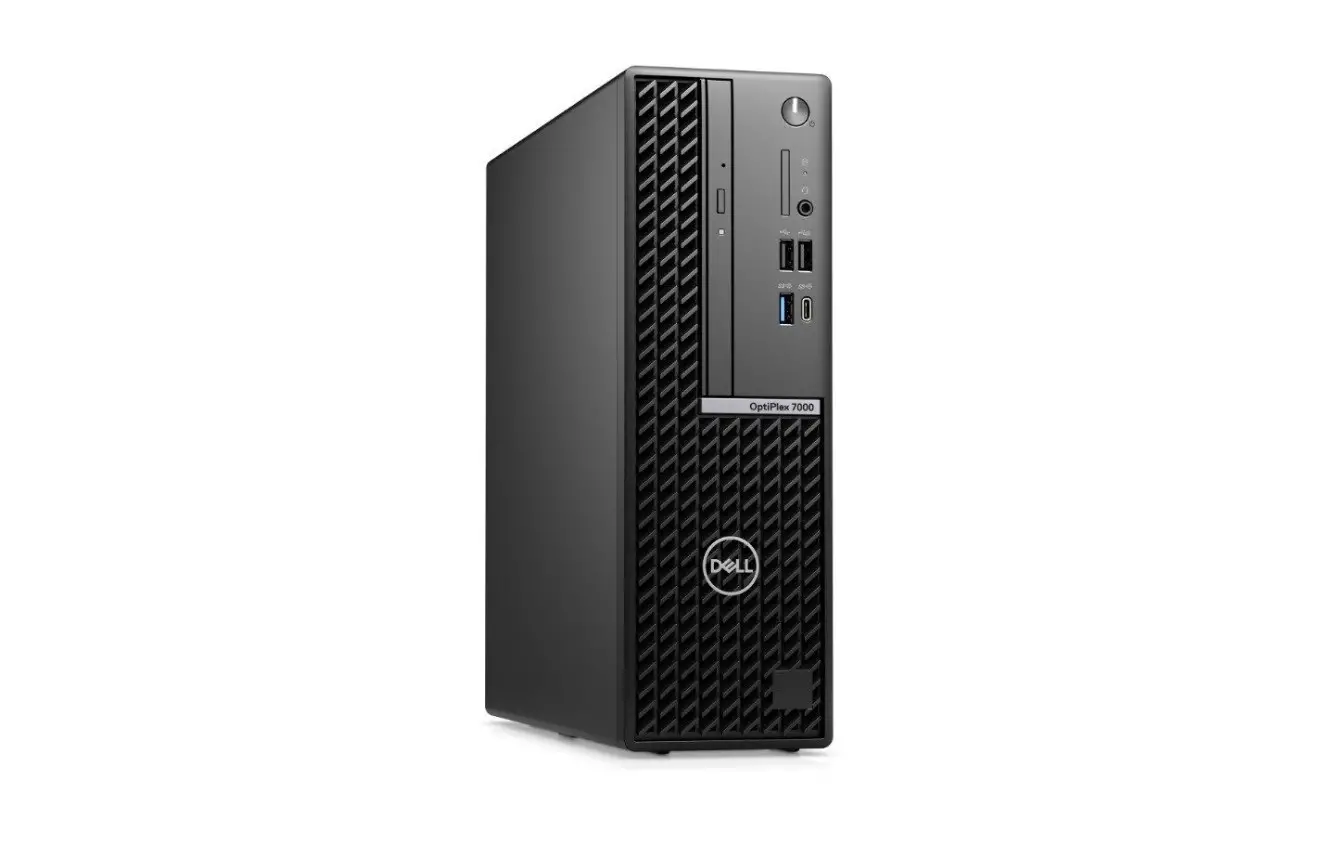
DELL OptiPlex 7000 Small Form Factor Desktop Computer User Guide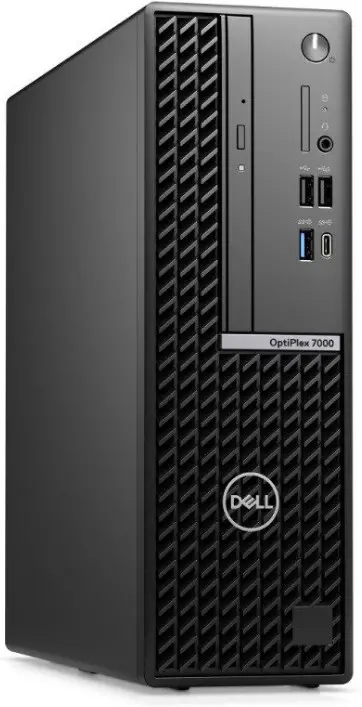
Notes, cautions, and warnings
 NOTE: A NOTE indicates important information that helps you make better use of your product.
 CAUTION: A CAUTION indicates either potential damage to hardware or loss of data and tells you how to avoid the problem.
 WARNING: A WARNING indicates a potential for property damage, personal injury, or death.
Set up your computer
- Connect the keyboard and mouse.

- Connect to your network using a cable, or connect to a wireless network.
- Set up your computer

- Connect the display.

- Connect the power cable.

- Press the power button.
- Set up your computer

- Finish operating system setup.
For Ubuntu:
Follow the on-screen instructions to complete the setup. For more information about installing and configuring Ubuntu, search in the Knowledge Base Resource at www.dell.com/support.
For Windows:
Follow the on-screen instructions to complete the setup. When setting up, Dell recommends that you:- Connect to a network for Windows updates.
 NOTE: If connecting to a secured wireless network, enter the password for the wireless network access when prompted.
 - If connected to the internet, sign-in with or create a Microsoft account. If not connected to the internet, create an offline account.
- On the Support and Protection screen, enter your contact details.
- Connect to a network for Windows updates.
- Locate and use Dell apps from the Windows Start menu—Recommended
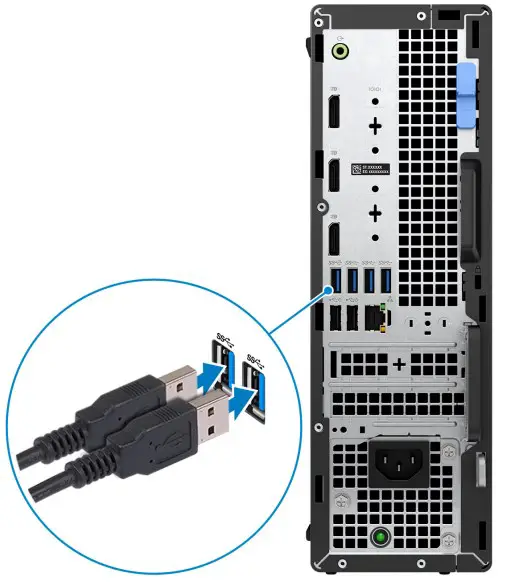
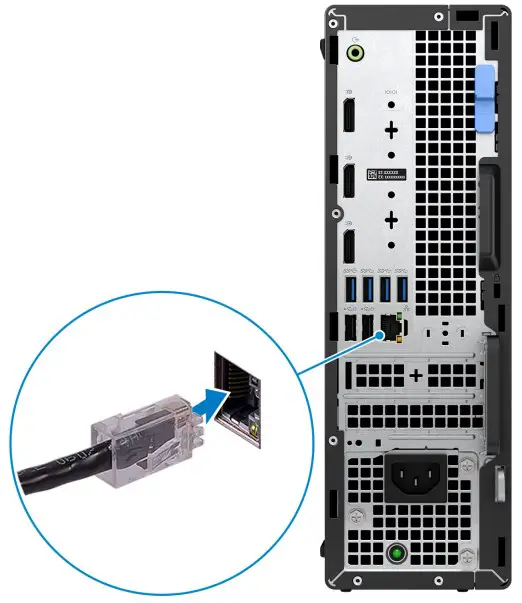
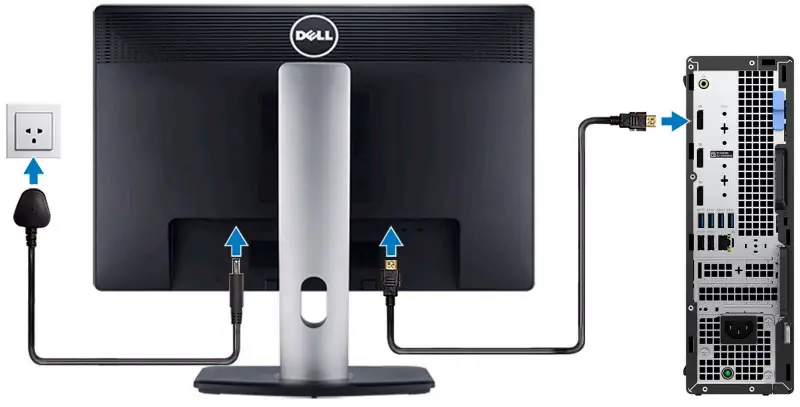
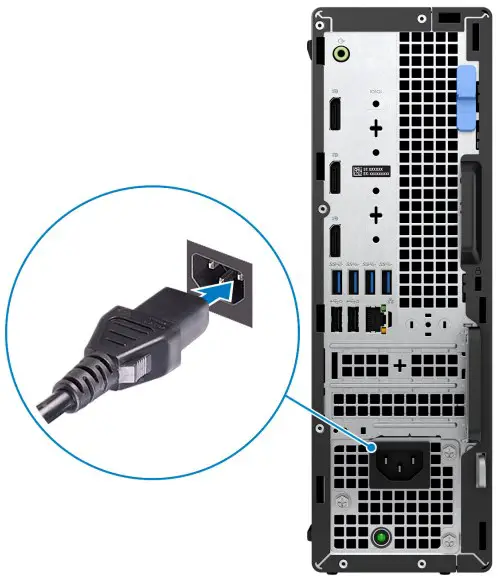
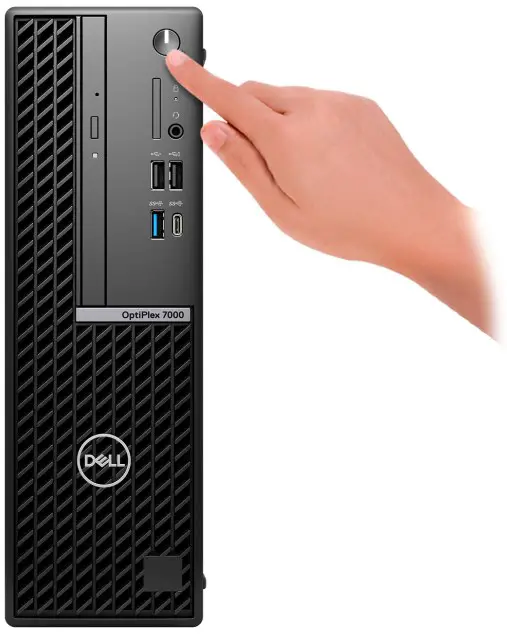
Table 1. Locate Dell apps
| Resources | Description |
 | My DellCentralized location for key Dell applications, help articles, and other important information about your computer. It also notifies you about the warranty status, recommended accessories, and software updates if available. |
 | SupportAssistSupportAssist proactively and predictively identifies hardware and software issues on your computer and automates the engagement process with Dell Technical support. It addresses performance and stabilization issues, prevents security threats, monitors, and detects hardware failures. For more information, see SupportAssist for Home PCs User’s Guide at www.dell.com/ serviceabilitytools. Click SupportAssist and then, click SupportAssist for Home PCs.NOTE: In SupportAssist, click the warranty expiry date to renew or upgrade your warranty. |
 | Dell UpdateUpdates your computer with critical fixes and latest device drivers as they become available. For more information on using Dell Update, search in the Knowledge Base Resource at www.dell.com/ support. |
 | Dell Digital DeliveryDownload software applications, which are purchased but not preinstalled on your computer. For more information on using Dell Digital Delivery, search in the Knowledge Base Resource at www.dell.com/support. |
Views of OptiPlex 7000 Small Form Factor
Display
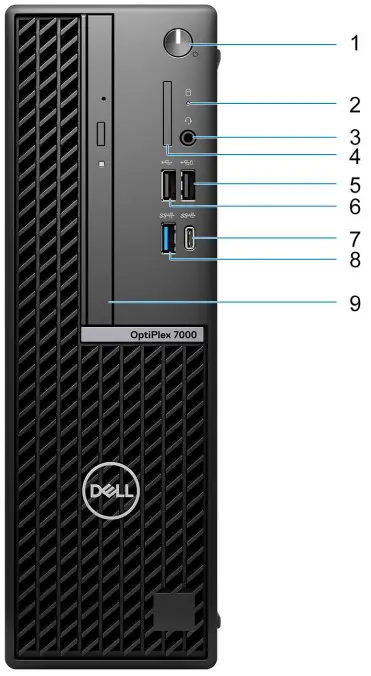
- Power button NOTE: The LED on the power button also functions as a diagnostic LED.
- Hard-drive activity light
- Universal audio port
- SD-card reader (optional)
- USB 2.0 port with PowerShare
- USB 2.0 port
- USB 3.2 Gen 2×2 Type-C port
- USB 3.2 Gen 2 port
- Slim optical drive (optional)
Back
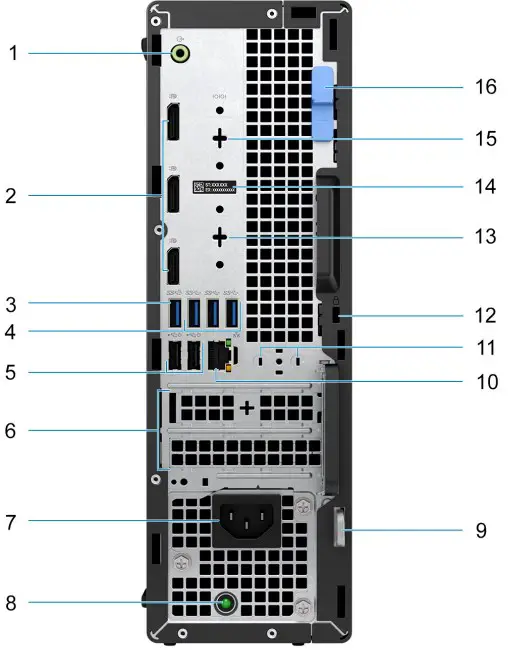
- Re-tasking line-out/line-in audio port
- Three DisplayPort 1.4 ports
- USB 3.2 Gen 2 port
- Three USB 3.2 Gen 1 ports
- Two USB 2.0 ports with Smart Power On
- Two expansion card slots
- Power port
- Power-supply diagnostics light
- Padlock ring
- RJ45 Ethernet port
- External antenna slot (optional)
- Kensington security-cable slot
- HDMI 2.0b/DisplayPort 1.4/VGA/USB 3.2 Gen 2 type-C port with DisplayPort Alt Mode (optional)
- Service Tag label
- Serial/PS2 port (optional)
- Release latch
Specifications of OptiPlex 7000 Small Form Factor
Dimensions and weight
he following table lists the height, width, depth, and weight of your OptiPlex 7000 Small Form Factor.
Table 2. Dimensions and weight
| Description | Values |
| Height | 290.00 mm (11.42 in.) |
| Width | 92.60 mm (3.65 in.) |
| Depth | 292.80 mm (11.53 in.) |
| Weight NOTE: The weight of your computer depends on the configuration ordered and manufacturing variability. |
|
Processor
The following table lists the details of the processors that are supported by your OptiPlex 7000 Small Form Factor .
Table 3. Processor
| Description | Processor type | Processor wattage | Processor core count | Processor thread count | Processor speed | Processor cache | Integrated graphics |
| Option one | 12th Generation Intel Core i3-12100 | 60 W | 4 | 8 | 3.30 GHz to4.30 GHz | 12 MB | Intel UHD Graphics 730 |
| Option two | 12th Generation Intel Core i3-12300 | 60 W | 4 | 8 | 3.50 GHz to4.40 GHz | 12 MB | Intel UHD Graphics 730 |
| Option three | 12th Generation Intel Core i5-12400 | 65 W | 6 | 12 | 2.50 GHz to4.40 GHz | 18 MB | Intel UHD Graphics 730 |
| Option four | 12th Generation Intel Corei5-12500 vPro | 65 W | 6 | 12 | 3.00 GHz to4.60 GHz | 18 MB | Intel UHD Graphics 770 |
| Option five | 12th Generation | 65 W | 6 | 12 | 3.30 GHz to4.80 GHz | 18 MB | Intel UHD Graphics 770 |
Table 3. Processor (continued)
| Description | Processor type | Processor wattage | Processor core count | Processor thread count | Processor speed | Processor cache | Integrated graphics |
| Intel Corei5-12600 vPro | |||||||
| Option six | 12th Generation Intel Corei7-12700 vPro | 65 W | 12 | 20 | 2.10 GHz to4.90 GHz | 25 MB | Intel UHD Graphics 770 |
| Option seven | 12th Generation Intel Corei9-12900 vPro | 65 W | 16 | 24 | 2.40 GHz to5.10 GHz | 30 MB | Intel UHD Graphics 770 |
Chipset
The following table lists the details of the chipset supported by your OptiPlex 7000 Small Form Factor.
Table 4. Chipset
| Description | Values |
| Chipset | Intel Q670 |
| Processor | 12th Generation Intel Core i3/i5/i7/i9 |
| DRAM bus width | 64-bit, dual-channel |
| Flash EPROM | 32 MB + 16 MB |
| PCIe bus | Up to Gen 4.0 |
Operating system
Your OptiPlex 7000 Small Form Factor supports the following operating systems:
- Windows 11 Home, 64-bit
- Windows 11 Pro, 64-bit
- Windows 11 Downgrade (Windows 10 image)
- Windows 11 Pro National Education, 64-bit
- Windows 11 CMIT Government Edition, 64-bit (China only)
- Kylin Linux Desktop version 10.1 (China only)
- Ubuntu Linux 20.04 LTS, 64-bit
Memory
The following table lists the memory specifications of your OptiPlex 7000 Small Form Factor.
Table 5. Memory specifications
| Description | Values |
| Memory slots | Four UDIMM slots |
| Memory type | Dual-channel, DDR4 |
| Memory speed | 3200 MHz |
| Maximum memory configuration | 128 GB |
| Minimum memory configuration | 4 GB |
| Memory size per slot | 4 GB, 8 GB, 16 GB, and 32 GB |
| Memory configurations supported |
|
Memory matrix
The following table lists the memory configurations supported on your OptiPlex 7000 Small Form Factor.
Table 6. Memory matrix
| Configurati on | Slot | |||
| UDIMM1 | UDIMM2 | UDIMM3 | UDIMM4 | |
| 4 GB DDR4 | 4G | |||
| 8 GB DDR4 | 4G | 4G | ||
| 8 GB DDR4 | 8G | |||
| 16 GB DDR4 | 8G | 8G | ||
| 16 GB DDR4 | 16G | |||
| 32 GB DDR4 | 8G | 8G | 8G | 8G |
| 32 GB DDR4 | 16G | 16G | ||
| 32 GB DDR4 | 32G | |||
| 64 GB DDR4 | 16G | 16G | 16G | 16G |
| 64 GB DDR4 | 32G | 32G | ||
| 128 GB DDR4 | 32G | 32G | 32G | 32G |
External ports
The following table lists the external ports of your OptiPlex 7000 Small Form Factor.
Table 7. External ports
| Description | Values |
| Network port | One RJ45 Ethernet port (rear) |
| USB ports |
|
| Audio port |
|
| Video port |
|
| Media-card reader | One SD-card 4.0 slot (front, optional) |
| Power-adapter port | Not supported |
| Security-cable slot |
|
Internal slots
The following table lists the internal slots of your OptiPlex 7000 Small Form Factor.
Table 8. Internal slots
| Description | Values |
| PCIe Expansion |
|
| SATA |
|
| M.2 |
|
|
Ethernet
The following table lists the wired Ethernet Local Area Network (LAN) specifications of your OptiPlex 7000 Small Form Factor.
Table 9. Ethernet specifications
| Description | Values |
| Model number | Intel I225 |
| Transfer rate | 10/100/1000/2500 Mbps |
Wireless module
The following table lists the Wireless Local Area Network (WLAN) module specifications of your OptiPlex 7000 Small Form Factor.
Table 10. Wireless module specifications
| Description | Option one | Option two | Option three |
| Model number | Intel AX211 | Intel Dual Band Wireless-AC 9462 | MediaTek MT7921 |
| Transfer rate | Up to 2400 Mbps | Up to 433 Mbps | Up to 1200 Mbps |
| Frequency bands supported | 2.4 GHz/5 GHz /6 GHz NOTE: The 6 GHzfrequency is supported on computers installed with Windows 11 operating system only. | 2.4 GHz/5 GHz | 2.4 GHz/5 GHz |
| Wireless standards |
|
|
|
| Encryption |
|
|
|
| Bluetooth | 5.2 | 5.1 | 5.2 |
Audio
The following table lists the audio specifications of your OptiPlex 7000 Small Form Factor.
Table 11. Audio specifications
| Description | Values |
| Audio type | 4 Channel High Definition Audio |
| Audio controller | Realtek Audio Controller, ALC3246-CG |
| Internal audio interface | Intel HDA (high-definition audio) |
| External audio interface |
|
Storage
This section lists the storage options on your OptiPlex 7000 Small Form Factor.
Table 12. Storage matrix
| Storage | 1st 2.5-inch hard drive | 2nd 2.5-inch hard drive | 3.5-inch hard drive | 1st M.2 socket (2230/2 280) | 2nd M.2 socket (2230) | 3rd M.2 socket (2280) | 1st Bootabl e Device | ||
| 2.5-inch hard drive | Yes | No | No | No | No | No | 2.5-inch hard drive | ||
| Dual 2.5-inch hard drive | Yes | Yes | No | No | No | No | 2.5-inch hard drive | ||
| 3.5-inch hard drive | No | No | Yes | No | No | No | 3.5-inch hard drive | ||
| M.2 solid-state | drive | No | No | No | Yes | No | No | 1st M.2 solid- state drive | |
| Dual M.2 solid-state drive | No | No | No | Yes | Yes | No | 1st M.2 solid- state drive | ||
| M.2 solid-state | drive | 3.5-inch hard drive | No | No | Yes | Yes | No | No | 1st M.2 solid- state drive |
| M.2 solid-state | drive | 2.5-inch hard drive/ solid-state drive | Yes | No | No | Yes | No | No | 1st M.2 solid- state drive |
| M.2 solid-state | drive | Dual 2.5-inch hard drive | Yes | Yes | No | Yes | No | No | 1st M.2 solid- state drive |
Table 12. Storage matrix (continued)
| Storage | 1st 2.5-inch hard drive | 2nd 2.5-inch hard drive | 3.5-inch hard drive | 1st M.2 socket (2230/2 280) | 2nd M.2 socket (2230) | 3rd M.2 socket (2280) | 1st Bootabl e Device | |
| Dual M.2 solid-state drive | 2.5-inch hard drive | Yes | No | No | Yes | Yes | No | 1st M.2 solid- state drive |
| Dual M.2 solid-state drive | 3.5-inch hard drive | No | No | Yes | Yes | Yes | No | 1st M.2 solid- state drive |
| Three M.2 solid-state drive | No | No | No | Yes | Yes | Yes | 1st M.2 solid- state drive | |
| Three M.2 solid-state drive | 3.5-inch hard drive | No | No | Yes | Yes | Yes | Yes | 1st M.2 solid- state drive |
| Three M.2 solid-state drive | 2.5-inch hard drive | Yes | No | No | Yes | Yes | Yes | 1st M.2 solid- state drive |
| Three M.2 solid-state drive | Dual 2.5-inch hard drive | Yes | Yes | No | Yes | Yes | Yes | 1st M.2 solid- state drive |
RAID (Redundant Array of Independent Disks)
For optimal performance when configuring drives as a RAID volume, Dell recommends drive models that are identical.
NOTE: RAID is not supported on Intel Optane configurations.
RAID 0 (Striped, Performance) volumes benefit from higher performance when drives are matched because the data is split across multiple drives: any IO operations with block sizes larger than the stripe size will split the IO and become constrained by the slowest of the drives. For RAID 0 IO operations where block sizes are smaller than the stripe size, whichever drive the IO operation targets will determine the performance, which increases variability and results in inconsistent latencies. This variability is particularly pronounced for write operations and it can be problematic for applications that are latency sensitive. One such example of this is any application that performs thousands of random writes per second in very small block sizes.
RAID 1 (Mirrored, Data Protection) volumes benefit from higher performance when drives are matched because the data is mirrored across multiple drives: all IO operations must be performed identically to both drives, thus variations in drive performance when the models are different, results in the IO operations completing only as fast as the slowest drive. While this does not suffer the variable latency issue in small random IO operations as with RAID 0 across heterogeneous drives, the impact is nonetheless large because the higher performing drive becomes limited in all IO types. One of the worst examples of constrained performance here is when using unbuffered IO. To ensure writes are fully committed to non-volatile regions of the RAID volume, unbuffered IO bypasses cache (for example by using the Force Unit Access bit in the NVMe protocol) and the IO operation will not complete until all the drives in the RAID volume have completed the request to commit the data. This kind of IO operation completely negates any advantage of a higher performing drive in the volume.
Care must be taken to match not only the drive vendor, capacity, and class, but also the specific model. Drives from the same vendor, with the same capacity, and even within the same class, can have very different performance characteristics for certain types of IO operations. Thus, matching by model ensures that the RAID volumes is comprised of an homogeneous array of drives that will deliver all the benefits of a RAID volume without incurring the additional penalties when one or more drives in the volume are lower performing.
OptiPlex 7000 Small Form Factor supports RAID with more than one hard drive configuration.
Media-card reader
The following table lists the media cards supported by your OptiPlex 7000 Small Form Factor.
Table 14. Media-card reader specifications
| Description | Values |
| Media-card type | One SD-card 4.0 slot |
| Media-cards supported |
|
| NOTE: The maximum capacity supported by the media-card reader varies depending on the standard of the media card installed in your computer. | |
Power ratings
The following table lists the power rating specifications of OptiPlex 7000 Small Form Factor.
Table 15. Power ratings
| Description | Option one | Option two | Option three |
| Type | 240 W (85% Efficient, 80 PLUS Bronze) | 260 W (85% Efficient, 80 PLUS Bronze) | 300 W (92% Efficient, 80 Plus Platinum) |
| Input voltage | 90 VAC-264 VAC | 90 VAC-264 VAC | 90 VAC-264 VAC |
| Input frequency | 47 Hz-63 Hz | 47 Hz – 63 Hz | 47 Hz-63 Hz |
| Input current (maximum) | 4.0 A | 4.2 A | 4.2 A |
Table 15. Power ratings (continued)
| Description | Option one | Option two | Option three | |
| Output current (continuous) | Operating:
| Operating:
| Operating:
| |
| Rated output voltage |
|
|
| |
| Temperature range: | ||||
| Operating | 5°C to 45°C (41°F to 113°F) | 5°C to 45°C (41°F to 113°F) | 5°C to 45°C (41°F to 113°F) | |
| Storage | -40°C to 70°C (-40°F to 158°F) | -40°C to 70°C (-40°F to 158°F) | -40°C to 70°C (-40°F to 158°F) | |
Power supply connector
The following table lists the Power supply connector specifications of your OptiPlex 7000 Small Form Factor.
Table 16. Power supply connector
| 240 W (80 PLUS Bronze) |
|
| 260 W (80 PLUS Bronze) |
|
| 300 W (80 PLUS Platinum) |
|
GPU—Integrated
The following table lists the specifications of the integrated Graphics Processing Unit (GPU) supported by your OptiPlex 7000 Small Form Factor.
Table 17. GPU—Integrated
| Controller | External display support | Memory size | Processor |
| Intel UHD Graphics 730 |
| Shared-system memory | 12th Generation Intel Core i3-12100, i3-12300, andi5-12400 processors |
| Intel UHD Graphics 770 |
| Shared-system memory | 12th Generation Intel Corei5-12500, i5-12600, i7-12700,and i9-12900 processors |
Multiple display support matrix
The following table lists the multiple display support matrix for integrated graphics options on your OptiPlex 7000 Small Form Factor.
Table 18. Multiple display support matrix
| Description | Option 1 | Option 3 |
| Integrated Graphics Card | Intel UHD Graphics 730 | Intel UHD Graphics 770 |
| Optional Module | Option card with VGA (1920×1200 @ 60 Hz) Option card with DP1.4 (5120×3200 @60 Hz) Option card with HDMI 2.0 (4096×2160 @ 60 Hz) Option card with Type-C (5120×3200 @ 60 Hz) | Option card with VGA (1920×1200 @ 60 Hz) Option card with DP1.4 (5120×3200 @60 Hz) Option card with HDMI 2.0 (4096×2160 @ 60 Hz) Option card with Type-C (5120×3200 @ 60 Hz) |
| Supported 4K Displays | DP1.4 HBR2, 4096 x 2304 @ 60 Hz | DP1.4 HBR2, 4096 x 2304 @ 60 Hz |
| Supported 5K Displays | 5K tiled resolution (5120×2880) support on DP panels. NOTE: Needs two DP cables driven through two separate DDIs from the source, and usingDP-SST (Single Stream Transport) mechanism. | 5K tiled resolution (5120×2880) support on DP panels. NOTE: Needs two DP cables driven through two separate DDIs from the source, and using DP-SST (Single Stream Transport) mechanism. |
GPU—Discrete
The following table lists the specifications of the discrete Graphics Processing Unit (GPU) supported by your OptiPlex 7000 Small Form Factor.
Table 19. GPU—Discrete
| Controller | External display support | Memory size | Memory type |
| AMD Radeon RX640 |
| 4 GB | GDDR5 |
| AMD Radeon 550 | Two DisplayPort 1.4 ports | 2 GB | GDDR5 |
| AMD Radeon 540 | Two DisplayPort 1.4 ports | 1 GB | GDDR5 |
Multiple display support matrix
The following table provides the multiple display support matrix for discrete graphics options on your OptiPlex 7000 Small Form Factor.
Table 20. Multiple display support matrix
| Graphics Card | Radeon RX 640 | Radeon 550 | Radeon 540 |
| Memory | 4 GB | 2 GB | 1 GB |
| Ports |
|
|
|
| Supported external displays with Direct Connect | 3 | 2 | 2 |
| Supported external displays with DP Multi-Stream | 4 | 4 | 4 |
Table 20. Multiple display support matrix (continued)
| Graphics Card | Radeon RX 640 | Radeon 550 | Radeon 540 |
| Supported 4K Displays | DP1.4 HBR2, 4096 x 2304@ 60 Hz | DP1.4 HBR2, 4096 x 2304 @ 60Hz | DP1.4 HBR2, 4096 x 2304 @60 Hz |
| Supported 5K Displays | 5K tiled resolution (5120×2880) support on DP panels. NOTE: Needs two DP cables driven through two separate DDIs from the source, and using DP-SST (Single Stream Transport) mechanism. | 5K tiled resolution (5120×2880) support on DP panels. NOTE: Needs two DP cables driven through two separate DDIs from the source, and using DP- SST (Single Stream Transport) mechanism. | 5K tiled resolution (5120×2880) support on DP panels. NOTE: Needs two DP cables driven through two separate DDIs from the source, and using DP-SST (Single Stream Transport) mechanism. |
| Resolution | 5120 x 2880 @60 Hz | 5120 x 2880 @60 Hz | 5120 x 2880 @60 Hz |
| Total Power | 50 W | 50 W | 50 W |
Hardware security
The following table lists the hardware security of your OptiPlex 7000 Small Form Factor.
Table 21. Hardware security
- Hardware security
- Kensington security-cable slot
- Padlock ring
- Chasis lock slot support
- Chassis intrusion switch
- Lockable cable covers
- Supply chain tamper alerts
- SafeID including Trusted Platform Module (TPM) 2.0
- Smart card keyboard (FIPS)
- Microsoft 10 Device Guard and Credential Guard (Enterprise SKU)
- Microsoft Windows Bitlocker
- Local hard drive data wipe through BIOS (Secure Erase)
- Self-encrypting storage drives (Opal, FIPS)
- Trusted Platform Module TPM 2.0
- China TPM
- Intel Secure Boot
- Intel Authenticate
- SafeBIOS: includes Dell Off-host BIOS Verification, BIOS Resilience, BIOS
- Recovery, and additional BIOS Controls
Environmental
The following table lists the environmental specifications of your OptiPlex 7000 Small Form Factor.
Table 22. Environmental
| Feature | Values |
| Recyclable packaging | Yes |
| BFR/PVC—free chassis | No |
| Vertical orientation packaging support | Yes |
| Multi-Pack packaging | Yes |
| Energy-Efficient Power Supply | Standard |
| ENV0424 compliant | Yes |
NOTE: Wood‐based fiber packaging contains a minimum of 35% recycled content by total weight of wood‐based fiber. Packaging that contains without wood‐based fiber can be claimed as Not Applicable. The anticipated required criteria for EPEAT 2018.
Regulatory compliance
The following table lists the regulatory compliance of your OptiPlex 7000 Small Form Factor.
Table 23. Regulatory compliance
- Regulatory compliance
- EPEAT registered configurations available
- ENERGY STAR compliant configurations available
- TCO 8.0 certified configurations available
- US CEC MEPS compliant configurations available
- Australia and New Zealand MEPS compliant configurations available
- CEL
- WEEE
- Japan Energy Law
- South Korea E-standby
- EU RoHS
- China RoHS
Operating and storage environment
This table lists the operating and storage specifications of your OptiPlex 7000 Small Form Factor.
Airborne contaminant level: G1 as defined by ISA-S71.04-1985
Table 24. Computer environment
| Description | Operating | Storage |
| Temperature range | 10°C – 35°C (50°F – 95°F) | -40°C-65°C (-40°F-149°F) |
Table 24. Computer environment (continued)
| Description | Operating | Storage |
| Relative humidity (maximum) | 20% to 80% (non-condensing, Max dew point temperature = 26°C) | 5% to 95% (non-condensing, Max dew point temperature = 33°C) |
| Vibration (maximum)* | 0.26 GRMS random at 5 Hz to 350 Hz | 1.37 GRMS random at 5 Hz to 350 Hz |
| Shock (maximum) | Bottom half-sine pulse with a change in velocity of 40.20 cm/sec (20 in./sec) | 105G half-sine pulse with a change in velocity of 105.20 cm/sec (52.5 in./sec) |
| Altitude range | -15.2 m to 3048 m (-49 ft to 10,000 ft) | -15.2 m to 10,668 m (-49 ft to 35,000ft) |
| CAUTION: Operating and storage temperature ranges may differ among components, so operating or storing the device outside these ranges may impact the performance of specific components. | ||
- Measured using a random vibration spectrum that simulates user environment.
- Measured using a 2 ms half-sine pulse.
Dell Support policy
For information on Dell support policy, search in the Knowledge Base Resource at www.dell.com/support.
Getting help and contacting Dell
Self-help resources
You can get information and help on Dell products and services using these self-help resources:
Table 25. Self-help resources
| Self-help resources | Resource location |
| Information about Dell products and services | www.dell.com |
| My Dell app |  |
| Tips |  |
| Contact Support | In Windows search, type Contact Support, and press Enter. |
| Online help for operating system | www.dell.com/support/windowswww.dell.com/support/linux |
| Access top solutions, diagnostics, drivers and downloads, and learn more about your computer through videos, manuals and documents. | Your Dell computer is uniquely identified by a Service Tag or Express Service Code. To view relevant support resources for your Dell computer, enter the Service Tag or Express Service Code at www.dell.com/support.For more information on how to find the Service Tag for your computer, see Locate the Service Tag on your computer. |
| Dell knowledge base articles for a variety of computer concerns |
|
Contacting Dell
To contact Dell for sales, technical support, or customer service issues, see www.dell.com/contactdell.
NOTE: Availability varies by country/region and product, and some services may not be available in your country/region.
NOTE: If you do not have an active Internet connection, you can find contact information about your purchase invoice, packing slip, bill, or Dell product catalog.
References
 Computers, Monitors & Technology Solutions | Dell USA
-
Support | Dell US
-
Support | Dell US
-
Support | Dell US
-
Support | Dell US
-
Find your Service Tag or Serial Number | Dell US
-
Drivers & Downloads | Dell US
-
How To Distinguish the Differences Between M.2 Cards | Dell US
-
Dell - Dell Linux - Community Web
-
Windows Operating Systems | Dell US
 Computers, Monitors & Technology Solutions | Dell USA