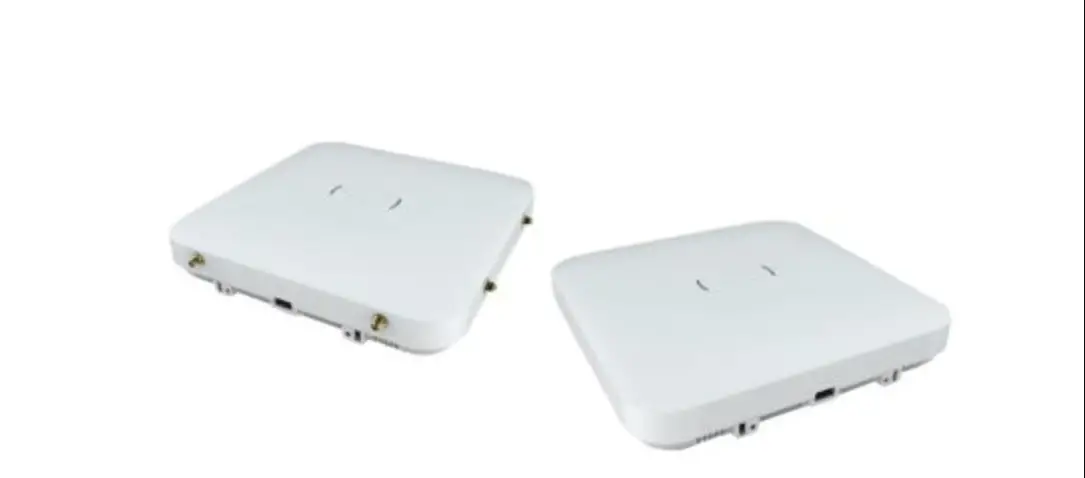
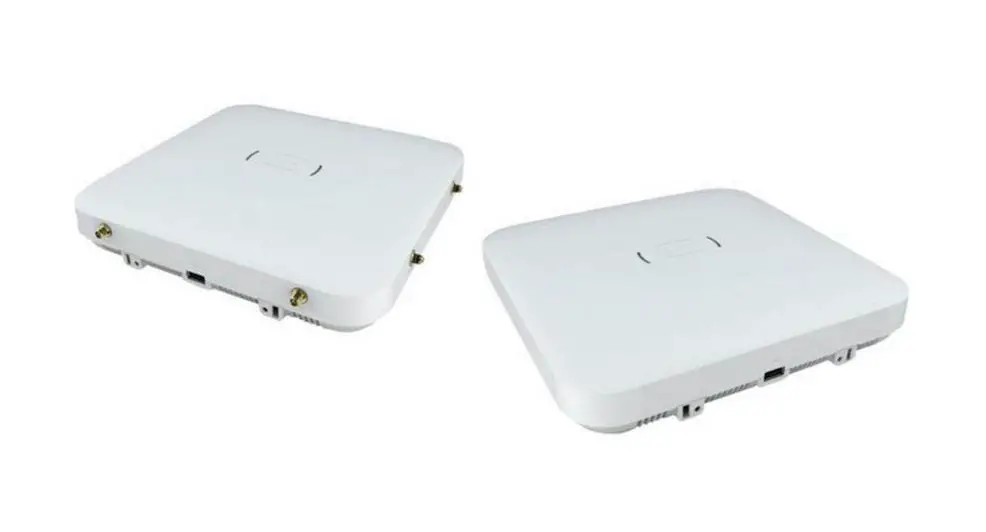
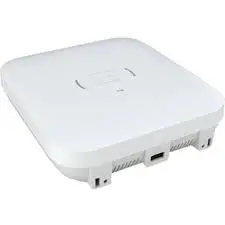
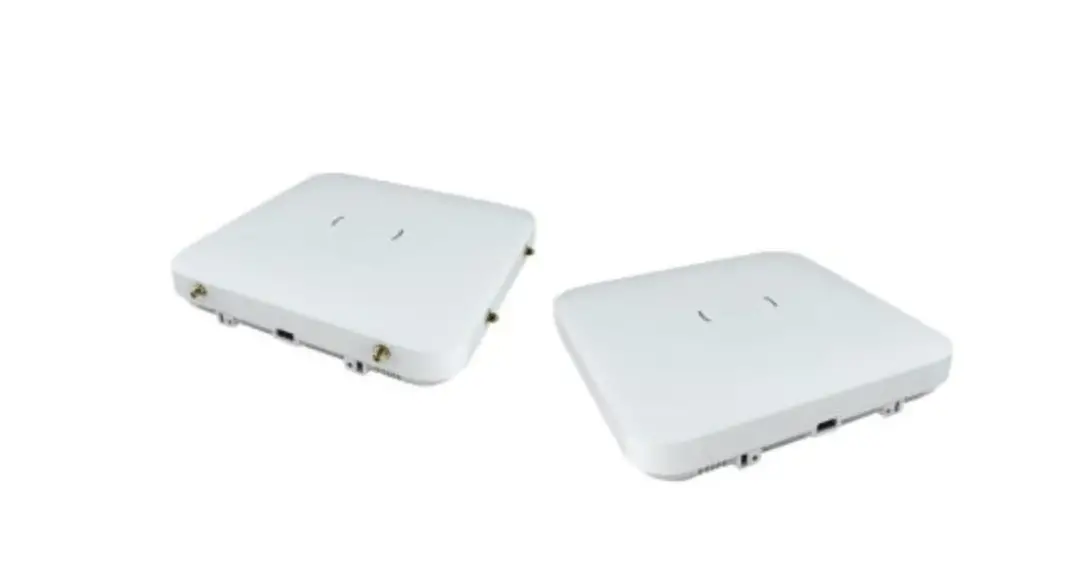
AP5050D Wireless Access Point
Product Information:
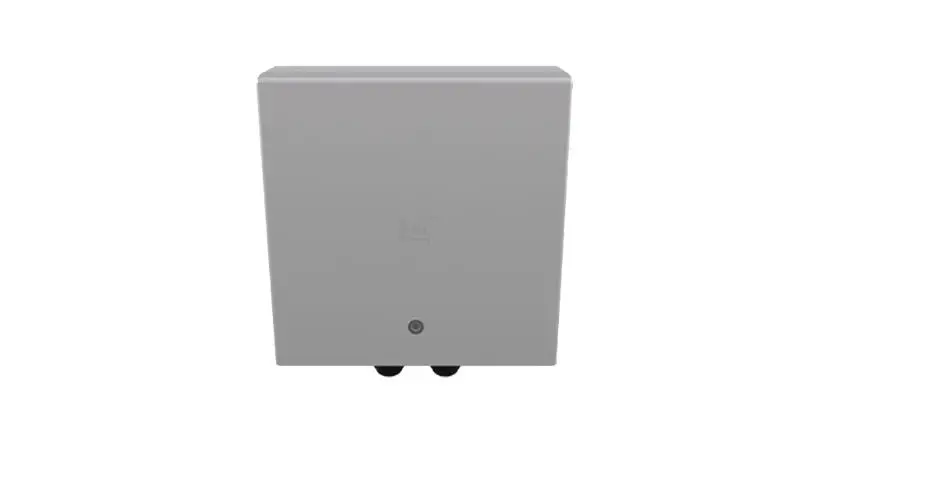
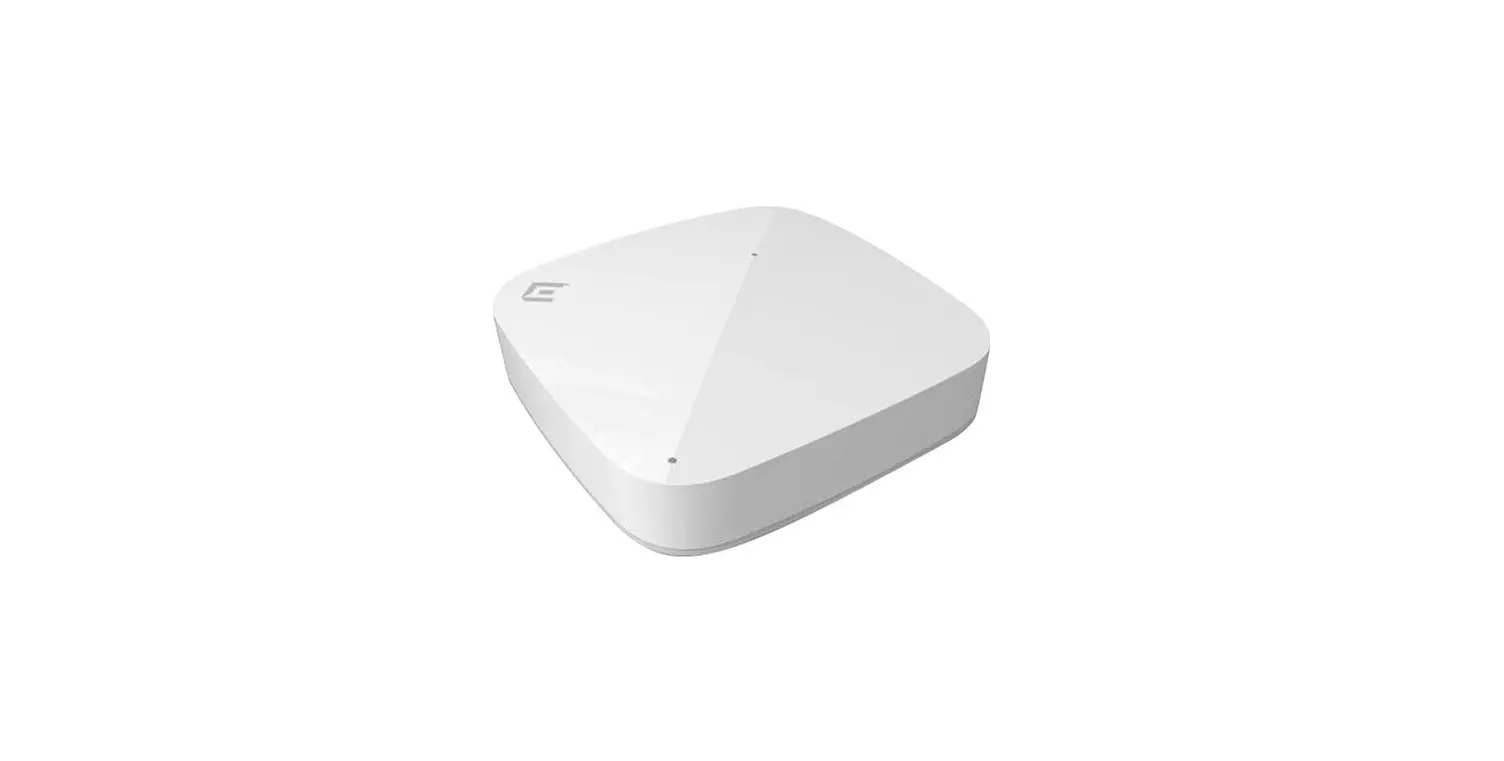
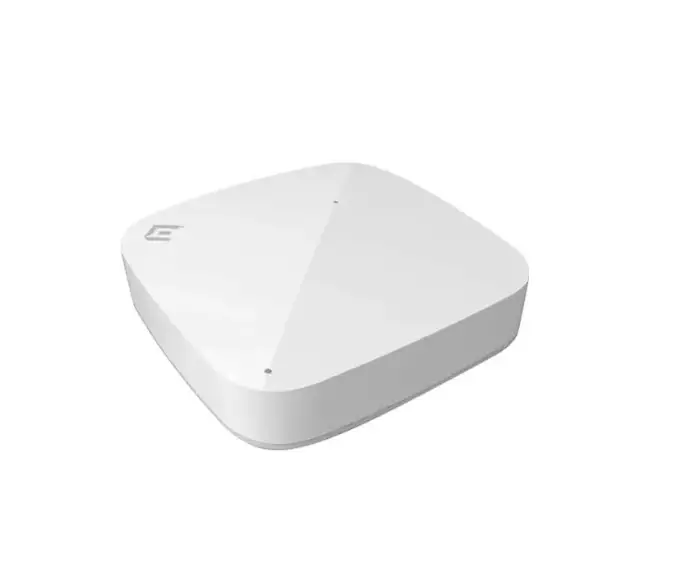
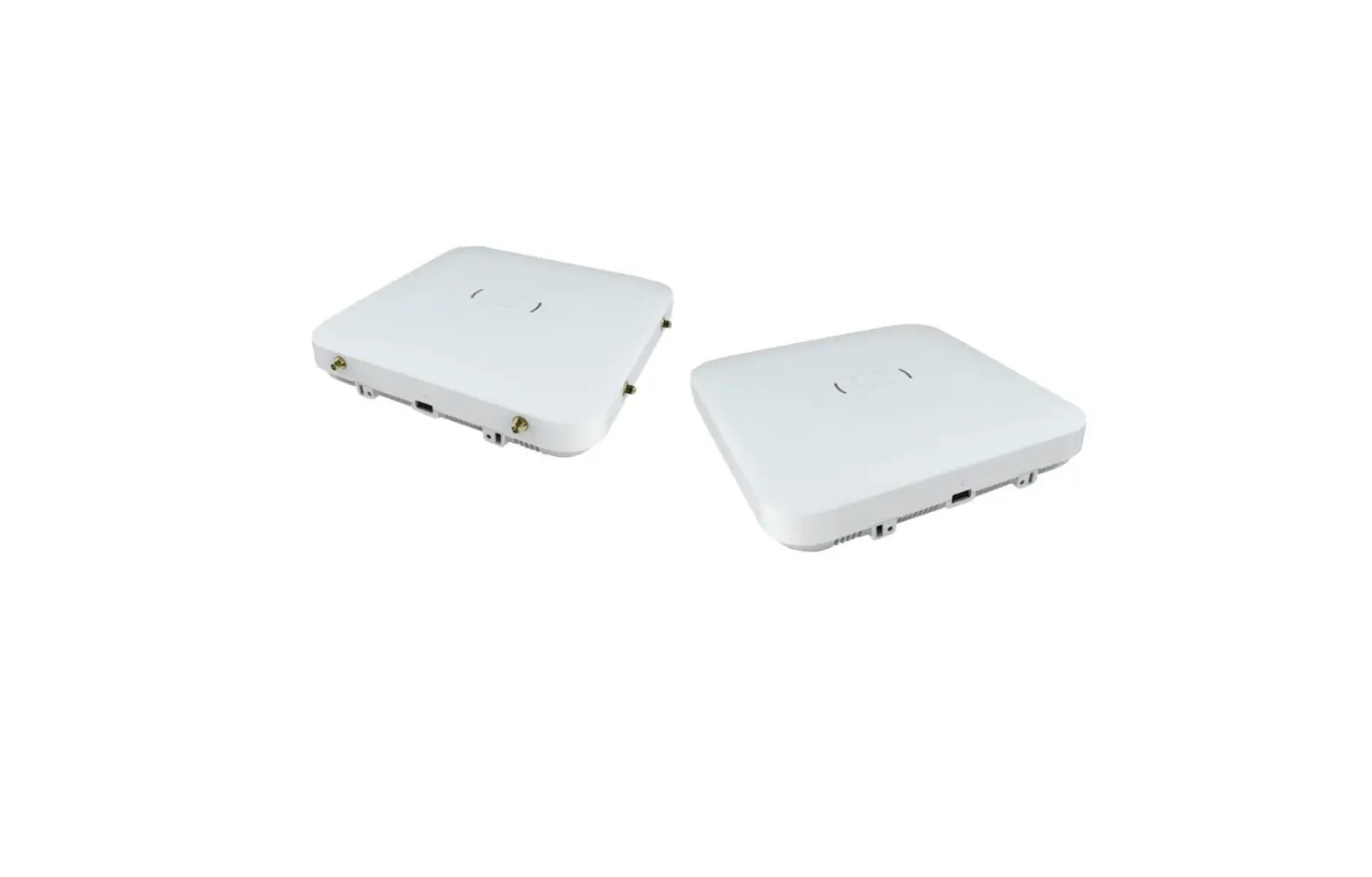
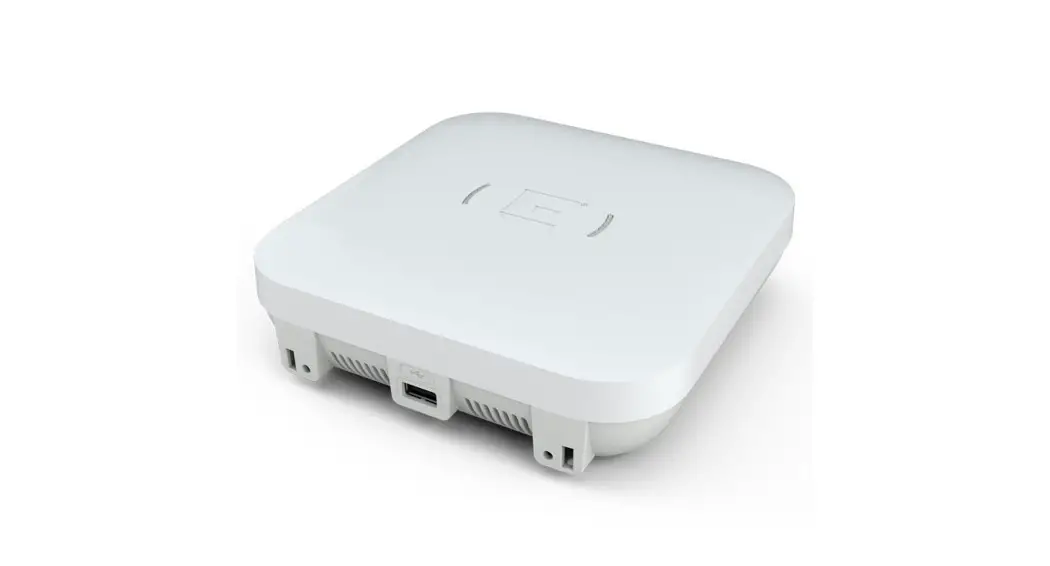
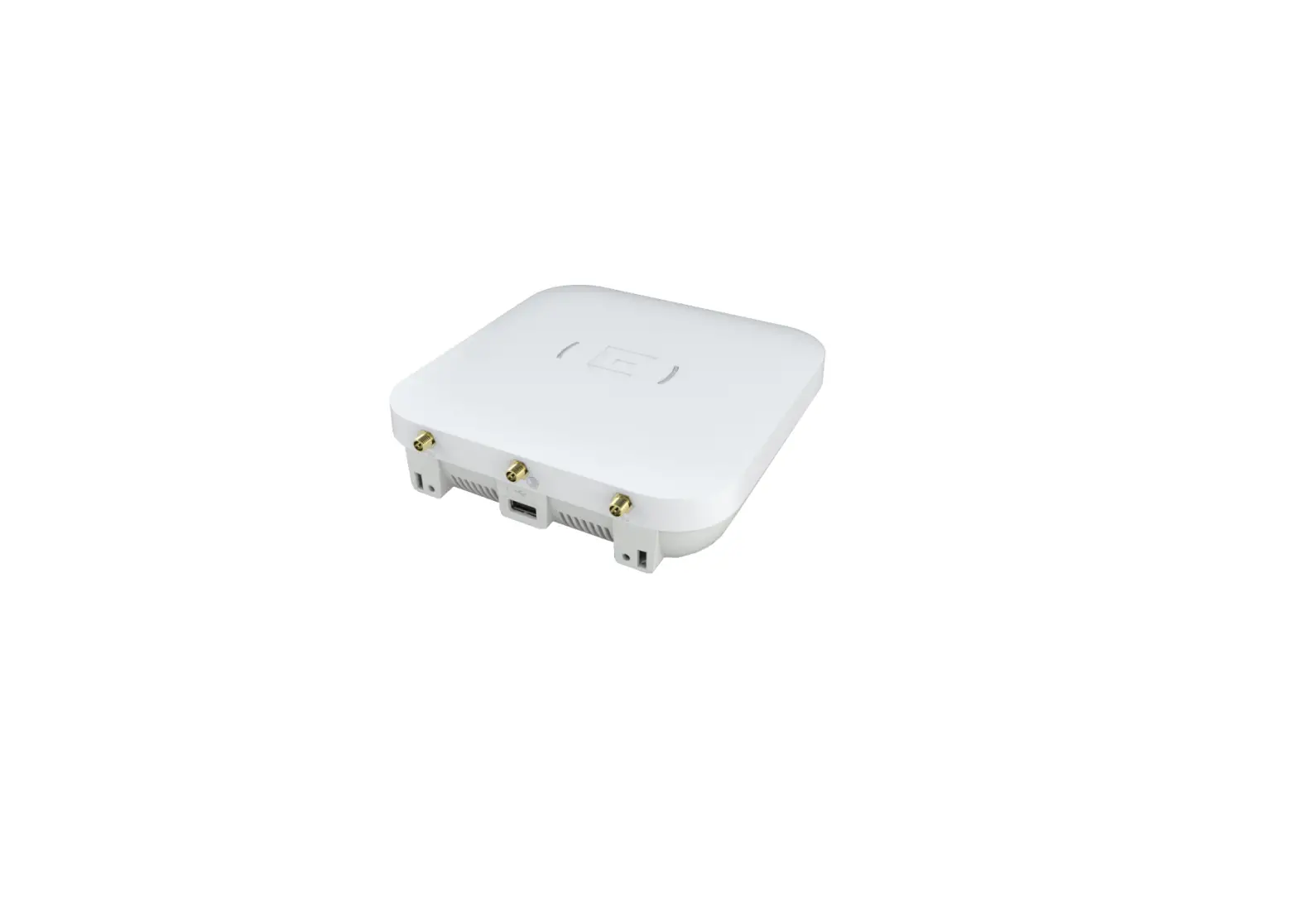
The ExtremeWireless 802.11ax Wi-Fi 6E Outdoor AP5050D Access
Point is a stadium-optimized overhead access point that supports
high density of users and devices. It offers flexible deployment
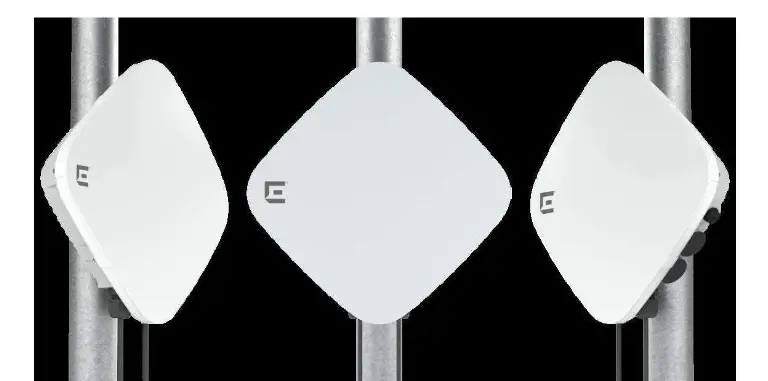
options and can be mounted to a wall or pole using various mounting
brackets. The access point comes with gaskets for different types
of Ethernet cables and has a status light that conveys operational
states.
Product Usage Instructions:
1. Box Contents:
- 1 AP5050D Access Point
- 2 Black gaskets for CAT 6 Ethernet cables (store if not used
immediately) - 1 Light-gray gasket pre-installed for CAT 5 and CAT 5E
cables
2. Mounting Accessories:
The AP5050D can be mounted to a wall or pole using the following
mounting kits:
| Mounting Bracket | Wall Install | Pole Install | Notes |
|---|---|---|---|
| KT-147407-02 bracket | Yes | No | Comes with three bracket parts |
| KP-150173-01 extension arm | No | Yes | Used with KT-147407-02 bracket parts; attach to the 1-axis tilt part |
| MBO-ART02 articulating mounting bracket | Yes | Yes (must be used with the MBO-ART02 bracket) | Paired with POLE01 bracket for pole installations; requires a strong wall for inclement weather |
| 30520(WSMBO-POLE01 No bracket) | No | Yes (must be used with the MBO-ART02 bracket) | Used for pole installations; check pole diameter compatibility |
3. Status Light:
The access point has one status light on top of the chassis. The
status light conveys operational states for system power, firmware
updates, Ethernet and wireless interface activity, and major
alarms.
4. Troubleshooting:
A micro USB cable can be used for troubleshooting issues with
the access point.
Please refer to the Extreme Wireless 802.11ax Wi-Fi 6E Outdoor
AP5050D Access Point Installation Guide for more detailed
information.
ExtremeWireless 802.11ax Wi-Fi 6E Outdoor AP5050D Access Point
Overview of AP5050D
The AP5050D is a 802.11ax stadium-optimized overhead Wi-Fi 6E outdoor access point. It supports high density of users and devices. The AP5050D access point offers flexible deployment options and can be mounted to a wall or to a pole using the KT-147407-02, KT-150173-01, and MBO-ART02 mounting brackets, thereby ensuring exceptional mobile experience throughout the stadium. For more information, see Extreme Wireless 802.11ax Wi-Fi 6E Outdoor AP5050D Access Point Installation Guide.
AP5050D Box Contents
Ensure that the following items are available:
Quantity 1 1
1
2
Item
AP5050D access point. Quick Reference Guide. EIO-03-SP hardware bag containing the following hardware components: · One plastic service panel base. · One plastic service panel top with one captive screw. · Four 75 mm service panel shoulder screws. Black gaskets for use with a CAT6 and CAT6A cable.
The access point ships with two black gaskets in the box for use with Category 6 (CAT 6) Ethernet cables with a cable diameter from 6.0mm to 9.2mm. This includes unshielded twisted-pair (UTP) Cat 6 cables. Store these gaskets in a safe place if you do not use them right away. The access point has light-gray gaskets pre-installed in the access point glands. The lightgray gasket handles all CAT 5 and CAT 5E cables, with a cable diameter range from 4.5mm to 6.0mm.
Features
The AP5050D access point has the following features: · Radios: 3 radios (2.4GHz, 5.0 GHz, and 6 GHz); 1 IoT Radio (BLE/802.15.4) · One micro USB console port
– You can order a micro USB console adapter for the access point using the part number ACC-WIFI-MICRO-USB · Two Ethernet ports: ETH0 is 1 x 100/1000/2500/5000 Mpbs auto-negotiation Ethernet port, RJ45
(PoE) ETH1 is 1 x 100/1000/2500 Mpbs auto-negotiation Ethernet port, RJ45 (PSE) · Dimensions: 11.3 in. x 18.9 in. x 3.5 in. (288 mm x 481 mm x 88 mm) · One dual LED For LED activity description, see “Status LED Activity Description” · 3 mm diameter safety hanger provision · Power: PoE 802.3at with 4x4x4 For complete power profile information, refer to the ExtremeWireless AP5050D Access Point Installation Guide at the Extreme Networks Documentation Site. · Antennas: Two software selectable internal antennas (30 degree and 70 degree directional
antennas) · Temperature:
-40°C to +60°C (-40°F to +140°F) operating temperature -40°C to +70°C (-40°F to +158°F) storage temperature · Enclosure: Radome plastic with an aluminum base. The service panel can be used on wall or pole mount using EIO-03-SP to protect the Glands or hide them for aesthetics. You need to order EIO-03-SP. This is not required. Figure 1 AP5050D side ports
Callout 1 2 3
ETH1 (PSE) port ETH0 (PoE) port Console port
Description
Status LED Activity Description
The access point has one status light on top of the chassis. The status light conveys operational states for system power, firmware updates, Ethernet and wireless interface activity, and major alarms.
IQ Engine Status LED Activity · Dark: Power is off. · Solid white: The device power is on and the access point is ready to use. The device
has successfully established a Control And Provisioning of Wireless Access Points (CAPWAP) connection to ExtremeCloud IQ and is operating normally. · Slow-blinking white: The device has a CAPWAP connection to ExtremeCloud IQ, but is operating on 802.3at power instead of 802.3bt power.
· Solid amber: The device power is on and the access point is in boot up mode, or is running without a CAPWAP connection.
· Slow-blinking amber: The device has no CAPWAP connection to ExtremeCloud IQ, and is operating on 802.3at power instead of 802.3bt power.
· Fast-blinking amber: The device is updating its IQ Engine firmware.
ExtremeCloud IQ Controller Status LED Activity · Dark: Power is off or the LED has been turned off. · Solid white: The device is booting or already taken over by the controller. · Slow-blinking white: The device is in the process of being taken over by the controller
or has failed to be taken over by the controller. · Flashing fading white: Configuration pushes down to access point from controller
helping an user to locate the access point location using visual inspection. · Solid amber: The access point is upgrading its firmware. · Fast-blinking amber: The access point is acquiring DHCP IP.
Mounting Accessories
AP5050D can be mounted to a wall or to a pole by using a mounting kit that can be purchased separately, which is described in the following table. The following table lists the mounting options available.
Mounting
bracket
Wall install Pole install Notes
KT-147407-02 bracket; comes with three bracket parts KT-150173-01; extension arm; used with KT147407-02 bracket parts
Yes
Yes
Yes; place the
KT-150173-01 extension arm on top of the 1-axis KT147407-02 tilt
Yes; attach the KT-147407-02 pole part to the extension arm
part
Micro USB cable Used for troubleshooting issues. –
MBO-ART02 Yes
Yes
The articulating mounting bracket is paired with the POLE01 bracket for pole installations. For wall installations, the wall must be strong enough to support the access point during inclement weather.
30520(WSMBO-POLE01 No bracket)
Yes (must be used with the MBO-ART02 bracket)
If the pole diameter is <= 1.0 in. (25.4 mm), use small cable clamp. If the pole diameter is between 5.0 in. – 7.0 in. (178.0 mm), use large cable clamp. For any other pole diameter, provide your own stainless steel cable clamp. The band must be 0.5 in. (12.7 mm) wide. The POLE01 bracket can be used only when paired with the MBOART02 bracket.
Note: The AP5050D access point cannot be installed without the mounting brackets.
Warning: When installing the access point on a wall or to a pole, the cable glands must face down.
For complete installation information and installation using other compatible brackets and accessories, refer to the ExtremeWireless AP5050D Access Point Installation Guide at the Extreme Networks Documentation Site. The KT-147407-02 bracket has three parts: · Flat part with holes on the metal surface · 1-axis tilt part · Boxed pole part with step edge
Available Accessories
The following accessories are available.
Item
ACC-CAT6LAN-GSKT ACC-WIFIMICRO-USB KT-147407-02 KT-150173-01 A 30520 (WS-MBOPOLE01)
Description A black gasket. For use with a CAT6 and CAT6A cable.
Micro USB cable Used for troubleshooting issues. A stainless steel hardware kit for mounting access points outdoors. A 12-inch extension arm for pole and wall mounting.
A pole mounting bracket.
Item MBO-ART02
Description A wall mounting bracket with +/- 80-degree that can be adjusted in 20-degree increments. It also has a 2-axis tilt and 10 -inch extension.
Install the AP5050D Access Point on a Wall or a Flat Surface Using the KT-147407-02 Wall Bracket Parts
Note: Only qualified professionals must perform the installation procedures.
1 Attach the flat part of the KT-147407-02 bracket to the access point using two M6 screws.
2 Using the 1-axis tilt bracket as a template, mark and drill four holes on a wall or on a flat surface.
3 Attach the 1-axis tilt bracket to a wall or flat surface using four M6 head size screws. 4 Align the 1-axis tilt bracket part inside the flat part of the KT-147407-02 bracket, and
attach the flat bracket to the 1-axis tilt bracket using four M6 screws. 5 Tilt the access point to a desired angle and tighten the four M6 screws to a torque of
45 in-lbs. Note: The 1-axis tilt bracket has +15 degrees to -15 degrees of tilt.
Install the AP5050D Access Point to a Pole Using the KT-147407-02 Bracket Parts
The AP5050D access point can be mounted on a pole using: · All the KT-147407-02 bracket parts · KT-147407-02 bracket pole part
Install the AP5050D Access Point to a Pole Using all the KT-147407-02 Bracket Parts
Note: You need to provide your own stainless-steel cable clamps. The band must be 1/2 in. (12.7 mm) wide and should be made of stainless steel.
1 Attach the KT-147407-02 flat part to the access point using two M6 screws. 2 Align the 1-axis tilt bracket part inside the flat part of the KT-147407-02 bracket, and
attach the flat bracket to the 1-axis tilt bracket using four M6 screws. 3 Attach the KT-147407-02 pole part to the 1-axis tilt bracket using two M12 bolts
through the large bracket holes on the 1-axis tilt bracket and the pole bracket. 4 Fasten the bolts using two M12 hex nuts. 5 Insert two 0.5 in. stainless-steel cable clamp through the long slots on the pole
bracket. 6 Position the cable clamps on the pole bracket around a pole and attach the pole
bracket 7 Insert the ends of the cable clamps around the pole and tighten the clamp screws to a
torque of 11 in-lbs.
Secure the Access Point after Installation
You can secure the access point to the mounting environment using a 3 mm diameter safety cable. The safety cable is used to enhance the physical security of the access point after installation. You must supply the following hardware must for safety cable installation: · A 3 mm diameter security cable · Lock to secure the ends of the security cable 1 Insert the safety cable through the security cable hole on the metal base of the access
point. 2 Push the cable through the security hole until you see it come out on the other side of
the metal base. 3 Insert a lock through the looped ends of the cable and lock it in place. 4 Tighten the ground screw to 8 in-lbs.
Power or Pressure Washing Guidelines
Ensure that your pressure washing equipment fulfills the following specifications: · Pressure washer Pounds per Square Inch (PSI) must be less than 4000psi. · Do not use a nozzle with less than 15-degree washer tip. · The pressure washing nozzle must be at least 24 in. away from the access point.
Note: The best practice is to follow the pressure washing guidelines for longevity of the access point parts.
Cleaning solution specifications: · Use only commercially available cleaning agents and solvents to clean the access
point. · Use only commercially available ice-melt products.
Warning: Do not use cleaning agents, solvents, and ice-melt products that are flammable, contain polycarbonate or rubber dissolving ingredients, uses refined petrochemical materials, and any other materials that can damage a concrete surface.
Note: Do not use the power washing equipment near power lines.
Note: Wear safety goggles with complete eye protection when using the power washing equipment.
You can pressure wash the access point and the surface around the access point to remove dirt and debris.
Connect the ETH1 or ETH0 cable
The ETH1 or ETH0 cable is connected through the ETH1 or ETH0 gland port.
Figure 2 AP5050D Glands
Callout 1 2 3
4
Description
Gland cap Gland cage Gland LAN cable gasket Gland body – Do not remove the gland body. This is a factory sealed component; do not remove from housing.
Note: Make sure that you use the correct gasket for your LAN cable. Option 1: Pre-installed on the access point gland. The grey gasket is for CAT5 and CAT5E cables. It has a cable diameter range of 4.56.0mm. Option 2: Included in the box in a plastic bag. The black gasket is for all CAT6, including /UTP cables, and CAT6A cables. It has a cable diameter range of 6.0-9.2mm.
1 Attach the ground wire to the access point. 2 Remove the ETH0 port gland cap, plastic cage, and gasket. 3 Connect the ETH0 cable through the ETH0 gland port until it clicks into place.
If there is a ETH1 connection, insert the cable through the ETH1 gland port until it locks into place. 4 Slide the plastic cage over the gland and into the gland body, and then secure it with the gland cap. 5 Torque the gland cap to 12-in lbs.
Professional Installation Instruction
Installation personnel This product is designed for specific application and needs to be installed by a qualified personnel who has RF and related rule knowledge. The general user shall not attempt to install or change the setting. Installation procedure Refer to the installation guide for details.
Warning: Carefully select the installation position and ensure that the final output power does not exceed the limit set forth in relevant rules. Violation of the rule could lead to serious federal penalty.
Instructions d’installation professionnelle
Installation Ce produit est destine a un usage specifique et doit etre installe par un personnel qualifie maitrisant les radiofrequences et les regles s’y rapportant. L’installation et les reglages ne doivent pas etre modifies par l’utilisateur final. Procedure d’installation Consulter le manuel d’utilisation.
Warning: Avertissement: Choisir avec soin la position d’installation et s’assurer que la puissance de sortie ne depasse pas les limites en vigueur. La violation de cette regle peut conduire a de serieuses penalites federales.
Regulatory and Compliance Information Safety Guidelines
This section contains notices that are intended to protect your personal safety and prevent damage to the equipment. Qualified Personnel:
Electrical Hazard: Only qualified personnel must perform installation procedures. Within the context of the safety notes in this documentation, qualified persons are defined as persons who are authorized to commission, ground, and label devices, systems, and circuits in accordance with established safety practices and standards. A qualified person understands the requirements and risks involved with installing electrical equipment in accordance with national codes.
Federal Communications Commission (FCC) Notice
This equipment has been tested and found to comply with the limits for a Class B digital device, pursuant to Part 15 of the FCC Rules. These limits are designed to provide reasonable protection against harmful interference in a residential installation. This equipment generates, uses, and can radiate radio frequency energy and, if not installed and used in accordance with the instructions, may cause harmful interference to radio communications. However, there is no guarantee that interference will not occur in a particular installation. If this equipment does cause harmful interference to radio or
television reception, which can be determined by turning the equipment off and on, the user is encouraged to try to correct the interference by one of the following measures: · Reorient or relocate the receiving antenna. · Increase the separation between the equipment and receiver. · Connect the equipment into an outlet on a circuit different from that to which the
receiver is connected. · Consult the dealer or an experienced radio/TV technician for help.
Caution: Any changes or modifications not expressly approved by the party responsible for compliance could void the user’s authority to operate this equipment. This device complies with Part 15 of the FCC Rules. Operation is subject to the following two conditions: (1) This device may not cause harmful interference, and (2) this device must accept any interference received, including interference that may cause undesired operation. This transmitter must not be co-located or operating in conjunction with any other antenna or transmitter. This device meets all the other requirements specified in Part 15E, Section 15.407 of the FCC Rules. Warning: FCC Radiation Exposure Statement: This equipment complies with FCC radiation exposure limits set forth for an uncontrolled environment. This equipment should be installed and operated with minimum distance of 51 cm between the radiator and your body.
Japan Indoor Use Statement
For Japan, AP5050D access point is restricted for indoor use in the 5150-5350 MHz band only.
Japan Voluntary Control Council for Interference (VCCI) Class B
United Kingdom (UK) and European Union (EU) Radiation Warning Statement
Selling Countries:
AT
BE BG HR CY CZ
DK
EE
FI
FR DE EL HU
IE
IT
LV
LT LU MT NL
PL
PT
RO SK
SI ES SE UK(NI)
The device is restricted to indoor use only when operating in the 5150 MHz to 5350 MHz frequency range. The frequency and the maximum transmitted power in EU and UK are listed below:
AP5050D EU
AP5050D UK
2400-2483.5MHz: 19.99 dBm 2400-2483.5MHz(LE): 6.59 dBm 2400-2483.5MHz (802.15.4): 6.89 dBm 5150-5250MHz: 22.94 dBm 5250-5350MHz: 22.97 dBm 5470-5725MHz: 28.28 dBm 5725-5850MHz(EN 300 440): 13.96 dBm
2400-2483.5MHz: 19.99 dBm 2400-2483.5MHz(LE): 6.59 dBm 2400-2483.5MHz (802.15.4): 6.89 dBm 5150-5250MHz: 22.94 dBm 5250-5350MHz: 22.97 dBm 5470-5725MHz: 28.28 dBm 5725-5850MHz: 22.98 dBm
Warning: EU/UK 21cm radiation distance This equipment complies with EU/UK radiation exposure limits set forth for an uncontrolled environment. This equipment should be installed and operated with a minimum distance of 21cm between the radiator and your body.
Other Countries
Brazil Este produto está homologado pela ANATEL, de acordo com os procedimentos regulamentados pela Resolução n°. 242/2000 e atende aos requisitos técnicos aplicados. Este equipamento não tem direito à proteção contra interferência prejudicial e não pode causar interferência em sistemas devidamente autorizados. Para maiores informações, consulte o site da ANATEL www.anatel.gov.br
Mexico Compliance Statement
La operacion de este equipo esta sujeta a las siguientes dos condiciones 1 es posible que este equipo o dispositivo no cause interferencia perjudicial y 2 este equipo o dispositivo debe aceptar cualquier interferencia, incluyendo la que
pueda causar su operacion no deseada. The operation of this equipment is subject to the following two conditions: 1 It is possible that this equipment or device does not cause disruptive interference and 2 This equipment or device must accept any interference, including interference that
may cause undesired operation.
Extreme Networks UK Address
Extreme Networks, UK Ltd. 250 Longwater Avenue Green Park 1st Floor Reading, UK
Extreme Networks EU Importer Address
Extreme Networks, Ireland Ops Ltd. Rineanna House Shannon Industrial Estate Shannon, V14CA36 Ireland
Industry Canada Notice
This device complies with ISED’s licence-exempt RSSs. Operation is subject to the following two conditions: (1) This device may not cause harmful interference, and (2) this device must accept any interference received, including interference that may cause undesired operation. Le présent appareil est conforme aux CNR d’ ISED applicables aux appareils radio exempts de licence. L’exploitation est autorisée aux deux conditions suivantes : (1) le dispositif ne doit pas produire de brouillage préjudiciable, et (2) ce dispositif doit accepter tout brouillage reçu, y compris un brouillage susceptible de provoquer un fonctionnement indésirable.
Warning: IC Radiation Exposure Statement: This equipment complies with IC RSS-102 radiation exposure limits set forth for an uncontrolled environment. This equipment should be installed and operated with minimum distance of 31 cm between the radiator and your body. Warning: Cet équipement est conforme aux limites d’exposition aux rayonnements IC établies pour un environnement non contrôlé. Cet équipement doit être installé et utilisé avec un minimum de 31 cm de distance entre la source de rayonnement et votre corps. Caution: The device for operation in the band 5150-5250 MHz is only for indoor use to reduce the potential for harmful interference to co-channel mobile satellite systems. Caution: Avertissement: les dispositifs fonctionnant dans la bande 5150-5250 MHz sont réservés uniquement pour une utilisation à l’intérieur afin de réduire les risques de brouillage préjudiciable aux systèmes de satellites mobiles utilisant les mêmes canaux.
Taiwan Regulatory Statement
Taiwan Maximum Permissible Exposure (MPE) Warning
European Waste Electrical and Electronic Equipment (WEEE) Notice
In accordance with Directive 2012/19/EU of the European Parliament on waste electrical and electronic equipment (WEEE): 1 The symbol above indicates that separate collection of electrical and electronic
equipment is required. 2 When this product has reached the end of its serviceable life, it cannot be disposed of
as unsorted municipal waste. It must be collected and treated separately. 3 It has been determined by the European Parliament that there are potential negative
effects on the environment and human health as a result of the presence of hazardous substances in electrical and electronic equipment. 4 It is the users’ responsibility to utilize the available collection system to ensure WEEE is properly treated.
For information about the available collection system, please contact Extreme Environmental Compliance at [email protected].
Declaration of Conformity in Languages of the European and United Kingdom Community
English Finnish Dutch French Swedish Danish German Greek Icelandic Italian Spanish Portuguese Malti
Hereby, Extreme Networks declares that the radio equipment type (AP5050D) is in compliance with Radio Equipment Regulations 2017 and Directive 2014/53/EU. For full text of the EU and UK Declaration of Conformity, please contact Extreme Regulatory Compliance at [email protected] Täten Extreme Networks vakuuttaa, että radiolaitetyyppi (AP5050D) on Radio Equipment Regulations 2017 -säännösten ja direktiivin 2014/53/EU mukainen. EU:n ja Yhdistyneen kuningaskunnan vaatimustenmukaisuusvakuutuksen koko tekstin saat ottamalla yhteyttä Extreme Regulatory Complianceen osoitteessa [email protected] Hierbij verklaart Extreme Networks dat het type radioapparatuur (AP5050D) in overeenstemming is met de Radio Equipment Regulations 2017 en Richtlijn 2014/53/ EU. Voor de volledige tekst van de conformiteitsverklaring van de EU en het VK kunt u contact opnemen met Extreme Regulatory Compliance op: [email protected] Par la présente, Extreme Networks déclare que le type d’équipement radio (AP5050D) est conforme aux réglementations sur les équipements radio 2017 et à la directive 2014/53/UE. Pour obtenir le texte complet de la déclaration de conformité UE et Royaume-Uni, veuillez contacter Extreme Regulatory Compliance à [email protected] Härmed förklarar Extreme Networks att radioutrustningstypen (AP5050D) överensstämmer med radioutrustningsföreskrifter 2017 och direktiv 2014/53/EU. För den fullständiga texten till EU- och Storbritanniens försäkran om överensstämmelse, kontakta Extreme Regulatory Compliance på [email protected] Extreme Networks erklærer hermed, at radioudstyrstypen (AP5050D) er i overensstemmelse med radioudstyrsforskrifter 2017 og direktiv 2014/53/EU. For den fulde tekst af EU- og UK-overensstemmelseserklæringen, kontakt venligst Extreme Regulatory Compliance på [email protected] Hiermit erklärt Extreme Networks, dass der Funkgerätetyp (AP5050D) den Funkgerätevorschriften 2017 und der Richtlinie 2014/53/EU entspricht. Für den vollständigen Text der EU- und UK-Konformitätserklärung wenden Sie sich bitte an Extreme Regulatory Compliance unter [email protected]
, (AP5050D) 2014/53/. , [email protected] Hérlendis, Extreme Networks, lýsa því yfir að útvarpsbúnaðargerðin (AP5050D) sé í samræmi við tilskipun 2014/53/ESB.Fyrir fullan texta í ESB yfirlýsingu um samræmi, vinsamlegast hafðu samband við Extreme Reglufylgni á [email protected] Di conseguenza, Extreme Networks dichiara che il tipo di apparecchiature radio (AP5050D) è conforme alla direttiva 2014/53/EU.Per il testo integrale della Dichiarazione di conformità dell’UE, contattare Extreme Regulatory Compliance presso [email protected] Por la presente, Extreme Networks declara que el tipo de equipo radioeléctrico (AP5050D) cumple con la Directiva 2014/53/UE.Para obtener el texto completo de la Declaración de conformidad de la UE, póngase en contacto con Extreme Regulatory Compliance en [email protected] Por este meio, a Extreme Networks declara que o tipo de equipamento de rádio (AP5050D) está em conformidade com a Diretiva 2014/53/UE.Para obter o texto integral da Declaração de Conformidade da UE, contacte o cumprimento regulamentar extremo em [email protected] B ‘ dan, netwerks estremi, jiddikjara li t-tip ta ‘ tagmir tar-radju (AP5050D) huwa konformi mad-Direttiva 2014/53/UE.Gat-test si tad-dikjarazzjoni ta ‘ konformità tal-UE, jekk jogbok ikkuntattja lill-konformità regolatorja [email protected]
ExtremeWirelessTM Access Point
Quick Reference
AP5050D
Scan to Download the XIQ Mobile Application Commission, monitor, and troubleshoot devices easily with XIQ Companion mobile application (supported on iOS and Android). Use your mobile device camera to scan the serial number, capture installation images, assign or change device location, and network policy. The XIQ Companion mobile application enables you to access the device CLI for troubleshooting and view device and client status.
XIQ iOS Mobile App
XIQ Android Mobile App
Scan for Product Support Details
XIQ Onboarding
Documentation
Product Videos
Notice
Copyright © 2022 Extreme Networks, Inc. All Rights Reserved.
Legal Notices Extreme Networks, Inc. reserves the right to make changes in specifications and other information contained in this document and its website without prior notice. The reader should in all cases consult representatives of Extreme Networks to determine whether any such changes have been made. The hardware, firmware, software or any specifications described or referred to in this document are subject to change without notice.
Trademarks Extreme Networks and the Extreme Networks logo are trademarks or registered trademarks of Extreme Networks, Inc. in the United States and/or other countries. All other names (including any product names) mentioned in this document are the property of their respective owners and may be trademarks or registered trademarks of their respective companies/owners. For additional information on Extreme Networks trademarks, please see: www.extremenetworks.com/company/legal/trademarks/
Documentation, Installation Videos, & Support For product support, including Documentation and Installation Videos, visit: www.extremenetworks.com/documentation
P/N 9037385-03 Rev AA
 Anatel — Agência Nacional de Telecomunicações
 Trademarks | Extreme Networks