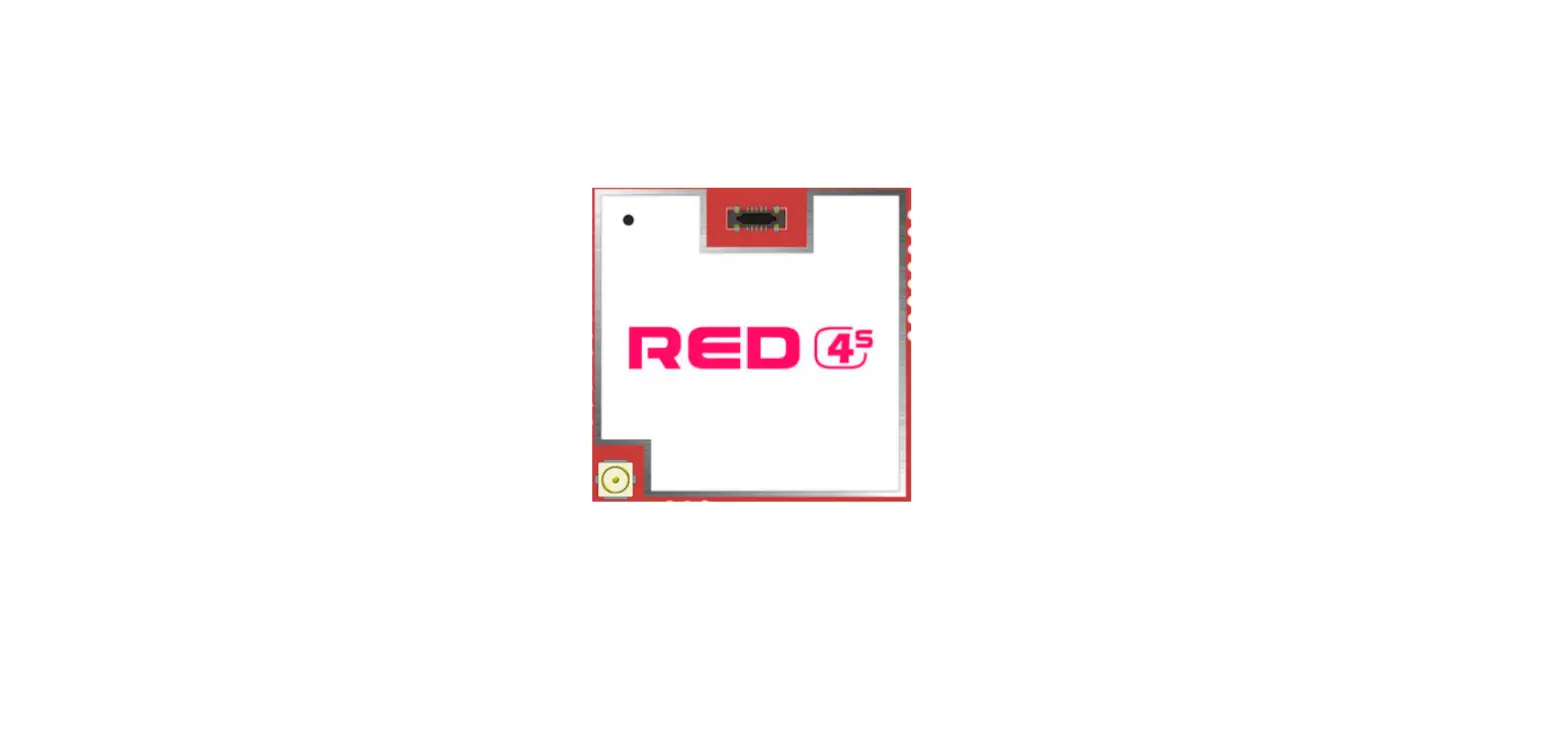

PHYCHIPS RED4S Compact RFID Module
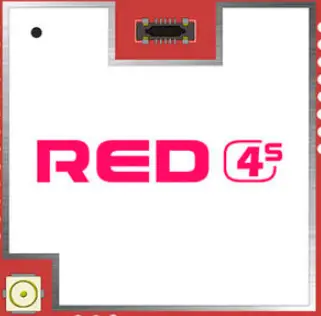
Pin Description
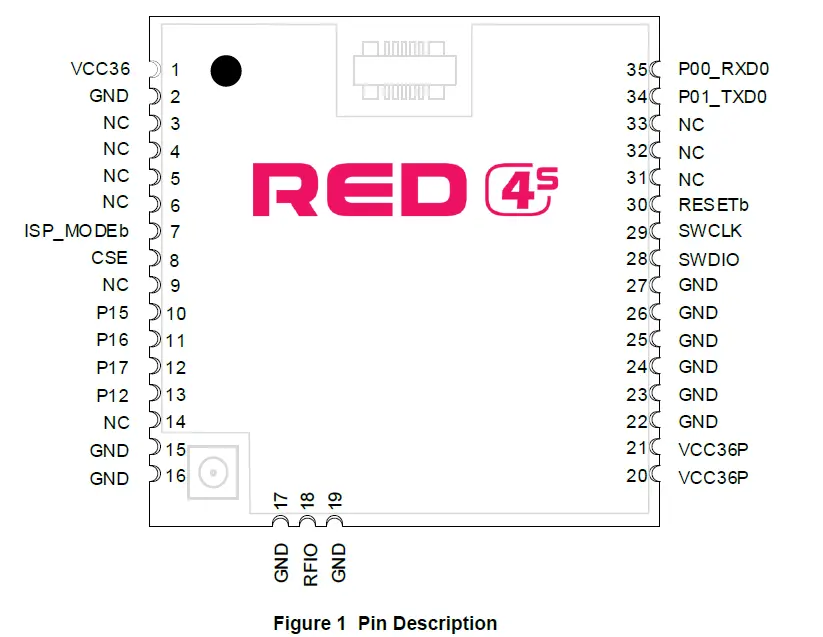
RED4S Pin Description
| No. | Pin Name | Description |
| 1 | VCC36 | DC Power for Reader SOC |
| 2 | GND | Ground |
| 3 | P04_SPI_TXD | Quasi-bi directional I/O port or SPI Output |
| 4 | P05_SPI_RXD | Quasi-bi directional I/O port or SPI Input |
| 5 | P06_SPI_CLK | Quasi-bi directional I/O port or SPI Clock |
| 6 | P07_SPI_CS | Quasi-bi directional I/O port or SPI Chip Select |
|
7 |
ISP_MODEb | When ISP_MODEb is Logic ‘Low’, ISP mode is set as shown below table
[CAUTION] Except ISP mode, ISP_MODEb should be set logic ‘High’ for robust stability for FLASH memory |
| 8 | CSE | Chip Select enable / module power enable 0:Disable 1: Enable |
| 9 | NC | Not Connection |
| 10 | P15 | Quasi-bi directional I/O port [NOTE] This pin is already used internally. So this pin should be only for ISP mode |
| 11 | P16 | Quasi-bi directional I/O port or External Interrupt 4 |
| 12 | P17 | Quasi-bi directional I/O port or External Interrupt 5 |
| 13 | P12_SCL | Quasi-bi directional I/O port I2C Clock The pull-up resistor is always switched on. Reserved Address : 0x70, 0x71 |
| 14 | P11_SDA | Quasi-bidirectional I/O port I2C Data In / Out The pull-up resistor is always switched on. Reserved Address : 0x70, 0x71 |
| 15 | GND | Ground |
| 16 | GND | Ground |
| 17 | GND | Ground |
| 18 | RF IO | Rx Input / Tx Output |
| 19 | GND | Ground |
| 20 | VCC36P | DC Power for Power Amp |
| 21 | VCC36P | DC Power for Power Amp |
| 22 | GND | Ground |
| 23 | GND | Ground |
| 24 | GND | Ground |
| 25 | GND | Ground |
| 26 | GND | Ground |
| 27 | GND | Ground |
| 28 | SWDIO | Serial Wire Debug data in out |
| 29 | SWCLK | Serial Wire Debug Clock |
| 30 | RESETb | Reader SOC Reset signal 0: reset |
| 31 | NC | Not Connection |
| 32 | NC | Not Connection |
| 33 | NC | Not Connection |
| 34 | P01_TXD0 | Quasi-bi directional I/O port or UART0 Output |
| 35 | P00_RXD0 | Quasi-bi directional I/O port or UART0 Input |
Operation Method
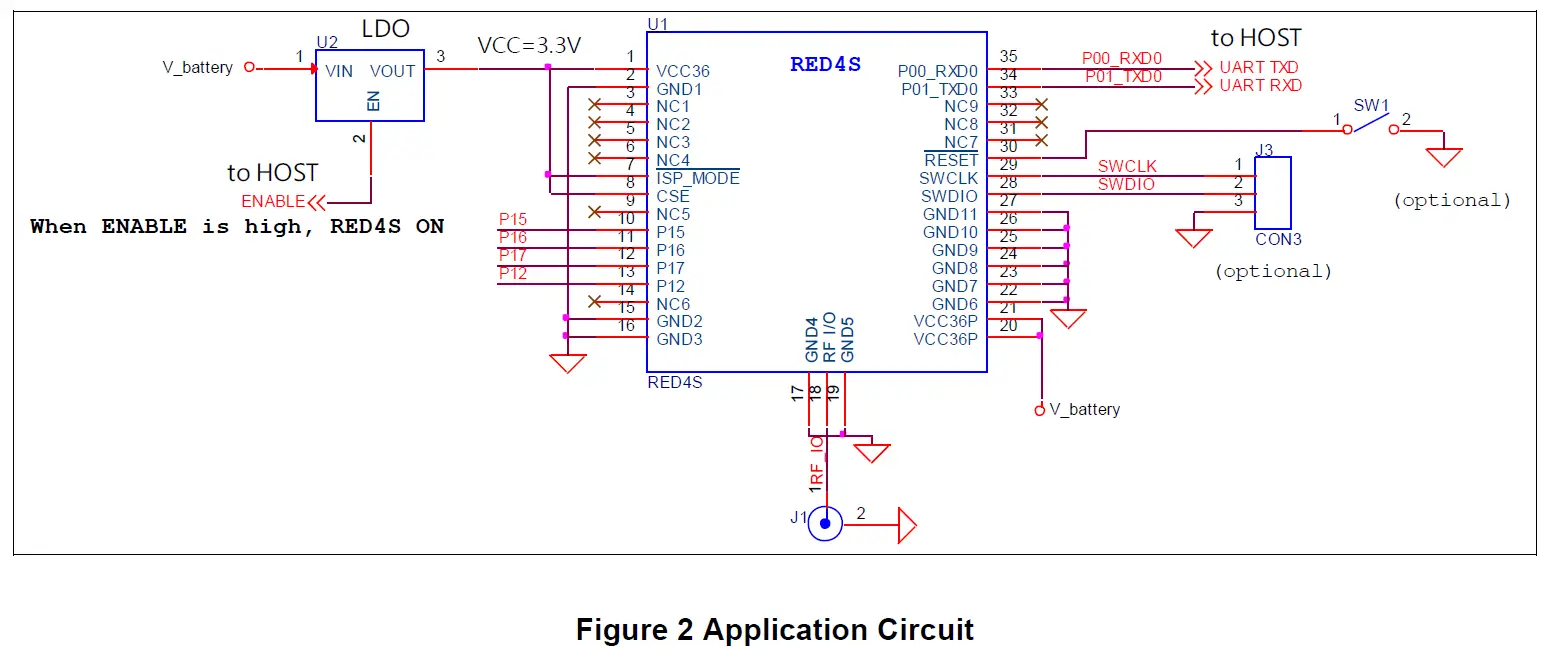
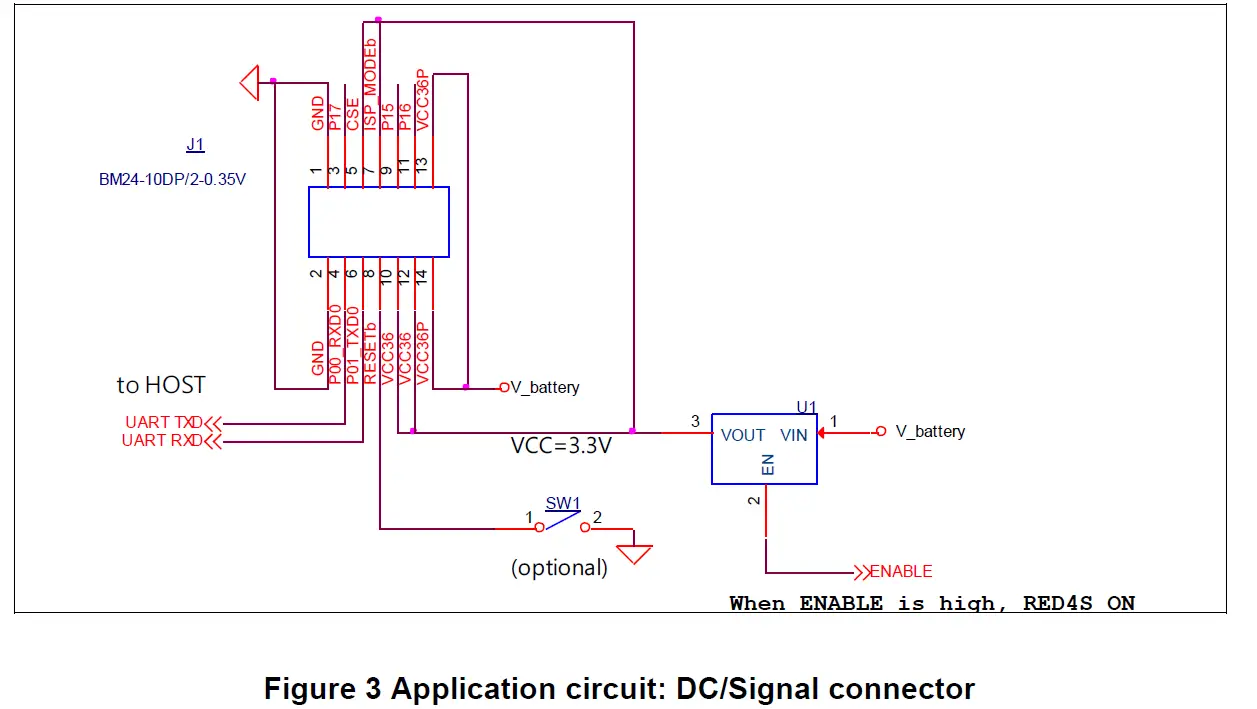
Power Supply
DC power to operate RED4S is separated into 2 kinds. VCC36 is to supply for PR9200 whose power range is 3.3 to 3.6 volts, and VCC36P is to supply for power amp whose power range is 3.3 to 4.2 volts. In a mobile device with a battery, VCC36P can be connected to battery power directly. VCC36 pins need to external LDO (or another device). As the Host control, the LDOs enable, the user controls the power-down mode of the module. If you do not control external LDO, you can control CSE pin to enter power-down mode instead.
UART
The serial interface is assigned with two wires. RXD0, which pin is assigned to pin 35, is for receiving commands from host and TXD0, which pin is assigned to pin 34, is for transmitting responses to host. Pin connection is shown as below figure.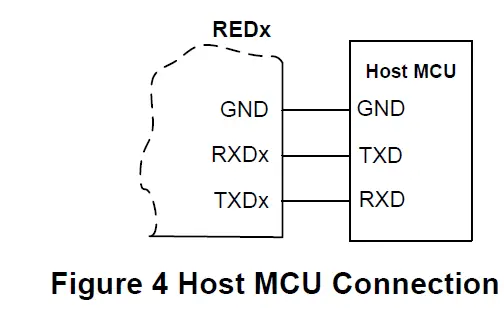
Following configuration is used for interfacing to USB transceiver.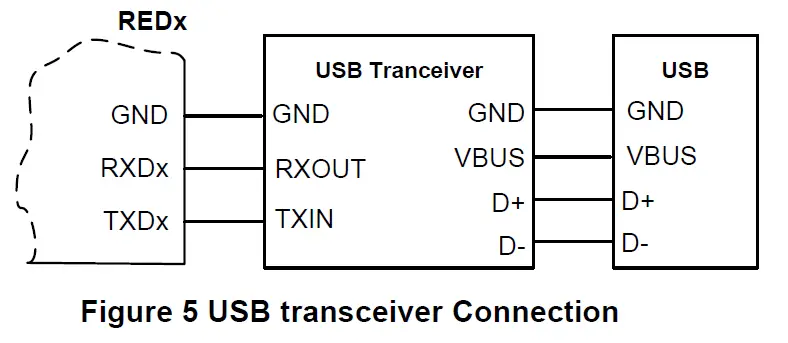
RF In/Out
RF I/O which assigned to Pin 18 is optimized with 50ohm impedance.
GUI Control
The RED Utility helps the user to start working with RED DK RFID reader quickly. Follow below steps to run GUI. Windows Start button ➔ Program Menu ➔ RED Utility_vX.X.X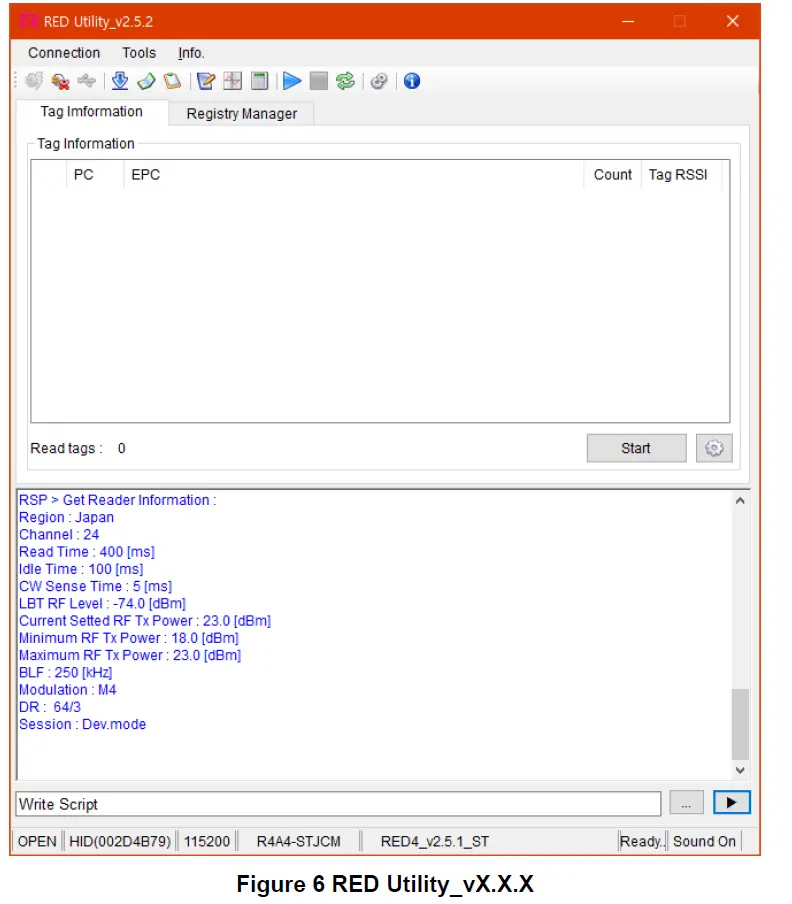
Mode Change
RED Utility provides two view modes. User can select view mode depending on purpose of use between Basic View Mode and Extended View Mode.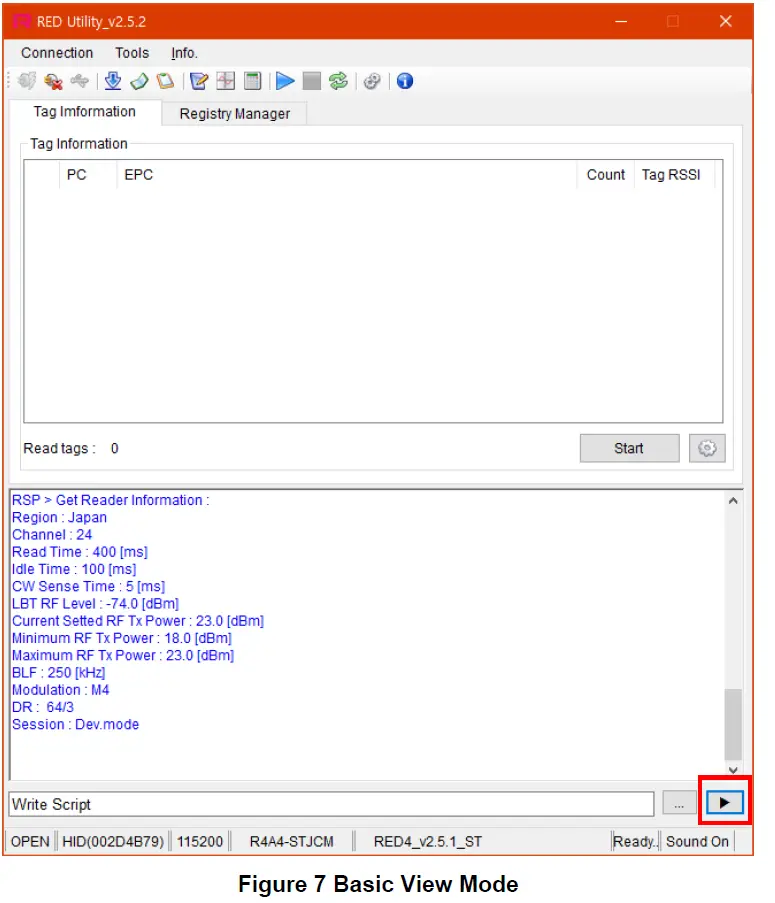
To change View Mode, click the extension button marked red in Figure 7 above.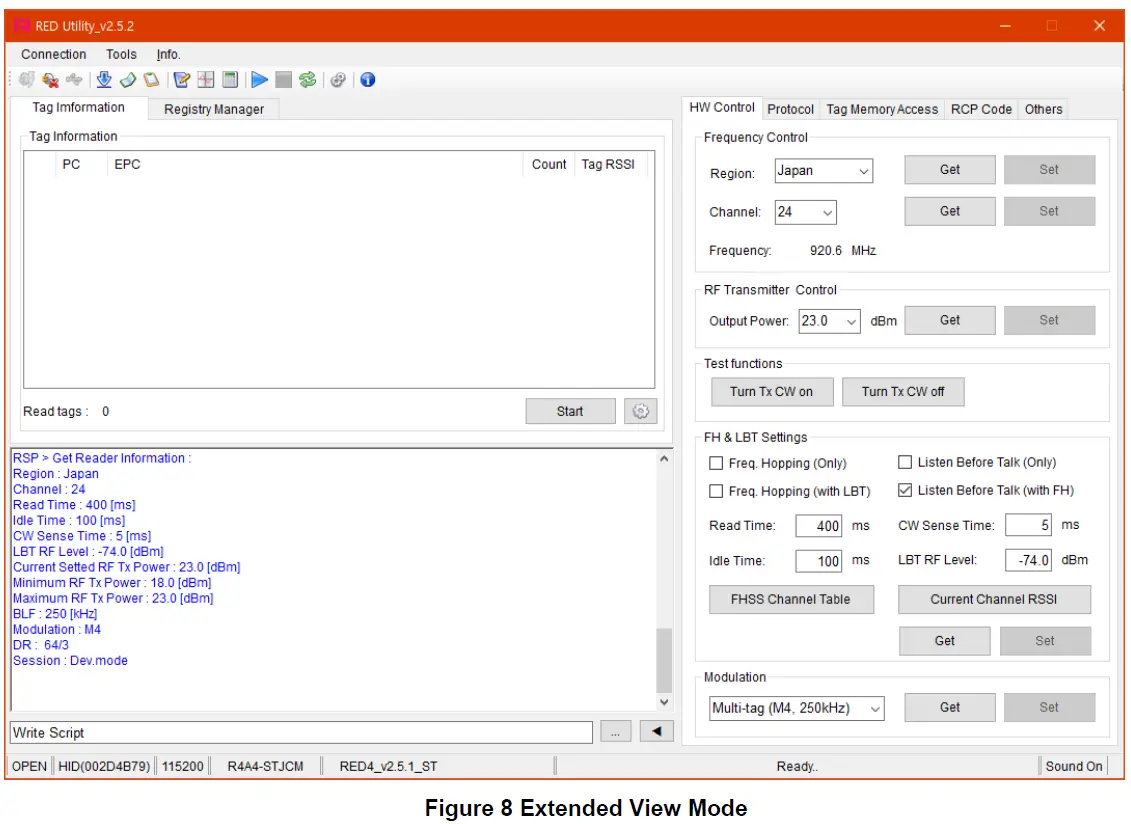
Always use Extended View Mode for measurement.
RED4S Connection
If the hardware connection is valid, the RED utility connects module REDx automatically. If the utility cannot connect hardware, please follow the below step Click “Connection->Connect” to connect to REDx-DK through USB-to-UART at the main window GUI will find the Device and synchronize parameters with the REDx module automatically. If the GUI cannot find the device automatically, Click “Connection->Port Setting” and select other Device. The Default Baud rate is 115200 bit/s.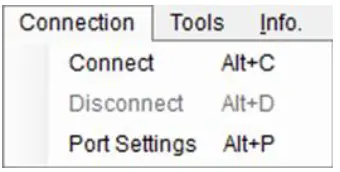
If the Device is connected successfully, status bar will display “OPEN” state and device number and so on.
Hardware Control
Click ‘H/W Control Tab.’ To control hardware.
Band(Region) Setting
To select an operating band, a band setting should be required. Select band in combo box and click Set button to set operating band in group box ‘Frequency Control.’
Power Class Setting
Some countries classify channel number by power class. Click Get button and choose required power class. And then click Set button to set finally.
Output Power setting
To set RED output power, select the Output Power combo box and click Set button.
CW (Continuous Wave) setting
It is only used for hardware debugging. To set CW on, click Turn Tx CW on button. To set CW off, click Tx CW off button.
Tag Inventory Procedure
Click Start button in Tag Information Tab to read UHF RFID tag with RED Utility.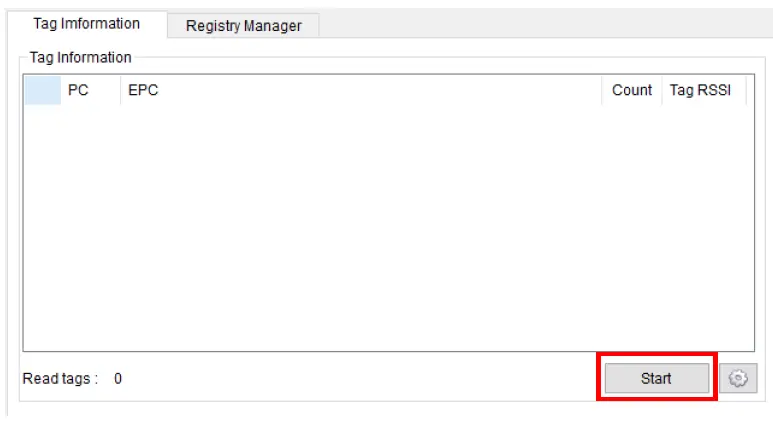
Click Start button and Tag’s EPC information is displayed.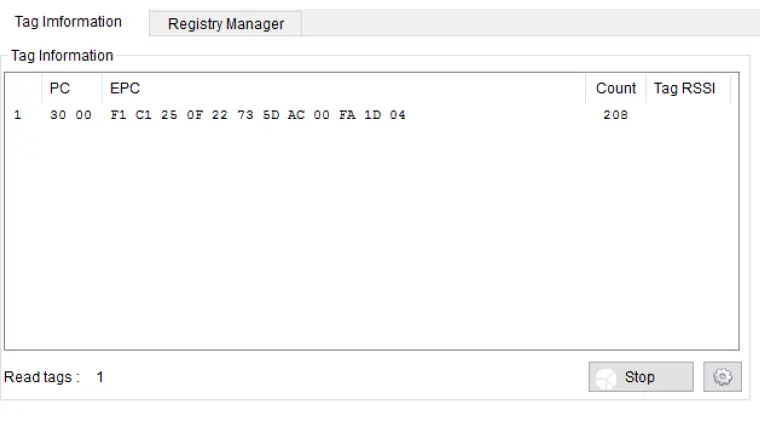
Specification
| No. | Item | Unit | Test Condition | Specification | Remark | ||||
| min | Typ. | max | |||||||
| 1 | Frequency Range | MHz | 917.1 | 926.9 | |||||
| 2 | Tx Power | dBm | 26 | 27 | PEAK | ||||
| 3 | Spurious | dBm | US (FCC 15C) | ||||||
| 4 | Impedance | Ω | 50 | RF I/O | |||||
| 5 | DC Power | VCC36P | V | 3.3 | 3.6 | 4.2 | |||
| VCC36 | 3.3 | 3.6 | |||||||
| 6 | Operating Temperature | °C | -20 | 70 | |||||
| 7 | Operating Humidity | % | 0 | 90 | |||||
| 8 | Current | Power Down | uA | Active current is measured at 25dBm with 50ohm load | 20 | ||||
| Idle | mA | 20 | |||||||
| Active | – | ||||||||
| 9 | Size | mm | 24.0 * 24.0 * 3.0 | ||||||
| 10 | Weight | g | 3 | ||||||
- Device Name(Model Name) : RED4S
- FCC ID: Y3D-RED4S
- Name of Grantee: PHYCHIPS Inc.
- Production year, month, date:
- Manufacturer/Country: Korea
FCC
This device complies with Part 15 of FCC Rules. Operation is subject to the following two conditions:
- the device may not cause interference, and
- the device must accept any interference, including interference that may cause undesired operation of this device.
Caution: Any changes or modifications in the construction of this device that are not expressly approved by the party responsible for compliance could void the user’s authority to operate the equipment This device generates, uses and can radiate radio frequency energy and, if not installed and used in accordance with the instructions, may cause harmful interference to radio communications. However, there is no guarantee that interference will not occur in a particular installation. If this equipment does cause harmful interference to radio or television reception, which can be determined by turning the equipment off and on, the user is encouraged to try to correct the interference by one or more of the following measures:
- Reorient or relocate the receiving antenna.
- Increase the separation between the equipment and receiver.
- Connect the equipment into an outlet on a circuit different from that to which the receiver is connected.
- Consult the dealer or an experienced radio/TV technician for help.
End Product Labeling
The module is labeled with its own FCC. If the FCC ID is not visible when the module is installed inside another device, then the outside of the device into which the module is installed must also display a label referring to the enclosed module. In that case, the final end product must be labeled in a visible area with the following:
“Contains FCC ID: 2AGUB-73000”
OEM Responsibilities to comply with FCC The module has been certified for integration into products only by OEM integrators under the following condition:
- The antenna(s) must be installed such that a minimum separation distance of at least 20 cm is maintained between the radiator (antenna) and all persons at all times.
- The module is limited to installation in mobile or fixed applications.
- The transmitter module must not be co-located or operating in conjunction with any other antenna or transmitter except in accordance with FCC multi-transmitter product procedures.
- Separate approval will be required for all other operating configurations, including portable configurations with respect to Part 2.1093 and different antenna configurations other than supplied antennas.
As long as the two condition above is met, further transmitter testing will not be required. However, the OEM integrator is still responsible for testing their end-product for any additional compliance requirements required with this module installed (for example, digital device emissions, PC peripheral requirements, etc.). In the event that these conditions cannot be met, then the FCC authorizations are no longer considered valid and the FCC ID cannot be used on the final product. In these circumstances, the OEM integrator will be responsible for re-evaluating the end product including this module and obtaining separate FCC authorizations.
- This device is intended only for OEM integrators
- For OEM integration only – the device cannot be sold to the general public.
- Manual Information to the End-User
The OEM integrator has to be aware not to provide information to the end-user regarding how to install or remove this RF module in the user’s manual of the end product which integrates this module.
This device may only operate using an antenna of a type and maximum (or lesser) gain approved by Psychics. Antenna types not included in the list, having a gain greater than the maximum gain indicated for that type, are strictly prohibited for use with this transmitter.
Note