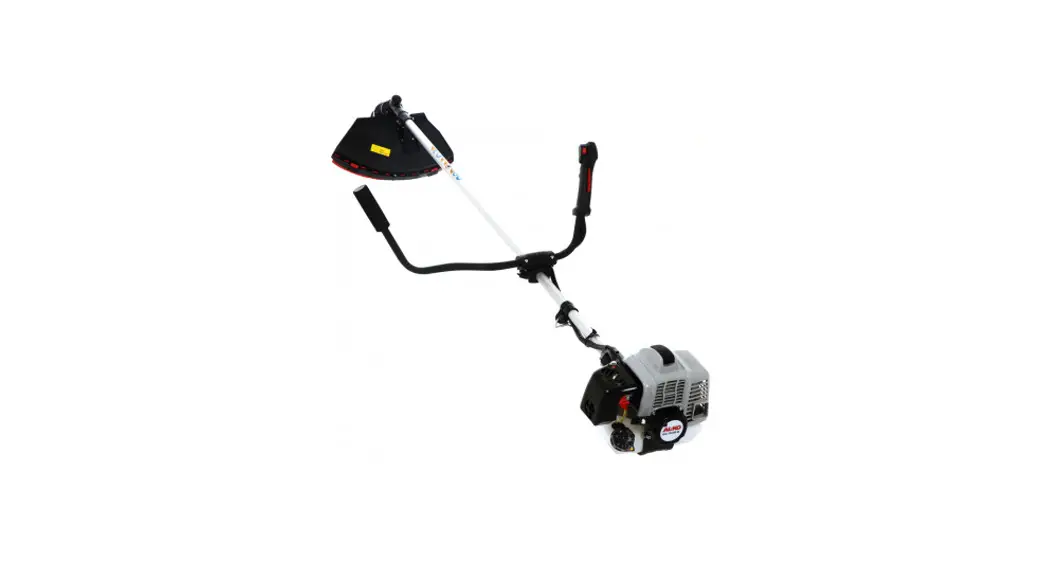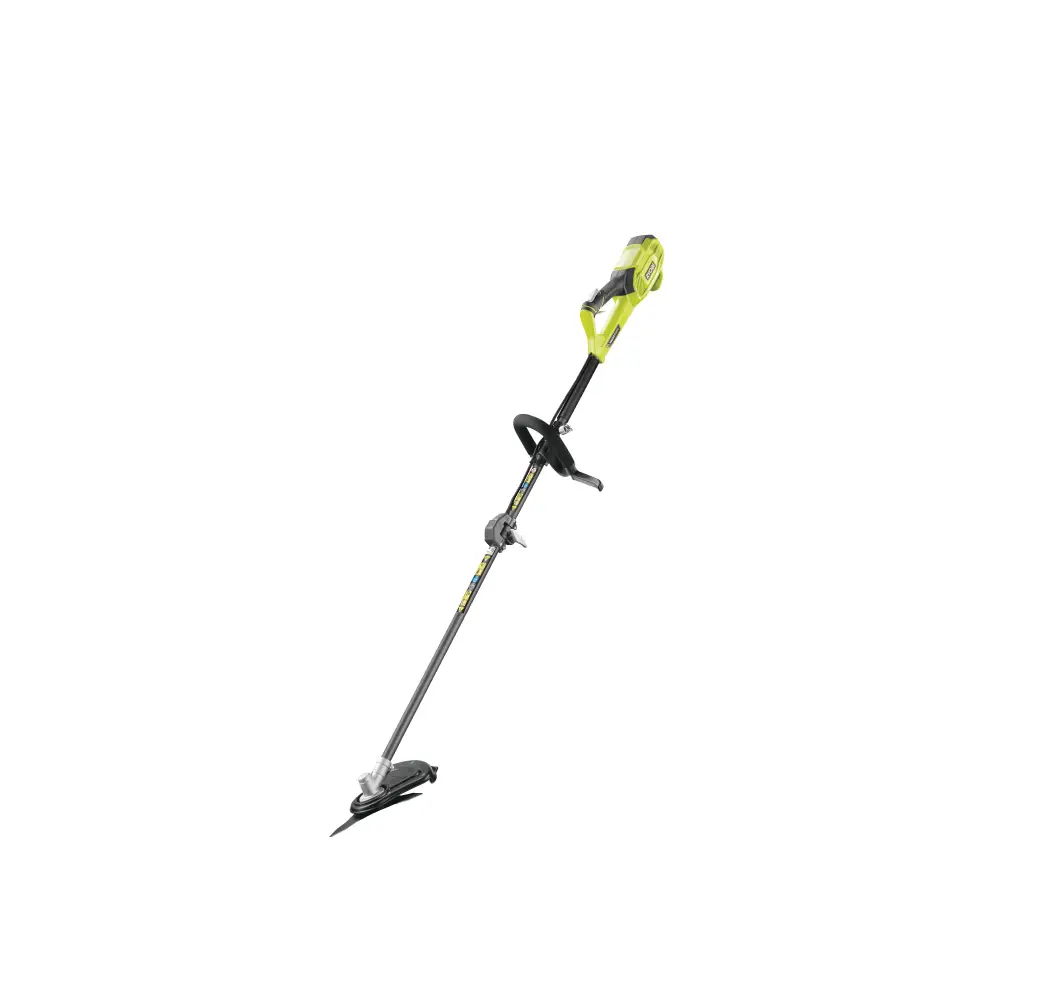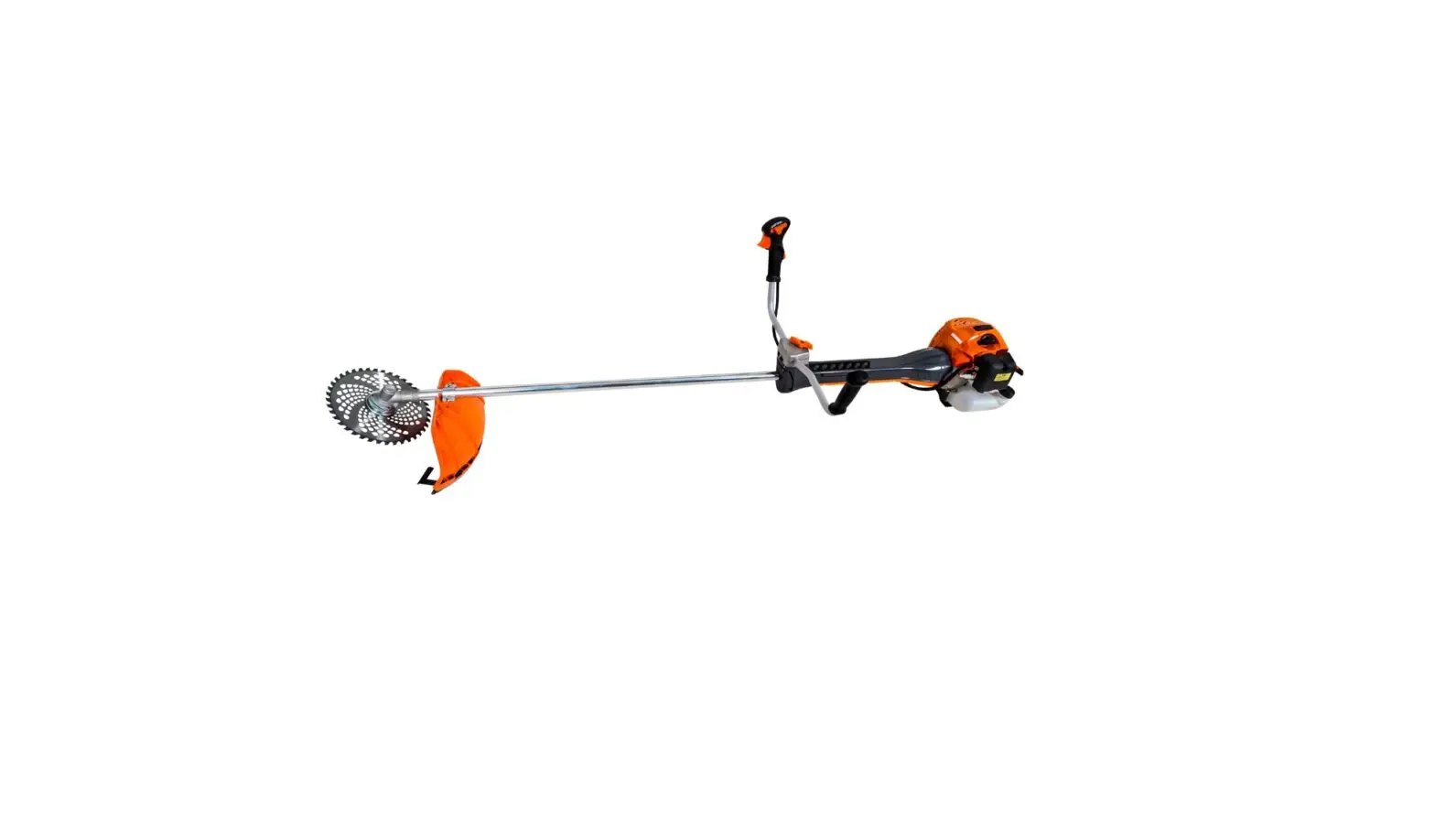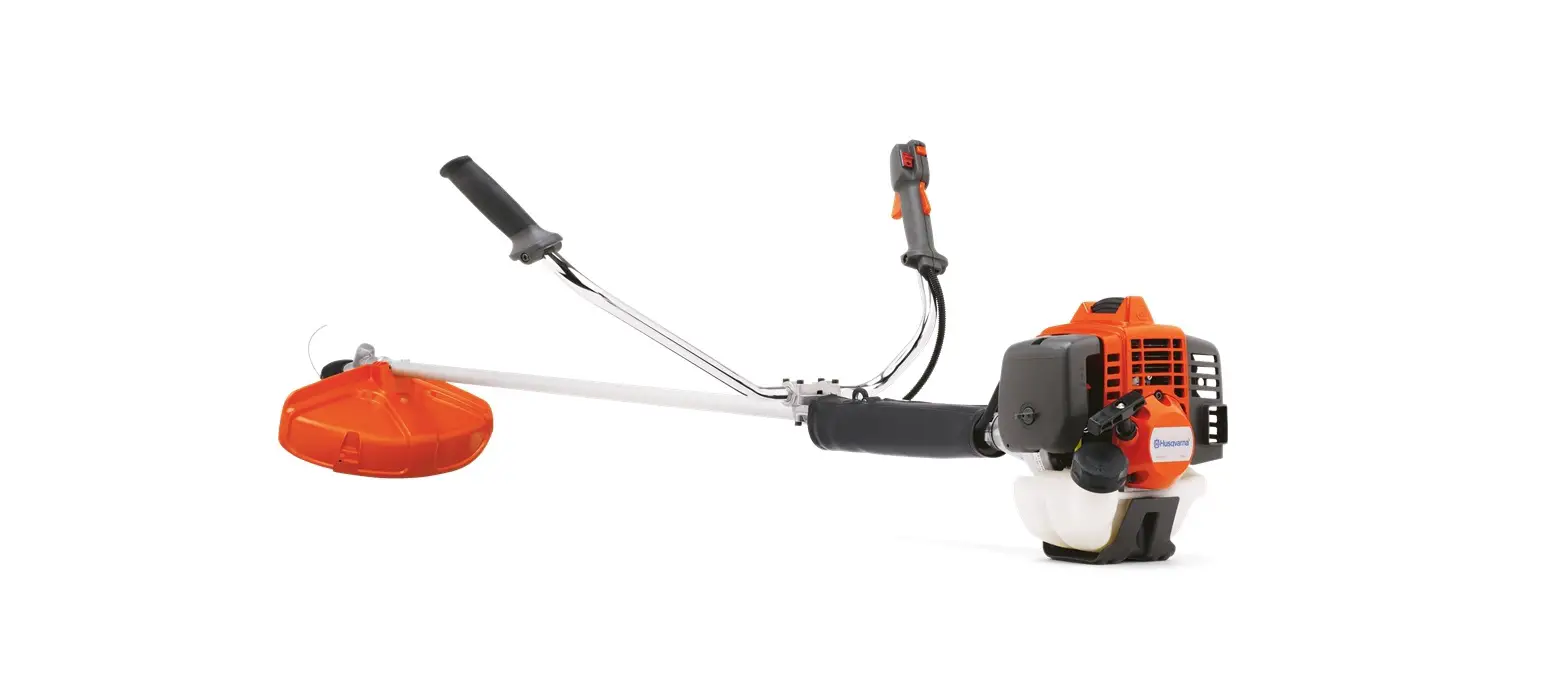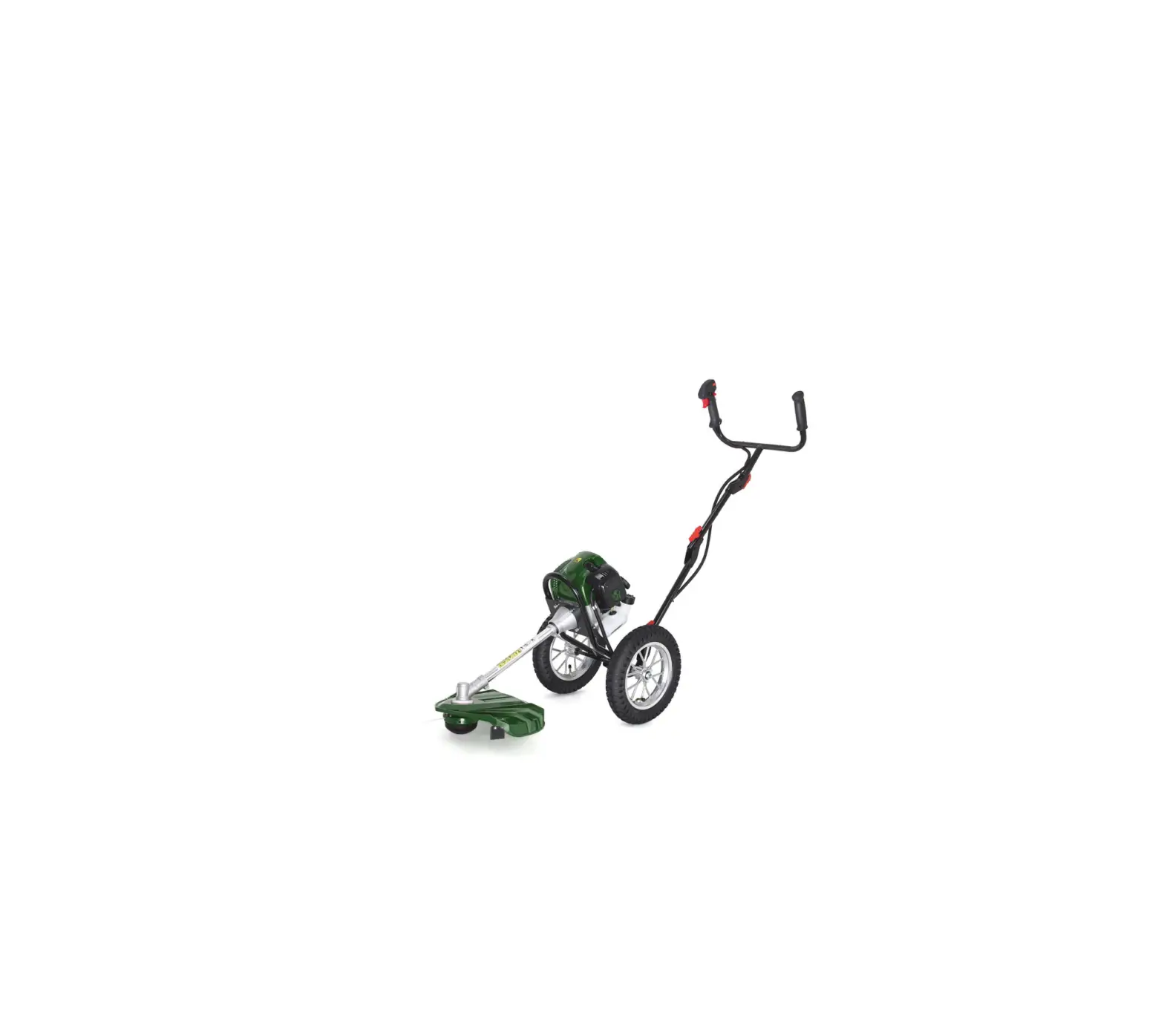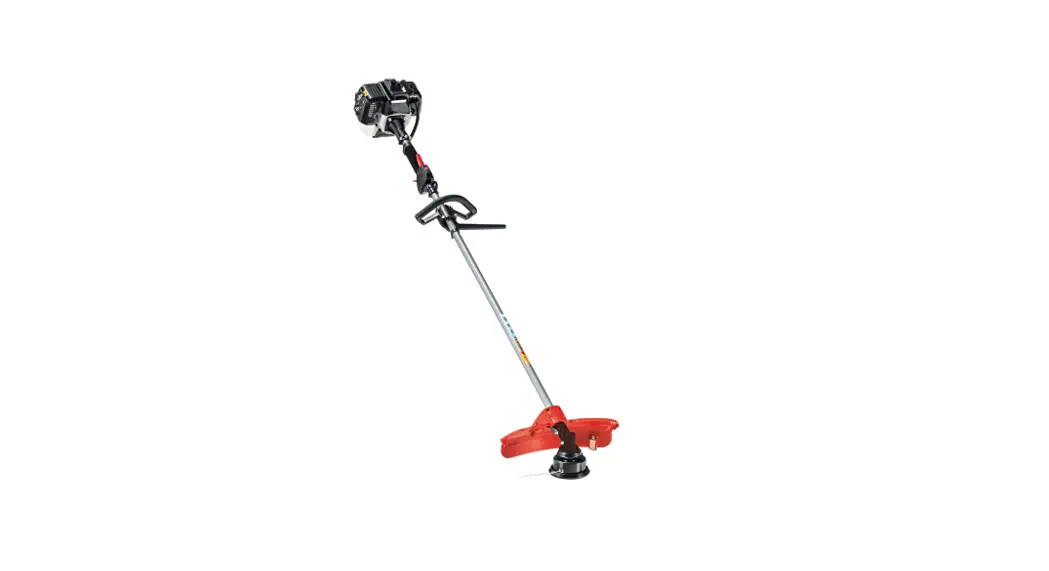
 116 Brush Cutter
Instruction Manual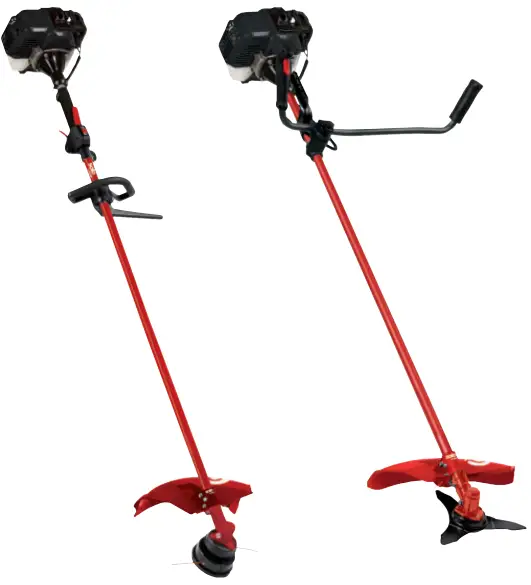
116 Brush Cutter
INFORMATION I MANUALS I SERVICE
116 / 118L / 118B / 120 469680_a I 02/2015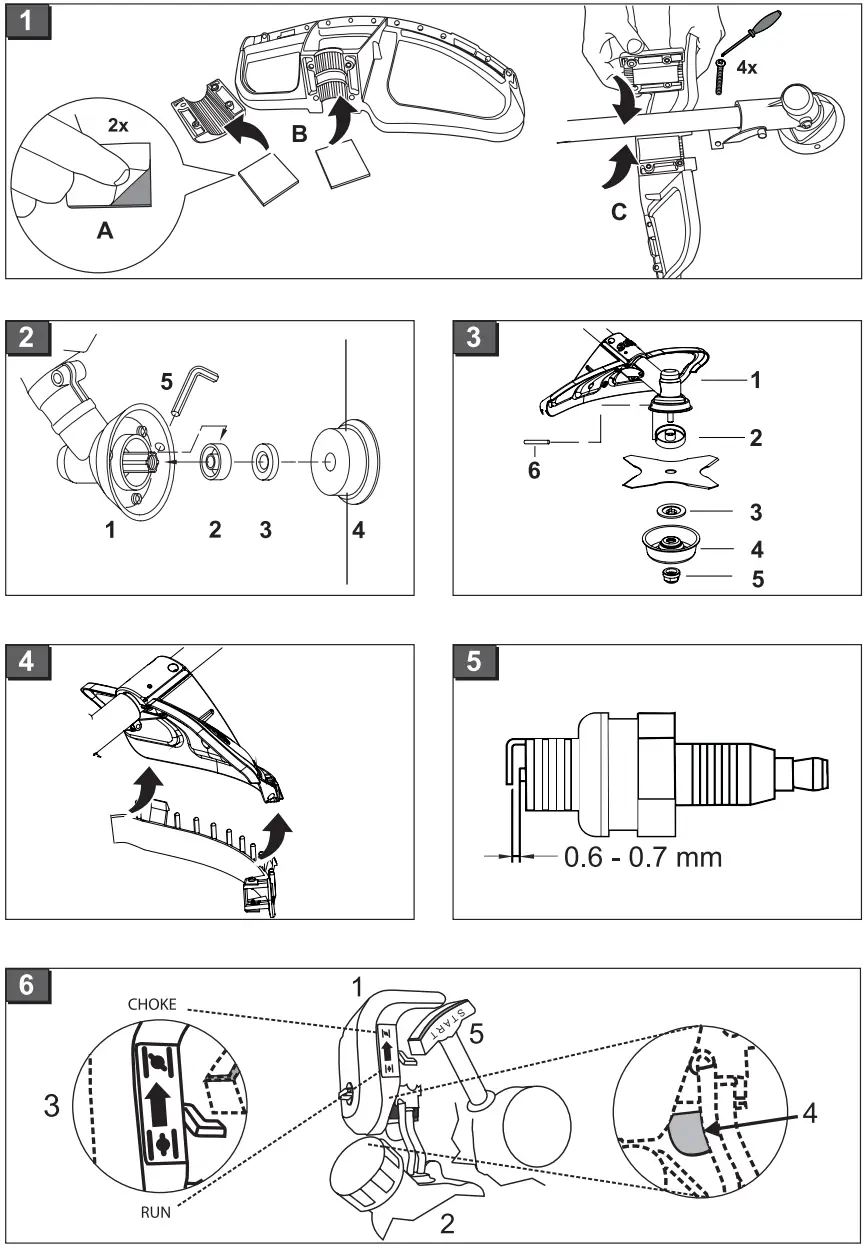
Introduction
Read this documentation before starting up the machine. This is a precondition for safe working and flawless operation.
- Observe the safety warnings in this documentation and on the machine.
- This documentation is a permanent integral part of the product described and must be passed on to the new owner if the machine is sold.
Explanation of symbols Caution!
Following these safety warnings carefully can prevent personal injury and/or material damage. Special instructions for greater ease of understanding and improved handling.
Meaning of symbols on the machine
 | Caution! |
 | Read the instruction manual |
 | Wear safety goggles, a safety helmet, ear defenders |
 | Wear gloves |
 | Wear safety shoes |
 | Keep body and clothing away from the cutting blades/strings |
 | Danger due to ejected objects |
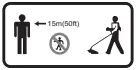 | The distance between the device and other persons must be at least 15 m. |
Intended use
This device is intended for trimming and mowing lawns on private premises.
Using this device for any other or additional purpose is considered contrary to its intended use.Caution!
The device must not be used commercially.
Safety instructions
- The machine may only be used in perfect technical conditions.
- Only work when there is adequate daylight or artificial lighting
- The machine must not be operated with different cutting tools or attachments.
- Wear appropriate working clothes:
• Long trousers, sturdy footwear, gloves
• Safety helmet, safety goggles, ear defenders - Always ensure stability when working.
- The machine must not be operated if the operator is under the influence of alcohol, drugs or medication.
- Always operate the machine with both hands.
- Keep the handles dry and clean.
- Keep body and clothing away from cutting parts.
- Keep third parties away from the danger area.
- Remove foreign bodies from the working area.
- Always keep the guard, string head, and engine free of mowing debris
- When leaving the machine:
• Switch off the engine.
• Wait until the cutting parts have come to a standstill. - Do not leave the machine unattended.
- Never allow children or untrained persons to operate or service the machine. There may be local regulations regarding minimum age requirements for operating the machine.
- Accident prevention regulations must be observed.
- The user is responsible for accidents involving other persons and their property.
- Always fit the blade guard before transporting or storing the equipment or cutting the blade.
Caution!
During extended periods of use, the vibrations can cause disorders of the blood vessels or nervous systems of the fingers, hands, and wrists. You may experience parts of your body going numb, twinges, pains, or changes in the skin. If such symptoms arise, please consult your doctor!
Safety and protective equipmentCaution!
Safety and protective equipment must not be disabled – Risk of injury!
Emergency Stop
In the event of an emergency, with the ignition switch to “STOP”.
Stone impact guard
Protects the operator from ejected objects. The integrated cutter shortens the cutting string to the permissible length.
Specification
| 116 | 118 L | 118 B | 120 | |
| Motor type | Air-cooled 2-stroke engine | Air-cooled 2-stroke engine | Air-cooled 2-stroke engine | Air-cooled 2-stroke engine |
| Cylinder capacity | 25,4 cm³ | 32,6 cm³ | 32,6 cm³ | 42,7 cm³ |
| Power: | 0,75 kW | 0,9 kW | 0,9 kW | 1,1 kW |
| Dry weight (EN ISO 11806) | 5,6 kg | 6,1 kg | 7,2 kg | 8,0 kg |
| Fuel capacity | 0,65 I | 1 I | 1 I | 1,1 I |
| Sound power level | LwA= 110 dB(A) K= 3 dB(A) | LwA= 116 dB(A) K= 5 dB(A) | LwA= 116 dB(A) K= 5 dB(A) | LwA= 113 dB(A) K= 2 dB(A) |
| Sound pressure level | LpA = 91 dB(A) | LpA = 104 dB(A) | LpA = 104 dB(A) | LpA = 94 dB(A) |
| Vibration | a hw = 7 m/s² K = 1,5 m/s² | a hw = 9 m/s² K = 1,5 m/s² | a hw = 9 m/s² K = 1,5 m/s² | a hw = 9 m/s² K = 1,5 m/s² |
| Cutting string width | 41 cm | 41 cm | 41 cm | 41 cm |
| Cutting string diameter | 2,4 mm | 2,4 mm | 2,4 mm | 2,4 mm |
| Cutting width, cutting blade | 25 cm | 25 cm | 25 cm | 25 cm |
| Grip | “Loop”-handle | “Loop”-handle | “Bike”-grip | “Bike”-grip |
| Ignition | Electronic | Electronic | Electronic | Electronic |
| Spark plug | L8RTC | L8RTC | L8RTC | L8RTC |
| Drive train | Centrifugal clutch | Centrifugal clutch | Centrifugal clutch | Centrifugal clutch |
| 116 | 118 L | 118 B | 120 | |
| Max. engine speed | 7.500 r.p.m. | 10.000 r.p.m. | 10.000 r.p.m. | 9.500 r.p.m. |
| Engine idle speed | 2800 r.p.m. | 2800 r.p.m. | 2800 r.p.m. | 2800 r.p.m. |
| Tool speed | 8400 r.p.m. | 7800 r.p.m. | 7800 r.p.m. | 7500 r.p.m. |
Installation 116 / 118 L / 118 B / 120
Mounting the guard (Fig. 1)
Mounting the string head (Fig. 2)
- Push the drive plate (2-2) onto the guide pin of the drive shaft (2-1).
- To lock it, insert the Allen key (2-6) into the hole provided on the drive plate.
- Mount the flange.
- Push in the adapter (2-4) and screw it firmly in place.
- Screw the string head (2-5) onto the guide pin.
Caution: left-hand thread!
Mounting the additional guard for string operation (Fig. 4)
- Click the black additional guard (4-1) into the guard and fix it in place.
The integrated string cutter automatically shortens the cutting string to the optimal length.
Mounting the cutting blade (Fig. 3) (Fig. 4)
- Remove the black additional guard (Fig. 4-1).
- Push the drive plate (3-2) onto the guide pin of the drive shaft (3-1).
- Place the cutting blade (3-3) on the drive plate (3-2) in such a way that the hole in the cutting blade is exactly aligned with the guide circle of the drive plate.
- Push the flange (3-4) onto the cutting blade so
that the flat side faces the cutting blade. - Push on the protective cover (3-5).
- Push on the serrated lock washer (3-6).
- Secure the clamping nut (3-7) on the guide pin. To do this, insert the Allen key (3-8) into the holes provided and tighten it with the sparkplug socket. The spark plug socket is included in the scope of supply. Caution: left-hand thread!
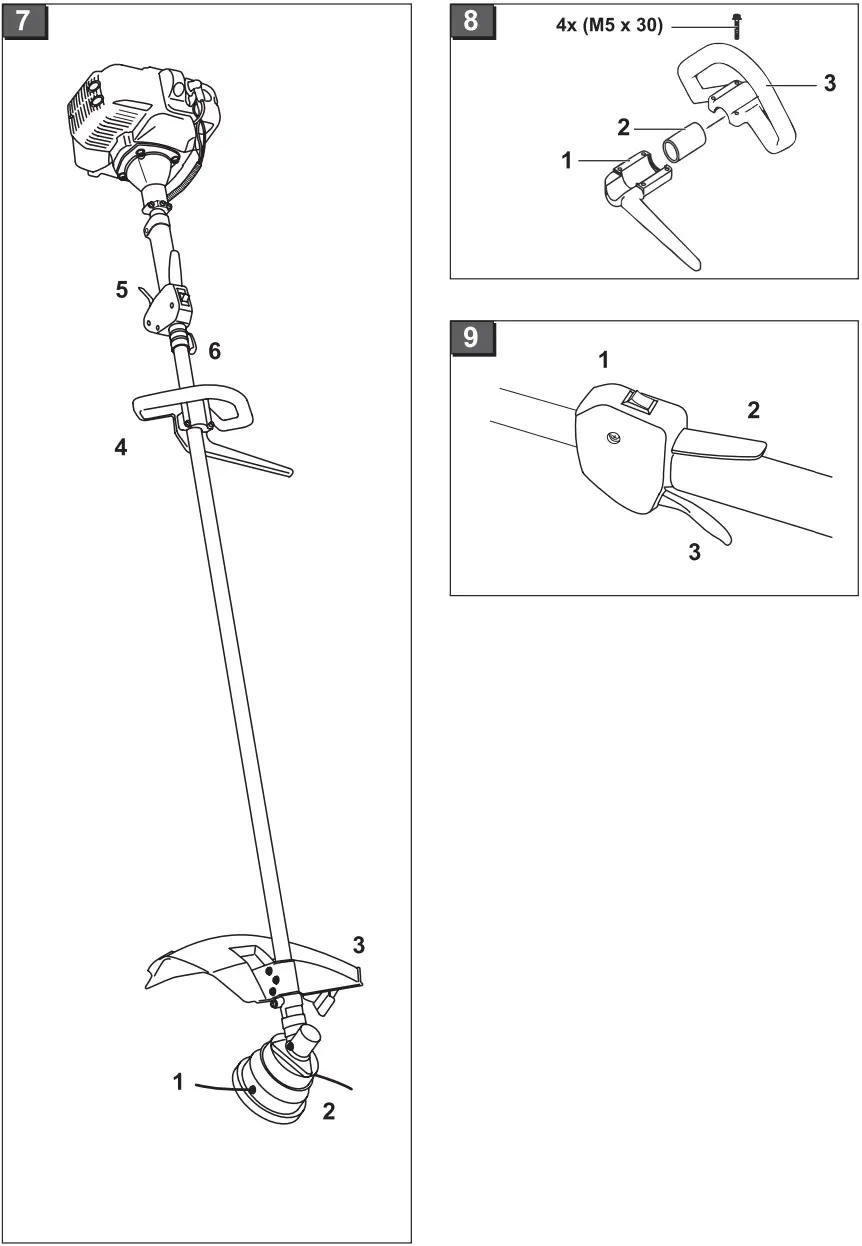
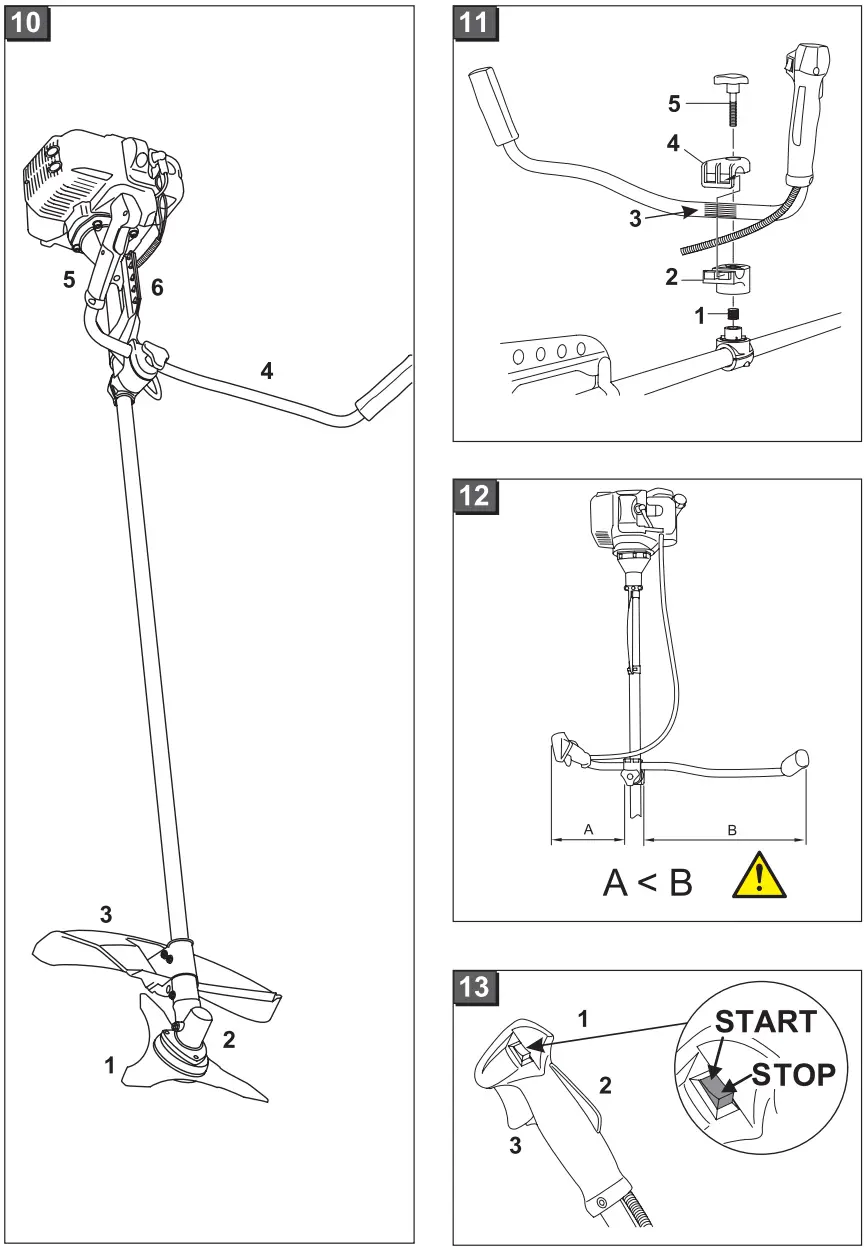
Adjusting the shoulder strap(Fig. 7) (Fig. 10)
- Push the shoulder strap over both shoulders.
- 116 / 118 L (Fig. 7): Hook the locking hooks into the eyelet (7-6).
118 B / 120 (Fig. 10-6): Hook the locking hooks individually into the strap attachment bar. - Check the length of the shoulder strap by making a number of swinging movements without switching on the engine.
The string head or cutting blade must move parallel to the ground.
Caution!
Always use the shoulder strap when working with the device.
Only hook up the shoulder strap once the engine is started and idling.
Installation 116 / 118 L
Parts overview (Fig. 7)
| 1 | String head |
| 2 | Drive plate |
| 3 | Guard |
| 4 | “Loop” bike grip |
| 5 | Handgrip, see “Starting the engine” |
| 6 | Eyelet |
Caution!
The machine must not be operated before assembly work has been completed.
Mounting the L-grip (Fig. 8)
- Place the rubber sleeve (8-2) over the support bar.
- Screw together the upper (8-3) and lower (8-1)halves of the grip with four Allen screws (8-4) through the rubber sleeve.
Installation 118 B / 120
Parts overview (Fig. 10)
| 1 | Cutter |
| 2 | Driveshaft |
| 3 | Guard |
| 4 | “Bike” grip |
| 5 | Handgrip, see “Starting the engine” |
| 6 | Strap attachment bar |
Caution!
The machine must not be operated before assembly work has been completed.
“Bike” grip (Fig. 11)
- Place the spring (11-1) in the holder in the support bar.
- Place the lower grip holder (11-2) on the spring.
- Place the marked (striated) area of the grip rod (11-3) into the lower grip holder. The upper brace (11-4) must click into the lower brace (11-2).
- Fasten the upper brace (11-4) to the grip holder with the screw (11-5).
- The seat of the holder on the support bar can be shifted as required.
Fuel and consumables
Safety instructions Warning!
Petrol is highly flammable – A fire hazard!
- Ensure that no fuel leaks from the engine, tank, or fuel lines.
- Only mix and store petrol in approved containers.
- Do not use any fuel mixture that has been stored for more than 90 days.
- Only refuel outdoors.
- Do not smoke while refueling.
- Do not open the fuel cap while the engine is running or hot.
- Exchange the tank or fuel cap if damaged.
- Always keep the fuel cap firmly closed.
- Only empty the fuel tank outdoors.
- If petrol has spilled out or been spilled:
• Do not start the engine.
• Avoid ignition attempts.
• Clean the machine.
• Allow leftover fuel to evaporate
Preparing a fuel mixture
If a mixing ratio of 50:1 is used, we recommend using a special high-quality 2-stroke oil.
In the case of branded 2-stroke oils, we recommend a mixing ratio of 25:1.
Tables of fuel mixing ratios
| Mixing procedure | Petrol | Mixing oil |
| 25 parts petrol: 1 part mixing oil 2-stroke oil | 1 l | 40 ml |
| 3 l | 120 ml | |
| 5 l | 200 ml |
| Mixing procedure | Petrol | Mixing oil |
| 50 parts petrol: 1 part mixing oil 2-stroke oil | 1 l | 20 ml |
| 3 l | 60 ml | |
| 5 l | 100 ml |
Pour petrol and corresponding oil into a suitable container in accordance with the table. Mix both parts thoroughly.
Startup
Caution!
Always carry out a visual inspection before starting up the machine.
- Before use, ensure that all screws, nuts, and bolts on the device are securely fastened.
- The machine must not be used with loose, damaged, or worn cutting parts and/or fastening elements.
- Replace damaged or worn parts with original spare parts.
- Always operate the trimmer with the guard.
- Always observe the operating instructions provided by the manufacturer of the engine.
- Observe local regulations regarding operating times.
Starting the engine Warning!
Never run the engine indoors. Toxic fumes!Before start-up, shorten the cutting string to 13 cm to avoid overloading the engine.
Choke settings:
 CHOKE CHOKE |  RUN RUN |
When starting the machine, please note:
- Lay the strimmer flat on the ground without obstacles.
- Make sure that the cutting tool is not touching other objects or the ground.
- Adopt a safe stance.
- Hold the machine securely with the left hand. Take hold of the starter cord with the right hand.
- Do not stand or kneel on the support bar.
• Always pull the starter cord straight out. Do not let it snap back too quickly.
Startup 116 / 118 L
Cold start (Fig. 6) (Fig. 9)
| 6-1 | Air filter shroud |
| 6-2 | Petrol tank |
| 6-3 | “Choke” – “Run” choke |
| 6-4 | Primer (cold-start diaphragm pump) |
| 6-5 | Starter cord |
| 9-1 | “Start” – “Stop” ignition switch |
| 9-2 | Gas lever lock |
| 9-3 | Gas lever |
- Set the ignition switch to the “Start” position (91).
- Press the gas lever lock (9-2) and hold it down; press the gas lever (9-3).
- Set the choke (6-3) to the “CHOKE” position.
- Press the cold-start diaphragm pump (6-4) 10 times.
- Pull the starter cord (6-5) straight out 3-4 times until the engine audibly starts briefly (ignition). Pull the cord briskly with uniform force.
- Set the choke to “RUN”.
- Pull out the starter cord until the engine starts.
- If the engine does not start, repeat steps 1 to 7.
116 / 118 L warm start (Fig. 6) (Fig. 9)
- Set the ignition switch to the “Start” position (91).
- Set the choke (6-3) to “RUN”. Pull the starter cord (6-5) – the engine starts.
• The engine does not start:
• Set the choke to the “RUN” position.
• Pull the starter cord 5 times.
• If the engine still does not start:
• Wait 5 minutes and then try again with the gas lever pressed down.
Refer to the “Troubleshooting” chapter.
Switching off the engine (Fig. 9)
- Release the gas lever and let the engine idle.
- Set the ignition switch (9-1) to “STOP”.
Caution!
The engine and cutting equipment continue to run after being switched off – Risk of injury!
Startup 118 B / 120
Cold start (Fig. 6) (Fig. 13)
| 6-1 | Air filter shroud |
| 6-2 | Petrol tank |
| 6-3 | “Choke” – “Run” choke |
| 6-4 | Primer (cold-start diaphragm pump) |
| 6-5 | Starter cord |
| 13-1 | “Start” – “Stop” ignition switch |
| 13-2 | Gas lever lock |
| 13-3 | Gas lever |
- Set the choke (6-3) to the “CHOKE” position.
- Set the ignition switch to the “Start” position (13-1).
- Press the cold-start diaphragm pump (6-4) 10 times.
- Pull the starter cord (6-5) straight out 2-3 times until the engine audibly starts briefly (ignition). Pull the cord briskly with uniform force.
- Set the choke to “RUN”.
- Pull out the starter cord until the engine starts.
- If the engine does not start, repeat steps 1 to 7.
118 B / 120 warm start (Fig. 6) (Fig. 13)
- Set the ignition switch to the “Start” position (13-1).
- Set the choke (6-3) to the “RUN” position.
- Pull the starter cord (6-5) a maximum of 6 times
– the engine starts. Keep the gas lever pressed down until the engine runs smoothly.
- The engine does not start:
• Set the choke to the “RUN” position.
• Pull the starter cord 5 times. - If the engine still does not start:
• Wait 5 minutes and then try again with the gas lever pressed down.
Refer to the “Troubleshooting” chapter.
Switching off the engine (Fig. 13)
- Release the gas lever (13-3) and let the engine idle.
- Set the ignition switch (13-1) to “STOP”.
Caution!
The engine and cutting equipment continue to run after being switched off – Risk of injury!
Instructions for use
Always let the engine run in the upper-speed range during trimming and cutting.
Safety instructionsCaution!
Observe the safety warnings in this documentation and on the machine.
- Persons who are not familiar with the trimmer should practice handling it with the engine switched off
- Wear appropriate working clothes
- Always ensure stability when working.
- Always operate the machine with both hands.
- Keep body and clothing away from cutting parts.
- Keep third parties away from the danger area.
- Never hold the string head higher than knee level when the device is in operation.
- Do not spray the unit with water and protect it against rain and humidity.
- When mowing on sloping ground, always stand downhill of the cutting device.
- Never work on a slippery hillside or slope.
- Never use the device in the vicinity of highly flammable liquids or gases – Risk of fire and/or explosion!
- After contact with a foreign object:
• Switch off the engine.
• Examine the device for damage.
Lengthening the cutting string
- Let the engine run at full throttle and tap the string head on the ground.
The cutting string will be extended automatically.
The blade on the safety shield shortens the cutting string to the permissible length.
Cleaning the guard
- Switch off the device.
- Carefully remove mowing debris with a screwdriver or similar tool.
Clean the guard regularly to prevent the shaft tube from overheating.
Trimming
- Examine the terrain and determine the desired cutting height.
- Guide and hold the string head at the desired height.
- Swing the device from side to side in a sweeping, scythe-like motion.
- Always keep the string head parallel to the ground.
Close trimming
- Hold the device so that it is tilted forward at a slight angle and moves just above the ground.
- Always trim away from your body.
Trimming along fences and foundationsCaution!
Do not come into contact with solid structures – Danger of recoil!
- Move the unit slowly and carefully without allowing the cutting string to hit any obstacles.
Trimming around tree trunks - Guide the device slowly and carefully around tree trunks, ensuring that the cutting string does not touch the tree bark.
- Mow from left to right around tree trunks.
- Cut grass and weeds with the tip of the string and keep the string head tilted slightly forwards.
Trimming along stone walls, foundations, and trees leads to increased string wear.
Mowing
1. Tilt the string head to the right at an angle of 30 degrees.
2. Move the handgrip to the desired position.Caution!
Remove foreign objects from the working area.
Risk of injury/damage to property from ejected foreign objects.
Mowing with the cutting blade
When mowing with the cutting blade, the cutting of the blade should be guided in a curving horizontal motion from one side to the other.Caution!
Before using the cutting blade, observe the following additional instructions:
- Use the shoulder strap.
- Check the safety hood and cutting blade for correct installation.
- Wear protective clothing and eye protection.
Do not use weed cutter blades for cutting brushwood and young trees!Caution!
Only use original cutting knives and accessories! Non-original parts can cause injuries and device malfunctions!
Avoiding recoilCaution!
Do not use the cutting blade in the vicinity of fixed obstacles – Danger of recoil/risk of injury!
Jamming
Dense vegetation, young trees, or brushwood can jam the cutting blade and stop it from turning.
- Avoid jamming by noting the direction in which the vegetation leans and then cutting from the opposite side.
- If the cutting blade becomes entangled during cutting:
• Switch off the engine immediately.
• Hold up the device so that the cutting blade does not jump or break.
• Push the caught material away
Maintenance and care
- Clean the device after every use with a brush and a dry cloth. Do not use cleaning agents or water.
Air filterCaution!
Never operate the device without an air filter. Clean the air filter regularly. Exchange the filter if damaged.
- Remove the star screw, take off the cover and take out the air filter.
- Clean the air filter with soap and water. Do not use petrol!
- Allow the air filter to dry.
- Install the air filter in reverse sequence.
Fuel filterCaution!
Never operate the device without a fuel filter. Severe engine damage may result.
- Completely remove the fuel cap.
- Empty the remaining fuel into a suitable container.
- Pull the filter out of the tank with a wire hook.
- Remove the filter with a twisting motion.
- Exchange the filter.
Carburetor adjustment
The carburetor is optimally adjusted at the factory.
Spark plug (Fig. 5)
Spark plug gap = 0.635 mm [0.025″].
- Tighten the spark plug with a torque of 12-15 Nm.
- Push the spark plug connector onto the spark plug.
Sharpening the string cutter blade
- Remove the cutting blade from the guard.
- Clamp the cutting blade in a vice and sharpen it with a flat file.
File in one direction only.
Storage
- Empty the fuel tank before long periods of storage (over the winter)
- Only empty the fuel tank outdoors
- Allow the engine to cool down before storage
- Empty the fuel tank.
- Start the engine and let it idle until it stops.
- Let the engine cool down.
- Loosen the spark plug with a spark plug socket.
- Pour a teaspoon of 2-stroke oil into the combustion chamber. Pull the starter cord slowly several times to distribute the oil in the interior of the engine.
- Insert the spark plug again.
- Thoroughly clean and service the device.
- Store the device in a cool dry place.
Caution!
Do not store the machine in the vicinity of naked flames or heat sources – Risk of fire and/or explosion!Caution! Fire hazard!
Do not store the fuelled machine in buildings where the petrol fumes might come into contact with naked flames or sparks!
Keep the area around the engine, exhaust, battery case, and fuel tank clear of grass cuttings, petrol, and oil.
Recommissioning
- Remove the spark plug.
- Quickly pull the starter cord to remove leftover oil from the combustion chamber.
- Clean the spark plug, and check the electrode distance.
- Re-install the spark plug, and replace it if necessary.
- Prepare the device for operation.
- Fill the tank with the correct fuel/oil mixture.
Troubleshooting
| Problem | Correction |
| The engine does not start | • Incorrect starting procedure, observe the operating instructions. • Clean the spark plug and the air and fuel filters. |
| The engine starts but does not continue to run | • Set the lever to RUN. • Clean / adjust or replace the spark plug. • Clean or exchange the filter. |
| The engine starts but does not run with full performance | • Set the lever to RUN. • Clean or exchange the filter. |
| Motor runs spasmodically | • Clean / adjust or replace the spark plug. |
| Excessive smoke | • Use the correct fuel mixture. |
Faults that cannot be corrected with the help of this table must be rectified in an authorized, specialist workshop.
Disposal Machines that are no longer required must not be disposed of with household waste!
Packaging, machine, and accessories are manufactured using recyclable materials and must be disposed of accordingly.
| Country | Company | Telephone | Fax |
| A | AL-KO Kober Ges.m.b.H. | (+43)3578/2515-100 | (+43) 35 78 / 2515-31 |
| AUS | AL-KO International PTY. LTD | (+61) 3 / 9767- 3700 | (+61) 3 / 9767- 3799 |
| B / L | Eurogarden NV | (+32) 16 / 80 54 27 | (+32) 16 /80 54 25 |
| BG | Valerii S&M Group SJ | (+359) 2 942 34 02 | (+359) 2 942 34 10 |
| CH | AL-KO Kober AG | (+41) 56 / 418 -3150 | (+ 41) 56 / 4 18 -31 6 0 |
| CZ | AL-KO Kober Spol.sr.o. | (+420)382/210381 | (+420)3 82 / 212782 |
| D | AL-KO Geräte GmbH | (+49) 82 21/ 2 03 – 0 | (+49) 82 21 / 97-8199 |
| DK | AL-KO Ginge A/S | (+45) 98 82 10 00 | (+45)98825454 |
| EST/LT/L | AL-KO Kober SIA | (+371)67/627-326 | (+371)67/807-018 |
| F | AL-KO S.A.S. | (+33)3/8576-3500 | (+33) 3 / 85 76-3581 |
| GB | Rochford Garden Machinery Ltd. | (+44) 19 63 / 82 80 50 | (+ 4 4) 19 6 3 / 82 80 52 |
| H | A L- KO K F T | (+36)29/5370 -50 | (+36)29/5370-51 |
| HR | Brun.ko.-prom d.o.o. | (+385)1 3096 567 | (+385)1 3096 567 |
| I | AL-KO Kober GmbH / SRL | (+39)039/9329-311 | (+39)039/9329-390 |
| IN | AGRO-COMMERCIAL | (+91) 3322874206 | (+91)3322874139 |
| IQ | Gulistan Com | (+946) 750 450 80 64 | |
| IRL | Cyril Johnston & Co. Ltd. | (+44) 2890813121 | (+44)2890914220 |
| LY | ASHOFAN FOR AGRICULT. ACC. | (+218)512660209 | (+218)512660209 |
| MA | BADRA Sarl | (+212)022447128 | (+212)022447130 |
| MK | Techno Geeks | (+389) 2 2551801 | (+389) 2 2520175 |
| N | AL-KO GINGE A/S | (+47)6486-2550 | (+47)6486-2554 |
| NL | O.DE LEEUW GROENTECHNIEK | (+31)38/444 6160 | (+31)38/ 444 6358 |
| PL | AL-KO Kober z.o.o. | (+ 48) 61 / 8 16 -19 25 | (+48)61/816-1980 |
| RO | OMNITECH Technology SRL | (+40)344 40 30 30 | (+40)244 51 44 86 |
| RUS | OOO AL-KO Kober | (+7)499/ 16708-42 | (+7) 499/96600-00 |
| RUS | AL-KO St. Petersburg GmbH | (+7) 8 12 / 446-1084 | (+7 ) 8 12 / 4 4 6 -10 8 4 |
| S | AL-KO Ginge Svenska AB | (+46)(0)31/57-3580 | (+46) (0) 31/57 -56 20 |
| SK | AL-KO Kober Slovakia Spol.s.r.o. | (+421) 2 / 4564-8267 | (+ 4 21) 2 / 4 5 6 4 – 8117 |
| SLO | Darko Opara s.p. | (+386) 1 722 58 50 | (+386) 1 722 58 51 |
| SRB | Agromarket d.o.o. | (+381) 34 308 000 | (+381) 34 308 16 |
| TR | ZIMAS A.S. | (+90) 232 4580586 | (+90) 232 4572697 |
| UA | TOV AL-KO Kober | (+380) 44 / 4 92 33 96 | (+380) 44 / 4 92 33 97 |
AL-KO Geraete GmbH
Head Quarter
Ichenhauser Str. 14 l 89359 Koetz
Deutschland 10_2014
Telefon: (+49)8221/203-0 l
Telefax: (+49)8221/97-8199
www.al-ko.com
 Startseite - AL-KO Unternehmensgruppe