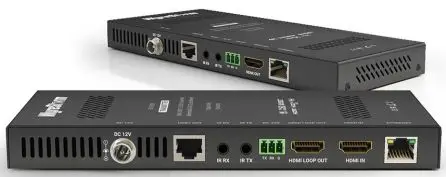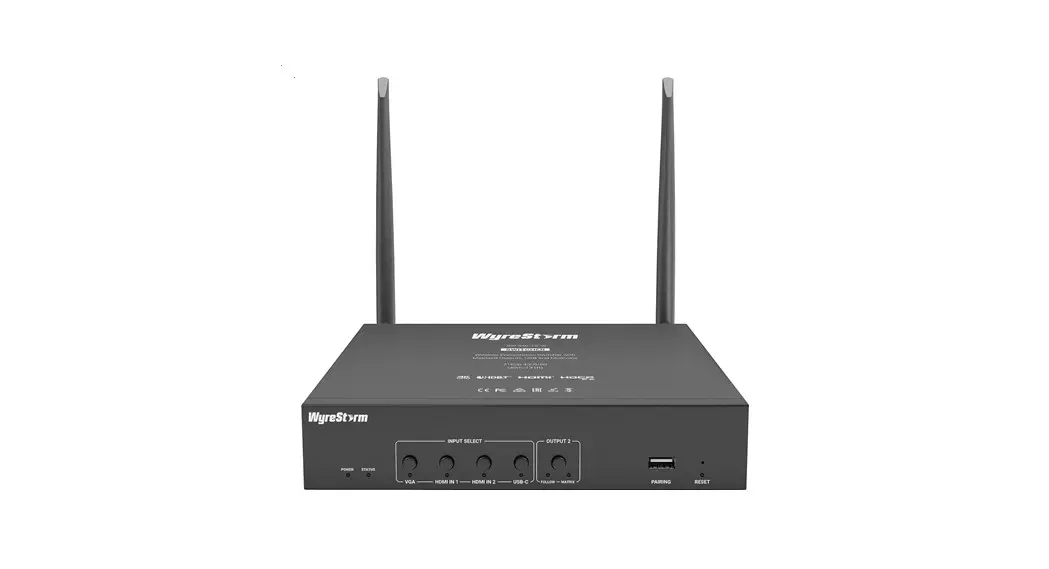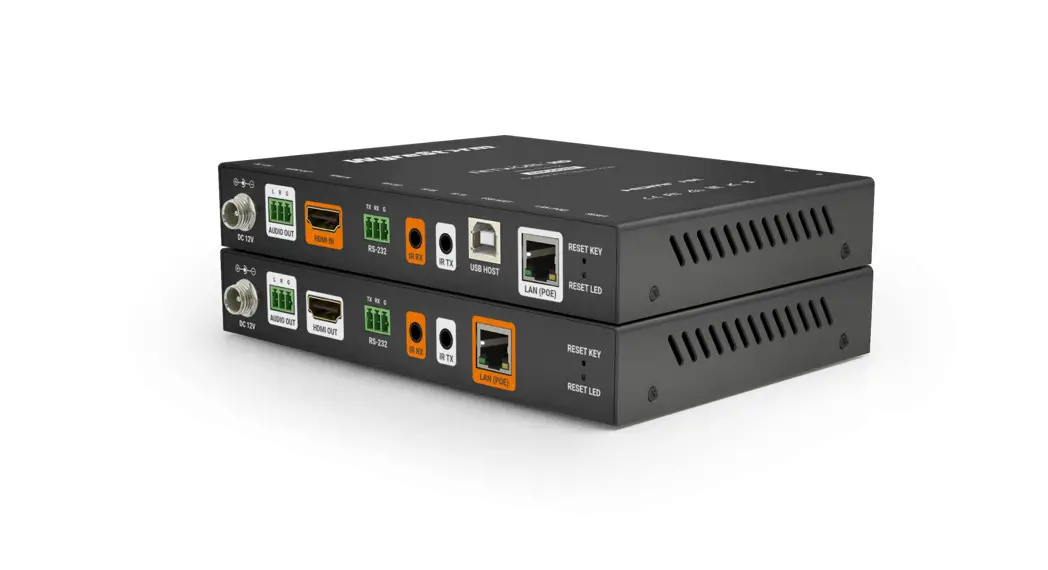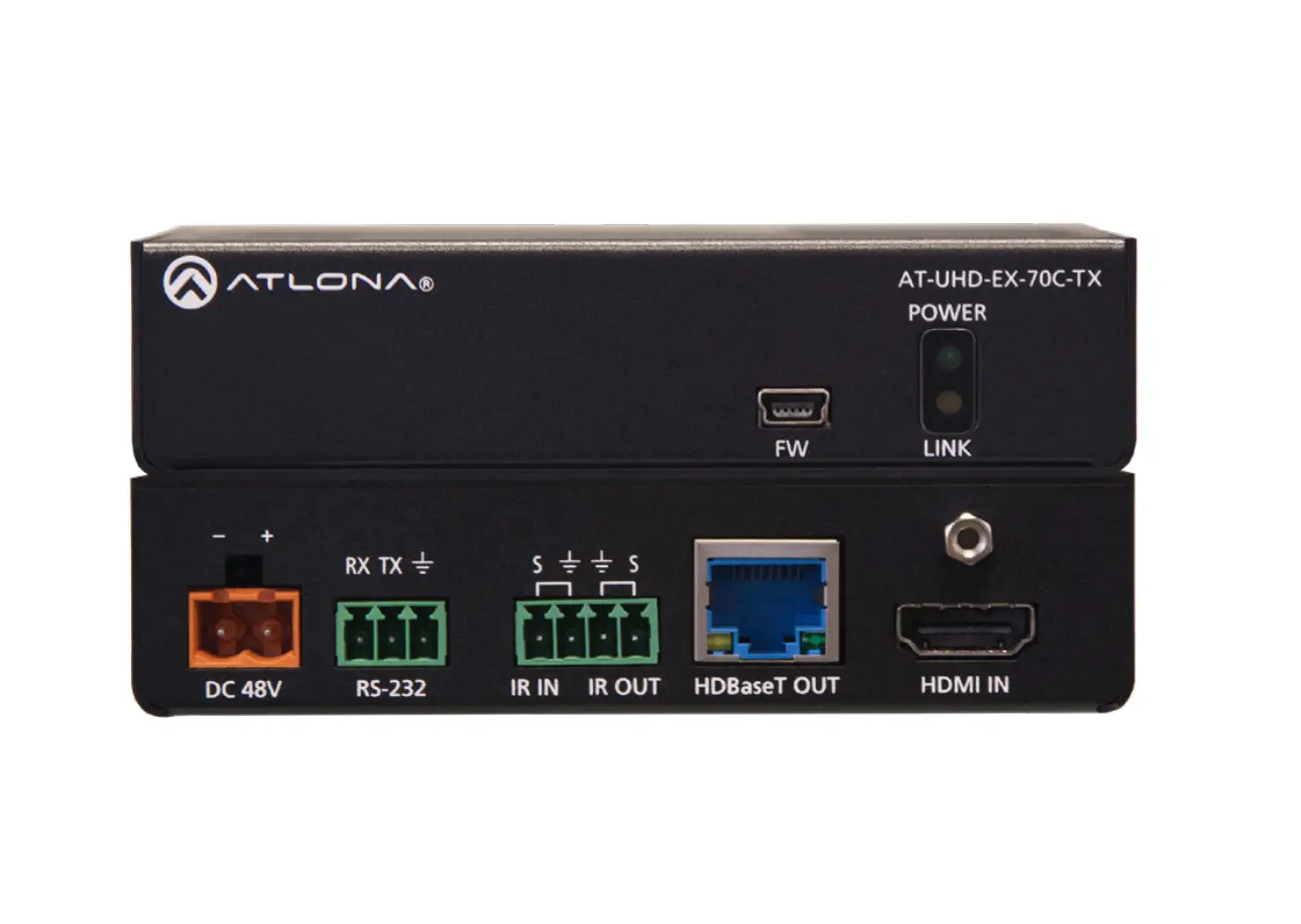
 TX-70-4K 4K HDBaseT Transmitter with PoH
User Guide
 WyreStorm recommends reading through this document in its entirety to become familiar with the product’s features prior to starting the installation process.
Before You Begin
- WyreStorm recommends visiting the product page before installing this product for updates to this Quickstart Guide as well as other information about the product.
- Verify that all items are included in the packaging per the In The Box list.
In The Box
1x TX-70-4K Transmitter
1x 3-pin Phoenix Connectors
1x Wide-band IR Emitter
1x Wide-band IR Receiver (30-50KHz)
2x Mounting Brackets
1x Quickstart Guide (this document)
Associated Products
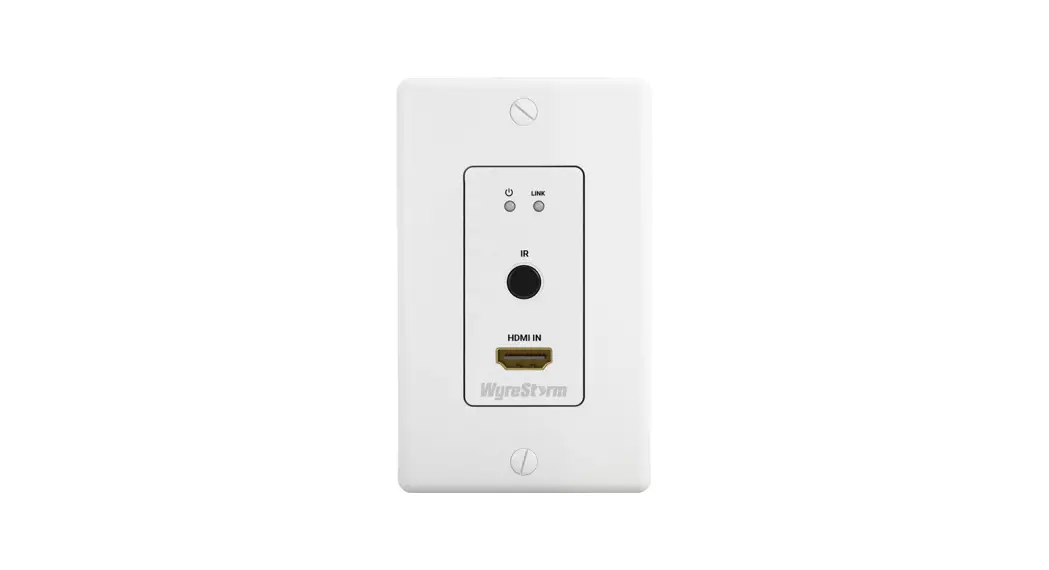
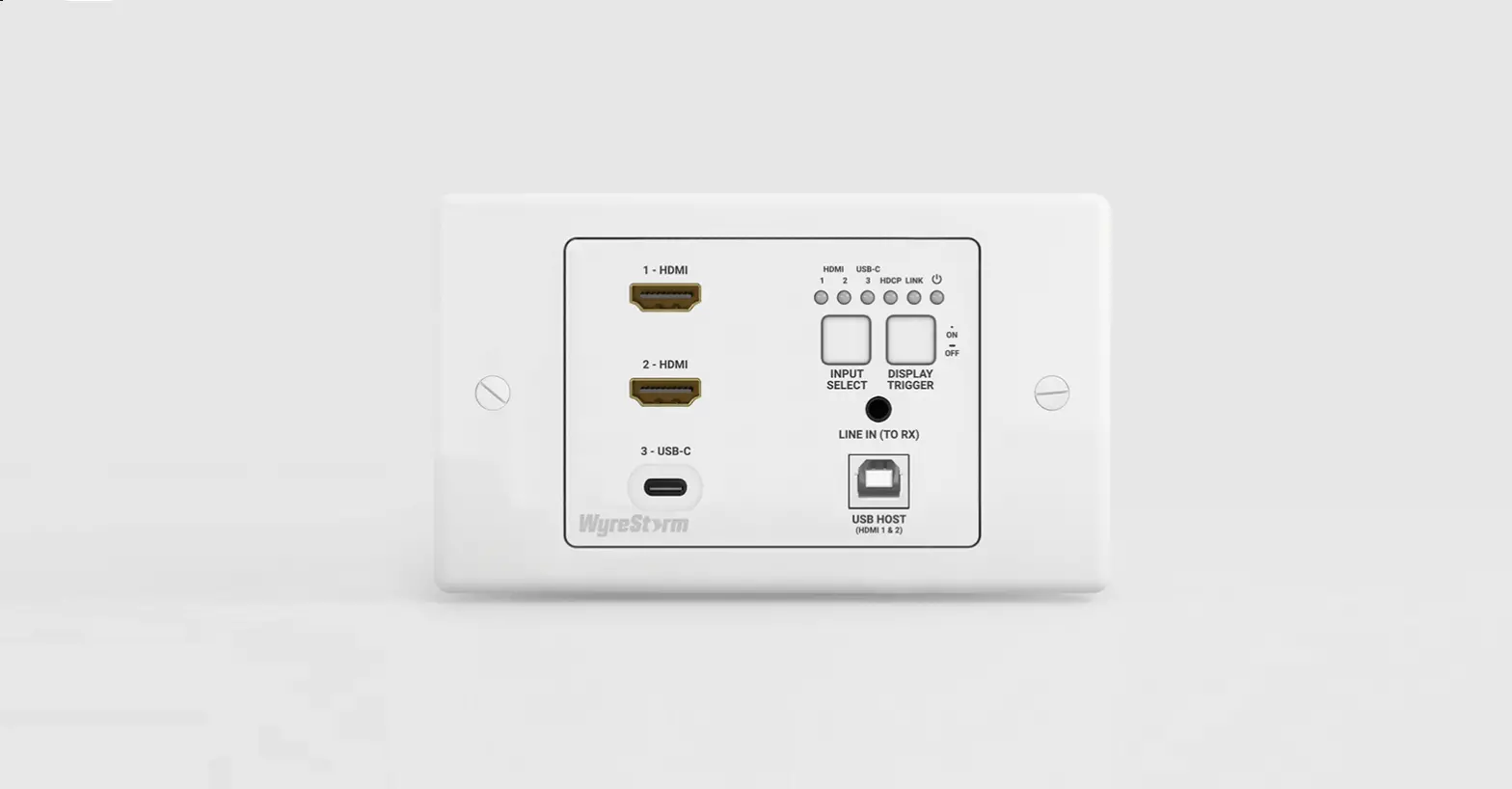
The TX-70-4K transmitter is designed to work with WyreStorm HDBT Input cards as well as WyreStorm HDBaseT receivers allowing for flexibility in system designs.
- H2X HDBaseT Matrix (with TX-H2X-HDBT card installed) – Allows for the TX-70-4K to be used as a source on the matrix.
- RX-70-4K HDBaseT Receiver – Used when the output of the TX-70-4K is going to a single display.
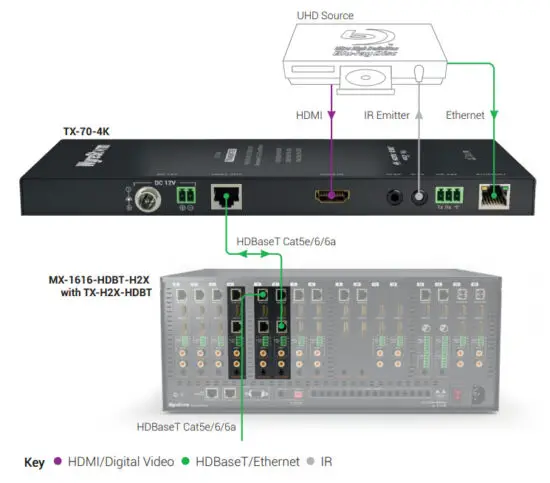
Basic Wiring Diagram
Front Panel
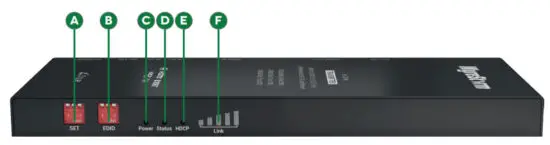
| A Seth | 3 Position Dipswitch Used to enable/disable long cable mode and configure RS-232 port operation. See the Set Switch section for operation. |
| B EDIT | 3 Position Dipswitch Used to set EDIDs to correct resolution conflicts between the source and the display. See the EDID Settings section for operation. |
| C Power LED | Solid: The receiver is powered On Off: The receiver is powered Off |
| D Status LED | Flashing: The receiver is operating normally. Off: The receiver is not operating normally. |
| E HDCP LED | Solid: HDCP content is present. Flashing: HDCP content is not present. Off: No signal. |
| F LINK LED | Solid: The link to the receiver has been established. Flashing: The link to the receiver has not been established. |
Rear Panel
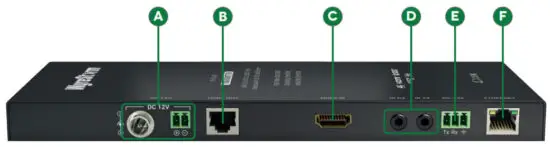
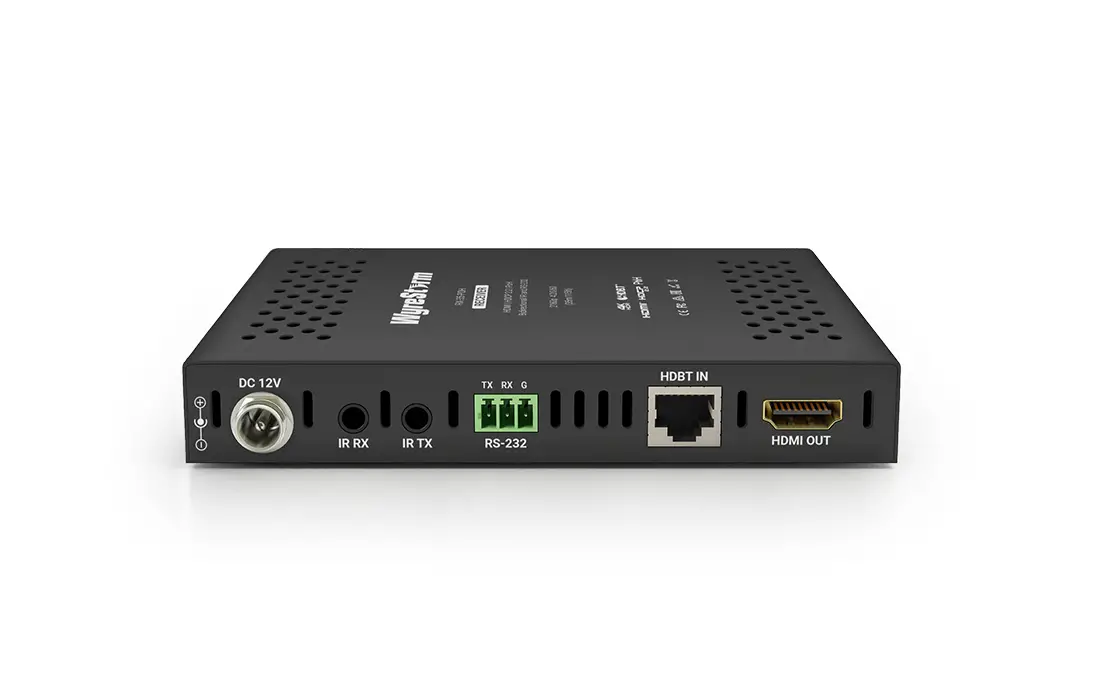
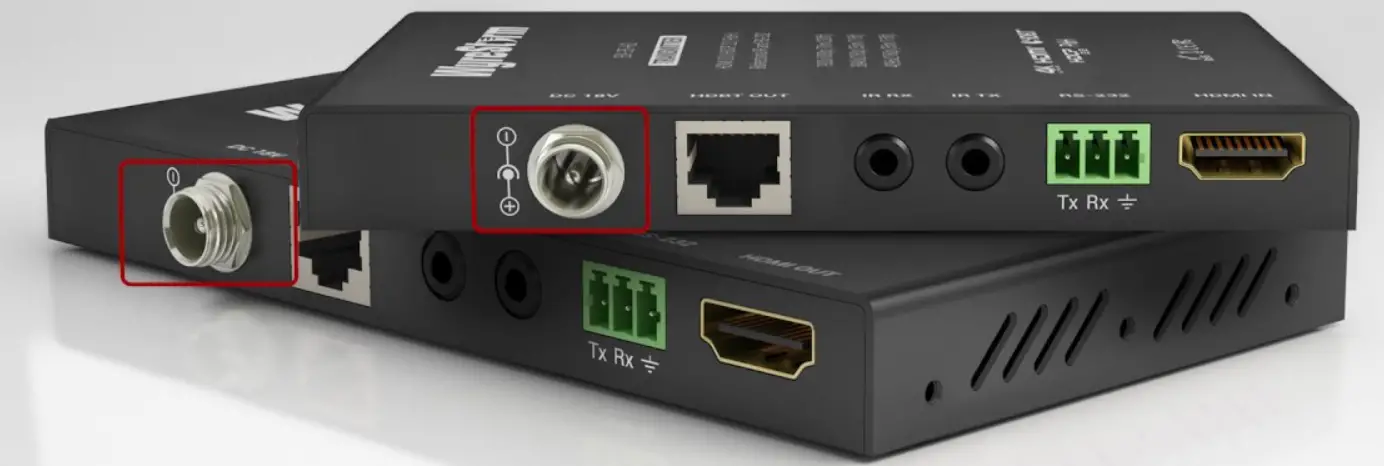
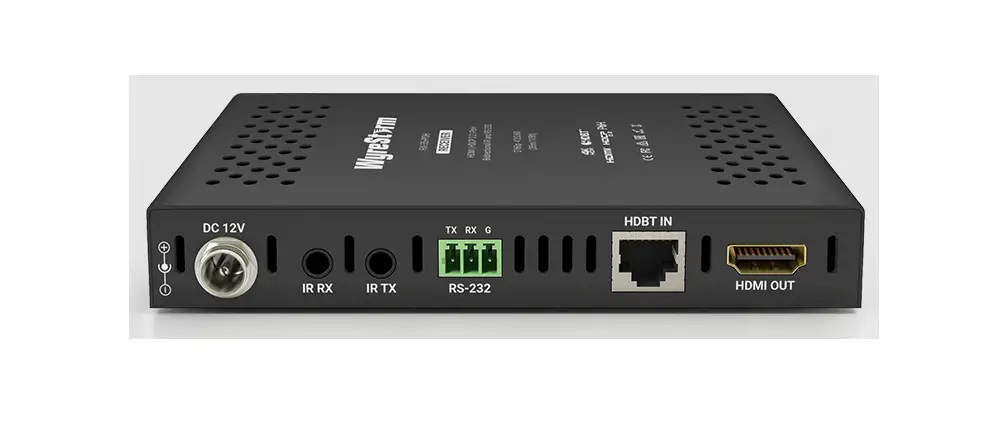
| A Power Input | 5.5mm Screw Down Barrel Jack 2-pin Phoenix Connector |
| B HDBT Out | 8-pin RJ-45 female |
| C HDMI In | 19-pin type A HDMI female I Supports HDMI and DVI/D with an adapter |
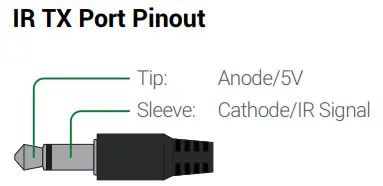
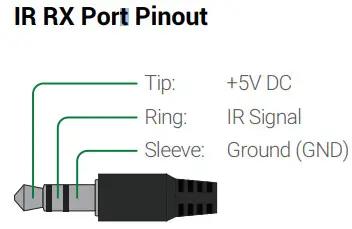
| D IR TX IR RX | IR TX – 3.5mm (1/8in) Mono Jack: Connect to the supplied IR emitter to control a local device from the remote display location via HDBaseT. IR RX – 3.5mm (1 /bin) Stereo Jack: Connect to the supplied IR receiver to send IR to the remote display location via HDBaseT. See IR Wiring for more information. |
| E RS-232 | 3-pin Phoenix Connector Used to transmit RS-232 over HDBaseT to the remote location and for firmware updates. See the RS-232 Wiring section for more information. |
| F Ethernet | 8-pin RJ-45 female 110/100 Mbps auto-negotiating Connect to a Local Area Network or network device for Ethernet pass-through via HDBaseT. |
Wiring and Connections
WyreStorm recommends that all wiring for the installation is run and terminated prior to making connections to the switcher. Read through this section in its entirety before running or terminating the wires to ensure proper operation and to avoid damaging equipment.
 IMPORTANT! Wiring Guidelines
- The use of patch panels, wall plates, cable extenders, kinks in cables, and electrical or environmental interference will have an adverse effect on HDMI and Ethernet transmission limiting performance. Steps should be taken to minimize or remove these factors completely during installation for best results.
- WyreStorm recommends using high quality HDMI cables such as WyreStorm Express to ensure the highest content performance available.
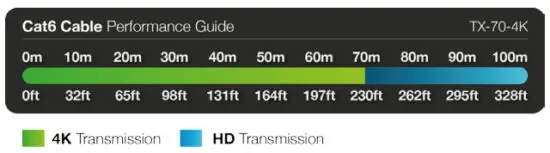
- The type of category cable and length used can restrict the available video resolution. While Cat5e can be used, WyreStorm recommends using Cat6 or higher to ensure the highest content performance available. See Video Resolutions in the Specifications table before determining cable type and length.
HDMI Wiring
WyreStorm recommends using pre-terminated HDMI cables due to the complexity of these connector types. Using pre-terminated cables will ensure that these connections are accurate and will not interfere with the performance of the product.
IR Wiring
IMPORTANT! IR TX/RX Guidelines
- WyreStorm IR ports function differently than standard IR ports. For this reason, only WyreStorm IR emitters and receivers can be used.
- WyreStorm IR emitter and receiver cables cannot be spliced as cutting into the cables will short the shield. While an extension cable may be used, WyreStorm assumes no responsibility for operation using an extension cable.

- When connecting the IR TX to an IR connecting blocks or control system with different plugs, a cable must be made following the IR TX Port Pinout diagram.
- When connecting to an IR control system use the WyreStorm CAB-IR-LINK cable. This cable compensates for differences between the WyreStorm RX and the control systems TX connection. Visit the WyreStorm CAB-IR-LINK product page for details.

RS-232 Wiring
Most control systems and computers are DTE where pin 2 is RX, this can vary from device to device. Refer to the documentation for the connected device for pin functionally to ensure that the correct connections can be made.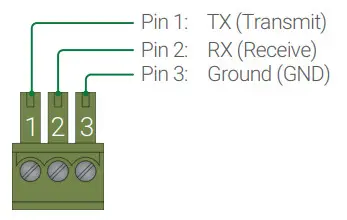
Setup and Configuration
Set Switch
Note: Switches shown in gray can be in any position for the described setting.
| RS-232 Pass-through (default) | 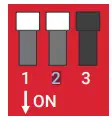 | HDBaseT Update Updates to the HDBT chip | 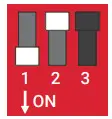 |
| Firmware Updates Allows for updating the extenders firmware | 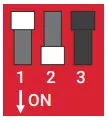 | ||
| Long Cable Mode On Extends transmission of HDBT up to 140m/439ft | 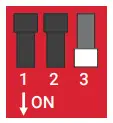 | Long Cable Mode Off Maintains standard HDBT distances | 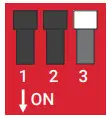 |
EDID Settings
| EDID Copy | 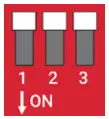 | 4K @60Hz 2ch | 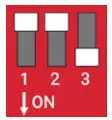 |
| 1080p @60Hz 2ch | 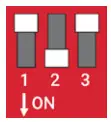 | 1080i @60Hz 2ch | 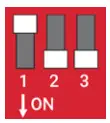 |
| 1080p @60Hz 5.1ch | 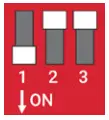 | 1080p @60Hz 7.1ch | 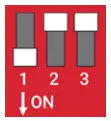 |
Specifications
| Audio and Video | |
| Inputs | lx HDMI In: 19-pin HDMI type A female |
| Outputs | lx HDBaseT Out: 8-pin RJ-45 female |
| Audio Formats | 2ch PCM I Up to DTS-X and Dolby Atmos |
| Output Video Encoding | HDBaseT Class A |
| Video Resolutions (Max) | HDMI 1920x1080p @60Hz 12bit (15m/50ft) I16bit (7m/23ft) 3840x2160p @30Hz 4:4:4 8bit (7m/23ft) I @24Hz 4:2:0 HDR 1 Obit (3m/9.8ft) 4096x2160p @60Hz 8bit 4:2:0/4:4:4 (7m/23ft) |
| Using Cat6 1920×1080 @60Hz 12bit (100m/328f0116bit (70m/230ft) 3840x2160p @30Hz 4:4:4 8bit (70m/230ft)1©24Hz 4:2:0 HDR 1 Obit (70m/230ft) 4096x2160p @60Hz 4:2:0 8bit (70m/230ft) | |
| Using Cat6a/7 1920×1080 @60Hz 12bit (100m/328ft) I 16bit (100m/328ft) 3840x2160p @30Hz 4:4:4 8bit (100m/328ft) I @24Hz 4:2:0 HDR 1 Obit (100m/328ft) 4096x2160p @60Hz 4:2:0 8bit (100m/3281) | |
| Color Depth (Max) | 1080p: 12bit 14K UHD:Etbit I HDR ©24p: 10bit BT.2020 |
| Maximum Pixel Clock | 297MHz |
| Communication and Control | |
| HMI | HDMI I HDCP 2.2IEDID I DVI/D supported with adapter (not included) |
| HDBaseT | HDMI I HDCP 2.2IEDID12-way PoH I Bidirectional IR, RS-232, and Ethernet |
| IR | lx IR TX 3.5mm (1 /bin) TS Mono I Bidirectional over HDBaseT lx IR RX 3.5mm (1 /bin) TRS Stereo I Bidirectional over HDBaseT |
| RS-232 | lx 3-pin Screw Down Phoenix Connector I Bidirectional over HDBaseT |
| Ethernet | lx 8-pin RJ-45 female 110/100 Mbps auto-negotiating I Bidirectional over HDBaseT |
| Power | |
| Power Supply | Input: 100~240V AC 50/60Hz I Output: 12V DC 2A |
| PoH | 48V 15.4W |
| Max Power Consumption | 26.5W |
| Environmental | |
| Operating Temperature | 32°F – 113°F (0°C~ 45°C)110% – 90%, non-condensing |
| Storage Temperature | -4°F to ~ 158°F (-20°C~+70°C)110% — 90%, non-condensing |
| Maximum BTU | 90.42 BTU/hr |
| Dimensions and Weight | |
| Rack Units/Wall Box | <1 U |
| Height | 24.9mm/0.99in |
| Width | 220mm/8.67in |
| Depth | 89.9mm/3.54in |
| Weight | 0.52kg/1.141bs |
| Regulatory | |
| Safety and Emission | CE I FCC I RoHS |
Troubleshooting
No or Poor Quality Picture (snow or noisy image)
- Verify that power is being supplied to all devices in the system and that they are powered on.
- Verify that all source and HDBaseT connections are not loose and are functioning properly.
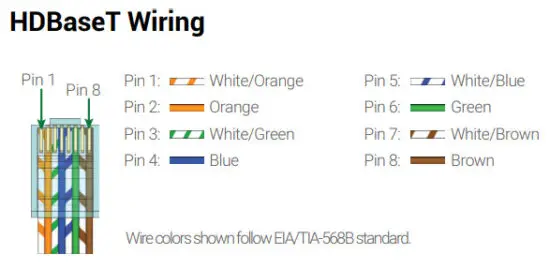
- Verify that the HDBaseT cable is properly terminated per the HDBaseT Wiring section.
- Verify that the matrix, receiving device, and display support the output resolution of the source.
- Refer to Video Resolutions in the Specifications table for the max distance based on resolution.
- If transmitting 3D or 4K, verify that the HDMI cables used are 3D or 4K rated.
No Intermittent Matrix or 3rd party Device Control
- Verify that IR cable(s) are properly terminated. See IR Wiring.
- Verify that the IR emitter is located near the IR receiver on the de
Troubleshooting Tips:
- WyreStorm recommends using a cable tester or connecting the cable to other devices to verify functionality.
- Use a flashlight to locate the IR receiver behind any tinted panels on the device being controlled.
Warranty Information
 This product is covered by 3-year limited parts and labor warranty. During this period there will be no charge for unit repair, component replacement, or complete product replacement in the event of a malfunction. The decision to repair or replace will be made by the manufacturer. This limited warranty only covers defects in materials or workmanship and excludes normal wear and tear or cosmetic damage. Visit the product page located at wyrestorm.com for additional information on this product including important technical information not provided in this document and warranty terms & conditions.
Copyright © 2017 WyreStorm Technologies | wyrestorm.com
TX-70-4K Quickstart Guide | 170804
North America: 518-289-1294 | EMEA/ROW: 44 (0) 1793 230 343
[email protected]
 WyreStorm - Professional Audio Visual Solution Provider