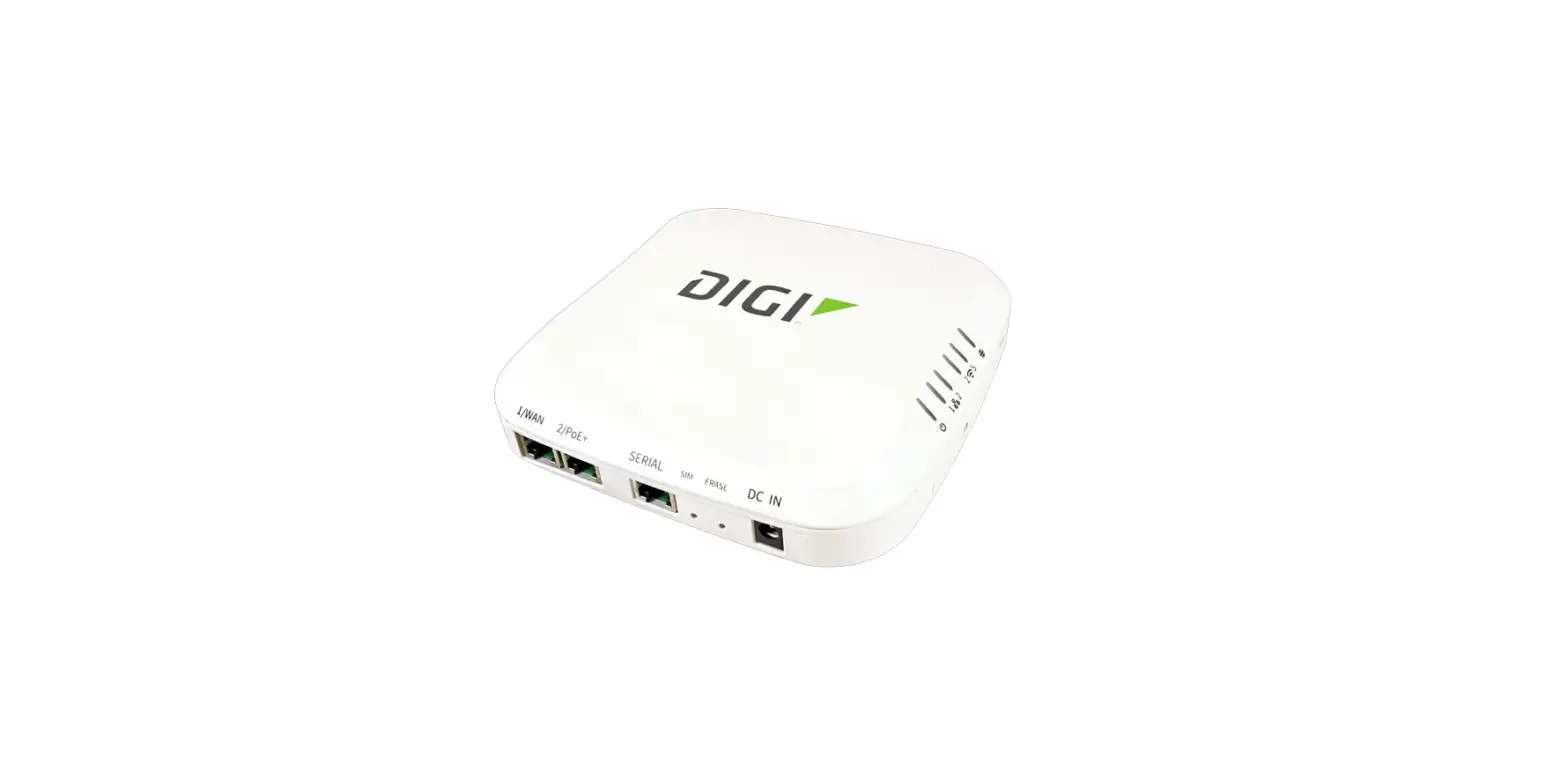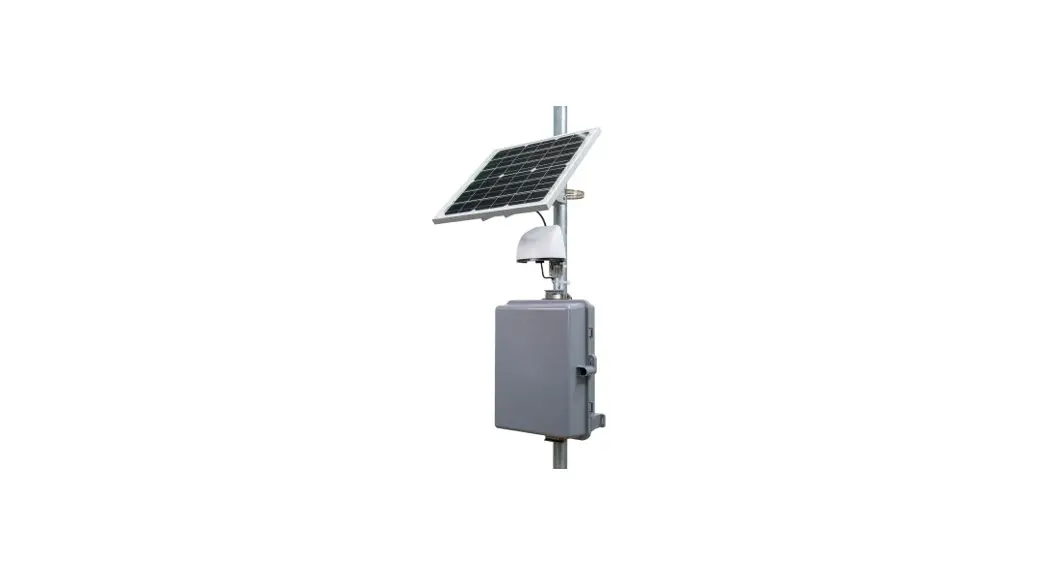
 8145-CEOD Cellular BlueSky
User Manual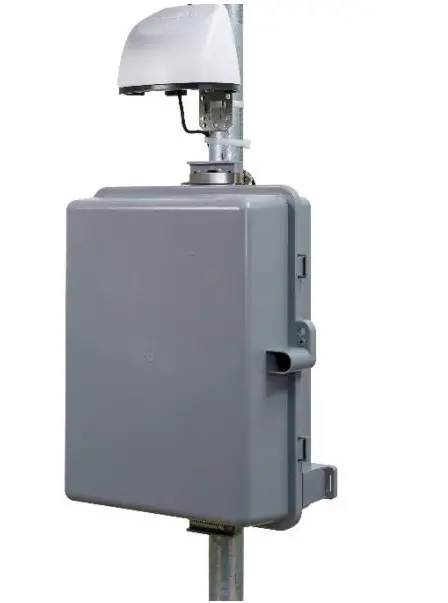 Model 8145-CEOD, 8145-CEODEU
Operation and Maintenance Manual
P/N 6016660 Rev. A
June 2022
Start Seeing the Benefits of Registering Today!
Thank you for your TSI® instrument purchase. Occasionally, TSI® releases information on software updates, product enhancements and new products. By registering your instrument, TSI® will be able to send this important information to you.
http://register.tsi.com
As part of the registration process, you will be asked for your comments on TSI products and services. TSI’s customer feedback program gives customers like you a way to tell us how we are doing.
Copyright©
TSI Incorporated/2022/All rights reserved.
Part Number 6016660/Revision A/June 2022
Address
TSI Incorporated/500 Cardigan Road/Shoreview, MN 55126 / USA
Fax No.
(651) 490-3824
LIMITATION OF WARRANTY AND LIABILITY (effective May 2022)
(For country-specific terms and conditions outside of the USA, please visit www.tsi.com.)
Seller warrants the goods, excluding software, sold hereunder, under normal use and service as described in the operator’s manual, to be free from defects in workmanship and material for 12 months, or if less, the length of time specified in the operator’s manual, from the date of shipment to the customer. This warranty period is inclusive of any statutory warranty. This limited warranty is subject to the following exclusions and exceptions:
a. Parts repaired or replaced as a result of repair services are warranted to be free from defects in workmanship and material, under normal use, for 90 days from the date of shipment;
b. Seller does not provide any warranty on finished goods manufactured by others or on any fuses, batteries or other consumable materials. Only the original manufacturer’s warranty applies;
c. This warranty does not cover calibration requirements, and seller warrants only that the instrument or product is properly calibrated at the time of its manufacture.
d. Instruments returned for calibration are not covered by this warranty; This warranty is VOID if the instrument is opened by anyone other than a factory authorized service center with the one exception where requirements set forth in the manual allow an operator to replace consumables or perform recommended cleaning;
e. This warranty is VOID if the product has been misused, neglected, subjected to accidental or intentional damage, or is not properly installed, maintained, or cleaned according to the requirements of the manual. Unless specifically authorized in a separate writing by Seller, Seller makes no warranty with respect to, and shall have no liability in connection with, goods which are incorporated into other products or equipment, or which are modified by any person other than Seller.
The foregoing is IN LIEU OF all other warranties and is subject to the LIMITATIONS stated herein. NO OTHER EXPRESS OR IMPLIED WARRANTY OF FITNESS FOR PARTICULAR PURPOSE OR MERCHANTABILITY IS MADE. WITH RESPECT TO SELLER’S BREACH OF THE IMPLIED WARRANTY AGAINST INFRINGEMENT, SAID WARRANTY IS LIMITED TO CLAIMS OF DIRECT INFRINGEMENT AND EXCLUDES CLAIMS OF CONTRIBUTORY OR INDUCED INFRINGEMENTS. BUYER’S EXCLUSIVE REMEDY SHALL BE THE RETURN OF THE PURCHASE PRICE DISCOUNTED FOR REASONABLE WEAR AND TEAR OR AT SELLER’S OPTION REPLACEMENT OF THE GOODS WITH NON-INFRINGING GOODS.
TO THE EXTENT PERMITTED BY LAW, THE EXCLUSIVE REMEDY OF THE USER OR BUYER, AND THE LIMIT OF SELLER’S LIABILITY FOR ANY AND ALL LOSSES, INJURIES, OR DAMAGES CONCERNING THE GOODS (INCLUDING CLAIMS BASED ON CONTRACT, NEGLIGENCE, TORT, STRICT LIABILITY OR OTHERWISE) SHALL BE THE RETURN OF GOODS TO SELLER AND THE REFUND OF THE PURCHASE PRICE, OR, AT THE OPTION OF SELLER, THE REPAIR OR REPLACEMENT OF THE GOODS. IN THE CASE OF SOFTWARE, SELLER WILL REPAIR OR REPLACE DEFECTIVE SOFTWARE OR IF UNABLE TO DO SO, WILL REFUND THE PURCHASE PRICE OF THE SOFTWARE. IN NO EVENT SHALL SELLER BE LIABLE FOR LOST PROFITS, BUSINESS INTERRUPTION, OR ANY SPECIAL, INDIRECT, CONSEQUENTIAL OR INCIDENTAL DAMAGES. SELLER SHALL NOT BE RESPONSIBLE FOR INSTALLATION, DISMANTLING OR REINSTALLATION COSTS OR CHARGES. No Action, regardless of form, may be brought against Seller more than 12 months after a cause of action has accrued. The goods returned under warranty to Seller’s factory shall be at Buyer’s risk of loss, and will be returned, if at all, at Seller’s risk of loss.
Buyer and all users are deemed to have accepted this LIMITATION OF WARRANTY AND LIABILITY, which contains the complete and exclusive limited warranty of Seller. This LIMITATION OF WARRANTY AND LIABILITY may not be amended, modified or its terms waived, except by writing signed by an Officer of Seller.
Buyer further agrees that purchase of TSI’s cellular modem accessories Buyer agrees to the Terms and Conditions of Use and the Privacy Policy located at www.tsilink.com.
Service Policy
Knowing that inoperative or defective instruments are as detrimental to TSI as they are to our customers, our service policy is designed to give prompt attention to any problems. If any malfunction is discovered, please contact your nearest sales office or representative, or call TSI’s Customer Service department at (800) 680-1220 (USA) or (001 651) 490-2860 (International) or visit www.tsi.com.
Trademarks
TSI and TSI logo are registered trademarks of TSI Incorporated in the United States and may be protected under other country’s trademark registrations. BlueSky, TSI Link, and DustTrak are trademarks of TSI Incorporated. Wi-Fi is a registered trademark of the Wi-Fi Alliance.
Cloud Software End User Licensing Agreement and Privacy Policy
Go to tsilink.com/terms-of-use and click on TERMS OF USE & PRIVACY POLICY link.
Safety Information
Description of Caution/Warning Symbols
Appropriate caution/warning statements are used throughout the manual and on the instrument that requires you to take cautionary measures when working with the instrument.
 Caution
CAUTION
Failure to follow the procedures prescribed in this manual might result in irreparable equipment damage.
Important information about the operation and maintenance of this instrument is included in this manual.Warning
WARNING
Warning means that unsafe use of the instrument could result in serious injury to you or cause damage to the instrument. Follow the procedures prescribed.
Caution and Warning Symbols
The following symbols may accompany cautions and warnings to indicate the nature and consequences of hazards:
 | Warns that the instrument contains a laser and that important information about its safe operation and maintenance is included in the manual. |
 | Warns that the instrument is susceptible to electrostatic discharge (ESD) and ESD protection should be followed to avoid damage. |
 | Indicates the connector is connected to earth ground and cabinet ground. |
WARNINGS
- Use of components other than those specified by TSI® Incorporated (TSI®) may impair the safety features provided by the equipment.
- If the cellular kit is used in a manner not specified by the manufacturer, the protection provided by the equipment may be impaired.
- When using outdoors, the power adapters should be connected to a weatherproof “in use” rated outdoor receptacle enclosure.
CAUTION
The cellular enclosure is designed to be resistant to rain or water spray. It is not designed to be waterproof when immersed. Setting it in a pool of water will result in flooding the inner compartment with water. DO NOT set the enclosure in water!
NOTICE
Installation videos can be found on our website www.tsi.com.
Labels
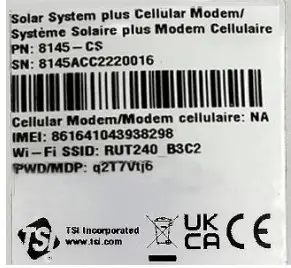
Advisory labels and identification labels are attached to the instrument.
- Serial Number Label (Inside)

Reusing and Recycling As part of TSI® Incorporated’s effort to have a minimal negative impact on the communities in which its products are manufactured and used: If instrument becomes obsolete, return to TSI® for disassembly and recycling.
Product Overview
TSI® Incorporated’s cellular systems are designed for use with the BlueSky™ Air Quality Monitor which enables real-time outdoor air quality monitoring in remote locations.
NOTICE
Customer must purchase a SIM card from a cellular provider to use with Models 8145-CE and 8145-CEEU.
Unpacking
Compare all the components you received with those listed in the table below.
Replacement Parts
| Item | Part Number | Description |
| 8145-CEOD | Cellular system, includes 1 24 VDC power supply, 1 modem, 1 outdoor enclosure and mounting hardware |
| 8145-CEODEU | Cellular system, includes 1 24 VDC power supply, 1 modem, 1 outdoor enclosure and mounting hardware | |
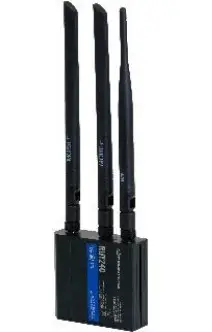 | 8145-CE | NA Modem |
| 8145-CEEU | EMEA Modem |
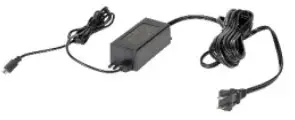 | 814505 | NA 24 VDC Power Supply |
| 814506 | EU 24 VDC Power Supply |
| 814507 | UK 24 VDC Power Supply |
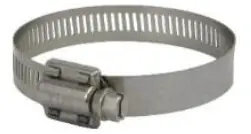 | 8145–HC | Hose clamps |
 | 8145-LOCK | Padlock |
Setting Up
Solar Power System Assembly
TSI® cellular systems are delivered partially assembled. Start by unpacking the device and its contents from the shipping package.WARNING
The hose clamps may have sharp corners and edges. Handle with care.
Suggested tools:
- Flat blade screwdriver
Mount the Enclosure
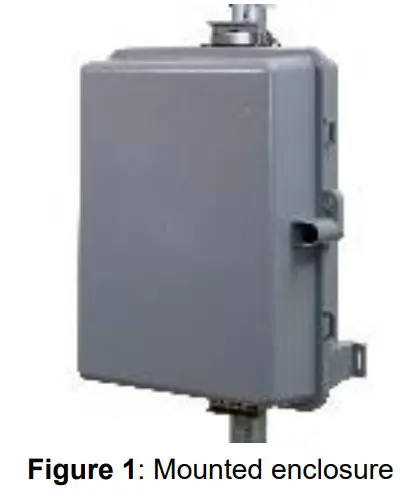
- Using the included hose clamps, mount the enclosure on the pole with the cable entry grommets facing down.
- Securely tighten the hose clamps around the top and bottom tabs on the enclosure.

NOTICE
The enclosure can also be mounted on a wall or post using screws.
Electrical Connections
- Inside the enclosure, remove and discard the packing material.
- Take the end of the power supply and feed it through the grommet into the enclosure. Connect it to its mating connector on the power cable adapter. .
Cellular Modem Setup
Installing the SIM Card
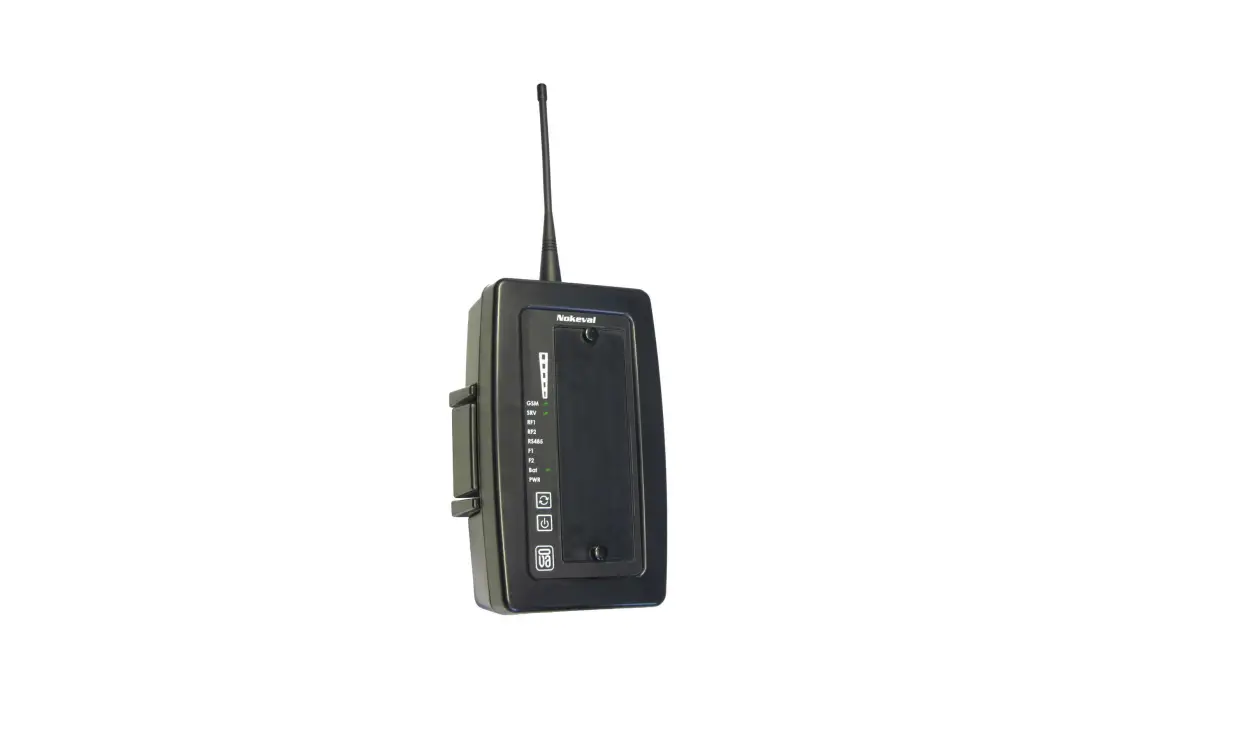
- Remove the cellular modem from the solar power enclosure by grasping the modem and pulling it straight off. The cellular modem is secured with hook-and-loop (Velcro®) strips.
- Detach the power cable from the cellular modem by depressing the tab on the power cable connector.
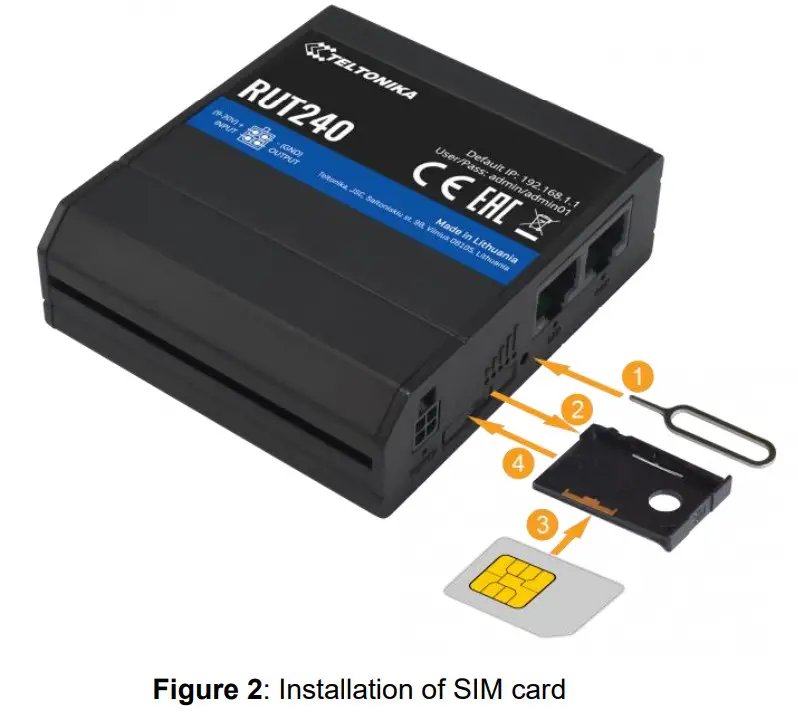
- Access the SIM card tray by using the SIM needle tool 1 provided with the system. Push the needle tool into the access hole next to the SIM card port and push until SIM card tray comes out 2.
- Place the SIM card in the SIM card tray 3 with an included adapter if needed and insert the tray into the cellular modem.
Note the orientation and the angled corner of the SIM card in the SIM card tray. NOTICE
The cellular modem is compatible with mini-SIM (2FF) size cards.
But since different types of SIM cards have the same contact arrangement, smaller SIM cards can also be used with the router, provided they are inserted into a 2FF SIM card adapter (included).
A size perspective of the most popular SIM card types can be seen in the figure below:
- Place the cellular modem back into the solar enclosure by aligning the hook-and-loop strips in the enclosure and the back of the cellular modem. Then apply pressure to the cellular modem to ensure it is secure.
- Connect the power cable back into the cellular modem.
 NOTICE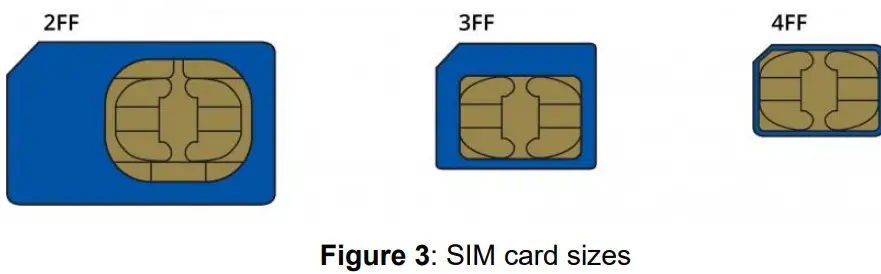
Determining Cellular Modem Status
Power LED:
The power LED is located on the bottom left corner of the front panel, just under the power connector:
| Action | Description |
| LED turned ON | Router is powered up |
| LED turned OFF | Router is not powered up |
Connection Status LEDs:
The connection status LEDs are located between the power connector and the signal strength indication LEDs: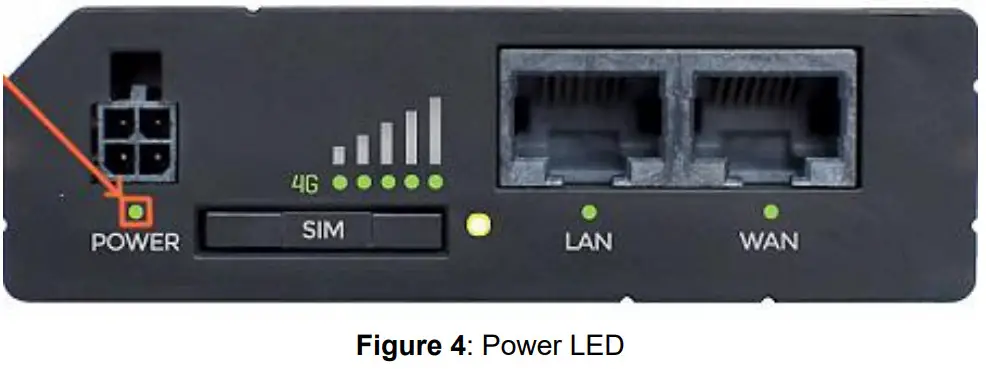
The LED displays the router’s current connection state and network type among a few other things:
| Action | Description |
| 2G/3G/4G LED blinking every 1 sec | Connected to 2G/3G/4G, no data session established |
| 2G/3G/4G LED turned on 2G/3G/4G LED blinking rapidly | Connected to 2G/3G/4G with data session Connected to 2G/3G/4G with data session and data is being transferred |
Signal Strength LEDs:
The signal strength LEDs are located in the center of the front panel, to the right of the connection status LEDs: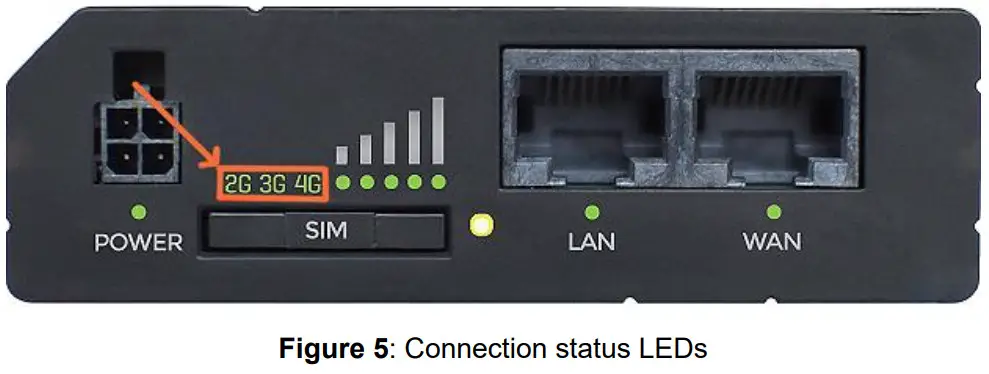
Each lit up LED represents a different value of the router’s current signal strength in RSSI:
| No. of Lit-up LEDs | Signal Strength Value |
| 0 | 5 -111 dBm |
| 1 | -110 dBm to -97 dBm |
| 2 | -96 dBm to -82 dBm |
| 3 | -81 dBm to -67 dBm |
| 4 | -66 dBm to -52 dBm |
| 5 | -51 dBm |
NOTICE
After the cellular modem gets powered up, all signal strength LEDs will turn ON and stay ON for about 40 seconds or until the router’s modem registers on a network— after this, the LEDs will start displaying the router’s current signal strength.
Supported Frequency Bands:
Different countries and network operators use different frequency bands for communication in their respective mobile networks.
Therefore, in order to communicate within an operator’s network, the cellular modem has to support the frequency bands used by that operator. Table below provides the various frequency bands for TSI® cellular modem part numbers.
| TSI® P/N | Region (Operator) | Supported Bands |
| 8145-CE 8145-CEOD 8145-CS | North America (AT&T®, Bell*, T-Mobile®) | 4G (LTE-FDD): B2 (1900 MHz), B4 (1700 MHz), B12 (700 MHz) 3G: B2 (1900 MHz), B4 (1700 MHz), B5 (850 MHz) |
| 8145-CEEU 8145-CEODEU 8145-CSEU | Europe, the Middle East, Africa, Korea, Thailand, Malaysia | 4G (LTE-FDD): B1 (2100 MHz), B3 (1800 MHz), B7 (2600 MHz), B8 (900 MHz), B20 (800 MHz), B28A (700 MHz) 3G: B1 (2100 MHz), B8 (900MHz) 2G: B3 (1800 MHz), B8 (900 MHz) |
®AT&A is a registered trademark of AT&T Intellectual Property II, L.P.
*Copyright © Bell Media Inc., its affiliates and/or licensors.
® T-Mobile is a registered trademark of Deutsche Telekom AG Fed Rep Germany
Troubleshooting
Detailed troubleshooting and frequently asked questions can be found on TSI® website.
The table below lists the symptoms, possible causes and recommended solutions for common problems encountered with the TSI® Cellular System.
| Cellular Modem Troubleshooting | |
| Possible Cause | Corrective Action |
| The modem seems to be connected but there is no data available on TS! Link”‘ solutions. | |
| Cellular modem is not connected | Check the signal strength and network type (see ‘Figure 5 and Figure 6 above. If the signal is low or there is no data connection, try adjusting the antennas or moving the modem to a location where you know cellular coverage is available and strong. |
| There is a cellular connection but the BlueSkyTM device is not connected to the cellular modem | Check the indicator lights on the BlueSkyTM’ monitor to make sure that it is connected to Wi-Fi® and be sure it is connected to the cellular modem Wi-Fi`®. |
| Data has not been updated yet | The default BlueSkyTM monitor reporting period is 15 minutes. It can take up to 30 minutes for data to show up on TSI Link”‘ the first time. |
Specifications*
| Operating humidity | 5% to 95% non-condensing |
| Operating temperature | -40 to 67°F (-40 to 75°C) |
| Dimensions (HWD) | 12 x 9 x 5 in. (30 x 23 x 13 cm) |
| Weight | 10 lbs. (5 kg) |
| AC Power | 100 to 240 VAC, 50/60 Hz |
| Power Consumption | < 5 W |
*Specifications are subject to change without notice.
TSI Incorporated – Visit our website www.tsi.com for more information.
USA Tel: +1 800 680 1220
UK Tel: +44 149 4 459200
France Tel: +33 1 41 19 21 99
Germany Tel: +49 241 523030
India Tel: +91 80 67877200
China Tel: +86 10 8219 7688
Singapore Tel: +65 6595 6388
P/N 6016660 Rev. A
©2022 TSI Incorporated
Printed in U.S.A.