robustel Captive Portal Webpage Authentication Setting Application
Revision History
Updates between document versions are cumulative. Therefore, the latest document version contains all updatesmade to previous versions.
| Release Date | App Version | Doc Version | Details |
| June 06, 2016 | 2.0.0 | v.1.0.0 | First Release |
| June 29. 2018 | 2.0.0 | v.1.0.1 | Revised the company name |
| December 25, 2021 | 2.0.0 | v.1.0.2 | Revised the company name Deleted the document status: confidential |
Chapter 1 Overview
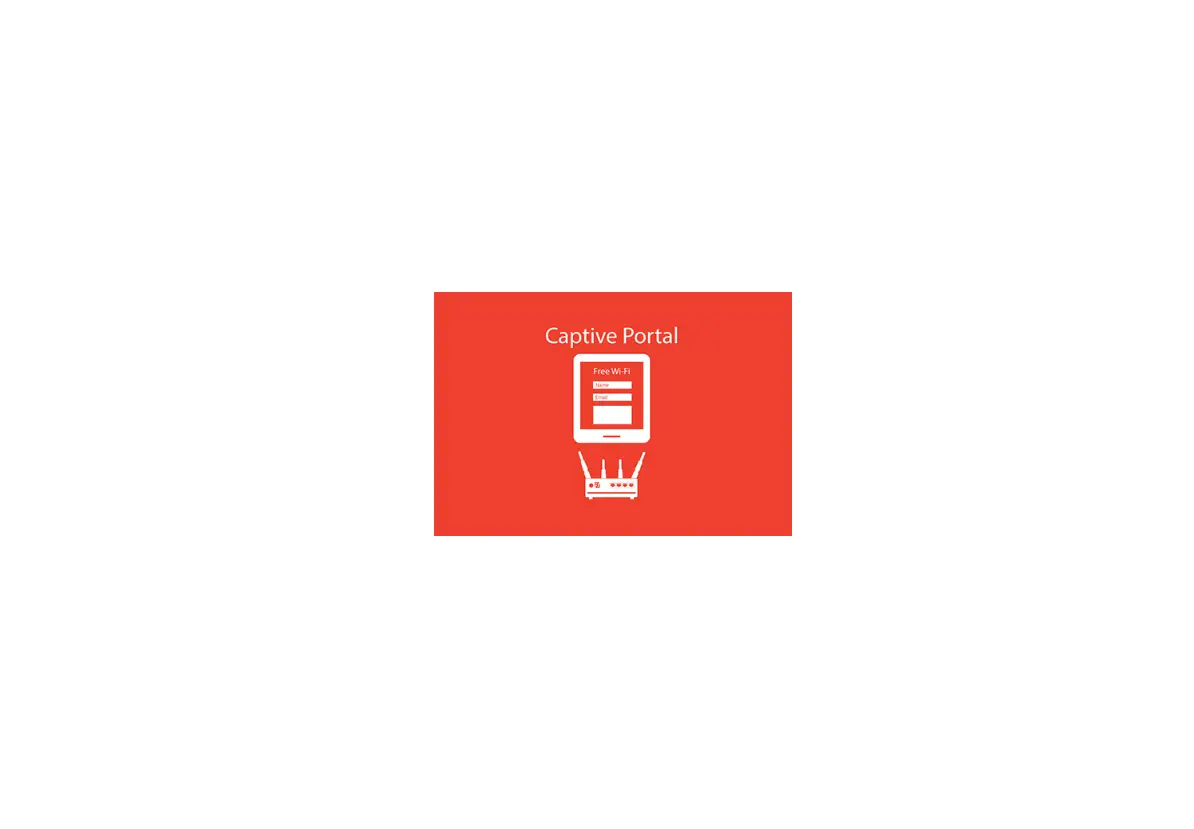
Captive Portal is a webpage authentication setting. A captive portal is a ‘Landing’ web page, presented by aLayer3brand Layer 2 Operator and shown to users before they gain more-broad access to URL or http-basedInternetservices. Often used to present a Landing or Log-In page, the portal intercepts observed packets until suchtimeasthe user is authorized to launch browser sessions. After being redirected to a web page which mayrequireauthentication, payment, acceptance of EULA/acceptable use policies or other valid credentials that thehost anduser agree to, the user is granted conditional Internet access.
Captive Portal function in router used to authenticate the Wi-Fi access, it is an App which needs toinstall intorouter in System->App Center unit.
Chapter 2 App Installation
Installation
Path:System->App
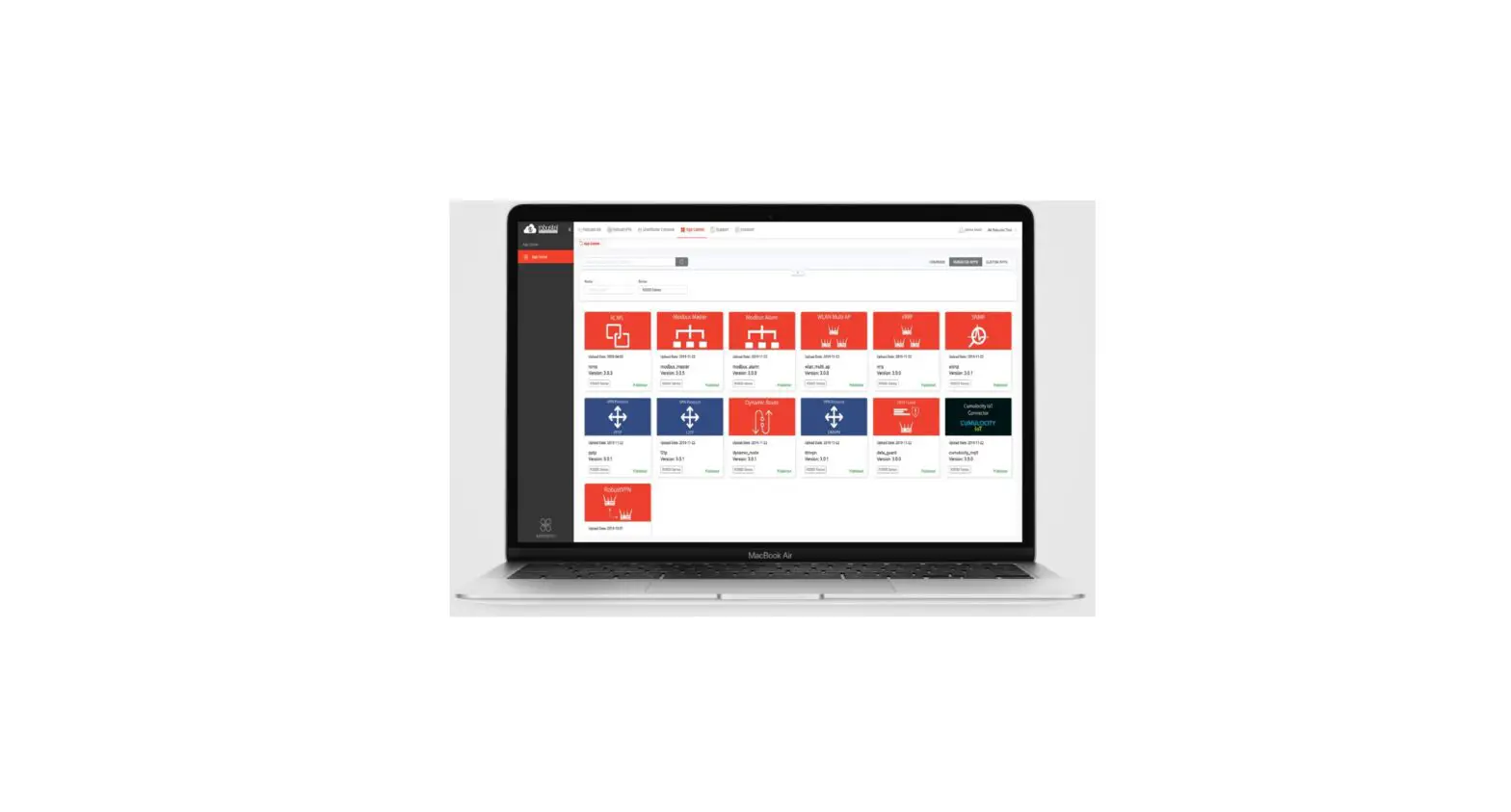
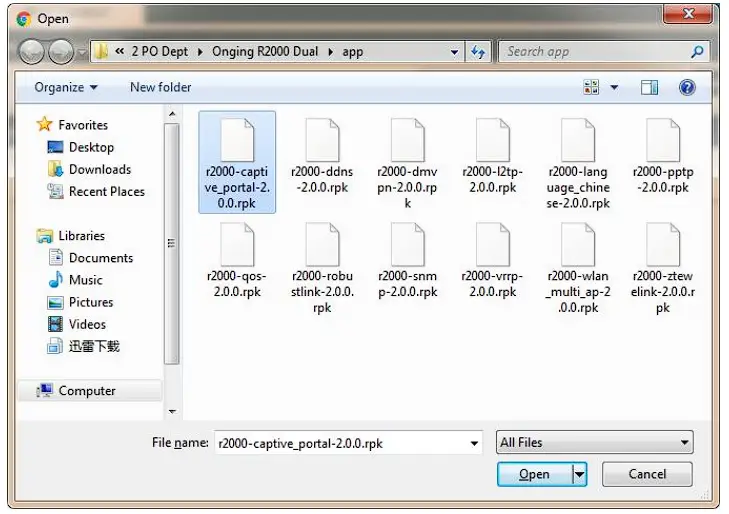
- Please place Captive Portal App .rpk file (e.g. r2000-captive portal-2.0.0.rpk) into a free disk of PC. Andthenlog in router configuration page, go to System->App as the following screenshot show.

- Click “Choose File” button, select Captive Portal App .rpk file from the PC, then click “Install” buttonofrouter configuration page.


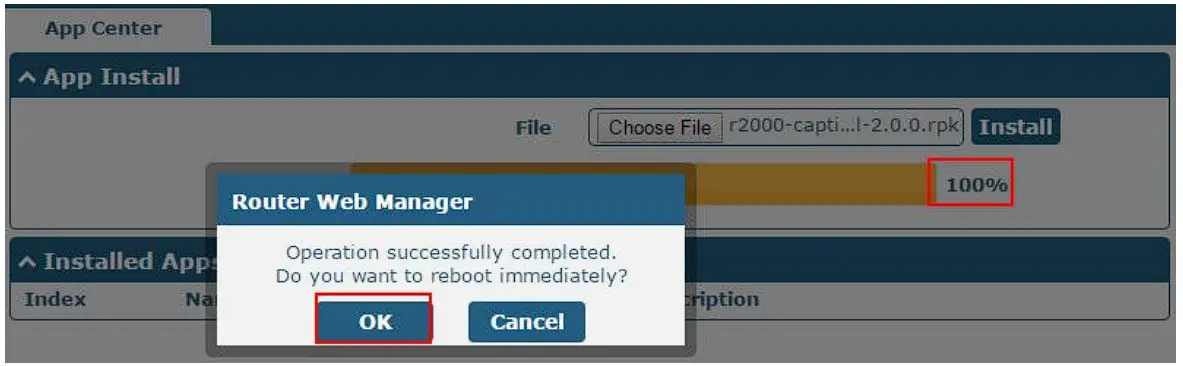
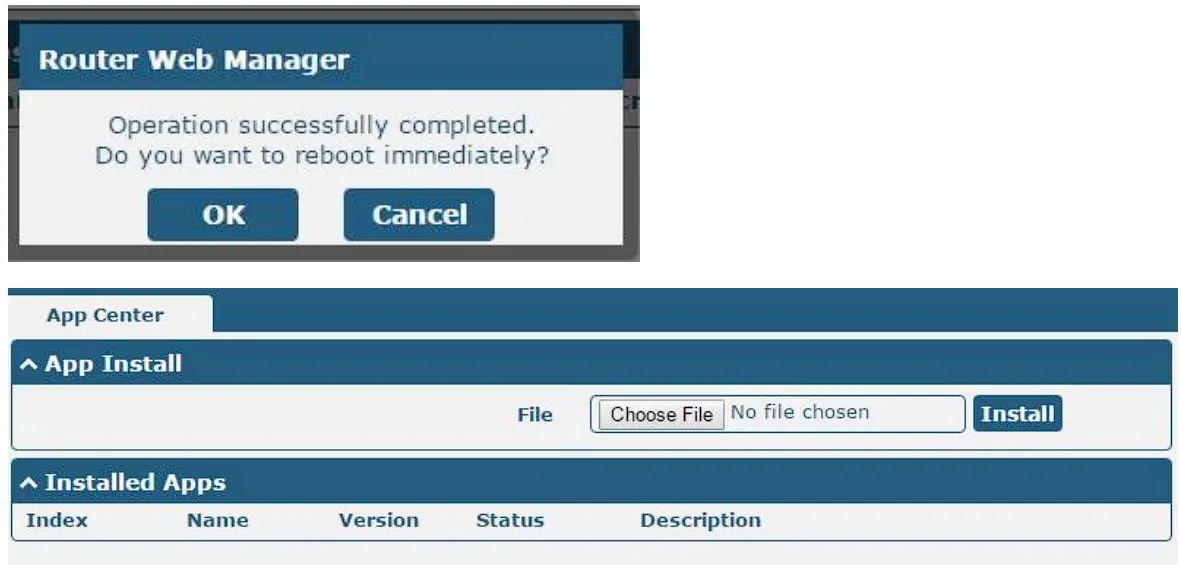
- When the rate of installation progress reach 100%, the system will pop up a reboot router reminderwindow. Please click “OK” to make router reboot.

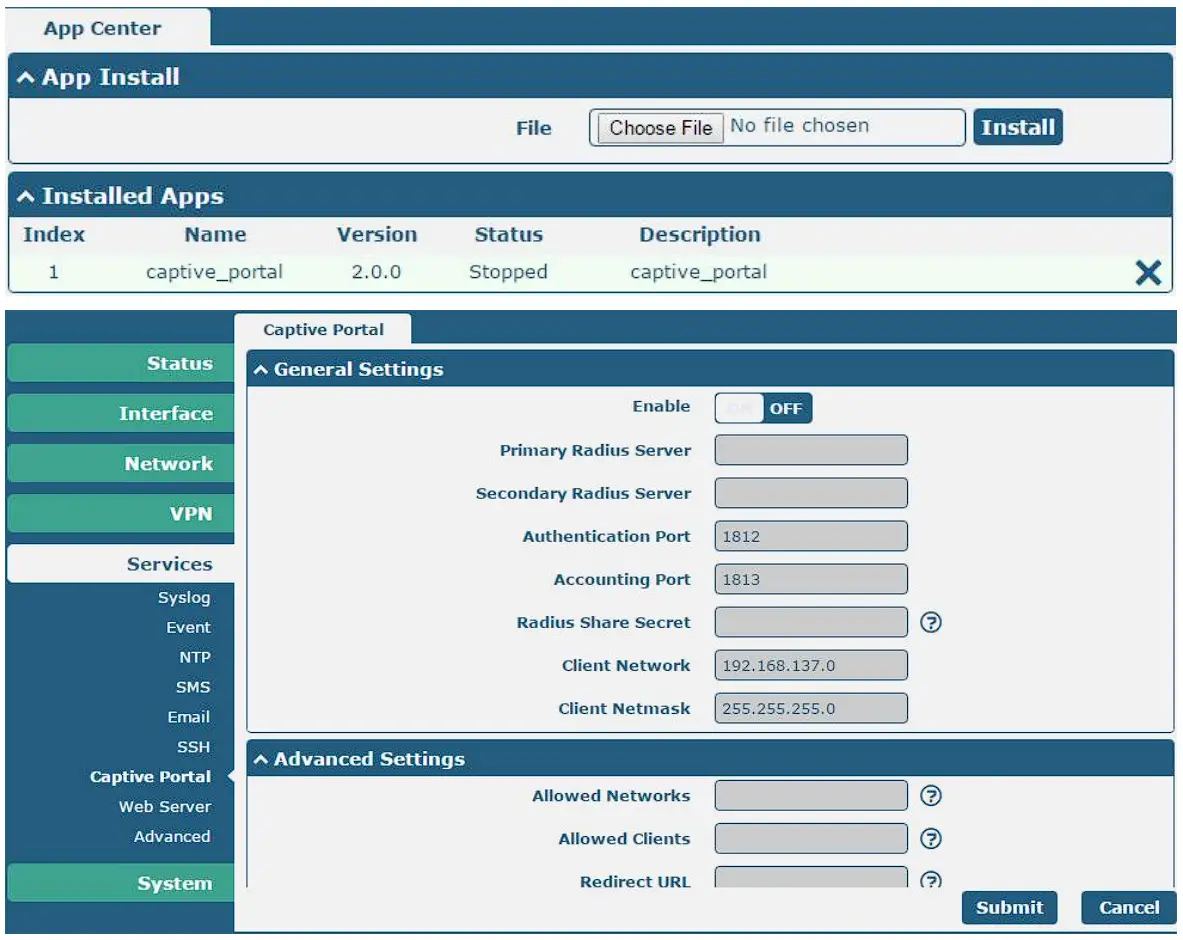
- After router power on again, log in configuration page, Captive Portal will be include in AppCenter’s“Installed Apps” list, and the function configuration will display in Services part.



Uninstallation
Path:System->App Center
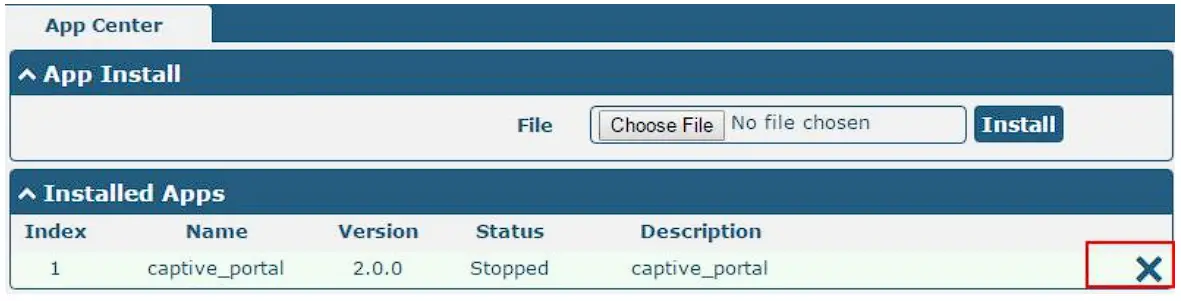
- Go to “Installed Apps”, find Captive Portal App and then click “
 ”
”
- Click “OK” in the router reboot reminder pop up window. When router finish restart, Captive Portal had been uninstalled.

 ”
”
Chapter 3 Parameters Description
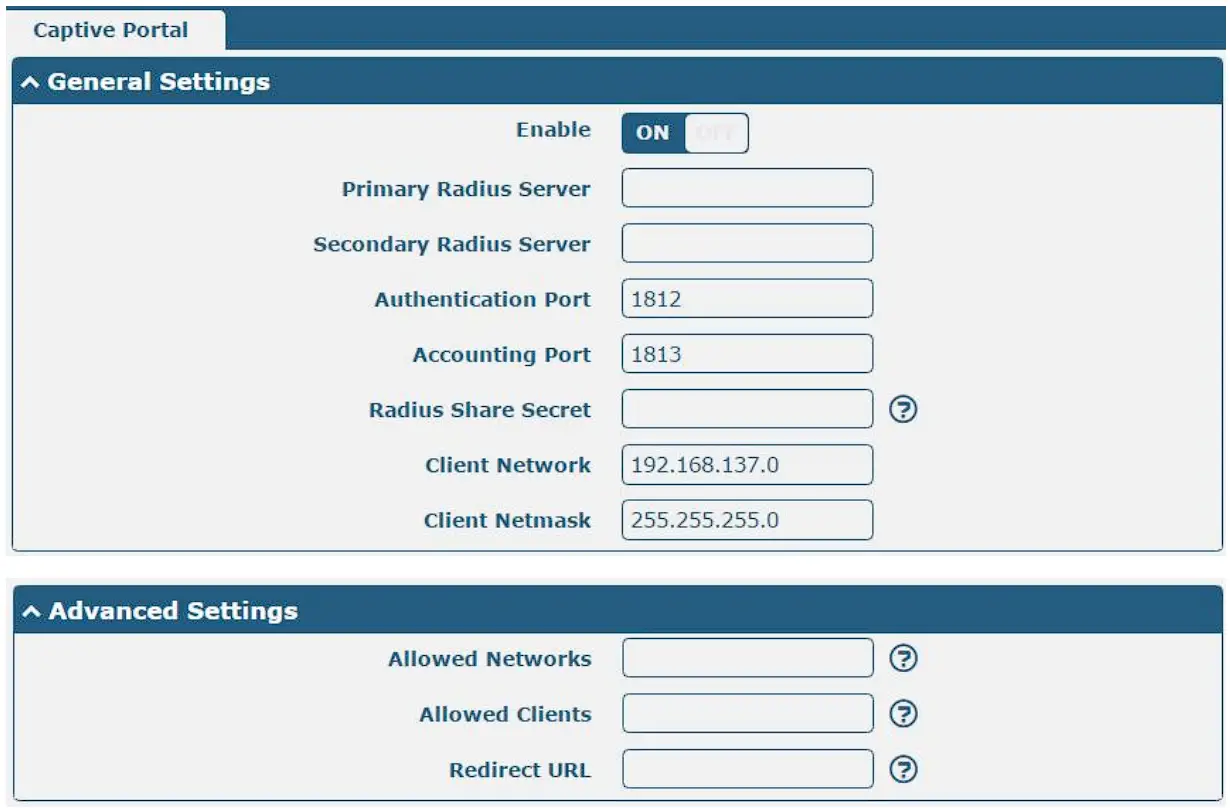
Captive Portal | ||
| Item | Description | Default |
| Enable | Click to enable Captive Portal function. Captive Portal mainly used for network access authentication. Note: This function only is available for Wi-Fi function of router. Before use the function in actual application, please remember to configure router as a Wi-Fi AP. | ON |
| Primary Radius Server | Enter Primary Radius Server’s IP address. Radius Server is responsible for receiving and responding Wi-Fi access request from Wi-Fi client under router (Wi-Fi AP). | Null |
| Secondary Radius Server | Enter Secondary Radius Server’s IP address. | Null |
| Authentication Port | Enter the Authentication Port which is used to authenticate users’ access. | 1812 |
| Accounting Port | Enter the Accounting Port which is used to authenticate users’ access. | 1813 |
| Radius Share Secret | Enter the Radius Share Secret which used to authenticate the connection between router and Radius Server. | Null |
| Client Network | Set the subnet for router used to assign to Wi-Fi client. | 192.168.137.0 |
| Client Netmask | Set the netmask of Client Network. | 255.255.255.0 |
| Allowed Networks | Enter any website of Wi-Fi client, comma separated. Specific user can access network without authentication. | Null |
| Allowed Clients | Enter user’s MAC, comma separated. Specific Wi-Fi client can access network without authentication. | Null |
| Redirect URL | Enter URL, after log in landing page, the webpage switch to URL page automatically. | Null |
Guangzhou Robustel Co., Ltd.
Add: 501, Building 2, No. 63, Yong’an Avenue, Huangpu District, Guangzhou, China 510660
Tel: 86-20-82321505
Email: [email protected]
Web: www.robustel.com

 4G/LTE/5G/Cellular Routers, Gateways and Modems for Industrial IoT - Robustel