
Battery Switch – manual
Rev 00 10/2021
Introduction
The Battery Switch ON/OFF 275A is suitable for battery systems up to 48V.
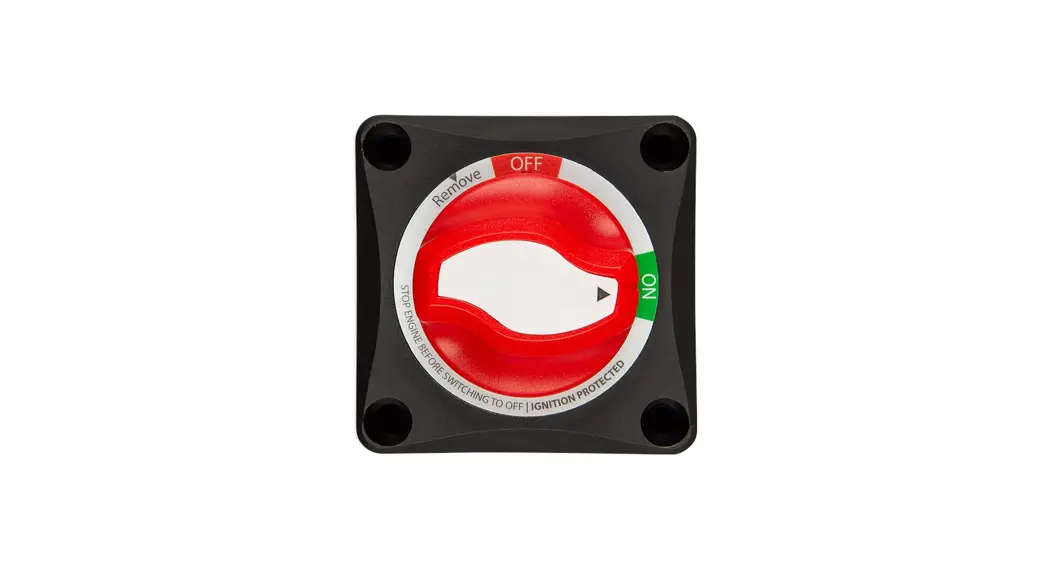
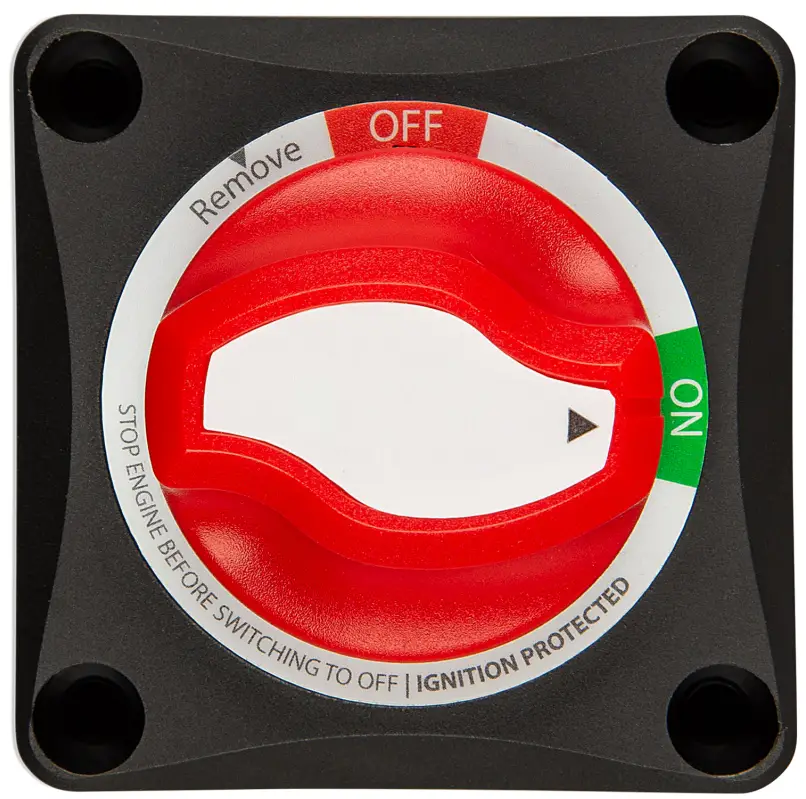
It has a unique ergonomic and aesthetic knob design. The knob is removable for isolation or safety purposes.
The Battery Switch can be either surface or panel mounted, providing flexibility during installation.
The Battery Switch meets the ISO8846 Ignition Protection standard and is suitable for use in an engine room.
1.1. Features
- Interchangeable label stickers
- Glass fiber reinforced nylon enclosure
- Removable cable access window on all 4 sides
- Removable ergonomic knob
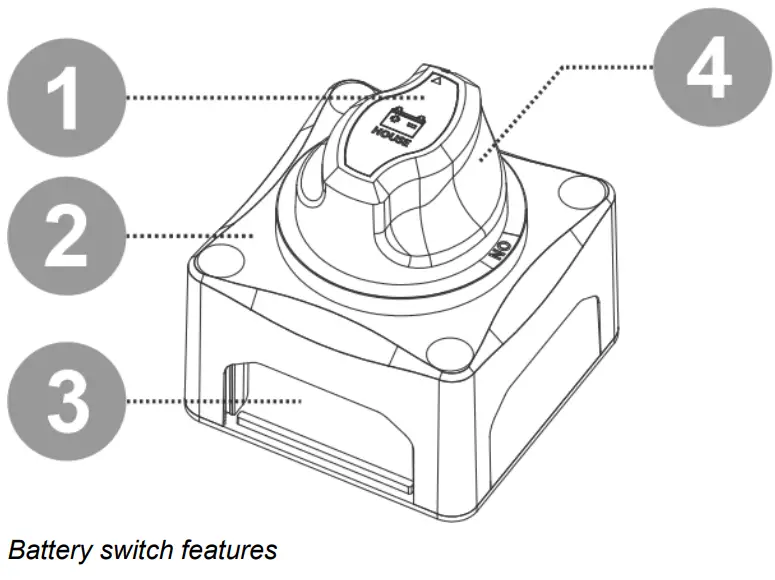
1.2. System examples
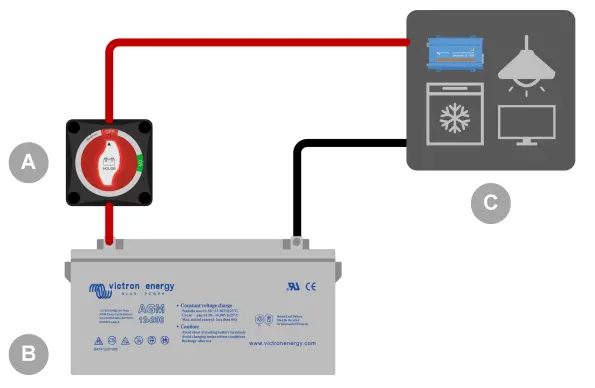 | 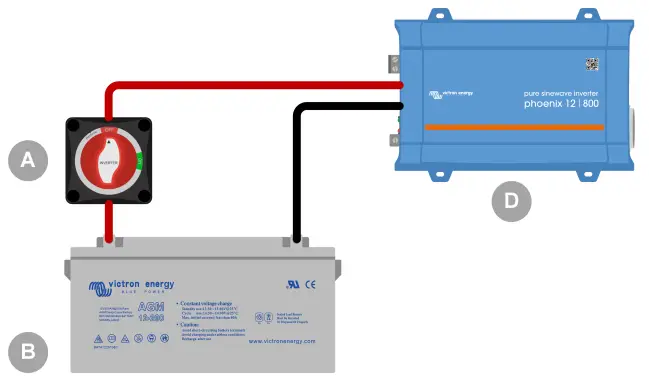 |
| A battery switch is used to disconnect the house system from the house battery. Use to preserve battery charge, system maintenance, or in an emergency. | Battery Switch is used to disconnect an inverter from the house battery. Use to preserve battery charge, system maintenance, or in an emergency. |
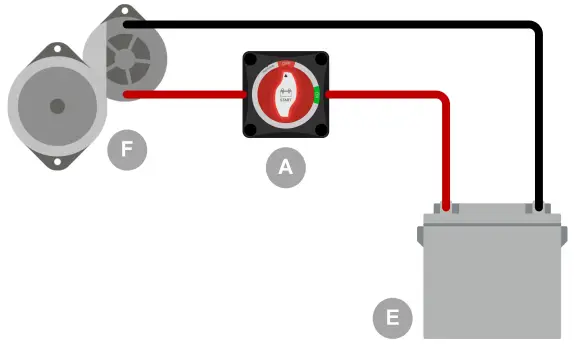 | 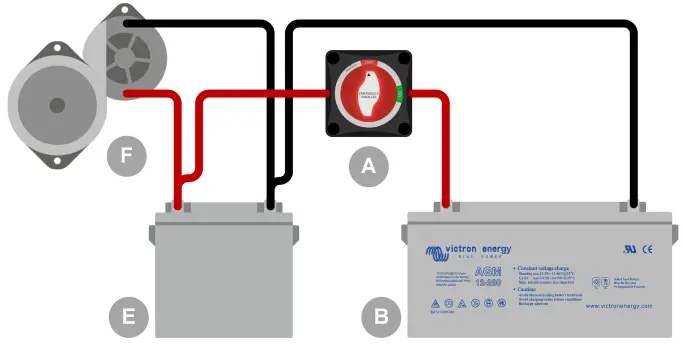 |
| Battery Switch is used to disconnect the alternator from the starter battery. Use to preserve battery charge, system maintenance, or in an emergency. | Battery Switch is used to parallel connect the house battery to the starter battery. Use in case of an emergency, like a flat starter battery or a flat house battery. |
| ID | Legend |
| A | Battery Switch |
| B | House battery |
| C | House system DC loads and/or chargers |
| D | Inverter |
| E | Starter battery |
| F | Engine and alternator |
Installation
2.1. What’s in the box
The Battery Switch ships together with the following items:
- Battery Switch
- Instruction booklet with mounting template
- Interchangeable label sticker sheet
- 4 mounting screws
2.2. Mounting
The Battery Switch can be mounted in two ways:
- Surface mount
- Rear panel mount
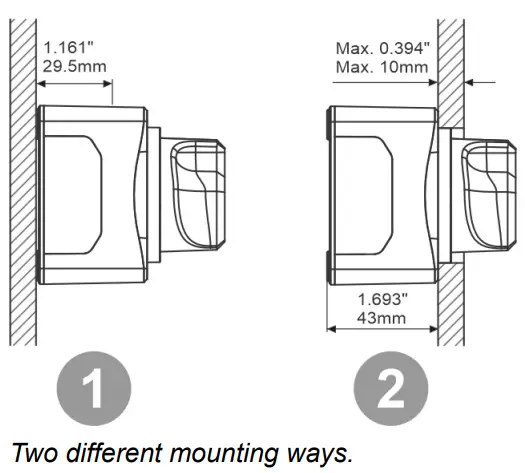
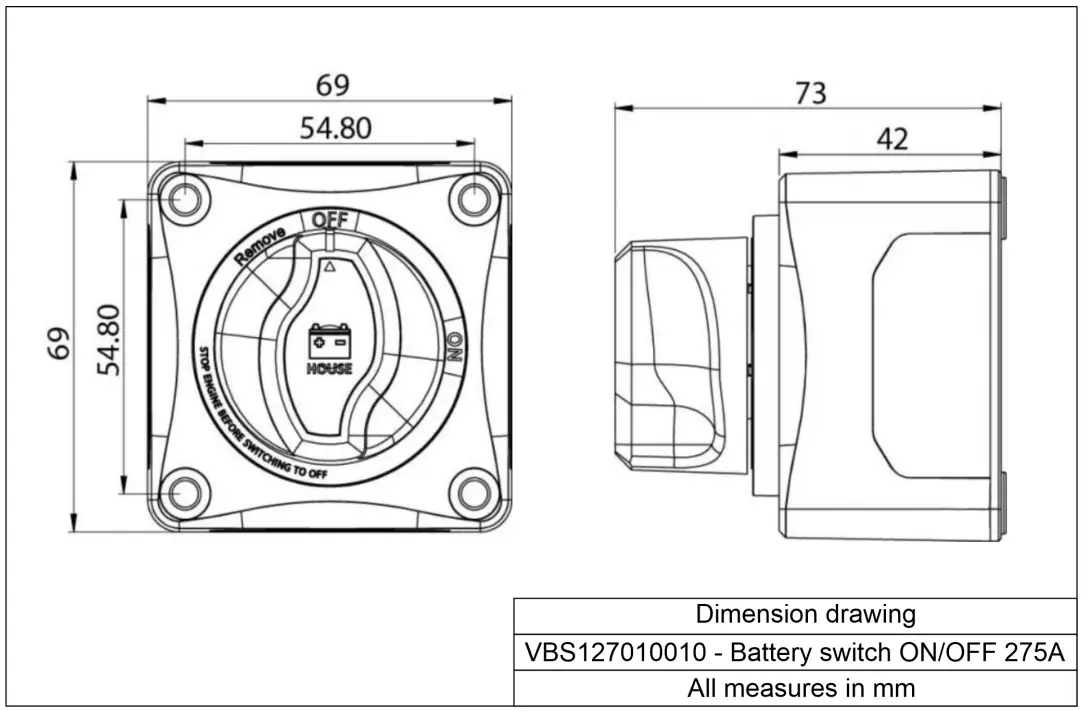
The battery switch packaging contains an actual size cutout. Use this to mark the screw holes and in the case of the rear panel mount mark the hole for the knob. For the dimensions of the Battery Switch see the Enclosure dimensions [6] chapter.
- Screw holes. 4 holes, one on each corner.
- Mounting hole for rear panel mounting.
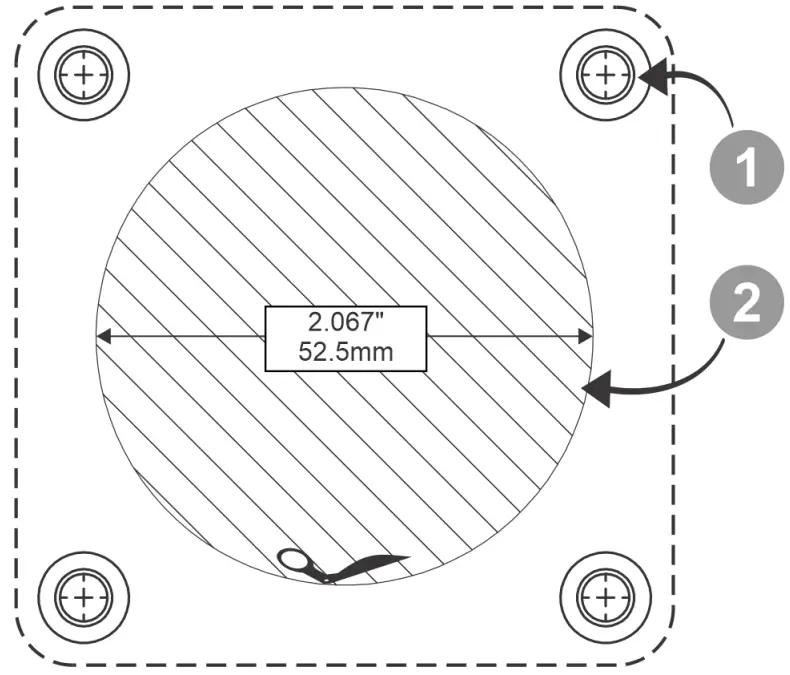
Mounting hole template. Not to scale, use the cutout from the Battery Switch packaging.
2.3. Label sticker
The Battery Switch ships with a sticker sheet containing 16 different label stickers.
- Select the sticker that best corresponds with the circuit the Battery Switch is used in.
- Remove the sticker from the sticker sheet and place it on the knob of the Battery Switch as indicated in the below image.
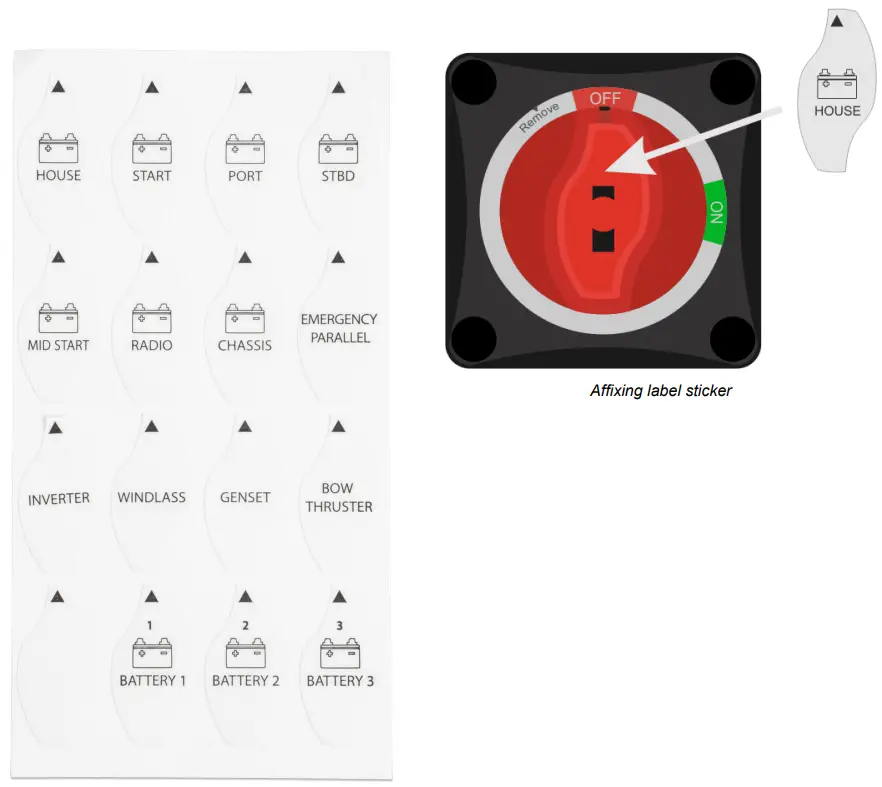
Label sticker sheet
2.4. Wiring
Wire the Battery Switch into the electrical system as follows:
- Disconnect the positive battery terminal.
- Mount the Battery Switch onto the desired surface (surface mount) or panel (rear panel mount).
- Remove the appropriate side plate for cable access. Do not remove the side plate facing upward as water may get in from the top.
- Use 120mm² (4/0 AWG) cables on all terminals to meet the Battery Switch current rating.
- Connect one terminal to the positive battery cable. Connect the other terminal to the positive cable of an alternator, load circuit, or second battery (depending on installation type).
- Make sure that all nuts and locker washers are properly attached and the nut is tightened with a recommended torque of 8Nm (maximum 12.5Nm).
- Reconnect the positive battery terminal.
Operation
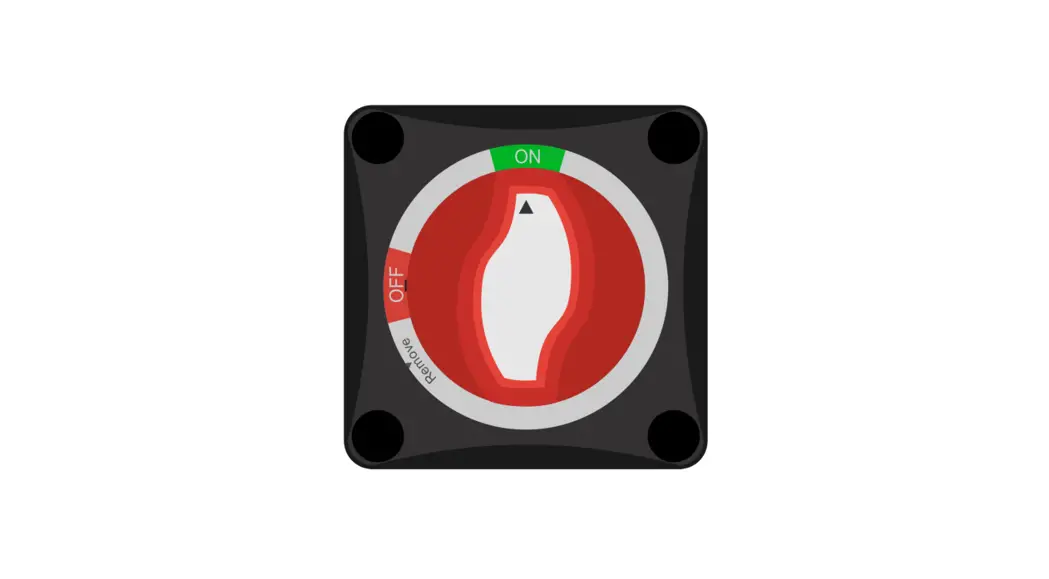
- Twist the knob clockwise to turn the switch on.
- Turn the knob counterclockwise to turn the switch off.
- Turn the knob a further 30° counterclockwise to turn the switch off and to remove the knob.
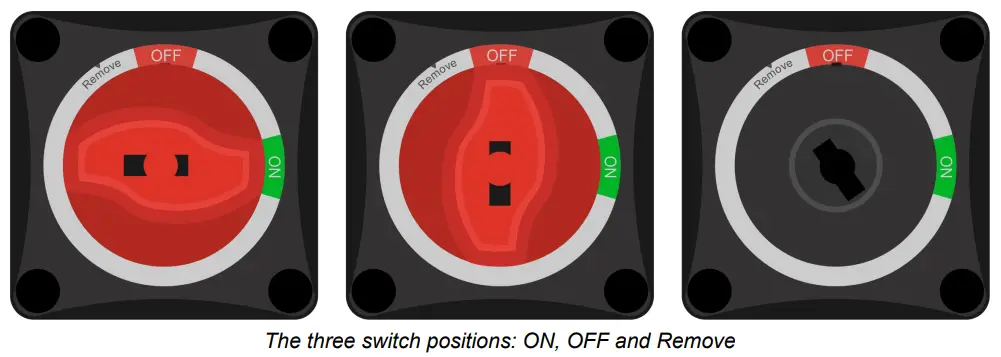
3.1. Battery Switch knob removal
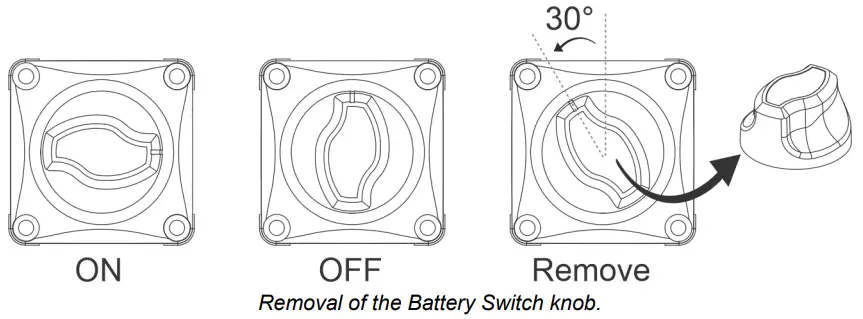
The knob of the Battery Switch can be removed. Use this feature to prevent unwanted operation of the switch. When the knob is removed, the switch is off.
Removal of the knob will prevent accidental switching, for example when system maintenance is carried out (safety), or when the system is left unattended for a certain time (battery discharge prevention).
To remove the knob
- Ensure that engines and equipment connected to the same DC circuit as the Battery Switch are turned off.
- Turn the Battery Switch knob counterclockwise to the “OFF” position that has been reached.
- Turn the knob a further 30° counterclockwise until the “Remove” position has been reached
- Pull the knob away from the Battery Switch.
Technical specifications
| Technical specification | Rating |
| Continuous DC current rating | 275A |
| 5 minute DC current rating | 455A |
| Peak DC current (cranking) rating | 1250A (10 sec) |
| DC voltage rating | 48V |
| Terminal material | Tin-plated copper |
| Hex nut material | Tin-plated copper |
| Terminal diameter | 3/8” (9.53mm) |
| Recommended torque | 70 lbf·inch (8N.m) |
| Base material | Glass fiber reinforced nylon |
| Weight | 0.4lb (0.2kg) |
| Dimensions (l x w x h) | 2.71 x 2.71 x 2.87 inch (69 x 69 x 73 mm) |
| Ignition protection | ISO8846 / SAE J1171 |
4.1. Enclosure dimensions