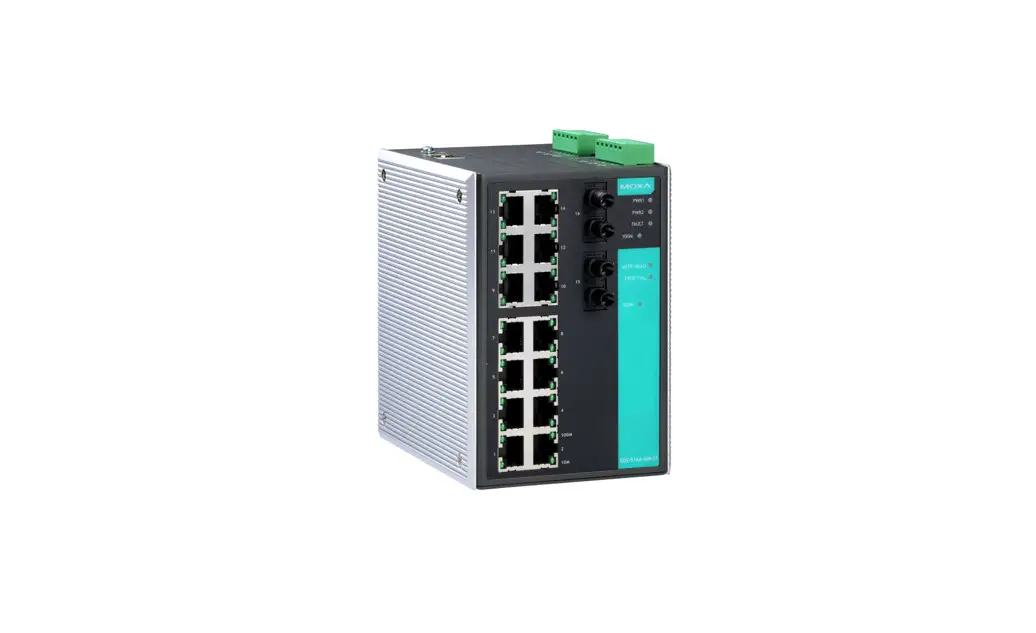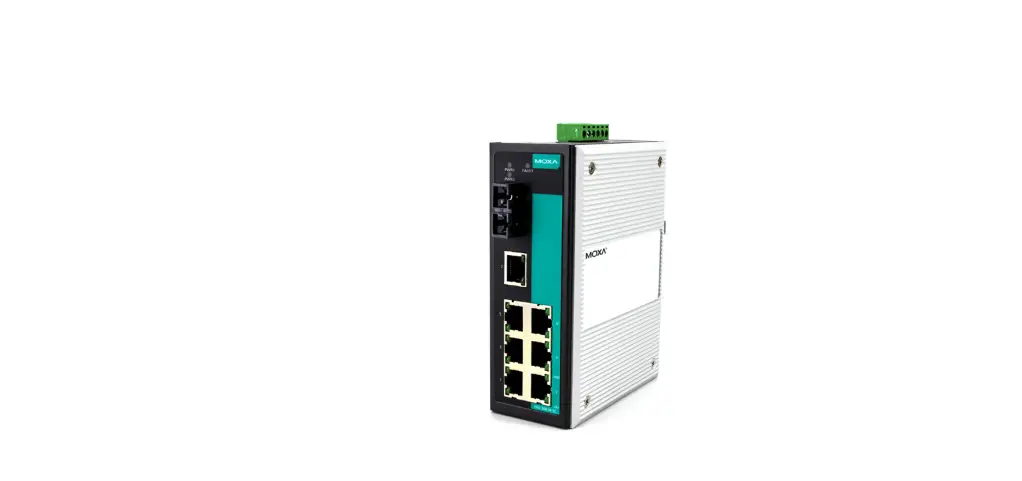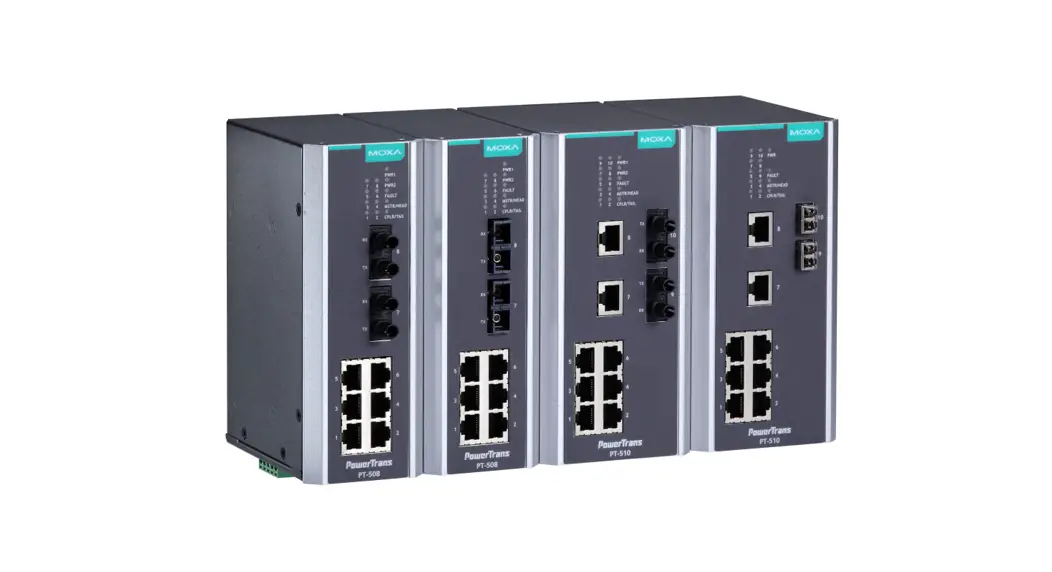

PT-7710 Series Quick Installation Guide
Moxa PowerTrans Switch
Version 7.1, January 2021
Technical Support Contact Information www.moxa.com/support
2021 Moxa Inc. All rights reserved. P/N: 1802077100016 *1802077100016*
Package Checklist
The Moxa PowerTrans switch is shipped with the following items. If any of these items are missing or damaged, please contact your customer service representative for assistance.
- 1 Moxa PowerTrans Switch
- RJ45 to DB9 console port cable
- 2 rack-mount ears or wall-mount ears
- Quick installation guide (printed)
- Warranty card
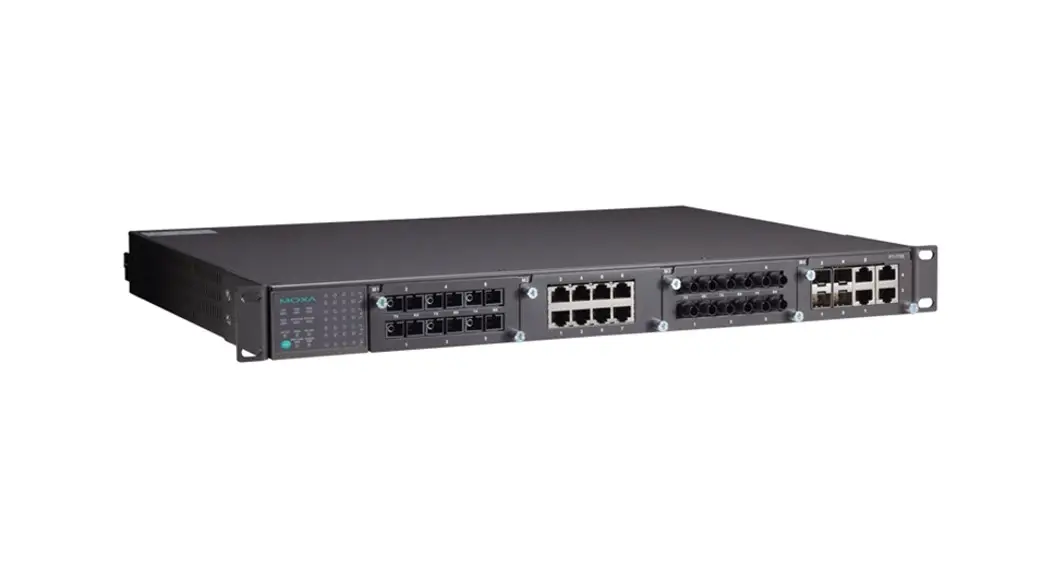
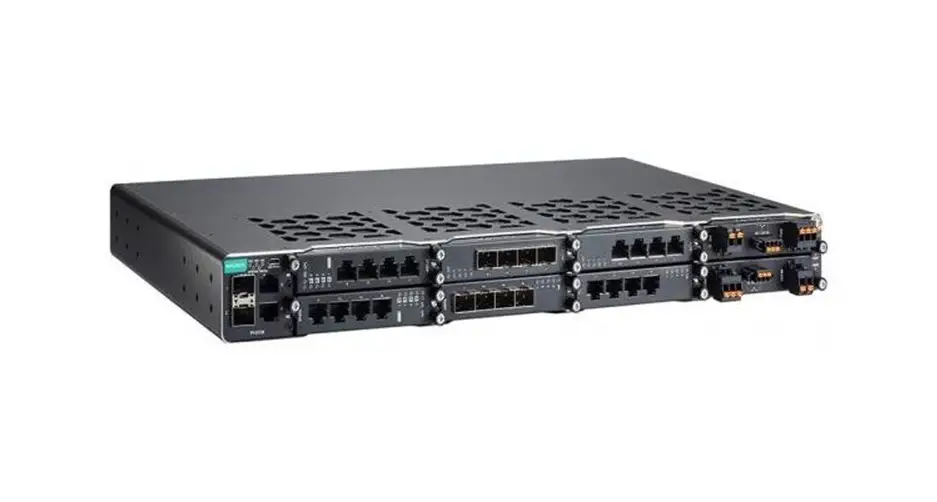
Panel Layout
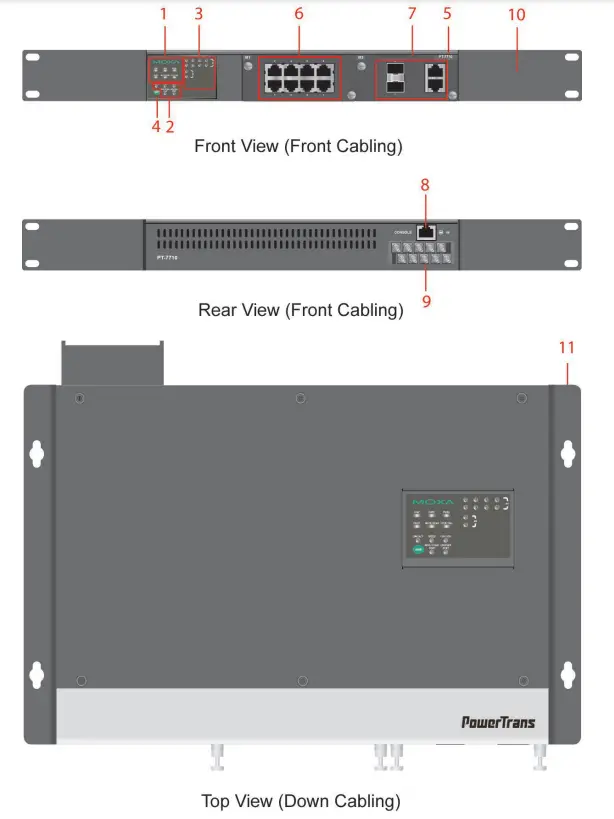
- System status LEDs
- Interface module mode LEDs
- Interface module port LEDs
- Push-button switch to select the mode for Interface Module
- Model name
- Fast Ethernet interface modules
- Gigabit Ethernet interface modules
- Serial console port
- 10-pin terminal block for power inputs, and relay output
- Rack mounting kit
- Wall mounting kit
Dimensions (unit = mm)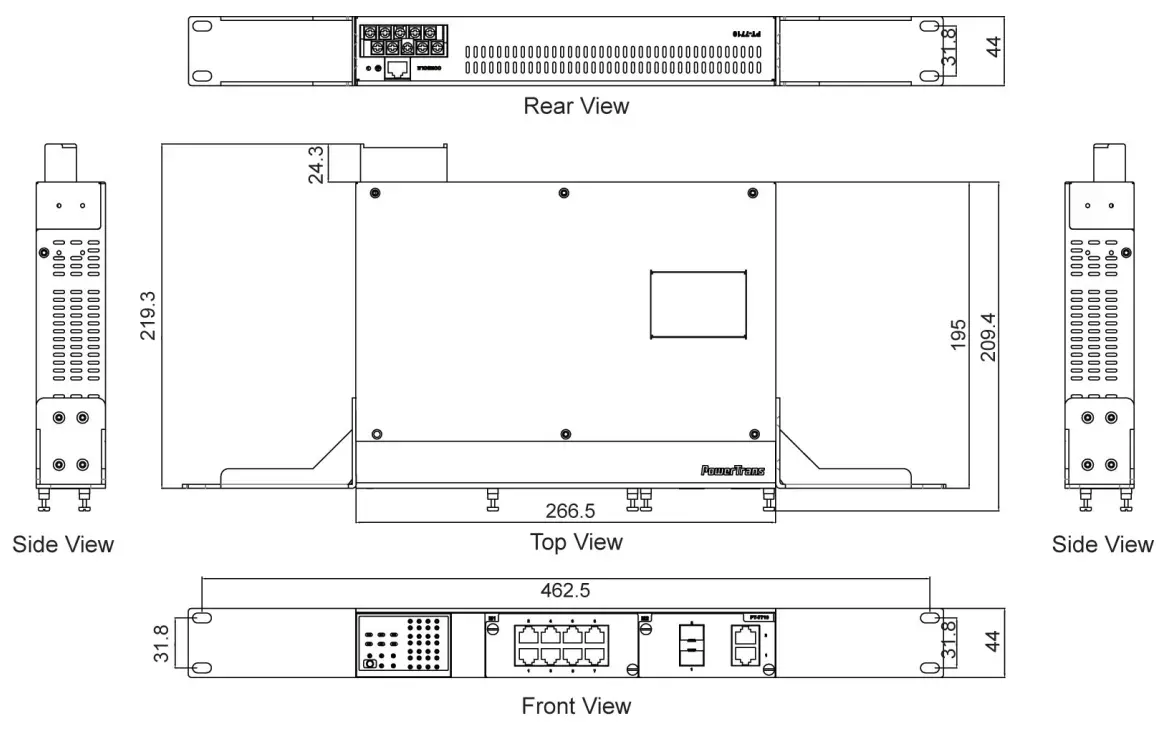
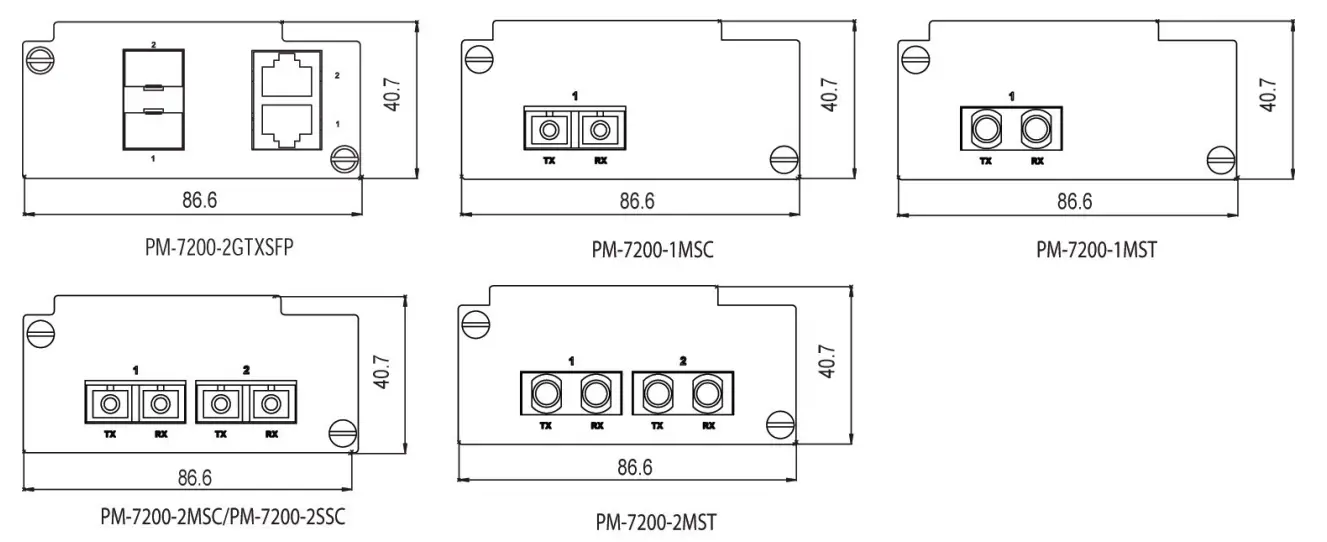
Fast Ethernet Interface Modules (slot 1)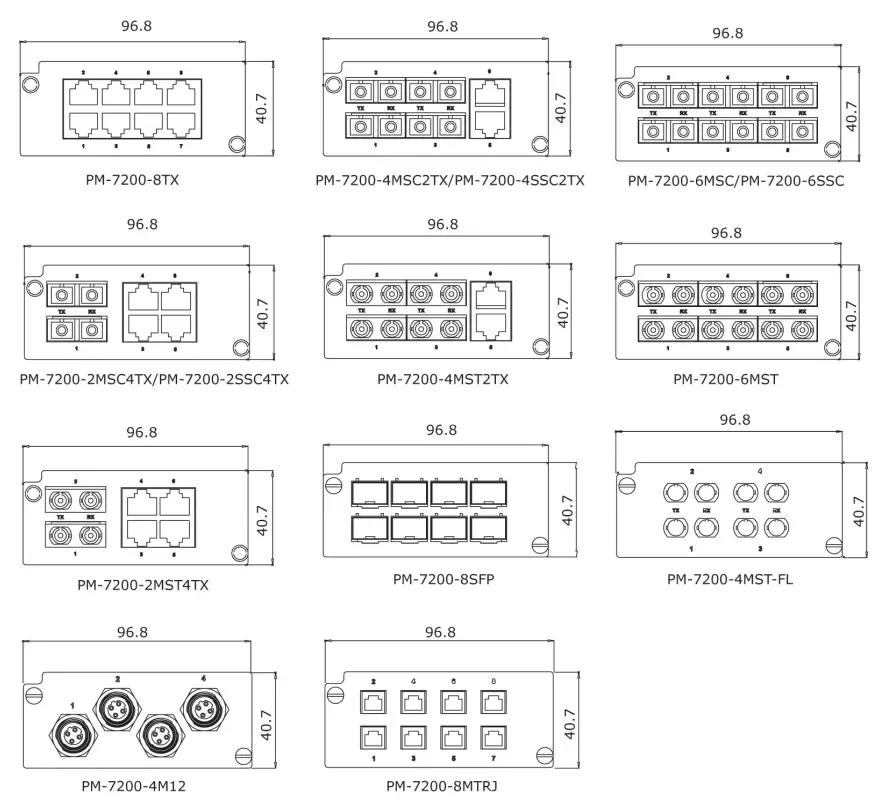 Gigabit / Fast Ethernet Interface Modules (slot 2)
 Rack Mounting
Use four screws to attach the PT switch to a standard rack.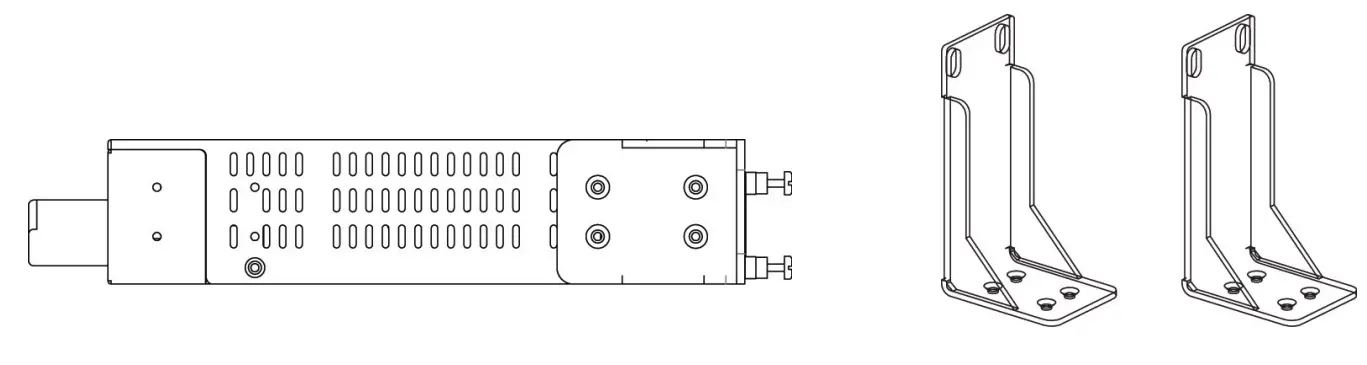
Wall Mounting
Use four screws to attach the PT switch to a Moxa wall mounting kit.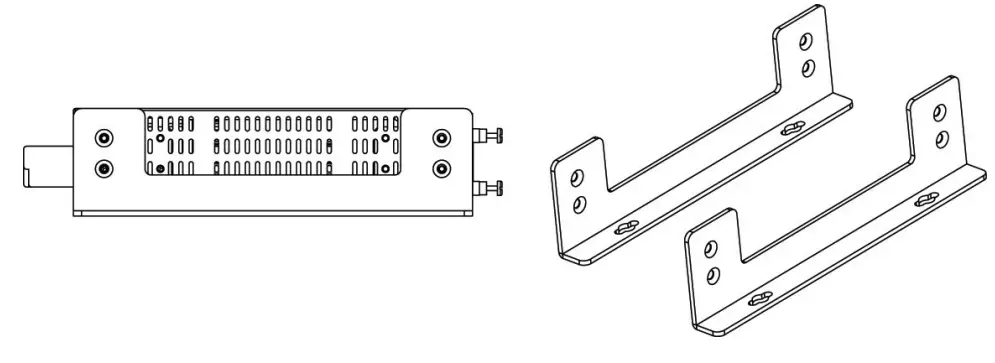
Wiring Requirements WARNING
Safety First!
- Be sure to disconnect the power cord before installing and/or wiring your Moxa PowerTrans Switch.
- Calculate the maximum possible current in each power wire and common wire. Observe all electrical codes dictating the maximum current allowable for each wire size.
- If the current goes above the maximum ratings, the wiring could overheat, causing serious damage to your equipment.
Grounding the Moxa PowerTrans Switch
Grounding and wire routing help limit the effects of noise due to electromagnetic interference (EMI). Run the ground connection from the ground screw to the grounding surface prior to connecting devices.
Wiring the Power Input (110/220 VDC/VAC models)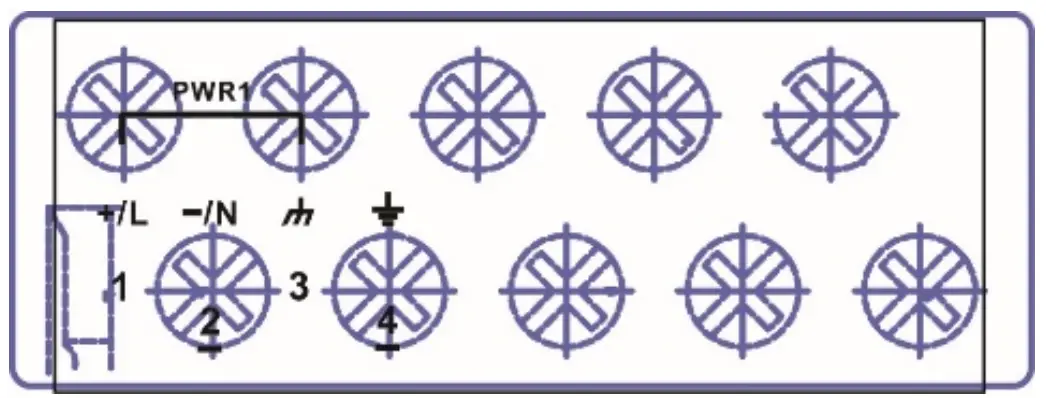 The PT-7710 (110/220 VDC/VAC models) has one power supply and one set of power inputs referred to as power input 1. The front view of the terminal block connector is shown here.
STEP 1: Insert the L/N AC wires into the PWR1 terminals (L pin 1, N pin 2).
STEP 2: To keep the AC wires from pulling loose, use a screwdriver to tighten the wire-clamp screws on the front of the terminal block.
Wiring the Redundant Power Inputs (12/24/48 VDC models)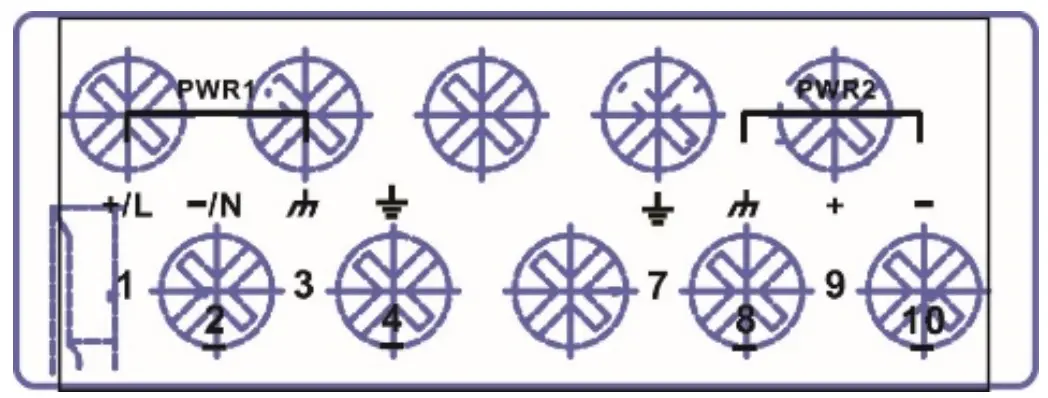 The PT-7710 (12/24/48 VDC models) has one power supply and two sets of power inputs, referred to as power input 1 and power input 2. The front view of the terminal block connector is shown here.
STEP 1: Insert the dual set positive/negative DC wires into PWR1 and PWR2 terminals (+ pins 1, 9; – pins 2, 10).
STEP 2: To keep the DC wires from pulling loose, use a screwdriver to tighten the wire-clamp screws on the front of the terminal block.
Wiring the Relay Contact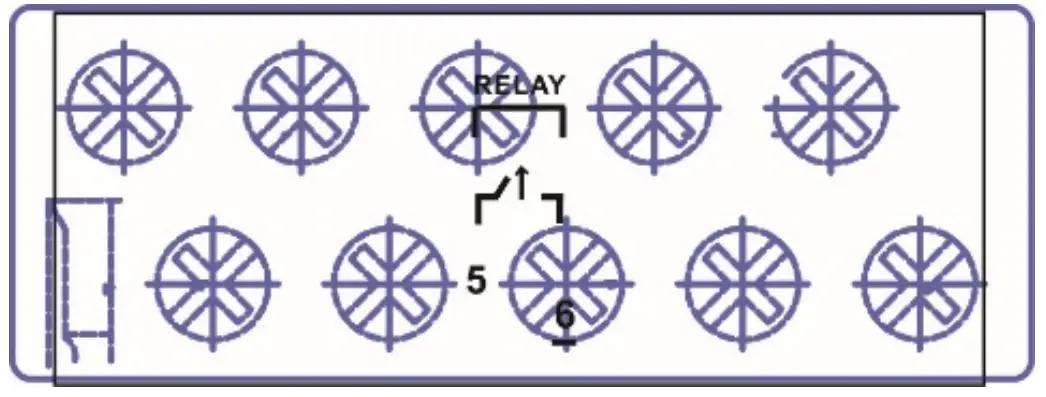 Each PT switch has one relay output. Refer to the next section for detailed instructions on how to connect the wires to the terminal block connector, and how to attach the terminal block connector to the terminal block receptor.
FAULT: The RELAY contacts of the 10-pin terminal block connector are used to detect user-configured events. The two wires attached to the RELAY contacts form an open circuit when a user-configured event is triggered. If a user-configured event does not occur, the RELAY circuit will be closed.
LED Indicators
The front panel of the PT switch contains several LED indicators. The function of each LED is described in the table below.
| LED | Color | State | Description |
| System LEDs | |||
| STAT | GREEN | On | The system has passed the self-diagnosis test on boot-up and is ready to run. |
| Blinking | The system is undergoing the self- diagnosis test. | ||
| RED | On | The system failed self-diagnosis on boot-up. | |
| PWR1 | AMBER | On | Power is being supplied to the main module’s power input PWR1. |
| Off | Power is not being supplied to the main module’s power input PWR1. | ||
| PWR2 | AMBER | On | Power is being supplied to the main module’s power input PWR2. |
| Off | Power is not being supplied to the main module’s power input PWR2. | ||
| FAULT | RED | On | The corresponding PORT alarm is enabled and a user-configured event has been triggered. |
| Off | The corresponding PORT alarm is enabled and a user-configured event has not been triggered, or the corresponding PORT alarm is disabled. | ||
| MSTR/HEAD | GREEN | On | This PT switch is set as the Master of the Turbo Ring, or as the Head of the Turbo Chain. |
| Blinking | The PT switch has become the Ring Master of the Turbo Ring, or the Head of the Turbo Chain after the Turbo Ring or the Turbo Chain went down. | ||
| Off | The PT switch is not the Master of this Turbo Ring or is set as a Member of the Turbo Chain. | ||
| CPLR/TAIL | GREEN | On | When this PT switch is enabled to form a backup path, or it is set as the Tail of the Turbo Chain. |
| Blinking | Turbo Chain is down. | ||
| Off | This PT switch disabled the coupling function or is set as a Member of the Turbo Chain. | ||
| LED | Color | State | Description |
| Mode LEDs | |||
| LNK/ACT | GREEN | On | The corresponding module port’s link is active. |
| Blinking | The corresponding module port’s data is being transmitted. | ||
| Off | The corresponding module port’s link is inactive. | ||
| SPEED | GREEN | Off | The corresponding module port’s data is being transmitted at 10 Mbps. |
| On | The corresponding module port’s data is being transmitted at 100 Mbps. | ||
| Blinking | The corresponding module port’s data is being transmitted at 1000 Mbps. | ||
| FDX/HDX | GREEN | On | The corresponding module port’s data is being transmitted in full-duplex mode. |
| Off | The corresponding module port’s data is being transmitted in half-duplex mode. | ||
| RING/CHAI N PORT | GREEN | On | The corresponding module’s port is the ring or chain port of this PT switch. |
| Off | The corresponding module’s port is not the ring or chain port of this PT switch. | ||
| COUPLER PORT | GREEN | On | The corresponding module’s port is the coupler port of this PT switch. |
| Off | The corresponding module’s port is not the coupler port of this PT switch. | ||
*Slot 2 (M2) is mainly used for Gigabit modules. If 100BaseFX modules are used in Slot 2 (M2), the modules will not support “Far End Fault”. The Link/ACT LED indicator will stay at “Green (ON)” status when the Fiber TX cable is unplugged.
Specifications
| Technology | |
| Standards | IEEE 802.3, 802.3u, 802.3ab, 802.3z, 802.3x, 802.1D, 802.1W, 802.1Q, 802.1p, 802.1X, 802.3ad |
| Flow control | IEEE 802.3x flow control, back pressure flow control |
| Interface | |
| Fast Ethernet | Slot 1 (M1) for any combination of 4-,6-, 7-, or 8- port PM-7200 fast Ethernet modules with 10/100BaseT(X) (TP/M12 interface) or 100BaseFX (SC/ST connector), or 100BaseSFP; Slot 2 (M2) for a 1- or 2-port interface modules with 100BaseFX (SC/ST connector) |
| Gigabit Ethernet | Slot 2 (M2) for 2-port PM-7200 Gigabit Ethernet combo module with 100/1000BaseT(X) or 1000BaseSFP slots (Slot 2 does not support 10M FDX/HDX) |
| Console | RS-232 (RJ45) |
| System LED Indicators | STAT, PWR1, PWR2, FAULT, MSTR/HEAD, CPLR/TAIL |
| Mode LED Indicators | LNK/ACT, FDX/HDX, RING/CHAIN PORT, COUPLER PORT, SPEED |
| Alarm Contact | One relay output with a current-carrying capacity of 3A @ 30 VDC or 3A @ 240 VAC |
| Optical Fiber (100BaseFX) | |
| Distance | Multi-mode: 0 to 5 km, 1300 nm (50/125 μm, 800 MHz*km) 0 to 4 km, 1300 nm (62.5/125 μm, 500 MHz*km) Single-mode: 0 to 40 km, 1310 nm (9/125 μm, 3.5 PS/(nm*km)) |
| Min. TX Output | Multi-mode: -20 dBm; single-mode: -5 dbm |
| Max. TX Output | Multi-mode: -10 dBm; single-mode: 0 dbm |
| RX Sensitivity | Multi-mode: -32 dBm; single-mode: -34 dbm |
| Power | |
| Input Voltage | 12/24/48 VDC (9 to 60 V), or 110/220 VDC/VAC (88 to 300 VDC and 85 to 264 VAC) |
| Input Current | Max. 0.81 A @ 24 VDC Max. 0.42 A @ 48 VDC Max. 0.17/0.10 A @ 110/220 VDC Max. 0.38/0.20 A @ 110/220 VAC |
| Physical Characteristics | |
| Housing | IP30 protection, metal case |
| Dimensions (W x H x D) | 266.7 x 44 x 195 mm (10.5 x 1.73 x 7.68 in.) |
| Weight | 2200 g |
| Environmental Limits | |
| Operating Temp. | -40 to 85°C (-40 to 185°F) Cold start of min. 100 VAC at -40°C |
| Storage Temp. | -40 to 85°C (-40 to 185°F) |
| Ambient Relative Humidity. | 5 to 95% (non-condensing) |
| Regulatory Approvals | |
| Safety | EN 60950-1, CSA C22.2 No. 60950-1, EN 60950-1 |
| Power Automation | IEC 61850-3, IEEE 1613 |
| Road Traffic | NEMA TS2 |
| Rail Traffic | EN 50121-4, EN 50155 (complies with a portion of EN 50155 specifications) |
| EMI | FCC Part 15, CISPR (EN 55032) class A |
| Warranty | |
| Warranty Period | 5 years |
| Details | See www.moxa.com/warranty |