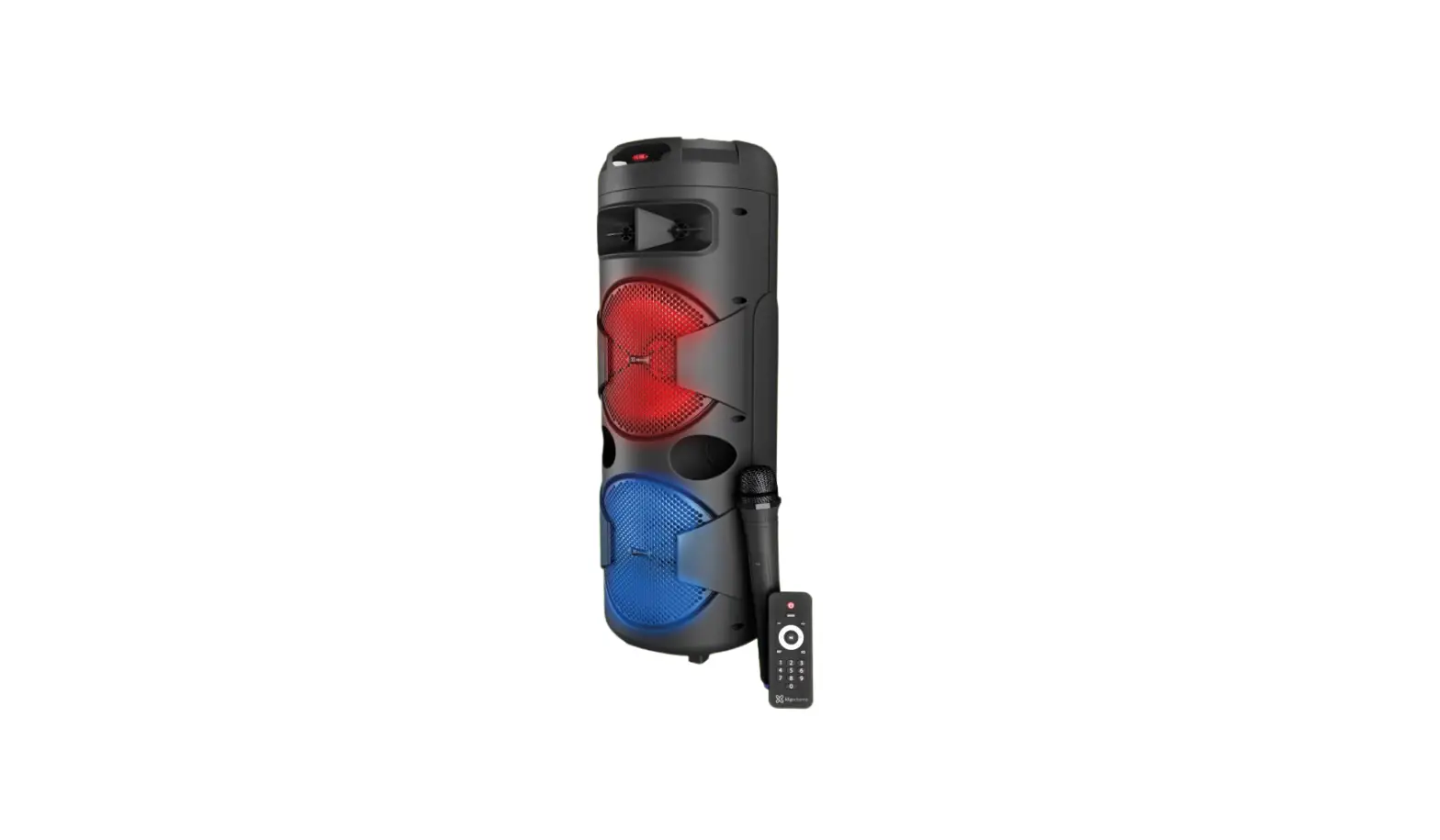
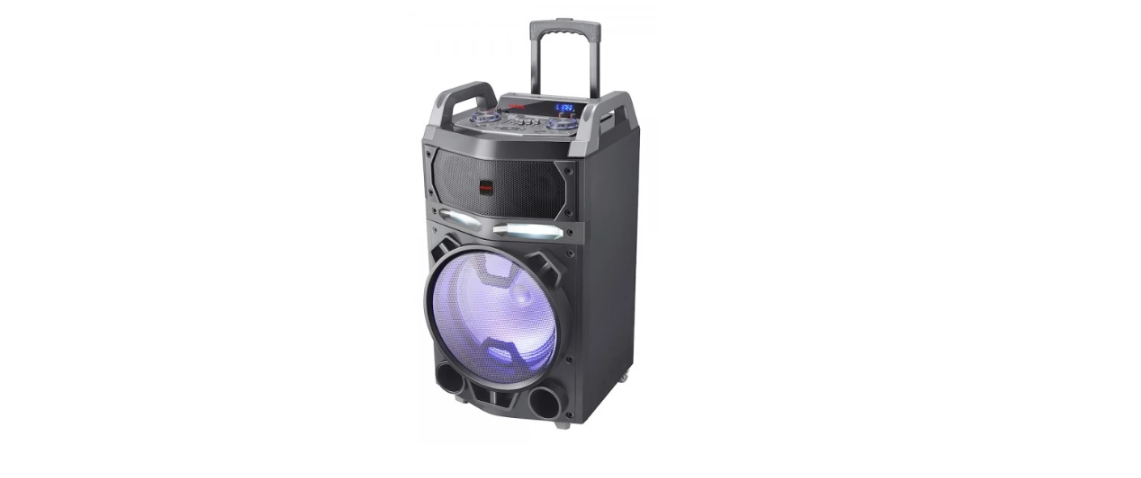
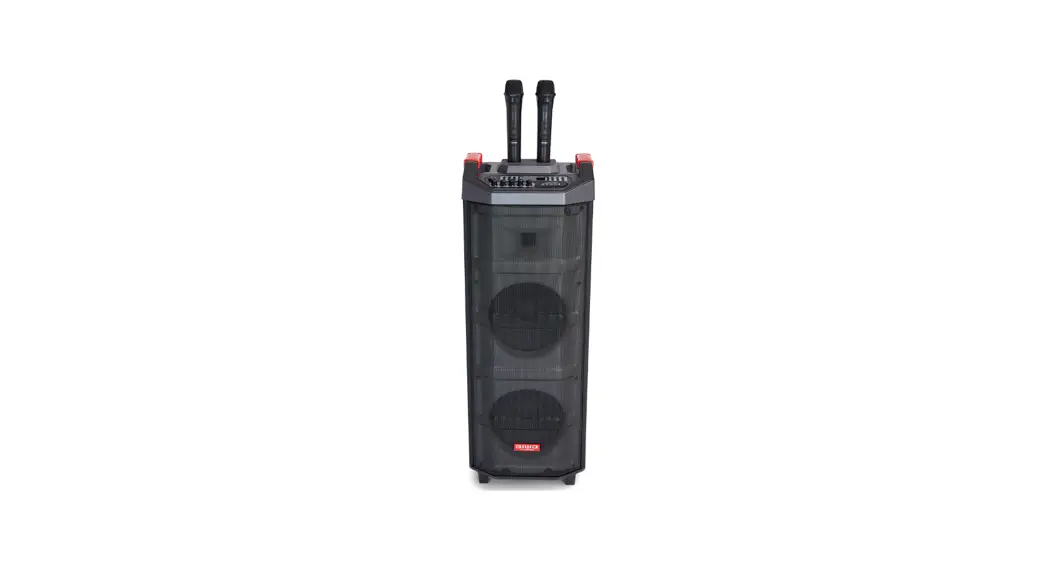
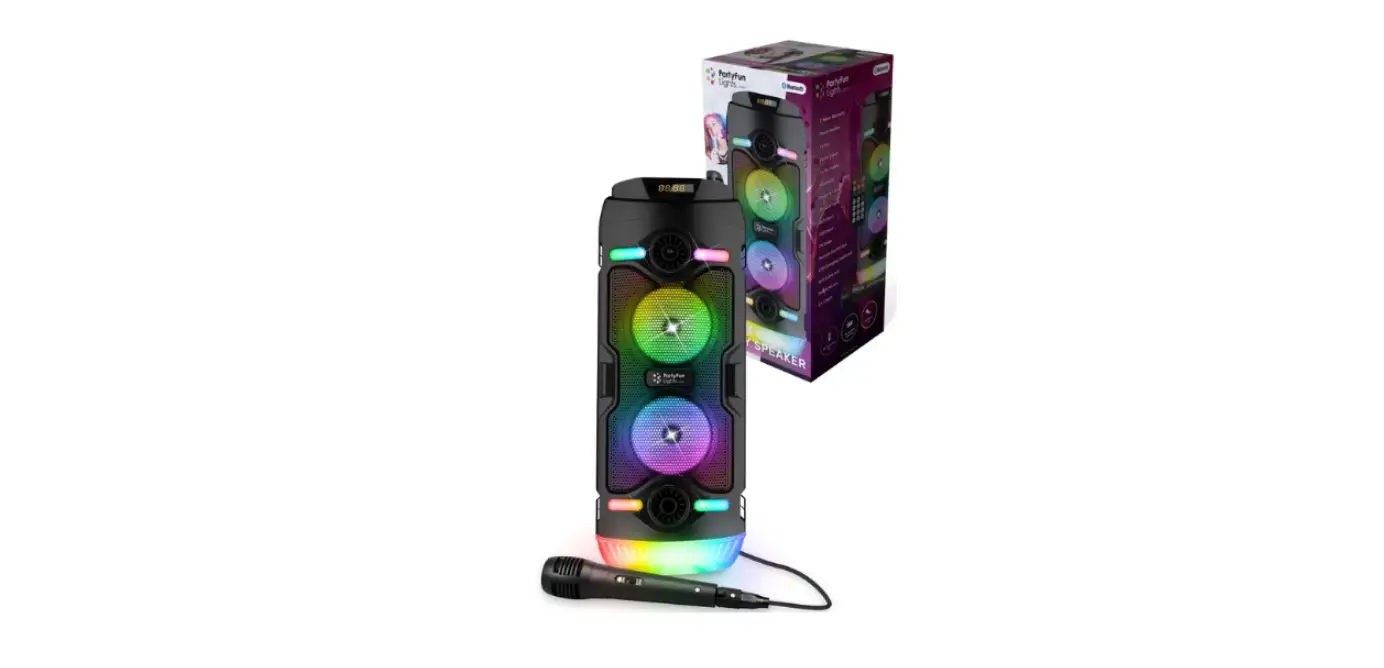
KLS-662 BoomFire Pro Party Speaker
Product Information
The BoomFire Pro KLS-662 is an audio system that offers a range
of features for an enhanced listening experience. The product is
manufactured by Klip Xtreme and more information can be found on
their website: www.klipxtreme.com.
Main features:
- TF card slot
- USB port
- Aux in
- Guitar input
- Microphone input 1
- Microphone input 2
- Charging cable port
- On/off switch
- Microphone volume knob
- Echo up
- Echo down
- Guitar volume up/down
- Treble up/down
- Bass up/down
- Speaker volume
- Mode selector
- Record button
- Previous track
- Play/pause
- Next track
- Repeat track
- Speaker light
- LED panel
- FM radio antenna
The product also comes with a remote control that has various
buttons for easy operation.
Product Usage Instructions
Initial Setup
Please read the manual and follow all safety instructions before
using the product.
Operating Modes
1. Auxiliary playback:
Recommendation: Use a 3.5mm to 3.5mm connector audio cable to
enable audio playback from devices with an auxiliary 3.5mm
jack.
a. Connect the audio source device to the “Aux in” port of the
speaker.
b. Start streaming audio files directly from the connected
device.
2. USB mode operation:
Recommendation: Use a USB memory stick to enable audio playback
from compatible files stored in the USB memory stick.
a. Connect a USB memory stick to the USB port of the
speaker.
b. The speaker will automatically detect the USB device and play
the audio files.
3. microSDTM mode operation:
Recommendation: Use a microSDTM card to enable audio playback
from compatible files stored in a microSDTM memory card.
a. Insert a microSDTM card into the designated slot on the
speaker.
b. The speaker will automatically detect the card and play the
audio files.
BoomFire Pro KLS-662
English
I. Introduction
Congratulations on the purchase of your new Klip Xtreme® KLS-662 Party Speaker, BoomFire Pro, with wireless technology.
We invite you to visit www.klipxtreme.com for support and to find out more about this audio system and other new and exciting products.
Main features
· 3,000-watt of maximum power output · Two 8″-high full range subwoofers drivers and one 1.5″ tweeter · Adjustable flame LED lights for the most fun atmosphere · Includes a high-quality wireless microphone for the singer in you · Portable with built-in 4.5A rechargeable battery that lasts for up to 8 hours with the lights
on and 21 hours with the lights off2 · Works with your favorite Bluetooth® V5.0-enabled devices · TWS (True Wireless Stereo) capability, designed to connect and stream audio through two identical units simultaneously · Inputs for two wired microphones and a guitar for additional entertainment3 · Aux 3.5mm input and Integrated USB and microSDTM memory slots for MP3 files · Adjustable bass and treble to suit your sound preferences · Slot for placing tablets or smartphones · Remote control to manage your speaker from the dance floor · Built-in heavy-duty handle and wheels that make it extremely portable · High quality LED screen · Built-in FM
II. Package content
To get the most of your loudspeaker system, please take a few minutes to read the following instructions and familiarize yourself with the operation of the unit. Before setting up the device, make sure that the following items are included in box:
· Party Speaker
(1)
· DC adapter
(1)
· AUX Cable
(1)
· Remote control
(1)
· Wireless microphone
(1)
· User manual
(1)
Unpack your unit carefully. We recommend that you save the box and all original packing materials, in case you wish to store the unit, or if you ever need to return it for service.
III. Product overview
Top panel
1
2
3
4
5
6
7
8
10 12
14
9
16
15 13 11
17
18
19
20
21
22
23
1. TF card slot 2. USB port 3. Aux in 4. Guitar input 5. Microphone input 1 6. Microphone input 2 7. Charging cable port 8. On/off switch 9. Microphone volume knob
10. Echo up 11. Echo down 12. Guitar volume up/down 13. Treble up/down 14. Bass up 15. Bass down 16. Speaker volume 17. Mode selector 18. Record button
19. Previous track 20. Play/pause 21. Next track 22. Repeat track 23. Speaker light 24. LED panel 25. FM radio antenna
Front panel
Back panel 25
24
Remote control
1
2
MODE
3
LED
MUTE
4
8
VOL+
9
5
6
7
VOL-
10
REPE
EQ
11
123
456
12
789
0
Button 1. On/off/standby button 2. Mode selector
Function
Press this button to turn on or off the speaker.
Press this button to toggle through the different audio sources available: Bluetooth®, USB, microSDTM, Aux/Line In, FM. As there is no default mode assigned, the system starts automatically playing the last media source inserted.
3. LED light selector 4. Mute 5. Previous track
6. Next track 7.Volume down 8. Volume up 9. Play/pause track 10. Repeat track 11.Equalizer
· Alternates between the 8 preset LED features. · Press/hold for 3 seconds and release the LED button to turn off the LED.
Mutes the audio coming from the speaker. Press it again to unmute the speaker in all modes.
In USB, microSDTM and Bluetooth® mode press this button briefly to play the previous track. In FM mode press it briefly to go to the previous channel.
In USB, microSDTM and Bluetooth® mode press this button briefly to play the next track. In FM mode press it briefly to go to the next channel.
It decreases the volume level of the speaker. Volume can also be controlled directly from each of the sources connected to the speaker.
It increases the volume level of the speaker. The volume can also be controlled directly from each of the sources connected to the speaker.
Press to start and pause media during Bluetooth®, microSDTM or USB playback.
Use this button to repeat the current track or song only in USB and microSDTM modes. It has a single repeat or repeat all functions.
Scrolls through the six (6) equalizer sound effects: CLA (classical), POP (pop), ROC (rock), JAZ (jazz), COU (country) and NOR (normal)
12. Number panel
In USB and microSDTM modes, press any of these keys to directly choose the tracks you want to play. In tuner mode, it allows the manual input of stations.
IV. Initial setup
Note: For your safety, read this manual and follow all safety instructions before using the product.
Charging the battery 1. Plug the supplied power adapter on the speaker and connect the other side to the wall outlet. 2. The LED charging indicator (on the top panel) will turn red while charging and blue when fully charged. 3. When the unit is not in use or switched off, it will automatically recharge the internal battery as long as it remains connected to utility power. 4. When the battery is reaching a low voltage level (or discharges), the volume of the speaker output will be reduced, and a warning tone will follow. At this time the speaker needs to be charged. Otherwise, it will shut off.
Powering on the unit 1. Turn the volume control on the top panel fully counterclockwise. 2. Connect audio input devices first. Make sure all input sources such as microphones, CD players, or digital media players are turned off and volume settings are set to their lowest settings (zero). 3. Then, connect the power adapter to the loudspeaker and AC power outlet. Turn ON the speaker using the on/off switch on the top panel. 4. Slowly turn the volume clockwise until the sound output is at the desired level. If there is no sound, check to make sure the source equipment is providing audio output.
V. Operating modes
1. Auxiliary playback Recommendation: A 3.5mm to 3.5mm connector audio cable has to be used to enable audio playback from devices fitted with an auxiliary 3.5mm jack.
a. First, connect one side of the 3.5mm cable to the auxiliary port on the speaker and the other side of the cable to the source of choice. If the speaker is not set to the Aux/Line mode, press the MODE button to toggle through the different modes available until the preferred mode is found — Aux/Line, Bluetooth®, USB, microSDTM, FM.
b. Start streaming audio files directly from the source of choice.
2. USB mode operation with the remote control Recommendation: Use a USB memory stick to enable audio playback from compatible files stored in a USB memory stick.
a. First, connect a USB memory stick to the USB port of the speaker. b. The speaker will detect the USB device and play the audio files. If the USB drive is not automatically
detected, press the MODE button to toggle through the different modes available until the preferred mode is found — Line In, Bluetooth®, USB, microSDTM, FM. c. Start streaming audio files directly from the source of choice. d. Press the button to play or pause the audio. e. Press the / button shortly to go to the previous or next track.
3. microSDTM mode operation with the remote control Recommendation: Use an microSDTM card to enable audio playback from compatible files stored in an microSDTM memory card.
a. First, connect an microSDTM card to the microSDTM port of the speaker. b. The speaker will detect the microSDTM card and play the audio files. If the microSDTM card is not automatically
detected, press the MODE button to toggle through the different modes available until the preferred mode is found — Line In, Bluetooth®, USB, microSDTM, FM. c. Start streaming audio files directly from the source of choice. d. Press the button to play or pause the audio. e. Press the / button shortly to go to the previous or next track.
4. FM (radio) mode 1. Press the MODE button briefly to toggle through the available audio sources and select the FM station. 2. Press the PLAY/PAUSE button on the speaker or on the remote to start searching for radio stations automatically (in this mode, the PLAY/PAUSE button has a scanner function), in the radio frequency range between 87.5 and 108.0 MHz. The unit will save the radio stations automatically in the available channels. Note: An optimal radio signal will depend on device location and the proximity of radio stations. The user must move the cable antenna to get an optimal radio signal.
5. How to use the recording feature 1. First, connect the microphone, a compatible memory card or USB drive on the speaker. 2. The unit will automatically switch to the USB or microSDTM mode (depending on source inserted) as the default one to save the recording. 3. Press the REC button on the speaker until REC is displayed on the screen. 4. Start recording, press the REC button to stop and play the recording. Note: The recording function will only record voice. The speaker will stop playing music while recording with the microphone. The recording can only be saved on the USB drive. 5. To select and play a recording saved on a USB/microSDTM device, insert the device selected and press and hold the PLAY button; then, press the “Prev” or “Next” button to select the recording you wish to play. 6. To delete a recording saved on a USB/microSDTM device, insert the device selected and press and hold the PLAY button; then, press the “Prev” or “Next” button to select the recording you wish to delete. Once selected, press and hold the REC button to delete the recording.
VI. Advanced operation Pairing the speaker with wireless devices
Note: Before installing this product, please make sure your device is compatible with Bluetooth®.
1. Enable the Bluetooth® feature on the selected source and set it to discover the wireless speaker. 2. Place your wireless device and the speaker not more than one meter away from each other. 3. Next, cycle to the Bluetooth®feature on the speaker by pressing the MODE button found on the media panel
and select it as the input source. The word Blue blinks fast on the display to indicate that the speaker has entered into the pairing mode. 4. Once the speaker appears listed under the newly found Bluetooth® devices (KLS-662) of your wireless device, select it and wait a few seconds for pairing. 5. When pairing is successful, the word Blue stops blinking indicating that the Bluetooth® is connected. If after 60 seconds the pairing process fails, please repeat steps 1 through 5 described above. 6. You can now start streaming audio through the speaker wirelessly from your favorite Bluetooth®-enabled devices. 7. The speaker will re-pair automatically to the memorized device when the BT mode is selected on the unit after being turn off and on again. 8. To unpair the speaker, the user needs to deactivate the Bluetooth connection directly from the paired mobile device.
TWS audio functionality
– To test the TWS function, Power ON both units. – Set each unit to Bluetooth® mode. – On one of the units (this becomes the master unit), press and hold the MODE/TWS button, until the t-ON
message is displayed on the unit, followed by a tone emitted on both units. Units are now paired. – Using the Smartphone, turn on the Bluetooth® option and search for the speaker ID KLS-662 and connect
(pair) to it. – Perform the audio test (from Smartphone music library or YouTube) and ensure audio is playing on both
speakers at the same time. – To unpair TWS mode, press and hold the MODE/TWS button until the t-OFF message is displayed on the
unit, followed by a tone emitted on both units. Units are now unpaired from TWS mode. Note 1: Once the Bluetooth® test is done proceed to unpair the mobile device from the speaker. Note 2: If the speaker is in TWS mode when is turned on, it will still be in TWS mode when it is turned on again.
VII. Troubleshooting
Problem The speaker is On but there is no sound Sound is distorted
There is no sound coming from the USB/microSDTM files
There is no sound coming from the microphone Problem to reproduce an FM station
There is noise/interference coming from the speaker
Bluetooth® connection fails
Possible cause 1: There is no input sound source connected 2: Volume knob is in the lowest position 3: USB/microSDTM is not connected 1: The volume is too loud
2: Audio file error 1: The song format is not compatible with the
file format.
2: The USB/microSDTM audio source is not inserted properly
1: The microphone jack is not fully plugged in 2: The microphone switch is not on 3: Microphone volume is in the lowest position
1: The unit doesn’t search radio channels, or the transmission is not clear
Solution
1: Connect an input sound source 2: Adjust the volume 3: Insert a USB/ microSDTM audio source
1: Turn the volume down 1.a: Adjust the Bass/Treble frequencies and
the main volume 2: Check and change the audio file
1: The file should be a MP3/WMA music file 1.a: Check the USB size (if the file is bigger
than 2G the unit will take longer to reproduce the file) 2: Insert the USB/microSDTM audio source properly
1: Plug the microphone jack correctly 2: Turn on the microphone 3: Adjust the volume of the microphone
1: The FM antenna is not properly expanded 2: Try to position the antenna in a
different angle 4: Try the “Auto scan” function
1: The wired microphone is used too close to the speaker
2: The wired microphone switch is on, but the microphone is not in use
3: The microphone volume is too loud 4: The mobile phone is too close to the speaker 5: There are other devices too close to the speaker
1: Bluetooth® connection is disconnected
2: Bluetooth® connection is established but there is no sound
3: Bluetooth® connection effective distance is not enough
1: Do not let wired microphones point directly at the speaker
2: Turn off the wired microphone if not in use 3: Turn down the volume of the microphone 4: Keep the mobile device away from the
speaker during calls 5: Keep the speaker away from other sources
of interference
1: Find the right device name (KLS-662) or press and hold the REPEAT button to restore factory settings
2: Confirm that you are connected to the right device (KLS-662)
3: Try to keep away from barriers, such as walls, glass, etc.
Technical specifications
Device Type Maximum power output (PMPO) Maximum power output (Rated RMS) Maximum AC input (current/voltage) Maximum DC input (current/voltage) Buttons
Speaker Driver units Reference RMS power Frequency Impedance Sensitivity Signal to noise ratio THD Microphone Connectivity Directivity Frequency Impedance Sensitivity Connectivity Connection type Bluetooth® version TWS function Memory card slot Memory card max capacity USB slot Wireless RF frequency Wireless range Audio input Additional inputs Battery Battery type Battery charging time Battery run time at 50% volume Battery run time at 100% volume Battery standby time Battery charging method Measurements Product dimensions Product weight Charging cable length Package contents Warranty Highlighted Features
Lighting effect True Wireless Stereo Microphone Wired mic and guitar inputs Microphone effects
Portable Party Speaker 3,000W 200W 100-240VAC ~ 50/60Hz 15V 3A Mode/REC/PREV/Play Pause/NEXT/REPEAT/LED LIGHT/BASS/TREBLE/ECHO VOL/Guitar Vol/Sound VOL/MIC VOL/
Full range 8-inch subwoofers (x2) and one 1.5″ tweeter (x1) 100W x2 80Hz-15KHz 4.0 OHM 83dB ±3dB 75dB 1kHz, 0dB ±10%)
Wireless (included) and wired compatible Single point 261.8MHz 600 -95dB
Wireless Compatible with Bluetooth® V5.0 Yes Yes microSDTM up to 32GB Yes 2.4GHz-2.480GHz Up to 10m1 AUX 3.5mm stereo Two ¼in (6.5mm) mic + One guitar input
Lead-acid battery of 12V/4.5Ah 8 hours Up to 8 hrs. LED on / 20.5 hrs. LED off2 Up to 4 hrs. LED on / 6 hrs. LED off2 90 days DC 15V/3A external power adapter
1 × 1 × 2.3 ft 43.6 lb. 4.9 ft Party Speaker, DC adapter, Aux cable, remote, Wireless microphone, user manual 1 year
Dynamic Multicolor Flame LED Lighting Yes Premium wireless microphone included Yes, for two wired mics and one for a guitar3 Echo mode
Handles and wheels Display Tuner
Yes LED display FM tuner
Precautions
· Do NOT use this unit for anything other than its intended use. · Do NOT expose the speaker to excessive heat or to direct sunlight for long periods of time. · Do NOT expose the speaker to rain or water, and avoid environments with high humidity or dust. · Do NOT disassemble, repair or modify the speaker yourself. There are no user serviceable parts inside the
unit. Only qualified personnel should be allowed to perform repairs without voiding the warranty. · Do NOT use cleaning products that contain benzene, solvents or alcohol. · Do NOT use near a microwave oven or wireless LAN products. · Do NOT place containers with liquid on top or near the speaker. · Do NOT place objects which are sources of heat on the speaker cabinet such as lighting equipment or
smoke machines. · Do NOT stack the speaker cabinet in a manner that could cause injury should a cabinet become dislodged.
FCC statement
This equipment has been tested and found to comply with the limits for a Class B digital device, pursuant to part 15 of the FCC rules. These limits are designed to provide reasonable protection against harmful interference in a residential installation. This equipment generates, uses and can radiate radio frequency energy and, if not installed and used in accordance with the instructions, may cause harmful interference to radio communications.
However, there is no guarantee that interference will not occur in a particular installation. If this equipment does cause harmful interference to radio or television reception, which can be determined by turning the equipment off and on, the user is encouraged to try to correct the interference by one or more of the following measures:
· Reorient or relocate the receiving antenna. · Increase the separation between the equipment and receiver. · Connect the equipment into an outlet on a circuit different from that to which the receiver is connected. · Consult the dealer or an experienced radio/TV technician for help.
1 Range estimate is based on an area free and clear of obstacles and interference, and within the line of sight between devices. 2 Depending on the volume level and type of music file being played. 3 Wired microphones or guitar not included.
Español
I. Introducción
Felicitaciones por la compra de tu nuevo parlante para fiestas Klip Xtreme® KLS-662, BoomFire Pro, con tecnología inalámbrica.
Te invitamos a visitarnos en www.klipxtreme.com para recibir asistencia y obtener más información sobre este parlante y otros fabulosos productos nuevos.
Características
· 3000 vatios de potencia máxima de salida · Dos subwoofers de 8″ y un parlante de agudos de 1,5″ · Luces LED de llama ajustable para crear el mejor ambiente · Incluye un micrófono inalámbrico de alta calidad para el cantante que llevas dentro · Portátil con batería recargable 4,5A incorporada que dura hasta 8 horas con las luces encendidas
y 21 horas con las luces apagadas2 · Funciona con tus dispositivos favoritos compatibles con Bluetooth® V5.0 · Con tecnología TWS (True Wireless Stereo), diseñada para conectar y transmitir audio a través de dos unidades idénticas simultáneamente · Entradas para dos micrófonos con cable y una guitarra para entretenimiento adicional3 · Entrada auxiliar de 3,5 mm y ranuras de memoria USB y microSDTM integradas para archivos MP3 · Graves y agudos ajustables para adaptarse a tus preferencias de sonido · Espacio para colocar tabletas o teléfonos inteligentes · Mando a distancia para gestionar tu parlante desde la pista de baile · Asa y ruedas integradas para trabajo pesado que lo hacen extremadamente portátil · Pantalla LED de alta calidad · FM incorporado
II. Contenido del empaque
Para aprovechar al máximo tu parlante, tómate unos minutos para leer las siguientes instrucciones y familiarizarte con el funcionamiento de la unidad. Antes de configurar el dispositivo, asegúrate de que los siguientes elementos estén incluidos en la caja:
· Parlante de fiesta
(1)
· Adaptador de CC
(1)
· Cable auxiliar
(1)
· Control remoto
(1)
· Micrófono inalámbrico
(1)
· Manual de usuario
(1)
Saque la unidad de la caja con cuidado. Te recomendamos guardar la caja y todos los materiales del empaque original, en caso de que desees guardar la unidad o si alguna vez necesitas devolverla para su reparación.
III. Descripción del producto
Panel superior
1
2
3
4
5
6
7
8
10 12
14
9
16
15 13 11
17
18
19
20
21
22
23
1. Entrada para tarjeta TF 2. Puerto USB 3. Entrada auxiliar 4. Entrada para guitarra 5. Entrada para micrófono 1 6. Entrada para micrófono 2 7. Puerto para el cable de carga 8. Interruptor de encendido 9. Perilla de volumen del micrófono
10. Subir el eco 11. Bajar el eco 12. Volumen de guitarra 13. Subir/bajar agudos 14. Subir los graves 15. Bajar los graves 16. Volumen del parlante 17. Seleccionador de modo 18. Botón para grabar
19. Pista previa 20. Reproducir/Pausa 21. Próxima pista 22. Repetir pista 23. Luces del parlante 24. Panel LED 25. Antena de radio FM
Panel frontal
Panel posterior 25
24
Control remoto
1 2 3 8 5 7 10
12
MODE
LED
MUTE
4
VOL+
9 6
VOL-
REPE
EQ
11
123 456 789
0
Botón 1. Botón de encendido /
apagado / pausa 2. Selector de modo
3. Selector de luces LED 4. Silenciar 5. Canción previa
Función
Presiona este botón para encender o apagar el parlante.
Presiona este botón para alternar entre las diferentes fuentes de audio disponibles: Bluetooth®, USB, microSDTM, Aux/Line In, FM. Como no hay un modo predeterminado asignado, el sistema comienza a reproducir automáticamente la última fuente multimedia insertada.
· Alterna entre las 8 funciones LED preestablecidas. · Mantén presionado el botón por 3 segundos y suéltalo para apagar las luces LED.
Pone en silencio el parlante. Presiónalo de nuevo para reactivar el sonido en cualquier modo.
En los modos USB, microSDTM y Bluetooth®, presiona este botón brevemente para reproducir la pista previa. En modo FM, presiónalo para ir a la estación de radio anterior.
6. Siguiente canción 7.Bajar el volumen
En modo USB, microSDTM y Bluetooth®, presione este botón brevemente para reproducir la siguiente pista. En el modo FM, púlselo brevemente para pasar a la siguiente estación de radio.
Disminuye el nivel de volumen del parlante. El volumen también se puede controlar directamente desde cada una de las fuentes conectadas al altavoz.
8. Subir el volumen
Aumenta el nivel de volumen del parlante. El volumen también se puede controlar directamente desde cada una de las fuentes conectadas al parlante.
9. Reproducir/ pausar canción Presione para iniciar y pausar medios durante la reproducción de Bluetooth®, microSDTM o USB.
10. Repetir canción
Use este botón para repetir la pista o canción actual solo en los modos USB y microSDTM. Puede repetir una sola canción o toda una lista de canciones.
11.Ecualizador
Se desplaza por los seis (6) efectos de sonido del ecualizador: CLA (clásica), POP (pop), ROC (rock), JAZ (jazz), COU (country) y NOR (normal)
12. Panel numérico
En los modos USB y microSDTM, presione cualquiera de estas teclas para elegir directamente las pistas que desea reproducir. En modo de radio, permite la entrada manual de emisoras.
IV. Instalación inicial
Nota: Por seguridad, lee este manual y sigue todas las instrucciones de seguridad antes de usar el producto.
Cargar la batería
1. Conecta el adaptador de corriente incluido en el empaque en el parlante y enchúfalo a la pared. 2. El indicador LED de carga (en el panel superior) se pondrá rojo mientras el parlante se está cargando
y azul cuando el dispositivo esté completamente cargado. 3. Cuando la unidad no esté en uso o esté apagada, la batería interna se recargará automáticamente
mientras permanezca conectada a la red eléctrica. 4. Cuando la batería alcance un nivel de voltaje bajo (o se descargue), el volumen de salida del parlante
se reducirá seguido de un tono de advertencia. En ese momento, el altavoz debe cargarse. De lo contrario, se apagará.
Cargar el parlante 1. En el panel superior, gira el control de volumen totalmente hacia la izquierda. 2. Primero, conecta los dispositivos de entrada de audio. Asegúrate de que todas las fuentes de entrada, como micrófonos, reproductores de CD o reproductores multimedia, estén apagadas y que el volumen esté en su punto más bajo (cero). 3. Luego, conecta el adaptador de corriente al parlante y al tomacorriente de CA. Enciende el parlante usando el interruptor de encendido en el panel superior. 4. Sube lentamente el volumen en sentido horario hasta que la salida de sonido alcance el nivel deseado. Si no se reproduce sonido, asegúrate de que la fuente de audio esté emitiendo sonido.
V. Funcionalidad
1. Operación del modo auxiliar
Recomendación: Se debe usar un cable de audio con conector de 3,5 mm a 3,5 mm para habilitar la reproducción de audio desde dispositivos equipados con salida de 3,5 mm.
a. Primero, conecta un lado del cable de 3,5 mm al puerto auxiliar del altavoz y el otro extremo a la fuente de su elección. Si el parlante no está configurado en modo Aux/Línea, presiona el botón MODO para alternar entre los diferentes modos disponibles hasta encontrar el modo de tu preferencia: Aux/Line, Bluetooth®, USB, microSDTM o FM.
b. Comienza a transmitir archivos de audio directamente desde la fuente de tu elección.
2. Operación en modo USB con el control remoto Recomendación: Usa una memoria USB para habilitar la reproducción de audio desde archivos compatibles almacenados en dicha memoria.
a. Primero, conecta una memoria USB al puerto USB del parlante. b. El parlante detectará el dispositivo USB y reproducirá los archivos de audio. Si la unidad USB no se
detecta automáticamente, presione el botón MODO para alternar entre los diferentes modos disponibles hasta encontrar el de tu preferencia: Entrada de línea, Bluetooth®, USB, microSDTM o FM. c. Comienza a transmitir archivos de audio directamente desde la fuente de tu elección. d. Presiona el botón para reproducir o dar pausa al audio. e. Presiona el botón / brevemente para ir a la canción anterior o la siguiente.
3. Operación en modo microSDTM con el control remoto
a. Primero, conecta una tarjeta microSDTM al puerto microSDTM del parlante. b. El parlante detectará la tarjeta microSDTM y reproducirá los archivos de audio. Si la tarjeta microSDTM no se detecta automáticamente, presiona el botón MODO para alternar entre los diferentes modos disponibles hasta encontrar el modo preferido: Entrada de línea, Bluetooth®, USB, microSDTM o FM. c. Comienza a reproducir archivos de audio directamente desde la fuente de tu elección. d. Presiona el botón para reproducir audio o ponerlo en pausa. e. Presiona el botón / brevemente para ir a la canción anterior o la siguiente.
4. Modo radio FM
1. Presiona el botón MODO brevemente para alternar entre las fuentes de audio disponibles y selecciona la estación FM.
2. Presiona el botón PLAY/PAUSE en el parlante o el botón SCAN en el control remoto para comenzar a buscar estaciones de radio automáticamente (en este modo, el botón PLAY/PAUSE cumple la función de escáner de emisoras), en el rango de frecuencia de radio entre 87,5 y 108,0 MHz. La unidad guardará las estaciones de radio automáticamente en los canales disponibles. Nota: Una señal de radio óptima dependerá de la ubicación del parlante y la proximidad de las estaciones de radio. El usuario deberá mover el cable de antena para obtener la mejor señal de radio posible.
5. Cómo usar la función de grabación
1. Primero, conecta al parlante el micrófono, una tarjeta de memoria compatible o una unidad USB. 2. La unidad cambiará automáticamente al modo USB o microSDTM (según la fuente insertada) como
predeterminado para guardar la grabación. 3. Pulsa el botón REC del parlante hasta que aparezca REC en la pantalla. 4. Comienza a grabar, presiona el botón REC para detener y reproducir la grabación.
Nota: La función de grabación sirve solo para grabar voz. El parlante dejará de reproducir música mientras se esté grabando con el micrófono. La grabación solo se puede guardar en el flash USB. 5. Para seleccionar y reproducir una grabación guardada en un dispositivo USB/microSDTM, inserta el dispositivo seleccionado y mantén presionado el botón de reproducción; luego, presiona el botón “Anterior” o “Siguiente” para seleccionar la grabación que deseas reproducir. 6. Para eliminar una grabación guardada en un dispositivo USB/microSDTM, inserta el dispositivo seleccionado y mantén presionado el botón de reproducción; luego, presione el botón “Anterior” o “Siguiente” para seleccionar la grabación que desea eliminar. Una vez seleccionado, mantenga presionado el botón REC para eliminar la grabación.
VI. Operación avanzada Emparejamiento del parlante con dispositivos inalámbricos
Nota: Antes de instalar este producto, debe asegurarse de que su dispositivo sea compatible con Bluetooth®.
1. Habilite la función Bluetooth® en su dispositivo de audio y prográmelo para detectar el parlante inalámbrico. 2. Coloque el dispositivo inalámbrico y el parlante a no más de un metro de distancia entre sí. 3. Luego presione el botón de modo y escoja el modo Bluetooth® en la unidad principal o con el control
remoto. La pantalla LED muestra Blue para indicar que el parlante está listo para emparejarse. 4. Una vez que el parlante (KLS-662) aparece en la lista de dispositivos Bluetooth® descubiertos de su
dispositivo inalámbrico le va a preguntar si quiere emparejarlo con el parlante. Acepte presionando Sí u OK. 5. El indicador LED parpadea buscando el dispositivo Bluetooth® y deja de parpadear cuando los dispositivos
se emparejan. 6. Ahora puede comenzar a reproducir audio a través del parlante desde su dispositivo compatible con
Bluetooth® 7. El parlante se empareja de nuevo automáticamente con el dispositivo memorizado cuando selecciona el
modo Blue en la unidad después de apagarlo y encenderlo otra vez. 8. Para desemparejar el parlante, el usuario debe desconectar la función Bluetooth® en su dispositivo móvil.
Función TWS
– Para probar la función TWS, enciende ambas unidades. – Configura cada unidad en modo Bluetooth®. – En una de las unidades (que se convierte en la unidad maestra), mantén presionado el botón MODO/TWS,
hasta que se muestre el mensaje t-ON en la unidad, seguido de un tono emitido por ambas unidades. Las unidades ahora están emparejadas.
– Utilizando tu teléfono inteligente, activa la opción Bluetooth® y busca el ID del altavoz KLS-662 y conéctate (emparejarse) con este.
– Realiza la prueba de audio (desde la colección de música de tu teléfono inteligente o YouTube) y asegúrate de que el audio se reproduzca en ambos altavoces al mismo tiempo.
– Para desvincular el modo TWS, mantén presionado el botón MODO/TWS hasta que se muestre el mensaje t-OFF en la unidad, seguido de un tono emitido en ambas unidades. Las unidades ahora están desemparejadas del modo TWS. Nota 1: Una vez realizada la prueba de Bluetooth®, procede a desvincular el dispositivo móvil del altavoz. Nota 2: Si el parlante está en modo TWS cuando se enciende, seguirá en modo TWS cuando se vuelva a encender.
VII. Solución de problemas
Problema El parlante está conectado, pero no reproduce sonido
El sonido se escucha distorsionado
No hay reproducción de sonido de los archivos USB/microSDTM
Posible causa 1: No hay una fuente de sonido de entrada conectada 2: El botón del volumen se encuentra en su regulación más baja 3: El dispositivo de memoria USB/microSDTM no está conectado 1: El volumen está muy fuerte
2: Error en el archivo de audio 1: El formato del audio no es compatible con el formato
del archivo
2: La fuente de audio USB/microSDTM no está conectada correctamente
Solución
1: Conecte una fuente de sonido de entrada 2: Ajuste el volumen 3: Inserte una fuente de audio USB/ microSDTM
1: Disminuya la intensidad del volumen 1.a Ajuste las frecuencias de graves/agudos y
el volumen principal 2: Revise y cambie el archivo de audio
1: El archivo debe ser un archivo de audio en formato MP3/WMA
1.a: Revise el tamaño del dispositivo USB (si el archivo es de más de 2G la unidad tomará más tiempo en reproducir el audio).
2: Conecte el archivo de audio USB/ microSDTM correctamente
El micrófono no emite sonido
1: El conector del micrófono no está bien enchufado
2: El interruptor del micrófono no está en la posición de encendido 3: El volumen del micrófono está en su regulación más baja
o la trasmisión no es clara
1: Enchufe el conector del micrófono correctamente
2: Encienda el micrófono 3: Ajuste el volumen del micrófono
Problema para reproducir una estación de radio FM
Hay ruido/interferencia proveniente del parlante
1: La unidad no hace la búsqueda de canales de radio
1: El micrófono cableado está muy cerca del parlante 2: El interruptor del micrófono cableado está activado,
pero no está usando el micrófono 3: El volumen del micrófono está muy fuerte 4: El teléfono celular está muy cerca del parlante 5: Hay otros dispositivos ubicados muy cerca del parlante
1: La antena de FM no está correctamente extendida
2: Trate de ubicar la antena en un ángulo diferente
3: Pruebe la función de «Búsqueda automática».
1: Evite dirigir los micrófonos cableados directamente hacia el parlante.
2: Apague el micrófono cableado si no lo está usando
3: Apague el volumen del micrófono 4: Mantenga el dispositivo móvil lejos del
parlante durante una llamada 5: Mantenga el parlante alejado de otras
fuentes que puedan producir interferencia
No puede realizarse la conexión Bluetooth®
1: La conexión Bluetooth® no ha sido activada
2: Se ha establecido la conexión Bluetooth® pero no hay sonido
3: La distancia para que la conexión Bluetooth® sea eficaz, no es suficiente
1: Encuentre el nombre correcto (KLS-662) del dispositivo o mantenga presionado el botón REPETIR para restablecer las configuraciones del fabricante
2: Confirme que está conectado al dispositivo correcto (KLS-662)
3: Manténgalo alejado de barreras que impidan el sonido, como paredes, vidrio, etc.
Especificaciones técnicas
Dispositivo Tipo Máxima potencia de salida (PMPO) Potencia RMS de referencia Entrada de CA Entrada de CC Botones
Parlante Parlante de graves Potencia RMS de referencia Frecuencia Impedancia Sensibilidad Relación de señal a ruido Distorsión armónica total (DAT) Micrófono Conectividad Directividad Frecuencia Impedancia Sensibilidad Conectividad Tipo de conexión Versión de Bluetooth Función TWS Entrada para tarjeta de memoria Tarjeta de memoria Entrada USB Frecuencia RF inalámbrica Rango inalámbrico Entrada de audio Entradas adicionales Batería Tipo Tiempo de carga Tiempo de funcionamiento con volumen al 50%
Tiempo de funcionamiento con volumen al 100%
Tiempo de la batería en pausa Método de carga Medidas Dimensiones del producto Peso del producto Longitud del cable de carga Contenido del empaque
Garantía
Parlante portátil para fiestas 3.000W 200W 100-240VAC ~ 50/60Hz 15V 3A Modo/ Grabación/ Previo/ Reproducir-pausa/ Siguiente/ Repetir/ Luces LED/ Graves/ Agudos/ Eco/ Volumen/ Volumen de guitarra/ Volumen de micrófono
2 subwoofers de 8″ + 1 tweeter de 1.5″ 100W x2 80Hz-15KHz 4.0 OHM 83dB ±3dB 75dB 1kHz, 0dB (±10%)
Inalámbrico (incluido) y compatible con micrófonos de cable Punto único 261,8MHZ 600 -95dB
Inalámbrica Compatible con Bluetooth® V5.0 Sí Sí microSDTM de hasta 32GB Sí 2.4GHz-2.480GHz Hasta 10 m1 Aux 3.5mm estéreo Dos de 6.5mm para micrófono y una para guitarra
Batería de plomo ácido de 12V/4.5Ah 8 horas Hasta 8 horas con las luces LED encendidas / Hasta 20.5 horas con las luces LED apagadas2 Hasta 4 horas con las luces LED encendidas / Hasta 6 horas con las luces LED apagadas2 90 días Adaptador externo de corriente de 15V/3A
32 × 32 × 70 cm 19,8 kg 1,5 m Parlante, adaptador de corriente, cable AUX, control remoto, micrófono inalámbrico, manual del usuario 1 año
Características destacadas Efectos de luces True Wireless Stereo (TWS) Micrófono Entradas adicionales Efectos de sonido para el micrófono Asa y ruedas Pantalla Radio
Luces flameantes LED multicolores y dinámicas Sí Micrófono Premium inalámbrico incluido Sí, dos para micrófonos de cable y una para guitarra3 Modos eco, pop, jazz, rock, etc. Sí Pantalla LED Sí, FM
Precauciones
· Esta unidad NO debe ser usada para cualquier otro fin distinto al especificado. · Jamás exponga el parlante al calor excesivo ni a los rayos directos del sol por períodos de tiempo prolongados. · Jamás exponga el parlante al agua o a la lluvia, y evite ambientes con exceso de polvo y humedad. · Jamás desarme, repare ni modifique los auriculares usted mismo. No existe ninguna pieza que pueda ser
reparada por el usuario dentro del equipo. Todo trabajo de reparación deber ser realizado sólo por personal calificado, para mantener válida la garantía que posee el aparato. · Jamás utilice productos de limpieza que contengan bencina, solventes ni alcohol. · Jamás utilice el dispositivo cerca de un horno microondas ni productos inalámbricos para redes LAN. · Jamás coloque objetos pesados sobre el parlante. · Jamás coloque objetos generadores de calor sobre la caja, tales como equipos de iluminación o máquinas de humo. · Jamás apile el parlante de tal forma que pueda causar lesiones si accidentalmente se cayera al suelo.
Declaración relativa a interferencias de la Comisión Federal de Comunicaciones
Tras haber sido sometido a todas las pruebas pertinentes, se ha comprobado que este equipo cumple con los límites establecidos para dispositivos digitales Clase B, conforme a la Sección 15 del Reglamento de la FCC. Tales límites definen los niveles máximos permisibles a las interferencias nocivas de la energía radioeléctrica en instalaciones residenciales. Puesto que el actual equipo genera, utiliza y puede radiar energía radioeléctrica, si no observa las instrucciones relativas a la instalación y operación del dispositivo, puede provocar interferencias nocivas a las comunicaciones por radio. Sin embargo, no es posible garantizar que no se producirá interferencia alguna en una instalación determinada. Dado el caso de que el equipo interfiriera en la recepción de aparatos de radio o televisión, lo cual se puede determinar al apagar y volver a encender el dispositivo, le recomendamos al usuario que intente una de las siguientes medidas con el objeto de corregir la situación:
· Vuelva a orientar o cambie la ubicación de la antena receptora. · Aumente la distancia que separa el equipo y el aparato receptor. · Conecte el equipo en una toma de corriente situada en un circuito distinto al cual está conectado
el receptor. · Solicite asistencia al distribuidor o a un técnico experimentado en radio o aparatos de TV.
1. El rango estimado se basa en una línea recta entre los dispositivos sobre un área despejada y libre de obstáculos e interferencias. 2. Depende del nivel de volumen y el tipo de archivo de audio que se reproduce. 3 Micrófonos de cable y guitarra no incluidos. .
NOTES
NOTAS
KlipXtreme® is a registered trademark. All rights reserved. The Bluetooth® word mark is owned by Bluetooth SIG, Inc. SDTM and microSDTM logos are trademarks owned by SD-3C, LLC. All other brand names and trademarks are the property of their respective owners. Any mention of such is only intended for identification purposes, and therefore shall not be construed as a claim to any or all rights pertaining to those brands. Made in China.
KlipXtreme® es marca registrada. Todos los derechos reservados. El logograma Bluetooth® es propiedad de Bluetooth SIG. Inc. MicroSDTM y SDTM son marcas registradas propiedad de SD-3C, LLC. Todas las demás marcas y nombres comerciales son propiedad de sus respectivos dueños. Cualquier mención de los mismos es por motivo de identificación solamente y por ende, no constituye reclamo alguno a uno o a todos los derechos pertenecientes a tales marcas. Fabricado en China.
www.klipXtreme.com
 Home - Klip Xtreme