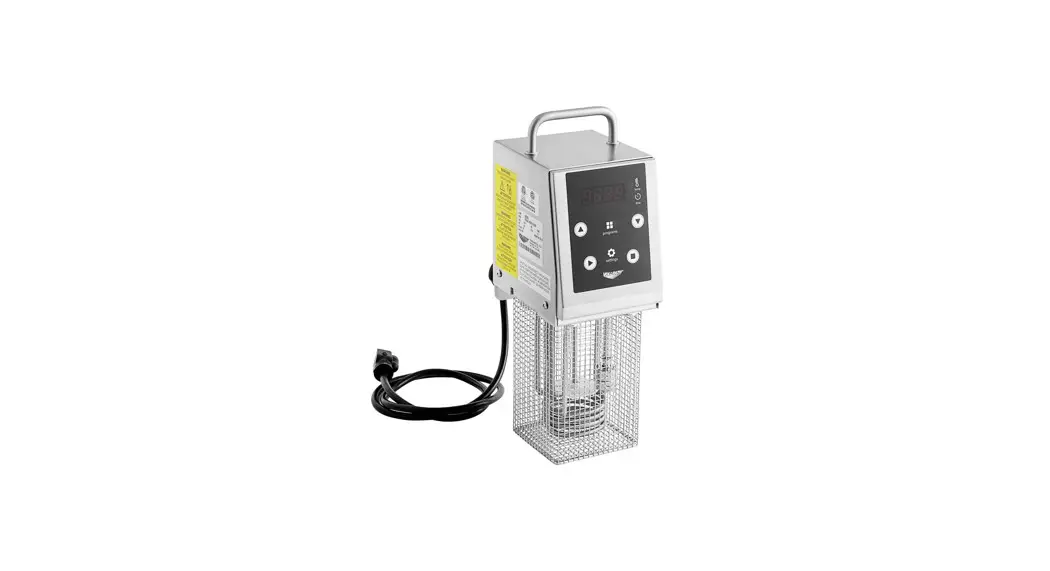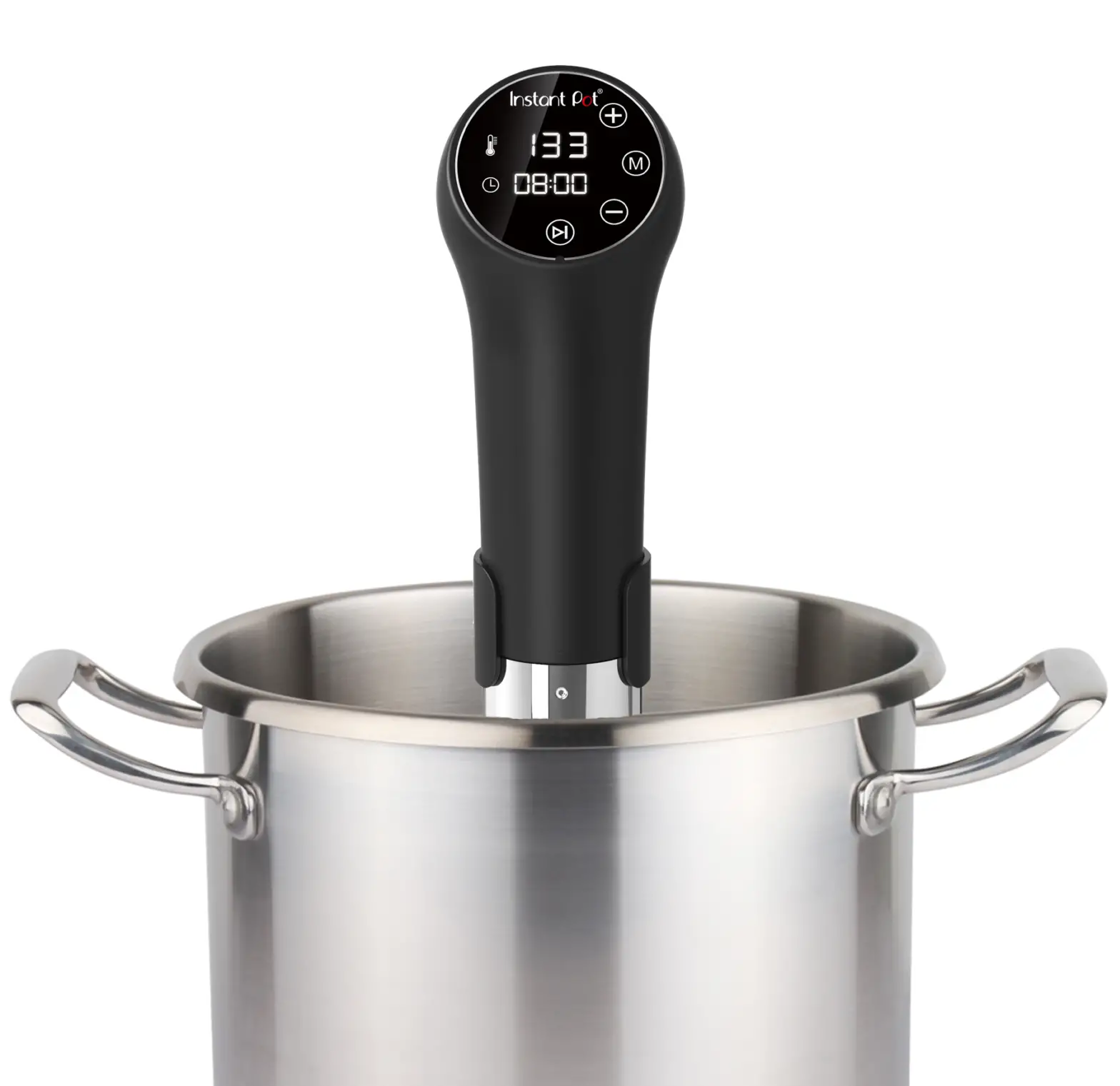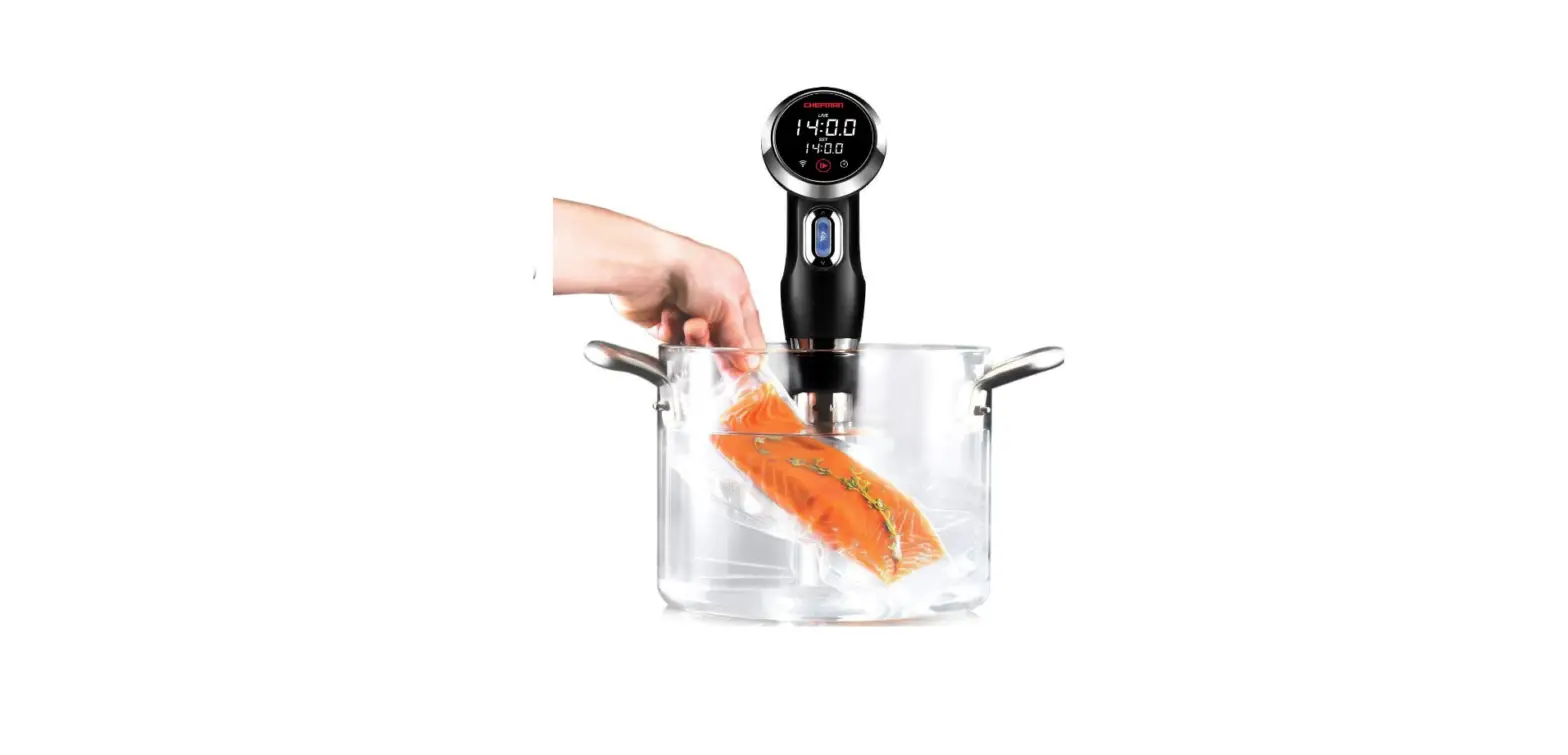
 ESVI-1800 ELECTRIC HEAVY-DUTY MMERSION CIRCULATOR
Installation and Operating Instruction Manual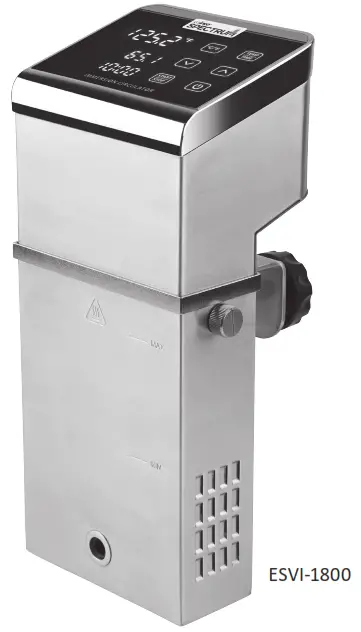

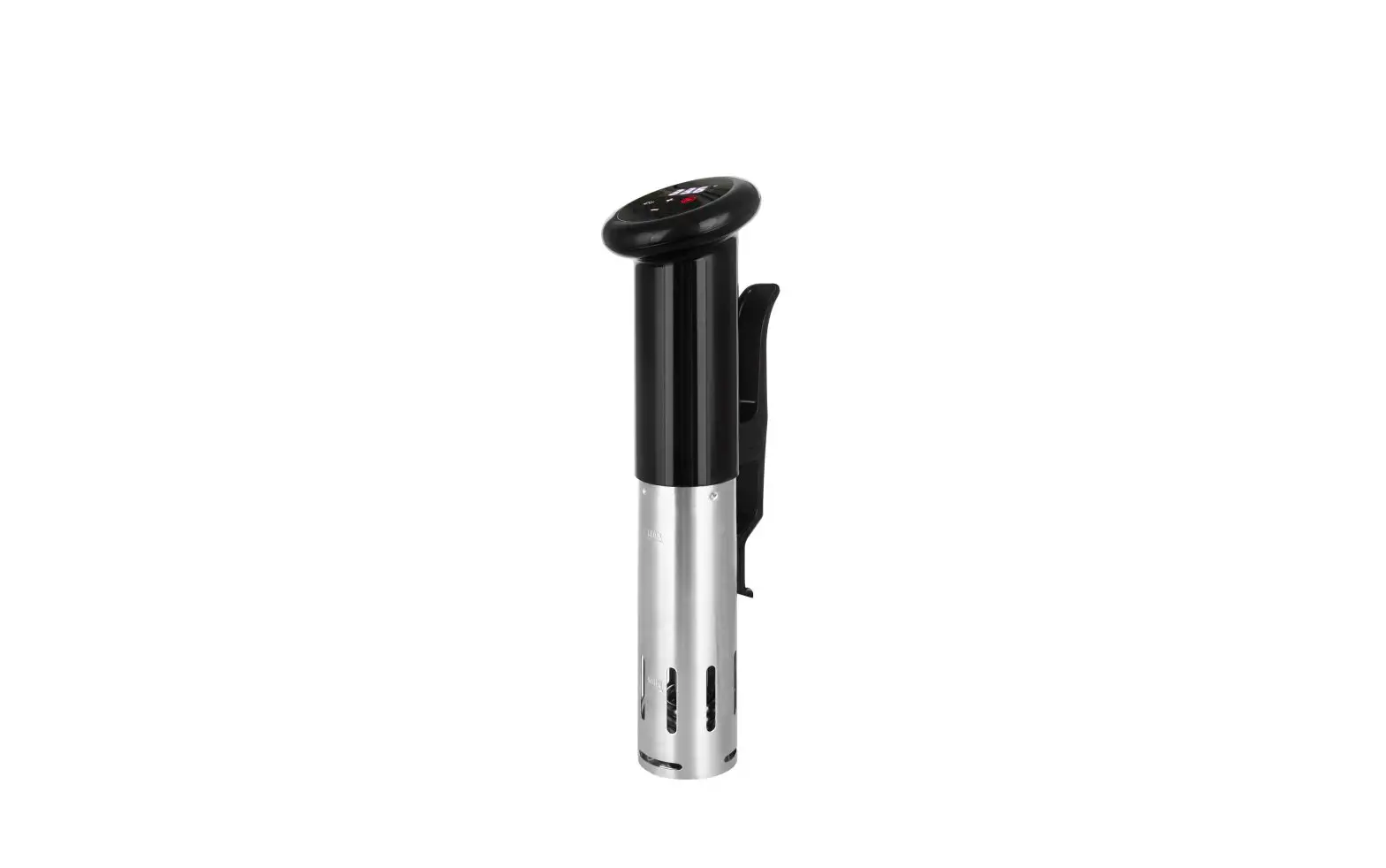
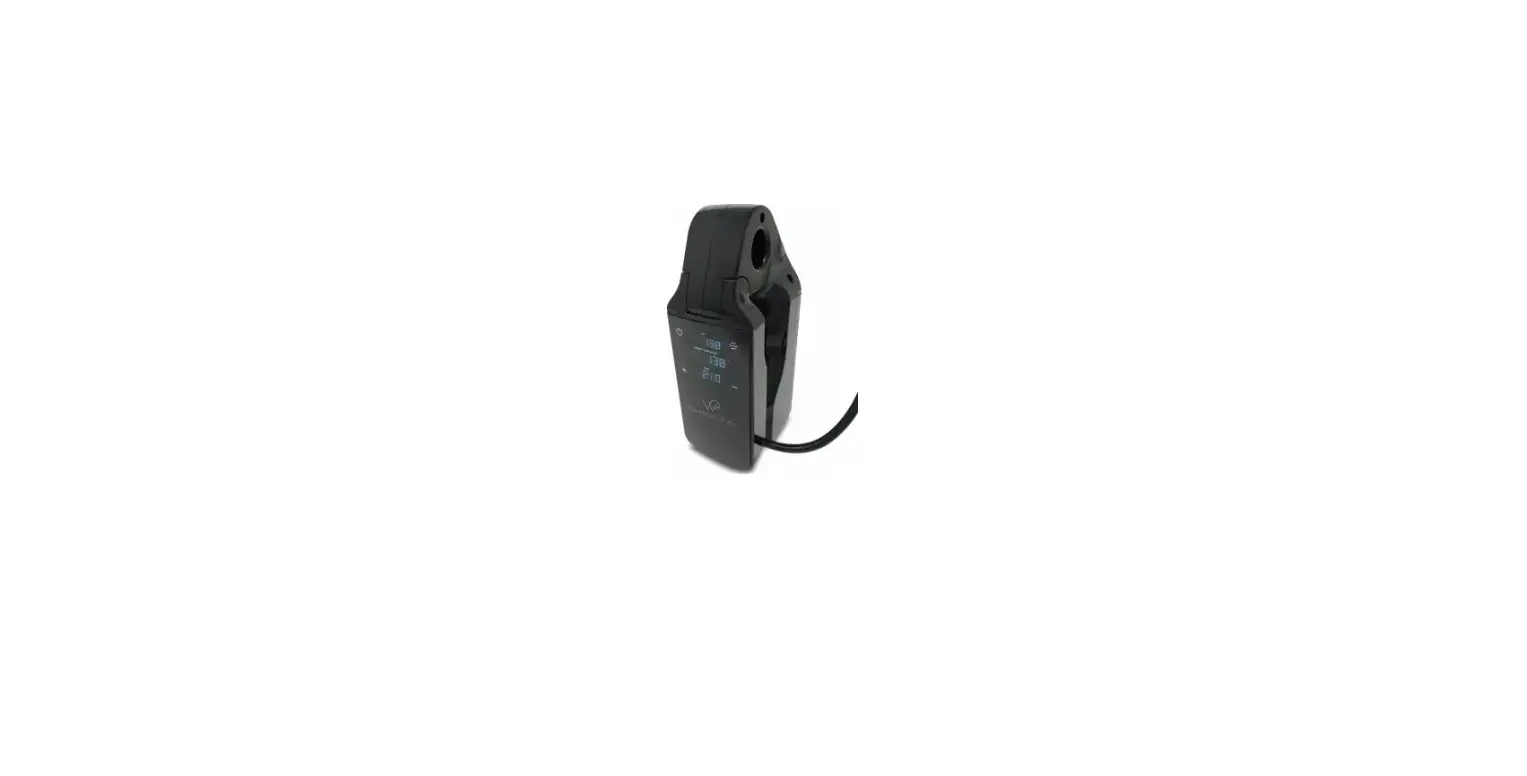
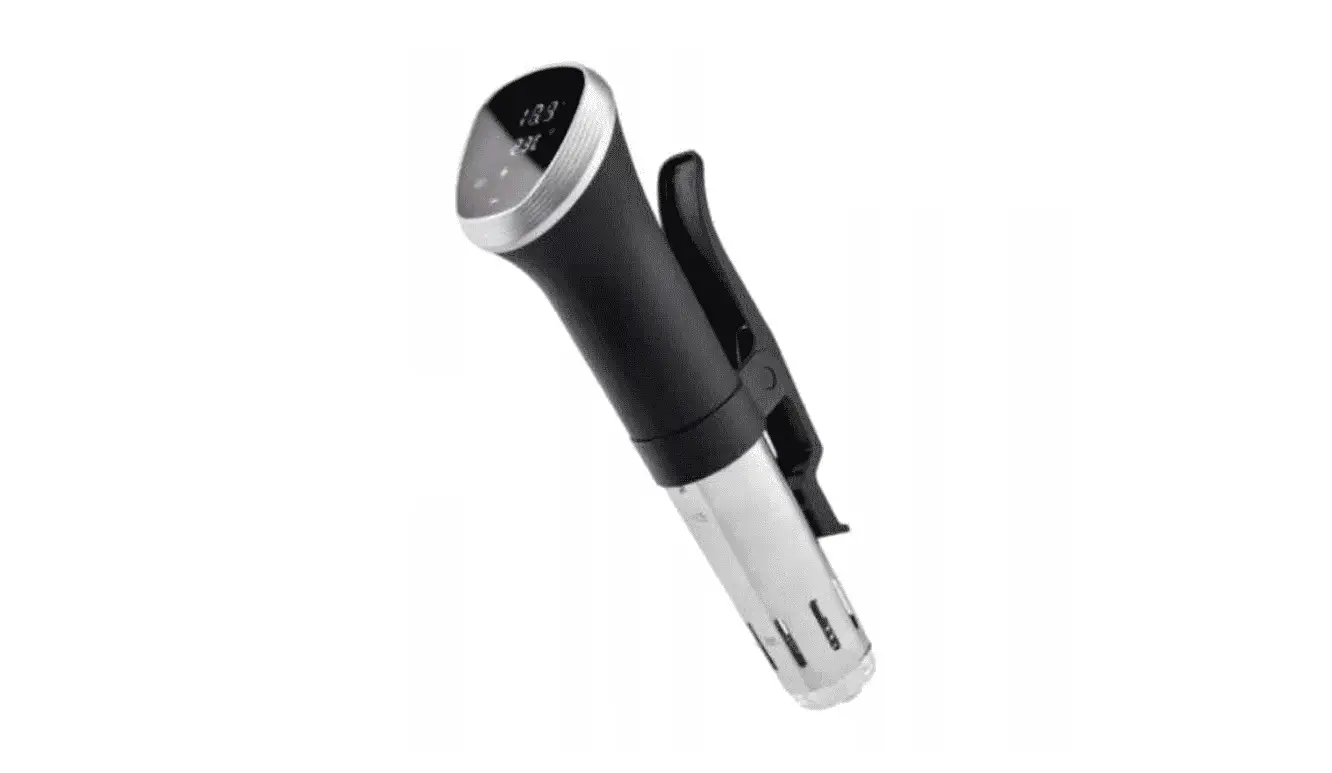
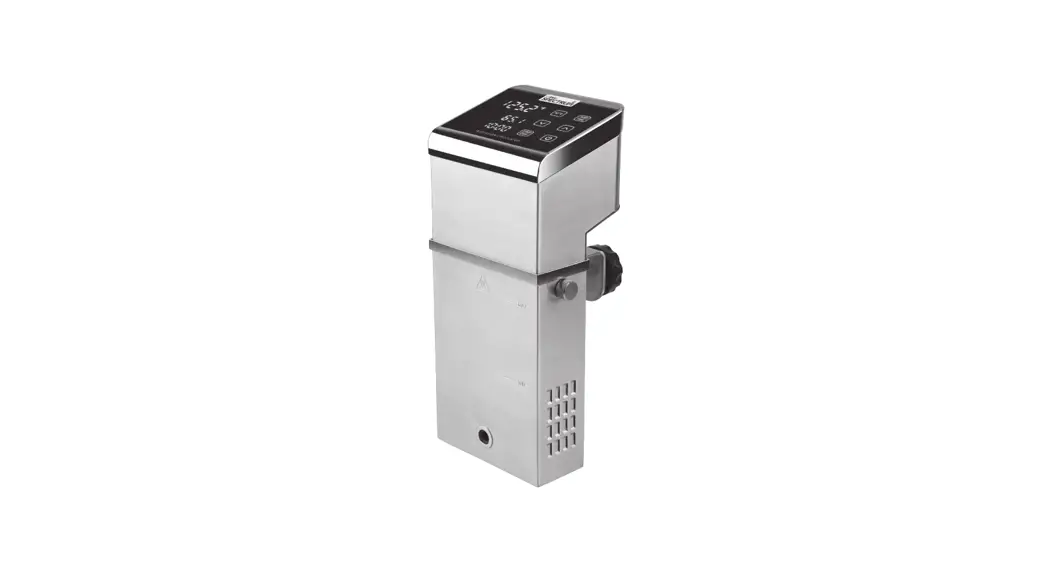
ESVI-1800 Heavy-Duty Immersion Circulator
Optional Accessories
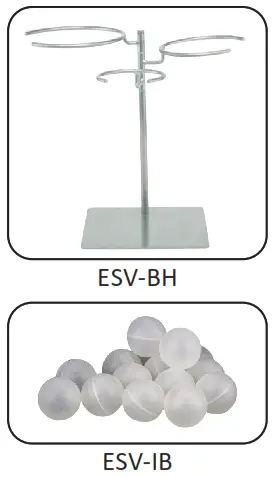 ESV-BH: Multi Ring Bag Stand
ESV-IB: Sous Vide Insulation Balls
For California Customers WARNING: Cancer and Reproductive Harm – www.P65Warnings.ca.gov
| Model | Voltage | Power | Amperage | Plug Type | Overall Dimensions | Product Weight | ||
| Length | Depth | Height | ||||||
| ESVI-1800 | 110-120V~60Hz | 1800W | 15A | NEMA 5-15P | 8-7/8″ (174mm) | 4-1/2″ (112mm) | 13″ (328mm) | 6.8 lbs (3.1 kgs) |
| *NEMA 5-20P (Canada) | ||||||||
* For Canada optional NEMA 5-20P cord and plug is required (Item No. ESVC-P17)
BEFORE OPERATING ANY EQUIPMENT, READ AND FAMILIARIZE YOURSELF WITH THESE USE AND SAFETY INSTRUCTIONS
Congratulations on your purchase of this SPECTRUM commercial equipment. When used as intended, and with proper care and maintenance, you are sure to experience years of reliable operation from this equipment. To ensure best results, it is important that you read and follow the instructions in this manual carefully. It is important to keep these instructions in a safe place for future reference.
Important For Future Reference
Please complete this information and retain this manual for the life of the equipment. For Warranty Service and/or parts, this information is required.
Model Number: ——————————–
Serial Number: ——————————–
Date Purchased: ——————————- WARNING: IMPROPER INSTALLATION, ADJUSTMENT, ALTERATION, SERVICE OR MAINTENANCE CAN CAUSE PROPERTY DAMAGE, INJURY, OR DEATH. READ THE INSTALLATION, OPERATION, AND MAINTENANCE INSTRUCTIONS THOROUGHLY BEFORE INSTALLING OR SERVICING THIS EQUIPMENT.CAUTION: THESE MODELS ARE DESIGNED, BUILT, AND SOLD FOR COMMERCIAL USE ONLY. IF THESE MODELS ARE POSITIONED SO THE GENERAL PUBLIC CAN USE THE EQUIPMENT, MAKE SURE THAT CAUTION SIGNS, WARNINGS, AND OPERATING INSTRUCTIONS ARE CLEARLY POSTED NEAR EACH UNIT SO THAT ANYONE USING THE EQUIPMENT WILL USE IT CORRECTLY AND NOT INJURE THEMSELVES OR HARM THE EQUIPMENT.WARNING: A FACTORY AUTHORIZED SERVICE PROVIDER SHOULD HANDLE ALL MAINTENANCE AND REPAIR. BEFORE DOING ANY MAINTENANCE OR REPAIR, FOLLOW SERVICE SET UP ARRANGEMENTON PAGE 11.
Introduction
Congratulations on the purchase of your SPECTRUM™ Commercial Equipment. Please take time to carefully read through this manual to ensure the machine is operated and maintained properly, to ensure the best possible performance from the product for many years.
SPECTRUM will not accept liability for the following if:
- The instructions in this manual have not been followed correctly.
- Non-authorized personnel have tampered with the machine.
- Non-original spare parts are used.
- The machine has not been handled and cleaned correctly.
- There is any use damage to the unit.
Immediately Inspect for Shipping Damage
All containers should be examined for damage before and during unloading. The freight carrier has assumed responsibility for its safe transit and delivery. If equipment is received damaged, either apparent or concealed, a claim must be made with the delivering carrier.
A. Apparent damage or loss must be noted on the freight bill at the time of delivery. It must then be signed by the carrier representative (Driver). If this is not done, the carrier may refuse the claim. The carrier can supply the necessary forms.
B. If concealed damage or loss is not apparent until after equipment is uncrated, a request for inspection must be made to the carrier within 15 days. The carrier should arrange an inspection. Be certain to keep all contents and packaging material.
Package Contents
All units come with an Operating Instruction Manual and the following:
- (1) SPECTRUM™ Commercial Immersion Circulator
WINCO prides itself on quality and service, ensuring that at the time of packing, all products are supplied fully functional and free of damage. Should you find any damage as a result of freight, please contact your WINCO dealer immediately.
Unpacking the Equipment
DISPOSE OF ALL PACKAGING MATERIALS IN AN ENVIRONMENTALLY RESPONSIBLE MANNER.
- Remove all packing materials and tape, as well as any protective plastic and cardboard, from the unit.
- Clean any glue residue left over from the plastic or tape.
- Place the unit in the desired position and height.
Thoroughly read, understand, and follow these instructions before installation and use.
Please keep this manual in a safe place for future use!
NOTE
Please remember that this manual and the warning labels do not replace the need to be alert, to properly train and supervise operators, and to use common sense when using this equipment.
Installation
These instructions should be followed at all times. Failure to follow these instructions could result in injury to yourself and others.
TO REDUCE RISK OF INJURY OR DAMAGE TO THE UNIT:
Read this manual thoroughly before installation and operation. DO NOT proceed with installation and operation if you have any questions or do not understand anything in this manual. Contact your representative or the manufacturer first.
- Remove the SPECTRUM™ Commercial Immersion Circulator from packaging. Be certain that all protectives plastics and residues are thoroughly cleaned from its surfaces.
- Select water bath container (not included) that is rated for temperatures of 212°F(100°C), and please ensure the water level is between the minimum and maximum water level after food product displacement.
- Place water bath container on a firm level surface.
- Hang the Immersion Circulator into water bath container and tighten the Clamp Handle to secure in place.
- Proper connections and power supply are essential for efficient performance. Supply the appropriate power and connect to source; your Immersion Circulator is now ready to turn on and operate. (For power supply please see technical specification on page 1).
 WARNING
 Fire Hazard.
Correct installation precautions, procedures and regulations must be followed. Operation and safety training is necessary for all users of this equipment.
The equipment must be installed by qualified personnel only. Correct installation precautions, procedures and regulations must be followed in order to reduce the risk of fire. Hood and fire suppression systems must be maintained per manufacturer’s guidelines. Only qualified and trained personnel are to use this equipment.CAUTION
Do not position or operate near combustible materials/flammable objects. - The units are wired to be used with a dedicated 110-120V/AC ~ 15 amp receptacle.
- The installation of the unit must conform to the NATIONAL ELECTRIC CODE, ALL LOCAL ELECTRIC CODES AND ORDINANCES, AND ALL THE LOCAL ELECTRICAL COMPANY RULES AND REGULATIONS. Additionally, we recommend a 4″ spacing surrounding the unit in order to provide adequate ventilation.WARNING
 Electrical Shock Hazard
Keep water and other liquids from entering the inside of the unit. Liquid inside the unit could cause an electrical shock.
Do not spray water or cleaning products. Liquid could contact the electrical components and cause a short circuit or an electrical shock. Do not use unit if power cord is damaged or has been modified.
 Fire Hazard.
Proper Grounding
This machine is provided with a three-pronged grounding plug. The outlet to which this plug is connected must be properly grounded. If the receptacle is not the proper grounding type, contact an electrician. DO NOT, under any circumstances, cut or remove the third ground prong from the power cord or use any adapter plug.
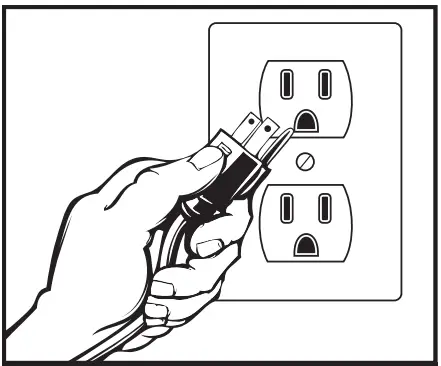 USE A GROUNDED OUTLET DO NOT ADD AN ADAPTOR TO THE PLUG
Operation
Using the control panel
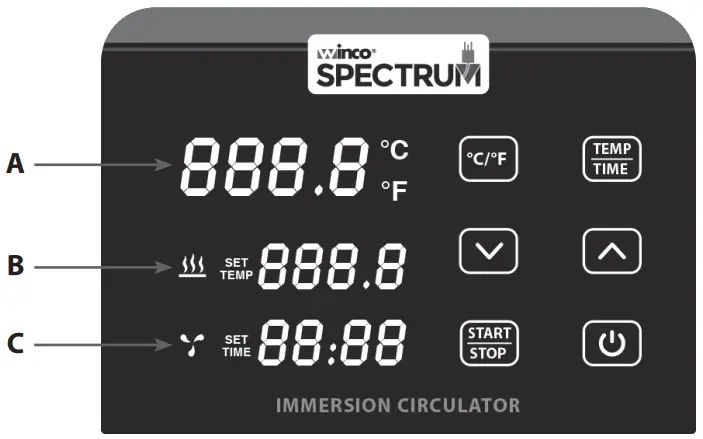
A. Current Temperature Display Screen
B. Set Temperature Display Screen
C. Time Display Screen – Power
- When the power is turned on, the machine enters the power saving mode. In the power saving mode, press
 button to wake up the machine and enter standby mode.
In standby mode, (A) displays current water temperature, (B) displays the previous set temperature, and (C) displays the last set time. - In standby mode and working mode, press button to enter the power saving mode.
(°C / °F) – Select temperature mode
- Select Celsius or Fahrenheit temperature unit to display on machine.
Temperature/Time Setting
- Press TEMP/TIME button to toggle between temperature or time setting.
- On display screen when (B) is flashing, set the desired temperature with ”
 ” and ”
  “.
“. - On display screen when (C) is flashing, the desired time can be set with ” ” and ” “.
- After the display screen flashes 10 times, if there is no setting operation, the machine will exit the temperature/time setting state. If you need to reset it, press TEMP/TIME button again to enter the setting state.
- Press and hold the TEMP/TIME button for about 3 seconds, the display screen displays the time and temperature that have been set.
(START/STOP)
- In standby mode, press START/STOP button to start the machine.
- Press START/STOP button a second time to start the timer.
- Press START/STOP button a third time to stop the machine stop and enter standby mode.
(  ) and (
  ) – Adjustment buttons
- Press TEMP/TIME button to select the desired (temperature or time) to be adjusted, then use the ” ” and ” ” buttons to adjust to the desired temperature or time.
Restore to factory setting
- In standby mode, press both START/STOP and ” ” buttons and hold for 3 seconds until the (B) display screen will read 60°C and the (C) display screen will set time to 24:00. Let go of both buttons and the display screen will flash 10 times and exit the setting.
Operating the Immersion CirculatorWARNING Burn Hazard.
When in operation, the surface of the Immersion Circulator will be hot.
Please take extreme caution.
Burn Hazard.
Do not directly touch the liquid to check temperature, please use temperature display or thermometer.
Please take extreme caution.
USE CAUTION WHEN TOUCHING THE UNIT.
- Place the water bath container on a sturdy level surface.
- Hang the Immersion Circulator on the side of the Thermal Circulator.
NOTE: The machine body should be immersed in the water and the fastening hook should be facing away from the water. - Add water to the water bath container.
NOTE: The water level (after the food is put in) should be higher than the “MIN” but lower than the “MAX” markings. Adjust depth of circulator as required.
NOTE: After filling water bath container, shake the immersion circulator gently a few times to release any air in the pump. Air-locked pumps will make a high decibel noise and running with out pumping water may cause damage to the pump. - Tighten the locking screw on hook to the water bath.
- Insert the power cord into the socket with grounding.
- Press button to put the machine into standby mode.
- Press TEMP/TIME button and set to desired temperature and time.
- Place the food into the water bath.
NOTE:
FOOD MUST BE VACUUM SEALED OR IN AIR TIGHT MANUALLY SEALED BAGS. - Press the START/STOP button to start. When the temperature reaches the set temperature, the machine will beep, then press START/STOP button, machine will count down.
NOTE: During working mode, press START/STOP button to PAUSE. Press again to restart – the working time will recount from the beginning.
NOTE: If the vacuum-sealed bag breaks during cooking, the food may escape the bag and block the circulating channel of the machine. In this case, please remove the food from the tank and change to new water. Clean the filter if it is blocked. - After cooking is complete, the unit will beep. Press START/STOP to finish.
NOTE: The unit will beep after 20 seconds and repeat if there is no action, and the water temperature will be kept in the preset temperature. - Remove the food out of the water bath and food is ready for final preparations.
- After using the Immersion Circulator, unplug the power supply and take the unit out of the water bath.
- Place the Immersion Circulator upright vertically. Do not lay on its side or upside down to avoid liquids from flowing back into the unit.
- After the machine is dried and cooled down, store in a safe place.
Cooking Chart Guide
This table is only meant to serve as a guideline. Temperatures should be adjusted to your preference of doneness.
Cooking time should be adjusted to initial temperature, heat transfer characteristics, and thickness of food being cooked.
| Temperature | Thickness | Time to core Temperature | Time (Pasteurized to Core) | |
| CUSTARD | ||||
| Créme Anglaise | 179.6°F / 82°C | 20 min | ||
| BEEF | ||||
| Tenderloin | 138°F / 59°C | 2″ | 1 hour, 58 min | 5 hours, 35 min |
| Rib Eye Steak | 138°F / 59°C | 1-1/2″ | 1 hour, 58 min | 3 hours, 20 min |
| Strip Steak | 138°F / 59°C | 1-1/2″ | 1 hour, 58 min | 3 hours, 20 min |
| Porterhouse Steak | 138°F / 59°C | 1-1/2″ | 1 hour, 58 min | 3 hours, 20 min |
| Brisket | 147°F / 64°C | 48 hours | 3 hours, 21 min | |
| Veal Shank | 167°F / 75°C | 12-24 hours | 9 hours, 3 min | |
| LAMB | ||||
| Lamb Saddle | 138°F / 59°C | 2-1/2″ | 2 hours, 16 min | 3 hours, 51 min |
| PORK | ||||
| Pork Chop | 145°F / 63°C | 1-3/4″ | 1 hour, 45 min | 4 hours, 2 min |
| Ribs | 140°F / 60°C | 24-48 hours | 1 hour, 6 min | |
| POULTRY | ||||
| Chicken Breast | 150°F / 65°C | 1″ | 47 min | 1 hour, 36 min |
| Duck Breast | 135°F / 57°C | 1″ | 60 min | 2 hours, 41 min |
| Chicken Thighs | 150°F / 65°C | 1-1/2″ | 1 hour, 20 min | 3 hours, 3 min |
| Foie Gras | 147°F / 64°C | 2″ | 2 hours, 16 min | 5 hours, 9 min |
| FISH | ||||
| Salmon Filet | 130°F / 54.4°C | 1″ | 1 hour, 39 min | 5 hours, 31 min |
| Cod Filet | 129°F / 54°C | 1″ | 1 hour, 39 min | 3 hours, 47 min |
| Halibut | 129°F / 54°C | 1″ | 1 hour, 39 min | 3 hours, 47 min |
| SHELLFISH | ||||
| Shrimp/Prawns | 135°F / 57°C | 1″ | 43 min | 5 hours, 21 min |
| Lobster | 145°F / 63°C | 1″ | 15 min | 5 hours, 5 min |
| Scallops | 135°F / 57°C | 1-1/2″ | 1 hour, 8 min | 2 hours, 29 min |
| VEGTABLES | ||||
| Root-Whole (Beets, Carrots, Potatoes, etc.) | 190°F / 88°C | 60 min | ||
| Root-Cut (Beets, Carrots, Potatoes, etc.) | 185°F / 85°C | 30-40 min | ||
| Bulb-Whole (Onions, Shallots, etc.) | 194°F / 90°C | 85 min | ||
| Squash-Cut | 185°F / 85°C | 30 min | ||
| Artichoke Hearts | 194°F / 90°C | 60-75 min | ||
| FRUIT | ||||
| Peach Wedges | 190°F / 88°C | 16 min | ||
| Pear Wedges | 190°F / 88°C | 60 min | ||
| Apple Slicers | 190°F / 88°C | 40 min | ||
| EGGS IN SHELL | ||||
| Soft Poached Egg | 143°F / 62°C | 57 min | 44 min | |
NOTE: Times shown in this table are to achieve the absolute specified core temperature. Cook times can be reduced significantly by adding 1° to the water bath temperature. The closer the bath temperature is to the core temperature, the longer the cooking time with be.
Raw or unpasteurized food must be never served to individuals with a weakened immune system, children, older adults and those that may be pregnant, as there is higher risk for serious illness.
NOTE: For most accurate temperature control, be sure to place lid or Sous Vide Insulation Balls (ESV-IB, sold separately) on the vessel when in use.
Care & Maintenance
To maintain the appearance and increase the service life, clean your unit. Tap-water contains minerals. When the water is heated to a certain temperature, there will be scale on the heater or surface of the unit. The SPECTRUM™ Immersion Circulator should be cleaned after after every 20 uses or after 100 hours of work time; however, the unit may require more frequent cleaning, depending on the volume of production or due to water in your area.
We suggest changing the water after each use and fill with new water before each use. Reusing old water will cause the mineral in the water to scale on unit components, thus affecting the performance of the unit.
Allow unit to cool to room temperature between water changes and uses. Placing a hot unit into cold water may cause damage and effect the performance of the unit.
Should reduced circulation discharge capacity be experienced, components have become dirty, please disassemble the stainless steel housing to clean inner components.
Cleaning Inner Components
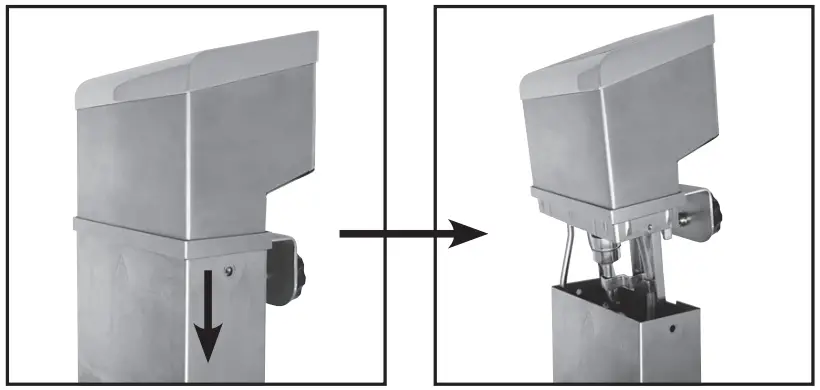
- Switch power off, disconnect from the outlet, and let the unit cool down to room temperature before cleaning.
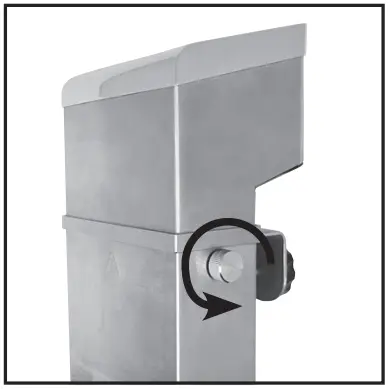
- Remove the fixing screws on each side of the unit.

- Slide down the stainless steel housing.

- Clean inner components with soft wet cloth.
- Let dry and assemble parts back together.
- Store the assembled machine properly for the next use
Cleaning (with Water Bath)
- The Immersion Circulator should be cleaned after 20 uses or after 100 hours, however your unit may need more depending on volume of production.
- Place the Immersion Circulator into the container.
NOTE: Make sure the container is over 7″(180mm) high. - Combine 50/50 mixture of white vinegar and water, and fill container to the “MAX” line.
ATTENTION: If vinegar comes in contact with eyes, rinse with lots of water. See a doctor if needed. - Turn on the machine. Set the working temperature to 176°F (80°C), and working time to 3 hours (03:00). Then press START/STOP. After 3 hours, the machine will beep, then press START/STOP to stop machine, turn off the machine, and unplug and cool down the machine.
- Remove the lower casing of machine (remove the quick-release screws and pull out the lower casing), use the clean water to clean the heater and other components as well as lower casing, so as to better clean the softened scale.
Note: Please ensure the power is disconnected and the machine cools down before disassembling and cleaning. - After cleaning, dry the machine and casing, then re-install the lower casing.
- QUICK CLEAN PROGRAM: Press “SET” and ” ” at the same time for 3 seconds, the machine will go into clean program. The set temperature will be 176°F (80°C) and work time for 3:00. Then press “Start/Stop”, machine will start to clean. (Press “ ” immediately all the time when machine power on, there will display the total working hours before cleaning, release will be out of the view mode.)
- Check if the machine is clean. If not, add vinegar to the container and run the machine again as stated in the above steps. If the machine is clean, drain the water and vinegar from the container. Wash the machine and container with fresh water, then dry them and store them well.
Note: The Immersion Circulator should be placed upright after cleaning. DO NOT lay on its side or upside down.
Safety
SAFETY PRECAUTIONS
Before installing and operating this equipment be sure everyone involved in its operation are fully trained and aware of all precautions. Accidents and problems can result from a failure to follow fundamental rules and precautions.
- A WINCO® Approved Recommended Qualified Service Technician should carry out repairs if necessary. Do not remove any components or service panels on this product.
- Allow the Immersion Circulator to cool down after use before dismantling for cleaning; the unit will be too hot to handle immediately after use.
- Before cleaning, switch off power and disconnect power cord from the outlet.
- Do not immerse unit in water or use hose to clean.
- If the power cord is damaged, it must be replaced by a WINCO® Approved Recommended Qualified Service Technician in order to avoid a hazard.
WARNINGBurn Hazard.
When in operation, the surface of the Immersion Circulator will be hot.
Please take extreme caution.
USE CAUTION WHEN TOUCHING THE UNIT.WARNING Electrical Shock Hazard
Keep water and other liquids from entering the inside of the unit. Liquid inside the unit could cause an electrical shock.
Do not spray water or cleaning products. Liquid could contact the electrical components and cause a short circuit or an electrical shock. Do not use unit if power cord is damaged or has been modified.
Electrical Circuit Diagram
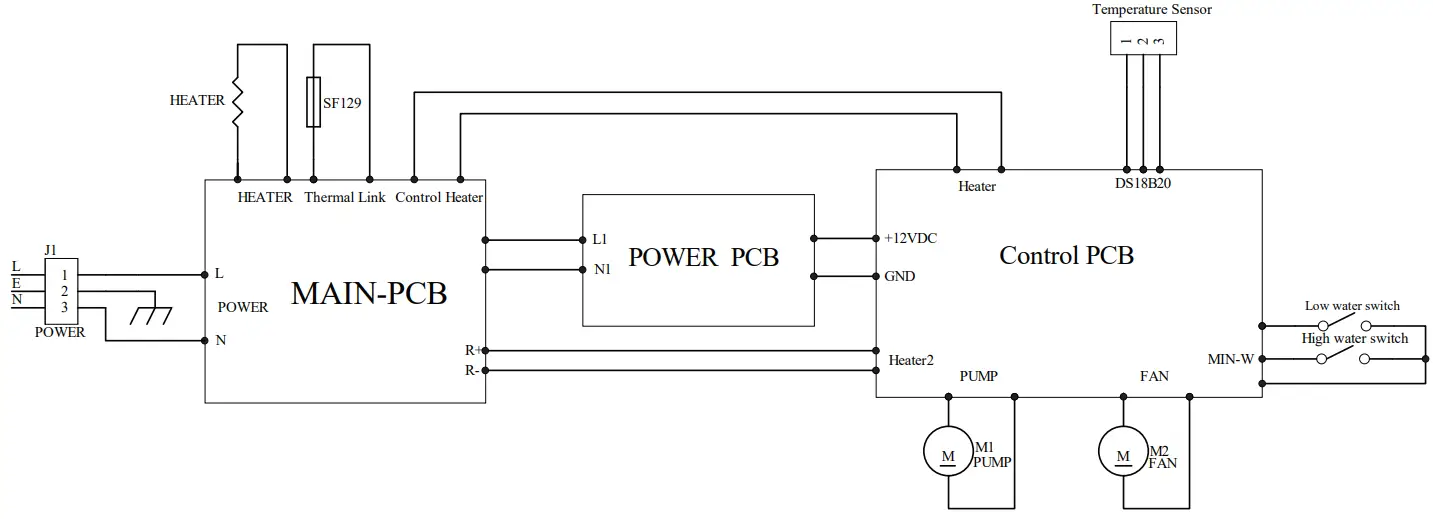
This circuit diagram has been provided to assist qualified electricians; only SPECTRUM™ service agents or qualified electricians should carry out repairs if required.
Do not remove any components or service panels on this product.
Troubleshooting
If your SPECTRUM™ Immersion Circulator does not operate, please check the following before placing a service call:
| ISSUE | MIGHT BE CAUSE BY | RECOMMENDED SOLUTION |
| The unit is not working and the display is not on | Lack of power | Check main power supply |
| Power switch has not been turned on | Check that unit is correctly plugged in and turned on | |
| Wrong operating procedure | Refer to operating instructions | |
| Plug and lead are damaged | Replace damaged power cable – Replacement must be done by an authorized service provider | |
| Internal wiring is faulty | Call WINCO to make service arrangements through its Service Provider Network | |
| Water temperature does not increase | The set temperature is below or close to the water temperature | Check the setting. |
| Set heating time is too short | Extend the heating time. | |
| Water continues to heat after the set temperature is reached. | Program is wrong | Restart the power switch. |
| Temperature sensor is faulty | Replace faulty sensor – Replacement must be done by an authorized service provider | |
| The circulating pump is not running | Remove power from the unit. Leave the unit off for 2 minutes before resetting power. | |
| E01 appears on the display screen | Water level is below the minimum water level line | Add water to the cooking tank so that the water level exceeds the minimum water level. |
| Machine is not in water | Place the machine into water and restart the power. | |
| E02 appears on the display screen | Heating element is faulty | Call WINCO to make service arrangements through its Service Provider Network |
| Internal wiring is faulty | ||
| Temperature sensor is faulty | Replace faulty sensor – Replacement must be done by an authorized service provider | |
| Unit powers on, but no display. | Display malfunction | Remove power from the unit. Leave the unit off for 2 minutes before resetting power. |
| High decibel noise from the pump | Air is inside the pump | After filling water into the tank, shake the machine for a few seconds to discharge the air out of the impeller of the pump. |
| Debris is inside the pump | Clean the machine and pump according to instruction manual (Or call WINCO to make service arrangements through its Service Provider Network) | |
| Water level is not enough to reach the pump | Increase water level |
Service and Repair
THIS EQUIPMENT MUST ONLY BE SERVICED BY AN AUTHORIZED AGENT.
NOTE
Parts protected by the manufacturer or its agent are not to be adjusted by the installer unless the installer is an authorized service agent.
If you have any questions or problems DO NOT send unit to WINCO® without first contacting our customer service department.
See “Limited Warranty” section on page 12 for details.
Exploded Views
MODEL: ESVI-1800
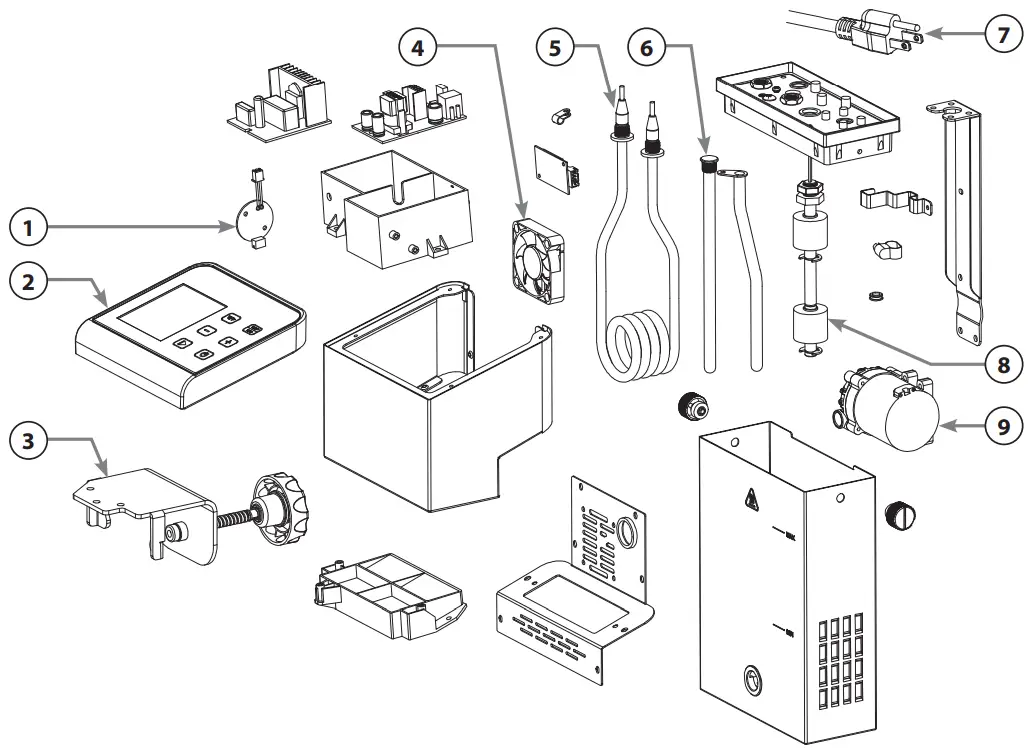
Parts List
MODEL: ESVI-1800
| # | Description | Part # |
| 1 | Pump AC/DC Converter | ESVI-P15 |
| 2 | Control Panel Assembly | ESVI-P16 |
| 3 | Fastening Plate and Screw | ESVI-P17 |
| 4 | Fan | ESVI-P18 |
| 5 | Heating Element | ESVI-P19 |
| 6 | Temperature Sensor | ESVI-P20 |
| 7 | Optional NEMA 5-20P Cord & Plug (Canada) | E S VC- P17 |
| 8 | Float Switch | ESVI-P21 |
| 9 | Pump | ESVI-P22 |
| C14 Connector | EGD-MP14 |
Please contact factory for special order parts not listed.
Limited Warranty
WINCO® warrants to the original purchaser of new equipment that said equipment, when installed in accordance with our instructions within North America and subjected to normal use, is free from defects in material or workmanship for a period of 1 year. The labor warranty is one year from original installation or 18 months from actual factory shipment date, whichever date occurs first.
THIS WARRANTY IS IN LIEU OF ALL OTHER WARRANTIES, WHETHER EXPRESSED OR IMPLIED. WINCO EXPRESSLY DISCLAIMS ANY IMPLIED WARRANTY OF MERCHANTABILITY OR EXPRESSED OR IMPLIED WARRANTY OF FITNESS FOR A PARTICULAR PURPOSE.
WINCO’S OBLIGATION AND LIABILITY UNDER THIS WARRANTY IS EXPRESSLY LIMITED TO REPAIRING AND REPLACING EQUIPMENT THAT PROVES TO BE DEFECTIVE IN MATERIAL OR WORKMANSHIP WITHIN THE APPLICABLE WARRANTY PERIOD.
IN NO EVENT SHALL WINCO BE LIABLE FOR INCIDENTAL OR CONSEQUENTIAL DAMAGES TO BUYER OR ANY THIRD PARTY, INCLUDING, WITHOUT LIMITATION, LOSS OF PROPERTY, PERSONAL INJURY, LOSS OF BUSINESS OR PROFITS OR OTHER ECONOMIC LOSSES, OR STATUTORY OR EXEMPLARY DAMAGES, WHETHER IN NEGLIGENCE, WARRANTY, STRICT LIABILITY, OR OTHERWISE.
This warranty is given only to the first purchaser from a retail dealer. No warranty is given to subsequent transferees.
Warranty does not cover product failures caused by: failure to maintain, neglect, abuse, damage due to excess water, fire, normal wear, improper set up and use. Periodic maintenance is not covered.
This warranty is not in force until such time as a properly completed and digitally signed Installation/Warranty Registration has been received by WINCO within 30 days from the date of installation.
WARRANTY SERVICE
DO NOT send unit to WINCO® without first contacting our customer service department: 973-295-3899.
To initiate warranty service please visit our online portal: https://www.wincous.com/contact-us/product-technical-support
SCAN FOR ONLINE PORTAL
If having trouble or unable to scan, enter the web address listed above to access the online portal.

Please provide or have the following information available:
- Contact Name, E-mail, and Phone Number
- Company/Organization Name
- Model Number and Serial Number
- Pictures or Supporting Documentation
Proof of purchase is required to extend warranty more than 1 year from date of shipment from the factory.
THE FOREGOING WARRANTY PROVISIONS ARE A COMPLETE AND EXCLUSIVE STATEMENT BETWEEN THE BUYER AND SELLER. WINCO® NEITHER ASSUMES NOR AUTHORIZES ANY PERSONS TO ASSUME FOR IT ANY OTHER OBLIGATION OR LIABILITY IN CONNECTION WITH SAID EQUIPMENT.
Examples of items not covered under warranty, but not limited to just these items:
- Natural disasters (ie: earthquakes, tornadoes, hurricanes, etc.), fire, water damage, burglary, accident, theft.
- Freight damage.
- Improper installation or alteration of equipment.
- Use of generic or after-market parts.
- Repairs made by anyone other than a WINCO® designated service provider.
- Lubrication.
- Expendable wear parts, adjustable feet, blown fuses, lamps, etc.
- Normal product maintenance.
- Misuse or abuse.
- Normal wear and tear items such as light bulbs, fuses, and exterior finishes.
Warranty voided if:
- Product is altered by user
- Serial number plate is removed
- Product is installed in a prison or any correctional facility.
Form No. ESVI-1800 Manual – 11/22
 P65Warnings.ca.gov
 Equipment Warranty & Service Technical Support | Winco