
so lite Portable Lift
PRODUCT MANUAL
Before using this product, the user is directed to read the instructions carefully and pay special attention to the designated ※ sections to ensure correct operation.
INTRODUCTION AND NOTES
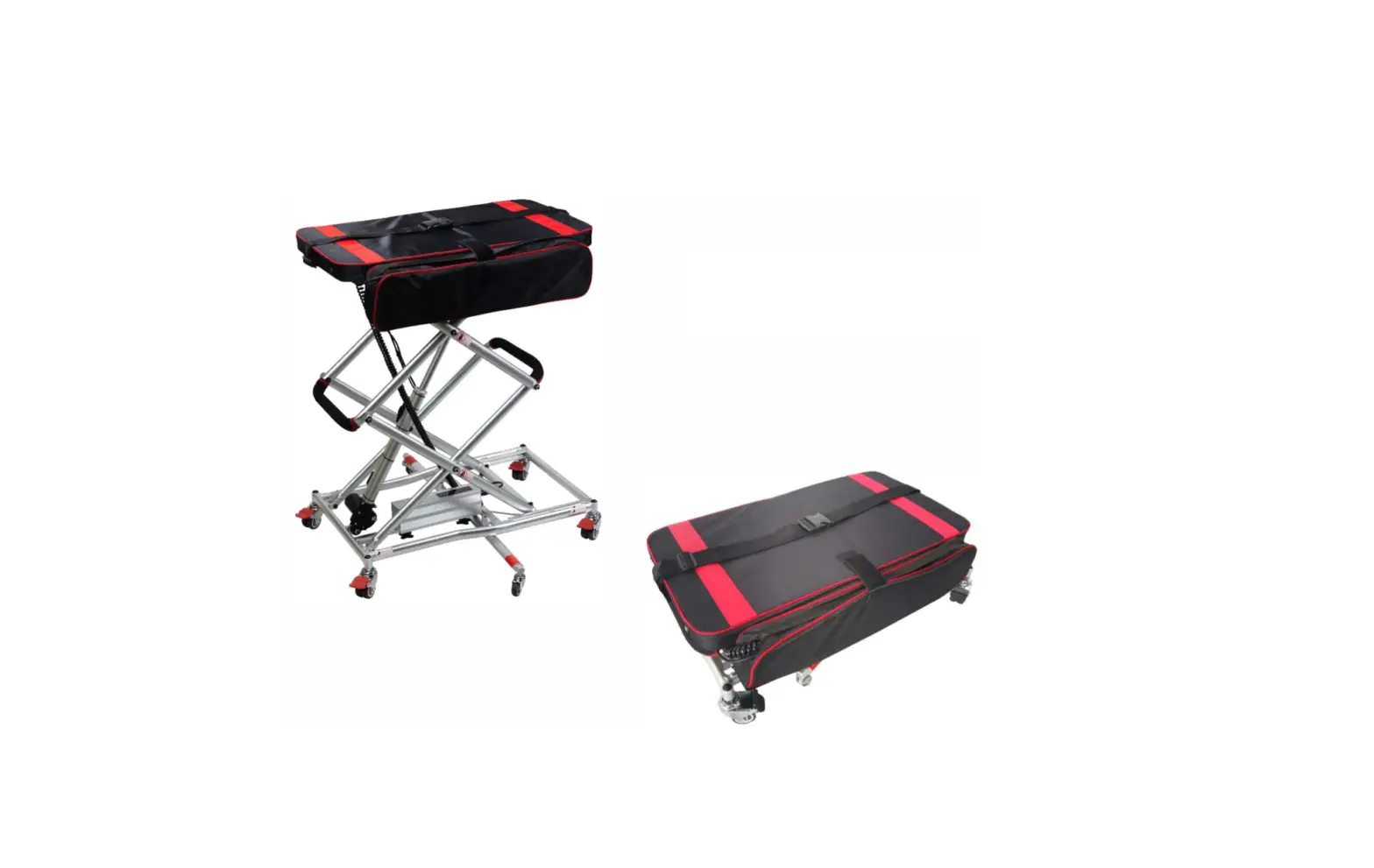
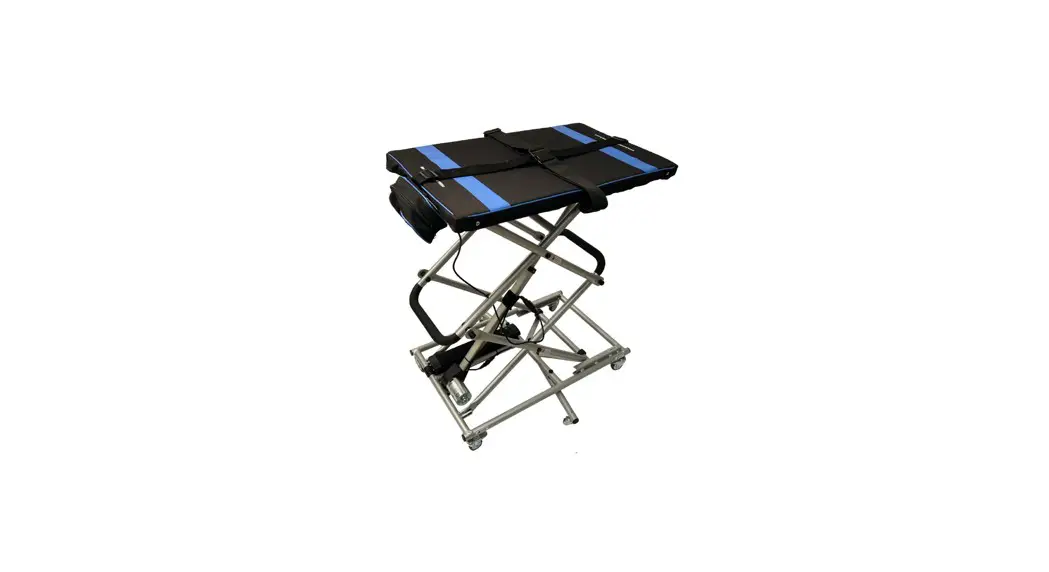
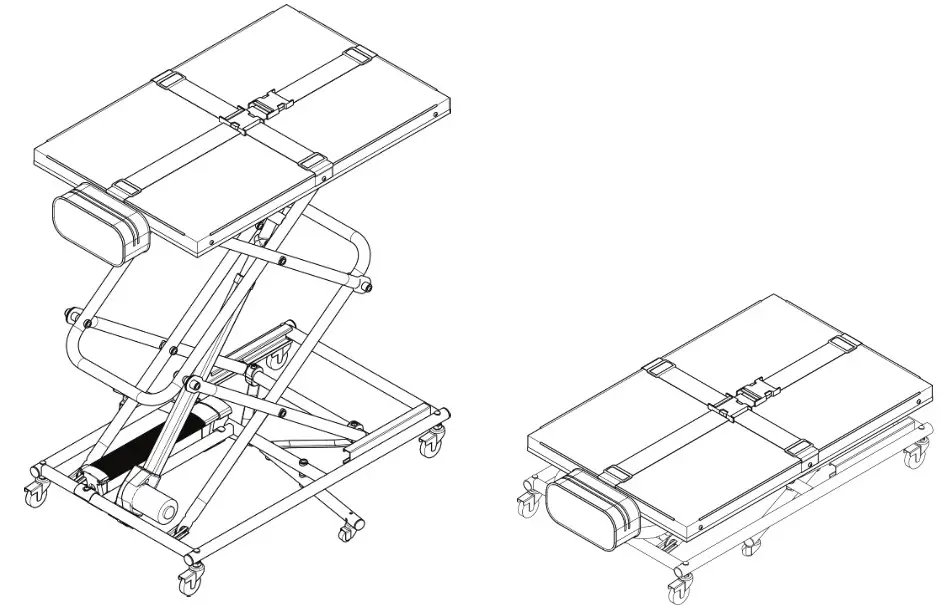
This is an electric lift with casters. It can be raised and lowered from 9.1 in to 35.8 in. The maximum loading weight is 110.2 lbs and the height of the object/goods to be weighed should be less than 19.7 in. Use this lift only on level ground.
※ NOTES:
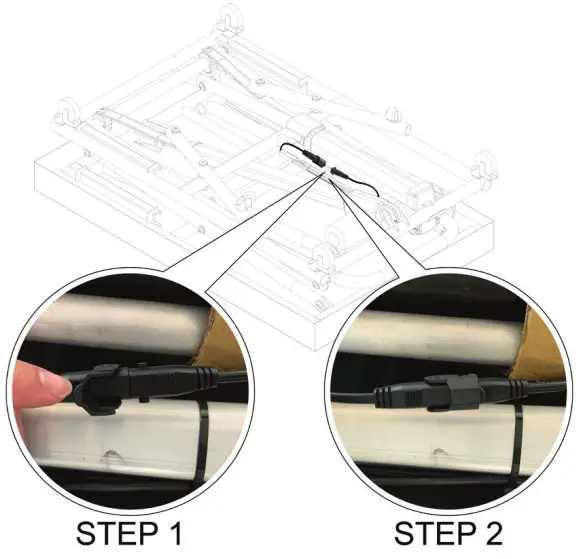
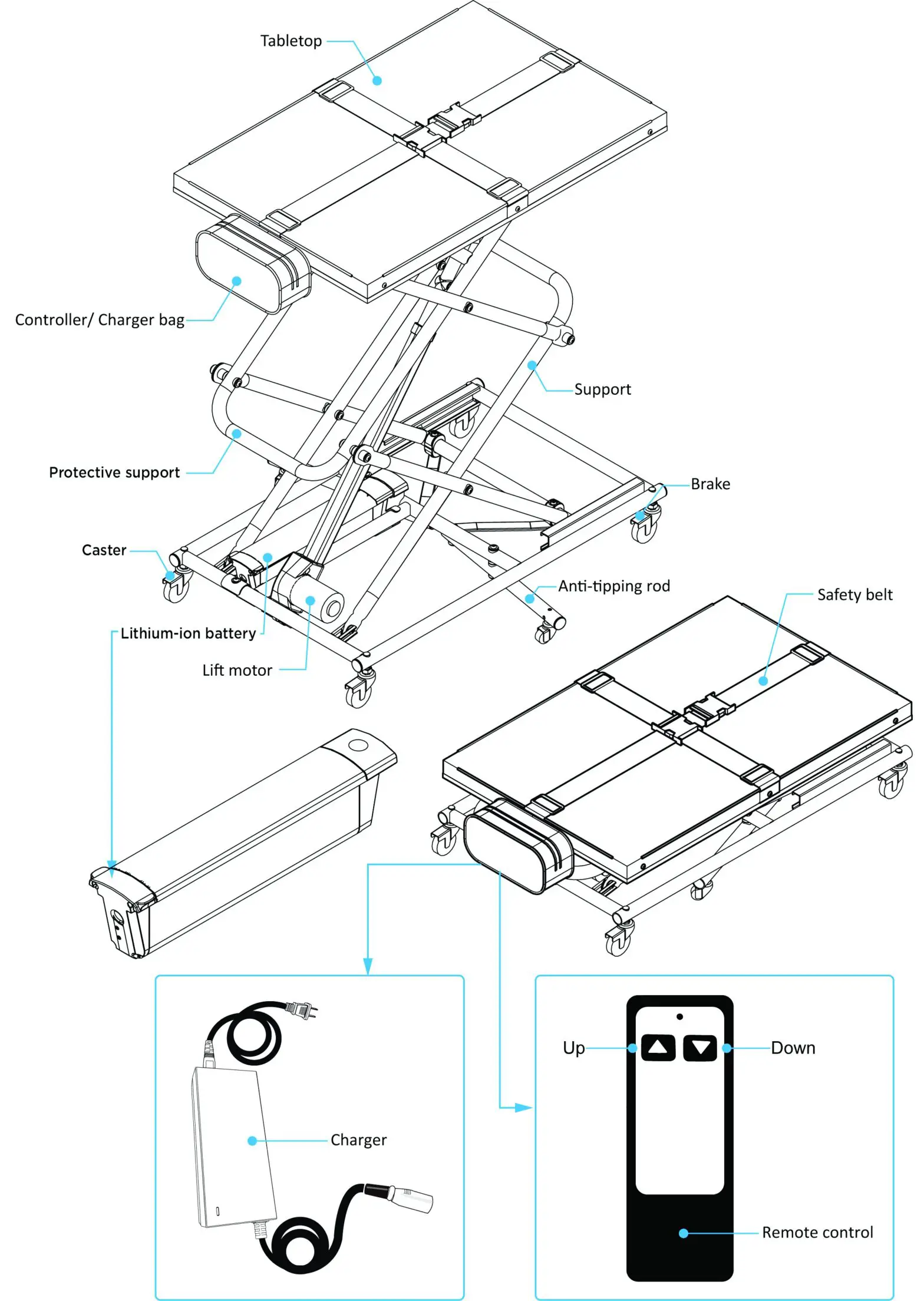
- Take the lift to a level place. Connect the remote control cable and the battery cable as shown before attempting to operate the unit.

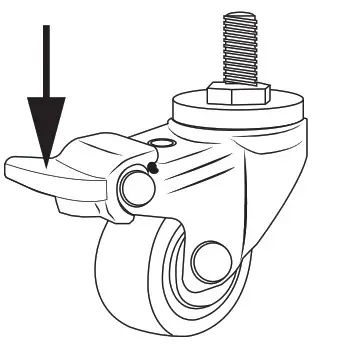
- Lock the lift in place with the caster brake before beginning the lifting operation

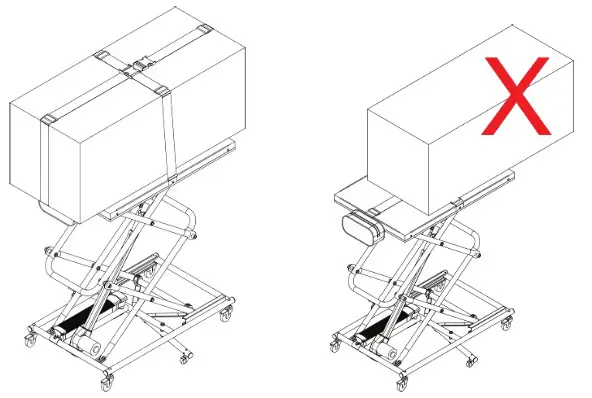
- Place the object/goods to be weighed on the center of the lift, and buckle it with the safety belt before operation.

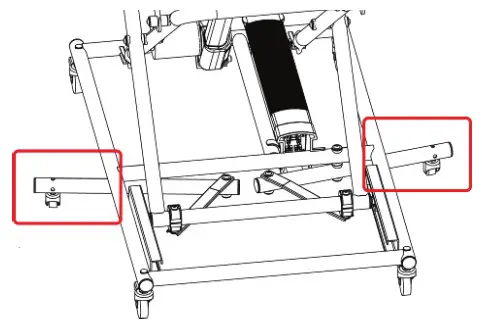
- When the lift is in operation, the anti-tipping rod at the bottom will extend out, so the user must be careful to avoid tripping on it when walking around the lift.

PRODUCT DESCRIPTION
TECHNICAL SPECIFICATIONS
SPECIFICATION
| Product Weight | 28.7 lbs with battery 26.5 lbs without battery |
| Max Capacity | 110.2 lbs |
| Platform Dimensions (LxW) | 29.8 x 19.3 in |
| Raised Dimensions to Max Height (LxWxH) | 29.8 x 19.3 x 35.9 in |
| Folded Dimension (LxWxH) | 32.8 x 19.3 x 8.9 in |
| Motor | DC motor 24V, 8000N |
| Battery | Li-ion Battery 24V, 3.5AH |
| Charger | 29.4V, 1.5A |
| Wheel Size | 2” for main wheels 1” for extending rods |
| Wheel Material | Rubber |
| Frame Material | Aluminum Alloy |
| Platform Material | ABS (with safety belt) |
| Remote Control | Wired with two-button |
INSTRUCTIONS FOR USE
Instructions
The following instruction is for lifting an electric wheelchair, as an example. But this lift works equally well for lifting a variety of mobility aids such as foldable scooters and power chairs, as well as for luggage, groceries, etc.
Procedure for lifting a wheelchair into a trunk
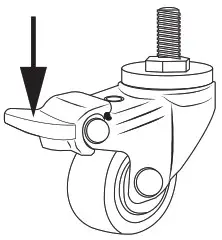 | STEP 1 Step on the brakes on four casters, to ensure that the wheels cannot turn. |
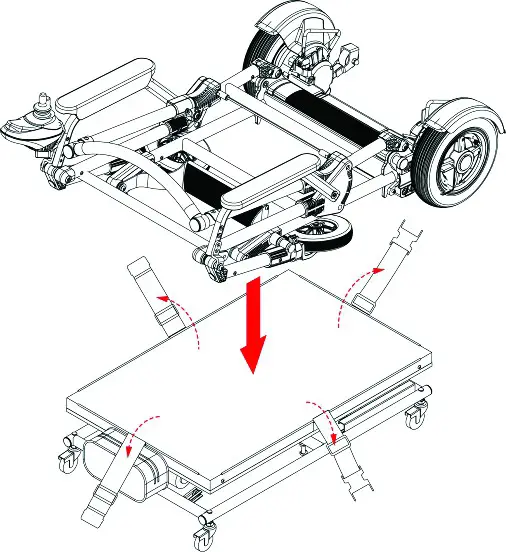 | STEP 2 |
| STEP 3 Place the wheelchair on the lift as shown. | |
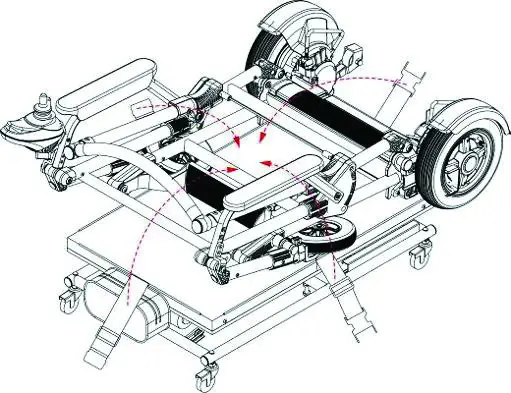 | STEP 4 Maneuver the chair as necessary to get it at the center of the tabletop, with its wheels aligned with the edge of the tabletop. Then buckle the safety belt around it. |
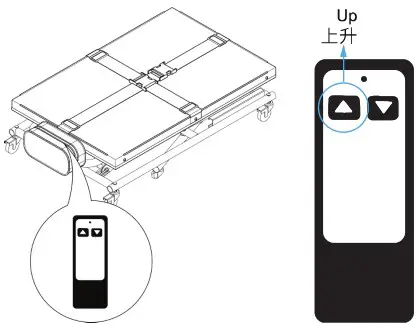 | STEP 5 Remove the remote control from the side bag, and keep pressing the Up button until the tabletop is raised to reach the bottom level of the trunk. |
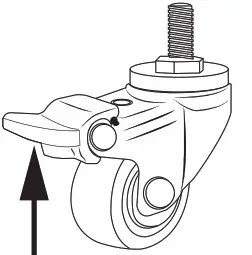 | STEP 6 If you need to reposition the lift at this point for better access to the trunk, step on the four caster wheels to release the brakes so that you can move the lift to a more advantageous position nearer the trunk. |
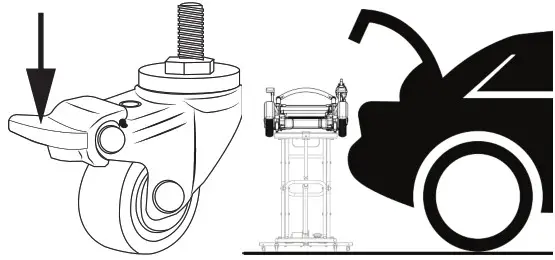 | STEP 7 If you released the brakes in Step 6, reapply them now by stepping down on the caster wheels. As shown in the picture, readjust the lift height to level where the wheelchair will be able to slide over into the trunk. |
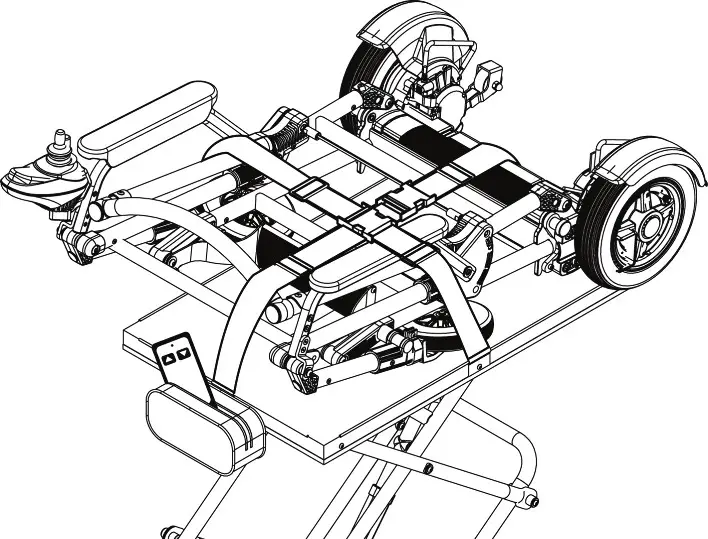 | STEP 8 At this point, place the remote control into the side bag to prevent it from being damaged as the wheelchair is shifted from lift to trunk |
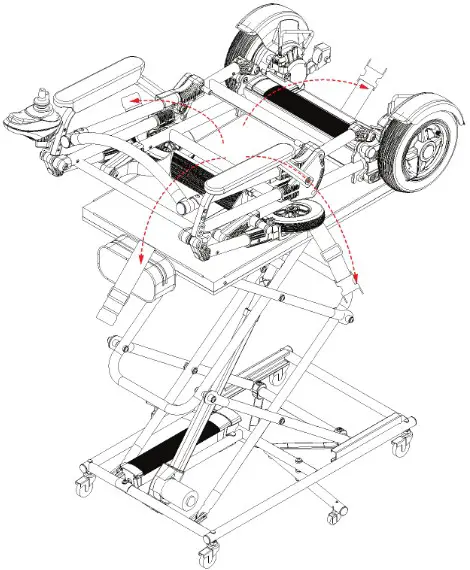 | STEP 9 Unbuckle the safety belt and, grasping the chair with both hands, gently push it into the trunk, making sure it settles in securely. |
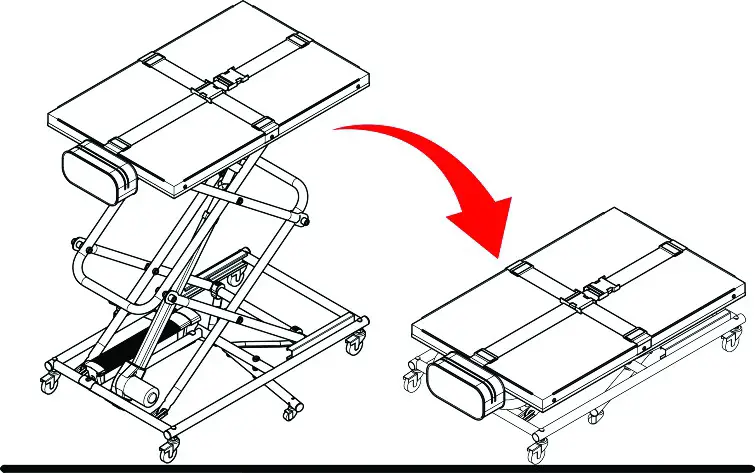 | STEP 10 Retrieve the remote control from the side bag. Keep pressing the Down button until the lift is fully lowered and folded down. |
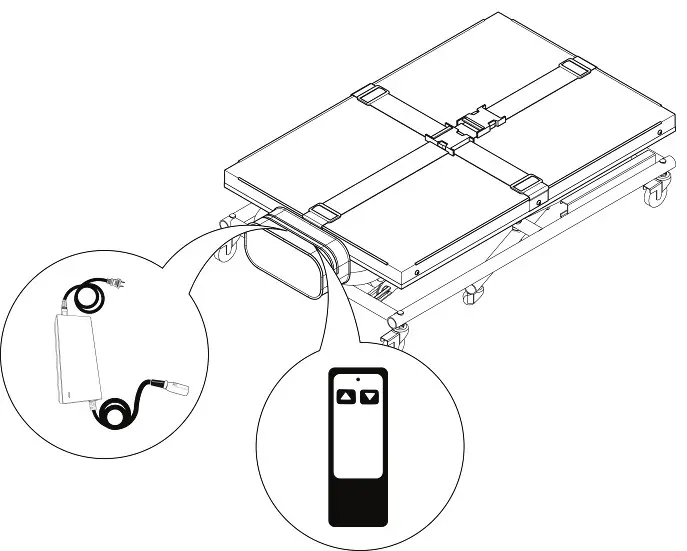 | STEP 11 Place the remote control back in the side bag, and buckle the safety belt. |
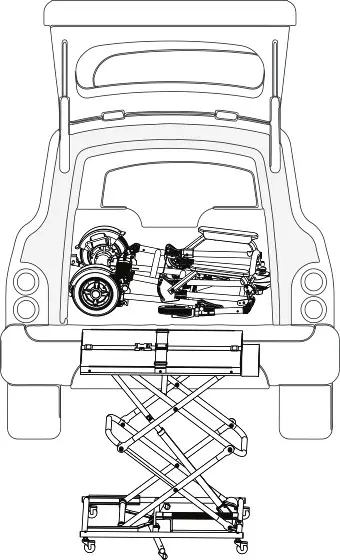 | STEP 12 Place the lift into the trunk alongside the wheelchair if there’s room, or into the back seat or wherever you wish to secure it for transport. |
Procedure for removing the wheelchair from the trunk
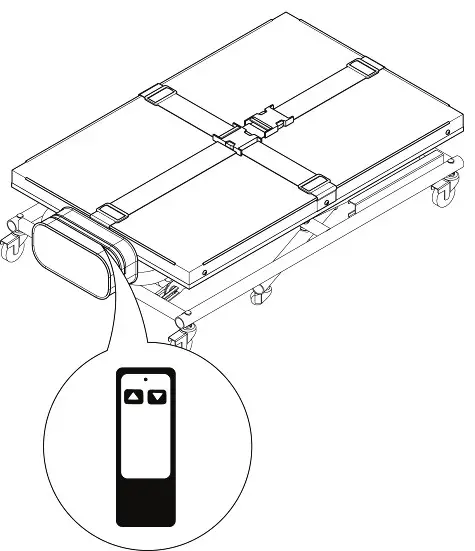 | STEP 1 Push the lift near the vehicle trunk, and remove the remote control from the side bag. |
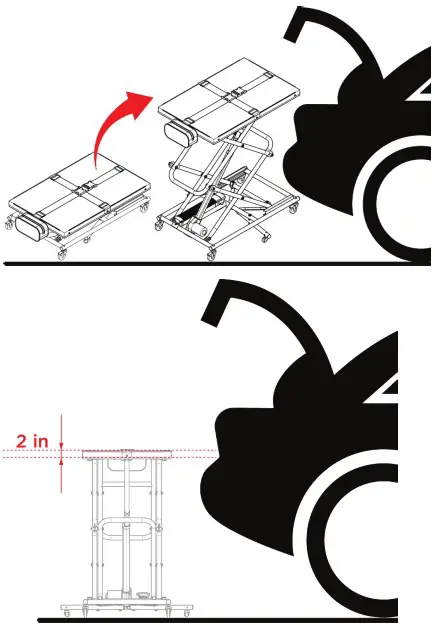 | STEP 2 Keep pressing the Up button until the tabletop is about 2 in higher than the bottom surface of the trunk. |
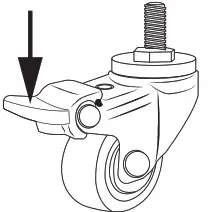 | STEP 3 Step on the brakes on all four casters, to ensure that the wheels cannot turn. |
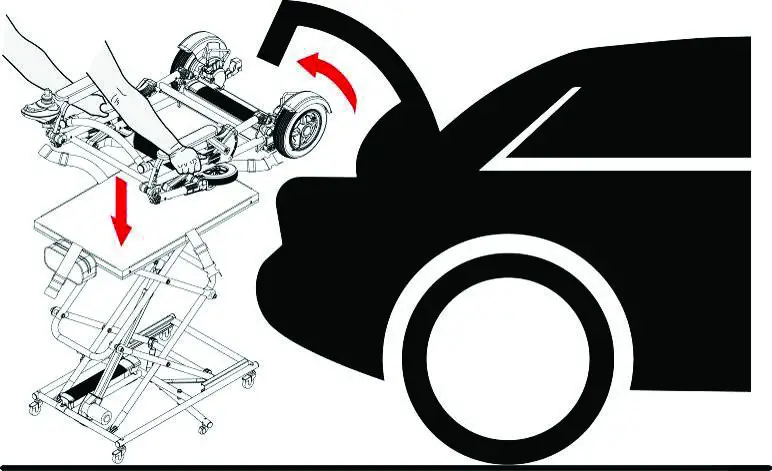 | STEP 4 As shown, grasp both sides of the wheelchair and ease it from the trunk onto the lift. |
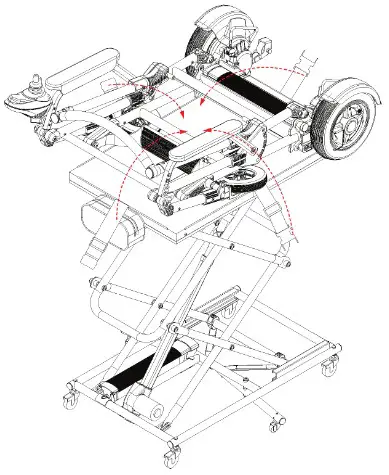 | STEP 5 As shown, slide the wheelchair along the tabletop until it’s centered and its wheels are aligned with the edge of the tabletop. Then buckle the safety belt. |
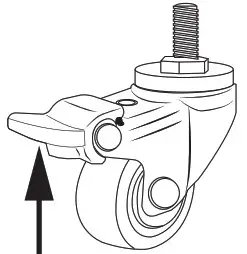 | STEP 6 Release the brakes on all the lift casters. |
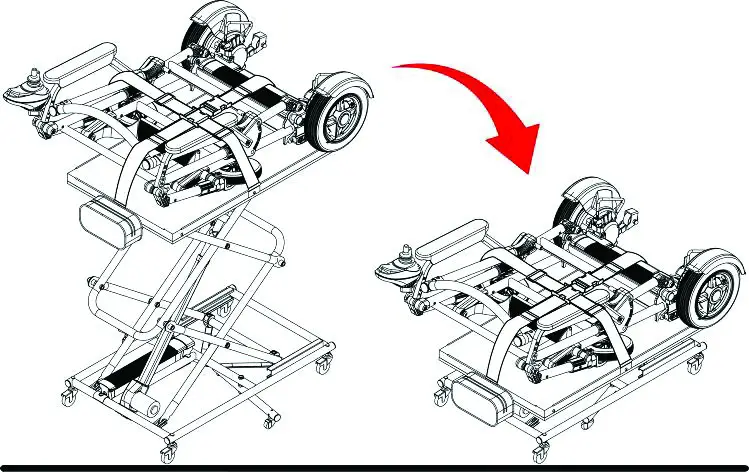 | STEP 7 Move the lift away from the vehicle, being careful that it does not collide with the vehicle during the lowering process. To lower, keep pressing the Down button on the remote control, until the lift is fully lowered and fully folded down. |
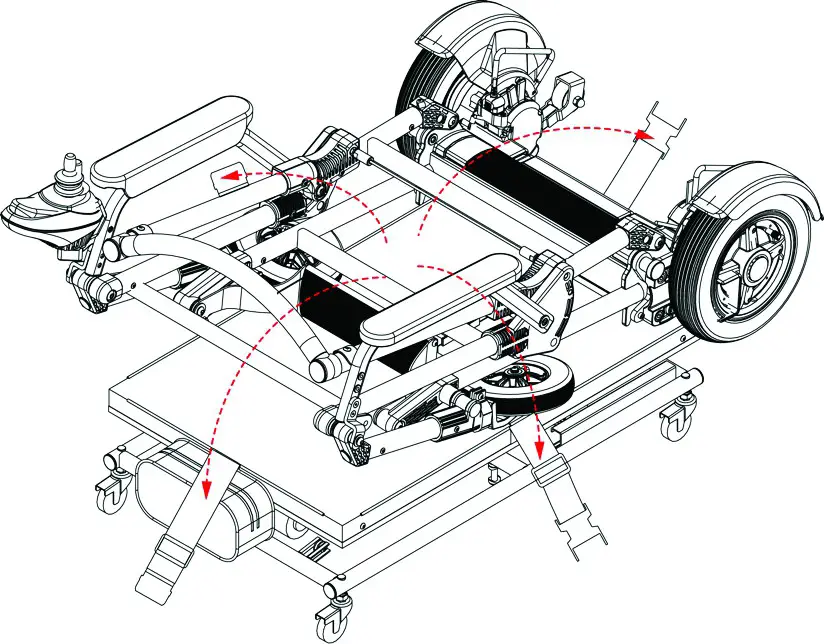 | STEP 8 Unbuckle the safety belt. |
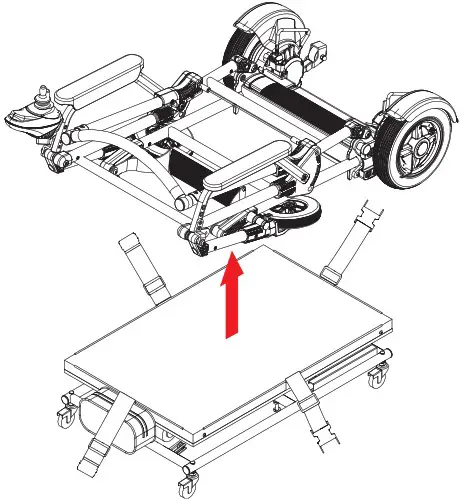 | STEP 9 In order to get the wheels of the chair on the ground, first grasp the top of the wheelchair firmly, raising it slowly and easing the wheel-end (bottom) of the chair over the edge of the lift to the ground. |
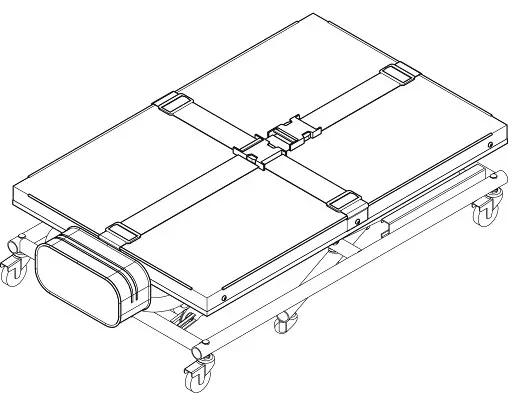 | STEP 10 Buckle the safety belt |
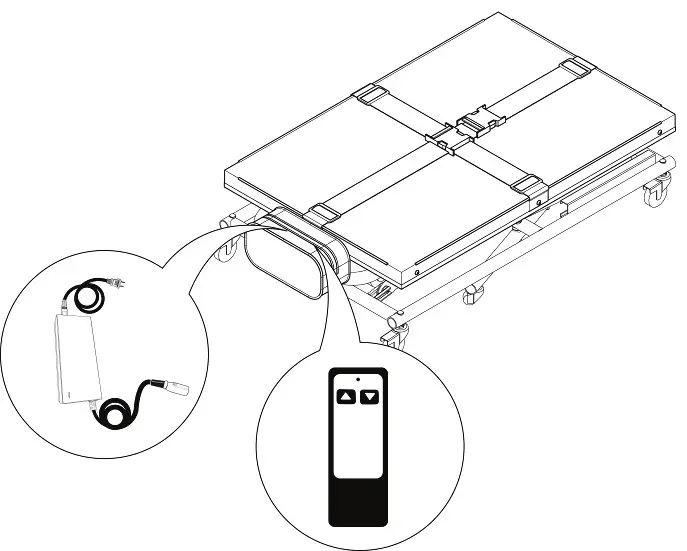 | STEP 11 Collect and place the remote control and charger into the side bag, and buckle the safety belt. Place the lift the trunk or at some other desired location. |
※ NOTES:
- When placing the wheelchair on the lift, make sure that it is situated securely in place.
- When using the lift, be sure to brake all four casters in order to keep the lift securely in place during the lifting and lowering process. It is also helpful to keep one hand on the wheelchair during lifting or lowering.
- Once the wheelchair has been removed and the operation is complete, be sure to place the remote control into the side bag to avoid its being broken or damaged.
Charger LED Indicator
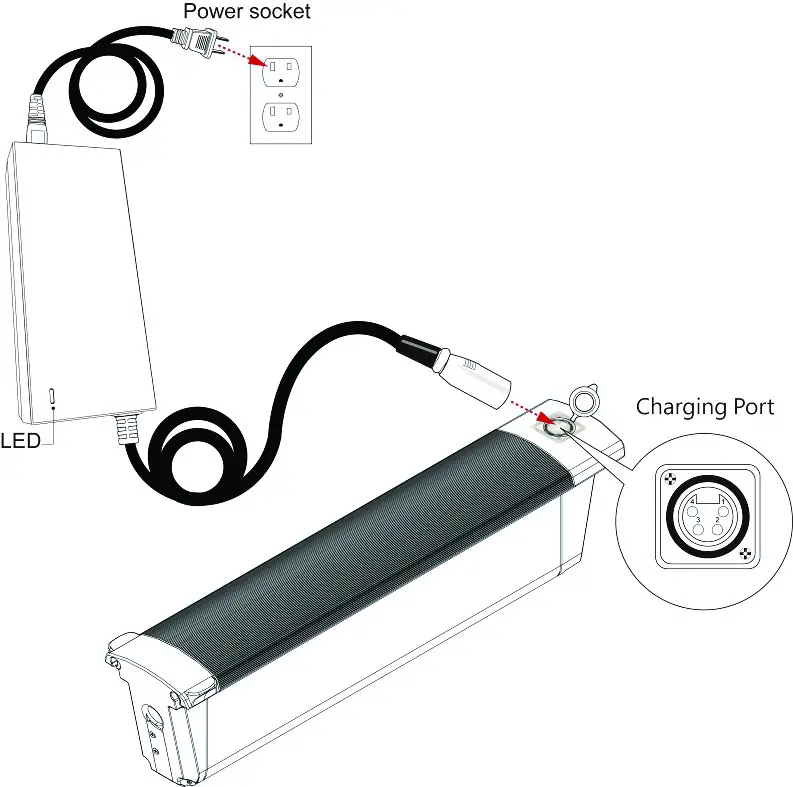
- As shown, connect one end of the charger to the battery and the other end to the outlet. The red light on the charger indicates that it is charging, and the green light indicates that it is fully charged.
※ NOTES:
- If the battery has not been charged for a long time, make sure to fully charge it before attempting to use the lift. Charge the battery at least once a month, and each time when you charge it, keep charging until the light turns green.
- The battery must be charged with a matching charger to avoid battery damage.
- The charging environment must be dry, ventilated and free of flammable and explosive materials to prevent fire.
- The avoid battery damage, do not use this battery in other equipment.
- The battery should be immediately recharged after use.
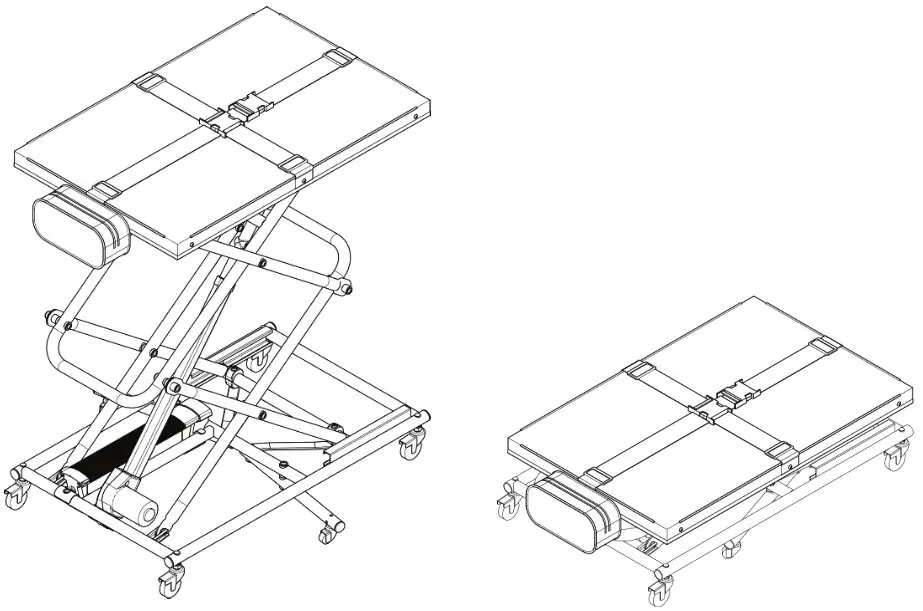
so lite Portable Lift
If you have any questions, call us at our toll free number:
1-800-958-8324