
 INSTALLATION INSTRUCTIONS
TruGuard™
Reflective Photo Optic System
MODEL: TG-R-K10
TG-R-K10 Photoeye UL Elite Gates
WARNING
Read and understand all instructions before beginning installation. Disconnect power to motor and test upon completion.
Photo optics should be installed by qualified personnel to ensure the requirements herein have been met. Keep these instructions with the installation. Always abide by local and national electrical code specifications when wiring accessories to motor controls.
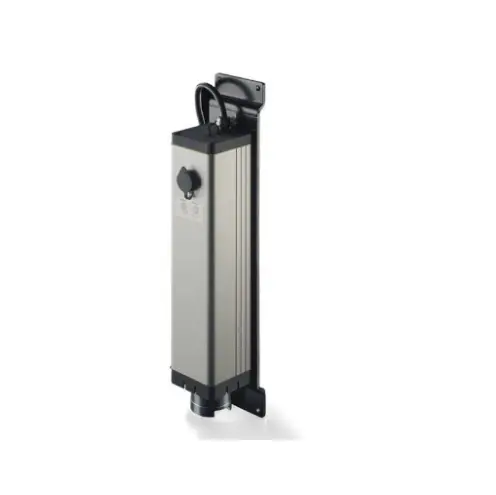
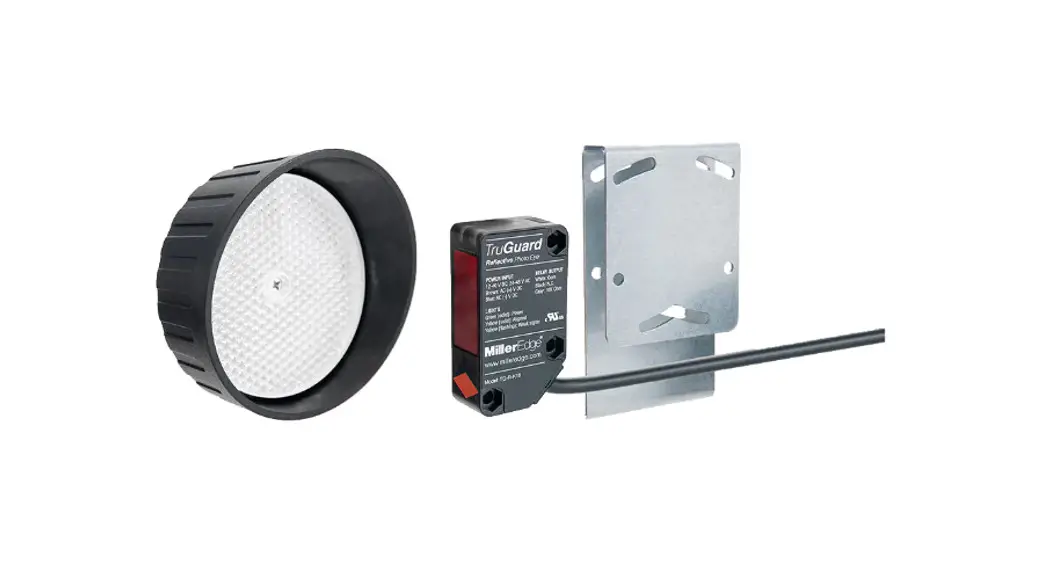
The Miller Edge TruGuard monitored and fail-safe reflective photo optic system is a UL Recognized Component that meets the UL 325 requirement. The TruGuard consists of an emitter/receiver unit with a mounting bracket/hood and a reflector with hood. The emitter/receiver is intended to be positioned in such a way that an obstruction in a hazardous area will interrupt the beam of light. An interruption of the beam will signal the operator to stop and/or reverse motion.
CONTENTS
- (1) Emitter/receiver (unit)
- (1) Emitter/receiver bracket/hood
- (2) Emitter/receiver through-unit screws
- (2) Emitter/receiver through-unit nuts
- (2) Emitter/receiver through-unit washers
- (1) Polarized reflector
- (1) Reflector hood
- (1) Reflector center screw
REQUIRED
- Mounting hardware as required by mounting surface
- Hand tools for hardware installation
RECOMMENDED
- Operator manual
INSTALLATION
Select a stable mounting location with a clear line of site, across the protected area, to detect obstructions. The light beam should not be obstructed by plants, leaves, etc.
- Mount the emitter/receiver vertically or horizontally in its desired location. (Image 3)
a) Using the appropriate hardware required by the mounting surface, attach the mounting bracket.
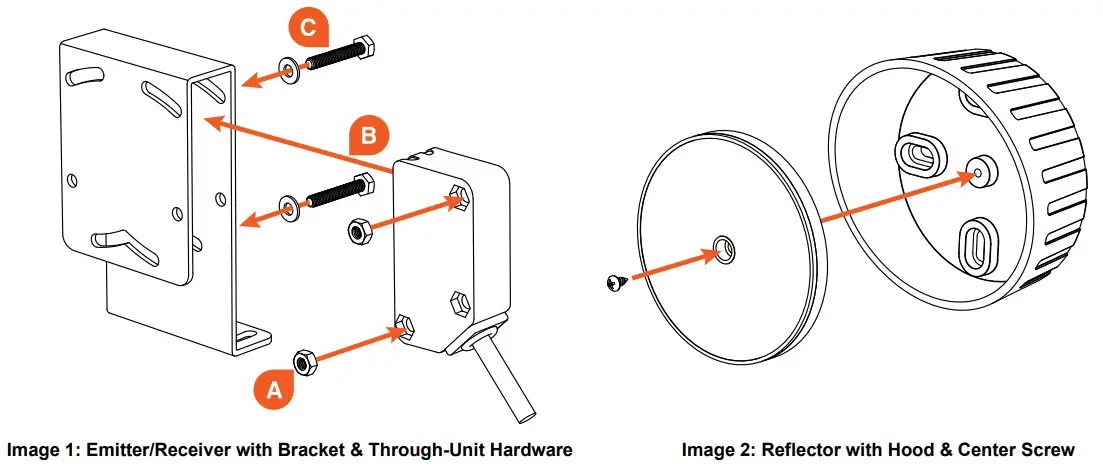
b) Install the emitter/receiver into the bracket. (Image 1)
i. Place provided nuts into the top and bottom recessed corners of the emitter/receiver. (A)
ii. Slide the emitter/receiver into the bracket. (B)
The lens should point across the protected area toward the reflector mounting location.
iii. Place washers onto screws and insert through bracket and emitter/receiver from the side opposite the nuts. Finger tighten to secure in place. (C) - Power the emitter/receiver.
To avoid risk of electrocution, turn off and disconnect power to the operator before wiring.
a) Connect the emitter/receiver to the operator per the wiring diagram. (Figure 1)
b) Apply power to the operator.
c) Confirm the green LED light on the emitter/receiver has turned on. (Figure 2) - Mount the reflector in its desired location. (Image 2)
a) Install reflector hood using the appropriate hardware on the opposite side of the protected area from the emitter/receiver.
b) Secure the reflector to the hood with the provided center screw, noting the marking on the back of the reflector for up orientation.
4. Align the emitter/receiver with the reflector.
a) Aim the powered emitter/receiver toward the reflector. You can stand or kneel beside the unit, sighting along it and viewing the reflector, to help with alignment. (Image 4)
b) With the hardware loosened, turn the emitter/receiver left and right and/or up and down until the yellow light turns on solid. (Image 3)
c) Tighten the mounting screws. Do not overtighten the through-unit screws.
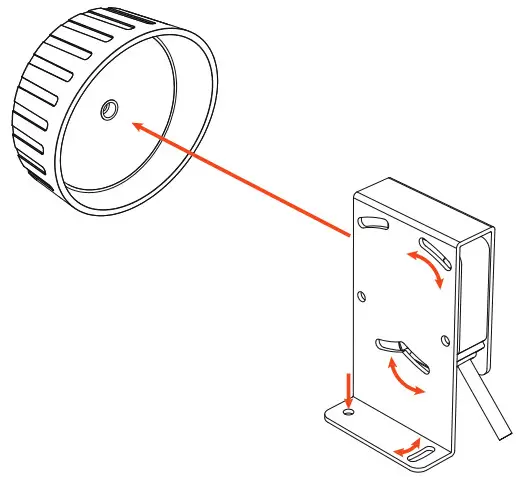 | 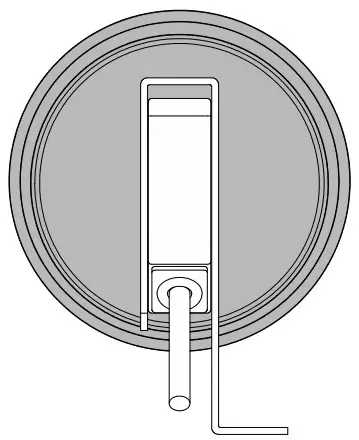 |
Image 3: Installing and Aligning the Emitter/Receiver and Reflector (horizontal mounted shown) | Image 4: Aligning the Emitter/Receiver with the Reflector |
| NORMALLY CLOSED | 10K MONITORED | |
| WHITE | COM | COM |
| BLACK | Normally closed monitored input* | |
| GRAY | 10K monitored input | |
| BROWN | AC or (+)DC** | AC or (+)DC** |
| BLUE | AC or (-)DC** | AC or (-)DC** |
| Outputs listed are with unit powered and aligned | ||
| *For N.C. monitoring, power may be a switched source **Power source: 12-40 V DC, 24-48 V AC | ||
Figure 1: Wiring Connection Diagram
| GREEN | Solid: Power |
| YELLOW | Solid: Aligned Flashing: Signal is marginal |
Figure 2: LED Indicators
TROUBLESHOOTING
| PROBLEM | REASON | SOLUTION |
| Green LED off | • No power | • Verify your power source • Refer to operator manual for switched power |
| Yellow LED off | • No signal • Reflector not seen | • Align emitter/receiver • Remove blockage |
| Yellow LED flashing | • Poor signal • Distance is too far | • Align emitter/receiver • Relocate components |
TECH SUPPORT
For additional assistance, contact Miller Edge Tech Support: 800-220-3343
GENERAL SPECIFICATIONS
| PERFORMANCE | |
| Operating Range | 6-30 ft. (2-9 m) |
| Number of Elements | 1 element |
| Maximum Ambient Light | >100,000 lux |
| Aperture Angle | ±3° |
| Reflector | Polarized corner cube |
| Operating Temperature | -13°F to +131°F (-25°C to +55°C) |
| Agency Approvals | UL 325 Recognized Component |
| ELECTRICAL | |
| Power Source | 12-40 volts DC, 24-48 volts AC |
| Current Consumption | <40 mA |
| Relay Rating | Maximum 40 volts AC/DC, 2 amp. |
| Output | N.C., 10K |
| PHYSICAL | |
| Dimensions | Emitter/receiver: 3/4 W x 2-1/2 H x 1-3/8 D in. (18 W x 62 H x 35 D mm) Emitter/receiver bracket: 1-5/8 W x 4 H x 2-3/8 D in. (42 W x 113 H x 60 D mm) Reflector with hood: 3-7/8 W x 1-3/4 D in. (95 W x 44 D mm) |
| Weight | Emitter/receiver with cable: 5.5 oz. Bracket: 6.5 oz. Reflector with hood: 3.4 oz. |
| Housing Material | Emitter/receiver: Polycarbonate housing, PMMA lens Bracket: Steel |
| LED Indicators | 2: Power, alignment |
| Cable Length | 6 ft., 20 AWG cable |
| Mounting Orientation | Vertical, horizontal |
| Degree of Protection | IP67 |
MAINTENANCE
It is strongly recommended that users check photo optics at least once per month for operation, and damage housings and mountings. Also check for signs of damage to cables or connection points. Refer to your operatmanual for detailed instructions about motor connections.
REPLACEMENT
To replace your TruGuard Reflective, contact your sales representative. Attempting to repair your Miller Edge photo optic is not recommended and will void the manufacturer warranty.
WARRANTY
TruGuard Reflective carries a 2-year warranty from date of shipment from Miller Edge for credit or replacement.
This warranty applies to normal use, which is found to have defective materials or workmanship, as determined solely by an authorized factory representative. This warranty is void where evidence of misuse or abuse is present. This warranty covers repair or replacement of the purchased product only; product installation/labor charges are not covered. Miller Edge manufactures its products to meet stringent specifications and cannot assume responsibility for those consequences arising from improper installation or misuse. Installation instructions and testing procedures provided by Miller Edge must be followed for proper operation and maintenance.
ACCESSORIES
Contact your Miller Edge sales representative for photo optics accessories:
 | |||||
| SENSING EDGES | JUNCTION BOXES | MOTION SENSORS | OPERATOR MODULES | BUMPERS & SEALS | WARNING LABELS |
www.milleredge.com
[email protected]
800-220-3343
 Welcome to MillerEdge :: Sensing Solutions for Motorized Doors