PmodRS485 High-Speed Isolated Communication
PmodRS485TM Reference Manual
Revised February 9, 2021
This manual applies to the PmodRS485 rev. B
1300 Henley Court Pullman, WA 99163
509.334.6306 www.digilentinc.com
Overview
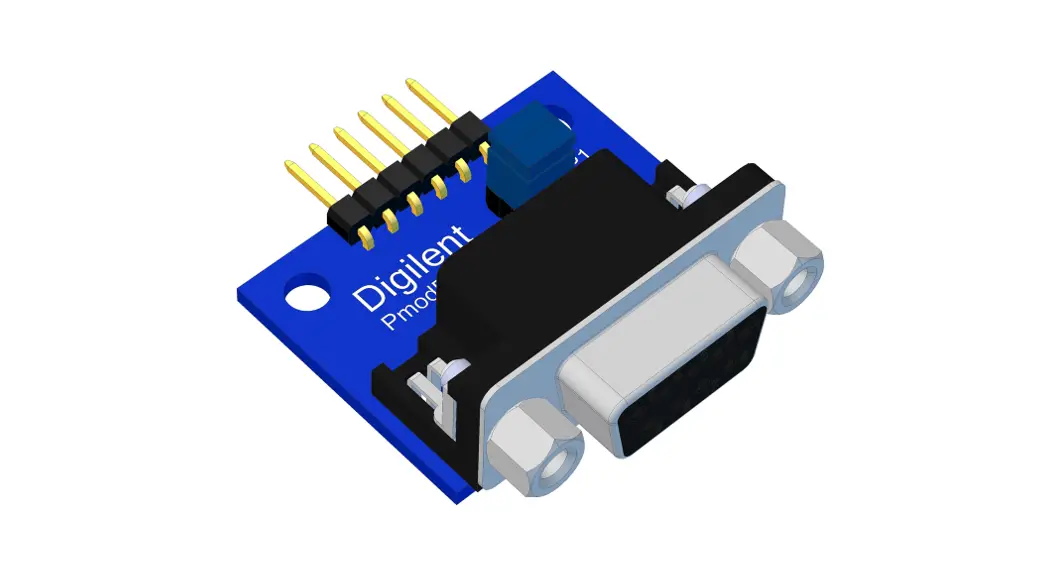
The Digilent PmodRS485 provides signal and power isolation for
high-speed communication lines utilizing the RS485 communication
protocol.
Features
- Signal and power isolation
- Supports RS-485 and RS-422 serial communication protocols
- Accurate data transfer across long distances
- Data transmission rates of up to 16 Mbit/s
Functional Description
The PmodRS485 utilizes Analog Devices ADM2582E to facilitate
RS-485 and RS-422 serial communication protocols between devices in
environments with high electrical noise. The ADM2852E provides both
signal and power isolation allowing for accurate data transfer
across long distances. Data transmission rates of 16 Mbit/s can be
achieved.
Interfacing with the Pmod
The PmodRS485 communicates with the host board via the UART
protocol. In order to transmit data, the Driver Enable line (DE)
must be pulled to a logic level high voltage state; similarly, in
order to receive data, the Receive Enable line (~RE) must be driven
to a logic level low voltage state.
Pinout description table: Pmod Header J2
| Pin | Signal | Description |
|---|---|---|
| 1 | ~RE | Receive Enable |
| 2 | TxD | Transmit Data |
| 3 | RxD | Receive Data |
| 4 | DE | Driver Enable |
| 5 | GND | Power Supply Ground |
| 6 | VCC | Positive Power Supply (3.3V/5V) |
Screw terminals
| Signal | A | B | Z | Y |
|---|---|---|---|---|
| Description | Input A | Input B | Output Z | Output Y |
Chaining Multiple PmodRS485 Devices
Multiple PmodRS485 devices can be chained together up to 256
nodes in total. When two PmodRS485s are connected, JP1 should be
loaded on both devices. When more than two PmodRS485s are
connected, JP1 should only be loaded on the two devices at the
terminating ends of the wire, and stubs off of the main line should
be kept as short as possible.
Half-duplex communication

Full-duplex communication

Power Supply
Any external power applied to the PmodRS485 must be within 3.0V
and 5.5V; however, it is recommended that Pmod is operated at
3.3V.
PmodRS485TM Reference Manual
Revised February 9, 2021 This manual applies to the PmodRS485 rev. B
1300 Henley Court Pullman, WA 99163
509.334.6306 www.digilentinc.com
Overview
The Digilent PmodRS485 provides signal and power isolation for high speed communication lines utilizing the RS485 communication protocol.
The PmodRS485.
Features include:
· High-speed RS-485 communication module · Isolated RS-485/RS-422 interfaces for use in
noisy environments · 16Mbps maximum data rate · Connect up to 256 nodes on one bus · Differential half or full-duplex
communication · Thermal shutdown and ±15kV ESD
protection · 6-pin Pmod port with UART interface · Library and example code available
in resource center
1 Functional Description
The PmodRS485 utilizes Analog Devices ADM2582E to facilitate RS-485 and RS-422 serial communication protocols between devices in environments with high electrical noise. The ADM2852E provides both signal and power isolation allowing for accurate data transfer across long distances. Data transmission rates of 16 Mbit/s can be achieved.
2 Interfacing with the Pmod
The PmodRS485 communicates with the host board via the UART protocol. In order to transmit data, the Driver Enable line must be pulled to a logic level high voltage state; similarly, in order to receive data, the Receive Enable line must be driven to a logic level low voltage state.
Truth tables indicating the status of the various pins of the PmodRS485 are provided below:
DOC#: 502-310
Downloaded from Arrow.com.
Copyright Digilent, Inc. All rights reserved. Other product and company names mentioned may be trademarks of their respective owners.
Page 1 of 4
PmodRS485TM Reference Manual
A-B Voltage Difference -0.03V -0.2V -0.2V < A-B < -0.03V Inputs Open Don’t Care
Inputs
~RE
Low or Not Connected Low or Not Connected Low or Not Connected Low or Not Connected High
Output
RxD
High Low Don’t Care High High Impedance
Table 1. Receiving.
DE High High Low
Inputs TxD
High Low Don’t Care
Output
Y
Z
High
Low
Low
High
High Impedance High Impedance
Table 2. Transmitting.
Pin
Signal Description
1
~RE
Receive Enable
2
TxD
Transmit Data
3
RxD
Receive Data
4
DE
Driver Enable
5
GND Power Supply Ground
6
VCC
Positive Power Supply (3.3V/5V)
Table 3. Pinout description table: Pmod Header J2.
Signal A B Z Y
Description Input A Input B Output Z Output Z
Table 4. Screw terminals.
Copyright Digilent, Inc. All rights reserved. Other product and company names mentioned may be trademarks of their respective owners.
Downloaded from Arrow.com.
Page 2 of 4
PmodRS485TM Reference Manual
Figure 1. PmodRS485 functional block diagram.
Multiple PmodRS485 devices can be chained together up to 256 nodes in total. When two PmodRS485s are connected, JP1 should be loaded on both devices. When more than two PmodRS485s are connected, JP1 should only be loaded on the two devices at the terminating ends of the wire, and stubs off of the main line should be kept as short as possible.
RS485
A JP1
B
Z
Y
ABZ Y JP1
RS485
ABZY JP1
RS485
RS485 RS485
Figure 2. Half-duplex communication.
Y Z B A JP1
RS485
Shorted jumper Not Shorted Jumper
Copyright Digilent, Inc. All rights reserved. Other product and company names mentioned may be trademarks of their respective owners.
Downloaded from Arrow.com.
Page 3 of 4
PmodRS485TM Reference Manual
RS485
A JP1
B
Z
Y
ABZ Y JP1
RS485
RS485 RS485
ABZY JP1
RS485
Y Z B A JP1
RS485
Shorted jumper Not Shorted Jumper
Figure 3. Full-duplex communication.
Any external power applied to the PmodRS485 must be within 3.0V and 5.5V; however, it is recommended that Pmod is operated at 3.3V.
3 Physical Dimensions
The pins on the pin header are spaced 100 mil apart. The PCB is 1.5 inches long on the sides parallel to the pins on the pin header and 0.8 inches long on the sides perpendicular to the pin header.
Copyright Digilent, Inc. All rights reserved. Other product and company names mentioned may be trademarks of their respective owners.
Downloaded from Arrow.com.
Page 4 of 4
 Digilent – Start Smart, Build Brilliant.