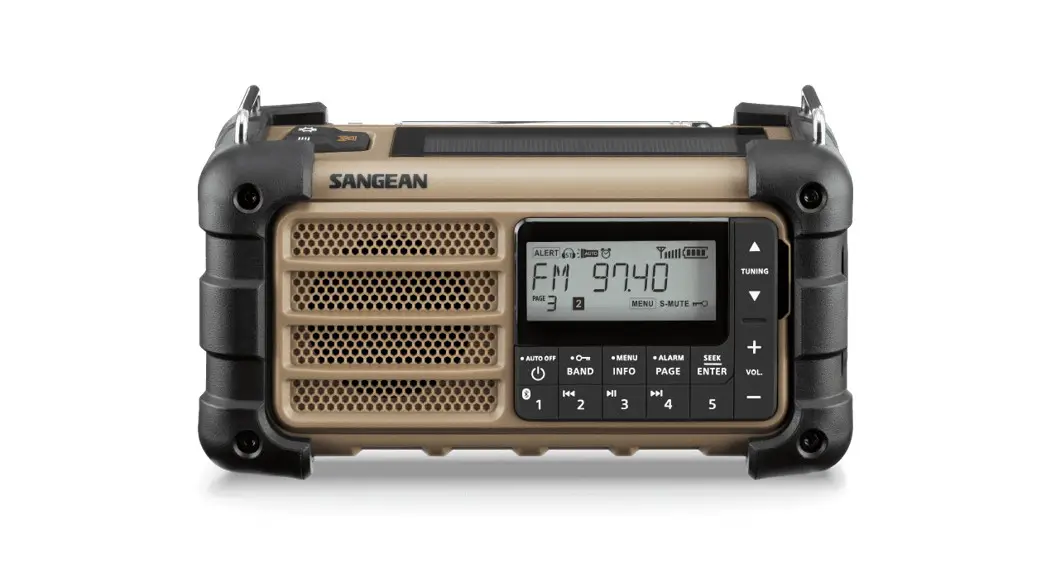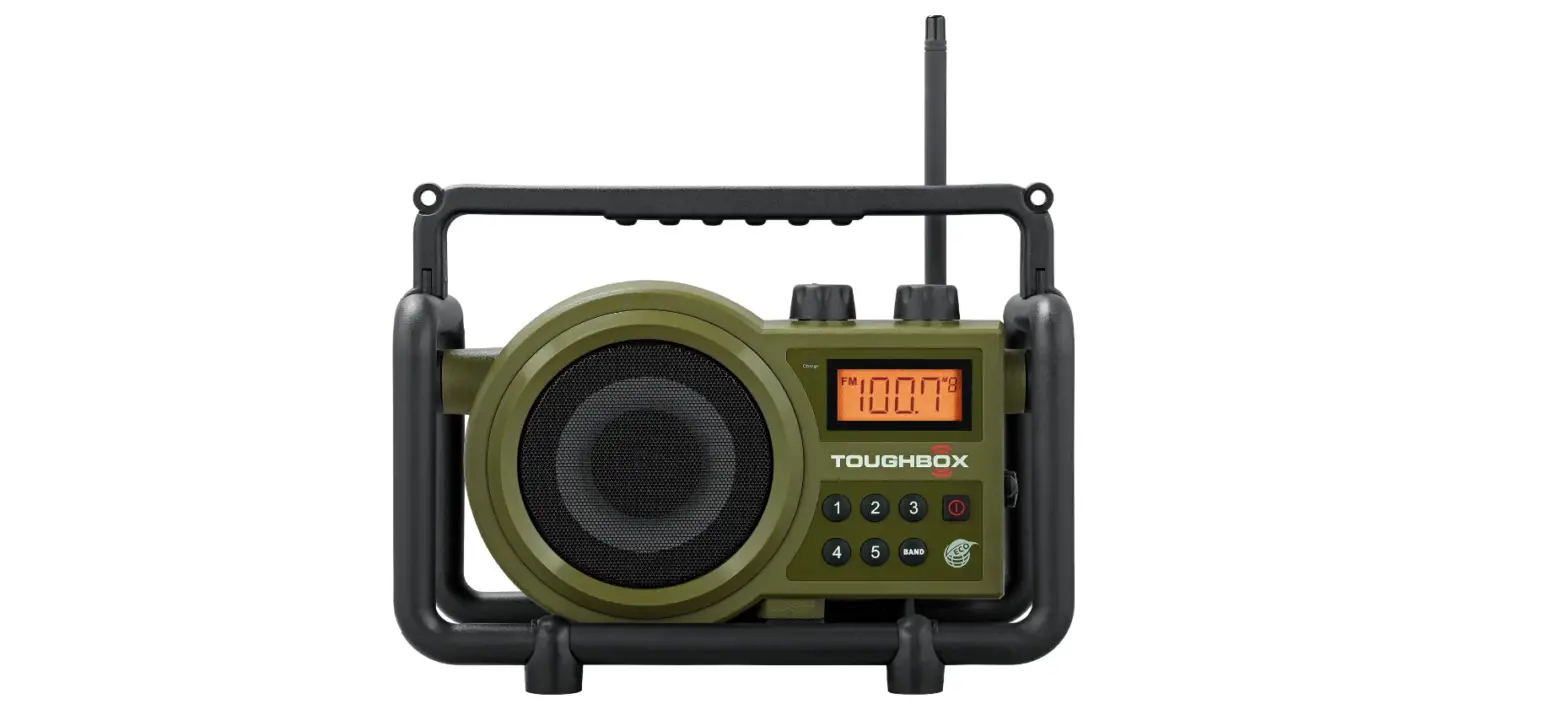
 Sangean TB-100 TOUGHBOX Radio
 Sangean TB-100 TOUGHBOX Radio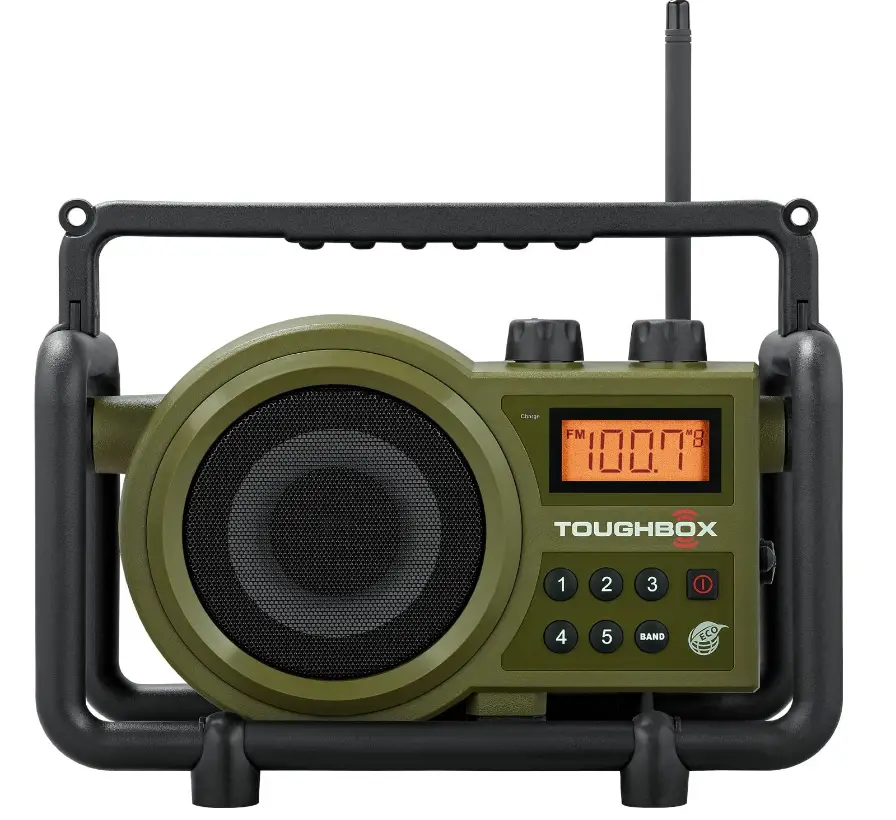
Specifications
- Product Dimensions :15 x 12.76 x 7.62 inches
- Item Weight:9 pounds
- Batteries:4 C batteries
- Power Source: Corded Electric
- Radio Bands Supported: AM/FM
- Hardware Interface: Radio Frequency
- Voltage:120 Volts
- Display type: LCD
- Speaker Maximum Output Power:5 Watts
- Frequency Coverage:FM 87.50 – 108 MHz AM (MW) 520 – 1710 kHz (10 kHz) 522 – 1710 kHz (9 kHz)
- AC Power:AC 120V/60Hz/10W (USA) AC 230V/50Hz/10W (Europe) AC 240V/50Hz/10W (Australia)
- Brand: Sangean
Introduction
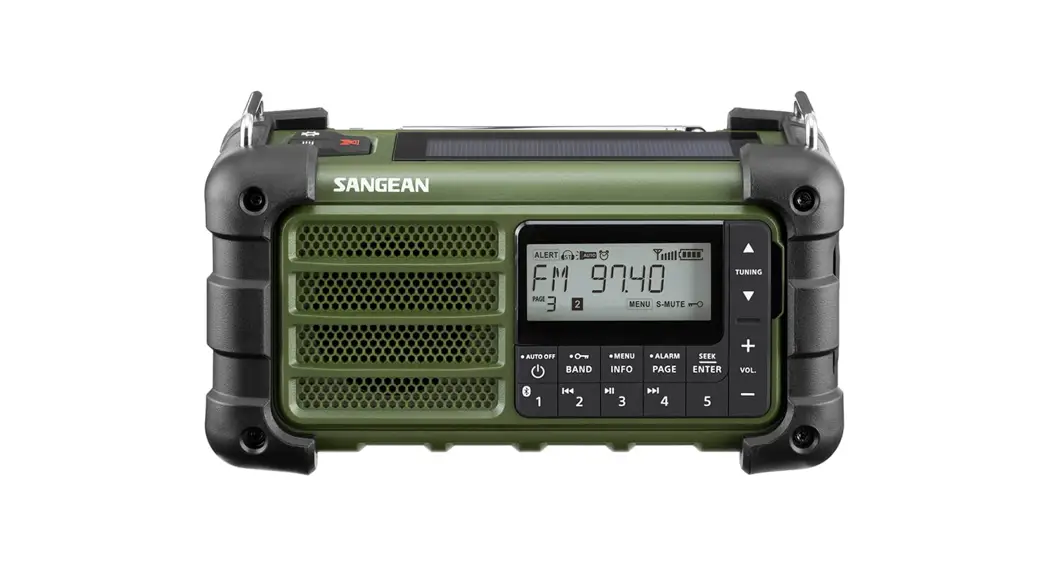
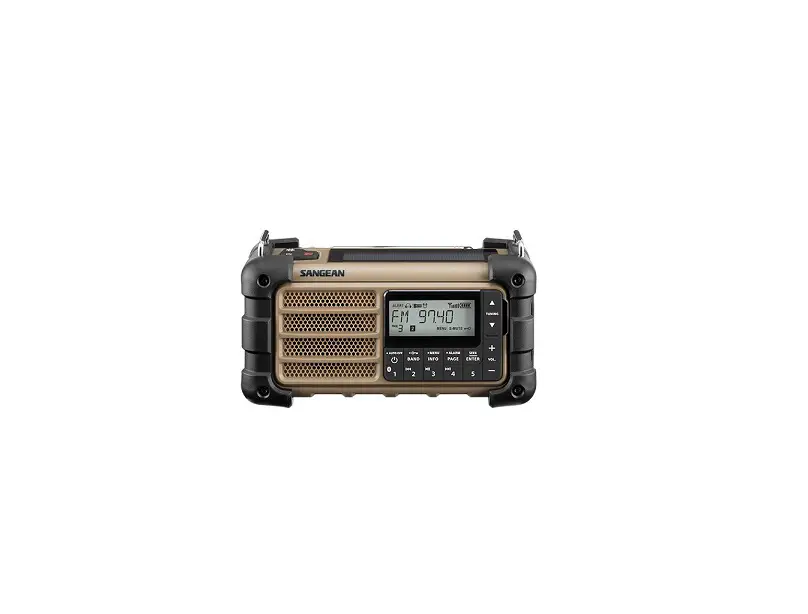
The Sangean TOUGHBOX FM/AM/Aux Ultra-Rugged Digital Rechargeable Radio boasts the best reception in its class, is durable, resistant to shock and rain, and has outstanding sound quality. When working, you need a durable radio that allows you to listen to music and expedites the process. What the TOUGHBOX is is that.
Best reception, durability, shock and rain resistance, outstanding sound quality, and convenience are all features of the SANGEAN TB-100. In addition to being created for tradesmen who enjoy listening to music while working in various worksite situations, this radio is made for indoor and outdoor use. A significant improvement over its forerunner, the TB-100 is now rechargeable and equipped with an AUX connector so you may listen to your preferred music from other sources.
Important Safety Instructions
- Read these instructions.
- Keep these instructions.
- Heed all warnings
- Follow all instructions
- Do not use this apparatus near water.
- Clean only with dry cloth.
- Do not block any ventilation openings. Install in accordance with the instructions.
- Do not install near any heat sources such as radiators, heat registers, stoves or other apparatus (including amplifiers) that produce heat.
- Do not defeat the safety purpose of the polarized or grounding-type plug. A polarized plug has two blades with one wider than the other. A grounding type plug has two blades and a third grounding prong. The wide blade or the third prong are provided for your safety. If the provided plug does not fit into your outlet, consult an electrician for replacement of the obsolete outlet – USA version only.
- Protect the power cord from being walked on or pinched particularly at the plug, convenience receptacles, and the point where they exit from the apparatus
- Only use attachments/accessories specified by the manufacturer.
- Use only with the cart, stand, tripod, bracket, or table specified by the manufacturer, or sold with the apparatus. When a cart is used, use caution when moving the cart/apparatus combination to avoid injury from tip-over.
- Unplug this apparatus during lightning storms or when unused for long periods of time.
- Refer all servicing to qualified service personnel. Servicing is required when the apparatus has been damaged in any way, such as power-supply cord or plug is damaged, liquid has been spilled or objects have fallen into the apparatus, the apparatus has been exposed to rain or moisture, does not operate normally, or has been dropped.
- To reduce the risk of fire or electric shock, Do not expose this appliance to Rain or Moisture.
- The Shock Hazard Marking and Associated Graphical Symbol is provided on the bottom panel of unit.
- Apparatus shall not be exposed to dripping or splashing and no objects filled with liquids, shall be placed on the apparatus.
- For outdoor use, to avoid electric shock, use the battery only during a rainy day or the weather is wet.
Controls
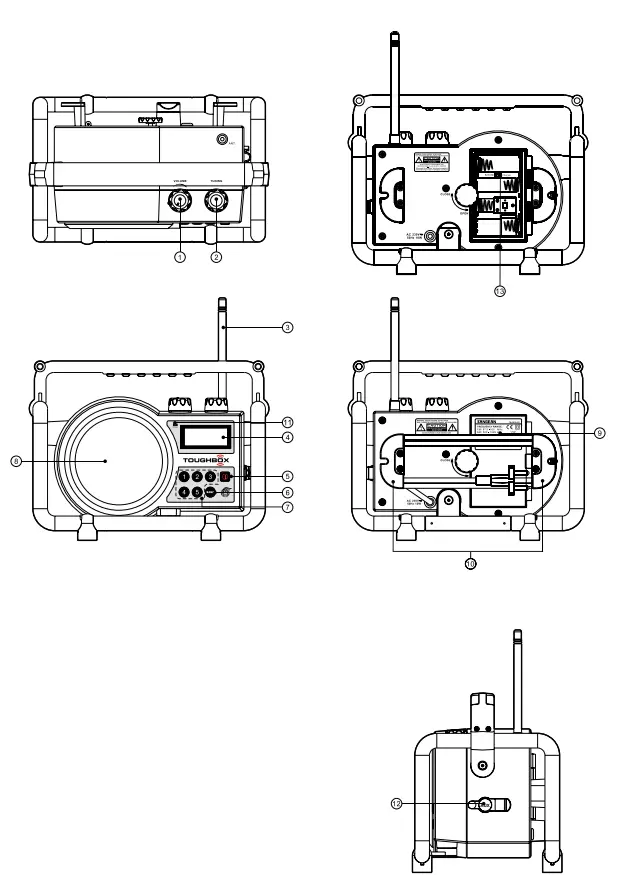
- Volume Control
- Tuning Control
- FM antenna
- LCD display
- Power On/Off
- Band Selection
- Preset Stations
- Speaker
- Battery Compartment
- AC power cord storage
- Charge LED indicator
- Aux In socket
- Rechargeable battery (Charger)/Normal battery (Batteries) Switch
LCD Display
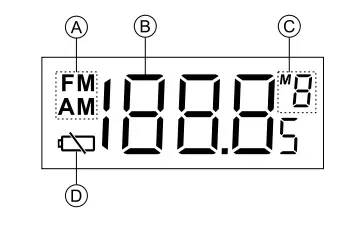
- Band Indicator
- Frequency
- Preset Stations
- Low Battery Indicator
Power the radio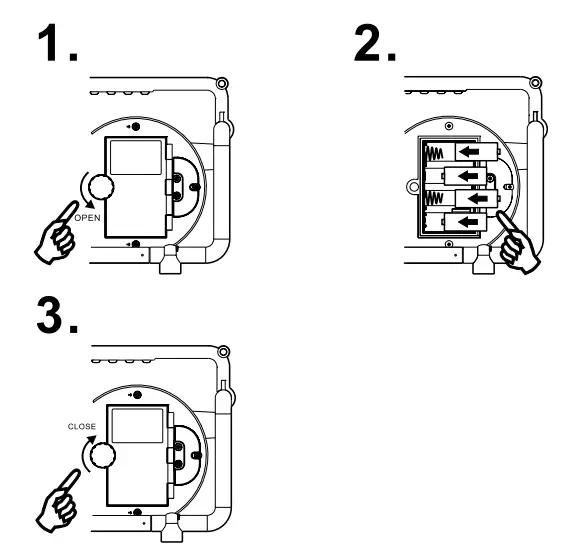
- Installing the batteries, first turn the battery cover fixture anti-clockwise to loosen and pull down the battery cover.
Note
Before you insert the batteries, if you use non-rechargeable batteries, make sure the Charger/Batteries switch which is located inside the battery compartment is switched to the Batteries position. If you use rechargeable batteries, make sure to switch Charger/Batteries switch to the Charger position - Insert 4 X C size (UM-2) battery into the compartment. Ensure the battery is inserted in accordance with the diagram shown. Close the battery cover and fasten the fixture by turning clockwise. If the radio is not to be used for any extended period of time, it is recommended that the battery is removed from the radio. Reduced power, distortion, and a “ stuttering sound “ or low battery sign is flashing on the display are all signs that the batteries need replacing or recharging. (see below charge the batteries)
- AC Operation Before plug the AC power cord into the AC socket, be sure the voltage is correct. If you have batteries in the radio and connect the AC power cord to the AC socket, the batteries will automatically be disconnected. AC power cord storage is designed to store the cord when the radio is not in use.
Charge the batteries
Reduced power, distortion, and a “ stuttering sound “ or low battery sign is flashing on the display are all signs that the batteries need to be recharged if you use rechargeable batteries to power the radio.
Note
The radio can be charged only when the radio is off. Connect the AC power cord into the AC socket to charge the batteries, be sure the battery type switch is set to Charge position. When radio is charged, the CHARGE LED will be flashing and stop flashing ( the LED is on ) when the radio is fully charged. Charging time takes approx. 4-5 hours depending on the capacity of the rechargeable batteries in use.
Manual Tuning
- Press the Power button to turn on the radio.
- Select the required waveband by pressing the Band button.
- Be sure to screw in the rubber FM antenna properly to get the best reception. For AM (MW) band, rotate the radio to get the best signal.
- Rotate the Tuning Control knob will change the frequency in the following increments
- FM: 50 or 100 kHz
- AM (MW): 9 or 10 kHz
- Rotate the Volume Control knob to get the required sound level.
- To turn off the radio, press the Power button. The display will show OFF.
Memory presets stations
Storing stations in preset memories, please follow the below step. There are 5 memory presets for each waveband.
- Press the Power button to turn on the radio.
- Tune to the required station by pressing the Band button and Tuning Control.
- Press and hold down the required preset until the radio beeps. The preset number will appear in the display and the station will be stored under the chosen preset button.
- Repeat this procedure for the remaining presets.
- Stations stored in preset memories can be overwritten by following the above procedures.
Recall stations from preset memories.
- Press the Power button to turn on the radio.
- Select the required waveband.
- Momentarily press the required Preset button, and the preset number and station frequency will appear in the display.
Display backlight
When the radio is switched on, press any button except the Power button will illuminate the LCD display for approx. 15 seconds.
Setting tuning step
Tuning steps in some countries are different from where you purchase the radio.
- When the radio is switched off, press and hold the BAND button for 3 seconds until software version ‘FXX’ is shown on the display. Rotate the tuning control rotary to highlight the desired frequency range, as the following:
- F00: 76 MHz – 90 MHz
- F01: 76 MHz – 108 MHz
- F02: 87.5 MHz – 108 MHz
- F03: 64 MHz – 108 MHz
Press the BAND button to confirm the selection.
- Then rotate the Tuning control rotary to select 50 kHz or 100 kHz FM step. Press the Band button to confirm the selection.
- Rotate the Tuning control rotary to select the 9 kHz or 10 kHz AM step. Press the Band button to confirm the setting. Then the tuning step setting is completed.
Clear the preset stations
Whenever necessary, you can clear all the preset stations. When the radio is off, press Preset Button 5 same time for more than 2 seconds to clear all the preset stations. The radio will be reset to the original factory set status.
Aux In socket
The Aux In socket is to connect an audio source (like an MP3 player or CD walkman) to listen to the audio program via the speaker. Remove the rubber cover, connect the audio source with a 3.5 mm audio connector wire, and rotate the Volume Control to play the audio program.
Note:
You need to plug in a 3.5 mm audio connector wire in order to change to the Aux in the band.
If at any time in the future you should need to dispose of this product please note that: Waste electrical products should not be disposed of with household waste. Please recycle where facilities exist. Check with your Local Authority or retailer for recycling advice. (Waste Electrical and Electronic Equipment Directive)
Frequently Asked Questions
Can it get wet?
Yes, it is stated as JIS4 on the Sangean site. The JIS4 Standard is not really a Water-Proof standard, but rather water-resistant. JIS4 in a nutshell means the product must be able to work without damage after submersion in water up to 1 meter for 30 minutes. In other words, it is for products where expected use around water is not under high pressure, but it could get wet and still be ok. Typical for products with intended use around pools, marine craft, or weather/rain use. Not intended for taking diving for example.
Will it work in a heavily insulated aluminum siding with shop fluorescent lighting?
I have one in my large barn with w/fluorescent lighting, and it works better than the radio that was in there. I don’t see where insulation would interfere with reception.
Does it work when wet? I am looking for a waterproof radio to use while tubing.
While rugged and weather resistant, it isn’t waterproof and were it to be immersed in water, it might not function. Note this is a battery radio but it also operates on AC, so it isn’t designed to be seriously wet.
What is a good brand of rechargeable C batteries to buy with this radio?
I use the Sanyo Eneloop Ni-MH AA rechargeable batteries with the C-adapters. I have researched the batteries and have found these to be some of the best! I bought the AA batteries and the C adapters thru Amazon and I have had no issues with this set-up.
How many c batteries does it require?
Requires (4) ‘c’ type chargeable or non-rechargeable batteries; has built-in charger/battery switch.
Will an android phone plug into this radio?
I’m not sure about an Android phone. I am running XM radio through this by way of a microphone jack for the audio. So it may very well work for your cell phone.
This might be one of those stupid questions…but is this radio play both ac and dc?
Yes it does. The radio uses both 120-volt AC and/or four-size “C” rechargeable batteries. One of the nice things about this radio is that it has a built-in charger for the batteries and will charge them when running on 120 volts.
Is tuning dial spring-loaded with a hard stop? Or can it rotate freely 360 degrees around and around?
Yes, the knobs turn freely in a 360-degree circle.
Does it receive NOAA weather?
No. This is not a weather radio.
Connect to Bluetooth?
It is a battery radio, no it connects to nothing. It has great sound
How loud is it? Sometimes I like it loud
It is very loud when the volume is turned up to max. I take mine on my fishing boat and it is plenty loud for me.
Can I use this radio with the New Zealand or Australian power outlets?
Probably with any appropriate adapter, possibly safer to use with a surge protector. Could be better to find the 220-240v, whatever the rating is, radio. As far as I know any electronic can work internationally with appropriate adapters though supposedly there are electronics such as sensitive electronics that won’t.
It works out the same wattage, right? Other parts of the world use a higher voltage though lower amperage and otherwise the same wattage.
Careful with that though, I otherwise only know that mobile phone and tablet and camera battery chargers work internationally with adapters and I think laptops as well. I’m not sure about household appliances if there are sensitive electronics though as far as I know if any appropriate adapter is used and or appropriate rewiring if there are no sensitive electronics and you know what you’re doing then it should work. Search the internet besides ask at a hardware electric parts store and likewise and can probably get a much better definitive answer that way.
Can I connect my phone using Bluetooth?
Yes if you get the blue box.
When plugged in does the backlight stay on continuously?
No, it stays on briefly when you power up and then dims down. If you change channels it lights up. A continuous light would wear the battery down too quickly. It is still quite readable when the light is not on.