 USER MANUAL
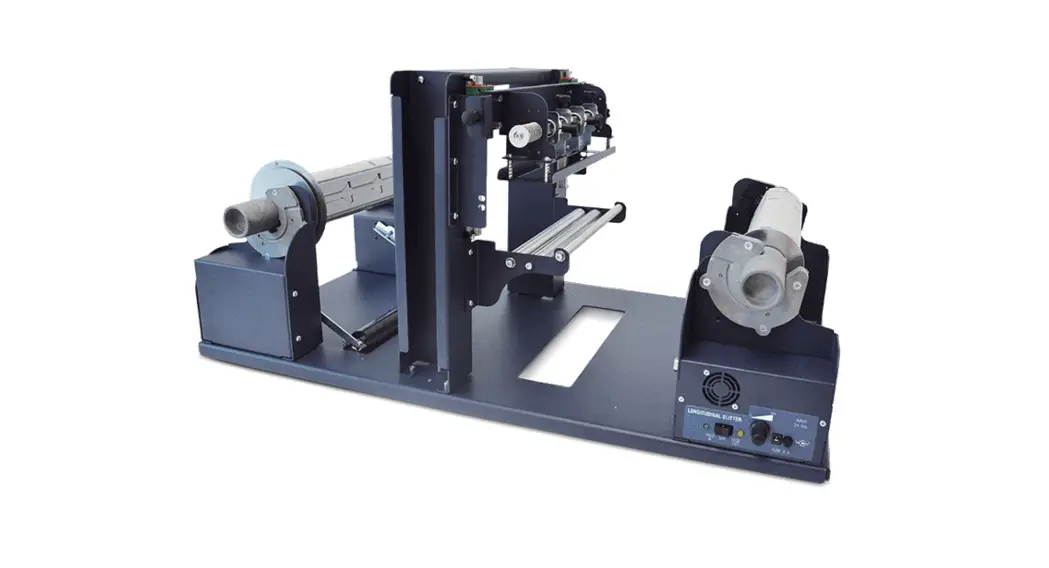
Longitudinal label slitter
MCH100SLT25 Longitudinal Label Slitter
Please keep the original packaging in case you need to return the unit. If we receive the system in non-original packaging, the warranty may be void.
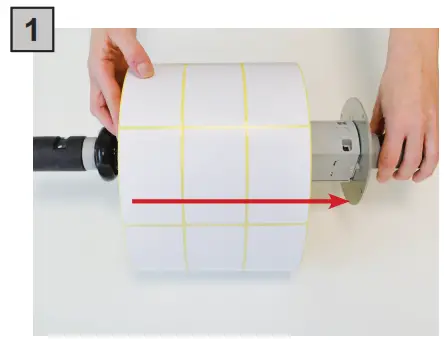
Load the roll on the core holder. Push until it touches the roll guide.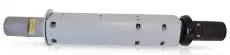 Use this core holder.
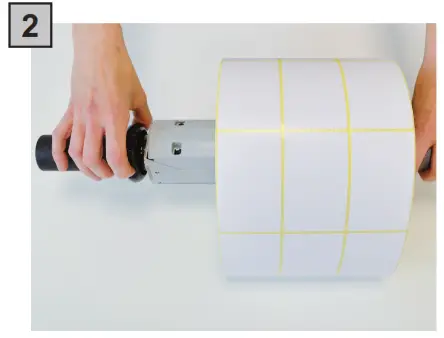
Tighten the roll and the guide in place by turning the tension knob.
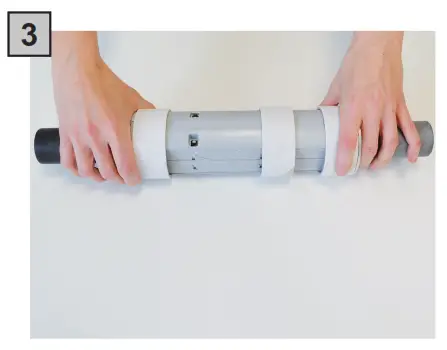
Insert the empty cardboard cores on the core holder to receive the new labels roll.Use this core holder.
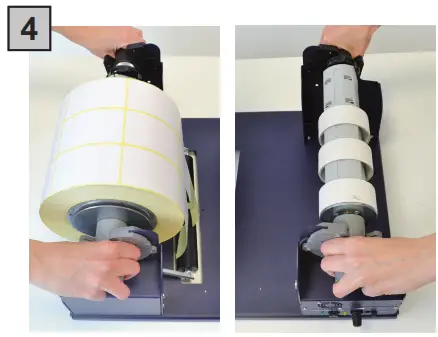
Set the core holders in the supply location. Match the gray handle to gray holder.
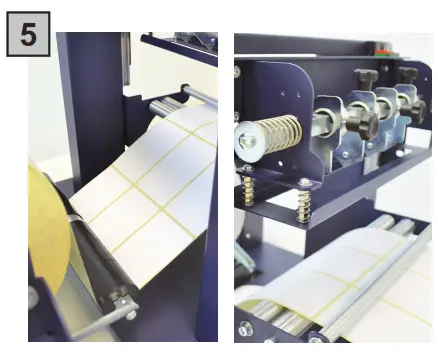
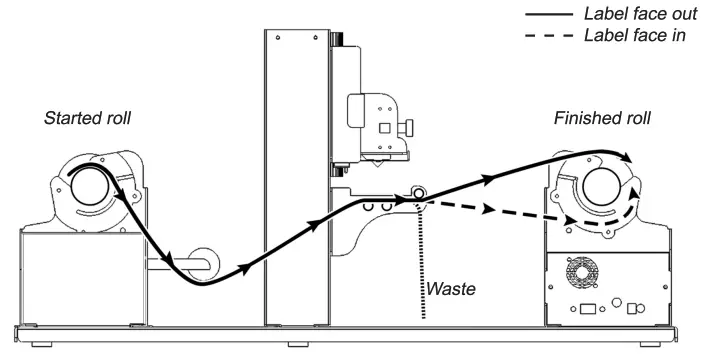
Throw the media under the tension arm and take a look the picture below for the media path in the clutch.
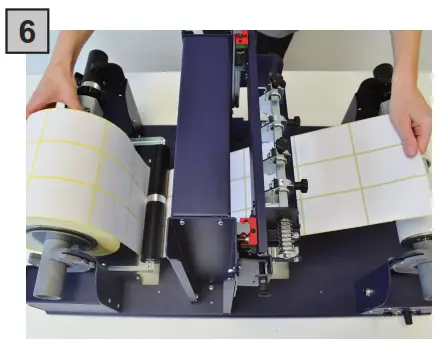
Pull the media for about fifty centimeters.
Paper Path
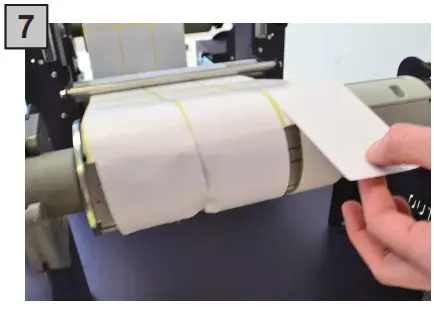
Temporarily attach the label directly to the take-up core holder. This will provide the necessary tension in order start the slitting process.
Position the blades in between each column and on either edge if desired.
You can alternate the position of the thumb screw from the top to the side to gain easier access.
WARNING!
The slitter blades are exposed and VERY sharp when the slitter station is in the “up” position. Use extreme caution!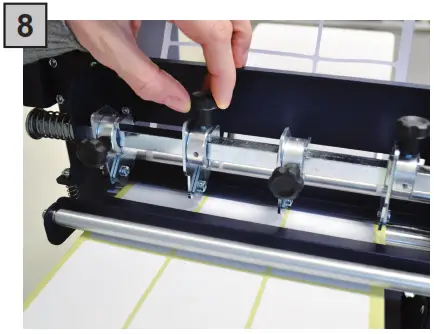
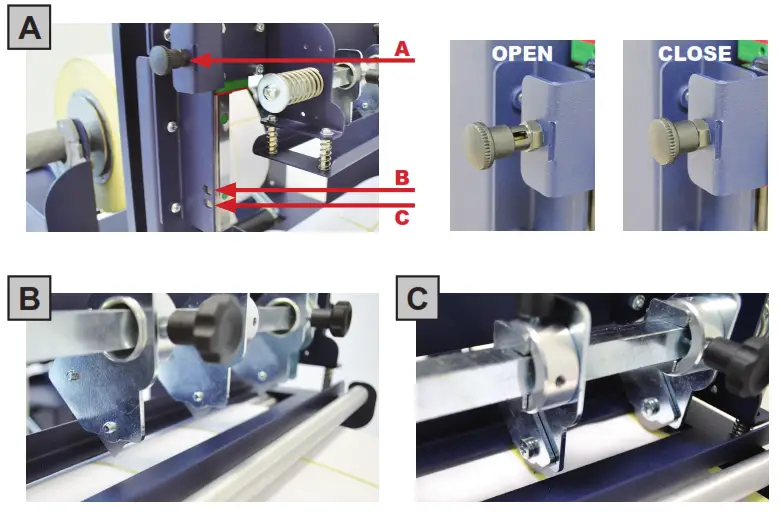
The slitter module has 3 positions:
- Upper position (A), the blades are closed to allow the media loading;
- In middle position (B), align the blades with the edges and the center of the labels, and tighten the thumb screw once the blade is in position;
- Lower position (C), the blade cut the media.
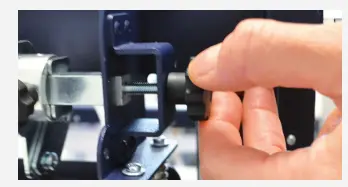
The black knobs lock the slitter module in the requested position. Screw the thumb knobs to move the blades to the right or to the left.
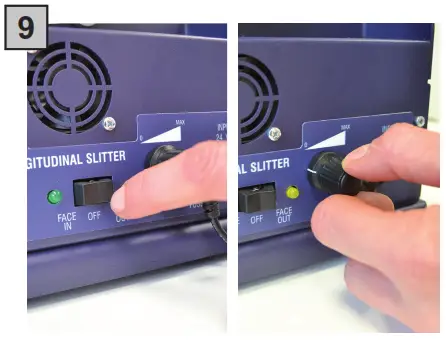
Slowly turn the speed knob. Run the SLITTER until the slit labels reach the bottom of the take-up core holder.
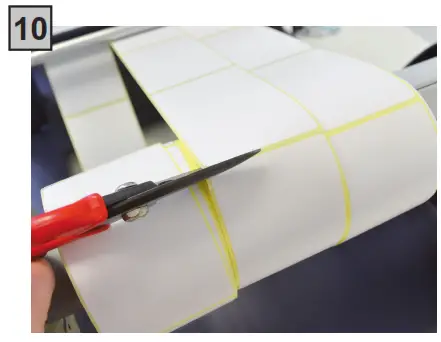
Remove the labels that have wrapped around the take-up core holder.
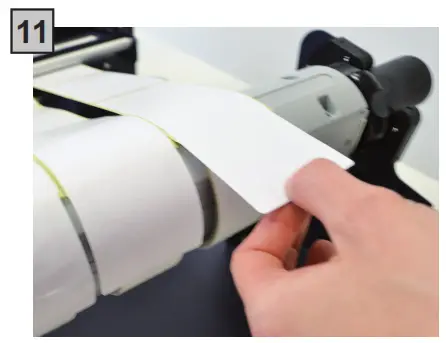
Attach the labels to the core using a waste label or tape.
Switch on the SLITTER and slowly turn to increase the speed. When the roll is finished the unit automatically stops.
When the contact on the dancer’s arm touches the screw on the base, you will also hear an audible tone.
HOW TO ADD OR REMOVE A BLADE HOLDER
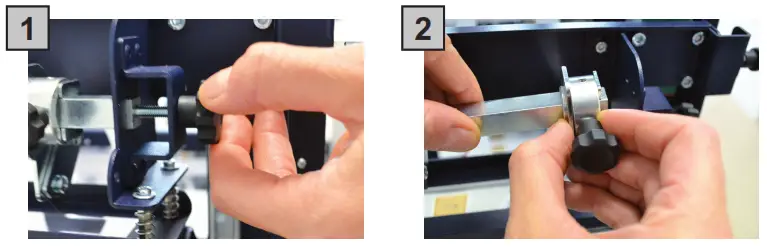 | |
| Keep out the iron slide bar by unscrewing the thumb screw. | Slide in or out of the blade holder. Relocate the slide iron bar in its position and re-screw the thumb screw. |
REPLACING SLITTER BLADES
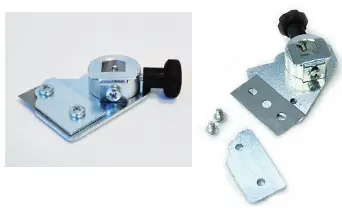
Loosen the two screws holding the blade in place.
Replace the blade.
Fix back the screw to holding the blade in place.
HOW TO ADJUST THE CLUTCH ON UNWINDER
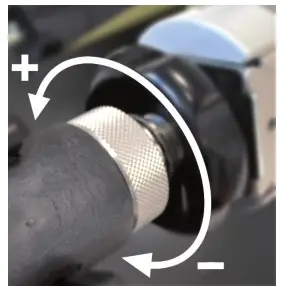
It is possible to adjust the clutch by just screwing or loosening the aluminium handle on it.
+ more clutch
– less clutch