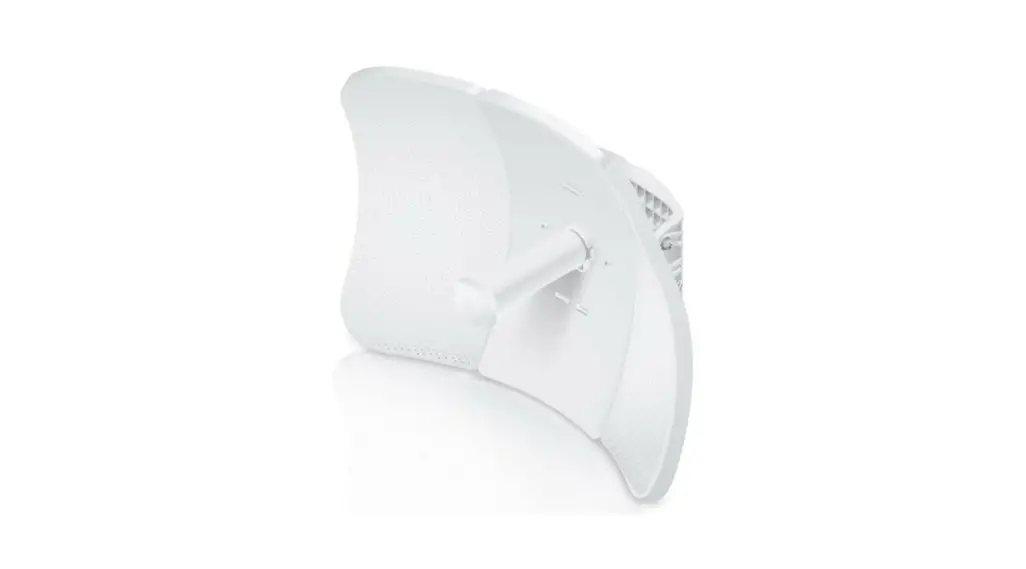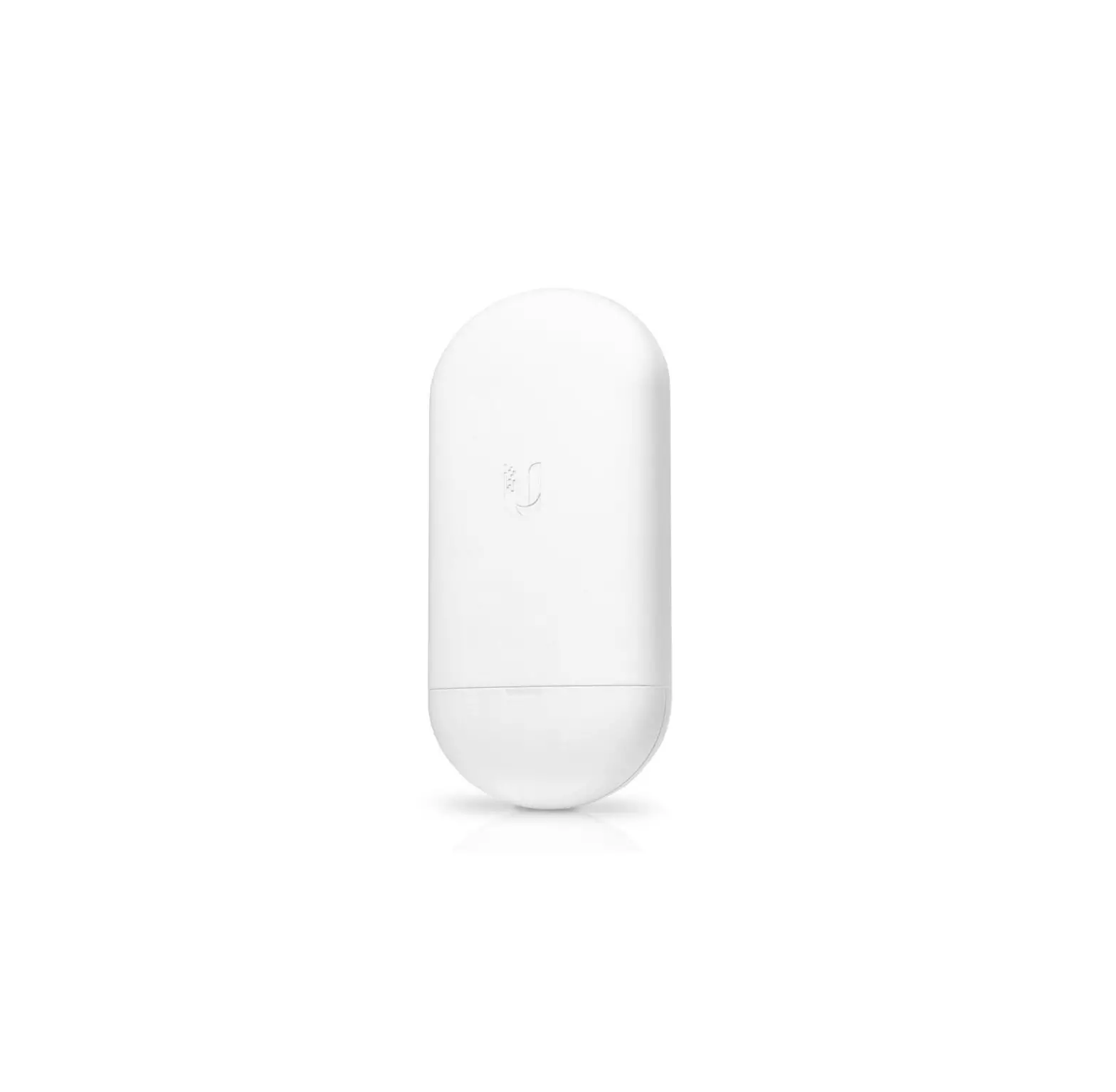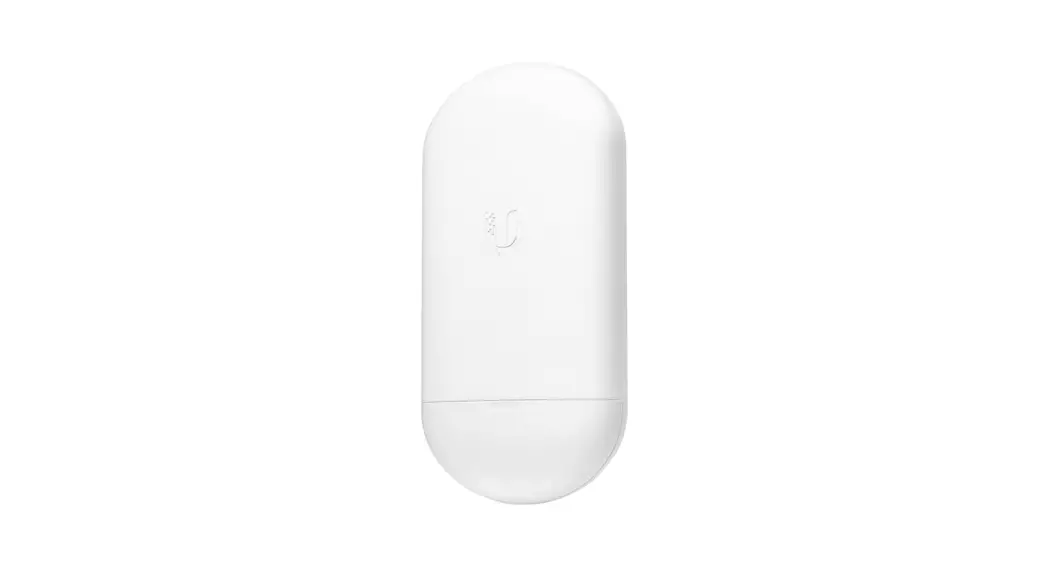
Loco5AC Quick Start Guide
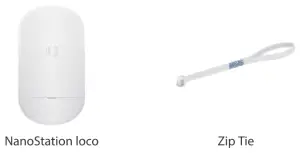
Package Contents
Installation Requirements
- Shielded Category 5 (or above) cabling with drain wire should be used for all outdoor wired Ethernet connections and should be grounded through the AC ground of the PoE.
We recommend that you protect your networks from harmful outdoor environments and destructive ESD events with industrial-grade, shielded Ethernet cable from Ubiquiti. For more details, visit ui.com/toughcable - Surge protection should be used for all outdoor installations. We recommend that you use two Ethernet Surge Protectors, model ETH-SP, one near the NanoStation loco and the other at the entry point to the building. The ETH-SP will absorb power surges and safely discharge them into the ground.
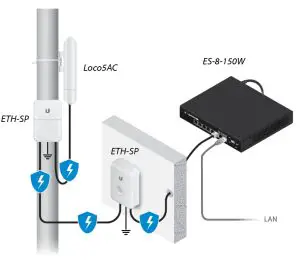
Diagram Showing Use of Ethernet Surge Protectors
Hardware Overview
Port View
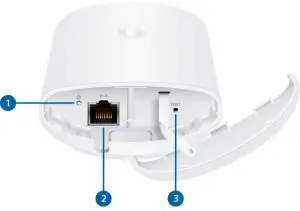
- Power LED
- Ethernet Port
10/100/1000 Ethernet port used to connect the power and should be connected to the LAN and DHCP server. - Reset Button
To reset to factory defaults, press and hold the Reset button for more than 10 seconds while the device is powered on.
Hardware Installation
1.
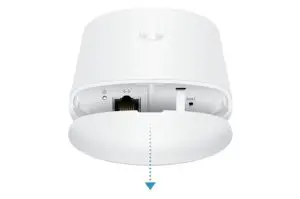
2.
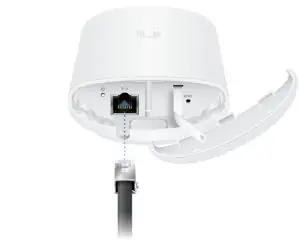
Pole Mount
1.
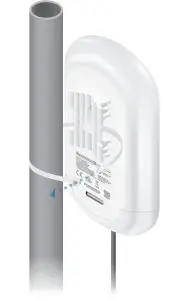
2.
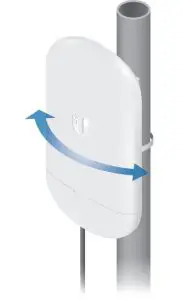
3.
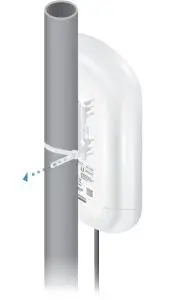
Connecting Power
 WARNING: The switch port must comply with the power specications listed in this “Specications”.
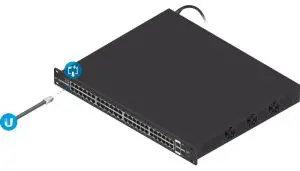
Accessing airOS via Wi-Fi
Verify connectivity in the airOS® Conguration Interface using the UNMS™ app or Web Portal. Both are available for 15 minutes immediately after you power on the device. If necessary, you can power cycle the device to re-enable its Wi-Fi.
UNMS App
- Download the UNMS app.

- Connect your device’s Wi-Fi to the SSID named: <model>:<MAC Address>
 Note: Ensure that DHCP is enabled on your Wi-Fi adapter.
 - Launch the app and follow the on-screen instructions.

Web Portal
- Connect your device’s Wi-Fi to the SSID named: <model>:<MAC Address>Note: Ensure that your Wi-Fi connection has DHCP enabled.

- Select your Country and Language. You must agree to the Terms of Use to use the product. Click Continue.

- Create a username and password. Conrm your new password and then click Save.


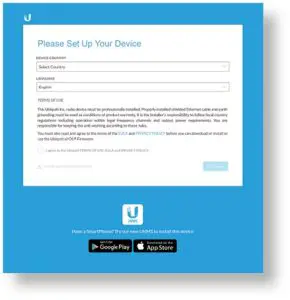
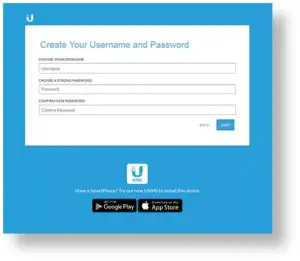
The airOS Conguration Interface will appear, allowing you to customize your settings as needed. For additional details, refer to the User Guide available at ui.com/download/airmax-ac
Installer Compliance Responsibility
Devices must be professionally installed and it is the professional installer’s responsibility to make sure the device is operated within local country regulatory requirements.
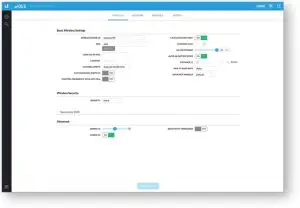
The Output Power eld is provided to the professional installer to assist in meeting regulatory requirements.
Specications
| Loco5AC | |
| Dimensions | 179 x 77.5 x 59.1 mm (7.05 x 3.05 x 2.33″) |
| Weight | 180 g (6.35 oz) |
| Processor | MIPS 74K |
| Memory | DDR2 64 MB |
| Antenna Gain | 13 dBi |
| Networking Interface | (1) 10/100/1000 Ethernet Port |
| Power Method | Passive PoE 2-Pair (Pairs 4, 5+; 7, 8 Return) |
| Power Supply | 24V, 0.3A Gigabit PoE Supply* |
| Max. Power Consumption | 7W |
| Supported Voltage Range | 24V ±10% |
| ESD/EMP Protection | ±24kV Contact / Air |
| Operating Temperature | -40 to 70° C (-40 to 158° F) |
| Certications | CE, FCC, IC |
* Not included. Recommended PoE Adapter: POE-24-12W-G.
| Operating Frequency (MHz) | ||
| Worldwide | 5150 – 5875 | |
| US/CA | U-NII-1 | 5150 – 5250 |
| U-NII-2A | 5250 – 5350 | |
| U-NII-2C | 5470 – 5725 | |
| U-NII-3 | 5725 – 5850 | |
| Management Radio (MHz) | |
| Worldwide | 2412 – 2472 |
| US/CA | 2412 – 2462 |
Safety Notices
- Read, follow, and keep these instructions.
- Heed all warnings.
- Only use attachments/accessories specied by the manufacturer.
 WARNING: Do not use this product in location that can be submerged by water.WARNING: Avoid using this product during an electrical storm. There may be a remote risk of electric shock from lightning.
Electrical Safety Information
- Compliance is required with respect to voltage, frequency, and current requirements indicated on the manufacturer’s label. Connection to a different power source than those specied may result in improper operation, damage to the equipment or pose a re hazard if the limitations are not followed.
- There are no operator serviceable parts inside this equipment. Service should be provided only by a qualied service technician.
Limited Warranty
Compliance
FCC
Changes or modications not expressly approved by the party responsible for compliance could void the user’s authority to operate the equipment.
This device complies with Part 15 of the FCC Rules. Operation is subject to the following two conditions.
- This device may not cause harmful interference, and
- This device must accept any interference received, including interference that may cause undesired operation.
This equipment has been tested and found to comply with the limits for a Class A digital device, pursuant to part 15 of the FCC Rules. These limits are designed to provide reasonable protection against harmful interference when the equipment is operated in a commercial environment. This equipment generates, uses, and can radiate radio frequency energy and, if not installed and used in accordance with the instruction manual, may cause harmful interference to radio communications. Operations of this equipment in a residential area is likely to cause harmful interference in which case the user will be required to correct the interference at his own expense.
This radio transmitter has been approved by FCC.
ISED Canada
CAN ICES-3(A)/NMB-3(A)
This device complies with ISED Canada licence-exempt RSS standard(s). Operation is subject to the following two conditions:
- This device may not cause interference, and
- This device must accept any interference, including interference that may cause undesired operation of the device.
This radio transmitter has been approved by ISED Canada.
The device for operation in the band 5150-5250 MHz is only for indoor use to reduce the potential for harmful interference to co-channel mobile satellite systems.
IMPORTANT NOTE
Radiation Exposure Statement
- This equipment complies with radiation exposure limits set forth for an uncontrolled environment.
- This equipment should be installed and operated with minimum distance 25 cm between the radiator and your body.
- This transmitter must not be co-located or operating in conjunction with any other antenna or transmitter.
Australia and New Zealand
 Warning: This equipment is compliant with Class A of CISPR 32. In a residential environment this equipment may cause radio interference.
CE Marking
CE marking on this product represents the product is in compliance with all directives that are applicable to it.

Country List

| AT | BE | BG | CY | CZ | DE | DK | EE | EL | ES | FI | FR | HR | HU |
| IE | IT | LV | LT | LU | MT | NL | PL | PT | RO | SE | SI | SK | UK |
BFWA (Broadband Fixed Wireless Access) members noted in blue
The following apply to products that operate in the 5 GHz frequency range: Note: This device is restricted to indoor use only when operating in the 5150 – 5350 MHz frequency range within all member states.Note: All countries listed may operate at 30 dBm. BFWA member states may operate at 36 dBm.Note: Operation in the 5.8 GHz frequency band is prohibited in BFWA member states. Other countries listed may use the 5.8 GHz frequency band.
WEEE Compliance Statement
Declaration of Conformity
Online Resources

© 2020 Ubiquiti Inc. All rights reserved.