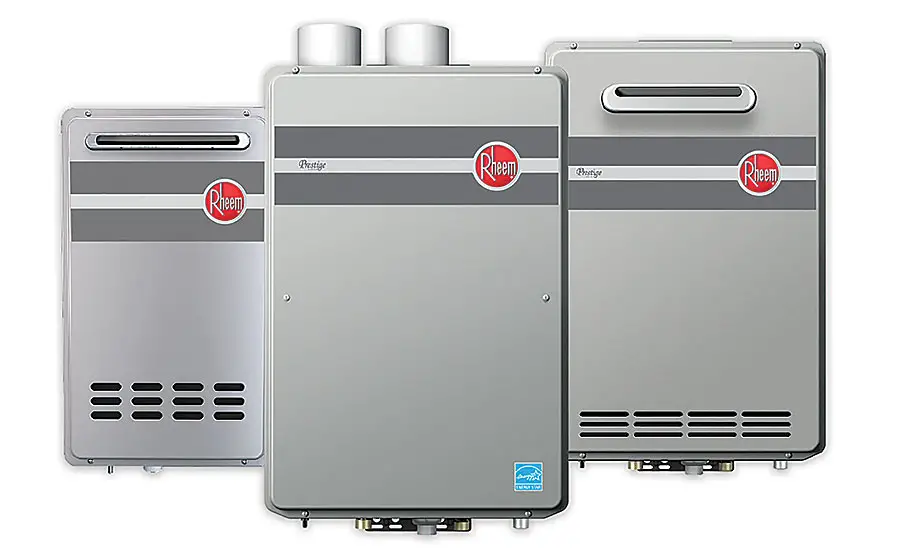
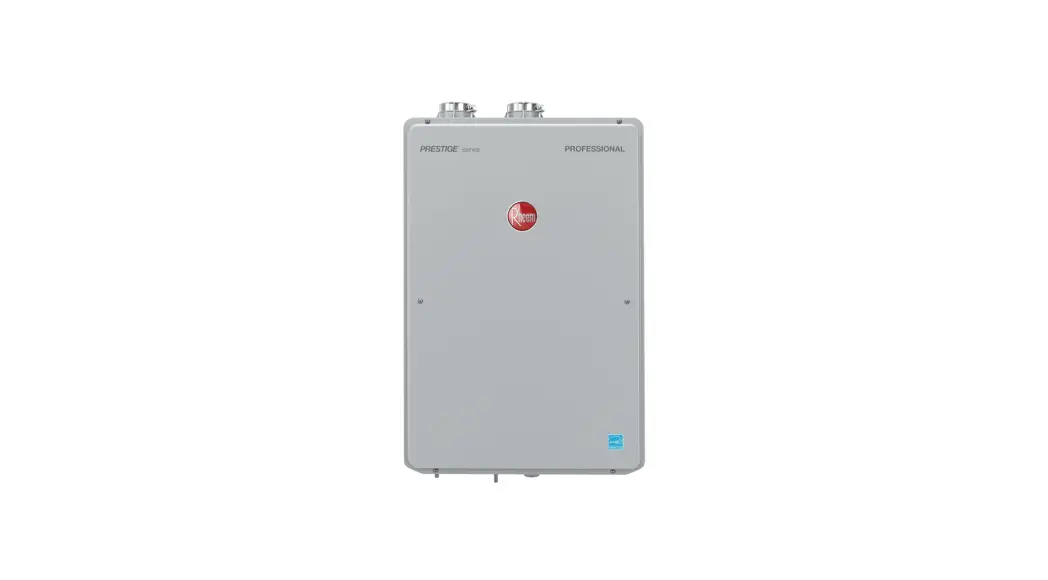
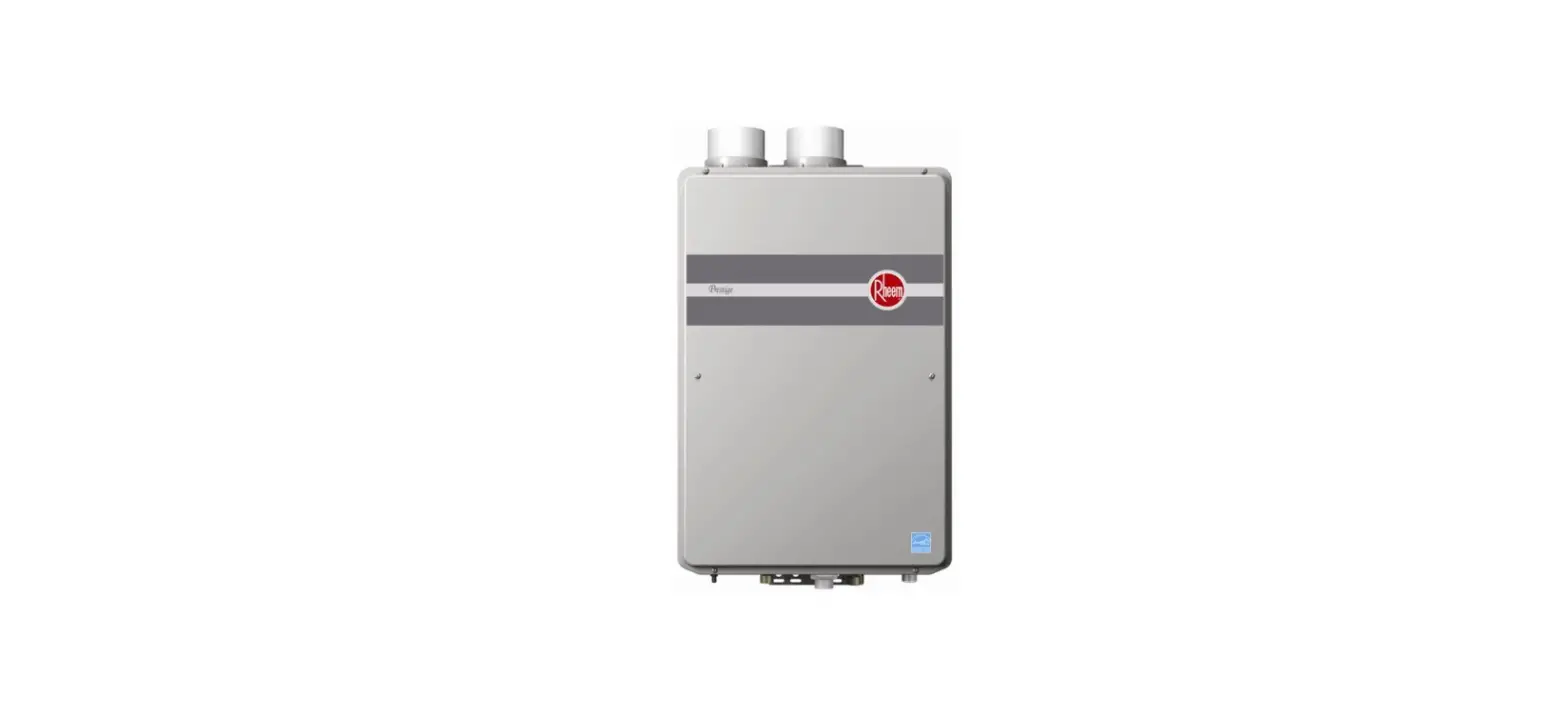
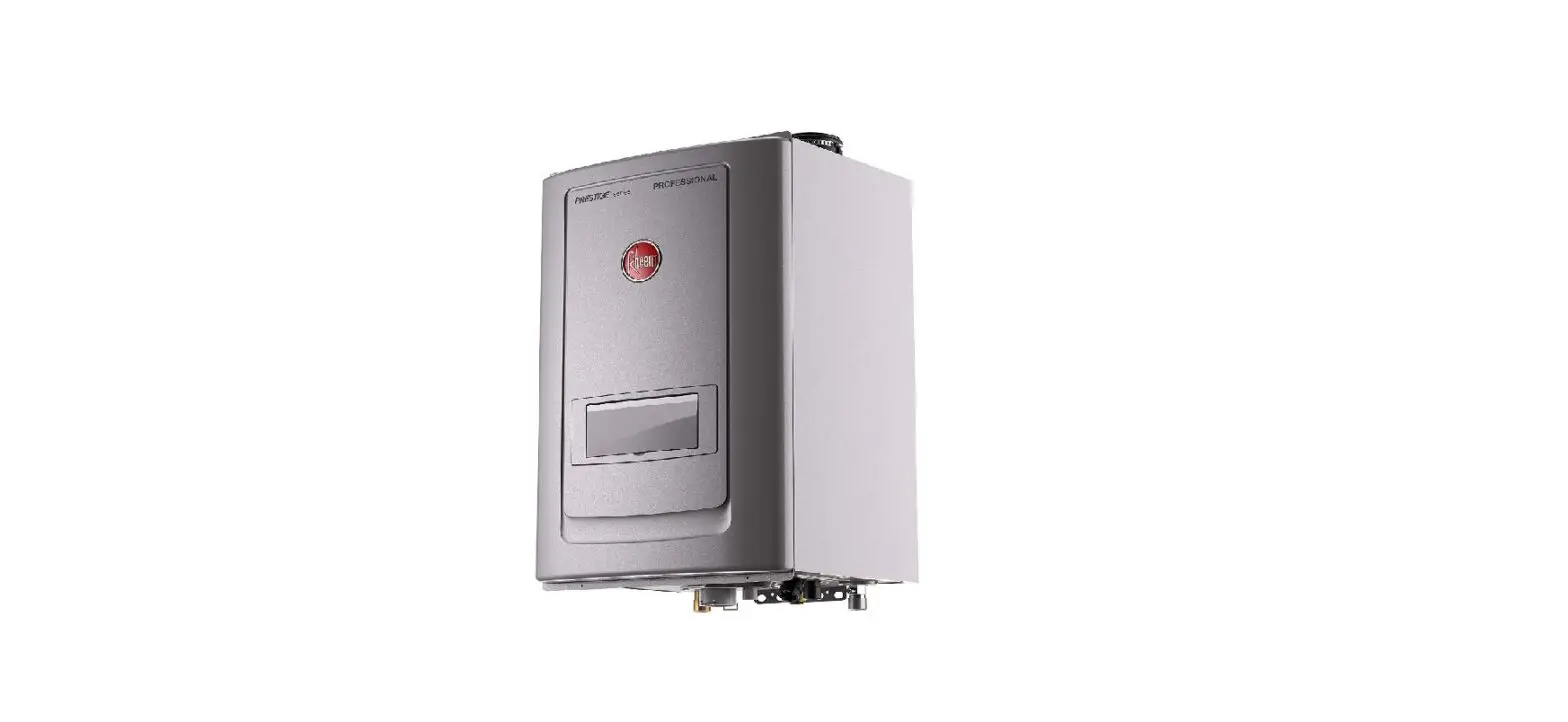
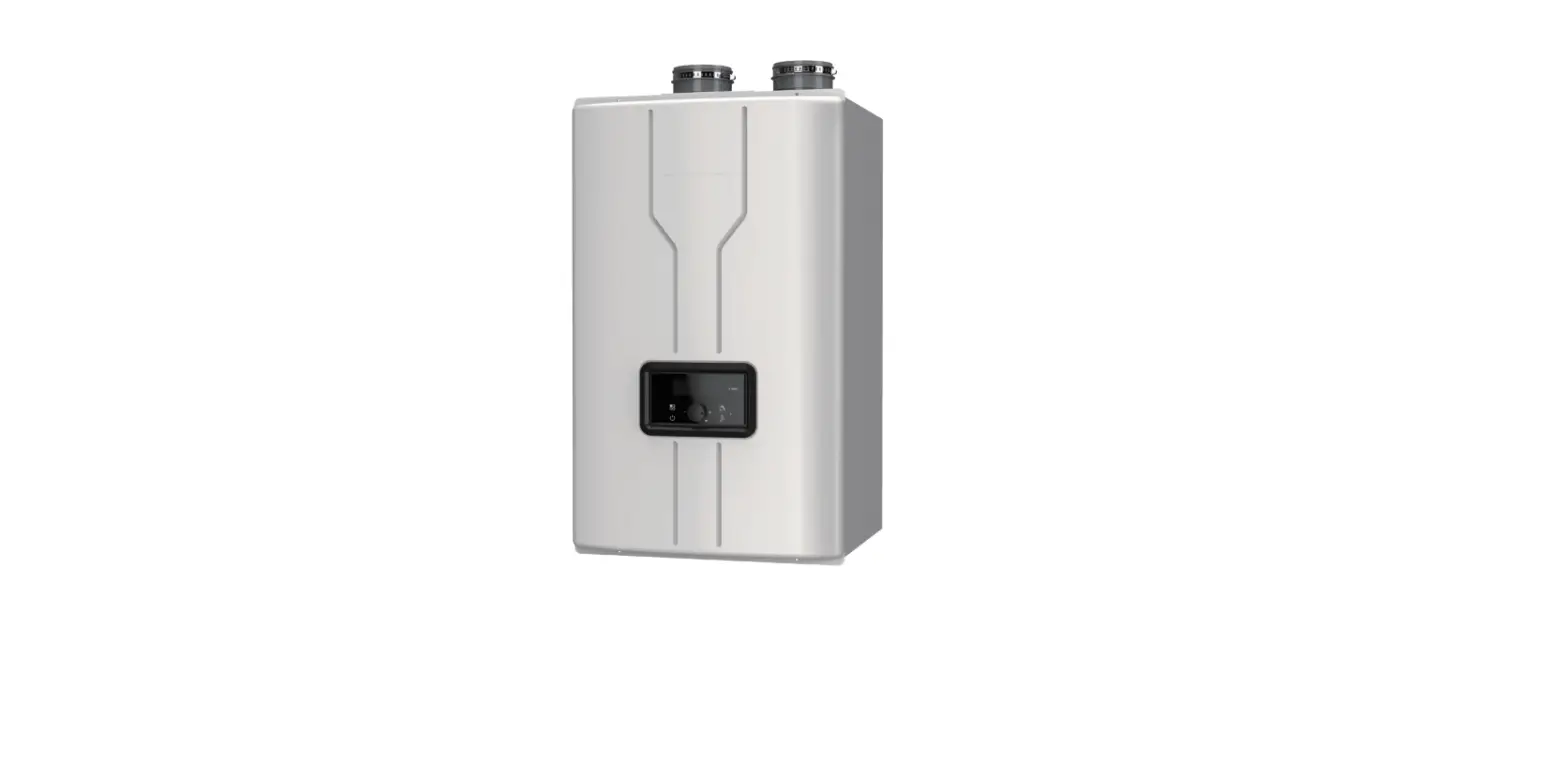
199,900 IKONIC Tankless Gas Water Heater
Ikonic Tankless Screen Guide
INSTRUCTIONS FOR THE INSTALLER
The Ikonic Tankless Screen Guide is a condensing tankless water
heater with integrated recirculation. It comes in three models:
199,900 Btu/hr, 180,000 Btu/hr, and 157,000 Btu/hr. The product is
designed to have ultra-low NOx emissions and is certified by SCAQMD
Rule 1146.2. The default settings of this water heater are
factory-set and include features such as temperature setting,
recirculation pump mode, manifold heaters, water saver mode,
elevation temp, unit service alert, beep on alarm display, and
more.
INSTALLATION INSTRUCTIONS
WARNING: It is crucial to follow the
instructions exactly to avoid any fire or explosion that may cause
death, personal injury or property damage.
For Your Safety!
- If you smell gas, do not attempt to operate the product.
- Turn off water and gas before installation.
- Do not destroy the manual. Keep it in a safe place for future
reference.
Multiple Unit Controls
The Ikonic Tankless Screen Guide includes multiple unit controls
that allow for up to 20 water heaters to be manifolded together. To
accomplish multiple unit controls, a RJ25 communication cable(s) is
required. You can purchase the RJ25 communication cable(s) at the
store where you bought the tankless water heater.
Installation Steps:
- Go to a display on one of the units and press SETTINGS.
- Turn off water and gas.
- Remove screw covers, 4 screws and front cover for all water
heaters. - Press the or Y button until NETWORK INSTANCE is displayed, and
press ENTER to confirm. - Connect all water heaters by the RJ25 Communication Cable(s).
The RJ25 Communication Cable(s) should go through a rubber grommet
on the bottom of the water heater, and be attached to one of the
connectors on the right side of the display. The other end should
be attached to another water heater. - Press the or Y button for several times to assign a unique and
sequential instance number to the unit, and press ENTER to confirm.
Repeat steps 4 through 6 until all manifolded units are assigned to
a unique instance number. - Go to a display on a unit with INSTANCE = 1, and press
SETTINGS. - Press the or Y button until Tankless Config is displayed, and
press ENTER to confirm. - Confirm the label MASTER is visible on the display of unit
instance 2, and MANIFOLD #* is visible on display of instance *
unit where * is the unit’s instance number. If set up is not
completed properly and you don’t see the text, repeat steps 3
through 10. - Instance 1 will remain with the text SET POINT displayed on the
main screen. Only Instance 1 is used to control the set point of
all the manifolded units.
Ikonic Tankless Screen Guide INSTRUCTIONS FOR THE INSTALLER
Condensing Tankless with Integreated Recirculation 199,900 Btu/hr, 180,000 Btu/hr and 157,000 Btu/hr Models
DESIGN
CERTIFIED
®
CERTIFIED R
w w w. a h r i d i r e c t o r y. o r g
ULTRA
Low NOx
Emissions
SCAQMD Rule 1146.2
WARNING:
If the information in these instructions is not followed exactly, a fire or explosion may result, causing death, personal injury, or property damage.
For Your Safety!
· Do not store or use gasoline or other flammable vapors and liquids in the vicinity of this or any other appliance. To do so may result in an explosion or fire.
· Installation and service must be performed by a qualified installer, service agency, or the gas supplier.
What to Do If You Smell Gas
· Do not try to light any appliance.
· Do not touch any electrical switch; do not use any phone in your building.
· Immediately call your gas supplier from a neighbor’s phone. Follow the gas supplier’s instructions.
· If you cannot reach your gas supplier, call the fire department.
· Do not return to your home until authorized by the gas supplier or fire department.
Do not destroy manual. Please read carefully and keep in a safe place for future reference.
Print 2D Bar Code
Here
AP22745 Rev 03
INSTALLATION INSTRUCTIONS
Factory Settings
The default settings of this water heater are as follows:
FACTORY SETTINGS
Set temp. Recirc Pump Mode Manifold Heaters Water Saver Mode Elevation TemP. Unit Service Alert Beep on Alarm Display
120°F None
1 OFF Sea Level Fahrenheit OFF OFF DISABLED
Start/Adjust
19
INSTALLATION INSTRUCTIONS
Multiple Unit Controls
For installation of multiple water heaters, ensure proper manifolding of the controls and common venting as outlined in the section below. Note that up to 20 water heaters can have maniolded gas lines, water lines, and controls, however, vent pipes can only be common vented for a maximum of 2 water heaters. For more than 2 water heater installations, multiple vent runs will be required. For manifold systems with built-in recirculation pump, the first water heater in the series must contain the built-in recirculation pump to ensure proper operation. Additional water heaters in the series can be recirculation or nonrecirculation based on application requirements.
This water heater includes multiple unit controls to manifold up to 20 water heaters together. To accomplish multiple unit controls, a RJ25 communication cable(s) is required. Contact a store where tankless water heaters were purchased to purchase the RJ25 communication cable(s).
Suggested RJ25 Communication Cables
Part Number
Length
RCPN-AMP03-0013111101-003
48″
RCPN-AMP03-0013111101-002
72″
RCPN-AMP03-0013111101-004
240″
SET POINT
BACK
ENTER
SETTINGS STATUS SERVICE MODE
4
Go to a display on one of the units, and press “SETTINGS”.
1
Turn off water and gas.
NETWORK INSTANCE
BACK
ENTER
SETTINGS STATUS SERVICE MODE
2
Remove screw covers, 4 screws, and a front cover for all water heaters.
5
Press the “” or “Y” button until “NETWORK INSTANCE” is displayed, and press “ENTER” to confirm.
NETWORK INSTANCE
BACK
ENTER
SETTINGS STATUS SERVICE MODE
6
Rubber Grommet
3
RJ25 Communication Cable
Connect all water heaters by the RJ25 Communication Cable(s). The RJ25 Communication Cable(s) should go through a rubber grommet on the bottom of the water heater, and be attached to one of the connectors on
Press the “” or “Y” button for several times to assign a unique and sequential instance number to the unit, and press “ENTER” to confirm. Repeat steps 4 through 6 until all manifolded units are assigned to a unique instance number.
the right side of the display. The other end should be
42
attached to another water heater.
INSTALLATION INSTRUCTIONS
Multiple Unit Controls (cont.)
SET POINT
BACK
ENTER
SETTINGS STATUS SERVICE MODE
MASTER
BACK
ENTER
SETTINGS STATUS SERVICE MODE
7
Go to a display on a unit with “INSTANCE” = 1, and press “SETTINGS”.
Tankless Config
BACK
ENTER
SETTINGS STATUS SERVICE MODE
8
Press the “” or “Y” button until “Tankless Config” is displayed, and press “ENTER” to confirm.
Manifolded Heaters
BACK
ENTER
SETTINGS STATUS SERVICE MODE
11
Confirm the label “MASTER” is visible on the display of unit instance 2, and “MANIFOLD #*” is visible on display of instance * unit where * is the unit’s instance number. If set up is not completed properly and you don’t see the text, repeat steps 3 through 10.
SET POINT
BACK
ENTER
SETTINGS STATUS SERVICE MODE
12
Instance 1 will remain with the text “SET POINT” displayed on the main screen. Only Instance 1 is used to control the set point of all the manifolded units.
9
Press the “” or “Y” button until “Manifold Heaters” is displayed, and press “ENTER” to confirm.
Manifolded Heaters
BACK
ENTER
SETTINGS STATUS SERVICE MODE
13
Install the front cover, 4 screws and the screw covers for all water heaters.
10
Press the “” or “Y” button to set a number of manifolded water heaters, and click “ENTER” to confirm.
14
Turn on water and gas.
43
INSTALLATION INSTRUCTIONS
Service Alert
Service alert reminds users of water heater maintenance activities such as flushing the heat exchanger or replacing the water treatment filter (if applicable) in order to maximize the life of your tankless water heater. In addition to those maintenance activities, conduct inspections, care cleaning and preventive maintenance activities refer to “Water Heater Inspections”, “Care and Cleaning” and “Preventive Maintenance” in this Use and Care Manual. Contact technical service department listed on page 93 of this use and care manual if you are not familiar with these maintenance activities.
1
Turn off the gas and water to the water heater by closing the shut-off valves.
500 HOURS
BACK
ENTER
SETTINGS STATUS SERVICE MODE
4
The Factory setting is “OFF”. Press the “” or “Y” button to choose between “500 Hours”, “750 Hours” or “1000 Hours” of combustion time for the service alert and press “ENTER” button to confirm.
To exit this setting, press “Back” button until the initial screen is displayed.
NOTICE:
It is recommended not to change default 500 hours unless it is absolutely necessary.
SET POINT
BACK
ENTER
SETTINGS STATUS SERVICE MODE
2
Press the “SERVICE” button.
6
Turn on the gas and water to the water heater by opening the shut off valves.
Service Alert
BACK
ENTER
SETTINGS STATUS SERVICE MODE
3
Press the “” or “Y” button until “Service Alert” is displayed, and press the “ENTER” button.
Start/Adjust
62
INSTALLATION INSTRUCTIONS
High-Altitude Adjustments
WARNING:
When the water heater is installed above 2000ft (610m), the setting on the LCD on the user interface need to be changed altitude. If these setting are not changed, the water heater may not function properly
Elevation
BACK
ENTER
SETTINGS STATUS SERVICE MODE
SET POINT
BACK
ENTER
SETTINGS STATUS SERVICE MODE
1
Press the “SETTINGS” button.
4
Press the “” or “Y” button until ” Elevation ” is displayed, and press the ” ENTER ” button.
Sea Level
BACK
ENTER
SETTINGS STATUS SERVICE MODE
2
Turn off the gas and water to the water heater by closing the shut-off valves.
Tankless Config
BACK
ENTER
SETTINGS STATUS SERVICE MODE
3
Press the “” or “Y” button until ” Tankless Config” is displayed, and press the ” ENTER ” button.
5
The Factory setting is “Sea Level”.
Press the “” or “Y” button to choose “Low Altitude”, “Med. Altitude” or “High Altitude”, and press the “ENTER” button to confirm.
To exit this setting, press “Back” button until the initial screen is displayed.
SECTION
Sea Level Low Altitude Med. Altitude
High Altitude
HIGH-ALTITUDE
0 2,000 ft (0 m 610 m)
2,001 ft 5,400 ft (610 m 1,650 m) 5401 ft 7,900 ft (1,650 m 2,410 m) 7,901 ft 10,200 ft (2,410 m 3,110 m)
Start/Adjust
6
Turn on the gas and water to the water heater by opening the shut off valves.
63
USING YOUR WATER HEATER
Use Instructions
Setting the Water Temperature
WARNING:
Improper adjustment, alteration, service, or maintenance can result in death, personal injury, property damage, and/ or product damage.
Setting delivered water temperature
DANGER:
Water temperatures above 125°F (52°C) will result in death and/or severe burns from scalding.
WARNING:
Refer to chart below and the scald potential warnings on page 4 on this manual before making an adjustment. Changing this setting is done at your own risk.
Time/Temperature Relationship in Scalds
Water Temperature
Time to Produce a Serious Burn
120°F (49°C) 125°F (52°C) 130°F (54°C) 135°F (57°C) 140°F (60°C) 145°F (63°C) 150°F (66°C) 155°F (68°C)
More than 5 minutes 1 1/2 to 2 minutes About 30 seconds About 10 seconds Less than 5 seconds Less than 3 seconds About 1 1/2 seconds About 1 second
Table courtesy of Shriners Burn Institute
Residential water heater temperatures can be adjusted up to 140°F (60°C). DO NOT perform the following adjustment if a setting of up to 140°F (60°C) is not required.
Lock icon
SET POINT
BACK
ENTER
SETTINGS STATUS SERVICE MODE
1
Center buttons Press and hold both buttons
Display needs to be unlocked before the settings can be changed. Push and hold two buttons in center until beeping sound is heard. Once unlocked the “SETTINGS”, “STATUS” or “SERVICE” menus can be accessed.
Lock icon is dimmed, when display is unlocked
SET POINT
BACK
ENTER
SETTINGS STATUS SERVICE MODE
2
Unlocked display shown above
Temperature Conversion Chart °F/°C (Reference only)
85 100 102 104 106 108 110 112 114 116 118 120 125 130 140 °F 29 38 39 40 41 42 43 44 46 47 48 49 52 54 60 °C
DANGER:
Hotter water increases the potential for Hot Water SCALDS.
Press button to access
“SETTINGS” Menus
SET POINT
BACK
ENTER
SETTINGS STATUS SERVICE MODE
3
Temperature “SET POINT” can be changed by accessing the “SETTINGS” menu.
70
USING YOUR WATER HEATER
Setting the Water Temperature
120 °F
BACK
ENTER
SETTINGS STATUS SERVICE MODE
How To Change The Temperature Display
4
After you select “SETTINGS” scroll through the menu to select “SET POINT”, to enter the set point mode press “ENTER” button, which is the right most button.
SET POINT
BACK
ENTER
SETTINGS STATUS SERVICE MODE
1
Press the “SETTINGS” button.
120 °F
BACK
ENTER
SETTINGS STATUS SERVICE MODE
Temp Display
BACK
ENTER
SETTINGS STATUS SERVICE MODE
Center buttons
5
Now press the “” or “Y” button in the center of the display to increase or decrease the temperature. Temperature can be changed in increments of 1°F.
2
Press the “” or “Y” button until “Temp Display is displayed, and press “ENTER” button.
Use Instructions
115 °F
BACK
ENTER
SETTINGS STATUS SERVICE MODE
Fahrenheit
BACK
ENTER
SETTINGS STATUS SERVICE MODE
6
Once temperature is set to the desired value, press “ENTER” button, right most button to store value.
To exit this setting, press “Back” button until the initial screen is displayed.
3
The Factory setting is “Fahrenheit”. Press the “” or “Y” button to select “Fahrenheit” and “Celsius”, and press the “ENTER” to confirm.
To exit this setting, press “Back” button until the initial screen is displayed.
71
USING YOUR WATER HEATER
Recirculation Setting
This section is applicable for pump built-in models, and standard models with an external pump following the pump installation described in this Use and Care manual. If the external pump is installed independently from the water heater, this section is not applicable. For recirculation setting, timer mode, schedule mode, and on demand mode are available. Timer mode also has Performance mode and Energy Saver mode. Read next several pages to set most suitable mode. Contact service department listed on page 93 of this use and care manual if additional help is needed.
Mode Setting – Timer mode-
SET POINT
BACK
ENTER
SETTINGS STATUS SERVICE MODE
1
Press the ” SETTINGS” button.
Tankless Config
BACK
ENTER
SETTINGS STATUS SERVICE MODE
2
Press the “” or “Y” button until “Tankless Config” is displayed, and press the “ENTER” button.
None
BACK
ENTER
SETTINGS STATUS SERVICE MODE
4
The Factory setting is “None”.
Press the “” or “Y” button to select “TimerPerf” or “Timer-E-Saver” and press the “ENTER” to confirm.
Recirculation Operation -Timer mode –
The water heater is turned ON when the recirculation pump starts operation. The water heater produces hot water at the setting temperature. When the return water temperature reaches approximately 15°F below the setting temperature, the water heater and the pump will turn OFF. The cycle will restart at the approximate time based on the temperature thermistor readings.
Performance mode (Timer-Perf)
The performance mode operates as below;
· Higher energy consumption due to more pump cycles
· Pump cycles ON Every 15 to 30 minutes
Energy Saver mode (Timer E-Saver)
The Energy Saver mode operates as below;
· Less Energy consumption due to fewer pump cycles
· Pump cycles ON Every 30 to 60 minutes
Recirc.Pump Modes
BACK
ENTER
SETTINGS STATUS SERVICE MODE
3
Press the “” or “Y” button until “Recirc. Pump Modes” is displayed, and press the “ENTER” button.
72
Recirculating Pump
USING YOUR WATER HEATER
Recirculation Setting (Cont.)
Mode Setting – On Demand-
SET POINT
BACK
ENTER
SETTINGS STATUS SERVICE MODE
None
BACK
ENTER
SETTINGS STATUS SERVICE MODE
1
Press the ” SETTINGS ” button.
Tankless Config
BACK
ENTER
SETTINGS STATUS SERVICE MODE
2
Press the “” or “Y” button until “Tankless Config” is displayed, and press the ” ENTER” button. If incorrect setting is entered at any steps, press the “Back” button until the initial screen. Redo from step 1.
Recirc.Pump Modes
BACK
ENTER
SETTINGS STATUS SERVICE MODE
4
The Factory setting is “None”.
Press the “” or “Y” button until “On-Demand” is displayed, and press the “ENTER” button.
To exit this setting, press “Back” button until the initial screen is displayed.
Recirculation Operation-On Demand –
The following accessories are needed to use the On-Demand recirculation activation.
Rheem Part Number
SP20862 SP20863
Description
Motion Sensor Kit Wired Push Button
When set to ” On-Demand” mode, the recirculation pump is ON for 5 minutes when the signal from the Motion Sensor or Wired Push Button is received, or until the return water temperature reaches approximately 15°F below the setting temperature.
For information about On-Demand accessories, refer to “If You Need Service” on page 93, “Call For Assistance” for the telephone number to speak to a Customer Service Representative.
3
Press the “” or “Y” button until “Recirc. Pump Modes” is displayed, and press the “ENTER” button.
Recirculating Pump
73
USING YOUR WATER HEATER
Recirculation Setting
Mode Setting -Manually operate pump-
On-Demand mode allows to turn ON the recirculation pump manually. (Disabled in Timer mode)
Recirc.Pump
BACK
ENTER
SETTINGS STATUS SERVICE MODE
SET POINT
BACK
ENTER
SETTINGS STATUS SERVICE MODE
1
Press the ” SETTINGS ” button.
3
Press the “” or “Y” button until “Recirc. Pump” is displayed, and, press the “ENTER” button.
Tankless Config
BACK
ENTER
SETTINGS STATUS SERVICE MODE
2
Press the “” or “Y” button until “Tankless Config” is displayed, and press the “ENTER” button. If incorrect setting is entered at any steps, press the “Back” button until the initial screen. Redo from step 1.
Disable
BACK
ENTER
SETTINGS STATUS SERVICE MODE
4
The Factory setting is “Disabled”. Press the “” or “Y” button until “Enable” is displayed and press the “Enter” button. To exit the setting, press “Back” button until the initial screen is displayed.
Recirculation Operation -Manually operate pump-
When set the “Recirc. Pump” ON, the recirculation pump is ON for 5 minutes or until the return water temperature reaches approximately 15°F below the setting temperature.
Recirculating Pump
74
USING YOUR WATER HEATER
Recirculation Setting (Cont.)
Mode Setting -Schedule-
SET POINT
BACK
ENTER
SETTINGS STATUS SERVICE MODE
None
BACK
ENTER
SETTINGS STATUS SERVICE MODE
1
Press the ” SETTINGS ” button.
Tankless Config
BACK
ENTER
SETTINGS STATUS SERVICE MODE
2
Press the “” or “Y” button until “Tankless Config” is displayed, and press the “ENTER” button.
4
The Factory setting is “None”
Press the “” or “Y” button until “Schedule” is displayed, and press the “ENTER” button.
To exit this setting, press “Back” button until the initial screen is displayed.
NOTICE:
To use this schedule mode, it is required to set Wi-Fi on this user interface and to download the specific application on your smart phone. Please see “Wi-Fi Setting” in this U&C manual to set Wi-Fi on this user interface and to download the application.
Recirc.Pump Modes
BACK
ENTER
SETTINGS STATUS SERVICE MODE
3
Press the “” or “Y” button until “Recirc. Pump Modes” is displayed, and press the “ENTER” button.
Recirculating Pump
75
USING YOUR WATER HEATER
WiFi Setting (Select models only)
WiFi Setup (At initial power up)
Display will ask at initial power up if the user wants to Setup WiFi. The user can press ENTER to continue Wi-Fi setup or BACK to exit setup and turn OFF WiFi signal broadcast.
WiFi Setup?
BACK
ENTER
SETTINGS STATUS SERVICE MODE
WiFi Setup?
BACK
ENTER
SETTINGS STATUS SERVICE MODE
1
If need WiFi setup, press “ENTER” button.
WiFi signal is broadcasted for 30 minutes and the user will use the EcoNET Application to continue the setup process. The steps are in the application.
If user chooses to set up WiFi later, press “BACK” button. WiFi signal will not be broadcasted until user goes to additional steps.
WiFi Setup (After initial power up)
SET POINT
BACK
ENTER
SETTINGS STATUS SERVICE MODE
2
Press the “STATUS” button.
4
Press the “” or “Y” button until “WiFi Setup?” is displayed, and press “ENTER” button.
Yes
BACK
ENTER
SETTINGS STATUS SERVICE MODE
5
Press the “” or “Y” button until “Yes” is displayed, and press “ENTER” button.
WiFi signal will start to broadcast (WiFi icon will start to blink) for 30 minutes and user can use the EcoNet Application to setup WiFi.
If setup is not completed in the next 30 minutes, WiFi will stop broadcasting. User should go to these steps again to re-start WiFi setup.
Once WiFi is setup correctly, WiFi icon will become solid.
WiFi
Recirculating Pump
WiFi Status
BACK
ENTER
SETTINGS STATUS SERVICE MODE
SET POINT
BACK
ENTER
SETTINGS STATUS SERVICE MODE
6
3
In the event that WiFi credentials are changed, please follow WiFi setup steps again.
Press the “” or “Y” button until “WiFi status” is
76
displayed, and press “ENTER” button.
USING YOUR WATER HEATER
WiFi Setting (cont.)
Steps to reset WiFi
These steps are to reset the WiFi chip, in the event that WiFi stops working and WiFi credentials are NOT changed.
To reset WiFi and make it try to connect to the network again,
WiFi
SET POINT
BACK
ENTER
SETTINGS STATUS SERVICE MODE
SET POINT
BACK
ENTER
SETTINGS STATUS SERVICE MODE
1
Press the “Service” button.
WiFi Reset
BACK
ENTER
SETTINGS STATUS SERVICE MODE
2
Press the “” or “Y” button until “WiFi Reset” is displayed, and press “ENTER” button.
4
WiFi signal will reset and WiFi icon all start blinking again. WiFi will try to reconnect to the stored WiFi network using the same credentials. Once WiFi is connected again correctly, WiFi icon will become solid. Models with WiFi can be monitored and controlled from the EcoNet mobile app. Scan the QR code for download.
Follow in-app instructions for setup
Yes
BACK
ENTER
SETTINGS STATUS SERVICE MODE
3
Press the “” or “Y” button until “Yes” is displayed, and press “ENTER” button.
Start/Adjust
77
USING YOUR WATER HEATER
Water Saving Control
Water saving control is optional and is inactive as default. To activate this control, appropriate procedures must be followed.
Water saving control can reduce waste water at initiation of hot water demand by reducing flow until outlet hot water reaches set temperature. It is recommended to turn ON this control if the water heater is installed in a drought area or anywhere water conservation is needed.
Follow the steps below to turn ON the water saving control:
Water Saver Mode
BACK
ENTER
SETTINGS STATUS SERVICE MODE
4
Press the “” or “Y” button until “Water Saver Mode” is displayed, and press the “ENTER” button.
1
Turn off the gas and water to the water heater by closing the shut-off valves.
SET POINT
BACK
ENTER
SETTINGS STATUS SERVICE MODE
2
Press the “SETTINGS” button.
On
BACK
ENTER
SETTINGS STATUS SERVICE MODE
5
The Factory setting is “Off”. Press the “” or “Y” button to select “On” and press the “ENTER” button to confirm. To exit this setting, press “Back” button until the initial screen is displayed.
Tankless Config
BACK
ENTER
SETTINGS STATUS SERVICE MODE
6
Turn on the gas and water to the water heater by opening the shut off valves.
3
Press the “” or “Y” button until “Tankless Config” is displayed, and press the “ENTER” button.
Start/Adjust
78
USING YOUR WATER HEATER
Water Saving Control (cont.)
Follow the steps below to turn Off the water saver model:
1
Turn off the gas and water to the water heater by closing the shut-off valves.
SET POINT
BACK
ENTER
SETTINGS STATUS SERVICE MODE
2
Press the “SETTINGS” button.
Tankless Config
BACK
ENTER
SETTINGS STATUS SERVICE MODE
Water Saver Mode
BACK
ENTER
SETTINGS STATUS SERVICE MODE
4
Press the “” or “Y” button until “Water Saver Mode” is displayed, and press the “ENTER” button.
Off
BACK
ENTER
SETTINGS STATUS SERVICE MODE
5
Press the “” or “Y” button to select “Off” and press the “ENTER” button to confirm. To exit this setting, press “Back” button until the initial screen is displayed.
3
Press the “” or “Y” button until “Tankless Config” is displayed, and press the “ENTER” button.
6
Turn on the gas and water to the water heater by opening the shut off valves.
Start/Adjust
79
CARING FOR YOUR WATER HEATER
Draining the Water Heater
WARNING:
Failure to follow these draining instructions can cause serious personal injury from scalding and/or product damage.
ENABLE/DISABLE
BACK
ENTER
SETTINGS STATUS SERVICE MODE
1
Press the “MODE” button. After the LCD displays “ENABLE/DISABLE”, press the “ENTER button.
DISABLE
BACK
ENTER
SETTINGS STATUS SERVICE MODE
2
Press the “” or “Y” button until “DISABLE” is displayed, and press the “ENTER” button.
5
Open all hot water faucets. Run the water until it is COLD; then shut off the faucet.
Cold Water Supply Shut-Off Valve
6
Close the water shut-off valve.
Water Drain Plug
Water Filters
3
Turn water heater off. Unplug the water heater from electrical outlet or disconnect the power supply at the circuit breaker.
7
Find the water filter(s) and the water drain plug at bottom of the water heater.
Only applies to built-in pump models.
Care Instructions
4
Close the gas shut-off valve.
8
Using a suitable container to catch the water, remove the water drain plug located at bottom of the water heater, and the water filter(s).
85
CARING FOR YOUR WATER HEATER
Draining the Water Heater (cont.)
Cold Water Supply Shut-Off Valve
9
Connect a garden hose to the drain valve on the hot water outlet line and place the other end in a suitable drain. Open the drain valve until all the water has drained from the water heater. Leave water heater as is until placed back in service.
CAUTION:
Even when drained properly, a small amount of water will remain in the water heater. In cold weather conditions, this water can freeze. If this happens, allow the defrost protection on the water heater at least 30 minutes to melt the frozen water. The water heater will not work properly until this water is thawed.
To put the water heater back in service:
3
Open the water shut-off valve.
4
Open all hot water faucets and let run until all air has been purged from the lines. Close all hot water faucets.
1
Disconnect drain hose. Make sure the drain valve is closed.
5
Open the gas shut-off valve(s).
2
Reinstall the water filter(s), and the water drain plug.
6
Plug in the power cord or reconnect the power supply at the circuit breaker box.
Care Instructions
86
CARING FOR YOUR WATER HEATER
Draining the Water Heater (cont.)
Standard Drain Method
Service isolator valve kits may be purchased from the manufacturer, distributor, or place of purchase. The kits include two full-port isolation valves to be used in the inlet and outlet water lines. These kits provide a means for full diagnostic testing and ease of system flushing and draining.
Cold Water Service Valve
Pressure Relif Valve
Water Outlet
Drain
Flushing of the Heat Exchanger
Flushing of the heat exchanger is required for maintaining optimal efficiency. Flushing frequency is based on water conditions and average usage and should be conducted annually or as recommended by a professional. Failure to flush the unit consistently could result in higher operation costs or premature unit failure.
Flush kit (RTG20124) is available to conduct flushing of the heat exchanger. Contact a store where tankless water heater is purchased to purchase the flush kit.
SET POINT
BACK
ENTER
SETTINGS STATUS SERVICE MODE
1
Set the highest available set point on a display. It should be 140F (60C). Follow the instructions at “Setting the Water Temperature” in this use and care manual to change set point.
Care Instructions
Service
valve for hot
V1
water
V3
Service valve for cold water
V2
V4
2
Unplug the water heater from electrical outlet or disconnect the power supply at the circuit breaker.
Hot Service Valve
3
V3 Cold Service
V4
Valve
Follow the instructions at “Draining the Water Heater” in this use and care manual to drain the water heater, and close at cold and hot service valves V3 and V4.
87
CARING FOR YOUR WATER HEATER
Flushing of the Heat Exchanger (cont.)
Cold Service
V2
Valve
V2
Cold Service Valve
4
Connect one side of hose of a circulating pump contained in the flush kit to cold service valve V2, and the other side to the pump outlet.
Hot Service Valve
V1
5
Connect one side of the drain hose to hot service valve V1, and place the other side in the bucket.
9
V4
Remove the drain hose from the bucket and route it to suitable drain. Close cold service valve V2, and open service valve V4 to flush the water heater with water. DO NOT open hot water service valve V3 at this time. Allow water to flow out of house for 5 minutes to rinse cleaning solution.
V1
Hot Service
Valve
10
V3
Close hot service valve V1, and open valve V3. Disconnect both hoses from service valves.
6
Pour no more than 2 gallons of virgin food grade white vinegar into the bucket, and place the circulating pump in the bucket.
V1
Hot Service
V2
Valve
Cold Service
7
Valve
Open cold and hot service valves V1 and V2.
11
Follow the instructions at “Water Filter Cleaning” in this use and care manual to clean the water filter, and plug in the power cord or reconnect the power supply at the circuit breaker.
NOTICE:
Recommend 120°F for the temperature setting when flushing procedure is completed.
45
minutes
8
Connect power to the pump and allow to circulate vinegar for 45 minutes. After a minimum of 45 minutes unplug the circulating pump
88
CARING FOR YOUR WATER HEATER
Service Error Code Chart
Your water heater has an electronic diagnostic system built into it. When the water heater finds a problem, it displays an error code in the LCD on the User Interface. The chart on the next page lists the error codes along with their possible problem and solution. Using this chart may help you diagnose and/or fix a problem you may be experiencing. Please refer to this chart before calling for service assistance.
DANGER:
Shock Hazard Make certain power to the water heater is OFF before removing protective cover for any reason. Electric shock will cause death or serious personal injury.
WARNING:
For Your Safety, DO NOT attempt repair of electrical wiring, gas piping, heater control, burners, vent connectors, or other safety devices. Refer repairs to a qualified service technician.
Clearing Error Codes
When an error code is displayed:
Current Alarms
BACK
ENTER
SETTINGS STATUS SERVICE MODE
3
Press the “ENTER” button.
Clear Alarms?
BACK
ENTER
SETTINGS STATUS SERVICE MODE
4
Press the “” or “Y” button until “Clear Alarms?” is displayed, and press the “ENTER” button.
Care Instructions
1
Turn off all the hot water faucets.
SET POINT
BACK
ENTER
SETTINGS STATUS SERVICE MODE
2
Press the “SERVICE” button.
92
Yes
BACK
ENTER
SETTINGS STATUS SERVICE MODE
5
Press the “” or “Y”button until “Yes” is displayed, and press the “ENTER” button. To exist this setting, press “BACK” button until the initial screen is displayed. If the error code is still shown:
1. Turn off the hot water faucet.
2. Turn off the water heater.
3. Make note of the displayed error code and call for service assistance. See “Call for Assistance” section on this Use and Care Manual.
NOTICE:
If the displayed error code is not listed in the chart, immediately turn off the water heater and call for service assistance.
CARING FOR YOUR WATER HEATER
Service Error Code Chart
Error Code Possible Cause
A01L
Water heater has buildup of lime deposits.
A011
The gas shut-off valve is ot fully opened.
A012
Gas service has been interrupted. LP gas is running low (LP models only).
A014
Water heater is overheating.
A029
Blocked condensate line.
A031
Faulty inlet water thermistor.
A032
Faulty heat exchanger thermistor.
A033
Faulty outlet water thermistor.
A035
Improper thermistor connection.
A036
Faulty exhaust thermistor.
A055
Faulty gas valve.
A061
Faulty blower motor.
A063
(Built-in recirculation) pump abnormality.
A065
Faulty water flow solenoid.
A066
Faulty bypass solenoid.
A070
Faulty control board.
A071
Faulty gas solenoid valve.
A072
Flame detected before ignition.
A082
Software error.
Air intake or vent exhaust opening may be blocked.
A090
The vent pipes on the vent termination may not be connected properly.
Blocked vent termination or inlet air filter.
T113
Not enough hot water to operate the unit.
T111
Reminder of flushing the heat exchanger and/or replacing the water tratment filter
Solution
Contact a dealer or qualified service technician. Check shuf-off valve and open completely. Contact your gas utility company. Refill or replace your LP gas container. Contact a dealer or qualified service technician. Contact a dealer or qualified service technician. Contact a dealer or qualified service technician. Contact a dealer or qualified service technician. Contact a dealer or qualified service technician. Contact a dealer or qualified service technician. Contact a dealer or qualified service technician. Contact a dealer or qualified service technician. Contact a dealer or qualified service technician. “SR models” only. Contact a dealer or qualified service technician. Contact a dealer or qualified service technician. Contact a dealer or qualified service technician. Contact a dealer or qualified service technician. Contact a dealer or qualified service technician. Contact a dealer or qualified service technician. Contact a dealer or qualified service technician. Remove any blockage. (Air intake requires 12 in [30 cm] of clearance.)
Contact a dealer or qualified service technician.
Contact a dealer or qualified service technician. Increase the water flow from the fuxtures.
Contact a dealer or qualified service technician.
Care Instructions
Service Information
IF YOU NEED SERVICE
Call for Assistance
1. All questions, adjustments, repairs, and/or routine maintenance should be directed to your installer, plumbing contractor, or licensed service agent. If your contacts have moved or are not available, please refer to the telephone directory, commercial listings, or local utility company for qualified service assistance.
2. If your problem has not been solved to your satisfaction, contact the Manufacturer National Service Department at the following address:
Manufacturer National Service Department 800 Interstate Park Drive Suite 700 Montgomery, AL 36109 Phone: 1-866-720-2076
When contacting the manufacturer, the following information will be requested:
A. Model and serial number. (See page 8 or the ratings plate on the inside of the top panel of the water heater.)
B. Address where the water heater is located.
C. Name and address of installation contractors (page 8) and all qualified service companies that have worked on the water heater.
D. Original installation date. (See page 8.)
E. Dates any service or preventive maintenance was performed.
F. Details of the persisting problem.
G. List of businesses that have tried to fix this
problem, along with dates of service.
93