DISNEY Embroidery Patterns Hoop User Guide
WARNING
The embroidery patterns contained in this product are for personal non-commercial use only. No license is granted for any commercial use of these patterns and any such use is strictly prohibited.
Refer to the operation manual for detailed instruction.
Also, there are differences in the keys and screens depending on the display language. In this guide, English screens are used for basic explanations.
Selecting Disney characters
- Turn off the power and make preparations for embroidery.
- Please see the machine’s operation manual

- Please see the machine’s operation manual
- Turn on the power switch. When the opening screen appears, touch the screen. The screen at left will be displayed

- Touch
 The carriage of the embroidery unit will move to the initial setting position.
 - Touch


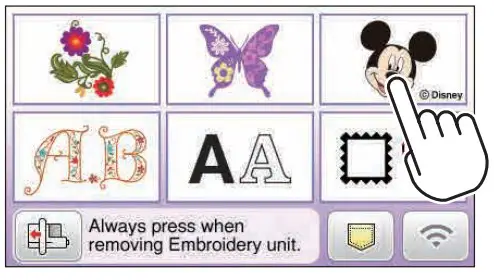
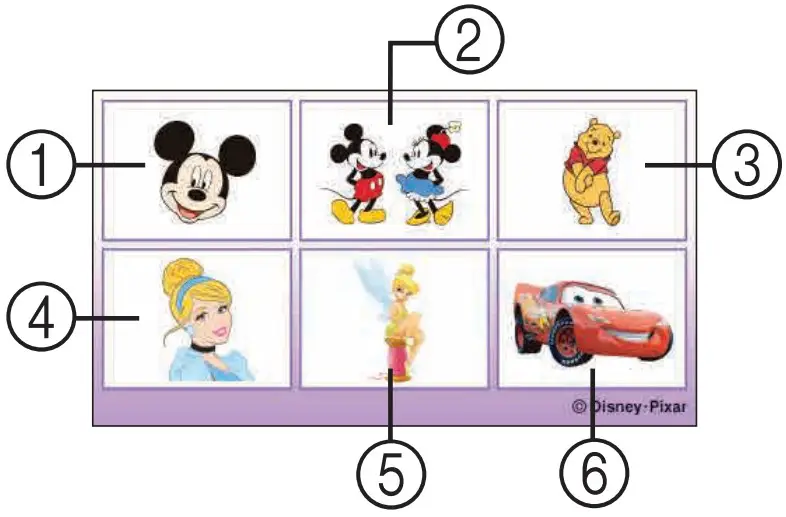
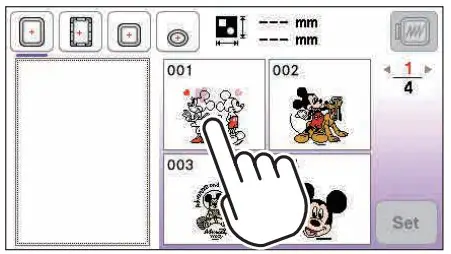
- The Disney category screen will be displayed. Select the type of pattern.
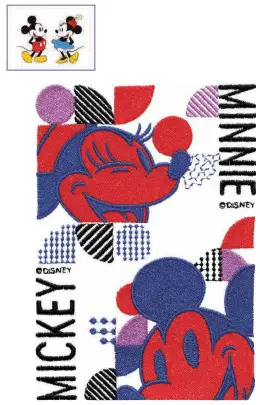
- Modern / Moderno / Moderne

- Modern / Moderno / Moderne
- Select the desired pattern.

- The selected pattern will be displayed in the left part of the screen. After making the selection, touch
 .
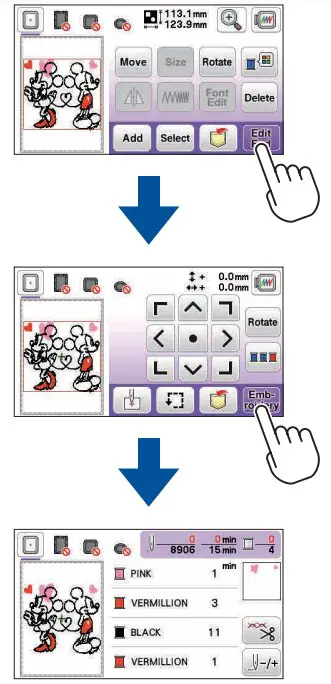
. - The pattern editing screen appears. Refer to the operation manual for the instruction to embroider designs with your machine.

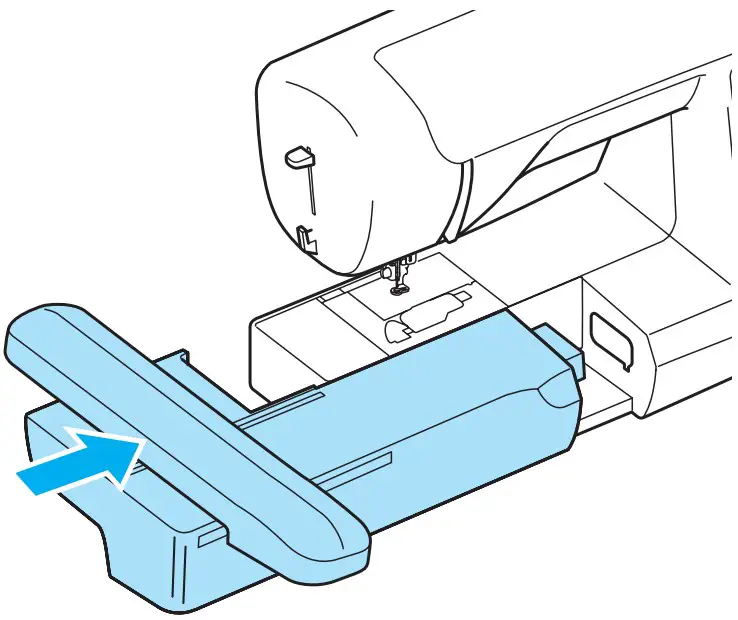
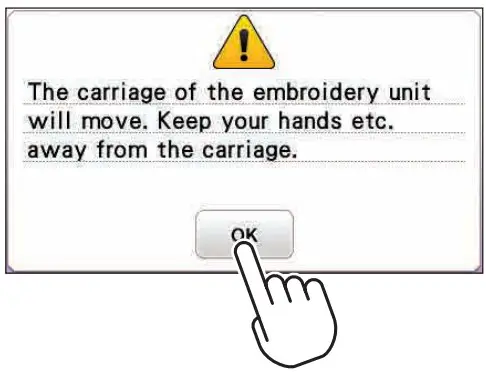
 The carriage of the embroidery unit will move to the initial setting position.
 .
.
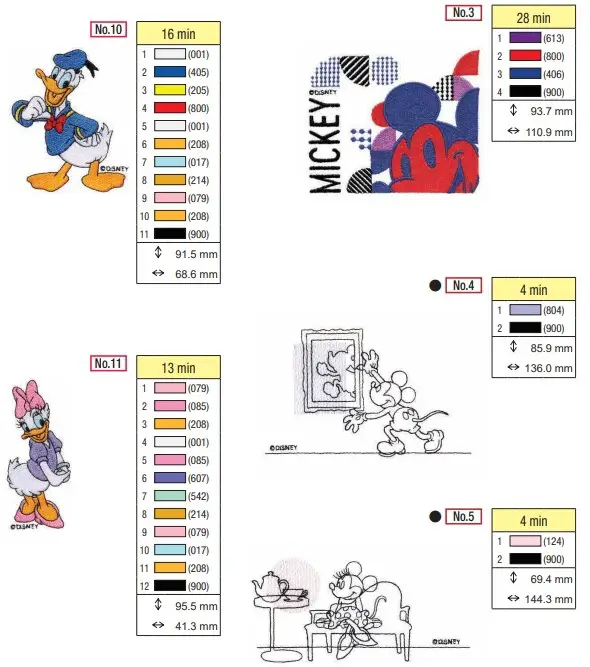
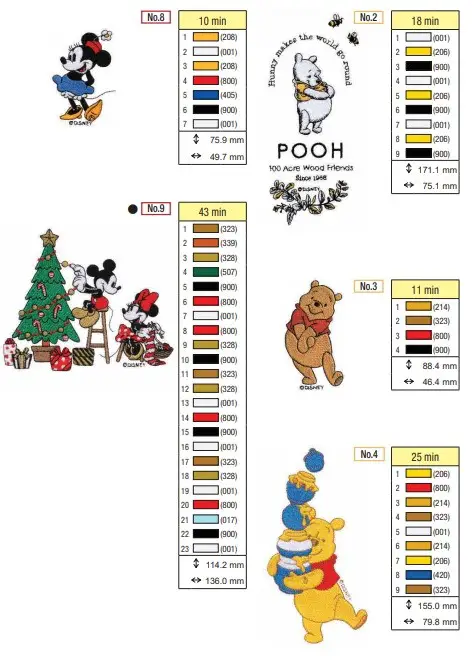
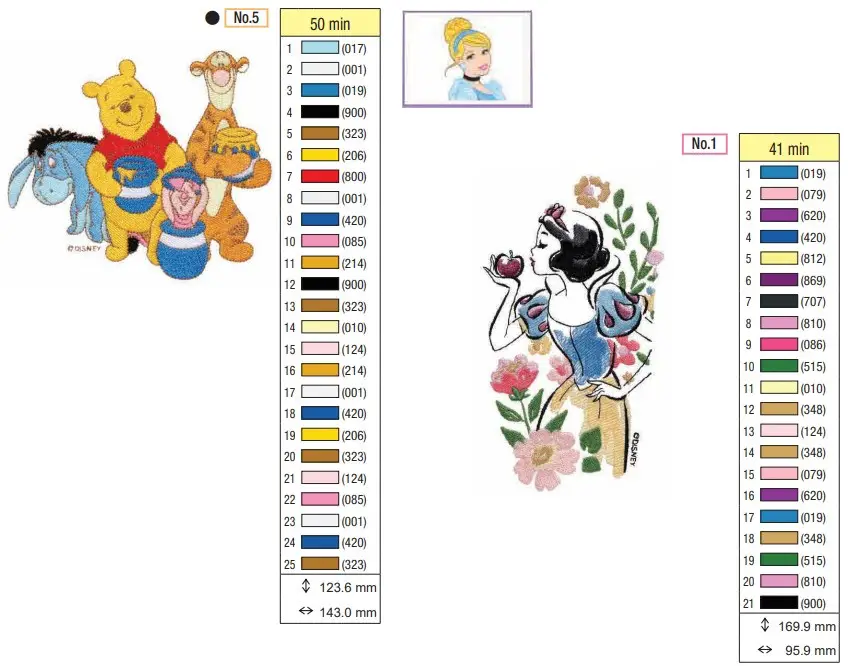
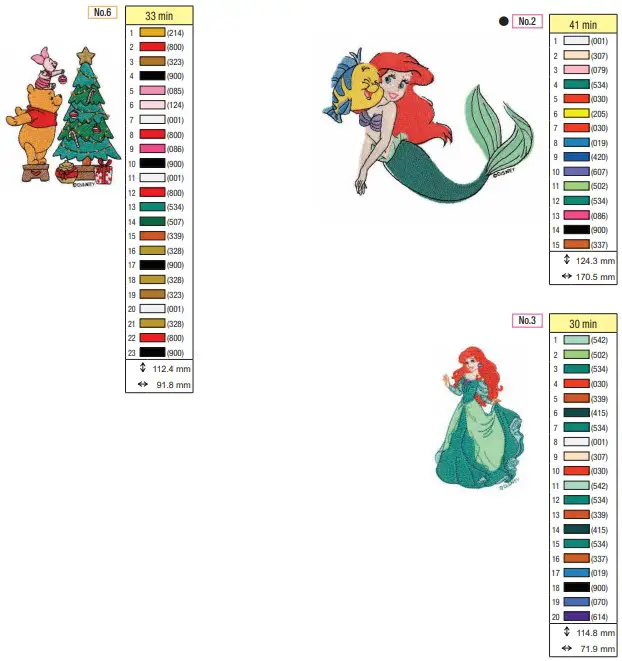
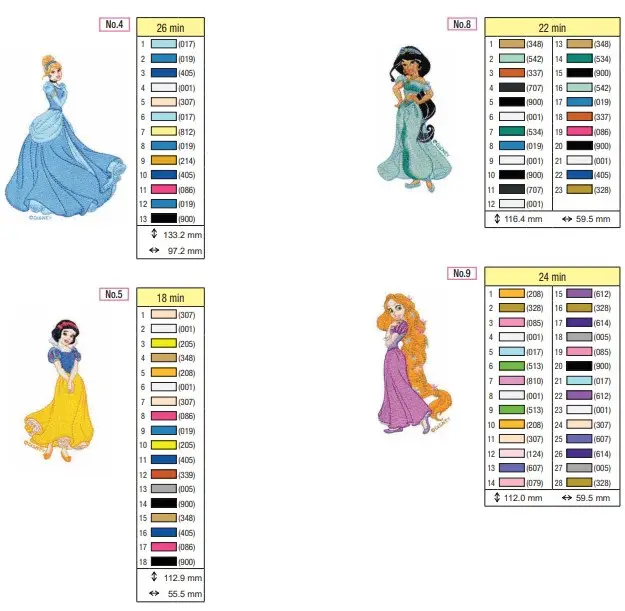
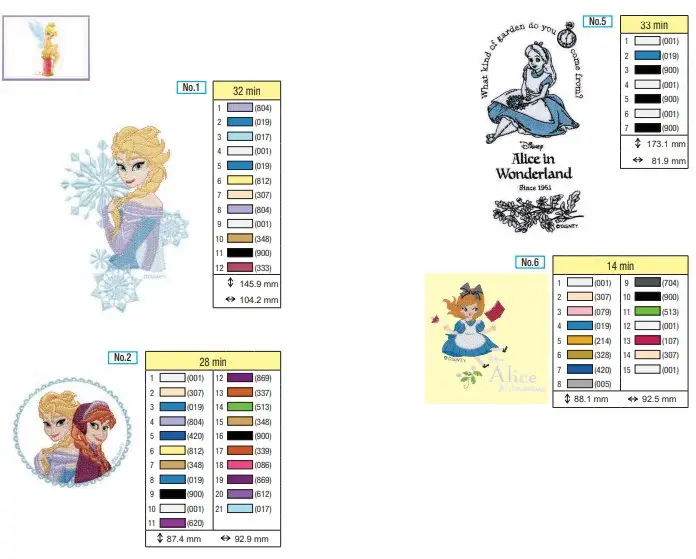
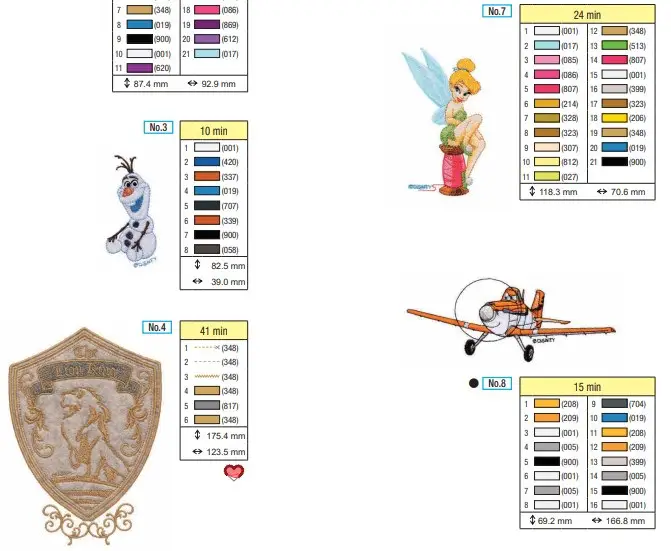
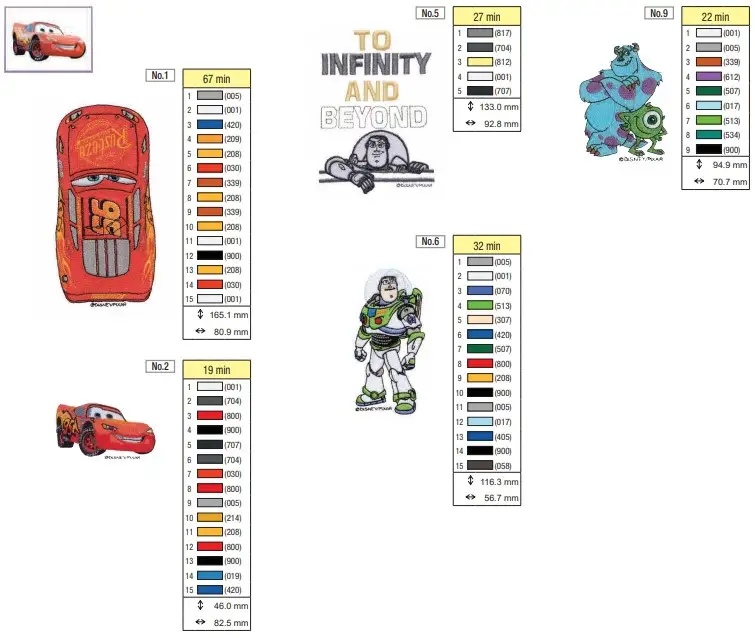
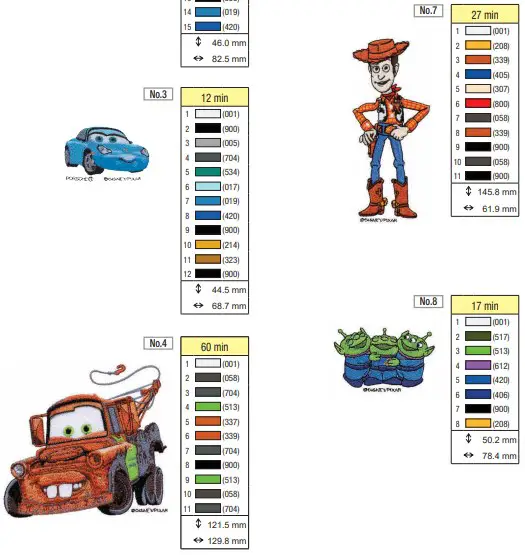
Color Change Table

The figures in shaded areas indicate the estimated time needed for the pattern to be embroidered. They do not include the time required to change threads.
Refer to the operation manual for details on how to embroider the pattern.
Note: The Disney character patterns built into this unit cannot be resized or flipped.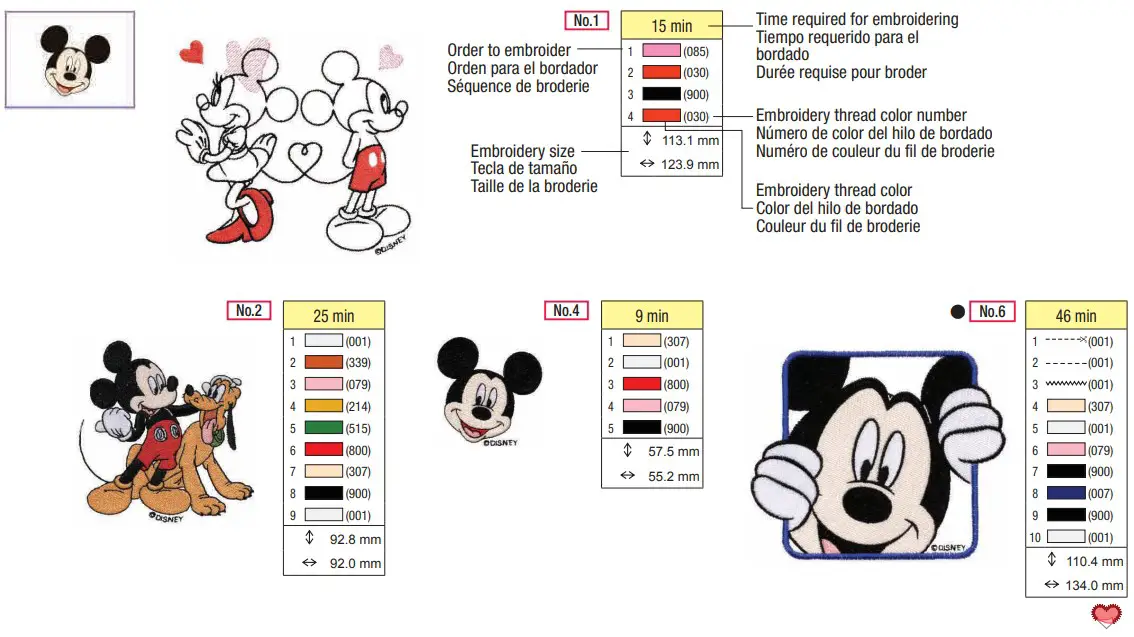
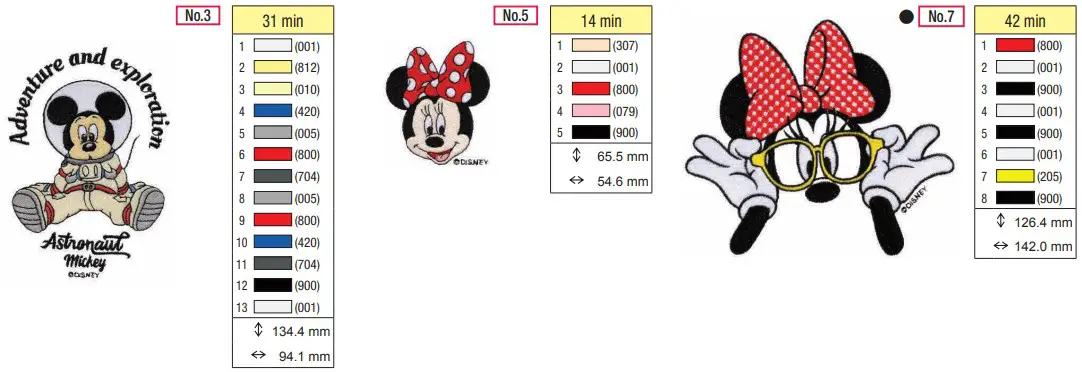
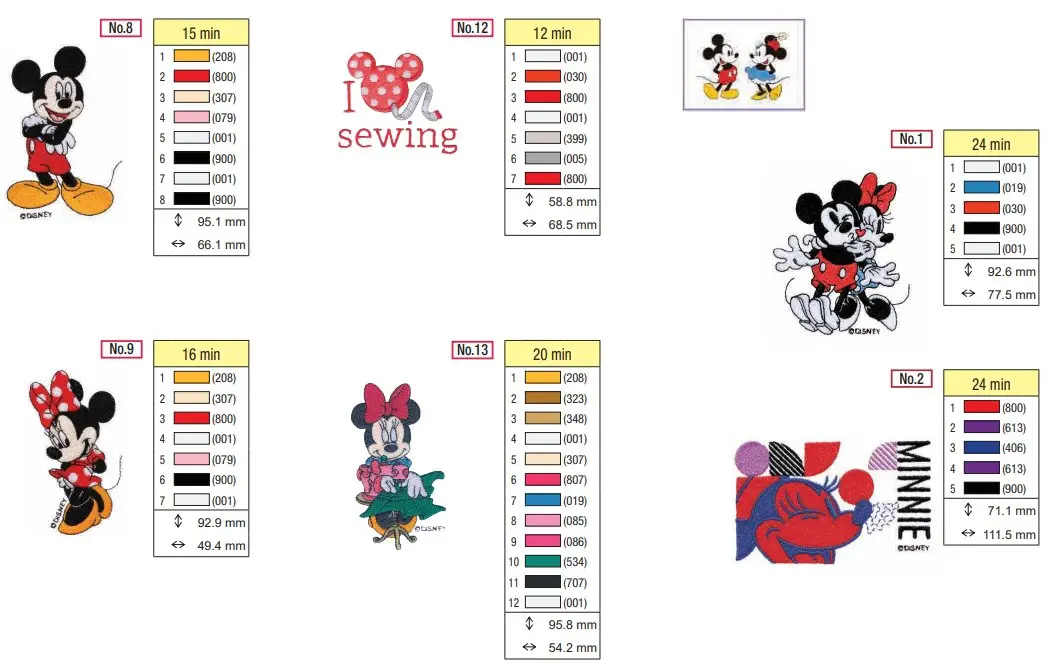
Patterns marked with  have been rotated. Check your design placement prior to embroidering.
Refer to the machine’s operation manual for details on how to embroider appliqués.
Patterns marked with n have been rotated. Check your design placement prior to embroidering.
Refer to the machine’s operation manual for details on how to embroider appliqués.
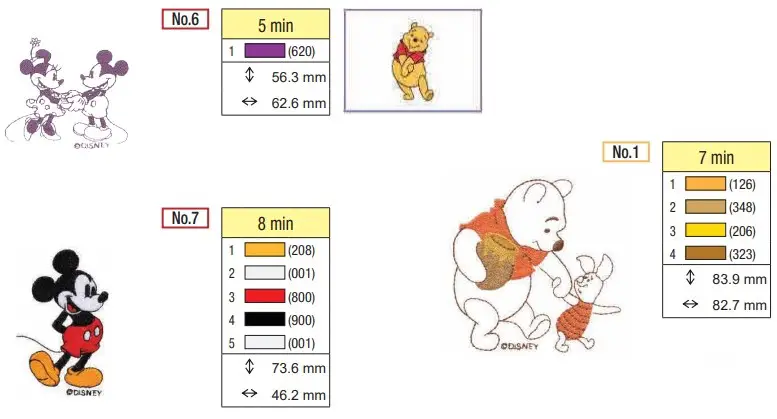
Patterns marked with n have been rotated. Check your design placement prior to embroidering.
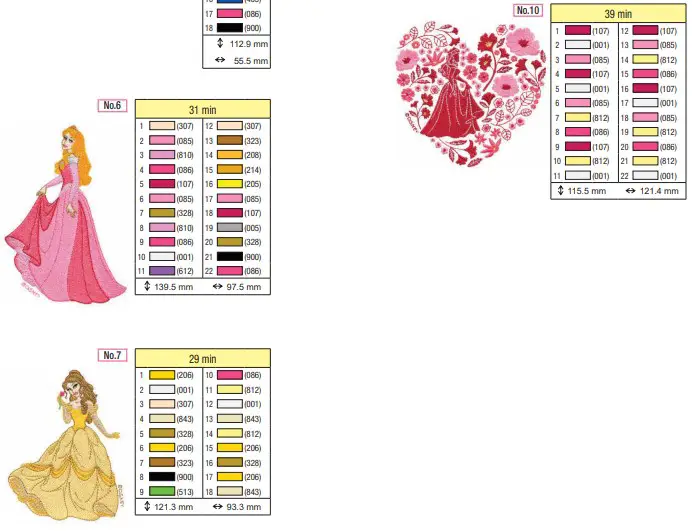
Patterns marked with n have been rotated. Check your design placement prior to embroidering.
Refer to the machine’s operation manual for details on how to embroider appliqués.
Creative Idea