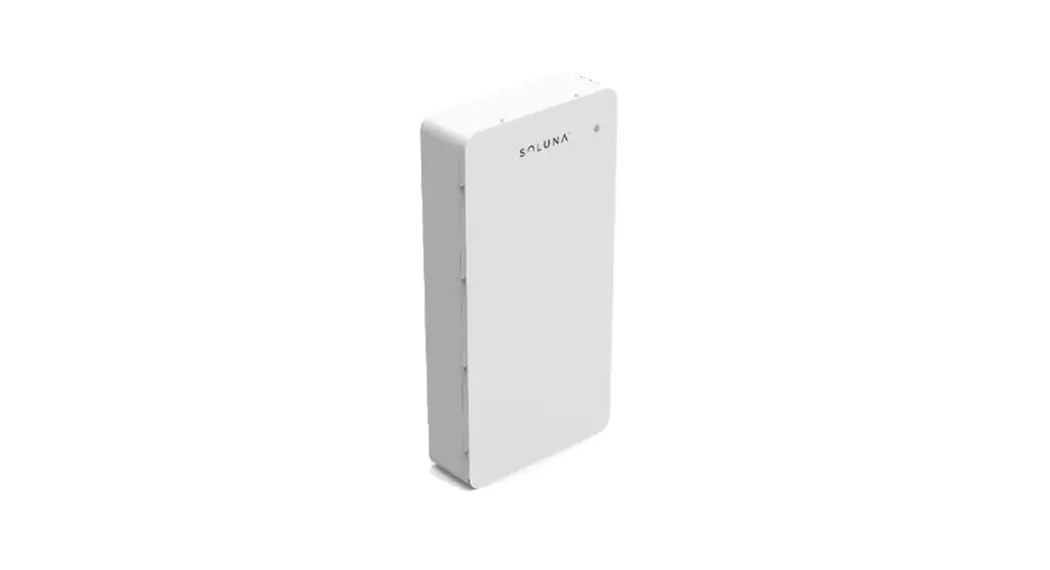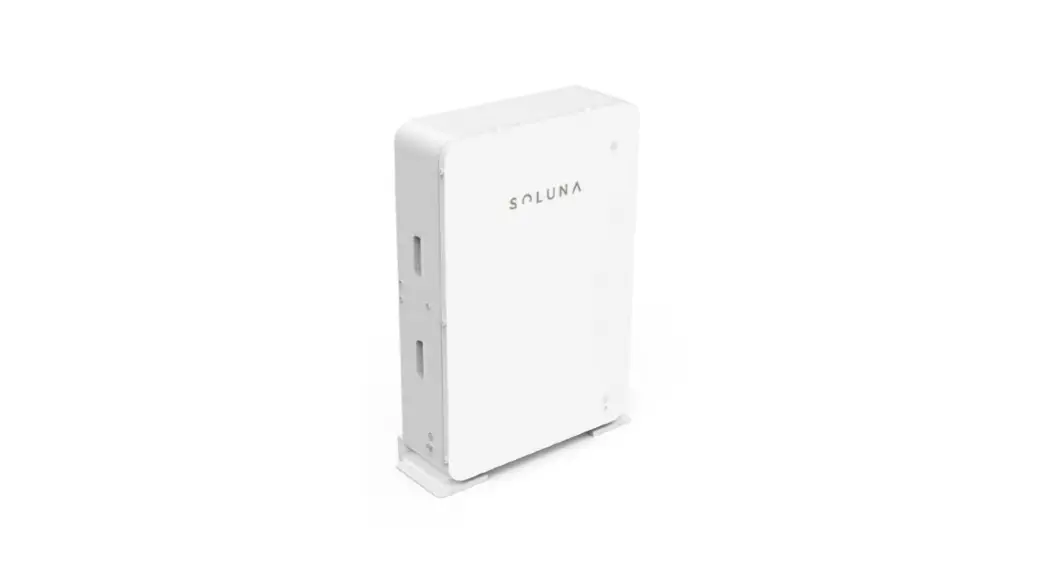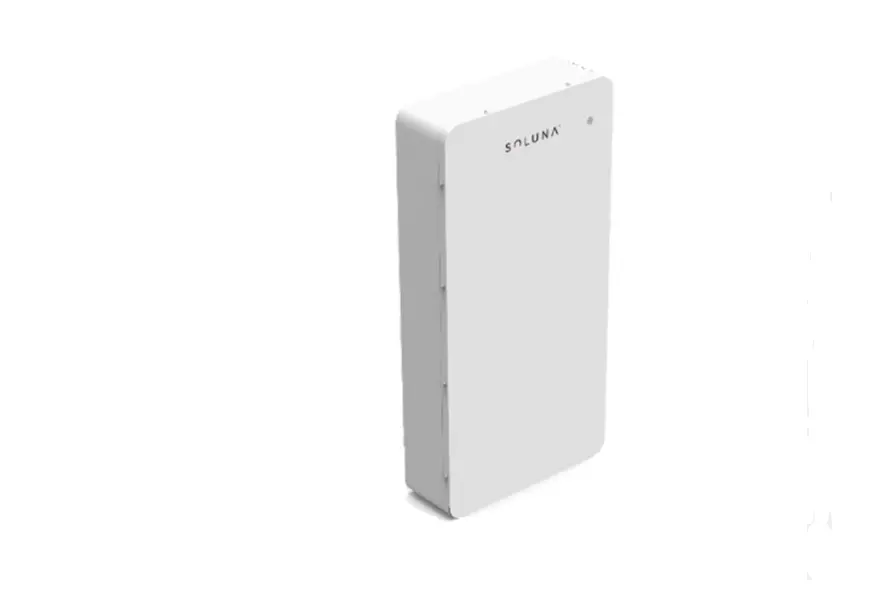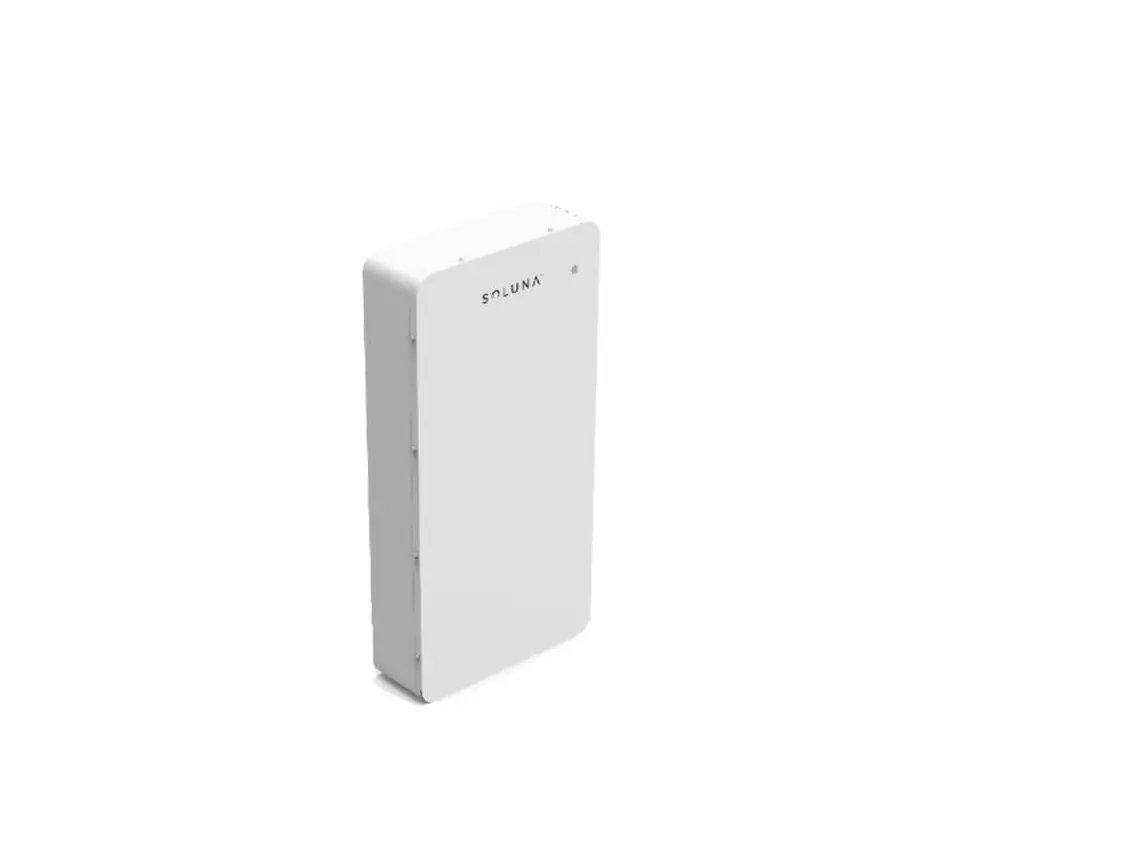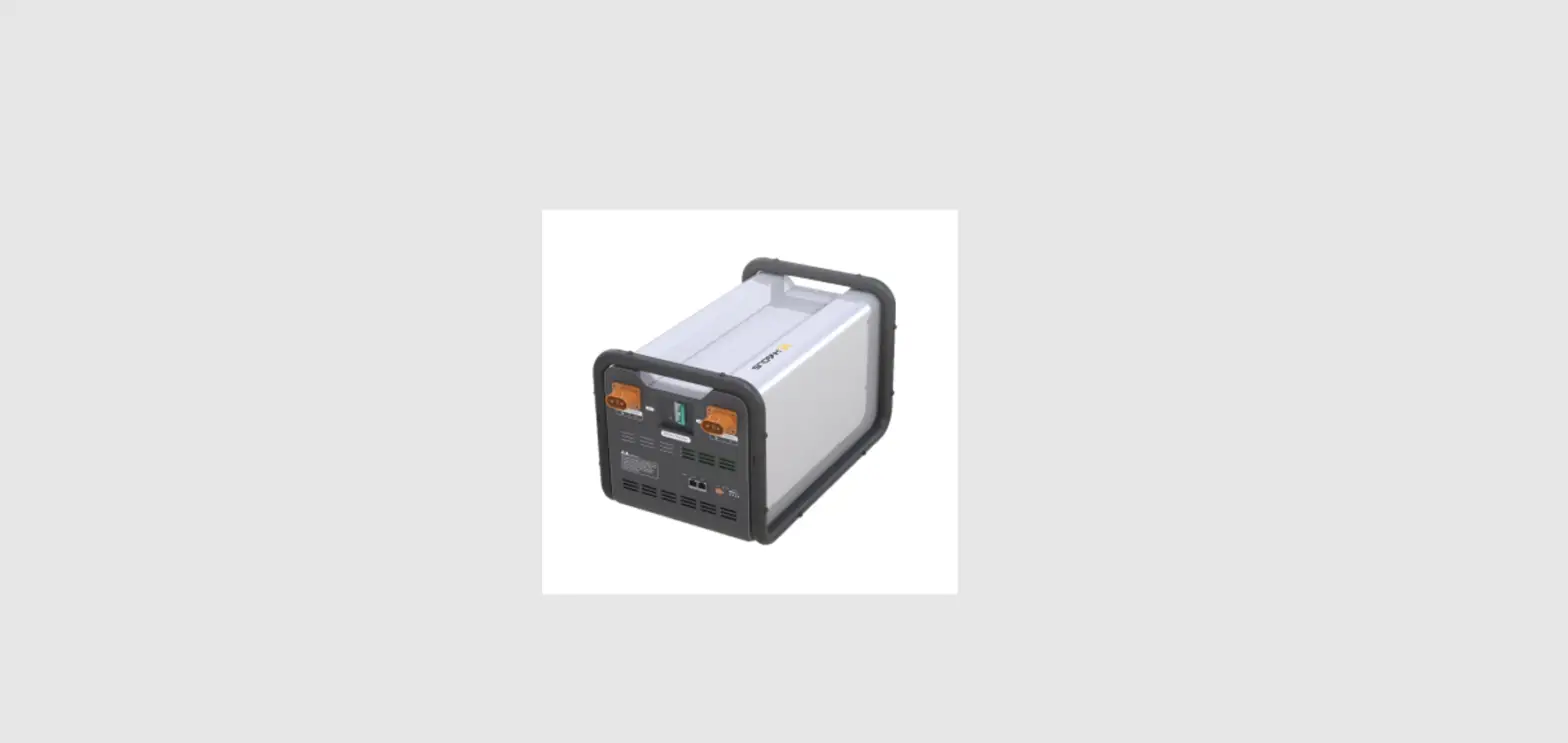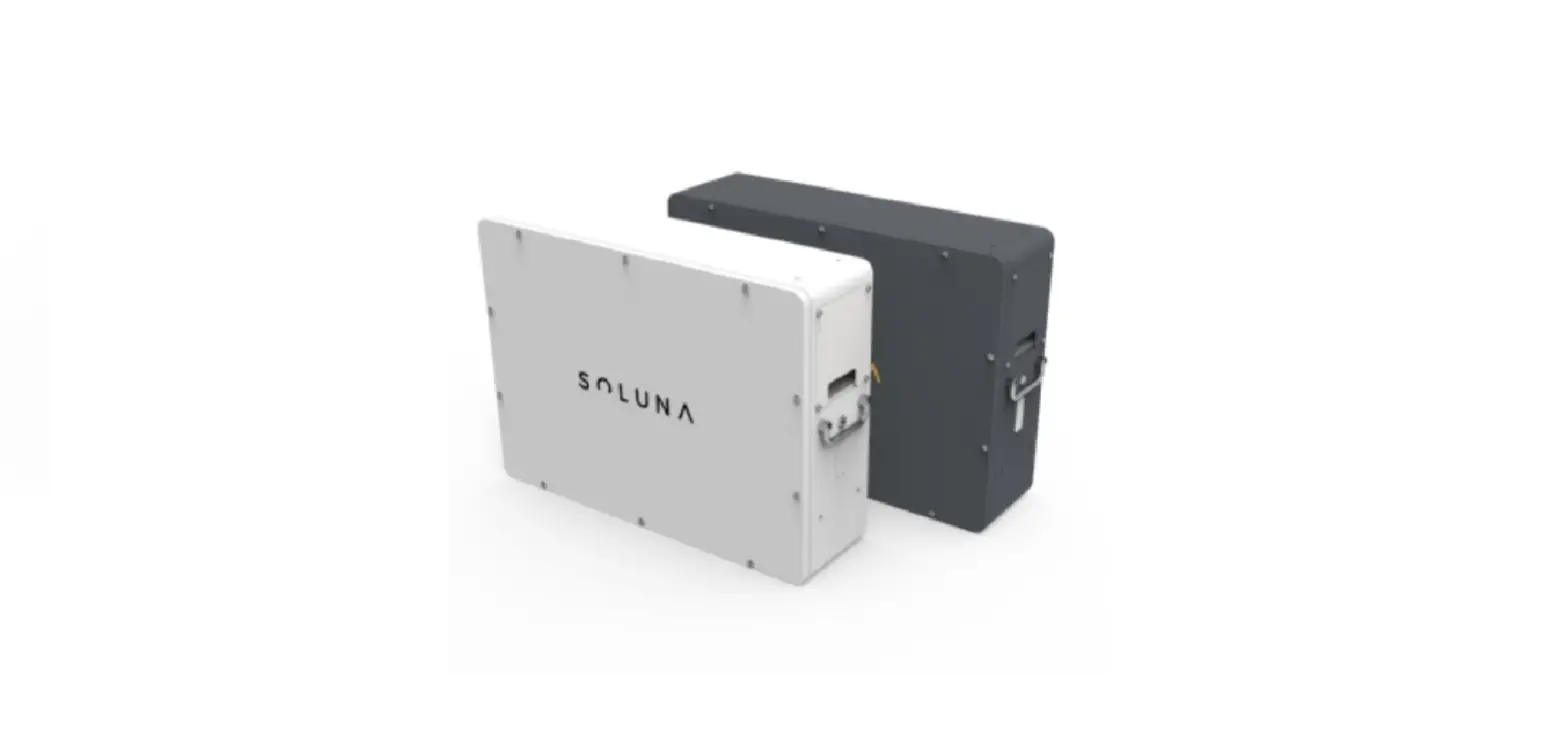

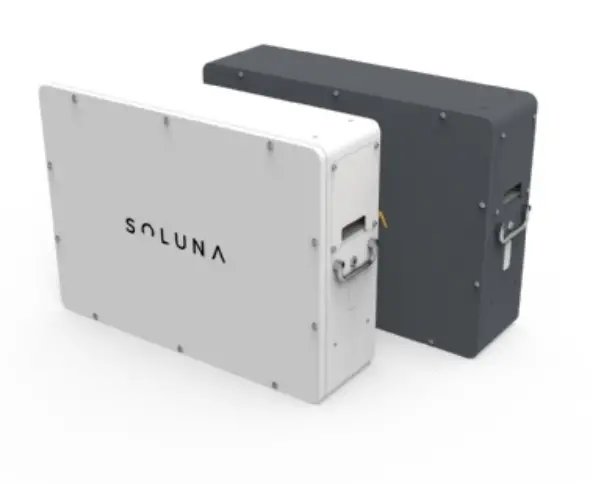
SOLUNA EOS-5K-PACK Lithium Battery Pack
 About this manual
This manual describes how to install the Soluna EOS 5K Pack. Read this manual before you attempt to install the product, and follow the instructions throughout the installation process. If you are uncertain about any of the requirements, recommendations, or safety procedures described in this manual, contact DLG Energy (Shanghai) Co.,Ltd immediately for advice and clarification. The information included in this manual is accurate at the time of publication. however, with regards to the product design and technical specification updates, our company reserves the right to make changes at any time without prior notice. e. In addition, the illustrations in this manual are meant to help explain system configuration concepts and installation instructions. The illustrated items may differ from the actual items at the installation location.
Safety precautions
Warning Signs
Warning signs are used to warn you about the conditions that may cause severe injury or damage to the device. They instruct you to exercise caution to prevent danger. The following table describes the warning signs used in this manual.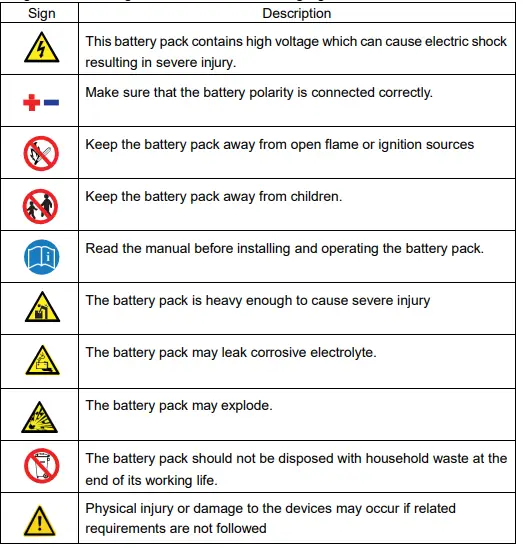
Safety instructions
For safety reasons, installers are responsible for familiarizing themselves with the contents of this manual and all warnings before performing the installation.
General safety precautions
Note: Failure to observe the precautions described in this section can cause serious injury to persons or damage to property, observe the following precautions
Risks of explosion
- Do not subject the battery pack to strong impacts.
- Do not crush or puncture the battery pack.
- Do not dispose of the battery pack in a fire.
Risks of fire
- Do not expose the battery pack to temperatures in excess of 60°C.
- Do not place the battery pack near a heat source, such as a fireplace.
- Do not expose the battery pack to direct sunlight.
- Do not allow the battery connectors to touch conductive objects such as wires.
Risks of electric shock
- Do not disassemble the battery pack.
- Do not touch the battery pack with wet hands.
- Do not expose the battery pack to moisture or liquids.
- Keep the battery pack away from children and animals.
Risks of damage to the battery pack
- Do not allow the battery pack to come in contact with liquids.
- Do not subject the battery pack to high pressures.
- Do not place any objects on top of the battery pack.
Battery handling guide
- Use the battery pack only as directed.
- Do not use the battery pack if it is defective, appears cracked, broken or otherwise damaged, or fails to operate broken or otherwise damaged, or fails to operate.
- Do not attempt to open, disassemble, repair, tamper with, or modify the battery pack. The battery pack is not user-serviceable.
- To protect the battery pack and its components from damage when transporting, handle with care.
- Do not impact, pull, drag or step on the battery pack.
- Do not subject it to any strong force.
- Do not insert foreign objects into any part of the battery pack.
- Do not use cleaning solvents to clean the battery pack.
Response to emergency situations
The Soluna EOS 5K Pack battery pack comprises multiple batteries that are designed to prevent hazards resulting from failures. However, DLG cannot guarantee their absolute safety.
Leaking batteries
If the battery pack leaks electrolyte, avoid contact with the leaking liquid or gas. The electrolyte is corrosive and contact may cause skin irritation and chemical burns. If one is exposed to the leaked substance, do these actions:
Inhalation
Evacuate the contaminated area, and seek medical attention immediately. 1.4.3 Eye contact
Rinse eyes with flowing water for 15 minutes, and seek medical attention immediately.
Skin contact
Wash the affected area thoroughly with soap and water, and seek medical attention immediately.
Ingestion
Induce vomiting, and seek medical attention immediately.
Fire
In case there is a fire, always have an ABC or carbon dioxide extinguisher.
Note: The battery pack may catch fire when heated above 150°C.
If a fire breaks out where the battery pack is installed, do these actions:
- Extinguish the fire before the battery pack catches fire.
- If it is impossible to extinguish the fire but you have time, move the battery pack to a safe area before it catches fire.
- If the battery pack has caught fire, do not try to extinguish the fire. Evacuate people immediately.
Note: If the battery catches fire, it will produce noxious and poisonous gases. Do not approach.
Wet batteries
If the battery pack is wet or submerged in water, do not try to access it. Contact DLG or your distributor for technical assistance.
Damaged batteries
Damaged batteries are dangerous and must be handled with extreme caution. They are not fit for use and may pose a danger to people or property.
If the battery pack seems to be damaged, pack it in its original container, and then return it to DLG or your distributor.
Note: Damaged batteries may leak electrolyte or produce flammable gas. If you suspect such damage, immediately contact DLG for advice and information.
Qualified installers
This manual and the tasks and procedures described herein are intended for use by skilled workers only. A skilled worker is defined as a trained and qualified electrician or installer who has all of the following skills and experience:
- Knowledge of the functional principles and operation of on-grid systems.
- Knowledge of the dangers and risks associated with installing and using electrical devices and acceptable mitigation methods.
- Knowledge of the installation of electrical devices
- Knowledge of and adherence to this manual and all safety precautions and best practices.
Product Introduction
Soluna EOS 5K Pack is a LiFePO4 lithium battery product with BMS (battery management system). It is a battery module with CAN communication, under-voltage, over-voltage, over-current, over-temperature, and under-temperature protection functions. It has the characteristics of high energy density, long life, safety and reliability and so on, and It is your trustworthy green environmental product.
Features
- Excellent safety performance.
- Long cycle life.
- Support for CAN-communication.
- Parallel interconnection of several systems.
- Number of expandable battery units.
Application
- Back-up power
- Micro-grid
- Home Energy Storage system
Outline Dimensions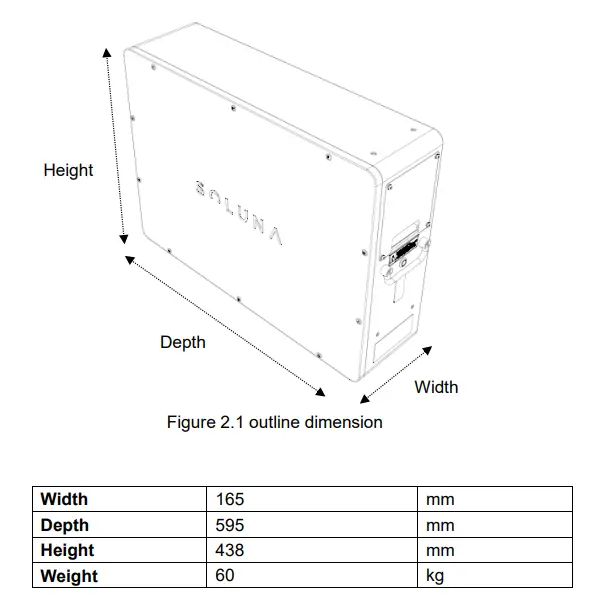
Technical data
| Physical Characteristics | |
| Width | 165 mm |
| Depth | 595 mm |
| Height | 438 mm |
| Weight | 60 kg |
| Electrical Characteristics | |
| Battery type | LFP |
| Total Energy Capacity | 5.37kWh |
| Usable Energy Capacity | 4.30kWh |
| Battery Capacity (Nominal) | 105Ah |
| Nominal Voltage | 51.2V |
| Usable Voltage Range | 48~57.6V |
| Charge Current (Recommended) | 50A |
| Discharge Current (Recommended) | 50A |
| Max. Continuous Charge Current | 100A |
| Max. Continuous Discharge Current | 100A |
| DOD | 90% |
| Internal resistance | ≤60mΩ |
| Cycle life @ 25℃ (under standard charge and discharge conditions,charge 0.2C,discharge 0.2C) | ≥6000 |
| DC Disconnect | Contactor Fuse |
| Warranty | |
| Please refer to SOLUNA WARRANTY CONDITIONS | |
| BMS | |
| Power consumption | <3W (work), <100mW (sleep) |
|
Monitoring parameters | System Voltage System Current Cell Voltage Cell temperature |
| Communication | CAN |
|
Protection | Over voltage Under Voltage Over current Over temperature Under temperature |
| System Configuration | |
| Module parallel | 1~8 Parallel |
| Operating Conditions | |
| Installation Location | Indoor Outdoor |
| Operating Temperature | -10~50 ℃ |
| Operating Temperature (Recommended) | 15~30 ℃ |
| Storage Temperature | -20~60 ℃ |
| Humidity | 5%~95% |
| Altitude | Max. 2,000 m |
| Cooling Strategy | Natural Convection |
| Reliability & Certification | |
| Certificates | Cell:UL1642 |
| Battery Module:TBD | |
| Transportation | TBD |
| Ingress Rating | IP54 |
Appearance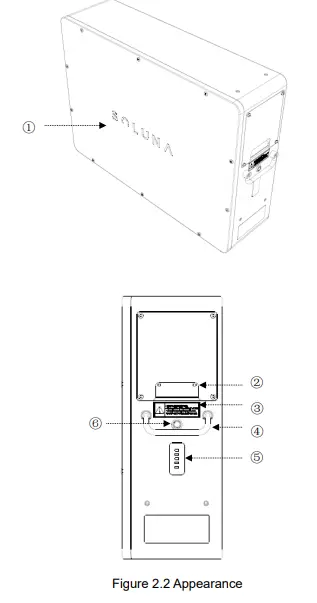
| Number | Name | Remark |
| ① | Logo | |
| ② | Entry | |
| ③ | Warning label | |
| ④ | Handle | |
| ⑤ | Battery capacity & warning indicator light | |
| ⑥ | Push button switch of BMS power supply |
Wiring port
User can see the wiring port of Soluna EOS 5K Pack after the cover plat is opened, Please find the following pictures for details.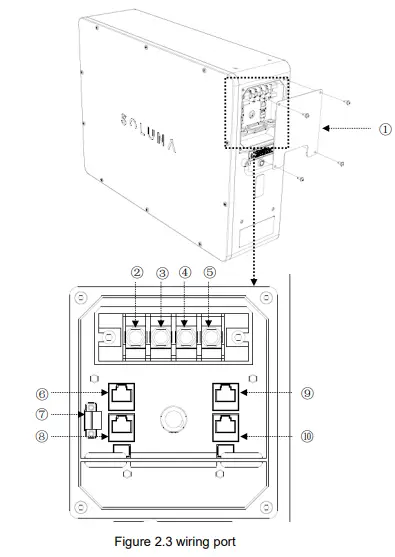
| Number | Name | Remark |
| ① | Cover plat | |
| ②③ | Battery+ | Positive pole of battery |
| ④⑤ | Battery- | Negative pole of battery |
| ⑥⑧ | CAN1 port | For BMS parameters monitoring |
| ⑨⑩ | CAN2 port | For inverter communication |
| ⑦ | Remote port | Power switch of BMS power supply |
CAN communication interface definition (CAN1&CAN2) 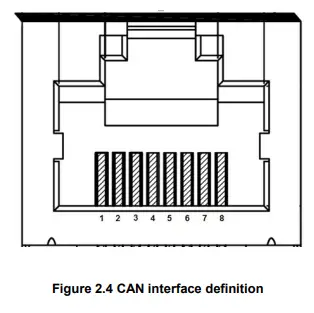
| 1 | 2 | 3 | 4 | 5 | 6 | 7 | 8 |
| —— | —— | —— | CANH | CANL | —— | —— | —— |
Remark
CAN1 is used for BMS parameters monitoring CAN2 is used for inverter communication
LED lights definition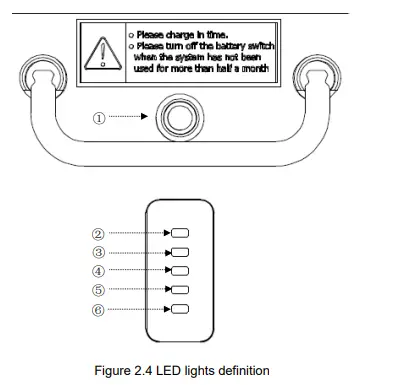
| Number | Name | Remark |
| ① | Push button switch | White light |
| ② | 100% capacity indicator | Green light |
| ③ | 75% capacity indicator | Green light |
| ④ | 50% capacity indicator | Green light |
| ⑤ | 25% capacity indicator | Green light |
| ⑥ | Warning indicator | Yellow light |
Remark: Please see below information for Indicator running state.
- a. Push button switch——The white light will be on after pressing the button.
- b. Warning indicator——light is always on if there is no alarm, the light will blink if the Soluna EOS 5K Pack has any warning.
Installation
The battery pack is too heavy for one to carry. Make sure that two or more persons are available。
Unpacking the package
Cut the packing tape and open the carton,and remove the EPE foam. 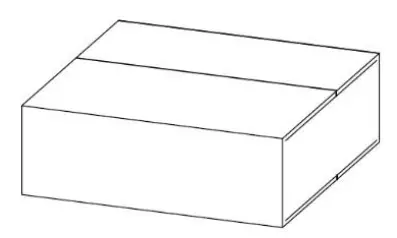
Pull out the battery pack, and remove the Scaleboard、PE bag、Carton、 EPE Foam. 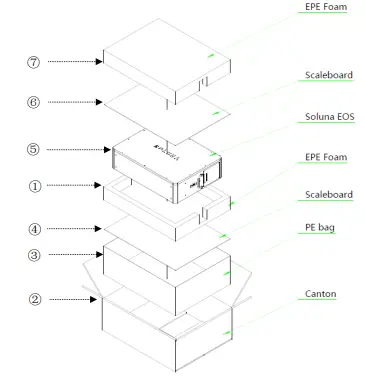
| Number | Name | Remark |
| ①④ | EPE foam | |
| ②⑤ | Scaleboard | |
| ③ | Soluna EOS 5K Pack | |
| ⑥ | PE bag | |
| ⑦ | Carton |
Packing lists
The following table lists the numbers of each item included. If anything is damaged or missing, contact DLG or your distributor.
| Item | Name | Qty (pcs) | Remark |
| 1 | Soluna EOS 5K Pack | 1 | |
| 2 | Fuse | 1 | |
| 3 | Remote port connector | 1 | |
| 4 | Hexagon wrench | 1 | |
| 5 | User manual | 1 |
Installation materials
These installation materials shall be prepared by installers.
- Charging cables
- Network cable
Installation location
We recommend that Soluna EOS 5K Pack is used in Soluna Home energy storage systems, if not, please Make sure that the installation location meets the following conditions:
- The building is designed to withstand earthquakes.
- The location is far away from the sea, to avoid salt water and humidity.
- The floor is flat and level.
- There are no flammable or explosive materials nearby.
- The ambient temperature is between 15 and 30°C.
- The temperature and humidity stays at a constant level.
- There is minimal dust and dirt in the area.
- There are no corrosive gases present, including ammonia and acid vapor.
Note: If the ambient temperature is outside the operating range, the battery pack stops operating to protect itself. The optimal temperature range for the battery pack to operate is 15°C to 30°C. Frequent exposure to harsh temperatures may deteriorate the performance and lifetime of the battery pack.
Installation tools
The following tools are required to install the battery pack: 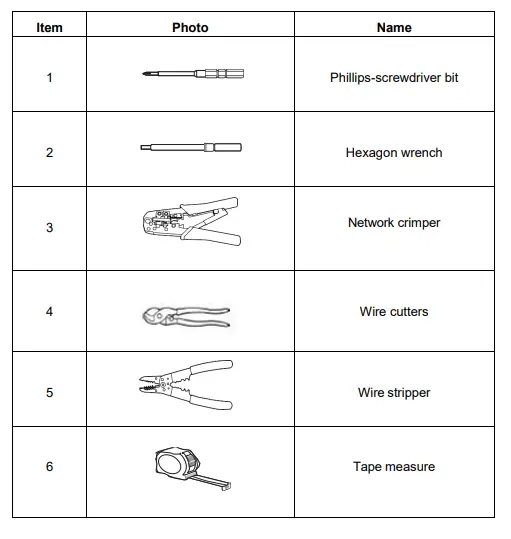
Remark: Use properly insulated tools to prevent accidental electric shock or short circuits.
Safety gear
Wear the following safety gear when dealing with the battery pack. Installers must meet the relevant requirements of international standards, such as IEC 60364, or the domestic legislation. 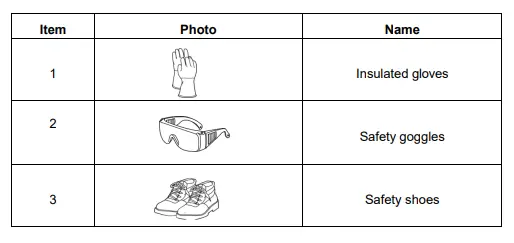
Wiring specification
In order to standardize the wiring specification of Soluna EOS 5K Pack, the following requirements are required for connecting wires of Soluna EOS 5K Pack.
| Battery wire | Communication cable | Remote wire |
| It is recommended to use 16 mm² of conductor with double insulation | It is recommended to use Standard communication cable with shielding function | It is recommended to use 0.5 mm² of Teflon wire |
CAN communication wiring
Single battery unit
CAN2 is connected to inverter with communication cable. 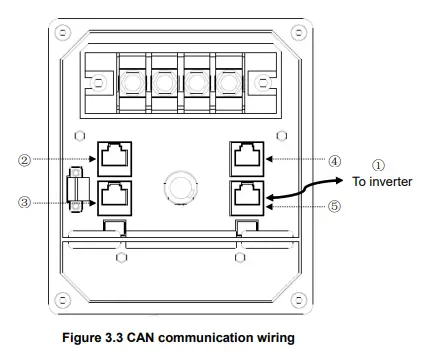
| Number | Name | Remark |
| ① | Communication cable | |
| ②③ | CAN 1 port | PIN4 is CANH PIN5 is CANL |
| ④⑤ | CAN2 port | PIN4 is CANH PIN5 is CANL |
The battery units are connected in parallel
- Unit1:CAN1 is connected to Unit2:CAN1 with a communication cable
- Unit1:CAN2 is connected to Unit2:CAN2 with a communication cable
- Unit2:CAN2 is connected to inverter with a communication cable

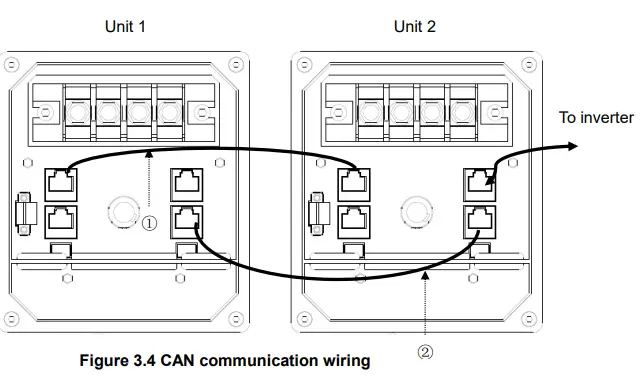
| Number | Name | Remark |
| ① ② | Network cable |
How to operate Soluna EOS 5K Pack
There are two ways to start Soluna EOS 5K Pack, Please see below information for details.
Way 1
Short PIN2 & PIN3 of Remote port first then press the Metal button switch, the Soluna EOS 5K Pack will start to work within 25 seconds, it will stopped to output if there has no communications after 5 minutes
Way 2
Install a switch between PIN1 and PIN2 on the Remote port, when the switch on, the Soluna EOS 5K Pack will start to work within 25 seconds, it will stopped to output if there has no communications after 5 minutes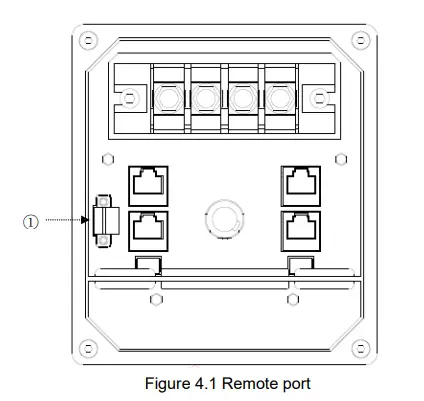
| Number | Name | Remark |
| ① | Remote port |
Electrical connection
There are 2 ways to connect the battery with the inverter. The details as follows.
Single unit is connected to the inverter, Please find the following diagram for details. 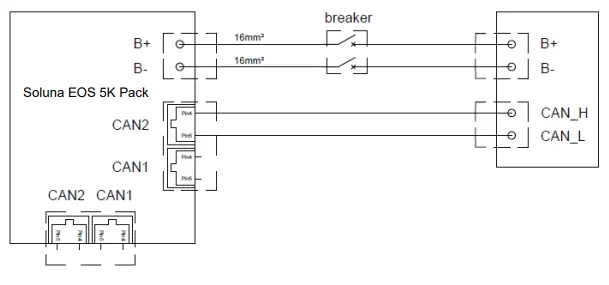
Multiple units are connected to the inverter, Please find the following diagram for details. 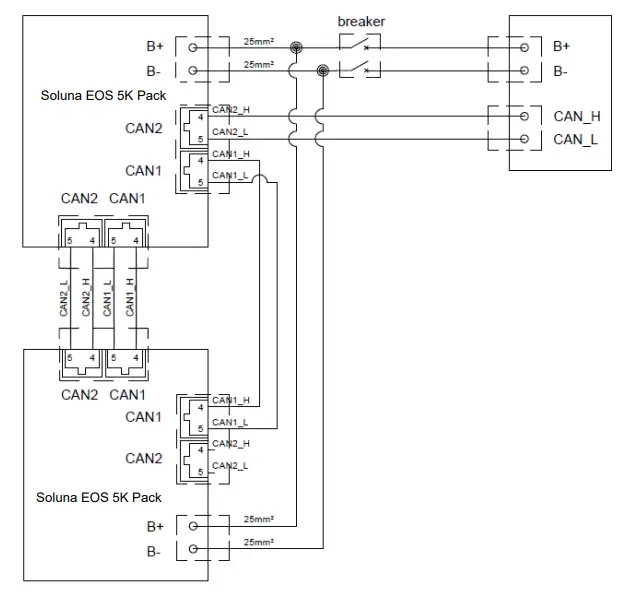
Troubleshooting
Check the indicators on the front to determine the state of the battery pack. a warning state is triggered when a condition, such as with voltage or current or temperature, is beyond design limitations. The battery pack’s BMS periodically reports its operating state to the inverter. when the battery pack falls outside prescribed limits, it enters a warning state. When a warning is reported, the inverter immediately stops operation. use the monitoring software on the inverter to identify what caused the warning. The possible warning messages are as follows:
- Battery Over Voltage
- Battery Under Voltage
- Battery Over Temperature
- Battery Under Temperature
- Battery Discharge Over Current
- Battery Charge Over Current
The abnormal state is cleared when the battery pack recovers normal operation.
Contact us
We hope that this user manual has clearly demonstrated the product. If you still have any doubts or something not clear about it in the specifications, feel free contact to us please. we will do our best to support you!
DLG Energy (Shanghai) Co.,Ltd
Add: No.3492 Jinqian Road, Shanghai, China 201406
Tel: +86-21-57475835
Email: [email protected]
Web: www.solunabattery.com
 solunabattery.com