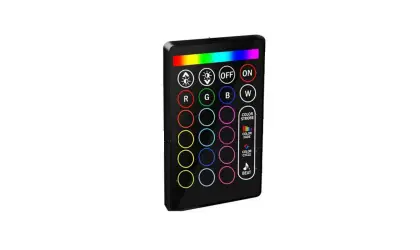
CHAM-BT-RF-5C Bluetooth RF 5-1 Universal Controller
Product Information
- Type of controller: 5ch 4 in 1 universal RF+ Bluetooth
controller - Method of control: PWM (Pulse Width Modulation)
- Method of dimming: PWM
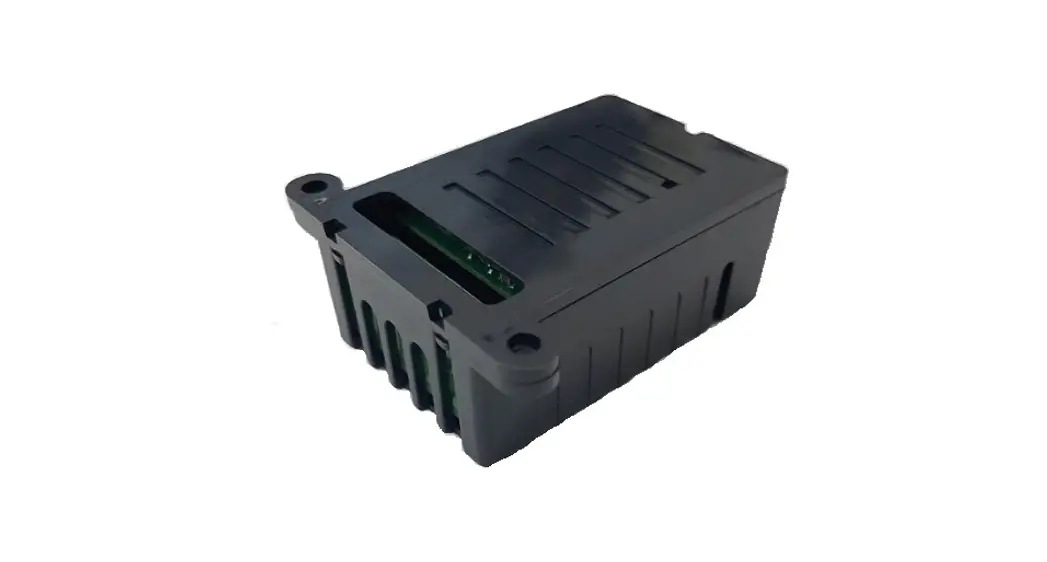
- Housing colour: Black plastic
- Input voltage (VDC): Constant Voltage 12-24V DC
- Output voltage (VDC): 12-24V DC
- Output current (A): 5x4A
- Output wattage (W): 12V DC – 48W per channel (x5). 24V DC – 96W
per channel (x5). - Housing size (mm): (L) 145mm x (W) 46.5mm x (H) 16mm
- Expandable signal: Yes*
- Requires: Constant Voltage 12-24V DC LED driver**
Product Usage Instructions
Installation
- Ensure the power supply is switched off before fitting the
product. - Follow the connection diagram provided in the user manual to do
the wiring correctly. - If pairing with RF+Bluetooth remote:
- Refer to the instruction of the remote to pair it with the LED
controller.
- Refer to the instruction of the remote to pair it with the LED
Pairing and Deleting Pairing with RF+Bluetooth Remote
- Wire up the LED controller correctly and power it on.
- To pair the LED controller with the RF+Bluetooth remote:
- Follow the instructions provided in the remote’s user
manual.
- Follow the instructions provided in the remote’s user
- To delete the pairing:
- Press and hold down the Prog. button on the controller for over
3 seconds, or reset power of the device 8 times continuously if the
button is not accessible, to factory reset the device. - The connected light will flash, indicating that the pairing has
been successfully deleted.
- Press and hold down the Prog. button on the controller for over
Pairing with Smart APP
- Do wiring according to the provided connection diagram.
- Download the EasyThings APP from the IOS APP Store or Android
Google Play by searching for “EasyThings”. - Enable Bluetooth on your smart phone or tablet.
- Run the EasyThings APP and tap the add button “+” to add a
device. - Choose “Discover devices” to discover the device.
- Short press the Prog. button on the LED controller twice or
reset power of the controller twice continuously to set the device
into pairing to APP mode.
Note: Factory resetting will restore all configured parameters
of the device on the APP to factory default settings.
* Multiple 5CH data repeaters can be used in a single
circuit.
** Constant Voltage LED driver required (not included) depending
on requirements of light source (12V or 24V DC).
29-31 Richland St. Kingsgrove. Sydney NSW 2208 Australia Phone: 02 9554 9600 | Fax: 02 9554 9433
[email protected] | www.domuslighting.com.au
Installation Manual
CHAM-BT-RF-5C
Variant Item No. 20141 CHAM-BT-RF-5C
Date: February 1, 2023 2:16 PM
Thank you for purchasing your new CHAM-BT-RF-5C Controller, Please take the time to read and understand the instruction sheet below. Failure to do so may void warranty.
Specifications
Type of controller: Method of control: Method of dimming: Housing colour:
5ch 4 in 1 universal RF+ Bluetooth controller PWM PWM (Pulse Width Modulation) Black plastic colour housing
Input voltage (VDC): Output voltage (VDC): Output current (A): Output wattage (W):
Housing size (mm): (L) 145mm x (W) 46.5mm x (H) 16mm
Expandable signal:
Requires:
Constant Voltage 12-24V DC LED driver**
* Multiple 5CH data repeaters can be used in a single circuit. ** Constant Voltage LED driver required (not included) depending on requirements of light source (12V or 24V DC).
12-24V DC 12-24V DC 5x4A 12V DC – 48W per channel (x5). 24V DC – 96W per channel (x5). Yes*
12-24VDC Power Input
LED Indicator, normally stays on, flashes when receives control signal.
DC INPUT
V+ V+ VV-
12
ON
DIM
CCT
RGBW
12
RGB+CCT
CHAM-BT-RF-5C
RF-5C Controller
Input Voltage DC 12-24V
Output Current 4A/CH
Max Power 48-96W/CH
tc Ta:-20 ºC -+50 ºC
= 75 ºC
Prog.
E 4771 71
LED OUTPUT
1- WW- R- R2- CW- G- G3- WW- B- B4- CW- W- WW5- NC NC CW-
Common Anode Output(+)
CH1: R/R/WW/1 Output(-) CH2: G/G/CW/2 Output(-) CH3: B/B/WW/3 Output(-) CH4: WW/W/CW/4 Output(-) CH5: CW/NC/NC/5 Output(-) NC = No Connection
Select device mode: DIM, CCT, RGBW, RGB+CCT. Factory default is RGB+CCT.
Program Key for pairing & deleting RF+Bluetooth remotes
· 4 in 1 universal RF+Bluetooth LED controller, radio frequency: 2.4GHz · 4 different device modes DIM, CCT, RGBW and RGB+CCT in 1 controller, and selectable by dial switch · Enables to control ON/OFF, light intensity, colour temperature, RGB colour of connected LED lights · Ultra powerful to control Single Colour, CCT, RGBW, RGB+CCT LED strips · Controlled through both smart App and remote controls, no gateway required for local control · The controller can be configured as six different light types: RGB+CCT, RGBW, RGB, CCT, DIM, ON/OFF using the smart APP · Easy & quick pairing to the smart App by simply pushing the Prog. button · Mesh network, much longer control distance, transmits received signal to neighbor devices · Up to 30m transmission distance between every two neighbor devices · Encrypted two-way communication, quick status feedback, safe & reliable data transmission · Compatible with universal RF+Bluetooth remotes, each LED controller can pair to max. 8 remotes · Cloud control is available for remote access, works with Amazon Alexa and Google Home · Waterproof grade: IP20
Safety & Warning
· DO NOT Install with power applied to device. · DO NOT operate the dial switches for device mode selection with power applied to device. · DO NOT expose the device to moisture.
Note: -The lamp must be installed by professional electrician
-Ensure the power supply is switched off before fitting this product
-Do not touch the lamp when in use -Keep away from hot steam and corrosive gas
29-31 Richland St. Kingsgrove. Sydney NSW 2208 Australia Phone: 02 9554 9600 | Fax: 02 9554 9433
[email protected] | www.domuslighting.com.au
Installation Manual
Operation Pair/delete the pairing with RF+Bluetooth remote
I Do wiring according to connection diagram. 2. Pair LED controller with RF+Bluetooth remote: please refer to the instruction of the remote that you would like to pair with. 3. Delete the pairing:
(a). Wire up the LED controller correctly, power on. (b). Press and hold down the “Prog.” button on the controller for over 3 seconds (or reset power of the device 8 times continuously if the button is not accessible to factory reset the device) until the connected light flashes, which means well deleted.
Note: Note: factory resetting will restore all configured parameters of the device on the APP to factory default setting.
Pair with smart APP
1. Do wiring according to connection diagram. 2. Download EasyThings APP from IOS APP Store or Android Google Play to your smart phone or tablet by searching “EasyThings”. (As shown in Figure 1) 3. Enable Bluetooth on your smart phone or tablet. (As shown in Figure 2).
Figure 1
Figure 2
Figure 3
4. Run Easythings APP, tap add button “+ ” on the APP to add device, then choose “Discover devices” to discover device, then short press the “Prog.” button on the LED controller twice (or reset power of the controller twice continuously) to set the device into pairing to APP mode. (As shown in Figure 3 & Figure 4 & Figure 5).
Figure 4
Figure 5
Note: multiple LED controllers can be discovered by the APP at the same time.
Note: -The lamp must be installed by professional electrician
-Ensure the power supply is switched off before fitting this product
-Do not touch the lamp when in use -Keep away from hot steam and corrosive gas
29-31 Richland St. Kingsgrove. Sydney NSW 2208 Australia Phone: 02 9554 9600 | Fax: 02 9554 9433
[email protected] | www.domuslighting.com.au
Installation Manual
v will be added successfully. (as shown S¡ yn¢£ ¤¥£ ¦£v§¢£¨¦£v§¢£© £ ¦§©¢e ££¦ ¤§¢ ¤¥£ ¦£v§¢£¨¦£v§¢£© n¦ ¤ v£ ¤¤en ¤¥£ in Figure 6)
Figure 6
Configure Light Type Using smart APP
1. Press and hold the device icon to enter into control interface, then tap button ” ” at upper right corner to enter into edit page of this device (As shown in Figure 7 & Figure 8). 2. Then tap “Light Type” to enter light type configuration page, for this driver, it can be configured as 6 light types: RGBCCT, RGBW, RGB, CCT, DIM, ON/OFF. Once select a Light Type, tap ” ” at upper right corner to confirm, the connected light will flash to indicate successful configuration. (As shown in Figure 8).
Figure 7
Figure 8
Note: -The lamp must be installed by professional electrician
-Ensure the power supply is switched off before fitting this product
-Do not touch the lamp when in use -Keep away from hot steam and corrosive gas
Wiring Diagrams
29-31 Richland St. Kingsgrove. Sydney NSW 2208 Australia Phone: 02 9554 9600 | Fax: 02 9554 9433
[email protected] | www.domuslighting.com.au
Installation Manual
OUTPUT LED OUTPUT
INPUT DC INPUT
RGB+CCT Mode
L
V+
12V/24V
V-
CV PSU
N G
Max. 20A input
AC Power 50/60Hz
V+
CHAM-BT-RF-5C
V+ V+
R-
R-
RGB LED Strip
V+
RF-5C Controller
Input Voltage DC 12-24V
V-
Output Current 4A/CH
1- WW- R- R-
Max Power 48-96W/CH
V-
tc Ta:-20 ºC -+50 ºC
= 75 ºC
2- CW- G- G-
3- WW- B- B-
G-
G-
B-
B-
CCT LED Strip
12
ON
DIM
CCT
RGBW
12
RGB+CCT
Prog.
E 4771 71
4- CW- W- WW5- NC NC CW-
V+
V+
WW- WW-
CW- CW-
Note: please make sure the dial switches are at position for RGB+CCT mode as shown in above diagram.
RGB Mode
OUTPUT LED OUTPUT
INPUT DC INPUT
L
V+
12V/24V
V-
CV PSU
N G
Max. 20A input
V+ V+ VV-
12
ON
DIM
CCT
RGBW
12
RGB+CCT
CHAM-BT-RF-5C
RF-5C Controller
Input Voltage DC 12-24V Output Current 4A/CH Max Power 48-96W/CH
tc Ta:-20 ºC -+50 ºC = 75 ºC
Prog.
E 4771 71
1- WW- R- R2- CW- G- G3- WW- B- B4- CW- W- WW5- NC NC CW-
AC Power 50/60Hz
V+ V+
R-
R-
G-
G-
B-
B-
W-
W-
RGB LED Strip
Note: please make sure the dial switches are at position for RGBW mode as shown in above diagram.
CCT Mode
OUTPUT LED OUTPUT
INPUT DC INPUT
L
V+
12V/24V
V-
CV PSU
N G
Max. 20A input
V+ V+ VV-
12
ON
DIM
CCT
RGBW
12
RGB+CCT
CHAM-BT-RF-5C
RF-5C Controller
Input Voltage DC 12-24V Output Current 4A/CH Max Power 48-96W/CH
tc Ta:-20 ºC -+50 ºC = 75 ºC
Prog.
E 4771 71
1- WW- R- R2- CW- G- G3- WW- B- B4- CW- W- WW5- NC NC CW-
AC Power 50/60Hz
V+ WWCW-
V+ WWCW-
V+ WWCW-
V+ WWCW-
CCT LED Strip CCT LED Strip
Note: please make sure the dial switches are at position for CCT mode as shown in above diagram.
OUTPUT LED OUTPUT
INPUT DC INPUT
DIM Mode
L
V+
12V/24V
V-
CV PSU
N G
Max. 20A input
AC Power 50/60Hz
V+ V+
1-
V-
Max. 4A single colour LED strip
V+ V+ VV-
12
ON
DIM
CCT
RGBW
12
RGB+CCT
CHAM-BT-RF-5C
RF-5C Controller
Input Voltage DC 12-24V Output Current 4A/CH Max Power 48-96W/CH
tc Ta:-20 ºC -+50 ºC = 75 ºC
Prog.
E 4771 71
1- WW- R- R2- CW- G- G3- WW- B- B4- CW- W- WW5- NC NC CW-
V+ V+
2-
V-
V+ V+
3-
V-
V+ V+
4-
V-
Max. 4A single colour LED strip Max. 4A single colour LED strip Max. 4A single colour LED strip Max. 4A single colour LED strip
V+ V+
5-
V-
Note: please make sure the dial switches are at position for DIM mode as shown in above diagram.
Note: -The lamp must be installed by professional electrician
-Ensure the power supply is switched off before fitting this product
-Do not touch the lamp when in use -Keep away from hot steam and corrosive gas