
POWER UP™ TORCH
PBJF600
INCLUDED ELEMENTS
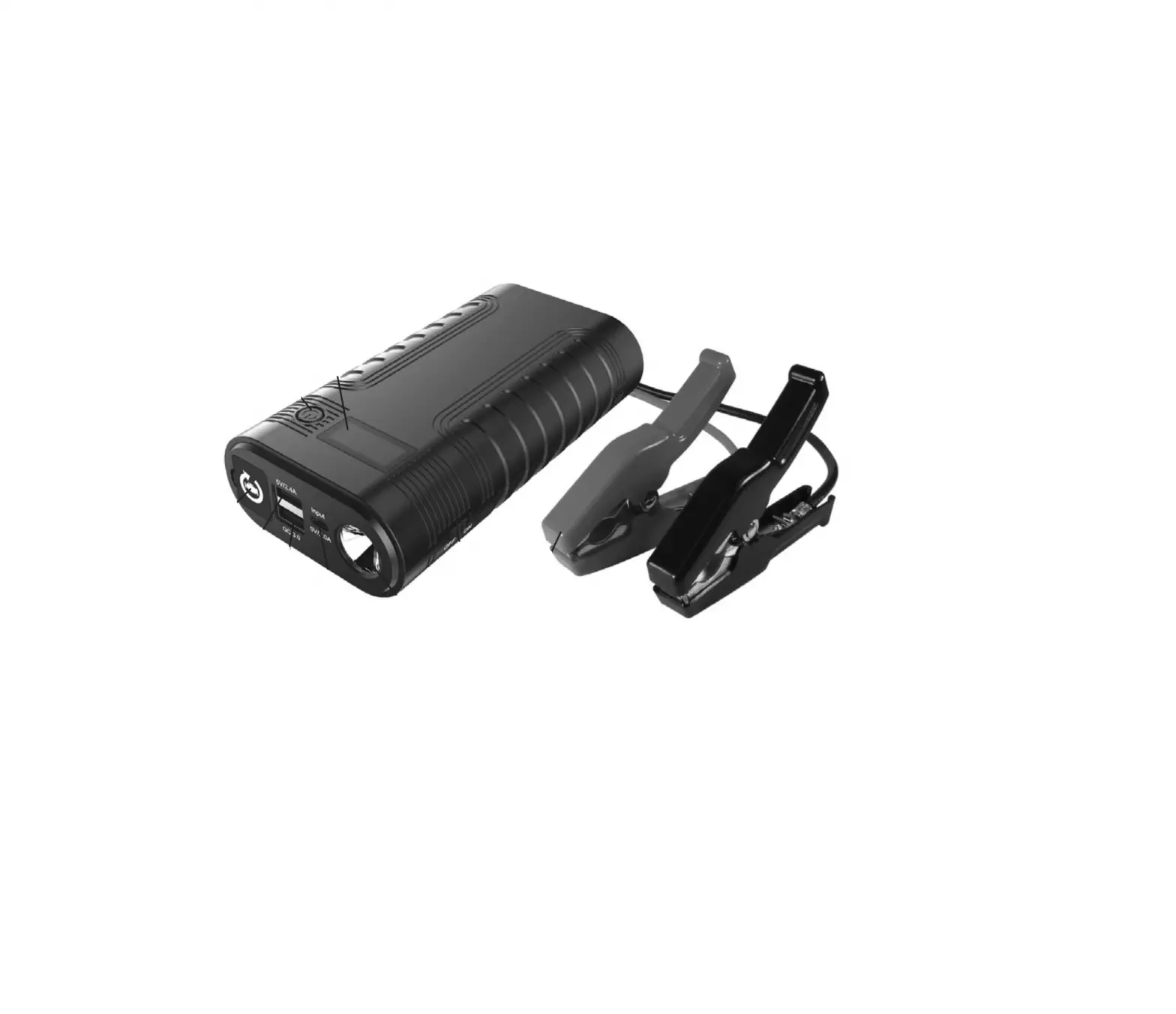
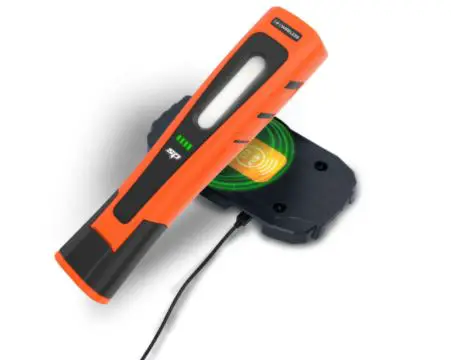
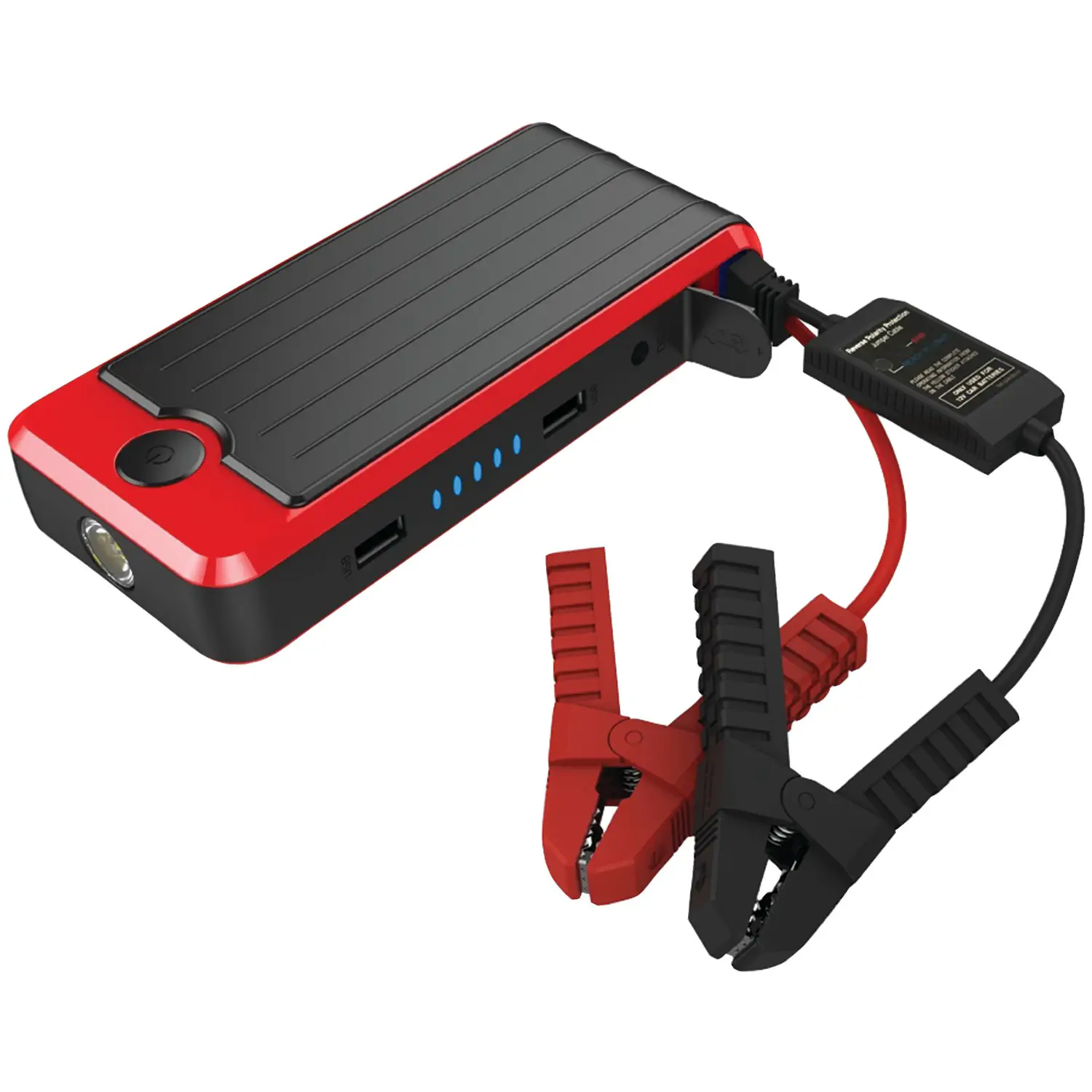
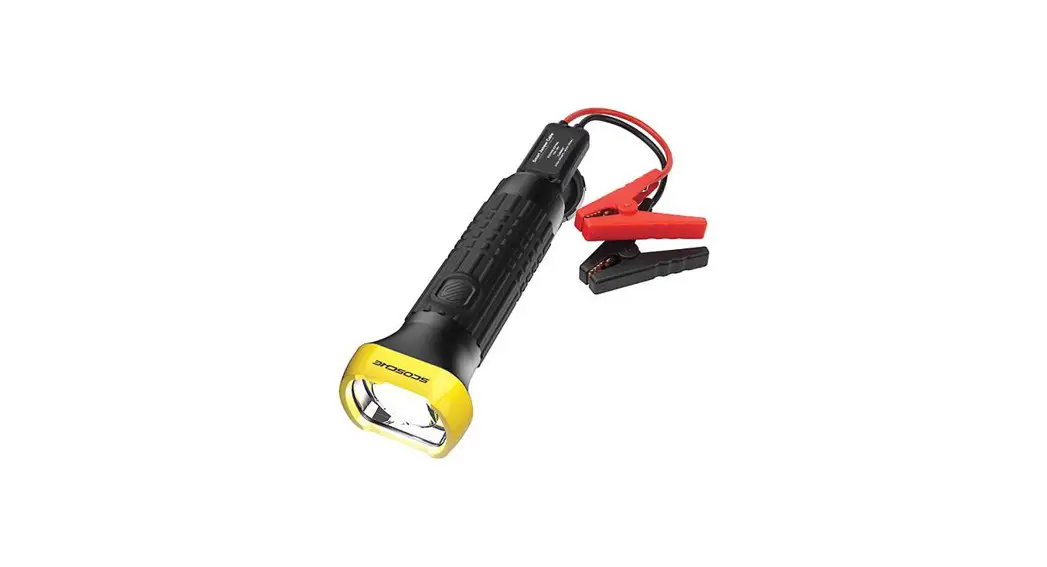
Power Up™ TORCH Flashlight & Power Supply with Built-In Jump Starter
“Smart Cable# Jumper Cables
USB-C Charge Cable
12V USS Charging Adapter
Storage Case
DEVICE SETUP
SECTION A -Flashlight & Power Supply Overview
SECTION B -Charge Panel
SECTION C -“Smart Cable· Jump Starter
SECTION D -LED Functions
SECTION E – Flash ‘light Modes
SECTION A
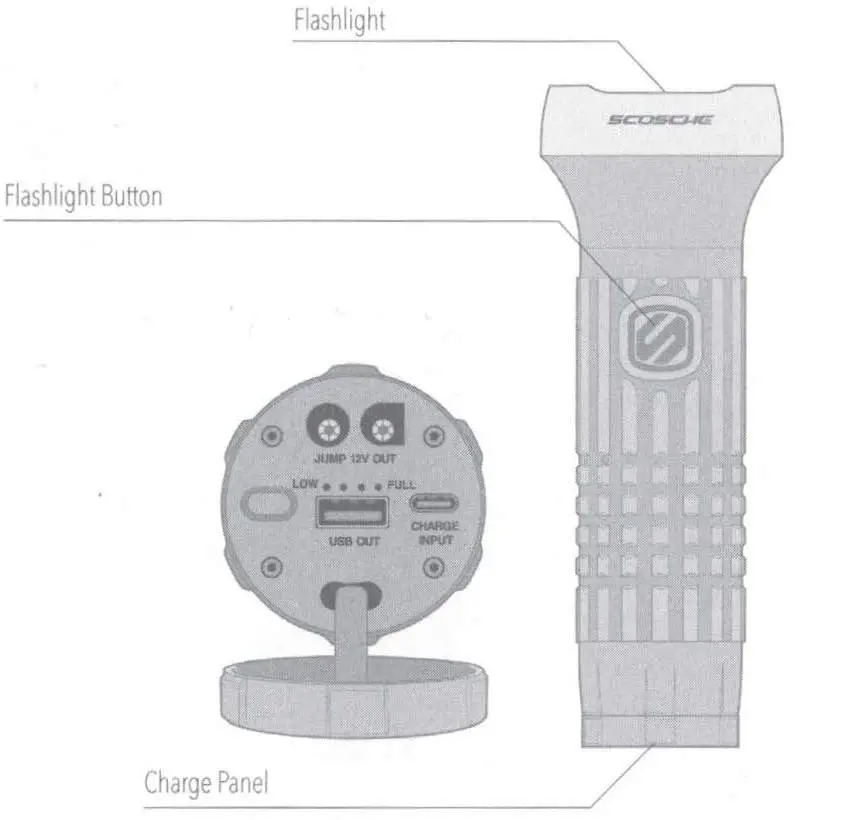
SECTION B
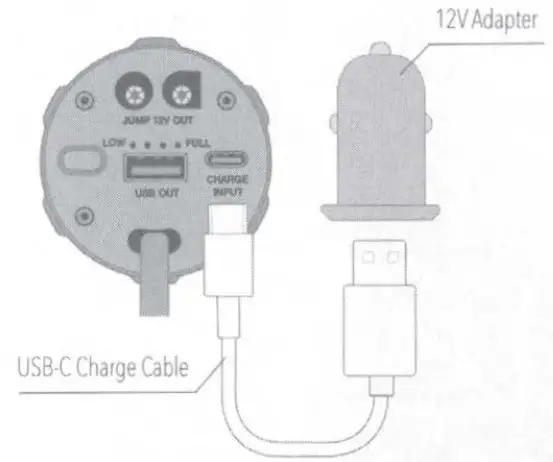
To charge the Power Supply, plug the included 12V USS adapter into a 12V AUX socket, then connect the power supply with the included USB-C cable
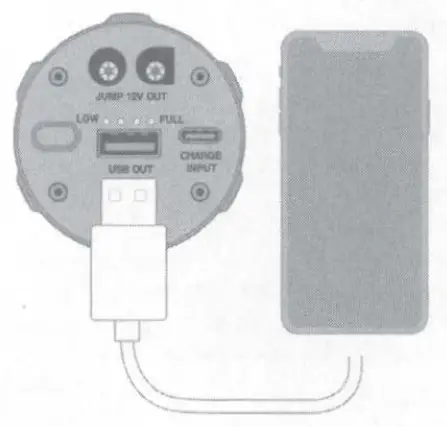
To charge your mobile device, use the device’s
USB charge cable (not included) to connect to the Power Supply’s USS charger
SECTION C
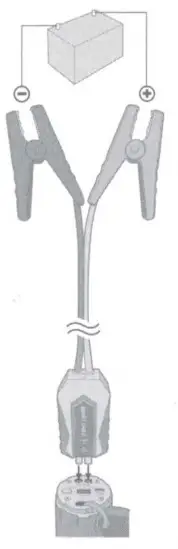
- To use the Jump Starter, make sure the Power Supply is at least 50% charged. Plug the Smart Cable into the Power Supply. The light on the back of the Smart Cable illuminates low light conditions. (See Section D)
- Connect the Jumper Cables to the battery terminals. Connect RED (+)first, then BlACK (·). The “START” light on the Smart Cable indicates jump start may proceed If “ERROR” light displays DO NOT PROCEED. Check connections and charge level of Power Supply. Only proceed when “START’ light displays (see Section D)
- After jump starting, remove cables from terminals in reverse order: BlACK (·), then RED (+).Unplug Smart Cable from Power Supply.
SECTION D
Charge Panel
- Charge Level LEDs
- Check Charge Level Button
 Smart Cable LEDs
 - Night Assist (white)
- Error (red)
- Start (green)
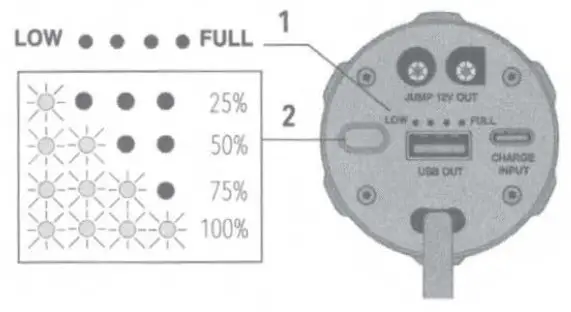 Smart Cable LEDs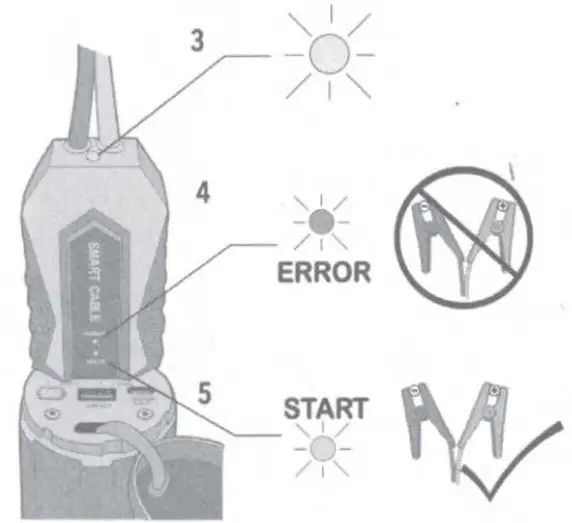
SECTION E
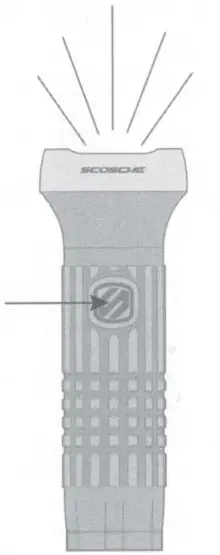
Flashlight Modes
Press Flashlight Button once to cycle through modes.
Press and hold to power off in any mode.
On: Press and hold (1 sec.)
Dimmed: Press once
Strobe: Press once
SOS: Press once
Off: Press once
SPECIFICATIONS
12V Charger Input 12-24V 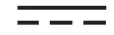 Output: SV 2A
USB-C Input: 5V 2A
USB-A Output : 5V 2 4A
Battery Capacity: 2000 mAh, 29.6 Wh
Flashlight: 330 Lumens @492 ft. (150m)
Jump Start Capacity: Gas, up to 5.0 L/ Diesel. up to 2.0 L
Jump Starter Output 12V 600A (0.1 sec), 200A (5 sec)
Charging Temp: 32°~ 104°F (0°~40°()
Discharging Temp. -4°~ 140°F (-20°~60°C)
Life Cycle: Up to 1000 jumps
Scosche lndustries
1550 Pacific· Avenue
Oxnard, California 93030
Phone: 800-363-4490×1 / 805 486-4450 x1
www.scosche.com
© Scosche industries 2021
Scosche & Power Up are trademarks of Scosche industries
Other marks or brands are the property of their respective Owners.
Devices and of appearance may vary
Designed in Oxnard, California
P8JF600
 cab.es - This website is for sale! - cab Resources and Information.
 Scosche Tech Accessories | #1 Mount Brand in US & Canada