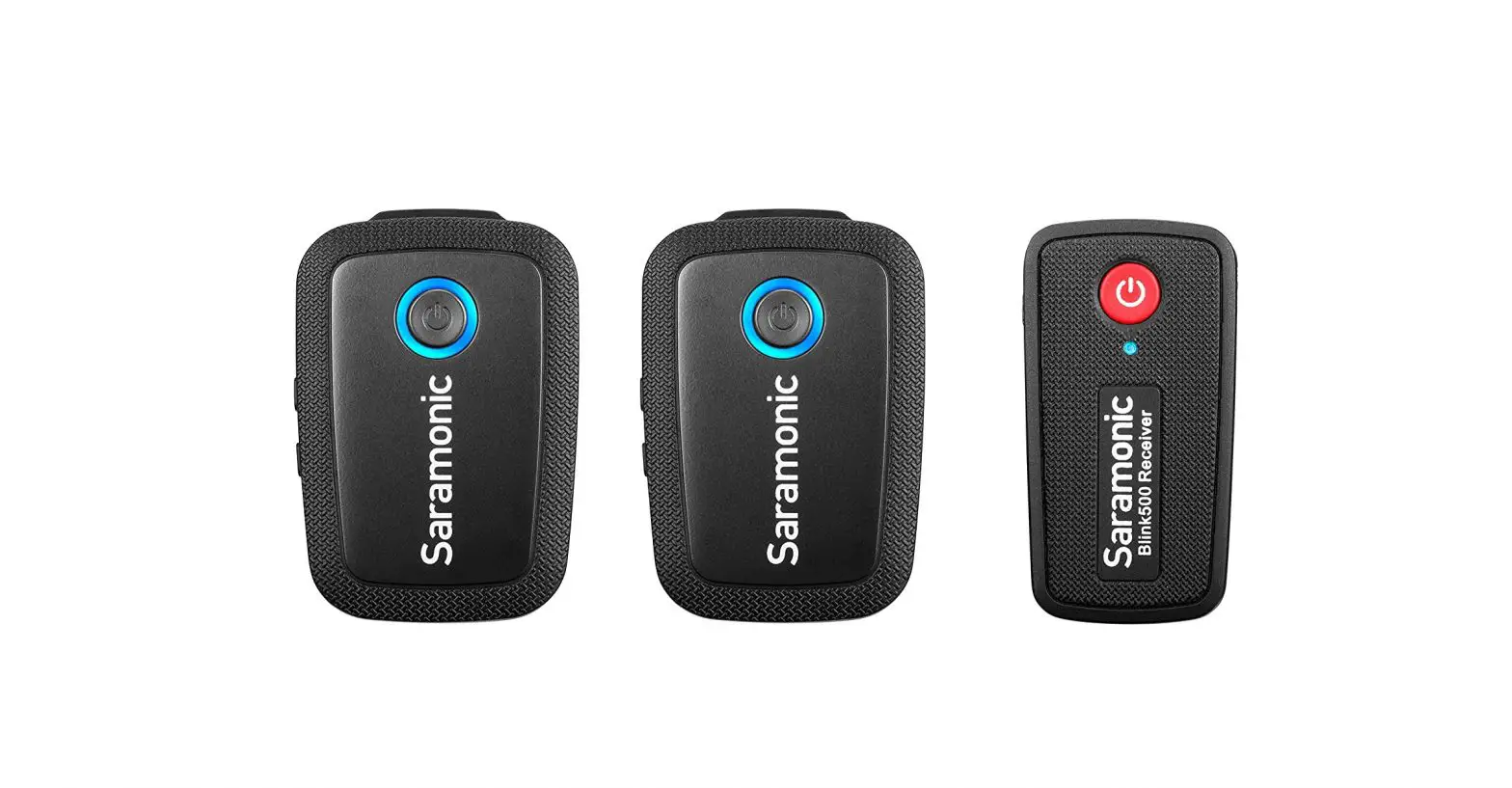
 2.4GHz Wireless Smart Microphone
with Touchscreen Blink Me
User Manual
Blink ME B2 2-Person Digital Camera Mount Wireless
Statement
Please read this manual carefully before using and strictly operate and store item accordance with the instructions. Please save the manual for your future reference.
If you need further assistance than the user manual, please consult your retailer for help or email us: [email protected]
- Non-professional teardown is strictly prohibited.
- Please keep it away from heat sources such as heaters or ovens.
- Do not remove the battery without professionals’ help.
- Please clean the device with only a soft dry cloth.
- When using and storing, please keep away from the dust and moisture.
General Introduction
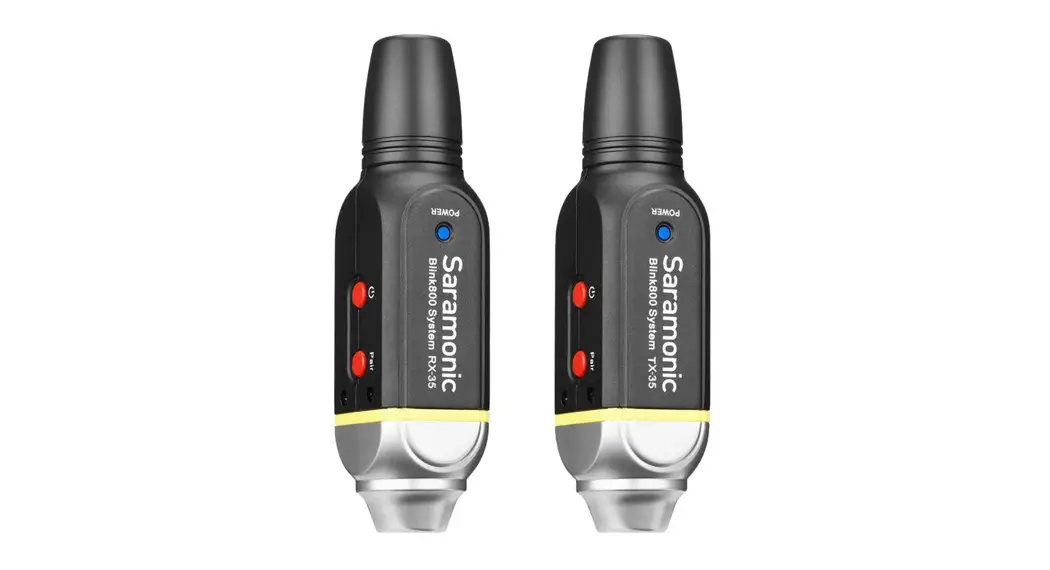
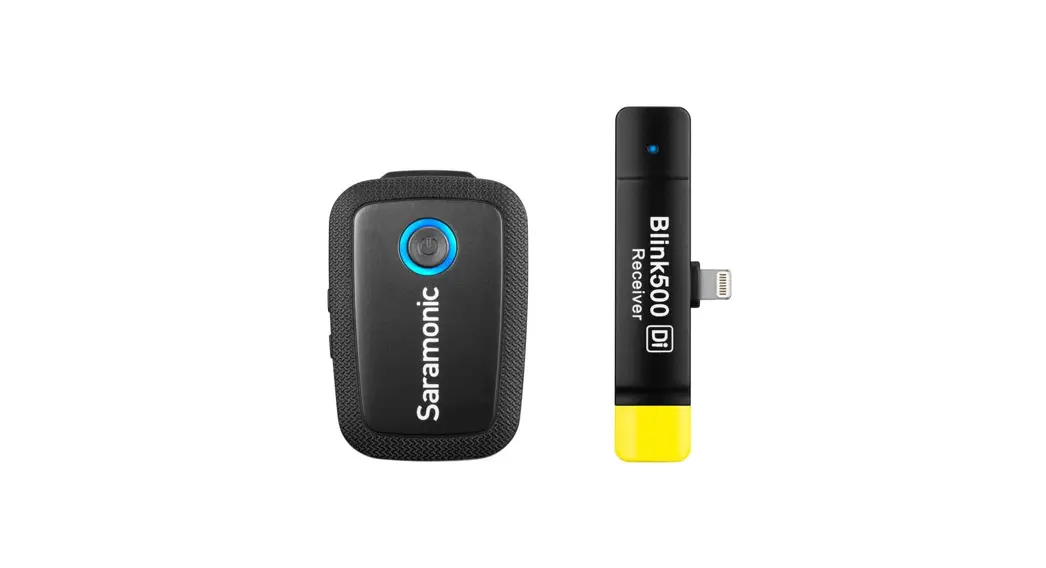
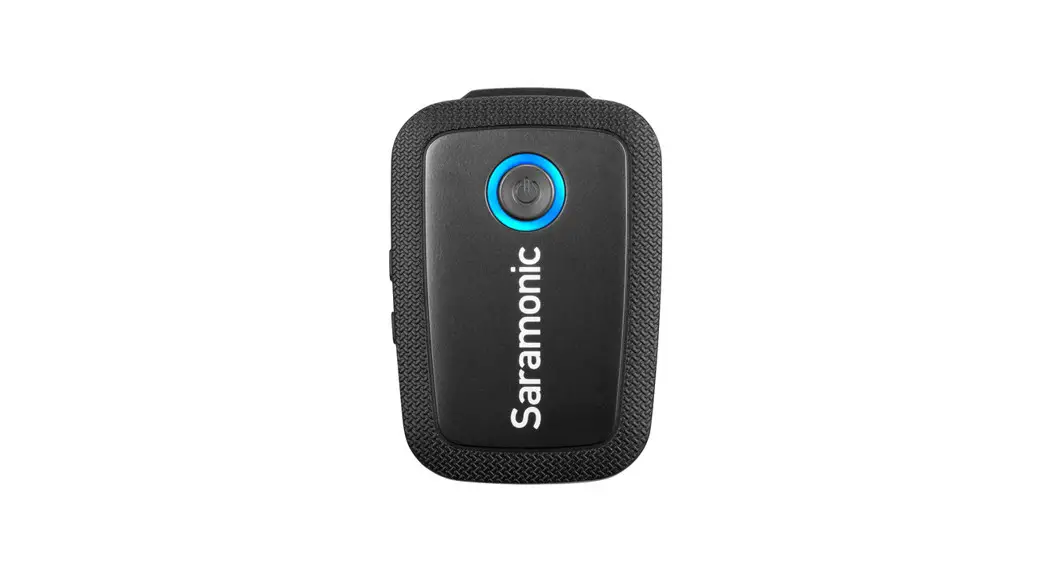
The Sara monic Blink Me, a professional dual channel wireless microphone system with touchscreen, which can be used with different magnetic accessories. This ultra-portable and incredibly lightweight mic system boasts universal compatibilty with tablets, laptops, cameras, recorders, mixers, and other audio/ video recording devices. Ideal for content creators, filmmakers, journalists, vloggers, live streaming, and so much more.
- Quick and easy to operate the intuitive touchscreen
- Separate OS without having to rely on any application
- Smart onboard recording capability
- Also available in 48kHz HD audio when noise reduction enabled
- The receiver can charge the transmitter(s)
- Customize the wallpaper for the transmitter through the Sara monic App
- Magnetic system with several accessories
- Flexibly attach or remove the transmitter to or from clothes
Overview
Transmitter
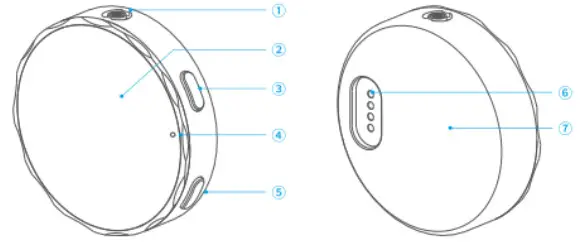
- Microphone Capsule
- Touchscreen
- Power Button
• Press and hold for 3 seconds power on or off.
• Press twice to lock or unlock the screen. - LED Indicator
Indicates the status of the transmitter when its screen s turned off - NR Button
• Press to enable or disable noise reduction.
• Press twice to enable or disable onboard recording
• Press and hold for 1.5 seconds to mute o unmute the microphone. - Contacts
- Magnet
| Indicator | Status |
| Blinking blue slowly | Unpaired |
| Blinking blue quickly | Pairing |
| Static blue | Paired successfully |
| Blinking red slowly | Mute |
| Blinking red quickly | Low battery |
| Static red | Charging |
| Red light off | Fully charged |
Receiver
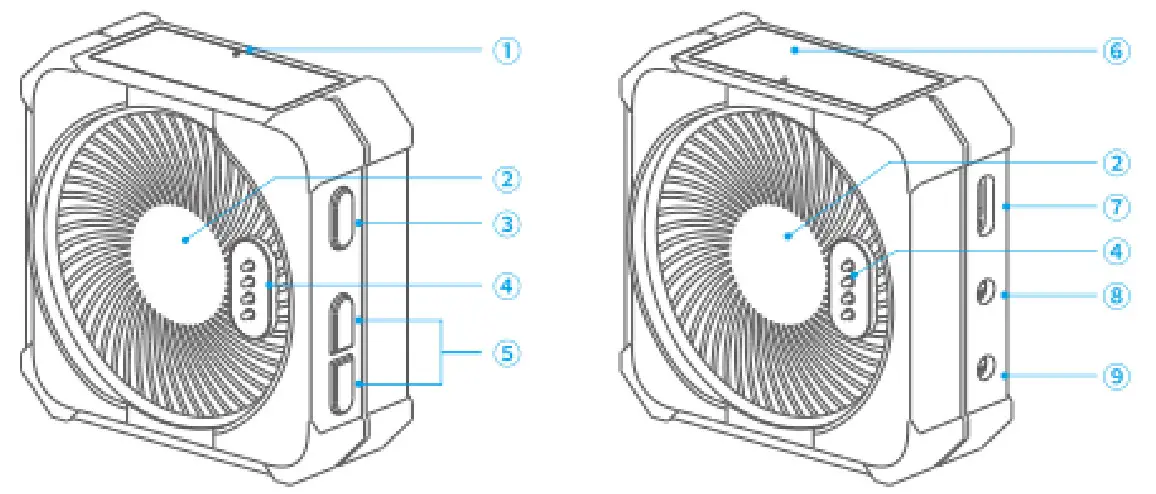
- LED Indicator
Indicates the status of the receiver when its screen is turned off.Indicator Status Blinking blue slowly Unpaired Blinking blue quickly Pairing Static blue Paired successfully Blinking red quickly Low battery Static red Charging Red light off Fully charged - Magnet
- Power Button
• Press and hold for 3 seconds power on or off.
• Press twice to lock or unlock the screen - Contacts
- +/-Button
Press to turn up or turn down the output gain level of the receiver in 3dB increments from -12dB to +12dB. - Touchscreen
- USB-C Port
Used for charging the receiver and transferring data - 3.5mm Monitor Port
Connect your headphone to monitor the audio output. - 3.5mm Auto-Sensing Output (TRS/TRRS)
For analog audio output to a camera, smartphone or mixer, etc
Touchscreen Operations
Transmitter
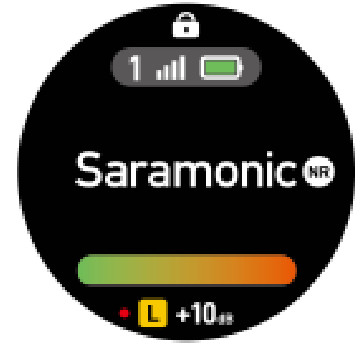
- From the Home screen, press the power button to tumen the screen on or off.
- To fretum to the Home page from any anther pages, press the power button once.
- Press the power button twice to lock or unlock the screen and return to the Home page.
 | Indicates the screen is locked or unlocked. It is recommended that you can lock your screen to avoid accidental taps during a recording. By default, the device returns to the Home screen automatically when the screen is locked. It is recommended that you can lock your screen to avoid accidental taps during a recording. By default, the device returns to the Home screen automatically when the screen is locked. |
 | Indicates the current wireless signal strength between transmitter 1 and the receiver. A gray icon indicates a failed connection. |
 | Indicates the battery level of the transmitter. |
 | Indicates the noise reduction is enabled. |
 | Indicates the audio input level.Reduce the transmitter gain accordingly when the volume bar turns red. |
 | Indicates the microphone is muted. |
 | Indicates the onboard recording is enabled. |
 | Indicates the input gain of the transmitter. |
 | Indicates the left or right sound channel. |
 | Indicates Stereo, Mono or Safety Channel mode. |
From the Home screen, swipe up from the bottom of the screen to access device siftings. Swipe up or down to select Onboard Recording, Noise Reduction, TX Gain, Brightness, Display and Settings. From device settings, tap 44 o return to the previous screen.
 |  REC Protection REC Protection | When the function is activated, the onboard recording can only be disabled by operating the screen instead of pressing the button. |
 Auto Recording Auto Recording | When the function is activated, the onboard recording will be enabled automatically as soon as the transmitter is switched on. | |
 Bit Depth Bit Depth | Tap to set bit depth to 1 6bit or 24bit. | |
 |  Original sound Original sound | Default to original sound. Select original sound or HD noise reduction on demand. |
| HD noise reduction | ||
 | 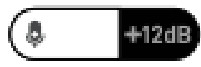 | Drag the Gain control slider to adjust the input gain level of the transmitter in 1 dB increment from -12dB to +12dB. Note that the transmitter gain will affect the volume of the recorded audio. |
 |  | Drag the Brightness slider to adjust the screen brightness. |
 | Power saving | By default, when enabled, this will turn screen brightness to 50% and turn the screen off after 10 seconds of inactivity. |
| Always on | When enabled, the screen will always stay on. | |
| Auto screen off | Scroll up or down to set the time when the screen is turned off automatically. | |
 |  Pairing Pairing | Tap to access the page where you can pair the transmitter with the receiver. |
 Language Language | Tap to choose a language. | |
 Date & Time Date & Time | Tap to set the date and time for the recording files. | |
 Reset Reset | Tap to restore the transmitter to its factory default settings, which resets everything except the onboard recording files and current pairing status. | |
 Version Version | Tap to view the firmware version and serial number of the transmitter. | |
 Cert info Cert info | Tap to view certification information. |
From the Home screen, swipe down from the top of the screen to display Quick Settings
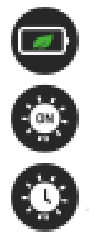 | Power saving Always on Auto screen off | Tap to switch. |
 | Microphone muted Microphone unmuted | Tap to switch. |
 | Onboard recording enabled Onboard recording disabled | Tap to switch. |
 | Settings | Tap to quickly access. |
Themes
Choose a theme you want to be applied to your Home screen.
- From the Home screen, touch and hold the screen.
- Swipe up or down to view nine types of default themes.
- Tap the screen to apply the selected theme.
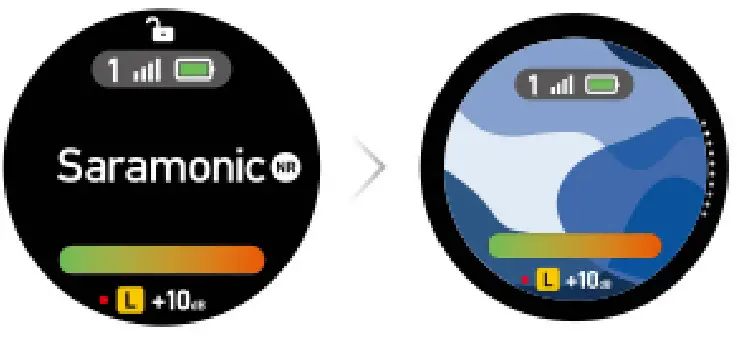
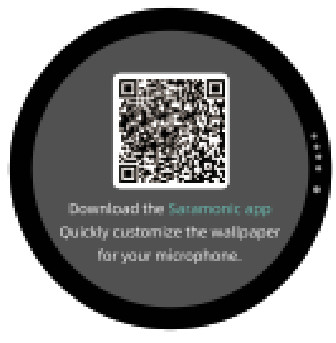 If you want, you also can customize the wallpaper for your Home screen on the Saramonic app. To download the app, scan the QR code on the screen.
Receiver
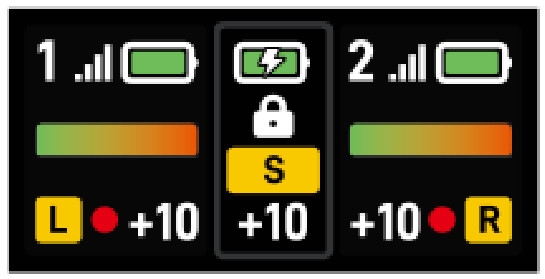
- To fretum to the Home page from any other pages, press the power button once:
- Pass the power buiton twice o lock or unlock the screen and et to the Home page.
| Indicates the screen of the receiver is locked or unlocked.It is recommended that you can lock your screen to avoid accidental taps during a recording. By default, the device returns to the Home screen automatically when the screen is locked. |
| Left and right sides: The transmitter’s battery level. Middle of the screen: The receiver’s battery level. |
 | Indicates that the receiver is charging. |
 | Indicates that the transmitter is being charged by the receiver. |
 | Indicates that the receiver is in Mono, Stereo, or Safety Channel mode. |
 | Left and right sides: The transmitter’s input gain. Middle of the screen: The receiver’s output gain. |
 | Indicates the wireless signal strength between transmitter 1 and the receiver. |
 | Indicates the wireless signal strength between transmitter 2 and the receiver. If there’s no second transmitter connected, this icon will not be displayed. |
 | Indicates the audio input level.Reduce the transmitter gain accordingly when the volume bar turns red. |
 | Indicates the left or right sound channel.Under Stereo mode, transmitter TX1 matches the left channel, transmitter TX2 matches the right channel. |
 | Indicates the onboard recording is enabled. |
 | Indicates the microphone is muted. |
From the Home screen, swipe down from the top of the screen to access device settings. Swipe left or right to select Recording Mode, RX Gein, TX Gain, Display and Settings. From device settings, swipe up from the bottom of the screen to return to the previous screen
 |  Mono Mono | Signal from the transmitter or both transmitters can be mixed together and recorded identically to left and right channels. |
 Stereo Stereo | Signals from each transmitter can be recorded to a separate channel. | |
 Safety Channel Safety Channel | Similar to Mono mode, the audio of the right channel will be recorded in -6dB in case distortion in your recordings. | |
 | 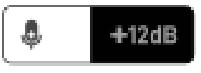 | Drag the Gain control slider to adjust the output gain level of the receiver in 1 dB increment from -12dB to +12dB. The receiver gain can be reduced if the sound is distorted. |
 | 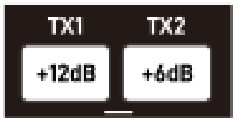 | In the paired state, tap left or right to set TX1 or TX2. Drag the Gain control slider to adjust the input gain level of the transmitter(s) in ‘I dB increment from -12dB to +12dB. Note that the transmitter gain will affect the volume of the recorded audio. |
 |  Power saving Power saving | By default, when enabled, this will turn screen brightness to 50% and turn the screen off after 10 seconds of inactivity. |
 Always on Always on | When enabled, the screen will always stay on. | |
| Pairing | Tap to pair the receiver with the transmitter(s). |
 Brightness Brightness | Tap it, then drag the Brightness slider to adjust the screen brightness. | |
| Language | Tap it, then swipe left or right to choose a language. | |
| Reset | Tap to restore the receiver to its factory default settings, which resets everything except the current pairing status. | |
| Version | Tap to view the firmware version and serial number of the receiver. | |
| Cert info | Tap to view certification information. |
To access transmitter TX1 or TX2 settings from the Home screen, swipe up on the left or right side of the screen.
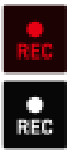 Onboard recording enabled Onboard recording enabledOnboard recording disabled | Tap to switch. |
 Microphone muted Microphone mutedMicrophone unmuted | Tap to switch. |
 Memory Memory | Indicates the remaining available time for recording. Tap to access a submenu. |
 Format Format | Tap to erase the onboard recording files of the transmitter. |
Using Blink Me
Transmitter
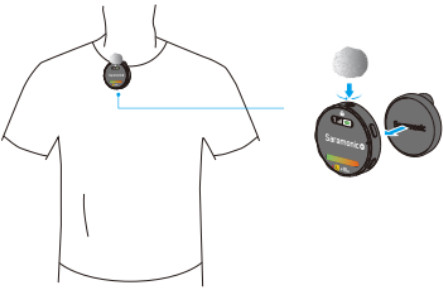
Use the magnetic clip to attach the transmitter to clothes.
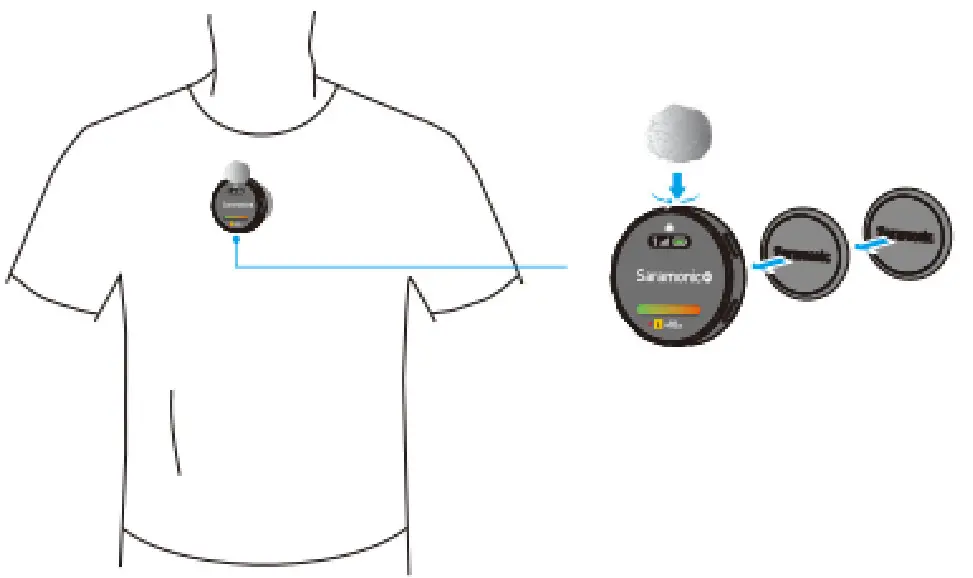
Use the magnets to attach the transmitter to clothes.
Receiver
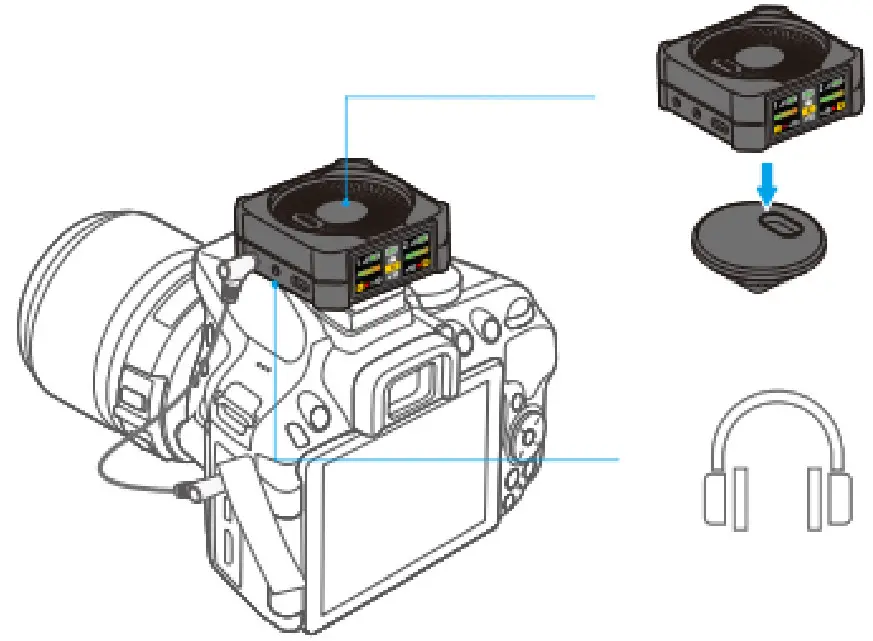
- Connect a camera, a smartphone or a laptop to the 3.5mm auto-sensing audio output of the receiver with an adapter cable.
- Plug your headphones for audio monitoring as your need.
How to Pair
The transmitter and receiver are paired by default. If they are disconnected, please tap the screens of the transmitter and receiver to enter Settings, and then tap “Pair’ to reconnect
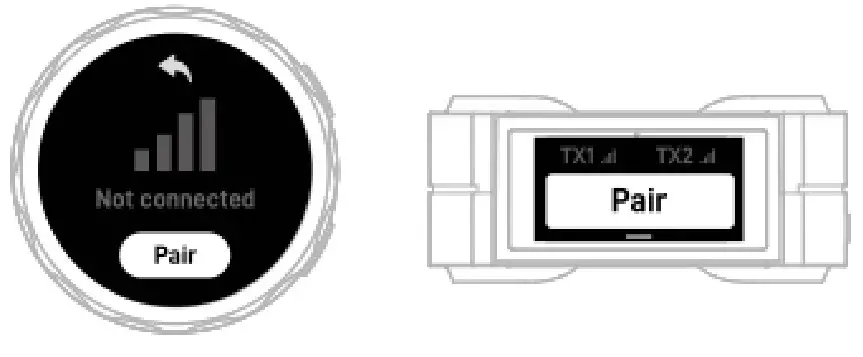
 When both TX1 and TX2 need to be paired with RX, operate the transmitter first, and then operate the receiver.
- 1f the screen of a device is failed to operate, press and hold the power button for 18 seconds to force the shutdown of the device, and then press and hold the power button for 3 seconds to turn the device on.
- Due to the 2.4GH wireless frequency is widely used, the signal may be easily attenuated or interfered. Please try to avoid obstacles while using, such as walls and buildings. And keep away from the devices with 2.4GHz frequency, such as high-power Wi-Fi antennas, radios, etc.
How to Charge
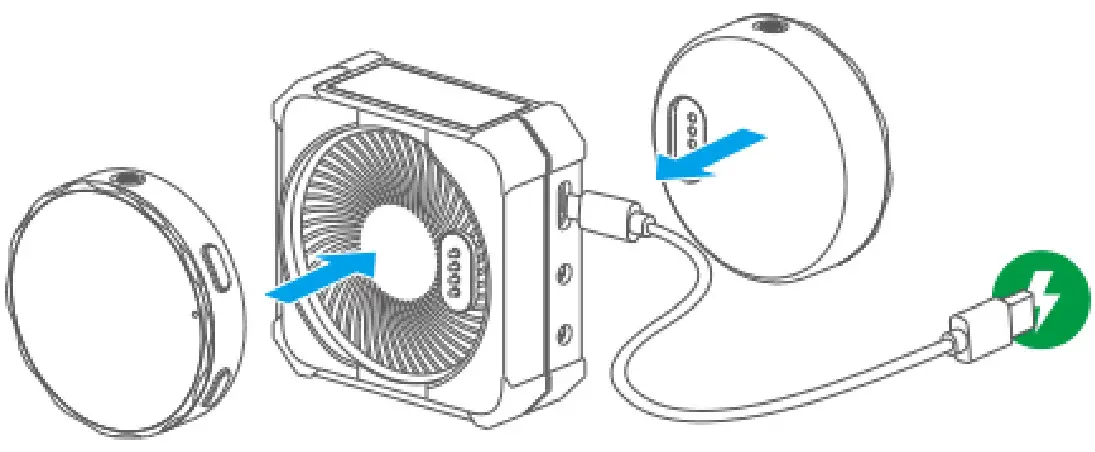
- To charge the transmitter(s), please place lithe) on the receiver.
- The receiver will oy charge the transmitter(s) when it is turned on or when itis connected to the charging cable.
- If the receiver reaches s safe battery level, it il stop charging the transmitter(s).
- Use the included USB-A to USB-C cable to charge the receiver when the battery is low.
Audio Output for Dual Devices
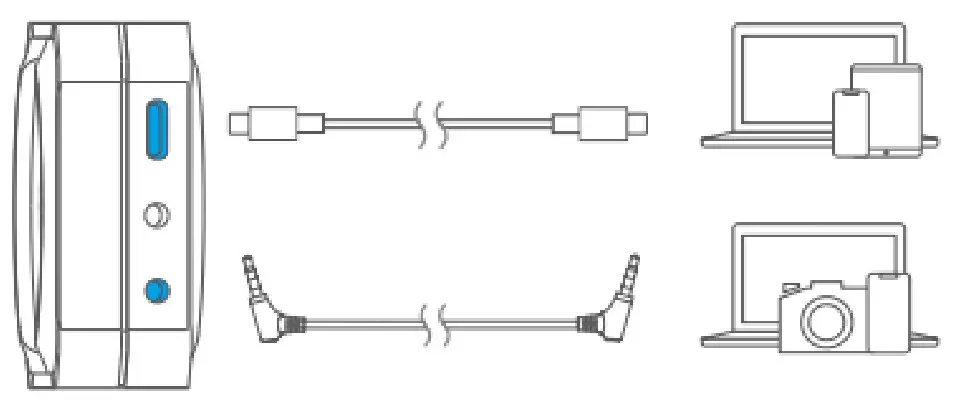
To output audio simultaneously, connect the receiver to two devices via the 3.5mm auto-sensing output or USB-C output using a correct cable.
Onboard Recording
- The memory can store up to 22 hours of recording at the 48krz/16bit sampling rate. The memory can store up to 15 hours of recording at the 48kHz/24bit sampling rate.
- The file will be automatically split after 30 minutes of recording, making it easy to quickly find your desired recording segment
- By default, the recording files are named in the format ‘DATETIMEWAV”. Up to 999 recording files can be created
- If the memory full, the original file will be automatically overwritten with the latest file from the beginning Note that in this mode, the “mute” function will not affect the onboard recording.
Loading Files
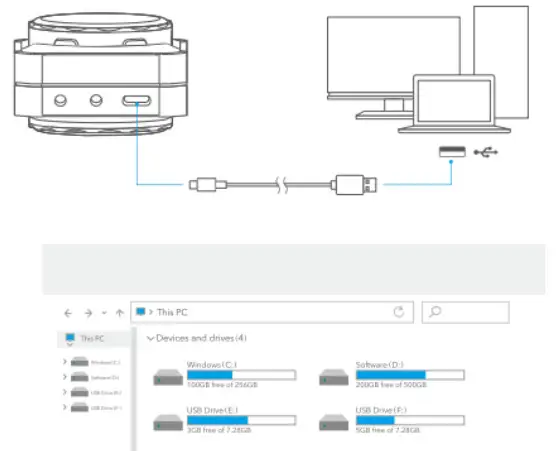
Place the transmitters on the receiver, and then connect a laptop to the receiver’s USB-C port to read the recording files of TX1 and TX2.(You can rename the device in the Sara monic app.)
Specifications
| Display | TFT |
| Transmission Type | 2.4GHz digital frequency |
| Modulation | Digital modulation |
| Polar Pattern | Omnidirectional |
| Antenna | In-built antenna |
| Operating Range (without obstacles) | 328′ (100m) |
| RF Output Power | <10mW |
| Sampling Rate | 48KHz |
| Frequency Response | 20Hz-20KHz |
| Signal-to-Noise Ratio | >80dB |
| Maximum SPL | 110dB SPL |
| Sensitivity | -39±2dB |
| Audio Input Connector | TX: In-built condenser microphone |
| Monitoring Connector | RX: 3.5mm monitor port |
| Audio Output Connector | RX: 3.5mm auto-sensing output (TRS/TRRS) |
| Power Requirements | In-built rechargeable lithium-ion battery |
| Battery Specification | TX: 3.85V/495mAh RX: 3.7V/1600mAh |
| Charging Connector | TX: Charging contacts RX: USB-C |
| Charging Time | RX: Approx. 2.5 hours (using 5V/2A charger) |
| Battery Life | TX: Approx. 5 hours (onboard recording enabled) Approx. 8 hours (onboard recording disabled) RX: Approx. 24 hours (Fully charge a TX once) |
| Memory | TX: 8G |
| Weight | TX: 1.06oz (30g) RX: 2.47oz (70g) |
| Dimensions | TX: €1.85×0.49″ (047×12.5mm) RX: 2.23 x2.23 x 0.99″ (56.6 x56.6×25.2mm) |
| Operating Temperature | 0°C to +50°C |
| Storage Temperature | -10°C to +50°C |
Troubleshooting
If you encounter problems when using the unit, please refer to the following checklist before contacting technical support. If the problem cannot be solved, please contact the dealer’s after-sales service department.
- If there is no sound from the unit or no sound when connected to an external device
1) Make sure that the connecting cable between the product and the device is not loose.
2) Make sure the gain and volume are not turned to minimum.
3) Make sure the transmitter is not muted. - If sound of the unit is too low or too loud or even distorted Adjust mic gain and volume to the suitable level for recording in the current environment to improve the recording effect.
- Current noise or other abnormal noise appears during monitoring
1) Replace the connecting cable.
2) Make sure there is no interference near the unit. If the noise still exists after changing the unit’s position, please contact our customer service. - Failed to communicate with the other party when using applications such as live stream, conference, or communication (the other party’s voice cannot be heard via the 3.5mm monitor port) Make sure to connect your device to the receiver’s USB-C port. The receiver’s 3.5mm output port can only output audio but cannot communicate with the other party.
- The operating range of the unit is limited and the sound is intermittent frequently Make sure there is no interference between the transmitter and receiver. If the intermittent sound still occurs frequently, please contact our customer service.
- If the transmitter or receiver suddenly freezes up Press and hold the power button of the transmitter or receiver for 18 seconds to force the shutdown.
Other Accessories
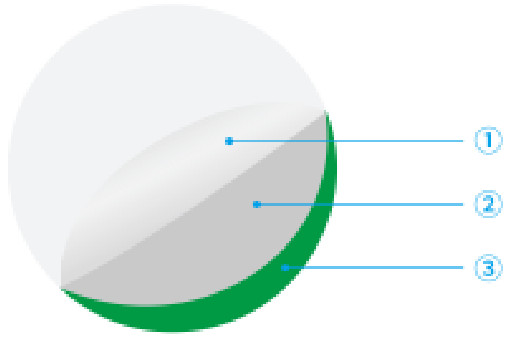
Screen Protector for Transmitter
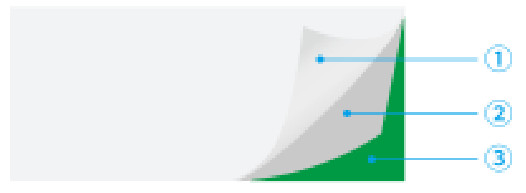
Screen Protector for Receiver
- Remove it
- Clear the dust on the screen
- Stick on the screen protector
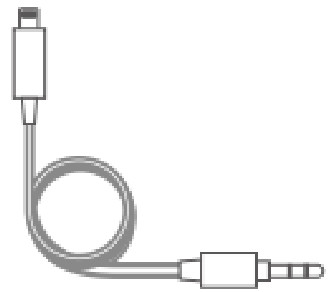
3.5mm TRS Male to Lightning Audio Cable (SR-C2000) (sold separately)
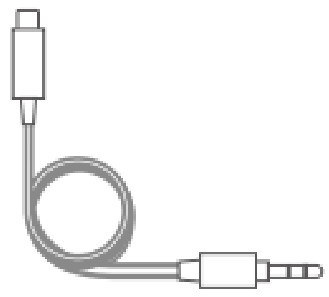
3.5mm TRS Male to USB-C Audio Cable (SR-C2001) (sold separately)
Contents of Blink Me B2
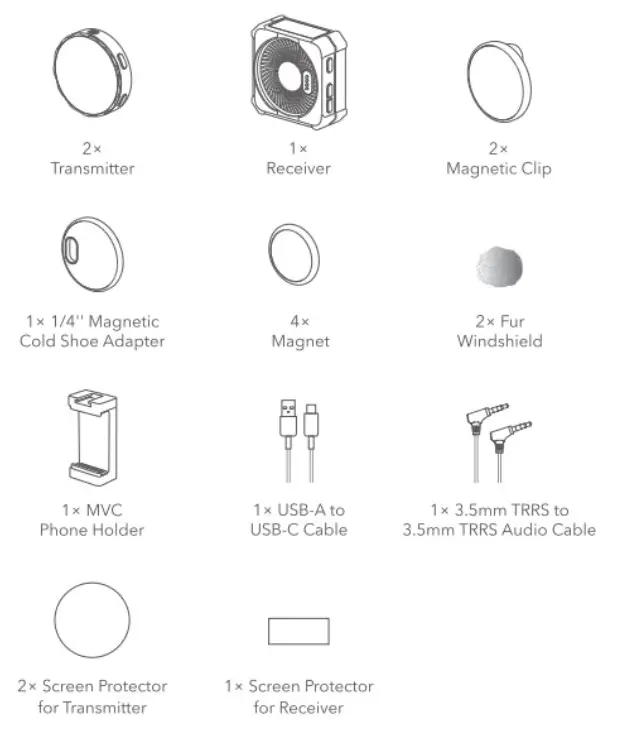
 For better recording experience, the application Saramonic is recommended.
https://app.release.jiayz.com/appdata/toDownloadSA http://weixin.qq.com/r/ikk1LQXEelgFrUFO9xyY
Scan the QR code and follow us! Shenzhen Jizya Photo Industrial., Ltd
A16 Building, Intelligent Terminal Industrial Park of Silicon Valley
Power, Guanylin, Longhua District, Shenzhen, China 400-613-1096www.saramonic.com
  [email protected]