
User Manual
48W Car Wireless FM Transmitter
Parameters
| Brand | JOYROOM |
| Model | JR-CL17 |
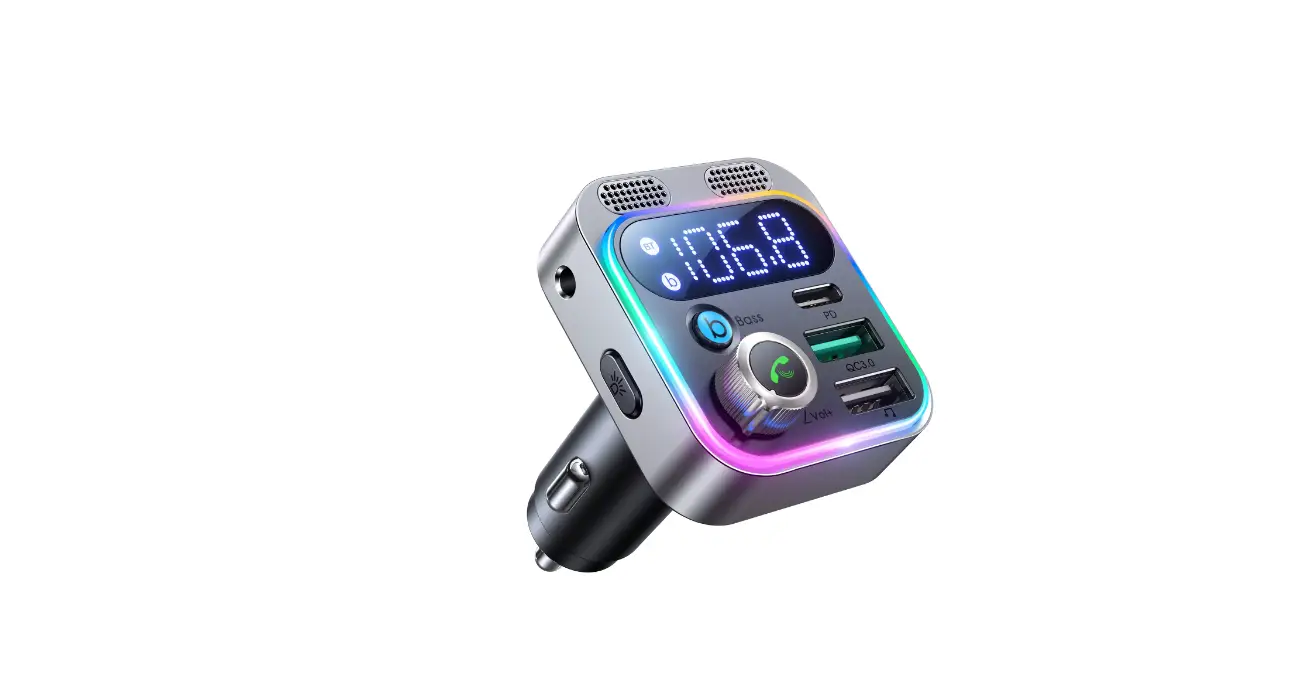
| Name | 48W Dual-Microphone Car Wireless FM Transmitter |
| BT Version | V5.3 |
| Input | DC 12-24V |
| QC3.0 output | 5V 3A 9V2A 12V 1.5A 3A 9V2A 12V 1.5A |
| PD output | 5V3A 9V3A 12V2.5A 15V2A 20V 1.5A |
| PPS | 3.3-11V3A, 3.3V16V2A |
| Total output | 48W |
| Size | 50*45*70mm |
| Color | Black |
| Net weight | 44g |
Packing list
FM transmitter *1
AUX cable (Im) *1
User Manual *]
Warranty Card *1
Product introduction
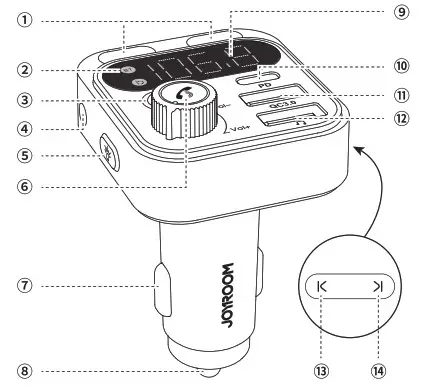
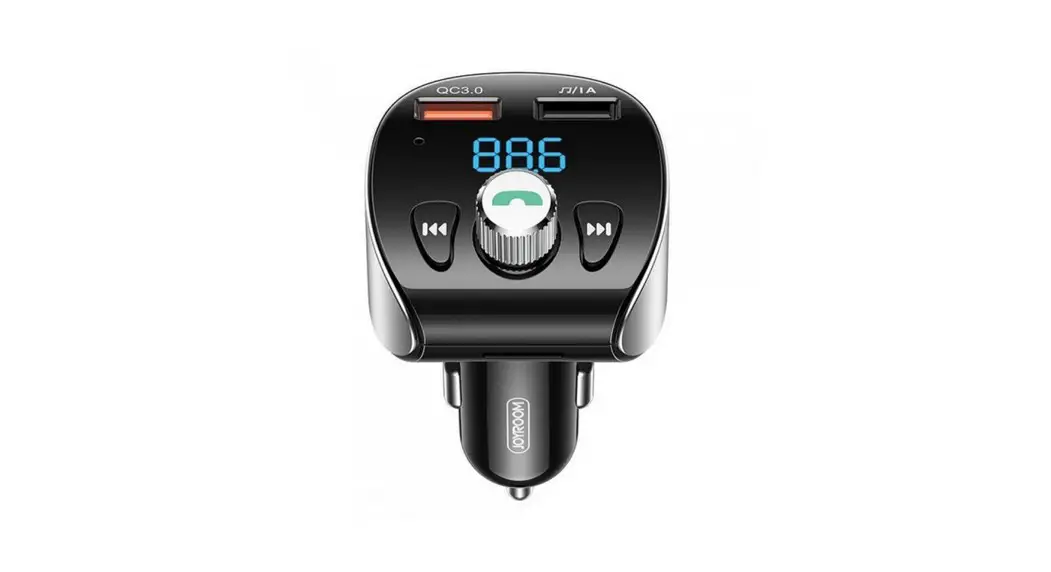
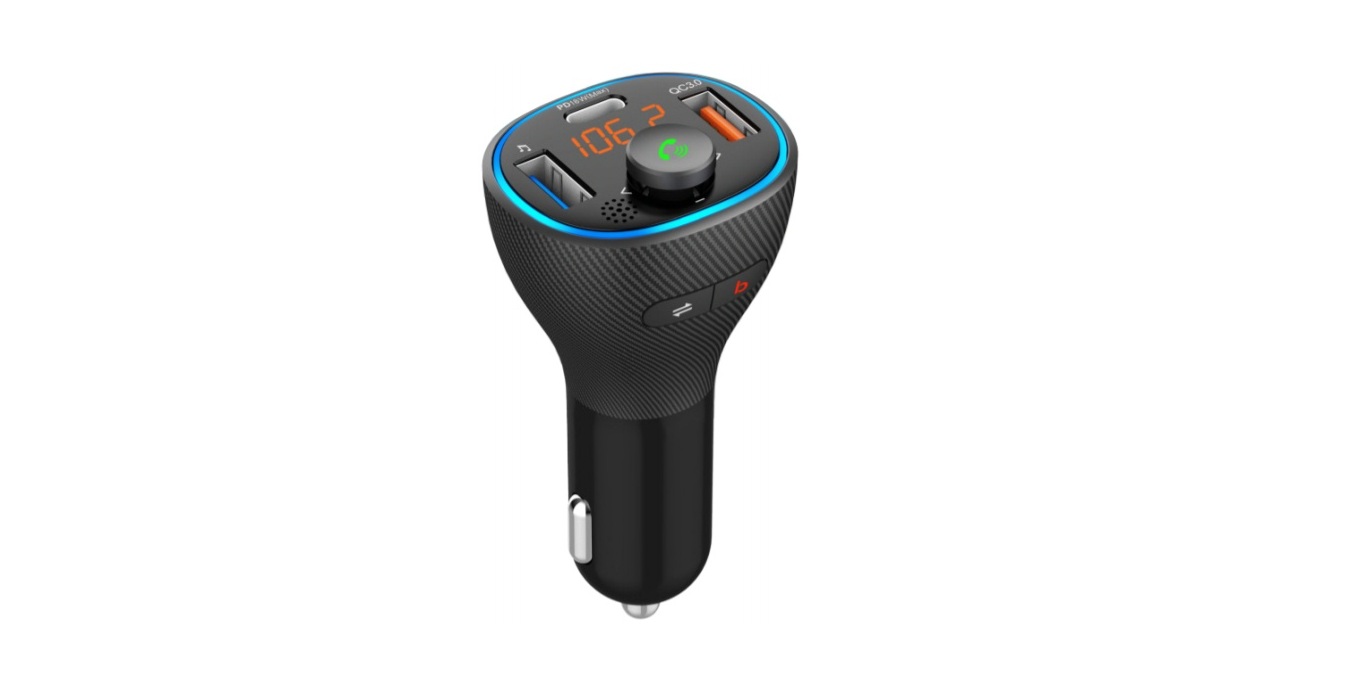
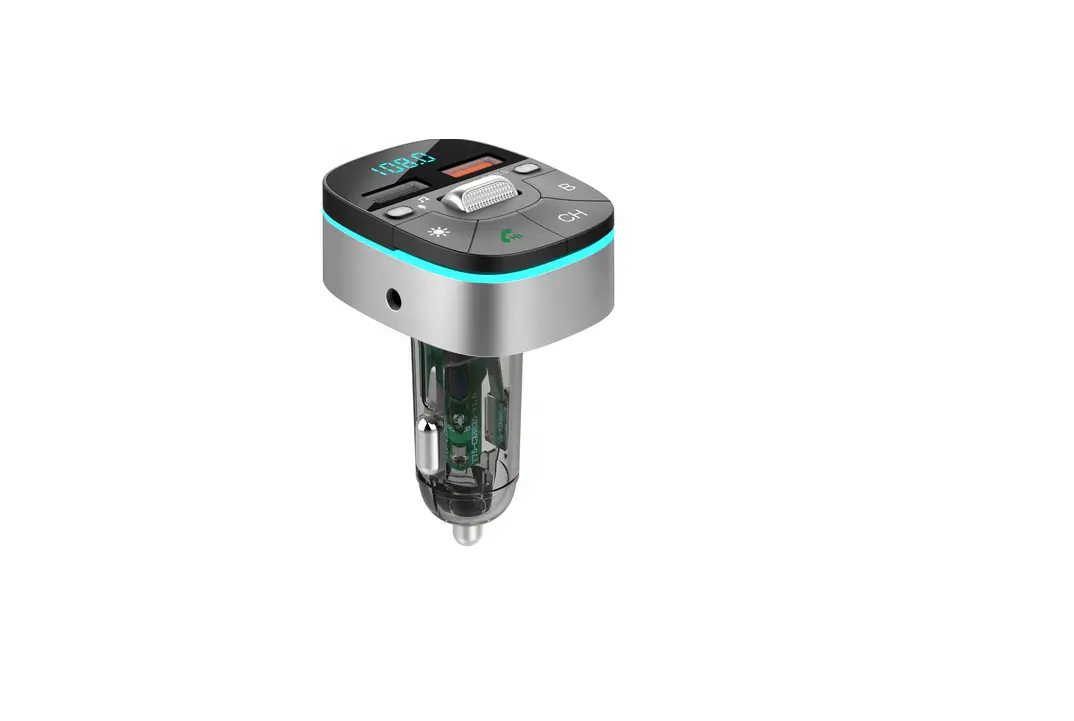
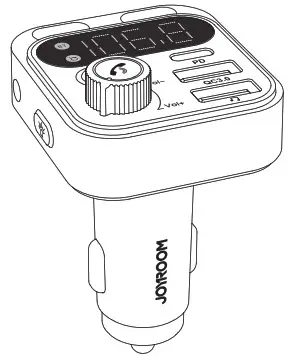
| 1. Dual microphones 2. Working status indicator 3. BASS button 4. AUX port 5. Light button 6. Multifunctional button 7. Negative power contact | 8. Positive power contact 9. LED display 10. Type-C charging port 11. QC3.0 charging port 12. USB flash drive port 13. Previous 14. Next |
Operation instructions
Wireless connection
a. Plug JR-CL17 into the car cigarette lighter socket to connect power
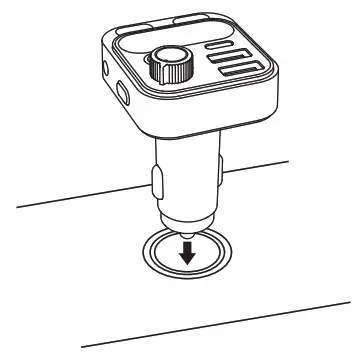
b. Tune the car radio to a blank FM frequency, long-press the Knob button, adjust FM transmitter to the Same Frequency with car radio by rotate the knob leftward/ rightward.

c. Turn on your phone’s BT function and find the name “CL17″, pair with it
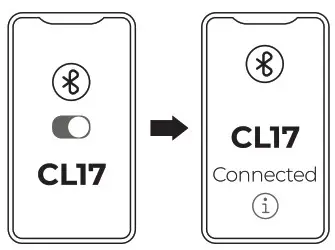
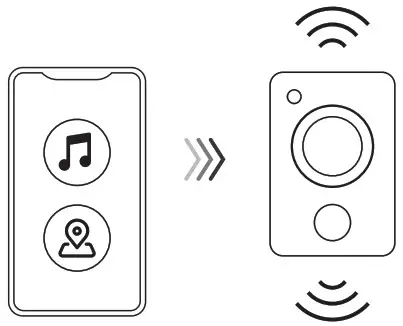
d. After pairing successfully, you can play music/start hone navigation
USB flash drive connection
a. Plug JR-CL17 into the b car cigarette lighter F socket to connect power
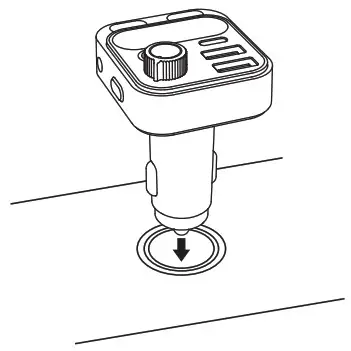
b. Tune the car radio to a blank FM frequency, long press the Knob button, adjust FM transmitter to the Same Frequency with car radio by rotate the knob leftward/ rightward.
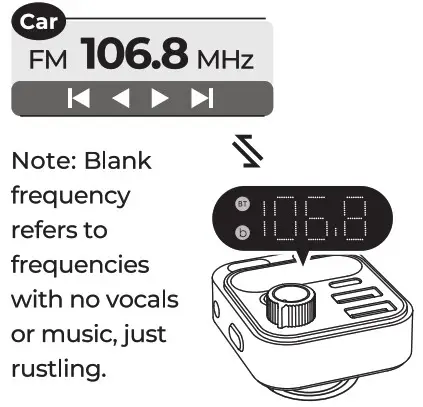
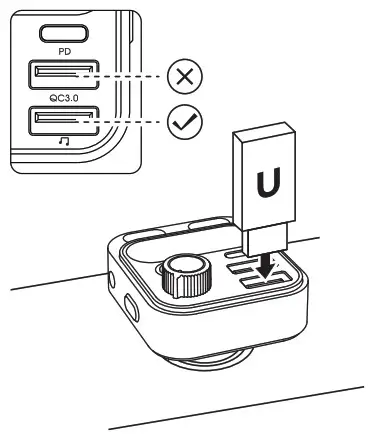
c. Insert USB flash drive into the USB flash drive port of CLI7
Note: The QC3.0 port does not support USB flash drive.
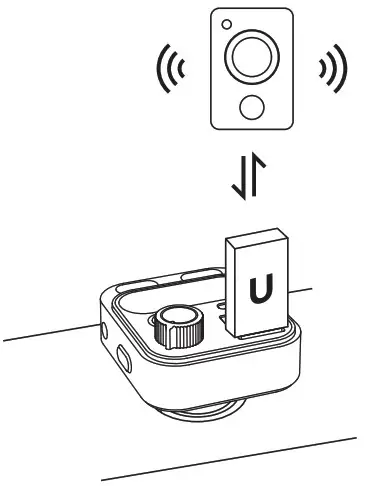
d. After connecting successfully, you can start to play music
AUX connection
a. Plug JR-CL17 into the car cigarette lighter socket to connect power
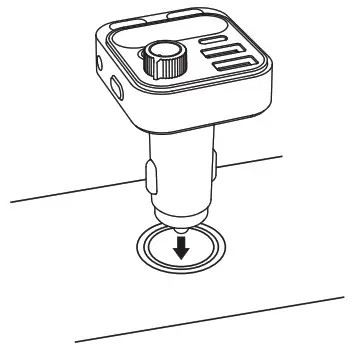
b. Turn on your phone’s BT function and find the name “CLI7”, pair with it
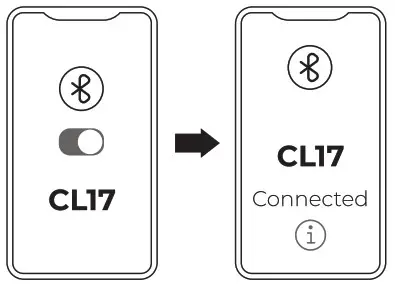
c. Insert one end of the AUX cable into CLI7 AUX port and the other end into car AUX port
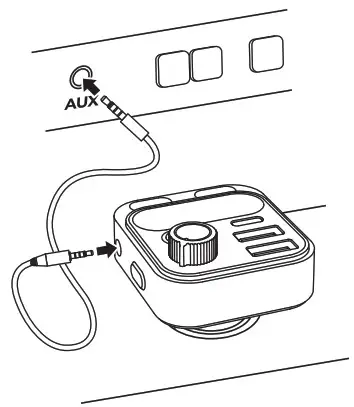
d. After connecting successfully, you can play music/start phone navigation
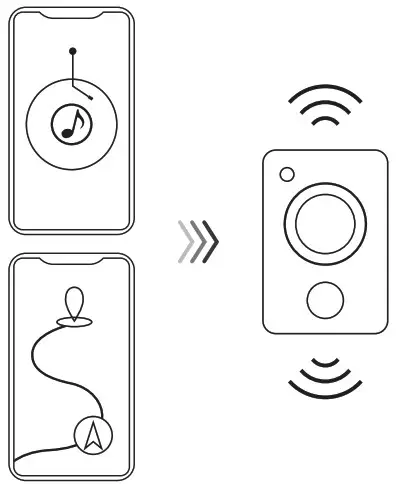
** Frequency adjustment **
Long press the multifunctional button  the LED display will start to flash after 2s; rotate the knob leftward/rightward to select frequency (the LED display will automatically stop flashing 5s after frequency adjustment, or you can long press it to have it stopped).
** Volume adjustment **
If you feel the music volume is too low, you can:
- Volume up your phone;
- Volume up the FM transmitter by rotating the multifunctional button;
- Volume up the car audio;
** Answer/reject/end calls *
Answer a call: short press the button
End a call: short press the button during the call
Reject a call: Long press the button for 2s
** Playing music **
Press  button to skip to previous song
Press  button to skip to next song
Press multifunctional button to pause
Press again to resume playing
** Sound effect switch **
Short press  the “b” indicator light on LED display will light up, which rneans BASS mode is started.
** Wireless/USB flash drive mode switch **
Press and hold for 2s to switch between wireless/USB flash drive mode.
** Battery voltage detection function **
When the CL17 is inserted into the cigarette lighter, the LED display will indicate the current car voltage. When the car voltage is in an abnormal range, it is recommended to replace the car battery or carry out maintenance;
| Car model | Abnormal range | Normal range before start up | Normal range after start up |
| 12V | <11.6V or >14.8V | 11.6V-12.8V | 11.6V-14.8V |
| 24V | <23.2V or >27.2V | 23.2V-25.6V | 23.2V-27.2V |
Q & A
Q: What is blank frequency?
A: A blank frequency is a non-working frequency which makes rustling current static noise.
Q: Why is there a noise when playing music in the car?
A: Make sure the car radio is turned on and the car radio frequency is consistent with the FM frequency. Besides, you have to adjust it to the local blank frequency when using.
Q: Why can’t the phone be charged fast?
A: Check whether your phone supports the charging protocol of the product and whether the charging cable used supports fast charging.
Q: Why CL17 failed to be connected wirelessly while it can be found on the phone?
A: @ Check whether the phone’s BT function is turned on and works normally. ( Check whether the BT indicator is always on. If it is always on, it means that other devices are connected, and you need to disconnect other devices to connect. If the problem still cannot be solved, please delete
all the BT names from your phone and reconnect.
Q: Why can’t music on the phone be played through the car radio?
A: Check whether the transmitter is connected to the phone’s BT, and whether the frequency of the transmitter and that of the car are adjusted to be
consistent.
Q: Can the song last played be remembered when playing with a USB flash drive?
A: Yes. The product can remember and automatically switch to the song last played.
Q: Can the light of CLI7 be turned off?
A: Yes, just short press the light button to turn it off.
Q: Is it safe to charge a phone with CL17?
A: Yes, it’s safe as long as you follow the instructions. The product is designed with multiple protections inside.
Cautions:
- Please charge your device after the car engine starts.
- Do not charge high-power devices to prevent device damage caused by excessive power.
- It is normal for the device to emit electromagnetic noise when passing through tunnels or areas with poor signal.
- If the sound is not clear or the connection is unsuccessful when you arrive at the new city, please re-adjust the car FM frequency to the blank frequency, and then reconnect to use;
- Do not use It in wet environment or thunderstorm weather.
- Do not clean it with strong chemicals, cleaning agents, etc.
- Do not drop or throw it violently and please keep it from collision considering this product is an electronic product.
We hope you never have the need, but if you do, our service is friendly and hassle-free.

- Activate the lifetime warranty for you!
- If you need help, our solutions will hyper drive to you within 12 hours.

FCC Statement
This device complies with part 15 of the FCC Rules. Operation is subject to the following two conditions: (1) This device may not cause harmful interference, and (2) this device must accept any interference received, including interference that may cause undesired operation.
This equipment has been tested and found to comply with the limits for a Class B digital device, pursuant to part 15 of the FCC Rules. These limits are designed to provide reasonable protection against harmful interference in a residential installation. This equipment generates, uses and can radiate radio frequency energy and, if not installed and used in accordance with the instructions, may cause harmful interference to radio communications. However, there is no guarantee that interference will not occur in a particular installation. If this equipment does cause harmful interference to radio or television reception, which can be determined by turning the equipment off and on, the user is encouraged to try to correct the interference by one or more of the following measures:
- Reorient or relocate the receiving antenna.
- Increase the separation between the equipment and receiver.
- Connect the equipment into an outlet on a circuit different from that to which the receiver is connected.
- Consult the dealer or an experienced radio/TV technician for help.
Caution: Any changes or modifications to this device not explicitly approved by manufacturer could void your authority to operate this equipment.
RF Exposure Information
The device has been evaluated to meet general RF exposure requirement. The device can be used in portable exposure condition without restriction.