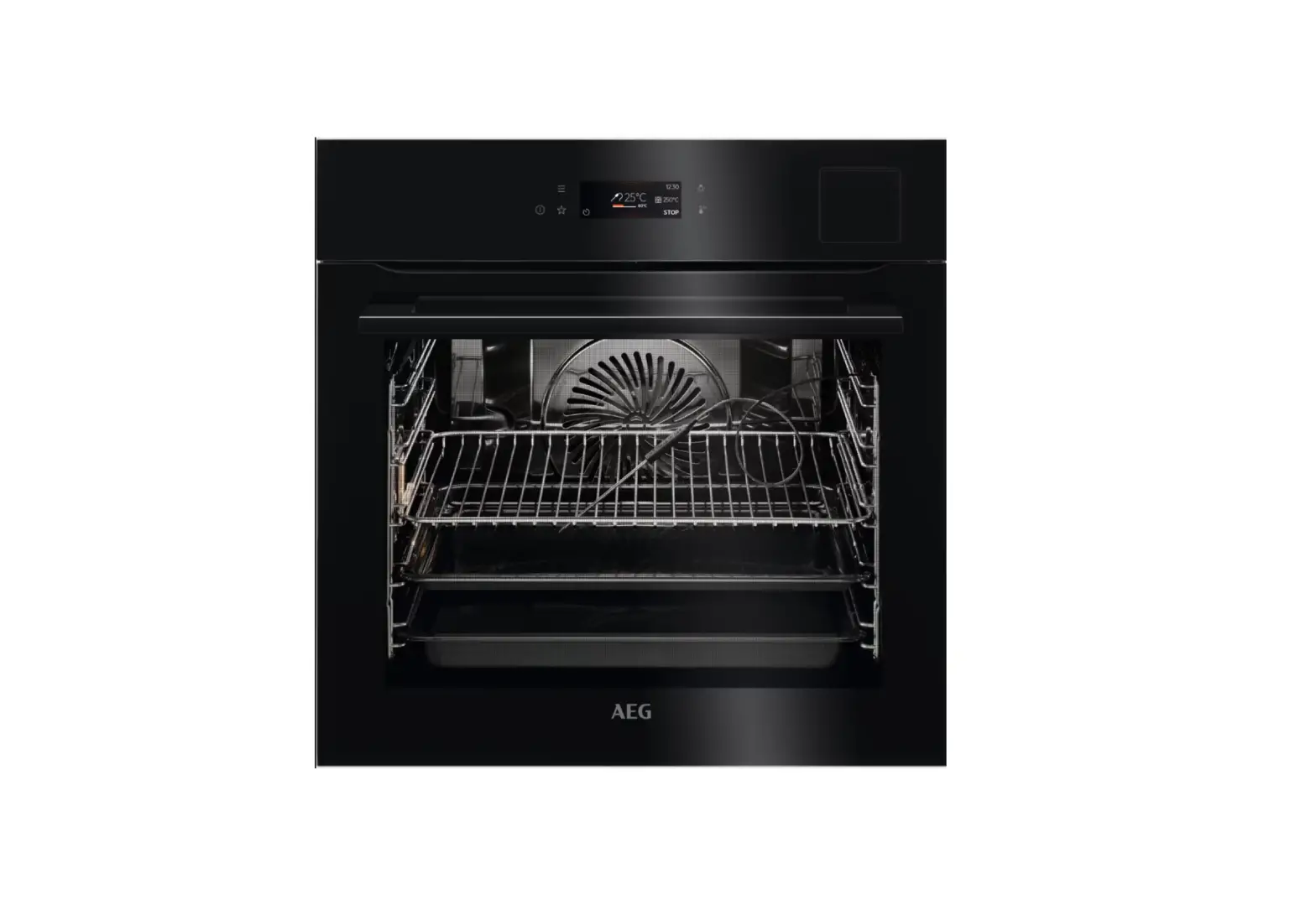
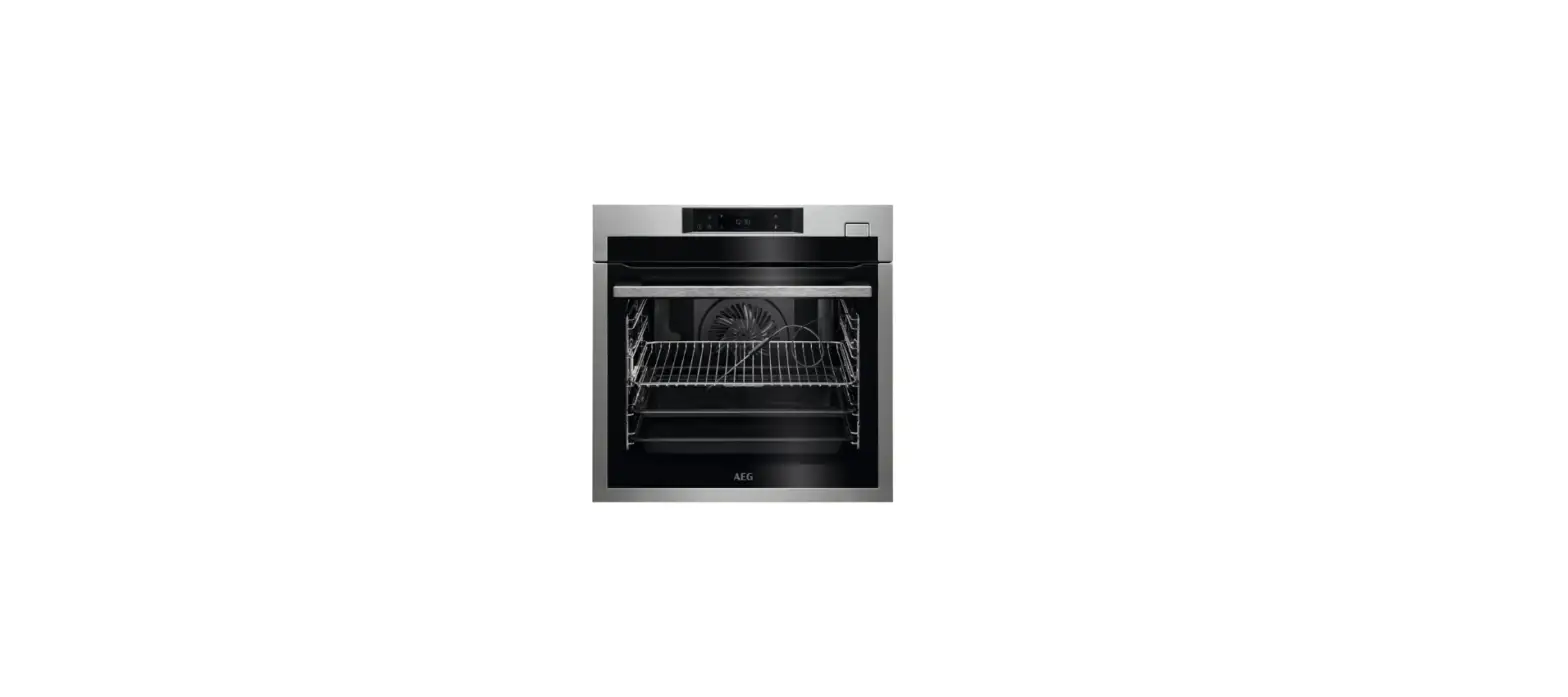
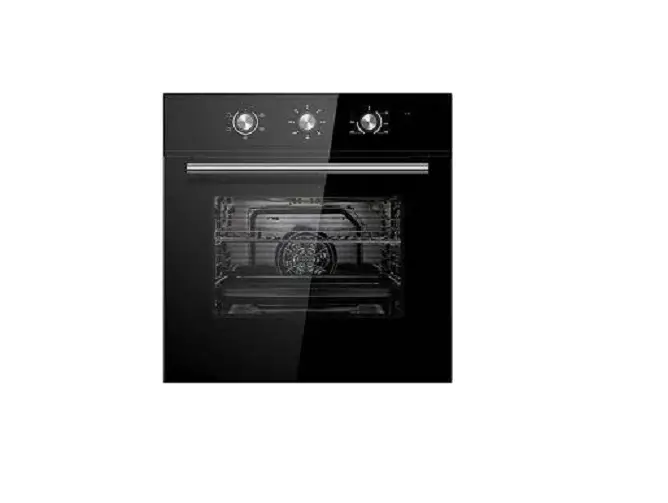
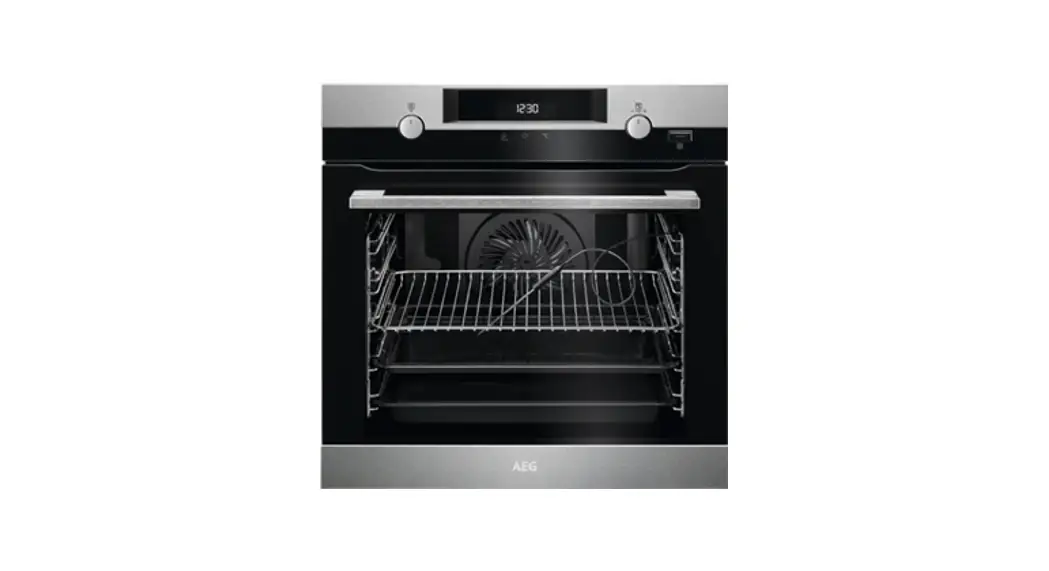
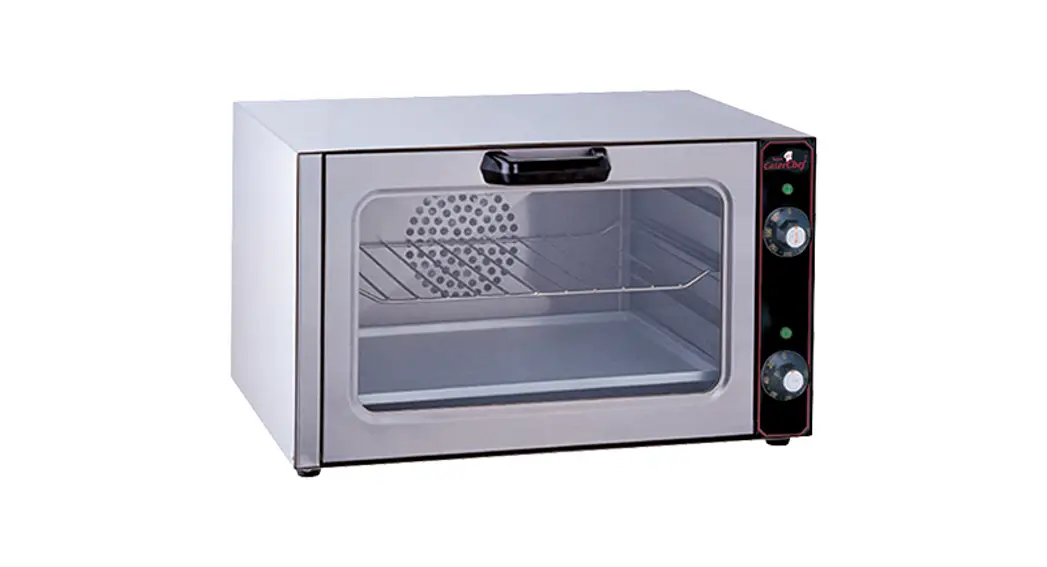
BFP8000T Convection Fan Oven
Product Information:
The BFP8000T is a built-in oven that comes with a user manual in
multiple languages including Danish, English, Norwegian, and
Swedish. The oven offers various features such as an internal
light, removable oven racks, a grill grate, and a baking tray. The
oven also comes with a thermometer and a user-friendly control
panel that allows you to set your preferred cooking settings.
Product Usage Instructions:
Before using the BFP8000T built-in oven, please read the user
manual carefully. Here are some usage instructions to help you get
started:
- Installation: The oven should be installed by a professional
electrician. Follow the installation instructions provided in the
user manual carefully. - Electric Connection: Connect the oven to a power source using
the recommended electrical connection provided in the user
manual. - Usage: Once the oven is connected to the power source, turn it
on using the “ON/OFF” button on the control panel. You can set your
preferred cooking settings using the menu button and select your
favorite cooking settings using the “Favorites” button. - Internal Light: The oven comes with an internal light that can
be turned on using the internal light button on the control panel.
This will help you keep an eye on your food while it cooks. - Removable Oven Racks: The BFP8000T oven comes with removable
oven racks that allow you to adjust the height of your baking trays
and dishes to suit your cooking needs. - Grill Grate and Baking Tray: The oven comes with a grill grate
and a baking tray that can be used for baking, roasting, or
grilling food. - Thermometer: The oven comes with a thermometer that can be
inserted into your food to help you monitor the temperature of your
food while it cooks. - Cleaning and Maintenance: To ensure the longevity of your
BFP8000T oven, clean it regularly using a damp cloth. The oven
should be serviced by a professional technician once a year to keep
it in good working condition.
Following these instructions will help you use your BFP8000T
built-in oven safely and effectively, allowing you to cook
delicious meals with ease.
BFP8000T
USER MANUAL
DA Brugsanvisning Ovn
EN User Manual Oven
FI Käyttöohje Uuni
IS Notendaleiðbeiningar Ofn
NO Bruksanvisning Ovn
SV Bruksanvisning Inbyggnadsugn
TIL PERFEKTE RESULTATER
Tak, fordi du valgte dette AEG-produkt. Vi har skabt det for at give dig upåklagelig ydeevne i mange år med innovative teknologier, som gør livet lettere funktioner, som du måske ikke finder på almindelige apparater. Brug et par minutter på at læse mere så du kan få det bedste ud af det. Besøg vores hjemmeside for at:
Få rådgivning, brochurer, fejlfinding, service- og reparationsinformation: www.aeg.com/support
Registrér dit produkt for at få bedre service: www.registeraeg.com
Køb tilbehør, forbrugsvarer og originale reservedele til dit apparat: www.aeg.com/shop
Hent My AEG Kitchen-appen for flere opskrifter, tips og fejlfinding.
KUNDEPLEJE OG SERVICE
Brug altid originale reservedele. Sørg for at have følgende data klar, når du kontakter vores autoriserede servicecenter: Model, PNC, serienummer. Oplysningerne findes på typeskiltet.
Advarsel/forsigtig-sikkerhedsanvisninger Generelle oplysninger og råd Miljøoplysninger
Ret til ændringer uden varsel forbeholdes.
INDHOLDSFORTEGNELSE
1. OM SIKKERHED……………………………………4 3. PRODUKTBESKRIVELSE…………………… 10
1.1 Sikkerhed for børn og sårbare
3.1 Generelt overblik……………………….10
personer………………………………………….4
3.2 Tilbehør……………………………………10
1.2 Generel sikkerhed……………………….5 4. BETJENINGSPANEL………………………….. 11
2. SIKKERHEDSANVISNINGER………………… 6
4.1 Betjeningspanel……………………….. 11
2.1 Installation………………………………….6
4.2 Skærm……………………………………. 12
2.2 El-forbindelse……………………………..7 2.3 Brug…………………………………………. 8
5. FØR BRUG FØRSTE GANG………………… 13
2.4 Vedligeholdelse og rengøring………. 8
5.1 Indledende rengøring ………………..13
2.5 Pyrolyserengøring……………………….9
5.2 Første tilslutning………………………. 13
2.6 Indvendig belysning……………………. 9
5.3 Trådløs forbindelse ……………….13
2.7 Service………………………………………9
5.4 Softwarelicenser………………………. 14
2.8 Bortskaffelse……………………………… 9
5.5 Indledende forvarmning…………….. 14
2/248
INDHOLDSFORTEGNELSE
6. DAGLIG BRUG…………………………………… 15
11.2 Fjernelse: Ovnribber ………………. 29
6.1 Sådan indstilles: Ovnfunktioner….. 15 6.2 Indstil: Hjælp til tilberedning………..15 6.3 Ovnfunktioner………………………….. 16 6.4 Bemærkninger til: Fugtig varmluft..18
11.3 Anvendelse: Pyrolyserengøring…30 11.4 Husk rengøring………………………. 31 11.5 Sådan fjerner og installerer du: Låge…31
11.6 Udskiftning: Lampe…………………. 32
7. URFUNKTIONER…………………………………18 12. FEJLFINDING…………………………………… 33
7.1 Beskrivelse af urfunktioner………… 18 7.2 Sådan indstilles: Urfunktioner…….. 19
12.1 Hvad gør du, hvis ……………………34 12.2 Håndtering: Fejlkoder……………… 35
8. ANVENDELSE: TILBEHØR…………………. 20
12.3 Servicedata…………………………….36
8.1 Isætning af tilbehør…………………… 20 13. ENERGIEFFEKTIV……………………………. 36
8.2 Termometer…………………………….. 21
13.1 Produktoplysninger og
9. EKSTRAFUNKTIONER……………………….. 23
produktoplysningsark………………………36
9.1 Sådan gemmer du: Favoritter…….. 23
13.2 Energibesparelse…………………….37
9.2 Panel lås…………………………………. 23 14. MENUSTRUKTUR…………………………….. 37
9.3 Automatisk slukning…………………..24 9.4 Køleblæser……………………………… 24 9.5 Mekanisk lågelås……………………… 24 9.6 Anvendelse: Mekanisk lågelås…… 25
14.1 Menu……………………………………..37 14.2 Undermenu for: Rengøring………. 38 14.3 Undermenu for: Tilvalg……………. 38 14.4 Undermenu for: Forbindelser…….39
10. RÅD OG TIPS…………………………………… 26
14.5 Undermenu for: Opsætning……… 39
10.1 Anbefalinger til tilberedning……… 26
14.6 Undermenu for: Service……………40
10.2 Fugtig varmluft……………………….. 26 15. DET ER NEMT!…………………………………. 40
10.3 Fugtig varmluft anbefalet tilbehør…………………………… 27
16. TAG EN GENVEJ!…………………………….. 41
10.4 Madlavningstabeller for
17. MILJØHENSYN………………………………….42
testinstitutter…………………………………. 27
11. VEDLIGEHOLDELSE OG RENGØRING…………………………………………. 29
11.1 Bemærkninger om rengøring…….29
3/248
OM SIKKERHED
My AEG Kitchen app
1. OM SIKKERHED Læs brugsanvisningen grundigt, før apparatet installeres og tages i brug. Producenten påtager sig intet ansvar for eventuelle skader, der er resultatet af forkert installation eller brug. Opbevar altid brugsanvisningen på et sikkert og tilgængeligt sted til senere opslag. 1.1 Sikkerhed for børn og sårbare personer · Apparatet må kun bruges af børn fra 8 år og opefter samt af
personer med nedsat fysisk, sensorisk eller psykisk funktionsevne, eller som mangler den nødvendige erfaring eller viden, hvis de er under opsyn eller er blevet instrueret i at bruge apparatet på en sikker måde samt forstår de farer, det indebærer. Børn under 8 år og personer med omfattende og komplekst handicap skal holdes på afstand af apparatet, medmindre de overvåges konstant. · Børn skal holdes under opsyn for at sikre, at de ikke leger med apparatet og mobile enheder med My AEG Kitchen . · Opbevar al emballage utilgængeligt for børn, og bortskaf det korrekt.
4/248
OM SIKKERHED
· ADVARSEL: Ovnen og de tilgængelige dele bliver meget varme under brug. Lad ikke børn og husdyr komme tæt på apparatet, mens det er i brug, eller når det køler af.
· Hvis apparatet har en børnesikring, skal den aktiveres. · Børn må ikke udføre rengøring og vedligeholdelse på
produktet uden opsyn.
1.2 Generel sikkerhed · Dette apparat må kun anvendes til tilberedning af fødevarer. · Dette apparat er beregnet til indendørs husholdningsbrug. · Dette apparat kan bruges på kontorer, hotelværelser, bed &
breakfast-værelser, stue- og gæstehuse og anden lignende indkvartering, hvor en sådan brug ikke overstiger (gennemsnitlig) brugsniveauer i hjemmet. · Kun en faguddannet installatør må installere apparatet og udskifte kablet. · Brug ikke apparatet, inden det monteres i den indbyggede struktur. · Før enhver vedligeholdelse skal apparatet kobles fra elnettet. · Hvis strømledningen er beskadiget, skal den af sikkerhedsgrunde udskiftes af producenten, det autoriserede servicecenter eller en tekniker med tilsvarende kvalifikationer. · ADVARSEL: Sørg for, at der er slukket for apparatet, inden pæren skiftes for at undgå elektrisk stød. · ADVARSEL: Ovnen og de tilgængelige dele bliver meget varme under brug. Vær omhyggelig med at undgå at røre ved varmeelementer eller ovnrummets overflade. · Brug altid ovnhandsker til at fjerne eller isætte tilbehør eller ovnartikler. · Brug kun den anbefalede temperaturføler (termometer) til dette apparat.
5/248
SIKKERHEDSANVISNINGER
· Træk først ovnribberne og derefter den bageste ende væk fra sidevæggene for at fjerne ovnribberne. Montér ovnribberne i modsat rækkefølge.
· Brug ikke damprenser til at rengøre apparatet. · Brug ikke skrappe slibende rengøringsmidler eller skarpe
metalskrabere til at rengøre glasset i kogesektionens hængslede låg. De kan ridse overfladen, med det resultat, at glasset knuses. · Fjern al tilbehøret fra rummet i apparatet før pyrolyserengøring.
2. SIKKERHEDSANVISNINGER
2.1 Installation
ADVARSEL! Apparatet må kun installeres af en sagkyndig.
· Fjern al emballagen. · Undlad at installere eller bruge et beskadiget apparat. · Følg installationsvejledningen, der følger med apparatet. · Vær altid forsigtig, når du flytter apparatet, da det er tungt. Brug altid sikkerhedshandsker og
lukket fodtøj. · Træk aldrig i apparatet i håndtaget. · Installér apparatet et sikkert og velegnet sted, der opfylder installationskrav. · Mindsteafstanden til andre apparater og enheder skal overholdes. · Før du monterer ovnen, skal du kontrollere, om ovnlågen åbner uden modstand. · Apparatet er udstyret med et elektrisk afkølingssystem. Det skal betjenes med den elektriske
strømforsyning. · Indbygningsskabets stabilitet skal opfylde kravene i DIN 68930.
Kabinettets minimumshøjde (kabinets minimums- højde under bordpladen) Kabinet, bredde Kabinet, dybde Højde foran på apparatet Højde bagest på apparatet Bredde foran på apparatet
578 (600) mm
560 mm 550 (550) mm
594 mm 576 mm 595 mm
6/248
SIKKERHEDSANVISNINGER
Bredde bagest på apparatet
559 mm
Apparatets dybde Apparatets indbygningsdybde
567 mm 546 mm
Dybde med åben dør
Ventilationsåbning minimumsstørrelse. Åbning placeret på bundens bageste side
1027 mm 560×20 mm
Længden på ledninger til strømforsyning. Ledning placeret i højre hjørne af bagsiden
1500 mm
Monteringsskruer
4×25 mm
2.2 El-forbindelse
ADVARSEL! Risiko for brand og elektrisk stød.
· Alle elektriske tilslutninger skal udføres af en kvalificeret elektriker. · Apparatet skal tilsluttes strøm m/jord, jvf. Stærkstrømsreglementet. · Sørg for, at parametrene på typeskiltet er kompatible med nettilslutningens elektriske
mærkeværdier. · Brug altid en korrekt monteret lovlig stikkontakt. · Brug ikke multistikadaptere og forlængerledninger. · Pas på, du ikke beskadiger netstikket og netledningen. Hvis der bliver behov for at udskifte
netledningen, skal det udføres af vores autoriserede servicecenter. · Elledninger må ikke komme i berøring med eller nær ved apparatets låge, især når det er
tændt, eller lågen er varm. · Beskyttelsen mod elektrisk stød fra strømførende og isolerede dele skal fastgøres, så den
ikke kan fjernes uden værktøj. · Sæt først netstikket i stikkontakten ved installationens afslutning. Sørg for, at der er adgang
til elstikket efter installationen. · Hvis stikkontakten er løs, må du ikke sætte netstikket i. · Undgå at slukke for apparatet ved at trække i netledningen. Tag altid selve netstikket ud af
kontakten. · Brug kun korrekte isoleringsenheder: Gruppeafbrydere, sikringer (sikringer med skruegevind
skal tages ud af fatningen), fejlstrømsrelæer og kontaktorer. · Apparatets installation skal udføres med et isolationsudstyr, så forbindelsen til lysnettet kan
afbrydes på alle poler. Isolationsudstyret skal have en brydeafstand på mindst 3 mm. · Luk apparatets luge helt, inden du sætter netstikket i stikkontakten. · Dette apparat er forsynet med et stik og en strømledning.
7/248
SIKKERHEDSANVISNINGER
2.3 Brug
ADVARSEL! Risiko for personskade, forbrændinger og elektrisk stød eller eksplosion.
· Apparatets specifikationer må ikke ændres. · Sørg for, at ventilationsåbningerne ikke er blokerede. · Lad ikke apparatet være uden opsyn under drift. · Sluk for apparatet efter hver brug. · Vær forsigtig, når du åbner apparatets låge, hvis apparatet er i brug. Der kan slippe varm luft
ud. · Betjen ikke apparatet med våde hænder, eller når det har kontakt med vand. · Tryk ikke på den åbne låge. · Brug ikke apparatet som arbejds- eller frasætningsplads. · Åbn apparatets låge forsigtigt. Brug af ingredienser med alkohol kan forårsage en blanding
af alkohol og luft. · Lad ikke gnister eller åben ild komme i kontakt med apparatet, når du åbner lågen. · Læg ikke brændbare produkter eller genstande, der er våde med brændbare produkter i
nærheden af eller på apparatet. · Del ikke din Wi-Fi-adgangskode.
ADVARSEL! Risiko for beskadigelse af apparatet.
· Sådan undgås skader eller misfarvning af emaljen: Stil ikke ovnfaste fade eller andre genstande direkte i apparatet. Læg ikke aluminiumsfolie direkte på bunden af ovnrummet. Hæld ikke vand direkte ind i det varme apparat. Hold ikke fugtige fade og madvarer i apparatet, når du har afsluttet tilberedningen. Vær forsigtig, når du fjerner eller monterer tilbehøret.
· Farveændring af emaljen eller rustfrit stål forringer ikke apparatets ydeevne. · Brug en bradepande til fugtige kager. Frugtsaft forårsager pletter, der kan være permanente. · Tilbered altid mad med lågen lukket. · Hvis apparatet installeres bag et møbelpanel (f.eks. en dør), skal du sørge for, at døren
aldrig lukkes, mens apparatet er tændt. Der kan opbygges varme og fugt bag et lukket møbelpanel, hvilket kan forårsage efterfølgende skade på apparatet, huset eller gulvet. Luk ikke møbelpanelet, før apparatet er kølet helt af efter brug.
2.4 Vedligeholdelse og rengøring
ADVARSEL! Risiko for personskade, brand eller skade på apparatet.
· Sluk for apparatet, og tag stikket ud af kontakten inden vedligeholdelse. · Kontrollér, at apparatet er kølet af. Der er risiko for, at ovnglasset går i stykker. · Udskift øjeblikkeligt ovnglassets paneler, hvis de er beskadigede. Kontakt det autoriserede
servicecenter. · Vær forsigtig, når du tager lågen af apparatet. Døren er tung! · Rengør jævnligt apparatet for at forhindre forringelse af overfladematerialet. · Rengør apparatet med en fugtig, blød klud. Brug kun neutrale rengøringsmidler. Brug ikke
slibende midler, skuresvampe, opløsningsmidler eller metalgenstande.
8/248
SIKKERHEDSANVISNINGER
· Hvis du bruger en ovnspray, skal du følge instruktionerne på dens emballage.
2.5 Pyrolyserengøring
ADVARSEL! Risiko for personskade / brand / kemiske emissioner (dampe) i pyrolyse-tilstand.
· Inden pyrolytisk rensning og forvarmning skal følgende fjernes fra ovnrummet: Alle madrester, spildt olie og fedt alle udtagelige genstande (herunder hylder, ovnribber osv., der følger med apparatet), især alle non-stick gryder, pander, plader, redskaber osv.
· Læs omhyggeligt alle anvisninger vedrørende pyrolyserengøring. · Hold børn væk fra apparatet, mens pyrolyserengøringen er i gang. Ovnen bliver meget
varm, og varm luft afgives fra de forreste køleåbninger. · Pyrolyserengøring er en proces ved høj temperatur, som kan frigive dampe fra madrester og
konstruktionsmaterialet. Derfor rådes forbrugerne på det kraftigste til at: Sørg for god udluftning under og efter pyrolyserengøringen. giv god ventilation under og efter den første forvarmning. · Undgå at spilde eller komme vand på ovnlågen under og efter den pyrolyserengøringen for at undgå at beskadige ovnglassene. · Dampe fra alle pyrolytiske ovne / madrester som beskrevet er ikke skadelige for mennesker, herunder børn, eller personer med helbredsproblemer. · Hold kæledyr væk fra apparatet under og efter pyrolyserengøringen og forvarmningen. Små kæledyr (især fugle og krybdyr) kan være meget følsomme over for temperaturændringer og udsendt røg. · Non-stick-overflader på gryder, pander, bakker, redskaber osv. kan blive beskadiget af pyrolyserengøring ved høj temperatur i pyrolytiske ovne og kan også udgøre en kilde til skadelige dampe på lavt niveau.
2.6 Indvendig belysning
ADVARSEL! Risiko for elektrisk stød.
· Vedrørende lampe(rne) i dette produkt og reservedelslamper, der sælges separat: Disse lamper er beregnet til at modstå ekstreme fysiske forhold i husholdningsapparater, såsom temperatur, vibration, fugt, eller er beregnet til at signalere information om apparatets driftsstatus. De er ikke beregnet til at blive brugt i andre apparater, og de er ikke velegnede til belysning af rum.
· Dette produkt indeholder en lyskilde i energieffektivitetsklasse G. · Brug kun lamper med de samme specifikationer.
2.7 Service
· Kontakt det autoriserede servicecenter for at få repareret apparatet. · Brug kun originale reservedele.
2.8 Bortskaffelse
ADVARSEL! Risiko for personskade eller kvælning.
· Kontakt din genbrugsplads ang. oplysninger om, hvordan produktet bortskaffes korrekt.
9/248
PRODUKTBESKRIVELSE
· Tag stikket ud af kontakten. · Klip netledningen af tæt ved apparatet og bortskaf den. · Fjern lågelåsen for at forhindre, at børn eller kæledyr bliver fanget i apparatet.
3. PRODUKTBESKRIVELSE
3.1 Generelt overblik
1
2
5 4
83
2 1
Betjeningspanel
Skærm
3
Stik til termometer
4
Varmelegeme
5
Ovnpære
Blæser
6
Ovnribbe, udtagelig
Ovnriller 7
3.2 Tilbehør
Grillrist Til kogegrej, kageforme, stege.
Bageplade Til kager og småkager.
Grill-/bradepande Til at bage og stege eller som en pande til opsamling af fedt.
10/248
Termometer Til måling af temperaturen i maden.
BETJENINGSPANEL
Teleskopskinner Til at indsætte og fjerne plader og trådrist lettere.
4. BETJENINGSPANEL
4.1 Betjeningspanel
123
4
56
1 TIL / FRA
Tryk og hold nede for at tænde og slukke apparatet.
2 Menu
Angiver apparatets funktioner.
3 Favoritter
Angiver favoritindstillingerne.
4 Skærm
Viser apparatets aktuelle indstillinger.
5 Lampeafbryder
Til at tænde og slukke lampen.
6 Hurtig opvarmning Til at tænde og slukke funktionen: Hurtig opvarmning.
11/248
BETJENINGSPANEL
3s
Tryk på
Rør overfladen med en finger- spids.
Flyt
Lad fingerspids glide over overfladen.
Tryk og hold inde Rør overfladen i 3 sekunder.
4.2 Skærm
A
B
12:30
85°C 150°C
15min
GF ED
START
C
Display med vigtige funktioner indstillet. A. Wi-Fi B. Aktuel tid C. START/STOP D. Temperatur E. Ovnfunktioner F. Timer G. Termometer (kun udvalgte modeller)
Displaylamper Grundlæggende lamper – til navigation på displayet.
For at bekræfte valget/indstil- lingen.
For at gå ét niveau tilbage
i menuen.
For at fortryde den sidste handling.
For at slå tilvalgene til og fra.
Akustisk alarm funktionslamper – når den indstillede tilberedningstid er slut, høres signalet.
Funktionen er tændt. Timerlamper
Funktionen er tændt. Tilberedningen stopper automa-
tisk.
Den akustiske alarm sluk- kes.
For at indstille funktionen: Udskudt start. Wi-Fi indikator – ovnen kan tilsluttes wi-fi.
For at annullere indstillingen.
12/248
FØR BRUG FØRSTE GANG
Wi-Fi Forbindelsen er koblet til. Fjernbetjent tilstand indikator – ovnen kan fjernbetjenes.
Fjernbetjent tilstand er tændt.
5. FØR BRUG FØRSTE GANG
ADVARSEL! Se kapitlerne om sikkerhed.
5.1 Indledende rengøring
Trin 1
Trin 2
Trin 3
Fjern al tilbehøret fra ovnen og tag de udtagelige ovnribber
ud af ovnen.
Brug kun en mikrofiberklud, varmt vand og et mildt rengø- ringsmiddel til at rengøre ap-
paratet og tilbehøret, .
Placér tilbehøret og de aftage- lige ribber i apparatet.
5.2 Første tilslutning
Displayet viser velkomstmeddelelsen efter den første forbindelse. Du skal indstille: Sprog, Lysstyrke display, Panelsignal, Signal volume, Aktuel tid.
5.3 Trådløs forbindelse
For at tilslutte apparatet skal du bruge: · Et trådløst netværk med internetforbindelsen. · En mobilenhed, der er forbundet til det samme trådløse netværk.
Trin 1
Trin 2 Trin 3
Sådan downloades My AEG Kitchen app’en: Scan QR-koden på typeskiltet med ka- meraet på din mobilenhed for at blive omdirigeret til AEG’s hjemmeside. Typeskiltet sidder på ovnens frontramme. Du kan også downloade appen direkte fra app store.
Følg instruktionerne i introduktionen til appen.
Tænd for apparatet.
13/248
FØR BRUG FØRSTE GANG
Trin 4 Trin 5 Trin 6
Tryk på: . Vælg: Indstillinger / Forbindelser. – skub eller tryk for at tænde: Wi-Fi.
Apparatets trådløse modul starter inden for 90 sek.
Frekvens
2,4 Ghz WLAN 2400 – 2483,5 Mhz
Protokol Maks. effekt
IEEE 802.11b DSSS/802.11g/n OFDM EIRP < 20 dBm (100 mW)
Wi-fi-modul
NIUS-50
5.4 Softwarelicenser
Softwaren i dette produkt indeholder komponenter, som er baseret på fri og open sourcesoftware. AEG anerkender bidragene fra de åbne software- og robotgrupper til udviklingsprojektet. For at få adgang til kildekoden for disse gratis og åbne kildesoftwarekomponenter, hvis licensbetingelser kræver offentliggørelse, og for at se deres fulde oplysninger om copyright og gældende licensbetingelser, bedes du gå ind på: http://aeg.opensoftwarerepository.com (mappe NIUS).
5.5 Indledende forvarmning
Forvarm den tomme ovn, inden du tager den i brug.
Trin 1
Fjern al tilbehøret og de udtagelige ovnribber fra ovnen.
Trin 2
Indstil den maksimale temperatur for funktionen: . Lad ovnen være tændt i 1 time.
Trin 3
Indstil den maksimale temperatur for funktionen: . Lad ovnen være tændt i 15 min.
Ovnen kan udsende lugt og røg under forvarmning. Kontroller, at rummet er udluftet.
14/248
DAGLIG BRUG
6. DAGLIG BRUG
ADVARSEL! Se kapitlerne om sikkerhed.
6.1 Sådan indstilles: Ovnfunktioner
Trin 1 Trin 2 Trin 3
Tænd for ovnen. Displayet viser standardovnfunktionen. Tryk på symbolet for ovnfunktionen for at gå ind i undermenuen. Vælg varmefunktionen og tryk på: . Displayet viser: temperatur.
Trin 4 Trin 5
Indstil: temperatur. Tryk: .
Tryk på:
.
Termometer – du kan når som helst tilslutte termometeret før eller under tilberednin-
gen.
– tryk for at slukke for ovnfunktionen.
Trin 6
Sluk for ovnen.
Tag en genvej!
6.2 Indstil: Hjælp til tilberedning
Hver ret i denne undermenu har en anbefalet funktion og temperatur. Du kan justere tiden og temperaturen. Til nogle retter kan du også tilberede med: · Vægtautomatik
· Termometer
Den grad, en ret tilberedes ved: · Rød ellerMindre
· Medium
· Gennemstegt ellerMere
Trin 1 Trin 2
Tænd for ovnen. Tryk på: .
15/248
DAGLIG BRUG
Trin 3
Tryk på: . Angiv: Hjælp til tilberedning.
Trin 4 Trin 5
Vælg en ret eller en type af madvare.
Tryk på:
.
Tag en genvej!
6.3 Ovnfunktioner STANDARD
Ovnfunktion
Applikation Til grillstegning af tynde stykker mad og til ristning af brød.
Grillstegning Turbogrill Varmluft
Frosne madvarer
Til stegning af større stykker kød eller fjerkræ med ben på én hyldepositi- on. For at lave gratiner og til at brune.
Bagning på op til tre ovnriller samtidig og til tørring af fødevarer. Indstil temperaturen 20 – 40°C lavere end ved Over-/undervarme.
Til tilberedning af sprøde færdigretter (f.eks. pommes frites, kartoffelbåde eller forårsruller).
Til bagning og stegning af mad på én ovnrille.
Over-/undervarme Til at bage pizza. Til at lave en kraftig bruning og en sprød bund.
Pizza
16/248
DAGLIG BRUG
Ovnfunktion
Applikation Til bagning af kager med sprød bund og til henkogning.
Undervarme Brød
Hævning af dej
Brug denne funktion til at bage brød og småt gærbrød med en sprødhed, farve og glans, som var de bagt af en professionel bager.
For at mindske tiden for hævning af gærdej. Det forhindrer, at dejoverfla- den bliver tør og holder dejen elastisk.
SPECIALPROGRAMMER
Ovnfunktion
Applikation Til henkogning af grøntsager (f.eks. pickles).
Henkogning
Til tørring af skåret frugt, grøntsager og champignoner.
Tørring
Til at forvarme tallerkener til servering.
Tallerkenvarmer Optøning Gratiner
Til optøning af mad (grøntsager og frugt). Optøningstiden afhænger af mængde og omfang af de de frosne madvarer.
Til retter som lasagne eller kartoffelgratin. For at lave gratiner og til at bru- ne.
Til tilberedning af møre, saftige stege.
Slow Cooking
17/248
URFUNKTIONER
Ovnfunktion
Applikation Til at holde maden varm.
Holde varm Fugtig varmluft
Denne funktion er beregnet til at spare energi under madlavning. Når du bruger denne funktion, kan temperaturen i ovnrummet variere fra den ind- stillede temperatur. Restvarmen anvendes. Varmeeffekten kan blive redu- ceret. Få flere oplysninger i kapitlet “Daglig brug”, Bemærkninger til: Fug- tig varmluft.
6.4 Bemærkninger til: Fugtig varmluft
Denne funktion blev anvendt til at overholde kravene i energieffektivitetsklasse og økodesign (i overensstemmelse med EU 65/2014 og EU 66/2014). Tests i overensstemmelse med: IEC/EN 60350-1 Ovnlågen skal være lukket under tilberedningen, så funktionen ikke afbrydes, og ovnen kører med den højeste energieffektivitet, der er mulig. Når du bruger denne funktion, slukkes lampen automatisk efter 30 sekunder. Se kapitlet “Råd” for at få oplysninger om tilberedning, Fugtig varmluft. Se kapitlet “Energieffektivitet”, Energibesparelse for generelle anbefalinger til energibesparelse.
7. URFUNKTIONER
7.1 Beskrivelse af urfunktioner
Urfunktioner Tilberedningstid Afslut handling
Applikation Indstilling af tilberedningslængden. Maksimum er 23 t 59 min. For at indstille hvad der sker, når timeren ophører med at tælle.
Udskudt start
For at udskyde starten og/eller tilberedningens afslutning.
Forlængelse af tid Påmindelse
For at forlænge tilberedningstiden.
Bruges til at indstille en nedtælling. Maksimum er 23 t 59 min. Denne funktion har ikke indflydelse på ovnen.
Optimer
Overvåger, hvor længe funktionen er i gang. Optimer – du kan tænde og slukke den.
18/248
7.2 Sådan indstilles: Urfunktioner
Indstilling af uret
Trin 1
Tryk på: Aktuel tid.
Trin 2
Indstil tid. Tryk på: .
Indstilling af tilberedningstid
Trin 1
Vælg ovnfunktion og indstil temperaturen.
Trin 2
Tryk på: .
Trin 3
Indstil tid. Tryk på: .
Tag en genvej!
URFUNKTIONER
Sådan vælges tilvalg for sluttid
Trin 1
Vælg ovnfunktion og indstil temperaturen.
Trin 2
Tryk på: .
Trin 3
Indstil tilberedningstiden.
Trin 4
Tryk:
.
Trin 5
Tryk på: Afslut handling.
Trin 6
Vælg den foretrukne: Afslut handling.
Trin 7
Tryk på: . Gentag handlingen, indtil displayet viser hovedskærmen.
19/248
ANVENDELSE: TILBEHØR
Sådan udsættes tilberedningsstarten
Trin 1
Indstil en ovnfunktion og temperaturen.
Trin 2
Tryk på: .
Trin 3
Indstil tilberedningstiden.
Trin 4
Tryk:
.
Trin 5
Tryk på: Udskudt start.
Trin 6
Vælg værdien.
Trin 7
Tryk på: . Gentag handlingen, indtil displayet viser hovedskærmen.
Forlængelse af tilberedningstid
Når der er 10 % tilberedningstid tilbage, og maden ikke lader til at være klar, kan du forlænge til- beredningstiden. Du kan også ændre ovnfunktionen.
Tryk på +1min for at forlænge tilberedningstiden.
Ændring af timerindstillinger
Trin 1
Tryk på: .
Trin 2 Trin 3
Indstil timerværdien. Tryk på: .
Du kan ændre den indstillede tid under tilberedning når som helst.
8. ANVENDELSE: TILBEHØR
8.1 Isætning af tilbehør
En lille fordybning i toppen øger sikkerheden. Fordybningerne er også antivippe-anordninger. Den høje kant rundt om hylden forhindrer kogegrej i at glide af hylden.
20/248
ANVENDELSE: TILBEHØR
Grillrist: Skub risten mellem ovnribbens skinner, .
Bageplade / Dyb bradepande: Skub den dybe bradepande ind mellem ovnribbens skinner.
8.2 Termometer
Termometer – måler temperaturen i maden. Du kan bruge det med hver ovnfunktion.
Der skal indstilles to temperaturer:
Ovntemperaturen: mindst 120 °C.
Kernetemperaturen.
For de bedste madlavningsresultater:
Ingredienserne bør være ved stuetemperatur.
Brug den ikke til flydende retter.
Under tilberedning skal det forblive i retten.
Ovnen beregner en omtrentlig afslutning af tilberedningstiden. Den afhænger af mængden af mad, den indstillede ovnfunktion og temperaturen.
Anvendelse: Termometer
Trin 1 Trin 2
Tænd for ovnen. Vælg en ovnfunktion og evt. ovntemperatur.
21/248
ANVENDELSE: TILBEHØR
Trin 3
Indsæt: Termometer.
Kød, fjerkræ og fisk
Sammenkogte retter
Indsæt spidsen af Termometer i midten af kød, fisk, om muligt i den tykkeste del. Sørg for, at mindst 3/4 af Termometer er inde i ret-
ten.
Indsæt spidsen af Termometer nøjagtigt i midten af den sammenkogte ret. Termometer bør stabili- seres ét sted under bagning. Brug en fast ingredi- ens til at opnå dette. Brug kanten af bagepladen til at understøtte silikonehåndtaget på Termome- ter. Spidsen af Termometer bør ikke røre bunden
af en bageform.
Trin 4 Trin 5 Trin 6
Trin 7 Trin 8
Stik Termometer i stikket på ovnens forside. Displayet viser den aktuelle temperatur af: Termometer.
– tryk for at indstille termometerets kernetemperatur.
– tryk for at indstille den foretrukne valgmulighed: · Akustisk alarm – når maden når den indstillede kernetemperatur, udsendes et sig-
nal.
· Akustisk alarm og stop tilberedning – når maden når den indstillede kernetempera- tur, udsendes et signal, og ovnen stopper.
Vælg muligheden og tryk gentagne gange på: for at gå til hovedskærmen.
Tryk på:
.
Når maden når den indstillede temperatur, udsendes et signal. Du kan vælge at stop-
pe eller fortsætte tilberedningen for at sikre, at maden er gennemstegt.
22/248
EKSTRAFUNKTIONER
Trin 9
Tag Termometer-stikket ud af stikket, og tag retten ud af ovnen.
ADVARSEL! Der er risiko for forbrændinger, da Termometer bliver varm. Pas på, når du trækker det ud og fjerner det fra maden.
Tag en genvej!
9. EKSTRAFUNKTIONER
9.1 Sådan gemmer du: Favoritter
Du kan gemme dine favoritindstillinger, som f.eks. ovnfunktionen, tilberedningstiden, temperaturen eller rengøringsfunktionen. Du kan gemme 3 favoritindstillinger.
Trin 1 Trin 2 Trin 3 Trin 4 Trin 5
Tænd for apparatet. Vælg den foretrukne indstilling. Tryk på: . Vælg: Favoritter. Vælg: Gem aktuelle indstillinger. Tryk på + for at føje indstillingen til listen over: Favoritter. Tryk på: .
– tryk for at nulstille indstillingen. – tryk for at annullere indstillingen.
9.2 Panel lås
Denne funktion forhindrer en utilsigtet ændring af ovnfunktionen.
Trin 1
Tænd for apparatet.
Trin 2
Indstil en ovnfunktion.
Trin 3
, – tryk samtidigt for at aktivere funktionen.
Gentag trin 3 for at slå funktionen fra.
23/248
EKSTRAFUNKTIONER
9.3 Automatisk slukning
Af sikkerhedsgrunde slukkes ovnen efter nogen tid, hvis en ovnfunktion er i gang, og du ikke ændrer nogen af indstillingerne.
(°C)
(t)
30 – 115
12.5
120 – 195
8.5
200 – 245
5.5
250 – maksimum
3
Den automatiske slukning virker ikke med funktionerne: Lys, Termometer, Sluttid, Slow Cooking.
9.4 Køleblæser
Når ovnen er tændt, tændes køleblæseren automatisk for at holde ovnens overflader kølige. Hvis du slukker for ovnen, kan køleblæseren fortsætte med at køre, indtil ovnen køler ned.
9.5 Mekanisk lågelås
Lågelåsen er ulåst, når du køber ovnen.
24/248
FORSIGTIG! Bevæg ikke lågelåsen vertikalt. Tryk ikke på lågelåsen, når du lukker ovnlågen.
EKSTRAFUNKTIONER
9.6 Anvendelse: Mekanisk lågelås
Trin 1 Trin 2
Træk lågelåsen frem, indtil den låses, for at låse lågen. For at låse op for lågen skal du trykke lågelåsen tilbage i panelet.
Åbning af den låste låge
Du kan åbne lågen, når den mekaniske lågelås er låst.
Trin 1
Tryk lågelåsen en smule, og åbn lågen ved at trække den med håndtaget.
1 2
Når du lukker lågen, skal du sørge for, at lågelåsen forbliver låst.
25/248
RÅD OG TIPS
10. RÅD OG TIPS
10.1 Anbefalinger til tilberedning
Tabellernes temperaturer og tilberedningstider er kun vejledende. De afhænger af opskrifterne og kvaliteten og mængden af de anvendte ingredienser. Din ovn bager eller steger muligvis anderledes end den ovn, du havde før. Rådene herunder viser anbefalede indstillinger for temperatur, tilberedningstid og hyldeposition for specifikke typer mad. Hvis du ikke kan finde indstillinger til en speciel opskrift, kan du se efter en lignende. Få flere tilberedningsanbefalinger i madlavningstabellerne på vores website. For at finde madlav- ningstips skal du kontrollere PNC-nummeret på typeskiltet på forsiden af ovnrummet.
10.2 Fugtig varmluft
For at få de bedste resultater skal du følge forslagene angivet på nedenstående tabel.
(°C)
(min.)
Søde boller, 16 bageplade eller brade-
180
stk.
pande
2
25 – 35
Roulade
bageplade eller brade-
180
pande
2
15 – 25
Hel fisk, 0,2 kg bageplade eller brade-
180
pande
3
15 – 25
Småkager, 16
bageplade eller brade-
180
stk.
pande
2
20 – 30
Makroner, 24
bageplade eller brade-
160
stk.
pande
2
25 – 35
Muffins, 12 stk. bageplade eller brade-
180
pande
2
20 – 30
Madtærte, 20
bageplade eller brade-
180
stk.
pande
2
20 – 30
Småkager af
bageplade eller brade-
140
mørdej, 20 stk. pande
2
15 – 25
26/248
RÅD OG TIPS
(°C)
(min.)
Små tærter, 8
bageplade eller brade-
180
stk.
pande
2
15 – 25
10.3 Fugtig varmluft – anbefalet tilbehør
Brug mørke og ikke-reflekterende former og beholdere. De har en bedre varmeabsorbering end lyse og reflekterende fade.
Pizzaform
Mørk, ikke-reflekteren- de
28 cm diameter
Bageform
Mørk, ikke-reflekterende 26 cm diameter
Ramekiner
Tærtebundform
Keramisk 8 cm diameter,
5 cm højde
Mørk, ikke-reflekteren- de
28 cm diameter
10.4 Madlavningstabeller for testinstitutter
Information til testinstitutter
Tests i overensstemmelse med: EN 60350, IEC 60350. Bagning i ét lag – bagning i forme
°C
Fedtfattig sandkage
Varmluft
160
Fedtfattig sandkage
Over-/undervarme
160
Æbletærte, 2 forme Ø20 Varmluft
160
cm
Æbletærte, 2 forme Ø20 Over-/undervarme
180
cm
Smørkager
Varmluft
140
min
45 – 60
2
45 – 60
2
55 – 65
2
55 – 65
1
25 – 35
2
27/248
RÅD OG TIPS
°C
Smørkager
Over-/undervarme
140
Bagning i ét lag – lagkagebunde Brug den tredje ovnrille.
min
25 – 35
2
°C
Små kager i form, 20 stk./
Varmluft
150
plade, forvarm den tomme
ovn
Små kager i form, 20 stk./
Over-/undervarme
170
plade, forvarm den tomme
ovn
Bagning i flere lag – lagkagebunde
min 20 – 30
20 – 30
°C
Smørkager
Varmluft
140
Små kager i form, 20 stk./ Varmluft
150
plade, forvarm den tom-
me ovn
Fedtfattig sandkage
Varmluft
160
Æbletærte, 1 form pr. rist Varmluft
160
(Ø 20 cm)
Grill Forvarm den tomme ovn i 5 minutter. Grill med den maksimale temperaturindstilling.
min
25 – 45
2 / 4
25 – 35
1 / 4
45 – 55
2 / 4
55 – 65
2 / 4
28/248
VEDLIGEHOLDELSE OG RENGØRING
Toast
min
Grillstegning
1 – 2
5
Oksesteak, vendes undervejs Grillstegning
24 – 30
4
11. VEDLIGEHOLDELSE OG RENGØRING
ADVARSEL! Se kapitlerne om sikkerhed.
11.1 Bemærkninger om rengøring
Rengør ovnens front med en mikrofiberklud med varmt vand og et mildt rengø- ringsmiddel.
Rengørings- midler
Brug en rengøringsmiddelopløsning til at rengøre metaloverflader. Rengør pletter med et mildt rengøringsmiddel.
Rengør altid ovnrummet efter brug. Ophobning af fedt eller andre rester kan for- årsage brand.
Hverdags- brug
Opbevar ikke madvarer i ovnen i mere end 20 minutter. Ovnrummet tørres kun med en mikrofiberklud efter hver brug.
Rengør alt tilbehør efter hver brug, og lad det tørre. Brug en mikrofiberklud med varmt vand og et mildt rengøringsmiddel. Tilbehøret må ikke vaskes i opvaske- maskinen.
Tilbehør
Rengør ikke non stick-tilbehøret med slibende rengøringsmiddel eller genstan- de med skarpe kanter.
11.2 Fjernelse: Ovnribber
Fjern ovnribberne, så ovnen kan rengøres.
29/248
VEDLIGEHOLDELSE OG RENGØRING
Trin 1 Trin 2
Sluk for ovnen, og vent, til den er kold.
Træk forenden af ribben væk fra sidevæggen.
Trin 3 Trin 4
Træk den bageste ende af ovn- ribben væk fra sidevæggen, og tag den ud.
Montér ovnribberne i modsat rækkefølge. Sørg for, at tappene på tele- skopskinnerne vender fremad.
1 2
11.3 Anvendelse: Pyrolyserengøring
Rengør ovnen med Pyrolyserengøring. ADVARSEL! Der er risiko for forbrænding.
FORSIGTIG! Hvis der er andre apparater installeret i det samme skab, bør de ikke bruges samtidigt med denne funktion. Det kan skade ovnen.
Før Pyrolyserengøring:
Sluk for ovnen, og vent, til den er kold.
Fjern al tilbehøret fra ovnen og de udtagelige ovnribber fra ov-
nen.
Rengør ovnbunden og det ind- vendige lågeglas med varmt vand, en blød klud og et mildt rengøringsmiddel.
Trin 1 Tænd for ovnen.
Valgmulighed Pyrolyserengøring, kort Pyrolyserengøring, normal
Trin 2 Tryk på: / Rengøring.
Rengøringstilstand Let rengøring
Normal rengøring
Trin 3 Vælg rengøringstilstanden.
Varighed 1 h
1 h 30 min
30/248
VEDLIGEHOLDELSE OG RENGØRING
Pyrolyserengøring, intens
Grundig rengøring
3 h
Når rengøringen starter, låses ovnens låge, og lampen er slukket. Køleblæseren arbejder med en højere hastighed.
tryk for at stoppe rengøringen, før den er færdig. Brug ikke ovnen, før lågelås-symbolet forsvinder fra displayet.
Sluk for ovnen, og vent, til den er kold.
Når rengøringen slutter:
Rengør ovnrummet med en blød klud.
Fjern resterne fra bunden af ovn- rummet.
11.4 Husk rengøring
Når påmindelsen vises, anbefales rengøring.
Brug funktionen: Pyrolyserengøring.
11.5 Sådan fjerner og installerer du: Låge
Du kan tage lågen og det indvendige ovnglas ud for at rengøre det. Antallet af glaspaneler er forskelligt for forskellige modeller.
ADVARSEL! Døren er tung.
FORSIGTIG! Håndter forsigtigt glasset, især omkring frontpanelets kanter. Glasset kan gå i stykker.
Trin 1 Trin 2
Åbn lågen helt.
Løft og tryk låsegrebene (A) helt på de to lågehængsler.
A
A
31/248
VEDLIGEHOLDELSE OG RENGØRING
Trin 3
Sæt ovnlågen i den første tætte position (vinkel på ca. 70°). Hold lågen i begge sider, og træk den væk fra ovnen i en vinkel opad. Læg lågen med ydersiden nedad på en blød klud på et stabilt underlag.
Trin 4
Hold i begge sider af lågeli-
sten (B) i lågens overkant, og
tryk indad, indtil låsehagen
2
slipper.
Trin 5
Træk lågelisten fremad, og
B
tag den ud.
1
Trin 6
Hold i overkanten af hvert en- kelt ovnglas, og træk det op- ad og ud af skinnen.
Trin 7
Rengør glaspanelet med vand og sæbe. Tør ovnglas- set forsigtigt. Ovnglasset må ikke komme i opvaskemaski- nen.
Trin 8
Udfør ovennævnte trin i om- vendt rækkefølge efter rengø- ring.
Trin 9
Sæt det mindste glas i først og derefter det største og lågen.
11.6 Udskiftning: Lampe
ADVARSEL! Risiko for elektrisk stød Pæren kan være varm.
Trin 1
Sluk for ovnen. Vent, til ovnen er kold.
Før du udskifter pæren: Trin 2
Tag stikket ud af kontakten.
Trin 3
Læg en klud i bunden af ovn- rummet.
32/248
Toplampe
Trin 1
Drej glasset, og tag det af.
FEJLFINDING
Trin 2 Trin 3 Trin 4
Rengør glasdækslet. Udskift pæren med en passende 300 °C varmefast pære. Montér glasdækslet.
Sidelampe
Trin 1 Trin 2
Trin 3 Trin 4 Trin 5 Trin 6
Fjern den venstre hyldestøtte for at få adgang til pæren.
Brug en smal, stump genstand (f.eks. en teske) til at fjerne glas- dækslet.
Rengør glasdækslet.
Udskift pæren med en passende 300 °C varmefast pære.
Montér glasdækslet.
Montér venstre hyldestøtte.
12. FEJLFINDING
ADVARSEL! Se kapitlerne om sikkerhed.
33/248
FEJLFINDING
12.1 Hvad gør du, hvis …
Apparatet tænder ikke eller bliver ikke varmt
Mulig årsag Apparatet er ikke tilsluttet lysnettet, eller også er det tilsluttet forkert. Uret er ikke indstillet.
Lågen er ikke lukket korrekt. Sikringen er sprunget.
Apparatet Børnesikring er tændt.
Afhjælpning
Kontrollér, om apparatet er tilsluttet korrekt til lysnettet.
Indstil uret. Se Urfunktioner kapitlet Sådan ind- stilles for at få flere oplysninger: Urfunktioner.
Luk lågen helt.
Tjek, om problemet skyldes en defekt sikring. Hvis problemet forekommer igen, bedes du kontakte en kvalificeret elektriker.
Se kapitlet “Menu”, Undermenu for: Tilvalg.
Komponenter
Beskrivelse
Afhjælpning
Pæren er sprunget.
Udskift pæren. Se detaljer i kapitlet “Vedlige- holdelse og rengøring”, Udskiftning: Ovnpære.
Strømafbrydelse stopper altid rengøring. Gentag rengøringen, hvis den afbrydes af strømafbrydelse.
Problemer med Wi-Fi-signal
Mulig årsag Problem med trådløst netværkssignal.
Afhjælpning
Kontrollér dit trådløse netværk og router. Genstart routeren.
34/248
FEJLFINDING
Problemer med Wi-Fi-signal
Mulig årsag
Afhjælpning
Der er installeret en ny router, eller routerkonfi- gurationen er ændret.
For at konfigurere apparatet og mobilenheden igen, se kapitlet “Før første brug”, Trådløs for- bindelse.
Det trådløse netværkssignal er svagt.
Det trådløse signal afbrydes af en anden mi- krobølgeovn i nærheden af apparatet.
Flyt routeren så tæt på apparatet som muligt. Sluk for mikrobølgeovnen.
12.2 Håndtering: Fejlkoder
Når softwarefejlen opstår, viser displayet en fejlmeddelelse. I dette afsnit finder du listen over de problemer, du selv kan håndtere.
Kode og beskrivelse
Afhjælpning
C2 – Termometer er i ovnrummet under Pyroly- Fjern Termometer. serengøring.
C3 – lågen er ikke helt lukket under Pyrolyse- rengøring.
Luk lugen.
F111 – Termometer er ikke sat rigtigt i stikkon- Sæt Termometer helt ind i stikkontakten. takten.
F240, F439 – berøringsfelterne på displayet virker ikke korrekt.
Rengør displayets overflade. Sørg for, at der ik- ke er snavs på berøringsfelterne.
F601 – der er et problem med Wi-Fi-signalet.
Kontrollér din netværksforbindelse. Se kapitlet “Før ibrugtagning”, Trådløs forbindelse.
F604 – den første forbindelse til Wi-Fi mislyk- kedes.
Sluk og tænd for ovnen og prøv igen. Se kapit- let “Før ibrugtagning”, Trådløs forbindelse.
F908 – ovnsystemet kan ikke oprette forbindel- Sluk og tænd for ovnen. se til kontrolpanelet.
Når en af disse fejlmeddelelser fortsætter med at blive vist på displayet, betyder det, at et defekt undersystem muligvis er blevet deaktiveret. Kontakt i så fald din forhandler eller et
35/248
ENERGIEFFEKTIV
autoriseret servicecenter. Hvis en af disse fejl opstår, vil resten af ovnfunktionerne fortsætte med at virke som normalt.
Kode og beskrivelse F602, F603 – Wi-Fi er ikke tilgængelig.
Afhjælpning Sluk og tænd for ovnen.
12.3 Servicedata
Kontakt din forhandler eller et autoriseret servicecenter, hvis du ikke selv kan løse problemet. De nødvendige oplysninger til servicecenteret er angivet på maskinens typeskilt. Typeskiltet sidder på ovnens frontramme. Typeskiltet må ikke fjernes fra ovnrummet.
Det anbefales, at du noterer oplysningerne her:
Model (MOD.)
…………………………………..
Produktnummer (PNC)
…………………………………..
Serienummer (S.N.)
…………………………………..
13. ENERGIEFFEKTIV
13.1 Produktoplysninger og produktoplysningsark
Leverandørens navn Identifikation af model Energieffektivitetsindeks Energieffektivitetsklasse Energiforbrug med en standardmængde, almindelig til- stand Energiforbrug med en standardmængde, blæsertvungen tilstand Antal ovnrum Varmekilde Lydstyrke
AEG BFP8000T 944188820 61.2 A++ 1.09 kWh/cyklus
0.52 kWh/cyklus
1 Elektricitet 71 l
36/248
MENUSTRUKTUR
Type ovn Vægt
Indbygningsovn 36.0 kg
IEC/EN 60350-1 – Elektriske husholdningsapparater til madlavning – Del 1: Komfurer, ovne, damp- ovne og grillapparater – Metoder til måling af ydeevne.
13.2 Energibesparelse
Apparatet indeholder funktioner, som hjælper dig med at spare energi ved daglig madlavning.
Sørg for, at ovnens låge er lukket, når ovnen er tændt. Åbn ikke ovnlågen for ofte under tilberedningen. Hold dørpakningen ren og sørg for, at den sidder godt fast. Brug køkkengrej af metal for at øge energibesparelsen. Forvarm om muligt ikke ovnen inden tilberedning. Hold pauserne mellem bagning så korte som muligt, når du tilbereder nogle få retter på én gang. Tilberedning med blæser Brug om muligt tilberedningsfunktionerne med blæser for at spare energi. Restvarme Hvis et program med Varighed er aktiveret, og tilberedningstiden er længere end 30 minutter, slukkes varmelegemerne automatisk tidligere i nogle apparatfunktioner. Blæseren og lampen bliver ved med at være tændt. Når du tænder for ovnen, viser displayet eftervarmen. Du kan bruge varmen til at holde maden varm. Når tilberedningsvarigheden er længere end 30 min., skal du reducere ovntemperaturen til minimum 3 – 10 min. inden tilberedningen er slut. Eftervarmen i ovnen vil blive ved med at tilberede maden. Brug restvarmen til at opvarme andre retter. Hold maden varm Vælg den lavest mulige temperaturindstilling for at bruge restvarme og holde et måltid varmt. Restvarmelampen eller temperaturen vises på displayet. Tilberedning med slukket lampe Sluk for lampen under tilberedning. Tænd kun for det, når det er nødvendigt. Fugtig varmluft Denne funktion er beregnet til at spare energi under madlavning. Når du bruger denne funktion, slukkes lampen automatisk efter 30 sekunder. Du kan tænde det igen, men denne handling vil mindske den forventede energibesparelse.
14. MENUSTRUKTUR
14.1 Menu
Menupunkt Hjælp til tilberedning
Applikation Angiver automatiske programmer.
37/248
MENUSTRUKTUR
Menupunkt Rengøring Favoritter Tilvalg Indstillinger
Forbindelser
Opsætning Service
Applikation Angiver rengøringsprogrammer.
Angiver favoritindstillingerne.
For at indstille ovnkonfigurationen.
For at indstille netværkskonfiguratio- nen.
For at indstille ovnkonfigurationen.
Viser softwarens version og konfigu- ration.
14.2 Undermenu for: Rengøring
Undermenu Pyrolyserengøring, kort Pyrolyserengøring, normal Pyrolyserengøring, intens
Applikation Varighed: 1 h. Varighed: 1 h 30 min. Varighed: 3 h.
14.3 Undermenu for: Tilvalg
Undermenu Lys Børnesikring
Hurtig opvarmning 38/248
Applikation
Slår lampen til og fra.
Forhindrer utilsigtet aktivering af ovnen. Når tilvalget er slået til, vises teksten Børnesikring på displayet, når du tænder for apparatet. For at aktivere brugen af ovnen skal du vælge kodebogstaverne i alfabetisk rækkefølge. Når tilvalget er slået til, og apparatet er slukket, er apparatets låge låst. Ad- gang til timeren, fjernbetjent tilstand og pæren er mulig med tilvalget slået til.
Afkorter opvarmningstiden. Den er kun tilgængelig for nogle af ovnens funktioner.
MENUSTRUKTUR
Undermenu Husk rengøring Tidsangivelse Digitalt ur
Applikation Slår påmindelsen til og fra. Slår uret til og fra. Ændrer formatet på den viste tid.
14.4 Undermenu for: Forbindelser
Undermenu Wi-Fi Fjernbetjent tilstand Automatisk fjernbetjening
Netværk Glem netværk
Beskrivelse
For at aktivere og deaktivere: Wi-Fi.
For at aktivere og deaktivere fjernbetjening. Tilvalg kun muligt, efter du aktiverer: Wi-Fi.
For at starte fjernbetjent tilstand automatisk efter at have trykket på START. Tilvalg kun muligt, efter du aktiverer: Wi-Fi.
For at kontrollere netværksstatussen og signaleffekten af: Wi-Fi.
For at deaktivere det aktuelle netværk fra automatisk forbin- delse til ovnen.
14.5 Undermenu for: Opsætning
Undermenu Sprog Lysstyrke display Panelsignal
Signal volume Aktuel tid
Beskrivelse Indstiller ovnens sprog. Indstiller displayets lysstyrke Aktiverer og deaktiverer tonen i berøringsfelterne. Lydsigna- let kan ikke slås fra for: . Indstiller lydstyrken af tastetoner og signaler. Indstiller den aktuelle tid og dato.
39/248
DET ER NEMT!
14.6 Undermenu for: Service
Undermenu Demo funktion Softwareversion Nulstil alle indstillinger
15. DET ER NEMT!
Beskrivelse Aktiverings- / deaktiveringskode: 2468 Oplysninger om softwareversion. Gendanner fabriksindstillingerne.
Inden første anvendelse skal du indstille:
Sprog
Lysstyrke dis- play
Panelsignal
Signal volume
Aktuel tid
Gør dig bekendt med de grundlæggende symboler på kontrolpanelet og displayet:
/
TIL / FRA
Menu
Favoritter
Timer
Termometer
Start med at bruge ovnen
Hurtig start
Tænd for ovnen og begynd tilbe- redningen med funktionens standardtempe- ratur og -tid.
Trin 1
Tryk på og hold: .
Trin 2
– vælg den foretrukne funktion.
Trin 3
Tryk på: .
Hurtigt sluk
Sluk for ovnen, enhver skærm eller meddelel- se, til enhver tid.
– tryk og hold nede, indtil ovnen slukker.
Start tilberedning Trin 1
Trin 2
Trin 3
Trin 4
Trin 5
40/248
DET ER NEMT!
Start tilberedning
– tryk for at tæn- – vælg ovnfunkti- – indstil tempera-
de ovnen.
on.
turen.
– tryk for at be- kræfte.
– tryk for at star- te tilberedning.
Lær at tilberede mad hurtigt
Brug de automatiske programmer for at tilberede en ret hurtigt med standardindstillinger- ne:
Hjælp til til- beredning
Trin 1 Tryk: .
Trin 2 Tryk på: .
Trin 3
Tryk: Hjælp til tilberedning.
Trin 4 Vælg retten.
Brug hurtigfunktioner til at indstille tilberedningstiden
10% Finish assist Brug 10% Finish assist til at forlænge tiden, når der er 10% af tilberedningstiden er tilbage.
Forlæng tilberedningstiden ved at trykke på +1min.
16. TAG EN GENVEJ!
Her kan du se alle de nyttige genveje. Du finder dem også i de særlige kapitler i brugervejledningen. Trådløs forbindelse
Indstilling: Ovnfunktioner
Indstilling: Hjælp til tilberedning
41/248
TAG EN GENVEJ!
Indstilling: Tilberedningstid Sådan udskyder du: Start og afslutning på tilberedning Sådan annullerer du: Indstil timer Anvendelse: Termometer
17. MILJØHENSYN
Genbrug materialer med symbolet . Anbring emballagematerialet i passende beholdere til genbrug. Hjælp med at beskytte miljøet og menneskelig sundhed samt at genbruge affald af elektriske og elektroniske apparater. Kasser ikke apparater, der er mærket med symbolet , sammen med husholdningsaffaldet. Lever produktet tilbage til din lokale genbrugsplads eller kontakt din kommune.
42/248
FOR PERFECT RESULTS
Thank you for choosing this AEG product. We have created it to give you impeccable performance for many years, with innovative technologies that help make life simpler features you might not find on ordinary appliances. Please spend a few minutes reading to get the very best from it. Visit our website to:
Get usage advice, brochures, trouble shooter, service and repair information: www.aeg.com/support
Register your product for better service: www.registeraeg.com
Buy Accessories, Consumables and Original spare parts for your appliance: www.aeg.com/shop
For more recipes, hints, troubleshooting download My AEG Kitchen app.
CUSTOMER CARE AND SERVICE
Always use original spare parts. When contacting our Authorised Service Centre, ensure that you have the following data available: Model, PNC, Serial Number. The information can be found on the rating plate.
Warning / Caution-Safety information General information and tips Environmental information
Subject to change without notice.
CONTENTS
1. SAFETY INFORMATION……………………… 45 3. PRODUCT DESCRIPTION…………………… 51
1.1 Children and vulnerable people
3.1 General overview………………………51
safety…………………………………………… 45
3.2 Accessories…………………………….. 51
1.2 General Safety………………………….45 4. CONTROL PANEL……………………………….52
2. SAFETY INSTRUCTIONS……………………. 47
4.1 Control panel…………………………… 52
2.1 Installation………………………………..47
4.2 Display……………………………………. 53
2.2 Electrical connection………………….48 2.3 Use………………………………………… 48
5. BEFORE FIRST USE……………………………54
2.4 Care and cleaning……………………..49
5.1 Initial Cleaning ………………………… 54
2.5 Pyrolytic cleaning………………………49
5.2 First connection……………………….. 54
2.6 Internal lighting………………………… 50
5.3 Wireless connection …………….. 54
2.7 Service…………………………………….50
5.4 Software licences………………………55
2.8 Disposal………………………………….. 50
5.5 Initial preheating………………………. 55
43/248
CONTENTS
6. DAILY USE………………………………………… 56 11. CARE AND CLEANING………………………70
6.1 How to set: Heating functions…….. 56
11.1 Notes on cleaning…………………… 70
6.2 How to set: Assisted Cooking…….. 56
11.2 How to remove: Shelf supports …70
6.3 Heating functions……………………… 57
11.3 How to use: Pyrolytic Cleaning…. 71
6.4 Notes on: Moist Fan Baking………..59
11.4 Cleaning Reminder…………………. 72
7. CLOCK FUNCTIONS……………………………59
11.5 How to remove and install: Door..72 11.6 How to replace: Lamp………………73
7.1 Clock functions description………… 59 7.2 How to set: Clock functions……….. 60
12. TROUBLESHOOTING……………………….. 74
8. HOW TO USE: ACCESSORIES……………. 61
12.1 What to do if……………………………75 12.2 How to manage: Error codes……. 76
8.1 Inserting accessories………………… 61
12.3 Service data……………………………77
8.2 Food Sensor……………………………. 62 13. ENERGY EFFICIENCY………………………. 77
9. ADDITIONAL FUNCTIONS………………….. 64
13.1 Product Information and Product
9.1 How to save: Favourites……………. 64
Information Sheet………………………….. 77
9.2 Function lock…………………………….64
13.2 Energy saving………………………… 78
9.3 Automatic switch-off…………………..65 9.4 Cooling fan……………………………….65
14. MENU STRUCTURE…………………………..79
9.5 Mechanical door lock………………… 65
14.1 Menu……………………………………..79
9.6 How to use: Mechanical door
14.2 Submenu for: Cleaning……………. 79
lock……………………………………………… 66
14.3 Submenu for: Options………………79
10. HINTS AND TIPS………………………………. 67
14.4 Submenu for: Connections………. 80 14.5 Submenu for: Setup…………………80
10.1 Cooking recommendations………. 67
14.6 Submenu for: Service……………… 81
10.2 Moist Fan Baking……………………. 67 10.3 Moist Fan Baking –
15. IT’S EASY!……………………………………….. 81
recommended accessories………………68 16. TAKE A SHORTCUT!………………………… 82
10.4 Cooking tables for test institutes..68 17. ENVIRONMENTAL CONCERNS………….83
My AEG Kitchen app
44/248
SAFETY INFORMATION
1. SAFETY INFORMATION Before the installation and use of the appliance, carefully read the supplied instructions. The manufacturer is not responsible for any injuries or damage that are the result of incorrect installation or usage. Always keep the instructions in a safe and accessible location for future reference.
1.1 Children and vulnerable people safety · This appliance can be used by children aged from 8 years
and above and persons with reduced physical, sensory or mental capabilities or lack of experience and knowledge if they have been given supervision or instruction concerning the use of the appliance in a safe way and understand the hazards involved. Children of less than 8 years of age and persons with very extensive and complex disabilities shall be kept away from the appliance unless continuously supervised. · Children should be supervised to ensure that they do not play with the appliance and mobile devices with My AEG Kitchen . · Keep all packaging away from children and dispose of it appropriately. · WARNING: The appliance and its accessible parts become hot during use. Keep children and pets away from the appliance when in use and when cooling down. · If the appliance has a child safety device, it should be activated. · Children shall not carry out cleaning and user maintenance of the appliance without supervision.
1.2 General Safety · This appliance is for cooking purposes only. · This appliance is designed for single household domestic
use in an indoor environment.
45/248
SAFETY INFORMATION
· This appliance may be used in, offices, hotel guest rooms, bed & breakfast guest rooms, farm guest houses and other similar accommodation where such use does not exceed (average) domestic usage levels.
· Only a qualified person must install this appliance and replace the cable.
· Do not use the appliance before installing it in the built-in structure.
· Disconnect the appliance from the power supply before carrying out any maintenance.
· If the mains power supply cable is damaged, it must be replaced by the manufacturer, its Authorised Service Centre or similarly qualified persons to avoid an electrical hazard.
· WARNING: Ensure that the appliance is switched off before replacing the lamp to avoid the possibility of electric shock.
· WARNING: The appliance and its accessible parts become hot during use. Care should be taken to avoid touching heating elements or the surface of the appliance cavity.
· Always use oven gloves to remove or insert accessories or ovenware.
· Use only the food sensor (core temperature sensor) recommended for this appliance.
· To remove the shelf supports first pull the front of the shelf support and then the rear end away from the side walls. Install the shelf supports in the opposite sequence.
· Do not use a steam cleaner to clean the appliance. · Do not use harsh abrasive cleaners or sharp metal scrapers
to clean the glass door since they can scratch the surface, which may result in shattering of the glass. · Before pyrolytic cleaning, remove all accessories and excessive deposits/spills from the appliance cavity.
46/248
SAFETY INSTRUCTIONS
2. SAFETY INSTRUCTIONS
2.1 Installation
WARNING! Only a qualified person must install this appliance.
· Remove all the packaging. · Do not install or use a damaged appliance. · Follow the installation instructions supplied with the appliance. · Always take care when moving the appliance as it is heavy. Always use safety gloves and
enclosed footwear. · Do not pull the appliance by the handle. · Install the appliance in a safe and suitable place that meets installation requirements. · Keep the minimum distance from other appliances and units. · Before mounting the appliance, check if the appliance door opens without restraint. · The appliance is equipped with an electric cooling system. It must be operated with the
electric power supply. · The built-in unit must meet the stability requirements of DIN 68930.
Cabinet minimum height (Cabinet under the work- top minimum height) Cabinet width Cabinet depth Height of the front of the appliance Height of the back of the appliance Width of the front of the appliance Width of the back of the appliance Depth of the appliance Built in depth of the appliance Depth with open door Ventilation opening minimum size. Opening placed on the bottom rear side Mains supply cable length. Cable is placed in the right corner of the back side Mounting screws
578 (600) mm
560 mm 550 (550) mm
594 mm 576 mm 595 mm 559 mm 567 mm 546 mm 1027 mm 560×20 mm
1500 mm
4×25 mm
47/248
SAFETY INSTRUCTIONS
2.2 Electrical connection
WARNING! Risk of fire and electric shock.
· All electrical connections should be made by a qualified electrician. · The appliance must be earthed. · Make sure that the parameters on the rating plate are compatible with the electrical ratings
of the mains power supply. · Always use a correctly installed shockproof socket. · Do not use multi-plug adapters and extension cables. · Make sure not to cause damage to the mains plug and to the mains cable. Should the mains
cable need to be replaced, this must be carried out by our Authorised Service Centre. · Do not let mains cables touch or come near the appliance door or the niche below the
appliance, especially when it operates or the door is hot. · The shock protection of live and insulated parts must be fastened in such a way that it
cannot be removed without tools. · Connect the mains plug to the mains socket only at the end of the installation. Make sure
that there is access to the mains plug after the installation. · If the mains socket is loose, do not connect the mains plug. · Do not pull the mains cable to disconnect the appliance. Always pull the mains plug. · Use only correct isolation devices: line protecting cut-outs, fuses (screw type fuses removed
from the holder), earth leakage trips and contactors. · The electrical installation must have an isolation device which lets you disconnect the
appliance from the mains at all poles. The isolation device must have a contact opening width of minimum 3 mm. · Fully close the appliance door before you connect the mains plug to the mains socket. · This appliance is supplied with a main plug and a main cable.
2.3 Use
WARNING! Risk of injury, burns and electric shock or explosion.
· Do not change the specification of this appliance. · Make sure that the ventilation openings are not blocked. · Do not let the appliance stay unattended during operation. · Deactivate the appliance after each use. · Be careful when you open the appliance door while the appliance is in operation. Hot air can
release. · Do not operate the appliance with wet hands or when it has contact with water. · Do not apply pressure on the open door. · Do not use the appliance as a work surface or as a storage surface. · Open the appliance door carefully. The use of ingredients with alcohol can cause a mixture
of alcohol and air. · Do not let sparks or open flames to come in contact with the appliance when you open the
door. · Do not put flammable products or items that are wet with flammable products in, near or on
the appliance. · Do not share your Wi-Fi password.
48/248
SAFETY INSTRUCTIONS
WARNING! Risk of damage to the appliance.
· To prevent damage or discoloration to the enamel: do not put ovenware or other objects in the appliance directly on the bottom. do not put aluminium foil directly on the bottom of cavity of the appliance. do not put water directly into the hot appliance. do not keep moist dishes and food in the appliance after you finish the cooking. be careful when you remove or install the accessories.
· Discoloration of the enamel or stainless steel has no effect on the performance of the appliance.
· Use a deep pan for moist cakes. Fruit juices cause stains that can be permanent. · Always cook with the appliance door closed. · If the appliance is installed behind a furniture panel (e.g. a door) make sure the door is never
closed when the appliance operates. Heat and moisture can build up behind a closed furniture panel and cause subsequent damage to the appliance, the housing unit or the floor. Do not close the furniture panel until the appliance has cooled down completely after use.
2.4 Care and cleaning
WARNING! Risk of injury, fire, or damage to the appliance.
· Before maintenance, deactivate the appliance and disconnect the mains plug from the mains socket.
· Make sure the appliance is cold. There is the risk that the glass panels can break. · Replace immediately the door glass panels when they are damaged. Contact the Authorised
Service Centre. · Be careful when you remove the door from the appliance. The door is heavy! · Clean regularly the appliance to prevent the deterioration of the surface material. · Clean the appliance with a moist soft cloth. Use only neutral detergents. Do not use abrasive
products, abrasive cleaning pads, solvents or metal objects. · If you use an oven spray, follow the safety instructions on its packaging.
2.5 Pyrolytic cleaning
WARNING! Risk of Injury / Fires / Chemical Emissions (Fumes) in Pyrolytic Mode.
· Before carrying out the pyrolytic cleaning and initial preheating remove from the oven cavity: any excess food residues, oil or grease spills / deposits. any removable objects (including shelves, side rails, etc., provided with the appliance) especially any non-stick pots, pans, trays, utensils, etc.
· Read carefully all the instructions for pyrolytic cleaning. · Keep children away from the appliance while the pyrolytic cleaning operates. The appliance
becomes very hot and hot air is released from the front cooling vents. · Pyrolytic cleaning is a high temperature operation that can release fumes from cooking
residues and construction materials, as such consumers are advised to: provide good ventilation during and after the pyrolytic cleaning. provide good ventilation during and after the initial preheating.
49/248
SAFETY INSTRUCTIONS
· Do not spill or apply water on the oven door during and after the pyrolytic cleaning to avoid damaging the glass panels.
· Fumes released from all pyrolytic ovens / cooking residues as described are not harmful to humans, including children, or persons with medical conditions.
· Keep pets away from the appliance during and after the pyrolytic cleaning and initial preheating. Small pets (especially birds and reptiles) can be highly sensitive to temperature changes and emitted fumes.
· Non-stick surfaces on pots, pans, trays, utensils etc., can be damaged by the high temperature pyrolytic cleaning operation of all pyrolytic ovens and can be also a source for low level harmful fumes.
2.6 Internal lighting
WARNING! Risk of electric shock. · Concerning the lamp(s) inside this product and spare part lamps sold separately: These lamps are intended to withstand extreme physical conditions in household appliances, such as temperature, vibration, humidity, or are intended to signal information about the operational status of the appliance. They are not intended to be used in other applications and are not suitable for household room illumination. · This product contains a light source of energy efficiency class G. · Use only lamps with the same specifications.
2.7 Service
· To repair the appliance contact the Authorised Service Centre. · Use original spare parts only.
2.8 Disposal
WARNING! Risk of injury or suffocation. · Contact your municipal authority for information on how to dispose of the appliance. · Disconnect the appliance from the mains supply. · Cut off the mains electrical cable close to the appliance and dispose of it. · Remove the door catch to prevent children or pets from becoming trapped in the appliance.
50/248
PRODUCT DESCRIPTION
3. PRODUCT DESCRIPTION
3.1 General overview
1
2
5 4
83
2 1
3
4
5
6
Control panel Display Socket for the food sensor Heating element Lamp Fan Shelf support, removable
Shelf positions 7
3.2 Accessories
Wire shelf For cookware, cake tins, roasts.
Baking tray For cakes and biscuits.
Grill- / Roasting pan To bake and roast or as a pan to collect fat.
51/248
CONTROL PANEL
Food sensor To measure the temperature inside food.
Telescopic runners For inserting and removing trays and wireshelf more easily.
4. CONTROL PANEL
4.1 Control panel
123
4
56
1 ON / OFF 2 Menu 3 Favourites 4 Display 5 Lamp switch 6 Fast Heat Up
Press and hold to turn the appliance on and off. Lists the appliance functions. Lists the favourite settings. Shows the current settings of the appliance. To turn the lamp on and off. To turn on and off the function: Fast Heat Up.
52/248
CONTROL PANEL
3s
Press
Touch the surface with finger- tip.
Move
Slide fingertip over the sur- face.
Press and hold
Touch the surface for 3 sec- onds.
4.2 Display
A
B
12:30
85°C 150°C
15min
GF ED
START
C
Display with key functions set. A. Wi-Fi B. Time of day C. START/STOP D. Temperature E. Heating functions F. Timer G. Food sensor (selected models only)
Display indicators Basic indicators – to navigate on the display.
To confirm the selection / set- ting.
To go one level back in
the menu.
To undo the last action.
To turn the options on and off.
Sound alarm function indicators – when the set time of cooking ends, the signal sounds.
The function is on. Timer indicators
The function is on. Cooking stops automatically.
Sound alarm is off.
To set the function: Delayed start. Wi-Fi indicator – the appliance can be connected to Wi-Fi.
To cancel the setting.
53/248
BEFORE FIRST USE
Wi-Fi connection is turned on. Remote operation indicator – the appliance can be controlled remotely.
Remote operation is turned on.
5. BEFORE FIRST USE
WARNING! Refer to Safety chapters.
5.1 Initial Cleaning
Step 1
Step 2
Step 3
Remove all accessories and removable shelf supports from
the appliance.
Clean the appliance and the accessories only with a micro- fibre cloth, warm water and a
mild detergent.
Place the accessories and the removable shelf supports in the appliance.
5.2 First connection
The display shows welcome message after the first connection. You have to set: Language, Display brightness, Key tones, Buzzer volume, Time of day.
5.3 Wireless connection
To connect the appliance you need: · Wireless network with the Internet connection. · Mobile device connected to the same wireless network.
Step 1 Step 2
To download My AEG Kitchen app: Scan the QR code on the rating plate with the camera on your mobile device to be redirected to AEG Homepage. The rating plate is on the front frame of the appliance cavity. You can also download the app directly from the app store.
Follow the app onboarding instructions.
54/248
BEFORE FIRST USE
Step 3 Step 4 Step 5 Step 6
Turn on the appliance. Press: . Select: Settings / Connections.
– slide or press to turn on: Wi-Fi. The appliance wireless module starts within 90 sec.
Frequency
2.4 GHz WLAN
2400 – 2483.5 MHz
Protocol
IEEE 802.11b DSSS, 802.11g/n OFDM
Max Power
EIRP < 20 dBm (100 mW)
Wi-Fi module
NIUS-50
5.4 Software licences
The software in this product contains components that are based on free and open source software. AEG acknowledges the contributions of the open software and robotics communities to the development project. To access the source code of these free and open source software components whose license conditions require publishing, and to see their full copyright information and applicable license terms, visit: http://aeg.opensoftwarerepository.com (folder NIUS).
5.5 Initial preheating
Preheat the empty oven before the first use.
Step 1 Remove all accessories and removable shelf supports from the oven.
Step 2
Set the maximum temperature for the function: . Let the oven operate for 1 h.
Step 3
Set the maximum temperature for the function: . Let the oven operate for 15 min.
The oven can emit an odour and smoke during preheating. Make sure that the room is ventila- ted.
55/248
DAILY USE
6. DAILY USE
WARNING! Refer to Safety chapters.
6.1 How to set: Heating functions
Step 1 Step 2 Step 3
Turn on the oven. The display shows the default heating function. Press the symbol of the heating function to enter the submenu. Select the heating function and press: . The display shows: temperature.
Step 4 Step 5
Set: temperature. Press: .
Press:
.
Food Sensor – you can plug the sensor at any time before or during cooking.
– press to turn off the heating function.
Step 6
Turn off the oven.
Take a shortcut!
6.2 How to set: Assisted Cooking
Every dish in this submenu has a recommended function and temperature. You can adjust the time and the temperature. For some of the dishes you can also cook with: · Weight Automatic
· Food Sensor
The degree to which a dish is cooked: · Rare or Less
· Medium
· Well done or More
Step 1 Step 2
Turn on the oven. Press: .
56/248
Step 3
Press: . Enter: Assisted Cooking.
Step 4 Step 5
Choose a dish or a food type.
Press:
.
Take a shortcut!
DAILY USE
6.3 Heating functions STANDARD
Heating function
Application To grill thin pieces of food and to toast bread.
Grill
Turbo Grilling
To roast large meat joints or poultry with bones on one shelf position. To make gratins and to brown.
True Fan Cooking
To bake on up to three shelf positions at the same time and to dry food. Set the temperature 20 – 40 °C lower than for Conventional Cooking.
Frozen Foods
To make convenience food (e.g., french fries, potato wedges or spring rolls) crispy.
To bake and roast food on one shelf position.
Conventional Cooking
57/248
DAILY USE
Heating function Pizza Function Bottom Heat Bread Baking Dough Proving
SPECIALS
Heating function Preserving Dehydrating
Plate Warming Defrost
Au Gratin
Application To bake pizza. To make intensive browning and a crispy bottom.
To bake cakes with crispy bottom and to preserve food.
Use this function to prepare bread and bread rolls with a very good pro- fessional-like result in terms of crispiness, colour and crust gloss. To speed up the rising of the yeast dough. It prevents dough surface from drying and keeps the dough elastic.
Application To preserve vegetables (e.g., pickles).
To dry sliced fruit, vegetables and mushrooms.
To preheat plates for serving.
To defrost food (vegetables and fruit). The defrosting time depends on the amount and size of the frozen food. For dishes such as lasagna or potato gratin. To make gratins and to brown.
58/248
CLOCK FUNCTIONS
Heating function
Application To prepare tender, succulent roasts.
Slow Cooking
To keep food warm.
Keep Warm
Moist Fan Baking
This function is designed to save energy during cooking. When you use this function, the temperature in the cavity may differ from the set temper- ature. The residual heat is used. The heating power may be reduced. For more information refer to “Daily Use” chapter, Notes on: Moist Fan Bak- ing.
6.4 Notes on: Moist Fan Baking
This function was used to comply with the energy efficiency class and ecodesign requirements (according to EU 65/2014 and EU 66/2014). Tests according to: IEC/EN 60350-1 The oven door should be closed during cooking so that the function is not interrupted and the oven operates with the highest energy efficiency possible. When you use this function the lamp automatically turns off after 30 sec. For the cooking instructions refer to “Hints and tips” chapter, Moist Fan Baking. For general energy saving recommendations refer to “Energy Efficiency” chapter, Energy Saving.
7. CLOCK FUNCTIONS
7.1 Clock functions description
Clock function Cooking time
Application To set the length of cooking. Maximum is 23 h 59 min.
End action Delayed start
To set what happens when the timer ends counting. To postpone the start and / or end of cooking.
Time extension Reminder
To extend cooking time.
To set a countdown. Maximum is 23 h 59 min. This function has no ef- fect on the operation of the appliance.
Uptimer
Monitors how long the function operates. Uptimer – you can turn it on and off.
59/248
CLOCK FUNCTIONS
7.2 How to set: Clock functions
How to set the clock
Step 1 Press: Time of day.
Step 2
Set the time. Press: .
How to set cooking time
Step 1 Choose the heating function and set the temperature.
Step 2
Press: .
Step 3
Set the time. Press: .
Take a shortcut!
How to choose end option
Step 1 Choose the heating function and set the temperature.
Step 2
Press: .
Step 3 Set the cooking time.
Step 4
Press:
.
Step 5 Press: End action.
Step 6 Choose the preferred: End action.
Step 7
Press: . Repeat the action until the display shows the main screen.
60/248
HOW TO USE: ACCESSORIES
How to delay start of cooking
Step 1 Set the heating function and the temperature.
Step 2
Press: .
Step 3 Set the cooking time.
Step 4
Press:
.
Step 5 Press: Delayed start.
Step 6 Choose the value.
Step 7
Press: . Repeat the action until the display shows the main screen.
How to extend cooking time
When 10% of cooking time is left and the food seems not to be ready, you can extend cooking time. You can also change the heating function.
Press +1min to extend the cooking time.
How to change timer settings
Step 1
Press: .
Step 2 Step 3
Set the timer value. Press: .
You can change the set time during cooking at any time.
8. HOW TO USE: ACCESSORIES
8.1 Inserting accessories
A small indentation at the top increases safety. The indentations are also anti-tip devices. The high rim around the shelf prevents cookware from slipping of the shelf.
61/248
HOW TO USE: ACCESSORIES
Wire shelf: Push the shelf between the guide bars of the shelf support.
Baking tray / Deep pan: Push the tray between the guide bars of the shelf support.
8.2 Food Sensor
Food Sensor – measures the temperature inside the food. You can use it with every heating function.
There are two temperatures to be set:
The oven temperature: minimum 120 °C.
The core temperature.
For the best cooking results:
Ingredients should be at room temperature.
Do not use it for liquid dishes.
During cooking it must remain in the dish.
The oven calculates an approximate end of cooking time. It depends on the quantity of food, the set oven function and the temperature.
How to use: Food Sensor
Step 1 Turn on the oven.
62/248
HOW TO USE: ACCESSORIES
Step 2 Set a heating function and, if necessary, the oven temperature.
Step 3 Insert: Food Sensor.
Meat, poultry and fish
Casserole
Insert the tip of Food Sensor into the centre of meat, fish, in the thickest part if possible. Make sure that at least 3/4 of Food Sensor is
inside of the dish.
Insert the tip of Food Sensor exactly in the centre of the casserole. Food Sensor should be stabi- lized in one place during baking. Use a solid in- gredient to achieve that. Use the rim of the bak- ing dish to support the silicone handle of Food Sensor. The tip of Food Sensor should not touch the bottom of a baking dish.
Step 4 Step 5 Step 6
Step 7 Step 8
Plug Food Sensor into the socket at the front of the oven. The display shows the current temperature of: Food Sensor.
– press to set the core temperature of the sensor.
– press to set the preferred option: · Sound alarm – when food reaches the core temperature, the signal sounds.
· Sound alarm and stop cooking – when food reaches the core temperature, the sig- nal sounds and the oven stops.
Select the option and repeatedly press: to go to main screen.
Press:
.
When food reaches the set temperature, the signal sounds. You can choose to stop or
to continue cooking to make sure the food is well done.
63/248
ADDITIONAL FUNCTIONS
Step 9
Remove Food Sensor plug from the socket and remove the dish from the oven.
WARNING! There is a risk of burns as Food Sensor becomes hot. Be careful when you unplug it and remove it from the food.
Take a shortcut!
9. ADDITIONAL FUNCTIONS
9.1 How to save: Favourites
You can save your favourite settings, such as the heating function, the cooking time, the temperature or the cleaning function. You can save 3 favourite settings.
Step 1 Step 2 Step 3 Step 4 Step 5
Turn on the appliance. Select the preferred setting. Press: . Select: Favourites. Select: Save current settings. Press + to add the setting to the list of: Favourites. Press .
– press to reset the setting. – press to cancel the setting.
9.2 Function lock
This function prevents an accidental change of the heating function.
Step 1 Turn on the appliance.
Step 2 Set a heating function.
Step 3
, – press at the same time to turn on the function.
To turn off the function repeat step 3.
64/248
ADDITIONAL FUNCTIONS
9.3 Automatic switch-off
For safety reasons the appliance turns off after some time, if a heating function works and you do not change any settings.
(°C)
(h)
30 – 115
12.5
120 – 195
8.5
200 – 245
5.5
250 – maximum
3
The Automatic switch-off does not work with the functions: Light, Food sensor, End time, Slow Cooking.
9.4 Cooling fan
When the appliance operates, the cooling fan turns on automatically to keep the surfaces of the appliance cool. If you turn off the appliance, the cooling fan can continue to operate until the appliance cools down.
9.5 Mechanical door lock
The door lock is unlocked when you buy the oven.
65/248
ADDITIONAL FUNCTIONS
CAUTION! Do not move the door lock vertically. Do not push the door lock when you close the oven door.
9.6 How to use: Mechanical door lock
Step 1 Step 2
To lock the door pull the door lock forward until it locks. To unlock the door push the door lock back into the panel.
Opening the locked door You can open the door when the door lock is locked. Step 1 Push the door lock slightly and open the door by pulling it with the handle. 1 2
When you close the door make sure that the door lock remains locked. 66/248
10. HINTS AND TIPS
10.1 Cooking recommendations
HINTS AND TIPS
The temperature and cooking times in the tables are guidelines only. They depend on the recipes and the quality and quantity of the ingredients used. Your appliance may bake or roast differently to the appliance you had before. The hints below show recommended settings for temperature, cooking time and shelf position for specific types of the food. If you cannot find the settings for a special recipe, look for the similar one. For more cooking recommendations refer to cooking tables on our website. To find the Cooking Hints, check the PNC number on the rating plate on the front frame of the appliance cavity.
10.2 Moist Fan Baking
For the best results follow suggestions listed in the table below.
(°C)
(min)
Sweet rolls, 16 baking tray or dripping
180
pieces
pan
2
25 – 35
Swiss Roll
baking tray or dripping
180
pan
2
15 – 25
Whole fish, 0.2 baking tray or dripping
180
kg
pan
3
15 – 25
Cookies, 16 pieces
baking tray or dripping
180
pan
2
20 – 30
Macaroons, 24 baking tray or dripping
160
pieces
pan
2
25 – 35
Muffins, 12 pieces
baking tray or dripping
180
pan
2
20 – 30
Savory pastry,
baking tray or dripping
180
20 pieces
pan
2
20 – 30
Short crust bis- baking tray or dripping
140
cuits, 20 pieces pan
2
15 – 25
67/248
HINTS AND TIPS
(°C)
(min)
Tartlets, 8 pieces
baking tray or dripping
180
pan
2
15 – 25
10.3 Moist Fan Baking – recommended accessories
Use the dark and non-reflective tins and containers. They have better heat absorption than the light colour and reflective dishes.
Pizza pan
Dark, non-reflective 28 cm diameter
Baking dish
Dark, non-reflective 26 cm diameter
Ramekins
Ceramic 8 cm diameter,
5 cm height
10.4 Cooking tables for test institutes
Information for test institutes
Tests according to: EN 60350, IEC 60350. Baking on one level – baking in tins
Flan base tin
Dark, non-reflective 28 cm diameter
°C
Fatless sponge cake
True Fan Cooking
160
Fatless sponge cake
Conventional Cook- 160 ing
Apple pie, 2 tins Ø20 cm True Fan Cooking
160
Apple pie, 2 tins Ø20 cm Conventional Cook- 180 ing
Short bread
True Fan Cooking
140
68/248
min
45 – 60
2
45 – 60
2
55 – 65
2
55 – 65
1
25 – 35
2
HINTS AND TIPS
°C
Short bread
Conventional Cook- 140 ing
Baking on one level – biscuits Use the third shelf position.
min
25 – 35
2
°C
Small cakes, 20 per tray,
True Fan Cooking
150
preheat the empty oven
Small cakes, 20 per tray,
Conventional Cooking
170
preheat the empty oven
Multilevel baking – biscuits
min 20 – 30
20 – 30
°C
Short bread
True Fan Cooking
140
Small cakes, 20 per tray, True Fan Cooking
150
preheat the empty oven
Fatless sponge cake
True Fan Cooking
160
Apple pie, 1 tin per grid
True Fan Cooking
160
(Ø 20 cm)
Grill Preheat the empty oven for 5 minutes. Grill with the maximum temperature setting.
min
25 – 45
2 / 4
25 – 35
1 / 4
45 – 55
2 / 4
55 – 65
2 / 4
69/248
CARE AND CLEANING
Toast
Grill
Beef steak, turn halfway
Grill
through
min
1 – 2
5
24 – 30
4
11. CARE AND CLEANING
WARNING! Refer to Safety chapters.
11.1 Notes on cleaning
Cleaning Agents
Clean the front of the appliance only with a microfibre cloth with warm water and a mild detergent.
Use a cleaning solution to clean metal surfaces.
Clean stains with a mild detergent.
Clean the cavity after each use. Fat accumulation or other residue may cause fire.
Do not store the food in the appliance for longer than 20 minutes. Dry the cavity Everyday Use only with a microfibre cloth after each use.
Clean all accessories after each use and let them dry. Use only a microfibre cloth with warm water and a mild detergent. Do not clean the accessories in a dishwasher.
Accessories
Do not clean the non-stick accessories using abrasive cleaner or sharp-edged objects.
11.2 How to remove: Shelf supports
Remove the shelf supports to clean the oven.
70/248
CARE AND CLEANING
Step 1 Step 2
Turn off the oven and wait until it is cold.
Pull the front of the shelf sup- port away from the side wall.
Step 3 Step 4
Pull the rear end of the shelf support away from the side wall and remove it.
Install the shelf supports in the opposite sequence. The retaining pins on the tele- scopic runners must point to the front.
1 2
11.3 How to use: Pyrolytic Cleaning
Clean the oven with Pyrolytic Cleaning. WARNING! There is a risk of burns.
CAUTION! If there are other appliances installed in the same cabinet, do not use them at the same time as this function. It can cause damage to the oven.
Turn off the oven and wait until it is cold.
Before the Pyrolytic Cleaning:
Remove all accessories and removable shelf supports.
Clean the oven floor and the in- ner door glass with warm water, a soft cloth and a mild detergent.
Step 1 Turn on the oven.
Option Pyrolytic cleaning, quick Pyrolytic cleaning, normal
Step 2 Press: / Cleaning.
Cleaning mode Light cleaning Normal cleaning
Step 3 Select the cleaning mode.
Duration 1 h
1 h 30 min
71/248
CARE AND CLEANING
Pyrolytic cleaning, intense
Thorough cleaning
3 h
When the cleaning starts, the oven door is locked and the lamp is off. The cooling fan works at a higher speed.
– press to stop the cleaning before it is completed. Do not use the oven until the door lock symbol disappears from the display.
Turn off the oven and wait until it is cold.
When the cleaning ends:
Clean the cavity with a soft cloth.
Remove the residue from the bottom of the cavity.
11.4 Cleaning Reminder
When the reminder appears, cleaning is recommended.
Use the function: Pyrolytic Cleaning.
11.5 How to remove and install: Door
You can remove the door and the internal glass panels to clean it. The number of glass panels is different for different models.
WARNING! The door is heavy.
CAUTION! Carefully handle the glass, especially around the edges of the front panel. The glass can break.
Step 1 Step 2
Fully open the door.
Lift and press the clamping levers (A) on the two door hinges.
A
A
72/248
CARE AND CLEANING
Step 3
Close the oven door to the first opening position (approximately 70° angle). Hold the door at both sides and pull it away from the oven at an upwards angle. Put the door with the outer side down on a soft cloth on a stable surface.
Step 4 Hold the door trim (B) on the
top edge of the door at the
two sides and push inwards
2
to release the clip seal.
Step 5 Pull the door trim to the front
B
to remove it.
1
Step 6
Hold the door glass panels on their top edge one by one and pull them up out of the guide.
Step 7
Clean the glass panel with water and soap. Dry the glass panel carefully. Do not clean the glass panels in the dish- washer.
Step 8
After cleaning, do the above steps in the opposite se- quence.
Step 9 Install the smaller panel first, then the larger and the door.
11.6 How to replace: Lamp
WARNING! Risk of electric shock. The lamp can be hot.
Step 1
Turn off the oven. Wait until the oven is cold.
Before you replace the lamp:
Step 2
Disconnect the oven from the mains.
Step 3
Put a cloth on the bottom of the cavity.
73/248
TROUBLESHOOTING
Top lamp
Step 1 Turn the glass cover to remove it.
Step 2 Step 3 Step 4
Clean the glass cover. Replace the lamp with a suitable 300 °C heat-resistant lamp. Install the glass cover.
Side lamp
Step 1 Step 2
Step 3 Step 4 Step 5 Step 6
Remove the left shelf support to get access to the lamp.
Use a narrow, blunt object (e.g. a teaspoon) to remove the glass cov- er.
Clean the glass cover.
Replace the lamp with a suitable 300 °C heat-resistant lamp.
Install the glass cover.
Install the left shelf support.
12. TROUBLESHOOTING
WARNING! Refer to Safety chapters.
74/248
12.1 What to do if…
TROUBLESHOOTING
The appliance does not turn on or does not heat up
Possible cause
Remedy
The appliance is not connected to an electrical Check if the appliance is correctly connected to
supply or it is connected incorrectly.
the electrical supply.
The clock is not set.
Set the clock, for details refer to Clock func- tions chapter, How to set: Clock functions.
The door is not closed correctly.
Fully close the door.
The fuse is blown.
Make sure the fuse is the cause of the prob- lem. If the problem recurs, contact a qualified electrician.
The appliance Child Lock is on.
Refer to “Menu” chapter, Submenu for: Op- tions.
Components
Description
Remedy
The lamp is burnt out.
Replace the lamp, for details refer to “Care and Cleaning” chapter, How to replace: Lamp.
Power cut always stops cleaning. Repeat cleaning if it’s interrupted by power failure.
Problems with Wi-Fi signal
Possible cause Trouble with wireless network signal.
Remedy
Check your wireless network and router. Restart the router.
75/248
TROUBLESHOOTING
Problems with Wi-Fi signal
Possible cause
New router installed or router configuration changed.
Remedy
To configure appliance and mobile device again, refer to “Before first use” chapter, Wire- less connection.
The wireless network signal is weak.
Move router as close to the appliance as possi- ble.
The wireless signal is disrupted by another mi- crowave oven placed near the appliance.
Turn off the microwave oven.
12.2 How to manage: Error codes
When the software error occurs, the display shows error message. In this section, you will find the list of the problems that you can handle on your own.
Code and description
Remedy
C2 – the Food sensor is in the appliance cavity Take out the Food sensor. during Pyrolytic Cleaning.
C3 – the door is not fully closed during Pyrolyt- Close the door. ic Cleaning.
F111 – Food sensor is not correctly inserted in- Fully plug Food sensor into the socket. to the socket.
F240, F439 – the touch fields on the display do Clean the surface of the display. Make sure
not work properly.
there is no dirt on the touch fields.
F601 – there is a problem with Wi-Fi signal.
Check your network connection. Refer to “Be- fore first use” chapter, Wireless connection.
F604 – the first connection to Wi-Fi failed.
Turn the appliance off and on and try again. Re- fer to “Before first use” chapter, Wireless con- nection.
F908 – the appliance system cannot connect with the control panel.
Turn the appliance off and on.
76/248
ENERGY EFFICIENCY
When one of these error messages continues to appear on the display, it means a faulty subsystem may have been disabled. In such a case contact your dealer or an Authorized Service Centre. If one of these errors occurs, the rest of the appliance functions will continue to work as usually.
Code and description F602, F603 – Wi-Fi is not available.
Remedy Turn the appliance off and on.
12.3 Service data
If you cannot find a solution to the problem yourself, contact your dealer or an Authorised Service Centre. The necessary data for the service centre is on the rating plate. The rating plate is on the front frame of the appliance cavity. Do not remove the rating plate from the appliance cavity.
We recommend that you write the data here:
Model (MOD.)
…………………………………..
Product number (PNC)
…………………………………..
Serial number (S.N.)
…………………………………..
13. ENERGY EFFICIENCY
13.1 Product Information and Product Information Sheet
Supplier’s name
Model identification
Energy Efficiency Index
Energy efficiency class
Energy consumption with a standard load, conventional mode
Energy consumption with a standard load, fan-forced mode
Number of cavities
AEG BFP8000T 944188820 61.2 A++ 1.09 kWh/cycle
0.52 kWh/cycle
1
77/248
ENERGY EFFICIENCY
Heat source Volume Type of oven Mass
Electricity 71 l Built-In Oven 36.0 kg
IEC/EN 60350-1 – Household electric cooking appliances – Part 1: Ranges, ovens, steam ovens and grills – Methods for measuring performance.
13.2 Energy saving
The appliance has features which help you save energy during everyday cooking.
Make sure that the appliance door is closed when the appliance operates. Do not open the appliance door too often during cooking. Keep the door gasket clean and make sure it is well fixed in its position. Use metal cookware to improve energy saving. When possible, do not preheat the appliance before cooking. Keep breaks between baking as short as possible when you prepare a few dishes at one time. Cooking with fan When possible, use the cooking functions with fan to save energy. Residual heat If a programme with Duration is activated and the cooking time is longer than 30 min, the heating elements automatically turn off earlier in some appliance functions. The fan and lamp continue to operate. When you turn off the appliance, the display shows the residual heat. You can use that heat to keep the food warm. When the cooking duration is longer than 30 min, reduce the appliance temperature to minimum 3 – 10 min before the end of cooking. The residual heat inside the appliance will continue to cook. Use the residual heat to warm up other dishes. Keep food warm Choose the lowest possible temperature setting to use residual heat and keep a meal warm. The residual heat indicator or temperature appears on the display. Cooking with the lamp off Turn off the lamp during cooking. Turn it on only when you need it. Moist Fan Baking Function designed to save energy during cooking. When you use this function the lamp automatically turns off after 30 sec. You may turn on the lamp again but this action will reduce the expected energy savings.
78/248
MENU STRUCTURE
14. MENU STRUCTURE
14.1 Menu
Menu item Assisted Cooking Cleaning
Favourites
Options Settings
Connections
Setup Service
Application Lists automatic programmes. Lists cleaning programmes. Lists the favourite settings. To set the appliance configuration. To set the network configuration. To set the appliance configuration. Shows the software version and con- figuration.
14.2 Submenu for: Cleaning
Submenu Pyrolytic cleaning, quick Pyrolytic cleaning, normal Pyrolytic cleaning, intense
Application Duration: 1 h. Duration: 1 h 30 min. Duration: 3 h.
14.3 Submenu for: Options
Submenu Light
Application Turns the lamp on and off.
79/248
MENU STRUCTURE
Submenu Child Lock
Fast Heat Up Cleaning Reminder Time indication Digital clock style
Application
Prevents accidental activation of the appliance. When the option is on, the text Child Lock appears in the display when you turn on the appliance. To enable the appliance use, choose the code letters in the alphabetical order. When the option is on, and the appliance is turned off the appliance door is locked. Access to the timer, the remote operation and the lamp is available with the option on.
Shortens the heat up time. It is available only for some of the appliance functions.
Turns the reminder on and off.
Turns the clock on and off.
Changes the format of the displayed time indication.
14.4 Submenu for: Connections
Submenu Wi-Fi Remote operation Auto remote operation
Network Forget network
Description
To enable and disable: Wi-Fi.
To enable and disable remote control. Option visible only after you turn on: Wi-Fi.
To start remote operation automatically after pressing START. Option visible only after you turn on: Wi-Fi.
To check network status and the signal power of: Wi-Fi.
To disable current network from auto connection with the appliance.
14.5 Submenu for: Setup
Submenu Language
Description Sets the appliance language.
80/248
IT’S EASY!
Submenu Display brightness Key tones
Buzzer volume Time of day
Description Sets the display brightness. Turns the tone of the touch fields on and off. It is not possi- ble to mute the tone for: . Sets the volume of key tones and signals. Sets the current time and date.
14.6 Submenu for: Service
Submenu Demo mode Software version Reset all settings
15. IT’S EASY!
Description Activation / deactivation code: 2468 Information about software version. Restores factory settings.
Before first use you have to set:
Language
Display bright- ness
Key tones
Buzzer volume
Time of day
Familiarize yourself with the basic icons on the control panel and the display:
/
ON / OFF
Menu
Favourites
Timer
Food sensor
81/248
IT’S EASY!
Start using the appliance
Quick start
Turn on the ap- Step 1
Step 2
Step 3
pliance and start
cooking with the Press and hold: default tempera-
– select Press:
.
ture and time of
.
the function.
the preferred function.
Quick Off
Turn off the ap- pliance, any screen or mes- sage at any time.
– press and hold until the appliance turns off.
Start cooking Step 1
Step 2
Step 3
Step 4
Step 5
– press to turn on the appli-
ance.
– select the heat- – set the temper-
ing function.
ature.
– press to con- firm.
– press to start cooking.
Get to know how to cook quickly
Use the automatic programmes to prepare a dish quickly with the default settings:
Assisted Cooking
Step 1 Press: .
Step 2 Press: .
Step 3
Press: As- sisted Cooking.
Step 4 Choose the dish.
Use quick functions to set the cooking time
10% Finish assist Use 10% Finish assist to add extra time when 10% of the cooking time is left.
To extend the cooking time press +1min.
16. TAKE A SHORTCUT!
Here you can see all the useful shortcuts. You can also find them in the dedicated chapters in the user manual.
82/248
Wireless connection How to set: Heating functions How to set: Assisted cooking How to set: Cooking time How to delay: Start and end of cooking How to cancel: Set Timer How to use: Food Sensor
TAKE A SHORTCUT!
17. ENVIRONMENTAL CONCERNS
Recycle materials with the symbol . Put the packaging in relevant containers to recycle it. Help protect the environment and human health by recycling waste of electrical and electronic appliances. Do not dispose of appliances marked with the symbol with the household waste. Return the product to your local recycling facility or contact your municipal office.
83/248
TÄYDELLISIÄ TULOKSIA
Kiitos, kun valitsit tämän AEG-tuotteen. Olemme luoneet sen antamaan sinulle moitteettoman suorituskyvyn monien vuosien ajan innovatiivisilla tekniikoilla, jotka helpottavat elämää nämä ovat ominaisuuksia, joita et ehkä löydä tavallisista laitteista. Käytä muutama minuutti aikaasi lukeaksesi, kuinka saat kaiken kaiken hyödyn irti laitteesta. Vieraile verkkosivullamme:
Saat käyttöön liittyviä neuvoja, esitteitä, vianmääritysohjeita sekä huolto- ja korjausohjeita: www.aeg.com/support Rekisteröi tuotteesi saadaksesi parempaa huoltoa: www.registeraeg.com
Osta laitteeseesi lisävarusteita, kulutustuotteita ja alkuperäisiä varaosia: www.aeg.com/shop
Saat lisää reseptejä, vinkkejä, vianetsintäohjeita lataamalla My AEG Kitchen sovellus.
ASIAKASPALVELU
Käytä aina alkuperäisiä varaosia. Pidä seuraavat tiedot saatavilla ottaessasi yhteyttä valtuutettuun huoltoliikkeeseemme: Malli, PNC-tuotenumero, sarjanumero. Tiedot löytyvät arvokilvestä.
Varoitus / Varotoimi- ja turvallisuustietoja Yleistietoa ja vinkkejä Ympäristönsuojelutietoja
Oikeus muutoksiin pidätetään.
SISÄLTÖ
1. TURVALLISUUSTIEDOT………………………86 3. TUOTEKUVAUS…………………………………. 92
1.1 Lasten ja taitamattomien henkilöiden
3.1 Yleiskatsaus……………………………..92
turvallisuus…………………………………….86
3.2 Varusteet………………………………… 92
1.2 Yleinen turvallisuus……………………87 4. KÄYTTÖPANEELI………………………………. 93
2. TURVALLISUUSOHJEET……………………. 88
4.1 Käyttöpaneeli…………………………… 93
2.1 Asennus…………………………………..88
4.2 Näyttö…………………………………….. 94
2.2 Sähkökytkentä…………………………. 89 2.3 Valitse…………………………………….. 90
5. ENNEN ENSIKÄYTTÖÄ………………………. 95
2.4 Hoito ja puhdistus…………………….. 90
5.1 Alkupuhdistus …………………………. 95
2.5 Pyrolyyttinen puhdistus………………91
5.2 Ensimmäinen yhteys………………….95
2.6 Sisävalaistus…………………………….91
5.3 Langaton yhteys ………………….. 96
2.7 Huolto…………………………………….. 91
5.4 Ohjelmistolisenssit……………………. 96
2.8 Hävittäminen…………………………….92
5.5 Alustava esikuumennus……………..96
84/248
SISÄLTÖ
6. PÄIVITTÄINEN KÄYTTÖ………………………97
11.2 Irrottaminen: Kannattimet ……… 112
6.1 Asetukset: Uunitoiminnot…………… 97 6.2 Asettaminen: Avustava ruoanvalmistus……………………………….98
6.3 Uunitoiminnot……………………………98 6.4 Huomautus: Kostea kiertoilma…..100
11.3 Käyttöohje: Pyrolyyttinen puhdistus………………….112
11.4 Muistutus puhdistamisesta…….. 113 11.5 Irrottaminen ja asentaminen: Luukku.113
11.6 Vaihtaminen: Lamppu…………….115
7. KELLOTOIMINNOT…………………………… 101 12. VIANMÄÄRITYS……………………………… 116
7.1 Kellotoimintojen kuvaus…………… 101 7.2 Asetukset: Kellotoiminnot………… 101
12.1 Käyttöhäiriöt………………………….116 12.2 Hallitseminen: Virhekoodit……… 117
8. KÄYTTÖOHJEET: LISÄVARUSTEET…. 103
12.3 Huoltotiedot…………………………..118
8.1 Lisävarusteiden asennus…………. 103 13. ENERGIATEHOKKUUS…………………… 118
8.2 Paistolämpömittari………………….. 103
13.1 Tuotetiedot ja tuotteen
9. LISÄTOIMINNOT………………………………. 105
tietolomake…………………………………. 118
9.1 Tallentaminen: Suosikit…………….105
13.2 Energiansäästö……………………..119
9.2 Toimintolukitus………………………..106 14. VALIKKORAKENNE…………………………120
9.3 Automaattinen virrankatkaisu…… 106 9.4 Jäähdytyspuhallin…………………… 106 9.5 Mekaanin luukun lukko……………. 107 9.6 Käyttöohje: Mekaanin luukun lukko………………………………………….. 107
14.1 Valikko………………………………… 120 14.2 Alavalikko toiminnolle: Puhdistus…….120
14.3 Alavalikko toiminnolle: Lisätoiminnot. 120
10. VIHJEITÄ JA NEUVOJA………………….. 108
14.4
10.1 Ruoanlaittoon liittyviä suosituksia………………………………….. 108
10.2 Kostea kiertoilma………………….. 108 10.3 Kostea kiertoilma suositellut varusteet……………………… 109
10.4 Testilaitosten
Alavalikko toiminnolle: Yhteysasetukse t………………………………………………….121 14.5 Alavalikko toiminnolle: Käyttöönottoaset ukset………………………………………….. 122 14.6 Alavalikko toiminnoille: Huolto… 122
ruoanvalmistustaulukot…………………. 109 15. SE ON HELPPOA!……………………………122
11. HOITO JA PUHDISTUS…………………….111 16. KÄYTÄ PIKAVALINTAA!…………………. 123
11.1 Puhdistukseen liittyviä
17. YMPÄRISTÖNSUOJELU…………………..124
huomautuksia……………………………… 111
85/248
TURVALLISUUSTIEDOT
My AEG Kitchen app
1. TURVALLISUUSTIEDOT Lue laitteen mukana toimitetut ohjeet ennen laitteen asennusta ja käyttöä. Valmistaja ei ota vastuuta henkilövahingoista tai vahingoista, jotka aiheutuvat virheellisestä asennuksesta tai käytöstä. Säilytä ohjeita aina varmassa ja helppopääsyisessä paikassa tulevia käyttökertoja varten. 1.1 Lasten ja taitamattomien henkilöiden turvallisuus · 8-vuotiaat ja sitä vanhemmat lapset sekä henkilöt, joilla on
fyysisiä, aisteihin liittyviä tai henkisiä rajoitteita tai puutteellinen kokemus tai tuntemus, voivat käyttää tätä laitetta vain, jos heitä valvotaan tai ohjataan laitteen turvallisessa käytössä ja jos he ymmärtävät käyttöön liittyvät vaarat. Tuote on pidettävä alle 8-vuotiaiden lasten ja erittäin laajoista ja monimutkaisista toiminnallisista rajoitteista kärsivien henkilöiden ulottumattomissa, ellei heitä valvota jatkuvasti. · Lapsia on valvottava, jotta he eivät ryhdy leikkimään laitteella ja mobiililaitteilla My AEG Kitchen .
86/248
TURVALLISUUSTIEDOT
· Kaikki pakkaukset tulee pitää lasten ulottumattomissa ja hävittää asianmukaisesti.
· VAROITUS: Uuni ja sen esilläolevat osat kuumentuvat käytön aikana. Pidä lapset ja lemmikkieläimet poissa laitteen lähettyviltä sen ollessa toiminnassa tai jäähtymässä.
· Jos laitteessa on lapsilukko, sitä on käytettävä. · Lapset eivät saa puhdistaa laitetta tai suorittaa siihen
kohdistuvia käyttäjän huoltotoimenpiteitä ilman valvontaa.
1.2 Yleinen turvallisuus · Tämä laite on tarkoitettu ainoastaan ruoanlaittoon. · Tämä laite on tarkoitettu yhden kotitalouden käyttöön
sisätiloissa. · Tätä laitetta voidaan käyttää toimistoissa, hotellihuoneissa,
aamiaismajoituspaikoissa, maatilamajoituspaikoissa ja muissa samantyyppisissä majoitustiloissa, joissa kyseinen käyttö ei ylitä (keskimääräisiä) kotitalouskäytön tasoja. · Laitteen asennuksen ja virtajohdon vaihtamisen saa suorittaa vain alan ammattilainen. · Älä käytä laitetta ennen kuin se on asennettu kalusteeseen. · Irrota laite sähköverkosta ennen huoltotoimenpiteiden suorittamista. · Jos virtajohto vaurioituu, sen saa vaihtaa vain valmistaja, valtuutettu huoltoliike tai vastaava ammattitaitoinen henkilö, jotta vältytään sähkövaaroilta. · VAROITUS: Varmista, että laite on kytketty pois päältä ennen kuin ryhdyt vaihtamaan lamppua välttääksesi sähköiskun vaaran. · VAROITUS: Uuni ja sen esilläolevat osat kuumentuvat käytön aikana. Vältä koskettamasta lämpövastuksia tai laitteen sisätilan pintoja. · Käytä suojakäsineitä poistaessasi varusteita tai uunivuokia tai asettaessasi niitä laitteen sisälle.
87/248
TURVALLISUUSOHJEET
· Käytä ainoastaan tähän laitteeseen suositeltua paistolämpömittaria.
· Poista hyllytuet vetämällä ensin hyllytuen etuosa ja sitten takaosa irti sivuseinistä. Asenna hyllytuet päinvastaisessa järjestyksessä.
· Laitteen puhdistuksessa ei saa käyttää höyrypesuria. · Älä käytä hankausaineita tai teräviä metallikaapimia
lasiluukun puhdistamisessa, sillä ne voivat naarmuttaa pintaa, mistä voi olla seurauksena lasin särkyminen. · Kaikki varusteet ja liialliset roiskeet/jäämät on poistettava laitteen lokerosta ennen pyrolyyttistä puhdistusta.
2. TURVALLISUUSOHJEET
2.1 Asennus
VAROITUS! Asennuksen saa suorittaa vain ammattitaitoinen henkilö.
· Poista kaikki pakkausmateriaalit. · Vaurioitunutta laitetta ei saa asentaa tai käyttää. · Noudata koneen mukana toimitettuja asennusohjeita. · Siirrä laitetta aina varoen, sillä se on raskas. Käytä aina suojakäsineitä ja suojaavia
jalkineita. · Älä koskaan vedä laitetta sen kahvasta kiinni pitäen. · Asenna laite turvalliseen ja sopivaan paikkaan, joka täyttää asennusvaatimukset. · Noudata mainittuja vähimmäisetäisyyksiä muihin laitteisiin ja kalusteisiin. · Tarkista ennen laitteen asentamista, että laitteen luukku avautuu esteettä. · Laite on varustettu sähkötoimisella jäähdytysjärjestelmällä. Sitä on käytettävä sähkösyötöllä. · Kalusteisiin asennettavan yksikön on täytettävä standardin DIN 68930 asettamat
vaatimukset.
Kaapin vähimmäiskorkeus (työtason alla olevan kaapin vähimmäiskorkeus) Kaapin leveys Kaapin syvyys Laitteen etuosan korkeus Laitteen takaosan korkeus
578 (600) mm
560 mm 550 (550) mm
594 mm 576 mm
88/248
TURVALLISUUSOHJEET
Laitteen etuosan leveys
595 mm
Laitteen takaosan leveys Laitteen syvyys
559 mm 567 mm
Laitteen asennussyvyys Leveys luukun ollessa auki
546 mm 1027 mm
Tuuletusaukon vähimmäiskoko. Aukko alaosassa takana
Virtajohdon pituus. Johto sijaitsee oikeassa kul- massa takana
560×20 mm 1500 mm
Kiinnitysruuvit
4×25 mm
2.2 Sähkökytkentä
VAROITUS! Tulipalo- ja sähköiskuvaara.
· Kaikki sähkökytkennät tulee jättää asiantuntevan sähköasentajan vastuulle. · Laite on kytkettävä maadoitettuun pistorasiaan. · Varmista, että arvokilvessä olevat parametrit ovat verkkovirtalähteen sähköarvojen mukaisia. · Kytke pistoke maadoitettuun pistorasiaan. · Älä käytä jakorasioita tai jatkojohtoja. · Varmista, ettei pistoke ja virtajohto vaurioidu. Jos virtajohto joudutaan vaihtamaan, vaihdon
saa suorittaa vain valtuutettu huoltoliike. · Älä anna virtajohtojen koskettaa laitteen luukkua tai päästä niitä luukun tai laitteen
alapuolella olevan asennustilan lähelle, varsinkaan laitteen ollessa toiminnassa tai luukun ollessa kuuma. · Jännitteenalaisten ja eristettyjen osien suojat tulee asentaa niin, ettei niiden irrotus onnistu ilman työkaluja. · Kytke pistoke pistorasiaan vasta asennuksen jälkeen. Varmista, että laitteen verkkovirtakytkentä on ulottuvilla laitteen asennuksen jälkeen. · Jos pistoke on löysästi kiinni virtajohdossa, älä kiinnitä sitä pistorasiaan. · Älä vedä virtajohdosta pistoketta irrottaessasi. Vedä aina pistokkeesta. · Käytä vain asianmukaisia eristyslaitteita: suojakytkimet, sulakkeet (ruuvattavat sulakkeet on irrotettava kannasta), vikavirtakytkimet ja kontaktorit. · Sähköasennuksessa on oltava erotin, joka mahdollistaa laitteen irrottamisen sähköverkosta kaikista navoista. Erottimen kontaktiaukon leveys on oltava vähintään 3 mm. · Sulje laitteen luukku kokonaan ennen pistokkeen liittämistä pistorasiaan. · Laitteen mukana toimitetaan päävirtajohto ja pääpistoke.
89/248
TURVALLISUUSOHJEET
2.3 Valitse
VAROITUS! Henkilövahinkojen, palovammojen ja sähköiskujen tai räjähdyksen vaara.
· Älä muuta laitteen teknisiä ominaisuuksia. · Varmista, että tuuletusaukoissa ei ole tukoksia. · Laitetta ei saa jättää päälle valvomatta. · Kytke laite pois päältä jokaisen käyttökerran jälkeen. · Noudata varovaisuutta avatessasi laitteen luukun laitteen ollessa toiminnassa. Laitteesta voi
purkautua ulos kuumaa ilmaa. · Älä käytä laitetta, jos kätesi ovat märät tai laitteen ollessa kosketuksessa veteen. · Älä kohdista painetta avoimeen oveen. · Älä käytä laitetta työtasona tai tavaroiden säilytystasona. · Avaa laitteen luukku varovaisuutta noudattaen. Alkoholipitoisten ainesosien käyttämisen
tuloksena voi muodostua alkoholin ja ilman seoksia. · Älä päästä kipinöitä tai avotulta kosketukseen laitteen kanssa avatessasi sen luukun. · Älä aseta helposti syttyviä tuotteita tai helposti syttyvien aineiden kanssa kosketuksissa
olleita tuotteita laitteeseen, laitteen päälle tai sen lähelle. · Älä jaa Wi-Fi-salasanaasi muille.
VAROITUS! Laite voi muutoin vaurioitua.
· Estä emalipinnan vaurioituminen tai haalistuminen: Älä aseta ruoanlaittovälineitä tai muita esineitä laitteeseen siten, että ne olisivat suorassa kosketuksessa laiteen pohjan kanssa. Älä aseta alumiinifoliota siten, että se olisi suorassa kosketuksessa laitteen pohjan kanssa. Älä laita vettä suoraan kuumaan laitteeseen. Älä säilytä kosteita astioita tai ruokia laitteessa lopetettuasi ruoanlaiton. Noudata varovaisuutta poistaessasi tai asentaessasi lisäosia.
· Uunin emalipintojen tai ruostumattoman teräksen värimuutokset eivät vaikuta laitteen toimintaan.
· Käytä syvää pannua kosteita kakkuja paistaessasi. Hedelmämehut voivat jättää pysyviä tahroja.
· Laitteen luukku on pidettävä suljettuna käytön aikana. · Jos laite asennetaan kalusteen paneelin (esim. oven) taakse, ovea ei saa koskaan sulkea
laitteen ollessa toiminnassa. Lämpöä tai kosteutta voi kertyä suljetun kalusteen paneelin taakse ja laite, kalusteet tai lattia voivat sen seurauksena vaurioitua. Älä sulje kalusteen paneelia ennen kuin laite on täysin jäähtynyt käytön jälkeen.
2.4 Hoito ja puhdistus
VAROITUS! Ne voivat aiheuttaa henkilövahinkoja, tulipaloja tai laitteen vaurioitumisen.
· Kytke laite pois toiminnasta ja irrota pistoke pistorasiasta ennen ylläpitotoimien aloittamista. · Tarkista, että laite on kylmä. Vaarana on lasilevyjen rikkoutuminen. · Vaihda välittömästi vaurioituneet luukun lasipaneelit. Ota yhteyttä valtuutettuun
huoltoliikkeeseen.
90/248
TURVALLISUUSOHJEET
· Ole varovainen irrottaessasi luukkua. Luukku on painava! · Puhdista laite säännöllisesti, jotta pintamateriaali ei vaurioidu. · Puhdista laite kostealla pehmeällä liinalla. Käytä ainoastaan mietoja pesuaineita. Älä käytä
hankausainetta, hankaavia pesulappuja, liuottimia tai metalliesineitä. · Jos käytät uuninpuhdistussuihketta, noudata tuotepakkauksessa olevia turvallisuusohjeita.
2.5 Pyrolyyttinen puhdistus
VAROITUS! Henkilövahinkojen / tulipalon / kemiallisten päästöjen (höyryt) vaara pyrolyysitoiminnossa.
· Ennen pyrolyyttisen puhdistamisen ja esilämmityksen käynnistämistä, poista seuraavat uunin sisätilasta: mahdolliset ruokajäämät, öljy- tai rasvaroiskeet/-jäämät. mahdolliset irrotettavat varusteet (mukaan lukien laitteen mukana toimitetut ritilät, kiskot jne.) erityisesti tarttumattomat kattilat, pannut, leivinpellit, välineet jne.
· Lue huolella pyrolyyttistä puhdistusta koskevat ohjeet. · Pidä lapset poissa laitteen luota silloin, kun pyrolyyttinen puhdistus on käynnissä. Laite
kuumenee hyvin voimakkaasti ja kuumaa ilmaa poistuu etupuolella olevista jäähdytysaukoista. · Pyrolyyttinen puhdistus on korkeassa lämpötilassa tapahtuva toimenpide, jonka aikana voi vapautua höyryjä ruoanlaittojäämistä ja rakennemateriaaleista, ja siksi käyttäjää suositellaan voimakkaasti toimimaan seuraavasti: järjestämään hyvä tuuletus pyrolyyttisen puhdistuksen aikana ja sen jälkeen. järjestämään hyvä ilmanvaihto esilämmityksen aikana ja sen jälkeen. · Älä läikytä vettä uunin luukulle pyrolyyttisen puhdistuksen aikana ja sen jälkeen, jotta lasipaneelit eivät vahingoitu. · Yllä kuvatut pyrolyyttisistä uuneista / ruokajäämistä muodostuvat höyryt eivät ole haitallisia ihmisille. Tämä koskee myös lapsia ja heikkokuntoisia henkilöitä. · Pidä lemmikkieläimet loitolla laitteesta pyrolyyttisen puhdistamisen ja esilämmityksen aikana ja sen jälkeen. Pienet lemmikkieläimet (erityisesti linnut ja matelijat) voivat olla erittäin herkkiä lämpötilanmuutoksille ja laitteesta poistuville höyryille. · Kaikkien pyrolyyttisten uunien korkeassa lämpötilassa tapahtuva pyrolyyttinen puhdistus voi vaurioittaa kattiloiden, pannujen, leivinpeltien, ruokailuvälineiden jne. tarttumattomia pintoja, ja niistä voi myös muodostua alhaisen tason haitallisia höyryjä.
2.6 Sisävalaistus
VAROITUS! Sähköiskun vaara.
· Lisätietoa tämän tuotteen sisällä olevista lampuista sekä erikseen myytävistä varalampuista: Kyseiset lamput on suunniteltu kestämään kodinkoneissa vaativia fyysisiä olosuhteita (esim. lämpötila, tärinä, kosteus) tai ne antavat tietoa laitteen toimintatilasta. Niitä ei ole tarkoitettu muihin käyttötarkoituksiin eivätkä ne sovi huoneiden valaisemiseen.
· Tämä tuote sisältää valonlähteen, jonka energiatehokkuusluokka on G. · Käytä ainoastaan ominaisuuksiltaan samanlaisia lamppuja.
2.7 Huolto
· Laitteen korjaukseen liittyvissä asioissa tulee ottaa yhteyttä valtuutettuun huoltopalveluun.
91/248
TUOTEKUVAUS
· Ainoastaan alkuperäisiä varaosia saa käyttää.
2.8 Hävittäminen
VAROITUS! Henkilövahinko- tai tukehtumisvaara.
· Kysy tietoja laitteen oikeaoppisesta hävittämisestä paikalliselta viranomaiselta. · Irrota pistoke pistorasiasta. · Leikkaa virtajohto laitteen läheltä ja hävitä se. · Poista luukun lukitus, jotta lapset, tai lemmikit eivät jäisi loukkuun laitteen sisälle.
3. TUOTEKUVAUS
3.1 Yleiskatsaus
1
2
5 4
83
2 1
Käyttöpaneeli
Näyttö
3
Paistolämpömittarin pistorasia
4
Lämpövastus
5
Lamppu
Puhallin
6
Hyllykannatin, irrotettava
Hyllytasot 7
3.2 Varusteet
Paistoritilä Ruoanlaittovälineille, kakkuvuokat, paistit.
Leivinpelti Kakuille ja kekseille.
92/248
Grilli / uunipannu Paistamiseen tai pannuna rasvan keräämiseen.
Paistolämpömittari Ruoan sisälämpötilan mittaamiseen.
Teleskooppikannattimet Peltien ja ritilän helpompaan asentamiseen ja poistamiseen.
4. KÄYTTÖPANEELI
4.1 Käyttöpaneeli
KÄYTTÖPANEELI
123
4
56
1 Päällä / Pois 2 Valikko 3 Suosikit
Paina ja pidä painettuna laitteen kytkemiseksi toimintaan tai pois toiminnasta.
Luettelee laitteen toiminnot.
Listaa suosikkiasetukset.
93/248
KÄYTTÖPANEELI
4 Näyttö 5 Lampun kytkin 6 Pikakuumennus
Näyttää laitteen asetukset.
Kytkee lampun päälle ja pois päältä.
Toiminnon kytkeminen toimintaan ja pois toiminnasta: Pikakuu- mennus:
3s
Paina Kosketa pintaa sormella.
Siirrä Liu’uta sormea pinnalla.
Paina ja pidä painettuna painiketta:
Kosketa pintaa kolmen sekun- nin ajan.
4.2 Näyttö
A
B
12:30
85°C 150°C
15min
GF ED
START
C
Näyttö esittäen asetetut toiminnot. A. Wi-Fi-yhteys B. Kellonaika C. KÄYNNISTÄ/PYSÄYTÄ D. Lämpötila E. Uunitoiminnot F. Ajastin G. Paistolämpömittari (vain tietyt mallit)
Näytön merkkivalot Perusmerkkivalot – näytön selaaminen.
Valinnan/asetuksen vahvista- minen.
Valikossa siir- tyminen takai- sin yhden ta-
son verran.
Viimeisen toi- minnon peruut-
taminen.
Lisätoimintojen kytkemi- nen toimintaan ja pois
päältä.
Äänimerkki toiminnon merkkivalot – kun asetettu kypsennysaika päättyy, laitteesta kuuluu ääni- merkki.
94/248
ENNEN ENSIKÄYTTÖÄ
Toiminto on päällä. Ajastimen merkkivalot
Toiminto on päällä. Kypsentäminen pysähtyy auto-
maattisesti.
Hälytysäänimerkki on pois päältä.
Toiminnon asettaminen: Ajastettu käynnistymi- nen.
Asetuksen peruuttaminen.
Wi-Fi-yhteys merkkivalo laitteeseen voidaan muodostaa Wi-Fi-yhteys.
Wi-Fi-yhteys yhteys on kytketty toimintaan. Etäohjaus merkkivalo laitetta voidaan etäohjata.
Etäohjaus on kytketty toimintaan.
5. ENNEN ENSIKÄYTTÖÄ
VAROITUS! Lue turvallisuutta koskevat luvut.
5.1 Alkupuhdistus
1. vaihe
2. vaihe
3. vaihe
Poista kaikki varusteet ja irro- tettavat uunipeltien kannatti-
met laitteesta.
Puhdista laite ja sen varusteet vain lämpimällä vedellä ja
miedolla pesuaineella mikro- kuituliinaa käyttäen.
Aseta varusteet ja irrotettavat uunipeltien kannattimet lait-
teeseen.
5.2 Ensimmäinen yhteys
Ensimmäisen yhteyden jälkeen näyttöön tulee näkyviin tervetuloviesti. Sinun on nyt asetettava: Kieli, Näytön kirkkaus, Painikeäänet, Äänenvoimakkuus, Kellonaika.
95/248
ENNEN ENSIKÄYTTÖÄ
5.3 Langaton yhteys
Laitteen yhdistämiseen tarvitaan seuraavat asiat: · langattoman verkon Internet-yhteydellä · samaan langattomaan verkkoon yhdistetyn mobiililaitteen
1. vaihe
Lataa My AEG Kitchen -sovellus: Skannaa arvokilvessä oleva QR-koodi mobiililaittee- si kameralla, jolloin sinut ohjataan AEG:n verkkosivuille. Arvokilpi löytyy laitteen sisäti- lan etukehyksestä. Voit myös ladata sovelluksen suoraan sovelluskaupasta.
2. vaihe Noudata sovelluksen perehdytysohjeita.
3. vaihe Kytke laite päälle.
4. vaihe Paina: . Valitse: Asetukset / Yhteysasetukset.
5. vaihe
– kytke toimintaan liu’uttamalla tai painamalla: Wi-Fi-yhteys.
6. vaihe Laitteen langaton moduuli käynnistyy 90 sekunnin kuluessa.
Taajuus
2,4 GHz WLAN
Protokolla
2400 – 2483,5 MHz IEEE 802.11b DSSS/802.11g/n OFDM
Enimmäisteho
EIRP < 20 dBm (100 mW)
Wi-Fi-moduuli
NIUS-50
5.4 Ohjelmistolisenssit
Tämän tuotteen ohjelmisto sisältää komponentteja, jotka perustuvat ilmaisohjelmistoihin ja avoimen lähdekoodin ohjelmistoihin. AEG kiitollisena ilmoittaa, että kehittämisprojektissa on käytetty avoimen lähdekoodin ohjelmistoja ja robotiikkayhteisöjen osallistumista. Jos haluat käyttää näiden ilmaisten ja avoimen lähdekoodin ohjelmistojen komponentteja, joiden käyttöoikeusehdot edellyttävät julkaisemista, ja nähdä kaikki ao. tekijänoikeustiedot ja sovellettavat käyttöoikeusehdot, vieraile sivustoilla: http://aeg.opensoftwarerepository.com (kansio NIUS).
5.5 Alustava esikuumennus
Esikuumenna tyhjä uuni ennen ensimmäistä käyttökertaa. 1. vaihe Poista kaikki lisävarusteet ja irrotettavat uunipeltien kannattimet uunista.
96/248
PÄIVITTÄINEN KÄYTTÖ
Esikuumenna tyhjä uuni ennen ensimmäistä käyttökertaa.
2. vaihe Aseta toiminnon maksimilämpötila: . Anna uunin käydä yhden tunnin ajan.
3. vaihe Aseta toiminnon maksimilämpötila: . Anna uunin käydä 15 minuutin ajan.
Uunista voi tulla hajua ja savua esikuumennuksen aikana. Varmista tilan hyvä tuuletus.
6. PÄIVITTÄINEN KÄYTTÖ
VAROITUS! Lue turvallisuutta koskevat luvut.
6.1 Asetukset: Uunitoiminnot
1. vaihe 2. vaihe 3. vaihe 4. vaihe 5. vaihe
Kytke uuni päälle. Oletusuunitoiminto näkyy näytöllä. Siirry alavalikkoon painamalla uunitoiminnon symbolia.
Valitse uunitoiminto ja paina: . Lämpötila-asetukset näkyvät näytössä.
Aseta lämpötila. Paina: .
Paina:
.
Paistolämpömittari voit kytkeä paistolämpömittarin milloin tahansa ennen ruoan-
laittoa ja sen aikana.
– paina kytkeäksesi uunitoiminnon pois päältä.
6. vaihe
Kytke uuni pois päältä.
Käytä pikavalintaa!
97/248
PÄIVITTÄINEN KÄYTTÖ
6.2 Asettaminen: Avustava ruoanvalmistus
Tämän alavalikon kaikki ruokalajit sisältävät toiminto- ja lämpötilasuosituksen. Voit säätää aikaa ja lämpötilaa. Joidenkin ruokalajien kohdalla voit valita myös seuraavaa: · Painoautomatiikka
· Paistolämpömittari
Ruoan kypsyystaso: · Puoliraaka tai Vähemmän
· Keskitaso
· Kypsä tai Lisää
1. vaihe Kytke uuni päälle.
2. vaihe Paina: .
3. vaihe Paina: . Syötä: Avustava ruoanvalmistus.
4. vaihe Valitse ruoka tai ruokalaji.
5. vaihe Paina:
.
Käytä pikavalintaa!
6.3 Uunitoiminnot VAKIOTOIMINNOT
Uunitoiminto Grilli
Tehogrillaus
Käyttökohde Ohuiden ruokien grillaus ja leivän paahtaminen.
Isohkojen, luisten liha- tai lintupaistien paistamiseen yhdessä ritiläasen- nossa. Gratinointi ja ruskistus.
98/248
PÄIVITTÄINEN KÄYTTÖ
Uunitoiminto Kiertoilma Pakasteet
Käyttökohde Korkeintaan kolmella kannatintasolla kypsentäminen samanaikaisesti ja ruokien kuivaus. Aseta lämpötila 2040 °C alhaisemmaksi kuin toiminnolle Ylä + alalämpö.
Puolivalmisteruokien (esim. ranskalaisten perunoiden, lohkoperunoiden, kevätkääryleiden) valmistaminen rapeiksi.
Kypsentäminen ja paistaminen yhdellä tasolla.
Ylä + alalämpö Pizza-toiminto
Pizzan valmistaminen. Voimakkaaseen ruskistamiseen ja rapean pohjan luomiseen.
Kakkujen paistamiseksi rapealla pohjalla ja ruoan säilömiseksi.
Alalämpö
Leipä
Tällä toiminnolla voit valmistaa leipää ja sämpylöitä saavuttaen korkea- luokkaisen tuloksen rapeuden, värin ja pinnan kiillon suhteen.
Taikinan nostatus
Hiivataikinan nostatuksen nopeuttaminen. Estää taikinan pinnan kuivumi- sen ja säilyttää sen notkeuden.
EKSTRAT
Kuumennustoimin- Sovellus to
Vihannessäilykkeiden valmistus (esim. pikkelsit).
Säilöntä
Siivutettujen hedelmien, vihannesten ja sienten kuivaus.
Kuivattaminen
99/248
PÄIVITTÄINEN KÄYTTÖ
Kuumennustoimin- Sovellus to
Lautasen esilämmitykseen tarjoilua varten.
Lautasten lämmi- tys
Sulatus
Ruoan, (hedelmien ja vihannesten) sulattaminen. Sulatusaikaan vaikutta- vat pakastetun ruoan määrä ja koko.
Ruokalajeille kuten lasagne ja perunagratiini. Gratinointi ja ruskistus.
Gratinointi
Mureiden, mehukkaiden paistien kypsentäminen.
Matalalämpö
Ruoan lämpimänä pitoon.
Lämpimänä pito
Kostea kiertoilma
Tämä toiminto säästää energiaa ruoanlaiton aikana. Kun käytät tätä toi- mintoa, uunin sisälämpötila voi poiketa lämpötila-asetuksesta. Jälkilämpö- tilaa käytetään. Kuumennusteho voi laskea. Katso lisätietoa luvusta “Päi- vittäinen käyttö”, Huomautus: Kostea kiertoilma:
6.4 Huomautus: Kostea kiertoilma
Tämän toiminnon avulla määritettiin energiatehokkuusluokka (vastaamaan standardeja EU 65/2014 ja EU 66/2014). Testit seuraavan mukaisesti: IEC/EN 60350-1 Uunin luukun on oltava kiinni ruoanlaiton aikana, jotta toiminto ei keskeytyisi ja uunin energiatehokkuus olisi mahdollisimman suuri. Kun valitset tämän toiminnon, lamppu sammuu automaattisesti 30 sekunnin kuluttua. Ruoanlaitto-ohjeet ovat luvussa “Neuvoja ja vinkkejä”Kostea kiertoilma. Yleissuosituksia energiansäästämiseksi on luvussa “Energiatehokkuus”.
100/248
KELLOTOIMINNOT
7. KELLOTOIMINNOT
7.1 Kellotoimintojen kuvaus
Kellotoiminto Kypsentämisaika Lopeta toiminto
Käyttökohde Kypsennysajan asettaminen. Enintään 23 tuntia 59 min. Asetetaan, mitä tapahtuu, kun ajastin lopettaa laskennan.
Ajastettu käynnistymi- nen
Ajan lisääminen
Toiminnon käynnistymisen ja/tai päättymisen ajastus. Kypsennysajan pidentäminen.
Muistutus Ajastin
Laskennan asettaminen. Enintään 23 t 59 min. Tällä toiminnolla ei ole vaikutusta laitteen toimintaan.
Tarkkailee toiminnon kestoa. Ajastin voit kääntää sen päälle ja pois päältä.
7.2 Asetukset: Kellotoiminnot
Kellon asettaminen 1. vaihe Paina: Kellonaika. 2. vaihe Aseta aika. Paina: .
Kypsennysajan asettaminen 1. vaihe Valitse uunitoiminto ja aseta lämpötila. 2. vaihe Paina: . 3. vaihe Aseta aika. Paina: . Käytä pikavalintaa!
101/248
KELLOTOIMINNOT
Lopetusvalinnan valitseminen
1. vaihe Valitse uunitoiminto ja aseta lämpötila.
2. vaihe Paina: .
3. vaihe Kypsennysaika on asetettu.
4. vaihe Paina:
.
5. vaihe Paina: Lopeta toiminto.
6. vaihe Valitse haluamasi: Lopeta toiminto.
7. vaihe Paina: . Toista toimenpide, kunnes päänäyttö näkyy näytössä.
Toiminnon käynnistymisen ajastus
1. vaihe Valitse uunitoiminto ja aseta lämpötila.
2. vaihe Paina: .
3. vaihe Kypsennysaika on asetettu.
4. vaihe Paina:
.
5. vaihe Paina: Ajastettu käynnistyminen.
6. vaihe Valitse arvo.
7. vaihe Paina: . Toista toimenpide, kunnes päänäyttö näkyy näytössä.
Kypsennysajan pidentäminen.
Kypsennysaikaa voidaan pidentää, kun kypsennysaikaa on jäljellä 10 %, eikä ruoka ole vielä val- mis. Voit myös muuttaa uunitoimintoa.
Pidennä kypsennysaikaa painamalla +1min.
102/248
KÄYTTÖOHJEET: LISÄVARUSTEET
Ajastimen asetuksen muuttaminen: 1. vaihe Paina: . 2. vaihe Aseta ajastimen arvo. 3. vaihe Paina: . Asetettua aikaa on mahdollista muuttaa milloin tahansa kypsennyksen aikana.
8. KÄYTTÖOHJEET: LISÄVARUSTEET
8.1 Lisävarusteiden asennus
Pieni lovi yläosassa parantaa turvallisuutta. Nämä lovet toimivat myös kaatumisen estämisessä. Ritilän korkea reunus estää keittoastioiden luisumisen hyllyltä.
Paistoritilä: Paina ritilä liukukiskojen väliin kannatinkis- koon .
Leivinpelti / Syvä pannu: Työnnä leivinpelti hyllykannattimen ohjaus- kiskojen väliin.
8.2 Paistolämpömittari
Paistolämpömittari mittaa ruoan sisälämpötilan. Sitä voi käyttää jokaisen kuumennustoiminnon yhteydessä.
103/248
KÄYTTÖOHJEET: LISÄVARUSTEET
Asetettavia lämpötiloja on kaksi:
uunin lämpötila minimi 120 °C,
Sisälämpötila.
Näin saavutat parhaan kypsennystuloksen
Ainesosien pitäisi olla huo- neenlämpöisiä.
Älä käytä nestemäisten ruokien suhteen.
Mittari on jätettävä ruokaan kyp- sentämisen ajaksi.
Uuni laskee likimääräisen kypsentämisen päättymisajan. Se riippuu ruoan määrästä, valitusta uunitoiminnosta ja lämpötilasta.
Käyttöohje: Paistolämpömittari
1. vaihe Kytke uuni päälle.
2. vaihe Valitse uunitoiminto ja tarvittaessa uunin lämpötila.
3. vaihe Lisää: Paistolämpömittari.
Liha-, lintu- ja kalaruoka
Vuokaruoka
Aseta Paistolämpömittari kärki lihan tai kalan keskelle paksuimpaan kohtaan, jos mahdol- lista. Varmista, että vähintään 3/4 Paistoläm-
pömittari on ruoan sisällä.
Aseta Paistolämpömittari kärki tarkalleen vuoka- ruoan keskelle. Paistolämpömittari tulee asettaa vakaasti paikalleen yhteen kohtaan kypsennyk- sen ajaksi. Käytä sen vakauttamiseen kiinteää ruoka-ainesta. Käytä paistoastian reunaa tuke- maan Paistolämpömittari silikonista valmistettua kädensijaa. Paistolämpömittari -kärki ei saa kos-
kettaa paistoastian pohjaa.
104/248
LISÄTOIMINNOT
4. vaihe Liitä Paistolämpömittari laitteen etukehyksessä olevaan pistorasiaan. Senhetkinen lämpötila näkyy näytössä: Paistolämpömittari.
5. vaihe
– aseta paistolämpömittarin lämpötila painamalla.
6. vaihe
– paina asettaaksesi haluamasi valinnan: · Äänimerkki kun ruoka on kuumentunut asetettuun lämpötilaan, laitteesta kuuluu
äänimerkki.
· Äänimerkki ja uunin sammutus kun ruoka on kuumentunut asetettuun lämpöti- laan, laitteesta kuuluu äänimerkki ja uuni kytkeytyy pois päältä.
7. vaihe Valitse valinta ja paina toistuvasti: siirtyäksesi päänäytölle.
8. vaihe
Paina:
.
Kun ruoka on kuumentunut asetettuun lämpötilaan, laitteesta kuuluu äänimerkki. Voit
halutessasi lopettaa kypsennyksen tai jatkaa sitä ruoan oikean kypsyystason varmis-
tamiseksi.
9. vaihe
Irrota Paistolämpömittari pistoke pistorasiasta ja poista ruoka uunista.
VAROITUS! Palovammojen vaara on olemassa, sillä Paistolämpömittari kuume- nee erittäin kuumaksi. Ole varovainen pistokkeen irrottamisen ja mit- tarin poistamisen aikana.
Käytä pikavalintaa!
9. LISÄTOIMINNOT
9.1 Tallentaminen: Suosikit
Voit tallentaa suosikkiasetuksesi, kuten uunitoiminnon, kypsennysajan, lämpötilan tai puhdistustoiminnon. Voit tallentaa muistiin kolme suosikkiasetusta.
1. vaihe Kytke laite päälle. 2. vaihe Valitse haluamasi asetus. 3. vaihe Paina: . Valitse: Suosikit:
105/248
LISÄTOIMINNOT
4. vaihe Valitse: Tallenna nykyiset asetukset: 5. vaihe Lisää asetus seuraavaan luetteloon painamalla +: Suosikit. Paina .
– nollaa asetus painamalla. – peruuta asetus painamalla.
9.2 Toimintolukitus
Tämä toiminto estää kuumennustoiminnon tahattoman muuttamisen.
1. vaihe Kytke laite päälle.
2. vaihe Aseta kuumennustoiminto.
3. vaihe
, paina samanaikaisesti kytkeäksesi toiminnon päälle.
Toiminto kytketään pois päältä toistamalla vaihe 3.
9.3 Automaattinen virrankatkaisu
Turvallisuussyistä laite kytkeytyy pois päältä jonkin ajan kuluttua, jos jokin uunitoiminto on käynnissä eikä asetuksiin tehdä muutoksia.
(°C)
(tunti)
30 – 115
12.5
120 – 195
8.5
200 – 245
5.5
250 enintään
3
Automaattinen virrankatkaisu ei toimi seuraavien toimintojen kanssa: Uunivalo, Paistolämpömittari, Lopetus, Matalalämpö.
9.4 Jäähdytyspuhallin
Kun laite on päällä, jäähdytyspuhallin kytkeytyy automaattisesti päälle pitääkseen laitteen pinnat viileinä. Kun kytket laitteen pois päältä, jäähdytyspuhallin on käynnissä, kunnes laite on jäähtynyt.
106/248
9.5 Mekaanin luukun lukko
Luukun lukitus on auki uunin ostaessasi.
LISÄTOIMINNOT
HUOMIO! Älä siirrä luukun lukkoa pystysuunnassa. Älä työnnä luukun lukkoa uunin luukkua sulkiessa- si.
9.6 Käyttöohje: Mekaanin luukun lukko
1. vaihe Lukitse luukku vetämällä luukun lukitusta eteenpäin, kunnes se lukkiutuu. 2. vaihe Avaa luukku painamalla luukun lukitus takaisin paneeliin.
Lukitun luukun avaaminen Luukku voidaan avata, kun luukun lukitus on päällä.
107/248
VIHJEITÄ JA NEUVOJA
1. vaihe Paina luukun lukitusta kevyesti ja avaa luukku vetämällä sitä kahvasta. 1
2
Varmista luukkua sulkiessasi, että luukun lukitus pysyy kiinni.
10. VIHJEITÄ JA NEUVOJA
10.1 Ruoanlaittoon liittyviä suosituksia
Taulukoissa mainitut lämpötilat ja paistoajat ovat ainoastaan suuntaa-antavia. Optimaalinen aika ja lämpötila riippuvat reseptistä ja käytettyjen ainesten laadusta ja määrästä. Laitteesi voi paistaa eri tavalla kuin entinen laitteesi. Alla olevat vinkit sisältävät suositellut lämpöti- lat, kypsennysajat ja kannatintasot eri ruokalajeille. Jos taulukosta ei löydy reseptiisi sopivia asetuksia, voit soveltaa jonkin samantyyppisen paistok- sen asetuksia. Muita suosituksia on saatavilla ruoanvalmistustaulukoista verkkosivustollamme. Tarkista laitteen tuotenumero (PNC) laitteen sisätilan etukehyksessä olevasta arvokilvestä ruoanlaittovinkkien löy- tämiseksi.
10.2 Kostea kiertoilma
Noudata alla olevan taulukon ehdotuksia parhaan tuloksen saavuttamiseksi.
(°C)
(min)
Makeat sämpy- leivinpelti tai uunipannu
180
lät, 16 kappalet-
ta
2
25 – 35
Kääretorttu
leivinpelti tai uunipannu
180
2
15 – 25
108/248
VIHJEITÄ JA NEUVOJA
(°C)
(min)
Kokonainen ka- leivinpelti tai uunipannu
180
la, 0,2 kg
3
15 – 25
Pikkuleivät, 16
leivinpelti tai uunipannu
180
kappaletta
2
20 – 30
Macaron leivos, leivinpelti tai uunipannu
160
24 kappaletta
Muffinssit, 12 kappaletta
leivinpelti tai uunipannu
180
Suolaiset leivon- leivinpelti tai uunipannu
180
naiset, 20 kap-
paletta
2
25 – 35
2
20 – 30
2
20 – 30
Murotaikinapik- leivinpelti tai uunipannu
140
kuleivät, 20 kap-
paletta
2
15 – 25
Pikkutortut, 8 kappaletta
leivinpelti tai uunipannu
180
2
15 – 25
10.3 Kostea kiertoilma suositellut varusteet
Käytä tummia heijastamattomia vuokia ja astioita. Ne absorboivat enemmän lämpöä vaaleisiin ja heijastaviin astioihin verrattuna.
Pizzapannu
Tumma, heijastamaton 28 cm halkaisija
Uunivuoka
Tumma, heijastamaton 26 cm halkaisija
Annosvuoat
Keramiikka halkaisija 8 cm, korkeus 5
cm
10.4 Testilaitosten ruoanvalmistustaulukot
Torttuvuoka
Tumma, heijastama- ton
28 c
 Welcome - aeg.opensoftwarerepository.com
 AEG - aeg.com
 Welcome to AEG