 Quick App Install Guide
 Quick App Install Guide
This guide will help you setup IPVoice on your smartphone and computer. In order to install the IPVoice App you will need both as well as your ‘IPVoice Account Details’ email.
Installing IPVoice Mobile App
Get ready: open the ‘IPVoice Account Details’ email on your computer and look for the QR code at the boom of the email.
1. Download the Mobile App on to your phone.
For iPhone visit the App Store
(https://www.apple.com/uk/ios/app-store);
For Android visit Google Play Store
(https://play.google.com/store) and search for ‘IPVoice’.
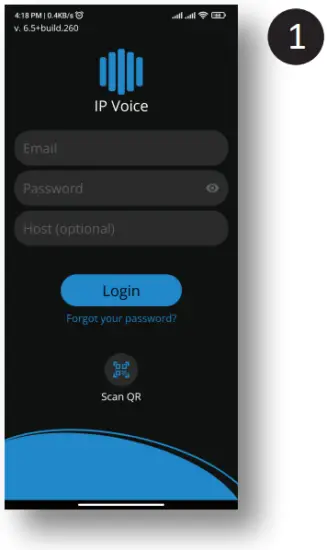
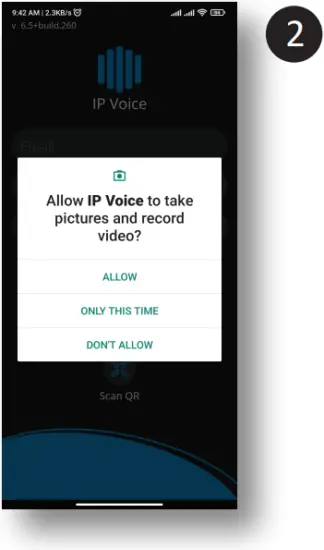
2. Open the app and allow IPVoice to ‘take pictures and record video’.
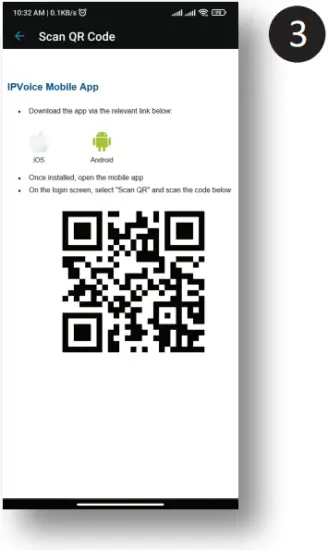
3. Point your phone camera on the QR code on your computer’s screen.
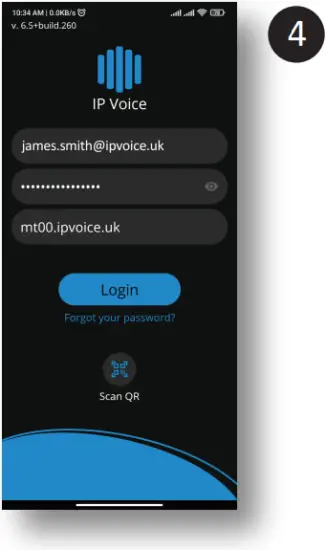
4. This will automatically fill in the login details and server.
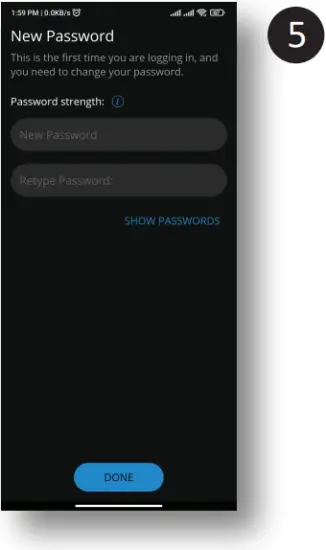
5. Press the login button and you’ll be asked to change your password. The password must be at least 8 characters long, one upper case letter, one lower case letter, one digit and one special character (these are the allowed ! % *)
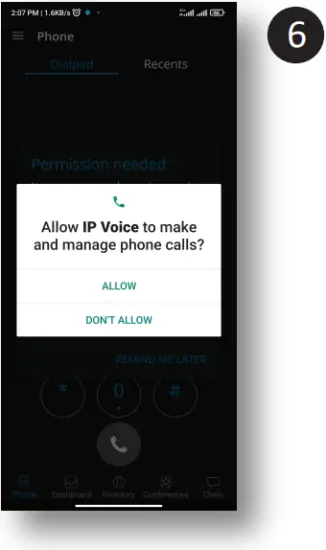
6. Once you press login, you will be asked to agree to several permissions whilst logging in for the first time, eg. for all your mobile contacts to be seen on the app.
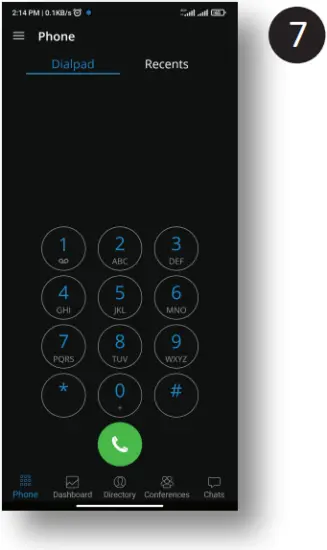
7. And you’re ready to start making calls!
Installing IPVoice Desktop App
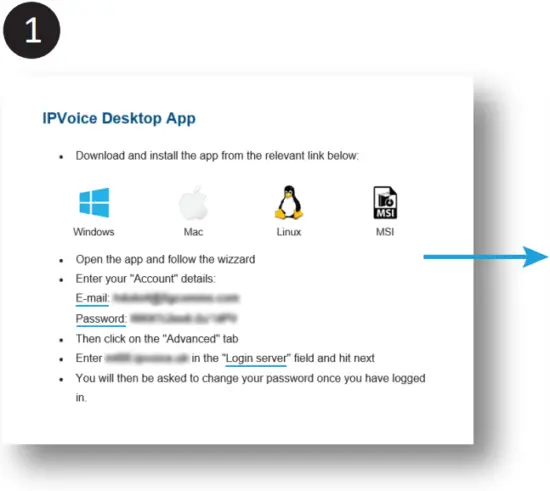
- Open the ‘IPVoice Account Details’ email on your computer. Look for the ‘IPVoice Desktop App’ download button for Windows or Mac.
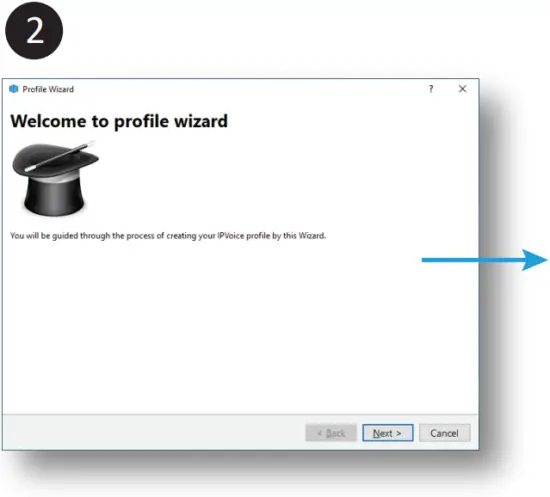
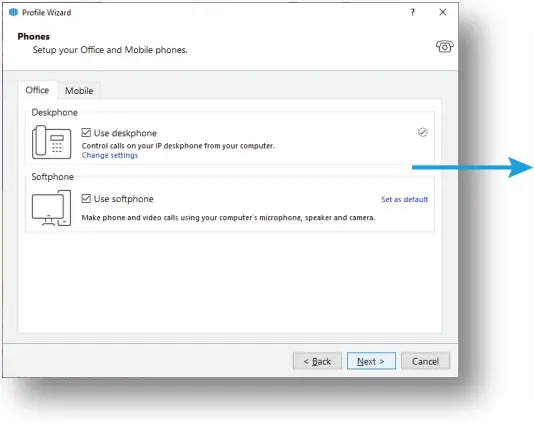
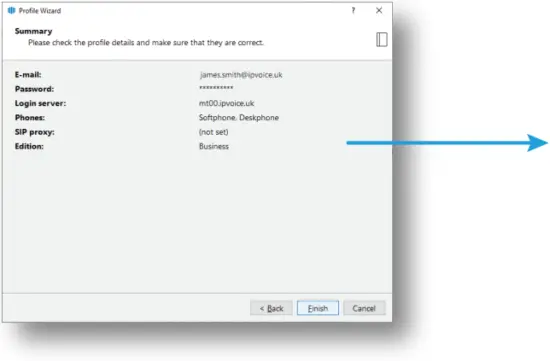
- Download the IPVoice app on to your computer and follow the installation instructions.
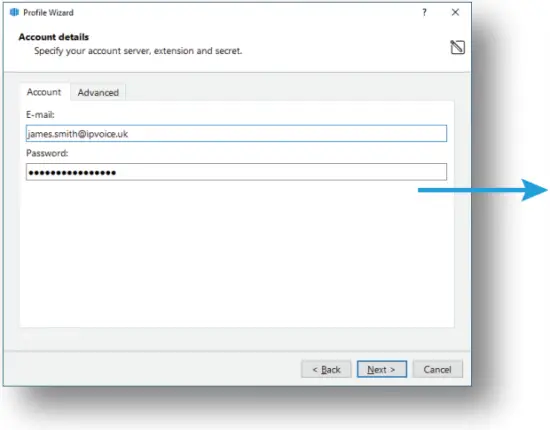
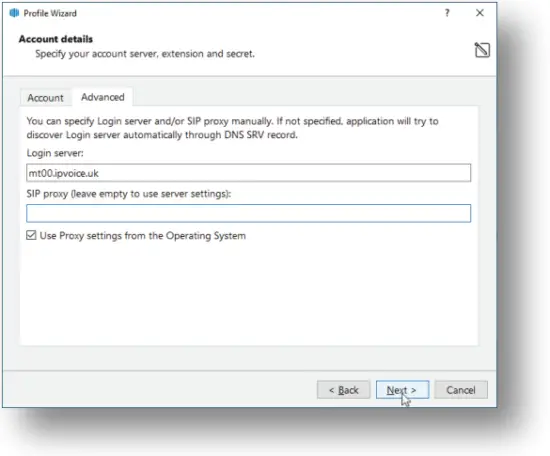
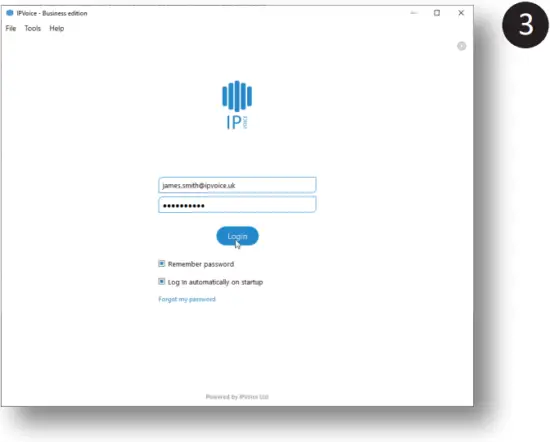
- Once installed, log in by using your email address and the password created for your smartphone app.
 Apple - Redirect