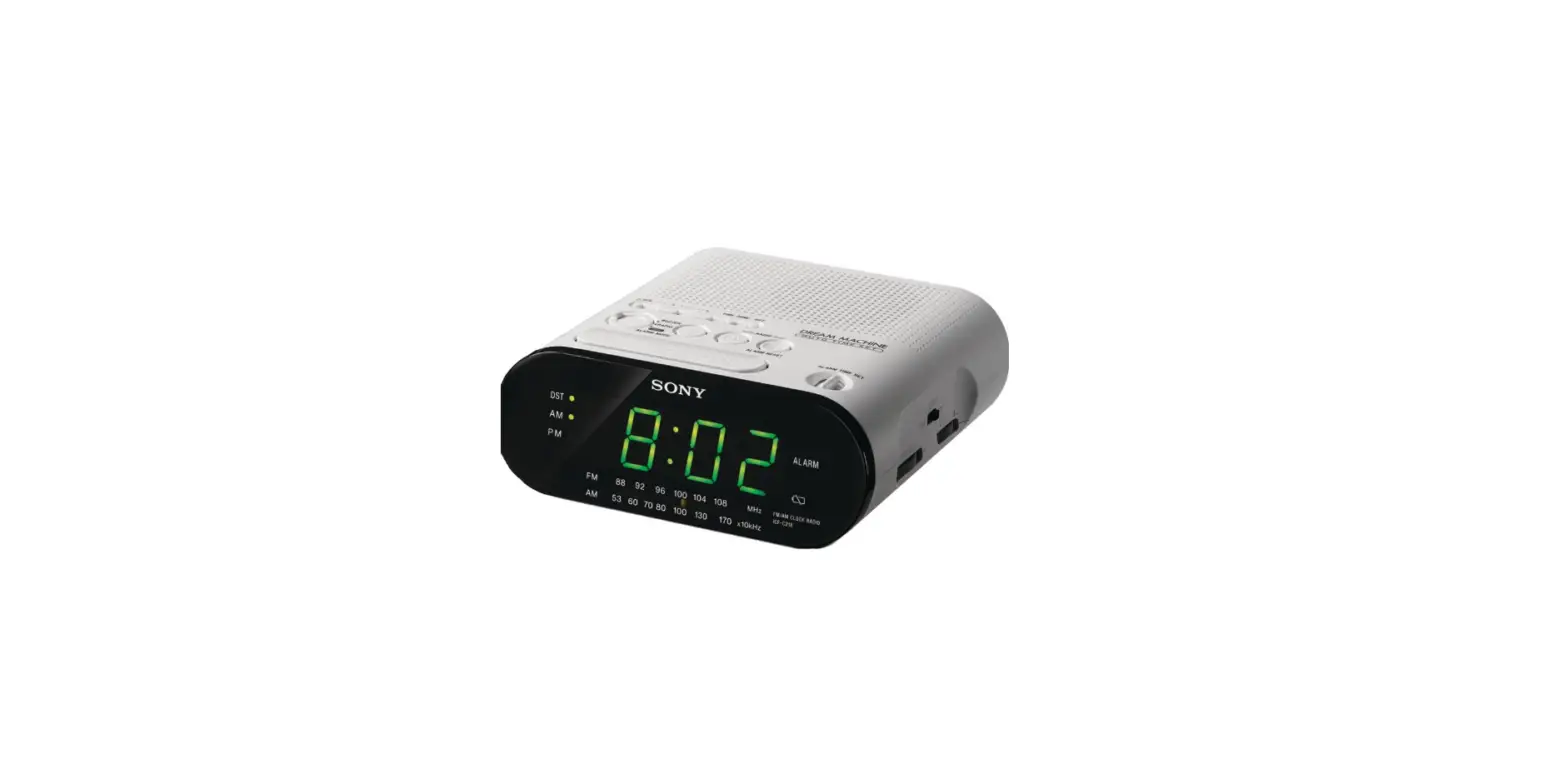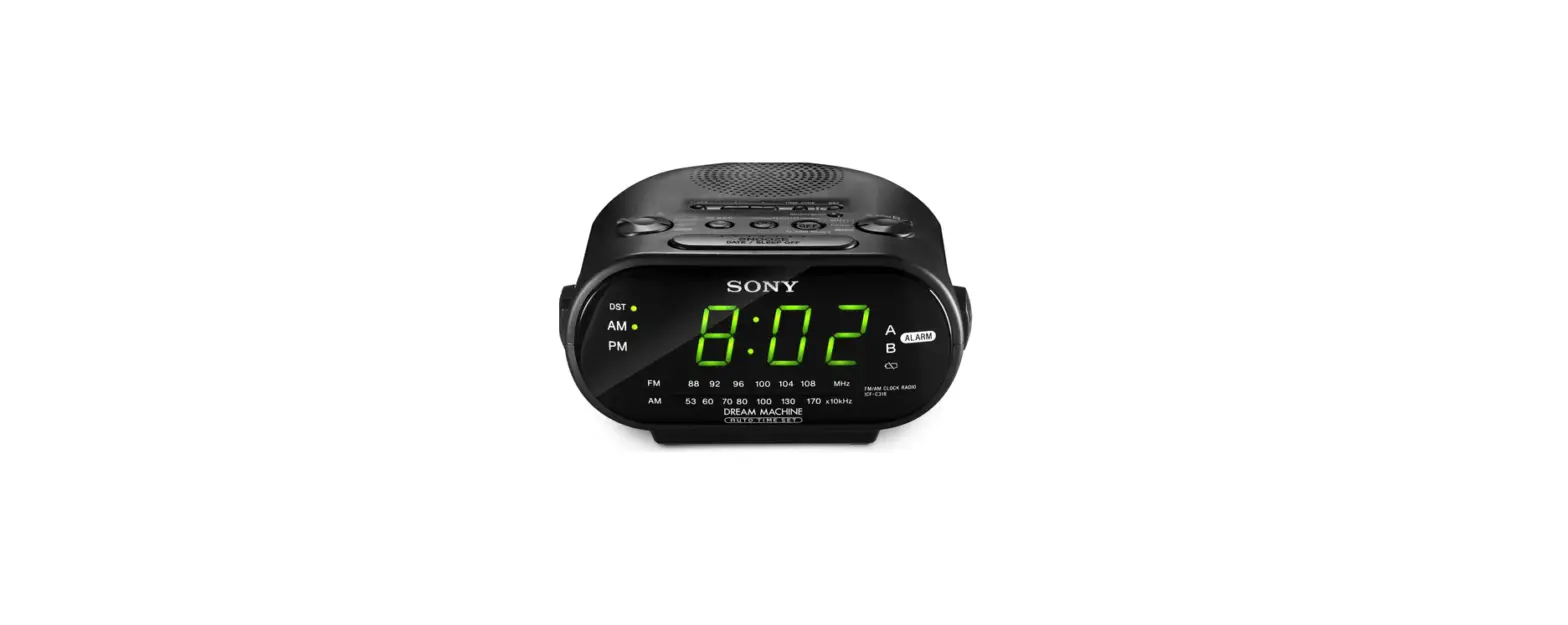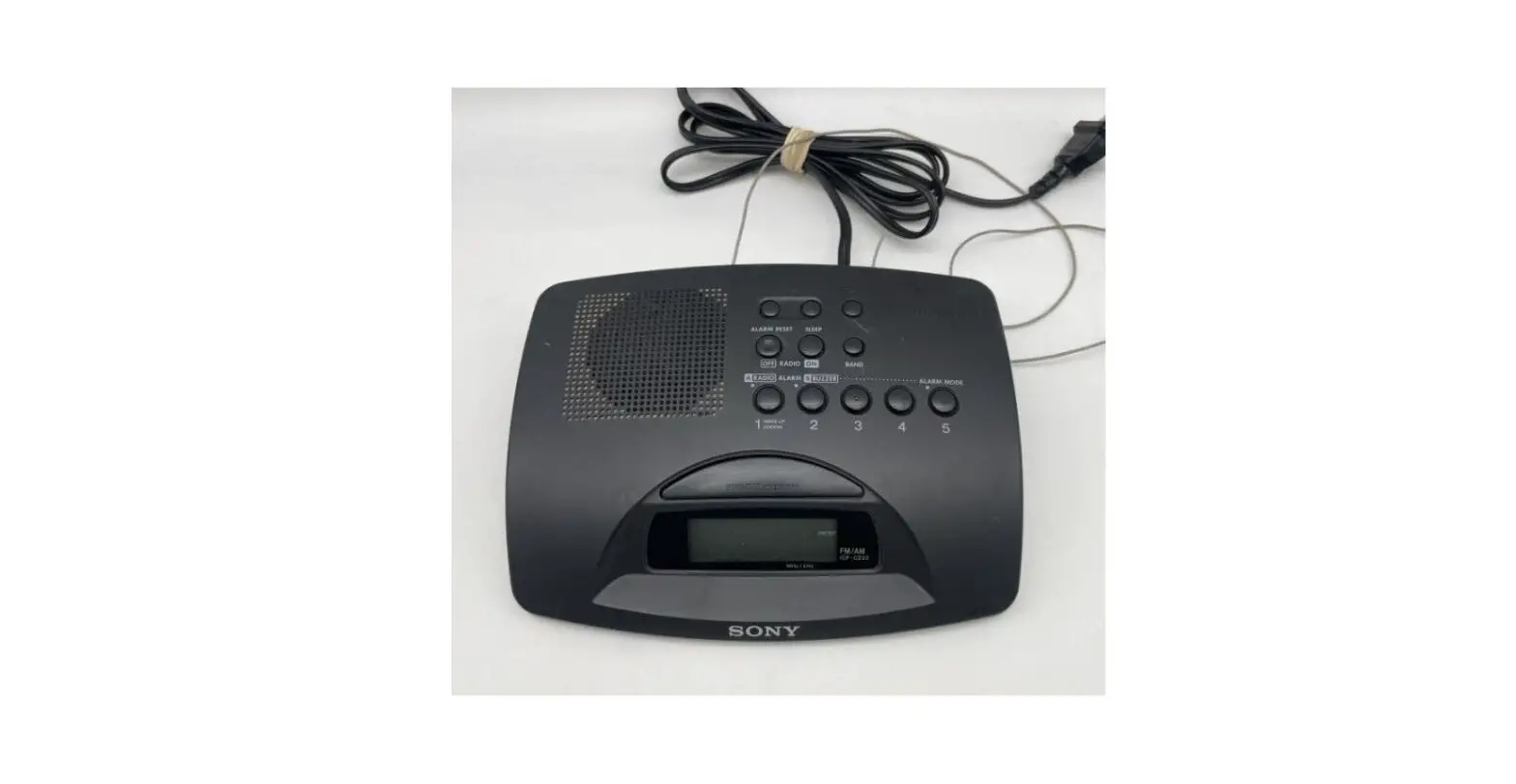

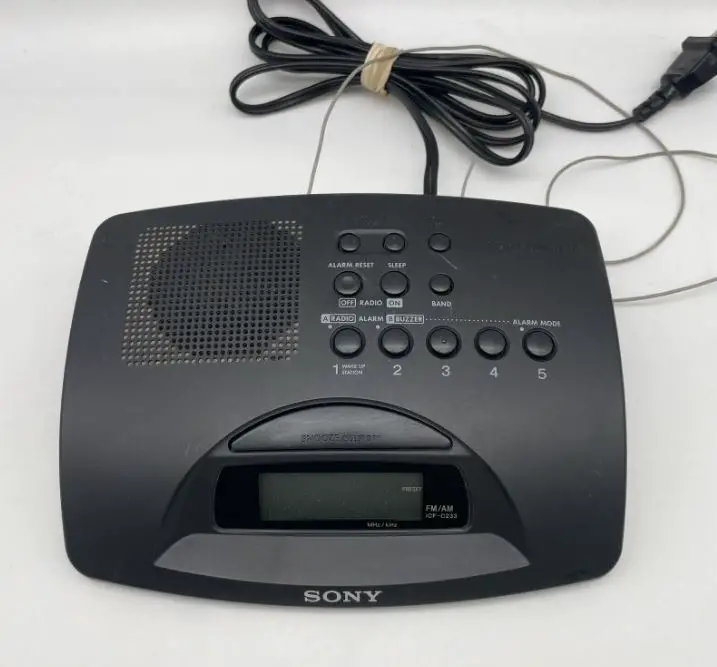
Sony ICF-C233 Dream Machine User Manual
WARNING
To prevent fire or shock hazards, do not expose the unit to rain or moisture.
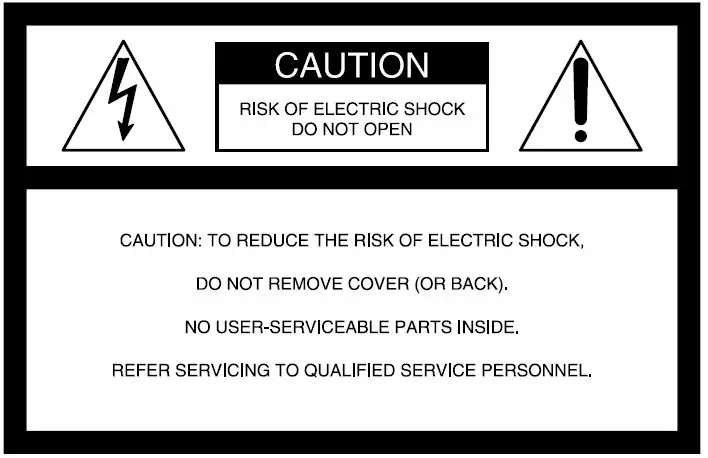
This symbol is intended to alert the user to the presence of uninsulated “dangerous voltage” within the product’s enclosure that may be of sufficient magnitude to constitute a risk of electric shock to persons. This symbol is intended to alert the user to the presence of important operating and maintenance
(servicing) instructions in the literature accompanying the appliance. The graphical symbols are on the bottom enclosure. You are cautioned that any changes or modifications not expressly approved in this manual could void your authority to operate this equipment.
INFORMATION
This equipment has been tested and found to comply with the limits for a Class B digital device, pursuant to Part 15 of the FCC Rules. These limits are designed to provide reasonable protection against harmful interference in a residential installation. This equipment generates, uses, and can radiate radio
frequency energy and, if not installed and used in accordance with the instructions may cause harmful interference to radio communications. However,
there is no guarantee that interference will not occur in a particular installation. If this equipment does cause harmful interference to radio or television
reception, which can be determined by turning the equipment off and on, the user is encouraged to try to correct the interference by one or more of the
following measures:
- Reorient or relocate the receiving antenna.
- Increase the separation between the equipment and the receiver.
- Connect the equipment to an outlet on a circuit different from that to which the receiver is connected.
- Consult the dealer or an experienced radio/TV technician for help.
Before You Begin
Thank you for choosing the Sony Dream Machine. This clock radio will give you many hours of reliable service and listening pleasure. Before operating the Dream Machine, please read these instructions thoroughly and retain them for future reference.
Features
- Dual alarm FM/AM PLL (phase locked loop) synthesized clock radio
- 5 random memory presets
- Radio and buzzer alarms with the snooze function
- LCD display with backlight
Precautions
- Operate the unit only on 120 V AC, 60 Hz.
- The nameplate indicating voltage, etc. is located on the bottom exterior.
- Disconnect the cord by grasping the plug.
- Never pull it by the cord.
- Do not leave the unit in a location near heat sources such as a radiator or air duct, or in a place subject to direct sunlight, excessive dust, mechanical vibration, or shock.
- Allow adequate air circulation to prevent internal heat build-up. Do not place the unit on a surface (a rug, a blanket, etc.) or near materials (a curtain) which might block the ventilation holes.
- Should any liquid or solid object fall into the unit, unplug the unit and have it checked by qualified personnel before operating it further.
- When the casing becomes soiled, clean it with a soft cloth dampened with a mild detergent solution. Never use abrasive cleaners or chemical solvents, as they may mar the casing. If you have any questions, please consult your nearest Sony dealer.
Specifications
- Time display
12-hour system - Frequency range
FM: 87.5-108.0 MHz
AM: 530-1710 kHz - Channel steps
FM: 0.1 MHz (fixed)
AM: 10 kHz (fixed) - Speaker
Approx. 6.6 cm (2 5/8 in) dia. - Power output
120 mW (at 10% harmonic distortion) - Power requirements
120 V AC, 60 Hz - Dimensions
Approx. 196 x 56 x 149.5 mm (w x h x d)
(7 3/4 x 2 1/4 x 6 in) incl. projecting parts and controls - Mass
Approx. 510 g (1 lb 2 oz)
Design and specifications are subject to change without notice.
IMPORTANT SAFEGUARDS
For your protection, please read these safety instructions completely before operating the appliance, and keep this manual for future reference. Carefully observe all warnings, precautions, and instructions on the appliance as described in the operating instructions supplied with the appliance by Sony.
INSTALLATION
Water and Moisture
Do not install the appliance near water: for example, near a bathtub, washbowl, kitchen sink, laundry tub, in a wet basement, or near the swimming pool.
Heat
Do not install the appliance near sources of heat such as radiators, heat registers, stoves, or other appliances that produce heat.
Ventilation
Slots and openings in the cabinet and in the back or bottom are provided for necessary ventilation. To ensure the reliable and safe operation of the appliance, and to protect it from overheating, these slots and openings must never be blocked or covered. Do not place the appliance on a bed, sofa, rug, or another similar surface that may block the slots and openings. Do not install the appliance in a confined space, such as a bookcase or built-in cabinet, unless
proper ventilation is provided.
Carts and Stands
Do not install the appliance on an unstable table, shelf, cart or stand. Use only a cart or stand recommended by Sony. An appliance and cart combination should be moved with care. Quick stops, excessive force, and uneven surfaces may cause the appliance and cart combination to overturn.
Wall or Ceiling Mounting
If your appliance can be mounted to a wall or ceiling, mount it only as recommended by Sony.
USE
Power Source
Connect the appliance to a power supply only of the type described in the operating instructions or as marked on the appliance.
Grounding or Polarization
Do not defeat the grounding or polarization feature of the AC power cord. If your AC receptacle will not accept the power cord plug, contact your electrician to install a proper AC receptacle.
AC Receptacle
Check to make sure that the AC receptacle holds the power cord plug firmly and securely. If the power cord plug is loose, contact your electrician to replace the defective and unsafe AC receptacle.
Power-Cord Protection
Route the power cord so that it is not likely to be walked on or pinched by having objects placed on it, paying particular attention to the plugs, receptacles, and the point where the cord exits from the appliance. When not in use Unplug the power cord of the appliance from the outlet when left unused for a long period of time. To disconnect the cord, pull it out by grasping the plug. Never pull the plug out by the cord.
Foreign Objects
Be careful that foreign objects and liquids do not enter the enclosure through openings.
Cleaning
Clean the appliance only as recommended by Sony.
ANTENNAS
Outdoor Antenna Grounding
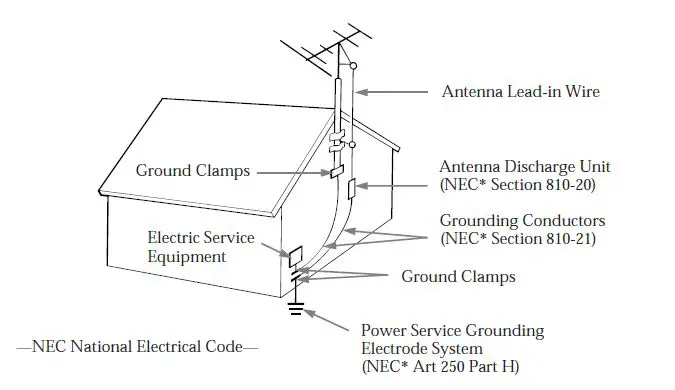
If an outdoor antenna or cable system is installed, follow the precautions below. An outdoor antenna system should not be located in the vicinity of overhead power lines or other electric light or power circuits, or where it can come in contact with such power lines or circuits. WHEN INSTALLING AN OUTDOOR ANTENNA SYSTEM, EXTREME CARE SHOULD BE TAKEN TO KEEP FROM CONTACTING SUCH POWER LINES OR CIRCUITS AS CONTACT WITH THEM IS ALMOST INVARIABLY FATAL. Be sure the antenna system is grounded so as to provide some protection against voltage surges and built-up static charges. Section 810 of the National Electrical Code provides information with respect to proper grounding of the mast and supporting structure, grounding of the lead-in wire to an antenna discharge unit, size of grounding conductors, location of the antenna-discharge unit, connection to grounding electrodes, and requirements for the grounding electrode.
Antenna Grounding According to the National Electrical Code
SERVICE
Unplug the appliance from the wall outlet and consult qualified service personnel when:
- the power cord or the plug has been damaged.
- a solid object or liquid has fallen into the cabinet.
- the appliance has been exposed to rain or moisture.
- the appliance does not appear to operate normally or exhibit a marked change in performance.
- the appliance has been dropped, or the enclosure damaged.
- Do not attempt to service the appliance beyond that described in the operating instructions. For all other servicing refer to qualified service personnel only.

Setting the Clock
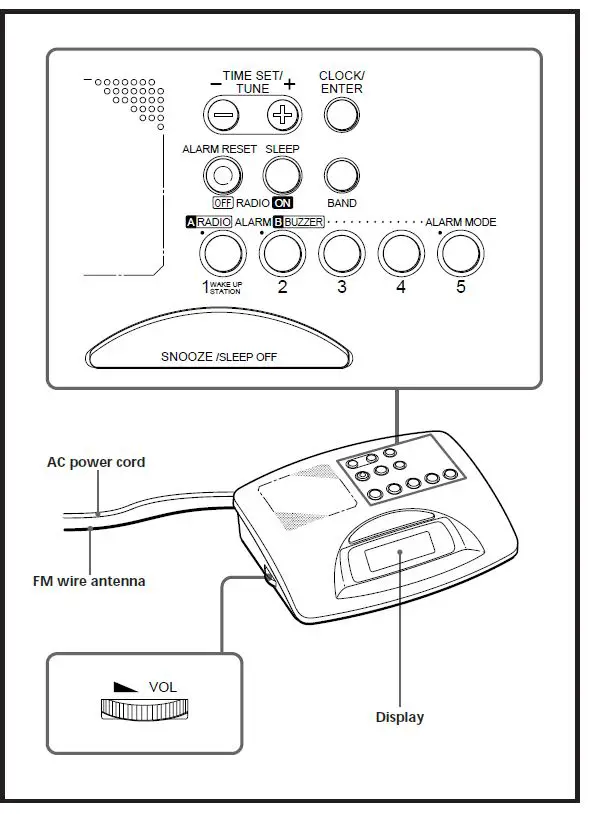
- Plug in the unit. “AM 12:00” will flash on the display.
- While holding down CLOCK/ENTER, press TIME SET/TUNE + or –. Use the + button to advance the hour and minute digits and the – button to reverse them. Hold down the + or – button to advance or reverse the time setting at high speed.
- Release CLOCK/ENTER. The time is set and the clock operation begins.
- For zero-second adjustment, release CLOCK
- ENTER at the sound of a time tone.
- The colon in the time indication is flashing when the radio is off and steadily displayed when it is on.
Playing the Radio
Manual Tuning
- Press SLEEP/RADIO ON to turn on the radio. The band and frequency and the preset number displayed before the radio was last turned off appear on the display for 10 seconds, after which the current time indication returns to the display.
- Turn the VOL (volume) control to make sure the sound is audible.
- Press BAND to select the band. The most recently tuned FM and AM frequencies alternate on the display with each press of the button.
- Use TIME SET/TUNE + or – to tune in to the desired station. The FM frequency advances or reverses in 0.1 MHz channel steps and the AM frequency in 10 kHz channel steps. A beep sounds and the tuning stops when the upper or lower extremity of the band range is reached.
- Set the desired volume with the VOL control.
- To turn off the radio, press ALARM RESET/ RADIO.
- To improve reception FM: Extend the FM wire antenna fully to increase FM reception sensitivity. AM: Rotate the unit horizontally to the position
in which reception is clearest. - To check the current station, press the + button lightly. The band and frequency are displayed for 10 seconds, after which the current time indication returns to the display.
- Each time the radio is turned on or the frequency changed, the band and frequency replace the current time indication for 10 seconds.
- If the radio
 alarm comes on while the radio is playing, the station switches to the frequency set under preset number 1 (the wakeup frequency).
 alarm comes on while the radio is playing, the station switches to the frequency set under preset number 1 (the wakeup frequency).
Preset Tuning
You can preset up to five stations for one-touch tuning, one under each of the preset buttons from 1 to 5. Presetting a station Example: To set AM 1260 kHz in preset button 2.
- Tune in to the station you want to preset. (See “Manual Tuning”)
- Press CLOCK/ENTER. “P” flashes in the display for about 10 seconds.

- Press the preset button under which you wish to store the station before the “P” indication stops flashing. Two beeps sound to indicate successful
presetting.
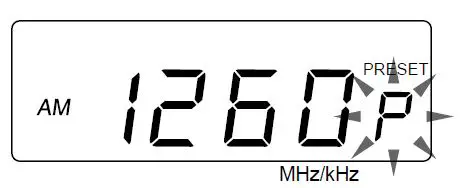
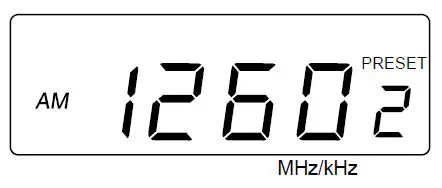
The current time indication replaces the band and frequency indicated on the display 10 seconds after a station is preset, but the preset number remains in the display.
- When using the radio alarm, preset the station you wish to serve as the alarm (the wake-up frequency) under preset button 1.
To change a preset station Press the preset number again after tuning manually to a different station. The previous station is replaced by the new one. Tuning in a preset station
- Press SLEEP/RADIO ON to turn on the radio.
- Press the preset button under which the desired station is stored. The band, frequency, and preset number replace the current time indication in the display for about 10 seconds.
Setting the Alarm
You can set the radio and buzzer alarms at the preset time. Before setting the alarm, be sure to set the clock (See ‘ Setting the Clock”).
- Turn off the radio.
- While holding down ALARM or
 ALARM, press either TIME SET/ TUNE + or – until the desired time appears in the display. At this time, the or indication appears in the display.
 - Release ALARM or ALARM.
- Press ALARM MODE until the alarm you want appears in the display. Each time you press ALARM MODE, the alarm indication changes as follows.

When the alarm time is reached, the radio or buzzer sounds for 60 minutes or until turned off
 ALARM, press either TIME SET/ TUNE + or – until the desired time appears in the display. At this time, the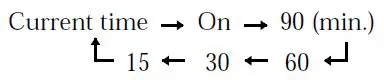
The radio will turn off automatically after the selected preset duration has elapsed.
- To cancel the sleep timer function and turn off the radio, press SNOOZE/SLEEP OFF.
To Use Both a Sleep Timer and Alarm
You can fall asleep to the radio sound and you will be awakened by the radio or buzzer alarm at the preset time.
- Set the alarm. (See “Setting the Alarm”.)
- Set the sleep timer.(See “Setting the Sleep Timer”.)
Troubleshooting
Should any problem occur with the unit, make the following simple checks to determine whether or No servicing is required. If the problem persists, consult the nearest Sony dealer. The clock does not show the correct time.
- Has an electrical power outage that lasted more than 5 minutes occurred? The radio or buzzer alarm does not sound at the preset alarm time.
- Has the desired radio and/or buzzer alarm mode been activated with the ALARM MODE button ( and/or the indication shown in the display)?