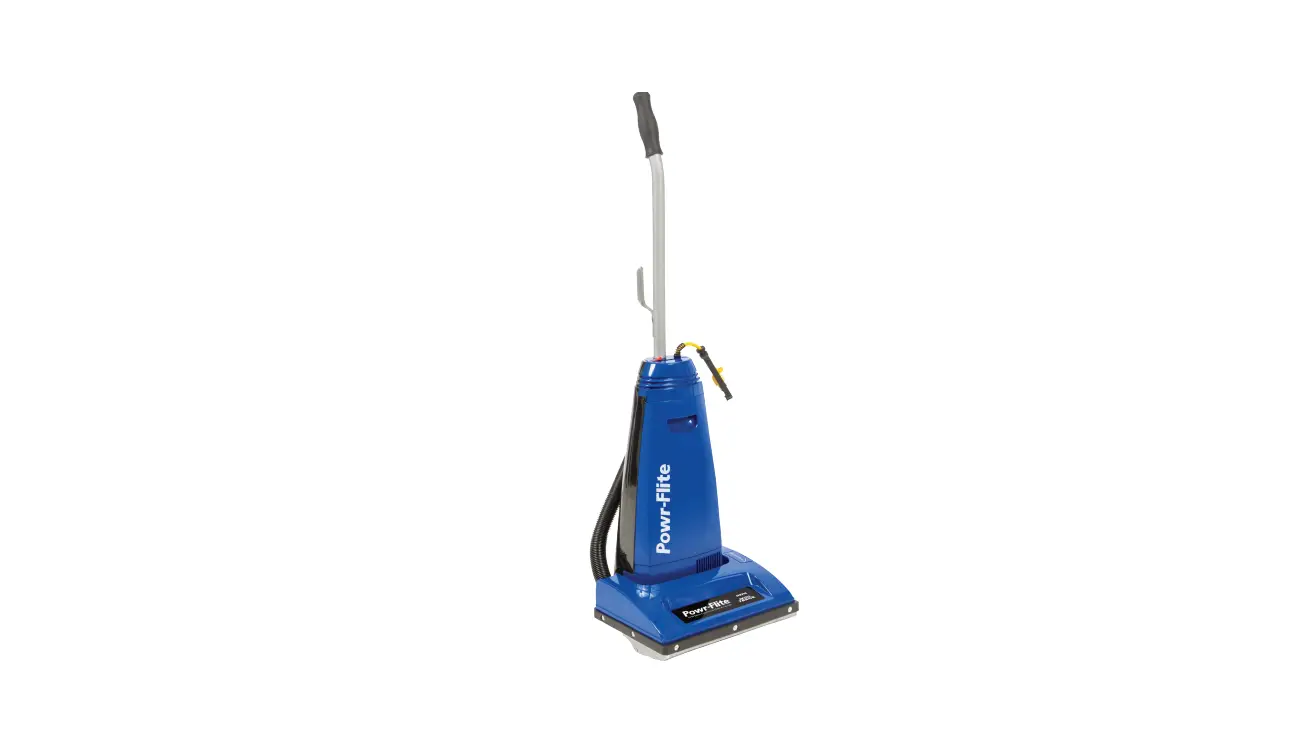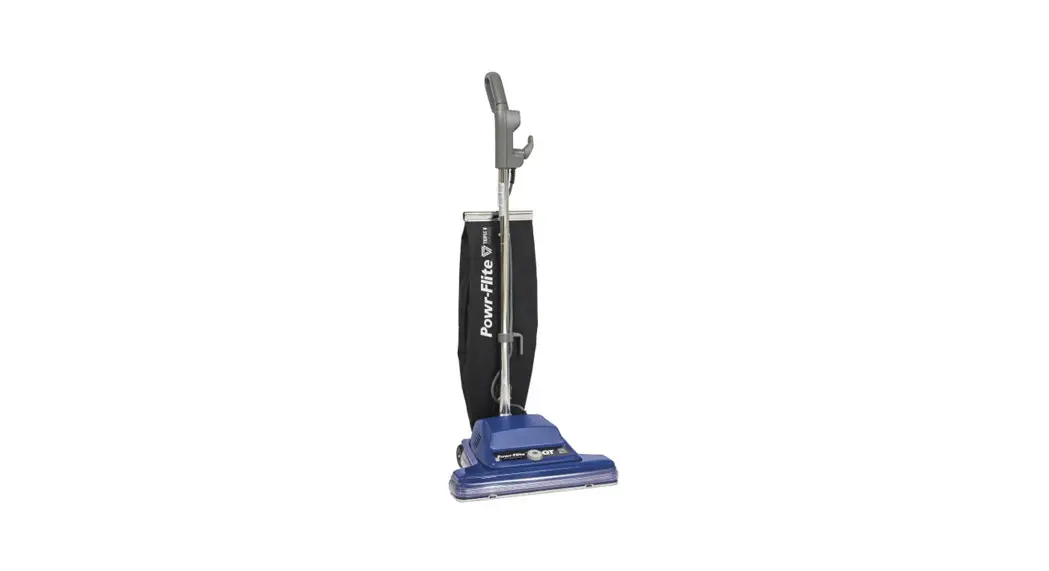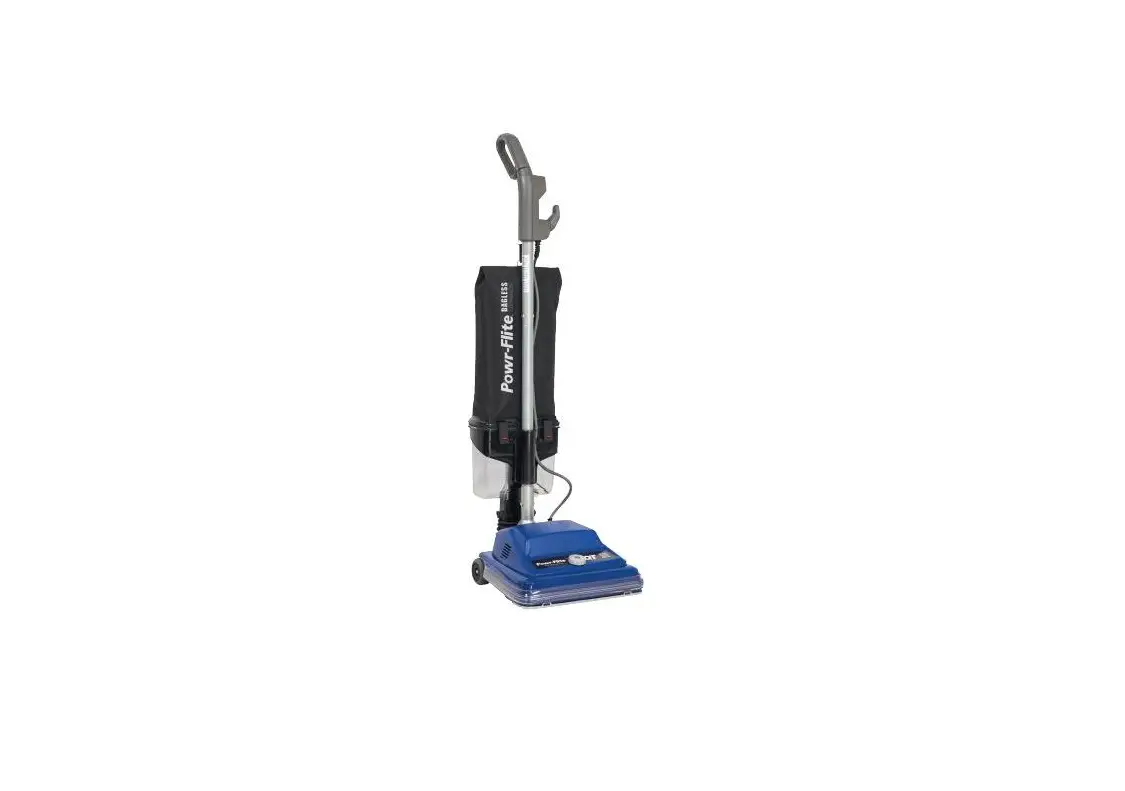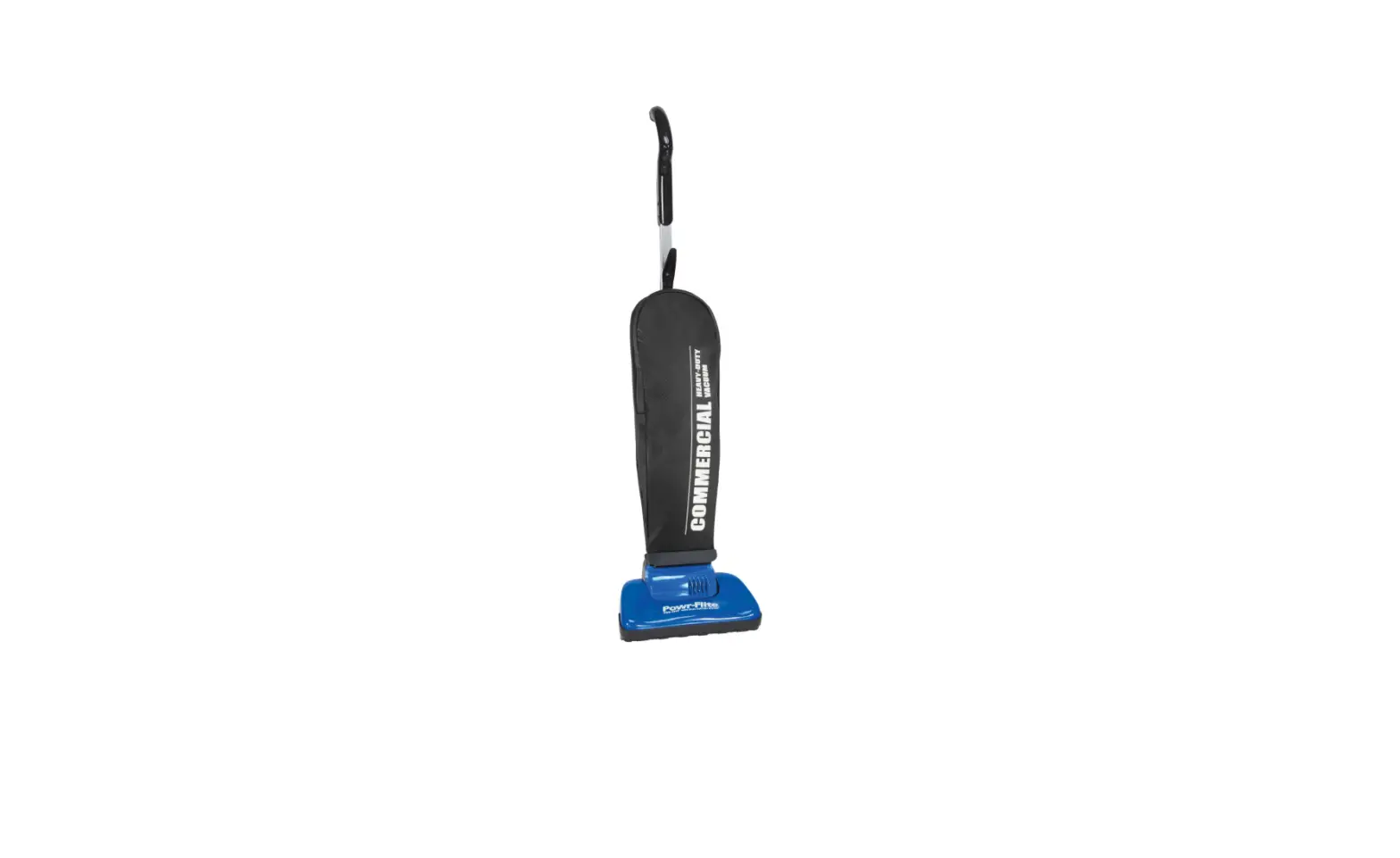
Powr-Flite PF62EC Pro-Lite Upright Lightweight Vacuum Cleaner Instruction Manual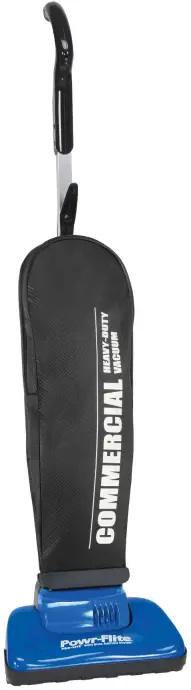
WARNING: OPERATOR MUST READ AND UNDERSTAND THIS MANUAL COMPLETELY BEFORE OPERATING THIS EQUIPMENT.
Congratulations on your purchase of the Pro-Lite PF62EC. We know you will be happy with the performance and features that we selected for you. In the event that you have questions or concerns, do not hesitate to contact us at:
SAFETY WARNINGS AND PRECAUTIONS
IMPORTANT SAFETY INSTRUCTIONS
READ AND UNDERSTAND ALL INSTRUCTIONS BEFORE USING THIS UNIT
Read and understand this owner’s manual and all labels on the unit before operating. Safety is a combination of common sense,staying alert and knowing how your unit works. Use this unit only as described in this manual. Use only manufacturer’s recommended attachments. To reduce the risk of personal injury or damage to your unit use only manufacture recommended accessories.
When using an electrical appliance, basic precautions should be observed, including the following: Read all instructions before using your lightweight upright vacuum cleaner.
WARNING
To reduce the risk of fire, injury or electric shock:
- Never leave the unit unattended when it is plugged in.
- Unplug from outlet when not in use and before servicing.
- Never use with damaged cord or plug.
- Never unplug by pulling on cord.
- Never pull or carry by cord, use cord as a handle, close door on cord, pull cord around sharp corners, run cleaner over cord, or expose cord to heated surfaces.
- Never use the unit if it has been dropped, damaged, left outdoors or dropped into water. Return it to place of purchase.
- Never allow children to use as a toy.
- Never use outdoors or on wet surfaces.
- Never handle the unit or plug with wet hands.
- Never put any object into openings, use with blocked opening, or restrict air flow.
- Never use without dust bag and/or filters in place.
- Never allow hair, loose clothing, fingers or body parts to get near openings or floor brush in the appliance.
- Never pick up hot coals, cigarette butts, matches or any hot, smoking, or burning objects.
- Never pick up hard or sharp objects such as glass, nails, screws, coins, etc.
- Never pick up flammable or combustible materials (lighter fluid, gasoline, kerosene, etc.) or use in the presence of explosive liquids or vapor.
- Connect to a properly grounded outlet only.
- See grounding instructions.
- Never pick up toxic material (chlorine bleach, ammonia, drain cleaner, etc.).
- Never use in an enclosed space filled with vapors given off by oil base paint, paint thinner, some moth proofing substances, flammable dust, or other explosive or toxic vapors.
- Never use for any purpose other than described in this User’s Guide.
- Use only on dry, indoor surfaces.
- Keep openings free of dust, lint, hair, etc.
- Keep appliance on a level surface.
- Turn off all controls before plugging in or unplugging cleaner.
- Be extra careful when cleaning stairs.
- Pay close attention when working around children
GROUNDING INSTRUCTIONS
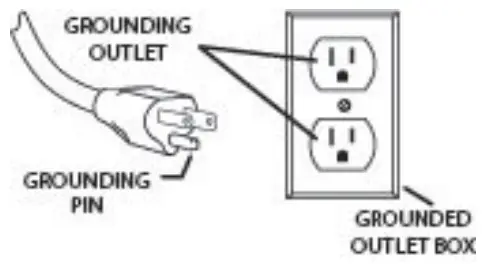
This appliance must be grounded. If it should malfunction or breakdown, grounding provides a path of least resistance for electric current to reduce the risk electric shock. This machine is equipped with a cord having an equipment -grounding conductor and grounding plug. The plug must be inserted into an appropriate outlet that is properly installed and grounded in accordance with all local codes and ordinances.
WARNING: Improper connection of the equipment-grounding conductor can result in a risk of electric shock. Check with a qualified electrician or service person if you are in doubt as to whether the outlet is properly grounded. Do not modify the plug provided with the appliance – if it will not fit the outlet, have a proper outlet installed by a qualified electrician.
This appliance is for use on a nominal 115-volt circuit, and has a grounding plug that looks like the plug illustrated in sketch A.
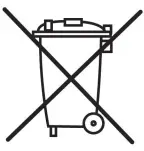
PROTECT THE ENVIROMENT
Please dispose of packaging materials in an enviromentally safe way according to local waste disposal regulations.

Always remember to recycle.
Check the carton for shipping damage. Carefully unpack and inspect your new Powr-Flite vacuum for shipping damage. Each unit is tested and thoroughly inspected prior to shipping.
If damage is discovered, immediately notify the transportation company that delivered your machine and request an inspection. As a manufacturer, we are unable to act upon any claim for concealed damage; you must originate the claim. Be sure to keep the carton, packing inserts, packing lists, and carrier’s receipt until the inspector has verified your claim.
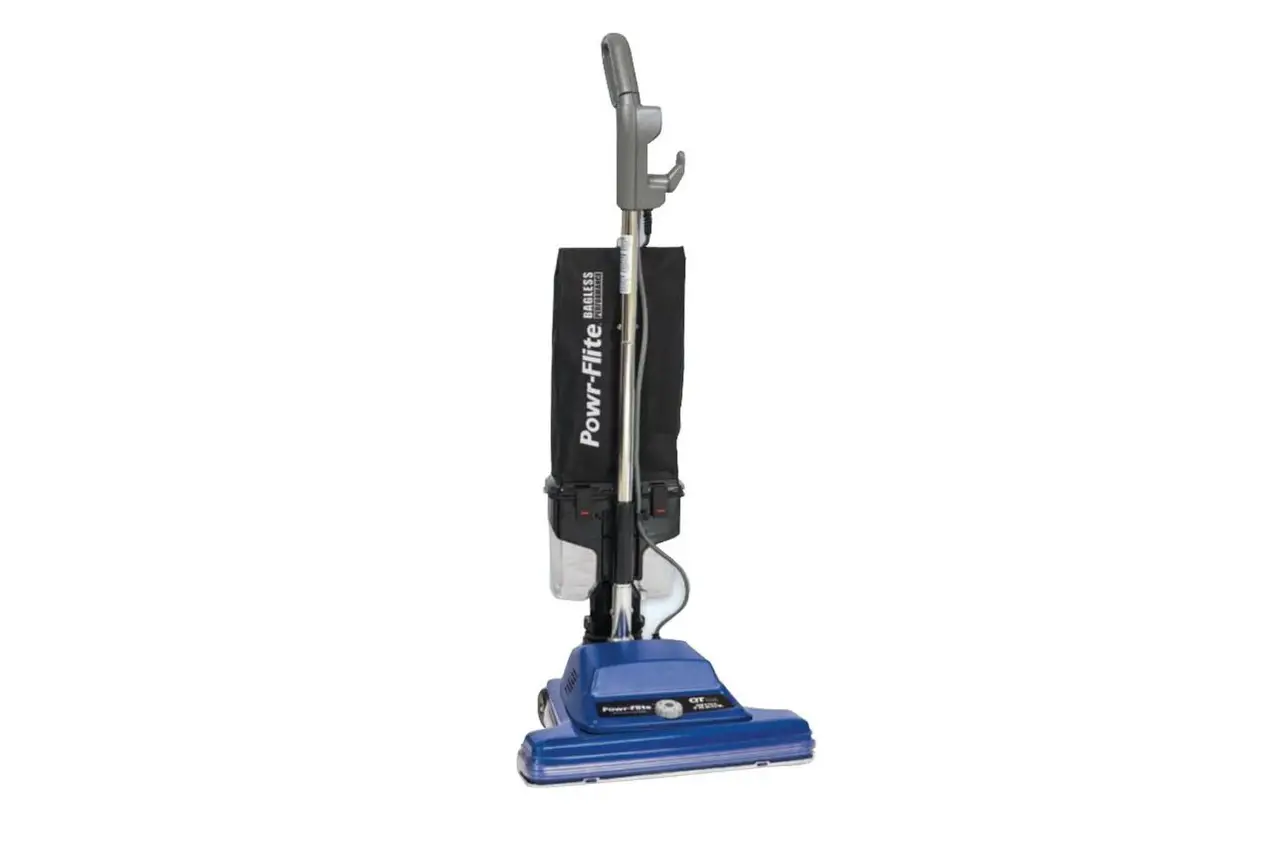
The Dual Suction System is a lightweight, yet powerful, cleaning system ideal for commercial use on all types of carpets and floors.
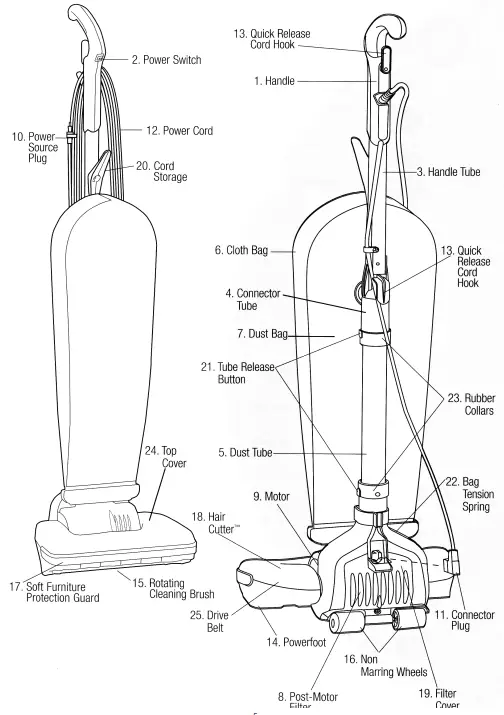
- Handle – designed for comfort and easy maneuvering.
- Power Switch – conveniently located in handle.
- Handle Tube – lightweight, for easy movement and use.
- Connector Tube – strong lightweight aluminum tube is designed for optimal airflow.
- Dust Tube – large diameter dust tube designed to minimize clogging.
- Cloth Bag – durable, reinforced material for years of service.
- Dust Bag – top loading bag for clean and easy bag change.
- The Post-Motor Filter – helps to reduce motor emissions.
- Motor – 6 amps of full cleaning power, saves energy.
- Power Source Plug – grounded for safe, reliable operation.
- Connector Plug – for enhanced safety.
- Power Cord – 50 foot heavy-duty, commercial quality for extended reach.
- Quick Release Cord Hook – for quick, easy removal of power cord.
- Powerfoot – twin fan/dual suction design for deeply embedded dirt and superior edge cleaning.
- Rotating Cleaning Brush – continuous, rotating dual action for thorough cleaning; white, non-marring bristles.
- Non-Marring Wheels – safe for use on bare floors.
- Soft Furniture Protection Guard – helps protect furniture while vacuuming.
- Hair Cutter – ensures that any long hair or other fibers are cut and broken down into lengths that are manageable for the vacuum. This helps to prevent clogs.
- Filter Cover – easily removes with one screw for easy access to filter.
- Cord Storage – wrap cord around the back of the unit, or simply hang cord on the front Cord Storage Hook.
- Tube Release Buttons – allows for easy access in the unlikely event of the tube clogging.
- Bag Tension Spring – keeps the bag secure at the base of the bag.
- Rubber Collars – designed to seal air path at critical connections, preventing loss of airflow.
- Top Cover – simply removes with 3 screws allowing for easy belt change.
- Drive Belt – designed for optimal life and performance.
HOW TO ASSEMBLE
WARNING: Plastic bags or film can be dangerous. To avoid danger of suffocation, keep away from babies and children.
The dual Suction System is packaged for convenience and requires minimal assembly. The only tool you will need is a Phillips head screwdriver.
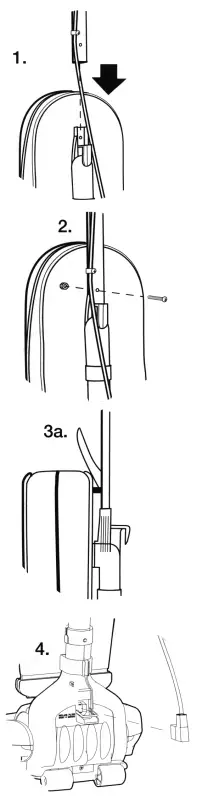
- Slide the handle Tube into the Connector, aligning the hole in the Handle Tube with the molded hole at the top of the Connector.
- Hold the hex nut in front of the Connector in the hex shaped cavity while inserting the screw with your finger from the back. Tighten the screw while placing your finger over the hex cavity to hold the hex nut in place. After a few turns, tighten further with a Phillips head screwdriver. Do not overtighten.
- Slide screw through plastic Cord Hook from the inside of Cloth Bag. Align screw with hole in Handle Tube. Tighten screw.
- Remove screw from Filter Cover. Remove Filter Cover. Insert the Connector Plug into the back of the unit at the rear of the Powerfoot – Make sure the Connector Plug is fully inserted.
Replace Filter Cover. Replace Filter Cover Screw.
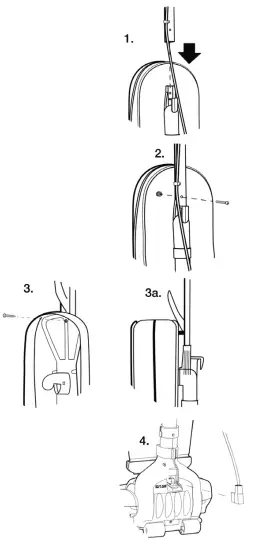
Your Vacuum cleaner is now ready to use.
USE
Tip. Before cleaning under low furniture, always check area first for objects that might harm the Rotating Cleaning Brush or get caught in the Dust Tube.
Power Supply
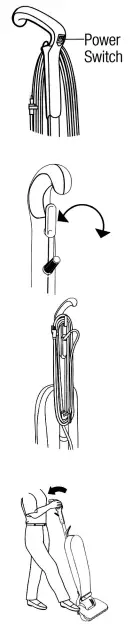
The Power Cord is stored at the back of the vacuum cleaner, and is looped around the Quick Release Cord Hooks. The polarized Power Source Plug is designed to attach to the Power Cord during storage.
Before using, make sure the Connector Plug is securely attached to the Powerfoot and that the Power Source Plug is plugged into a polarized outlet.
Power Switch
The Power Switch is located in the Handle of the cleaner. Push down
(I) to turn ON. Push up (O ) to turn OFF.
Power Cord Storage
When you are finished using your vacuum, return it to the upright position. Make sure the vacuum is turned OFF. Always unplug the vacuum by grasping the Power Source Plug (NOT the Power Cord) and disconnecting from the outlet. Properly store the Power Cord by winding the cord around the Quick Release Cord Hooks on the back of the vacuum in a continuous loop, or by hanging the cord on the Cord Storage Hook located on the front of the vacuum. Attach the Power Source Plug to the Power Cord.
Operation
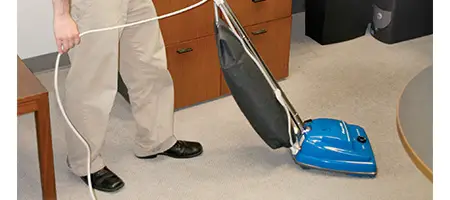
This vacuum, with Dual Suction System, is designed to effectively and safely clean all types of carpeting, wood, linoleum, and vinyl floors.
Its wide 14-inch Powerfoot makes cleaning quick and easy.
To place the vacuum in position for use, lightly press your foot on the Powerfoot and tip the Handle backwards.
Routine Maintenance
For maximum performance from your vacuum, check and maintain vacuum parts regularly.
Replacing the Dust Bag
Check the Dust Bag weekly. Replace the Dust Bag when it is near full or when cleaning suction diminishes. Never reuse a Dust Bag.
WARNING: To avoid electrical shock or injury from moving parts, always turn OFF the Power Switch and unplug the Power Source Plug before performing maintenance or trouble shooting. Always unplug by grasping the Power Source Plug; NEVER pulling on the Power Cord to unplug.
Tip: Vacuuming new carpet or vacuuming fine powders may clog the Dust Bag. Check Dust bag often.
Unplug vacuum by grasping and pulling on the Power Source Plug.
Unzip Cloth Bag. Remove collar retainer by pressing on the two tabs and pulling the top towards you. Dispose of Dust Bag.
Slide collar of new Dust Bag completely into collar retainer. Push collar retainer back into position and secure in place.
Tuck the remainder of the Dust Bag completely inside the Cloth Bag.
Make sure it lays flat, top to bottom, without bunching. Zip Cloth Bag.
Cleaning the Dust Tube
The vacuum features a Dust Tube designed to optimize cleaning power. For best performance, routinely check and clear excess dust and other debris.
Note: Cover floor with newspaper to catch any loose material or dust removed during cleaning.
Release Bag Tension Spring.
Remove Filter Cover screw and then remove Filter Cover. Unplug Connector Plug.
Tube Release Button is hidden under a Rubber Collar on the side of the Dust Tube and can be pressed through the Rubber Collar. Lift off the Dust Tube while pressing on the Tube Release Button.
Use a wire brush to clean out the inside of the Dust Tube and the top section of the Powerfoot where they connect.
Reconnect the tube with the Powerfoot. It should snap into place. Make sure that the tube release button on the Tube lines up with the Tube Release Button on the Rubber Collar.
Plug the Connector Plug back into base of vacuum.
WARNING: To avoid electrical shock or injury from moving parts, always turn OFF the Power Switch and unplug the Power Source Plug before performing maintenance or trouble shooting.
Always unplug by grasping the Power Source Plug; NEVER pulling on the Power Cord to unplug.
MAINTENANCE
Cleaning the Filter
The Post-Motor Filter is located in the Powerfoot of your vacuum cleaner. It should be checked often, and cleaned when the PostMotor Filter becomes dirty.
- To Clean Post-Motor Filter, remove the filter cover screw with a Phillips head screwdriver.
- Lift out Filter Cover.
- Remove Post-Motor-Filter and wash with mild soap and water. Dry thoroughly.
- Reinstall clean and dried Post-Motor filter.
- Replace Filter Cover by sliding in the two tabs at the top of the Filter Cover and centering over the screw hole.
- Replace screw.
Cleaning the Rotating Cleaning
Brush/Replacing the Drive Belt
Check the Rotating Cleaning Brush and Drive Belt regularly for wear or damage. Keep the Rotating Cleaning Brush ends free of string, hair, and carpet fibers. These can become entangled and reduce the vacuum’s cleaning effectiveness.
NOTE: The Rotating Cleaning Brush can most often be cleaned without removal from the vacuum. If there is an excessive amount of hair and debris, remove the Rotating Cleaning Brush for proper cleaning.
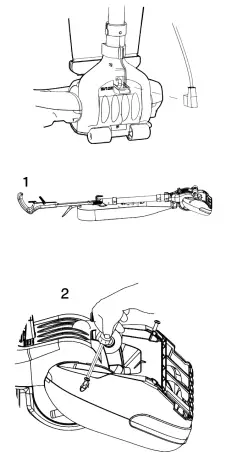
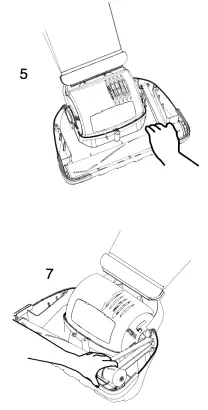
- Unplug the vacuum and turn face down on a flat surface.
- Remove all 3 screws from the bottom of the Powerfoot.
- Grip both the Top Cover and base while turning unit back over. Lift off Top Cover.
- Check Drive Belt. If it is broken or damaged, remove Rotating Cleaning Brush and replace Drive Belt.
- To remove the Rotating Cleaning Brush, pull the right side of the Rotating Cleaning Brush toward the front of the Powerfoot as you lift slowly.
- Clean off Rotating Cleaning Brush as necessary.
WARNING: To avoid electrical shock or injury from moving parts, always turn OFF the Power Switch and unplug the Power Source Plug before performing maintenance or trouble shooting. Always unplug by grasping the Power Source Plug; NEVER pulling on the Power Cord to unplug. - Place existing or new Drive Belt over Rotating Cleaning Brush and the motor shaft. Insert the end cap pin on the left of the Rotating Cleaning Brush into the slot on the Powerfoot and slide the end cap pin on the right end of the Rotating Cleaning Brush in to the slot in the Powerfoot and lower until it clicks into place.
- Make sure the Furniture Protection Guard is still intact.
- Align the 3 tabs on the Top Cover with the 3 slots in the Powerfoot. Press into place, making sure the Furniture Protection Guard is on the outside.
- Grip both the top cover and base assembly while turning the vacuum cleaner face down.
- Reinstall the 3 screws beginning with the center screw.
TROUBLESHOOTING
| Vacuum cleaner won’t run. | |
| Possible Causes | Remedies |
| Vacuum Cleaner is not plugged in | Check power Source Plug and Connector Plug |
| Household fuse/circuit breaker tripped | Check/replace fuse – Reset breaker |
| Vacuum cleaner won’t pick up dirt. | |
| Possible Causes | Remedies |
| Dust Bag is full | Replace with new Dust Bag |
| Drive Belt not functioning | Realign Drive Belt or replace if damaged |
| Rotating Cleaning Brush bristles worn | Replace Rotating Cleaning Brush |
| Rotating Cleaning Brush jammed | Remove Rotating Cleaning Brush and clean debris from brush ends; Reinstall Drive Belt |
| Dust Tube is clogged | Clean Dust Tube |
| Accumulation of dust inside Cloth Bag | |
| Possible Cause | Remedies |
| Dust Bag is clogged or dirty | Replace with new Dust Bag |
| Dust Bag collar retainer not secure | Secure Dust Bag collar retainer |
| Inlet clogged | Shake dust down to bottom of Dust Bag. |
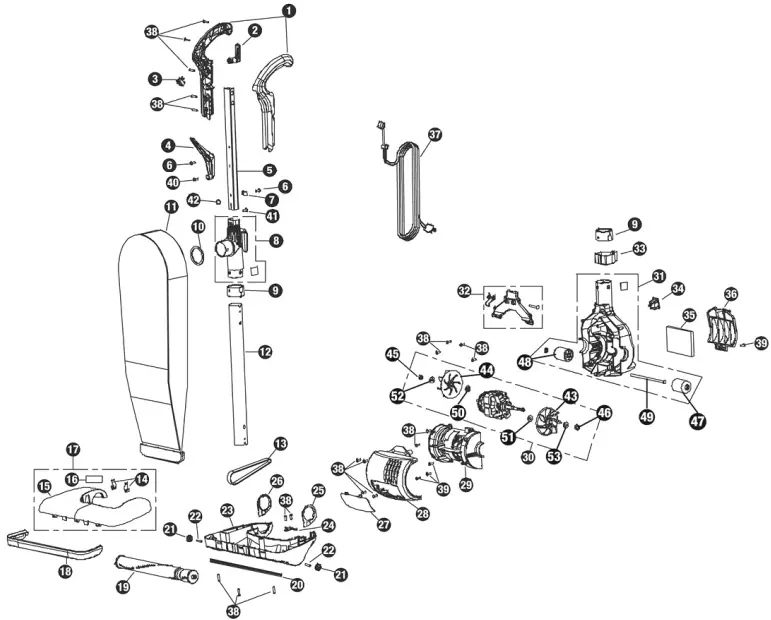
| No. | Part No. | Qty | Description |
| 1 | C431-4400C | 1 | Handle Assembly |
| 2 | B431-4814 | 1 | Upper Cord Hook |
| 3 | A428-2014 | 1 | Main Switch Handle |
| 4 | B431-4914 | 1 | Cord Hook Commercial |
| 5 | B431-4700B | 1 | Handle Tube Rectangular |
| 6 | A090-0200 | 1 | Screw |
| 7 | A090-0100 | 1 | Cable Clamp |
| 8 | D431-4300 | 1 | Upper Duct Diverter & Bag Mount Assembly |
| 9 | B431-4214 | 1 | Rubber Collar |
| 10 | B211-4414B | 1 | Bag Mount Foam Gasket |
| 11 | D431-0600 | 1 | Zippered Cloth Bag |
| 12 | B431-4000 | 1 | Duct Tube |
| 13 | B014-0814B | 1 | Belt |
| 14 | B016-1400B | 1 | Upright Stops w/Spring Clips |
| 15 | B017-6369B | 1 | Nozzle Cover |
| No. | Part No. | Qty | Description |
| 16 | B206-7900 | 1 | Nozzle Label |
| 17 | D017-3600 | 1 | Nozzle Cover Asembly |
| 18 | B029-0414B | 1 | Furniture Guard |
| 19 | B012-3000 | 1 | Agitator Assembly |
| 20 | B015-2414B | 1 | Squeegee |
| 21 | B010-1414 | 1 | Small Wheel |
| 22 | B010-0900 | 1 | Small Axle |
| 23 | B016-1314C | 1 | Base Tray |
| 24 | B014-0000 | 1 | Belt Guard Hair Cutter |
| 25 | B016-0600 | 1 | Left Pivot |
| 26 | B016-0400 | 1 | Right Pivot |
| 27 | B018-0239 | 1 | Lens |
| 28 | B051-0639 | 1 | Lens Holder Cover |
| 29 | B051-0514B | 1 | Motor Cover |
| 30 | 39577 | 1 | Motor Assembly |
| 30 | D113-3300 | 1 | Motor Assembly From S/N 0214014784 |
| 31 | D051-0000 | 1 | Motor Housing Assembly |
| 32 | D051-0400 | 1 | Duct Cover Assembly |
| 33 | B431-4114B | 1 | Lower Cord Clip/Yoke Support |
| 34 | A028-0214 | 1 | Male Plug |
| 35 | B051-0700B | 1 | Post Filter |
| 36 | B051-0114C | 1 | Filter Cover |
| 37 | A434-0831 | 1 | Cord Set |
| 38 | A732-8314 | 1 | Screw #8-18 x 5/8” |
| 39 | A732-8414 | 1 | Screw |
| 40 | A090-0300 | 1 | Screw |
| 41 | A090-0400 | 1 | Screw |
| 42 | A090-0500 | 1 | Nylon Insert |
| 43 | A113-0214 | 1 | Left Motor Fan |
| 44 | A113-0114 | 1 | Right Motor Fan |
| 45 | A010-0100 | 1 | Nut |
| 46 | A010-0400 | 1 | Nut |
| 47 | B010-2414 | 2 | Rear Wheel |
| 48 | B010-2200 | 2 | Rear Wheel Cap |
| 49 | B010-2000B | 1 | Rear Wheel Axle |
| 50 | A010-0600 | 1 | Washer |
| 51 | A010-0300 | 1 | Washer |
| 52 | A010-0500 | 1 | Washer |
| 53 | A010-0200 | 1 | Washer |
| Not Shown | 259PB | 1 | Paper Bag (6 Pack) |
| Not Shown | B333-2900 | 1 | Ground Wire |
| Not Shown | A732-4700 | 1 | Screw #6-32 x 1/4” |
For warranty information go to www.Powr-Flite.com
A Tacony Company
3101 Wichita Court • Fort Worth, TX 76140-1755
1-800-880-2913 • Fax: 1-817-551-0719
 Commercial Floor Care Equipment | Powr-Flite