

User Manual
Function operation
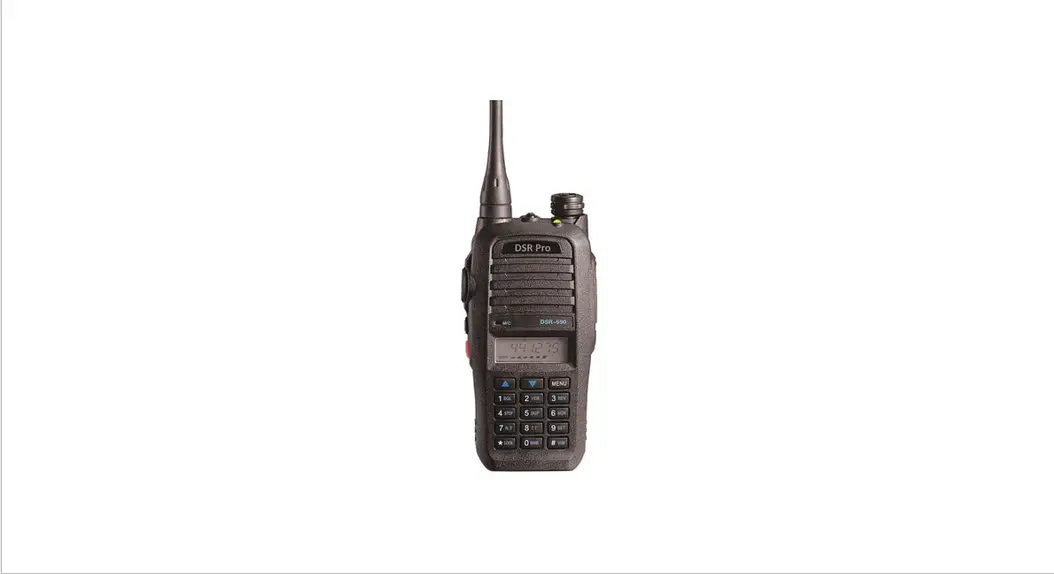
The machine through the Key o-9,
 to achieve auric operation, allowing users to use the walkie-talkie simply and conveniently.
Squelch level setting (MENU +1) 1,
- Press the
 key, then press the number keys 1, enter the squelch level setting. There are 0-9 levels.
 - According
 up or down to select the squelch level, press any key to exit.
 up or down to select the squelch level, press any key to exit.
On-Off voice function (MENU +2)
- Press the button, then press the number 2 key, switch voice features. When the voice function is on, the LCD will display the icon.
On-Off scrambling function (MENU +3)
- Press the key, then press the number key 3 switch scrambling function. When the scrambling function is turned on, the LCD will display the icon. When the channel is no transmission frequency, you can not enter scrambling.
•Set step frequency (MENU +4)
- Press the key, then press the number keys 4, enter the setup step frequency. There 5K, 6.25K, 10K, 12.5K, 20K, 25K, 30K, 50K.
- According to stepping up or down to select the frequency, to confirm and store. Press any other key to exit.
Set-frequency (MENU +5)
Press the key, then press the numeric key 5 to enter the switching-frequency direction. When adding frequency LCD +, when less frequency LCD—.
Enter the scan (MENU +6)
- Press the key, then press the number keys 6, the transceiver will enter the scan.
- scanning, press the key, the transceiver will save the current channel or frequency is swept, and then exit the scan. Pressing any other key, will not save the channel’s direct exit scan.
- During scanning, press keys to change the scanning direction.
- VFO mode: radio will scan the whole frequency band.
- Channel mode: non-group mode will scan all 128 channels with a data channel scan added; the group mode, the scanning of the group (each group up to 16 channels) scans with data adding channels.
- If there are currently less than two channels that have not been set frequency information to add, you can not
Set receive and transmit signaling (MENU +7)
- Press the key, then press the numeric key 7 to enter the setting to receive and transmit signaling.
- Press the
 key to switch the signaling type, as follows: OFF→CTCSS→ DCS N
 - press the
 key to switch to the digital sub-audio pros and cons, as follows: DCS N→DCS I
 - using the keys to select your desired category, the choice of OFF, turn off CTCSS.
- Press to save and leave. Another key is an invalid exit.
(NOTE: When the display mode is CHXXX, it can not set receive and transmit signaling)
Set transmit signaling (MENU +8)
- Press the key, then press the number keys 8, enter the setting emission signaling.
- Press the key to switch the signaling type, as follows: OFF→ CTCSS→ DCS N→’ OFF
- press thE key to switch digital CTCSS positive direction, as follows: DCS N→DCS I
- using the Press <eys to select the group you want, when you select OFF, close the sub-audio.
- Press to save and leave. Another key is an invalid exit.
(NOTE: When the screen display CHXXX, it can not set the transmitter signaling)
Enter menu option (MENU +9)
Press MENU I key, then press the number keys 9, enter option. Specific operations can refer to the following < bperation>.
Select Workgroup operation (MENU +0)
- Press the key, then press the number keys 0, enter the selected working groups to operate.
- Use the keys to select the group you want. A-H total 8 groups are available. Only the group which store channel can be selected. Or can not be selected.
- Press another key to leave this operation, return to standby.
(NOTE: This operation only can be carried out in Channel mode and open the group function.)
Store new channel (MENU + 0)
- The intercom must be in full frequency mode to store channel operation.
- Press the key, then press the key to enter the storage channel operation, a small channel number, and F symbol flashes.
- By pressing the s to select a channel to be stored, or choose to enter a number directly into the channel.
- Press to exit the store to confirm. Another key is an invalid exit.
Enter Numeric keys
- In channel mode, inputs (001-128) switch the current channel. If the input channel exists frequently, then switch to your input channel. If not then return to the original channel. For example, CH 1: (input 001) CH 98:(input 098 or 98) CH 123:( input 123)
- In FR mode, when Standby, Input 6 digits to change the current frequency. If the digit is out of range, the radio will return to the original operating frequency.
Wire cloning
Press key and
 key and turn on the radio to enter cloning mode, LCD “CLonE” prompt, press the side buttons key to start the clone. At the point, the host shows “CLOU”, vice radio shows “CLIN”. When finish clone, if successful, the host radio will show “End” then return to the initial state; If that fails, the host radio will show “Err” and then return to the original state. A successful clone needs about 8 seconds.
Delete channel
- Radio is in Channel mode.
- Press the key to turn on the radio to enter channels delete mode, in this point “DEL” indication is shown in the screen, while a small channel number flashes.
- You can press keys to select the channel you want to delete, or select a channel by entering the corresponding number channel, press the key to enter. The screen will show “YES”.
- Finally, press the button to confirm. The radio will cut back to the next channel to delete a channel frequency, ready to be deleted. When all the channels are not frequency, the radio will exit the delete channel state cuts to a full-range state.
Channel programming settings
• Memory channel setting
Long press the key and key and boot. Enter the programming mode, LCD “SELF” prompt. Then button, LCD becomes “CH-1”.
- Select a channel number Using Key to select the channel number you want to edit, selectable channel range 001 to 128.
- Set the receive frequency Press the button to enter the setup receive frequency. You can press the key to select whether to set the receiving frequency channel. If you want to delete this channel. You can press the key to make the LCD as ” “, then press the button to confirm, so the channel information will be deleted.
Walkie-talkie set to enter the next channel. Walkie-talkie enters setting the next channel. Through the keyboard by six numeric keys, enter your desired frequency, the output after pressing the button to enter the receiving signaling programming.
You can also change the current frequency by pressing the keys to the subtraction step approach. By pressing the key to switch the current step frequency (5K, 6.25K, 10K, 12.5K, 20K, 25K, 30K, 50K). Press the button to enter the receiving signaling programming. - Receiver signaling setting When you enter the item, LCD shows (3 OFF). Press the key to select the type of signaling to be set. Press the Select your desired receive signaling group, after pressing the button and select OK. OFF → 67.0 → 023N→OFF
When the choice is DQT signaling, you can press thekey to switch forward and backward. DCS N -» DCS I - Set the transmit frequency Set methods and procedures “set the receiver frequency” with the same content.
- Set the transmit signaling Set methods and procedures “set the received signaling” with the same content.
- Set Busy Lock Use
 key to select OFF (off), WAVE (carrier lock), or CALL (signaling locked), after pressing the key to select OK.
 - Set Add Scan / delete scan function. Use the key to select Add (add scan) or Del (delete scan) function, then press the button and select OK.
- Set the level of power Use the key to select the High (high power) or Low (low power) function, then press the button and select OK.
9, Set channel name
You have a set 6-character channel name. Press  to select a character, press cut to the next character, press to delete the previous character, press the I MENU I button to confirm. At this point, the channel programming is completed, walkie-talkie enters to program the next channel.
Low-power detection and indication
This transceiver provides four low-power testings. Each level and corresponding voltage value indicates the following:
One Low: 7.4V when the voltage drops below this value, a grid will be less when the battery voltage value, and the remaining two cells.
Two low:6.8V when the voltage drops below this value, the value will be less when the battery voltage is a second grid, leaving a grid.
Three low: 6.4V when the voltage drops below this value, battery voltage indicator does not show all possessive, only the battery box. At this time the red light flashes once every two seconds, and every 10 seconds a loud low voice prompts. But allows the transmitter.
Four low: 6.0V when the voltage drops below this value, the entire battery voltage indication possessive does not display only shows the battery box and the battery box flashes. At this time the red light flashes once every two seconds, and every 10 seconds a loud low voice prompts. Four low-power transmitters is not allowed.
Walkie-talkie shutdown voltage: 4. SV. When the voltage drops below this value, the transceiver will enter the off state. LCD shows LOVOLT.
FM Radio Function
The function of radio must be written “Radio” is set to “open “when connect to pc programming.
- Open/Close FM radio function The transceiver is in standby mode, press enter options, press the MONI key to toggle on or off the FM radio.
When the FM is on, the LCD shows “FM”. In the radio full frequency mode, you can enter the frequency directly listen to the radio.
Or by pressing the keys to change the radio frequency in steps of 100K; in the radio channel mode, you can press keys or enter the two-digit channel number (01-25) to change the current radio channel. - Switch FR Mode/ Channel mode for FM Radio In FM radio mode, press the key to switch the radio FR Mode or Channel mod. (When the walkie-talkie FM radio channel is not stored, you can not switch.)
- Search Radio station In the radio state if you want to quickly find the desired station, use station search operation. In FR mode, press the key to enter the options, then click the 6 key to enter the radio station search. LCD sets the current progress of the search. By pressing the keys to change the direction of the radio station search.
When the search has been set, radiofrequency automatically stays on that point.
When want to continue to station search, then you can press to determine the direction of the search platform to continue the search units. In the radio station search, press other than keys, or transmit by PTT, the radio will exit the search condition. - Monitor function in FM Radio mode Click Key, then click key to enter the setting, select the 16 th item DW, use the key to select, click to save. ON: in FM radio mode, can monitor the intercom signal, when radio receive any signal will exit the FM mode into intercom state after the communication finished return to FM radio mode. OFF: just keep in FM radio mode.
- Set Radio SQ rating In FM radio mode, click the key, then click 1 key to enter squelch setting, use select ON or OFF mode, another key to save and leave.
- Store radio station channel In FM radio mode, press key, then press a key to enter radio station store operation, use the key to select the channel you want, press the key to save.
- Delete radio station channel First, turn the radio to FM radio channel mode, and close the radio, then keep pressing the key and open the radio, in this point, the screen show “xxDEL”, use key to select the channel you want to delete, then press key to confirm to delete.
Click the key, LCD function key symbol, Press the number keys 9, walkie-talkie enter to menu mode. Press Ito select a menu item, pre button to enter the item. Then Press! In operation, press the key to exit and return to standby.
Specific each menu item as follows:
- Ring settings Off Ringer off. On: Ringtones open.
- Backlight setting On backlight lit. Off: backlight is off.
Auto: button is pressed, the backlight is lit, when the backlight is turned on for 10 seconds, if there is no operation, the backlight will turn itself off. - Set Emission limit
Limited time there: OFF (no limit), 30S, 60, 90, 120, 150, 180, 210, 240, 270. - Set frequency offset
FR mode can be set. You can enter 5 digits through the key frequency offset in the range of (00.000M ~ 99.995M) - Open the closed group On group open. Off: group off. Group only valid in channel mode.
The Machine has 128 channels, divided into eight groups. Each group has 16 channels.
Wherein the channel 1 to channel 16 in group A; Channel 17 to channel 32 is a group B; so, the last set of channels 113 to the channel 128, the group H. - Display current battery voltage After entering the walkie-talkie, displays the current battery voltage, automatically return to standby mode after
- seconds. 7, VOX grade setting Can be set to 1 ~ 9 Level.
- VOX delay time set Delay time there: 0.3S, 0.SS, 1.0S, 1.SS, 2.0S, 3.OS.
- Set receiver power-saving On power-saving features turned on. Off: power-saving features turned off.
- Set the scan mode CO: Carrier scan. TO: Time scan. SE: single scan. Scan to a signal immediately stops scanning.
- Scan the Add/ Remove settings ADD: Add DEL: Delete
- Key lock settings Manu: manually set the key lock AUTo: automatic lock button locks. 30 seconds no keys, the key lock is automatically locked.
- Set the boot display OFF: Boot does not show DC: display the current power voltage MSG: Boot Display Greeting
- Set the boot display information You can set 6 characters in boot information. Press a character to press cut to the next character, press the key before deleting a character, press the! button to confirm exit.
- Set the channel display name On Channel mode displays the channel name. Off: Channel mode does not display the channel name.
- Set FM Radio listening mode When DW is ON, In FM radio mode, you can monitor walkie-talkie signals. When the walkie-talkie signal is received, it will temporarily exit the FM radio state, enter to intercom state. When the Intercom state ends, it will automatically enter the FM Radio state.
- Set the width/narrow-band WIDE: Broadband NARROW: Narrowband
- English voice reporting function CHI: Chinese voice reporting open. ENG: English voice reporting open. OFF: voice reporting off.
- Set the Power-on Password
The walkie-talkie with a Power On Password function, Open radio power required to enter five passwords, walkie-talkie function is activated; If the password is wrong, prohibit the use of walkie-talkie function.
Set Password
Entering 19 item displays.”—-“Enter 5 digit password, press button to confirm exit.
Change password
Entering 19 items displays “—-“put a power-on password, LCD display “—-“*Enter 5 digits new password, press the button to confirm exit.
Cancel password
Entering 19 items displays”—-“put a power-on password, LCD display.”—-“Press to exit, Power On Password canceled. - The transmitter end sound settings (with optional)
Launch party at the end tone is emitted after the launch end, the intercom will emit a tone prompts the recipient, then the transmitting side has finished, the receiver can Intercom. This calls for a continuous function to have a good effect.
On: turn on the transmitter end tone.
Off: Turn off the transmitter end tone.
Technical Specifications (Schedule I)
| General | |
| Frequency Range | 136-174MHz |
| Memory channel | 128 |
| Channel spacing | 12.5KHz |
| Antenna Impedance | 50 |
| Working Voltage | 7.4V DC |
| Frequency Stability | ± 2.5 x 10⁻⁶ |
| Dimension | 56mmx105mmx34mm (including battery) |
| Weight | 177(including battery and antenna) |
Technical Specifications (Schedule II)
| Transmitter | |
| Carrier Frequency Tolerance | ±2x 10⁻⁶ |
| Output Powe | 2W |
| Modulation Sensitivity | <20mV |
| Modulation Distortion | –.5`)/0 |
| Maximum Frequency Deviation | t-5.5kHz |
| Occupy broadband | El 6Khz |
| Spurious radiation | E7.5 |
| Adjacent Channel Power | —60dB |
| Transmitting Current | .E1.5A |
Technical Specifications (Schedule III)
| Receiver | |
| Sensitivity | >_0.18 |
| Squelch Sensitivity | -..0.4V |
| Audio Output Power | 500mW |
| Audio Distortion | –..7°/0 |
| Modulation receive broadband | _?.- I ± 7.5kHz I |
| Total Channel Inhibition | ..-8dB |
| Obstruction | .-85dB |
| Spurious Response Rejection | _?:- 60dB |
| Spurious Response | ..?:- 60dB |
| Inter-modulation Rejection | ._..- 60dB |
| Receive Current | -.5.200mA |
| Squelch System standby Current | 20mA |
Care and Maintenance
Comment fault and Troubleshooting
| Comment fault | Troubleshooting |
| No sound comes from the speaker | 1, Volume is too low 2, The squelch level is set too tight 3, Different tone is selected with tone squelch |
| the battery cannot be used a long time after charged | 1, The batteries are exhausted. 2, The battery polarity is reversed |
| Can not have dialogues with other members | 1, Out of talkie range 2, Frequency of CTCSS/DCS is different |
| Others’ sound in the channel | The CTCSS/DCS is changed, please reset the channels. |
WARNING
WARNING! Read this information before using the radio. In August 1996 the Federal Communications Commission (FCC) of the United States with its action in Report and Order FCC 96-326 adopted an updated safety standard for human exposure to radiofrequency electromagnetic energy emitted by FCC regulated transmitters.
Those guidelines are consistent with the safety standard previously set by both U.S. and international standards bodies. The design of the radio complies with the FCC guidelines and these international standards.
Never allow children to operate the radio without adult supervision and the knowledge of the following guidelines.
This device complies with Part 15 of the FCC Rules. Operation is subject to the condition that this device does not cause
harmful interference.
For a transmitter that can only be operated with an FCC license, warnings concerning compliance with applicable licensing requirements and information concerning license application procedures.
Our radio generators RF electromagnetic energy during transmit mode.
This radio is designed for and classified as“Occupational Use Only”, meaning it must be used only during the course of employment by individuals aware of the hazards, and the ways To Minimize Such hazards.
This radio is NOT intended for use by the“General Population” in an uncontrolled environment. This radio has been tested and complies with the FCC RF exposure limits for“Occupational Use Only”. In addition, our radio complies with the following Standards and Guidelines with regard to RF energy and electromagnetic energy levels and evaluation of such levels for exposure to humans:
- IEEE Std. 1528:2013 and KDB447498, Evaluating Compliance with FCC Guidelines for Human Exposure to Radio Frequency
Electromagnetic Fields. - American National Standards Institute (C95.1-1992), IEEE Standard for Safety Levels with Respect to Human Exposure to Radio Frequency Electromagnetic Fields, 3 kHz to 300 GHz.
- American National Standards Institute (C95.3-1992), IEEE Recommended Practice for the Measurement of Potentially Hazardous Electromagnetic Fields-RF and Microwave.
The information listed above provides the user with the information needed to make him or her aware of RF exposure, and what to do to as-sure that this radio operates with the FCC RF exposure limits of this radio.
Electromagnetic Interference/Compatibility
During transmissions, Our radio generates RF energy that can possibly cause interference with other devices or systems. To avoid such interference, turn off the radio in areas where signs are posted to do so. DO NOT operate the transmitter in areas that are sensitive to electromagnetic radiation such as hospitals, aircraft, and blasting sites.
Occupational/Controlled Use
The radio transmitter is used in situations in which persons are exposed as a consequence of their employment provided those persons are fully aware of the potential for exposure and can exercise control over their exposure.
Attention:
This radio complies with IEEE and ICNIRP exposure limits for occupational/controlled RF exposure environment at operating duty factors of up to 50% and is authorized by the FCC for occupational use only. An appropriate warning label is affixed to all units. In order to comply with RF exposure requirements, a minimum distance of 2.5cm must be maintained when held-to-face and body-worn operations are restricted to the approved original accessories (belt clip)a minimum distance of 0 mm. Do not use this device when the antenna shows obvious damages.
This product is in compliance with FCC RF exposure requirements and refers to the FCC website
https://apps.fcc.gov/oetcf/eas/reports/GenericSearch.cfm Search for FCC ID: 2ACNN-DSR-590 to gain further information include SAR Values.
Changes or modifications not expressly approved by the party responsible for compliance could void the user’s authority to operate the equipment.
WARNING: MODIFICATION OF THIS DEVICE TO RECEIVE CELLULAR RADIOTELEPHONE SERVICE SIGNALS IS PROHIBITED UNDER FCC RULES AND FEDERAL LAW.
WARNING! It is up to the user to properly operate this radio transmitter to insure safe operation. Please adhere to the following:
Use only the supplied or an approved antenna(max gain 2.15dBi). Unauthorized antennas, modifications, or attachments could impair call quality, damage the radio, or result in violation of FCC regulations.
If a damaged antenna comes into contact with the skin, a minor burn may result. Please contact your local dealer for a replacement antenna.
FCC Compliance Statements:
This device complies with part 15 of the FCC Rules.
Operation is subject to the following two conditions:
- This device may not cause harmful interference, and
- this device must accept any interference received, including interference that may cause undesired operation.
Note: This equipment has been tested and found to comply with the limits for a Class B digital device, pursuant to part 15 of the FCC Rules. These limits are designed to provide reasonable protection against harmful interference in a residential installation. This equipment generates, uses and can radiate radio frequency energy and, if not installed and used in accordance with the instructions, may cause harmful interference to radio communications. However, there is no guarantee that interference will not occur in a particular installation. If this equipment does cause harmful interference to radio or television reception, which can be determined by turning the equipment off and on, the user is encouraged to try to correct the interference by one or more of the following measures:
- Reorient or relocate the receiving antenna.
- Increase the separation between the equipment and receiver.
- Connect the equipment into an outlet on a circuit different from that to which the receiver is connected.
- Consult the dealer or an experienced radio/TV technician for help.
Licensing Information
Using our radio in the USA is subject to the rules & regulations of the FCC. Changes or modifications not expressly approved by our may void the user authority granted by the FCC to operate this radio and should not be made. To comply with FCC requirements, transmitter adjustments should be made only by or under the supervision of a person certified as technically qualified to perform transmitter maintenance and repairs in the private land mobile and fixed services as certified by an organization representative of the user of those services. Replacement of any transmitter component (crystal, semiconductor, etc) not authorized by the FCC equipment authorization for this radio could violate FCC rules.
Note: The use of this radio outside the country where it was intended to be distributed is subject to government regulations and may be prohibited.
Important: Any changes or modifications not expressly approved by the party responsible for compliance could void the user’s authority to operate this device. Your radio is set up to transmit a regulated signal at an assigned frequency. It is against the law to alter or adjust the settings inside the radio to exceed those limitations. Any adjustments to your radio must be made by qualified technicians.