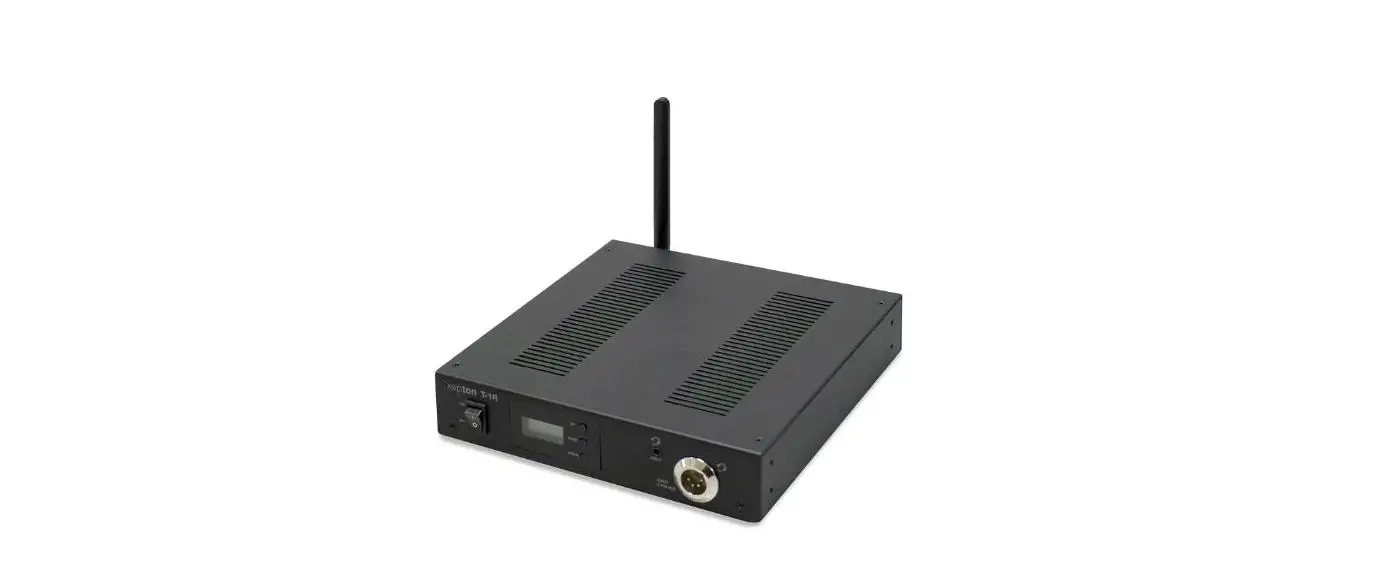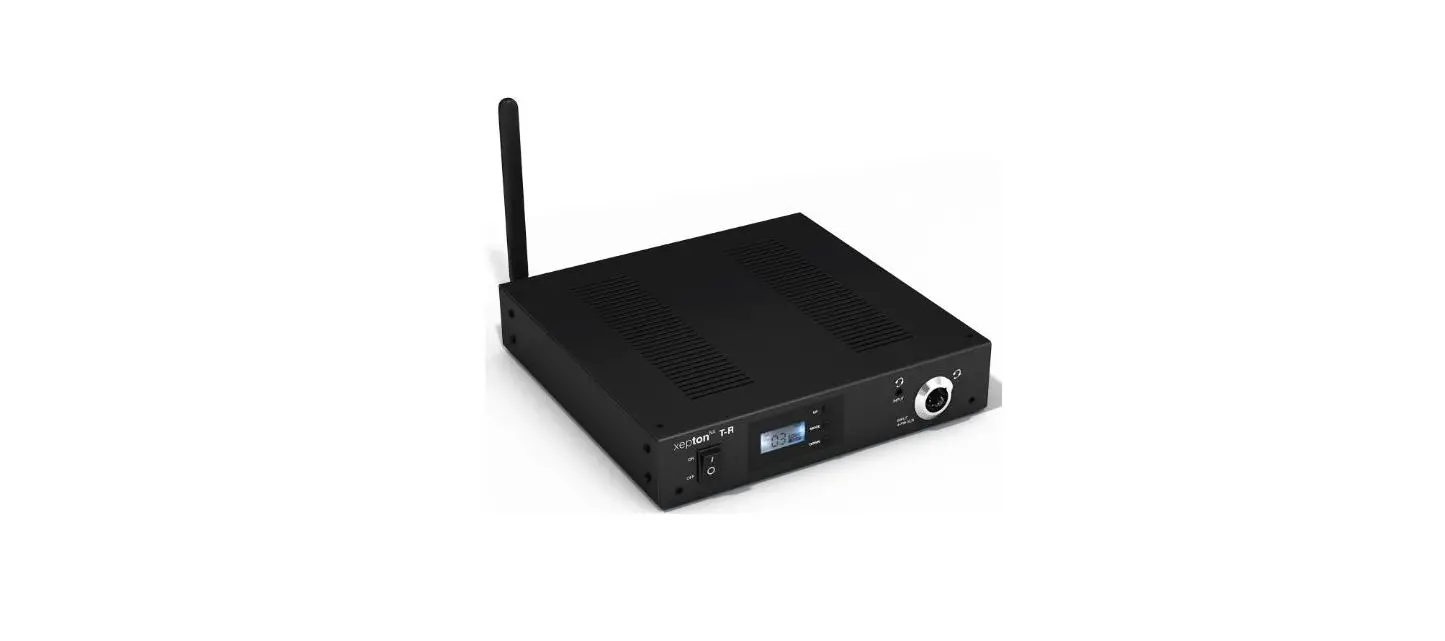
 DIGITAL STATIONARY TRANSMITTER
Model: DST-OTG 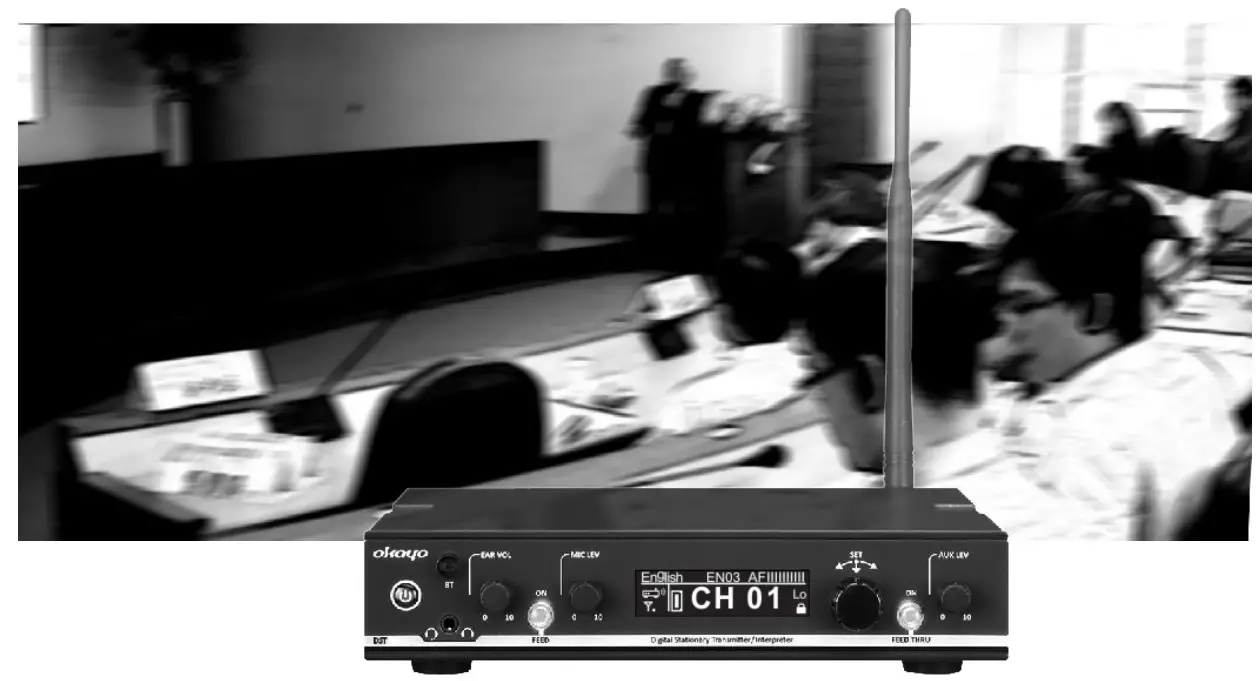 Conferencing
Interpretation
Assistive Listening
[User Manual]
Manufacturer’s Declaration
■ This product meets the following standards:
♦ Federal Communications Commission Interference Statement
Notice: The changes or modifications not expressly approved by the party responsible for compliance could void the user’s
authority to operate the equipment.
FCC INFORMATION
The Federal Communication Commission Radio Frequency Interference Statement includes the following paragraph:
The equipment has been tested and found to comply with the limits for a Class B Digital Device, pursuant to part 15 of the FCC Rules. ‘
These limits are designed to provide reasonable protection against harmful interference in a residential installation.
This equipment generates, uses and can radiate radio frequency energy and, if not installed and used in accordance with the instruction, may cause harmful interference to radio communication.
However, there is no guarantee that interference will not occur in a particular installation. If this equipment does cause harmful interference to radio or television reception, which can be determined by turning the equipment off and on, the user is encouraged to try to correct the interference by one or more of the following measures:
- Reorient or relocate the receiving antenna.
- Increase the separation between the equipment and receiver.
- Connect the equipment into an outlet on a circuit different from that to which the receiver is connected.
- Consult the dealer or an experienced radio/TV technician for help.
This device complies with part 15 of the FCC Rules.
Operation is subject to the following two conditions: (1) This device may not cause harmful interference, and (2) this device must accept any interference received, including interference that may cause undesired operation.
IMPORTANT NOTE: To comply with the FCC RF exposure compliance requirements, no change to the antenna or the device is permitted. Any change to the antenna or the device could result in the device exceeding the RF exposure requirements and void the user’s authority to operate the device.
Europe – EU Declaration of Conformity
This device complies with Directive 2014/53/EU issued by the Commission of the European Community.
WEEE Statement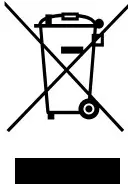 Electrical and electronic equipment must be disposed of at the end of their lifespan separately from household waste.
Please dispose of this equipment at your local waste collection or recycling center. Please help to protect our environment.
Safety and Electromagnetic Emissions Certificates
Standard Compliance
- RoHS compliant
- European Directive 2011/65/EU Certificates
- CE
- FCC
- NCC
Product Overview
Front panel 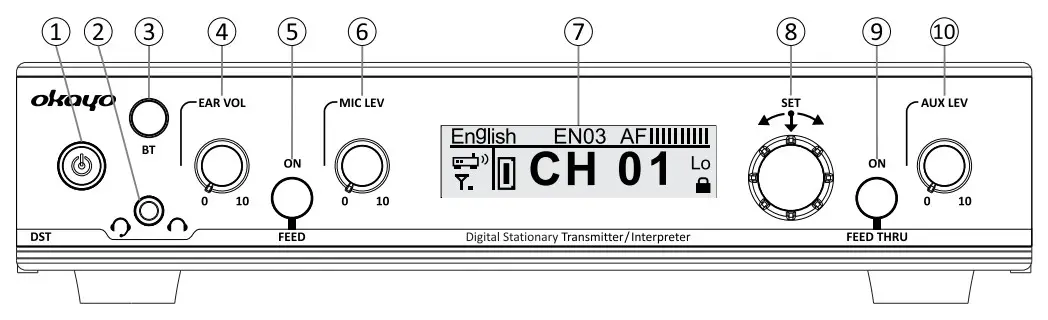
- Power button
- 3.5 mm headphone / headset-mic socket
- Backlit Bluetooth button
- Headphone volume control
- Backlit Mic (Transmitter)/ Feed (Interpreter 0/1) button
- Mic level control
- OLED Display
- Menu/ Set jog dial
- Backlit Aux (Transmitter)/ Feed Thru (Interpreter 0/1) button
- Aux-in level (volume) control
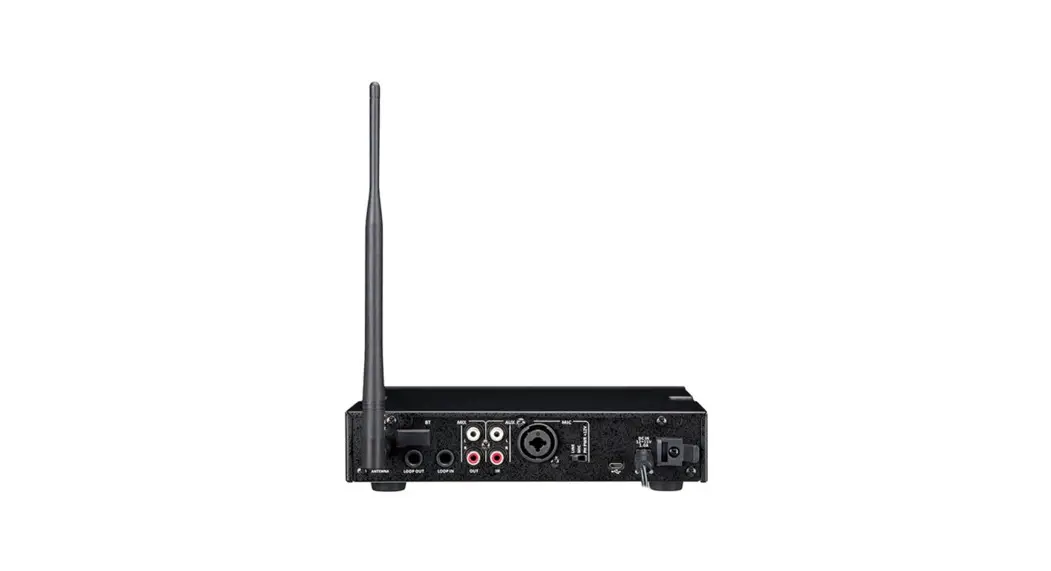
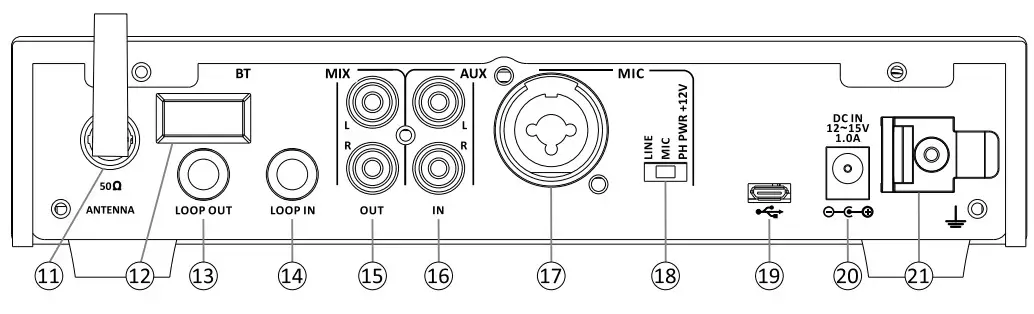
Rear panel
- Rod antenna (TNC connector)
- Blue tooth sensor
- 6.3 mm loop output
- 6.3 mm loop input
- RCA mix output
- RCA aux input
- Combo input
- Line/ Mic/ Phantom switch
- Uploading port
- DC jack
- Cable grip
Display overview
Standby screen 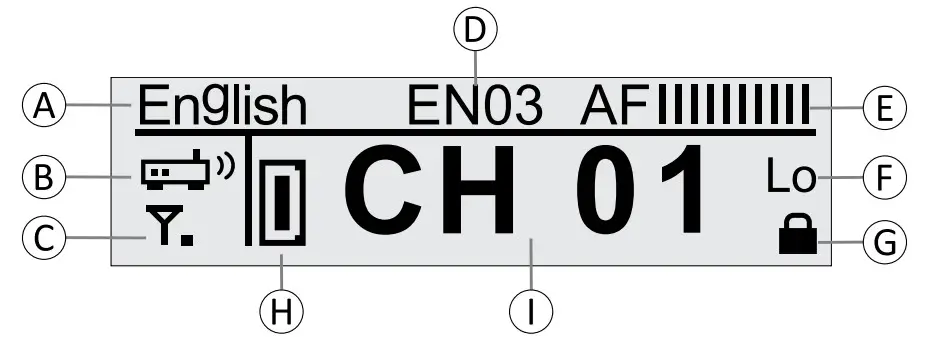
A Bespoke channel name
- This can be defined via proprietary software OK-OTG-SW.
(B) Transmitter mode
- Transmitter
 (default)
 - Interpreters
 (to work with okay’s 10-way Language Router LR-10)
 - Interpreter

 (default)
 (to work with okay’s 10-way Language Router LR-10)
© RF power
- Low (default)

- Mid

- Hi




(D) Bespoke ID number
- This can be defined via proprietary software OK-OTG-SW.
(E) Audio level
- This fluctuates upon audio signals.
(E) Aux-in level
- Lo (default): this setting is recommended if the transmitter will be connected to audio sources,
such as an mp3 player, whose level is lower. - Hi: this setting is recommended if the transmitter will be connected to a professional mixer or another audio source whose level is higher.
(G) Channel-lock
- Channel will be locked automatically when the transmitter is on.
(H) Communication mode
- Each stationary transmitter allows max. one (1) compatible OTG-200T with communication mode
“D” to work simultaneously.
(D) Channel number
- Total channel quantity varies upon the frequency and the default channel number is 01.
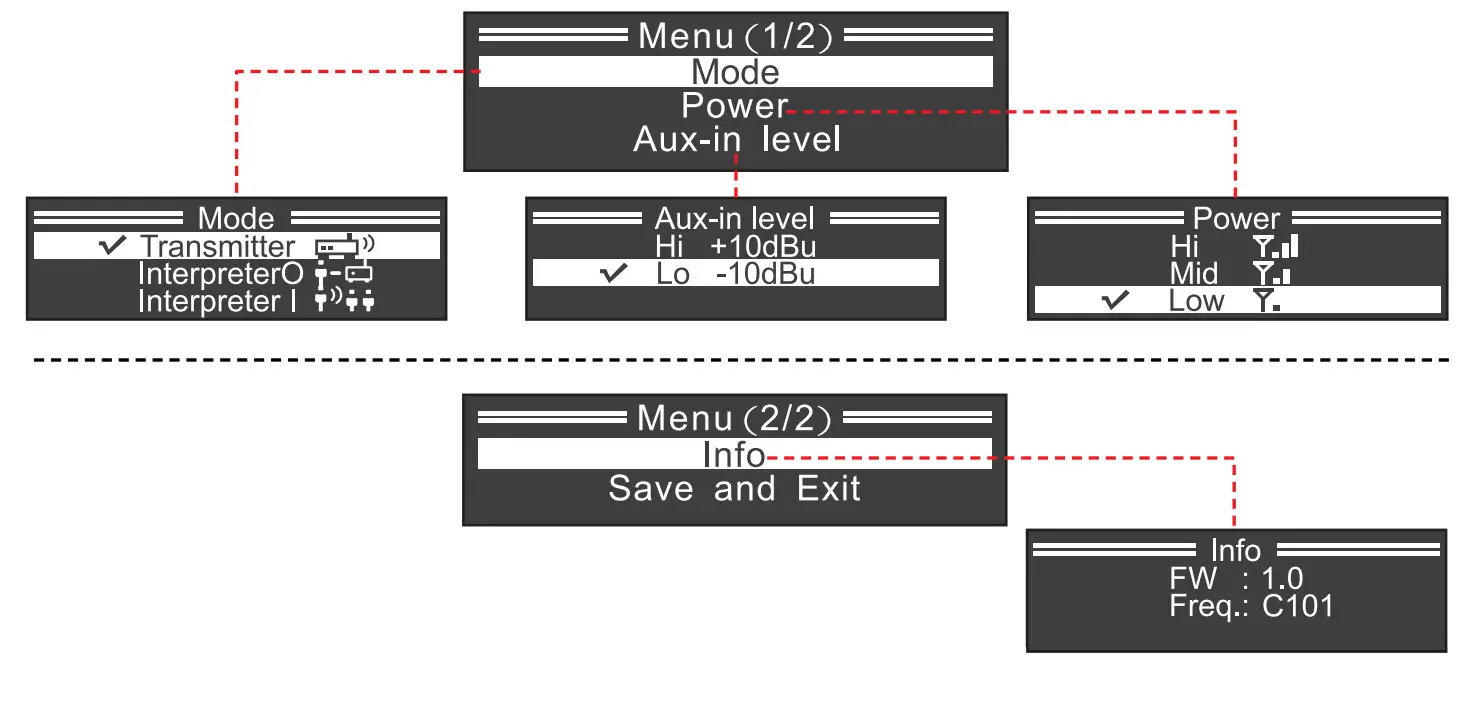
Setting screen
- To enter the setting menu, press and keep pressing the jog dial ((8)) when turning the transmitter on (2).
- Turn the jog dial ((8)) clockwise to select the preferred setting and then press the jog dial ((8)) again to confirm new selection and return to the setting menu.
- To exit the setting menu, select “Save and Exit” and press the jog dial ((8) again.
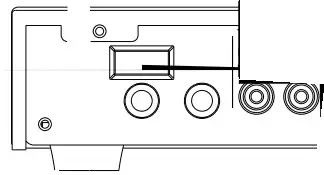
Connecting instruction
 Bu sure to plug the transmitter into the socket before programming.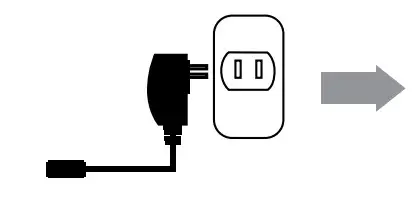
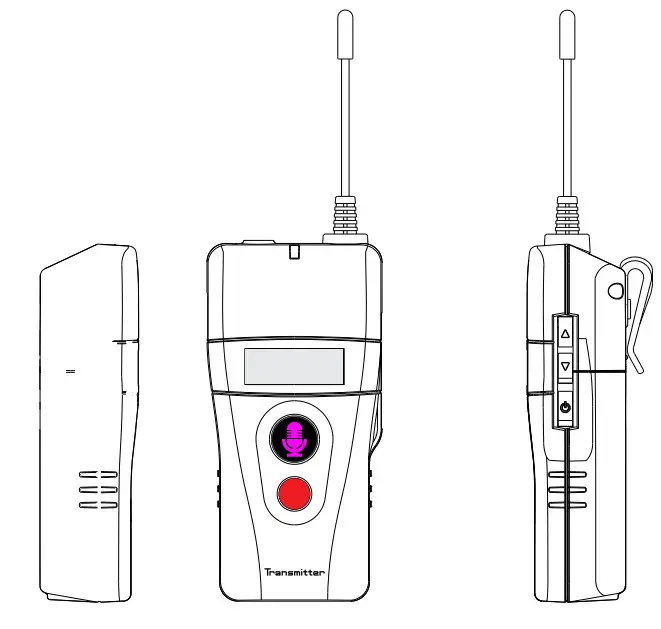
Bodypack transmitter OTG-200T
Bodypack receiver 0TG-200R 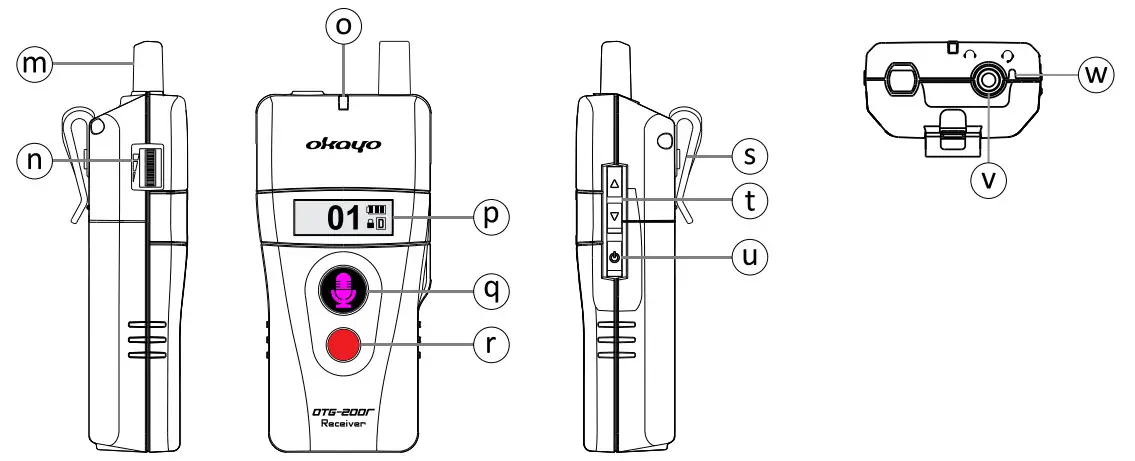
| m) Antenna | s) Belt clip |
| (n) Volume control | (t) Up/down button |
| (o) Signal/ Status indicator | (u) Power button |
| (P) OLED screen | (v) Headphone jack |
| (q) PTT (push to talk) button | w) Inbuilt microphone |
| (r) Alarm-release button |
* Recommended 4-pin jack type is shown below.
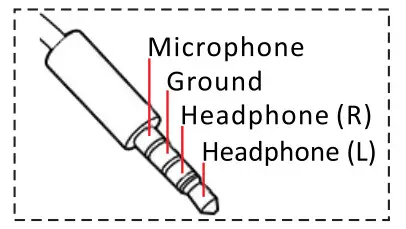
PTT button (q) and alarm-release button (r) are invalid when OTG-200R works with DST-0TG.
♦ Operation
- Power on
Press and hold the power button (i) (u) for 1 second to power the transmitter/ receiver on. - Adjust communication mode (transmitter)
Press and hold both▼(h) and power (i) buttons simultaneously to turn the transmitter on.
Then, press the ▲or▼ button (h) to adjust its mode from[TEACHING to DISCUSSING. Press the
power button (i) to confirm (underline) and leave the setting. only communication mode D can work with DST-0TG.
 - Assign your group channel
Press both& ▲and▼ W buttons (ht) simulaneously to unlock the channel (symbolic disappears) when the transmitter is on. Then, press the▲ or▼ W button (ht) to select another channel. Finally, press the power button (iu) again or leave it for 1 second to confirm the setting automatically.
 - Power off
Press and hold the power button (iu) till OFF shows up on the screen to turn the transmitter /receiver off.
 disappears) when the transmitter is on. Then, press the▲ or▼ W button (ht) to select another channel. Finally, press the power button (iu) again or leave it for 1 second to confirm the setting automatically.
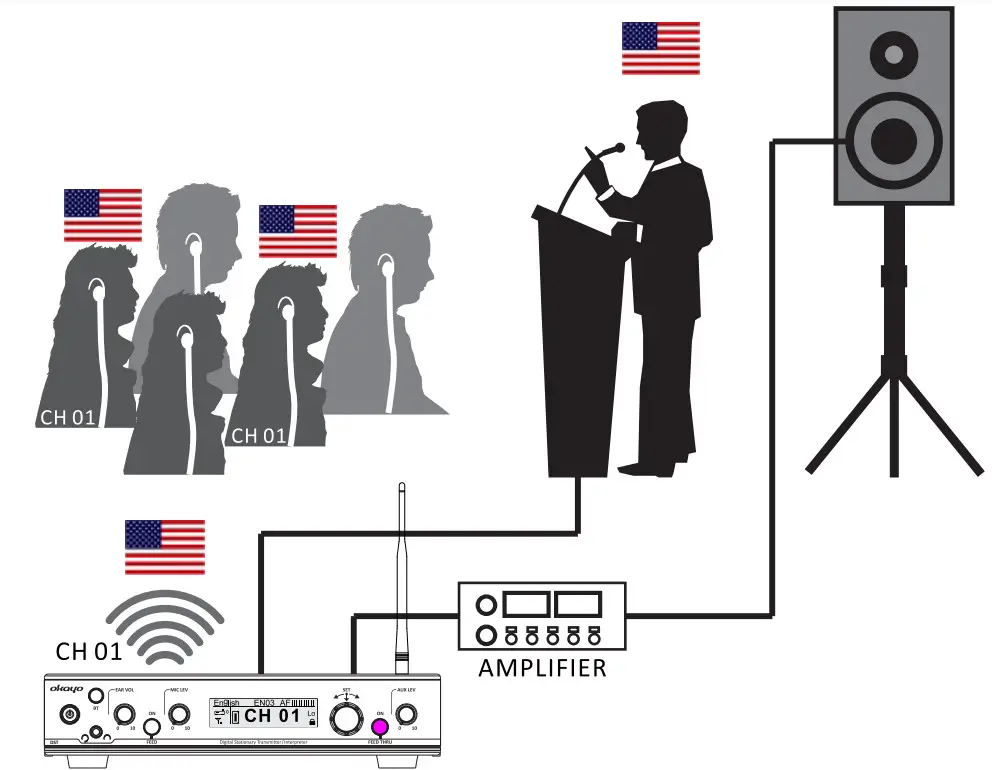
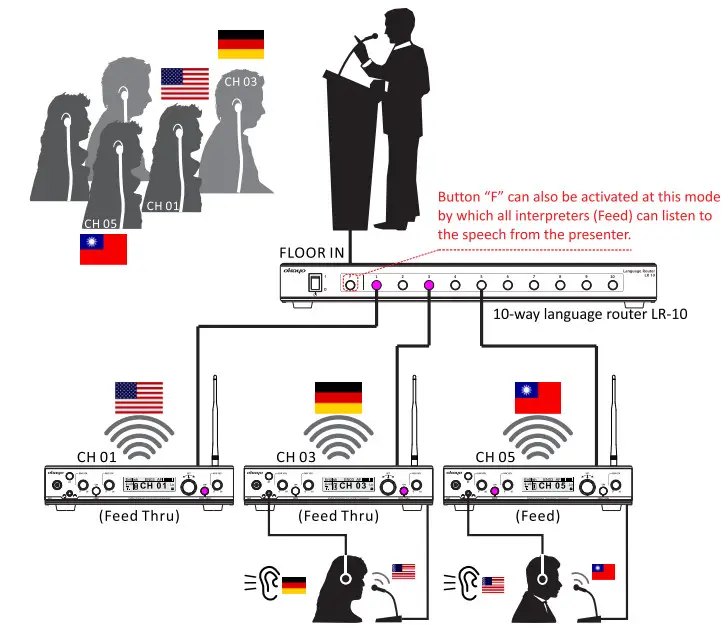
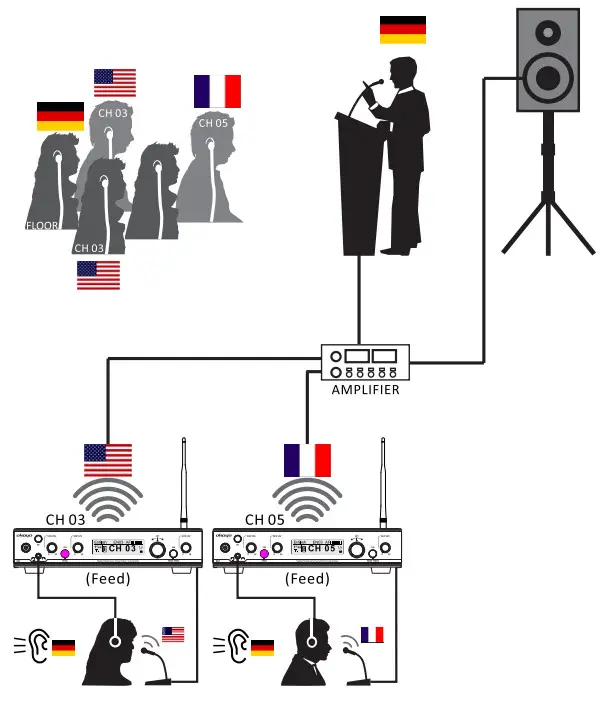
Applications
- Conferencing/ Assistive listening (Mode: Transmitter)

- Interpretation for multi-languages (Mode: Interpreter O)

- Interpretation for 13 languages (Mode: Interpreter I)

Troubleshooting
| Trouble | Solution |
| Why can’t I turn the transmitter on? | •Check if the transmitter is connected to power already. |
| Why can’t I hear anything from the bodypack receiver? | •Check if the bodypack receiver is turned on. •Check if the selected channel on both transmitter and receiver is the same. •Check if the volume of the bodypack receiver is tuned at the appropriate level. •Check if the bodypack receiver is located within the operation range of the transmitter. |
| Why can’t the transmitter send an audio signal? | •Check if the input signal is well connected with the transmitter. •Check if the mic/aux level is tuned at the appropriate level. |
| Why is the operating range shorter? | •Check if the attached antenna is fixed well. •Check if the audio level is pre-set correctly. •Adjust the RF power in the setting menu. |
| Why is the volume of the transmitter quite low? | •Check if the aux-in level is set correctly (Lo / Hi). |
Specifications
| Carrier frequency range | 490 ~ 938 MHz (country dependent) |
| RF output power | • Hi: 18 dBm |
| (country dependent) | • Mid: 13 dBm • Lo: 10 dBm |
| Antenna | TNC connector |
| Headphone output | 200mW@ 32 ohm |
| Inputs | • Mic in: 6.3 mm & XLR • Aux in RCA • Loop in: 6.3 mm |
| Outputs | • Earmic out: 3.5 mm, stereo • Aux out: RCA • Loop out: 6.3 mm |
| Wireless coverage | >100 meters (open field, hi power) |
| Power requirements | 100 ~ 240 V AC/ 12 V DC; lA switching power |
| Dimensions(D x W x H) | 215 x 210 x 51 (mm) |
| Weight | 1.25 kgs |
‘Specifications are subject to change without prior notice.
Okayo OTG Software
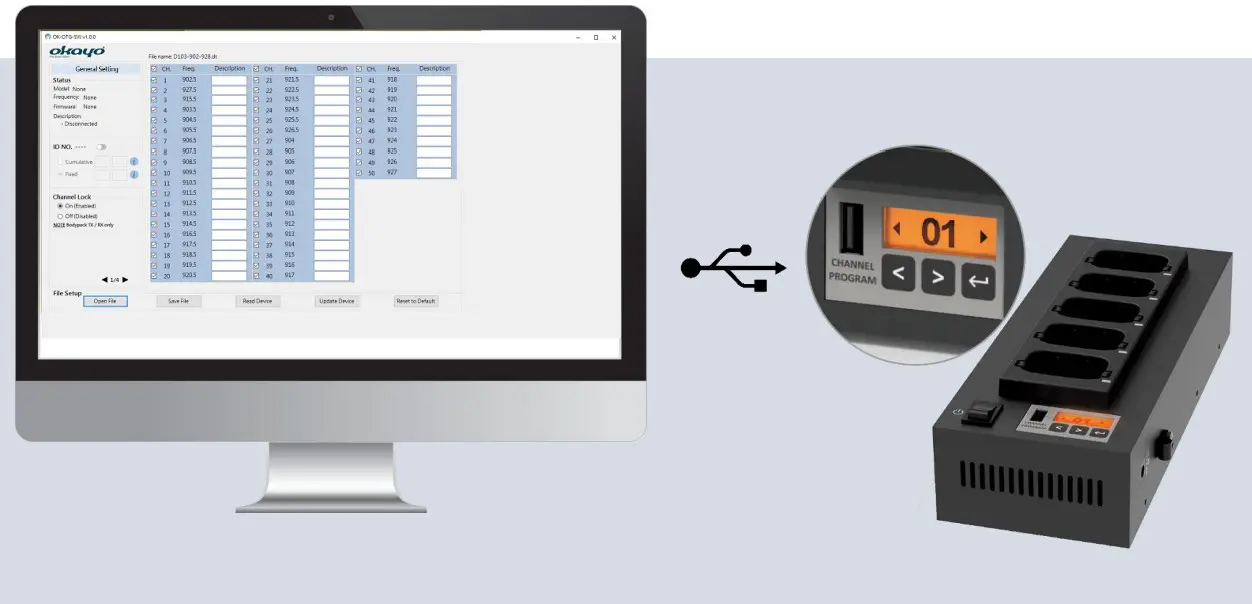
Applied models:
- 5-slot charger C5
- 25-slot charger C25
- 50-slot charger C50
- Stationary transmitter DST-OTG
- OTG-200 series*
*Specific connection cable required.
System Requirements
- OS
• Microsoft Windows 10 or above: 32/64 bit or above - CPU
• Intel ® Core ™ i3 or above - RAM
• 2GB RAM or above - Display Resolution
• 1280 x 720 or above
§ “Windows” and “Microsoft” are the trademarks of Microsoft Corporation.
§ “Intel” and “Core” are the trademarks of Intel Corporation.
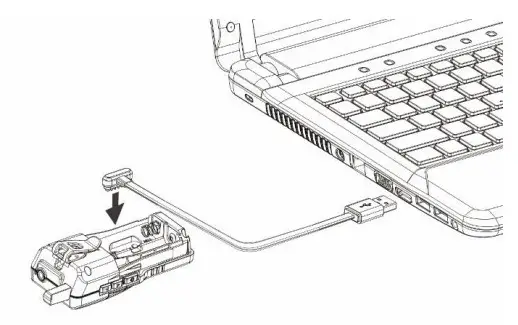
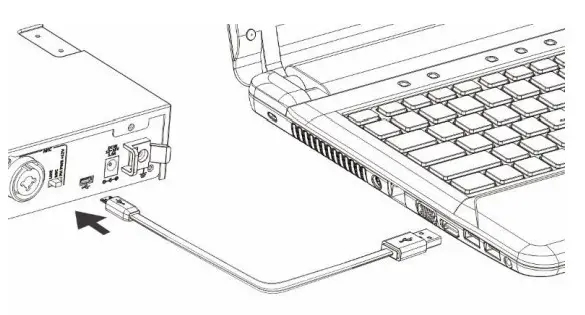
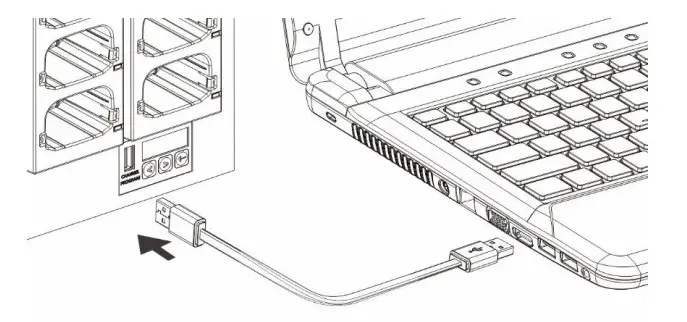
Connecting instructions before programming
- Bodypack transmitter/receiver OTG-200T/R via the proprietary programming cable

- Stationary transmitter DST-OTG via micro-USB to the USB programming cable

- Charger C5 / C25 / C50 via USB to USB programming cable

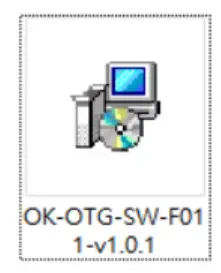
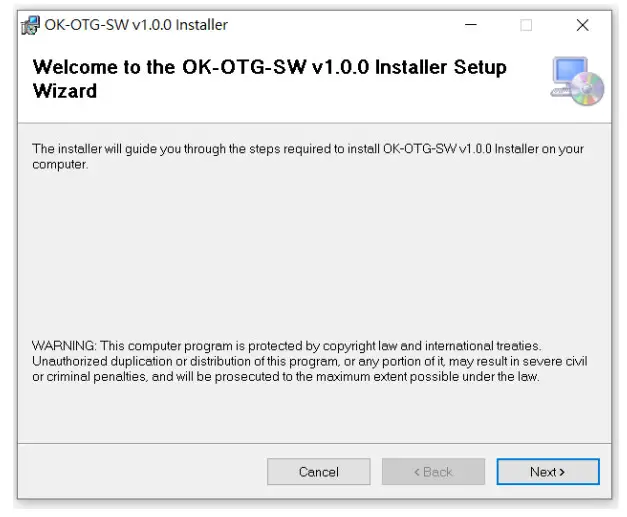
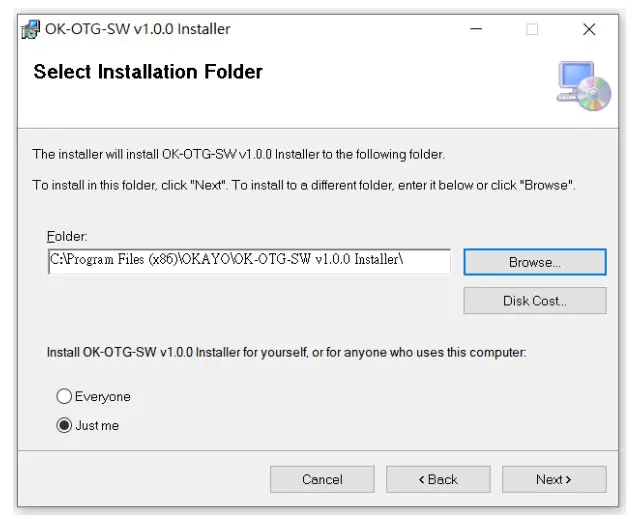
Program Setup
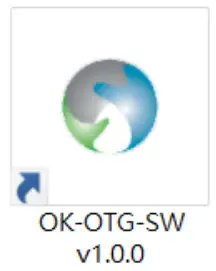
- Insert the disk and double-click OK-OTG-SW v1.0.x as shown below.

- Click Next when the following window shows up.

- Set a route for the installation of OK-OTG-SW and click Next to continue.

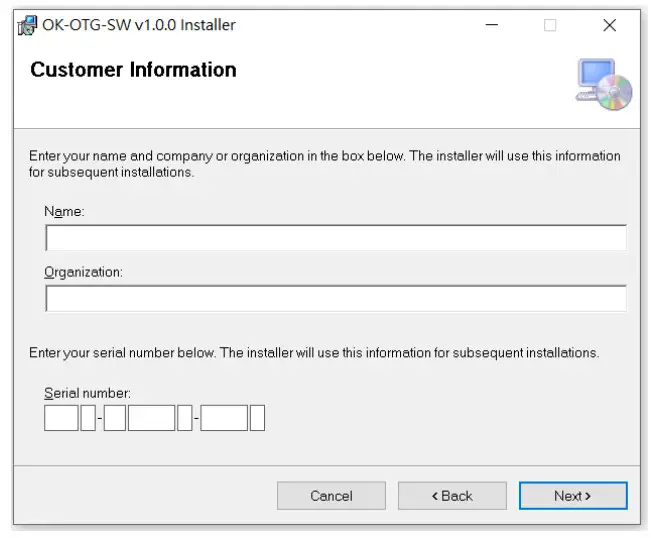
- Input the user name, organization, and authorized serial number (being offered as a hardcopy) and click Next to continue.

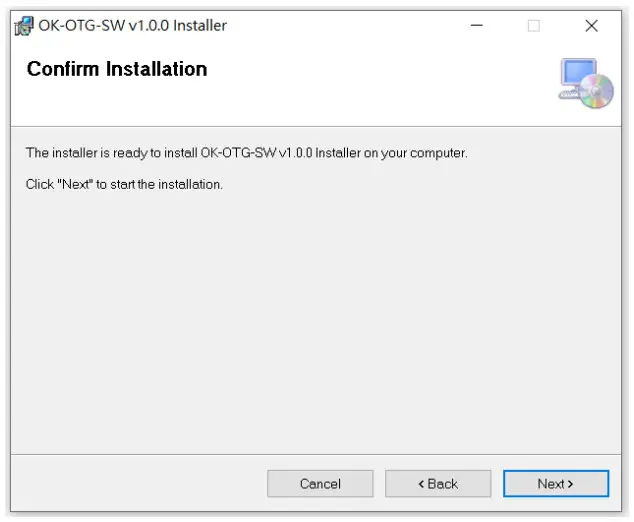
- Click Next to start the installation.

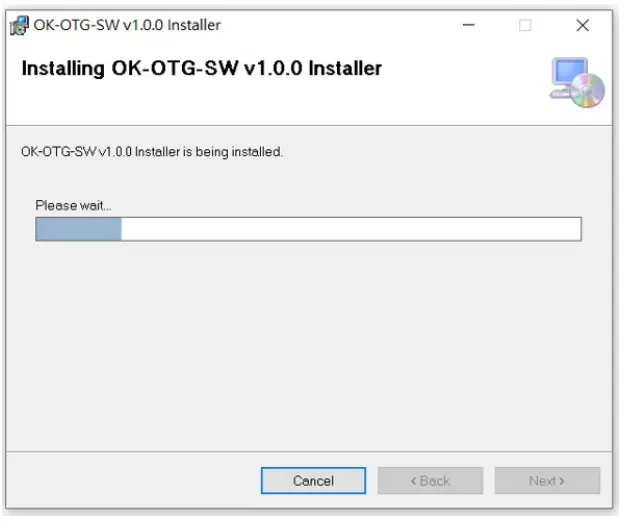
- Installation is under process.

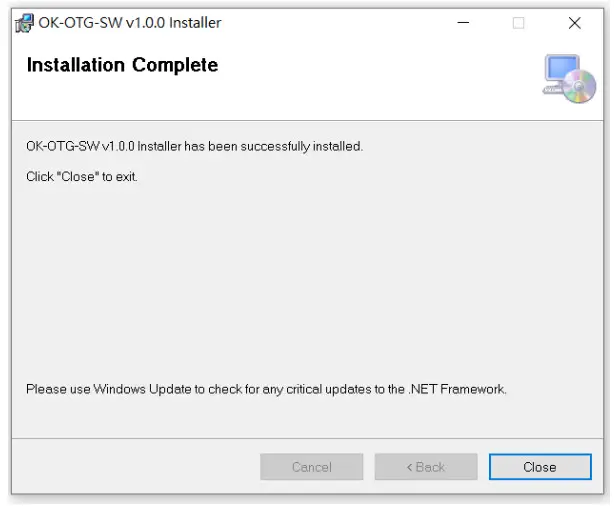
- Click Close to complete the installation.

- The shortcut is available for setting/channel compilation now.

Interface
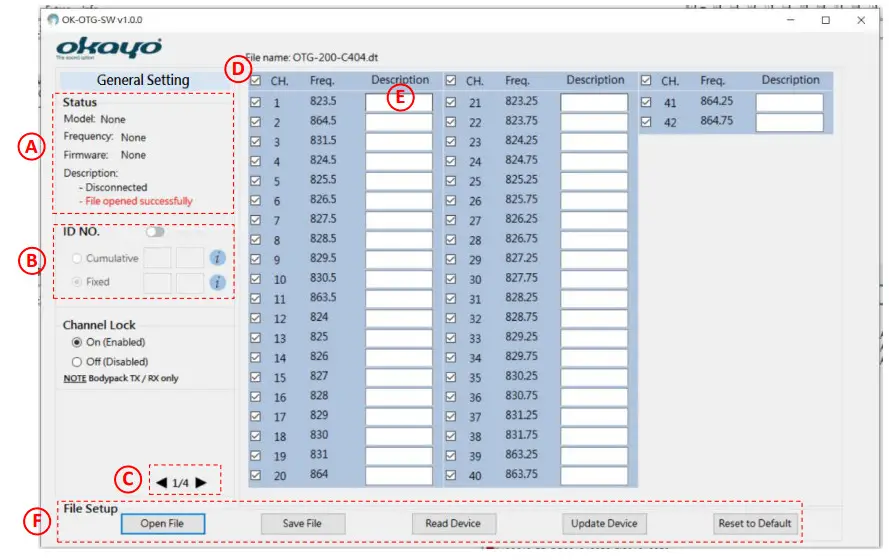
A Status of the connected device
- Model name, frequency code, firmware version, and so on will show up for checking.
B Bespoke ID compilation
- Two (2) kinds of ID-number compilation are available.
1. Cumulative ID number:
The ID number will be cumulative every time when a new device is connected and updated, specifically for a group with the same setting operated by different people, e.g. a tour operator or rental market.
2. Fixed ID number:
The ID number will be fixed without change every time when a new device is connected and updated, specifically for a project or event where people use it without obligation, e.g. ALS market.
Rules of ID number:
- Capital characters or numbers for the first 2-digits.
- Numbers only for the last 2-digits.
- Only numbers in the last 2-digits can be cumulated.
C Total 4 pages are available for various setting adjustments upon models.
D Channels can optionally be selected or deselected upon preference and only clicked channels will be shown on the unit(s).
E Bespoke channel name can be compiled and only inputting “Description” with desired characters on clicked channels will be shown on a unit(s).
F File setup
 : Open previously saved file (.dt).
 : Save current settings and channels on your PC (.dt).
 : Read the device that is connected to your PC.
 : Update current settings and channels onto the connected device.
 : All settings, except ID number, on connected devices will be reset to default. Note the button needs to be pressed again to update
connected device after all settings are reset to default (). See all default settings upon models below.
 : Open previously saved file (.dt).
 : Save current settings and channels on your PC (.dt).
 : Read the device that is connected to your PC.
 : Update current settings and channels onto the connected device.
 : All settings, except ID number, on connected devices will be reset to default. Note the button
General setting
| ID NO. | — |
| Channel Lock | On (Enabled) Off (Disabled) |
Receiver setting
| Alarm (when out of range) | On (Enabled) Off (Disabled) |
| Earphone Out | HAC level regular |
| Auto-Off after 20 mins | On (Enabled) Off (Disabled) |
Transmitter setting
| Mode | Guiding Teaching Discussing |
| Talk | PTB (Push to bolt) PTT (Push to talk) PTM (Push to mute) |
| Mic. Gain | Level 1 Level 2 Level 3 Level 4 Level 5 |
| RF Power | Hi Low |
| Audio Priority | On Off |
Stationary Tx setting
| Mode | Transmitter Interpreter O Interpreter I |
| RF Power | Hi Mid Low |
| Aux-in Level | Hi Low |
Troubleshooting
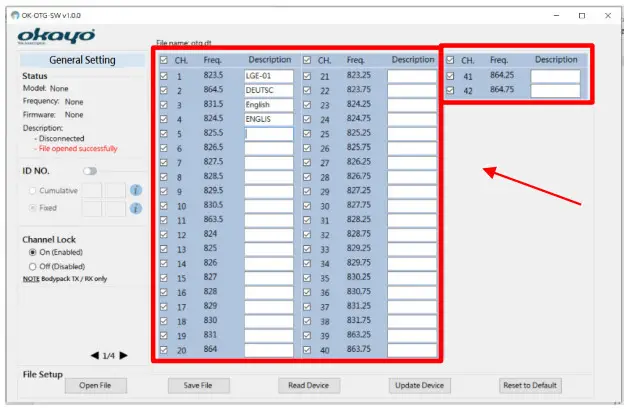
- Why are marked channels not possible to comply?

- The length of inputting letters varies on the language.
- Only symbols in the below table are allowed to use.
| 1 | – | 7 | _ |
| 2 | ~ | 8 | : |
| 3 | + | 9 | / |
| 4 | * | 10 | ? |
| 5 | ; | 11 | , |
| 6 | . |
- Why can’t I see device info when my PC connects with a compatible charger?
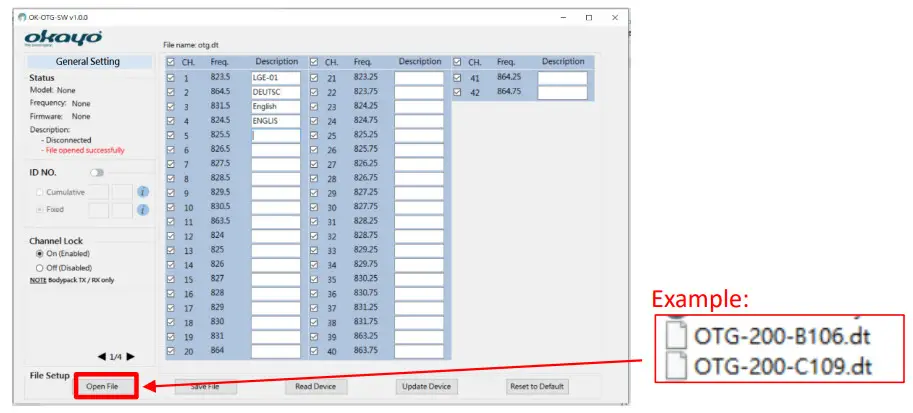
- Open the enclosed “frequency code” file (.dt) in the attached software CD. Compile and adjust all channels and settings, then click to update all devices placed in the compatible charger.
- Connect your PC with a bodypack transmitter/receiver OTG-200T/R via a proprietary programming cable. Click to obtain device info and then disconnect the bodypack transmitter/receiver OTG-200T/R with your PC. After compiling and adjusting all channels and settings, click to update all devices placed in the compatible charger.
Why can’t I compile ID numbers? 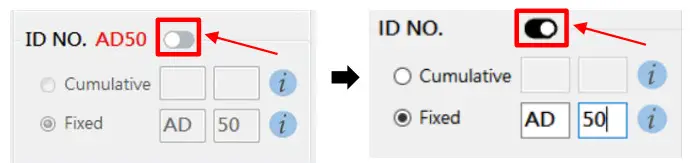
- Click above indicated switch to start your ID compilation.
- Make sure ID numbers are correctly compiled (see paragraph “Interface”).
§ All rights reserved.
§ Any specification, improvement, update, or revision is subject to change without notice.
OKA YO ELECTRONICS CO. LTD.
No. 2, Gongye 10° Rd., Dali Dist., Taichung 41280, Taiwan
Tel.+886-4-2491-4666 Fax.+886-4-2491-3066
E-mail [email protected]
www.okayo.com